Today, we’re going to look at how to
create small to medium jQuery apps and
large to really large JavaScript apps.
jQuery is a fantastic DOM manipulation
library.
However, unlike Dojo it doesn’t provide
recommendations for application
structure or how to organise your code.
That’s not it’s job.
Remember: there are situations where it
makes sense to use just jQuery..
and those where it makes more sense to
use additional tools like Backbone or
alternatives (e.g Dojo).
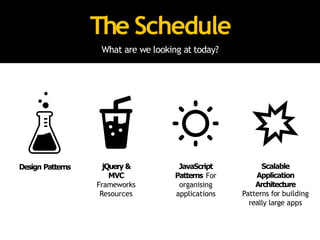
The Schedule
What are we looking at today?
Design Patterns jQuery &
MVC
Frameworks
Resources
Scalable
Application
Architecture
Patterns for building
really large apps
JavaScript
Patterns For
organising
applications
Part I: Patterns - A New Hope.
Design Patterns
Reusable solutions that can be applied to commonly
occurring problems in software design and architecture.
“W
esearchforsomekindofharmonybetweentwointangibles:aformwehavenotyet
designedandacontextwecannotproperlydescribe’
- ChristopherAlexander
,thefatherofdesignpatterns.
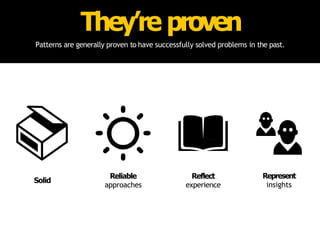
They’re proven
Patterns are generally proven to have successfully solved problems in the past.
Solid
Reliable
approaches
Reflect
experience
Represent
insights
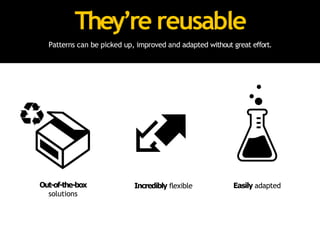
They’re reusable
Patterns can be picked up, improved and adapted without great effort.
Out-of-the-box
solutions
Easily adapted
Incredibly flexible
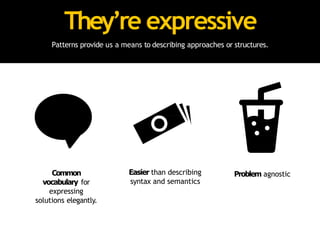
They’re expressive
Patterns provide us a means to describing approaches or structures.
Problem agnostic
Common
vocabulary for
expressing
solutions elegantly.
Easier than describing
syntax and semantics
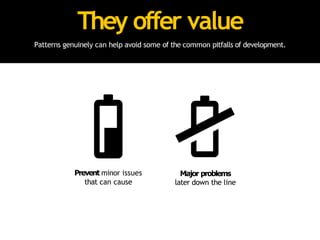
They offer value
Patterns genuinely can help avoid some of the common pitfalls of development.
Prevent minor issues
that can cause
Major problems
later down the line
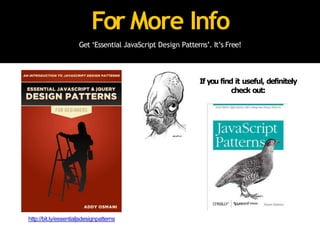
For More Info
Get ‘Essential JavaScript Design Patterns’. It’s Free!
If you find it useful, definitely
check out:
http://bit.ly/essentialjsdesignpatterns
Part II: The JavaScript Strikes Back
“I have all this jQuery code that does a
few distinct things..but I’m not entirely
sure how to organise it. What can I do?”
Options for structuring your jQuery applications
jQuery & MVC
Architecture
How do you structure your application?
• Architecture patterns describe concepts for the
structure of an application
• Certain patterns can be applied to both the
client and server-side
• Most client-side architecture patterns have
roots in the server-side
The pattern most commonly used on the
front-end these days is ‘MVC’.
*It’s of course not the *only* option, just the most frequently implemented.
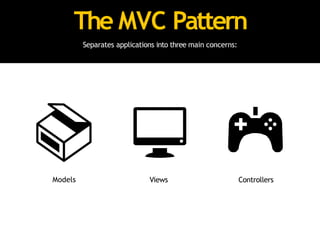
The MVC Pattern
Separates applications into three main concerns:
Models Views Controllers
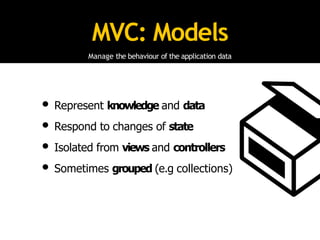
MVC: Models
Manage the behaviour of the application data
• Represent knowledge and data
• Respond to changes of state
• Isolated from views and controllers
• Sometimes grouped (e.g collections)
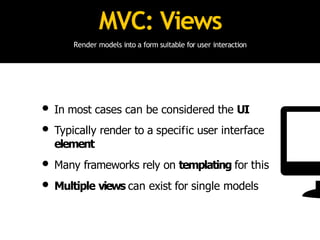
MVC: Views
Render models into a form suitable for user interaction
• In most cases can be considered the UI
• Typically render to a specific user interface
element
• Many frameworks rely on templating for this
• Multiple views can exist for single models
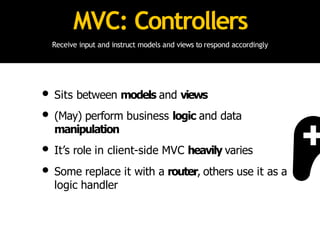
MVC: Controllers
Receive input and instruct models and views to respond accordingly
• Sits between models and views
• (May) perform business logic and data
manipulation
• It’s role in client-side MVC heavily varies
• Some replace it with a router, others use it as a
logic handler
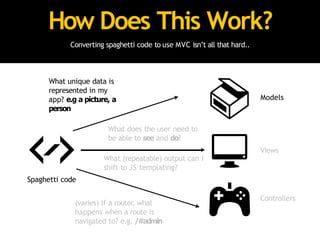
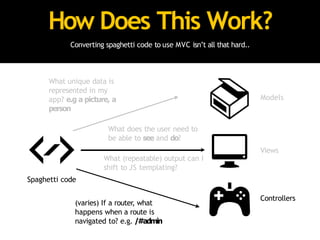
How Does This Work?
Converting spaghetti code to use MVC isn’t all that hard..
Models
Views
Controllers
What (repeatable) output can I
shift to JS templating?
Spaghetti code
What unique data is
represented in my
app? e.g a picture, a
person
What does the user need to
be able to see and do?
(varies) If a router, what
happens when a route is
navigated to? e.g. /#admin
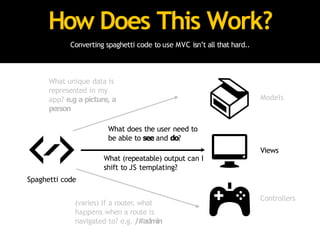
How Does This Work?
Converting spaghetti code to use MVC isn’t all that hard..
Models
Views
Controllers
What (repeatable) output can I
shift to JS templating?
Spaghetti code
What unique data is
represented in my
app? e.g a picture, a
person
What does the user need to
be able to see and do?
(varies) If a router, what
happens when a route is
navigated to? e.g. /#admin
How Does This Work?
Converting spaghetti code to use MVC isn’t all that hard..
Models
Views
Controllers
What (repeatable) output can I
shift to JS templating?
Spaghetti code
What unique data is
represented in my
app? e.g a picture, a
person
What does the user need to
be able to see and do?
(varies) If a router, what
happens when a route is
navigated to? e.g. /#admin
On the client-side, I prefer to refer to this
pattern as MVV (Model-View-Variation).
All JavaScript ‘MVC’ frameworks seem to
interpret MVC differently.
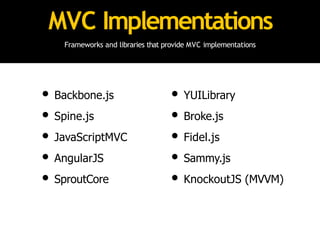
MVC Implementations
Frameworks and libraries that provide MVC implementations
• Backbone.js
• Spine.js
• JavaScriptMVC
• AngularJS
• SproutCore
• YUILibrary
• Broke.js
• Fidel.js
• Sammy.js
• KnockoutJS (MVVM)
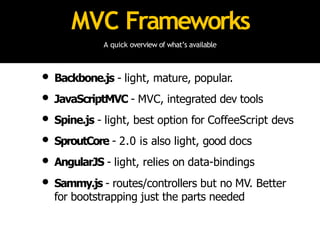
MVC Frameworks
A quick overview of what’s available
• Backbone.js - light, mature, popular.
• JavaScriptMVC - MVC, integrated dev tools
• Spine.js - light, best option for CoffeeScript devs
• SproutCore - 2.0 is also light, good docs
• AngularJS - light, relies on data-bindings
• Sammy.js - routes/controllers but no MV. Better
for bootstrapping just the parts needed
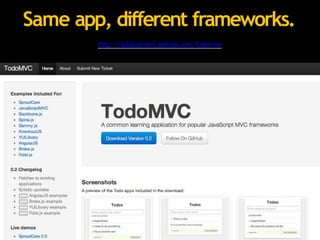
To help make deciding on an MVC
framework easier, I created TodoMVC.
http://addyosmani.github.com/todomvc
Same app, different frameworks.
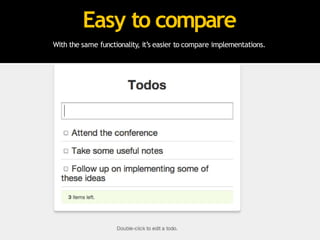
With the same functionality, it’s easier to compare implementations.
Easy to compare
Moving beyond MVC, there are times
when you want to further break down
your application. Patterns can help with
this.
Writing code that’s expressive, encapsulated
& structured
JavaScript Patterns
Modules
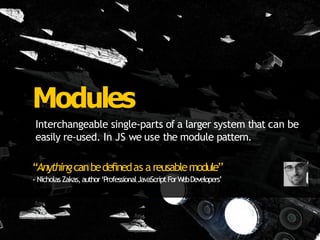
Interchangeable single-parts of a larger system that can be
easily re-used. In JS we use the module pattern.
“Anythingcanbedefinedas areusablemodule”
- NicholasZakas,author‘ProfessionalJavaScriptForW
ebDevelopers’
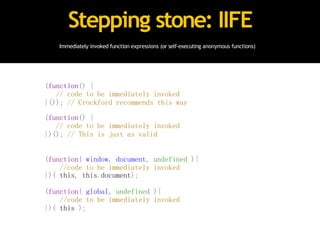
Immediately invoked function expressions (or self-executing anonymous functions)
Stepping stone: IIFE
(function() {
// code to be immediately invoked
}()); // Crockford recommends this way
(function() {
// code to be immediately invoked
})(); // This is just as valid
(function( window, document, undefined ){
//code to be immediately invoked
})( this, this.document);
(function( global, undefined ){
//code to be immediately invoked
})( this );
This is great, but..
Privacy In JavaScript
There isn’t a true sense of it in JavaScript.
No Access Modifiers
Variables & Methods
can’t be ‘public’
Variables & Methods
can’t be ‘private’
The typical module pattern is where immediately invoked function expressions (IIFEs) use
execution context to create ‘privacy’. Here, objects are returned instead of functions.
Module Pattern
var basketModule = (function() {
var basket = []; //private
return { //exposed to public
addItem: function(values) {
basket.push(values);
},
getItemCount: function() {
return basket.length;
},
getTotal: function(){
var q = this.getItemCount(),p=0;
while(q--){
p+= basket[q].price;
}
return p;
}
}
}());
• In the pattern, variables
declared are only
available inside the
module.
• Variables defined within
the returning object are
available to everyone
• This allows us to simulate
privacy
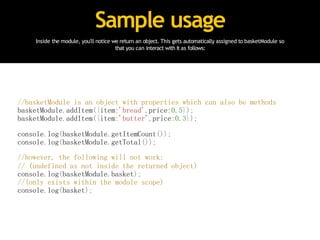
Sample usage
Inside the module, you'll notice we return an object. This gets automatically assigned to basketModule so
that you can interact with it as follows:
//basketModule is an object with properties which can also be methods
basketModule.addItem({item:'bread',price:0.5});
basketModule.addItem({item:'butter',price:0.3});
console.log(basketModule.getItemCount());
console.log(basketModule.getTotal());
//however, the following will not work:
// (undefined as not inside the returned object)
console.log(basketModule.basket);
//(only exists within the module scope)
console.log(basket);
Module Pattern: Dojo
Dojo attempts to provide 'class'-like functionality through dojo.declare, which can be used for amongst
other things, creating implementations of the module pattern. Powerful when used with dojo.provide.
// traditional way
var store = window.store || {};
store.basket = store.basket || {};
// another alternative..
// using dojo.setObject (with basket as a module of the store namespace)
dojo.setObject("store.basket.object", (function() {
var basket = [];
function privateMethod() {
console.log(basket);
}
return {
publicMethod: function(){
privateMethod();
}
};
}()));
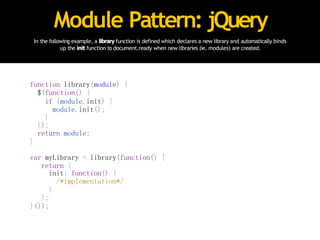
Module Pattern: jQuery
In the following example, a library function is defined which declares a new library and automatically binds
up the init function to document.ready when new libraries (ie. modules) are created.
function library(module) {
$(function() {
if (module.init) {
module.init();
}
});
return module;
}
var myLibrary = library(function() {
return {
init: function() {
/*implementation*/
}
};
}());
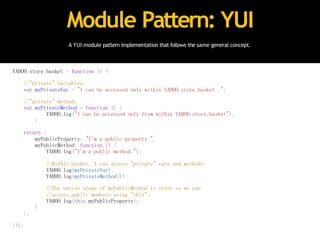
A YUI module pattern implementation that follows the same general concept.
Module Pattern: YUI
YAHOO.store.basket = function () {
//"private" variables:
var myPrivateVar = "I can be accessed only within YAHOO.store.basket .";
//"private" method:
var myPrivateMethod = function () {
YAHOO.log("I can be accessed only from within YAHOO.store.basket");
}
return {
myPublicProperty: "I'm a public property.",
myPublicMethod: function () {
YAHOO.log("I'm a public method.");
//Within basket, I can access "private" vars and methods:
YAHOO.log(myPrivateVar);
YAHOO.log(myPrivateMethod());
//The native scope of myPublicMethod is store so we can
//access public members using "this":
YAHOO.log(this.myPublicProperty);
}
};
}();
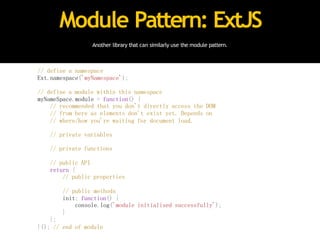
Another library that can similarly use the module pattern.
Module Pattern: ExtJS
// define a namespace
Ext.namespace('myNamespace');
// define a module within this namespace
myNameSpace.module = function() {
// recommended that you don't directly access the DOM
// from here as elements don't exist yet. Depends on
// where/how you're waiting for document load.
// private variables
// private functions
// public API
return {
// public properties
// public methods
init: function() {
console.log('module initialised successfully');
}
};
}(); // end of module
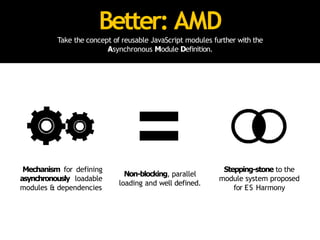
Take the concept of reusable JavaScript modules further with the
Asynchronous Module Definition.
Better: AMD
Mechanism for defining
asynchronously loadable
modules & dependencies
Non-blocking, parallel
loading and well defined.
Stepping-stone to the
module system proposed
for ES Harmony
AMD: define()
define allows the definition of modules with a signature of
define(id /*optional*/, [dependencies], factory /*module instantiation fn*/);
/* wrapper */
define(
/*module id*/
'myModule',
/*dependencies*/
['foo','bar','foobar'],
/*definition for the module export*/
function (foo, bar, foobar) {
/*module object*/
var module = {};
/*module methods go here*/
module.hello = foo.getSomething();
module.world = bar.doSomething();
/*return the defined module object*/
return module;
}
);
require is used to load code for top-level JS files or inside modules for
dynamically fetching dependencies
AMD: require()
/* top-level: the module exports (one, two) are passed as
function args to the callback.*/
require(['one', 'two'], function (one, two) {
});
/* inside: complete example */
define('three', ['one', 'two'], function (one, two) {
/*require('string') can be used inside the function
to get the module export of a module that has
already been fetched and evaluated.*/
var temp = require('one');
/*This next line would fail*/
var bad = require('four');
/* Return a value to define the module export */
return function () {};
});
AMD modules can be used with
RequireJS and curl.js amongst other
script loaders.
They’re compatible with Dojo, MooTools
and even jQuery.
A very simple AMD module using jQuery and the color plugin
AMD + jQuery
define(["jquery", "jquery.color", "jquery.bounce"], function($) {
//the jquery.color and jquery.bounce plugins have been loaded
// not exposed to other modules
$(function() {
$('#container')
.animate({'backgroundColor':'#ccc'}, 500)
.bounce();
});
// exposed to other modules
return function () {
// your module's functionality
};
});
Recommended by Require.js author James Burke
AMD/UMD jQuery Plugin
(function(root, factory) {
if (typeof exports === 'object') {
// Node/CommonJS
factory(require('jquery'));
} else if (typeof define === 'function' &&
define.amd) {
// AMD. Use a named plugin in case this
// file is loaded outside an AMD loader,
// but an AMD loader lives on the page.
define('myPlugin', ['jquery'], factory);
} else {
// Browser globals
factory(root.jQuery);
}
}(this, function($) {
$.fn.myPlugin = function () {};
}));
Want to see a Backbone.js + RequireJS +
AMD + jQuery demo? Hang on until the end.
*or look at:
https://github.com/addyosmani/backbone-aura
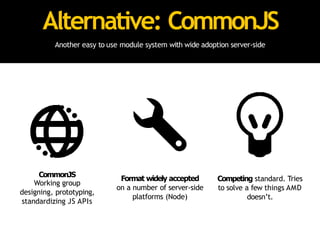
Alternative: CommonJS
Another easy to use module system with wide adoption server-side
CommonJS
Working group
designing, prototyping,
standardizing JS APIs
Format widely accepted
on a number of server-side
platforms (Node)
Competing standard. Tries
to solve a few things AMD
doesn’t.
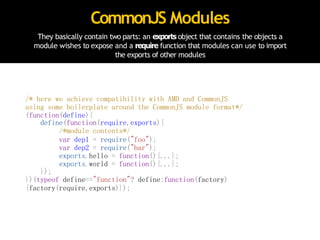
They basically contain two parts: an exports object that contains the objects a
module wishes to expose and a require function that modules can use to import
the exports of other modules
CommonJS Modules
/* here we achieve compatibility with AMD and CommonJS
using some boilerplate around the CommonJS module format*/
(function(define){
define(function(require,exports){
/*module contents*/
var dep1 = require("foo");
var dep2 = require("bar");
exports.hello = function(){...};
exports.world = function(){...};
});
})(typeof define=="function"? define:function(factory)
{factory(require,exports)});
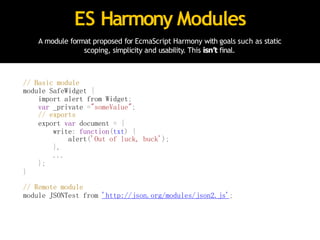
ES Harmony Modules
A module format proposed for EcmaScript Harmony with goals such as static
scoping, simplicity and usability. This isn’t final.
// Basic module
module SafeWidget {
import alert from Widget;
var _private ="someValue";
// exports
export var document = {
write: function(txt) {
alert('Out of luck, buck');
},
...
};
}
// Remote module
module JSONTest from 'http://json.org/modules/json2.js';
A module created using Google’s recently proposed Dart
DART modules
// 17,000 lines of code
// couldn’t fit on the slides
// Sorry, guise!
Modules are regularly used in MVC
applications..but there are other patterns
that can make building large apps easier
too.
Remember..jQuery generally plays a
smaller role in larger-apps than most
people might think.
Facade Pattern
Convenient, high-level interfaces to larger bodies of code
that hide underlying complexity
“Whenyouputupafacade,you'reusuallycreatinganoutwardappearancewhichconcealsa
differentreality
.Thinkofitas simplifyingtheAPIpresentedtootherdevelopers”
- Essential JavaScriptDesignPatterns
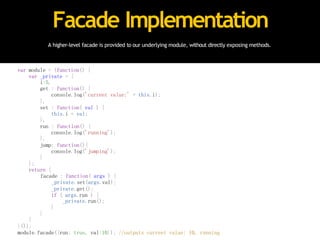
A higher-level facade is provided to our underlying module, without directly exposing methods.
Facade Implementation
var module = (function() {
var _private = {
i:5,
get : function() {
console.log('current value:' + this.i);
},
set : function( val ) {
this.i = val;
},
run : function() {
console.log('running');
},
jump: function(){
console.log('jumping');
}
};
return {
facade : function( args ) {
_private.set(args.val);
_private.get();
if ( args.run ) {
_private.run();
}
}
}
}());
module.facade({run: true, val:10}); //outputs current value: 10, running
var module = (function() {
var _private = {
i:5,
get : function() {
console.log('current value:' + this.i);
},
set : function( val ) {
this.i = val;
},
run : function() {
console.log('running');
},
jump: function(){
console.log('jumping');
}
};
return {
facade : function( args ) {
_private.set(args.val);
_private.get();
if ( args.run ) {
_private.run();
}
}
}
}());
module.facade({run: true, val:10}); //outputs current value: 10, running
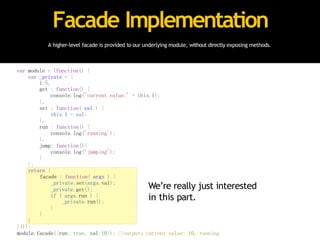
A higher-level facade is provided to our underlying module, without directly exposing methods.
Facade Implementation
We’re really just interested
in this part.
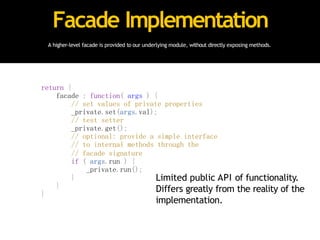
A higher-level facade is provided to our underlying module, without directly exposing methods.
Facade Implementation
return {
facade : function( args ) {
// set values of private properties
_private.set(args.val);
// test setter
_private.get();
// optional: provide a simple interface
// to internal methods through the
// facade signature
if ( args.run ) {
_private.run();
}
}
}
Limited public API of functionality.
Differs greatly from the reality of the
implementation.
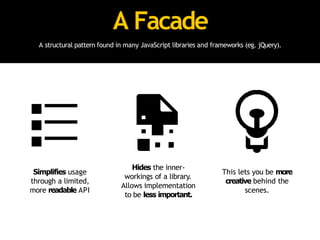
A Facade
A structural pattern found in many JavaScript libraries and frameworks (eg. jQuery).
Simplifies usage
through a limited,
more readable API
Hides the inner-
workings of a library.
Allows implementation
to be less important.
This lets you be more
creative behind the
scenes.
Facade Pattern
How does it differ from the module pattern?
• Differs from the module pattern as the exposed
API can greatlydiffer from the public/private
methods defined
• Has many uses including application security
as we’ll see a little later in the talk
Mediator Pattern
Encapsulates how disparate modules interact with each
other by acting as an intermediary
“Mediatorsareusedwhenthecommunicationbetweenmodulesmaybecomplex,but
is still welldefined”
- EssentialJavaScriptDesignPatterns
Air Traffic Control
I always find this mediator analogy helps when discussing this pattern:
The tower handles
what planes can take
off and land
All communication done
from planes to tower,
not plane to plane
Centralised controller
is key to this success.
Similar to mediator.
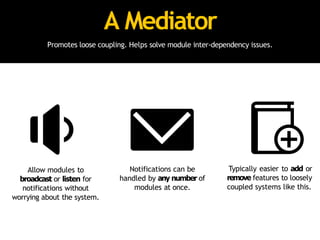
A Mediator
Promotes loose coupling. Helps solve module inter-dependency issues.
Allow modules to
broadcast or listen for
notifications without
worrying about the system.
Notifications can be
handled by any number of
modules at once.
Typically easier to add or
remove features to loosely
coupled systems like this.
Mediator Implementation
One possible implementation, exposing publish and subscribe capabilities.
var mediator = (function(){
var subscribe = function(channel, fn){
if (!mediator.channels[channel])mediator.channels[channel] = [];
mediator.channels[channel].push({ context: this, callback:fn });
return this;
},
publish = function(channel){
if (!mediator.channels[channel]) return false;
var args = Array.prototype.slice.call(arguments, 1);
for (var i = 0, l = mediator.channels[channel].length; i <l; i++) {
var subscription = mediator.channels[channel][i];
subscription.callback.apply(subscription.context,args);
}
return this;
};
return {
channels: {},
publish: publish,
subscribe: subscribe,
installTo: function(obj){
obj.subscribe = subscribe;
obj.publish = publish;
}
};
}());
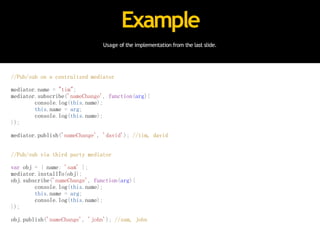
Usage of the implementation from the last slide.
Example
//Pub/sub on a centralized mediator
mediator.name = "tim";
mediator.subscribe('nameChange', function(arg){
console.log(this.name);
this.name = arg;
console.log(this.name);
});
mediator.publish('nameChange', 'david'); //tim, david
//Pub/sub via third party mediator
var obj = { name: 'sam' };
mediator.installTo(obj);
obj.subscribe('nameChange', function(arg){
console.log(this.name);
this.name = arg;
console.log(this.name);
});
obj.publish('nameChange', 'john'); //sam, john
Part III: Return of the patterns
Scalable
Application
Architecture
Strategies for decoupling and future-proofing the structure
of your application. Let’s build empires.
ThankstoNicholasZakas,RebeccaMurphey
,JohnHann,PaulIrish,PeterMichauxandJustin
Meyerfortheirpreviousworkinthisarea.
Challenge
Define what it means for a JavaScript application to be ‘large’.
• It’s a very tricky question to get right
• Even experienced JavaScript developers have
trouble accurately defining this
Some Answers
I asked some intermediate developers what their thoughts on this were.
Umm..J
avaScript apps with over
100,000 lines of code?
Some Answers
I asked some intermediate developers what their thoughts on this were.
Obviously
,apps with over 1MB of
J
avaScript code written in-house!
Large-scale JavaScript apps are non-trivial
applications requiring significant developer effort
to maintain, where most heavy lifting of data
manipulation and display falls to the browser.
My Answer
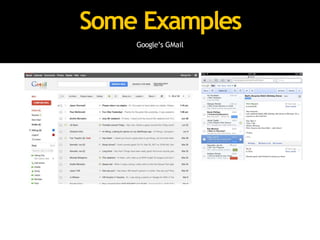
Some Examples
Google’s GMail
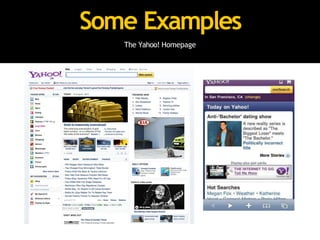
Some Examples
The Yahoo! Homepage
Some Examples
AOL Mail /Phoenix
It’s often more complex than we initially think.
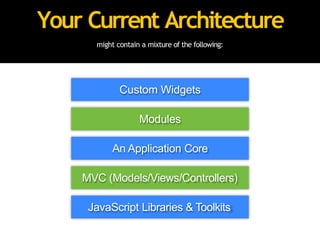
Current Architecture
If working on a significantly large JavaScript app,
remember to dedicate sufficient time to planning the
underlying architecture that makes the most sense.
might contain a mixture of the following:
Your Current Architecture
MVC (Models/Views/Controllers)
An Application Core
Modules
Custom Widgets
JavaScript Libraries & Toolkits
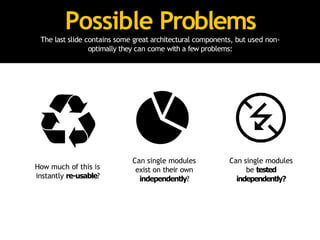
Possible Problems
The last slide contains some great architectural components, but used non-
optimally they can come with a few problems:
How much of this is
instantly re-usable?
Can single modules
exist on their own
independently?
Can single modules
be tested
independently?
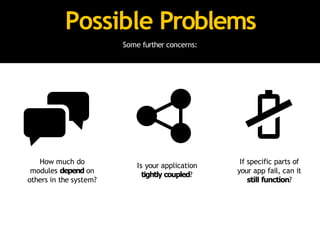
Possible Problems
Some further concerns:
How much do
modules depend on
others in the system?
Is your application
tightly coupled?
If specific parts of
your app fail, can it
still function?
Think Long-Term
What future concerns haven’t been factored in to this architecture?
• You may decide to switch from using jQuery to Dojo
or YUI for reasons of performance, security or design
• Libraries are not easily interchangeable and have
high switching costs if tightly coupled to your app
Think long term - what future concerns
haven’t been factored in yet?
Ask Yourself
This is important.
If you reviewed your architecture right
now, could a decision to switch
libraries be made without rewriting
your entire application?
“The secret tobuilding large apps is neverbuild large
apps. Break your applications into small pieces. Then,
assemble those testable, bite-sized pieces into your big
application”
- Justin Meyer
“The more tied components are to each other, the less
reusable they will be, and the more difficult it becomes to
make changes to one without accidentally affecting
another”
- Rebecca Murphey
“The key is to acknowledge from the start that you have no
idea how this will grow.
When you accept that you don't know everything, you
begin to design the system defensively.”
- Nicholas Zakas
Solution: Combine Patterns
Fixing our architecture with what we’ve learned to date.
“Theonlydifferencebetweenaproblemandasolutionis thatpeopleunderstandthe
solution.’
- CharlesF
.Kettering
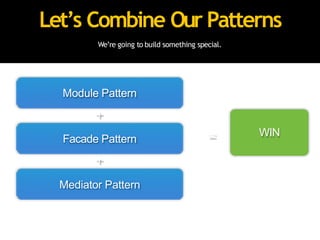
We’re going to build something special.
Let’s Combine Our Patterns
Module Pattern
+
Facade Pattern
+
Mediator Pattern
= WIN
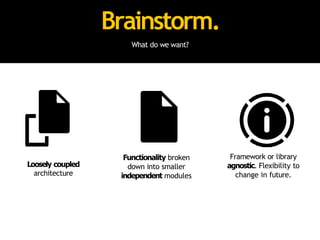
Brainstorm.
What do we want?
Loosely coupled
architecture
Functionality broken
down into smaller
independent modules
Framework or library
agnostic. Flexibility to
change in future.
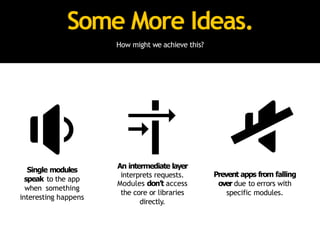
Some More Ideas.
How might we achieve this?
Single modules
speak to the app
when something
interesting happens
An intermediate layer
interprets requests.
Modules don’t access
the core or libraries
directly.
Prevent apps from falling
over due to errors with
specific modules.
The Facade
The Facade pattern will play the role of:
• An abstraction of the application core that sits in
the middle between it and modules
• Ensures a consistent interface to our modules is
available at all times
• Should be the only thing modules are aware of -
they shouldn’t know about other components
The Facade
How else can it help?
• Components communicate via the facade so it
needs to be dependable
• It acts as a security guard, determining which
parts of the application a module can access
• Components only call their own methods or
methods from a sandbox, but nothing they don’t
have permission to
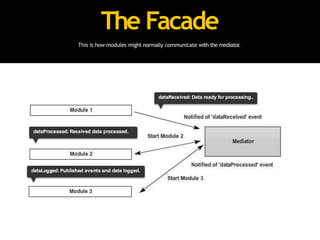
This is how modules might normally communicate with the mediator.
The Facade
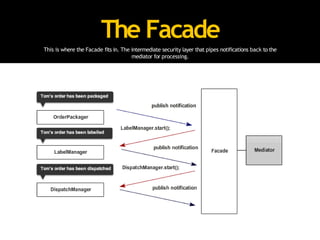
The Facade
This is where the Facade fits in. The intermediate security layer that pipes notifications back to the
mediator for processing.
The Facade
An abstraction of the core, it listens out for interesting
events and says ‘Great. What happened? Give me the
details’.
The Facade
It also acts as a permissions manager. Modules only
communicate through this and are only able to do
what they’ve been permitted to.
A Quick Note:
• Nicholas Zakas refers to the facade as a sandbox
controller
• Agrees it could equally be considered the adapter,
proxy or facade pattern
• I prefer ‘facade’ as it matches the purpose most
closely
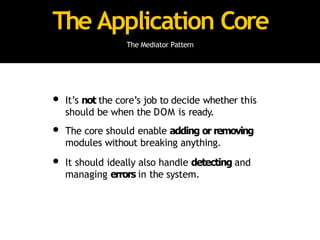
The Application Core
The Mediator Pattern
• It’s job is to manage the module lifecycle
• When is it safe for a module to start?
• When should it stop?
• Modules should execute automatically when
started
The Application Core
The Mediator Pattern
• It’s not the core’s job to decide whether this
should be when the DOM is ready.
• The core should enable adding or removing
modules without breaking anything.
• It should ideally also handle detecting and
managing errors in the system.
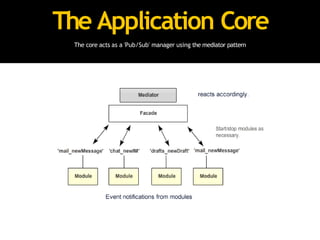
The Application Core
The core acts as a 'Pub/Sub' manager using the mediator pattern
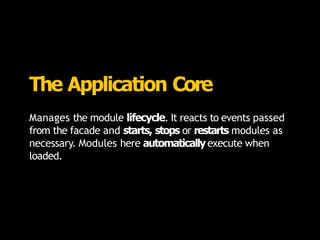
The Application Core
Manages the module lifecycle. It reacts to events passed
from the facade and starts, stops or restarts modules as
necessary. Modules here automatically execute when
loaded.
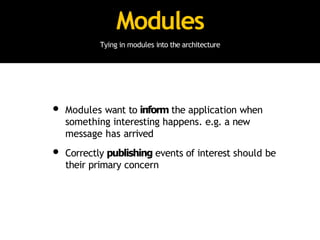
Modules
Tying in modules into the architecture
• Modules want to inform the application when
something interesting happens. e.g. a new
message has arrived
• Correctly publishing events of interest should be
their primary concern
Modules
Tying in modules into the architecture
• Modules should ideally not be concerned about:
• what objects or modules are being notified
• where these objects are based (client? server?)
• howmany objects subscribe to notifications
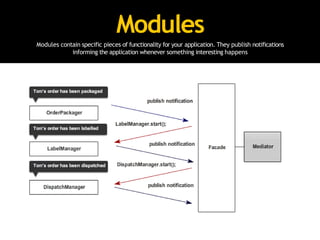
Modules
Modules contain specific pieces of functionality for your application. They publish notifications
informing the application whenever something interesting happens
Modules
Tying in modules into the architecture
• They also shouldn’tbe concerned with what
happens if other modules in the system fail to
work
• Leave this up to the mediator
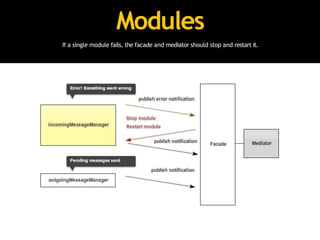
Modules
If a single module fails, the facade and mediator should stop and restart it.
Modules
Unique blocks of functionality for your application. They
inform the application when something interesting
happens. Don’t talk to each other directly, only concerned
with publishing events of interest.
Live demo 1: Backbone.js + RequireJS +
AMD modules + mediator pattern
https://github.com/addyosmani/backbone-aura
Aura: A Preview
Enough talk! Let’s take a look at some real code.
Aurais aframeworkI’mbuildingatAOLthatprovidesaboilerplateforonewaytoapproach
implementingthisarchitecture.Itwillbereleasedforopen-sourceconsumptiononcestable.
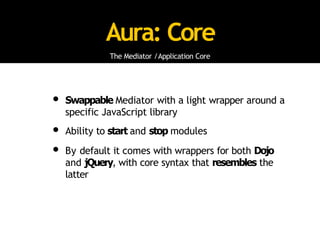
Aura: Core
The Mediator /Application Core
• Swappable Mediator with a light wrapper around a
specific JavaScript library
• Ability to start and stop modules
• By default it comes with wrappers for both Dojo
and jQuery, with core syntax that resembles the
latter
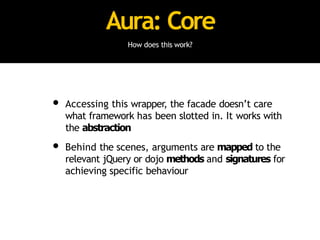
Aura: Core
How does this work?
• Accessing this wrapper, the facade doesn’t care
what framework has been slotted in. It works with
the abstraction
• Behind the scenes, arguments are mapped to the
relevant jQuery or dojo methods and signatures for
achieving specific behaviour
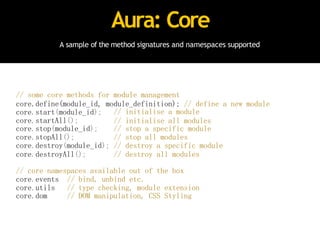
A sample of the method signatures and namespaces supported
Aura: Core
// some core methods for module management
core.define(module_id, module_definition); // define a new module
core.start(module_id);
core.startAll();
// initialise a module
// initialise all modules
core.stop(module_id); // stop a specific module
core.stopAll(); // stop all modules
core.destroy(module_id); // destroy a specific module
core.destroyAll(); // destroy all modules
// core namespaces available out of the box
core.events // bind, unbind etc.
core.utils // type checking, module extension
core.dom // DOM manipulation, CSS Styling
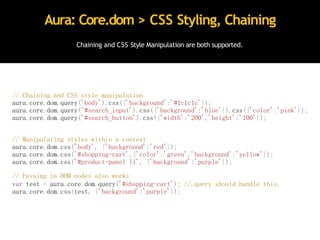
Chaining and CSS Style Manipulation are both supported.
Aura: Core.dom > CSS Styling, Chaining
// Chaining and CSS style manipulation
aura.core.dom.query('body').css({'background':'#1c1c1c'});
aura.core.dom.query('#search_input').css({'background':'blue'}).css({'color':'pink'});
aura.core.dom.query('#search_button').css({'width':'200','height':'100'});
// Manipulating styles within a context
aura.core.dom.css('body', {'background':'red'});
aura.core.dom.css('#shopping-cart',{'color':'green','background':'yellow'});
aura.core.dom.css('#product-panel li', {'background':'purple'});
// Passing in DOM nodes also works
var test = aura.core.dom.query('#shopping-cart'); //.query should handle this.
aura.core.dom.css(test, {'background':'purple'});
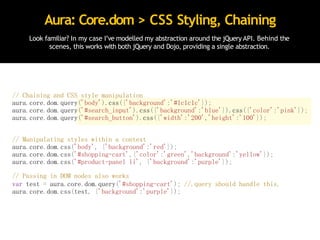
Aura: Core.dom > CSS Styling, Chaining
// Chaining and CSS style manipulation
aura.core.dom.query('body').css({'background':'#1c1c1c'});
aura.core.dom.query('#search_input').css({'background':'blue'}).css({'color':'pink'});
aura.core.dom.query('#search_button').css({'width':'200','height':'100'});
// Manipulating styles within a context
aura.core.dom.css('body', {'background':'red'});
aura.core.dom.css('#shopping-cart',{'color':'green','background':'yellow'});
aura.core.dom.css('#product-panel li', {'background':'purple'});
// Passing in DOM nodes also works
var test = aura.core.dom.query('#shopping-cart'); //.query should handle this.
aura.core.dom.css(test, {'background':'purple'});
Look familiar? In my case I’ve modelled my abstraction around the jQuery API. Behind the
scenes, this works with both jQuery and Dojo, providing a single abstraction.
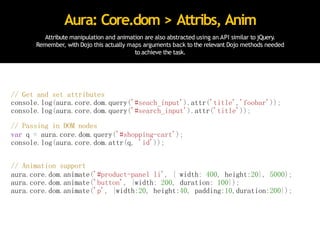
Attribute manipulation and animation are also abstracted using an API similar to jQuery.
Remember, with Dojo this actually maps arguments back to the relevant Dojo methods needed
to achieve the task.
Aura: Core.dom > Attribs, Anim
// Get and set attributes
console.log(aura.core.dom.query('#seach_input').attr('title','foobar'));
console.log(aura.core.dom.query('#search_input').attr('title'));
// Passing in DOM nodes
var q = aura.core.dom.query('#shopping-cart');
console.log(aura.core.dom.attr(q, 'id'));
// Animation support
aura.core.dom.animate('#product-panel li', { width: 400, height:20}, 5000);
aura.core.dom.animate('button', {width: 200, duration: 100});
aura.core.dom.animate('p', {width:20, height:40, padding:10,duration:200});
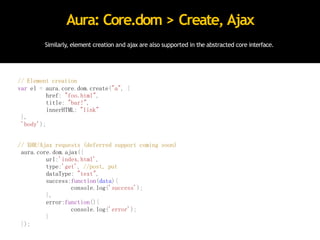
Similarly, element creation and ajax are also supported in the abstracted core interface.
Aura: Core.dom > Create, Ajax
// Element creation
var el = aura.core.dom.create("a", {
href: "foo.html",
title: "bar!",
innerHTML: "link"
},
'body');
// XHR/Ajax requests (deferred support coming soon)
aura.core.dom.ajax({
url:'index.html',
type:'get', //post, put
dataType: "text",
success:function(data){
console.log('success');
},
error:function(){
console.log('error');
}
});
Live demo 2: Aura preview.
What We Learned
Let’s review what we looked at today.
‘Anyonewhostopslearningis old,whetherattwentyoreighty
.Anyonewhokeeps
learningstays young.Thegreatestthinginlifeis tokeepyourmindyoung’
- HenryFord
We looked at design patterns, jQuery &
MVC, JavaScript patterns and how to
finally build a large, scalable app.
We looked at design patterns, jQuery &
MVC, JavaScript patterns and how to
finally build a large, scalable app.
We looked at design patterns, jQuery &
MVC, JavaScript patterns and how to
finally build a large, scalable app.
We looked at design patterns, jQuery &
MVC, JavaScript patterns and how to
finally build a large, scalable app.
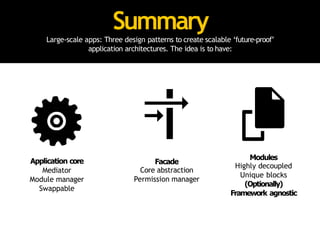
Summary
Large-scale apps: Three design patterns to create scalable ‘future-proof’
application architectures. The idea is to have:
Application core
Mediator
Module manager
Swappable
Facade
Core abstraction
Permission manager
Modules
Highly decoupled
Unique blocks
(Optionally)
Framework agnostic
Summary
This can be very useful as:
• Modules are no longer dependent on anyone
• They can be managed so that the application
doesn’t (or shouldn’t) fall over.
• You can theoretically pick up any module, drop it
in a page and start using it in another project
Further Reading
I’ve written about some of these topics in more depth:
• Writing Modular JavaScript with AMD, CommonJS
& ES Harmony http://addyosmani.com/writing-modular-js
• Patterns For Large-scale JavaScript Application
Architecture http://addyosmani.com/largescalejavascript/
• Essential jQuery Plugin Patterns http://
coding.smashingmagazine.com/2011/10/11/essential-jquery-plugin-patterns/
• Building Large-Scale jQuery Applications http://
addyosmani.com/blog/large-scale-jquery/
That’s it.
For more on this architecture and other topics, check out:
Blog
http://addyosmani.com
Twitter
@addyosmani or @addy_osmani
GitHub
http://github.com/addyosmani

jquery summit presentation for large scale javascript applications

  • 2.
    Today, we’re goingto look at how to create small to medium jQuery apps and large to really large JavaScript apps.
  • 3.
    jQuery is afantastic DOM manipulation library.
  • 4.
    However, unlike Dojoit doesn’t provide recommendations for application structure or how to organise your code. That’s not it’s job.
  • 5.
    Remember: there aresituations where it makes sense to use just jQuery.. and those where it makes more sense to use additional tools like Backbone or alternatives (e.g Dojo).
  • 6.
    The Schedule What arewe looking at today? Design Patterns jQuery & MVC Frameworks Resources Scalable Application Architecture Patterns for building really large apps JavaScript Patterns For organising applications
  • 7.
    Part I: Patterns- A New Hope.
  • 8.
    Design Patterns Reusable solutionsthat can be applied to commonly occurring problems in software design and architecture. “W esearchforsomekindofharmonybetweentwointangibles:aformwehavenotyet designedandacontextwecannotproperlydescribe’ - ChristopherAlexander ,thefatherofdesignpatterns.

  • 9.
    They’re proven Patterns aregenerally proven to have successfully solved problems in the past. Solid Reliable approaches Reflect experience Represent insights
  • 10.
    They’re reusable Patterns canbe picked up, improved and adapted without great effort. Out-of-the-box solutions Easily adapted Incredibly flexible
  • 11.
    They’re expressive Patterns provideus a means to describing approaches or structures. Problem agnostic Common vocabulary for expressing solutions elegantly. Easier than describing syntax and semantics
  • 12.
    They offer value Patternsgenuinely can help avoid some of the common pitfalls of development. Prevent minor issues that can cause Major problems later down the line
  • 13.
    For More Info Get‘Essential JavaScript Design Patterns’. It’s Free! If you find it useful, definitely check out: http://bit.ly/essentialjsdesignpatterns
  • 14.
    Part II: TheJavaScript Strikes Back
  • 15.
    “I have allthis jQuery code that does a few distinct things..but I’m not entirely sure how to organise it. What can I do?”
  • 16.
    Options for structuringyour jQuery applications jQuery & MVC
  • 17.
    Architecture How do youstructure your application? • Architecture patterns describe concepts for the structure of an application • Certain patterns can be applied to both the client and server-side • Most client-side architecture patterns have roots in the server-side
  • 18.
    The pattern mostcommonly used on the front-end these days is ‘MVC’. *It’s of course not the *only* option, just the most frequently implemented.
  • 19.
    The MVC Pattern Separatesapplications into three main concerns: Models Views Controllers
  • 20.
    MVC: Models Manage thebehaviour of the application data • Represent knowledge and data • Respond to changes of state • Isolated from views and controllers • Sometimes grouped (e.g collections)
  • 21.
    MVC: Views Render modelsinto a form suitable for user interaction • In most cases can be considered the UI • Typically render to a specific user interface element • Many frameworks rely on templating for this • Multiple views can exist for single models
  • 22.
    MVC: Controllers Receive inputand instruct models and views to respond accordingly • Sits between models and views • (May) perform business logic and data manipulation • It’s role in client-side MVC heavily varies • Some replace it with a router, others use it as a logic handler
  • 23.
    How Does ThisWork? Converting spaghetti code to use MVC isn’t all that hard.. Models Views Controllers What (repeatable) output can I shift to JS templating? Spaghetti code What unique data is represented in my app? e.g a picture, a person What does the user need to be able to see and do? (varies) If a router, what happens when a route is navigated to? e.g. /#admin
  • 24.
    How Does ThisWork? Converting spaghetti code to use MVC isn’t all that hard.. Models Views Controllers What (repeatable) output can I shift to JS templating? Spaghetti code What unique data is represented in my app? e.g a picture, a person What does the user need to be able to see and do? (varies) If a router, what happens when a route is navigated to? e.g. /#admin
  • 25.
    How Does ThisWork? Converting spaghetti code to use MVC isn’t all that hard.. Models Views Controllers What (repeatable) output can I shift to JS templating? Spaghetti code What unique data is represented in my app? e.g a picture, a person What does the user need to be able to see and do? (varies) If a router, what happens when a route is navigated to? e.g. /#admin
  • 26.
    On the client-side,I prefer to refer to this pattern as MVV (Model-View-Variation). All JavaScript ‘MVC’ frameworks seem to interpret MVC differently.
  • 27.
    MVC Implementations Frameworks andlibraries that provide MVC implementations • Backbone.js • Spine.js • JavaScriptMVC • AngularJS • SproutCore • YUILibrary • Broke.js • Fidel.js • Sammy.js • KnockoutJS (MVVM)
  • 28.
    MVC Frameworks A quickoverview of what’s available • Backbone.js - light, mature, popular. • JavaScriptMVC - MVC, integrated dev tools • Spine.js - light, best option for CoffeeScript devs • SproutCore - 2.0 is also light, good docs • AngularJS - light, relies on data-bindings • Sammy.js - routes/controllers but no MV. Better for bootstrapping just the parts needed
  • 29.
    To help makedeciding on an MVC framework easier, I created TodoMVC.
  • 30.
  • 31.
    With the samefunctionality, it’s easier to compare implementations. Easy to compare
  • 32.
    Moving beyond MVC,there are times when you want to further break down your application. Patterns can help with this.
  • 33.
    Writing code that’sexpressive, encapsulated & structured JavaScript Patterns
  • 34.
    Modules Interchangeable single-parts ofa larger system that can be easily re-used. In JS we use the module pattern. “Anythingcanbedefinedas areusablemodule” - NicholasZakas,author‘ProfessionalJavaScriptForW ebDevelopers’
  • 35.
    Immediately invoked functionexpressions (or self-executing anonymous functions) Stepping stone: IIFE (function() { // code to be immediately invoked }()); // Crockford recommends this way (function() { // code to be immediately invoked })(); // This is just as valid (function( window, document, undefined ){ //code to be immediately invoked })( this, this.document); (function( global, undefined ){ //code to be immediately invoked })( this );
  • 36.
  • 38.
    Privacy In JavaScript Thereisn’t a true sense of it in JavaScript. No Access Modifiers Variables & Methods can’t be ‘public’ Variables & Methods can’t be ‘private’
  • 39.
    The typical modulepattern is where immediately invoked function expressions (IIFEs) use execution context to create ‘privacy’. Here, objects are returned instead of functions. Module Pattern var basketModule = (function() { var basket = []; //private return { //exposed to public addItem: function(values) { basket.push(values); }, getItemCount: function() { return basket.length; }, getTotal: function(){ var q = this.getItemCount(),p=0; while(q--){ p+= basket[q].price; } return p; } } }()); • In the pattern, variables declared are only available inside the module. • Variables defined within the returning object are available to everyone • This allows us to simulate privacy
  • 40.
    Sample usage Inside themodule, you'll notice we return an object. This gets automatically assigned to basketModule so that you can interact with it as follows: //basketModule is an object with properties which can also be methods basketModule.addItem({item:'bread',price:0.5}); basketModule.addItem({item:'butter',price:0.3}); console.log(basketModule.getItemCount()); console.log(basketModule.getTotal()); //however, the following will not work: // (undefined as not inside the returned object) console.log(basketModule.basket); //(only exists within the module scope) console.log(basket);
  • 41.
    Module Pattern: Dojo Dojoattempts to provide 'class'-like functionality through dojo.declare, which can be used for amongst other things, creating implementations of the module pattern. Powerful when used with dojo.provide. // traditional way var store = window.store || {}; store.basket = store.basket || {}; // another alternative.. // using dojo.setObject (with basket as a module of the store namespace) dojo.setObject("store.basket.object", (function() { var basket = []; function privateMethod() { console.log(basket); } return { publicMethod: function(){ privateMethod(); } }; }()));
  • 42.
    Module Pattern: jQuery Inthe following example, a library function is defined which declares a new library and automatically binds up the init function to document.ready when new libraries (ie. modules) are created. function library(module) { $(function() { if (module.init) { module.init(); } }); return module; } var myLibrary = library(function() { return { init: function() { /*implementation*/ } }; }());
  • 43.
    A YUI modulepattern implementation that follows the same general concept. Module Pattern: YUI YAHOO.store.basket = function () { //"private" variables: var myPrivateVar = "I can be accessed only within YAHOO.store.basket ."; //"private" method: var myPrivateMethod = function () { YAHOO.log("I can be accessed only from within YAHOO.store.basket"); } return { myPublicProperty: "I'm a public property.", myPublicMethod: function () { YAHOO.log("I'm a public method."); //Within basket, I can access "private" vars and methods: YAHOO.log(myPrivateVar); YAHOO.log(myPrivateMethod()); //The native scope of myPublicMethod is store so we can //access public members using "this": YAHOO.log(this.myPublicProperty); } }; }();
  • 44.
    Another library thatcan similarly use the module pattern. Module Pattern: ExtJS // define a namespace Ext.namespace('myNamespace'); // define a module within this namespace myNameSpace.module = function() { // recommended that you don't directly access the DOM // from here as elements don't exist yet. Depends on // where/how you're waiting for document load. // private variables // private functions // public API return { // public properties // public methods init: function() { console.log('module initialised successfully'); } }; }(); // end of module
  • 45.
    Take the conceptof reusable JavaScript modules further with the Asynchronous Module Definition. Better: AMD Mechanism for defining asynchronously loadable modules & dependencies Non-blocking, parallel loading and well defined. Stepping-stone to the module system proposed for ES Harmony
  • 46.
    AMD: define() define allowsthe definition of modules with a signature of define(id /*optional*/, [dependencies], factory /*module instantiation fn*/); /* wrapper */ define( /*module id*/ 'myModule', /*dependencies*/ ['foo','bar','foobar'], /*definition for the module export*/ function (foo, bar, foobar) { /*module object*/ var module = {}; /*module methods go here*/ module.hello = foo.getSomething(); module.world = bar.doSomething(); /*return the defined module object*/ return module; } );
  • 47.
    require is usedto load code for top-level JS files or inside modules for dynamically fetching dependencies AMD: require() /* top-level: the module exports (one, two) are passed as function args to the callback.*/ require(['one', 'two'], function (one, two) { }); /* inside: complete example */ define('three', ['one', 'two'], function (one, two) { /*require('string') can be used inside the function to get the module export of a module that has already been fetched and evaluated.*/ var temp = require('one'); /*This next line would fail*/ var bad = require('four'); /* Return a value to define the module export */ return function () {}; });
  • 48.
    AMD modules canbe used with RequireJS and curl.js amongst other script loaders. They’re compatible with Dojo, MooTools and even jQuery.
  • 49.
    A very simpleAMD module using jQuery and the color plugin AMD + jQuery define(["jquery", "jquery.color", "jquery.bounce"], function($) { //the jquery.color and jquery.bounce plugins have been loaded // not exposed to other modules $(function() { $('#container') .animate({'backgroundColor':'#ccc'}, 500) .bounce(); }); // exposed to other modules return function () { // your module's functionality }; });
  • 50.
    Recommended by Require.jsauthor James Burke AMD/UMD jQuery Plugin (function(root, factory) { if (typeof exports === 'object') { // Node/CommonJS factory(require('jquery')); } else if (typeof define === 'function' && define.amd) { // AMD. Use a named plugin in case this // file is loaded outside an AMD loader, // but an AMD loader lives on the page. define('myPlugin', ['jquery'], factory); } else { // Browser globals factory(root.jQuery); } }(this, function($) { $.fn.myPlugin = function () {}; }));
  • 51.
    Want to seea Backbone.js + RequireJS + AMD + jQuery demo? Hang on until the end. *or look at: https://github.com/addyosmani/backbone-aura
  • 52.
    Alternative: CommonJS Another easyto use module system with wide adoption server-side CommonJS Working group designing, prototyping, standardizing JS APIs Format widely accepted on a number of server-side platforms (Node) Competing standard. Tries to solve a few things AMD doesn’t.
  • 53.
    They basically containtwo parts: an exports object that contains the objects a module wishes to expose and a require function that modules can use to import the exports of other modules CommonJS Modules /* here we achieve compatibility with AMD and CommonJS using some boilerplate around the CommonJS module format*/ (function(define){ define(function(require,exports){ /*module contents*/ var dep1 = require("foo"); var dep2 = require("bar"); exports.hello = function(){...}; exports.world = function(){...}; }); })(typeof define=="function"? define:function(factory) {factory(require,exports)});
  • 54.
    ES Harmony Modules Amodule format proposed for EcmaScript Harmony with goals such as static scoping, simplicity and usability. This isn’t final. // Basic module module SafeWidget { import alert from Widget; var _private ="someValue"; // exports export var document = { write: function(txt) { alert('Out of luck, buck'); }, ... }; } // Remote module module JSONTest from 'http://json.org/modules/json2.js';
  • 55.
    A module createdusing Google’s recently proposed Dart DART modules // 17,000 lines of code // couldn’t fit on the slides // Sorry, guise!
  • 56.
    Modules are regularlyused in MVC applications..but there are other patterns that can make building large apps easier too.
  • 57.
    Remember..jQuery generally playsa smaller role in larger-apps than most people might think.
  • 58.
    Facade Pattern Convenient, high-levelinterfaces to larger bodies of code that hide underlying complexity “Whenyouputupafacade,you'reusuallycreatinganoutwardappearancewhichconcealsa differentreality .Thinkofitas simplifyingtheAPIpresentedtootherdevelopers” - Essential JavaScriptDesignPatterns
  • 59.
    A higher-level facadeis provided to our underlying module, without directly exposing methods. Facade Implementation var module = (function() { var _private = { i:5, get : function() { console.log('current value:' + this.i); }, set : function( val ) { this.i = val; }, run : function() { console.log('running'); }, jump: function(){ console.log('jumping'); } }; return { facade : function( args ) { _private.set(args.val); _private.get(); if ( args.run ) { _private.run(); } } } }()); module.facade({run: true, val:10}); //outputs current value: 10, running
  • 60.
    var module =(function() { var _private = { i:5, get : function() { console.log('current value:' + this.i); }, set : function( val ) { this.i = val; }, run : function() { console.log('running'); }, jump: function(){ console.log('jumping'); } }; return { facade : function( args ) { _private.set(args.val); _private.get(); if ( args.run ) { _private.run(); } } } }()); module.facade({run: true, val:10}); //outputs current value: 10, running A higher-level facade is provided to our underlying module, without directly exposing methods. Facade Implementation We’re really just interested in this part.
  • 61.
    A higher-level facadeis provided to our underlying module, without directly exposing methods. Facade Implementation return { facade : function( args ) { // set values of private properties _private.set(args.val); // test setter _private.get(); // optional: provide a simple interface // to internal methods through the // facade signature if ( args.run ) { _private.run(); } } } Limited public API of functionality. Differs greatly from the reality of the implementation.
  • 62.
    A Facade A structuralpattern found in many JavaScript libraries and frameworks (eg. jQuery). Simplifies usage through a limited, more readable API Hides the inner- workings of a library. Allows implementation to be less important. This lets you be more creative behind the scenes.
  • 63.
    Facade Pattern How doesit differ from the module pattern? • Differs from the module pattern as the exposed API can greatlydiffer from the public/private methods defined • Has many uses including application security as we’ll see a little later in the talk
  • 64.
    Mediator Pattern Encapsulates howdisparate modules interact with each other by acting as an intermediary “Mediatorsareusedwhenthecommunicationbetweenmodulesmaybecomplex,but is still welldefined” - EssentialJavaScriptDesignPatterns
  • 65.
    Air Traffic Control Ialways find this mediator analogy helps when discussing this pattern: The tower handles what planes can take off and land All communication done from planes to tower, not plane to plane Centralised controller is key to this success. Similar to mediator.
  • 66.
    A Mediator Promotes loosecoupling. Helps solve module inter-dependency issues. Allow modules to broadcast or listen for notifications without worrying about the system. Notifications can be handled by any number of modules at once. Typically easier to add or remove features to loosely coupled systems like this.
  • 67.
    Mediator Implementation One possibleimplementation, exposing publish and subscribe capabilities. var mediator = (function(){ var subscribe = function(channel, fn){ if (!mediator.channels[channel])mediator.channels[channel] = []; mediator.channels[channel].push({ context: this, callback:fn }); return this; }, publish = function(channel){ if (!mediator.channels[channel]) return false; var args = Array.prototype.slice.call(arguments, 1); for (var i = 0, l = mediator.channels[channel].length; i <l; i++) { var subscription = mediator.channels[channel][i]; subscription.callback.apply(subscription.context,args); } return this; }; return { channels: {}, publish: publish, subscribe: subscribe, installTo: function(obj){ obj.subscribe = subscribe; obj.publish = publish; } }; }());
  • 68.
    Usage of theimplementation from the last slide. Example //Pub/sub on a centralized mediator mediator.name = "tim"; mediator.subscribe('nameChange', function(arg){ console.log(this.name); this.name = arg; console.log(this.name); }); mediator.publish('nameChange', 'david'); //tim, david //Pub/sub via third party mediator var obj = { name: 'sam' }; mediator.installTo(obj); obj.subscribe('nameChange', function(arg){ console.log(this.name); this.name = arg; console.log(this.name); }); obj.publish('nameChange', 'john'); //sam, john
  • 69.
    Part III: Returnof the patterns
  • 70.
    Scalable Application Architecture Strategies for decouplingand future-proofing the structure of your application. Let’s build empires. ThankstoNicholasZakas,RebeccaMurphey ,JohnHann,PaulIrish,PeterMichauxandJustin Meyerfortheirpreviousworkinthisarea.
  • 71.
    Challenge Define what itmeans for a JavaScript application to be ‘large’. • It’s a very tricky question to get right • Even experienced JavaScript developers have trouble accurately defining this
  • 72.
    Some Answers I askedsome intermediate developers what their thoughts on this were. Umm..J avaScript apps with over 100,000 lines of code?

  • 73.
    Some Answers I askedsome intermediate developers what their thoughts on this were. Obviously ,apps with over 1MB of J avaScript code written in-house!
  • 74.
    Large-scale JavaScript appsare non-trivial applications requiring significant developer effort to maintain, where most heavy lifting of data manipulation and display falls to the browser. My Answer
  • 75.
  • 76.
  • 77.
  • 78.
    It’s often morecomplex than we initially think. Current Architecture If working on a significantly large JavaScript app, remember to dedicate sufficient time to planning the underlying architecture that makes the most sense.
  • 79.
    might contain amixture of the following: Your Current Architecture MVC (Models/Views/Controllers) An Application Core Modules Custom Widgets JavaScript Libraries & Toolkits
  • 80.
    Possible Problems The lastslide contains some great architectural components, but used non- optimally they can come with a few problems: How much of this is instantly re-usable? Can single modules exist on their own independently? Can single modules be tested independently?
  • 81.
    Possible Problems Some furtherconcerns: How much do modules depend on others in the system? Is your application tightly coupled? If specific parts of your app fail, can it still function?
  • 82.
    Think Long-Term What futureconcerns haven’t been factored in to this architecture? • You may decide to switch from using jQuery to Dojo or YUI for reasons of performance, security or design • Libraries are not easily interchangeable and have high switching costs if tightly coupled to your app
  • 83.
    Think long term- what future concerns haven’t been factored in yet?
  • 84.
    Ask Yourself This isimportant. If you reviewed your architecture right now, could a decision to switch libraries be made without rewriting your entire application?
  • 85.
    “The secret tobuildinglarge apps is neverbuild large apps. Break your applications into small pieces. Then, assemble those testable, bite-sized pieces into your big application” - Justin Meyer
  • 86.
    “The more tiedcomponents are to each other, the less reusable they will be, and the more difficult it becomes to make changes to one without accidentally affecting another” - Rebecca Murphey
  • 87.
    “The key isto acknowledge from the start that you have no idea how this will grow. When you accept that you don't know everything, you begin to design the system defensively.” - Nicholas Zakas
  • 88.
    Solution: Combine Patterns Fixingour architecture with what we’ve learned to date. “Theonlydifferencebetweenaproblemandasolutionis thatpeopleunderstandthe solution.’ - CharlesF .Kettering
  • 89.
    We’re going tobuild something special. Let’s Combine Our Patterns Module Pattern + Facade Pattern + Mediator Pattern = WIN
  • 90.
    Brainstorm. What do wewant? Loosely coupled architecture Functionality broken down into smaller independent modules Framework or library agnostic. Flexibility to change in future.
  • 91.
    Some More Ideas. Howmight we achieve this? Single modules speak to the app when something interesting happens An intermediate layer interprets requests. Modules don’t access the core or libraries directly. Prevent apps from falling over due to errors with specific modules.
  • 92.
    The Facade The Facadepattern will play the role of: • An abstraction of the application core that sits in the middle between it and modules • Ensures a consistent interface to our modules is available at all times • Should be the only thing modules are aware of - they shouldn’t know about other components
  • 93.
    The Facade How elsecan it help? • Components communicate via the facade so it needs to be dependable • It acts as a security guard, determining which parts of the application a module can access • Components only call their own methods or methods from a sandbox, but nothing they don’t have permission to
  • 94.
    This is howmodules might normally communicate with the mediator. The Facade
  • 95.
    The Facade This iswhere the Facade fits in. The intermediate security layer that pipes notifications back to the mediator for processing.
  • 96.
    The Facade An abstractionof the core, it listens out for interesting events and says ‘Great. What happened? Give me the details’.
  • 97.
    The Facade It alsoacts as a permissions manager. Modules only communicate through this and are only able to do what they’ve been permitted to.
  • 98.
    A Quick Note: •Nicholas Zakas refers to the facade as a sandbox controller • Agrees it could equally be considered the adapter, proxy or facade pattern • I prefer ‘facade’ as it matches the purpose most closely
  • 99.
    The Application Core TheMediator Pattern • It’s job is to manage the module lifecycle • When is it safe for a module to start? • When should it stop? • Modules should execute automatically when started
  • 100.
    The Application Core TheMediator Pattern • It’s not the core’s job to decide whether this should be when the DOM is ready. • The core should enable adding or removing modules without breaking anything. • It should ideally also handle detecting and managing errors in the system.
  • 101.
    The Application Core Thecore acts as a 'Pub/Sub' manager using the mediator pattern
  • 102.
    The Application Core Managesthe module lifecycle. It reacts to events passed from the facade and starts, stops or restarts modules as necessary. Modules here automatically execute when loaded.
  • 103.
    Modules Tying in modulesinto the architecture • Modules want to inform the application when something interesting happens. e.g. a new message has arrived • Correctly publishing events of interest should be their primary concern
  • 104.
    Modules Tying in modulesinto the architecture • Modules should ideally not be concerned about: • what objects or modules are being notified • where these objects are based (client? server?) • howmany objects subscribe to notifications
  • 105.
    Modules Modules contain specificpieces of functionality for your application. They publish notifications informing the application whenever something interesting happens
  • 106.
    Modules Tying in modulesinto the architecture • They also shouldn’tbe concerned with what happens if other modules in the system fail to work • Leave this up to the mediator
  • 107.
    Modules If a singlemodule fails, the facade and mediator should stop and restart it.
  • 108.
    Modules Unique blocks offunctionality for your application. They inform the application when something interesting happens. Don’t talk to each other directly, only concerned with publishing events of interest.
  • 109.
    Live demo 1:Backbone.js + RequireJS + AMD modules + mediator pattern https://github.com/addyosmani/backbone-aura
  • 110.
    Aura: A Preview Enoughtalk! Let’s take a look at some real code. Aurais aframeworkI’mbuildingatAOLthatprovidesaboilerplateforonewaytoapproach implementingthisarchitecture.Itwillbereleasedforopen-sourceconsumptiononcestable.
  • 111.
    Aura: Core The Mediator/Application Core • Swappable Mediator with a light wrapper around a specific JavaScript library • Ability to start and stop modules • By default it comes with wrappers for both Dojo and jQuery, with core syntax that resembles the latter
  • 112.
    Aura: Core How doesthis work? • Accessing this wrapper, the facade doesn’t care what framework has been slotted in. It works with the abstraction • Behind the scenes, arguments are mapped to the relevant jQuery or dojo methods and signatures for achieving specific behaviour
  • 113.
    A sample ofthe method signatures and namespaces supported Aura: Core // some core methods for module management core.define(module_id, module_definition); // define a new module core.start(module_id); core.startAll(); // initialise a module // initialise all modules core.stop(module_id); // stop a specific module core.stopAll(); // stop all modules core.destroy(module_id); // destroy a specific module core.destroyAll(); // destroy all modules // core namespaces available out of the box core.events // bind, unbind etc. core.utils // type checking, module extension core.dom // DOM manipulation, CSS Styling
  • 114.
    Chaining and CSSStyle Manipulation are both supported. Aura: Core.dom > CSS Styling, Chaining // Chaining and CSS style manipulation aura.core.dom.query('body').css({'background':'#1c1c1c'}); aura.core.dom.query('#search_input').css({'background':'blue'}).css({'color':'pink'}); aura.core.dom.query('#search_button').css({'width':'200','height':'100'}); // Manipulating styles within a context aura.core.dom.css('body', {'background':'red'}); aura.core.dom.css('#shopping-cart',{'color':'green','background':'yellow'}); aura.core.dom.css('#product-panel li', {'background':'purple'}); // Passing in DOM nodes also works var test = aura.core.dom.query('#shopping-cart'); //.query should handle this. aura.core.dom.css(test, {'background':'purple'});
  • 115.
    Aura: Core.dom >CSS Styling, Chaining // Chaining and CSS style manipulation aura.core.dom.query('body').css({'background':'#1c1c1c'}); aura.core.dom.query('#search_input').css({'background':'blue'}).css({'color':'pink'}); aura.core.dom.query('#search_button').css({'width':'200','height':'100'}); // Manipulating styles within a context aura.core.dom.css('body', {'background':'red'}); aura.core.dom.css('#shopping-cart',{'color':'green','background':'yellow'}); aura.core.dom.css('#product-panel li', {'background':'purple'}); // Passing in DOM nodes also works var test = aura.core.dom.query('#shopping-cart'); //.query should handle this. aura.core.dom.css(test, {'background':'purple'}); Look familiar? In my case I’ve modelled my abstraction around the jQuery API. Behind the scenes, this works with both jQuery and Dojo, providing a single abstraction.
  • 116.
    Attribute manipulation andanimation are also abstracted using an API similar to jQuery. Remember, with Dojo this actually maps arguments back to the relevant Dojo methods needed to achieve the task. Aura: Core.dom > Attribs, Anim // Get and set attributes console.log(aura.core.dom.query('#seach_input').attr('title','foobar')); console.log(aura.core.dom.query('#search_input').attr('title')); // Passing in DOM nodes var q = aura.core.dom.query('#shopping-cart'); console.log(aura.core.dom.attr(q, 'id')); // Animation support aura.core.dom.animate('#product-panel li', { width: 400, height:20}, 5000); aura.core.dom.animate('button', {width: 200, duration: 100}); aura.core.dom.animate('p', {width:20, height:40, padding:10,duration:200});
  • 117.
    Similarly, element creationand ajax are also supported in the abstracted core interface. Aura: Core.dom > Create, Ajax // Element creation var el = aura.core.dom.create("a", { href: "foo.html", title: "bar!", innerHTML: "link" }, 'body'); // XHR/Ajax requests (deferred support coming soon) aura.core.dom.ajax({ url:'index.html', type:'get', //post, put dataType: "text", success:function(data){ console.log('success'); }, error:function(){ console.log('error'); } });
  • 118.
    Live demo 2:Aura preview.
  • 119.
    What We Learned Let’sreview what we looked at today. ‘Anyonewhostopslearningis old,whetherattwentyoreighty .Anyonewhokeeps learningstays young.Thegreatestthinginlifeis tokeepyourmindyoung’ - HenryFord
  • 120.
    We looked atdesign patterns, jQuery & MVC, JavaScript patterns and how to finally build a large, scalable app.
  • 121.
    We looked atdesign patterns, jQuery & MVC, JavaScript patterns and how to finally build a large, scalable app.
  • 122.
    We looked atdesign patterns, jQuery & MVC, JavaScript patterns and how to finally build a large, scalable app.
  • 123.
    We looked atdesign patterns, jQuery & MVC, JavaScript patterns and how to finally build a large, scalable app.
  • 124.
    Summary Large-scale apps: Threedesign patterns to create scalable ‘future-proof’ application architectures. The idea is to have: Application core Mediator Module manager Swappable Facade Core abstraction Permission manager Modules Highly decoupled Unique blocks (Optionally) Framework agnostic
  • 125.
    Summary This can bevery useful as: • Modules are no longer dependent on anyone • They can be managed so that the application doesn’t (or shouldn’t) fall over. • You can theoretically pick up any module, drop it in a page and start using it in another project
  • 126.
    Further Reading I’ve writtenabout some of these topics in more depth: • Writing Modular JavaScript with AMD, CommonJS & ES Harmony http://addyosmani.com/writing-modular-js • Patterns For Large-scale JavaScript Application Architecture http://addyosmani.com/largescalejavascript/ • Essential jQuery Plugin Patterns http:// coding.smashingmagazine.com/2011/10/11/essential-jquery-plugin-patterns/ • Building Large-Scale jQuery Applications http:// addyosmani.com/blog/large-scale-jquery/
  • 128.
    That’s it. For moreon this architecture and other topics, check out: Blog http://addyosmani.com Twitter @addyosmani or @addy_osmani GitHub http://github.com/addyosmani