
jQuery 4
By- Manish Singh
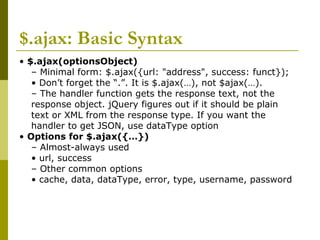
$.ajax: Basic Syntax
• $.ajax(optionsObject)
– Minimal form: $.ajax({url: "address", success: funct});
• Don’t forget the “.”. It is $.ajax(…), not $ajax(…).
– The handler function gets the response text, not the
response object. jQuery figures out if it should be plain
text or XML from the response type. If you want the
handler to get JSON, use dataType option
• Options for $.ajax({…})
– Almost-always used
• url, success
– Other common options
• cache, data, dataType, error, type, username, password
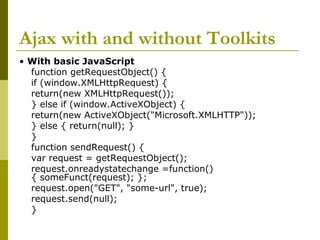
Ajax with and without Toolkits
• With basic JavaScript
function getRequestObject() {
if (window.XMLHttpRequest) {
return(new XMLHttpRequest());
} else if (window.ActiveXObject) {
return(new ActiveXObject("Microsoft.XMLHTTP"));
} else { return(null); }
}
function sendRequest() {
var request = getRequestObject();
request.onreadystatechange =function()
{ someFunct(request); };
request.open("GET", "some-url", true);
request.send(null);
}
Ajax with and without Toolkits
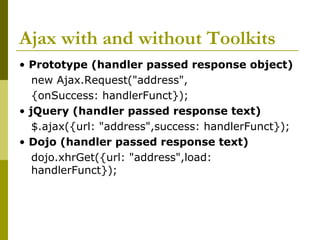
• Prototype (handler passed response object)
new Ajax.Request("address",
{onSuccess: handlerFunct});
• jQuery (handler passed response text)
$.ajax({url: "address",success: handlerFunct});
• Dojo (handler passed response text)
dojo.xhrGet({url: "address",load:
handlerFunct});
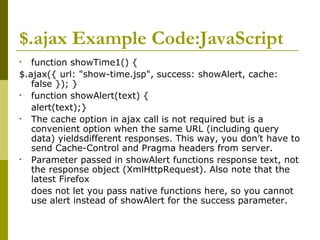
$.ajax Example Code:JavaScript
• function showTime1() {
$.ajax({ url: "show-time.jsp", success: showAlert, cache:
false }); }
• function showAlert(text) {
alert(text);}
• The cache option in ajax call is not required but is a
convenient option when the same URL (including query
data) yieldsdifferent responses. This way, you don’t have to
send Cache-Control and Pragma headers from server.
• Parameter passed in showAlert functions response text, not
the response object (XmlHttpRequest). Also note that the
latest Firefox
does not let you pass native functions here, so you cannot
use alert instead of showAlert for the success parameter.
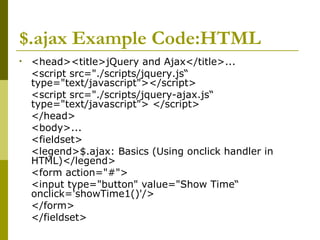
$.ajax Example Code:HTML
• <head><title>jQuery and Ajax</title>...
<script src="./scripts/jquery.js“
type="text/javascript"></script>
<script src="./scripts/jquery-ajax.js“
type="text/javascript"> </script>
</head>
<body>...
<fieldset>
<legend>$.ajax: Basics (Using onclick handler in
HTML)</legend>
<form action="#">
<input type="button" value="Show Time“
onclick='showTime1()'/>
</form>
</fieldset>
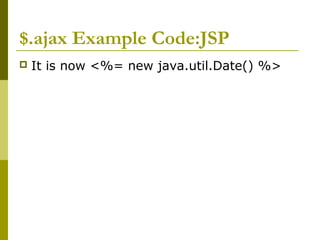
$.ajax Example Code:JSP
 It is now <%= new java.util.Date() %>
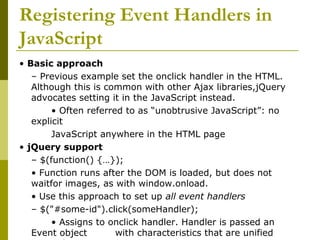
Registering Event Handlers in
JavaScript
• Basic approach
– Previous example set the onclick handler in the HTML.
Although this is common with other Ajax libraries,jQuery
advocates setting it in the JavaScript instead.
• Often referred to as “unobtrusive JavaScript”: no
explicit
JavaScript anywhere in the HTML page
• jQuery support
– $(function() {…});
• Function runs after the DOM is loaded, but does not
waitfor images, as with window.onload.
• Use this approach to set up all event handlers
– $("#some-id").click(someHandler);
• Assigns to onclick handler. Handler is passed an
Event object with characteristics that are unified
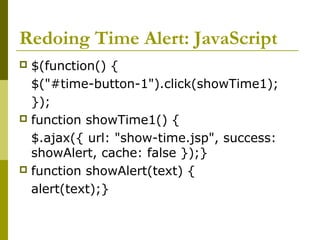
Redoing Time Alert: JavaScript
 $(function() {
$("#time-button-1").click(showTime1);
});
 function showTime1() {
$.ajax({ url: "show-time.jsp", success:
showAlert, cache: false });}
 function showAlert(text) {
alert(text);}
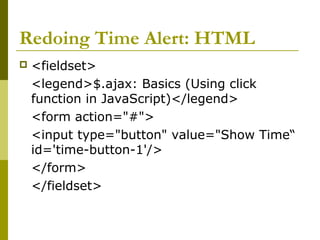
Redoing Time Alert: HTML
 <fieldset>
<legend>$.ajax: Basics (Using click
function in JavaScript)</legend>
<form action="#">
<input type="button" value="Show Time“
id='time-button-1'/>
</form>
</fieldset>
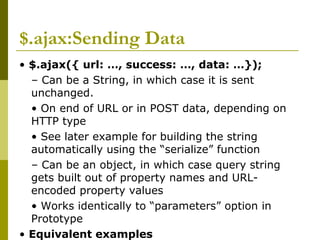
$.ajax:Sending Data
• $.ajax({ url: …, success: …, data: …});
– Can be a String, in which case it is sent
unchanged.
• On end of URL or in POST data, depending on
HTTP type
• See later example for building the string
automatically using the “serialize” function
– Can be an object, in which case query string
gets built out of property names and URL-
encoded property values
• Works identically to “parameters” option in
Prototype
• Equivalent examples
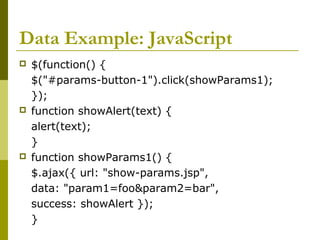
Data Example: JavaScript
 $(function() {
$("#params-button-1").click(showParams1);
});
 function showAlert(text) {
alert(text);
}
 function showParams1() {
$.ajax({ url: "show-params.jsp",
data: "param1=foo&param2=bar",
success: showAlert });
}
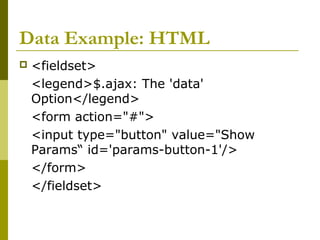
Data Example: HTML
 <fieldset>
<legend>$.ajax: The 'data'
Option</legend>
<form action="#">
<input type="button" value="Show
Params“ id='params-button-1'/>
</form>
</fieldset>
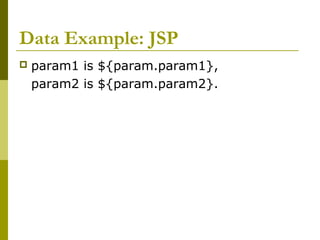
Data Example: JSP
 param1 is ${param.param1},
param2 is ${param.param2}.
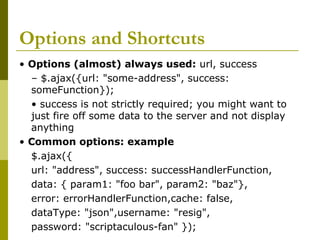
Options and Shortcuts
• Options (almost) always used: url, success
– $.ajax({url: "some-address", success:
someFunction});
• success is not strictly required; you might want to
just fire off some data to the server and not display
anything
• Common options: example
$.ajax({
url: "address", success: successHandlerFunction,
data: { param1: "foo bar", param2: "baz"},
error: errorHandlerFunction,cache: false,
dataType: "json",username: "resig",
password: "scriptaculous-fan" });
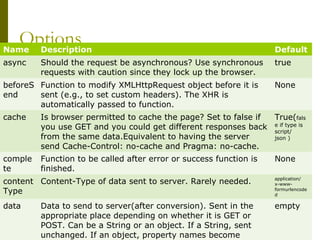
OptionsName Description Default
async Should the request be asynchronous? Use synchronous
requests with caution since they lock up the browser.
true
beforeS
end
Function to modify XMLHttpRequest object before it is
sent (e.g., to set custom headers). The XHR is
automatically passed to function.
None
cache Is browser permitted to cache the page? Set to false if
you use GET and you could get different responses back
from the same data.Equivalent to having the server
send Cache-Control: no-cache and Pragma: no-cache.
True(fals
e if type is
script/
json )
comple
te
Function to be called after error or success function is
finished.
None
content
Type
Content-Type of data sent to server. Rarely needed. application/
x-www-
formurlencode
d
data Data to send to server(after conversion). Sent in the
appropriate place depending on whether it is GET or
POST. Can be a String or an object. If a String, sent
unchanged. If an object, property names become
empty
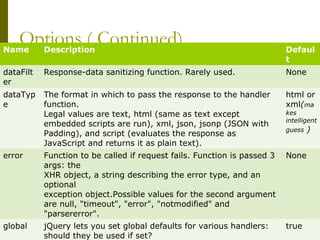
Options ( Continued)Name Description Defaul
t
dataFilt
er
Response-data sanitizing function. Rarely used. None
dataTyp
e
The format in which to pass the response to the handler
function.
Legal values are text, html (same as text except
embedded scripts are run), xml, json, jsonp (JSON with
Padding), and script (evaluates the response as
JavaScript and returns it as plain text).
html or
xml(ma
kes
intelligent
guess )
error Function to be called if request fails. Function is passed 3
args: the
XHR object, a string describing the error type, and an
optional
exception object.Possible values for the second argument
are null, "timeout", "error", "notmodified" and
"parsererror".
None
global jQuery lets you set global defaults for various handlers:
should they be used if set?
true
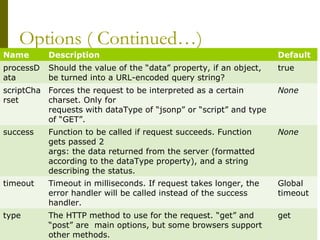
Options ( Continued…)
Name Description Default
processD
ata
Should the value of the “data” property, if an object,
be turned into a URL-encoded query string?
true
scriptCha
rset
Forces the request to be interpreted as a certain
charset. Only for
requests with dataType of “jsonp” or “script” and type
of “GET”.
None
success Function to be called if request succeeds. Function
gets passed 2
args: the data returned from the server (formatted
according to the dataType property), and a string
describing the status.
None
timeout Timeout in milliseconds. If request takes longer, the
error handler will be called instead of the success
handler.
Global
timeout
type The HTTP method to use for the request. “get” and
“post” are main options, but some browsers support
other methods.
get
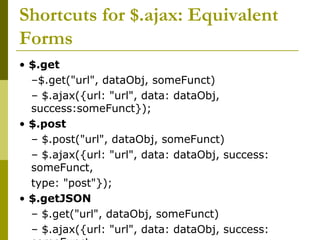
Shortcuts for $.ajax: Equivalent
Forms
• $.get
–$.get("url", dataObj, someFunct)
– $.ajax({url: "url", data: dataObj,
success:someFunct});
• $.post
– $.post("url", dataObj, someFunct)
– $.ajax({url: "url", data: dataObj, success:
someFunct,
type: "post"});
• $.getJSON
– $.get("url", dataObj, someFunct)
– $.ajax({url: "url", data: dataObj, success:
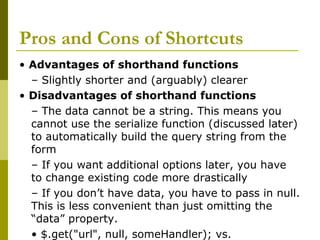
Pros and Cons of Shortcuts
• Advantages of shorthand functions
– Slightly shorter and (arguably) clearer
• Disadvantages of shorthand functions
– The data cannot be a string. This means you
cannot use the serialize function (discussed later)
to automatically build the query string from the
form
– If you want additional options later, you have
to change existing code more drastically
– If you don’t have data, you have to pass in null.
This is less convenient than just omitting the
“data” property.
• $.get("url", null, someHandler); vs.
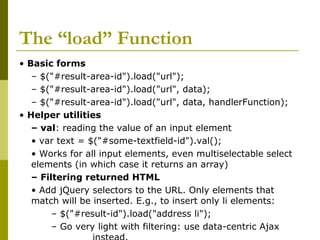
The “load” Function
• Basic forms
– $("#result-area-id").load("url");
– $("#result-area-id").load("url", data);
– $("#result-area-id").load("url", data, handlerFunction);
• Helper utilities
– val: reading the value of an input element
• var text = $("#some-textfield-id").val();
• Works for all input elements, even multiselectable select
elements (in which case it returns an array)
– Filtering returned HTML
• Add jQuery selectors to the URL. Only elements that
match will be inserted. E.g., to insert only li elements:
– $("#result-id").load("address li");
– Go very light with filtering: use data-centric Ajax
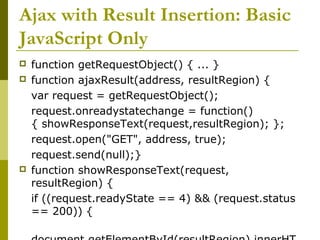
Ajax with Result Insertion: Basic
JavaScript Only
 function getRequestObject() { ... }
 function ajaxResult(address, resultRegion) {
var request = getRequestObject();
request.onreadystatechange = function()
{ showResponseText(request,resultRegion); };
request.open("GET", address, true);
request.send(null);}
 function showResponseText(request,
resultRegion) {
if ((request.readyState == 4) && (request.status
== 200)) {
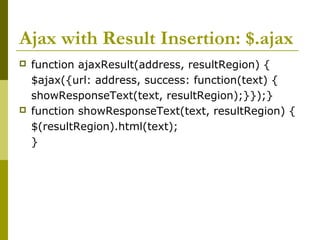
Ajax with Result Insertion: $.ajax
 function ajaxResult(address, resultRegion) {
$ajax({url: address, success: function(text) {
showResponseText(text, resultRegion);}});}
 function showResponseText(text, resultRegion) {
$(resultRegion).html(text);
}
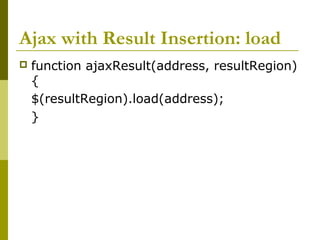
Ajax with Result Insertion: load
 function ajaxResult(address, resultRegion)
{
$(resultRegion).load(address);
}
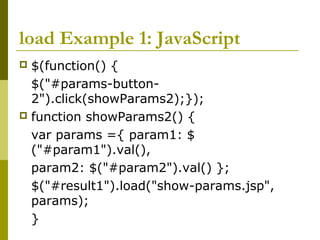
load Example 1: JavaScript
 $(function() {
$("#params-button-
2").click(showParams2);});
 function showParams2() {
var params ={ param1: $
("#param1").val(),
param2: $("#param2").val() };
$("#result1").load("show-params.jsp",
params);
}
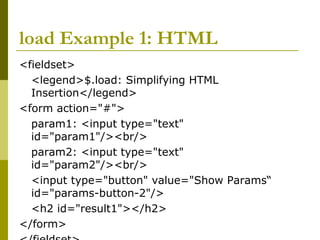
load Example 1: HTML
<fieldset>
<legend>$.load: Simplifying HTML
Insertion</legend>
<form action="#">
param1: <input type="text"
id="param1"/><br/>
param2: <input type="text"
id="param2"/><br/>
<input type="button" value="Show Params“
id="params-button-2"/>
<h2 id="result1"></h2>
</form>
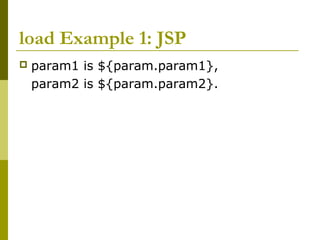
load Example 1: JSP
 param1 is ${param.param1},
param2 is ${param.param2}.
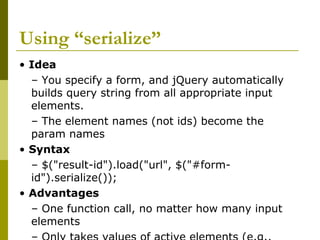
Using “serialize”
• Idea
– You specify a form, and jQuery automatically
builds query string from all appropriate input
elements.
– The element names (not ids) become the
param names
• Syntax
– $("result-id").load("url", $("#form-
id").serialize());
• Advantages
– One function call, no matter how many input
elements
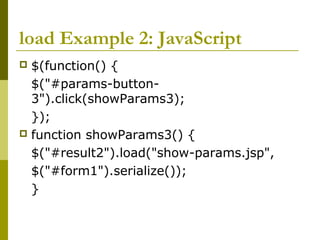
load Example 2: JavaScript
 $(function() {
$("#params-button-
3").click(showParams3);
});
 function showParams3() {
$("#result2").load("show-params.jsp",
$("#form1").serialize());
}
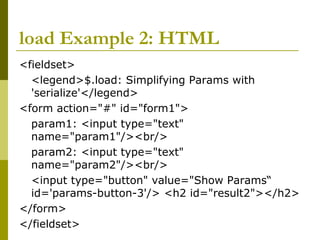
load Example 2: HTML
<fieldset>
<legend>$.load: Simplifying Params with
'serialize'</legend>
<form action="#" id="form1">
param1: <input type="text"
name="param1"/><br/>
param2: <input type="text"
name="param2"/><br/>
<input type="button" value="Show Params“
id='params-button-3'/> <h2 id="result2"></h2>
</form>
</fieldset>
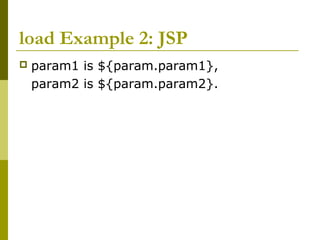
load Example 2: JSP
 param1 is ${param.param1},
param2 is ${param.param2}.
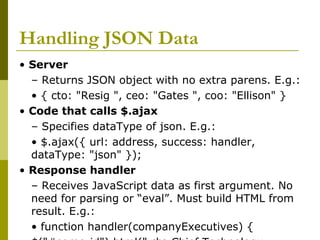
Handling JSON Data
• Server
– Returns JSON object with no extra parens. E.g.:
• { cto: "Resig ", ceo: "Gates ", coo: "Ellison" }
• Code that calls $.ajax
– Specifies dataType of json. E.g.:
• $.ajax({ url: address, success: handler,
dataType: "json" });
• Response handler
– Receives JavaScript data as first argument. No
need for parsing or “eval”. Must build HTML from
result. E.g.:
• function handler(companyExecutives) {
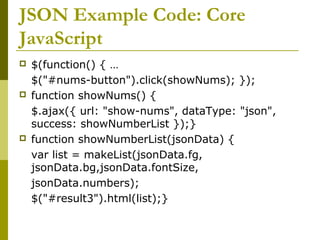
JSON Example Code: Core
JavaScript
 $(function() { …
$("#nums-button").click(showNums); });
 function showNums() {
$.ajax({ url: "show-nums", dataType: "json",
success: showNumberList });}
 function showNumberList(jsonData) {
var list = makeList(jsonData.fg,
jsonData.bg,jsonData.fontSize,
jsonData.numbers);
$("#result3").html(list);}
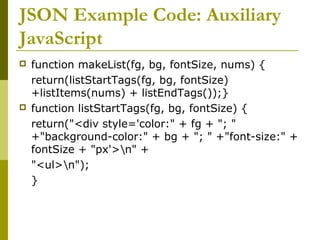
JSON Example Code: Auxiliary
JavaScript
 function makeList(fg, bg, fontSize, nums) {
return(listStartTags(fg, bg, fontSize)
+listItems(nums) + listEndTags());}
 function listStartTags(fg, bg, fontSize) {
return("<div style='color:" + fg + "; "
+"background-color:" + bg + "; " +"font-size:" +
fontSize + "px'>n" +
"<ul>n");
}
JSON Example Code: Auxiliary
JavaScript (Continued)
 function listItems(items) {
var result = "";
for(var i=0; i<items.length; i++) {
result = result + "<li>" + items[i] +
"</li>n";
}
return(result);
}
 function listEndTags() {
return("</ul></div>");
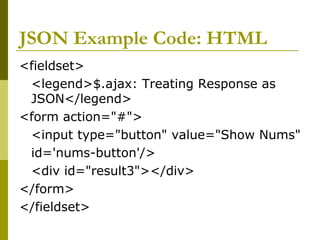
JSON Example Code: HTML
<fieldset>
<legend>$.ajax: Treating Response as
JSON</legend>
<form action="#">
<input type="button" value="Show Nums"
id='nums-button'/>
<div id="result3"></div>
</form>
</fieldset>
JSON Example Code: Servlet
public class ShowNumbers extends HttpServlet {
public void doGet(HttpServletRequest request,
HttpServletResponse response)
throws ServletException, IOException {
response.setHeader("Cache-Control", "no-cache");
response.setHeader("Pragma", "no-cache");
String fg = ColorUtils.randomColor();request.setAttribute("fg",
fg);
String bg = ColorUtils.randomColor(); request.setAttribute("bg",
bg);
String fontSize = "" + (10 + ColorUtils.randomInt(30));
request.setAttribute("fontSize", fontSize);
double[] nums ={ Math.random(), Math.random(),
Math.random() };
request.setAttribute("nums", nums);
response.setContentType("application/json");
JSON Example Code: JSP
{ fg: "${fg}",bg: "${bg}",fontSize: ${fontSize},
numbers: [ ${nums[0]}, ${nums[1]}, $
{nums[2]}] }
• Notes
– No enclosing parens. jQuery will wrap in parens
and then pass to “eval”
– Types
• fg and bg: Strings
• fontSize: int
• numbers: Array of doubles
JSON Example Code: Auxiliary
Java Code
public class ColorUtils {
private static String[] colors = { "aqua", "black",
"blue", "fuchsia", "gray","green", "lime",
"maroon", "navy", "olive",
"purple", "red", "silver", "teal", "white",
"yellow"};
/** A random number between 0 and range-1,
inclusive. */
public static int randomInt(int range) {
return(new Random().nextInt(range));
}
/** One of the official HTML color names, at
Questions??
Thank You
E-Mail :
immanish4u@gmail.com

Jquery 4

  • 1.
  • 2.
    $.ajax: Basic Syntax •$.ajax(optionsObject) – Minimal form: $.ajax({url: "address", success: funct}); • Don’t forget the “.”. It is $.ajax(…), not $ajax(…). – The handler function gets the response text, not the response object. jQuery figures out if it should be plain text or XML from the response type. If you want the handler to get JSON, use dataType option • Options for $.ajax({…}) – Almost-always used • url, success – Other common options • cache, data, dataType, error, type, username, password
  • 3.
    Ajax with andwithout Toolkits • With basic JavaScript function getRequestObject() { if (window.XMLHttpRequest) { return(new XMLHttpRequest()); } else if (window.ActiveXObject) { return(new ActiveXObject("Microsoft.XMLHTTP")); } else { return(null); } } function sendRequest() { var request = getRequestObject(); request.onreadystatechange =function() { someFunct(request); }; request.open("GET", "some-url", true); request.send(null); }
  • 4.
    Ajax with andwithout Toolkits • Prototype (handler passed response object) new Ajax.Request("address", {onSuccess: handlerFunct}); • jQuery (handler passed response text) $.ajax({url: "address",success: handlerFunct}); • Dojo (handler passed response text) dojo.xhrGet({url: "address",load: handlerFunct});
  • 5.
    $.ajax Example Code:JavaScript •function showTime1() { $.ajax({ url: "show-time.jsp", success: showAlert, cache: false }); } • function showAlert(text) { alert(text);} • The cache option in ajax call is not required but is a convenient option when the same URL (including query data) yieldsdifferent responses. This way, you don’t have to send Cache-Control and Pragma headers from server. • Parameter passed in showAlert functions response text, not the response object (XmlHttpRequest). Also note that the latest Firefox does not let you pass native functions here, so you cannot use alert instead of showAlert for the success parameter.
  • 6.
    $.ajax Example Code:HTML •<head><title>jQuery and Ajax</title>... <script src="./scripts/jquery.js“ type="text/javascript"></script> <script src="./scripts/jquery-ajax.js“ type="text/javascript"> </script> </head> <body>... <fieldset> <legend>$.ajax: Basics (Using onclick handler in HTML)</legend> <form action="#"> <input type="button" value="Show Time“ onclick='showTime1()'/> </form> </fieldset>
  • 7.
    $.ajax Example Code:JSP It is now <%= new java.util.Date() %>
  • 8.
    Registering Event Handlersin JavaScript • Basic approach – Previous example set the onclick handler in the HTML. Although this is common with other Ajax libraries,jQuery advocates setting it in the JavaScript instead. • Often referred to as “unobtrusive JavaScript”: no explicit JavaScript anywhere in the HTML page • jQuery support – $(function() {…}); • Function runs after the DOM is loaded, but does not waitfor images, as with window.onload. • Use this approach to set up all event handlers – $("#some-id").click(someHandler); • Assigns to onclick handler. Handler is passed an Event object with characteristics that are unified
  • 9.
    Redoing Time Alert:JavaScript  $(function() { $("#time-button-1").click(showTime1); });  function showTime1() { $.ajax({ url: "show-time.jsp", success: showAlert, cache: false });}  function showAlert(text) { alert(text);}
  • 10.
    Redoing Time Alert:HTML  <fieldset> <legend>$.ajax: Basics (Using click function in JavaScript)</legend> <form action="#"> <input type="button" value="Show Time“ id='time-button-1'/> </form> </fieldset>
  • 11.
    $.ajax:Sending Data • $.ajax({url: …, success: …, data: …}); – Can be a String, in which case it is sent unchanged. • On end of URL or in POST data, depending on HTTP type • See later example for building the string automatically using the “serialize” function – Can be an object, in which case query string gets built out of property names and URL- encoded property values • Works identically to “parameters” option in Prototype • Equivalent examples
  • 12.
    Data Example: JavaScript $(function() { $("#params-button-1").click(showParams1); });  function showAlert(text) { alert(text); }  function showParams1() { $.ajax({ url: "show-params.jsp", data: "param1=foo&param2=bar", success: showAlert }); }
  • 13.
    Data Example: HTML <fieldset> <legend>$.ajax: The 'data' Option</legend> <form action="#"> <input type="button" value="Show Params“ id='params-button-1'/> </form> </fieldset>
  • 14.
    Data Example: JSP param1 is ${param.param1}, param2 is ${param.param2}.
  • 15.
    Options and Shortcuts •Options (almost) always used: url, success – $.ajax({url: "some-address", success: someFunction}); • success is not strictly required; you might want to just fire off some data to the server and not display anything • Common options: example $.ajax({ url: "address", success: successHandlerFunction, data: { param1: "foo bar", param2: "baz"}, error: errorHandlerFunction,cache: false, dataType: "json",username: "resig", password: "scriptaculous-fan" });
  • 16.
    OptionsName Description Default asyncShould the request be asynchronous? Use synchronous requests with caution since they lock up the browser. true beforeS end Function to modify XMLHttpRequest object before it is sent (e.g., to set custom headers). The XHR is automatically passed to function. None cache Is browser permitted to cache the page? Set to false if you use GET and you could get different responses back from the same data.Equivalent to having the server send Cache-Control: no-cache and Pragma: no-cache. True(fals e if type is script/ json ) comple te Function to be called after error or success function is finished. None content Type Content-Type of data sent to server. Rarely needed. application/ x-www- formurlencode d data Data to send to server(after conversion). Sent in the appropriate place depending on whether it is GET or POST. Can be a String or an object. If a String, sent unchanged. If an object, property names become empty
  • 17.
    Options ( Continued)NameDescription Defaul t dataFilt er Response-data sanitizing function. Rarely used. None dataTyp e The format in which to pass the response to the handler function. Legal values are text, html (same as text except embedded scripts are run), xml, json, jsonp (JSON with Padding), and script (evaluates the response as JavaScript and returns it as plain text). html or xml(ma kes intelligent guess ) error Function to be called if request fails. Function is passed 3 args: the XHR object, a string describing the error type, and an optional exception object.Possible values for the second argument are null, "timeout", "error", "notmodified" and "parsererror". None global jQuery lets you set global defaults for various handlers: should they be used if set? true
  • 18.
    Options ( Continued…) NameDescription Default processD ata Should the value of the “data” property, if an object, be turned into a URL-encoded query string? true scriptCha rset Forces the request to be interpreted as a certain charset. Only for requests with dataType of “jsonp” or “script” and type of “GET”. None success Function to be called if request succeeds. Function gets passed 2 args: the data returned from the server (formatted according to the dataType property), and a string describing the status. None timeout Timeout in milliseconds. If request takes longer, the error handler will be called instead of the success handler. Global timeout type The HTTP method to use for the request. “get” and “post” are main options, but some browsers support other methods. get
  • 19.
    Shortcuts for $.ajax:Equivalent Forms • $.get –$.get("url", dataObj, someFunct) – $.ajax({url: "url", data: dataObj, success:someFunct}); • $.post – $.post("url", dataObj, someFunct) – $.ajax({url: "url", data: dataObj, success: someFunct, type: "post"}); • $.getJSON – $.get("url", dataObj, someFunct) – $.ajax({url: "url", data: dataObj, success:
  • 20.
    Pros and Consof Shortcuts • Advantages of shorthand functions – Slightly shorter and (arguably) clearer • Disadvantages of shorthand functions – The data cannot be a string. This means you cannot use the serialize function (discussed later) to automatically build the query string from the form – If you want additional options later, you have to change existing code more drastically – If you don’t have data, you have to pass in null. This is less convenient than just omitting the “data” property. • $.get("url", null, someHandler); vs.
  • 21.
    The “load” Function •Basic forms – $("#result-area-id").load("url"); – $("#result-area-id").load("url", data); – $("#result-area-id").load("url", data, handlerFunction); • Helper utilities – val: reading the value of an input element • var text = $("#some-textfield-id").val(); • Works for all input elements, even multiselectable select elements (in which case it returns an array) – Filtering returned HTML • Add jQuery selectors to the URL. Only elements that match will be inserted. E.g., to insert only li elements: – $("#result-id").load("address li"); – Go very light with filtering: use data-centric Ajax
  • 22.
    Ajax with ResultInsertion: Basic JavaScript Only  function getRequestObject() { ... }  function ajaxResult(address, resultRegion) { var request = getRequestObject(); request.onreadystatechange = function() { showResponseText(request,resultRegion); }; request.open("GET", address, true); request.send(null);}  function showResponseText(request, resultRegion) { if ((request.readyState == 4) && (request.status == 200)) {
  • 23.
    Ajax with ResultInsertion: $.ajax  function ajaxResult(address, resultRegion) { $ajax({url: address, success: function(text) { showResponseText(text, resultRegion);}});}  function showResponseText(text, resultRegion) { $(resultRegion).html(text); }
  • 24.
    Ajax with ResultInsertion: load  function ajaxResult(address, resultRegion) { $(resultRegion).load(address); }
  • 25.
    load Example 1:JavaScript  $(function() { $("#params-button- 2").click(showParams2);});  function showParams2() { var params ={ param1: $ ("#param1").val(), param2: $("#param2").val() }; $("#result1").load("show-params.jsp", params); }
  • 26.
    load Example 1:HTML <fieldset> <legend>$.load: Simplifying HTML Insertion</legend> <form action="#"> param1: <input type="text" id="param1"/><br/> param2: <input type="text" id="param2"/><br/> <input type="button" value="Show Params“ id="params-button-2"/> <h2 id="result1"></h2> </form>
  • 27.
    load Example 1:JSP  param1 is ${param.param1}, param2 is ${param.param2}.
  • 28.
    Using “serialize” • Idea –You specify a form, and jQuery automatically builds query string from all appropriate input elements. – The element names (not ids) become the param names • Syntax – $("result-id").load("url", $("#form- id").serialize()); • Advantages – One function call, no matter how many input elements
  • 29.
    load Example 2:JavaScript  $(function() { $("#params-button- 3").click(showParams3); });  function showParams3() { $("#result2").load("show-params.jsp", $("#form1").serialize()); }
  • 30.
    load Example 2:HTML <fieldset> <legend>$.load: Simplifying Params with 'serialize'</legend> <form action="#" id="form1"> param1: <input type="text" name="param1"/><br/> param2: <input type="text" name="param2"/><br/> <input type="button" value="Show Params“ id='params-button-3'/> <h2 id="result2"></h2> </form> </fieldset>
  • 31.
    load Example 2:JSP  param1 is ${param.param1}, param2 is ${param.param2}.
  • 32.
    Handling JSON Data •Server – Returns JSON object with no extra parens. E.g.: • { cto: "Resig ", ceo: "Gates ", coo: "Ellison" } • Code that calls $.ajax – Specifies dataType of json. E.g.: • $.ajax({ url: address, success: handler, dataType: "json" }); • Response handler – Receives JavaScript data as first argument. No need for parsing or “eval”. Must build HTML from result. E.g.: • function handler(companyExecutives) {
  • 33.
    JSON Example Code:Core JavaScript  $(function() { … $("#nums-button").click(showNums); });  function showNums() { $.ajax({ url: "show-nums", dataType: "json", success: showNumberList });}  function showNumberList(jsonData) { var list = makeList(jsonData.fg, jsonData.bg,jsonData.fontSize, jsonData.numbers); $("#result3").html(list);}
  • 34.
    JSON Example Code:Auxiliary JavaScript  function makeList(fg, bg, fontSize, nums) { return(listStartTags(fg, bg, fontSize) +listItems(nums) + listEndTags());}  function listStartTags(fg, bg, fontSize) { return("<div style='color:" + fg + "; " +"background-color:" + bg + "; " +"font-size:" + fontSize + "px'>n" + "<ul>n"); }
  • 35.
    JSON Example Code:Auxiliary JavaScript (Continued)  function listItems(items) { var result = ""; for(var i=0; i<items.length; i++) { result = result + "<li>" + items[i] + "</li>n"; } return(result); }  function listEndTags() { return("</ul></div>");
  • 36.
    JSON Example Code:HTML <fieldset> <legend>$.ajax: Treating Response as JSON</legend> <form action="#"> <input type="button" value="Show Nums" id='nums-button'/> <div id="result3"></div> </form> </fieldset>
  • 37.
    JSON Example Code:Servlet public class ShowNumbers extends HttpServlet { public void doGet(HttpServletRequest request, HttpServletResponse response) throws ServletException, IOException { response.setHeader("Cache-Control", "no-cache"); response.setHeader("Pragma", "no-cache"); String fg = ColorUtils.randomColor();request.setAttribute("fg", fg); String bg = ColorUtils.randomColor(); request.setAttribute("bg", bg); String fontSize = "" + (10 + ColorUtils.randomInt(30)); request.setAttribute("fontSize", fontSize); double[] nums ={ Math.random(), Math.random(), Math.random() }; request.setAttribute("nums", nums); response.setContentType("application/json");
  • 38.
    JSON Example Code:JSP { fg: "${fg}",bg: "${bg}",fontSize: ${fontSize}, numbers: [ ${nums[0]}, ${nums[1]}, $ {nums[2]}] } • Notes – No enclosing parens. jQuery will wrap in parens and then pass to “eval” – Types • fg and bg: Strings • fontSize: int • numbers: Array of doubles
  • 39.
    JSON Example Code:Auxiliary Java Code public class ColorUtils { private static String[] colors = { "aqua", "black", "blue", "fuchsia", "gray","green", "lime", "maroon", "navy", "olive", "purple", "red", "silver", "teal", "white", "yellow"}; /** A random number between 0 and range-1, inclusive. */ public static int randomInt(int range) { return(new Random().nextInt(range)); } /** One of the official HTML color names, at
  • 40.
  • 41.