Java Fundamentals
Topics to be covered
 Difference between object-oriented programming and
procedural programming
 Advantages of OOP
 Introduction to Java
 Building a Java class
Object-Oriented Programming (OOP) vs.
Top-Down (Procedural) Programming
 OO approach
 System is defined as a collection of objects that work
together to accomplish tasks
 Objects carry out actions when asked
 Each object maintains its own data
 Procedural approach
 System is defined as a set of procedures that interact
with data
 Data is maintained separately from procedures
Advantages of Object-Oriented
System Development
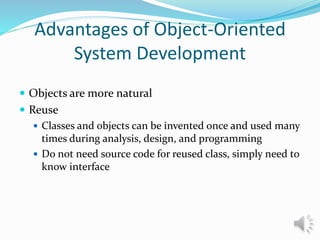
 Objects are more natural
 Reuse
 Classes and objects can be invented once and used many
times during analysis, design, and programming
 Do not need source code for reused class, simply need to
know interface
Introducing Java
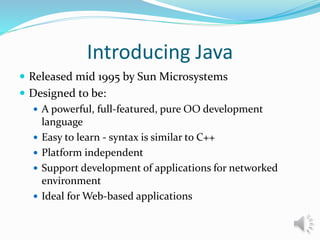
 Released mid 1995 by Sun Microsystems
 Designed to be:
 A powerful, full-featured, pure OO development
language
 Easy to learn - syntax is similar to C++
 Platform independent
 Support development of applications for networked
environment
 Ideal for Web-based applications
Introducing Java
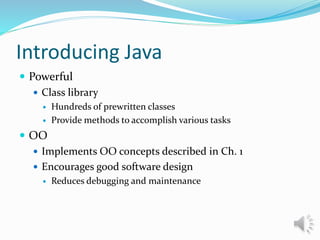
 Powerful
 Class library
 Hundreds of prewritten classes
 Provide methods to accomplish various tasks
 OO
 Implements OO concepts described in Ch. 1
 Encourages good software design
 Reduces debugging and maintenance
Introducing Java
 Portability
 Programs can be written and compiled once, then run
on different platforms
 Important for internet applications (applets)
 Achieved by using:
 Bytecode
 Produced when a Java program is compiled
 Interpreter (Java Virtual Machine – JVM)
 Execution environment for bytecode on each platform
Building a Java Class
 Each source code file defines a class
 Class
 Hello.class
 File
 Hello.java
 Class header
 Describes class contained in source code file
 Keywords:
 public
 Indicates class has public availability
 class
 Indicates line of code is a class header
Building a Java Class
 Identifiers
 Name of a class, method, or variable
 Can be any length
 Can include any character except a space
 Must begin with a letter of the alphabet, a dollar sign ($), or
the underscore (_) character
 Java is case sensitive
 Public isn’t the same as public
 Block of code
 Used to group statements
 Delineated by open curly brace ({) and closed curly
brace (})
 All code in Java is enclosed in a single block of code,
which can contain additional blocks

Java fundamentals 2

  • 1.
  • 2.
    Topics to becovered  Difference between object-oriented programming and procedural programming  Advantages of OOP  Introduction to Java  Building a Java class
  • 3.
    Object-Oriented Programming (OOP)vs. Top-Down (Procedural) Programming  OO approach  System is defined as a collection of objects that work together to accomplish tasks  Objects carry out actions when asked  Each object maintains its own data  Procedural approach  System is defined as a set of procedures that interact with data  Data is maintained separately from procedures
  • 5.
    Advantages of Object-Oriented SystemDevelopment  Objects are more natural  Reuse  Classes and objects can be invented once and used many times during analysis, design, and programming  Do not need source code for reused class, simply need to know interface
  • 7.
    Introducing Java  Releasedmid 1995 by Sun Microsystems  Designed to be:  A powerful, full-featured, pure OO development language  Easy to learn - syntax is similar to C++  Platform independent  Support development of applications for networked environment  Ideal for Web-based applications
  • 8.
    Introducing Java  Powerful Class library  Hundreds of prewritten classes  Provide methods to accomplish various tasks  OO  Implements OO concepts described in Ch. 1  Encourages good software design  Reduces debugging and maintenance
  • 9.
    Introducing Java  Portability Programs can be written and compiled once, then run on different platforms  Important for internet applications (applets)  Achieved by using:  Bytecode  Produced when a Java program is compiled  Interpreter (Java Virtual Machine – JVM)  Execution environment for bytecode on each platform
  • 10.
    Building a JavaClass  Each source code file defines a class  Class  Hello.class  File  Hello.java  Class header  Describes class contained in source code file  Keywords:  public  Indicates class has public availability  class  Indicates line of code is a class header
  • 11.
    Building a JavaClass  Identifiers  Name of a class, method, or variable  Can be any length  Can include any character except a space  Must begin with a letter of the alphabet, a dollar sign ($), or the underscore (_) character  Java is case sensitive  Public isn’t the same as public
  • 12.
     Block ofcode  Used to group statements  Delineated by open curly brace ({) and closed curly brace (})  All code in Java is enclosed in a single block of code, which can contain additional blocks