UNIT I
INTRODUCTION TO OOP AND
JAVA FUNDAMENTALS
Introduction – Object Oriented Paradigm – Basic Concepts of OOP –
Benefits of OOP – Creation of Java – The Java Buzzwords – Data Types –
Variables – Arrays – Operators – Control Statements – Class
Fundamentals – Defining Objects – Methods – Constructors – this
Keyword – Garbage Collection.
INTRODUCTION
• Object-oriented programming (or OOP for short) is the dominant
programming paradigm these days, having replaced the “structured,”
procedural programming techniques that were developed in the
1970s.
• Java is totally object oriented, and you have to be familiar with OOP
to become productive with Java.
• An object-oriented program is made of objects.
OBJECT-ORIENTED PARADIGM
• OOP is a programming paradigm based upon Objects having both
data and methods that aims to incorporate the advantages of
modularity and reusability.
• Objects are usually instances of class which are used to design
applications and computer programs. Object-Oriented Programming
(OOP) is a programming language model organized around objects
rather than actions and data.
• An object-oriented program can be characterized as data controlling
access to code.
Concepts of OOPS
• Object
• Class
• Inheritance
• Polymorphism
• Abstraction
• Encapsulation
OBJECT
• Object means a real word entity such as pen, chair, table etc. Any
entity that has state and behavior is known as an object. Object can
be defined as an instance of a class.
• An object contains an address and takes up some space in memory.
Object
• An object has three characteristics:
• state: represents data (value) of an object.
• behavior: represents the behavior (functionality) of an object such as deposit,
withdraw etc.
• identity: Object identity is typically implemented via a unique ID.
Concepts of OOPS
• Object
• Class
• Inheritance
• Polymorphism
• Abstraction
• Encapsulation
CLASS
• Collection of objects is called class. It is a logical entity.
• A class can also be defined as a blueprint from which you can create
an individual object.
• A class consists of Data members and methods.
Class and Object Example:
class Person
{
String name;
int age;
void walk();
void run();
}
• Here, create an object to the
class as;
• Classname objectname= new
classname();
• Person IT=new Person();
Concepts of OOPS
• Object
• Class
• Inheritance
• Polymorphism
• Abstraction
• Encapsulation
INHERITANCE
• Inheritance can be defined as the procedure or mechanism of
acquiring all the properties and behavior of one class to another, i.e.,
acquiring the properties and behavior of child class from the parent
class.
• It provides code reusability and establishes relationships between
different classes.
• Types of inheritance in java:
• single,
• multilevel and hierarchical inheritance.
• Multiple and hybrid inheritance
Concepts of OOPS
• Object
• Class
• Inheritance
• Polymorphism
• Abstraction
• Encapsulation
POLYMORPHISM
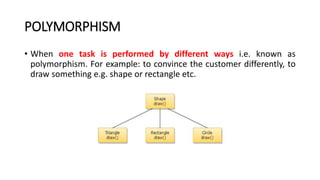
• When one task is performed by different ways i.e. known as
polymorphism. For example: to convince the customer differently, to
draw something e.g. shape or rectangle etc.
Polymorphism is classified into two ways:
• 1. Method Overloading(Compile time Polymorphism)
• Method Overloading is a feature that allows a class to have two or more
methods having the same name but the arguments passed to the methods
are different. Compile time polymorphism refers to a process in which a call
to an overloaded method is resolved at compile time rather than at run time.
• 2. Method Overriding(Run time Polymorphism)
• If subclass (child class) has the same method as declared in the parent class,
it is known as method overriding in java. In other words, If subclass provides
the specific implementation of the method that has been provided by one of
its parent class, it is known as method overriding.
Concepts of OOPS
• Object
• Class
• Inheritance
• Polymorphism
• Abstraction
• Encapsulation
ABSTRACTION
• Abstraction is a process of hiding the implementation details and
showing only functionality to the user.
• For example: phone call, we don't know the internal processing. In
java, we use abstract class and interface to achieve abstraction.
Concepts of OOPS
• Object
• Class
• Inheritance
• Polymorphism
• Abstraction
• Encapsulation
ENCAPSULATION
• Encapsulation in java is a process of wrapping code and data
together into a single unit, for example capsule i.e. mixed of several
medicines. A java class is the example of encapsulation.
Difference between procedure-oriented and object-
oriented programming
PROCEDURE-ORIENTED PROGRAMMING OBJECT-ORIENTED PROGRAMMING
In POP, program is divided into small parts called
functions
In OOP, program is divided into parts
called objects
functions as well as sequence of actions to be
done.
than procedures or functions because it works as
a real world.
POP follows Top Down approach OOP follows Bottom Up approach.
POP does not have any access specifier.
OOP has access specifiers named Public, Private,
Protected, etc.
POP does not have any proper way for hiding
data so it is less secure.
OOP provides Data Hiding so provides more
security.
In POP, Overloading is not possible.
In OOP, overloading is possible in the form of
Function Overloading and Operator Overloading
Example of POP are : C, VB, FORTRAN,
Pascal.
Example of OOP are : C++, JAVA, VB.NET,
C#.NET.
Benefits of OOP
UNIT I
INTRODUCTION TO OOP AND
JAVA FUNDAMENTALS
Introduction – Object Oriented Paradigm – Basic Concepts of OOP –
Benefits of OOP – Creation of Java – The Java Buzzwords – Data Types –
Variables – Arrays – Operators – Control Statements – Class
Fundamentals – Defining Objects – Methods – Constructors – this
Keyword – Garbage Collection.
CREATION OF JAVA
Original developer and programming name:
• James Gosling is considered the original developer of Java language.
He is also known as father of Java. He started on this in early 1990s.
He originally named it Greentalk and the extension was .gt.
• Programming language renamed from Greentalk to Oak:
• When Green team (James Gosling, Mike Sheridan and Patrick
Naughton) started working on it, it was renamed to Oak. Oak is a tree
name, which is considered a symbol of strength and is a national tree
in many countries such as U.S.A., France, Germany, Romania, etc.
• Again renamed from Oak to Java in 1995:
• The project is again renamed from Oak to Java in 1995 as Oak was a
trademark for other organization.
• Original and first version of Java:
• JDK first version alpha & beta was released in 1995 by Sun
Microsystems.
JAVA VERSIONS
VERSION
RELEASE
DATE
JDK Alpha & Beta 1995
JDK 1.0 January 1996
JDK 1.1 February 1997
Java SE 17 September 2021
Java SE 18 March 2022
Java SE 19 to be released by September 2022
Java SE 20 to be released by March 2023
Java SE 21 to be released by September 2023
TYPES OF JAVA PROGRAMS
• There are two types of Java Programs:
• 1. Stand Alone System (Java Application)
• 2. Internet Applets (Java Applets)
• All Java programs are classified as Applications and Applets. While
applications are stand-alone Java programs that run directly on your
machine, applets are specific programs that require use of a browser
and should be included in an HTML web document.
JAVA BUZZWORDS
• The main objective of Java programming language creation was to
make it portable, simple and secure programming language.
JAVA BUZZWORDS
• Simple
• Java is very easy to learn and its syntax is simple, clean and easy to
understand. According to Sun, Java language is a simple programming
language because:
• Java syntax is based on C++ (so easier for programmers to learn it after C++).
• Java has removed many confusing and rarely-used features e.g. explicit
pointers, operator overloading etc.
JAVA BUZZWORDS
• Object-oriented -Java is object-oriented programming language.
Everything in Java is an object. Object-oriented means we organize
our software as a combination of different types of objects that
incorporates both data and behaviour.
• Platform Independent - Java is platform independent because it is
different from other languages like C, C++ etc. which are compiled
into platform specific machines while Java is a write once, run
anywhere language. A platform is the hardware or software
environment in which a program runs.
JAVA BUZZWORDS
• Robust
• Robust simply means strong. Java is robust because:
• It uses strong memory management.
• There are lack of pointers that avoids security problems.
• Secured Java is best known for its security. With Java, we can develop
virus-free systems. Java is secured because:
• No explicit pointer
• Java Programs run inside virtual machine sandbox
JAVA BUZZWORDS
• High-performance
• Java is faster than other traditional interpreted programming languages
because Java bytecode is "close" to native code. It is still a little bit slower
than a compiled language (e.g. C++). Java is an interpreted language that is
why it is slower than compiled languages e.g. C, C++ etc.
• Portable
• Java is portable because it facilitates you to carry the java bytecode to any
platform. It doesn't require any type of implementation
JAVA BUZZWORDS
• Distributed
• Java is distributed because it facilitates users to create distributed applications
in java. RMI and EJB are used for creating distributed applications. This
feature of Java makes us able to access files by calling the methods from any
machine on the internet.
THE JAVA ENVIRONMENT
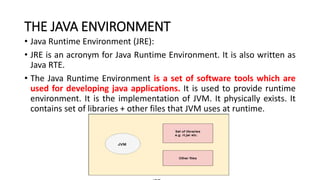
• Java Runtime Environment (JRE):
• JRE is an acronym for Java Runtime Environment. It is also written as
Java RTE.
• The Java Runtime Environment is a set of software tools which are
used for developing java applications. It is used to provide runtime
environment. It is the implementation of JVM. It physically exists. It
contains set of libraries + other files that JVM uses at runtime.
• JDK
• JDK is an acronym for Java Development Kit. The Java Development
Kit (JDK) is a software development environment which is used to
develop java applications and applets. It physically exists. It contains
JRE + development tools.
• JDK is an implementation of any one of the below given Java
Platforms released by Oracle corporation:
• Standard Edition Java Platform
• Enterprise Edition Java Platform
• Micro Edition Java Platform
JDK
• The JDK contains a private Java
Virtual Machine (JVM) and a few
other resources such as an
interpreter/loader (Java), a
compiler (javac), an archiver
(jar), a documentation generator
(Javadoc) etc. to complete the
development of a Java
Application.
JVM (Java Virtual Machine)
• JVM (Java Virtual Machine) is an abstract machine. It is a specification
that provides runtime environment in which java bytecode can be
executed.
• JVMs are available for many hardware and software platforms (i.e.
JVM is platform dependent). The JVM performs following operation:
• Loads code
• Verifies code
• Executes code
• Provides runtime environment
Structure of Java Program
A first Simple Java Program
class Simple
{
public static void main(String args[])
{
System.out.println("Java World");
}
}
• class keyword is used to declare a
class in java.
• public keyword is an access modifier
which represents visibility, it means it
is visible to all.
• static is a keyword, if we declare any
method as static, it is known as static
method
• void is the return type
• main represents the starting point of
the program.
• String[] args is used for command line
argument. System.out.println() is
used print statement.
Structure of Java Program
A first Simple Java Program
class Simple
{
public static void main(String
args[])
{
System.out.println("Java World");
}
}
• To compile:
javac Simple.java
• To execute:
java Simple
UNIT I
INTRODUCTION TO OOP AND
JAVA FUNDAMENTALS
Introduction – Object Oriented Paradigm – Basic Concepts of OOP –
Benefits of OOP – Creation of Java – The Java Buzzwords – Data Types –
Variables – Arrays – Operators – Control Statements – Class
Fundamentals – Defining Objects – Methods – Constructors – this
Keyword – Garbage Collection.
DATA TYPES
• Data types specify the different sizes and values that can be stored in
the variable. There are two types of data types in Java:
• 1. Primitive data types: The primitive data types include Integer,
Character, Boolean, and Floating Point.
• 2. Non-primitive data types: The non-primitive data types include
Classes, Interfaces, and Arrays.
DATATYPES IN JAVA
// Compute the area of a circle.
class Area
{
public static void main(String args[])
{
double pi, r, a; r = 10.8; // radius of circle
pi = 3.1416; // pi, approximately
a = pi * r * r; // compute area
System.out.println("Area of circle is " + a); } }
UNIT I
INTRODUCTION TO OOP AND
JAVA FUNDAMENTALS
Introduction – Object Oriented Paradigm – Basic Concepts of OOP –
Benefits of OOP – Creation of Java – The Java Buzzwords – Data Types –
Variables – Arrays – Operators – Control Statements – Class
Fundamentals – Defining Objects – Methods – Constructors – this
Keyword – Garbage Collection.
VARIABLES
• A variable is a container which holds the value and that can be
changed durig the execution of the program.
• A variable is assigned with a datatype. Variable is a name of memory
location.
• All the variables must be declared before they can be used.
• There are three types of variables in java:
• local variable,
• instance variable and
• static variable.
• Local variable - A variable defined within a block or method or
constructor is called local variable.
• Instance Variable - Instance variables are non-static variables and are
declared in a class outside any method, constructor or block.
• Static variable - Static variables are also known as Class variables.
Difference between Instance variable and
Static variable
INSTANCE VARIABLE STATIC VARIABLE
Each object will have its own copy of instance
variable
We can only have one copy of a static variable per
class irrespective of how many objects we create.
Changes made in an instance variable using one object
will not be reflected in other objects as each
object has its own copy of instance variable
In case of static changes will be reflected in other
objects as static variables are common to all object
of a class.
We can access instance variables through object
references
Static Variables can be accessed directly using class
name.
Class Sample
{
int a;
}
Class Sample
{
static int a;
}
UNIT I
INTRODUCTION TO OOP AND
JAVA FUNDAMENTALS
Introduction – Object Oriented Paradigm – Basic Concepts of OOP –
Benefits of OOP – Creation of Java – The Java Buzzwords – Data Types –
Variables – Arrays – Operators – Control Statements – Class
Fundamentals – Defining Objects – Methods – Constructors – this
Keyword – Garbage Collection.
ARRAYS
• Array is a collection of similar type of
elements that have contiguous memory
location.
• Since arrays are objects in Java, we can
find their length using member length.
• A Java array variable can also be declared
like other variables with [] after the data
type.
• The size of an array must be specified by
an int value and not long or short.
Advantage of Java Array
• Code Optimization: It makes the code optimized, we can retrieve or
sort the data easily.
• Random access: We can get any data located at any index position.
Disadvantage of Java Array
• Size Limit: We can store only fixed size of elements in the array. It
doesn't grow its size at runtime. To solve this problem, collection
framework is used in java
Types of Array in java
• 1. One- Dimensional Array
• 2. Multidimensional Array
Example -2D
UNIT I
INTRODUCTION TO OOP AND
JAVA FUNDAMENTALS
Introduction – Object Oriented Paradigm – Basic Concepts of OOP –
Benefits of OOP – Creation of Java – The Java Buzzwords – Data Types –
Variables – Arrays – Operators – Control Statements – Class
Fundamentals – Defining Objects – Methods – Constructors – this
Keyword – Garbage Collection.
OPERATORS IN JAVA
• Java provides a rich set of operators to manipulate variables. We can
divide all the Java operators into the following groups –
• Arithmetic Operators
• Increment and Decrement
• Bitwise Operators
• Relational Operators
• Logical Operators.
• Boolean Operators
• Assignment Operator
• Ternary Operator
Arithmetic Operators
Increment and Decrement
• The ++ and the – – are Java’s increment and decrement operators.
The increment operator increases its operand by one. The decrement
operator decreases its operand by one.
int i = 3;
int a = i++; // a = 3, i = 4
int b = ++a; // b = 4, a = 4
Bitwise Operators
Logical Operators
Ternary Operator
• Ternary operator in java is used as one liner replacement for if-then-
else statement and used a lot in java programming. it is the only
conditional operator which takes three operands.
Assignment Operator
• The assignment operator is the single equal sign, =.
• Syntax:
• var = expression;
• Here, the type of var must be compatible with the type of expression.
int x, y, z;
• x = y = z = 100; // set x, y, and z to 100
• This fragment sets the variables x, y, and z to 100 using a single
statement.
EXAMPLE PROGRAM
class Main {
public static void main(String[] args)
{
int a = 12, b = 5,c = 23;
System.out.println("**********Arithmetic
**********");
System.out.println("a + b = " + (a + b));
System.out.println("a - b = " + (a - b));
System.out.println("a * b = " + (a * b));
System.out.println("a / b = " + (a / b));
System.out.println("a % b = " + (a % b));
System.out.println("**********Bitwise***
*******");
System.out.println("a & b ="+(a&b));
System.out.println("a | b ="+(a|b));
System.out.println("a ^ b ="+(a^b));
System.out.println("~b ="+(~b));
System.out.println("a<<2="+(a<<2));
System.out.println("b>>2="+(b>>2));
System.out.println("**********R
elational**********");
System.out.println(a == b);
System.out.println(a != b);
System.out.println(a > b);
System.out.println(a < b);
System.out.println(a >= b);
System.out.println(a <= b);
System.out.println("**********L
OGICAL**********");
System.out.println((a > b) && (a <
c));
System.out.println((a > b) || (a <
c));
System.out.println(!(a > b));
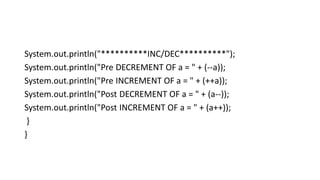
System.out.println("**********INC/DEC**********");
System.out.println("Pre DECREMENT OF a = " + (--a));
System.out.println("Pre INCREMENT OF a = " + (++a));
System.out.println("Post DECREMENT OF a = " + (a--));
System.out.println("Post INCREMENT OF a = " + (a++));
}
}
UNIT I
INTRODUCTION TO OOP AND
JAVA FUNDAMENTALS
Introduction – Object Oriented Paradigm – Basic Concepts of OOP –
Benefits of OOP – Creation of Java – The Java Buzzwords – Data Types –
Variables – Arrays – Operators – Control Statements – Class
Fundamentals – Defining Objects – Methods – Constructors – this
Keyword – Garbage Collection.
Control Statements
• A programming language uses control statements to control the flow
of execution of program based on certain conditions.
• Java’s Selection statements:
• if
• if-else
• nested-if
• if-else-if
• switch-case
• jump – break, continue, return
if Statement
• if statement is the most simple
decision making statement. It is
used to decide whether a certain
statement or block of
statements will be executed or
not that is if a certain condition
is true then a block of statement
is executed otherwise not
Syntax:
if(condition)
{
//statements to execute if
//condition is true
}
Simple if statement - program
class IfStatement {
public static void main(String[] args) {
int number = 10;
// checks if number is less than 0
if (number < 0) {
System.out.println("The number is negative.");
}
System.out.println("Statement outside if block");
}
}
if-else Statement
• The Java if-else statement also
tests the condition. It executes
the if block if condition is true
else if it is false the else block is
executed
• Syntax:.
If(condition)
{
TRUE STMTS;
}
Else
{
FALSE STMTS;
}
Simple if-else program
class Main {
public static void main(String[] args) {
int number = 10;
if (number > 0) {
System.out.println("The number is positive.");
}
else {
System.out.println("The number is not positive.");
}
System.out.println("Statement outside if...else block");
}
}
Nested if Statement
• Nested if-else statements, is that
using one if or else if statement
inside another if or else if
statement(s).
Switch Statements
• The switch statement is Java’s
multiway branch statement. It
provides an easy way to dispatch
execution to different parts of
your code based on the value of
an expression.
Syntax:
switch (expression)
{ case value1:
// statement sequence break;
case value2:
// statement sequence break;
.
.
case valueN :
// statement sequence break;
default:
// default statement sequence
}
// A simple example of the switch.
class SampleSwitch {
public static void main(String args[])
{
for(int i=0; i<6; i++)
switch(i)
{
case 0:
System.out.println("i is zero."); break;
case 1:
System.out.println("i is one."); break;
case 2:
System.out.println("i is two."); break;
case 3:
System.out.println("i is three."); break;
default:
System.out.println("i is greater than 3.");
}}}
ITERATIVE STATEMENTS
• In programming languages, loops are used to execute a set of
instructions/functions repeatedly when some conditions become
true. There are three types of loops in java.
• while loop
• do-while loop
• For loop
while loop
• A while loop is a control flow statement that allows code to be
executed repeatedly based on a given Boolean condition. The while
loop can be thought of as a repeating if statement.
Out put??
• Syntax:
while(condition) {
// body of loop
}
public class WhileExample {
public static void main(String[] args) {
int i=1;
while(i<=10){
System.out.println(i);
i++;
}
}
}
do-while loop:
• do while loop checks for condition after executing the statements,
and therefore it is called as Exit Controlled Loop.
DoWhileExample
• Syntax:
do {
// body of loop
} while (condition);
public class DoWhileExample {
public static void main(String[] args)
{
int i=1;
do{
System.out.println(i);
i++;
}while(i<=10);
}
}
for loop
• for loop provides a concise way of writing the loop structure. A for
statement consumes the initialization, condition and
increment/decrement in one line.
for(initialization; condition;
iteration) {
// body
}
public class ForExample {
public static void main(String[] args) {
//Code of Java for loop
for(int i=1;i<=10;i++){
System.out.println(i);
}
}
}
UNIT I
INTRODUCTION TO OOP AND
JAVA FUNDAMENTALS
Introduction – Object Oriented Paradigm – Basic Concepts of OOP –
Benefits of OOP – Creation of Java – The Java Buzzwords – Data Types –
Variables – Arrays – Operators – Control Statements – Class
Fundamentals – Defining Objects – Methods – Constructors – this
Keyword – Garbage Collection.
CLASS FUNDAMENTALS
• The class is at the core of Java .A class is a
template for an object, and an object is an
instance of a class. A class is declared by use
of the class keyword
Syntax:
class classname {
type instance-variable1;
type instance-variable2;
// ...
type instance-variableN;
type methodname1(parameter-list)
{
// body of method
}
...
…..
….
type methodnameN(parameter-list)
{
// body of method
}
A Simple Class
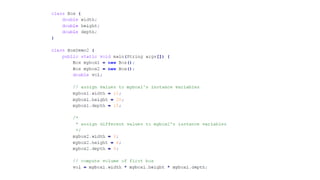
• A Simple Class - class called Box that defines three instance variables:
width, height, and depth.
class Box {
double width;
double height;
double depth;
}
The new data type is called Box. This name is used to declare objects of type
Box. The class declaration only creates a template. It does not create an
actual object.
• To create a Box object
• Box mybox = new Box(); // create a Box object called mybox
• mybox will be an instance of Box.
UNIT I
INTRODUCTION TO OOP AND
JAVA FUNDAMENTALS
Introduction – Object Oriented Paradigm – Basic Concepts of OOP –
Benefits of OOP – Creation of Java – The Java Buzzwords – Data Types –
Variables – Arrays – Operators – Control Statements – Class
Fundamentals – Defining Objects – Methods – Constructors – this
Keyword – Garbage Collection.
DECLARING OBJECTS
• First, declare a variable of the class type. This variable does not define
an object. Instead, it is simply a variable that can refer to an object.
• Second, you must acquire an actual, physical copy of the object and
assign it to that variable. This is done using the new operator.
• The new operator dynamically allocates (that is, allocates at run time)
memory for an object and returns a reference to it. This reference is
then stored in the variable. Thus, in Java, all class objects must be
dynamically allocate
• Syntax:
ClassName object = new ClassName();
Box mybox = new Box();
Box mybox; // declare reference to
object
mybox = new Box(); // allocate a
Box object
DECLARING OBJECTS
Assigning Object Reference Variables
• Syntax:
Box b1 = new Box();
Box b2 = b1;
• b2 is being assigned a reference to a copy of the object referred to by b1.
• b1 and b2 will both refer to the same object. The assignment of b1 to b2
did not allocate any memory or copy any part of the original object. It
simply makes b2 refer to the same object as does b1. Thus, any changes
made to the object through b2 will affect the object to which b1 is
referring, since they are the same object.
Program link
UNIT I
INTRODUCTION TO OOP AND
JAVA FUNDAMENTALS
Introduction – Object Oriented Paradigm – Basic Concepts of OOP –
Benefits of OOP – Creation of Java – The Java Buzzwords – Data Types –
Variables – Arrays – Operators – Control Statements – Class
Fundamentals – Defining Objects – Methods – Constructors – this
Keyword – Garbage Collection.
METHODS
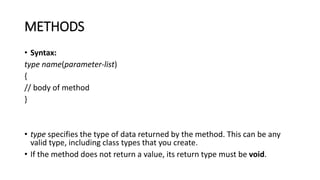
• Syntax:
type name(parameter-list)
{
// body of method
}
• type specifies the type of data returned by the method. This can be any
valid type, including class types that you create.
• If the method does not return a value, its return type must be void.
METHODS
• The name of the method is specified by name.
• The parameter-list is a sequence of type and identifier pairs separated
by commas.
• Parameters are essentially variables that receive the value of the
arguments passed to the method when it is called. If the method has
no parameters, then the parameter list will be empty.
• Methods that have a return type other than void return a value to the
calling routine using the following form of the return statement:
• Syntax:
return value;
METHODS
• Program link
Overloading Methods
• When two or more methods within the same class that have the
same name, but their parameter declarations are different. The
methods are said to be overloaded, and the process is referred to as
method overloading.
• Method overloading is one of the ways that Java supports
polymorphism.
• There are two ways to overload the method in java
1. By changing number of arguments
2. By changing the data type
Method Overloading: changing no. of
arguments
class Adder{
static int add(int a,int b)
{
return a+b;
}
static int add(int a,int b,int c)
{
return a+b+c;
}
}
class TestOverloading1{
public static void main(String[] args){
System.out.println(Adder.add(11,11));
System.out.println(Adder.add(11,11,11));
}}
Method Overloading: changing data type of
arguments
class Adder{
static int add(int a, int b)
{
return a+b;
}
static double add(double a, double b)
{
return a+b;
}
}
class TestOverloading2{
public static void main(String[] args){
System.out.println(Adder.add(11,11));
System.out.println(Adder.add(12.3,12.6));
}}
UNIT I
INTRODUCTION TO OOP AND
JAVA FUNDAMENTALS
Introduction – Object Oriented Paradigm – Basic Concepts of OOP –
Benefits of OOP – Creation of Java – The Java Buzzwords – Data Types –
Variables – Arrays – Operators – Control Statements – Class
Fundamentals – Defining Objects – Methods – Constructors – this
Keyword – Garbage Collection.
Constructors
• Constructors are special member functions whose task is to initialize
the objects of its class.
• It is a special member function, it has the same as the class name.
• Java constructors are invoked when their objects are created. It is
named such because, it constructs the value, that is provides data
for the object and are used to initialize objects.
• The constructor in Java cannot be abstract, static, final or
synchronized and these modifiers are not allowed for the
constructor.
Types
• There are two types of constructors:
1. Default constructor (no-arg constructor)
2. Parameterized constructor
Default constructor (no-arg constructor)
• A constructor having no parameter is known as default constructor
and no-arg constructor.
class Main {
int i;
private Mainq() // constructor with no parameter
{
i = 5;
System.out.println("Constructor is called");
}
public static void main(String[] args)
{
// calling the constructor without any parameter
Main obj = new Main();
System.out.println("Value of i: " + obj.i);
}
}
Parameterized Constructors
• A constructor which has a specific number of parameters is called
parameterized constructor. Parameterized constructor is used to
provide different values to the distinct objects.
class Main {
String languages;
Main(String lang) // constructor accepting single value
{
languages = lang;
System.out.println(languages + " Programming Language");
}
public static void main(String[] args)
{
// call constructor by passing a single value
Main obj1 = new Main("Java");
Main obj2 = new Main("Python");
Main obj3 = new Main("C");
}
}
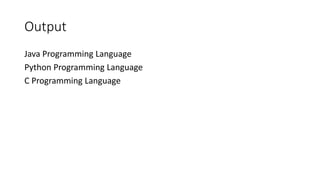
Output
Java Programming Language
Python Programming Language
C Programming Language
class Student4{
int id;
String name;
//creating a parameterized constructor
Student4(int i,String n){
id = i;
name = n;
}
//method to display the values
void display(){
System.out.println(id+" "+name);
}
public static void main(String args[]){
//creating objects and passing values
Student4 s1 = new Student4(111,"Karan");
Student4 s2 = new Student4(222,"Aryan");
//calling method to display the
values of object
s1.display();
s2.display();
}
}
UNIT I
INTRODUCTION TO OOP AND
JAVA FUNDAMENTALS
Introduction – Object Oriented Paradigm – Basic Concepts of OOP –
Benefits of OOP – Creation of Java – The Java Buzzwords – Data Types –
Variables – Arrays – Operators – Control Statements – Class
Fundamentals – Defining Objects – Methods – Constructors – this
Keyword – Garbage Collection.
The this Keyword
• this keyword is used to to refer to the object that invoked it. this can be
used inside any method to refer to the current object. That is, this is
always a reference to the object on which the method was invoked.
• this() can be used to invoke current class constructor.
• Example
Box(double w, double h, double d)
{
this.width = w;
this.height = h;
this.depth = d;
}
class Student
{
int id;
String name;
student(int id, String name)
{
this.id = id;
this.name = name;
}
void display()
{
System.out.println(id+" "+name);
}
public static void main(String args[])
{
Student stud1 = new Student(01,"Tarun");
Student stud2 = new Student(02,"Barun");
stud1.display();
stud2.display();
}
}
UNIT I
INTRODUCTION TO OOP AND
JAVA FUNDAMENTALS
Introduction – Object Oriented Paradigm – Basic Concepts of OOP –
Benefits of OOP – Creation of Java – The Java Buzzwords – Data Types –
Variables – Arrays – Operators – Control Statements – Class
Fundamentals – Defining Objects – Methods – Constructors – this
Keyword – Garbage Collection.
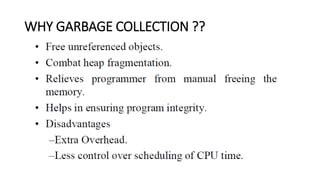
GARBAGE COLLECTION
• Objects are dynamically allocated by using the new operator,
dynamically allocated objects must be manually released by use of a
delete operator.
• Java takes a different approach; it handles deallocation automatically
this is called garbage collection.
• When no references to an object exist, that object is assumed to be
no longer needed, and the memory occupied by the object can be
reclaimed.
• Garbage collection only occurs sporadically (if at all) during the
execution of your program. It will not occur simply because one or
more objects exist that are no longer used.
GARBAGE COLLECTION
WHY GARBAGE COLLECTION ??

U1 JAVA.pptx

  • 1.
    UNIT I INTRODUCTION TOOOP AND JAVA FUNDAMENTALS Introduction – Object Oriented Paradigm – Basic Concepts of OOP – Benefits of OOP – Creation of Java – The Java Buzzwords – Data Types – Variables – Arrays – Operators – Control Statements – Class Fundamentals – Defining Objects – Methods – Constructors – this Keyword – Garbage Collection.
  • 2.
    INTRODUCTION • Object-oriented programming(or OOP for short) is the dominant programming paradigm these days, having replaced the “structured,” procedural programming techniques that were developed in the 1970s. • Java is totally object oriented, and you have to be familiar with OOP to become productive with Java. • An object-oriented program is made of objects.
  • 3.
    OBJECT-ORIENTED PARADIGM • OOPis a programming paradigm based upon Objects having both data and methods that aims to incorporate the advantages of modularity and reusability. • Objects are usually instances of class which are used to design applications and computer programs. Object-Oriented Programming (OOP) is a programming language model organized around objects rather than actions and data. • An object-oriented program can be characterized as data controlling access to code.
  • 4.
    Concepts of OOPS •Object • Class • Inheritance • Polymorphism • Abstraction • Encapsulation
  • 5.
    OBJECT • Object meansa real word entity such as pen, chair, table etc. Any entity that has state and behavior is known as an object. Object can be defined as an instance of a class. • An object contains an address and takes up some space in memory.
  • 6.
    Object • An objecthas three characteristics: • state: represents data (value) of an object. • behavior: represents the behavior (functionality) of an object such as deposit, withdraw etc. • identity: Object identity is typically implemented via a unique ID.
  • 7.
    Concepts of OOPS •Object • Class • Inheritance • Polymorphism • Abstraction • Encapsulation
  • 8.
    CLASS • Collection ofobjects is called class. It is a logical entity. • A class can also be defined as a blueprint from which you can create an individual object. • A class consists of Data members and methods.
  • 9.
    Class and ObjectExample: class Person { String name; int age; void walk(); void run(); } • Here, create an object to the class as; • Classname objectname= new classname(); • Person IT=new Person();
  • 10.
    Concepts of OOPS •Object • Class • Inheritance • Polymorphism • Abstraction • Encapsulation
  • 11.
    INHERITANCE • Inheritance canbe defined as the procedure or mechanism of acquiring all the properties and behavior of one class to another, i.e., acquiring the properties and behavior of child class from the parent class.
  • 12.
    • It providescode reusability and establishes relationships between different classes. • Types of inheritance in java: • single, • multilevel and hierarchical inheritance. • Multiple and hybrid inheritance
  • 13.
    Concepts of OOPS •Object • Class • Inheritance • Polymorphism • Abstraction • Encapsulation
  • 14.
    POLYMORPHISM • When onetask is performed by different ways i.e. known as polymorphism. For example: to convince the customer differently, to draw something e.g. shape or rectangle etc.
  • 15.
    Polymorphism is classifiedinto two ways: • 1. Method Overloading(Compile time Polymorphism) • Method Overloading is a feature that allows a class to have two or more methods having the same name but the arguments passed to the methods are different. Compile time polymorphism refers to a process in which a call to an overloaded method is resolved at compile time rather than at run time. • 2. Method Overriding(Run time Polymorphism) • If subclass (child class) has the same method as declared in the parent class, it is known as method overriding in java. In other words, If subclass provides the specific implementation of the method that has been provided by one of its parent class, it is known as method overriding.
  • 16.
    Concepts of OOPS •Object • Class • Inheritance • Polymorphism • Abstraction • Encapsulation
  • 17.
    ABSTRACTION • Abstraction isa process of hiding the implementation details and showing only functionality to the user. • For example: phone call, we don't know the internal processing. In java, we use abstract class and interface to achieve abstraction.
  • 18.
    Concepts of OOPS •Object • Class • Inheritance • Polymorphism • Abstraction • Encapsulation
  • 19.
    ENCAPSULATION • Encapsulation injava is a process of wrapping code and data together into a single unit, for example capsule i.e. mixed of several medicines. A java class is the example of encapsulation.
  • 20.
    Difference between procedure-orientedand object- oriented programming PROCEDURE-ORIENTED PROGRAMMING OBJECT-ORIENTED PROGRAMMING In POP, program is divided into small parts called functions In OOP, program is divided into parts called objects functions as well as sequence of actions to be done. than procedures or functions because it works as a real world. POP follows Top Down approach OOP follows Bottom Up approach. POP does not have any access specifier. OOP has access specifiers named Public, Private, Protected, etc. POP does not have any proper way for hiding data so it is less secure. OOP provides Data Hiding so provides more security. In POP, Overloading is not possible. In OOP, overloading is possible in the form of Function Overloading and Operator Overloading Example of POP are : C, VB, FORTRAN, Pascal. Example of OOP are : C++, JAVA, VB.NET, C#.NET.
  • 21.
  • 22.
    UNIT I INTRODUCTION TOOOP AND JAVA FUNDAMENTALS Introduction – Object Oriented Paradigm – Basic Concepts of OOP – Benefits of OOP – Creation of Java – The Java Buzzwords – Data Types – Variables – Arrays – Operators – Control Statements – Class Fundamentals – Defining Objects – Methods – Constructors – this Keyword – Garbage Collection.
  • 25.
  • 30.
    Original developer andprogramming name: • James Gosling is considered the original developer of Java language. He is also known as father of Java. He started on this in early 1990s. He originally named it Greentalk and the extension was .gt. • Programming language renamed from Greentalk to Oak: • When Green team (James Gosling, Mike Sheridan and Patrick Naughton) started working on it, it was renamed to Oak. Oak is a tree name, which is considered a symbol of strength and is a national tree in many countries such as U.S.A., France, Germany, Romania, etc.
  • 31.
    • Again renamedfrom Oak to Java in 1995: • The project is again renamed from Oak to Java in 1995 as Oak was a trademark for other organization. • Original and first version of Java: • JDK first version alpha & beta was released in 1995 by Sun Microsystems.
  • 32.
    JAVA VERSIONS VERSION RELEASE DATE JDK Alpha& Beta 1995 JDK 1.0 January 1996 JDK 1.1 February 1997 Java SE 17 September 2021 Java SE 18 March 2022 Java SE 19 to be released by September 2022 Java SE 20 to be released by March 2023 Java SE 21 to be released by September 2023
  • 33.
    TYPES OF JAVAPROGRAMS • There are two types of Java Programs: • 1. Stand Alone System (Java Application) • 2. Internet Applets (Java Applets) • All Java programs are classified as Applications and Applets. While applications are stand-alone Java programs that run directly on your machine, applets are specific programs that require use of a browser and should be included in an HTML web document.
  • 34.
    JAVA BUZZWORDS • Themain objective of Java programming language creation was to make it portable, simple and secure programming language.
  • 35.
    JAVA BUZZWORDS • Simple •Java is very easy to learn and its syntax is simple, clean and easy to understand. According to Sun, Java language is a simple programming language because: • Java syntax is based on C++ (so easier for programmers to learn it after C++). • Java has removed many confusing and rarely-used features e.g. explicit pointers, operator overloading etc.
  • 36.
    JAVA BUZZWORDS • Object-oriented-Java is object-oriented programming language. Everything in Java is an object. Object-oriented means we organize our software as a combination of different types of objects that incorporates both data and behaviour. • Platform Independent - Java is platform independent because it is different from other languages like C, C++ etc. which are compiled into platform specific machines while Java is a write once, run anywhere language. A platform is the hardware or software environment in which a program runs.
  • 37.
    JAVA BUZZWORDS • Robust •Robust simply means strong. Java is robust because: • It uses strong memory management. • There are lack of pointers that avoids security problems. • Secured Java is best known for its security. With Java, we can develop virus-free systems. Java is secured because: • No explicit pointer • Java Programs run inside virtual machine sandbox
  • 38.
    JAVA BUZZWORDS • High-performance •Java is faster than other traditional interpreted programming languages because Java bytecode is "close" to native code. It is still a little bit slower than a compiled language (e.g. C++). Java is an interpreted language that is why it is slower than compiled languages e.g. C, C++ etc. • Portable • Java is portable because it facilitates you to carry the java bytecode to any platform. It doesn't require any type of implementation
  • 39.
    JAVA BUZZWORDS • Distributed •Java is distributed because it facilitates users to create distributed applications in java. RMI and EJB are used for creating distributed applications. This feature of Java makes us able to access files by calling the methods from any machine on the internet.
  • 40.
    THE JAVA ENVIRONMENT •Java Runtime Environment (JRE): • JRE is an acronym for Java Runtime Environment. It is also written as Java RTE. • The Java Runtime Environment is a set of software tools which are used for developing java applications. It is used to provide runtime environment. It is the implementation of JVM. It physically exists. It contains set of libraries + other files that JVM uses at runtime.
  • 41.
    • JDK • JDKis an acronym for Java Development Kit. The Java Development Kit (JDK) is a software development environment which is used to develop java applications and applets. It physically exists. It contains JRE + development tools. • JDK is an implementation of any one of the below given Java Platforms released by Oracle corporation: • Standard Edition Java Platform • Enterprise Edition Java Platform • Micro Edition Java Platform
  • 42.
    JDK • The JDKcontains a private Java Virtual Machine (JVM) and a few other resources such as an interpreter/loader (Java), a compiler (javac), an archiver (jar), a documentation generator (Javadoc) etc. to complete the development of a Java Application.
  • 43.
    JVM (Java VirtualMachine) • JVM (Java Virtual Machine) is an abstract machine. It is a specification that provides runtime environment in which java bytecode can be executed. • JVMs are available for many hardware and software platforms (i.e. JVM is platform dependent). The JVM performs following operation: • Loads code • Verifies code • Executes code • Provides runtime environment
  • 44.
    Structure of JavaProgram A first Simple Java Program class Simple { public static void main(String args[]) { System.out.println("Java World"); } } • class keyword is used to declare a class in java. • public keyword is an access modifier which represents visibility, it means it is visible to all. • static is a keyword, if we declare any method as static, it is known as static method • void is the return type • main represents the starting point of the program. • String[] args is used for command line argument. System.out.println() is used print statement.
  • 45.
    Structure of JavaProgram A first Simple Java Program class Simple { public static void main(String args[]) { System.out.println("Java World"); } } • To compile: javac Simple.java • To execute: java Simple
  • 46.
    UNIT I INTRODUCTION TOOOP AND JAVA FUNDAMENTALS Introduction – Object Oriented Paradigm – Basic Concepts of OOP – Benefits of OOP – Creation of Java – The Java Buzzwords – Data Types – Variables – Arrays – Operators – Control Statements – Class Fundamentals – Defining Objects – Methods – Constructors – this Keyword – Garbage Collection.
  • 47.
    DATA TYPES • Datatypes specify the different sizes and values that can be stored in the variable. There are two types of data types in Java: • 1. Primitive data types: The primitive data types include Integer, Character, Boolean, and Floating Point. • 2. Non-primitive data types: The non-primitive data types include Classes, Interfaces, and Arrays.
  • 48.
  • 50.
    // Compute thearea of a circle. class Area { public static void main(String args[]) { double pi, r, a; r = 10.8; // radius of circle pi = 3.1416; // pi, approximately a = pi * r * r; // compute area System.out.println("Area of circle is " + a); } }
  • 51.
    UNIT I INTRODUCTION TOOOP AND JAVA FUNDAMENTALS Introduction – Object Oriented Paradigm – Basic Concepts of OOP – Benefits of OOP – Creation of Java – The Java Buzzwords – Data Types – Variables – Arrays – Operators – Control Statements – Class Fundamentals – Defining Objects – Methods – Constructors – this Keyword – Garbage Collection.
  • 52.
    VARIABLES • A variableis a container which holds the value and that can be changed durig the execution of the program. • A variable is assigned with a datatype. Variable is a name of memory location. • All the variables must be declared before they can be used. • There are three types of variables in java: • local variable, • instance variable and • static variable.
  • 53.
    • Local variable- A variable defined within a block or method or constructor is called local variable. • Instance Variable - Instance variables are non-static variables and are declared in a class outside any method, constructor or block. • Static variable - Static variables are also known as Class variables.
  • 55.
    Difference between Instancevariable and Static variable INSTANCE VARIABLE STATIC VARIABLE Each object will have its own copy of instance variable We can only have one copy of a static variable per class irrespective of how many objects we create. Changes made in an instance variable using one object will not be reflected in other objects as each object has its own copy of instance variable In case of static changes will be reflected in other objects as static variables are common to all object of a class. We can access instance variables through object references Static Variables can be accessed directly using class name. Class Sample { int a; } Class Sample { static int a; }
  • 56.
    UNIT I INTRODUCTION TOOOP AND JAVA FUNDAMENTALS Introduction – Object Oriented Paradigm – Basic Concepts of OOP – Benefits of OOP – Creation of Java – The Java Buzzwords – Data Types – Variables – Arrays – Operators – Control Statements – Class Fundamentals – Defining Objects – Methods – Constructors – this Keyword – Garbage Collection.
  • 57.
    ARRAYS • Array isa collection of similar type of elements that have contiguous memory location. • Since arrays are objects in Java, we can find their length using member length. • A Java array variable can also be declared like other variables with [] after the data type. • The size of an array must be specified by an int value and not long or short.
  • 58.
    Advantage of JavaArray • Code Optimization: It makes the code optimized, we can retrieve or sort the data easily. • Random access: We can get any data located at any index position. Disadvantage of Java Array • Size Limit: We can store only fixed size of elements in the array. It doesn't grow its size at runtime. To solve this problem, collection framework is used in java
  • 59.
    Types of Arrayin java • 1. One- Dimensional Array • 2. Multidimensional Array
  • 65.
  • 66.
    UNIT I INTRODUCTION TOOOP AND JAVA FUNDAMENTALS Introduction – Object Oriented Paradigm – Basic Concepts of OOP – Benefits of OOP – Creation of Java – The Java Buzzwords – Data Types – Variables – Arrays – Operators – Control Statements – Class Fundamentals – Defining Objects – Methods – Constructors – this Keyword – Garbage Collection.
  • 67.
    OPERATORS IN JAVA •Java provides a rich set of operators to manipulate variables. We can divide all the Java operators into the following groups – • Arithmetic Operators • Increment and Decrement • Bitwise Operators • Relational Operators • Logical Operators. • Boolean Operators • Assignment Operator • Ternary Operator
  • 68.
  • 69.
    Increment and Decrement •The ++ and the – – are Java’s increment and decrement operators. The increment operator increases its operand by one. The decrement operator decreases its operand by one.
  • 70.
    int i =3; int a = i++; // a = 3, i = 4 int b = ++a; // b = 4, a = 4
  • 71.
  • 73.
  • 74.
    Ternary Operator • Ternaryoperator in java is used as one liner replacement for if-then- else statement and used a lot in java programming. it is the only conditional operator which takes three operands.
  • 75.
    Assignment Operator • Theassignment operator is the single equal sign, =. • Syntax: • var = expression; • Here, the type of var must be compatible with the type of expression. int x, y, z; • x = y = z = 100; // set x, y, and z to 100 • This fragment sets the variables x, y, and z to 100 using a single statement.
  • 76.
    EXAMPLE PROGRAM class Main{ public static void main(String[] args) { int a = 12, b = 5,c = 23; System.out.println("**********Arithmetic **********"); System.out.println("a + b = " + (a + b)); System.out.println("a - b = " + (a - b)); System.out.println("a * b = " + (a * b)); System.out.println("a / b = " + (a / b)); System.out.println("a % b = " + (a % b)); System.out.println("**********Bitwise*** *******"); System.out.println("a & b ="+(a&b)); System.out.println("a | b ="+(a|b)); System.out.println("a ^ b ="+(a^b)); System.out.println("~b ="+(~b)); System.out.println("a<<2="+(a<<2)); System.out.println("b>>2="+(b>>2));
  • 77.
    System.out.println("**********R elational**********"); System.out.println(a == b); System.out.println(a!= b); System.out.println(a > b); System.out.println(a < b); System.out.println(a >= b); System.out.println(a <= b); System.out.println("**********L OGICAL**********"); System.out.println((a > b) && (a < c)); System.out.println((a > b) || (a < c)); System.out.println(!(a > b));
  • 78.
    System.out.println("**********INC/DEC**********"); System.out.println("Pre DECREMENT OFa = " + (--a)); System.out.println("Pre INCREMENT OF a = " + (++a)); System.out.println("Post DECREMENT OF a = " + (a--)); System.out.println("Post INCREMENT OF a = " + (a++)); } }
  • 79.
    UNIT I INTRODUCTION TOOOP AND JAVA FUNDAMENTALS Introduction – Object Oriented Paradigm – Basic Concepts of OOP – Benefits of OOP – Creation of Java – The Java Buzzwords – Data Types – Variables – Arrays – Operators – Control Statements – Class Fundamentals – Defining Objects – Methods – Constructors – this Keyword – Garbage Collection.
  • 80.
    Control Statements • Aprogramming language uses control statements to control the flow of execution of program based on certain conditions. • Java’s Selection statements: • if • if-else • nested-if • if-else-if • switch-case • jump – break, continue, return
  • 81.
    if Statement • ifstatement is the most simple decision making statement. It is used to decide whether a certain statement or block of statements will be executed or not that is if a certain condition is true then a block of statement is executed otherwise not Syntax: if(condition) { //statements to execute if //condition is true }
  • 82.
    Simple if statement- program class IfStatement { public static void main(String[] args) { int number = 10; // checks if number is less than 0 if (number < 0) { System.out.println("The number is negative."); } System.out.println("Statement outside if block"); } }
  • 83.
    if-else Statement • TheJava if-else statement also tests the condition. It executes the if block if condition is true else if it is false the else block is executed • Syntax:. If(condition) { TRUE STMTS; } Else { FALSE STMTS; }
  • 84.
    Simple if-else program classMain { public static void main(String[] args) { int number = 10; if (number > 0) { System.out.println("The number is positive."); } else { System.out.println("The number is not positive."); } System.out.println("Statement outside if...else block"); } }
  • 85.
    Nested if Statement •Nested if-else statements, is that using one if or else if statement inside another if or else if statement(s).
  • 86.
    Switch Statements • Theswitch statement is Java’s multiway branch statement. It provides an easy way to dispatch execution to different parts of your code based on the value of an expression. Syntax: switch (expression) { case value1: // statement sequence break; case value2: // statement sequence break; . . case valueN : // statement sequence break; default: // default statement sequence }
  • 87.
    // A simpleexample of the switch. class SampleSwitch { public static void main(String args[]) { for(int i=0; i<6; i++) switch(i) { case 0: System.out.println("i is zero."); break; case 1: System.out.println("i is one."); break; case 2: System.out.println("i is two."); break; case 3: System.out.println("i is three."); break; default: System.out.println("i is greater than 3."); }}}
  • 88.
    ITERATIVE STATEMENTS • Inprogramming languages, loops are used to execute a set of instructions/functions repeatedly when some conditions become true. There are three types of loops in java. • while loop • do-while loop • For loop
  • 89.
    while loop • Awhile loop is a control flow statement that allows code to be executed repeatedly based on a given Boolean condition. The while loop can be thought of as a repeating if statement.
  • 90.
    Out put?? • Syntax: while(condition){ // body of loop } public class WhileExample { public static void main(String[] args) { int i=1; while(i<=10){ System.out.println(i); i++; } } }
  • 91.
    do-while loop: • dowhile loop checks for condition after executing the statements, and therefore it is called as Exit Controlled Loop.
  • 92.
    DoWhileExample • Syntax: do { //body of loop } while (condition); public class DoWhileExample { public static void main(String[] args) { int i=1; do{ System.out.println(i); i++; }while(i<=10); } }
  • 93.
    for loop • forloop provides a concise way of writing the loop structure. A for statement consumes the initialization, condition and increment/decrement in one line.
  • 94.
    for(initialization; condition; iteration) { //body } public class ForExample { public static void main(String[] args) { //Code of Java for loop for(int i=1;i<=10;i++){ System.out.println(i); } } }
  • 95.
    UNIT I INTRODUCTION TOOOP AND JAVA FUNDAMENTALS Introduction – Object Oriented Paradigm – Basic Concepts of OOP – Benefits of OOP – Creation of Java – The Java Buzzwords – Data Types – Variables – Arrays – Operators – Control Statements – Class Fundamentals – Defining Objects – Methods – Constructors – this Keyword – Garbage Collection.
  • 96.
    CLASS FUNDAMENTALS • Theclass is at the core of Java .A class is a template for an object, and an object is an instance of a class. A class is declared by use of the class keyword Syntax: class classname { type instance-variable1; type instance-variable2; // ... type instance-variableN; type methodname1(parameter-list) { // body of method } ... ….. …. type methodnameN(parameter-list) { // body of method }
  • 97.
    A Simple Class •A Simple Class - class called Box that defines three instance variables: width, height, and depth. class Box { double width; double height; double depth; } The new data type is called Box. This name is used to declare objects of type Box. The class declaration only creates a template. It does not create an actual object. • To create a Box object • Box mybox = new Box(); // create a Box object called mybox • mybox will be an instance of Box.
  • 98.
    UNIT I INTRODUCTION TOOOP AND JAVA FUNDAMENTALS Introduction – Object Oriented Paradigm – Basic Concepts of OOP – Benefits of OOP – Creation of Java – The Java Buzzwords – Data Types – Variables – Arrays – Operators – Control Statements – Class Fundamentals – Defining Objects – Methods – Constructors – this Keyword – Garbage Collection.
  • 99.
    DECLARING OBJECTS • First,declare a variable of the class type. This variable does not define an object. Instead, it is simply a variable that can refer to an object. • Second, you must acquire an actual, physical copy of the object and assign it to that variable. This is done using the new operator. • The new operator dynamically allocates (that is, allocates at run time) memory for an object and returns a reference to it. This reference is then stored in the variable. Thus, in Java, all class objects must be dynamically allocate
  • 100.
    • Syntax: ClassName object= new ClassName(); Box mybox = new Box(); Box mybox; // declare reference to object mybox = new Box(); // allocate a Box object DECLARING OBJECTS
  • 101.
    Assigning Object ReferenceVariables • Syntax: Box b1 = new Box(); Box b2 = b1; • b2 is being assigned a reference to a copy of the object referred to by b1. • b1 and b2 will both refer to the same object. The assignment of b1 to b2 did not allocate any memory or copy any part of the original object. It simply makes b2 refer to the same object as does b1. Thus, any changes made to the object through b2 will affect the object to which b1 is referring, since they are the same object.
  • 102.
  • 107.
    UNIT I INTRODUCTION TOOOP AND JAVA FUNDAMENTALS Introduction – Object Oriented Paradigm – Basic Concepts of OOP – Benefits of OOP – Creation of Java – The Java Buzzwords – Data Types – Variables – Arrays – Operators – Control Statements – Class Fundamentals – Defining Objects – Methods – Constructors – this Keyword – Garbage Collection.
  • 108.
    METHODS • Syntax: type name(parameter-list) { //body of method } • type specifies the type of data returned by the method. This can be any valid type, including class types that you create. • If the method does not return a value, its return type must be void.
  • 109.
    METHODS • The nameof the method is specified by name. • The parameter-list is a sequence of type and identifier pairs separated by commas. • Parameters are essentially variables that receive the value of the arguments passed to the method when it is called. If the method has no parameters, then the parameter list will be empty. • Methods that have a return type other than void return a value to the calling routine using the following form of the return statement: • Syntax: return value;
  • 110.
  • 111.
    Overloading Methods • Whentwo or more methods within the same class that have the same name, but their parameter declarations are different. The methods are said to be overloaded, and the process is referred to as method overloading. • Method overloading is one of the ways that Java supports polymorphism. • There are two ways to overload the method in java 1. By changing number of arguments 2. By changing the data type
  • 112.
    Method Overloading: changingno. of arguments class Adder{ static int add(int a,int b) { return a+b; } static int add(int a,int b,int c) { return a+b+c; } } class TestOverloading1{ public static void main(String[] args){ System.out.println(Adder.add(11,11)); System.out.println(Adder.add(11,11,11)); }} Method Overloading: changing data type of arguments class Adder{ static int add(int a, int b) { return a+b; } static double add(double a, double b) { return a+b; } } class TestOverloading2{ public static void main(String[] args){ System.out.println(Adder.add(11,11)); System.out.println(Adder.add(12.3,12.6)); }}
  • 113.
    UNIT I INTRODUCTION TOOOP AND JAVA FUNDAMENTALS Introduction – Object Oriented Paradigm – Basic Concepts of OOP – Benefits of OOP – Creation of Java – The Java Buzzwords – Data Types – Variables – Arrays – Operators – Control Statements – Class Fundamentals – Defining Objects – Methods – Constructors – this Keyword – Garbage Collection.
  • 114.
    Constructors • Constructors arespecial member functions whose task is to initialize the objects of its class. • It is a special member function, it has the same as the class name. • Java constructors are invoked when their objects are created. It is named such because, it constructs the value, that is provides data for the object and are used to initialize objects. • The constructor in Java cannot be abstract, static, final or synchronized and these modifiers are not allowed for the constructor.
  • 115.
    Types • There aretwo types of constructors: 1. Default constructor (no-arg constructor) 2. Parameterized constructor
  • 116.
    Default constructor (no-argconstructor) • A constructor having no parameter is known as default constructor and no-arg constructor.
  • 117.
    class Main { inti; private Mainq() // constructor with no parameter { i = 5; System.out.println("Constructor is called"); } public static void main(String[] args) { // calling the constructor without any parameter Main obj = new Main(); System.out.println("Value of i: " + obj.i); } }
  • 118.
    Parameterized Constructors • Aconstructor which has a specific number of parameters is called parameterized constructor. Parameterized constructor is used to provide different values to the distinct objects.
  • 119.
    class Main { Stringlanguages; Main(String lang) // constructor accepting single value { languages = lang; System.out.println(languages + " Programming Language"); } public static void main(String[] args) { // call constructor by passing a single value Main obj1 = new Main("Java"); Main obj2 = new Main("Python"); Main obj3 = new Main("C"); } }
  • 120.
    Output Java Programming Language PythonProgramming Language C Programming Language
  • 121.
    class Student4{ int id; Stringname; //creating a parameterized constructor Student4(int i,String n){ id = i; name = n; } //method to display the values void display(){ System.out.println(id+" "+name); } public static void main(String args[]){ //creating objects and passing values Student4 s1 = new Student4(111,"Karan"); Student4 s2 = new Student4(222,"Aryan"); //calling method to display the values of object s1.display(); s2.display(); } }
  • 122.
    UNIT I INTRODUCTION TOOOP AND JAVA FUNDAMENTALS Introduction – Object Oriented Paradigm – Basic Concepts of OOP – Benefits of OOP – Creation of Java – The Java Buzzwords – Data Types – Variables – Arrays – Operators – Control Statements – Class Fundamentals – Defining Objects – Methods – Constructors – this Keyword – Garbage Collection.
  • 123.
    The this Keyword •this keyword is used to to refer to the object that invoked it. this can be used inside any method to refer to the current object. That is, this is always a reference to the object on which the method was invoked. • this() can be used to invoke current class constructor. • Example Box(double w, double h, double d) { this.width = w; this.height = h; this.depth = d; }
  • 124.
    class Student { int id; Stringname; student(int id, String name) { this.id = id; this.name = name; } void display() { System.out.println(id+" "+name); } public static void main(String args[]) { Student stud1 = new Student(01,"Tarun"); Student stud2 = new Student(02,"Barun"); stud1.display(); stud2.display(); } }
  • 125.
    UNIT I INTRODUCTION TOOOP AND JAVA FUNDAMENTALS Introduction – Object Oriented Paradigm – Basic Concepts of OOP – Benefits of OOP – Creation of Java – The Java Buzzwords – Data Types – Variables – Arrays – Operators – Control Statements – Class Fundamentals – Defining Objects – Methods – Constructors – this Keyword – Garbage Collection.
  • 126.
    GARBAGE COLLECTION • Objectsare dynamically allocated by using the new operator, dynamically allocated objects must be manually released by use of a delete operator. • Java takes a different approach; it handles deallocation automatically this is called garbage collection. • When no references to an object exist, that object is assumed to be no longer needed, and the memory occupied by the object can be reclaimed. • Garbage collection only occurs sporadically (if at all) during the execution of your program. It will not occur simply because one or more objects exist that are no longer used.
  • 127.
  • 128.