Business Plan
Hannah Brookhart, Florence Lee, Jackie Wolf
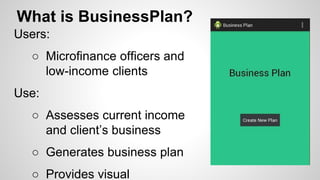
What is BusinessPlan?
Users:
○ Microfinance officers and
low-income clients
Use:
○ Assesses current income
and client’s business
○ Generates business plan
○ Provides visual
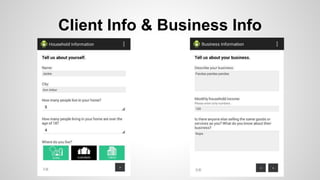
Client Info & Business Info
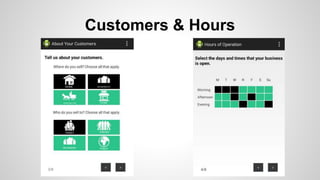
Customers & Hours
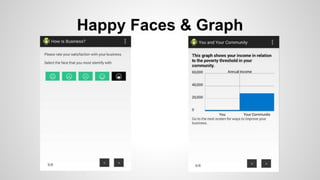
Happy Faces & Graph
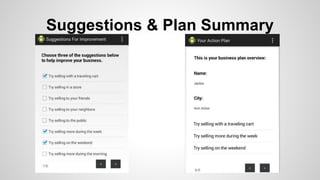
Suggestions & Plan Summary
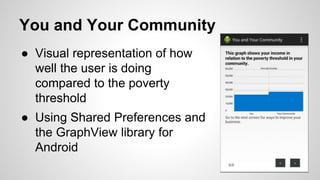
You and Your Community
● Visual representation of how
well the user is doing
compared to the poverty
threshold
● Using Shared Preferences and
the GraphView library for
Android
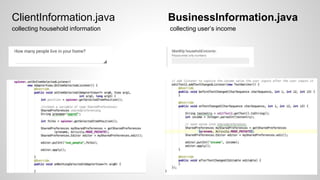
BusinessInformation.javaClientInformation.java
collecting household information collecting user’s income
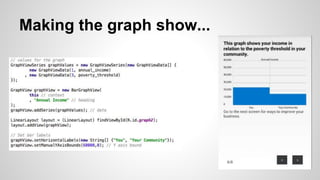
Making the graph show...
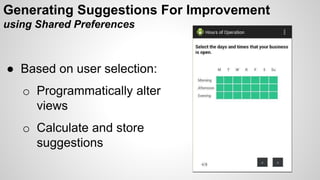
Generating Suggestions For Improvement
using Shared Preferences
● Based on user selection:
o Programmatically alter
views
o Calculate and store
suggestions
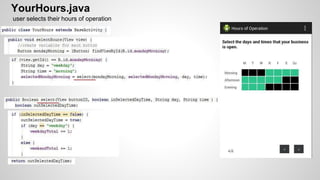
YourHours.java
user selects their hours of operation
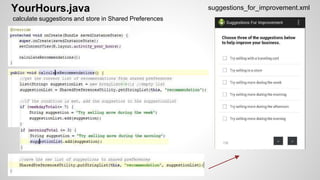
YourHours.java suggestions_for_improvement.xml
calculate suggestions and store in Shared Preferences
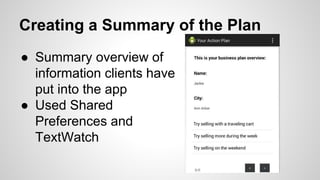
Creating a Summary of the Plan
● Summary overview of
information clients have
put into the app
● Used Shared
Preferences and
TextWatch
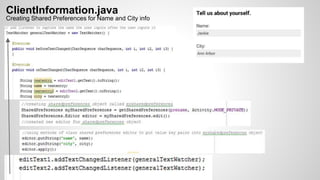
ClientInformation.java
Creating Shared Preferences for Name and City info
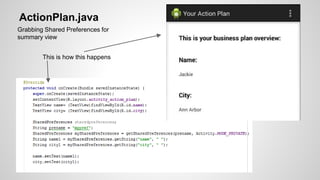
ActionPlan.java
Grabbing Shared Preferences for
summary view
This is how this happens
Token Kitten Slide

JAVA Business Application

Editor's Notes

  • #3 -assessing what a client does - how make income, who they sell to
  • #9 We save the number of people in the household selected by the user on the ClientInformation activity and use that to look up the poverty threshold value. We used the OnItemSelectedListener interface from the AdapterView class. The OnItemSelected method allowed us to use the method getSelectedItemPosition from the spinner and store that value in Shared Preferences. We save the reported household income on the BusinessInformation activity and use that to calculate their annual income. We used the public method addTextChangedListener which adds a TextWatcher to the field whose methods are called whenever the TextView text changes. Whenever the user changes text in the field, we save the value into Shared Preferences as an integer.
  • #10 get the number of people in the household and the income from shared preferences use the number of people to determine the poverty threshold value for the community bar use the income to determine annual income Create graphValues object using GraphViewSeries constructor and add values for each column of data in the graph. Create graphView object using GraphView class graphView.addSeries allows us to use the addSeries method on the graphView object to add the values to the graph. The labels and the axis bound are set using the predefined methods in the library
  • #11 If any one of the buttons is selected, the selectHours() method is called, which passes certain arguments* to the select() method. Here you can see, the select method takes the buttonView, a boolean (which says whether the button has already been selected), and two variables that describe whether the day selected is part of the week or weekend and what time day. In the select() method local* variables are updated to reflect the selection. The color of the button is also changed to black. We will use the variables, weekdayTotal and weekendTotal to add specific suggestions to our Shared Preferences
  • #13 Here you can see we add suggestions to a list, which is saved in the SharedPreferences using Amine’s technique (a list is converted to a string delimited by semi-colons). This same thing is done on some of the other activities in the app. So, before saving the new ones, we have to get the existing list and add the new suggestions.