21st Century Skills:  From Toys to toolsLiz Kolb, Ph.D.University of Michiganelikeren@umich.eduhttp://cellphonesinlearning.comhttp://tiny.cc/kolbtraverse(presentation)Twitter:  lkolbLiz’s Mobile Business CardSend a new text:  50500In message: kolb http://contxts.com
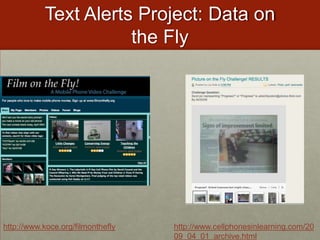
Text Alerts Project: Data on the Flyhttp://www.koce.org/filmontheflyhttp://www.cellphonesinlearning.com/2009_04_01_archive.html
Let’s Begin with a Picture on the Fly!http://flickr.comhttp://txtblaster.com
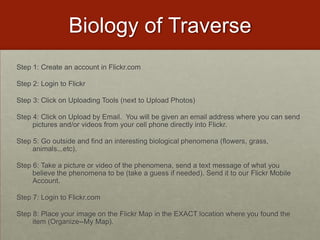
Biology of TraverseStep 1: Create an account in Flickr.comStep 2: Login to FlickrStep 3: Click on Uploading Tools (next to Upload Photos)Step 4: Click on Upload by Email.  You will be given an email address where you can send pictures and/or videos from your cell phone directly into Flickr.Step 5: Go outside and find an interesting biological phenomena (flowers, grass, animals...etc).Step 6: Take a picture or video of the phenomena, send a text message of what you believe the phenomena to be (take a guess if needed). Send it to our Flickr Mobile Account.Step 7: Login to Flickr.comStep 8: Place your image on the Flickr Map in the EXACT location where you found the item (Organize--My Map).
Summer Text ProgramNorwich Free Academy (Connecticut)Text of the week!Monday is vocabulary dayTuesday is science factsWednesday is mathematicsThursday is history Friday covers a variety of topics including general knowledge and cultural literacy Each day is a themeParents and students opt in
Text Message Project: Text Homework AlertsJimbo LambHigh School Math TeacherPennsylvaniaText for HomeworkUses:  http://textmarks.comhttp://mrlambmath.wikispaces.com/
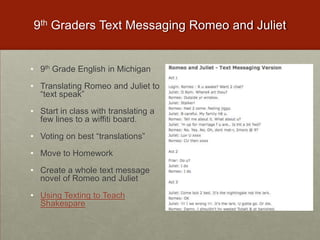
9th Graders Text Messaging Romeo and Juliet9th Grade English in Michigan
Translating Romeo and Juliet to “text speak”
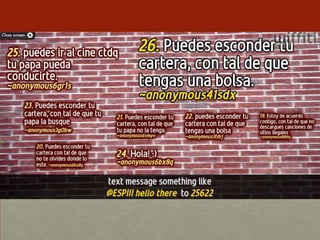
Start in class with translating a few lines to a wiffiti board.
Voting on best “translations”
Move to Homework
Create a whole text message novel of Romeo and Juliet
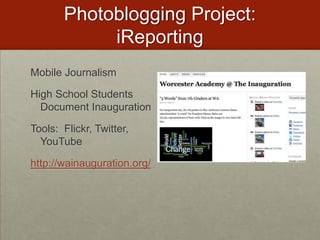
Using Texting to Teach ShakesparePhotoblogging Project:  iReportingMobile JournalismHigh School Students Document InaugurationTools:  Flickr, Twitter, YouTubehttp://wainauguration.org/
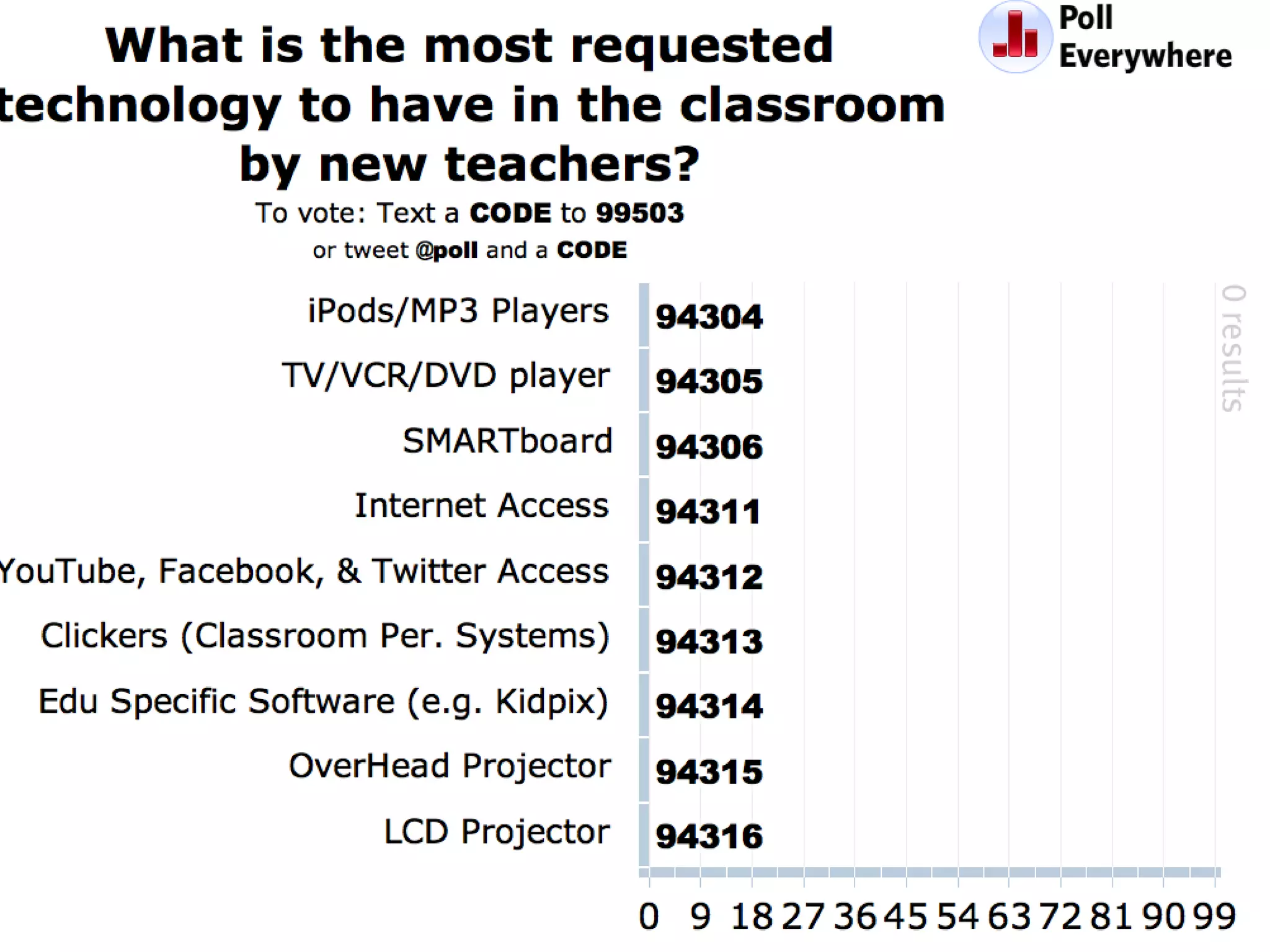
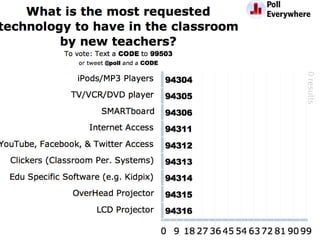
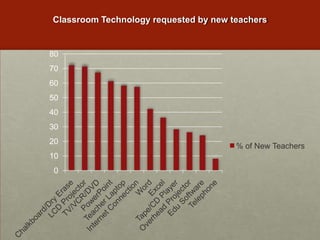
Classroom Technology requested by new teachers
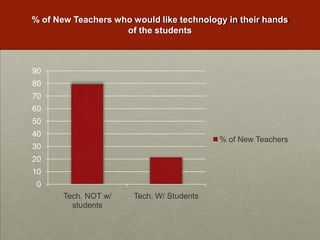
% of New Teachers who would like technology in their hands of the students
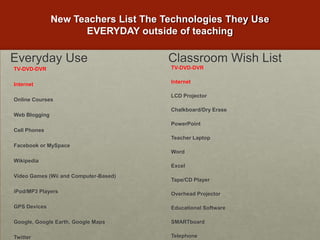
New Teachers List The Technologies They Use EVERYDAY outside of teachingEveryday UseClassroom Wish ListTV-DVD-DVRInternetOnline CoursesWeb BloggingCell PhonesFacebook or MySpaceWikipediaVideo Games (Wii and Computer-Based)iPod/MP3 PlayersGPS DevicesGoogle, Google Earth, Google MapsTwitterTV-DVD-DVRInternetLCD ProjectorChalkboard/Dry ErasePowerPointTeacher LaptopWordExcelTape/CD PlayerOverhead ProjectorEducational SoftwareSMARTboardTelephone
Why haven’t we seen long-term education technology change that reflects technology changes in society?In 1986 & 2001, Larry Cuban Found:Teachers teach how they were taughtTechnology traditionally infused from “Top-Down” Cuban, L. (1986). Teachers and machines: The classroom use of technology since 1920. New York: Teachers College Press.
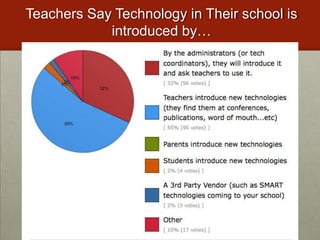
Teachers Say Technology in Their school is introduced by…
The Solution?
“Some of the most crucial steps in mental growth are based not simply on acquiring new skills, but on acquiring new administrative ways to use what one already knows.”-Seymour Papert
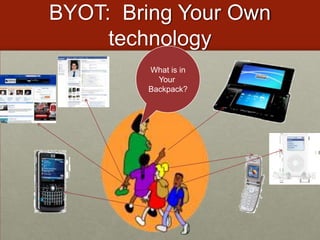
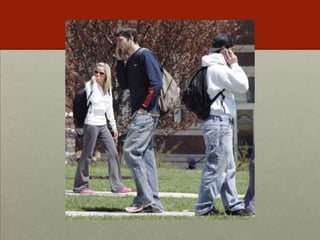
BYOT:  Bring Your Own technologyWhat is inYour Backpack?
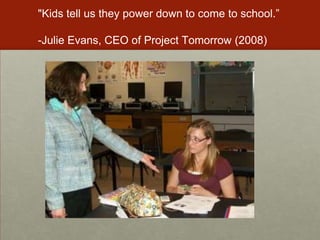
"Kids tell us they power down to come to school.”-Julie Evans, CEO of Project Tomorrow (2008)
Speak up 2010 Report 100,000+ studentsFor the first time since 2003, when asked to identify the major obstacle to prevent use of technology in school, students in grades 6–12 said “I cannot use my own cell phone, smart phone or Mp3 player in school.”
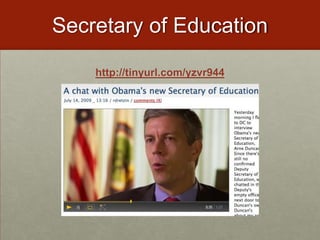
Secretary of Educationhttp://tinyurl.com/yzvr944
Arguments for Using Students’ Everyday Tools
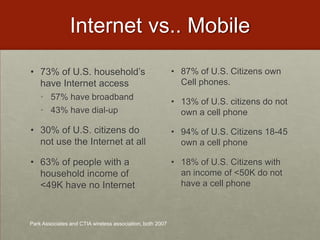
Internet vs.. Mobile73% of U.S. household’s have Internet access57% have broadband43% have dial-up30% of U.S. citizens do not use the Internet at all63% of people with a household income of <49K have no Internet87% of U.S. Citizens own Cell phones. 13% of U.S. citizens do not own a cell phone94% of U.S. Citizens 18-45 own a cell phone18% of U.S. Citizens with an income of <50K do not have a cell phonePark Associates and CTIA wireless association, both 2007
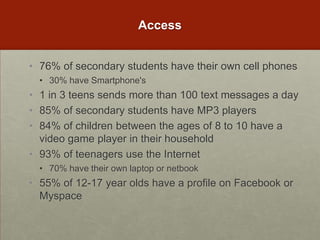
Access76% of secondary students have their own cell phones30% have Smartphone's1 in 3 teens sends more than 100 text messages a day85% of secondary students have MP3 players84% of children between the ages of 8 to 10 have a video game player in their household93% of teenagers use the Internet70% have their own laptop or netbook55% of 12-17 year olds have a profile on Facebook or Myspace
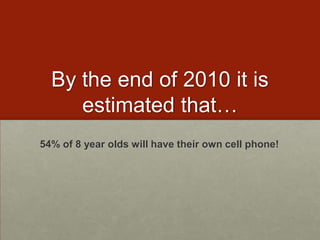
By the end of 2010 it is estimated that…54% of 8 year olds will have their own cell phone!
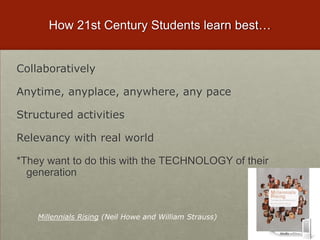
Millennials Rising (Neil Howe and William Strauss)How 21st Century Students learn best…Collaboratively  Anytime, anyplace, anywhere, any paceStructured activitiesRelevancy with real world*They want to do this with the TECHNOLOGY of their generation
For Example…1-800-2chachaSend text Query to 36266
Fundamental Shift in 21st Century WorkforceTechnological changes are displacing low-skilled workers and making room for more high-skilled creative and innovative workers. Employers are calling for schools to integrate new skills into education
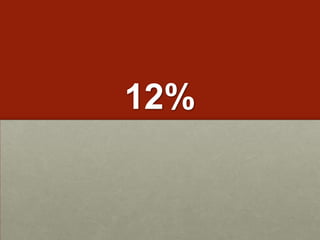
12%
Mobile Job Opportunities for Students
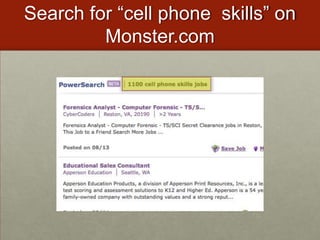
Search for “cell phone  skills” on Monster.com
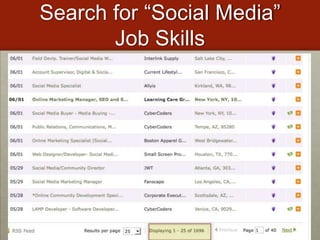
Search for “Social Media” Job Skills
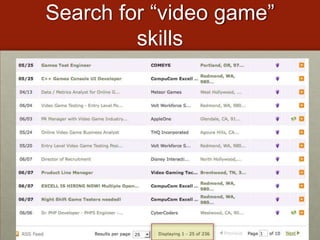
Search for “video game” skills
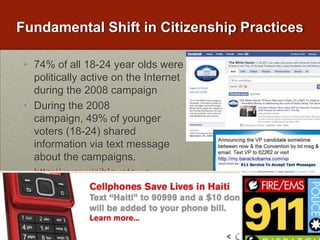
Fundamental Shift in Citizenship Practices74% of all 18-24 year olds were politically active on the Internet during the 2008 campaignDuring the 2008 campaign, 49% of younger voters (18-24) shared information via text message about the campaigns. http://www.visiblevote.us
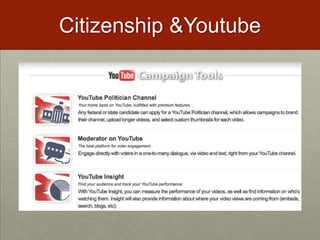
Citizenship & Youtube
Research on cell phones in learning says…"The proportions of textisms that kids used in their sentence translations was positively linked to verbal reasoning; the more textspeak kids used, the higher their test scores”2) "The younger the age at which the kids had received mobile phones, the better their ability to read words and identify patterns of sound in speech.”http://www.britac.ac.uk/news/news.cfm/newsid/14
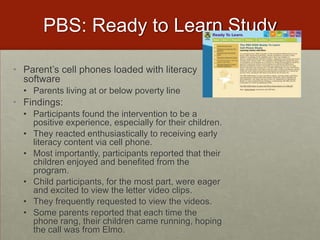
PBS: Ready to Learn StudyParent’s cell phones loaded with literacy softwareParents living at or below poverty lineFindings:Participants found the intervention to be a positive experience, especially for their children. They reacted enthusiastically to receiving early literacy content via cell phone. Most importantly, participants reported that their children enjoyed and benefited from the program. Child participants, for the most part, were eager and excited to view the letter video clips. They frequently requested to view the videos.  Some parents reported that each time the phone rang, their children came running, hoping the call was from Elmo.
Research on Video Games in learning says…Games teach skills that employers want: analytical thinking, team building, multitasking and problem-solving under duress. Unlike humans, the games never lose patience. Simulation and adventure games - such as Sim City and RollerCoaster Tycoon, where players create societies or build theme parks, developed children's strategic thinking and planning skills. Doctors who spent at least three hours a week playing video games made about 37% fewer mistakes in laparoscopic surgery and performed the task 27% faster than their counterparts who did not play video games. At-Risk students have shown to benefit from building their own video games

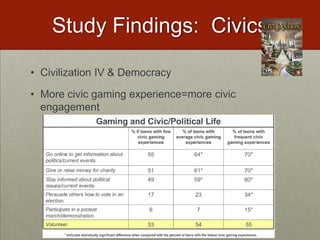
Study Findings:  CivicsCivilization IV & DemocracyMore civic gaming experience=more civic engagement
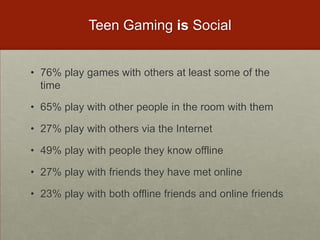
Teen Gaming is Social76% play games with others at least some of the time65% play with other people in the room with them27% play with others via the Internet49% play with people they know offline27% play with friends they have met online23% play with both offline friends and online friends
Why Are We Reluctant?The elephant in the roomhttp://wiffiti.com
 Cheating is a problem…26% of teenagers admitted to using their cell phone to store information to look at during a test or a quiz.
25% have text messaged their friends about answers during a test or quiz.
20% have searched the Internet via their mobile phone during a test or quiz.
17% have taken pictures of a test or quiz with the cell phone in order to send the pictures to their friends.Common Sense Media 09
Even MORE of a problemMost students do not envision these activities as cheating.  More than half of the students surveyed did not think these acts were serious offenses of cheating, rather they think of it as just “helping out a friend.” Common Sense Media 09
70% of U.S. schools completely ban cell phones from campus 63% of students admitted to sneaking in cell phones and using them during class anyway. In a seven class a day, five day school week, the average student sends at least three text messages per class. Common Sense Media 09
One in three (34%) texting teens ages 16-17 say they have texted while driving.
Life ConsequencesStudents are sometimes “sexting” to friends for their entertainment value, as a joke or for fun."Six teens face child porn (13 to 15) charges after being caught "sexting" each other.  Criminal Charge!IN PA, 3 girls (12, 12, 16) charged with child pornography for sexing.  Picture of  them in bras.15% of teenagers have risqué photos of themselves or their friends on their cell phones.1 in 5 sext recipients report that they have passed the images along to someone else http://www.cnn.com/video/#/video/bestoftv/2009/01/15/pn.sexting.teens.cnn
"If you take a picture, you can be accused of producing child pornography; if you send it to somebody, you can be accused of distributing child pornography; and if you keep a picture, you can be accused of possessing child pornography.  Anywhere along this chain of transmission of the images, you can be charged as a registered sex offender." -Parry Aftab, an Internet privacy and security lawyer.
Facebook Bullyinghttp://www.fox11online.com/dpp/news/facebook-bullying-becomes-issue-with-younger-kids
Underage On Facebook750,000 kids between the ages of 8 and 12 have set up a profile on the big social-networking siteshttp://www.theglobeandmail.com/news/technology/article709704.ece
Student’s Lack of concern over privacy and permanent recordResearch shows that issues of privacy and safety are not at the forefront of younger users' minds. 41% of children aged 8 to 17 who had a visible profile had them set so they were open and accessible to anyone. (Office of Communications in GB)Younger adults and children are much more likely to share sensitive informationAfter weeks of butting heads with his coaches, Taylor, 17, logged on to Facebook from home Jan. 3. He typed his frustrations for the online world to see: "I'ma kill em all. I'ma bust this (expletive) up from the inside like nobody's ever done before.”(USA Today, Jan 2010)Taylor's profile was public, so there were no restrictions on who could view it.
Parents need education too!Taylor’s family argued that students and parents aren't properly educated or warned that what they write online can have consequences in the classroom.
Teens Encounter both pro-social & anti-social behavior while gaming78% report they frequently see other players being kind or helpful to those who are gaming63% report seeing or hearing “people being mean or overly aggressive while playing”49% report seeing or hearing “people being hateful, racist, or sexist” while playing
Current Banning Structures are NOT workingStudents still “cheating”, “Off-task”, or “inappropriately” using cell phones in schoolsStudents still bring them to schools and use them when told not to.Students still do not understand consequences of their social media useStudents have no idea how to use mobile phones or social media in future job force!
How do we change?
Case Study:  School Change
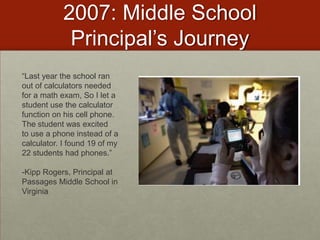
2007: Middle School Principal’s Journey“Last year the school ran out of calculators needed for a math exam, So I let a student use the calculator function on his cell phone. The student was excitedto use a phone instead of a calculator. I found 19 of my 22 students had phones.”-Kipp Rogers, Principal at Passages Middle School in Virginia
Mary Passage Middle School Cell Phone Policy 1.	Students will talk on their cell phone only to complete assignments that are related to the instructional lesson.2.	Students will keep cell phones turned off or left in lockers when they are not being used for instructional purposes in class.3.	Students will only send text- messages, pictures or video- messages to others outside of the classroom with permission and directions from the teacher.4.	Students will not record still or moving images or voices of students or the teacher without permission from the teacher.5.	Students will not post recordings of still or moving images or voice recordings of students or the teacher to online websites without their permission.6.	Students will practice internet safety with online resources.7.	Students will post only appropriate text, audio and visual media to on-line websites. I _____________________ understand that violation of our class acceptable cell phone use policy may result in my not being able to participate in additional class activities that involve using the cell phone.  I also understand that I may receive disciplinary consequences for violating school board policies regarding cyber-bullying. I _______________________ have gone over the Cell Phones in Class Acceptable Use Policy with my child and agree to allow my child to participate. 
Addressing: Safety & AccessDr. Kipp Rogers Says…"For the most part, the kids respect the rules.  I never had any problems with kids using them inappropriately in my class. We spent a lot of time talking about their digital footprint and that what they do can be tracked.”He said he initially worried about "the haves and have nots," but students work in teams for most assignments requiring cell phones, so there is always at least one phone among the group.
Teacher’s ReactionsTeachers said participation is up and discipline problems are down in classes using cell phones. Rogers is looking for ways to expand the phones' uses. "It's fighting a losing battle to ask them to leave them at home.”Learn more from Dr. Rogers:  http://passage.nn.k12.va.us/
Student’s ReactionSixth-grader Cassie Garn said her English teacher uses cell phones for several exercises."This is more interesting and people pay attention," she said. "It's fun. It beats writing stuff down and everybody likes to try to be first."“My teacher roams the room to make sure students are sending answers and not texts to friends.”"It's all related to work," Garn said. "We're not texting other people."
Passages Middle School Cell Phone Bookhttp://passage.nn.k12.va.us
Case Study:  Teacher Change
Katie Titlerhttp://www.fox11online.com/dpp/mobile/spanish-class-learns-with-todays-technology
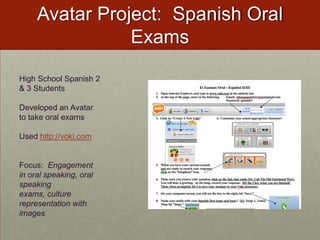
Avatar Project:  Spanish Oral ExamsHigh School Spanish 2 & 3 StudentsDeveloped an Avatar to take oral examsUsed http://voki.comFocus:  Engagement in oral speaking, oral speaking exams, culture representation with images
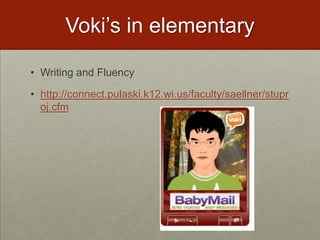
Voki’s in elementaryWriting and Fluencyhttp://connect.pulaski.k12.wi.us/faculty/saellner/stuproj.cfm
5 Rules for Cell Phones in SchoolsSet rules based on business regulations for cell phone use (look at business contracts)Social contract with studentsMust be on vibrate at all times
Keep them in the front of the room until you are going to use them.
All messages/media sent or published must be related to lesson.
If you are referencing someone else in class, you must have their approval before posting or publishing.
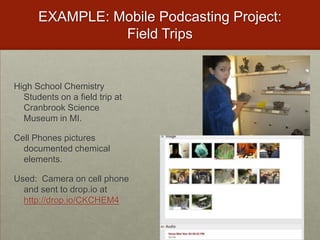
Create a permission form (in addition to the School’s AUP)EXAMPLE: Mobile Podcasting Project:  Field TripsHigh School Chemistry Students on a field trip at Cranbrook Science Museum in MI. Cell Phones pictures documented chemical elements.Used:  Camera on cell phone and sent to drop.io at http://drop.io/CKCHEM4
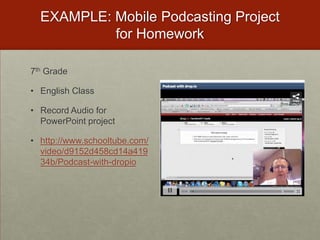
EXAMPLE: Mobile Podcasting Project for Homework 7th Grade English ClassRecord Audio for PowerPoint projecthttp://www.schooltube.com/video/d9152d458cd14a41934b/Podcast-with-dropio
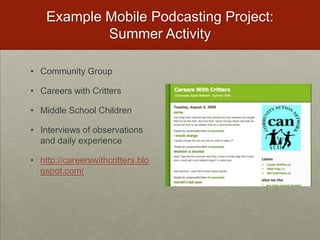
Example Mobile Podcasting Project:  Summer ActivityCommunity GroupCareers with CrittersMiddle School ChildrenInterviews of observations and daily experiencehttp://careerswithcritters.blogspot.com/
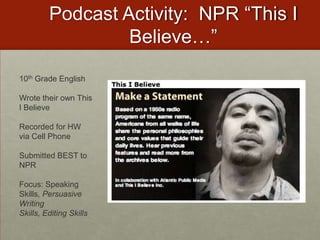
Podcast Activity:  NPR “This I Believe…”10th Grade EnglishWrote their own This I BelieveRecorded for HW via Cell PhoneSubmitted BEST to NPRFocus: Speaking Skills, Persuasive Writing Skills, Editing Skills
This I Believe Podcasting Project…http://drop.ioFind a PartnerCreate a 1 minute “This I Believe…” PodcastExamples http://n.pr/EBwxfPodcast should begin & end with “This I believe…”Topic of your choiceCan be humorous, sad, inquisitive Call in to our Drop #Record your podcast
CPS Project:  Brainstorminghttp://wiffiti.com
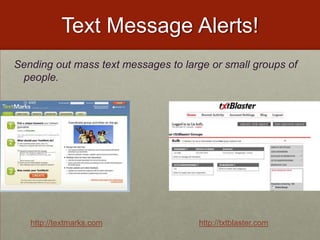
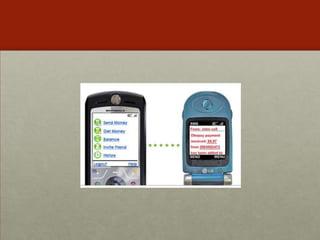
Text Message Alerts!Sending out mass text messages to large or small groups of people.  http://textmarks.comhttp://txtblaster.com
Mobile Novel Project:  Cell Phone BestsellerPopular in Asia to Read Novels Via Cell.http://www.nytimes.com/2008/01/20/world/asia/20japan.html?_r=2&pagewanted=1&th&emc=th&oref=slogin
Use a cell phone to write a private or collaborative novel, poem, chapter review, or short story to “publish” on a cell phone.Mobile Novelshttp://textnovel.com
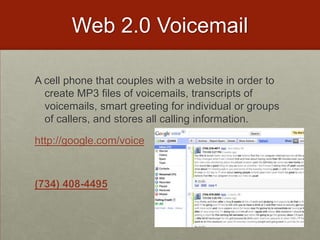
Web 2.0 VoicemailA cell phone that couples with a website in order to create MP3 files of voicemails, transcripts of voicemails, smart greeting for individual or groups of callers, and stores all calling information.http://google.com/voice(734) 408-4495
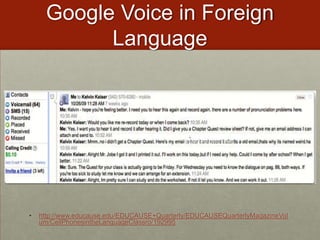
Google Voice in Foreign Languagehttp://www.educause.edu/EDUCAUSE+Quarterly/EDUCAUSEQuarterlyMagazineVolum/CellPhonesintheLanguageClassro/192995
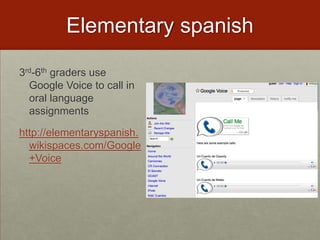
Elementary spanish3rd-6th graders use Google Voice to call in oral language assignmentshttp://elementaryspanish.wikispaces.com/Google+Voice
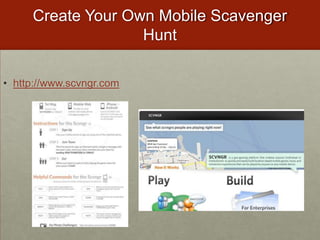
Create Your Own Mobile Scavenger Hunthttp://www.scvngr.com
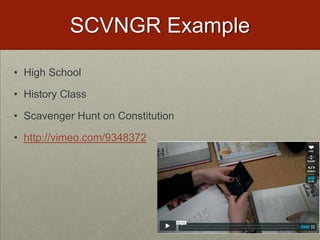
SCVNGR ExampleHigh SchoolHistory ClassScavenger Hunt on Constitutionhttp://vimeo.com/9348372
SCVNGR ExampleHigh SchoolEnglish ClassScavenger Hunt on Shakespeare“One of the challenges that they had to do read “Stand up as a group and, with your right arm in the air, repeat the Shakespeare’s motto in latin. It was a kick to watch them do this. Honestly I was surprised that not a single student refused to do the challenges.”
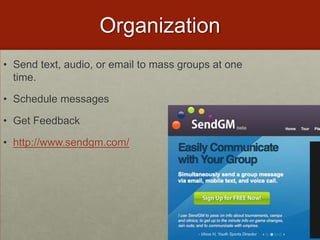
OrganizationSend text, audio, or email to mass groups at one time.Schedule messagesGet Feedbackhttp://www.sendgm.com/
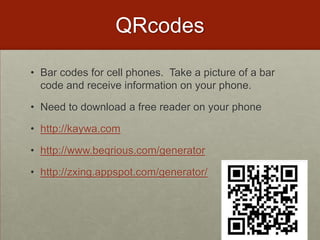
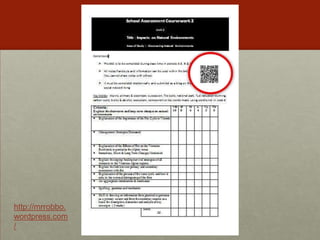
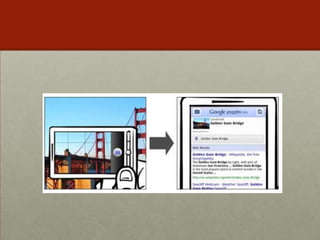
QRcodesBar codes for cell phones.  Take a picture of a bar code and receive information on your phone.Need to download a free reader on your phonehttp://kaywa.comhttp://www.beqrious.com/generatorhttp://zxing.appspot.com/generator/
http://mrrobbo.wordpress.com/
Qrcode Book Reviews
What about Facebook?
Facebook FanPages in Social Studieshttp://www.youtube.com/watch?v=Vj-XCUIbbcE
Facebook FanPages in Social StudiesStudent’s Reactionhttp://www.youtube.com/watch?v=mRf3AcX0PB8&feature=related
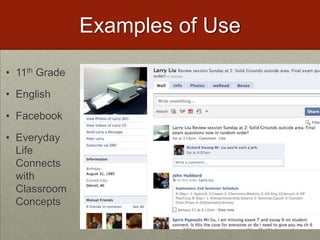
Examples of Use11th Grade EnglishFacebookEveryday Life Connects with Classroom Concepts
Authors on Facebook
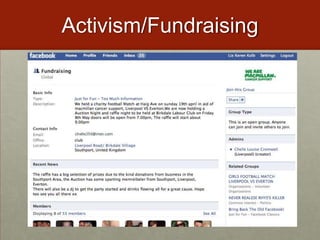
Activism/Fundraising
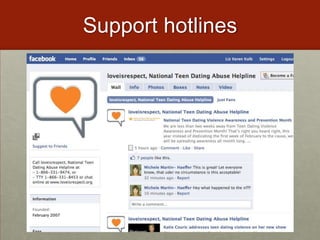
Support hotlines
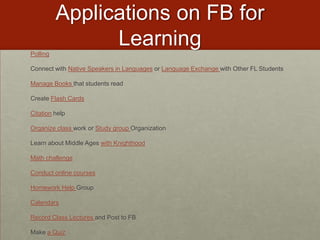
Applications on FB for LearningPollingConnect with Native Speakers in Languages or Language Exchange with Other FL StudentsManage Books that students readCreate Flash CardsCitation helpOrganize class work or Study group OrganizationLearn about Middle Ages with KnighthoodMath challengeConduct online coursesHomework Help GroupCalendarsRecord Class Lectures and Post to FBMake a Quiz
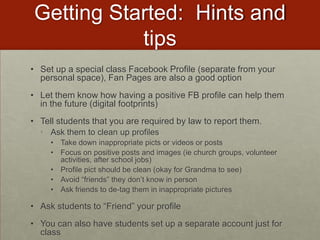
Getting Started:  Hints and tipsSet up a special class Facebook Profile (separate from your personal space), Fan Pages are also a good optionLet them know how having a positive FB profile can help them in the future (digital footprints)Tell students that you are required by law to report them.Ask them to clean up profilesTake down inappropriate picts or videos or postsFocus on positive posts and images (ie church groups, volunteer activities, after school jobs)Profile pict should be clean (okay for Grandma to see)Avoid “friends” they don’t know in personAsk friends to de-tag them in inappropriate picturesAsk students to “Friend” your profileYou can also have students set up a separate account just for class
What about Video Games?
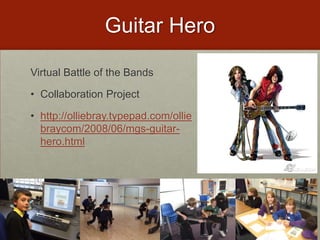
Guitar HeroVirtual Battle of the BandsCollaboration Projecthttp://olliebray.typepad.com/olliebraycom/2008/06/mgs-guitar-hero.html
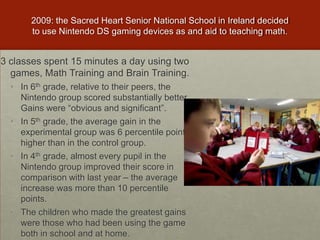
2009: the Sacred Heart Senior National School in Ireland decided to use Nintendo DS gaming devices as and aid to teaching math.3 classes spent 15 minutes a day using two games, Math Training and Brain Training. In 6th grade, relative to their peers, the Nintendo group scored substantially better. Gains were “obvious and significant”.In 5th grade, the average gain in the experimental group was 6 percentile points higher than in the control group.In 4th grade, almost every pupil in the Nintendo group improved their score in comparison with last year – the average increase was more than 10 percentile points.The children who made the greatest gains were those who had been using the game both in school and at home.
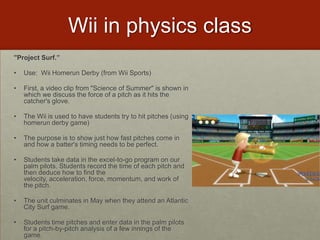
Wii in physics class"Project Surf.” Use:  Wii Homerun Derby (from Wii Sports)First, a video clip from "Science of Summer" is shown in which we discuss the force of a pitch as it hits the catcher's glove. The Wii is used to have students try to hit pitches (using homerun derby game)The purpose is to show just how fast pitches come in and how a batter's timing needs to be perfect. Students take data in the excel-to-go program on our palm pilots. Students record the time of each pitch and then deduce how to find the velocity, acceleration, force, momentum, and work of the pitch. The unit culminates in May when they attend an Atlantic City Surf game. Students time pitches and enter data in the palm pilots for a pitch-by-pitch analysis of a few innings of the game.
Scratch:  Build your own video gameshttp://scratch.mit.edu/
What about Twitter?
Twitter in 2nd gradehttp://www.wcsh6.com/news/local/story.aspx?storyid=101781
Twitter in Higher Edhttp://www.youtube.com/watch?v=6WPVWDkF7U8
More Examples of TWITTER in EducationTwitter Stories by Elementary Studentshttp://twitter.com/manyvoicesHigh School English Teacher’s Office Hourshttp://twitter.com/MrWilsonBDHSSocial Studies:  Follow members of Congresshttps://valtsvirtual.wikispaces.com/American+GovernmentEnglish Twitter Assignment: http://classblogmeister.com/blog.php?blogger_id=22572Gater Radio on Twitter: http://gatorradio.blogspot.com/
Social Networking/Cell Phones/and Video GamesDigital Footprints
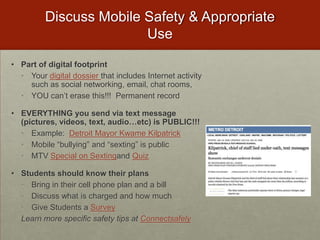
Discuss Mobile Safety & Appropriate UsePart of digital footprintYour digital dossier that includes Internet activity such as social networking, email, chat rooms, YOU can’t erase this!!!  Permanent recordEVERYTHING you send via text message (pictures, videos, text, audio…etc) is PUBLIC!!!Example:  Detroit Mayor Kwame KilpatrickMobile “bullying” and “sexting” is publicMTV Special on Sextingand QuizStudents should know their plansBring in their cell phone plan and a billDiscuss what is charged and how muchGive Students a SurveyLearn more specific safety tips at Connectsafely
Movie:  Digital Dossierhttp://www.youtube.com/watch?v=79IYZVYIVLA
In Cyberspace…Don’t assume anything you send or post is going to remain private. There is no changing your mind in cyberspace—anything you send or post will never truly go away. Don’t give in to the pressure to do something that makes you uncomfortable, even in cyberspace. Consider the recipient’s reaction. Nothing is truly anonymous.
Your Media is NEVER deleted!Cambridge researchers posted pictures to sixteen websites, noting the direct URL to the image, and then deleted the original. They reopened the URLs over a period of 30 days to see whether the pictures were accessible and found that images were still visible on five sites at the end of that month. This is possible because the files remain in photo server caches of the underlying content delivery network (CDN) after they have been cleared from indices that provide data for dynamic pages (such as profiles) and search results. The terms of service for these sites indicate that deletion may not be immediate, with Facebook likening the process to putting a file in the Recycle Bin.http://emergingtechnologies.becta.org.uk/index.php?section=etn&rid=14632
Way Back MachineSocial networks have been used to post content to embarrass or intimidate students, so it is important for learners to understand that the consequences of such actions may last even longer than they expected. Not only may content remain in caches and backups, but it can be copied to third party sites or be captured in archives without your knowledge or permission, such as the Wayback Machine.
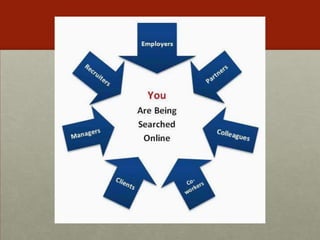
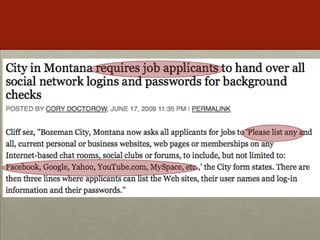
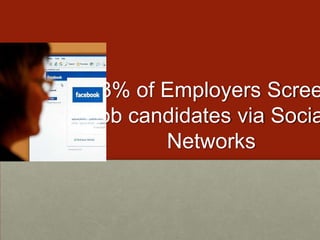
53% of Employers Screen job candidates via Social Networks
Of those hiring managers who have screened job candidates via social networking profiles, one-third (34%) reported they found content that caused them to dismiss the candidate from consideration.
Specific Reasons for NOT hiring based on Digital Footprint found40% - candidate posted provocative or inappropriate photographs or information29% - candidate had poor communication skills28% - candidate bad-mouthed their previous company or fellow employee22% - candidate’s screen name was unprofessional
The POSTIVE side of Digital Footprints!On the other hand, social networking profiles gave some job seekers an edge over the competition. 24% of hiring managers who researched job candidates via social networking sites said they found content that helped to solidify their decision to hire the candidate.
Should Teacher be Fired?"teaching chitlins in the ghetto of Charlotte”"I am teaching in the most ghetto school in Charlotte”http://www.polleverywhere.com/multiple_choice_polls/LTQ0OTcxMTYzNw
Prosecutors Search Social Networking Sites!Prosecutors use Facebook, MySpace photosStudents who made light of drinking received jail sentences for DUIDefense attorneys also use social networking sites to dig up dirt on witnessesPROVIDENCE, Rhode Island (AP) -- Two weeks after Joshua Lipton was charged in a drunken driving crash that seriously injured awoman, the 20-year-old college junior attended a Halloween party dressed as a prisoner. Pictures from the party showed him in ablack-and-white striped shirt and an orange jumpsuit labeled "Jail Bird.”http://74.125.93.132/search?q=cache:SgDbAA0gzEoJ:freedom-school.com/reading-room/unrepentant-on-facebook-expect-jail-time.pdf+Unrepentent+on+Facebook&cd=1&hl=en&ct=clnk&gl=us&client=firefox-a
What is YOUR digital footprint?http://dsc.discovery.com/convergence/koppel/interactive/interactive.html
Clean Up Social Networking Site1. Take control of your photos. Your personal and professional life are becoming one, largely due to Facebook. Go through what you have on your social network & untag yourself in photos that an employer might find inappropriate.  2. Set privacy settings. You have less reason to worry if employers can’t access your digital life. 3. Post photos that promote you as a professional. If you have photos from volunteering, studying abroad, working a job, giving a presentation, or any other semi-professional event, post them. They go a long way to help counteract other photos that might negatively impact your image.4. Put up a clean profile photo of yourself. Even if you got a lot of compliments on your stripper Halloween costume, a profile picture that isn’t associated raucous college partying means a lot to people in hiring positions. 5) Stay active online. By commenting on blogs and forums, updating your profiles, and even creating your own site you can become much more visible and credible online. This gives the people who search you a much more comprehensive picture of who you are and allows you to highlight the good and bury the bad6.  Be mindful of who you accept as a “Friend.”  Poor choices could reflect badly on you as a professional.  Make sure to monitor their comments on your sites as well.
Hints and Tips for FacebookWeak PasswordsGet rid of your year on your birthdate (in profile)No children’s names (no tags, nothing)Do not mention your future plans (esp away form home)Remove yourself from public search
Set up an Alert to Monitor YourselfGoogle Alertshttp://google.com/alertsGoogle Profilehttp://google.com/profileVanishhttp://vanish.cs.washington.edu/index.html
Social media lessons for educators from 16 year old pop star
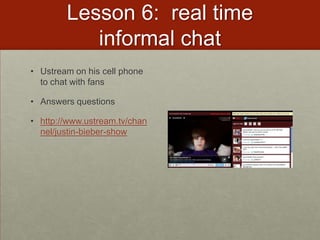
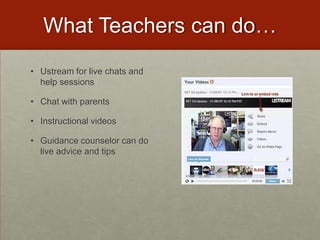
Who is Justin Beiber?Justin Bieber16 year old Canadian (from Stratford)Pop StarDiscovered on YouTubeTweets 10-30 times a dayUstream’s live a few times a week
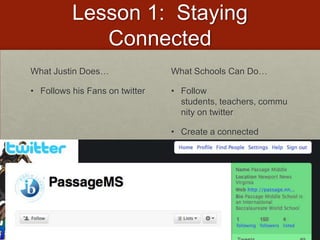
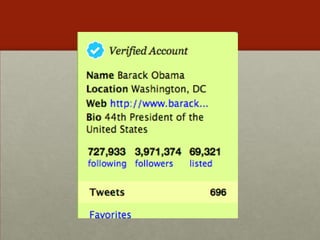
Lesson 1:  Staying ConnectedWhat Justin Does…Follows his Fans on twitterWhat Schools Can Do…Follow students, teachers, community on twitterCreate a connected community
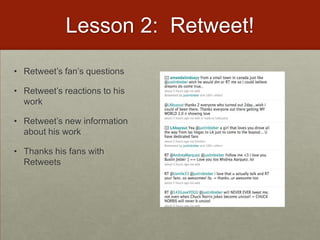
Lesson 2:  Retweet!Retweet’s fan’s questionsRetweet’s reactions to his workRetweet’s new information about his workThanks his fans with Retweets
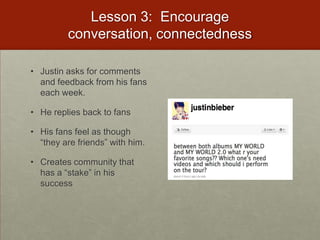
Lesson 3:  Encourage conversation, connectednessJustin asks for comments and feedback from his fans each week.He replies back to fansHis fans feel as though “they are friends” with him.Creates community that has a “stake” in his success
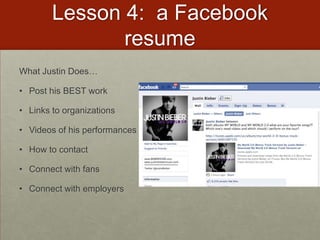
Lesson 4:  a Facebook resumeWhat Justin Does…Post his BEST work Links to organizationsVideos of his performancesHow to contactConnect with fansConnect with employers
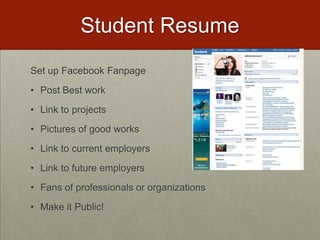
Student ResumeSet up Facebook FanpagePost Best workLink to projectsPictures of good worksLink to current employersLink to future employersFans of professionals or organizationsMake it Public!

Traverse kolb 2010

  • 2.
    21st Century Skills: From Toys to toolsLiz Kolb, Ph.D.University of Michiganelikeren@umich.eduhttp://cellphonesinlearning.comhttp://tiny.cc/kolbtraverse(presentation)Twitter: lkolbLiz’s Mobile Business CardSend a new text: 50500In message: kolb http://contxts.com
  • 3.
    Text Alerts Project:Data on the Flyhttp://www.koce.org/filmontheflyhttp://www.cellphonesinlearning.com/2009_04_01_archive.html
  • 4.
    Let’s Begin witha Picture on the Fly!http://flickr.comhttp://txtblaster.com
  • 5.
    Biology of TraverseStep1: Create an account in Flickr.comStep 2: Login to FlickrStep 3: Click on Uploading Tools (next to Upload Photos)Step 4: Click on Upload by Email. You will be given an email address where you can send pictures and/or videos from your cell phone directly into Flickr.Step 5: Go outside and find an interesting biological phenomena (flowers, grass, animals...etc).Step 6: Take a picture or video of the phenomena, send a text message of what you believe the phenomena to be (take a guess if needed). Send it to our Flickr Mobile Account.Step 7: Login to Flickr.comStep 8: Place your image on the Flickr Map in the EXACT location where you found the item (Organize--My Map).
  • 6.
    Summer Text ProgramNorwichFree Academy (Connecticut)Text of the week!Monday is vocabulary dayTuesday is science factsWednesday is mathematicsThursday is history Friday covers a variety of topics including general knowledge and cultural literacy Each day is a themeParents and students opt in
  • 7.
    Text Message Project:Text Homework AlertsJimbo LambHigh School Math TeacherPennsylvaniaText for HomeworkUses: http://textmarks.comhttp://mrlambmath.wikispaces.com/
  • 8.
    9th Graders TextMessaging Romeo and Juliet9th Grade English in Michigan
  • 9.
    Translating Romeo andJuliet to “text speak”
  • 10.
    Start in classwith translating a few lines to a wiffiti board.
  • 11.
    Voting on best“translations”
  • 12.
  • 13.
    Create a wholetext message novel of Romeo and Juliet
  • 14.
    Using Texting toTeach ShakesparePhotoblogging Project: iReportingMobile JournalismHigh School Students Document InaugurationTools: Flickr, Twitter, YouTubehttp://wainauguration.org/
  • 17.
  • 18.
    % of NewTeachers who would like technology in their hands of the students
  • 19.
    New Teachers ListThe Technologies They Use EVERYDAY outside of teachingEveryday UseClassroom Wish ListTV-DVD-DVRInternetOnline CoursesWeb BloggingCell PhonesFacebook or MySpaceWikipediaVideo Games (Wii and Computer-Based)iPod/MP3 PlayersGPS DevicesGoogle, Google Earth, Google MapsTwitterTV-DVD-DVRInternetLCD ProjectorChalkboard/Dry ErasePowerPointTeacher LaptopWordExcelTape/CD PlayerOverhead ProjectorEducational SoftwareSMARTboardTelephone
  • 20.
    Why haven’t weseen long-term education technology change that reflects technology changes in society?In 1986 & 2001, Larry Cuban Found:Teachers teach how they were taughtTechnology traditionally infused from “Top-Down” Cuban, L. (1986). Teachers and machines: The classroom use of technology since 1920. New York: Teachers College Press.
  • 21.
    Teachers Say Technologyin Their school is introduced by…
  • 22.
  • 23.
    “Some of themost crucial steps in mental growth are based not simply on acquiring new skills, but on acquiring new administrative ways to use what one already knows.”-Seymour Papert
  • 24.
    BYOT: BringYour Own technologyWhat is inYour Backpack?
  • 28.
    "Kids tell usthey power down to come to school.”-Julie Evans, CEO of Project Tomorrow (2008)
  • 29.
    Speak up 2010Report 100,000+ studentsFor the first time since 2003, when asked to identify the major obstacle to prevent use of technology in school, students in grades 6–12 said “I cannot use my own cell phone, smart phone or Mp3 player in school.”
  • 30.
  • 31.
    Arguments for UsingStudents’ Everyday Tools
  • 32.
    Internet vs.. Mobile73%of U.S. household’s have Internet access57% have broadband43% have dial-up30% of U.S. citizens do not use the Internet at all63% of people with a household income of <49K have no Internet87% of U.S. Citizens own Cell phones. 13% of U.S. citizens do not own a cell phone94% of U.S. Citizens 18-45 own a cell phone18% of U.S. Citizens with an income of <50K do not have a cell phonePark Associates and CTIA wireless association, both 2007
  • 33.
    Access76% of secondarystudents have their own cell phones30% have Smartphone's1 in 3 teens sends more than 100 text messages a day85% of secondary students have MP3 players84% of children between the ages of 8 to 10 have a video game player in their household93% of teenagers use the Internet70% have their own laptop or netbook55% of 12-17 year olds have a profile on Facebook or Myspace
  • 34.
    By the endof 2010 it is estimated that…54% of 8 year olds will have their own cell phone!
  • 35.
    Millennials Rising (NeilHowe and William Strauss)How 21st Century Students learn best…Collaboratively Anytime, anyplace, anywhere, any paceStructured activitiesRelevancy with real world*They want to do this with the TECHNOLOGY of their generation
  • 36.
  • 37.
    Fundamental Shift in21st Century WorkforceTechnological changes are displacing low-skilled workers and making room for more high-skilled creative and innovative workers. Employers are calling for schools to integrate new skills into education
  • 38.
  • 39.
  • 40.
    Search for “cellphone skills” on Monster.com
  • 41.
    Search for “SocialMedia” Job Skills
  • 42.
    Search for “videogame” skills
  • 43.
    Fundamental Shift inCitizenship Practices74% of all 18-24 year olds were politically active on the Internet during the 2008 campaignDuring the 2008 campaign, 49% of younger voters (18-24) shared information via text message about the campaigns. http://www.visiblevote.us
  • 44.
  • 45.
    Research on cellphones in learning says…"The proportions of textisms that kids used in their sentence translations was positively linked to verbal reasoning; the more textspeak kids used, the higher their test scores”2) "The younger the age at which the kids had received mobile phones, the better their ability to read words and identify patterns of sound in speech.”http://www.britac.ac.uk/news/news.cfm/newsid/14
  • 46.
    PBS: Ready toLearn StudyParent’s cell phones loaded with literacy softwareParents living at or below poverty lineFindings:Participants found the intervention to be a positive experience, especially for their children. They reacted enthusiastically to receiving early literacy content via cell phone. Most importantly, participants reported that their children enjoyed and benefited from the program. Child participants, for the most part, were eager and excited to view the letter video clips. They frequently requested to view the videos. Some parents reported that each time the phone rang, their children came running, hoping the call was from Elmo.
  • 47.
    Research on VideoGames in learning says…Games teach skills that employers want: analytical thinking, team building, multitasking and problem-solving under duress. Unlike humans, the games never lose patience. Simulation and adventure games - such as Sim City and RollerCoaster Tycoon, where players create societies or build theme parks, developed children's strategic thinking and planning skills. Doctors who spent at least three hours a week playing video games made about 37% fewer mistakes in laparoscopic surgery and performed the task 27% faster than their counterparts who did not play video games. At-Risk students have shown to benefit from building their own video games
  • 48.
    Study Findings: CivicsCivilization IV & DemocracyMore civic gaming experience=more civic engagement
  • 49.
    Teen Gaming isSocial76% play games with others at least some of the time65% play with other people in the room with them27% play with others via the Internet49% play with people they know offline27% play with friends they have met online23% play with both offline friends and online friends
  • 50.
    Why Are WeReluctant?The elephant in the roomhttp://wiffiti.com
  • 51.
     Cheating is aproblem…26% of teenagers admitted to using their cell phone to store information to look at during a test or a quiz.
  • 52.
    25% have textmessaged their friends about answers during a test or quiz.
  • 53.
    20% have searchedthe Internet via their mobile phone during a test or quiz.
  • 54.
    17% have takenpictures of a test or quiz with the cell phone in order to send the pictures to their friends.Common Sense Media 09
  • 55.
    Even MORE ofa problemMost students do not envision these activities as cheating. More than half of the students surveyed did not think these acts were serious offenses of cheating, rather they think of it as just “helping out a friend.” Common Sense Media 09
  • 56.
    70% of U.S.schools completely ban cell phones from campus 63% of students admitted to sneaking in cell phones and using them during class anyway. In a seven class a day, five day school week, the average student sends at least three text messages per class. Common Sense Media 09
  • 57.
    One in three(34%) texting teens ages 16-17 say they have texted while driving.
  • 58.
    Life ConsequencesStudents aresometimes “sexting” to friends for their entertainment value, as a joke or for fun."Six teens face child porn (13 to 15) charges after being caught "sexting" each other. Criminal Charge!IN PA, 3 girls (12, 12, 16) charged with child pornography for sexing. Picture of them in bras.15% of teenagers have risqué photos of themselves or their friends on their cell phones.1 in 5 sext recipients report that they have passed the images along to someone else http://www.cnn.com/video/#/video/bestoftv/2009/01/15/pn.sexting.teens.cnn
  • 59.
    "If you takea picture, you can be accused of producing child pornography; if you send it to somebody, you can be accused of distributing child pornography; and if you keep a picture, you can be accused of possessing child pornography. Anywhere along this chain of transmission of the images, you can be charged as a registered sex offender." -Parry Aftab, an Internet privacy and security lawyer.
  • 60.
  • 61.
    Underage On Facebook750,000kids between the ages of 8 and 12 have set up a profile on the big social-networking siteshttp://www.theglobeandmail.com/news/technology/article709704.ece
  • 62.
    Student’s Lack ofconcern over privacy and permanent recordResearch shows that issues of privacy and safety are not at the forefront of younger users' minds. 41% of children aged 8 to 17 who had a visible profile had them set so they were open and accessible to anyone. (Office of Communications in GB)Younger adults and children are much more likely to share sensitive informationAfter weeks of butting heads with his coaches, Taylor, 17, logged on to Facebook from home Jan. 3. He typed his frustrations for the online world to see: "I'ma kill em all. I'ma bust this (expletive) up from the inside like nobody's ever done before.”(USA Today, Jan 2010)Taylor's profile was public, so there were no restrictions on who could view it.
  • 63.
    Parents need educationtoo!Taylor’s family argued that students and parents aren't properly educated or warned that what they write online can have consequences in the classroom.
  • 64.
    Teens Encounter bothpro-social & anti-social behavior while gaming78% report they frequently see other players being kind or helpful to those who are gaming63% report seeing or hearing “people being mean or overly aggressive while playing”49% report seeing or hearing “people being hateful, racist, or sexist” while playing
  • 65.
    Current Banning Structuresare NOT workingStudents still “cheating”, “Off-task”, or “inappropriately” using cell phones in schoolsStudents still bring them to schools and use them when told not to.Students still do not understand consequences of their social media useStudents have no idea how to use mobile phones or social media in future job force!
  • 66.
    How do wechange?
  • 67.
    Case Study: School Change
  • 68.
    2007: Middle SchoolPrincipal’s Journey“Last year the school ran out of calculators needed for a math exam, So I let a student use the calculator function on his cell phone. The student was excitedto use a phone instead of a calculator. I found 19 of my 22 students had phones.”-Kipp Rogers, Principal at Passages Middle School in Virginia
  • 69.
    Mary Passage MiddleSchool Cell Phone Policy 1. Students will talk on their cell phone only to complete assignments that are related to the instructional lesson.2. Students will keep cell phones turned off or left in lockers when they are not being used for instructional purposes in class.3. Students will only send text- messages, pictures or video- messages to others outside of the classroom with permission and directions from the teacher.4. Students will not record still or moving images or voices of students or the teacher without permission from the teacher.5. Students will not post recordings of still or moving images or voice recordings of students or the teacher to online websites without their permission.6. Students will practice internet safety with online resources.7. Students will post only appropriate text, audio and visual media to on-line websites. I _____________________ understand that violation of our class acceptable cell phone use policy may result in my not being able to participate in additional class activities that involve using the cell phone. I also understand that I may receive disciplinary consequences for violating school board policies regarding cyber-bullying. I _______________________ have gone over the Cell Phones in Class Acceptable Use Policy with my child and agree to allow my child to participate. 
  • 70.
    Addressing: Safety &AccessDr. Kipp Rogers Says…"For the most part, the kids respect the rules. I never had any problems with kids using them inappropriately in my class. We spent a lot of time talking about their digital footprint and that what they do can be tracked.”He said he initially worried about "the haves and have nots," but students work in teams for most assignments requiring cell phones, so there is always at least one phone among the group.
  • 71.
    Teacher’s ReactionsTeachers saidparticipation is up and discipline problems are down in classes using cell phones. Rogers is looking for ways to expand the phones' uses. "It's fighting a losing battle to ask them to leave them at home.”Learn more from Dr. Rogers: http://passage.nn.k12.va.us/
  • 72.
    Student’s ReactionSixth-grader CassieGarn said her English teacher uses cell phones for several exercises."This is more interesting and people pay attention," she said. "It's fun. It beats writing stuff down and everybody likes to try to be first."“My teacher roams the room to make sure students are sending answers and not texts to friends.”"It's all related to work," Garn said. "We're not texting other people."
  • 73.
    Passages Middle SchoolCell Phone Bookhttp://passage.nn.k12.va.us
  • 74.
    Case Study: Teacher Change
  • 75.
  • 76.
    Avatar Project: Spanish Oral ExamsHigh School Spanish 2 & 3 StudentsDeveloped an Avatar to take oral examsUsed http://voki.comFocus: Engagement in oral speaking, oral speaking exams, culture representation with images
  • 78.
    Voki’s in elementaryWritingand Fluencyhttp://connect.pulaski.k12.wi.us/faculty/saellner/stuproj.cfm
  • 79.
    5 Rules forCell Phones in SchoolsSet rules based on business regulations for cell phone use (look at business contracts)Social contract with studentsMust be on vibrate at all times
  • 80.
    Keep them inthe front of the room until you are going to use them.
  • 81.
    All messages/media sentor published must be related to lesson.
  • 82.
    If you arereferencing someone else in class, you must have their approval before posting or publishing.
  • 83.
    Create a permissionform (in addition to the School’s AUP)EXAMPLE: Mobile Podcasting Project: Field TripsHigh School Chemistry Students on a field trip at Cranbrook Science Museum in MI. Cell Phones pictures documented chemical elements.Used: Camera on cell phone and sent to drop.io at http://drop.io/CKCHEM4
  • 84.
    EXAMPLE: Mobile PodcastingProject for Homework 7th Grade English ClassRecord Audio for PowerPoint projecthttp://www.schooltube.com/video/d9152d458cd14a41934b/Podcast-with-dropio
  • 85.
    Example Mobile PodcastingProject: Summer ActivityCommunity GroupCareers with CrittersMiddle School ChildrenInterviews of observations and daily experiencehttp://careerswithcritters.blogspot.com/
  • 86.
    Podcast Activity: NPR “This I Believe…”10th Grade EnglishWrote their own This I BelieveRecorded for HW via Cell PhoneSubmitted BEST to NPRFocus: Speaking Skills, Persuasive Writing Skills, Editing Skills
  • 87.
    This I BelievePodcasting Project…http://drop.ioFind a PartnerCreate a 1 minute “This I Believe…” PodcastExamples http://n.pr/EBwxfPodcast should begin & end with “This I believe…”Topic of your choiceCan be humorous, sad, inquisitive Call in to our Drop #Record your podcast
  • 88.
    CPS Project: Brainstorminghttp://wiffiti.com
  • 90.
    Text Message Alerts!Sendingout mass text messages to large or small groups of people. http://textmarks.comhttp://txtblaster.com
  • 91.
    Mobile Novel Project: Cell Phone BestsellerPopular in Asia to Read Novels Via Cell.http://www.nytimes.com/2008/01/20/world/asia/20japan.html?_r=2&pagewanted=1&th&emc=th&oref=slogin
  • 92.
    Use a cellphone to write a private or collaborative novel, poem, chapter review, or short story to “publish” on a cell phone.Mobile Novelshttp://textnovel.com
  • 93.
    Web 2.0 VoicemailAcell phone that couples with a website in order to create MP3 files of voicemails, transcripts of voicemails, smart greeting for individual or groups of callers, and stores all calling information.http://google.com/voice(734) 408-4495
  • 94.
    Google Voice inForeign Languagehttp://www.educause.edu/EDUCAUSE+Quarterly/EDUCAUSEQuarterlyMagazineVolum/CellPhonesintheLanguageClassro/192995
  • 95.
    Elementary spanish3rd-6th gradersuse Google Voice to call in oral language assignmentshttp://elementaryspanish.wikispaces.com/Google+Voice
  • 96.
    Create Your OwnMobile Scavenger Hunthttp://www.scvngr.com
  • 97.
    SCVNGR ExampleHigh SchoolHistoryClassScavenger Hunt on Constitutionhttp://vimeo.com/9348372
  • 98.
    SCVNGR ExampleHigh SchoolEnglishClassScavenger Hunt on Shakespeare“One of the challenges that they had to do read “Stand up as a group and, with your right arm in the air, repeat the Shakespeare’s motto in latin. It was a kick to watch them do this. Honestly I was surprised that not a single student refused to do the challenges.”
  • 99.
    OrganizationSend text, audio,or email to mass groups at one time.Schedule messagesGet Feedbackhttp://www.sendgm.com/
  • 100.
    QRcodesBar codes forcell phones. Take a picture of a bar code and receive information on your phone.Need to download a free reader on your phonehttp://kaywa.comhttp://www.beqrious.com/generatorhttp://zxing.appspot.com/generator/
  • 101.
  • 102.
  • 103.
  • 104.
    Facebook FanPages inSocial Studieshttp://www.youtube.com/watch?v=Vj-XCUIbbcE
  • 105.
    Facebook FanPages inSocial StudiesStudent’s Reactionhttp://www.youtube.com/watch?v=mRf3AcX0PB8&feature=related
  • 106.
    Examples of Use11thGrade EnglishFacebookEveryday Life Connects with Classroom Concepts
  • 107.
  • 108.
  • 109.
  • 110.
    Applications on FBfor LearningPollingConnect with Native Speakers in Languages or Language Exchange with Other FL StudentsManage Books that students readCreate Flash CardsCitation helpOrganize class work or Study group OrganizationLearn about Middle Ages with KnighthoodMath challengeConduct online coursesHomework Help GroupCalendarsRecord Class Lectures and Post to FBMake a Quiz
  • 111.
    Getting Started: Hints and tipsSet up a special class Facebook Profile (separate from your personal space), Fan Pages are also a good optionLet them know how having a positive FB profile can help them in the future (digital footprints)Tell students that you are required by law to report them.Ask them to clean up profilesTake down inappropriate picts or videos or postsFocus on positive posts and images (ie church groups, volunteer activities, after school jobs)Profile pict should be clean (okay for Grandma to see)Avoid “friends” they don’t know in personAsk friends to de-tag them in inappropriate picturesAsk students to “Friend” your profileYou can also have students set up a separate account just for class
  • 112.
  • 113.
    Guitar HeroVirtual Battleof the BandsCollaboration Projecthttp://olliebray.typepad.com/olliebraycom/2008/06/mgs-guitar-hero.html
  • 114.
    2009: the SacredHeart Senior National School in Ireland decided to use Nintendo DS gaming devices as and aid to teaching math.3 classes spent 15 minutes a day using two games, Math Training and Brain Training. In 6th grade, relative to their peers, the Nintendo group scored substantially better. Gains were “obvious and significant”.In 5th grade, the average gain in the experimental group was 6 percentile points higher than in the control group.In 4th grade, almost every pupil in the Nintendo group improved their score in comparison with last year – the average increase was more than 10 percentile points.The children who made the greatest gains were those who had been using the game both in school and at home.
  • 115.
    Wii in physicsclass"Project Surf.” Use: Wii Homerun Derby (from Wii Sports)First, a video clip from "Science of Summer" is shown in which we discuss the force of a pitch as it hits the catcher's glove. The Wii is used to have students try to hit pitches (using homerun derby game)The purpose is to show just how fast pitches come in and how a batter's timing needs to be perfect. Students take data in the excel-to-go program on our palm pilots. Students record the time of each pitch and then deduce how to find the velocity, acceleration, force, momentum, and work of the pitch. The unit culminates in May when they attend an Atlantic City Surf game. Students time pitches and enter data in the palm pilots for a pitch-by-pitch analysis of a few innings of the game.
  • 116.
    Scratch: Buildyour own video gameshttp://scratch.mit.edu/
  • 117.
  • 118.
    Twitter in 2ndgradehttp://www.wcsh6.com/news/local/story.aspx?storyid=101781
  • 119.
    Twitter in HigherEdhttp://www.youtube.com/watch?v=6WPVWDkF7U8
  • 120.
    More Examples ofTWITTER in EducationTwitter Stories by Elementary Studentshttp://twitter.com/manyvoicesHigh School English Teacher’s Office Hourshttp://twitter.com/MrWilsonBDHSSocial Studies: Follow members of Congresshttps://valtsvirtual.wikispaces.com/American+GovernmentEnglish Twitter Assignment: http://classblogmeister.com/blog.php?blogger_id=22572Gater Radio on Twitter: http://gatorradio.blogspot.com/
  • 121.
    Social Networking/Cell Phones/andVideo GamesDigital Footprints
  • 122.
    Discuss Mobile Safety& Appropriate UsePart of digital footprintYour digital dossier that includes Internet activity such as social networking, email, chat rooms, YOU can’t erase this!!! Permanent recordEVERYTHING you send via text message (pictures, videos, text, audio…etc) is PUBLIC!!!Example: Detroit Mayor Kwame KilpatrickMobile “bullying” and “sexting” is publicMTV Special on Sextingand QuizStudents should know their plansBring in their cell phone plan and a billDiscuss what is charged and how muchGive Students a SurveyLearn more specific safety tips at Connectsafely
  • 123.
    Movie: DigitalDossierhttp://www.youtube.com/watch?v=79IYZVYIVLA
  • 124.
    In Cyberspace…Don’t assumeanything you send or post is going to remain private. There is no changing your mind in cyberspace—anything you send or post will never truly go away. Don’t give in to the pressure to do something that makes you uncomfortable, even in cyberspace. Consider the recipient’s reaction. Nothing is truly anonymous.
  • 125.
    Your Media isNEVER deleted!Cambridge researchers posted pictures to sixteen websites, noting the direct URL to the image, and then deleted the original. They reopened the URLs over a period of 30 days to see whether the pictures were accessible and found that images were still visible on five sites at the end of that month. This is possible because the files remain in photo server caches of the underlying content delivery network (CDN) after they have been cleared from indices that provide data for dynamic pages (such as profiles) and search results. The terms of service for these sites indicate that deletion may not be immediate, with Facebook likening the process to putting a file in the Recycle Bin.http://emergingtechnologies.becta.org.uk/index.php?section=etn&rid=14632
  • 126.
    Way Back MachineSocialnetworks have been used to post content to embarrass or intimidate students, so it is important for learners to understand that the consequences of such actions may last even longer than they expected. Not only may content remain in caches and backups, but it can be copied to third party sites or be captured in archives without your knowledge or permission, such as the Wayback Machine.
  • 130.
    53% of EmployersScreen job candidates via Social Networks
  • 131.
    Of those hiringmanagers who have screened job candidates via social networking profiles, one-third (34%) reported they found content that caused them to dismiss the candidate from consideration.
  • 132.
    Specific Reasons forNOT hiring based on Digital Footprint found40% - candidate posted provocative or inappropriate photographs or information29% - candidate had poor communication skills28% - candidate bad-mouthed their previous company or fellow employee22% - candidate’s screen name was unprofessional
  • 133.
    The POSTIVE sideof Digital Footprints!On the other hand, social networking profiles gave some job seekers an edge over the competition. 24% of hiring managers who researched job candidates via social networking sites said they found content that helped to solidify their decision to hire the candidate.
  • 134.
    Should Teacher beFired?"teaching chitlins in the ghetto of Charlotte”"I am teaching in the most ghetto school in Charlotte”http://www.polleverywhere.com/multiple_choice_polls/LTQ0OTcxMTYzNw
  • 135.
    Prosecutors Search SocialNetworking Sites!Prosecutors use Facebook, MySpace photosStudents who made light of drinking received jail sentences for DUIDefense attorneys also use social networking sites to dig up dirt on witnessesPROVIDENCE, Rhode Island (AP) -- Two weeks after Joshua Lipton was charged in a drunken driving crash that seriously injured awoman, the 20-year-old college junior attended a Halloween party dressed as a prisoner. Pictures from the party showed him in ablack-and-white striped shirt and an orange jumpsuit labeled "Jail Bird.”http://74.125.93.132/search?q=cache:SgDbAA0gzEoJ:freedom-school.com/reading-room/unrepentant-on-facebook-expect-jail-time.pdf+Unrepentent+on+Facebook&cd=1&hl=en&ct=clnk&gl=us&client=firefox-a
  • 136.
    What is YOURdigital footprint?http://dsc.discovery.com/convergence/koppel/interactive/interactive.html
  • 137.
    Clean Up SocialNetworking Site1. Take control of your photos. Your personal and professional life are becoming one, largely due to Facebook. Go through what you have on your social network & untag yourself in photos that an employer might find inappropriate. 2. Set privacy settings. You have less reason to worry if employers can’t access your digital life. 3. Post photos that promote you as a professional. If you have photos from volunteering, studying abroad, working a job, giving a presentation, or any other semi-professional event, post them. They go a long way to help counteract other photos that might negatively impact your image.4. Put up a clean profile photo of yourself. Even if you got a lot of compliments on your stripper Halloween costume, a profile picture that isn’t associated raucous college partying means a lot to people in hiring positions. 5) Stay active online. By commenting on blogs and forums, updating your profiles, and even creating your own site you can become much more visible and credible online. This gives the people who search you a much more comprehensive picture of who you are and allows you to highlight the good and bury the bad6. Be mindful of who you accept as a “Friend.” Poor choices could reflect badly on you as a professional. Make sure to monitor their comments on your sites as well.
  • 138.
    Hints and Tipsfor FacebookWeak PasswordsGet rid of your year on your birthdate (in profile)No children’s names (no tags, nothing)Do not mention your future plans (esp away form home)Remove yourself from public search
  • 139.
    Set up anAlert to Monitor YourselfGoogle Alertshttp://google.com/alertsGoogle Profilehttp://google.com/profileVanishhttp://vanish.cs.washington.edu/index.html
  • 140.
    Social media lessonsfor educators from 16 year old pop star
  • 141.
    Who is JustinBeiber?Justin Bieber16 year old Canadian (from Stratford)Pop StarDiscovered on YouTubeTweets 10-30 times a dayUstream’s live a few times a week
  • 142.
    Lesson 1: Staying ConnectedWhat Justin Does…Follows his Fans on twitterWhat Schools Can Do…Follow students, teachers, community on twitterCreate a connected community
  • 144.
    Lesson 2: Retweet!Retweet’s fan’s questionsRetweet’s reactions to his workRetweet’s new information about his workThanks his fans with Retweets
  • 145.
    Lesson 3: Encourage conversation, connectednessJustin asks for comments and feedback from his fans each week.He replies back to fansHis fans feel as though “they are friends” with him.Creates community that has a “stake” in his success
  • 146.
    Lesson 4: a Facebook resumeWhat Justin Does…Post his BEST work Links to organizationsVideos of his performancesHow to contactConnect with fansConnect with employers
  • 147.
    Student ResumeSet upFacebook FanpagePost Best workLink to projectsPictures of good worksLink to current employersLink to future employersFans of professionals or organizationsMake it Public!

Editor's Notes

  • #9 http://claudia.weblog.com.pt/arquivo/2004/11/romeo_and_julie_1.html
  • #11 http://www.youtube.com/watch?v=EjJg9NfTXos&amp;feature=player_embedded
  • #17 http://twtpoll.com/mrnt2a
  • #19 (Minksy, 1988 p. 102).I interpret Papert to mean that the key to learning new ideas or tools is often in teaching students how to redefine what they already know.
  • #24 70% of schools have policy against cell phones
  • #26 http://www.pbs.org/wgbh/pages/frontline/digitalnation/blog/2009/07/a-chat-with-obamas-new-secretary-of-education.html
  • #28 http://www.marketingcharts.com/interactive/employment-age-top-factors-in-cell-phone-pda-use-9678/marist-poll-have-cell-phone-us-residents-demographics-march-2009jpg/http://www.marketingcharts.com/interactive/home-internet-access-in-us-still-room-for-growth-8280/nielsen-internet-access-household-income-february-2009jpg/
  • #29 (Lenhart et al, 2010) (Project Tomorrow, 2009) (Rideout et al, 2005). (Lenhart et al, 2007).
  • #30 Amoroso, (2006). Tween Market has the potential to double by 2010. Yankee Group Retrieved from www.yankeegroup.com/researchdocument.dorid=14058
  • #33 (Are They Really Ready to Work, 2006).
  • #34 Partnership for 21st Century Skills
  • #39 (Smith, 2008).
  • #40 http://www.youtube.com/youchoose2010
  • #41 2005 study follow up 2009 British Academy at Coventry Univ. phonological awareness
  • #42 http://pbskids.org/read/research/cellphone.html
  • #43 http://www.msnbc.msn.com/id/15309615/http://www.edutopia.org/digital-literacy-video-games-gamedeskA detailed literature review on video games and learning can be found here: http://www.futurelab.org.uk/research/lit_reviews.htm(BBC News, March 2002)(MSNBC News, April 2004)
  • #44 http://www.pewinternet.org/Reports/2008/Teens-Video-Games-and-Civics.aspx1st national video games and learning survey 2008
  • #45 http://www.pewinternet.org/Reports/2008/Teens-Video-Games-and-Civics.aspx1st national video games and learning survey 2008
  • #47 Study by Common Sense Media 2009
  • #48 Study by Common Sense Media 2009
  • #49 Common Sense Media 09
  • #50 Lenhart et al, 2010 PEW Studyhttp://news.yahoo.com/video/us-15749625/19858592
  • #51 http://www.cnn.com/video/#/video/bestoftv/2009/01/15/pn.sexting.teens.cnn http://www.philly.com/philly/business/technology/81726862.htmlhttp://www.mtv.com/news/articles/1631891/20100212/index.jhtml
  • #52 http://www.mtv.com/news/articles/1631891/20100212/index.jhtml
  • #54 http://www.theglobeandmail.com/news/technology/article709704.ece
  • #55 http://www.theglobeandmail.com/news/technology/article709704.ece2007 study by the Office of Communications, the independent regulator and competition authority for the communication industries in Britain
  • #61 Student Statistics (850 6th-9th grade students)
  • #66 http://www.teamvistech.com/index.php/mobile-learning-using-cell-phones.html
  • #73 Lynn Sullivan
  • #78 Middle School Science “What do you know about elements, compounds, and mixtures?”http://wiffiti.com/screen/?id=eb633c3a-5c10-4f91-805c-7eb986e68934
  • #87 http://web20edu.com/2010/03/31/scvngr-a-cool-tool-for-teaching-in-the-classroom/
  • #88 http://web20edu.com/2010/03/31/scvngr-a-cool-tool-for-teaching-in-the-classroom/
  • #92 http://www.youtube.com/watch?v=1M6ZqTQWjeo&amp;feature=player_embedded
  • #100 http://www.onlinecollege.org/2009/10/20/100-ways-you-should-be-using-facebook-in-your-classroom/
  • #104 http://www.irishtimes.com/newspaper/education/2009/1110/1224258471192.html
  • #105 http://www.njea.org/page.aspx?a=3631
  • #128 http://finance.yahoo.com/family-home/article/109538/7-things-to-stop-doing-now-on-facebook
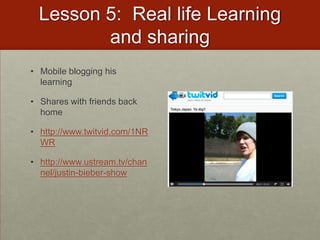
  • #140 http://www.ustream.tv/channel/justin-bieber-show