IPC mechanisms in Windows 
A brief description of different IPC 
mechanisms in Windows OS 
Compiled By: 
B. Vinoth Raj 
Senior Software Engineer 
Mindfire Solutions
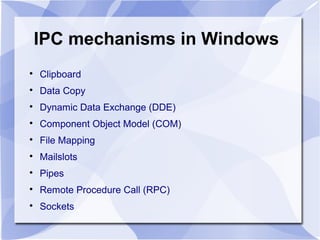
IPC mechanisms in Windows 
 Clipboard 
 Data Copy 
 Dynamic Data Exchange (DDE) 
 Component Object Model (COM) 
 File Mapping 
 Mailslots 
 Pipes 
 Remote Procedure Call (RPC) 
 Sockets
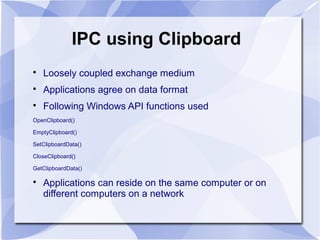
IPC using Clipboard 
 Loosely coupled exchange medium 
 Applications agree on data format 
 Following Windows API functions used 
OpenClipboard() 
EmptyClipboard() 
SetClipboardData() 
CloseClipboard() 
GetClipboardData() 
 Applications can reside on the same computer or on 
different computers on a network
IPC using Data Copy 
 Use WM_COPYDATA windows message to share data 
 SendMessage() API function used to send data 
 COPYDATASTRUCT structure used to send data 
SendMessage(hwnd, // Handle to destination window 
WM_COPYDATA, // Message to send to destination window 
(WPARAM)wparam, // Handle to window passing the data 
(LPARAM)lparam); // Data (pointer to COPYDATASTRUCT) 
 The data sent is read-only for the receiving application 
 Works only for processes running on same computer
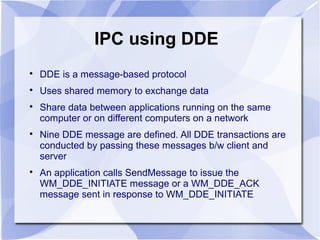
IPC using DDE 
 DDE is a message-based protocol 
 Uses shared memory to exchange data 
 Share data between applications running on the same 
computer or on different computers on a network 
 Nine DDE message are defined. All DDE transactions are 
conducted by passing these messages b/w client and 
server 
 An application calls SendMessage to issue the 
WM_DDE_INITIATE message or a WM_DDE_ACK 
message sent in response to WM_DDE_INITIATE
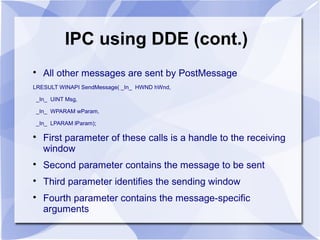
IPC using DDE (cont.) 
 All other messages are sent by PostMessage 
LRESULT WINAPI SendMessage( _In_ HWND hWnd, 
_In_ UINT Msg, 
_In_ WPARAM wParam, 
_In_ LPARAM lParam); 
 First parameter of these calls is a handle to the receiving 
window 
 Second parameter contains the message to be sent 
 Third parameter identifies the sending window 
 Fourth parameter contains the message-specific 
arguments
IPC using File Mapping 
 Allows one-way and bi-directional communication between 
applications 
 Windows API functions used: CreateFileMapping(), 
MapViewOfFile(), UnMapViewOfFile(), CloseHandle() 
 A synchronization object (e.g., semaphore) is required to 
prevent data corruption in multi-tasking environment 
 Uses shared memory for data sharing
IPC using File Mapping (cont.) 
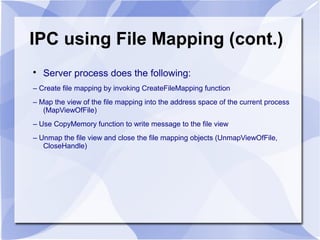
 Server process does the following: 
– Create file mapping by invoking CreateFileMapping function 
– Map the view of the file mapping into the address space of the current process 
(MapViewOfFile) 
– Use CopyMemory function to write message to the file view 
– Unmap the file view and close the file mapping objects (UnmapViewOfFile, 
CloseHandle)
IPC using File Mapping (cont.) 
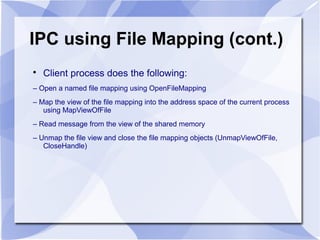
 Client process does the following: 
– Open a named file mapping using OpenFileMapping 
– Map the view of the file mapping into the address space of the current process 
using MapViewOfFile 
– Read message from the view of the shared memory 
– Unmap the file view and close the file mapping objects (UnmapViewOfFile, 
CloseHandle)
IPC using Mailslots 
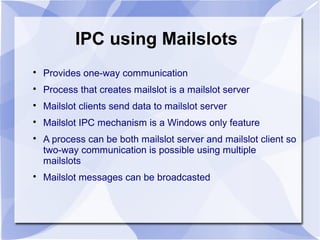
 Provides one-way communication 
 Process that creates mailslot is a mailslot server 
 Mailslot clients send data to mailslot server 
 Mailslot IPC mechanism is a Windows only feature 
 A process can be both mailslot server and mailslot client so 
two-way communication is possible using multiple 
mailslots 
 Mailslot messages can be broadcasted
IPC using Mailslots (cont.) 
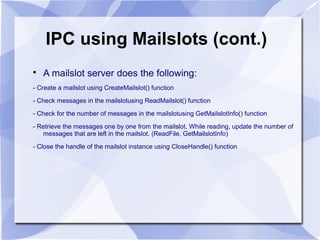
 A mailslot server does the following: 
- Create a mailslot using CreateMailslot() function 
- Check messages in the mailslotusing ReadMailslot() function 
- Check for the number of messages in the mailslotusing GetMailslotInfo() function 
- Retrieve the messages one by one from the mailslot. While reading, update the number of 
messages that are left in the mailslot. (ReadFile, GetMailslotInfo) 
- Close the handle of the mailslot instance using CloseHandle() function
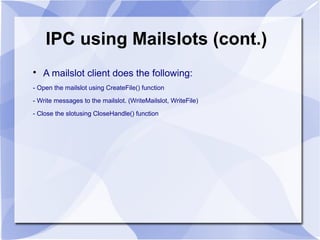
IPC using Mailslots (cont.) 
 A mailslot client does the following: 
- Open the mailslot using CreateFile() function 
- Write messages to the mailslot. (WriteMailslot, WriteFile) 
- Close the slotusing CloseHandle() function
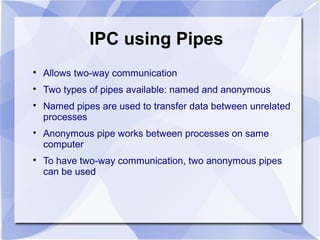
IPC using Pipes 
 Allows two-way communication 
 Two types of pipes available: named and anonymous 
 Named pipes are used to transfer data between unrelated 
processes 
 Anonymous pipe works between processes on same 
computer 
 To have two-way communication, two anonymous pipes 
can be used
IPC using Pipes (cont.) 
 Windows API functions used are: 
CreateNamedPipe() 
ConnectNamedPipe() 
WaitNamedPipe() 
DisconnectNamedPipe() 
ReadFile() 
WriteFile() 
CloseHandle() 
 A Named Pipe name needs to be in the following format: 
For named pipe server – .pipePipeName 
For named pipe client – ComputerNamepipePipeName
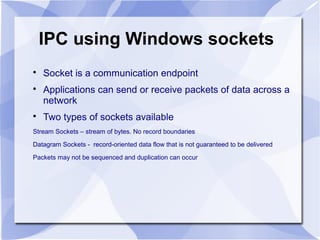
IPC using Windows sockets 
 Socket is a communication endpoint 
 Applications can send or receive packets of data across a 
network 
 Two types of sockets available 
Stream Sockets – stream of bytes. No record boundaries 
Datagram Sockets - record-oriented data flow that is not guaranteed to be delivered 
Packets may not be sequenced and duplication can occur
IPC using Sockets (cont.) 
 Sockets are highly useful in at least three communications 
contexts: 
– Client/Server models 
– Peer-to-peer scenarios, such as chat applications 
– Making remote procedure calls (RPC) by having the 
receiving application interpret a message as a function call
Thanks!

IPC mechanisms in windows

  • 1.
    IPC mechanisms inWindows A brief description of different IPC mechanisms in Windows OS Compiled By: B. Vinoth Raj Senior Software Engineer Mindfire Solutions
  • 2.
    IPC mechanisms inWindows  Clipboard  Data Copy  Dynamic Data Exchange (DDE)  Component Object Model (COM)  File Mapping  Mailslots  Pipes  Remote Procedure Call (RPC)  Sockets
  • 3.
    IPC using Clipboard  Loosely coupled exchange medium  Applications agree on data format  Following Windows API functions used OpenClipboard() EmptyClipboard() SetClipboardData() CloseClipboard() GetClipboardData()  Applications can reside on the same computer or on different computers on a network
  • 4.
    IPC using DataCopy  Use WM_COPYDATA windows message to share data  SendMessage() API function used to send data  COPYDATASTRUCT structure used to send data SendMessage(hwnd, // Handle to destination window WM_COPYDATA, // Message to send to destination window (WPARAM)wparam, // Handle to window passing the data (LPARAM)lparam); // Data (pointer to COPYDATASTRUCT)  The data sent is read-only for the receiving application  Works only for processes running on same computer
  • 5.
    IPC using DDE  DDE is a message-based protocol  Uses shared memory to exchange data  Share data between applications running on the same computer or on different computers on a network  Nine DDE message are defined. All DDE transactions are conducted by passing these messages b/w client and server  An application calls SendMessage to issue the WM_DDE_INITIATE message or a WM_DDE_ACK message sent in response to WM_DDE_INITIATE
  • 6.
    IPC using DDE(cont.)  All other messages are sent by PostMessage LRESULT WINAPI SendMessage( _In_ HWND hWnd, _In_ UINT Msg, _In_ WPARAM wParam, _In_ LPARAM lParam);  First parameter of these calls is a handle to the receiving window  Second parameter contains the message to be sent  Third parameter identifies the sending window  Fourth parameter contains the message-specific arguments
  • 7.
    IPC using FileMapping  Allows one-way and bi-directional communication between applications  Windows API functions used: CreateFileMapping(), MapViewOfFile(), UnMapViewOfFile(), CloseHandle()  A synchronization object (e.g., semaphore) is required to prevent data corruption in multi-tasking environment  Uses shared memory for data sharing
  • 8.
    IPC using FileMapping (cont.)  Server process does the following: – Create file mapping by invoking CreateFileMapping function – Map the view of the file mapping into the address space of the current process (MapViewOfFile) – Use CopyMemory function to write message to the file view – Unmap the file view and close the file mapping objects (UnmapViewOfFile, CloseHandle)
  • 9.
    IPC using FileMapping (cont.)  Client process does the following: – Open a named file mapping using OpenFileMapping – Map the view of the file mapping into the address space of the current process using MapViewOfFile – Read message from the view of the shared memory – Unmap the file view and close the file mapping objects (UnmapViewOfFile, CloseHandle)
  • 10.
    IPC using Mailslots  Provides one-way communication  Process that creates mailslot is a mailslot server  Mailslot clients send data to mailslot server  Mailslot IPC mechanism is a Windows only feature  A process can be both mailslot server and mailslot client so two-way communication is possible using multiple mailslots  Mailslot messages can be broadcasted
  • 11.
    IPC using Mailslots(cont.)  A mailslot server does the following: - Create a mailslot using CreateMailslot() function - Check messages in the mailslotusing ReadMailslot() function - Check for the number of messages in the mailslotusing GetMailslotInfo() function - Retrieve the messages one by one from the mailslot. While reading, update the number of messages that are left in the mailslot. (ReadFile, GetMailslotInfo) - Close the handle of the mailslot instance using CloseHandle() function
  • 12.
    IPC using Mailslots(cont.)  A mailslot client does the following: - Open the mailslot using CreateFile() function - Write messages to the mailslot. (WriteMailslot, WriteFile) - Close the slotusing CloseHandle() function
  • 13.
    IPC using Pipes  Allows two-way communication  Two types of pipes available: named and anonymous  Named pipes are used to transfer data between unrelated processes  Anonymous pipe works between processes on same computer  To have two-way communication, two anonymous pipes can be used
  • 14.
    IPC using Pipes(cont.)  Windows API functions used are: CreateNamedPipe() ConnectNamedPipe() WaitNamedPipe() DisconnectNamedPipe() ReadFile() WriteFile() CloseHandle()  A Named Pipe name needs to be in the following format: For named pipe server – .pipePipeName For named pipe client – ComputerNamepipePipeName
  • 15.
    IPC using Windowssockets  Socket is a communication endpoint  Applications can send or receive packets of data across a network  Two types of sockets available Stream Sockets – stream of bytes. No record boundaries Datagram Sockets - record-oriented data flow that is not guaranteed to be delivered Packets may not be sequenced and duplication can occur
  • 16.
    IPC using Sockets(cont.)  Sockets are highly useful in at least three communications contexts: – Client/Server models – Peer-to-peer scenarios, such as chat applications – Making remote procedure calls (RPC) by having the receiving application interpret a message as a function call
  • 17.