Inventory
Management System
1
Task Allocation
__________________________
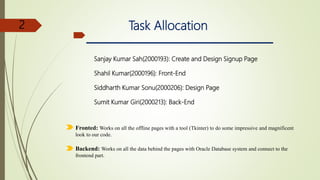
Sanjay Kumar Sah(2000193): Create and Design Signup Page
Shahil Kumar(2000196): Front-End
Siddharth Kumar Sonu(2000206): Design Page
Sumit Kumar Giri(2000213): Back-End
Fronted: Works on all the offline pages with a tool (Tkinter) to do some impressive and magnificent
look to our code.
Backend: Works on all the data behind the pages with Oracle Database system and connect to the
frontend part.
2
Topics discussed in this presentation
_______________________________
Introduction about Project
Project Description
Project Methodology
Key Finding/Result
3
Introduction about Project
___________________________
Inventory management refers to the process of ordering ,storing ,using and selling a company’s
inventory. this includes the management of raw materials, components and finished product as well as
warehousing and processing of such items.
Inventory management systems are your means of organizing all the elements that go into inventory
management. It's the process by which you track goods from one end to the other along your supply
chain. Ensuring throughout that you know what you have, where it is, and how to manage it.
.
What is Inventory Management System?
4
Project Description
_______________________
Objective
Easy management of Inventory.
Handel details of sales, purchase, balance stock .
Make Stock Manageable.
Details with day to day requirement of any production organization.
Material Availability.
Better Level of Customer Service.
Keeping Wastage and Losses to a Minimum.
Cost-Effective Storage.
Optimizing Product Sales.
.
.
5
Procedure/Methodology
________________________
Procedure
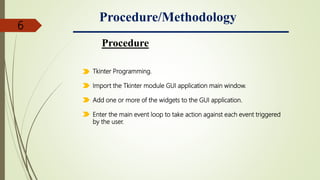
Tkinter Programming.
Import the Tkinter module GUI application main window.
Add one or more of the widgets to the GUI application.
Enter the main event loop to take action against each event triggered
by the user.
6
SCOPE
7
SNAPSHOTS
8
First Research area Frontend
_____________________
Supporting content
Firstly the LOGIN PAGE will appear which will ask for your “Username/Email” and “Password”
and it will match the entered username and password from the database and if its get a match
from the database it will take you the perform Inventory management system.
9
If we enter wrong username and password then it will
display “Invalid Username/Email and password”.
10
If you are new user then Signup firstly.
_____________________
11
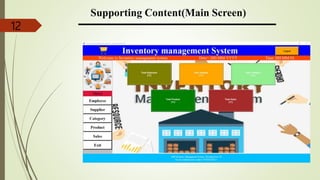
Supporting Content(Main Screen)
______________________
12
Select the Employee Detail
__________________
13
Select supplier Detail
_______________________
14
Select Category Detail
_______________________
15
Select Product Detail
_____________________
16
Select Sales Detail
____________________
17
Billing Detail
__________________
18
19

Inventory Management System ppt.pptx