What is software? Computer programs and associated documentation Software products may be developed for a particular customer or may be developed for a general market Software products may be Generic - developed to be sold to a range of different customers Custom - developed for a single customer according to their specification
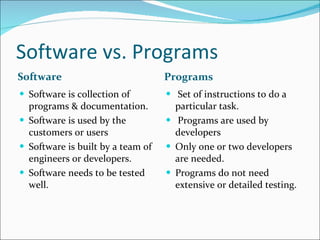
Software vs. Programs Software Programs Software is collection of programs & documentation. Software is used by the customers or users Software is built by a team of engineers or developers. Software needs to be tested well. Set of instructions to do a  particular task. Programs are used by developers Only one or two developers are needed. Programs do not need extensive or detailed testing.
Software Engineering Software engineering is the application of engineering techniques to the process of software development so as to build a software that is  cheaper  , better  and  faster . (COST, QUALITY & SCHEDULE) It is used to solve such problems where it is impossible to visualize all the problems in the beginning.
Features / Attributes of Software
Features / Attributes of Software •  Functionality-  The capability to provide functions which meet stated  and implied needs when the software is used  •  Reliability-  The capability to maintain a specified level of  performance  •  Usability.- The capability to be understood, learned, and used  •  Efficiency-  The capability to provide appropriate performance relative to the amount of resources used  •
Features / Attributes of Software Maintainability-  The capability to be modified for purposes of making corrections, improvements, or adaptation  Portability-  The capability to be adapted for different specified environments without applying actions or means other than those provided for this purpose in the product
Characteristics of a software 1. Software is developed or engineered, it is not manufactured. 2. Software doesn't "wear out.“ 3.  Software is “malleable” ( Modifiable or Flexible ) 4. Software is built from scratch or custom built.  5. A software component should be designed and implemented so that it can be reused in many different programs
Components of a Software Software is not only the code it consist :- Code part or the Developed Program. The Installation or Setup part The Documentation part. Architectural/ Design Documents Technical Documents. End – User Documents.
Difference between software engineering and system engineering Software engineering  is part of  System engineering System engineering  is concerned with all aspects of computer-based systems development including  hardware,  software and  process engineering
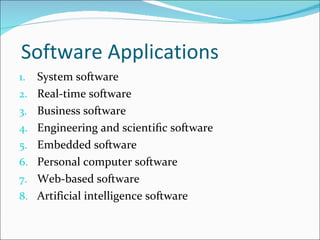
Software Applications System software Real-time software Business software Engineering and scientific software Embedded software Personal computer software Web-based software Artificial intelligence software
Software engineering is a layered technology.
Software engineering is a layered technology. Any engineering approach (including software engineering) must rest on an organizational commitment to  quality .  Process  defines a framework for a set of key process areas (KPAs) that must be established for effective delivery of software engineering technology. Software engineering methods provide the technical  how-to's  for building software.  Software engineering tools provide automated or semi-automated support for the process and the methods. CASE Tools
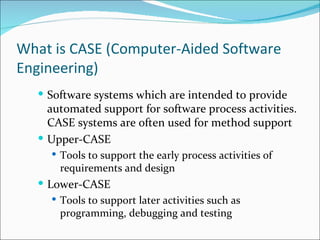
What is CASE (Computer-Aided Software Engineering) Software systems which are intended to provide automated support for software process activities. CASE systems are often used for method support Upper-CASE Tools to support the early process activities of requirements and design Lower-CASE Tools to support later activities such as programming, debugging and testing
Process, Project and product  A process is a sequence of steps performed for a given purpose A software project is one instance of this problem, and the development process is what is used to achieve this purpose. Product is the final out come of the project.
What is a software process? A set of activities whose goal is the development or evolution of software. It consists of various phases. Basic phases in all software processes are: Requirement Analysis Software Design  Coding Testing Installation & Maintenance
Software Processes
Software Development Process Models To solve actual problems in an industry setting, a software engineer or a team of engineers must incorporate a development strategy that encompasses the process, methods, and tools layers .This strategy is often referred to as a process model or a software engineering paradigm. A process model for software engineering is chosen based on the nature of the project and application, the methods and tools to be used, and the controls and deliverables that are required.
Types of Process Models Waterfall or Classic Life Cycle or Linear Sequential Model Prototyping Model Incremental or Iterative model Spiral Model
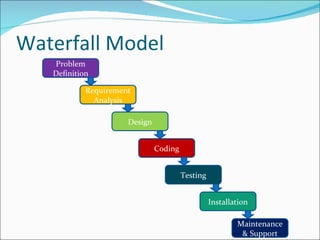
Waterfall Model Problem Definition Requirement Analysis Design Coding Testing Installation Maintenance & Support
Advantages As well as the above, some prefer the waterfall model for its simple  & conceptually straightforward approach The large and complex task of building the software is broken into smaller tasks Separating gives a better handle to the engineers  and managers in dealing with the complexity of the problem. When the activities of a phase are completed, there should be some product that is produced by that phase usually in the form of documents
Advantages Bug found in the early stages is cheaper in terms of money, effort and time, to fix than the same bug found later on in the process.  Time spent early on making sure that requirements and design are absolutely correct will save you much time and effort later. A further argument for the waterfall model is that it places emphasis on documentation
Limitations Requirements have to be finalized before the design starts. It is mostly difficult for the user to tell all their requirement in the beginning but requirement keep on changing so real project can’t follow the sequential model always. The working software will be available very late in the project time span. So the costumers need to have patience .Also if a major mistake is not found till that time it can cost a lot of problems.
Limitations It encourages the user to ask for even those features which may not be used later  on. It’s a document driven process.
Documents generated by Waterfall model Requirements  document ( SRS ) Project plan Design documents (architecture, system, detailed ) Test plan and test reports ( Test Cases) Final code Software manuals (e.g., user manual, installation manual etc.)
Prototype Model
Prototype Model A small working model is built By using this prototype, the client can get an actual feel of the system, which can enable the client to  better understand the requirements  of the desired system. Development of the prototype obviously undergoes design, coding, and testing, but each of these phases is not done very formally or thoroughly Instead of freezing the requirements  a throwaway prototype is built to help understand the requirements After the requirements  are made clear , this model is discarded.
Prototype Model It will reduce the cost of the actual software development. Changes will be less in actual software as requirements will get clear. The quality of final software is likely to be far superior, as the experience  while developing the prototype will enable us to create a better design, write better code, and do better testing.
Evolutionary Process Models In these model,  product keeps on changing or evolving. These are of two types- Incremental or Iterative Spiral
The Incremental / Iterative model
The Incremental / Iterative model The incremental model combines elements of the linear sequential model with the iterative philosophy of prototyping. The software is built in parts called increments. The first increment is often a core product i.e. basic requirements are addressed. The user uses it and gives a feedback on basis of which plan for the next increment is prepared.
The Incremental / Iterative model It is used when the main focus is on delivering  an operational product with each increment ,when staffing is not available for a complete implementation.
It is a combination of iterative & prototyping model . In spiral model software is developed in a series of incremental releases.  In early iterations the release may be a paper model or a prototype . In later  iterations, the release may be more complete versions of the software.  Spiral Model
Spiral Model
Spiral Model - Tasks Customer communication —tasks required to establish effective communication between developer and customer. Planning —tasks required to define resources, timelines, and other project related information. Risk analysis —tasks required to assess both technical and management risks. Engineering —tasks required to build one or more representations of the application. Construction and release —tasks required to construct, test, install, and provide user support (e.g., documentation and training ). Customer evaluation —tasks required to obtain  customer feedback  based on evaluation of the software representations created during the engineering stage and implemented during the installation stage.
Advantages/ Disadvantages of Spiral Model Advantages of spiral model Realistic model- It is a realistic model for development of large scale software system. Customer & developer  under stand the requirement & risks more clearly .  Risk reduction-  Prototyping is done at any stage in the product development Risks -risks are analyzed at every stage It maintains systematic approach of waterfall model and applies it in an iterative manner. This represents the real world closer.
Advantages/ Disadvantages of Spiral Model Disadvantages of spiral model It is not a complete solution for every situation. Expertise is required for risk analysis  Difficult to convince customers about the evolutionary nature. If a risk is not analyzed or found in early cycles, it may become a major problem later on. It is not as widely used as water fall and prototyping models.
FOURTH GENERATION TECHNIQUES The term fourth generation techniques (4GT) includes a number of software tools that enables the software engineer to build a high quality software with ease. 4GT paradigm includes some or all of the following tools  Languages for database query (SQL) Report generation  Code generation Spreadsheets  Automated generation of web pages in HTML etc
FOURTH GENERATION TECHNIQUES 4GT begins with a requirements gathering step The customer may be unsure of what is required or may be ambiguous and may be unable to specify information in a manner that a 4GT tool can consume. For small applications, it may be possible to move directly from the requirements gathering step to implementation using a nonprocedural fourth generation language (4GL). For larger efforts, it is necessary to develop a design strategy for the system, even if a 4GL is to be used Using of 4GL tool enables automatic code generation.
Merits of 4GT Time required to produce software is greatly reduced for small and intermediate applications The amount of design and analysis for small applications is also reduced. Testing the software is also easier using these tools. Productivity is highly improved for people who build the software
Demerits of 4GT Some 4GT tools are not very easy to use as compared to traditional programming languages. Some time code generated by such tools is not efficient Maintenance of large software systems made using 4GT is not easy. Cost can be high.
Project Management Process Model decides the phases and tasks to be done, it does not specify things like how long each phase should last, or how many resources should be assigned to a phase, or how a phase should be monitored. To meet the cost, quality, and schedule objectives, resources have to be properly  allocated to each activity for the project. Project management involves  the planning, monitoring, and control of the people, process, and events that occur in the life cycle of software development. Importance: Software development is a complex task and many people are involved in it for a long period of time.
Four P’s of project management People Product  Process  Project
People
People Players Senior managers  who define the business issues that often have significant influence on the project. Project (technical) managers  who must plan, motivate, organize, and control the practitioners who do software work. Practitioners  who deliver the technical skills that are necessary to engineer  a product or application. Customers  who specify the requirements for the software to be engineered End-users  who interact with the software once it is released for production use.
Qualities of Effective Team Leader or Project Manager Motivation Organization Ideas or innovation Problem solving Team building
Product H ere we define the  scope and objectives  of the system. Before project planning objective and scope should be finalized. Scope can be define by answering the following questions How the software will fit into current system? What will be the input and output of the system? What process function will perform to transferred input and output? Scope should be clear and understandable
Alternative solutions should be considered and the best approach should be selected. Problem Decomposition  The functionality that must be delivered The process that will be used to deliver it.
Process The Linear Sequential Model The Prototyping Model The Incremental Model The Spiral Model The Fourth Generation Techniques Model
Project In order to manage a successful software project, we must understand what can go wrong . 1. Software people don’t understand their customer’s needs. 2. The product scope is poorly defined. 3. Changes are managed poorly. 4. The chosen technology changes. 5. Business needs change [or are ill-defined]. 6. Deadlines are unrealistic. 7. Users are resistant. 8. Sponsorship is lost [or was never properly obtained]. 9. The project team lacks people with appropriate skills. 10. Managers [and practitioners] avoid best practices and lessons learned.
Project Start on the right foot :-  setting realistic objects and expectations for everyone who will be involved in the project and building the right team Maintain momentum Track the progress Make smart decisions Conduct a post mortem analysis

Introduction,Software Process Models, Project Management

  • 1.
  • 2.
    What is software?Computer programs and associated documentation Software products may be developed for a particular customer or may be developed for a general market Software products may be Generic - developed to be sold to a range of different customers Custom - developed for a single customer according to their specification
  • 3.
    Software vs. ProgramsSoftware Programs Software is collection of programs & documentation. Software is used by the customers or users Software is built by a team of engineers or developers. Software needs to be tested well. Set of instructions to do a particular task. Programs are used by developers Only one or two developers are needed. Programs do not need extensive or detailed testing.
  • 4.
    Software Engineering Softwareengineering is the application of engineering techniques to the process of software development so as to build a software that is cheaper , better and faster . (COST, QUALITY & SCHEDULE) It is used to solve such problems where it is impossible to visualize all the problems in the beginning.
  • 5.
  • 6.
    Features / Attributesof Software • Functionality- The capability to provide functions which meet stated and implied needs when the software is used • Reliability- The capability to maintain a specified level of performance • Usability.- The capability to be understood, learned, and used • Efficiency- The capability to provide appropriate performance relative to the amount of resources used •
  • 7.
    Features / Attributesof Software Maintainability- The capability to be modified for purposes of making corrections, improvements, or adaptation Portability- The capability to be adapted for different specified environments without applying actions or means other than those provided for this purpose in the product
  • 8.
    Characteristics of asoftware 1. Software is developed or engineered, it is not manufactured. 2. Software doesn't "wear out.“ 3. Software is “malleable” ( Modifiable or Flexible ) 4. Software is built from scratch or custom built. 5. A software component should be designed and implemented so that it can be reused in many different programs
  • 9.
    Components of aSoftware Software is not only the code it consist :- Code part or the Developed Program. The Installation or Setup part The Documentation part. Architectural/ Design Documents Technical Documents. End – User Documents.
  • 10.
    Difference between softwareengineering and system engineering Software engineering is part of System engineering System engineering is concerned with all aspects of computer-based systems development including hardware, software and process engineering
  • 11.
    Software Applications Systemsoftware Real-time software Business software Engineering and scientific software Embedded software Personal computer software Web-based software Artificial intelligence software
  • 12.
    Software engineering isa layered technology.
  • 13.
    Software engineering isa layered technology. Any engineering approach (including software engineering) must rest on an organizational commitment to quality . Process defines a framework for a set of key process areas (KPAs) that must be established for effective delivery of software engineering technology. Software engineering methods provide the technical how-to's for building software. Software engineering tools provide automated or semi-automated support for the process and the methods. CASE Tools
  • 14.
    What is CASE(Computer-Aided Software Engineering) Software systems which are intended to provide automated support for software process activities. CASE systems are often used for method support Upper-CASE Tools to support the early process activities of requirements and design Lower-CASE Tools to support later activities such as programming, debugging and testing
  • 15.
    Process, Project andproduct A process is a sequence of steps performed for a given purpose A software project is one instance of this problem, and the development process is what is used to achieve this purpose. Product is the final out come of the project.
  • 16.
    What is asoftware process? A set of activities whose goal is the development or evolution of software. It consists of various phases. Basic phases in all software processes are: Requirement Analysis Software Design Coding Testing Installation & Maintenance
  • 17.
  • 18.
    Software Development ProcessModels To solve actual problems in an industry setting, a software engineer or a team of engineers must incorporate a development strategy that encompasses the process, methods, and tools layers .This strategy is often referred to as a process model or a software engineering paradigm. A process model for software engineering is chosen based on the nature of the project and application, the methods and tools to be used, and the controls and deliverables that are required.
  • 19.
    Types of ProcessModels Waterfall or Classic Life Cycle or Linear Sequential Model Prototyping Model Incremental or Iterative model Spiral Model
  • 20.
    Waterfall Model ProblemDefinition Requirement Analysis Design Coding Testing Installation Maintenance & Support
  • 21.
    Advantages As wellas the above, some prefer the waterfall model for its simple & conceptually straightforward approach The large and complex task of building the software is broken into smaller tasks Separating gives a better handle to the engineers and managers in dealing with the complexity of the problem. When the activities of a phase are completed, there should be some product that is produced by that phase usually in the form of documents
  • 22.
    Advantages Bug foundin the early stages is cheaper in terms of money, effort and time, to fix than the same bug found later on in the process. Time spent early on making sure that requirements and design are absolutely correct will save you much time and effort later. A further argument for the waterfall model is that it places emphasis on documentation
  • 23.
    Limitations Requirements haveto be finalized before the design starts. It is mostly difficult for the user to tell all their requirement in the beginning but requirement keep on changing so real project can’t follow the sequential model always. The working software will be available very late in the project time span. So the costumers need to have patience .Also if a major mistake is not found till that time it can cost a lot of problems.
  • 24.
    Limitations It encouragesthe user to ask for even those features which may not be used later on. It’s a document driven process.
  • 25.
    Documents generated byWaterfall model Requirements document ( SRS ) Project plan Design documents (architecture, system, detailed ) Test plan and test reports ( Test Cases) Final code Software manuals (e.g., user manual, installation manual etc.)
  • 26.
  • 27.
    Prototype Model Asmall working model is built By using this prototype, the client can get an actual feel of the system, which can enable the client to better understand the requirements of the desired system. Development of the prototype obviously undergoes design, coding, and testing, but each of these phases is not done very formally or thoroughly Instead of freezing the requirements a throwaway prototype is built to help understand the requirements After the requirements are made clear , this model is discarded.
  • 28.
    Prototype Model Itwill reduce the cost of the actual software development. Changes will be less in actual software as requirements will get clear. The quality of final software is likely to be far superior, as the experience while developing the prototype will enable us to create a better design, write better code, and do better testing.
  • 29.
    Evolutionary Process ModelsIn these model, product keeps on changing or evolving. These are of two types- Incremental or Iterative Spiral
  • 30.
    The Incremental /Iterative model
  • 31.
    The Incremental /Iterative model The incremental model combines elements of the linear sequential model with the iterative philosophy of prototyping. The software is built in parts called increments. The first increment is often a core product i.e. basic requirements are addressed. The user uses it and gives a feedback on basis of which plan for the next increment is prepared.
  • 32.
    The Incremental /Iterative model It is used when the main focus is on delivering an operational product with each increment ,when staffing is not available for a complete implementation.
  • 33.
    It is acombination of iterative & prototyping model . In spiral model software is developed in a series of incremental releases. In early iterations the release may be a paper model or a prototype . In later iterations, the release may be more complete versions of the software. Spiral Model
  • 34.
  • 35.
    Spiral Model -Tasks Customer communication —tasks required to establish effective communication between developer and customer. Planning —tasks required to define resources, timelines, and other project related information. Risk analysis —tasks required to assess both technical and management risks. Engineering —tasks required to build one or more representations of the application. Construction and release —tasks required to construct, test, install, and provide user support (e.g., documentation and training ). Customer evaluation —tasks required to obtain customer feedback based on evaluation of the software representations created during the engineering stage and implemented during the installation stage.
  • 36.
    Advantages/ Disadvantages ofSpiral Model Advantages of spiral model Realistic model- It is a realistic model for development of large scale software system. Customer & developer under stand the requirement & risks more clearly . Risk reduction- Prototyping is done at any stage in the product development Risks -risks are analyzed at every stage It maintains systematic approach of waterfall model and applies it in an iterative manner. This represents the real world closer.
  • 37.
    Advantages/ Disadvantages ofSpiral Model Disadvantages of spiral model It is not a complete solution for every situation. Expertise is required for risk analysis Difficult to convince customers about the evolutionary nature. If a risk is not analyzed or found in early cycles, it may become a major problem later on. It is not as widely used as water fall and prototyping models.
  • 38.
    FOURTH GENERATION TECHNIQUESThe term fourth generation techniques (4GT) includes a number of software tools that enables the software engineer to build a high quality software with ease. 4GT paradigm includes some or all of the following tools Languages for database query (SQL) Report generation Code generation Spreadsheets Automated generation of web pages in HTML etc
  • 39.
    FOURTH GENERATION TECHNIQUES4GT begins with a requirements gathering step The customer may be unsure of what is required or may be ambiguous and may be unable to specify information in a manner that a 4GT tool can consume. For small applications, it may be possible to move directly from the requirements gathering step to implementation using a nonprocedural fourth generation language (4GL). For larger efforts, it is necessary to develop a design strategy for the system, even if a 4GL is to be used Using of 4GL tool enables automatic code generation.
  • 40.
    Merits of 4GTTime required to produce software is greatly reduced for small and intermediate applications The amount of design and analysis for small applications is also reduced. Testing the software is also easier using these tools. Productivity is highly improved for people who build the software
  • 41.
    Demerits of 4GTSome 4GT tools are not very easy to use as compared to traditional programming languages. Some time code generated by such tools is not efficient Maintenance of large software systems made using 4GT is not easy. Cost can be high.
  • 42.
    Project Management ProcessModel decides the phases and tasks to be done, it does not specify things like how long each phase should last, or how many resources should be assigned to a phase, or how a phase should be monitored. To meet the cost, quality, and schedule objectives, resources have to be properly allocated to each activity for the project. Project management involves the planning, monitoring, and control of the people, process, and events that occur in the life cycle of software development. Importance: Software development is a complex task and many people are involved in it for a long period of time.
  • 43.
    Four P’s ofproject management People Product Process Project
  • 44.
  • 45.
    People Players Seniormanagers who define the business issues that often have significant influence on the project. Project (technical) managers who must plan, motivate, organize, and control the practitioners who do software work. Practitioners who deliver the technical skills that are necessary to engineer a product or application. Customers who specify the requirements for the software to be engineered End-users who interact with the software once it is released for production use.
  • 46.
    Qualities of EffectiveTeam Leader or Project Manager Motivation Organization Ideas or innovation Problem solving Team building
  • 47.
    Product H erewe define the scope and objectives of the system. Before project planning objective and scope should be finalized. Scope can be define by answering the following questions How the software will fit into current system? What will be the input and output of the system? What process function will perform to transferred input and output? Scope should be clear and understandable
  • 48.
    Alternative solutions shouldbe considered and the best approach should be selected. Problem Decomposition The functionality that must be delivered The process that will be used to deliver it.
  • 49.
    Process The LinearSequential Model The Prototyping Model The Incremental Model The Spiral Model The Fourth Generation Techniques Model
  • 50.
    Project In orderto manage a successful software project, we must understand what can go wrong . 1. Software people don’t understand their customer’s needs. 2. The product scope is poorly defined. 3. Changes are managed poorly. 4. The chosen technology changes. 5. Business needs change [or are ill-defined]. 6. Deadlines are unrealistic. 7. Users are resistant. 8. Sponsorship is lost [or was never properly obtained]. 9. The project team lacks people with appropriate skills. 10. Managers [and practitioners] avoid best practices and lessons learned.
  • 51.
    Project Start onthe right foot :- setting realistic objects and expectations for everyone who will be involved in the project and building the right team Maintain momentum Track the progress Make smart decisions Conduct a post mortem analysis