Introduction to “modern” Fortran
Nils van Velzen
May 2016 1
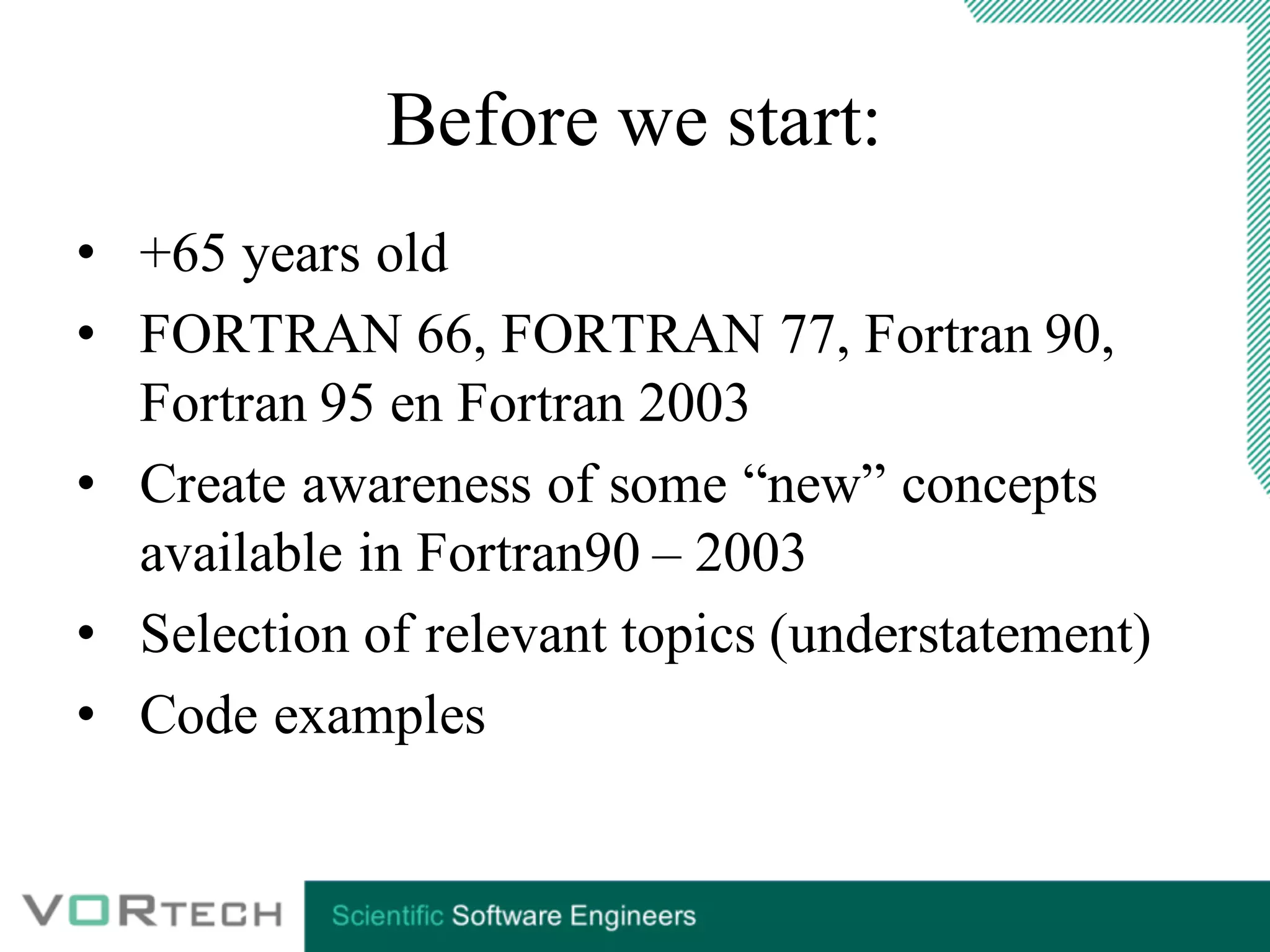
Before we start:
• +65 years old
• FORTRAN 66, FORTRAN 77, Fortran 90,
Fortran 95 en Fortran 2003
• Create awareness of some “new” concepts
available in Fortran90 – 2003
• Selection of relevant topics (understatement)
• Code examples
Topics
• Free format source
• Data types
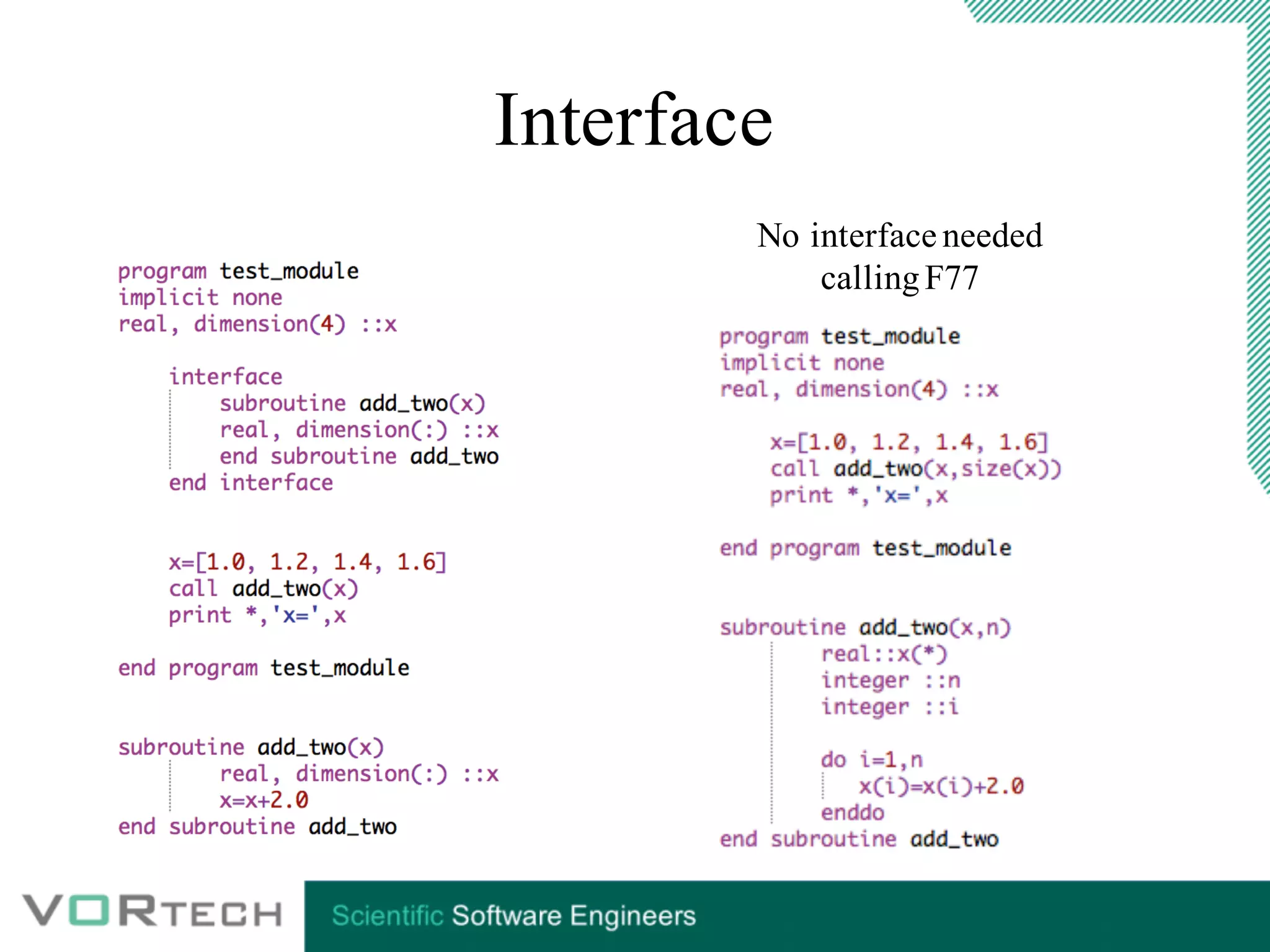
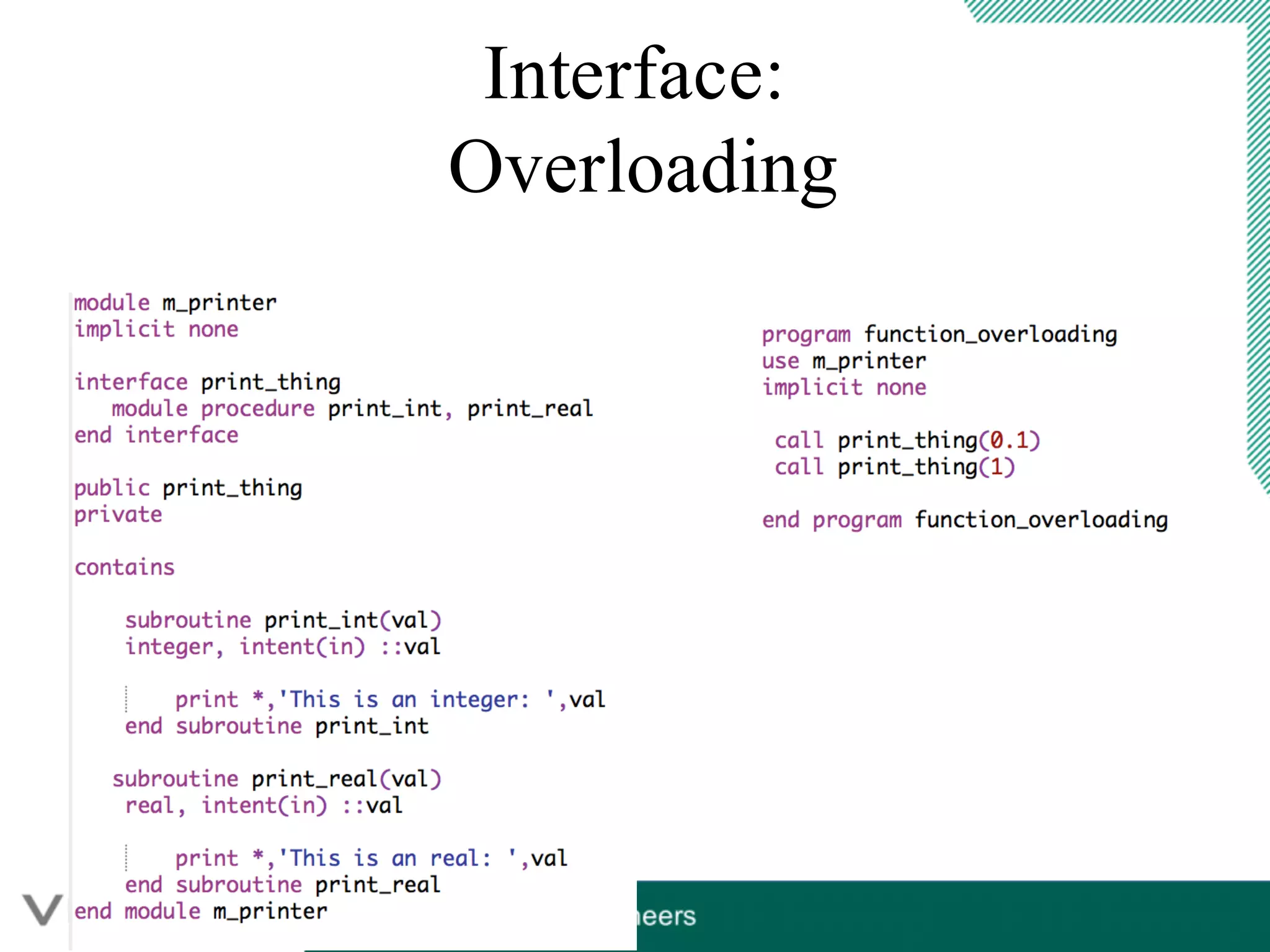
• Modules and interfacing (overloading)
• C-Binding (Fortran 2003)
Free format source
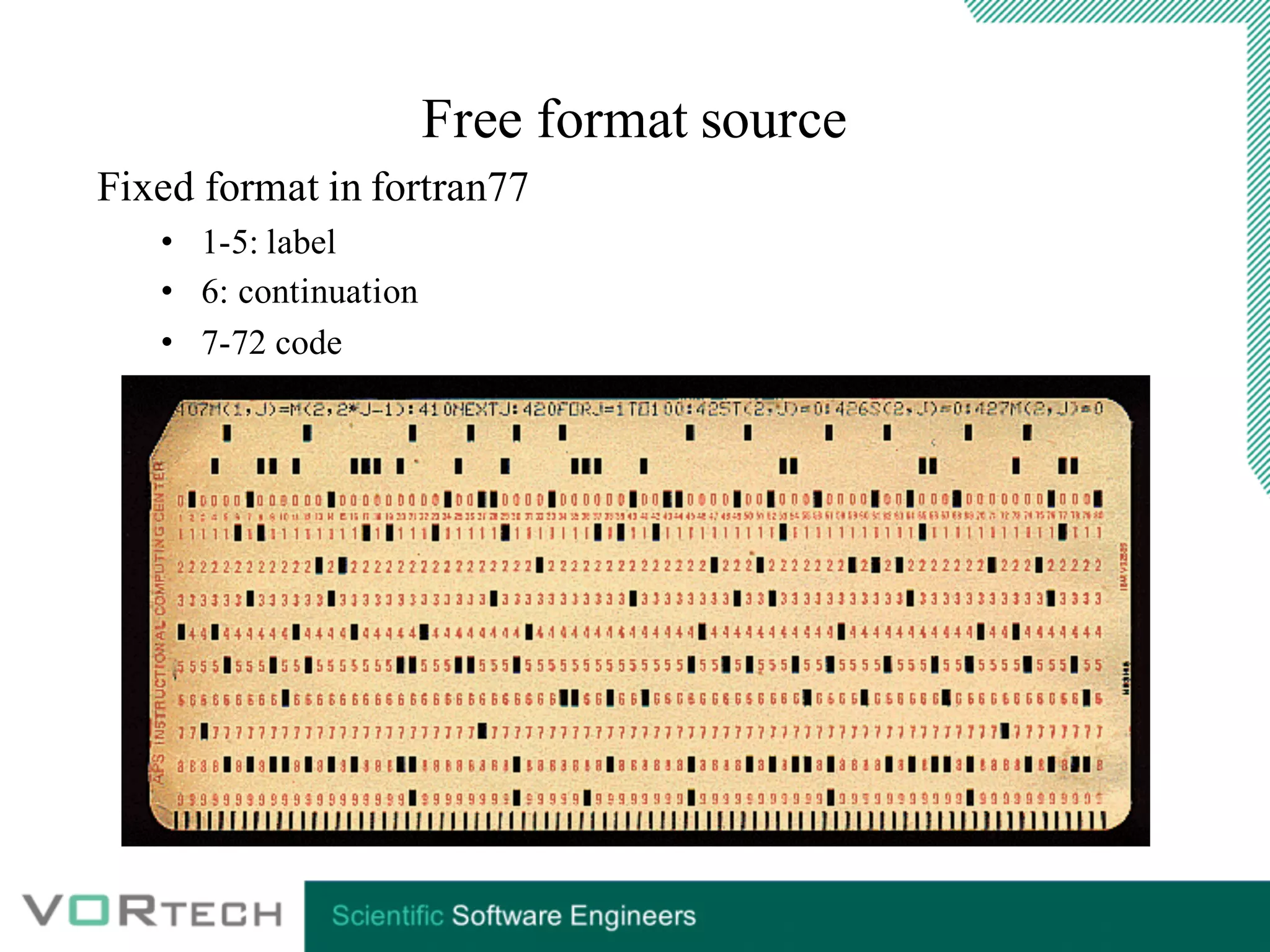
Fixed format in fortran77
• 1-5: label
• 6: continuation
• 7-72 code
Free format source
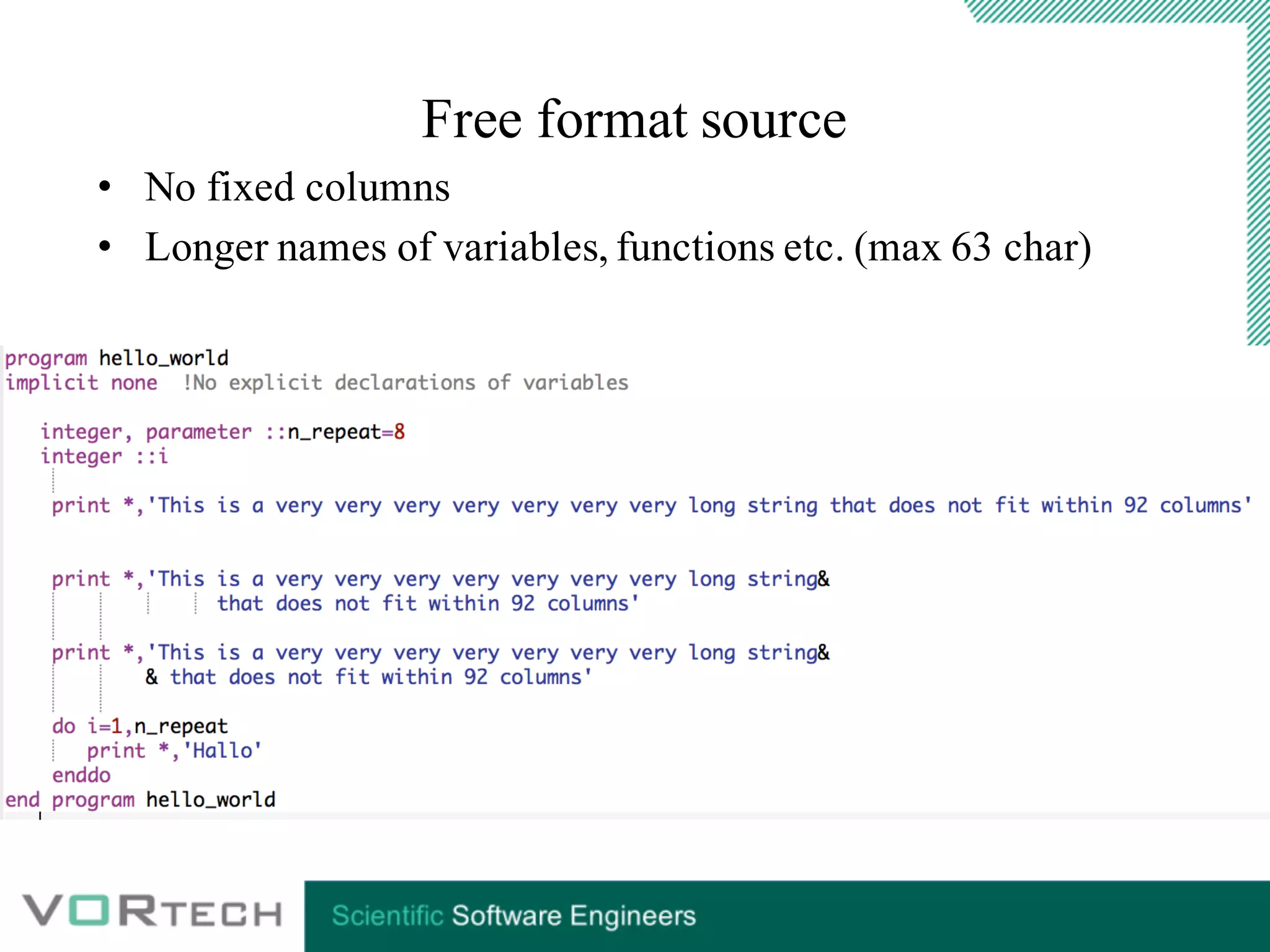
• No fixed columns
• Longer names of variables, functions etc. (max 63 char)
Data in F90+
arrays
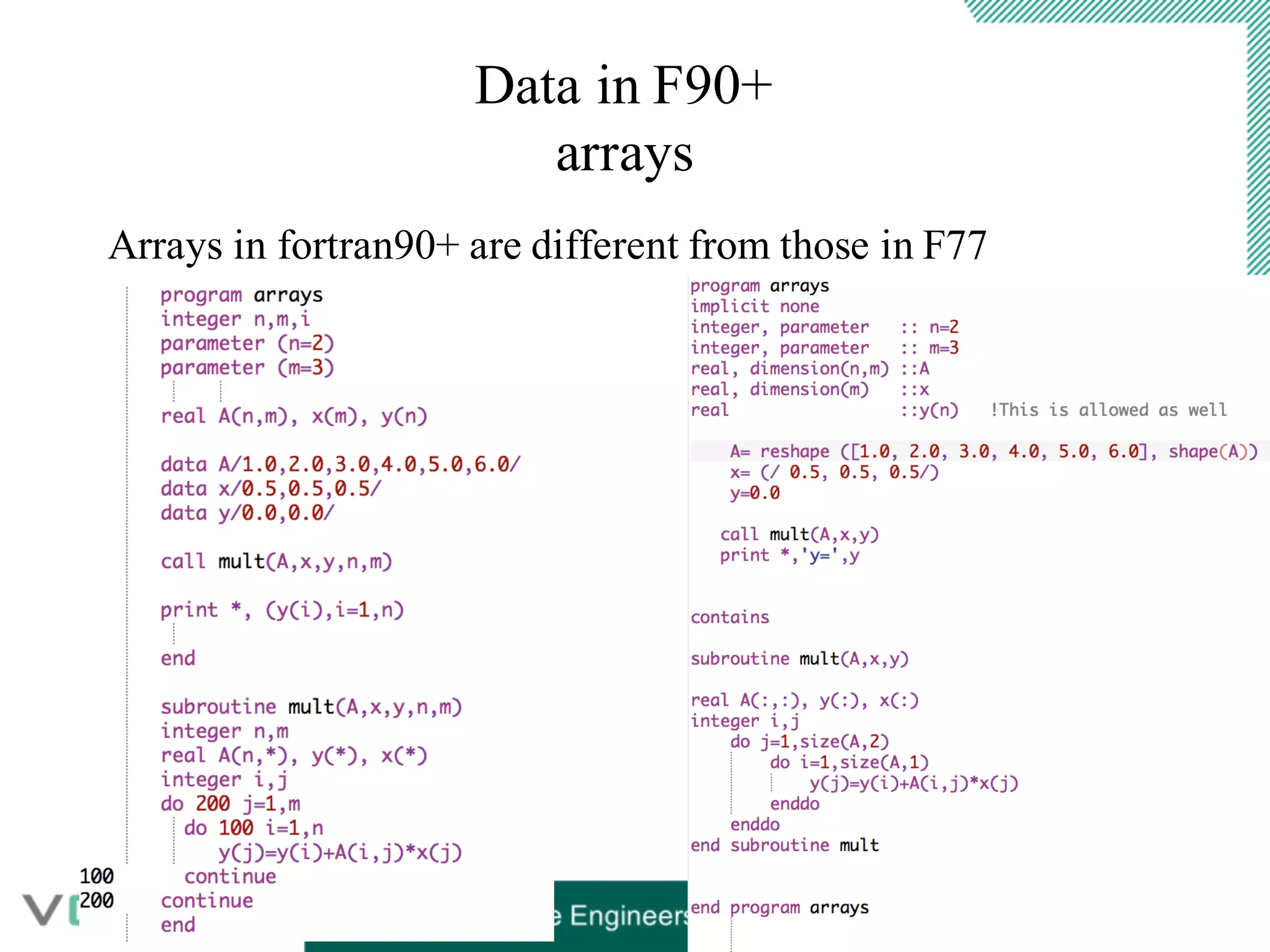
Arrays in fortran90+ are different from those in F77
Data in F90+
arrays in F90 and F77
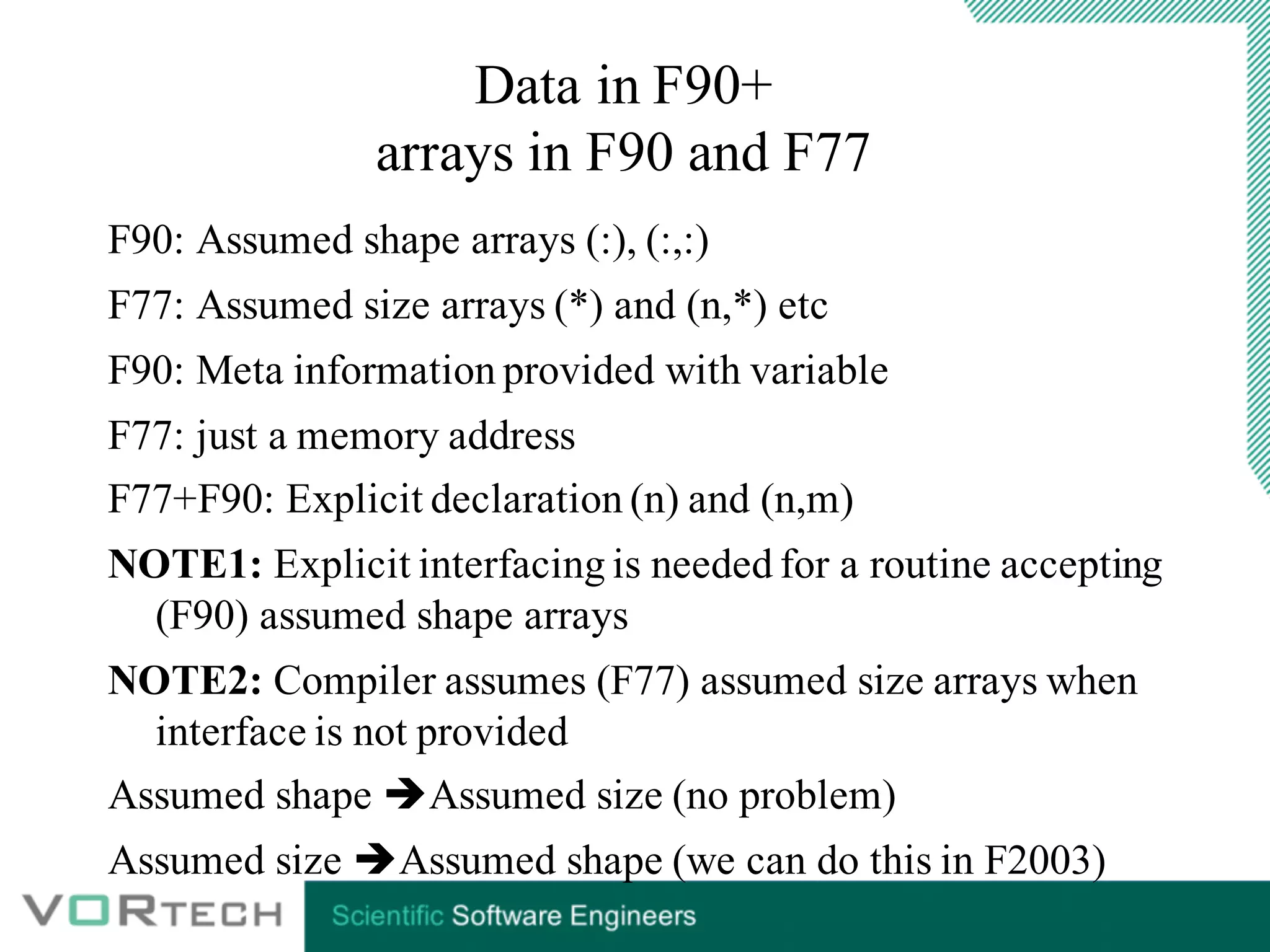
F90: Assumed shape arrays (:), (:,:)
F77: Assumed size arrays (*) and (n,*) etc
F90: Meta information provided with variable
F77: just a memory address
F77+F90: Explicit declaration (n) and (n,m)
NOTE1: Explicit interfacing is needed for a routine accepting
(F90) assumed shape arrays
NOTE2: Compiler assumes (F77) assumed size arrays when
interface is not provided
Assumed shape èAssumed size (no problem)
Assumed size èAssumed shape (we can do this in F2003)
Data in F90+
whole array operations
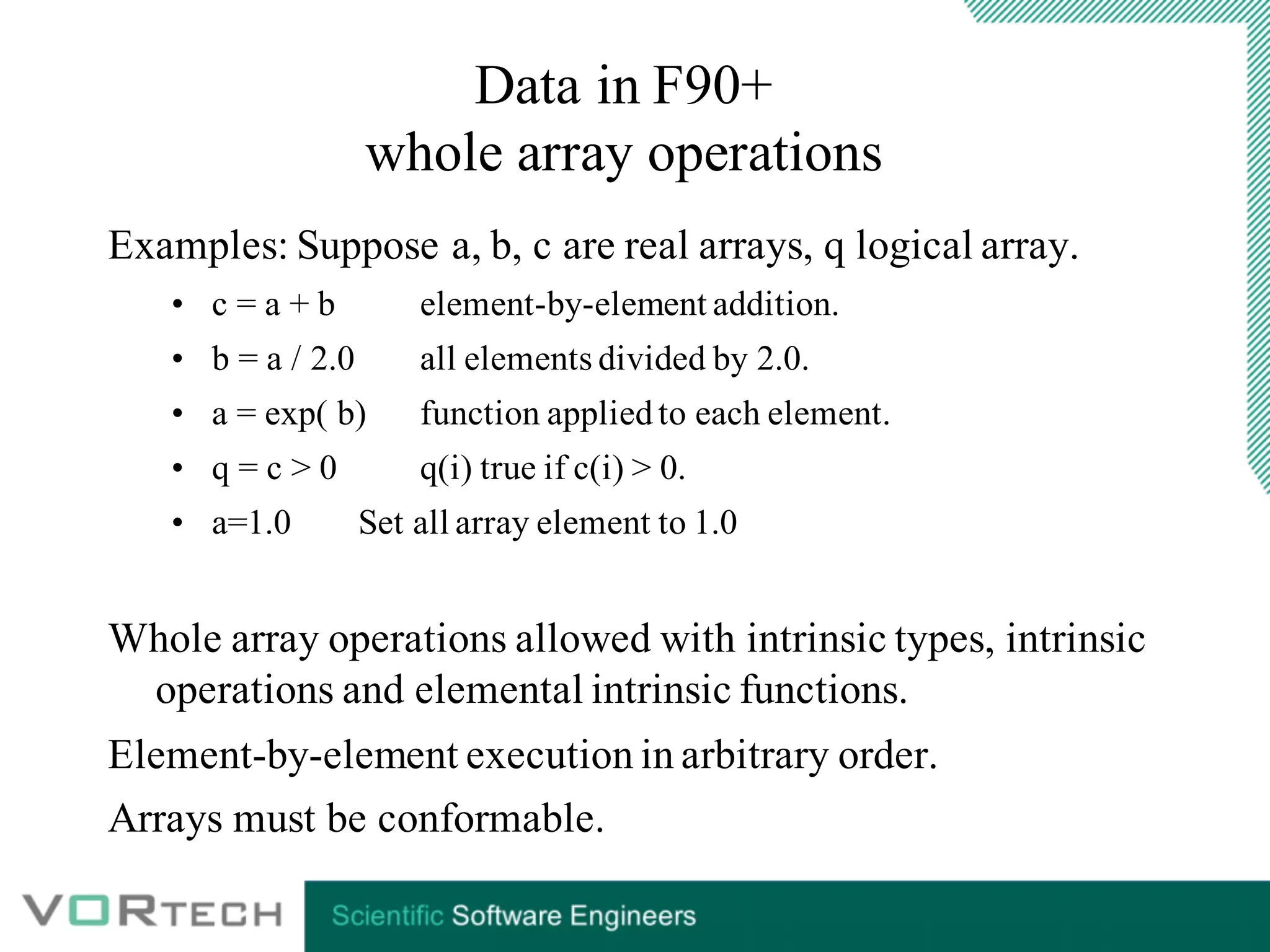
Examples: Suppose a, b, c are real arrays, q logical array.
• c = a + b element-by-element addition.
• b = a / 2.0 all elements divided by 2.0.
• a = exp( b) function appliedto each element.
• q = c > 0 q(i) true if c(i) > 0.
• a=1.0 Set all array element to 1.0
Whole array operations allowed with intrinsic types, intrinsic
operations and elemental intrinsic functions.
Element-by-element execution in arbitrary order.
Arrays must be conformable.
Data in F90+
Arrays: some definitions
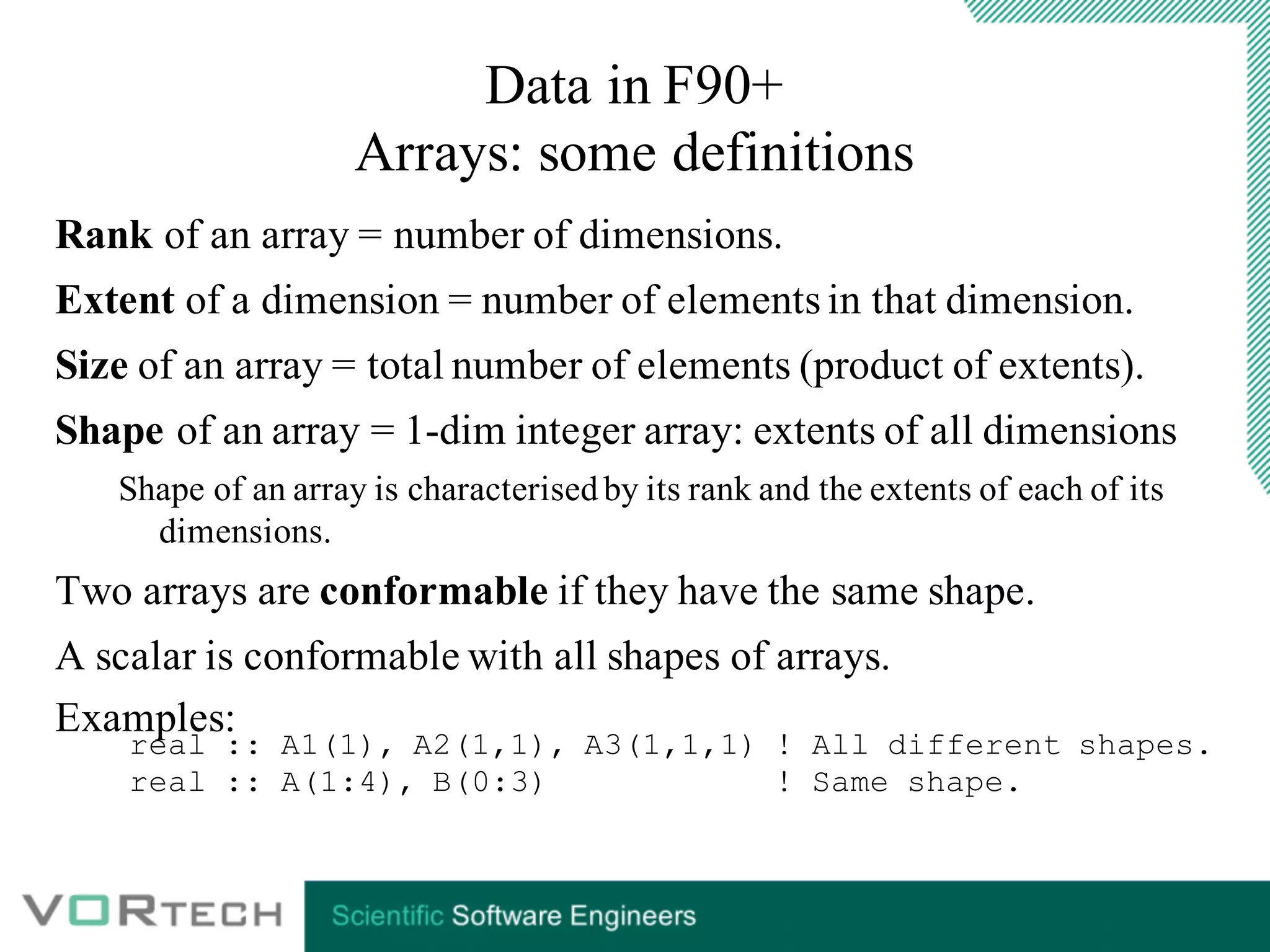
Rank of an array = number of dimensions.
Extent of a dimension = number of elements in that dimension.
Size of an array = total number of elements (product of extents).
Shape of an array = 1-dim integer array: extents of all dimensions
Shape of an array is characterisedby its rank and the extents of each of its
dimensions.
Two arrays are conformable if they have the same shape.
A scalar is conformable with all shapes of arrays.
Examples:
real :: A1(1), A2(1,1), A3(1,1,1) ! All different shapes.
real :: A(1:4), B(0:3) ! Same shape.
1 6 11 16
2 7 12 17
3 8 13 18
4 9 14 19
5 10 15 20
Data in F90+
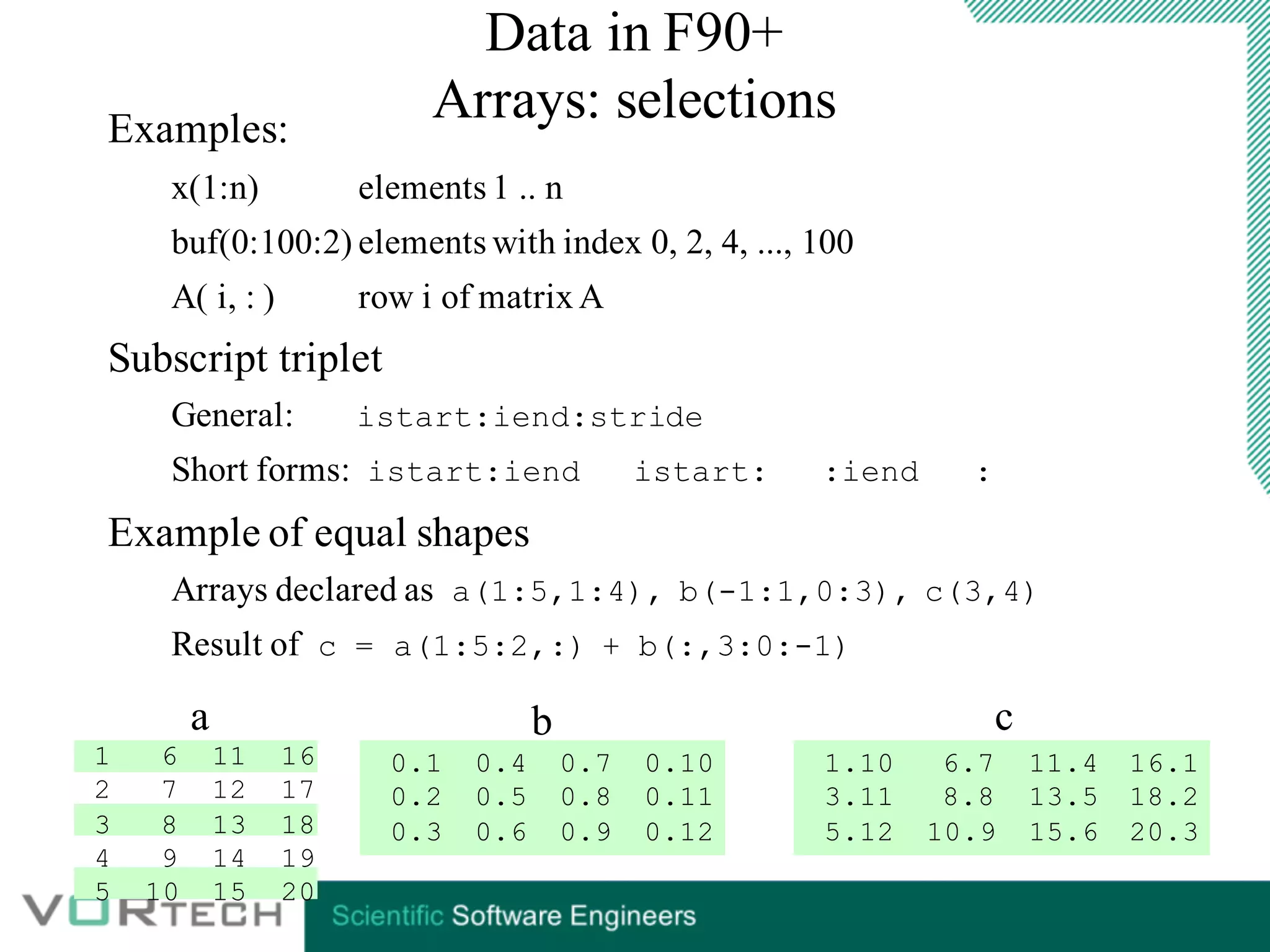
Arrays: selectionsExamples:
x(1:n) elements 1 .. n
buf(0:100:2) elements with index 0, 2, 4, ..., 100
A( i, : ) row i of matrixA
Subscript triplet
General: istart:iend:stride
Short forms: istart:iend istart: :iend :
Example of equal shapes
Arrays declared as a(1:5,1:4), b(-1:1,0:3), c(3,4)
Result of c = a(1:5:2,:) + b(:,3:0:-1)
0.1 0.4 0.7 0.10
0.2 0.5 0.8 0.11
0.3 0.6 0.9 0.12
1.10 6.7 11.4 16.1
3.11 8.8 13.5 18.2
5.12 10.9 15.6 20.3
a b c
Data in F90+
Allocatable (arrays)
Data in F90+
Allocatable (arrays)
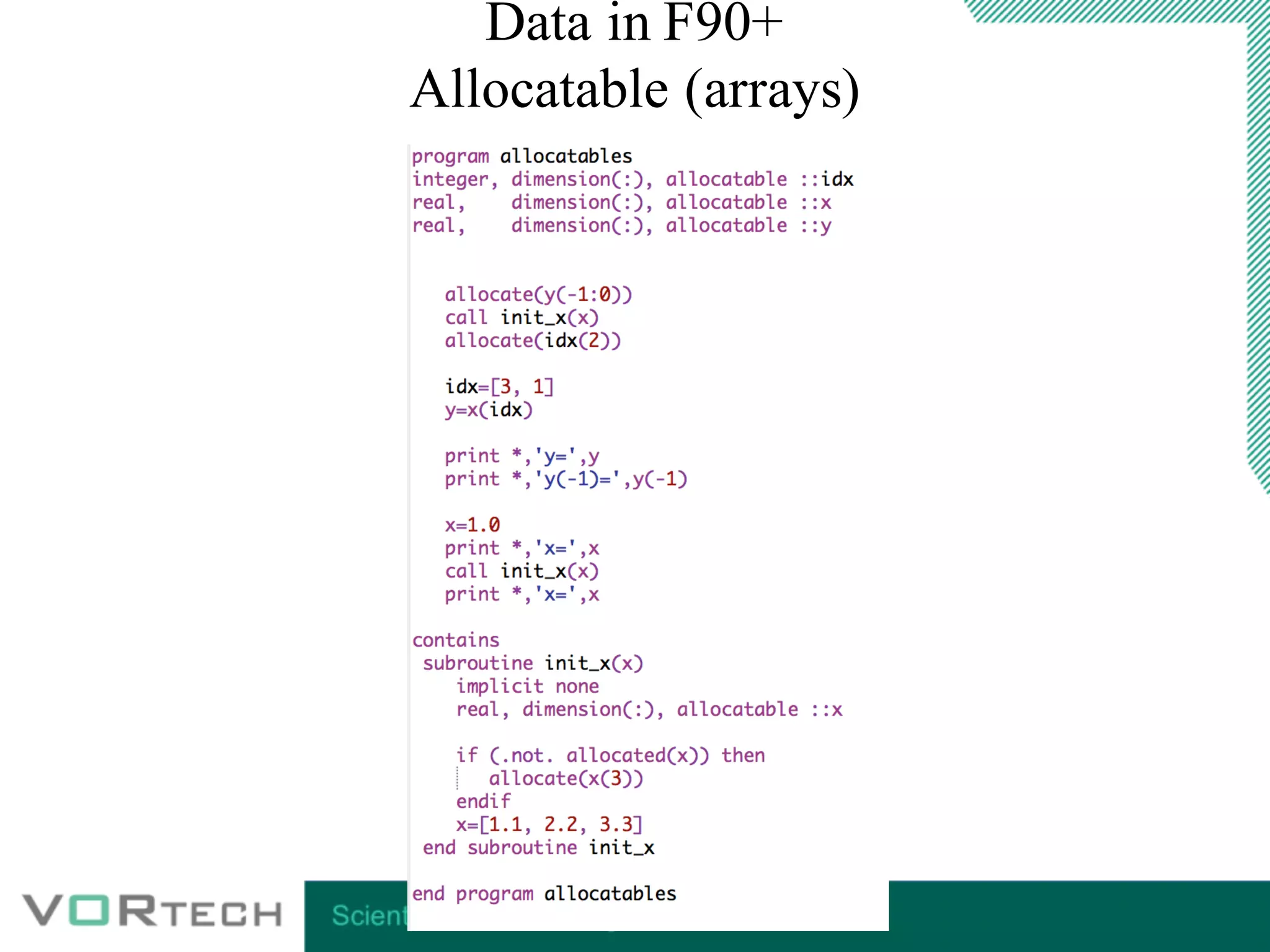
Allocate wherever you want
Error when you allocate an allocated array
Automatic deallocation when out of scope
Note “save” attribute means never out of scope
Check allocation [de]allocate(<list>,stat=<variable>)
Allocation status: allocated or not allocated.
Declared in a module: autom. dealloc. platform dependent.
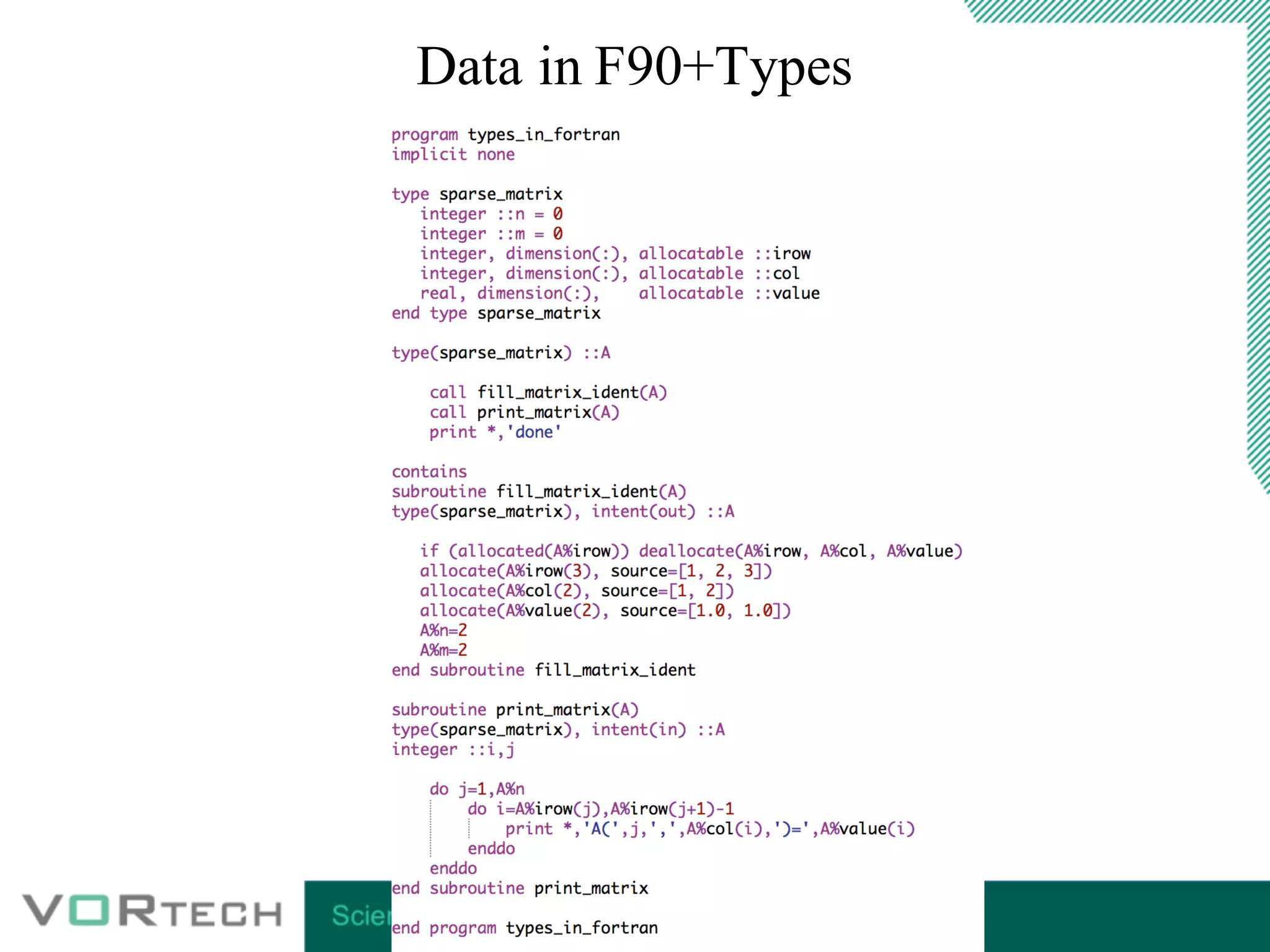
Data in F90+Types
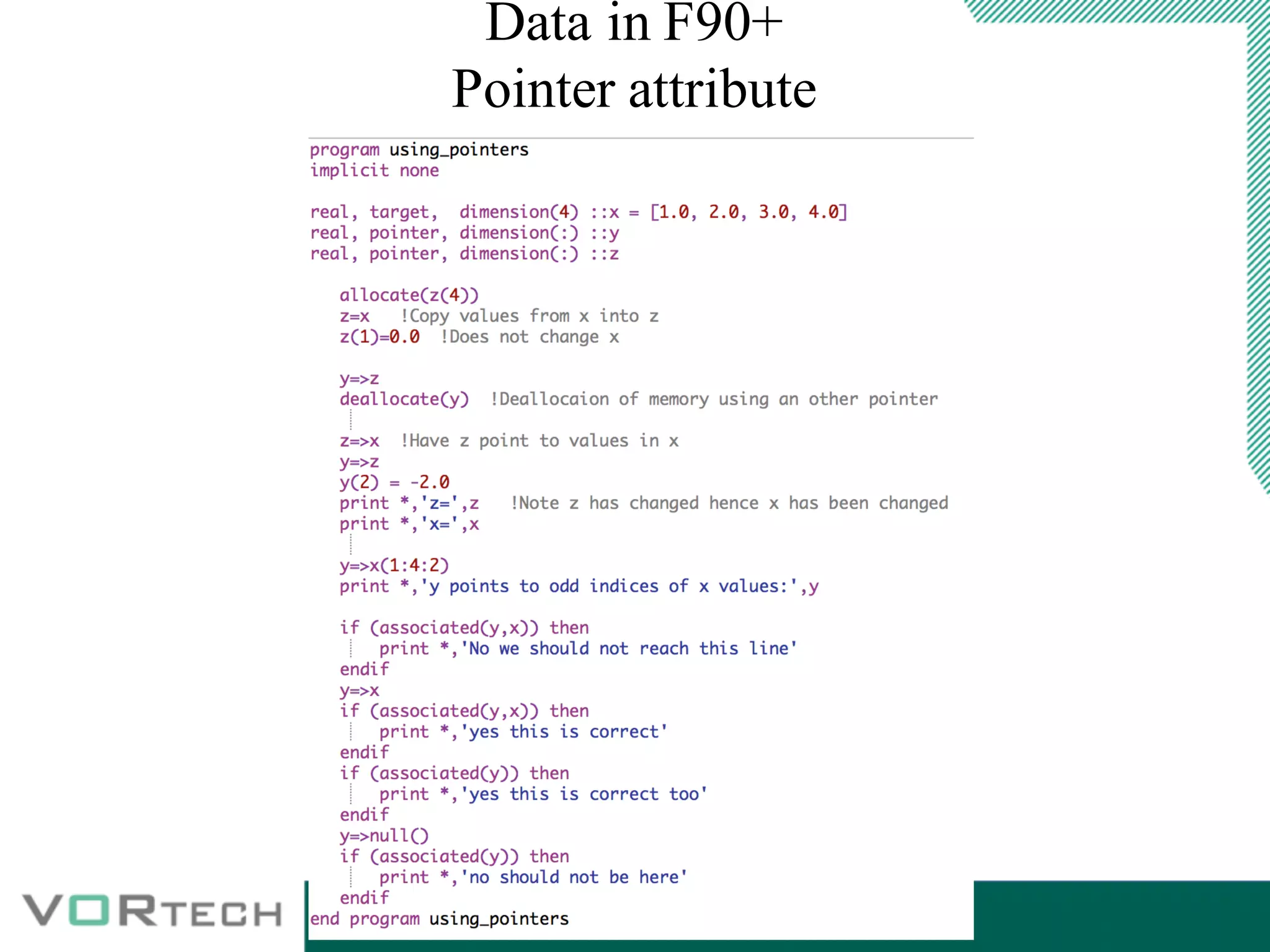
Data in F90+
Pointer attribute
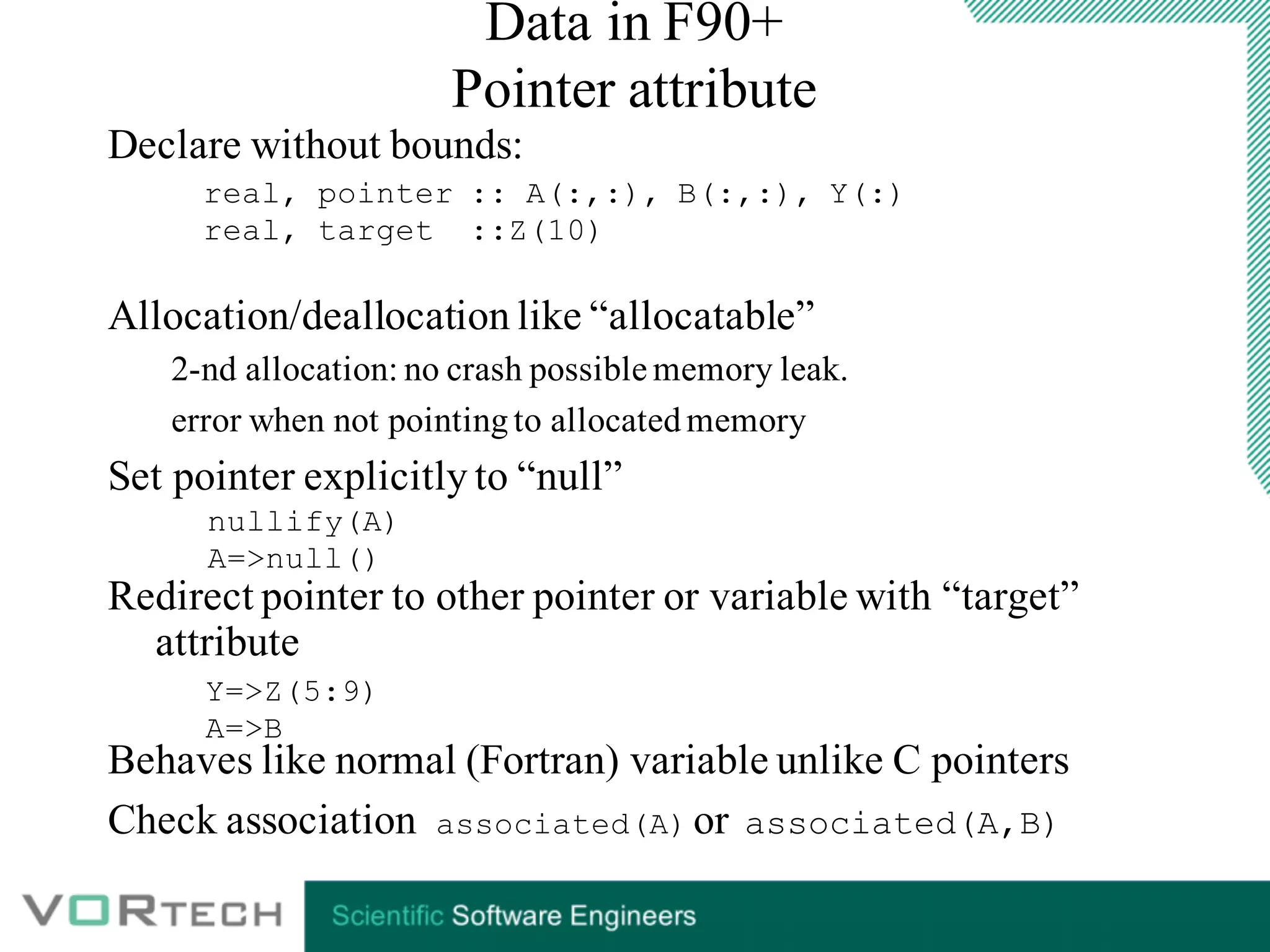
Data in F90+
Pointer attribute
Declare without bounds:
Allocation/deallocation like “allocatable”
2-nd allocation: no crash possible memory leak.
error when not pointingto allocatedmemory
Set pointer explicitly to “null”
Redirect pointer to other pointer or variable with “target”
attribute
Behaves like normal (Fortran) variable unlike C pointers
Check association associated(A) or associated(A,B)
real, pointer :: A(:,:), B(:,:), Y(:)
real, target ::Z(10)
Y=>Z(5:9)
A=>B
nullify(A)
A=>null()
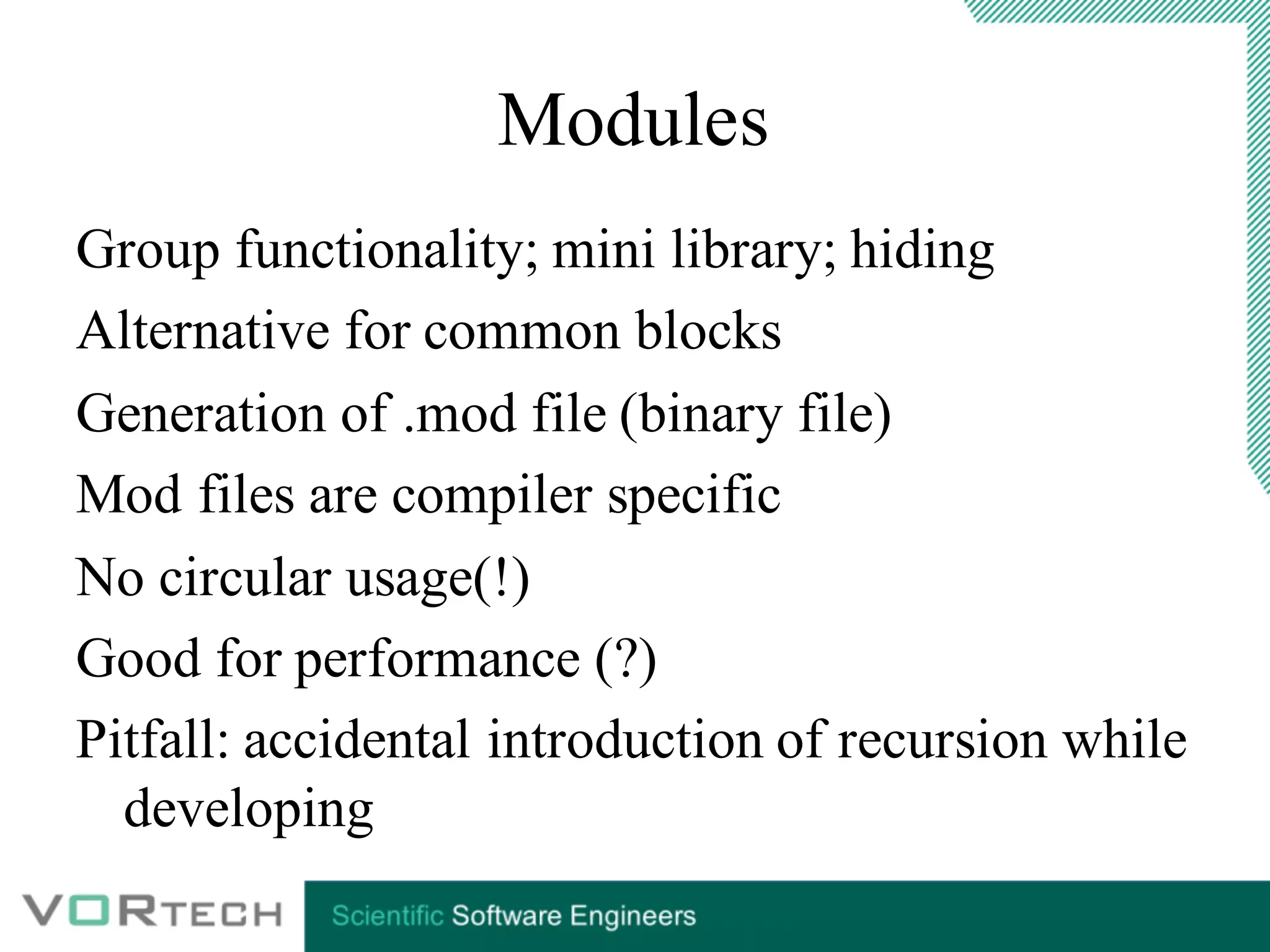
Modules
Group functionality; mini library; hiding
Alternative for common blocks
Generation of .mod file (binary file)
Mod files are compiler specific
No circular usage(!)
Good for performance (?)
Pitfall: accidental introduction of recursion while
developing
Modules:
USE statementTwo forms:
use module-name [,name-as-used=>name-in-module]...
use module-name, only: [only-list]
only-list: names in module and rename clauses as above.
Compilation order: module before referencing program.
Example: program TPLMOD
use PLMOD
implicit none
integer :: IEOF
real :: XC, YC
call PLINI
do
read(*,*,iostat=IEOF) XC, YC
if( IEOF /= 0) exit
call PLADD( XC, YC)
end do
call PLWRI( 6)
end program TPLMOD
Interface
No interface needed
callingF77
Interface:
Overloading
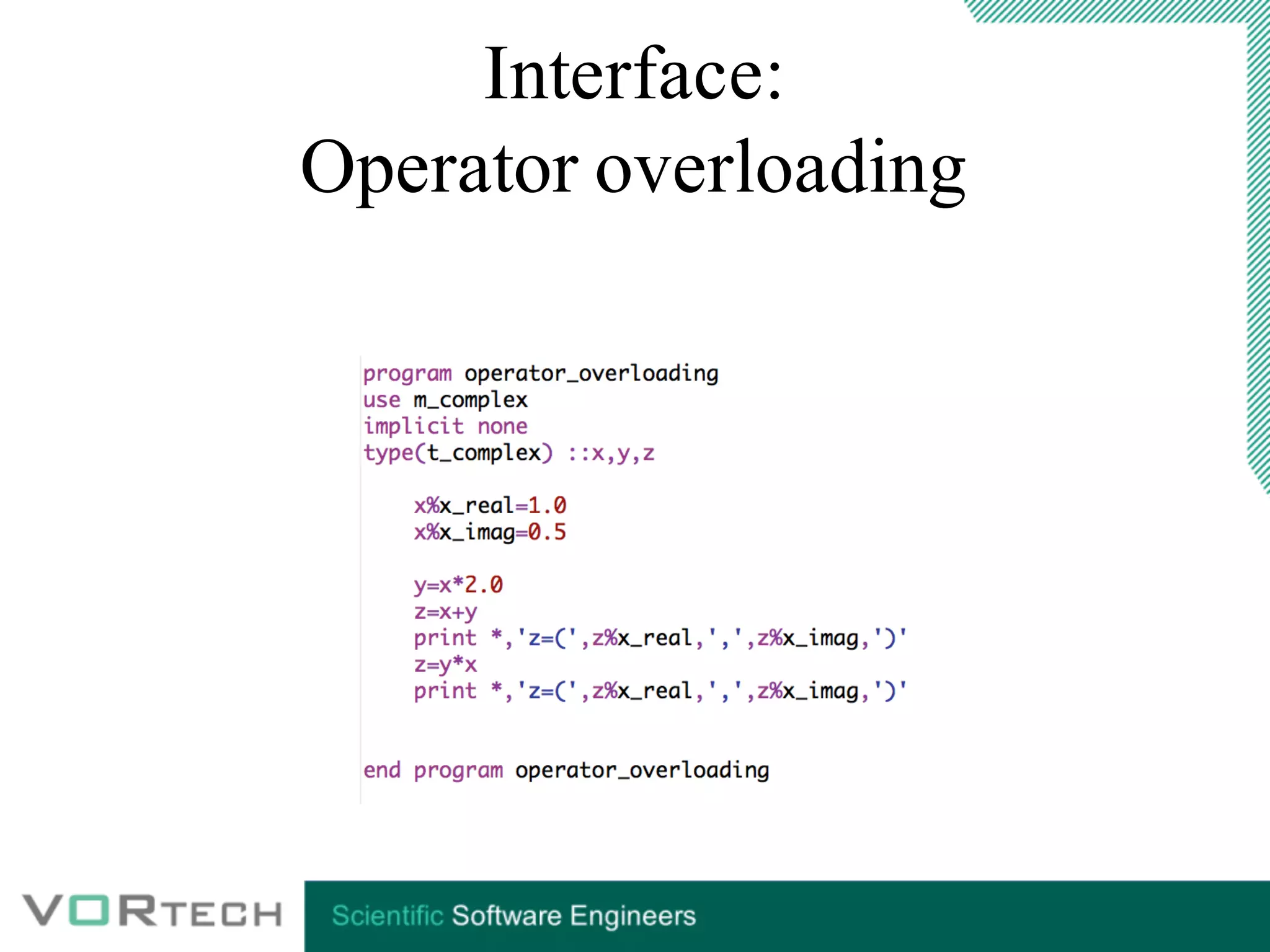
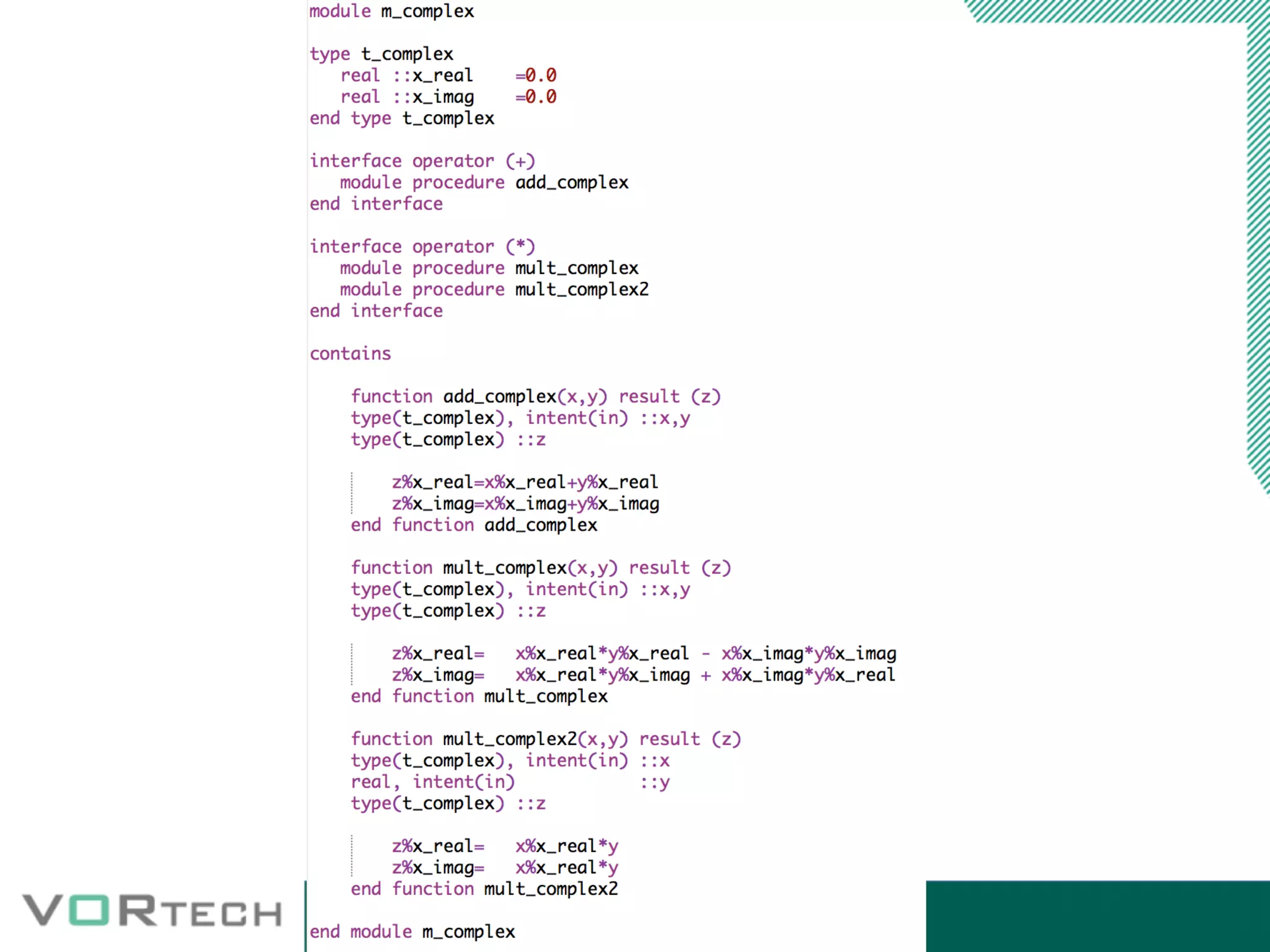
Interface:
Operator overloading
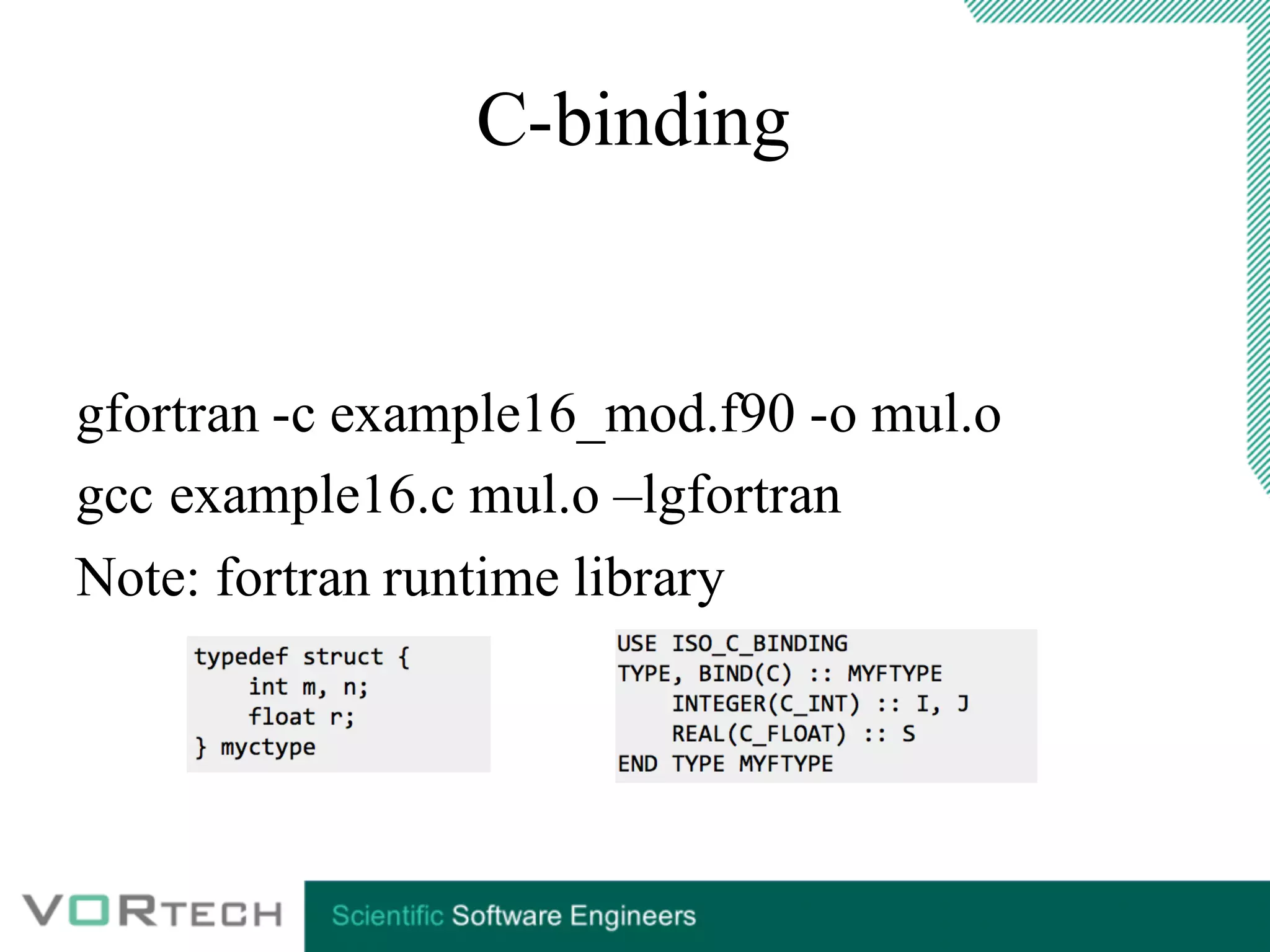
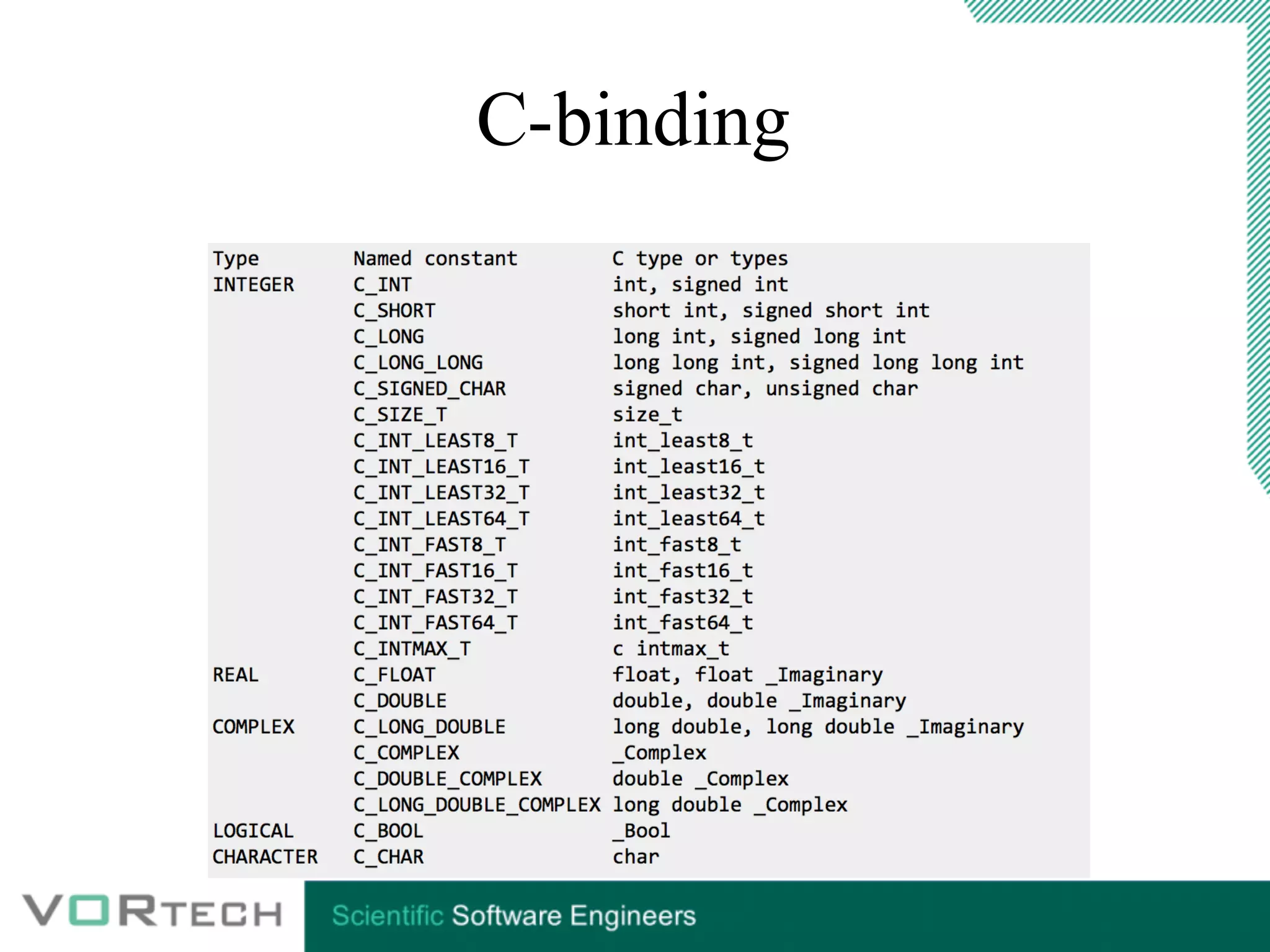
C-binding
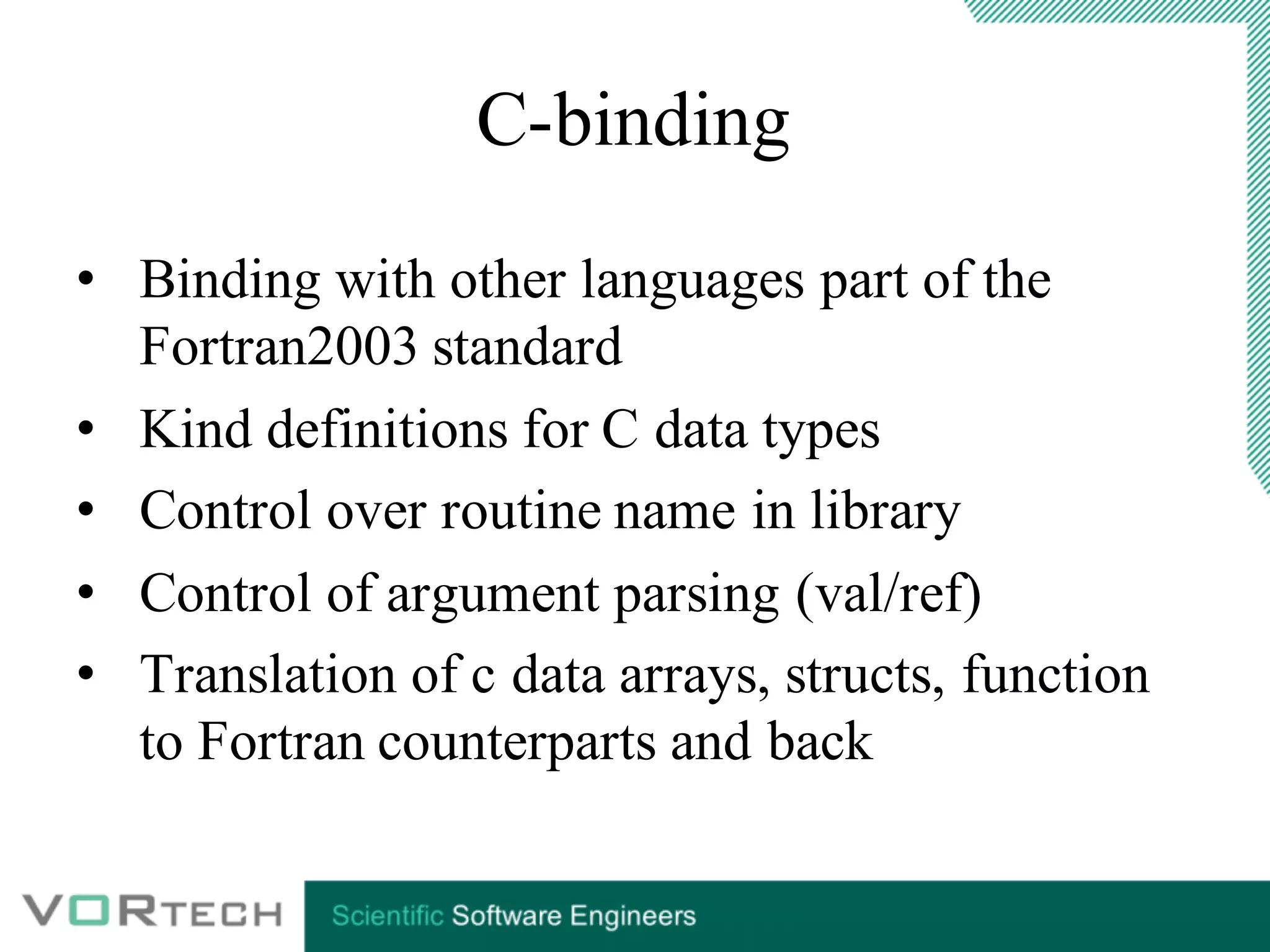
• Binding with other languages part of the
Fortran2003 standard
• Kind definitions for C data types
• Control over routine name in library
• Control of argument parsing (val/ref)
• Translation of c data arrays, structs, function
to Fortran counterparts and back
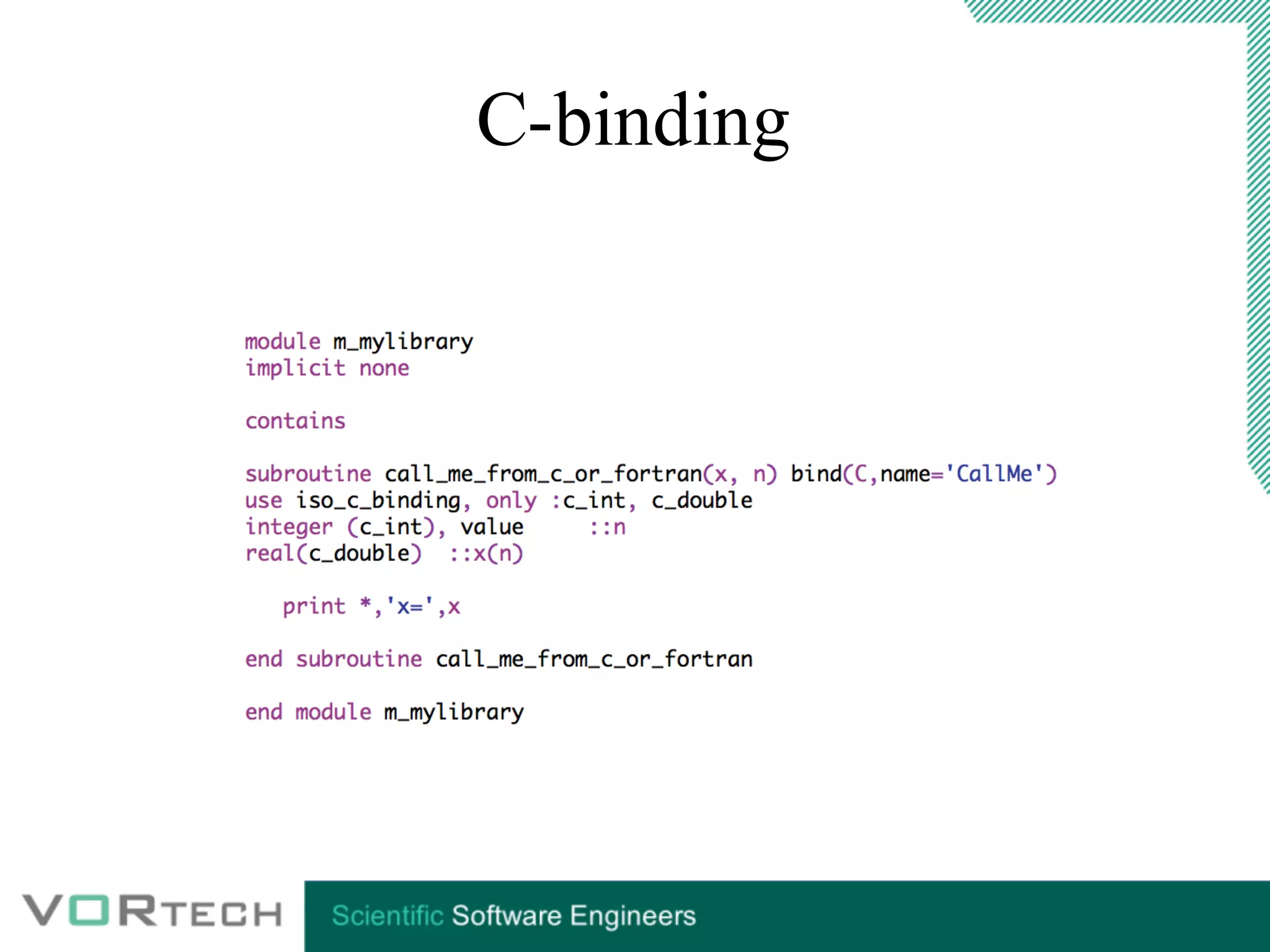
C-binding
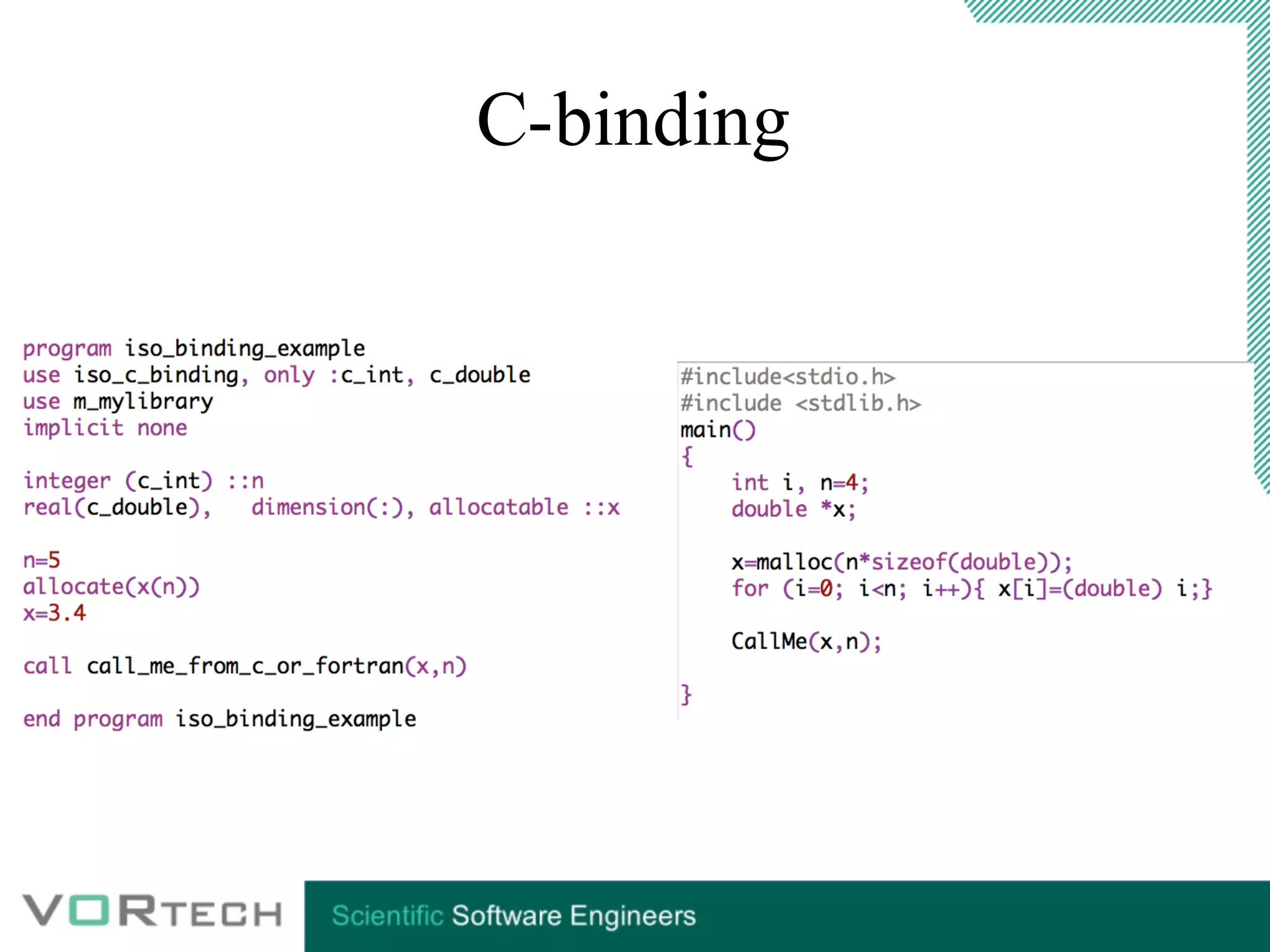
C-binding
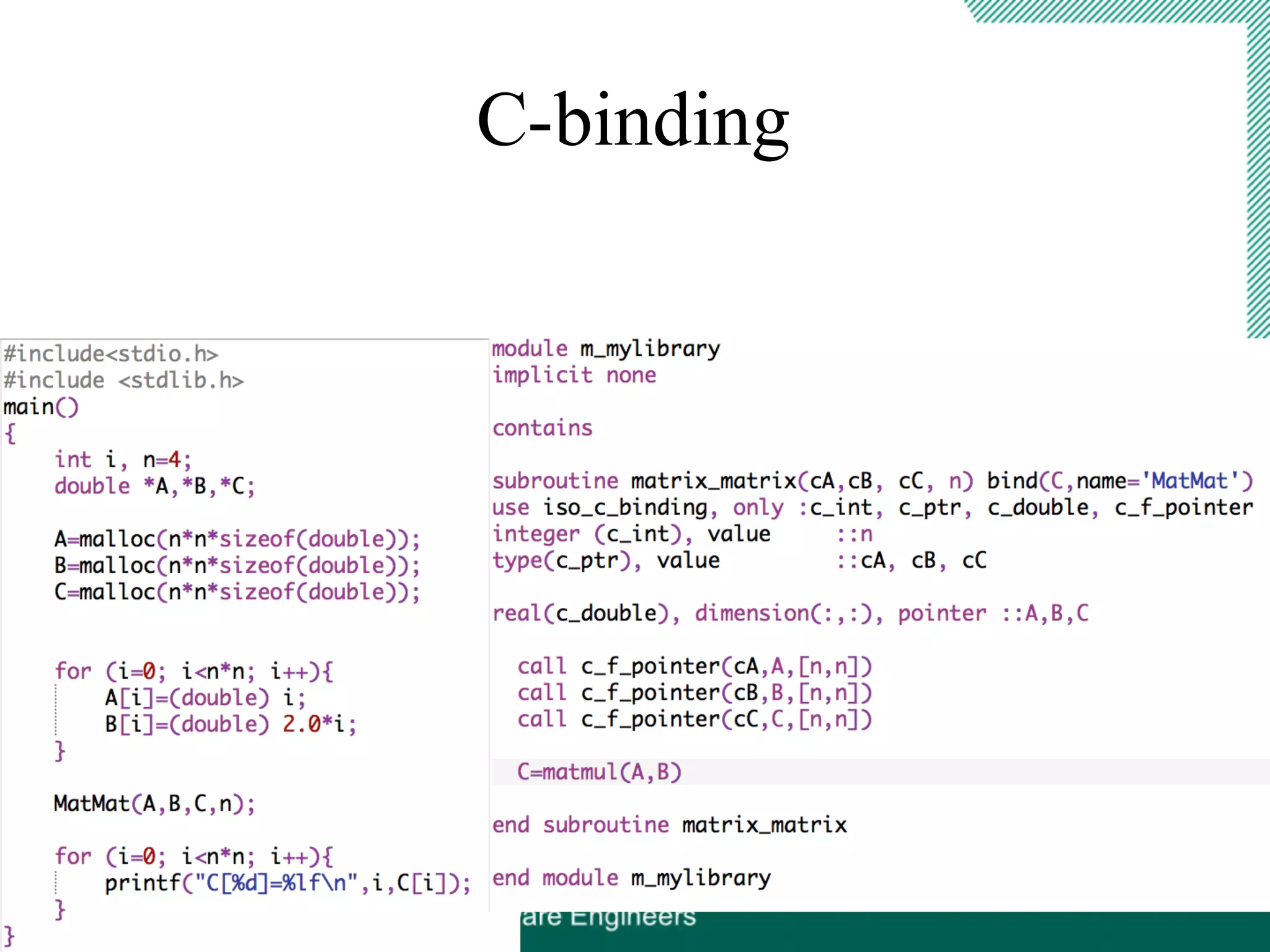
C-binding
C-binding
gfortran -c example16_mod.f90 -o mul.o
gcc example16.c mul.o –lgfortran
Note: fortran runtime library
C-binding
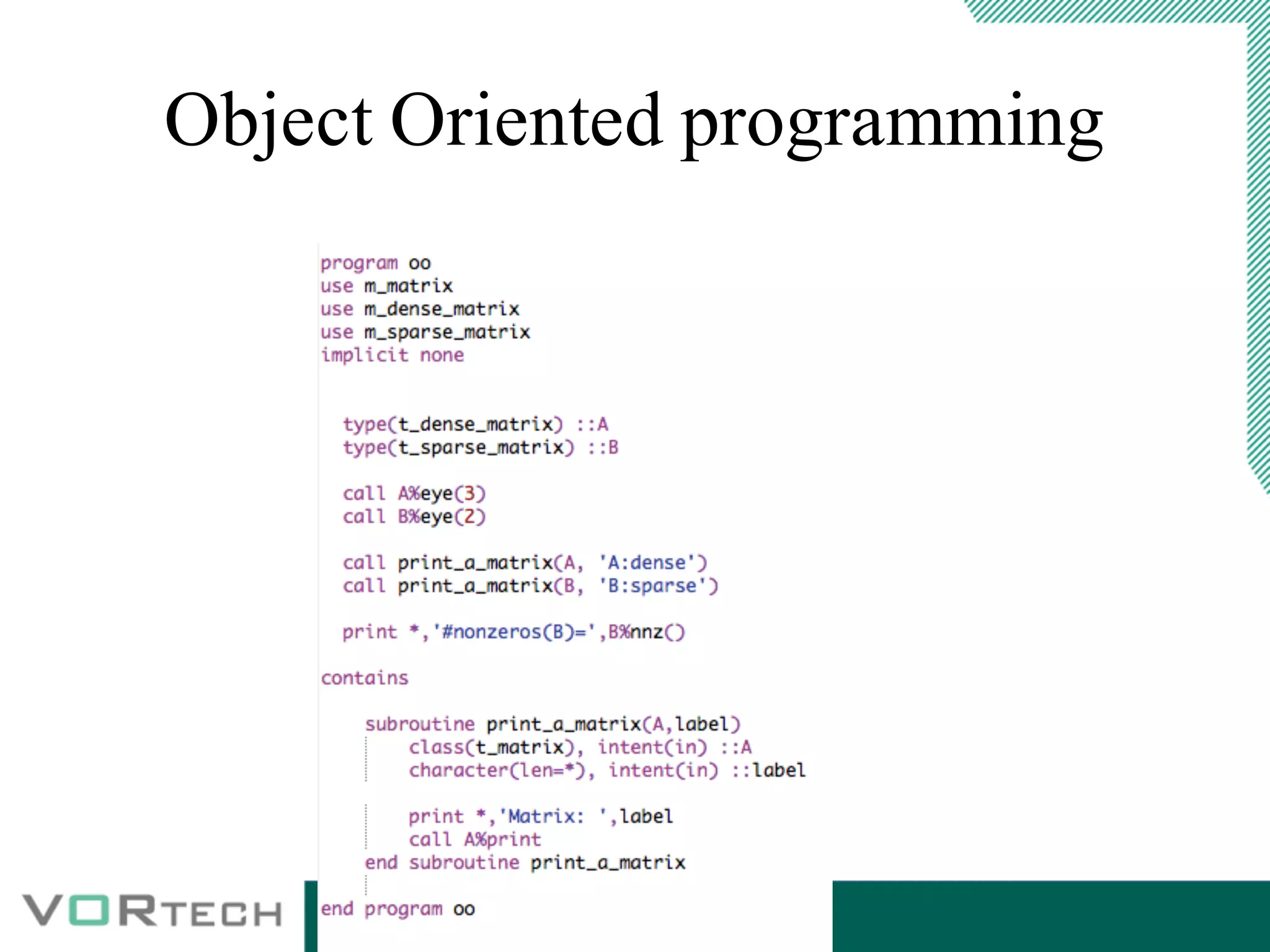
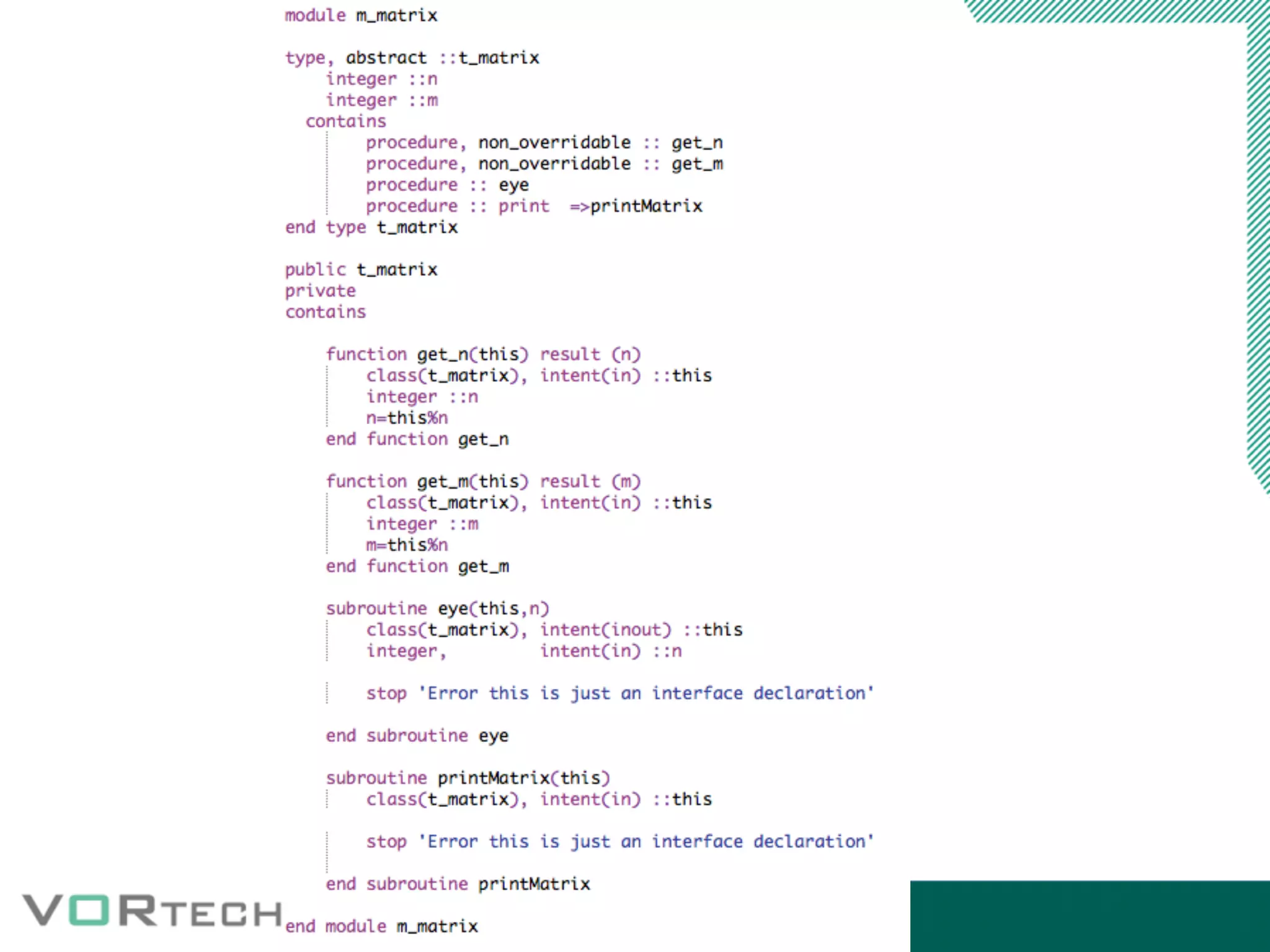
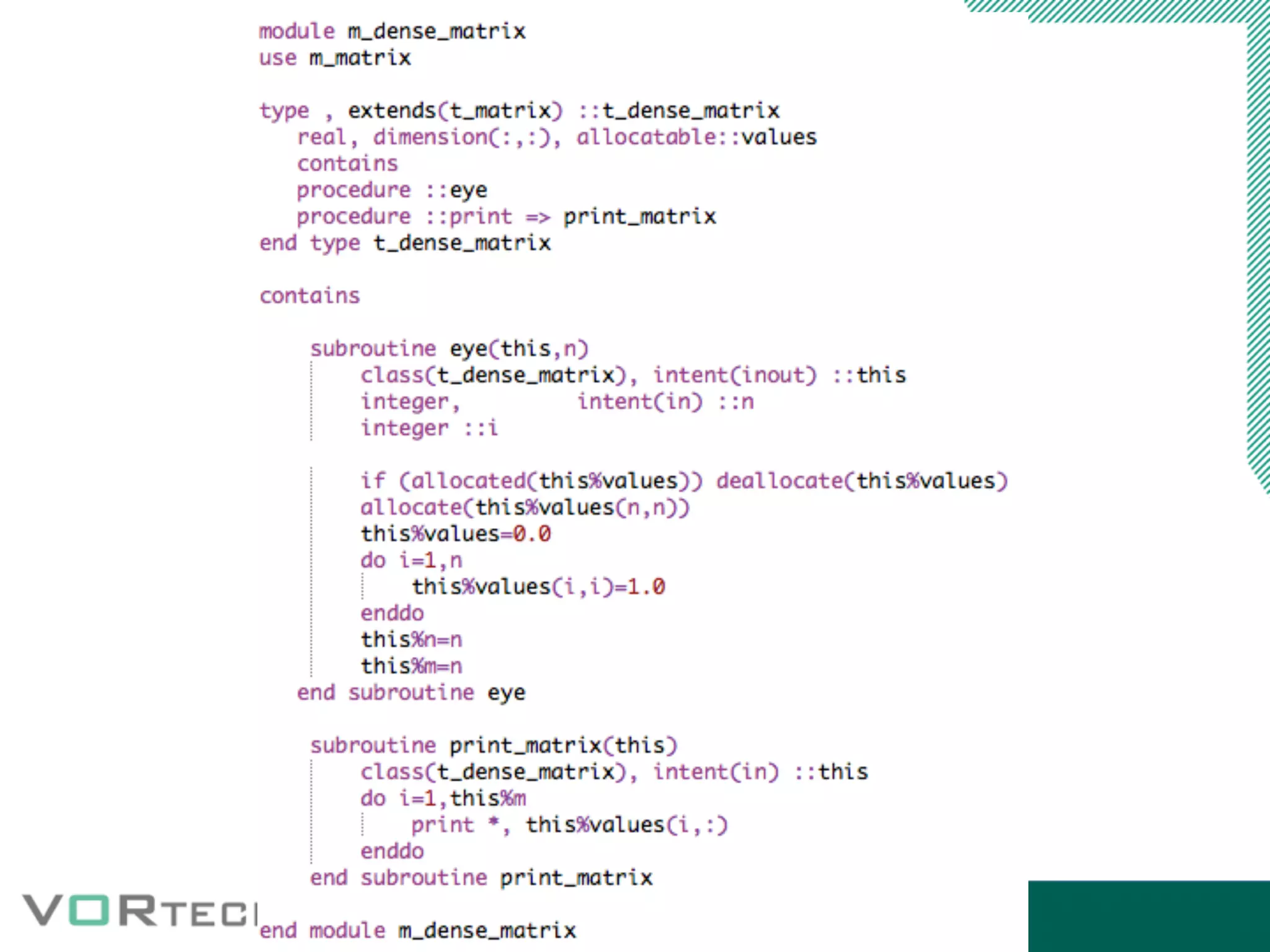
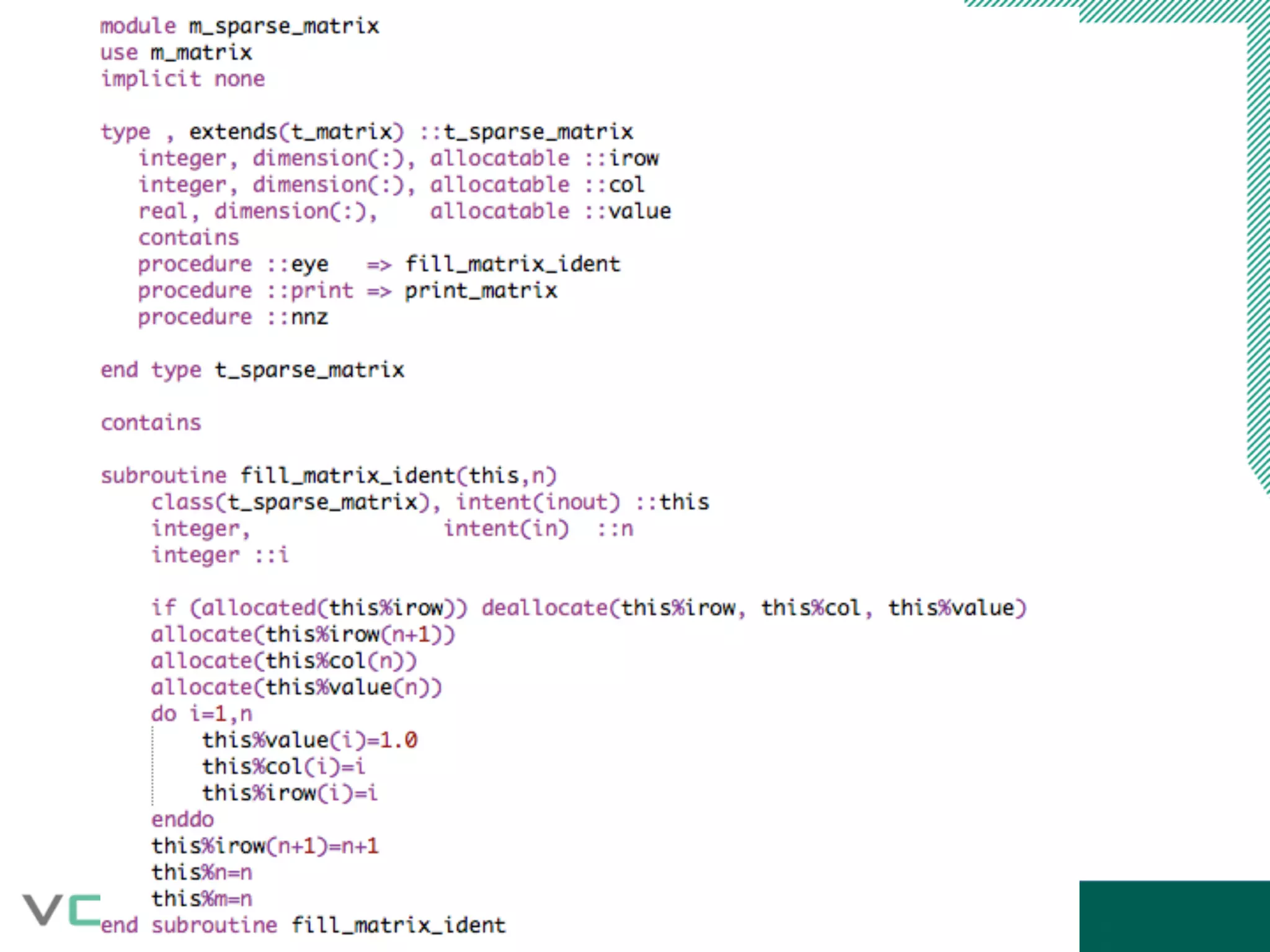
Object Oriented programming
Introduction_modern_fortran_short

Introduction_modern_fortran_short

  • 1.
    Introduction to “modern”Fortran Nils van Velzen May 2016 1
  • 2.
    Before we start: •+65 years old • FORTRAN 66, FORTRAN 77, Fortran 90, Fortran 95 en Fortran 2003 • Create awareness of some “new” concepts available in Fortran90 – 2003 • Selection of relevant topics (understatement) • Code examples
  • 3.
    Topics • Free formatsource • Data types • Modules and interfacing (overloading) • C-Binding (Fortran 2003)
  • 4.
    Free format source Fixedformat in fortran77 • 1-5: label • 6: continuation • 7-72 code
  • 5.
    Free format source •No fixed columns • Longer names of variables, functions etc. (max 63 char)
  • 6.
    Data in F90+ arrays Arraysin fortran90+ are different from those in F77
  • 7.
    Data in F90+ arraysin F90 and F77 F90: Assumed shape arrays (:), (:,:) F77: Assumed size arrays (*) and (n,*) etc F90: Meta information provided with variable F77: just a memory address F77+F90: Explicit declaration (n) and (n,m) NOTE1: Explicit interfacing is needed for a routine accepting (F90) assumed shape arrays NOTE2: Compiler assumes (F77) assumed size arrays when interface is not provided Assumed shape èAssumed size (no problem) Assumed size èAssumed shape (we can do this in F2003)
  • 8.
    Data in F90+ wholearray operations Examples: Suppose a, b, c are real arrays, q logical array. • c = a + b element-by-element addition. • b = a / 2.0 all elements divided by 2.0. • a = exp( b) function appliedto each element. • q = c > 0 q(i) true if c(i) > 0. • a=1.0 Set all array element to 1.0 Whole array operations allowed with intrinsic types, intrinsic operations and elemental intrinsic functions. Element-by-element execution in arbitrary order. Arrays must be conformable.
  • 9.
    Data in F90+ Arrays:some definitions Rank of an array = number of dimensions. Extent of a dimension = number of elements in that dimension. Size of an array = total number of elements (product of extents). Shape of an array = 1-dim integer array: extents of all dimensions Shape of an array is characterisedby its rank and the extents of each of its dimensions. Two arrays are conformable if they have the same shape. A scalar is conformable with all shapes of arrays. Examples: real :: A1(1), A2(1,1), A3(1,1,1) ! All different shapes. real :: A(1:4), B(0:3) ! Same shape.
  • 10.
    1 6 1116 2 7 12 17 3 8 13 18 4 9 14 19 5 10 15 20 Data in F90+ Arrays: selectionsExamples: x(1:n) elements 1 .. n buf(0:100:2) elements with index 0, 2, 4, ..., 100 A( i, : ) row i of matrixA Subscript triplet General: istart:iend:stride Short forms: istart:iend istart: :iend : Example of equal shapes Arrays declared as a(1:5,1:4), b(-1:1,0:3), c(3,4) Result of c = a(1:5:2,:) + b(:,3:0:-1) 0.1 0.4 0.7 0.10 0.2 0.5 0.8 0.11 0.3 0.6 0.9 0.12 1.10 6.7 11.4 16.1 3.11 8.8 13.5 18.2 5.12 10.9 15.6 20.3 a b c
  • 11.
  • 12.
    Data in F90+ Allocatable(arrays) Allocate wherever you want Error when you allocate an allocated array Automatic deallocation when out of scope Note “save” attribute means never out of scope Check allocation [de]allocate(<list>,stat=<variable>) Allocation status: allocated or not allocated. Declared in a module: autom. dealloc. platform dependent.
  • 13.
  • 14.
  • 15.
    Data in F90+ Pointerattribute Declare without bounds: Allocation/deallocation like “allocatable” 2-nd allocation: no crash possible memory leak. error when not pointingto allocatedmemory Set pointer explicitly to “null” Redirect pointer to other pointer or variable with “target” attribute Behaves like normal (Fortran) variable unlike C pointers Check association associated(A) or associated(A,B) real, pointer :: A(:,:), B(:,:), Y(:) real, target ::Z(10) Y=>Z(5:9) A=>B nullify(A) A=>null()
  • 16.
    Modules Group functionality; minilibrary; hiding Alternative for common blocks Generation of .mod file (binary file) Mod files are compiler specific No circular usage(!) Good for performance (?) Pitfall: accidental introduction of recursion while developing
  • 17.
    Modules: USE statementTwo forms: usemodule-name [,name-as-used=>name-in-module]... use module-name, only: [only-list] only-list: names in module and rename clauses as above. Compilation order: module before referencing program. Example: program TPLMOD use PLMOD implicit none integer :: IEOF real :: XC, YC call PLINI do read(*,*,iostat=IEOF) XC, YC if( IEOF /= 0) exit call PLADD( XC, YC) end do call PLWRI( 6) end program TPLMOD
  • 18.
  • 19.
  • 20.
  • 22.
    C-binding • Binding withother languages part of the Fortran2003 standard • Kind definitions for C data types • Control over routine name in library • Control of argument parsing (val/ref) • Translation of c data arrays, structs, function to Fortran counterparts and back
  • 23.
  • 24.
  • 25.
  • 26.
    C-binding gfortran -c example16_mod.f90-o mul.o gcc example16.c mul.o –lgfortran Note: fortran runtime library
  • 27.
  • 28.