
Introduction to XML
UNDERSTANDING DATA FOR BOTH HUMAN AND
MACHINE
Objective
• Explain what is XML
• Learn to use XML
• Related technologies like XML
Explaining XML
WHAT IS XML?
• e(X)tensible (M)arkup (L)anguage
• Organizing data in readable format
• Designed to store, exchange and distribute data over Internet
• Independence of application
• Self-descriptive
• W3C Recommended Standard
DATA TO XML
• XML does not do anything besides data.
• Does not describe about how to be displayed.
• Does not have “pre-defined” tags.
• Extensible – the author just need to invent own tags and add new
data.
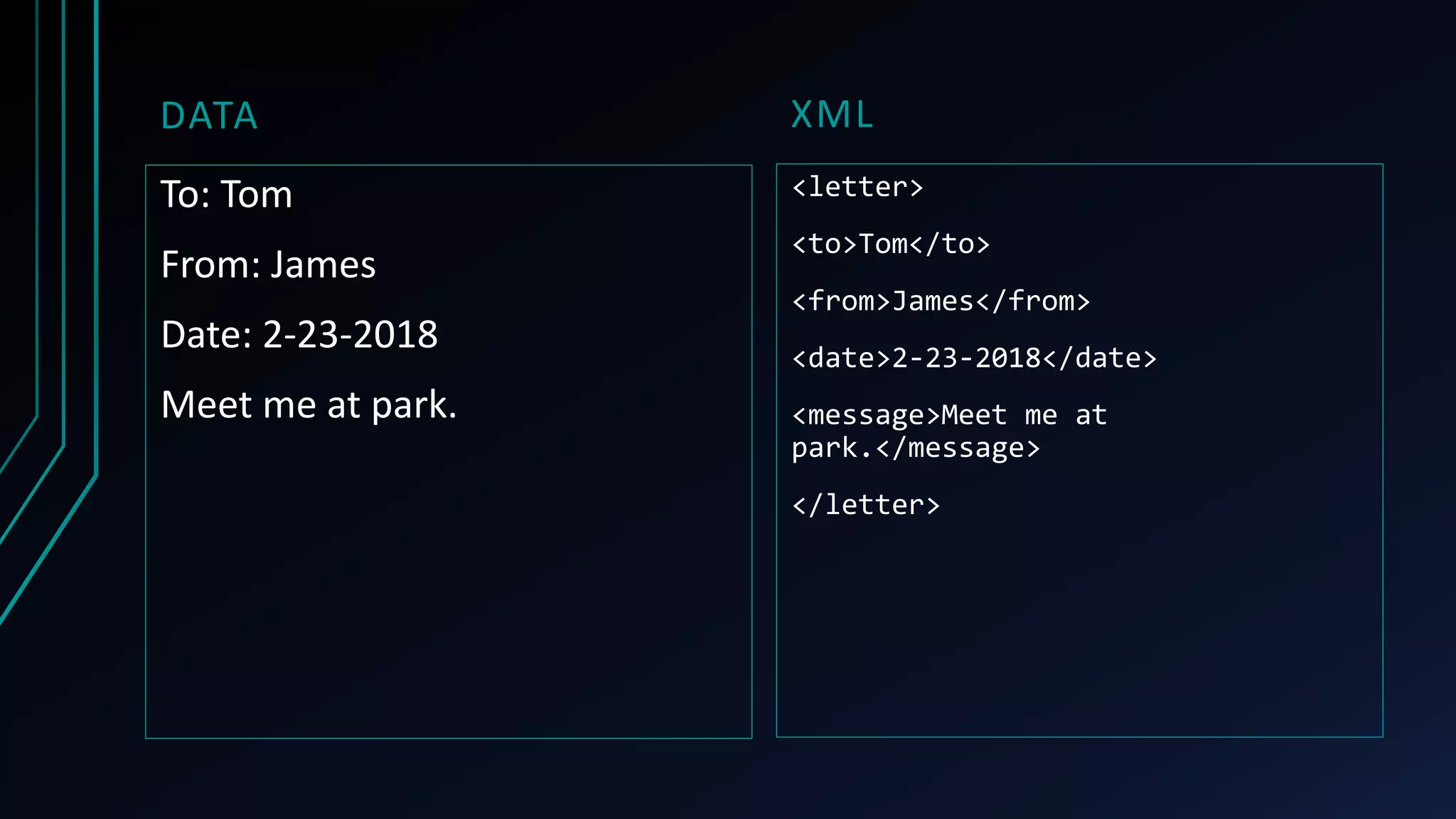
XML
<letter>
<to>Tom</to>
<from>James</from>
<date>2-23-2018</date>
<message>Meet me at
park.</message>
</letter>
DATA
To: Tom
From: James
Date: 2-23-2018
Meet me at park.
XML VS HTML (WHY XML?)
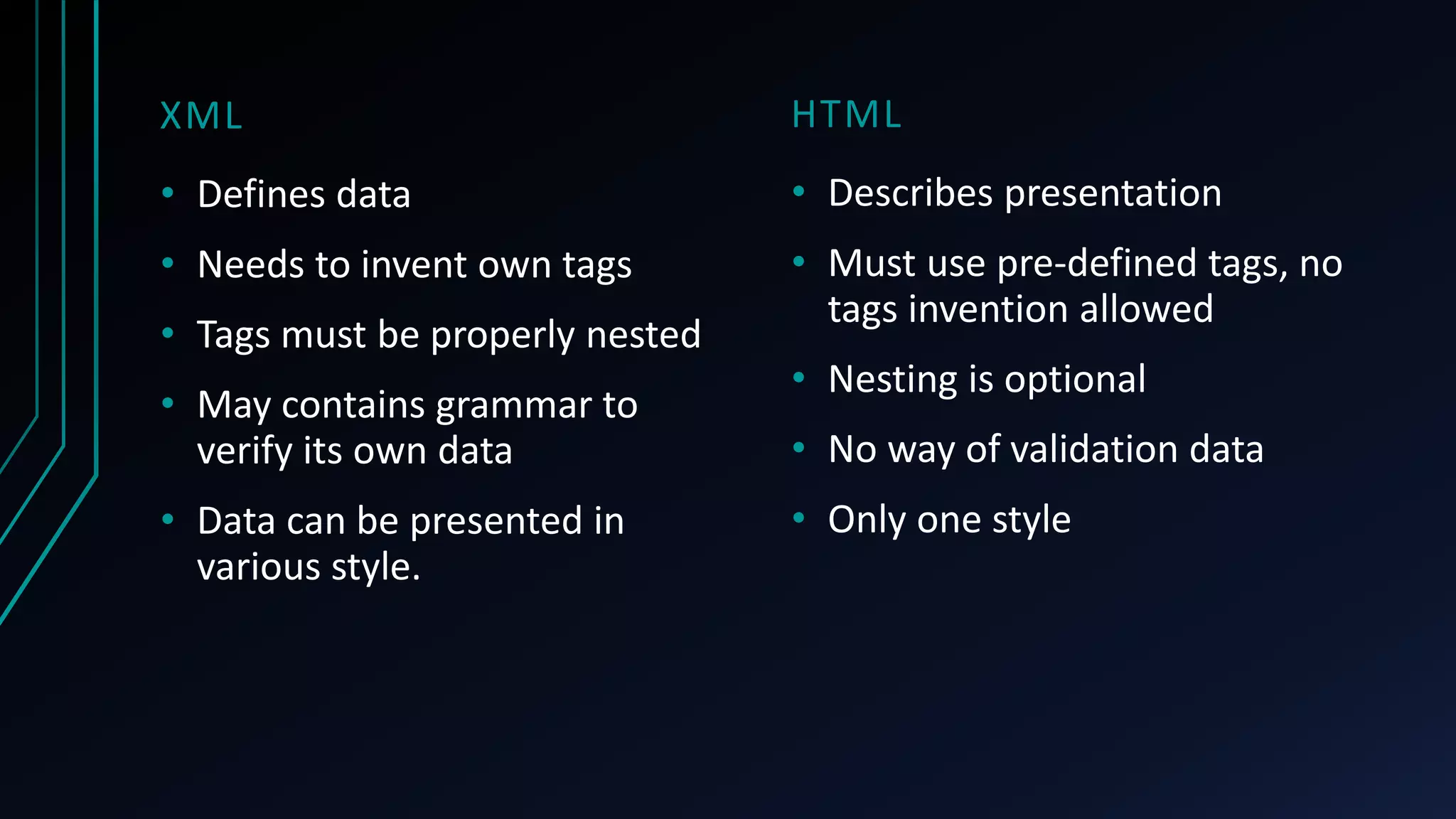
HTML
• Describes presentation
• Must use pre-defined tags, no
tags invention allowed
• Nesting is optional
• No way of validation data
• Only one style
XML
• Defines data
• Needs to invent own tags
• Tags must be properly nested
• May contains grammar to
verify its own data
• Data can be presented in
various style.
Learning XML
ELEMENTS OF XML
• XML document is hierarchically structured (like a tree).
• Tags – <letter>
• Empty Tags – <letter/>
• Attributes – <letter date=“2-23-2018”>
• Data(Text) – <letter>Meet me at park.</letter>
• XML declaration – <?xml version=“1.0” encoding=“UTF-8”?>
• Content – <![CDATA[This is content]]>
• Comments – <!--This is a comment-->
TAGS
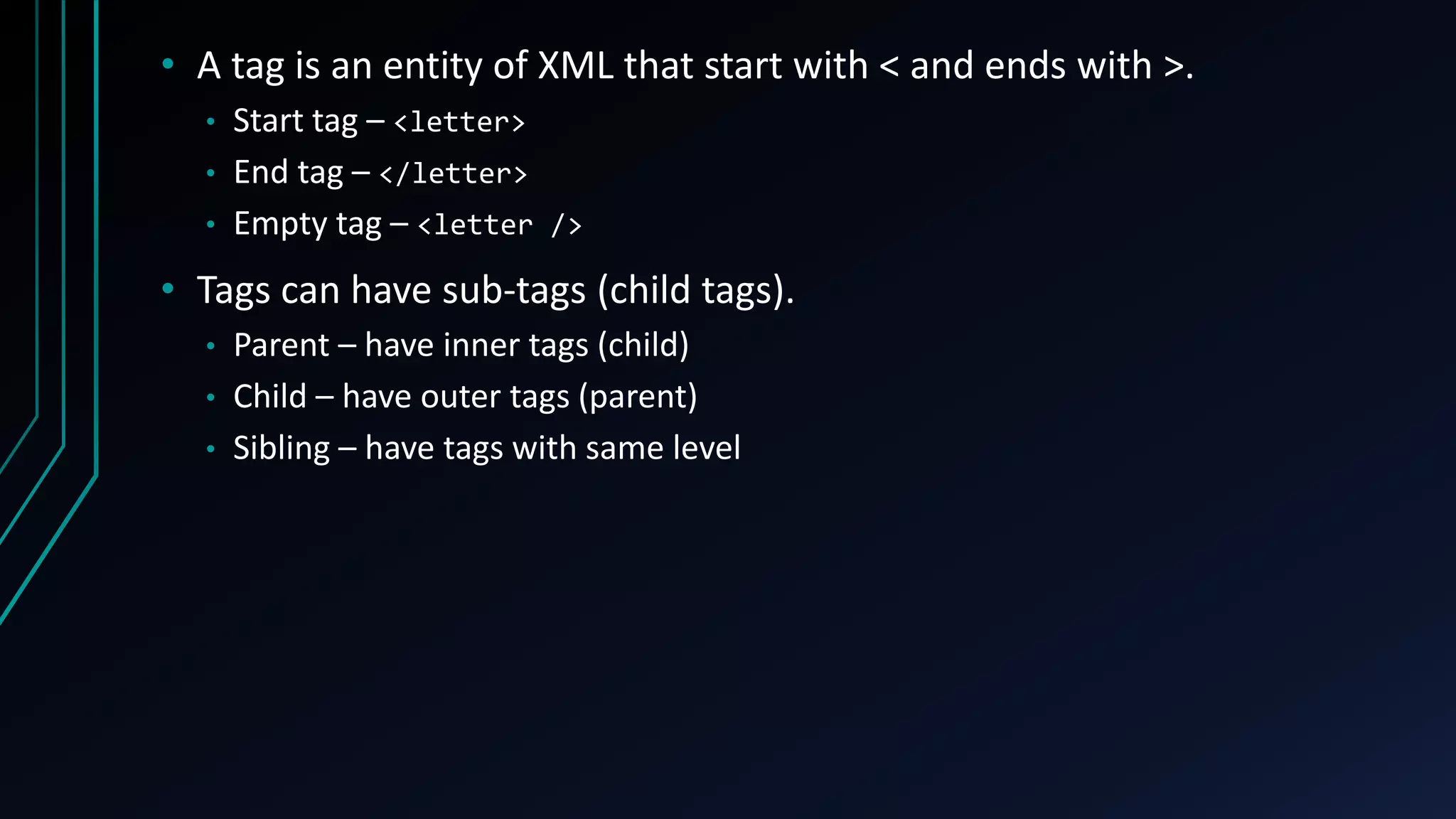
• A tag is an entity of XML that start with < and ends with >.
• Start tag – <letter>
• End tag – </letter>
• Empty tag – <letter />
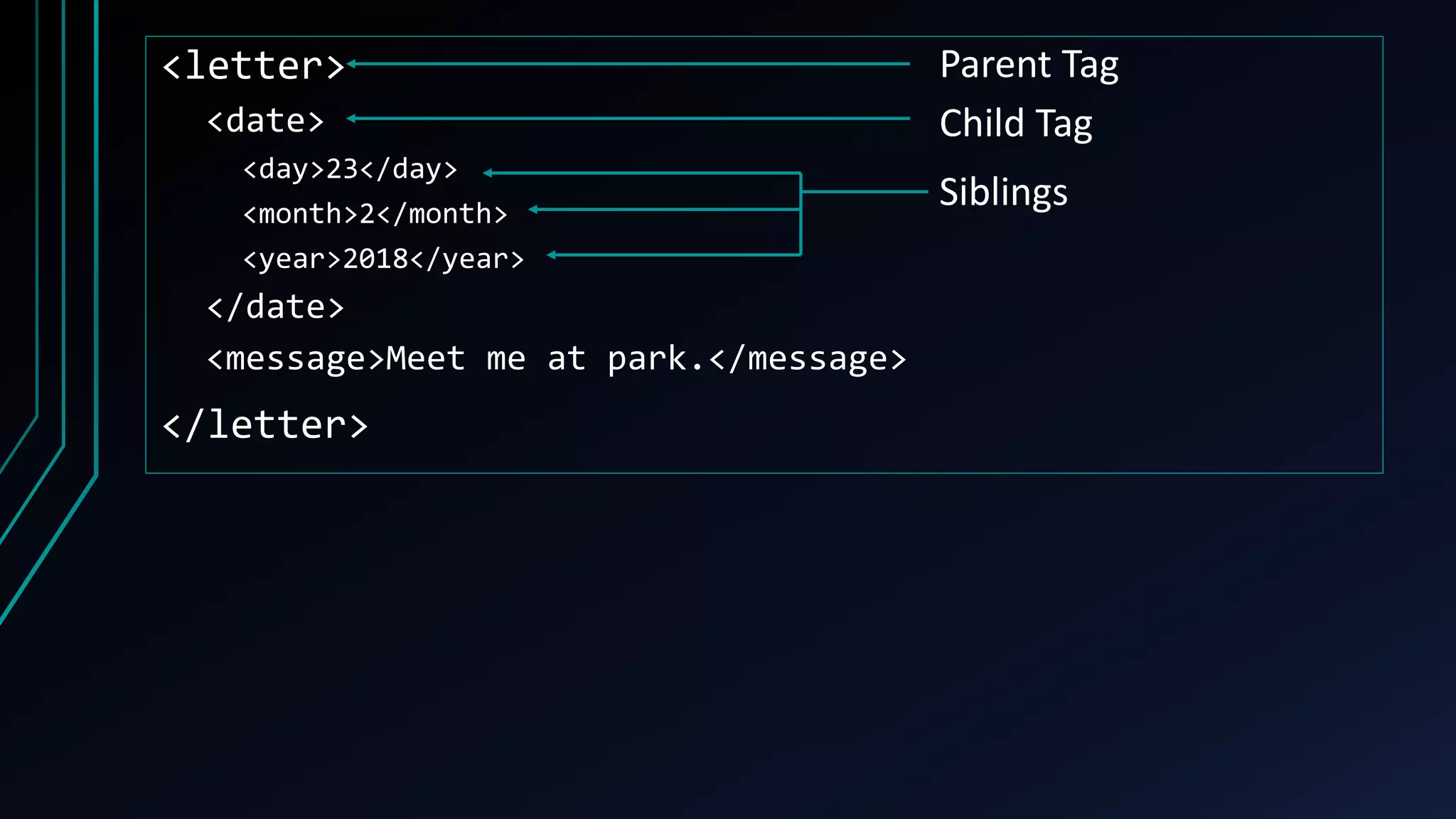
• Tags can have sub-tags (child tags).
• Parent – have inner tags (child)
• Child – have outer tags (parent)
• Sibling – have tags with same level
<letter>
<date>
<day>23</day>
<month>2</month>
<year>2018</year>
</date>
<message>Meet me at park.</message>
</letter>
Parent Tag
Child Tag
Siblings
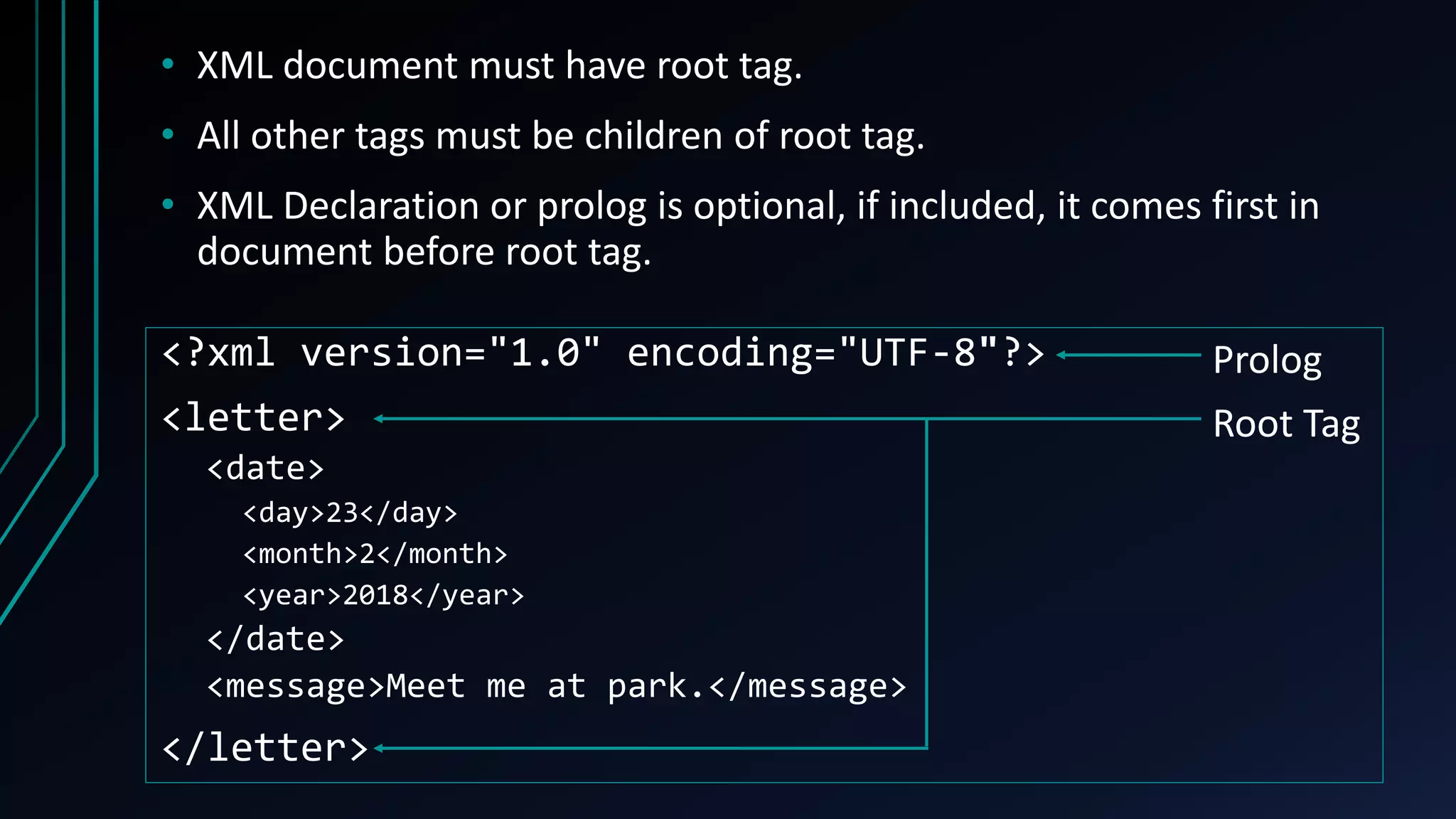
• XML document must have root tag.
• All other tags must be children of root tag.
• XML Declaration or prolog is optional, if included, it comes first in
document before root tag.
<?xml version="1.0" encoding="UTF-8"?>
<letter>
<date>
<day>23</day>
<month>2</month>
<year>2018</year>
</date>
<message>Meet me at park.</message>
</letter>
Prolog
Root Tag
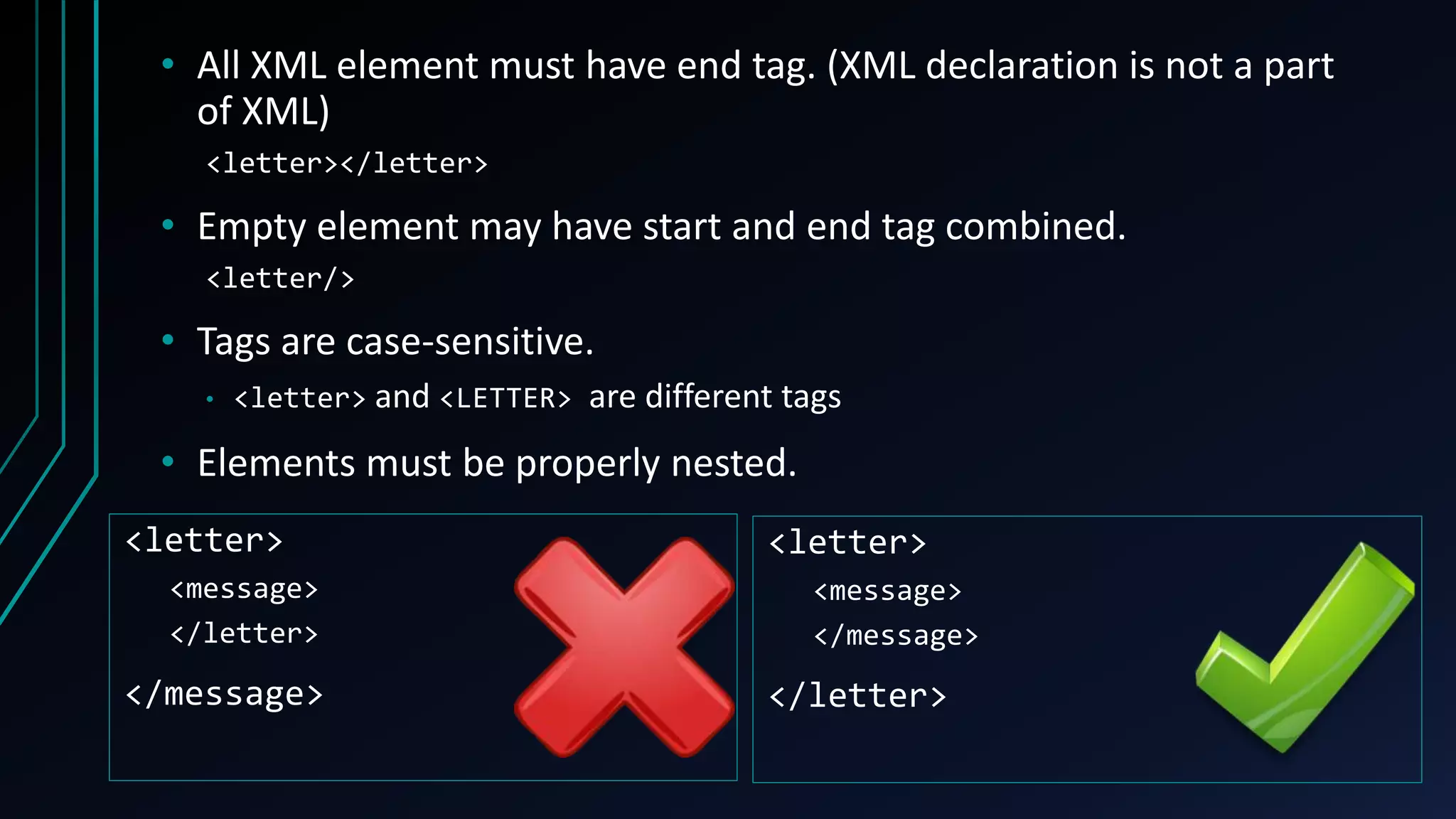
• All XML element must have end tag. (XML declaration is not a part
of XML)
<letter></letter>
• Empty element may have start and end tag combined.
<letter/>
• Tags are case-sensitive.
• <letter> and <LETTER> are different tags
• Elements must be properly nested.
<letter>
<message>
</letter>
</message>
<letter>
<message>
</message>
</letter>
• Rules for tag names
• case-sensitive
• must start with a letter or underscore, not digits
• can contain letters, digits, hyphens, underscores, and periods
• cannot contain spaces
• no words are reserved except xml
• avoid hyphen(-), period(.), colon(:)
ATTRIBUTES
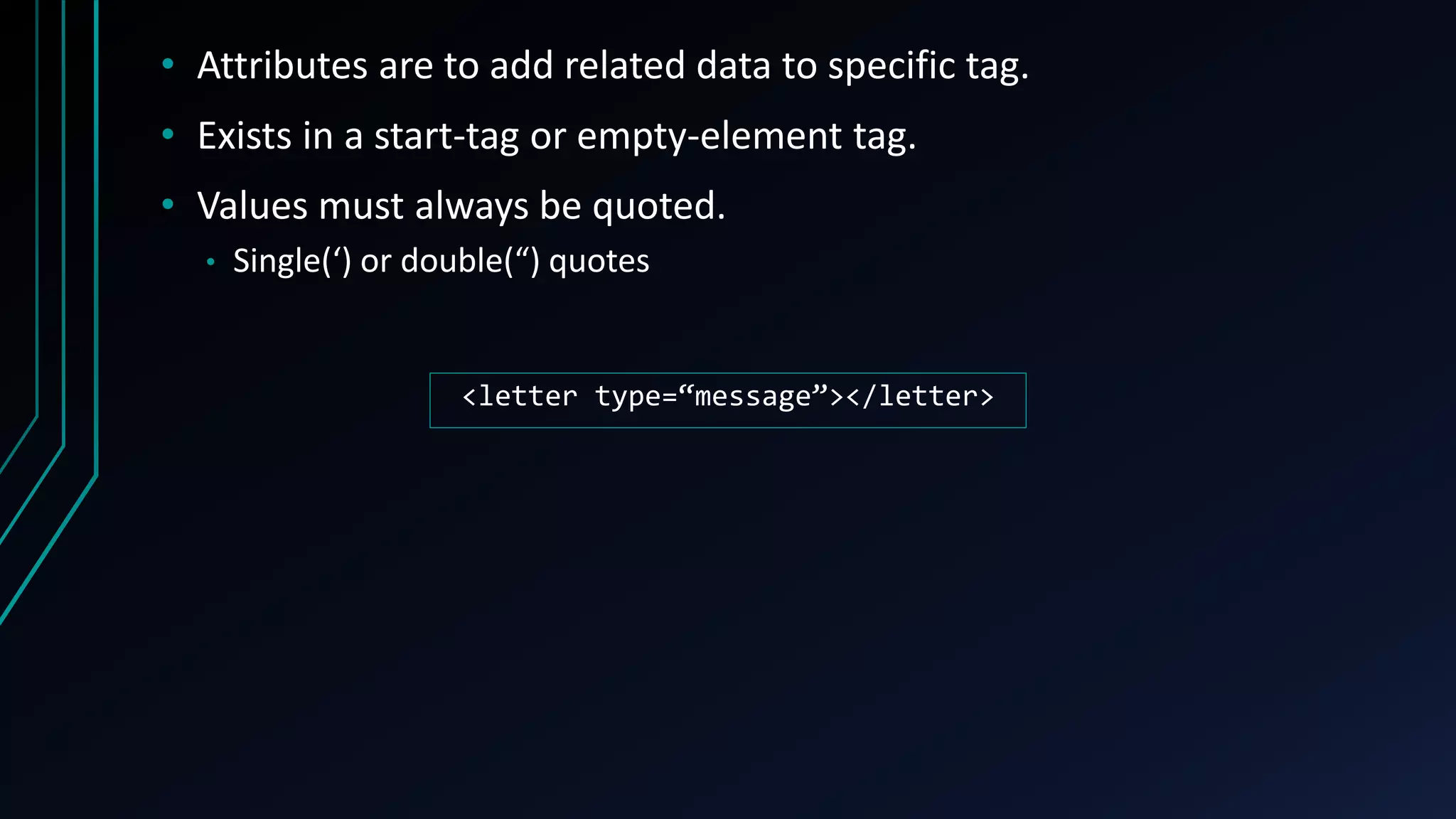
• Attributes are to add related data to specific tag.
• Exists in a start-tag or empty-element tag.
• Values must always be quoted.
• Single(‘) or double(“) quotes
<letter type=“message”></letter>
CHILD TAG VS ATTRIBUTES
• Both child tag and attributes can be used to add related data.
<letter type=“message”>
</letter>
<letter>
<type>message</type>
</letter>
• When to use tags
• Store multiple values
• Attributes cannot store multiple values
• Appear multiple times
• Structured rather than value
• Easy for future modifications
• When to use attributes
• Store single value
• Less storage as not having end tag
• Appear at once
• Metadata
ESCAPING
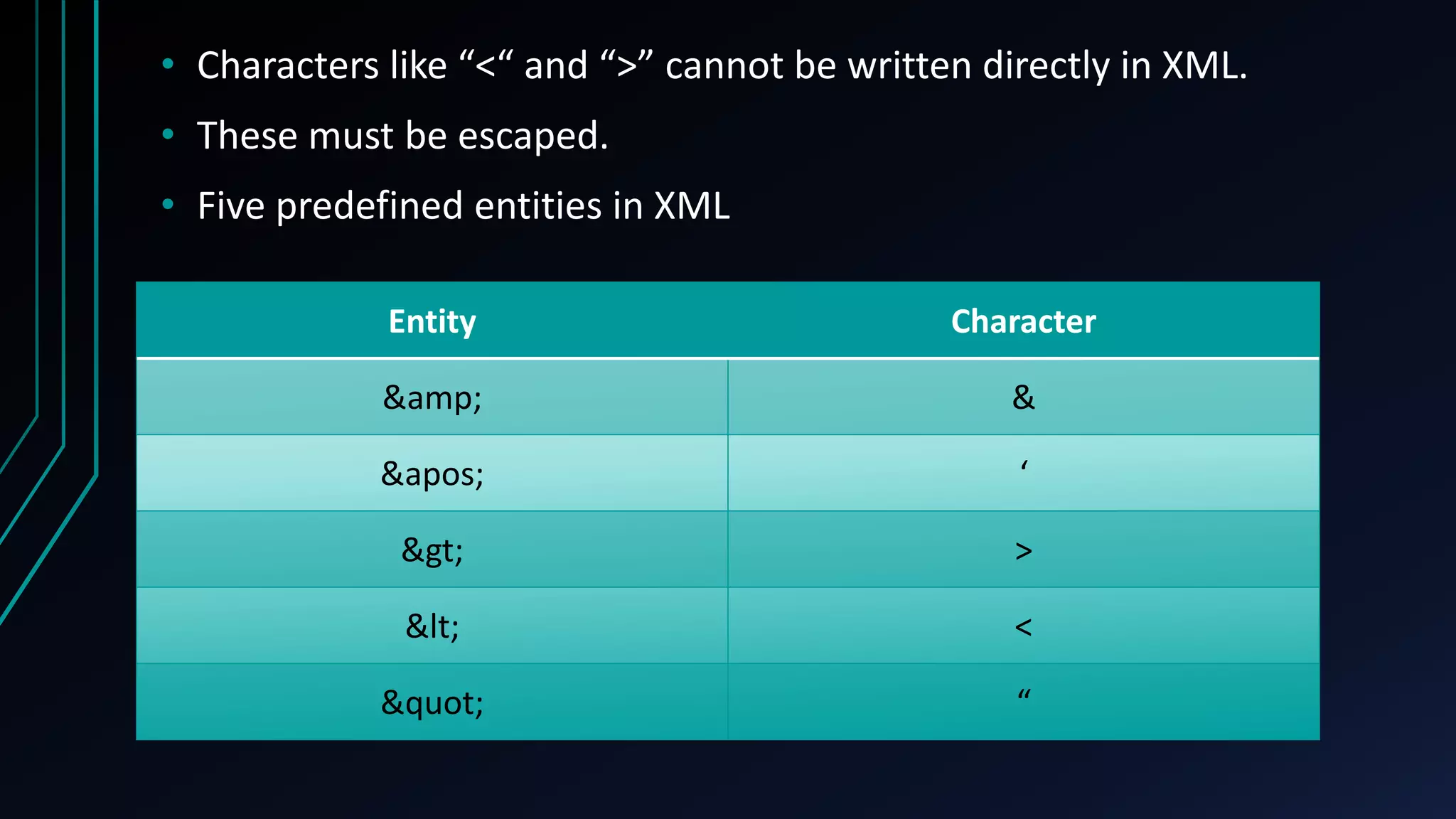
• Characters like “<“ and “>” cannot be written directly in XML.
• These must be escaped.
• Five predefined entities in XML
Entity Character
&amp; &
&apos; ‘
&gt; >
&lt; <
&quot; “
COMMENTS
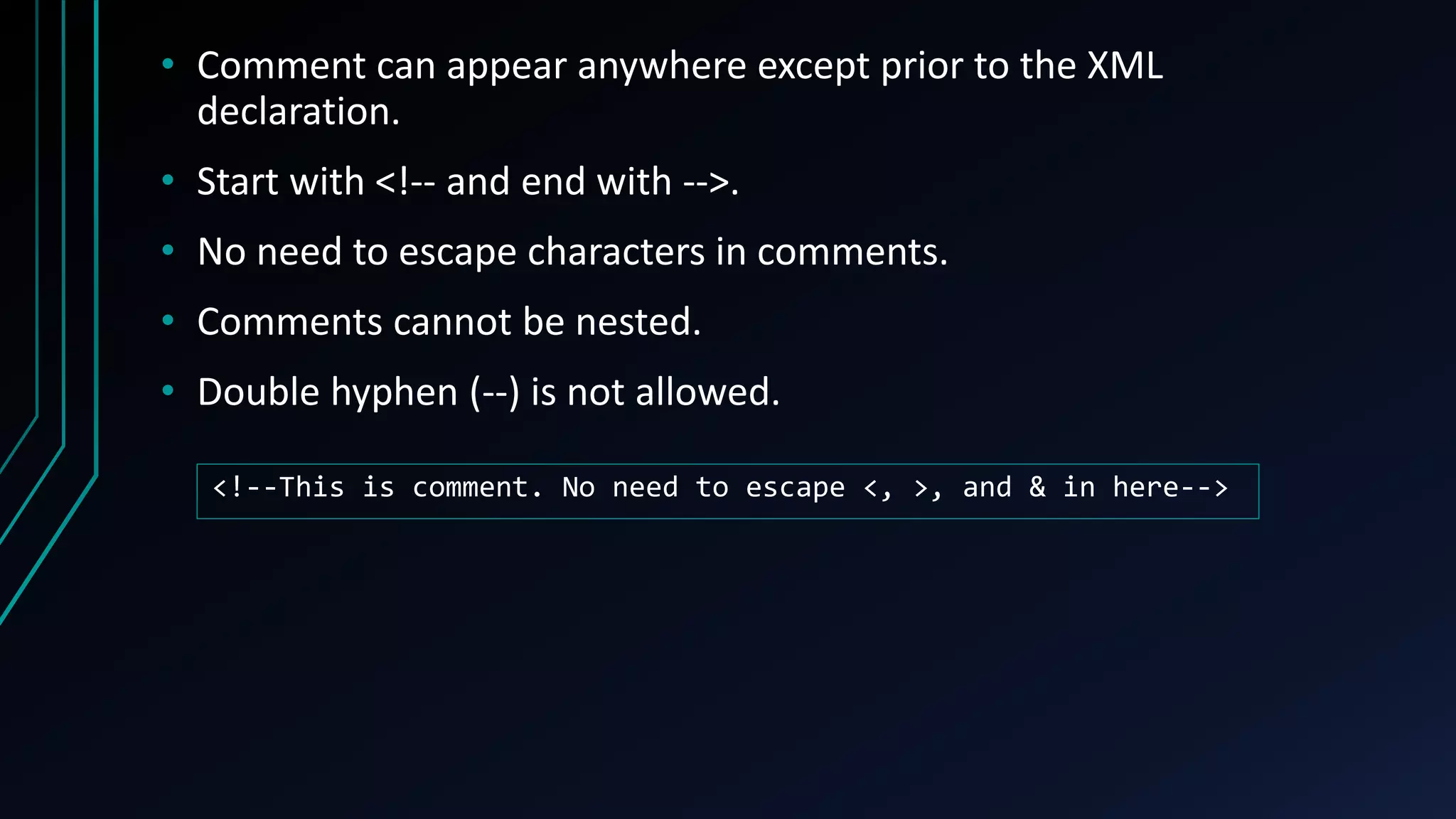
• Comment can appear anywhere except prior to the XML
declaration.
• Start with <!-- and end with -->.
• No need to escape characters in comments.
• Comments cannot be nested.
• Double hyphen (--) is not allowed.
<!--This is comment. No need to escape <, >, and & in here-->
PCDATA AND CDATA
• PCDATA – text will be parsed by XML parser
• CDATA – text will not be parsed by XML parser
• XML document are typically PCDATA, treated as markup and expand
entities.
• CDATA are a large section of XML text block that contains many
characters to be escaped, but will not treated like markup, and not
expand entities.
<![CDATA[
This section is Unparsed Character Data.
<tags>“Elements” & ‘tags’ must be properly closed.</tags>
]]>
DOCUMENT TYPE
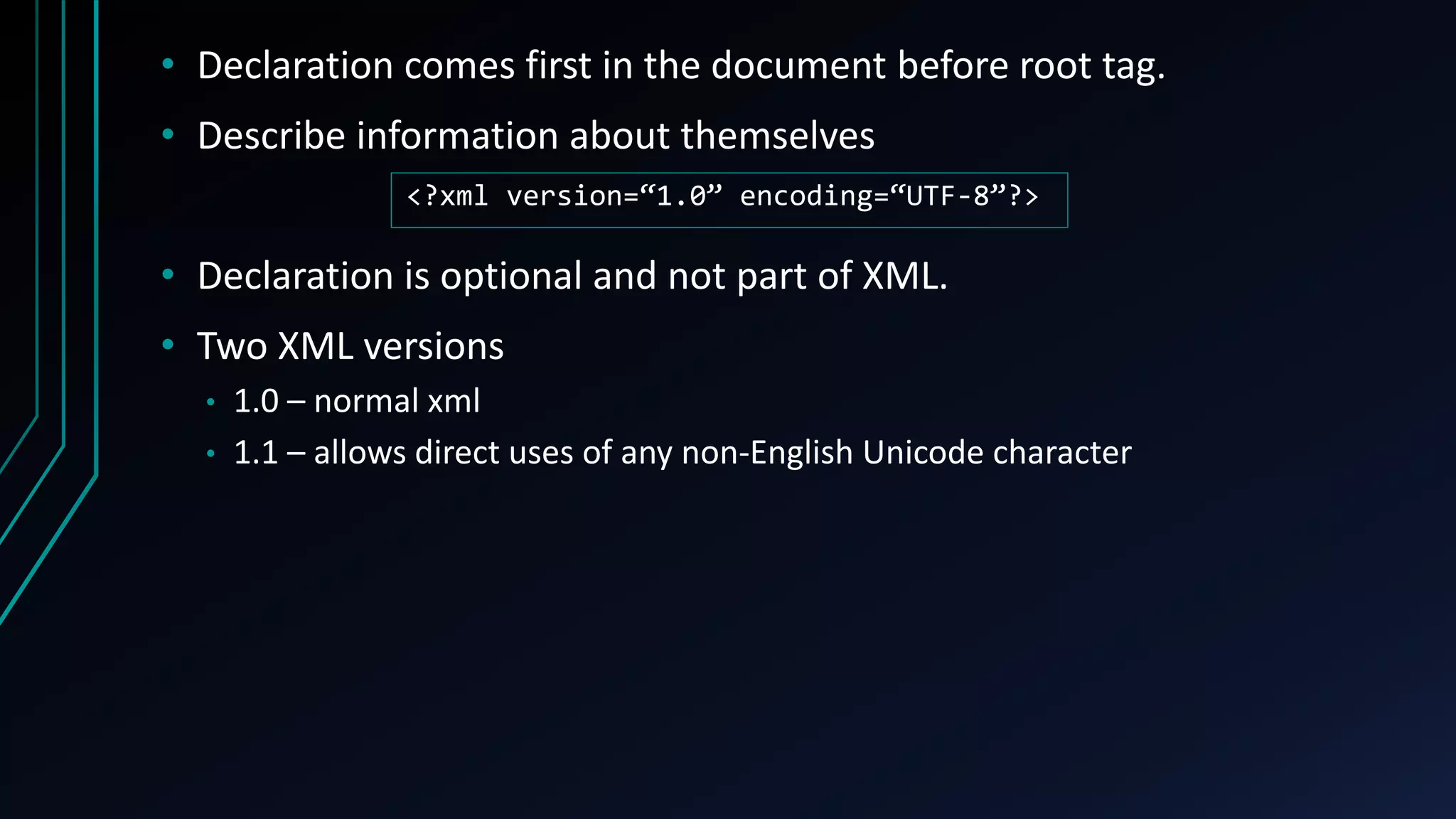
• Declaration comes first in the document before root tag.
• Describe information about themselves
• Declaration is optional and not part of XML.
• Two XML versions
• 1.0 – normal xml
• 1.1 – allows direct uses of any non-English Unicode character
<?xml version=“1.0” encoding=“UTF-8”?>
Further Related Technologies
PARSING
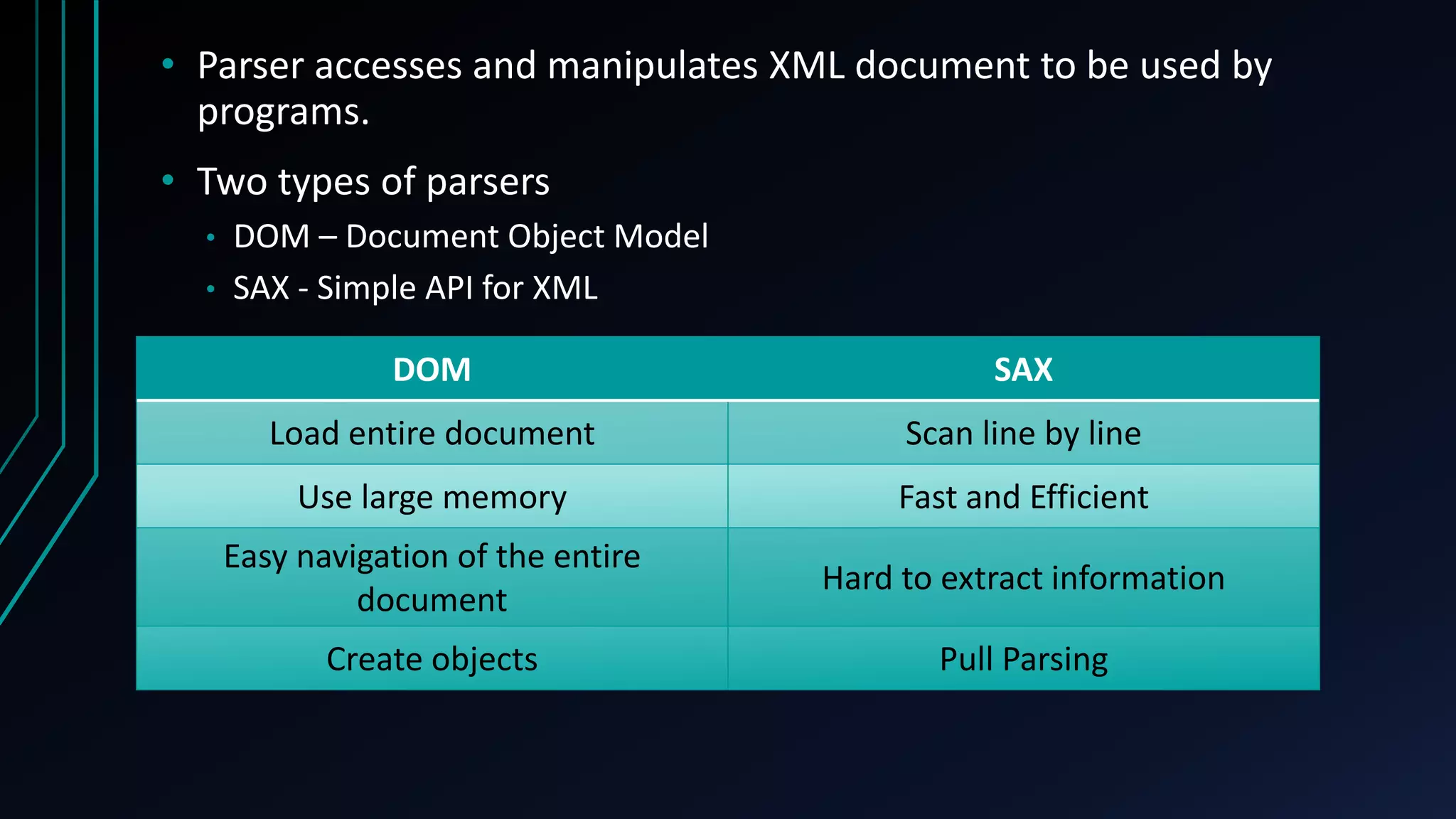
• Parser accesses and manipulates XML document to be used by
programs.
• Two types of parsers
• DOM – Document Object Model
• SAX - Simple API for XML
DOM SAX
Load entire document Scan line by line
Use large memory Fast and Efficient
Easy navigation of the entire
document
Hard to extract information
Create objects Pull Parsing
VALIDATING
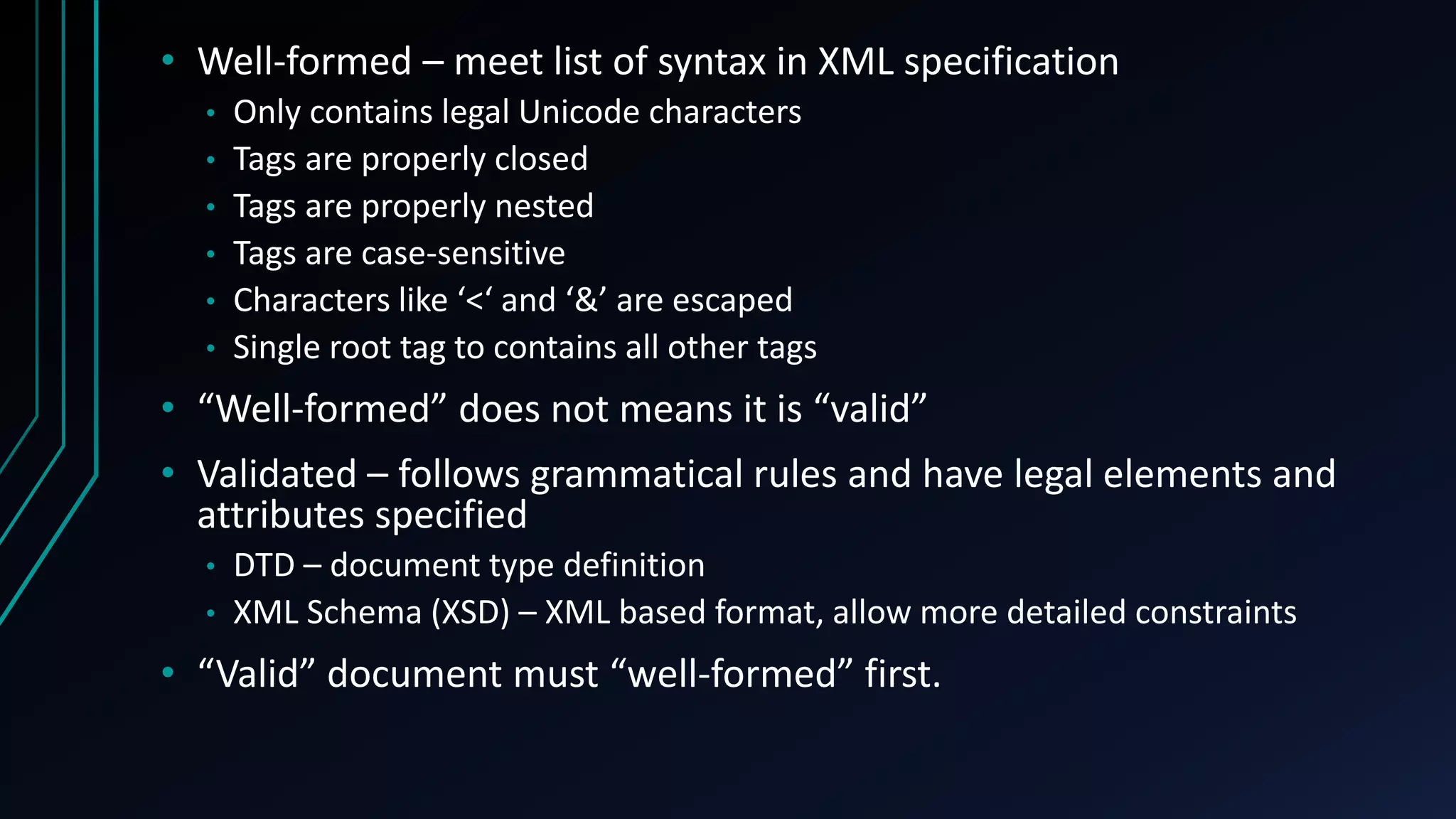
• Well-formed – meet list of syntax in XML specification
• Only contains legal Unicode characters
• Tags are properly closed
• Tags are properly nested
• Tags are case-sensitive
• Characters like ‘<‘ and ‘&’ are escaped
• Single root tag to contains all other tags
• “Well-formed” does not means it is “valid”
• Validated – follows grammatical rules and have legal elements and
attributes specified
• DTD – document type definition
• XML Schema (XSD) – XML based format, allow more detailed constraints
• “Valid” document must “well-formed” first.
XML TECHNOLOGIES
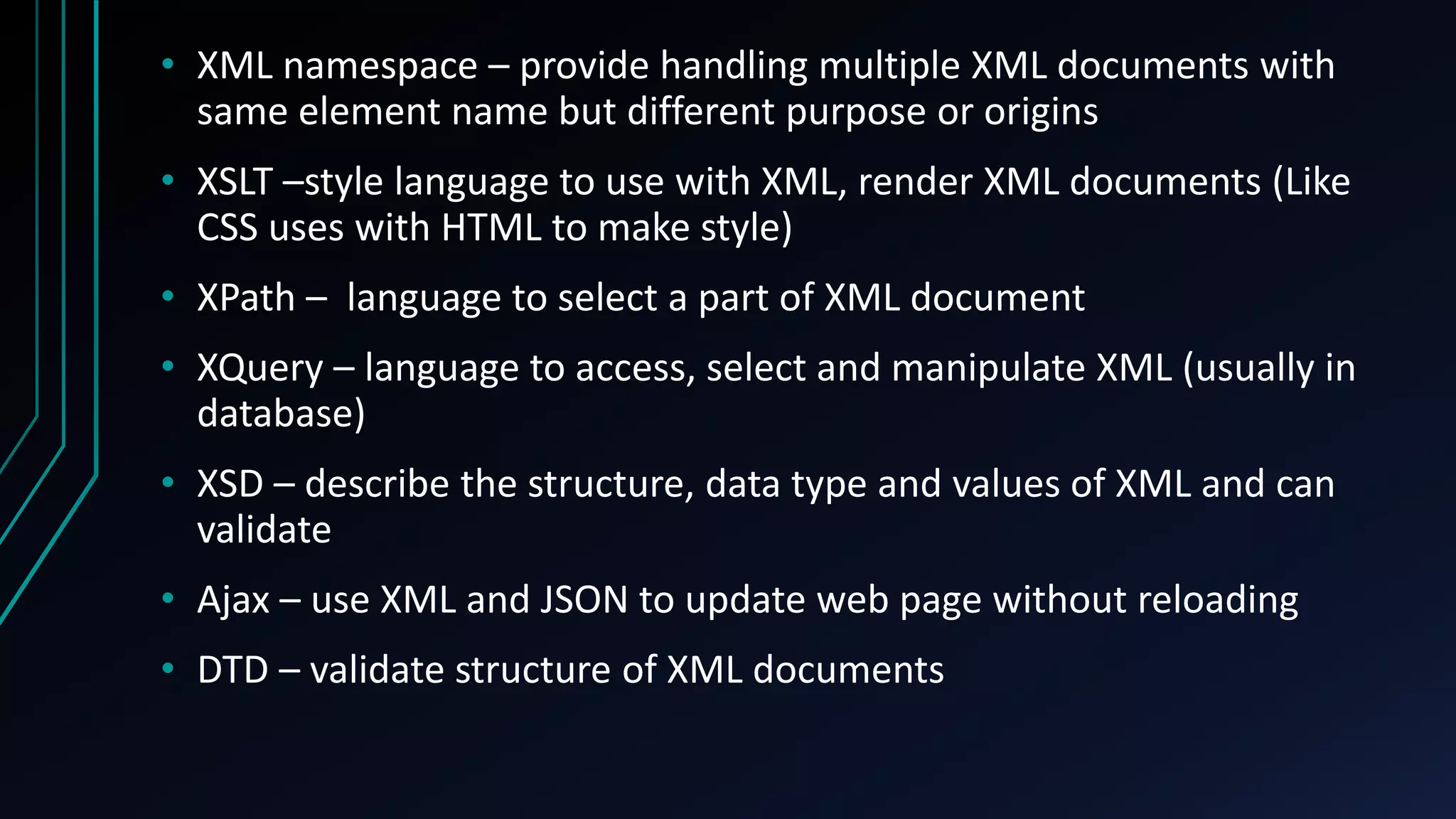
• XML namespace – provide handling multiple XML documents with
same element name but different purpose or origins
• XSLT –style language to use with XML, render XML documents (Like
CSS uses with HTML to make style)
• XPath – language to select a part of XML document
• XQuery – language to access, select and manipulate XML (usually in
database)
• XSD – describe the structure, data type and values of XML and can
validate
• Ajax – use XML and JSON to update web page without reloading
• DTD – validate structure of XML documents
Thank you

Introduction to XML

  • 1.
    Introduction to XML UNDERSTANDINGDATA FOR BOTH HUMAN AND MACHINE
  • 2.
    Objective • Explain whatis XML • Learn to use XML • Related technologies like XML
  • 3.
  • 4.
    • e(X)tensible (M)arkup(L)anguage • Organizing data in readable format • Designed to store, exchange and distribute data over Internet • Independence of application • Self-descriptive • W3C Recommended Standard
  • 5.
  • 6.
    • XML doesnot do anything besides data. • Does not describe about how to be displayed. • Does not have “pre-defined” tags. • Extensible – the author just need to invent own tags and add new data.
  • 7.
  • 8.
    XML VS HTML(WHY XML?)
  • 9.
    HTML • Describes presentation •Must use pre-defined tags, no tags invention allowed • Nesting is optional • No way of validation data • Only one style XML • Defines data • Needs to invent own tags • Tags must be properly nested • May contains grammar to verify its own data • Data can be presented in various style.
  • 10.
  • 11.
    • XML documentis hierarchically structured (like a tree). • Tags – <letter> • Empty Tags – <letter/> • Attributes – <letter date=“2-23-2018”> • Data(Text) – <letter>Meet me at park.</letter> • XML declaration – <?xml version=“1.0” encoding=“UTF-8”?> • Content – <![CDATA[This is content]]> • Comments – <!--This is a comment-->
  • 12.
  • 13.
    • A tagis an entity of XML that start with < and ends with >. • Start tag – <letter> • End tag – </letter> • Empty tag – <letter /> • Tags can have sub-tags (child tags). • Parent – have inner tags (child) • Child – have outer tags (parent) • Sibling – have tags with same level
  • 14.
  • 15.
    • XML documentmust have root tag. • All other tags must be children of root tag. • XML Declaration or prolog is optional, if included, it comes first in document before root tag. <?xml version="1.0" encoding="UTF-8"?> <letter> <date> <day>23</day> <month>2</month> <year>2018</year> </date> <message>Meet me at park.</message> </letter> Prolog Root Tag
  • 16.
    • All XMLelement must have end tag. (XML declaration is not a part of XML) <letter></letter> • Empty element may have start and end tag combined. <letter/> • Tags are case-sensitive. • <letter> and <LETTER> are different tags • Elements must be properly nested. <letter> <message> </letter> </message> <letter> <message> </message> </letter>
  • 17.
    • Rules fortag names • case-sensitive • must start with a letter or underscore, not digits • can contain letters, digits, hyphens, underscores, and periods • cannot contain spaces • no words are reserved except xml • avoid hyphen(-), period(.), colon(:)
  • 18.
  • 19.
    • Attributes areto add related data to specific tag. • Exists in a start-tag or empty-element tag. • Values must always be quoted. • Single(‘) or double(“) quotes <letter type=“message”></letter>
  • 20.
    CHILD TAG VSATTRIBUTES
  • 21.
    • Both childtag and attributes can be used to add related data. <letter type=“message”> </letter> <letter> <type>message</type> </letter>
  • 22.
    • When touse tags • Store multiple values • Attributes cannot store multiple values • Appear multiple times • Structured rather than value • Easy for future modifications • When to use attributes • Store single value • Less storage as not having end tag • Appear at once • Metadata
  • 23.
  • 24.
    • Characters like“<“ and “>” cannot be written directly in XML. • These must be escaped. • Five predefined entities in XML Entity Character &amp; & &apos; ‘ &gt; > &lt; < &quot; “
  • 25.
  • 26.
    • Comment canappear anywhere except prior to the XML declaration. • Start with <!-- and end with -->. • No need to escape characters in comments. • Comments cannot be nested. • Double hyphen (--) is not allowed. <!--This is comment. No need to escape <, >, and & in here-->
  • 27.
  • 28.
    • PCDATA –text will be parsed by XML parser • CDATA – text will not be parsed by XML parser • XML document are typically PCDATA, treated as markup and expand entities. • CDATA are a large section of XML text block that contains many characters to be escaped, but will not treated like markup, and not expand entities. <![CDATA[ This section is Unparsed Character Data. <tags>“Elements” & ‘tags’ must be properly closed.</tags> ]]>
  • 29.
  • 30.
    • Declaration comesfirst in the document before root tag. • Describe information about themselves • Declaration is optional and not part of XML. • Two XML versions • 1.0 – normal xml • 1.1 – allows direct uses of any non-English Unicode character <?xml version=“1.0” encoding=“UTF-8”?>
  • 31.
  • 32.
    • Parser accessesand manipulates XML document to be used by programs. • Two types of parsers • DOM – Document Object Model • SAX - Simple API for XML DOM SAX Load entire document Scan line by line Use large memory Fast and Efficient Easy navigation of the entire document Hard to extract information Create objects Pull Parsing
  • 33.
  • 34.
    • Well-formed –meet list of syntax in XML specification • Only contains legal Unicode characters • Tags are properly closed • Tags are properly nested • Tags are case-sensitive • Characters like ‘<‘ and ‘&’ are escaped • Single root tag to contains all other tags • “Well-formed” does not means it is “valid” • Validated – follows grammatical rules and have legal elements and attributes specified • DTD – document type definition • XML Schema (XSD) – XML based format, allow more detailed constraints • “Valid” document must “well-formed” first.
  • 35.
  • 36.
    • XML namespace– provide handling multiple XML documents with same element name but different purpose or origins • XSLT –style language to use with XML, render XML documents (Like CSS uses with HTML to make style) • XPath – language to select a part of XML document • XQuery – language to access, select and manipulate XML (usually in database) • XSD – describe the structure, data type and values of XML and can validate • Ajax – use XML and JSON to update web page without reloading • DTD – validate structure of XML documents
  • 37.