eXtensible

Markup Language (XML)

By:
Albert Beng Kiat Tan
Ayzer Mungan
Edwin Hendriadi
Outline of Presentation
Introduction
 Comparison between XML and HTML
 XML Syntax
 XML Queries and Mediators
 Challenges
 Summary

What is XML?
eXtensible Markup Language
 Markup language for documents containing
structured information
 Defined by four specifications:







XML, the Extensible Markup Language
XLL, the Extensible Linking Language
XSL, the Extensible Style Language
XUA, the XML User Agent
XML….
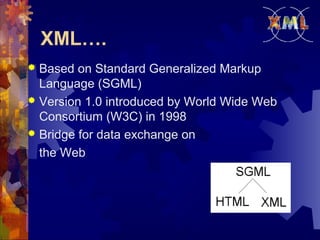
Based on Standard Generalized Markup
Language (SGML)
 Version 1.0 introduced by World Wide Web
Consortium (W3C) in 1998
 Bridge for data exchange on
the Web

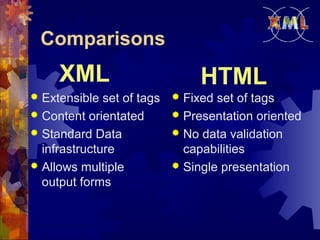
Comparisons

XML
Extensible set of tags
 Content orientated
 Standard Data
infrastructure
 Allows multiple
output forms


HTML
Fixed set of tags
 Presentation oriented
 No data validation
capabilities
 Single presentation

Authoring XML
Elements






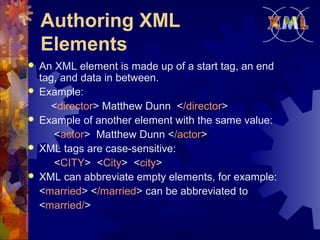
An XML element is made up of a start tag, an end
tag, and data in between.
Example:
<director> Matthew Dunn </director>
Example of another element with the same value:
<actor> Matthew Dunn </actor>
XML tags are case-sensitive:
<CITY> <City> <city>
XML can abbreviate empty elements, for example:
<married> </married> can be abbreviated to
<married/>
Authoring XML
Elements (cont’d)
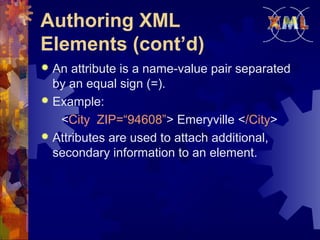
An attribute is a name-value pair separated
by an equal sign (=).
 Example:
<City ZIP=“94608”> Emeryville </City>
 Attributes are used to attach additional,
secondary information to an element.

Authoring XML
Documents
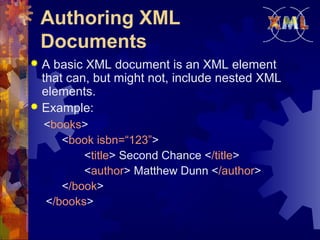
A basic XML document is an XML element
that can, but might not, include nested XML
elements.
 Example:


<books>
<book isbn=“123”>
<title> Second Chance </title>
<author> Matthew Dunn </author>
</book>
</books>
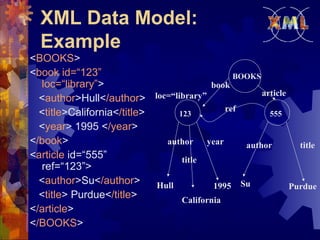
XML Data Model:
Example
<BOOKS>
<book id=“123”
BOOKS
loc=“library”>
book
article
loc=“library”
<author>Hull</author>
ref
<title>California</title>
123
555
<year> 1995 </year>
</book>
author
year
author
title
<article id=“555”
title
ref=“123”>
<author>Su</author>
Hull
1995 Su
Purdue
<title> Purdue</title>
California
</article>
</BOOKS>
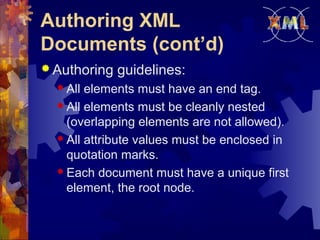
Authoring XML
Documents (cont’d)
 Authoring
 All

guidelines:

elements must have an end tag.
 All elements must be cleanly nested
(overlapping elements are not allowed).
 All attribute values must be enclosed in
quotation marks.
 Each document must have a unique first
element, the root node.
Authoring XML Data
Islands


A data island is an XML document that exists
within an HTML page.



The <XML> element marks the beginning of
the data island, and its ID attribute provides a
name that you can use to reference the data
island.
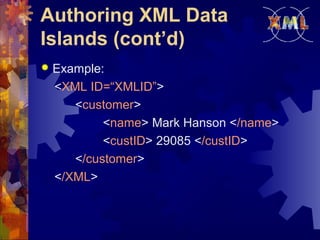
Authoring XML Data
Islands (cont’d)


Example:
<XML ID=“XMLID”>
<customer>
<name> Mark Hanson </name>
<custID> 29085 </custID>
</customer>
</XML>
Document Type
Definitions (DTD)
An XML document may have an optional
DTD.
 DTD serves as grammar for the underlying
XML document, and it is part of XML
language.
 DTDs are somewhat unsatisfactory, but no
consensus exists so far beyond the basic
DTDs.
 DTD has the form:
<!DOCTYPE name [markupdeclaration]>

DTD (cont’d)
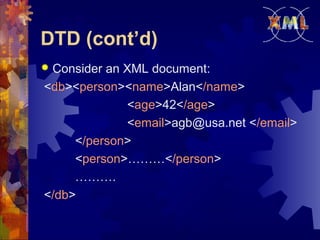
Consider an XML document:
<db><person><name>Alan</name>
<age>42</age>
<email>agb@usa.net </email>
</person>
<person>………</person>
……….
</db>


DTD (cont’d)


DTD for it might be:
<!DOCTYPE db [
<!ELEMENT db (person*)>
<!ELEMENT person (name, age, email)>
<!ELEMENT name (#PCDATA)>
<!ELEMENT age (#PCDATA)>
<!ELEMENT email (#PCDATA)>
]>
DTD (cont’d)
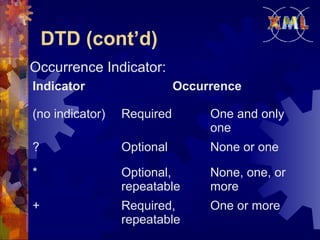
Occurrence Indicator:
Indicator

Occurrence

(no indicator)

Required

One and only
one

?

Optional

None or one

*

Optional,
repeatable

None, one, or
more

+

Required,
repeatable

One or more
XML Query Languages


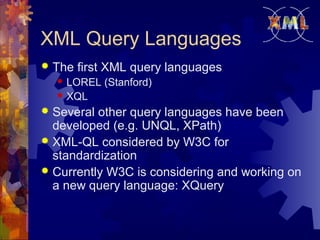
The first XML query languages



LOREL (Stanford)
XQL

Several other query languages have been
developed (e.g. UNQL, XPath)
 XML-QL considered by W3C for
standardization
 Currently W3C is considering and working on
a new query language: XQuery

A Query Language for
XML: XML-QL
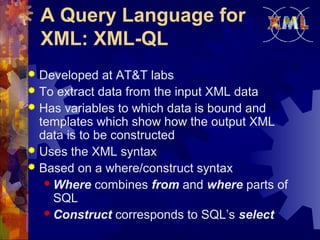
Developed at AT&T labs
 To extract data from the input XML data
 Has variables to which data is bound and
templates which show how the output XML
data is to be constructed
 Uses the XML syntax
 Based on a where/construct syntax
 Where combines from and where parts of
SQL
 Construct corresponds to SQL’s select

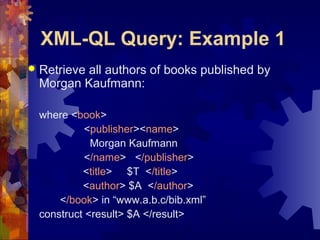
XML-QL Query: Example 1


Retrieve all authors of books published by
Morgan Kaufmann:
where <book>
<publisher><name>
Morgan Kaufmann
</name> </publisher>
<title> $T </title>
<author> $A </author>
</book> in “www.a.b.c/bib.xml”
construct <result> $A </result>
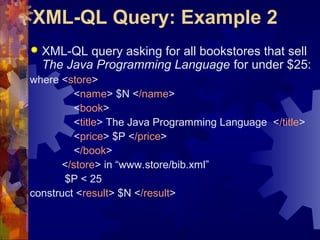
XML-QL Query: Example 2


XML-QL query asking for all bookstores that sell
The Java Programming Language for under $25:

where <store>
<name> $N </name>
<book>
<title> The Java Programming Language </title>
<price> $P </price>
</book>
</store> in “www.store/bib.xml”
$P < 25
construct <result> $N </result>
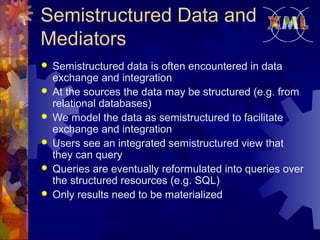
Semistructured Data and
Mediators







Semistructured data is often encountered in data
exchange and integration
At the sources the data may be structured (e.g. from
relational databases)
We model the data as semistructured to facilitate
exchange and integration
Users see an integrated semistructured view that
they can query
Queries are eventually reformulated into queries over
the structured resources (e.g. SQL)
Only results need to be materialized
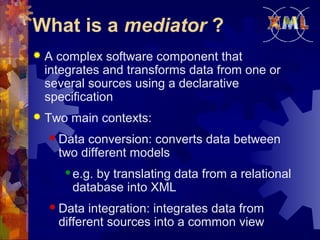
What is a mediator ?


A complex software component that
integrates and transforms data from one or
several sources using a declarative
specification



Two main contexts:
 Data

conversion: converts data between
two different models


e.g. by translating data from a relational
database into XML

 Data

integration: integrates data from
different sources into a common view
Converting Relational
Database to XML
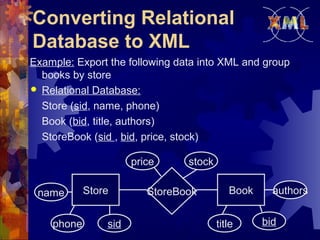
Example: Export the following data into XML and group
books by store
 Relational Database:
Store (sid, name, phone)
Book (bid, title, authors)
StoreBook (sid , bid, price, stock)
price
name
phone

Store
sid

stock

StoreBook

Book
title

authors
bid
Converting Relational
Database to XML (Cont’d)


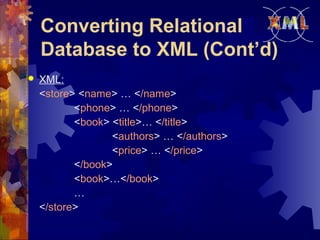
XML:
<store> <name> … </name>
<phone> … </phone>
<book> <title>… </title>
<authors> … </authors>
<price> … </price>
</book>
<book>…</book>
…
</store>
Challenges facing XML


Integration of data sharing



Security

Xml 215-presentation

  • 1.
    eXtensible Markup Language (XML) By: AlbertBeng Kiat Tan Ayzer Mungan Edwin Hendriadi
  • 2.
    Outline of Presentation Introduction Comparison between XML and HTML  XML Syntax  XML Queries and Mediators  Challenges  Summary 
  • 3.
    What is XML? eXtensibleMarkup Language  Markup language for documents containing structured information  Defined by four specifications:      XML, the Extensible Markup Language XLL, the Extensible Linking Language XSL, the Extensible Style Language XUA, the XML User Agent
  • 4.
    XML…. Based on StandardGeneralized Markup Language (SGML)  Version 1.0 introduced by World Wide Web Consortium (W3C) in 1998  Bridge for data exchange on the Web 
  • 5.
    Comparisons XML Extensible set oftags  Content orientated  Standard Data infrastructure  Allows multiple output forms  HTML Fixed set of tags  Presentation oriented  No data validation capabilities  Single presentation 
  • 6.
    Authoring XML Elements      An XMLelement is made up of a start tag, an end tag, and data in between. Example: <director> Matthew Dunn </director> Example of another element with the same value: <actor> Matthew Dunn </actor> XML tags are case-sensitive: <CITY> <City> <city> XML can abbreviate empty elements, for example: <married> </married> can be abbreviated to <married/>
  • 7.
    Authoring XML Elements (cont’d) Anattribute is a name-value pair separated by an equal sign (=).  Example: <City ZIP=“94608”> Emeryville </City>  Attributes are used to attach additional, secondary information to an element. 
  • 8.
    Authoring XML Documents A basicXML document is an XML element that can, but might not, include nested XML elements.  Example:  <books> <book isbn=“123”> <title> Second Chance </title> <author> Matthew Dunn </author> </book> </books>
  • 9.
    XML Data Model: Example <BOOKS> <bookid=“123” BOOKS loc=“library”> book article loc=“library” <author>Hull</author> ref <title>California</title> 123 555 <year> 1995 </year> </book> author year author title <article id=“555” title ref=“123”> <author>Su</author> Hull 1995 Su Purdue <title> Purdue</title> California </article> </BOOKS>
  • 10.
    Authoring XML Documents (cont’d) Authoring  All guidelines: elements must have an end tag.  All elements must be cleanly nested (overlapping elements are not allowed).  All attribute values must be enclosed in quotation marks.  Each document must have a unique first element, the root node.
  • 11.
    Authoring XML Data Islands  Adata island is an XML document that exists within an HTML page.  The <XML> element marks the beginning of the data island, and its ID attribute provides a name that you can use to reference the data island.
  • 12.
    Authoring XML Data Islands(cont’d)  Example: <XML ID=“XMLID”> <customer> <name> Mark Hanson </name> <custID> 29085 </custID> </customer> </XML>
  • 13.
    Document Type Definitions (DTD) AnXML document may have an optional DTD.  DTD serves as grammar for the underlying XML document, and it is part of XML language.  DTDs are somewhat unsatisfactory, but no consensus exists so far beyond the basic DTDs.  DTD has the form: <!DOCTYPE name [markupdeclaration]> 
  • 14.
    DTD (cont’d) Consider anXML document: <db><person><name>Alan</name> <age>42</age> <email>agb@usa.net </email> </person> <person>………</person> ………. </db> 
  • 15.
    DTD (cont’d)  DTD forit might be: <!DOCTYPE db [ <!ELEMENT db (person*)> <!ELEMENT person (name, age, email)> <!ELEMENT name (#PCDATA)> <!ELEMENT age (#PCDATA)> <!ELEMENT email (#PCDATA)> ]>
  • 16.
    DTD (cont’d) Occurrence Indicator: Indicator Occurrence (noindicator) Required One and only one ? Optional None or one * Optional, repeatable None, one, or more + Required, repeatable One or more
  • 17.
    XML Query Languages  Thefirst XML query languages   LOREL (Stanford) XQL Several other query languages have been developed (e.g. UNQL, XPath)  XML-QL considered by W3C for standardization  Currently W3C is considering and working on a new query language: XQuery 
  • 18.
    A Query Languagefor XML: XML-QL Developed at AT&T labs  To extract data from the input XML data  Has variables to which data is bound and templates which show how the output XML data is to be constructed  Uses the XML syntax  Based on a where/construct syntax  Where combines from and where parts of SQL  Construct corresponds to SQL’s select 
  • 19.
    XML-QL Query: Example1  Retrieve all authors of books published by Morgan Kaufmann: where <book> <publisher><name> Morgan Kaufmann </name> </publisher> <title> $T </title> <author> $A </author> </book> in “www.a.b.c/bib.xml” construct <result> $A </result>
  • 20.
    XML-QL Query: Example2  XML-QL query asking for all bookstores that sell The Java Programming Language for under $25: where <store> <name> $N </name> <book> <title> The Java Programming Language </title> <price> $P </price> </book> </store> in “www.store/bib.xml” $P < 25 construct <result> $N </result>
  • 21.
    Semistructured Data and Mediators       Semistructureddata is often encountered in data exchange and integration At the sources the data may be structured (e.g. from relational databases) We model the data as semistructured to facilitate exchange and integration Users see an integrated semistructured view that they can query Queries are eventually reformulated into queries over the structured resources (e.g. SQL) Only results need to be materialized
  • 22.
    What is amediator ?  A complex software component that integrates and transforms data from one or several sources using a declarative specification  Two main contexts:  Data conversion: converts data between two different models  e.g. by translating data from a relational database into XML  Data integration: integrates data from different sources into a common view
  • 23.
    Converting Relational Database toXML Example: Export the following data into XML and group books by store  Relational Database: Store (sid, name, phone) Book (bid, title, authors) StoreBook (sid , bid, price, stock) price name phone Store sid stock StoreBook Book title authors bid
  • 24.
    Converting Relational Database toXML (Cont’d)  XML: <store> <name> … </name> <phone> … </phone> <book> <title>… </title> <authors> … </authors> <price> … </price> </book> <book>…</book> … </store>
  • 25.
    Challenges facing XML  Integrationof data sharing  Security