โ€ข A few housekeeping items:
โ€ข If you have any questions for the presenters, please postthem in the Q&A box and we will answer them at the end of the presentation.
โ€ข If you have any technical issues during the webinar, please send a comment to the Q&A box for assistance.
โ€ข This session is being recorded and will be shared with the presentation slides on the Samsung Developer webpage: http://bit.ly/SDPWEBINARS
โ€ข And please donโ€™t forget to provide feedback before you leave the session. Your feedback is critical to ensure that we improve these webinars.
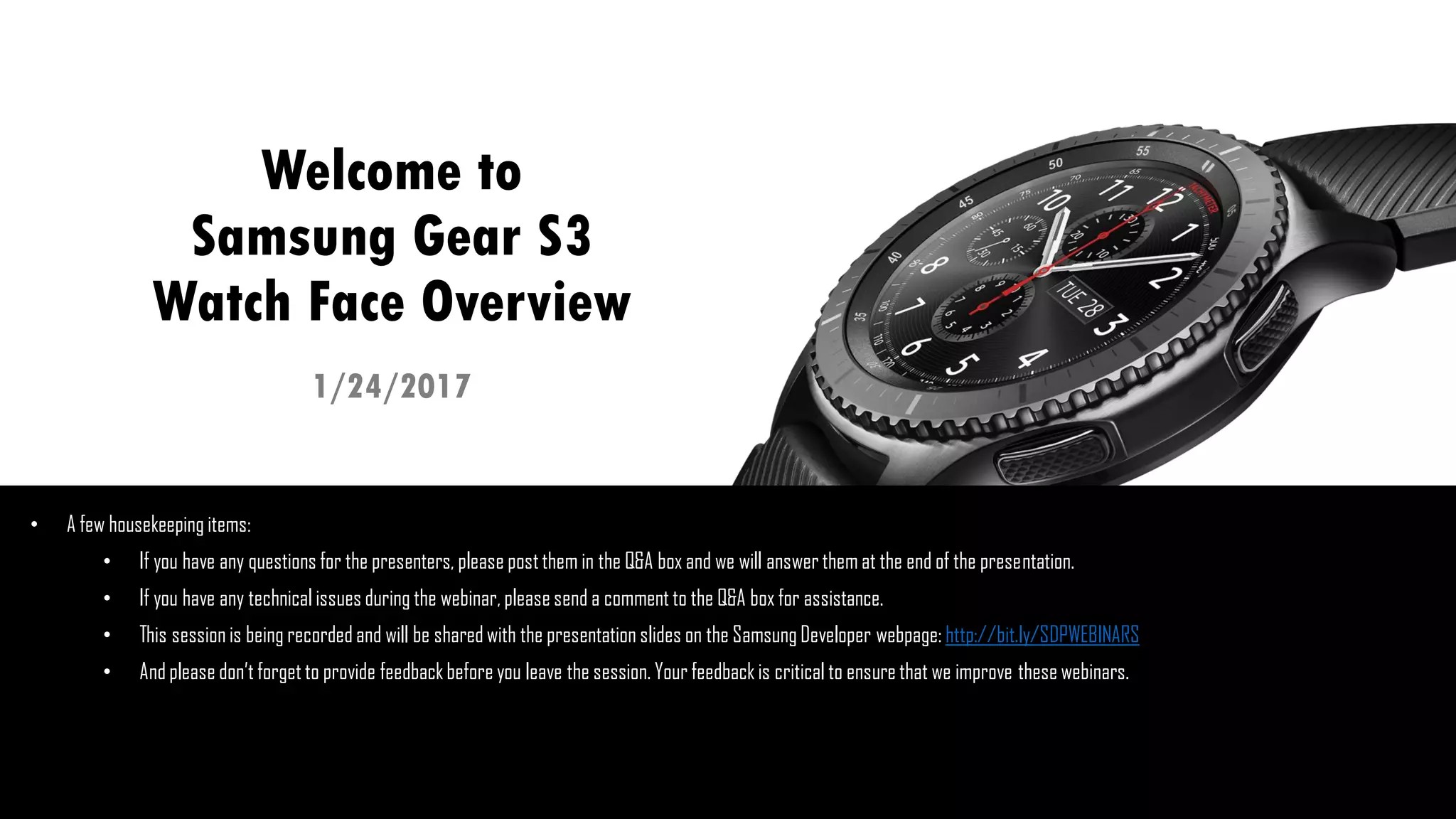
1/24/2017
Welcome to
Samsung Gear S3
Watch Face Overview
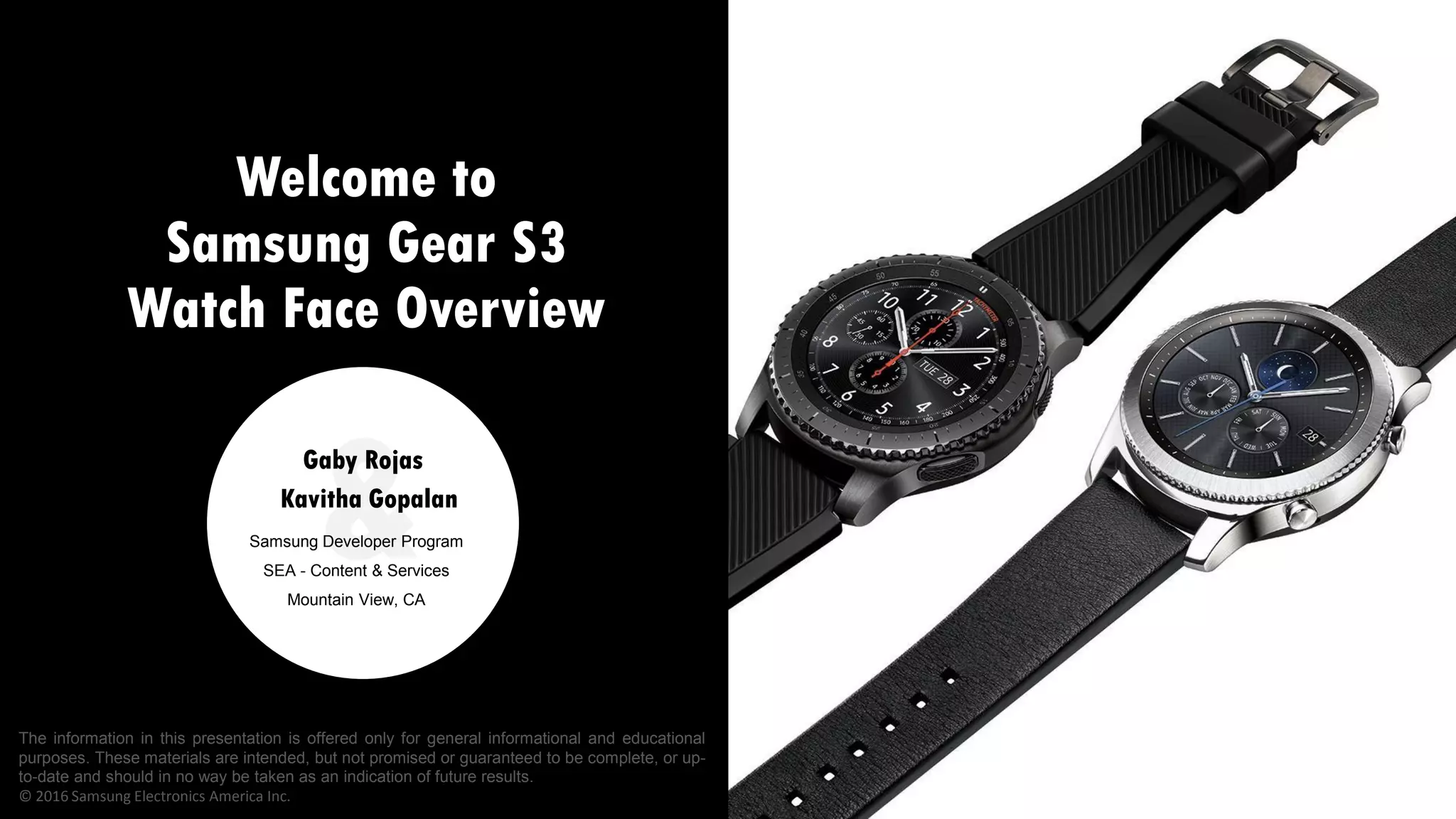
Welcome to
Samsung Gear S3
Watch Face Overview
&Samsung Developer Program
SEA - Content & Services
Mountain View, CA
Kavitha Gopalan
Gaby Rojas
The information in this presentation is offered only for general informational and educational
purposes. These materials are intended, but not promised or guaranteed to be complete, or up-
to-date and should in no way be taken as an indication of future results.
ยฉ 2016 Samsung Electronics America Inc.
How can we
help you?
Dev Support Team based in Mountain View, CA
supports you and your Android and Tizen projects:
Samsung Android SDK (Galaxy SDKโ€™s)
Tizen Wearables SDK
Watch Face Editor and the Theme Editor
Submission and promotion of your apps
Register with the Samsung Developer Program for free: http://bit.ly/JOIN-
SDP
Login and submit support or promotion requests
Feedback: Gaby Rojas
gg.rojas@samsung.com
Upcoming
Webinars
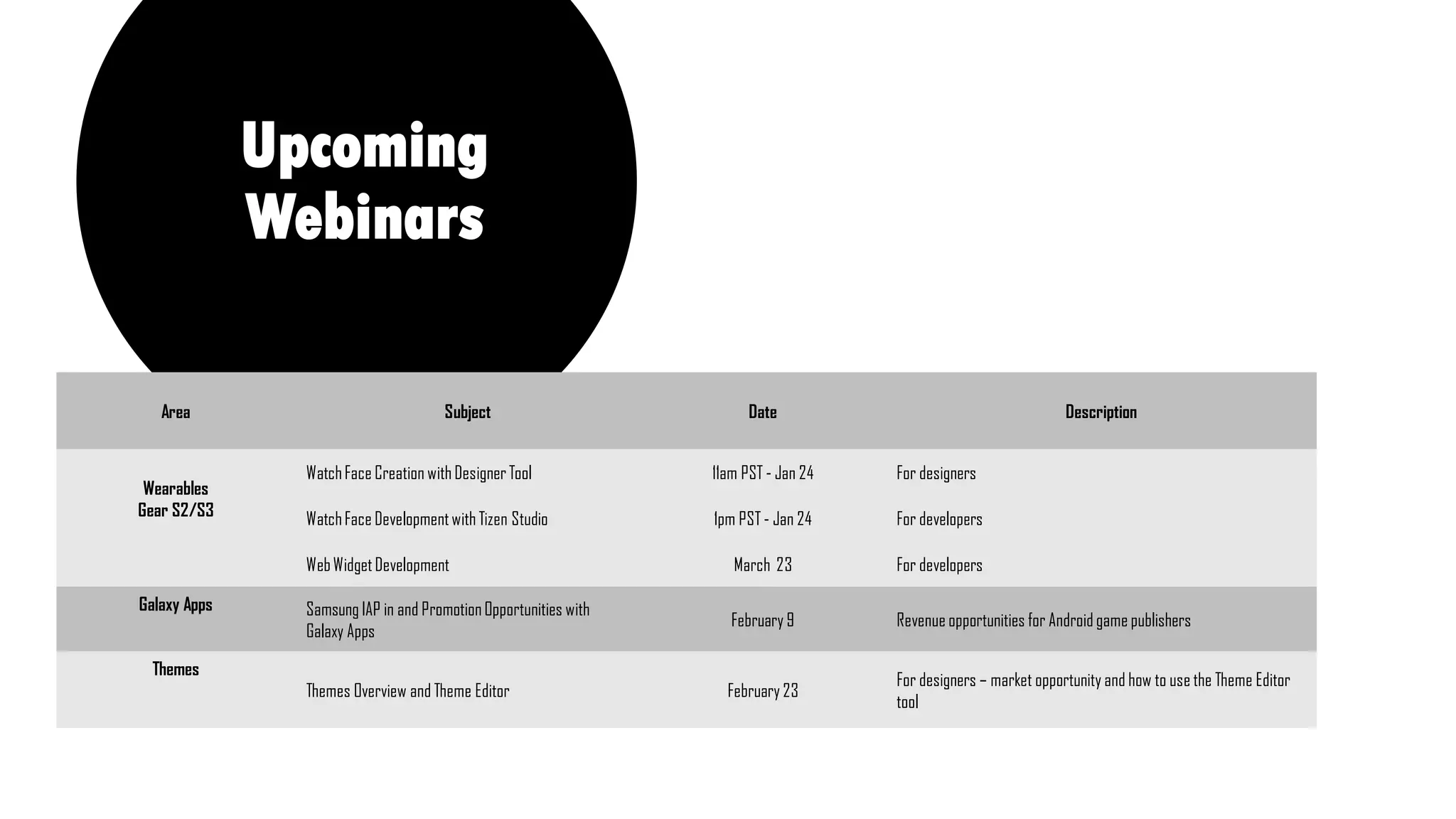
Area Subject Date Description
Wearables
Gear S2/S3
WatchFace Creation with DesignerTool 11am PST - Jan 24 For designers
WatchFace Developmentwith Tizen Studio 1pm PST - Jan 24 For developers
WebWidgetDevelopment March 23 For developers
Galaxy Apps Samsung IAP in and PromotionOpportunities with
Galaxy Apps
February 9 Revenue opportunities for Android game publishers
Themes
Themes Overview and Theme Editor February 23
For designers โ€“ market opportunity and how to use the Theme Editor
tool
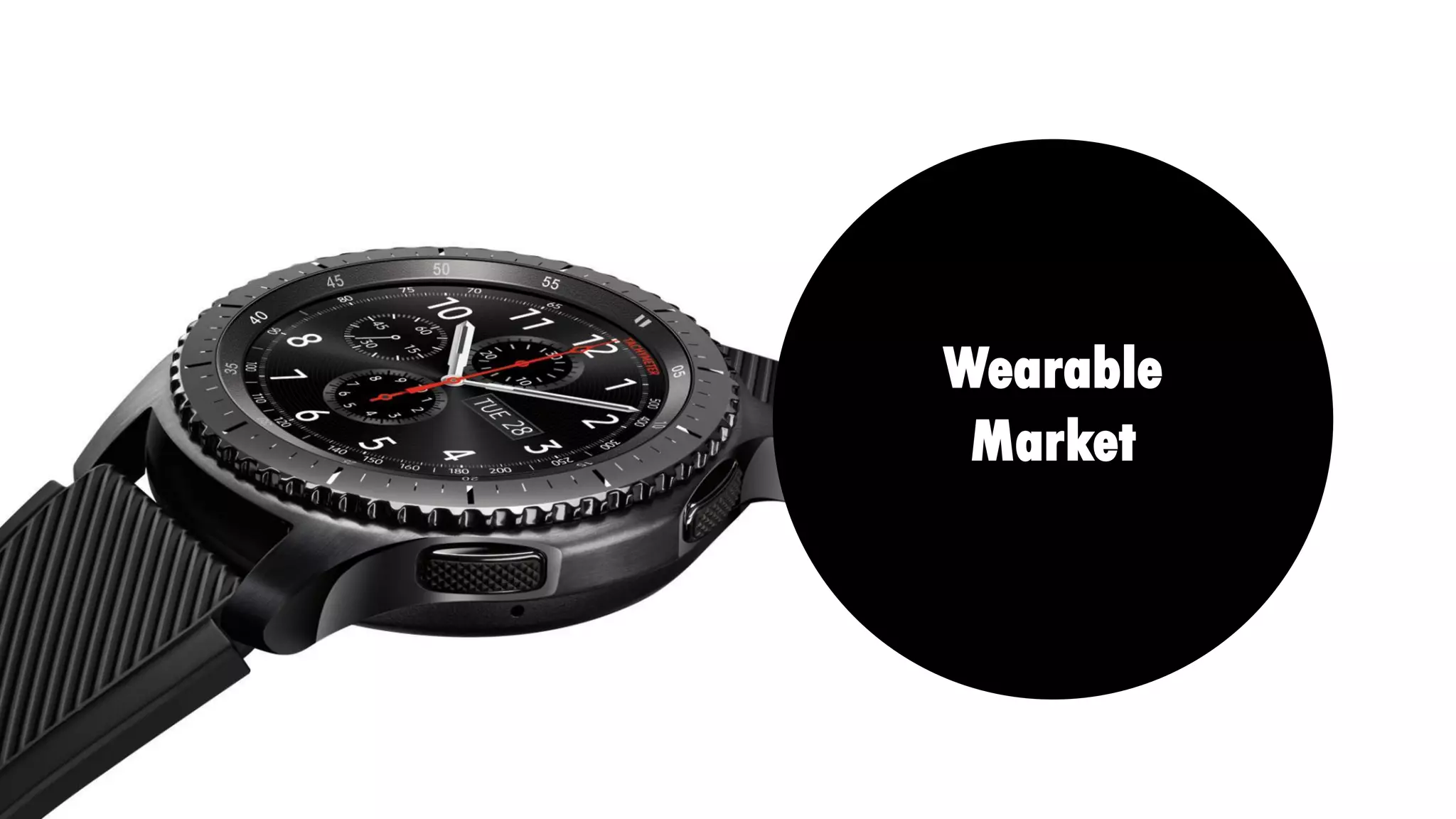
Wearable
Market
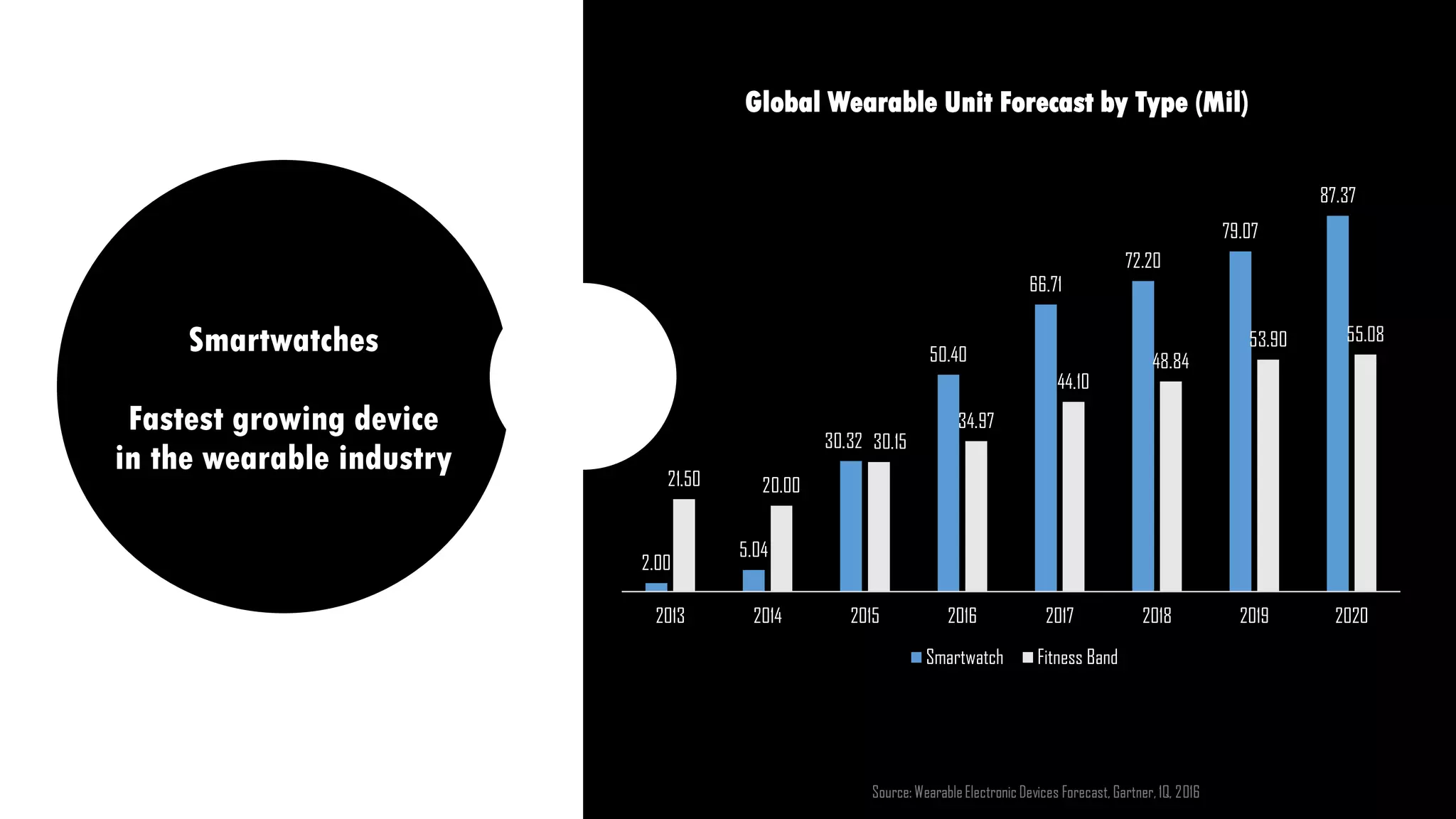
Smartwatches
Fastest growing device
in the wearable industry
Global Wearable Unit Forecast by Type (Mil)
2.00
5.04
30.32
50.40
66.71
72.20
79.07
87.37
21.50 20.00
30.15
34.97
44.10
48.84
53.90 55.08
2013 2014 2015 2016 2017 2018 2019 2020
Smartwatch Fitness Band
Source: WearableElectronic Devices Forecast, Gartner, 1Q, 2016
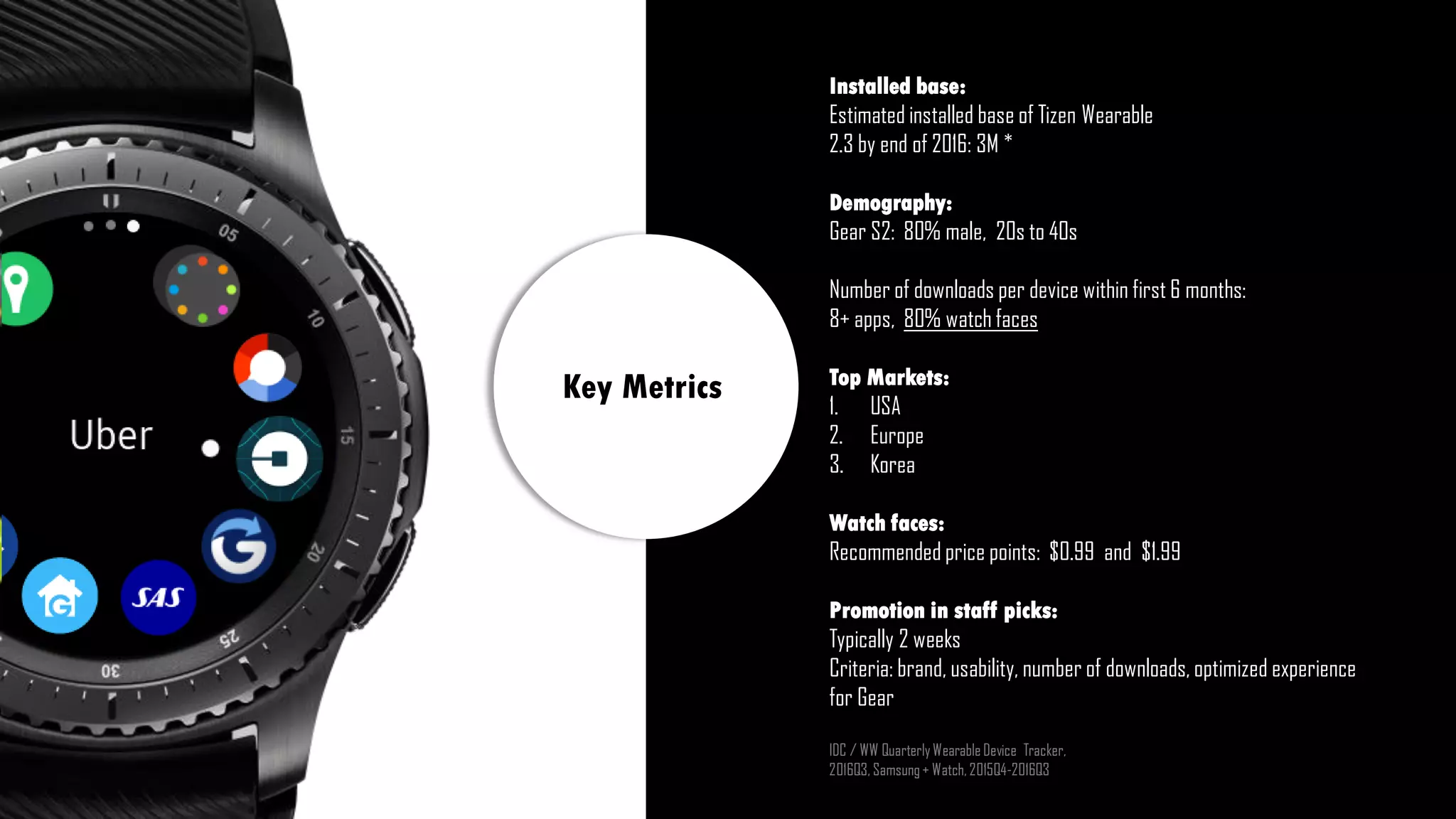
Installed base:
Estimated installed base of Tizen Wearable
2.3 by end of 2016: 3M *
Demography:
Gear S2: 80% male, 20s to 40s
Number of downloads per device within first 6 months:
8+ apps, 80% watch faces
Top Markets:
1. USA
2. Europe
3. Korea
Watch faces:
Recommended price points: $0.99 and $1.99
Promotion in staff picks:
Typically 2 weeks
Criteria: brand, usability, number of downloads, optimized experience
for Gear
IDC / WW QuarterlyWearableDevice Tracker,
2016Q3, Samsung+ Watch, 2015Q4-2016Q3
Key Metrics
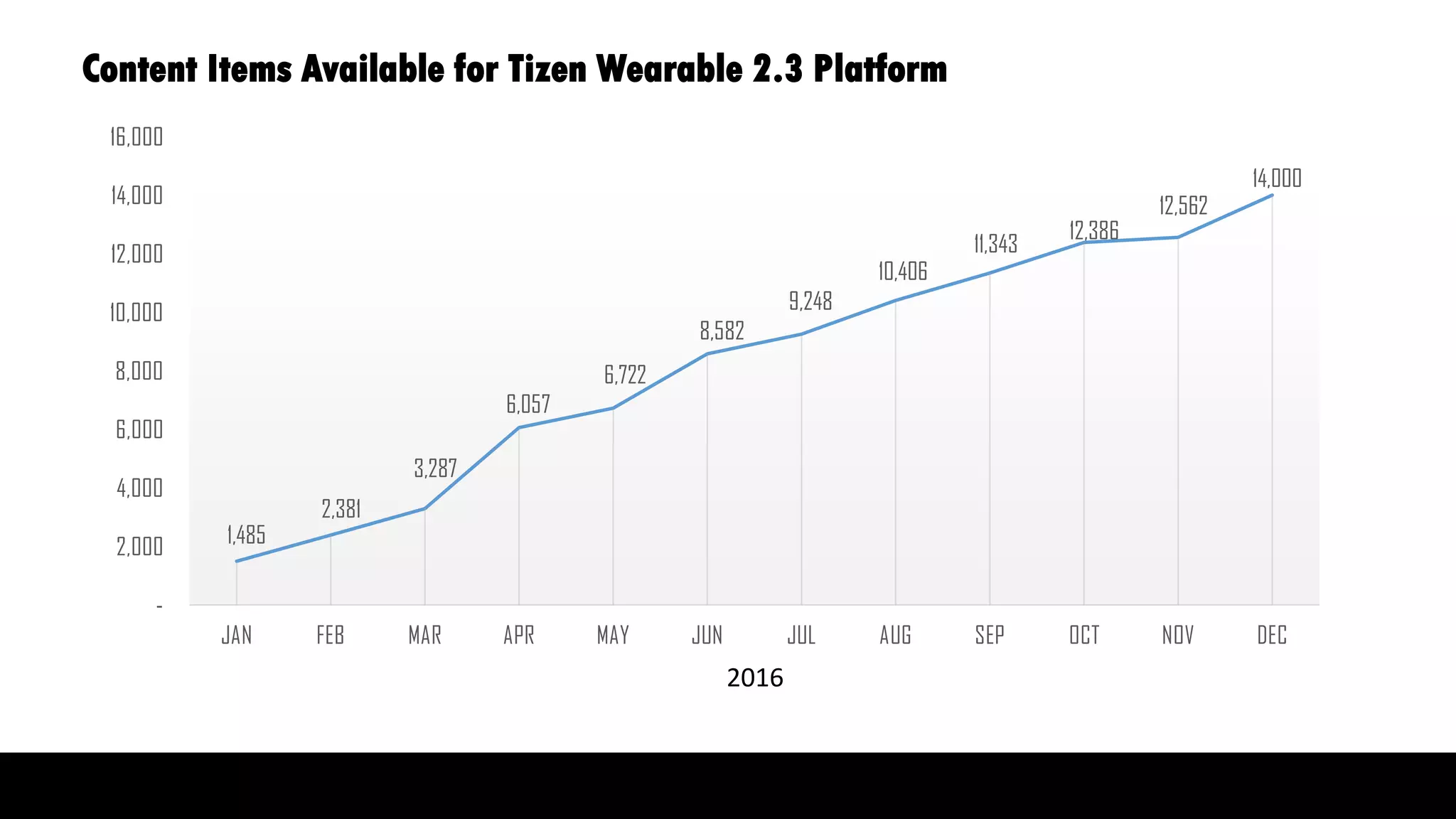
Content Items Available for Tizen Wearable 2.3 Platform
1,485
2,381
3,287
6,057
6,722
8,582
9,248
10,406
11,343
12,386
12,562
14,000
-
2,000
4,000
6,000
8,000
10,000
12,000
14,000
16,000
JAN FEB MAR APR MAY JUN JUL AUG SEP OCT NOV DEC
2016
2016
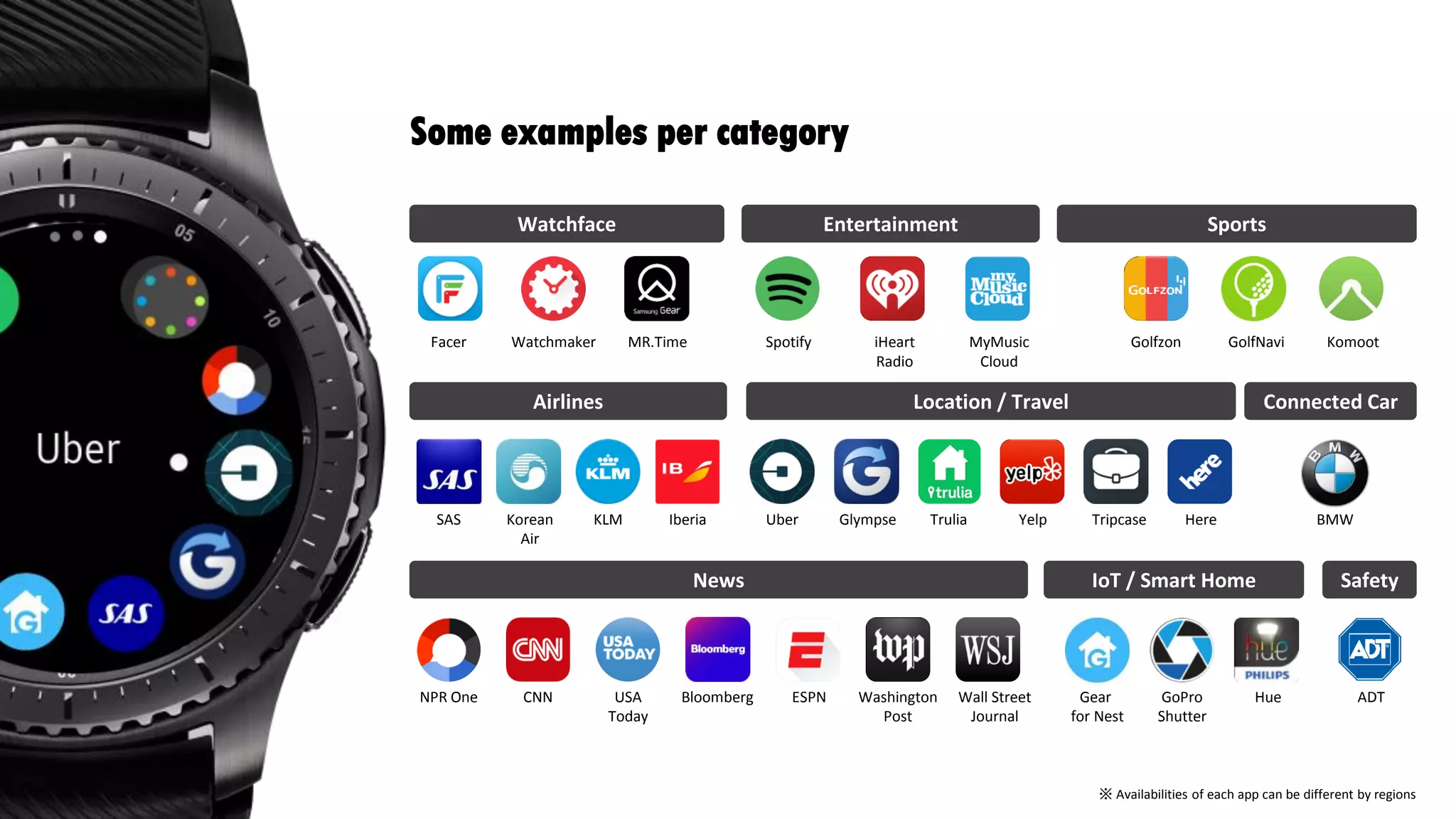
Some examples per category
Watchface Entertainment Sports
Airlines Location / Travel
News Safety
Connected Car
Messages
WatchmakerFacer MR.Time Spotify iHeart
Radio
MyMusic
Cloud
Golfzon GolfNavi Komoot
SAS Korean
Air
KLM Iberia Glympse Trulia Yelp Tripcase Here
NPR One CNN
BMW
ADTUSA
Today
Bloomberg Washington
Post
Wall Street
Journal
ESPN
IoT / Smart Home
Gear
for Nest
GoPro
Shutter
Hue
Uber
โ€ป Availabilities of each app can be different by regions
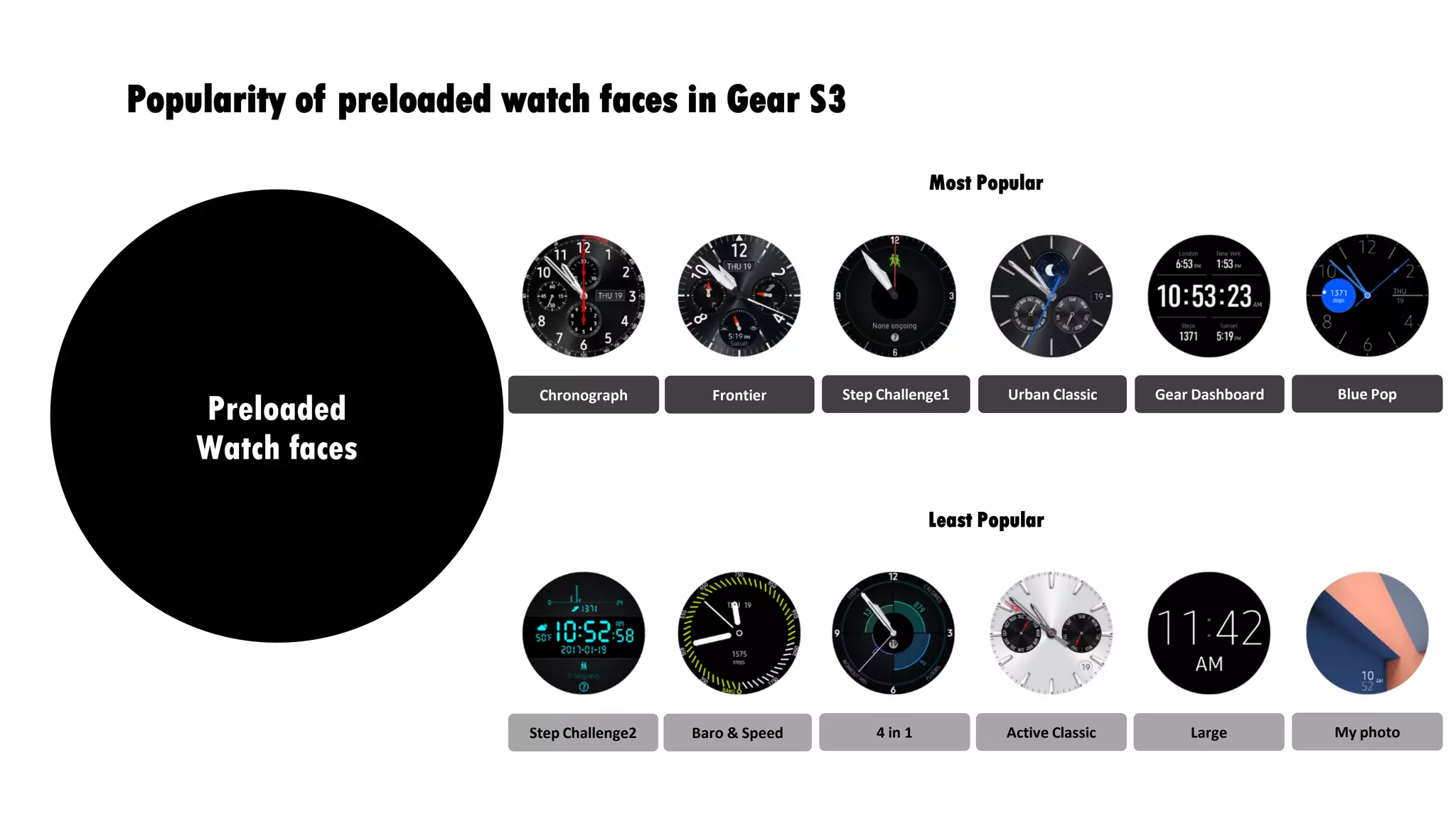
Global Wearable Unit Forecast by Type (Mil)Popularity of preloaded watch faces in Gear S3
Preloaded
Watch faces
Most Popular
Least Popular
Chronograph Frontier Step Challenge1 Urban Classic Gear Dashboard Blue Pop
Step Challenge2 Baro & Speed 4 in 1 Active Classic Large My photo
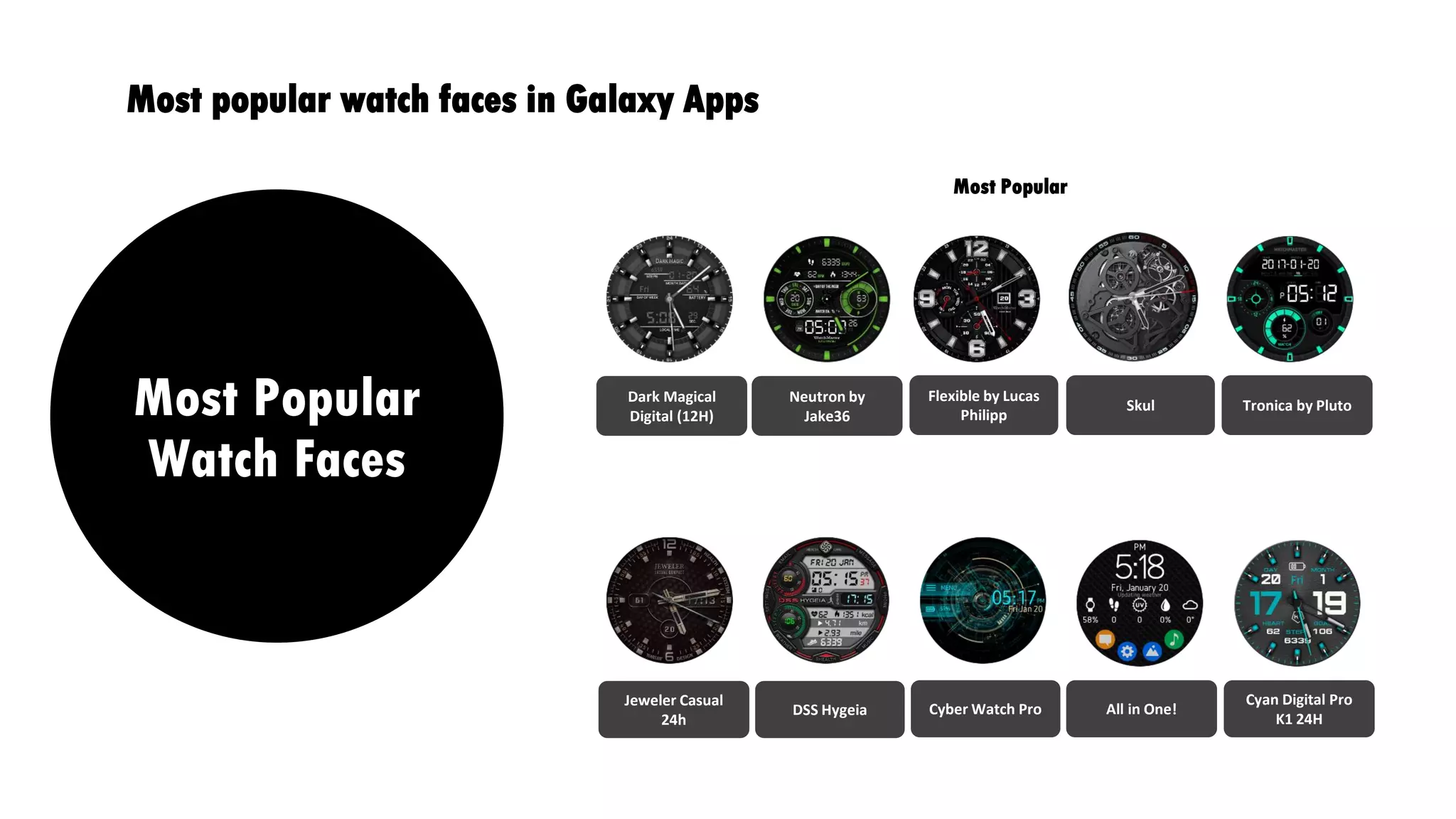
Global Wearable Unit Forecast by Type (Mil)Most popular watch faces in Galaxy Apps
Most Popular
Watch Faces
Dark Magical
Digital (12H)
Neutron by
Jake36
Flexible by Lucas
Philipp
Skul Tronica by Pluto
Jeweler Casual
24h
DSS Hygeia Cyber Watch Pro All in One!
Cyan Digital Pro
K1 24H
Most Popular
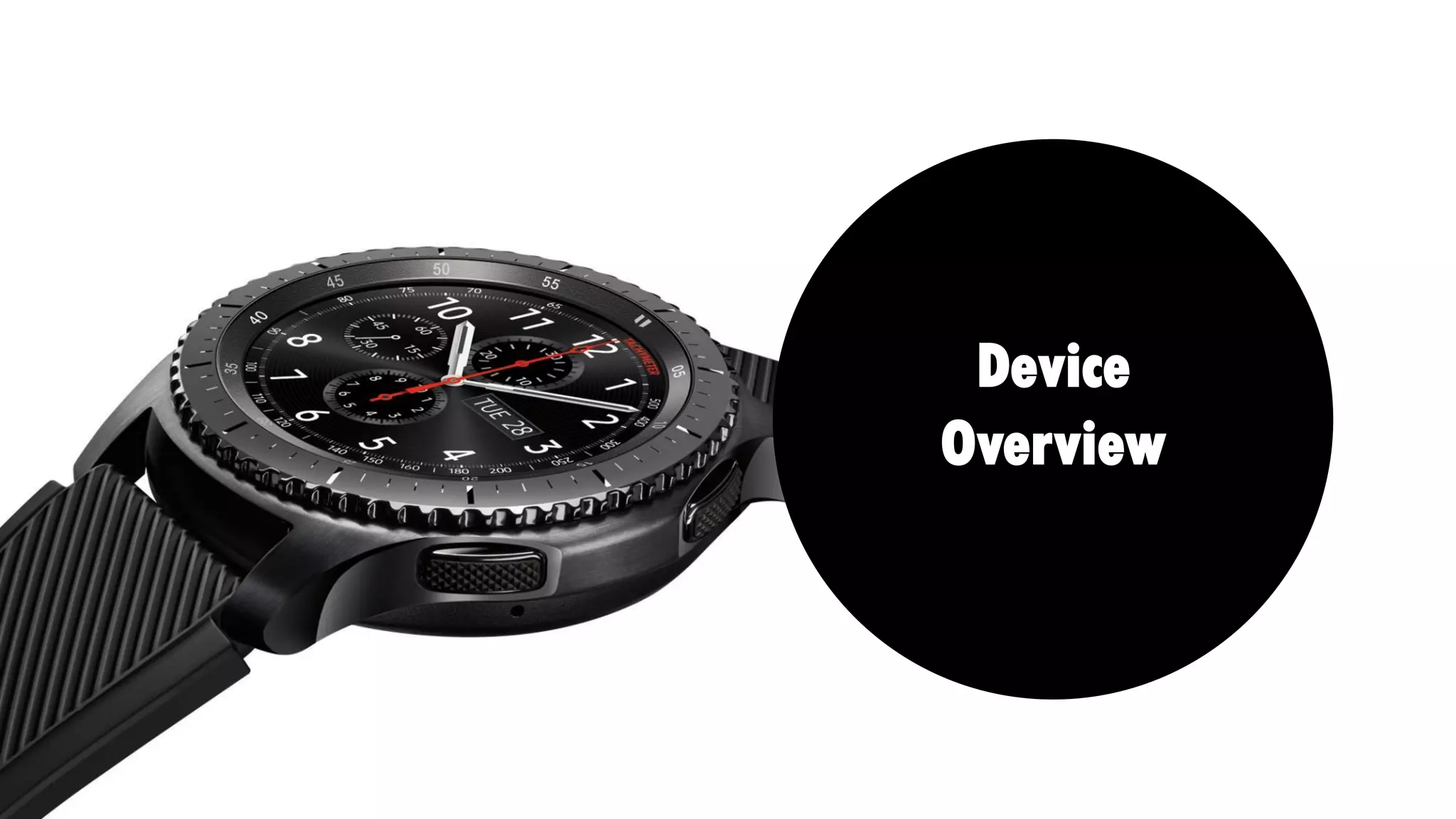
Device
Overview
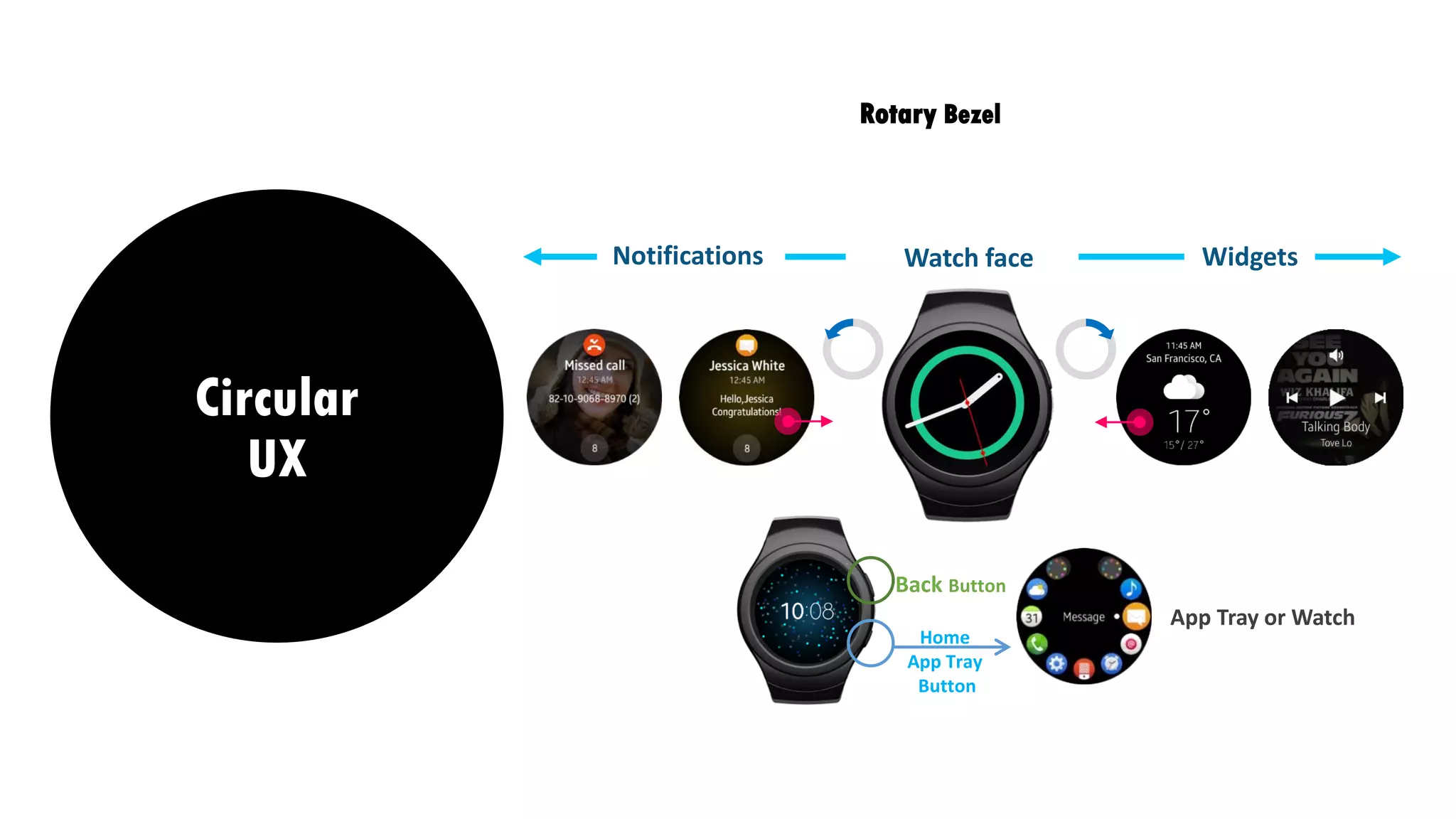
Notifications WidgetsWatch face
Home
App Tray
Button
App Tray or Watch
Back Button
Circular
UX
Rotary Bezel
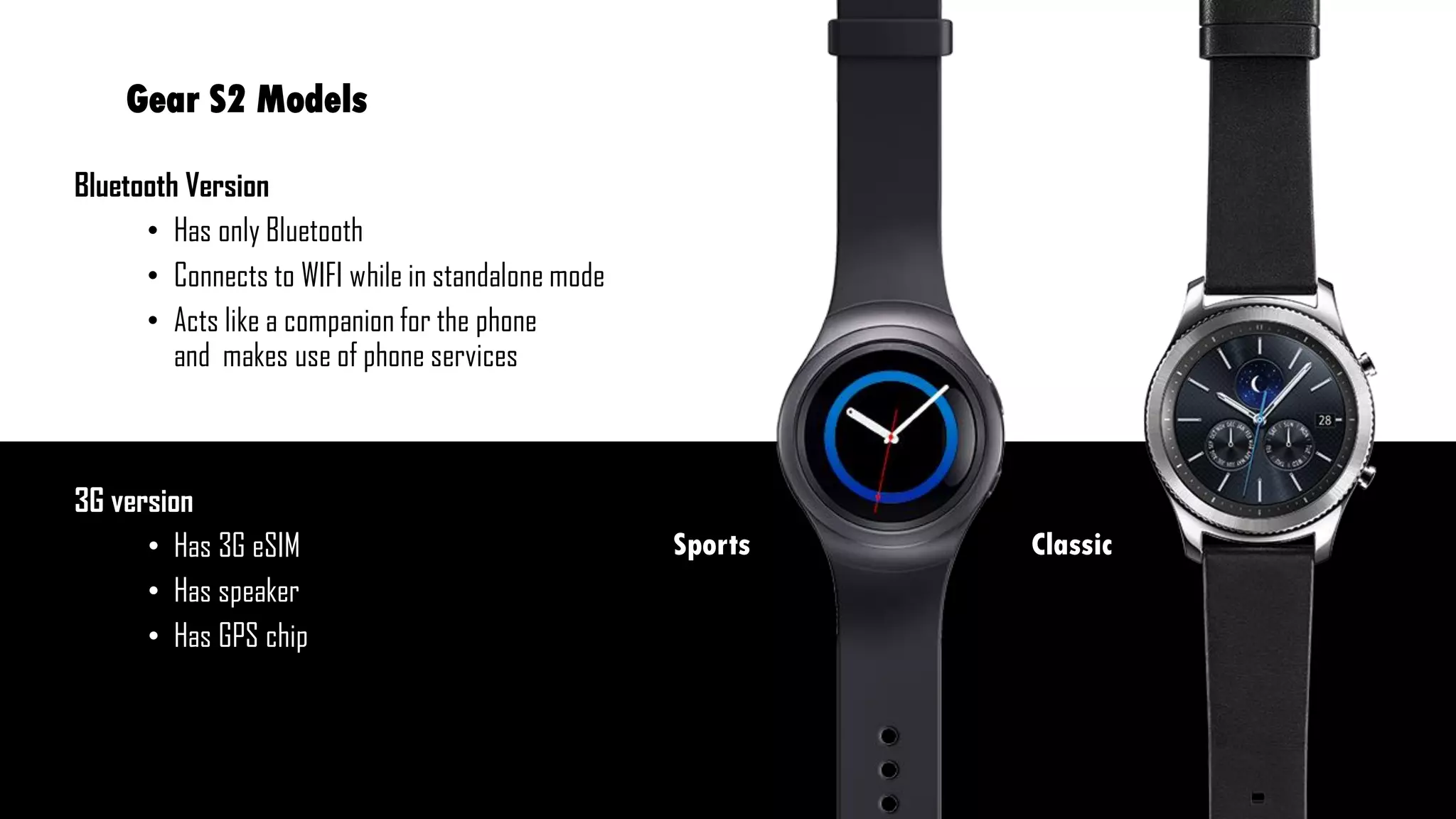
Bluetooth Version
โ€ข Has only Bluetooth
โ€ข Connects to WIFI while in standalone mode
โ€ข Acts like a companion for the phone
and makes use of phone services
3G version
โ€ข Has 3G eSIM
โ€ข Has speaker
โ€ข Has GPS chip
Gear S2 Models
ClassicSports
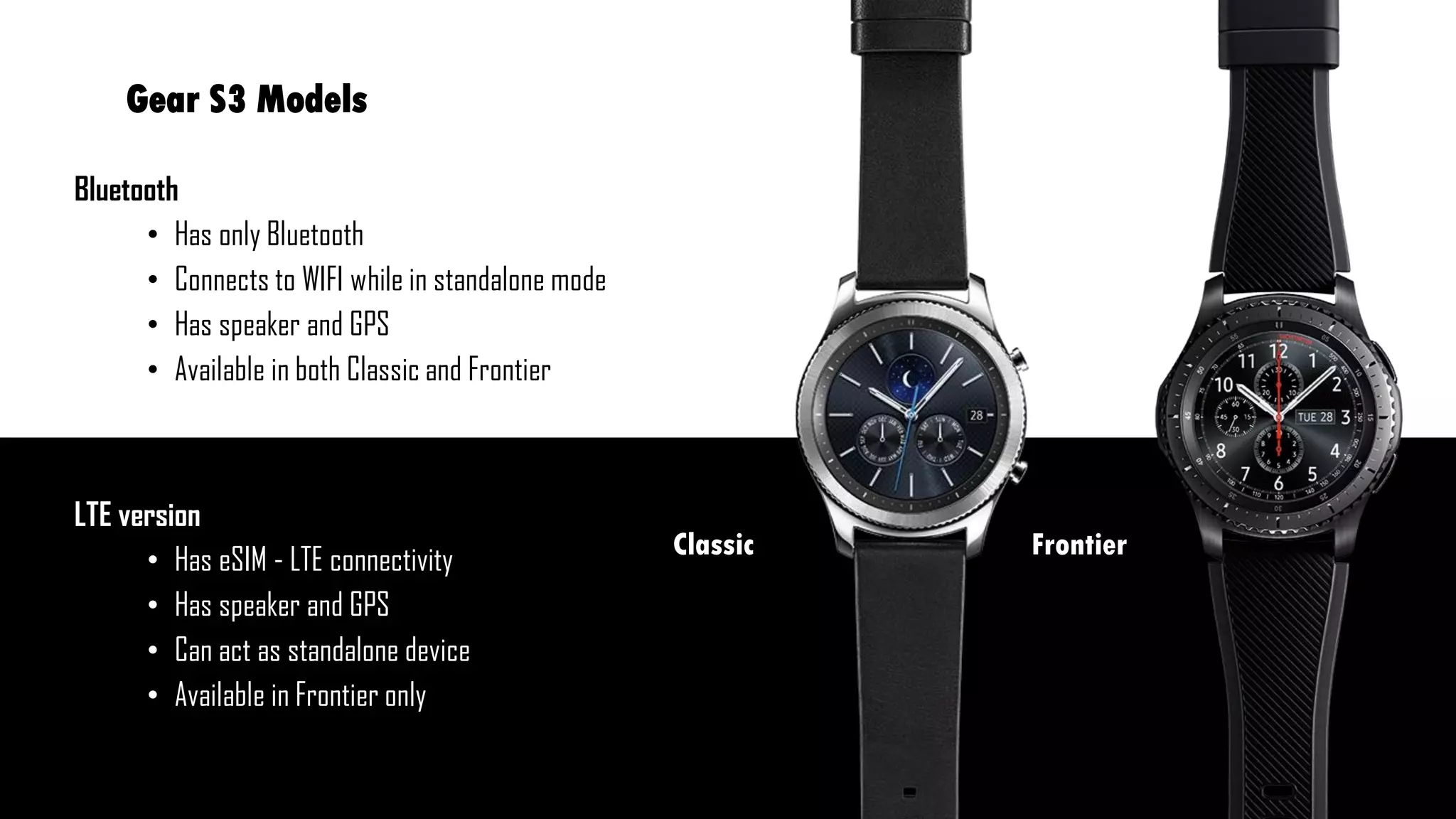
Gear S3 Models
Bluetooth
โ€ข Has only Bluetooth
โ€ข Connects to WIFI while in standalone mode
โ€ข Has speaker and GPS
โ€ข Available in both Classic and Frontier
LTE version
โ€ข Has eSIM - LTE connectivity
โ€ข Has speaker and GPS
โ€ข Can act as standalone device
โ€ข Available in Frontier only
FrontierClassic
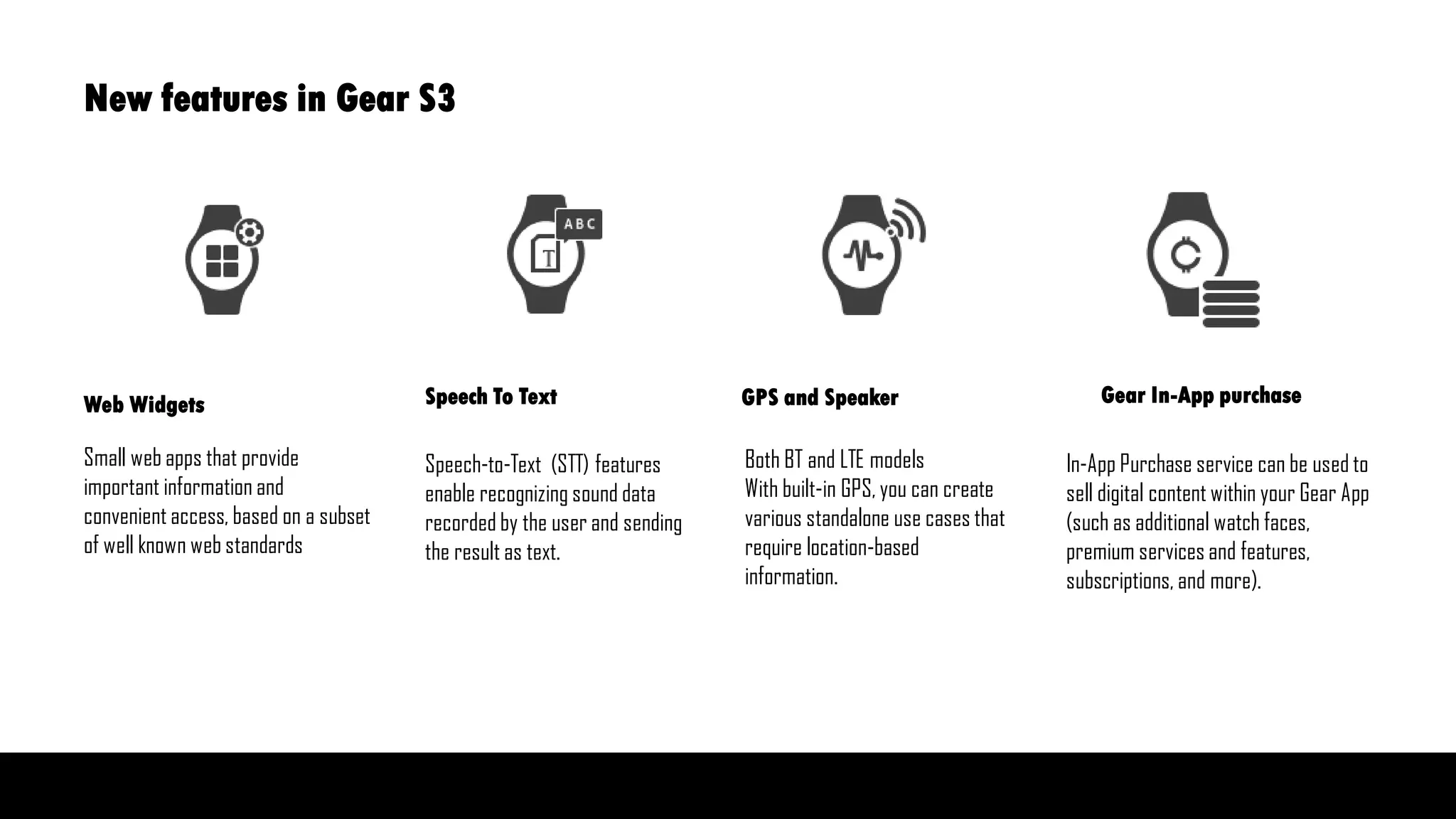
Small web apps that provide
important information and
convenient access, based on a subset
of well known web standards
Speech-to-Text (STT) features
enable recognizing sound data
recorded by the user and sending
the result as text.
Both BT and LTE models
With built-in GPS, you can create
various standalone use cases that
require location-based
information.
In-App Purchase service can be used to
sell digital content within your Gear App
(such as additional watch faces,
premium services and features,
subscriptions, and more).
Web Widgets Speech To Text GPS and Speaker Gear In-App purchase
New features in Gear S3
Companion and Standalone Applications
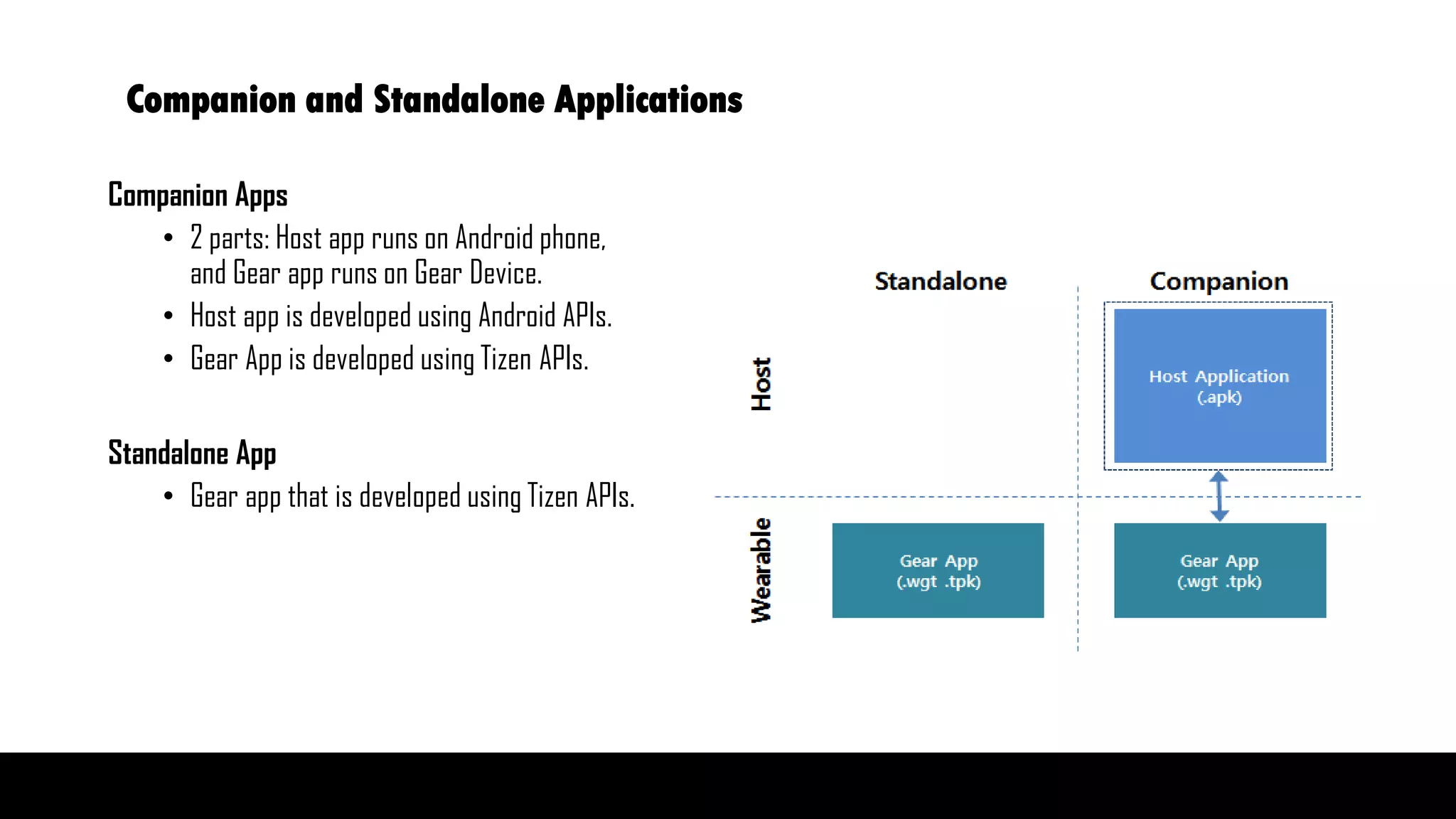
Companion Apps
โ€ข 2 parts: Host app runs on Android phone,
and Gear app runs on Gear Device.
โ€ข Host app is developed using Android APIs.
โ€ข Gear App is developed using Tizen APIs.
Standalone App
โ€ข Gear app that is developed using Tizen APIs.
Additional Features
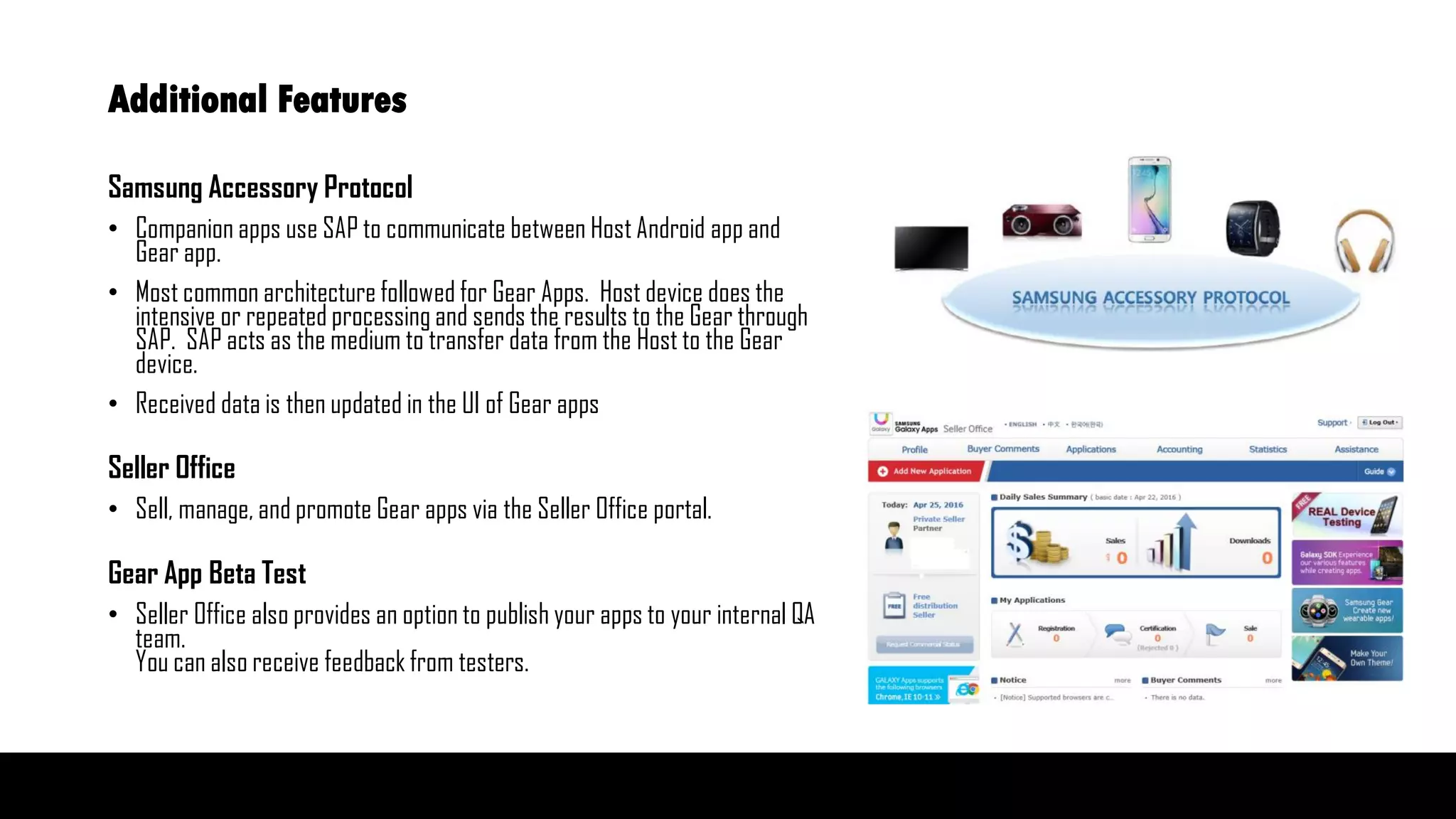
Samsung Accessory Protocol
โ€ข Companion apps use SAP to communicate between Host Android app and
Gear app.
โ€ข Most common architecture followed for Gear Apps. Host device does the
intensive or repeated processing and sends the results to the Gear through
SAP. SAP acts as the medium to transfer data from the Host to the Gear
device.
โ€ข Received data is then updated in the UI of Gear apps
Seller Office
โ€ข Sell, manage, and promote Gear apps via the Seller Office portal.
Gear App Beta Test
โ€ข Seller Office also provides an option to publish your apps to your internal QA
team.
You can also receive feedback from testers.
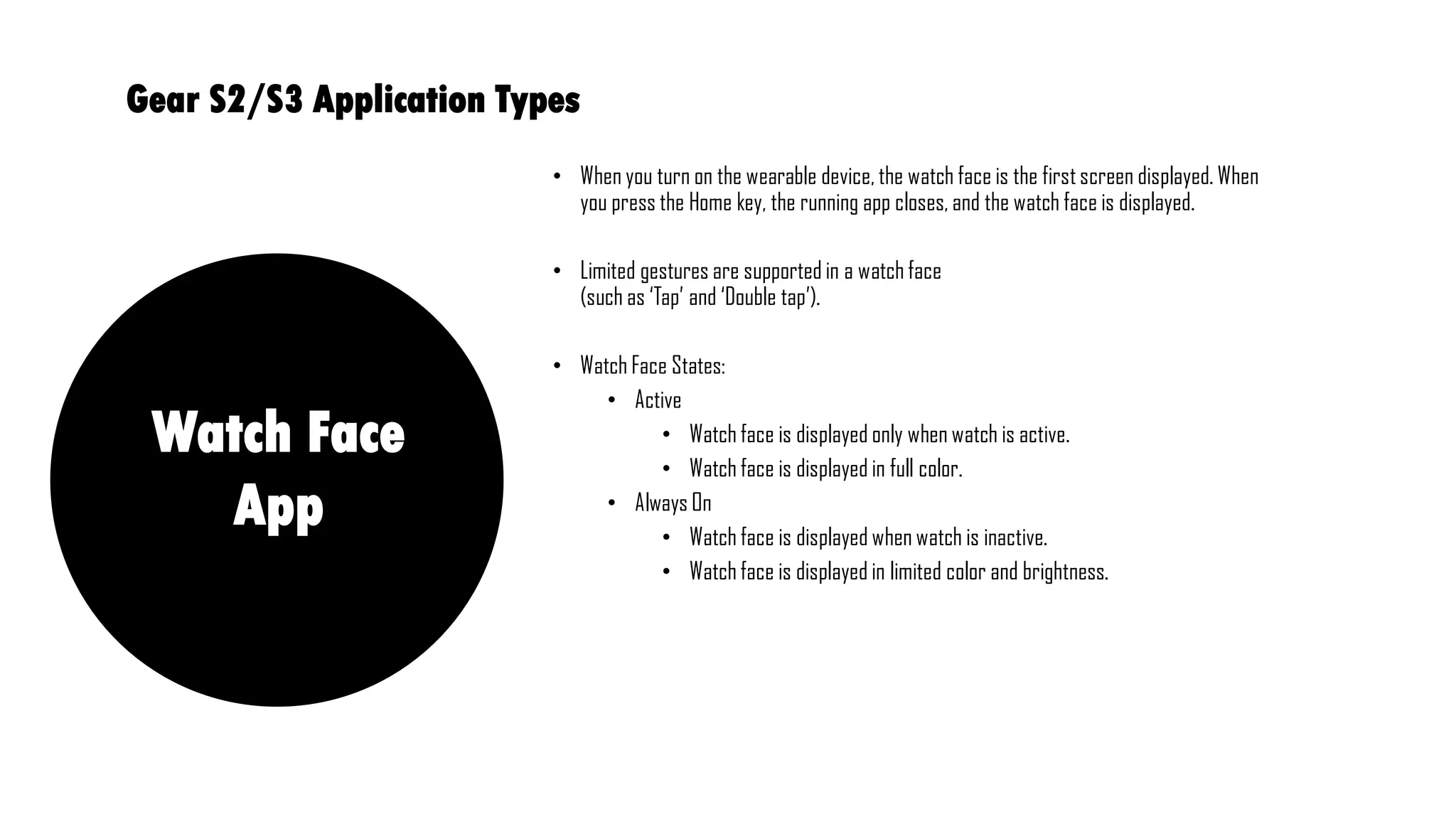
โ€ข When you turn on the wearable device, the watch face is the first screen displayed. When
you press the Home key, the running app closes, and the watch face is displayed.
โ€ข Limited gestures are supported in a watch face
(such as โ€˜Tapโ€™ and โ€˜Double tapโ€™).
โ€ข Watch Face States:
โ€ข Active
โ€ข Watch face is displayed only when watch is active.
โ€ข Watch face is displayed in full color.
โ€ข Always On
โ€ข Watch face is displayed when watch is inactive.
โ€ข Watch face is displayed in limited color and brightness.
Gear S2/S3 Application Types
Watch Face
App
Sample Application
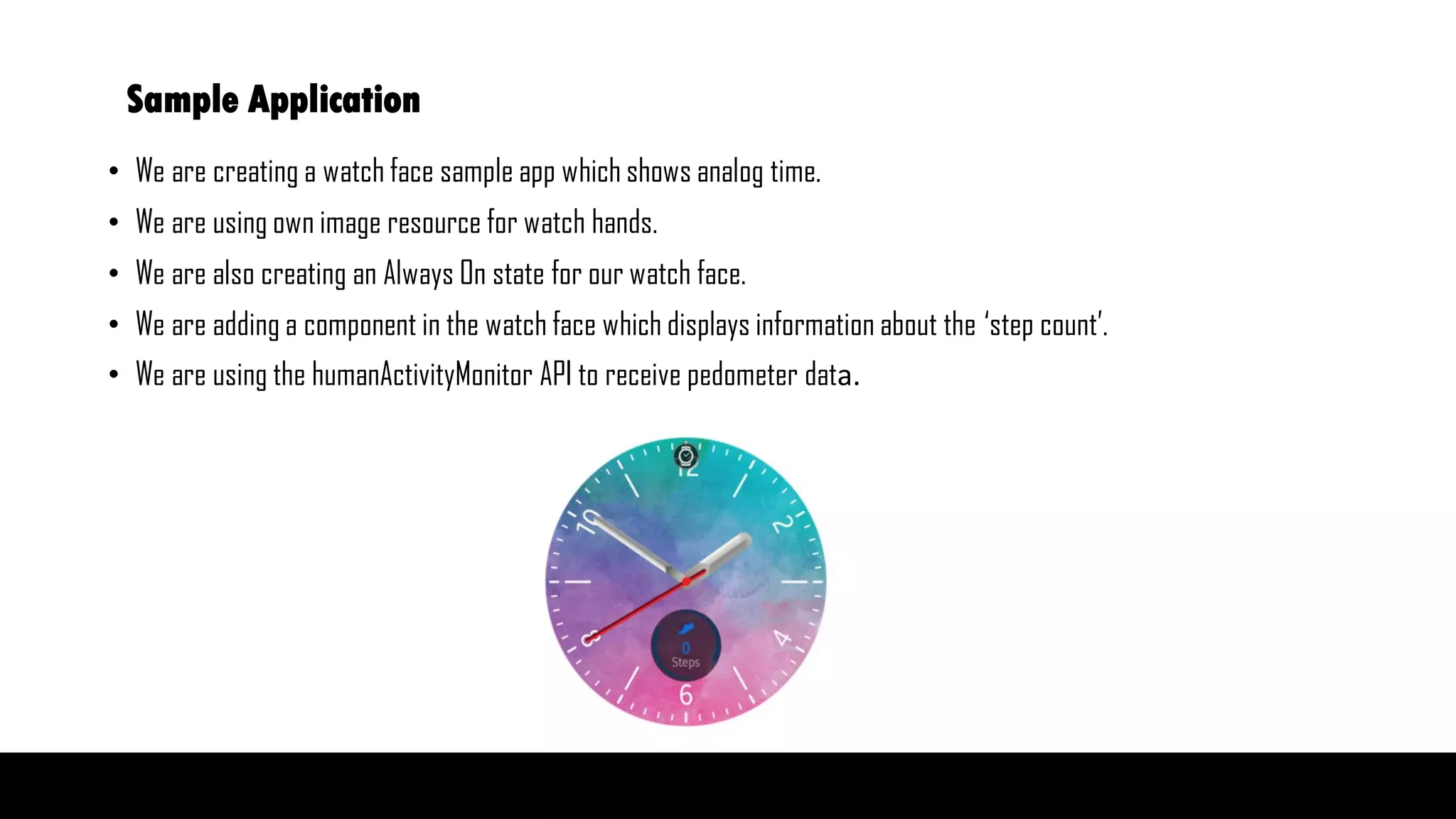
โ€ข We are creating a watch face sample app which shows analog time.
โ€ข We are using own image resource for watch hands.
โ€ข We are also creating an Always On state for our watch face.
โ€ข We are adding a component in the watch face which displays information about the โ€˜step countโ€™.
โ€ข We are using the humanActivityMonitor API to receive pedometer data.
Publish
Smartwatches
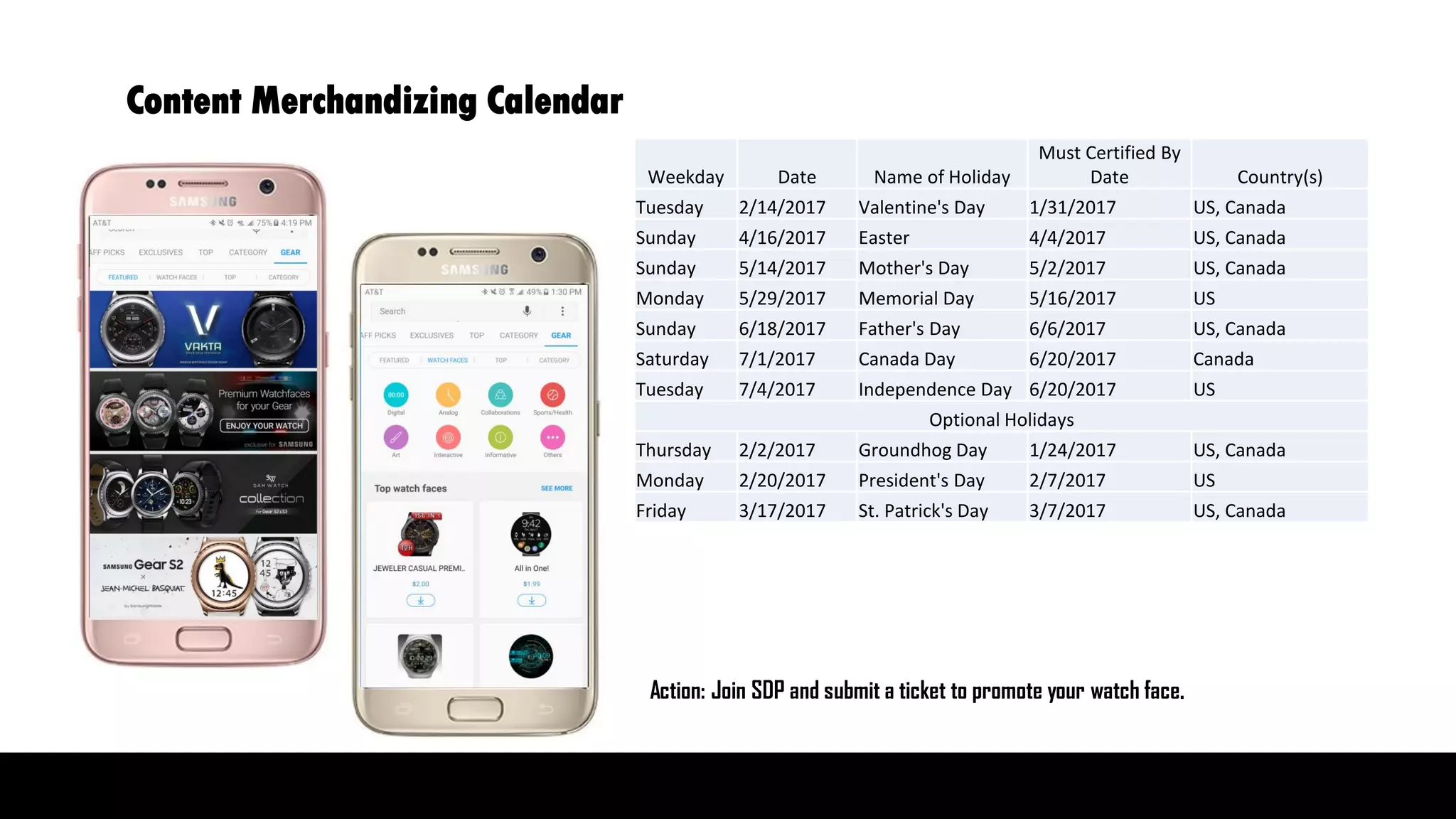
Content Merchandizing Calendar
Action: Join SDP and submit a ticket to promote your watch face.
Weekday Date Name of Holiday
Must Certified By
Date Country(s)
Tuesday 2/14/2017 Valentine's Day 1/31/2017 US, Canada
Sunday 4/16/2017 Easter 4/4/2017 US, Canada
Sunday 5/14/2017 Mother's Day 5/2/2017 US, Canada
Monday 5/29/2017 Memorial Day 5/16/2017 US
Sunday 6/18/2017 Father's Day 6/6/2017 US, Canada
Saturday 7/1/2017 Canada Day 6/20/2017 Canada
Tuesday 7/4/2017 Independence Day 6/20/2017 US
Optional Holidays
Thursday 2/2/2017 Groundhog Day 1/24/2017 US, Canada
Monday 2/20/2017 President's Day 2/7/2017 US
Friday 3/17/2017 St. Patrick's Day 3/7/2017 US, Canada
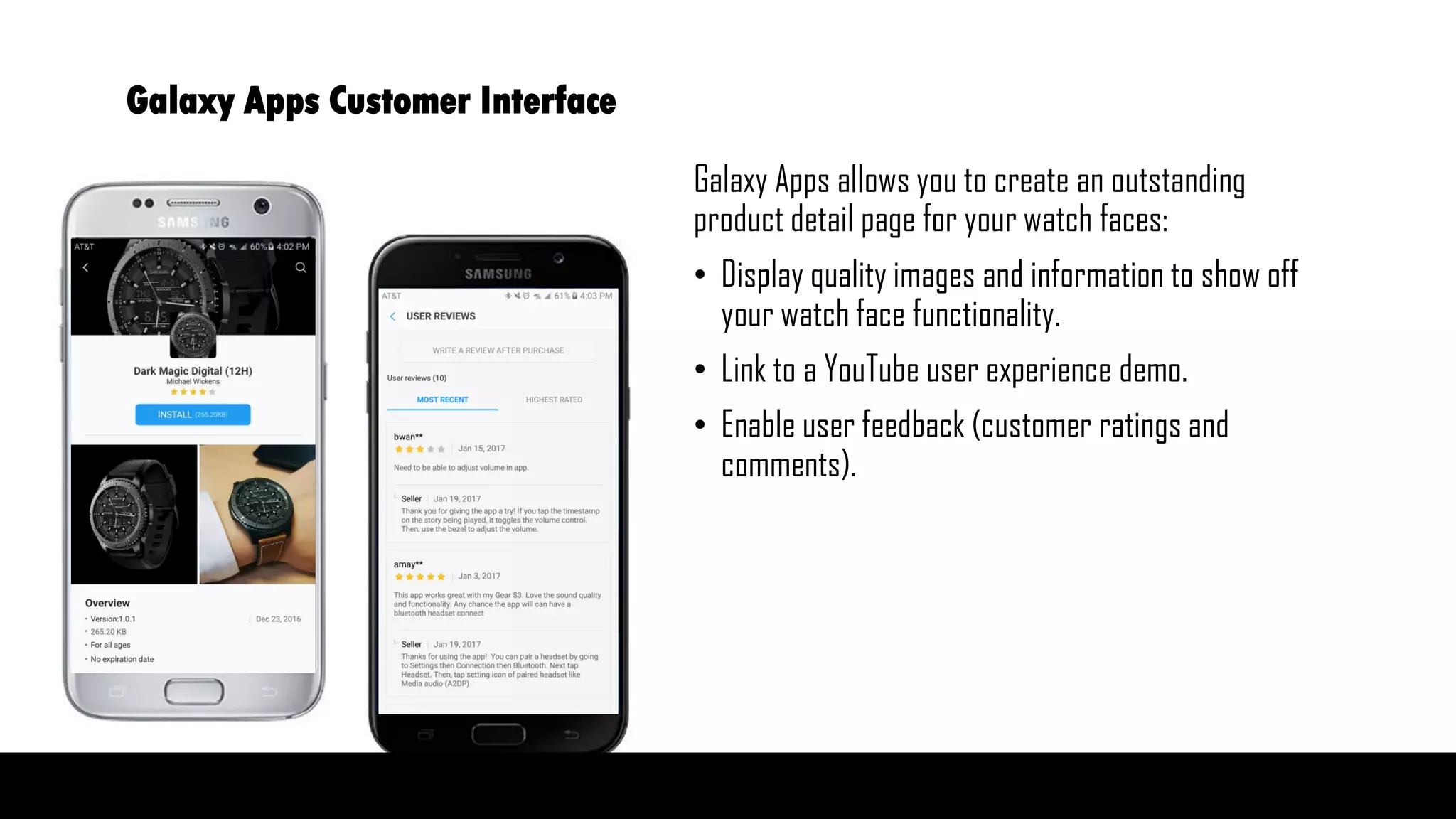
Galaxy Apps allows you to create an outstanding
product detail page for your watch faces:
โ€ข Display quality images and information to show off
your watch face functionality.
โ€ข Link to a YouTube user experience demo.
โ€ข Enable user feedback (customer ratings and
comments).
Galaxy Apps Customer Interface
Next Steps
Samsung Developer Program Resources
Past webinars
Gear S3 App Development Webinar
Product Overview of Samsung Gear S3
http://bit.ly/SDPWEBINARS
Register with Seller office:
https://seller.samsungapps.com
How can we help you?
Register to Samsung Developer Program
and submit support or promotion request.
http://bit.ly/JOIN-SDP
Register to learn more:
Feb 9th โ€“ Samsung In-App Purchase and
Promotional Opportunities with Galaxy Apps
Feb 23rd โ€“ Samsung Mobile Theme Editor
http://bit.ly/SDP-UPCOMINGWEBINARS
Your feedback is greatly appreciated and makes
these webinars even better !

Introduction to Watch Face Development with Tizen Studio

  • 1.
    โ€ข A fewhousekeeping items: โ€ข If you have any questions for the presenters, please postthem in the Q&A box and we will answer them at the end of the presentation. โ€ข If you have any technical issues during the webinar, please send a comment to the Q&A box for assistance. โ€ข This session is being recorded and will be shared with the presentation slides on the Samsung Developer webpage: http://bit.ly/SDPWEBINARS โ€ข And please donโ€™t forget to provide feedback before you leave the session. Your feedback is critical to ensure that we improve these webinars. 1/24/2017 Welcome to Samsung Gear S3 Watch Face Overview
  • 2.
    Welcome to Samsung GearS3 Watch Face Overview &Samsung Developer Program SEA - Content & Services Mountain View, CA Kavitha Gopalan Gaby Rojas The information in this presentation is offered only for general informational and educational purposes. These materials are intended, but not promised or guaranteed to be complete, or up- to-date and should in no way be taken as an indication of future results. ยฉ 2016 Samsung Electronics America Inc.
  • 3.
    How can we helpyou? Dev Support Team based in Mountain View, CA supports you and your Android and Tizen projects: Samsung Android SDK (Galaxy SDKโ€™s) Tizen Wearables SDK Watch Face Editor and the Theme Editor Submission and promotion of your apps Register with the Samsung Developer Program for free: http://bit.ly/JOIN- SDP Login and submit support or promotion requests Feedback: Gaby Rojas gg.rojas@samsung.com
  • 4.
    Upcoming Webinars Area Subject DateDescription Wearables Gear S2/S3 WatchFace Creation with DesignerTool 11am PST - Jan 24 For designers WatchFace Developmentwith Tizen Studio 1pm PST - Jan 24 For developers WebWidgetDevelopment March 23 For developers Galaxy Apps Samsung IAP in and PromotionOpportunities with Galaxy Apps February 9 Revenue opportunities for Android game publishers Themes Themes Overview and Theme Editor February 23 For designers โ€“ market opportunity and how to use the Theme Editor tool
  • 5.
  • 6.
    Smartwatches Fastest growing device inthe wearable industry Global Wearable Unit Forecast by Type (Mil) 2.00 5.04 30.32 50.40 66.71 72.20 79.07 87.37 21.50 20.00 30.15 34.97 44.10 48.84 53.90 55.08 2013 2014 2015 2016 2017 2018 2019 2020 Smartwatch Fitness Band Source: WearableElectronic Devices Forecast, Gartner, 1Q, 2016
  • 7.
    Installed base: Estimated installedbase of Tizen Wearable 2.3 by end of 2016: 3M * Demography: Gear S2: 80% male, 20s to 40s Number of downloads per device within first 6 months: 8+ apps, 80% watch faces Top Markets: 1. USA 2. Europe 3. Korea Watch faces: Recommended price points: $0.99 and $1.99 Promotion in staff picks: Typically 2 weeks Criteria: brand, usability, number of downloads, optimized experience for Gear IDC / WW QuarterlyWearableDevice Tracker, 2016Q3, Samsung+ Watch, 2015Q4-2016Q3 Key Metrics
  • 8.
    Content Items Availablefor Tizen Wearable 2.3 Platform 1,485 2,381 3,287 6,057 6,722 8,582 9,248 10,406 11,343 12,386 12,562 14,000 - 2,000 4,000 6,000 8,000 10,000 12,000 14,000 16,000 JAN FEB MAR APR MAY JUN JUL AUG SEP OCT NOV DEC 2016 2016
  • 9.
    Some examples percategory Watchface Entertainment Sports Airlines Location / Travel News Safety Connected Car Messages WatchmakerFacer MR.Time Spotify iHeart Radio MyMusic Cloud Golfzon GolfNavi Komoot SAS Korean Air KLM Iberia Glympse Trulia Yelp Tripcase Here NPR One CNN BMW ADTUSA Today Bloomberg Washington Post Wall Street Journal ESPN IoT / Smart Home Gear for Nest GoPro Shutter Hue Uber โ€ป Availabilities of each app can be different by regions
  • 10.
    Global Wearable UnitForecast by Type (Mil)Popularity of preloaded watch faces in Gear S3 Preloaded Watch faces Most Popular Least Popular Chronograph Frontier Step Challenge1 Urban Classic Gear Dashboard Blue Pop Step Challenge2 Baro & Speed 4 in 1 Active Classic Large My photo
  • 11.
    Global Wearable UnitForecast by Type (Mil)Most popular watch faces in Galaxy Apps Most Popular Watch Faces Dark Magical Digital (12H) Neutron by Jake36 Flexible by Lucas Philipp Skul Tronica by Pluto Jeweler Casual 24h DSS Hygeia Cyber Watch Pro All in One! Cyan Digital Pro K1 24H Most Popular
  • 12.
  • 13.
    Notifications WidgetsWatch face Home AppTray Button App Tray or Watch Back Button Circular UX Rotary Bezel
  • 14.
    Bluetooth Version โ€ข Hasonly Bluetooth โ€ข Connects to WIFI while in standalone mode โ€ข Acts like a companion for the phone and makes use of phone services 3G version โ€ข Has 3G eSIM โ€ข Has speaker โ€ข Has GPS chip Gear S2 Models ClassicSports
  • 15.
    Gear S3 Models Bluetooth โ€ขHas only Bluetooth โ€ข Connects to WIFI while in standalone mode โ€ข Has speaker and GPS โ€ข Available in both Classic and Frontier LTE version โ€ข Has eSIM - LTE connectivity โ€ข Has speaker and GPS โ€ข Can act as standalone device โ€ข Available in Frontier only FrontierClassic
  • 16.
    Small web appsthat provide important information and convenient access, based on a subset of well known web standards Speech-to-Text (STT) features enable recognizing sound data recorded by the user and sending the result as text. Both BT and LTE models With built-in GPS, you can create various standalone use cases that require location-based information. In-App Purchase service can be used to sell digital content within your Gear App (such as additional watch faces, premium services and features, subscriptions, and more). Web Widgets Speech To Text GPS and Speaker Gear In-App purchase New features in Gear S3
  • 17.
    Companion and StandaloneApplications Companion Apps โ€ข 2 parts: Host app runs on Android phone, and Gear app runs on Gear Device. โ€ข Host app is developed using Android APIs. โ€ข Gear App is developed using Tizen APIs. Standalone App โ€ข Gear app that is developed using Tizen APIs.
  • 18.
    Additional Features Samsung AccessoryProtocol โ€ข Companion apps use SAP to communicate between Host Android app and Gear app. โ€ข Most common architecture followed for Gear Apps. Host device does the intensive or repeated processing and sends the results to the Gear through SAP. SAP acts as the medium to transfer data from the Host to the Gear device. โ€ข Received data is then updated in the UI of Gear apps Seller Office โ€ข Sell, manage, and promote Gear apps via the Seller Office portal. Gear App Beta Test โ€ข Seller Office also provides an option to publish your apps to your internal QA team. You can also receive feedback from testers.
  • 19.
    โ€ข When youturn on the wearable device, the watch face is the first screen displayed. When you press the Home key, the running app closes, and the watch face is displayed. โ€ข Limited gestures are supported in a watch face (such as โ€˜Tapโ€™ and โ€˜Double tapโ€™). โ€ข Watch Face States: โ€ข Active โ€ข Watch face is displayed only when watch is active. โ€ข Watch face is displayed in full color. โ€ข Always On โ€ข Watch face is displayed when watch is inactive. โ€ข Watch face is displayed in limited color and brightness. Gear S2/S3 Application Types Watch Face App
  • 20.
    Sample Application โ€ข Weare creating a watch face sample app which shows analog time. โ€ข We are using own image resource for watch hands. โ€ข We are also creating an Always On state for our watch face. โ€ข We are adding a component in the watch face which displays information about the โ€˜step countโ€™. โ€ข We are using the humanActivityMonitor API to receive pedometer data.
  • 21.
  • 22.
    Smartwatches Content Merchandizing Calendar Action:Join SDP and submit a ticket to promote your watch face. Weekday Date Name of Holiday Must Certified By Date Country(s) Tuesday 2/14/2017 Valentine's Day 1/31/2017 US, Canada Sunday 4/16/2017 Easter 4/4/2017 US, Canada Sunday 5/14/2017 Mother's Day 5/2/2017 US, Canada Monday 5/29/2017 Memorial Day 5/16/2017 US Sunday 6/18/2017 Father's Day 6/6/2017 US, Canada Saturday 7/1/2017 Canada Day 6/20/2017 Canada Tuesday 7/4/2017 Independence Day 6/20/2017 US Optional Holidays Thursday 2/2/2017 Groundhog Day 1/24/2017 US, Canada Monday 2/20/2017 President's Day 2/7/2017 US Friday 3/17/2017 St. Patrick's Day 3/7/2017 US, Canada
  • 23.
    Galaxy Apps allowsyou to create an outstanding product detail page for your watch faces: โ€ข Display quality images and information to show off your watch face functionality. โ€ข Link to a YouTube user experience demo. โ€ข Enable user feedback (customer ratings and comments). Galaxy Apps Customer Interface
  • 24.
    Next Steps Samsung DeveloperProgram Resources Past webinars Gear S3 App Development Webinar Product Overview of Samsung Gear S3 http://bit.ly/SDPWEBINARS Register with Seller office: https://seller.samsungapps.com How can we help you? Register to Samsung Developer Program and submit support or promotion request. http://bit.ly/JOIN-SDP Register to learn more: Feb 9th โ€“ Samsung In-App Purchase and Promotional Opportunities with Galaxy Apps Feb 23rd โ€“ Samsung Mobile Theme Editor http://bit.ly/SDP-UPCOMINGWEBINARS Your feedback is greatly appreciated and makes these webinars even better !