Android NDK Intro
Tokyo Android Meetup 21st July 2016
About The Presenter
Giles Payne
Android Developer - TenTen Corp
Developing for Android since Cupcake
BA Honours Mathematics and Computation, Oxford University
Country of Origin: Scotland
What is the Android NDK?
A set of tools for building/debugging C/C++ code to run on Android
Invoked from Java via JNI(Java Native Interface)
Available for download at https://developer.android.com/ndk/index.html
Android NDK - Why?
Performance
Order of magnitude speedup for performance critical code
Code reuse
Existing code C/C++ base can be ported to Android without total rewrite in Java
Large amount of libraries written in C/C++ can be reused (boost/cocos2d-x/OpenCV)
Cross platform development
iOS and other mobile OSs all support C/C++
NDK How To
Declare method as native with no body
public native void myNativeMethod();
Use javah to generate native stub
javah -o "MyClass.h" -classpath "/home/giles/myjavalibs" com.example.MyClass
Add implementation to stub and build C/C++ lib
extern "C" void Java_com_example_MyClass_myNativeMethod(JNIEnv* env, jobject this) {
/* do stuff */
}
What if I need to call back out to Java?
jclass myjclass = (*env)->GetObjectClass(env, myjobj);
jmethodID myMethodId = (*env)->GetMethodID(env, myjclass, "myMethod", "()Ljava/lang/String;");
jstring jstrResult = (jstring)(*env)->CallObjectMethod(env, myjobj, myMethodId);
Reference:
http://docs.oracle.com/javase/7/docs/technotes/guides/jni/spec/functions.html
Android NDK Gotchas
Managing your own reference counting
Check you have correct calls to NewStringUTF/ReleaseStringUTFChars
Create/delete global references using NewGlobalRef/DeleteGlobalRef
Library state on second run
Native libraries will not be unloaded after the calling Java activity exits!
Libraries need to be completely reinitialized when calling activity restarts. Hint:
extern int __bss_start;
extern int _end;
void reStart() {
void* bssBackup = native_backup_bss(); /* back-up somethings that need to be remembered */
memset((void*)__bss_start, 0 , _end-__bss_start); /* clear all memory that was initially zeroed */
Android NDK with autotools
Inspect verbose output to get the correct compiler linker flags. Might look
something like:
./configure --with-gcc=$ANDROID_NDK/toolchains/$ANDROID_NDK_TOOLCHAIN/bin/arm-linux-androideabi-gcc --with-
ld=$ANDROID_NDK/toolchains/$ANDROID_NDK_TOOLCHAIN/bin/arm-linux-androideabi-ld --build=i386-unknown-linux --
host=arm-unknown-linux CFLAGS="-w -I$ANDROID_NDK/platforms/android-18/arch-arm/usr/include -march=armv5te -
DANDROID -mtune=xscale -msoft-float -mthumb -Os -fomit-frame-pointer -fno-strict-aliasing -finline-limit=64" LDFLAGS="--
sysroot=$ANDROID_NDK/platforms/android-18/arch-arm -lgcc -no-canonical-prefixes -Wl,-z,noexecstack -lc -lm -llog"
NDK Chip Architecture Support
ARM - nearly all smartphones use ARM chips
x86 - recently x86 tablets becoming more common
MIPs - not widely used
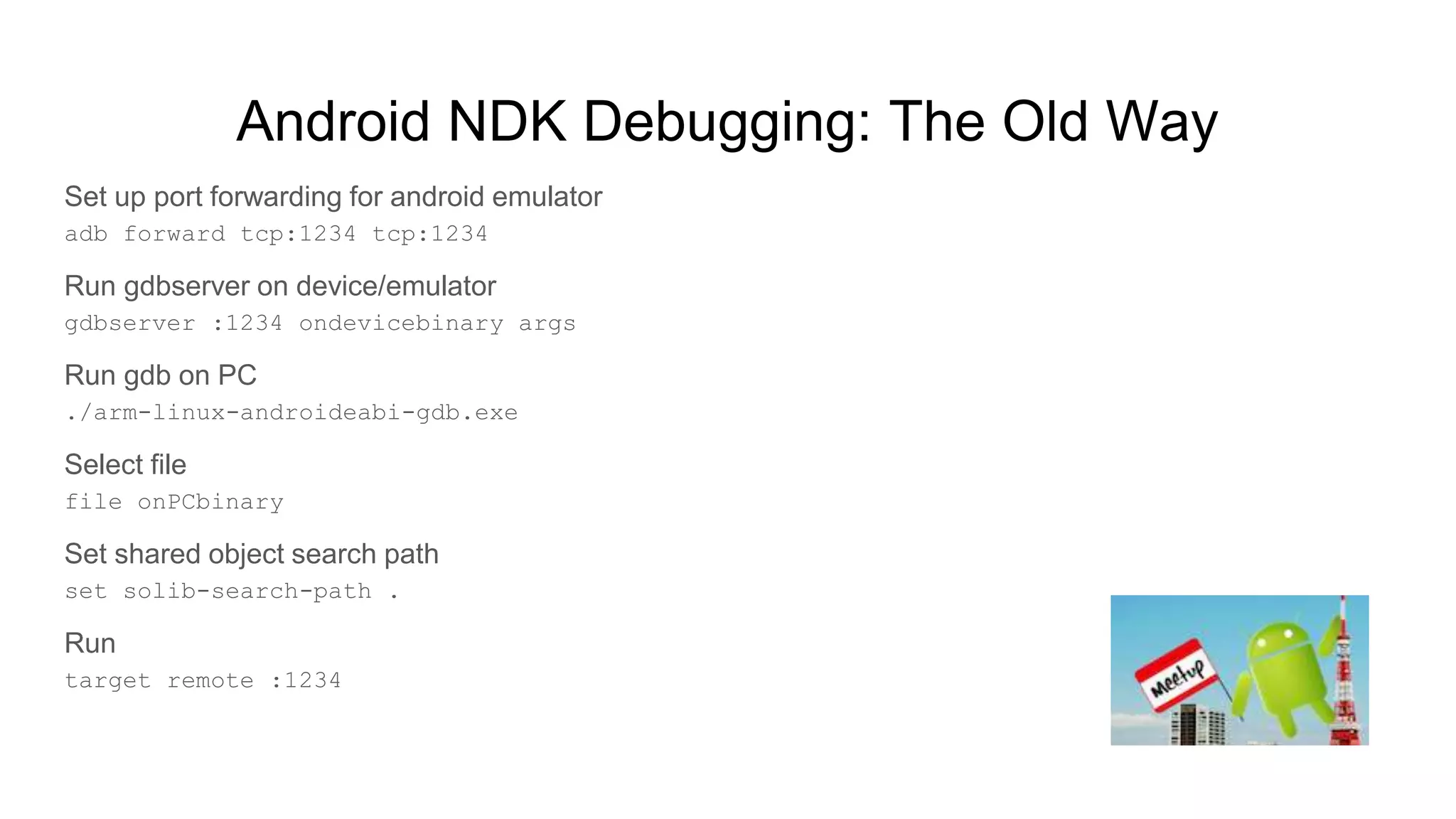
Android NDK Debugging: The Old Way
Set up port forwarding for android emulator
adb forward tcp:1234 tcp:1234
Run gdbserver on device/emulator
gdbserver :1234 ondevicebinary args
Run gdb on PC
./arm-linux-androideabi-gdb.exe
Select file
file onPCbinary
Set shared object search path
set solib-search-path .
Run
target remote :1234
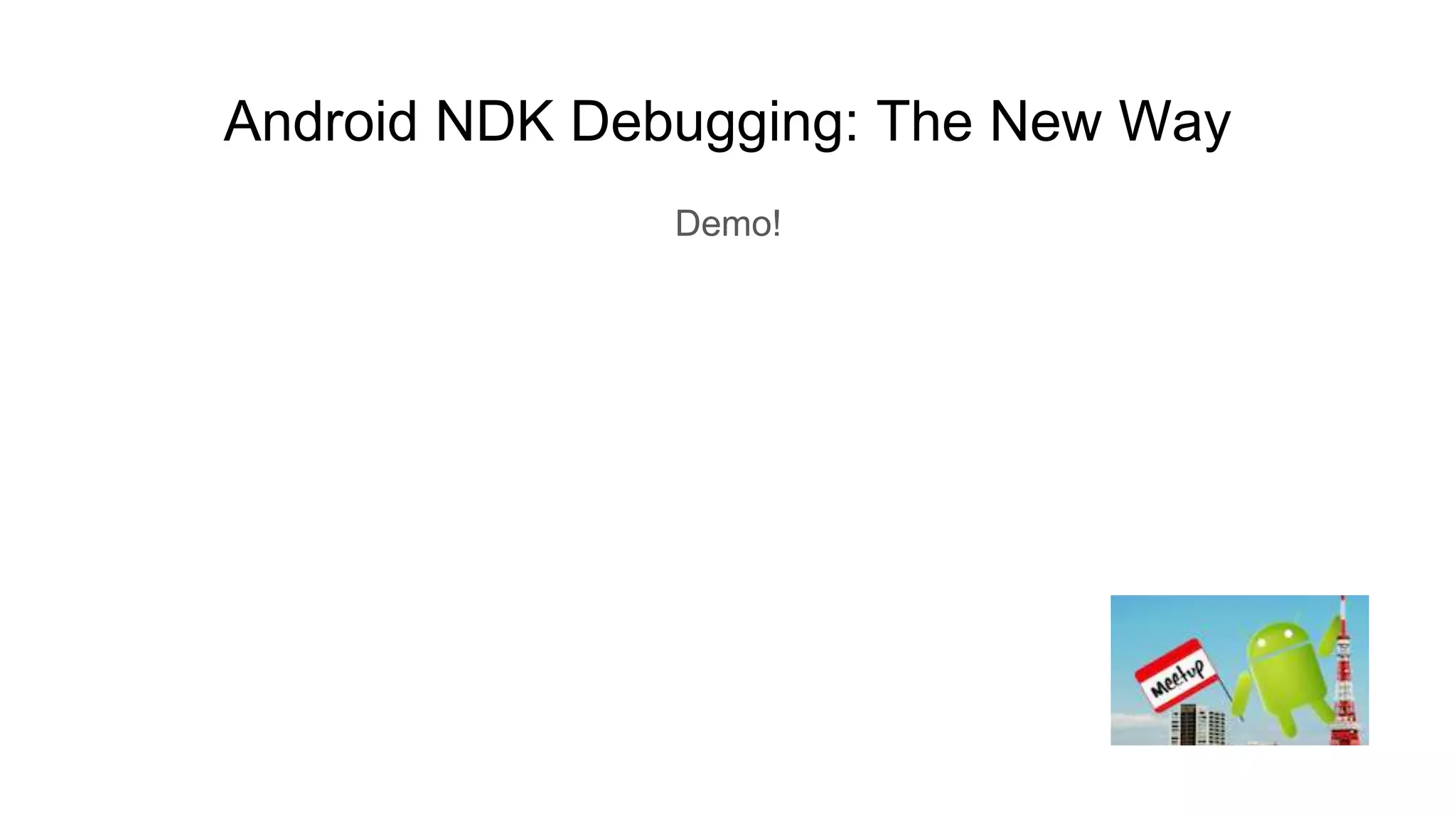
Android NDK Debugging: The New Way
Demo!

Android NDK Intro

  • 1.
    Android NDK Intro TokyoAndroid Meetup 21st July 2016
  • 2.
    About The Presenter GilesPayne Android Developer - TenTen Corp Developing for Android since Cupcake BA Honours Mathematics and Computation, Oxford University Country of Origin: Scotland
  • 3.
    What is theAndroid NDK? A set of tools for building/debugging C/C++ code to run on Android Invoked from Java via JNI(Java Native Interface) Available for download at https://developer.android.com/ndk/index.html
  • 4.
    Android NDK -Why? Performance Order of magnitude speedup for performance critical code Code reuse Existing code C/C++ base can be ported to Android without total rewrite in Java Large amount of libraries written in C/C++ can be reused (boost/cocos2d-x/OpenCV) Cross platform development iOS and other mobile OSs all support C/C++
  • 5.
    NDK How To Declaremethod as native with no body public native void myNativeMethod(); Use javah to generate native stub javah -o "MyClass.h" -classpath "/home/giles/myjavalibs" com.example.MyClass Add implementation to stub and build C/C++ lib extern "C" void Java_com_example_MyClass_myNativeMethod(JNIEnv* env, jobject this) { /* do stuff */ }
  • 6.
    What if Ineed to call back out to Java? jclass myjclass = (*env)->GetObjectClass(env, myjobj); jmethodID myMethodId = (*env)->GetMethodID(env, myjclass, "myMethod", "()Ljava/lang/String;"); jstring jstrResult = (jstring)(*env)->CallObjectMethod(env, myjobj, myMethodId); Reference: http://docs.oracle.com/javase/7/docs/technotes/guides/jni/spec/functions.html
  • 7.
    Android NDK Gotchas Managingyour own reference counting Check you have correct calls to NewStringUTF/ReleaseStringUTFChars Create/delete global references using NewGlobalRef/DeleteGlobalRef Library state on second run Native libraries will not be unloaded after the calling Java activity exits! Libraries need to be completely reinitialized when calling activity restarts. Hint: extern int __bss_start; extern int _end; void reStart() { void* bssBackup = native_backup_bss(); /* back-up somethings that need to be remembered */ memset((void*)__bss_start, 0 , _end-__bss_start); /* clear all memory that was initially zeroed */
  • 8.
    Android NDK withautotools Inspect verbose output to get the correct compiler linker flags. Might look something like: ./configure --with-gcc=$ANDROID_NDK/toolchains/$ANDROID_NDK_TOOLCHAIN/bin/arm-linux-androideabi-gcc --with- ld=$ANDROID_NDK/toolchains/$ANDROID_NDK_TOOLCHAIN/bin/arm-linux-androideabi-ld --build=i386-unknown-linux -- host=arm-unknown-linux CFLAGS="-w -I$ANDROID_NDK/platforms/android-18/arch-arm/usr/include -march=armv5te - DANDROID -mtune=xscale -msoft-float -mthumb -Os -fomit-frame-pointer -fno-strict-aliasing -finline-limit=64" LDFLAGS="-- sysroot=$ANDROID_NDK/platforms/android-18/arch-arm -lgcc -no-canonical-prefixes -Wl,-z,noexecstack -lc -lm -llog"
  • 9.
    NDK Chip ArchitectureSupport ARM - nearly all smartphones use ARM chips x86 - recently x86 tablets becoming more common MIPs - not widely used
  • 10.
    Android NDK Debugging:The Old Way Set up port forwarding for android emulator adb forward tcp:1234 tcp:1234 Run gdbserver on device/emulator gdbserver :1234 ondevicebinary args Run gdb on PC ./arm-linux-androideabi-gdb.exe Select file file onPCbinary Set shared object search path set solib-search-path . Run target remote :1234
  • 11.
    Android NDK Debugging:The New Way Demo!