Econometric Analysis Using Stata
Introduction
Time Series
Panel Data
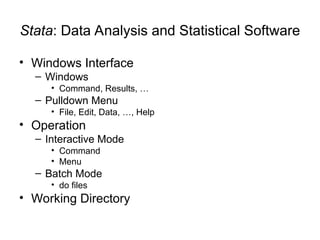
Stata: Data Analysis and Statistical Software
• Windows Interface
– Windows
• Command, Results, …
– Pulldown Menu
• File, Edit, Data, …, Help
• Operation
– Interactive Mode
• Command
• Menu
– Batch Mode
• do files
• Working Directory
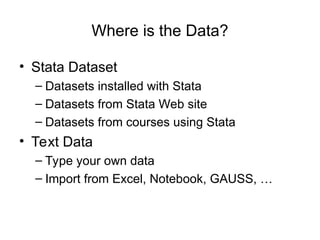
Where is the Data?
• Stata Dataset
– Datasets installed with Stata
– Datasets from Stata Web site
– Datasets from courses using Stata
• Text Data
– Type your own data
– Import from Excel, Notebook, GAUSS, …
Stata Dataset
sp500.dta
• Interactive Mode
• Data Conversion: Dataset to Text
• Data Analysis
• Graphics
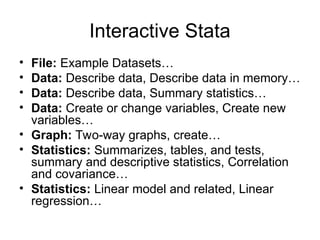
Interactive Stata
• File: Example Datasets…
• Data: Describe data, Describe data in memory…
• Data: Describe data, Summary statistics…
• Data: Create or change variables, Create new
variables…
• Graph: Two-way graphs, create…
• Statistics: Summarizes, tables, and tests,
summary and descriptive statistics, Correlation
and covariance…
• Statistics: Linear model and related, Linear
regression…
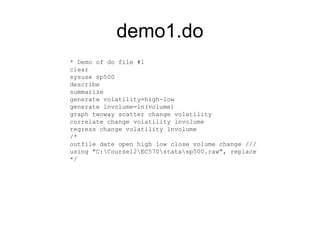
demo1.do
* Demo of do file #1
clear
sysuse sp500
describe
summarize
generate volatility=high-low
generate lnvolume=ln(volume)
graph twoway scatter change volatility
correlate change volatility lnvolume
regress change volatility lnvolume
/*
outfile date open high low close volume change ///
using "C:Course12EC570statasp500.raw", replace
*/
Text Data
gasoline.txt
• Batch Mode: do files
• Data Convertion: Text to Dataset
• Data Analysis
• Graphics
demo2.do
* Demo of do file #2
clear
infile year gasexp pop gasp income pnc puc ppt pd pn ps ///
using "c:course13ec570datagasoline.txt"
label data "Greene [2008], Table F2.2: The U.S. Gasoline Market"
label variable year "Year, 1953-2004"
label variable gasexp "Total U.S. gasoline expenditure"
label variable pop "U.S. total population in thousands"
label variable gasp "Price index for gasoline"
label variable income "Per capita disposable income"
label variable pnc "Price index for new cars"
label variable puc "Price index for used cars"
label variable ppt "Price index for public transportation"
label variable pd "Aggregate price index for consumer durables"
label variable pn "Aggregate price index for consumer nondurables"
label variable ps "Aggregate price index for consumer services"
describe
summarize
* save it as a Stata dataset
save "c:course12ec570datagasoline", replace
/*
generate g=ln(gasexp/pop) // log-per-capita gas consumption
generate y=ln(income/pop) // log-per-capita income
generate pg=ln(gasp) // log price of gas
generate pnew=ln(pnc) // log price of new cars
generate pused=ln(puc) // log price of used cars
regress g y pg pnew pused
*/
demo3.do
* Demo of do file #3
set more off
clear
//use "c:course13ec570datagasoline"
use http://web.pdx.edu/~crkl/ec570/data/gasoline
describe
summarize
generate g=ln(gasexp/pop) // log-per-capita gas consumption
generate y=ln(income/pop) // log-per-capita income
generate pg=ln(gasp) // log price of gas
generate pnew=ln(pnc) // log price of new cars
generate pused=ln(puc) // log price of used cars
regress g y pg pnew pused
// dynamic model with lagged variables
generate g1=g[_n-1]
regress g y pg pnew pused g1
// hypothesis testing
test pnew pused
test pnew+pused=0
// prediction
predict e, residual
predict ghat, xb
twoway scatter e ghat
// structural break
Must-Know Commands
• System
– clear
– exit
– log
– set
– # delimit
– net
– search
– help
• Data Management
– use
– Infile, infix
– list
– describe
– keep, drop
– generate, replace,
rename
– save, outfile
Must-Know Commands
• Data Analysis
– summarize
– correlate
– graph
• twoway, scatter,…
• hist
• Statistical Analysis
– regress
– predict
– test
– dwstat
– hettest

Introduction to Stata: data management and analytic techniques

  • 1.
    Econometric Analysis UsingStata Introduction Time Series Panel Data
  • 2.
    Stata: Data Analysisand Statistical Software • Windows Interface – Windows • Command, Results, … – Pulldown Menu • File, Edit, Data, …, Help • Operation – Interactive Mode • Command • Menu – Batch Mode • do files • Working Directory
  • 3.
    Where is theData? • Stata Dataset – Datasets installed with Stata – Datasets from Stata Web site – Datasets from courses using Stata • Text Data – Type your own data – Import from Excel, Notebook, GAUSS, …
  • 4.
    Stata Dataset sp500.dta • InteractiveMode • Data Conversion: Dataset to Text • Data Analysis • Graphics
  • 5.
    Interactive Stata • File:Example Datasets… • Data: Describe data, Describe data in memory… • Data: Describe data, Summary statistics… • Data: Create or change variables, Create new variables… • Graph: Two-way graphs, create… • Statistics: Summarizes, tables, and tests, summary and descriptive statistics, Correlation and covariance… • Statistics: Linear model and related, Linear regression…
  • 6.
    demo1.do * Demo ofdo file #1 clear sysuse sp500 describe summarize generate volatility=high-low generate lnvolume=ln(volume) graph twoway scatter change volatility correlate change volatility lnvolume regress change volatility lnvolume /* outfile date open high low close volume change /// using "C:Course12EC570statasp500.raw", replace */
  • 7.
    Text Data gasoline.txt • BatchMode: do files • Data Convertion: Text to Dataset • Data Analysis • Graphics
  • 8.
    demo2.do * Demo ofdo file #2 clear infile year gasexp pop gasp income pnc puc ppt pd pn ps /// using "c:course13ec570datagasoline.txt" label data "Greene [2008], Table F2.2: The U.S. Gasoline Market" label variable year "Year, 1953-2004" label variable gasexp "Total U.S. gasoline expenditure" label variable pop "U.S. total population in thousands" label variable gasp "Price index for gasoline" label variable income "Per capita disposable income" label variable pnc "Price index for new cars" label variable puc "Price index for used cars" label variable ppt "Price index for public transportation" label variable pd "Aggregate price index for consumer durables" label variable pn "Aggregate price index for consumer nondurables" label variable ps "Aggregate price index for consumer services" describe summarize * save it as a Stata dataset save "c:course12ec570datagasoline", replace /* generate g=ln(gasexp/pop) // log-per-capita gas consumption generate y=ln(income/pop) // log-per-capita income generate pg=ln(gasp) // log price of gas generate pnew=ln(pnc) // log price of new cars generate pused=ln(puc) // log price of used cars regress g y pg pnew pused */
  • 9.
    demo3.do * Demo ofdo file #3 set more off clear //use "c:course13ec570datagasoline" use http://web.pdx.edu/~crkl/ec570/data/gasoline describe summarize generate g=ln(gasexp/pop) // log-per-capita gas consumption generate y=ln(income/pop) // log-per-capita income generate pg=ln(gasp) // log price of gas generate pnew=ln(pnc) // log price of new cars generate pused=ln(puc) // log price of used cars regress g y pg pnew pused // dynamic model with lagged variables generate g1=g[_n-1] regress g y pg pnew pused g1 // hypothesis testing test pnew pused test pnew+pused=0 // prediction predict e, residual predict ghat, xb twoway scatter e ghat // structural break
  • 10.
    Must-Know Commands • System –clear – exit – log – set – # delimit – net – search – help • Data Management – use – Infile, infix – list – describe – keep, drop – generate, replace, rename – save, outfile
  • 11.
    Must-Know Commands • DataAnalysis – summarize – correlate – graph • twoway, scatter,… • hist • Statistical Analysis – regress – predict – test – dwstat – hettest