• The Operating System is the communication between
hardware and software.
• Types of Mobile OS:
• Symbian OS
• Android OS
• iPhone OS (iOS)
• BlackBerry OS
• Windows Phone 7 (Mobile OS)
• Bada
• Make sure that you choose the right SDK.
• SDK is the emulator of the phone.
• You are free to choose your IDE.
• IDE is the software application that allows the computer
programmer to develop software for a certain platform
• The native language of the Symbian OS is C++, So you
should know C++ syntax well.
• Symbian OS has more than types:
• S40
• S60 3rd
• S60 5th
• S90
• Why Symbian and it’s some kind old OS ?!!
• Because it’s the easiest environment to work in it.
• Like Facebook and Google+
• Why QT ?!
• Based on C++ programming language.
• Because it’s the very simple mobile application SDK and
IDE to use.
• You can work in the QT environment in 2 ways:
• Drag and Drop
• Here you are able to drag anything and drop it in the place you
want.
• You can’t make every thing with Drag and Drop.
• Writing Code
• Here you can either write the program from A to Z or you can
Drag and Drop something then edit its code.
• What you need to develop on QT
• Know C++ syntax well
• Know the basics in C++ programming language
• Have Background about GUI
• Know how to connect between C++ and GUI
• Contents of any QT library
• Variables
• Methods
• Signals
• To use this libraries you must include QtGui library.
• QT has a lot of libraries, we will list the most commonly used
of it.
• QWidget: the library that have all you need, your class inherits
from it.
• QApplication: without it you can’t run your program.
• QPushButton: button to press.
• QLabel: label to hold something.
• QTextEdit: text field to fill it.
• QTimer: to count time.
• QPixmap: to load image.
• QMenuBar: menu toolbar.
• QMenu: a menu in the menu toolbar.
• QAction: actions is in the menu of any menu toolbar.
• QPoint: point has x and y.
• QSize: has length and width.
• QMessageBox: message box.
• QString: has strings but in QT.
• QKeyEvent: has signal if key is pressed.
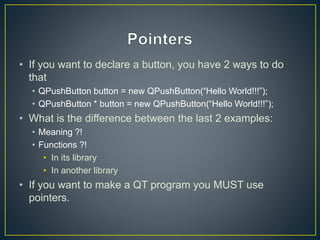
• If you want to declare a button, you have 2 ways to do
that
• QPushButton button = new QPushButton(“Hello World!!!”);
• QPushButton * button = new QPushButton(“Hello World!!!”);
• What is the difference between the last 2 examples:
• Meaning ?!
• Functions ?!
• In its library
• In another library
• If you want to make a QT program you MUST use
pointers.
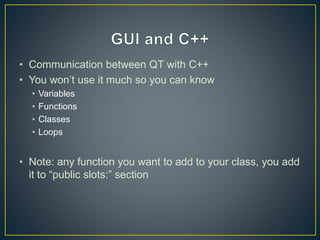
• Communication between QT with C++
• You won’t use it much so you can know
• Variables
• Functions
• Classes
• Loops
• Note: any function you want to add to your class, you add
it to “public slots:” section
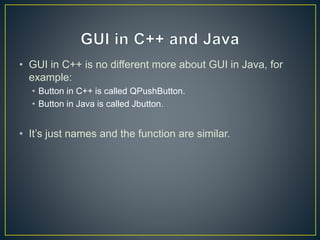
• GUI in C++ is no different more about GUI in Java, for
example:
• Button in C++ is called QPushButton.
• Button in Java is called Jbutton.
• It’s just names and the function are similar.
• Videos maked by Dr. Sherif Khattap, It’s may help.
• Experiment – Load Image (Drag and Drop).
• QPixmap * pic = new QPixmap("c:test.png");
• QLabel * label = new QLabel();
• label->setPixmap(*pic);
• label->show();
• Don’t forget to include QTGui library first.
• Experiment – Layouts Design (Drag and Drop).
• Experiment – Press Button (Coding).
• Experiment – Making more than 1 form.
• Experiment – Timer (Coding).
• Experiment – Dealing with Text (Coding).
• All libraries of QT: http://doc.qt.nokia.com/4.7/qtgui.html
• E-mail:
• Facebook: http://www.facebook.com/imgroup.company
Introduction to Qt

Introduction to Qt

  • 2.
    • The OperatingSystem is the communication between hardware and software. • Types of Mobile OS: • Symbian OS • Android OS • iPhone OS (iOS) • BlackBerry OS • Windows Phone 7 (Mobile OS) • Bada
  • 3.
    • Make surethat you choose the right SDK. • SDK is the emulator of the phone. • You are free to choose your IDE. • IDE is the software application that allows the computer programmer to develop software for a certain platform
  • 4.
    • The nativelanguage of the Symbian OS is C++, So you should know C++ syntax well. • Symbian OS has more than types: • S40 • S60 3rd • S60 5th • S90
  • 5.
    • Why Symbianand it’s some kind old OS ?!! • Because it’s the easiest environment to work in it. • Like Facebook and Google+ • Why QT ?! • Based on C++ programming language. • Because it’s the very simple mobile application SDK and IDE to use.
  • 6.
    • You canwork in the QT environment in 2 ways: • Drag and Drop • Here you are able to drag anything and drop it in the place you want. • You can’t make every thing with Drag and Drop. • Writing Code • Here you can either write the program from A to Z or you can Drag and Drop something then edit its code.
  • 7.
    • What youneed to develop on QT • Know C++ syntax well • Know the basics in C++ programming language • Have Background about GUI • Know how to connect between C++ and GUI
  • 8.
    • Contents ofany QT library • Variables • Methods • Signals • To use this libraries you must include QtGui library. • QT has a lot of libraries, we will list the most commonly used of it. • QWidget: the library that have all you need, your class inherits from it. • QApplication: without it you can’t run your program. • QPushButton: button to press. • QLabel: label to hold something. • QTextEdit: text field to fill it.
  • 9.
    • QTimer: tocount time. • QPixmap: to load image. • QMenuBar: menu toolbar. • QMenu: a menu in the menu toolbar. • QAction: actions is in the menu of any menu toolbar. • QPoint: point has x and y. • QSize: has length and width. • QMessageBox: message box. • QString: has strings but in QT. • QKeyEvent: has signal if key is pressed.
  • 10.
    • If youwant to declare a button, you have 2 ways to do that • QPushButton button = new QPushButton(“Hello World!!!”); • QPushButton * button = new QPushButton(“Hello World!!!”); • What is the difference between the last 2 examples: • Meaning ?! • Functions ?! • In its library • In another library • If you want to make a QT program you MUST use pointers.
  • 11.
    • Communication betweenQT with C++ • You won’t use it much so you can know • Variables • Functions • Classes • Loops • Note: any function you want to add to your class, you add it to “public slots:” section
  • 12.
    • GUI inC++ is no different more about GUI in Java, for example: • Button in C++ is called QPushButton. • Button in Java is called Jbutton. • It’s just names and the function are similar.
  • 13.
    • Videos makedby Dr. Sherif Khattap, It’s may help.
  • 14.
    • Experiment –Load Image (Drag and Drop).
  • 15.
    • QPixmap *pic = new QPixmap("c:test.png"); • QLabel * label = new QLabel(); • label->setPixmap(*pic); • label->show(); • Don’t forget to include QTGui library first.
  • 16.
    • Experiment –Layouts Design (Drag and Drop).
  • 17.
    • Experiment –Press Button (Coding).
  • 18.
    • Experiment –Making more than 1 form.
  • 19.
    • Experiment –Timer (Coding).
  • 20.
    • Experiment –Dealing with Text (Coding).
  • 21.
    • All librariesof QT: http://doc.qt.nokia.com/4.7/qtgui.html • E-mail: • Facebook: http://www.facebook.com/imgroup.company