PRESENTATION REPORT ON
GUI DEVELOPMENT UNDER LINUX
SUBMITTED TO
Prof. PAWAN MAKHIJA SUBMITTED BY
Prof. Pooja Gupta HIMANSHU GUPTA
IT DEPARTMENT (0801IT151031)
NUPUR JAIN
(0801IT151048)
Introduction
• A graphical user interface (GUI) presents a user-friendly
mechanism for interacting with an application. A GUI
(pronounced “GOO-ee”) gives an application a distinctive
“look and feel.” GUIs are built from GUI components.
These are sometimes called controls or widgets—short
for window gadgets. A GUI component is an object with
which the user interacts via the mouse, the keyboard or
another form of input, such as voice recognition.
2
3
GUI
• Graphical user interface (GUI)
– Presents a user-friendly mechanism for interacting
with an application
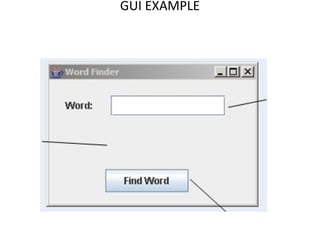
– Often contains title bar, menu bar containing
menus, buttons and combo boxes
– Built from GUI components
GUI EXAMPLE
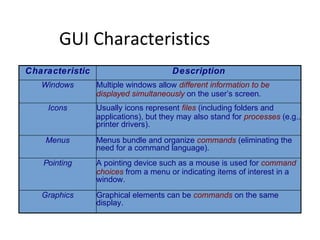
GUI Characteristics
Characteristic Description
Windows Multiple windows allow different information to be
displayed simultaneously on the user’s screen.
Icons Usually icons represent files (including folders and
applications), but they may also stand for processes (e.g.,
printer drivers).
Menus Menus bundle and organize commands (eliminating the
need for a command language).
Pointing A pointing device such as a mouse is used for command
choices from a menu or indicating items of interest in a
window.
Graphics Graphical elements can be commands on the same
display.
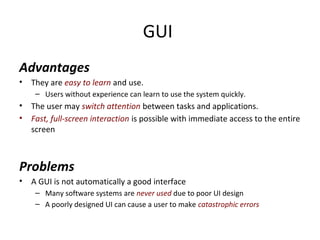
GUI
Advantages
• They are easy to learn and use.
– Users without experience can learn to use the system quickly.
• The user may switch attention between tasks and applications.
• Fast, full-screen interaction is possible with immediate access to the entire
screen
Problems
• A GUI is not automatically a good interface
– Many software systems are never used due to poor UI design
– A poorly designed UI can cause a user to make catastrophic errors
QT
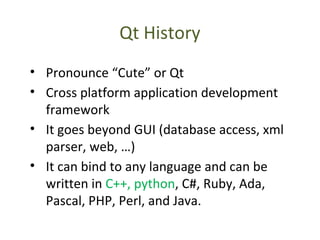
Qt History
• Pronounce “Cute” or Qt
• Cross platform application development
framework
• It goes beyond GUI (database access, xml
parser, web, …)
• It can bind to any language and can be
written in C++, python, C#, Ruby, Ada,
Pascal, PHP, Perl, and Java.
Qt History(2)
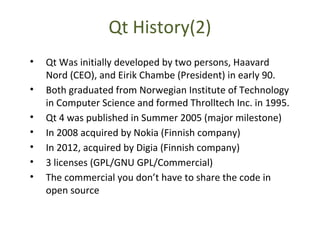
• Qt Was initially developed by two persons, Haavard
Nord (CEO), and Eirik Chambe (President) in early 90.
• Both graduated from Norwegian Institute of Technology
in Computer Science and formed Throlltech Inc. in 1995.
• Qt 4 was published in Summer 2005 (major milestone)
• In 2008 acquired by Nokia (Finnish company)
• In 2012, acquired by Digia (Finnish company)
• 3 licenses (GPL/GNU GPL/Commercial)
• The commercial you don’t have to share the code in
open source
Qt History(3)
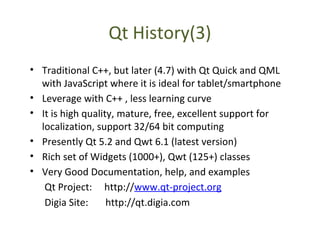
• Traditional C++, but later (4.7) with Qt Quick and QML
with JavaScript where it is ideal for tablet/smartphone
• Leverage with C++ , less learning curve
• It is high quality, mature, free, excellent support for
localization, support 32/64 bit computing
• Presently Qt 5.2 and Qwt 6.1 (latest version)
• Rich set of Widgets (1000+), Qwt (125+) classes
• Very Good Documentation, help, and examples
Qt Project: http://www.qt-project.org
Digia Site: http://qt.digia.com
Who uses Qt
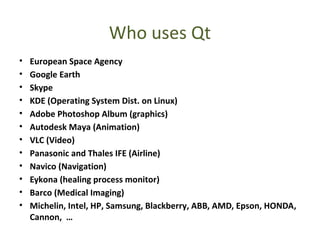
• European Space Agency
• Google Earth
• Skype
• KDE (Operating System Dist. on Linux)
• Adobe Photoshop Album (graphics)
• Autodesk Maya (Animation)
• VLC (Video)
• Panasonic and Thales IFE (Airline)
• Navico (Navigation)
• Eykona (healing process monitor)
• Barco (Medical Imaging)
• Michelin, Intel, HP, Samsung, Blackberry, ABB, AMD, Epson, HONDA,
Cannon, …
Tools
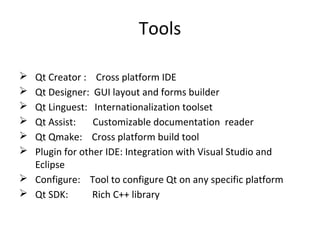
 Qt Creator : Cross platform IDE
 Qt Designer: GUI layout and forms builder
 Qt Linguest: Internationalization toolset
 Qt Assist: Customizable documentation reader
 Qt Qmake: Cross platform build tool
 Plugin for other IDE: Integration with Visual Studio and
Eclipse
 Configure: Tool to configure Qt on any specific platform
 Qt SDK: Rich C++ library
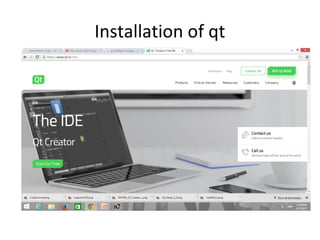
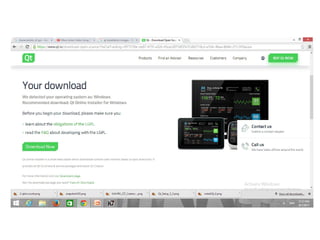
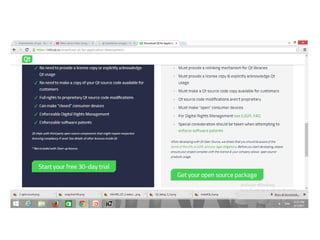
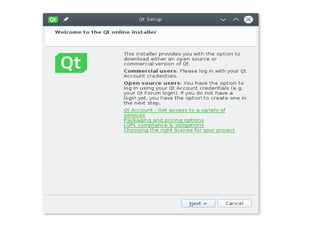
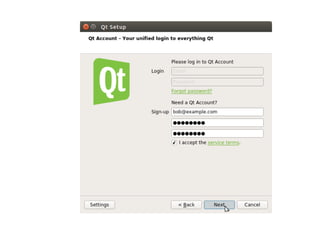
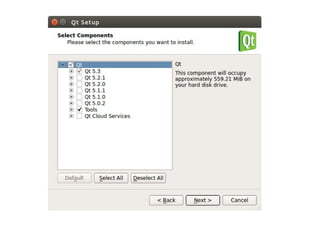
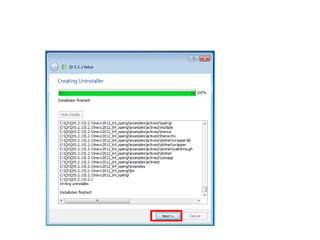
Installation of qt
Qt
Qt
Qt
Qt
Qt
Qt

Qt

  • 1.
    PRESENTATION REPORT ON GUIDEVELOPMENT UNDER LINUX SUBMITTED TO Prof. PAWAN MAKHIJA SUBMITTED BY Prof. Pooja Gupta HIMANSHU GUPTA IT DEPARTMENT (0801IT151031) NUPUR JAIN (0801IT151048)
  • 2.
    Introduction • A graphicaluser interface (GUI) presents a user-friendly mechanism for interacting with an application. A GUI (pronounced “GOO-ee”) gives an application a distinctive “look and feel.” GUIs are built from GUI components. These are sometimes called controls or widgets—short for window gadgets. A GUI component is an object with which the user interacts via the mouse, the keyboard or another form of input, such as voice recognition. 2
  • 3.
    3 GUI • Graphical userinterface (GUI) – Presents a user-friendly mechanism for interacting with an application – Often contains title bar, menu bar containing menus, buttons and combo boxes – Built from GUI components
  • 4.
  • 5.
    GUI Characteristics Characteristic Description WindowsMultiple windows allow different information to be displayed simultaneously on the user’s screen. Icons Usually icons represent files (including folders and applications), but they may also stand for processes (e.g., printer drivers). Menus Menus bundle and organize commands (eliminating the need for a command language). Pointing A pointing device such as a mouse is used for command choices from a menu or indicating items of interest in a window. Graphics Graphical elements can be commands on the same display.
  • 6.
    GUI Advantages • They areeasy to learn and use. – Users without experience can learn to use the system quickly. • The user may switch attention between tasks and applications. • Fast, full-screen interaction is possible with immediate access to the entire screen Problems • A GUI is not automatically a good interface – Many software systems are never used due to poor UI design – A poorly designed UI can cause a user to make catastrophic errors
  • 7.
  • 8.
    Qt History • Pronounce“Cute” or Qt • Cross platform application development framework • It goes beyond GUI (database access, xml parser, web, …) • It can bind to any language and can be written in C++, python, C#, Ruby, Ada, Pascal, PHP, Perl, and Java.
  • 9.
    Qt History(2) • QtWas initially developed by two persons, Haavard Nord (CEO), and Eirik Chambe (President) in early 90. • Both graduated from Norwegian Institute of Technology in Computer Science and formed Throlltech Inc. in 1995. • Qt 4 was published in Summer 2005 (major milestone) • In 2008 acquired by Nokia (Finnish company) • In 2012, acquired by Digia (Finnish company) • 3 licenses (GPL/GNU GPL/Commercial) • The commercial you don’t have to share the code in open source
  • 10.
    Qt History(3) • TraditionalC++, but later (4.7) with Qt Quick and QML with JavaScript where it is ideal for tablet/smartphone • Leverage with C++ , less learning curve • It is high quality, mature, free, excellent support for localization, support 32/64 bit computing • Presently Qt 5.2 and Qwt 6.1 (latest version) • Rich set of Widgets (1000+), Qwt (125+) classes • Very Good Documentation, help, and examples Qt Project: http://www.qt-project.org Digia Site: http://qt.digia.com
  • 11.
    Who uses Qt •European Space Agency • Google Earth • Skype • KDE (Operating System Dist. on Linux) • Adobe Photoshop Album (graphics) • Autodesk Maya (Animation) • VLC (Video) • Panasonic and Thales IFE (Airline) • Navico (Navigation) • Eykona (healing process monitor) • Barco (Medical Imaging) • Michelin, Intel, HP, Samsung, Blackberry, ABB, AMD, Epson, HONDA, Cannon, …
  • 12.
    Tools  Qt Creator: Cross platform IDE  Qt Designer: GUI layout and forms builder  Qt Linguest: Internationalization toolset  Qt Assist: Customizable documentation reader  Qt Qmake: Cross platform build tool  Plugin for other IDE: Integration with Visual Studio and Eclipse  Configure: Tool to configure Qt on any specific platform  Qt SDK: Rich C++ library
  • 13.

Editor's Notes

  • #3 <number>
  • #11 <number>