OPERATING SYSTEM
NAME – MAHIMA
INTRODUCTION TO OPERATING SYSTEMS
• Definition : System software that manages computer hardware and software resources.
Provides services for computer programs.
• Purpose : Facilitates user interaction with the computer. Manages hardware resources
efficiently. Ensures system stability and security.
KEY FUNCTIONS OF AN OPERATING SYSTEM
• Process Management: Manages running processes and tasks.
• Memory Management: Allocates and tracks memory usage.
• File System Management: Organizes and manages files on storage devices.
• Device Management: Controls and interacts with hardware devices.
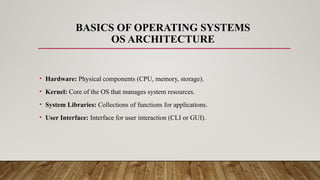
BASICS OF OPERATING SYSTEMS
OS ARCHITECTURE
• Hardware: Physical components (CPU, memory, storage).
• Kernel: Core of the OS that manages system resources.
• System Libraries: Collections of functions for applications.
• User Interface: Interface for user interaction (CLI or GUI).
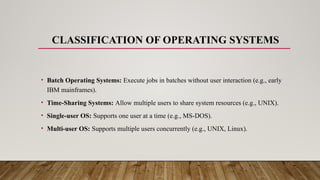
CLASSIFICATION OF OPERATING SYSTEMS
• Batch Operating Systems: Execute jobs in batches without user interaction (e.g., early
IBM mainframes).
• Time-Sharing Systems: Allow multiple users to share system resources (e.g., UNIX).
• Single-user OS: Supports one user at a time (e.g., MS-DOS).
• Multi-user OS: Supports multiple users concurrently (e.g., UNIX, Linux).
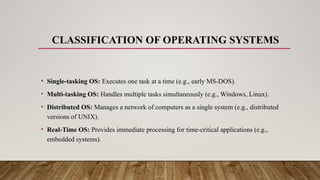
CLASSIFICATION OF OPERATING SYSTEMS
• Single-tasking OS: Executes one task at a time (e.g., early MS-DOS).
• Multi-tasking OS: Handles multiple tasks simultaneously (e.g., Windows, Linux).
• Distributed OS: Manages a network of computers as a single system (e.g., distributed
versions of UNIX).
• Real-Time OS: Provides immediate processing for time-critical applications (e.g.,
embedded systems).
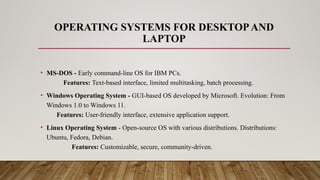
OPERATING SYSTEMS FOR DESKTOPAND
LAPTOP
• MS-DOS - Early command-line OS for IBM PCs.
Features: Text-based interface, limited multitasking, batch processing.
• Windows Operating System - GUI-based OS developed by Microsoft. Evolution: From
Windows 1.0 to Windows 11.
Features: User-friendly interface, extensive application support.
• Linux Operating System - Open-source OS with various distributions. Distributions:
Ubuntu, Fedora, Debian.
Features: Customizable, secure, community-driven.
OPERATING SYSTEMS FOR MOBILE PHONES
• Android OS Overview: Open-source OS developed by Google.
Features: Customizable, supports a wide range of hardware.
• iOS Overview: Developed by Apple for iPhones and iPads.
Features: Secure, optimized for Apple hardware, seamless integration.
USER INTERFACE FOR DESKTOP AND LAPTOP
• CLI:Text-based, suited for scripting and
advanced users
• .GUI:Visual, user-friendly, suitable for
general use.

Introduction to operating system, Basic of

  • 1.
  • 2.
    INTRODUCTION TO OPERATINGSYSTEMS • Definition : System software that manages computer hardware and software resources. Provides services for computer programs. • Purpose : Facilitates user interaction with the computer. Manages hardware resources efficiently. Ensures system stability and security.
  • 3.
    KEY FUNCTIONS OFAN OPERATING SYSTEM • Process Management: Manages running processes and tasks. • Memory Management: Allocates and tracks memory usage. • File System Management: Organizes and manages files on storage devices. • Device Management: Controls and interacts with hardware devices.
  • 4.
    BASICS OF OPERATINGSYSTEMS OS ARCHITECTURE • Hardware: Physical components (CPU, memory, storage). • Kernel: Core of the OS that manages system resources. • System Libraries: Collections of functions for applications. • User Interface: Interface for user interaction (CLI or GUI).
  • 5.
    CLASSIFICATION OF OPERATINGSYSTEMS • Batch Operating Systems: Execute jobs in batches without user interaction (e.g., early IBM mainframes). • Time-Sharing Systems: Allow multiple users to share system resources (e.g., UNIX). • Single-user OS: Supports one user at a time (e.g., MS-DOS). • Multi-user OS: Supports multiple users concurrently (e.g., UNIX, Linux).
  • 6.
    CLASSIFICATION OF OPERATINGSYSTEMS • Single-tasking OS: Executes one task at a time (e.g., early MS-DOS). • Multi-tasking OS: Handles multiple tasks simultaneously (e.g., Windows, Linux). • Distributed OS: Manages a network of computers as a single system (e.g., distributed versions of UNIX). • Real-Time OS: Provides immediate processing for time-critical applications (e.g., embedded systems).
  • 7.
    OPERATING SYSTEMS FORDESKTOPAND LAPTOP • MS-DOS - Early command-line OS for IBM PCs. Features: Text-based interface, limited multitasking, batch processing. • Windows Operating System - GUI-based OS developed by Microsoft. Evolution: From Windows 1.0 to Windows 11. Features: User-friendly interface, extensive application support. • Linux Operating System - Open-source OS with various distributions. Distributions: Ubuntu, Fedora, Debian. Features: Customizable, secure, community-driven.
  • 8.
    OPERATING SYSTEMS FORMOBILE PHONES • Android OS Overview: Open-source OS developed by Google. Features: Customizable, supports a wide range of hardware. • iOS Overview: Developed by Apple for iPhones and iPads. Features: Secure, optimized for Apple hardware, seamless integration.
  • 9.
    USER INTERFACE FORDESKTOP AND LAPTOP • CLI:Text-based, suited for scripting and advanced users • .GUI:Visual, user-friendly, suitable for general use.