Kubernetes
An Introduction
Kubernetes v1.10 05/2018
CC-BY 4.0
Project
Overview
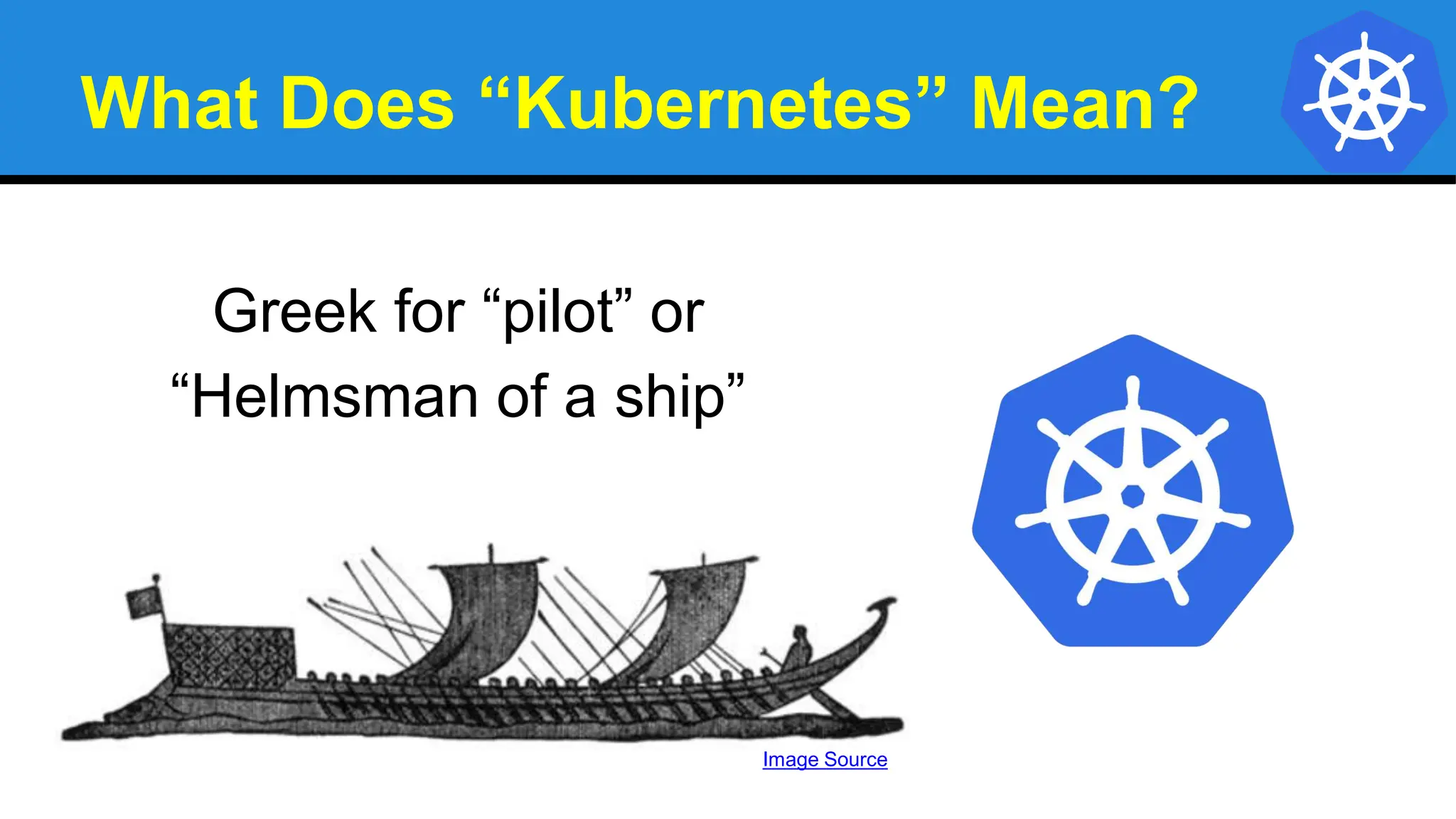
What Does “Kubernetes” Mean?
Greek for “pilot” or
“Helmsman of a ship”
Image Source
What is Kubernetes?
● Project that was spun out of Google as an open source
container orchestration platform.
● Built from the lessons learned in the experiences of
developing and running Google’s Borg and Omega.
● Designed from the ground-up as a loosely coupled
collection of components centered around deploying,
maintaining and scaling workloads.
What Does Kubernetes do?
● Known as the linux kernel of distributed systems.
● Abstracts away the underlying hardware of the
nodes and provides a uniform interface for workloads to
be both deployed and consume the shared pool of
resources.
● Works as an engine for resolving state by converging
actual and the desired state of the system.
Decouples Infrastructure and Scaling
● All services within Kubernetes are natively
Load Balanced.
● Can scale up and down dynamically.
● Used both to enable self-healing and
seamless upgrading or rollback of
applications.
Self Healing
Kubernetes will ALWAYS try and steer the cluster to its
desired state.
● Me: “I want 3 healthy instances of redis to always be
running.”
● Kubernetes: “Okay, I’ll ensure there are always 3
instances up and running.”
● Kubernetes: “Oh look, one has died. I’m going to
attempt to spin up a new one.”
What can Kubernetes REALLY do?
● Autoscale Workloads
● Blue/Green Deployments
● Fire off jobs and scheduled cronjobs
● Manage Stateless and Stateful Applications
● Provide native methods of service discovery
● Easily integrate and support 3rd party apps
Most Importantly...
Use the SAME API
across bare metal and
EVERY cloud provider!!!
Who “Manages” Kubernetes?
The CNCF is a child entity of the Linux Foundation and
operates as a vendor neutral governance group.
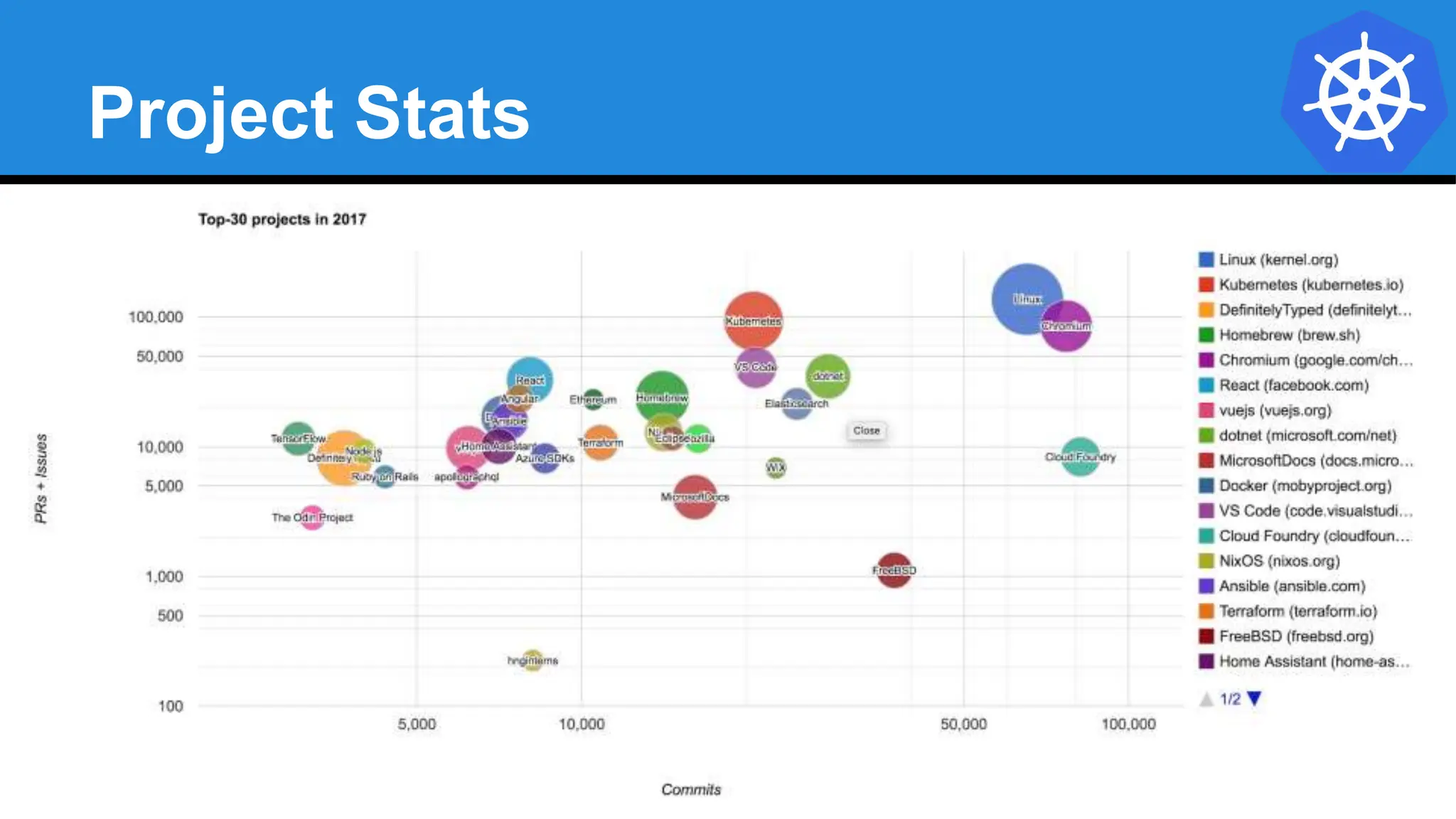
Project Stats
● Over 42,000 stars on Github
● 1800+ Contributors to K8s Core
● Most discussed Repository by a large margin
● 50,000+ users in Slack Team
10/2018
Project Stats
A Couple
Key Concepts...
Pods
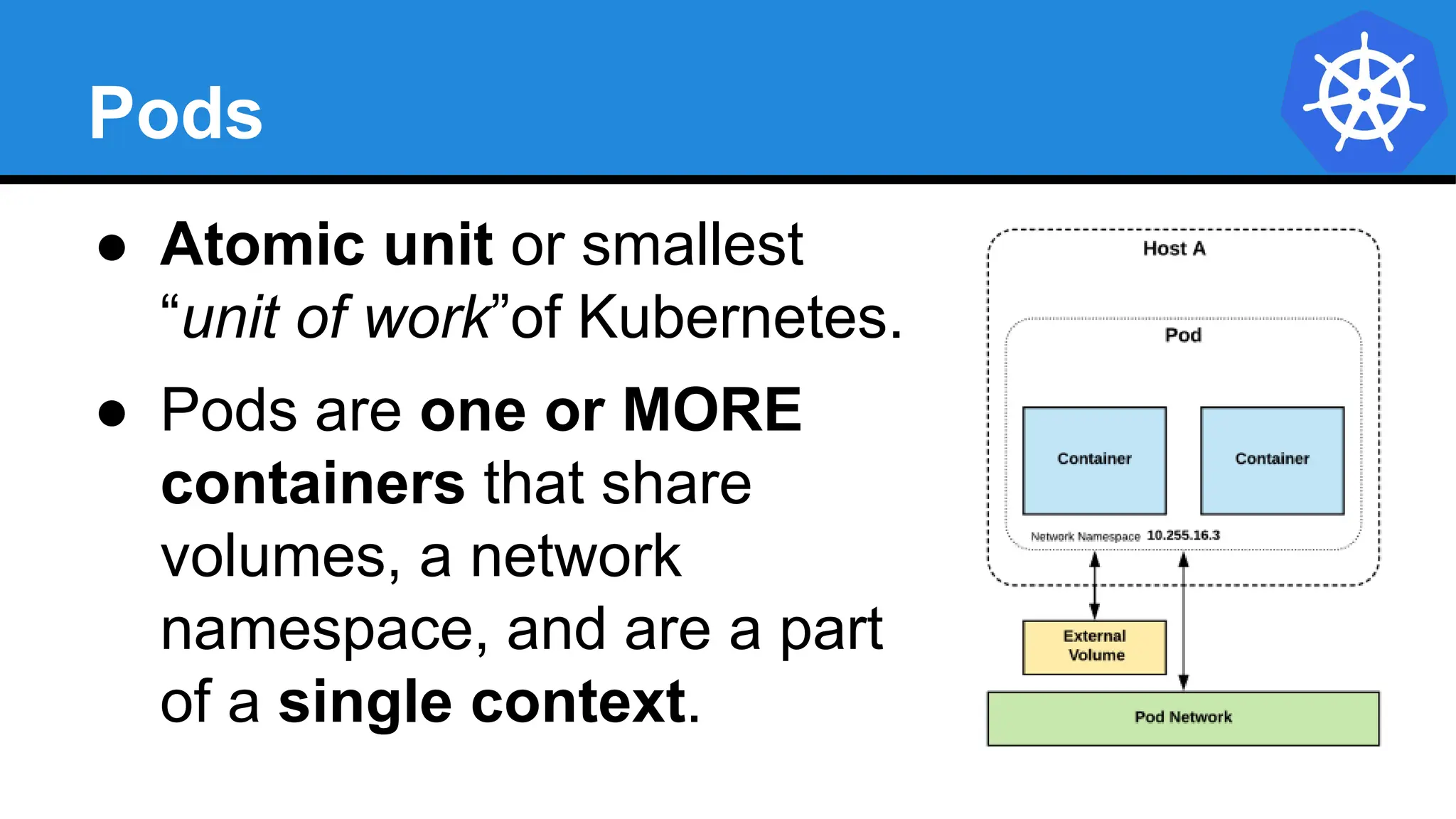
● Atomic unit or smallest
“unit of work”of Kubernetes.
● Pods are one or MORE
containers that share
volumes, a network
namespace, and are a part
of a single context.
Pods
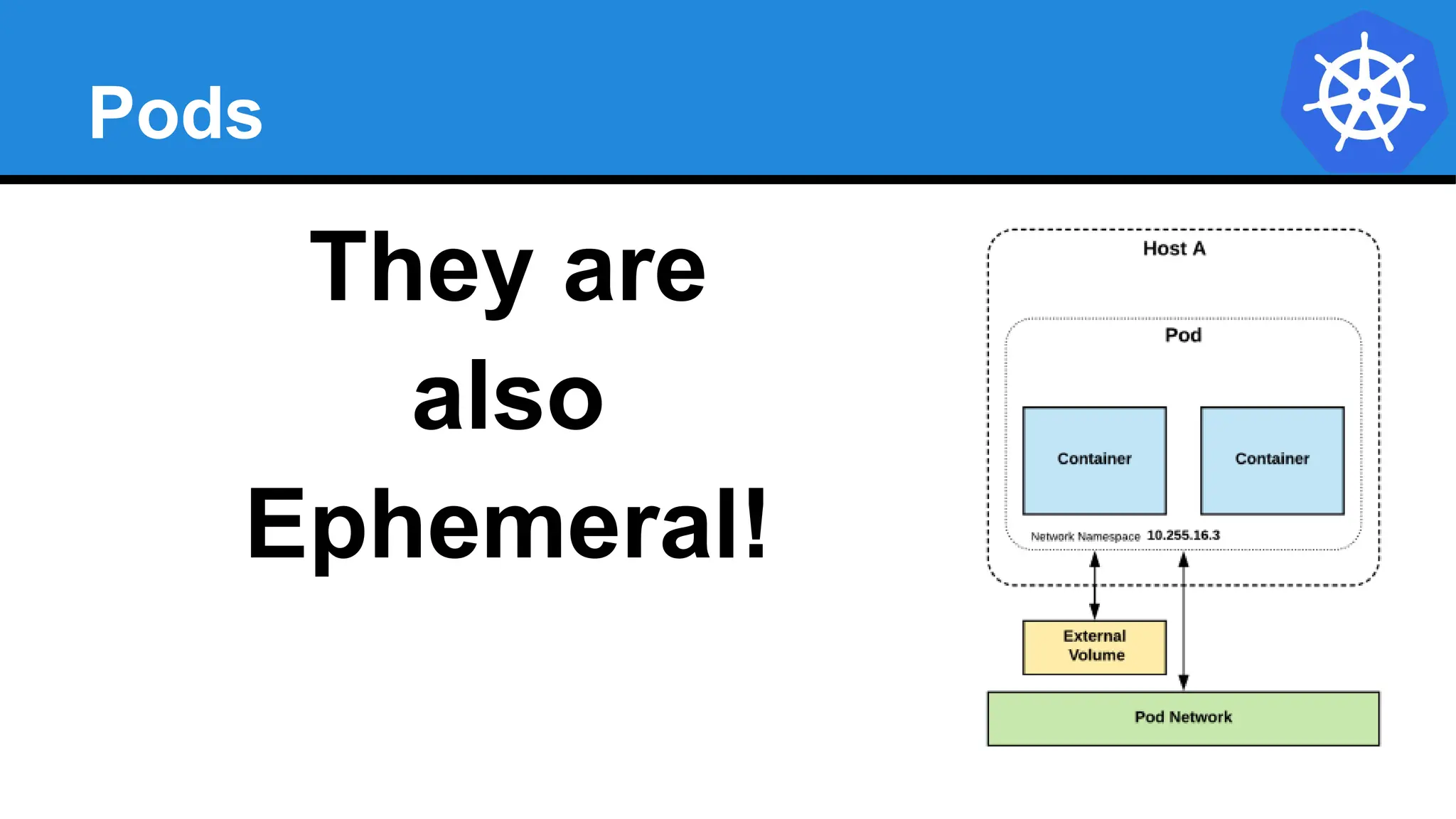
They are
also
Ephemeral!
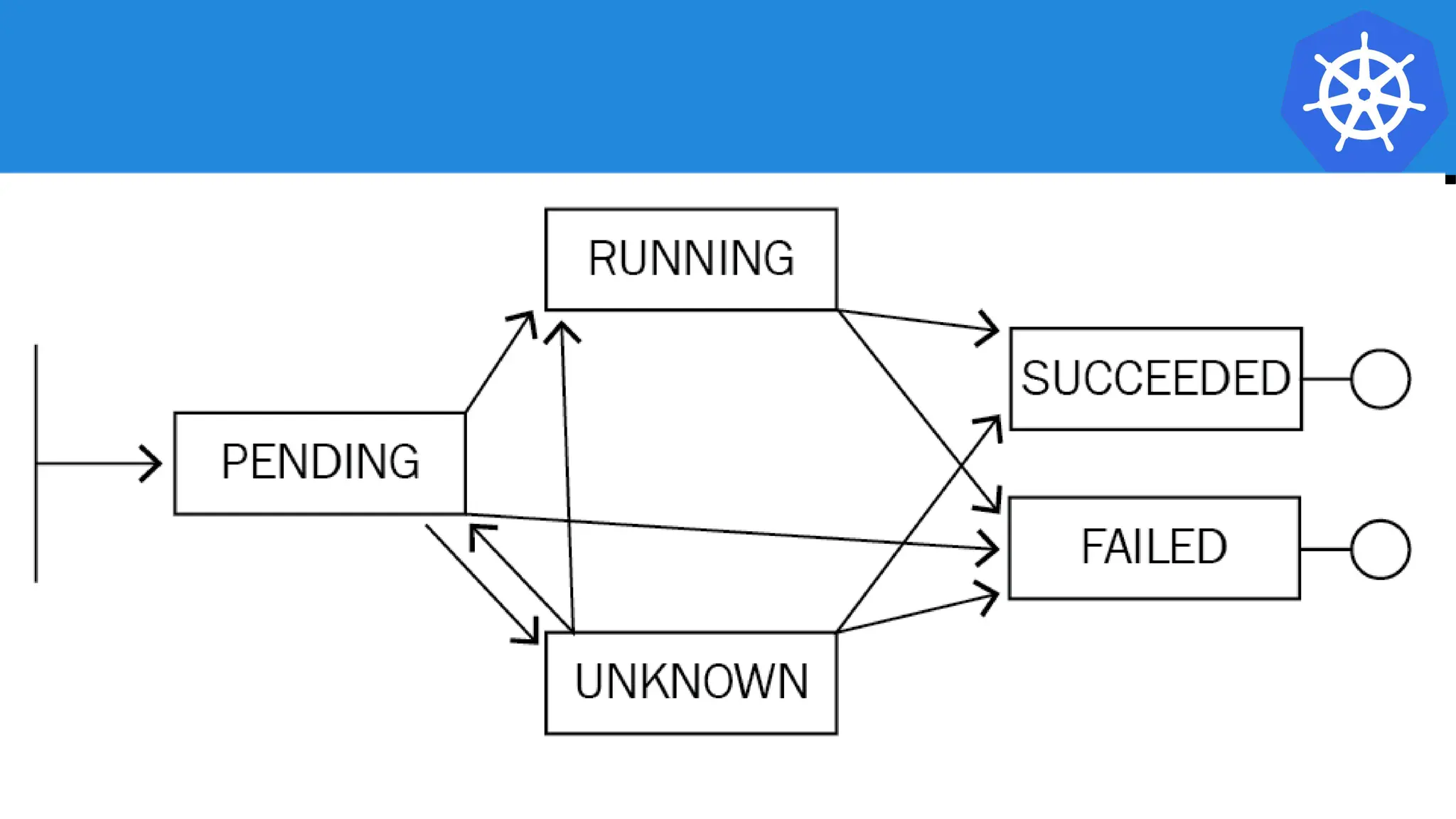
Pending: The Pod has been created through the API, and is in the process of being scheduled, loaded, and run on one of the Nodes
Running: The Pod is fully operational and the software is running within the cluster
Succeeded (or) Failed: The Pod has finished operation (normally or crashed)
There is a fourth state: Unknown, which is a fairly rare occurrence and is typically only seen when there’s a problem internal to Kubernetes where it doesn’t know
the current state of containers, or is unable to communicate with its underlying systems to determine that state
If you are working with long-running code in Containers, then...
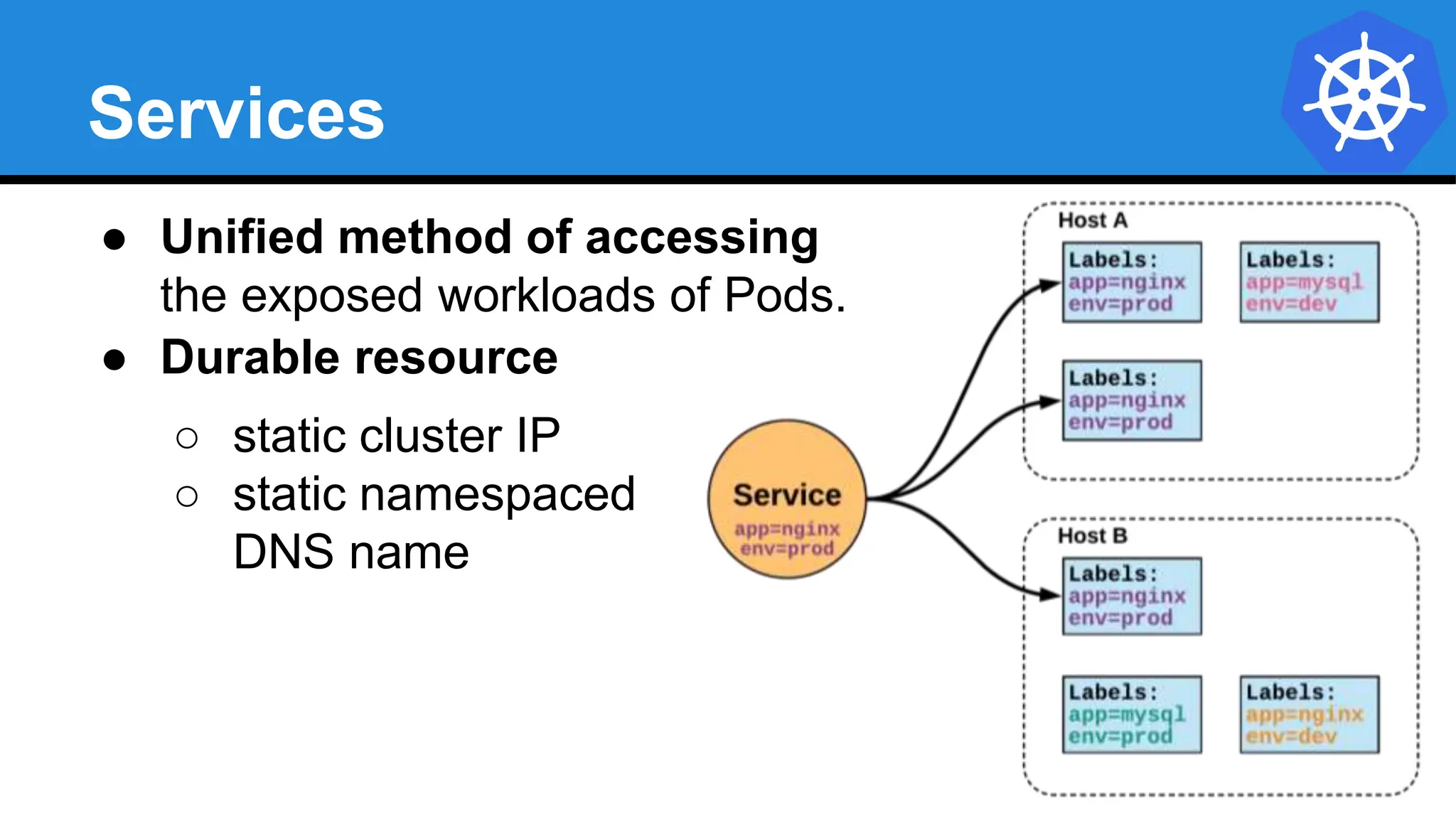
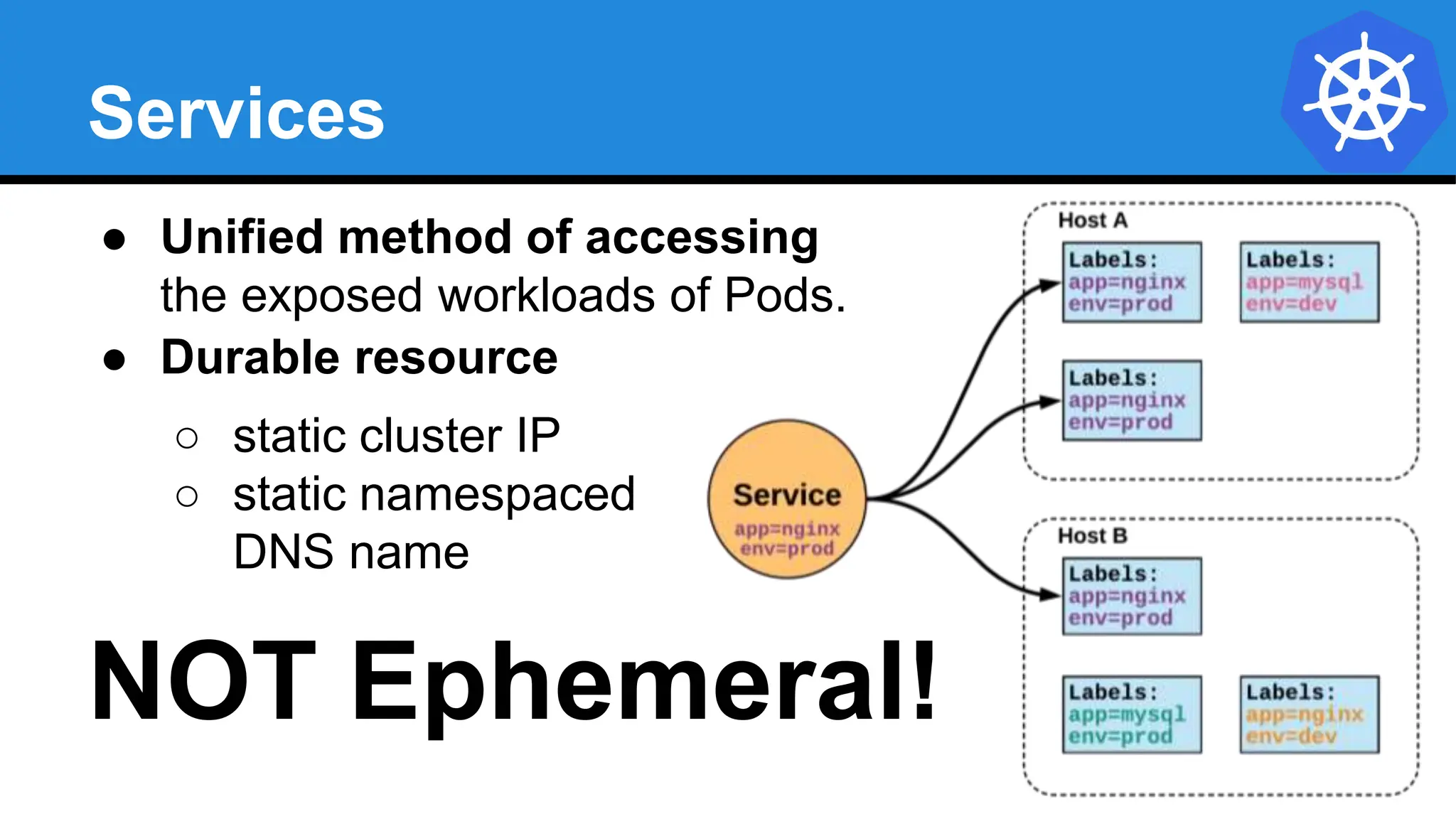
Services
● Unified method of accessing
the exposed workloads of Pods.
● Durable resource
○ static cluster IP
○ static namespaced
DNS name
Services
● Unified method of accessing
the exposed workloads of Pods.
● Durable resource
○ static cluster IP
○ static namespaced
DNS name
NOT Ephemeral!
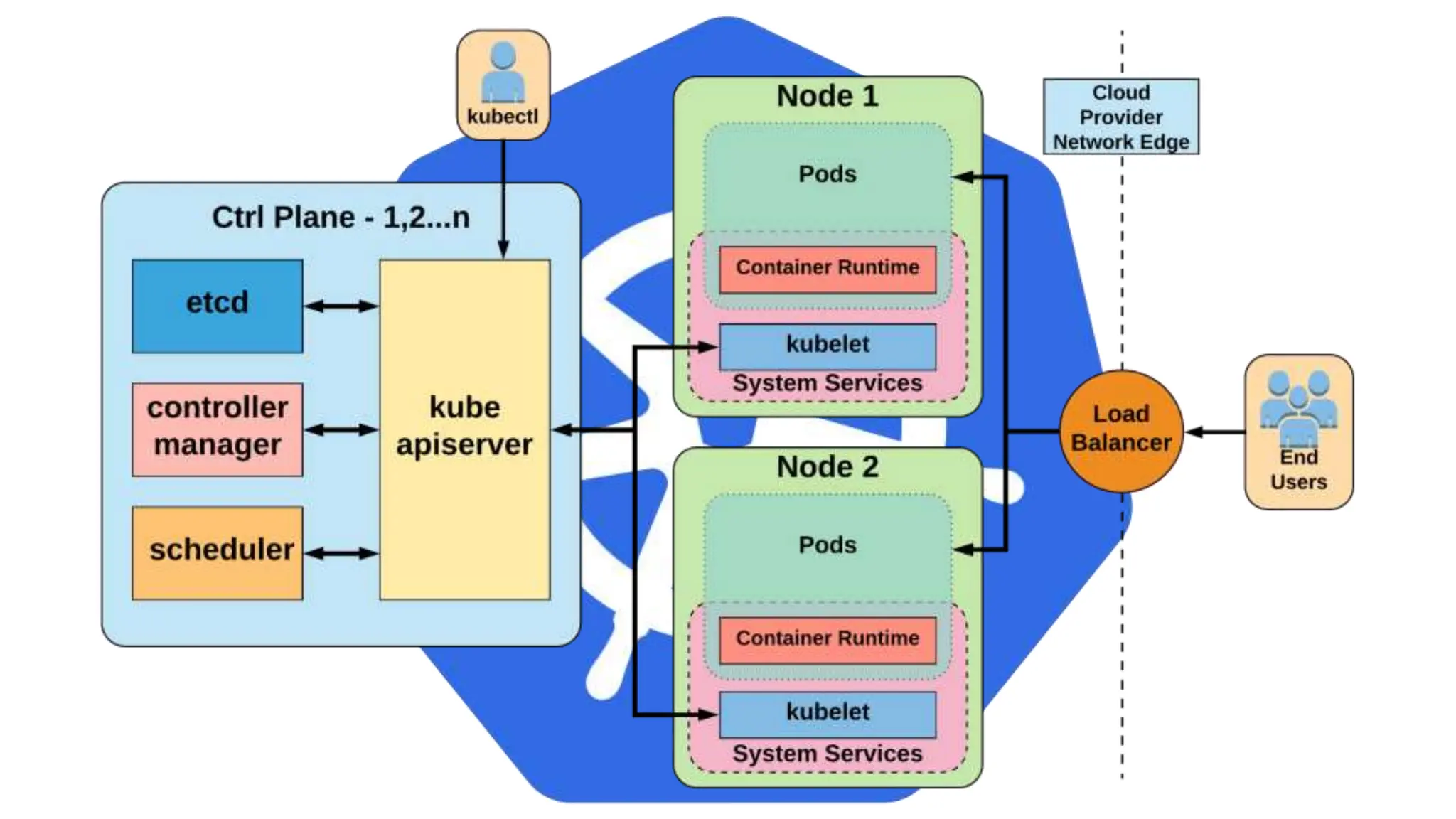
Architecture
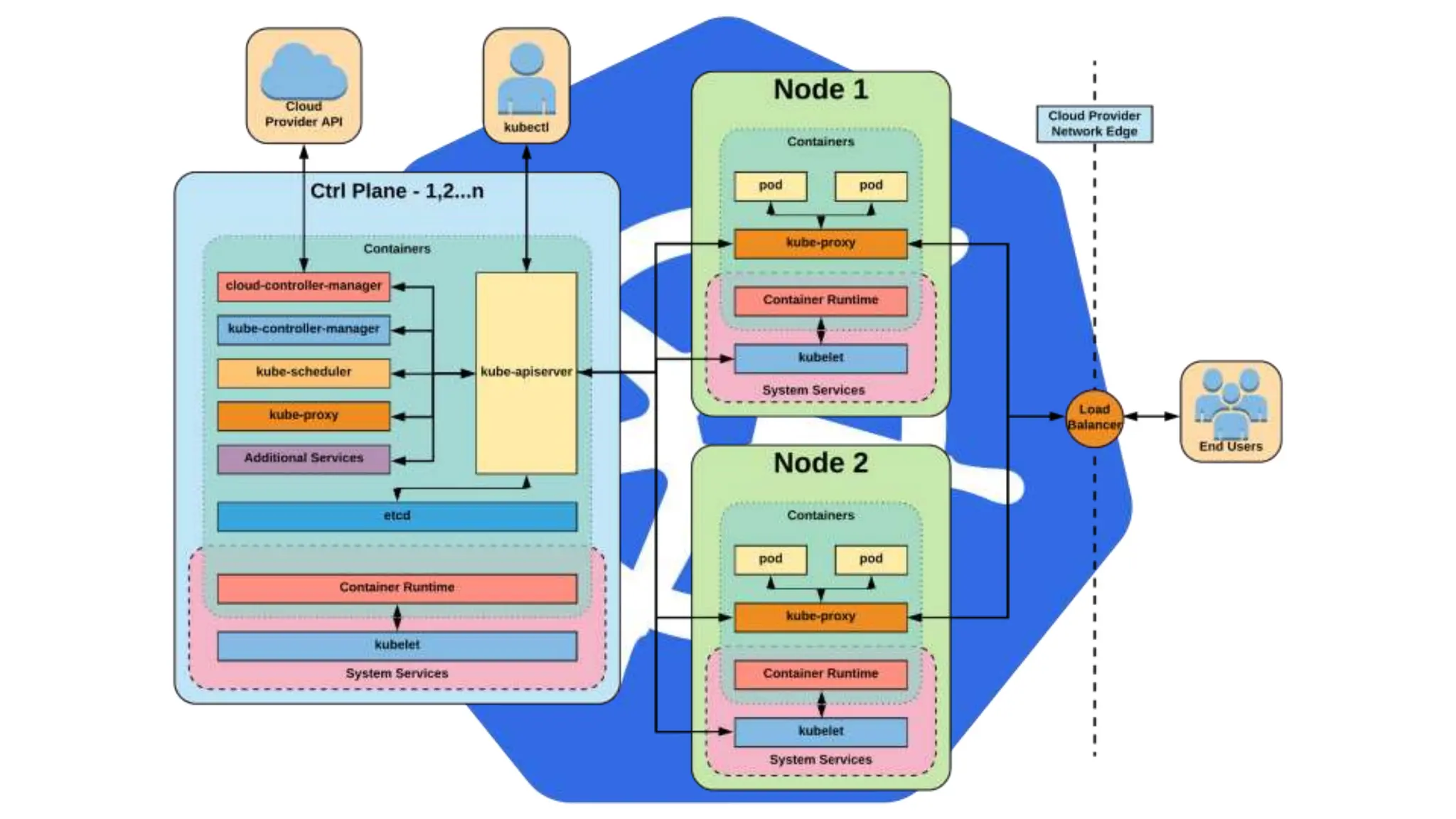
Overview
Architecture Overview
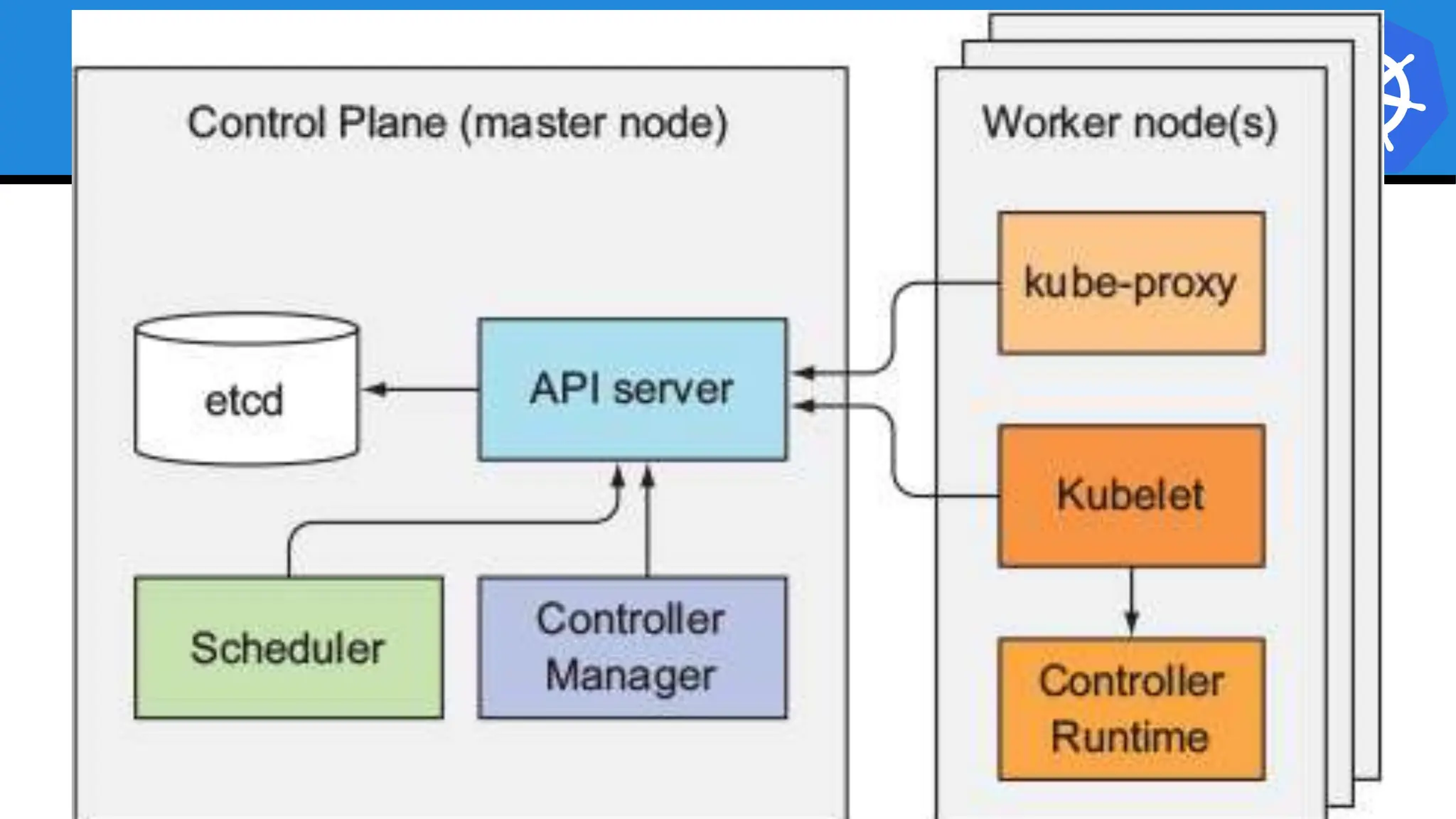
Control Plane
Components
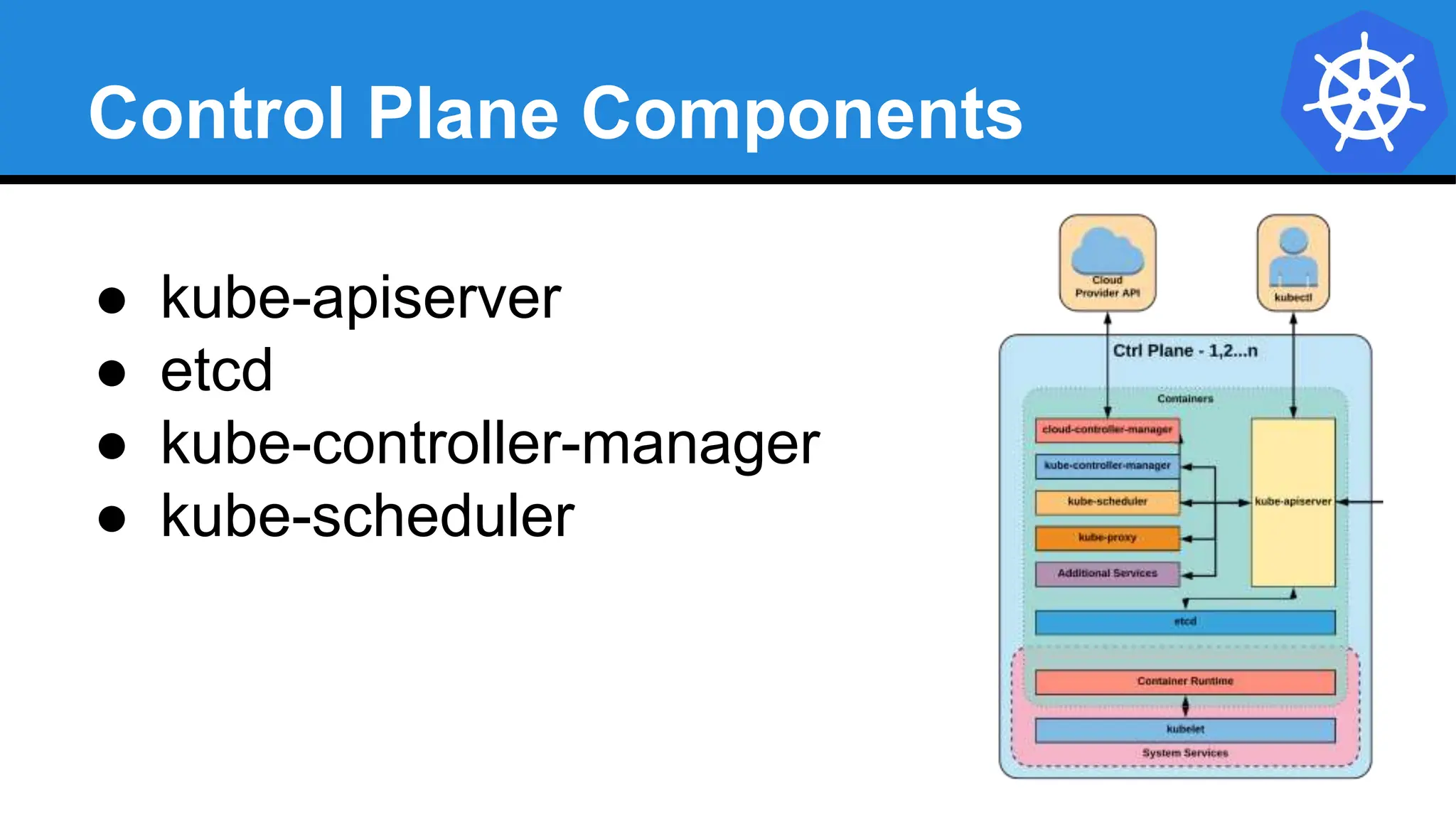
Control Plane Components
● kube-apiserver
● etcd
● kube-controller-manager
● kube-scheduler
kube-apiserver
● Provides a forward facing REST interface into the
kubernetes control plane and datastore.
● All clients and other applications interact with
kubernetes strictly through the API Server.
● Acts as the gatekeeper to the cluster by handling
authentication and authorization, request validation,
mutation, and admission control in addition to being the
front-end to the backing datastore.
etcd
● etcd acts as the cluster datastore.
● Purpose in relation to Kubernetes is to provide a strong,
consistent and highly available key-value store for
persisting cluster state.
● Stores objects and config information.
etcd
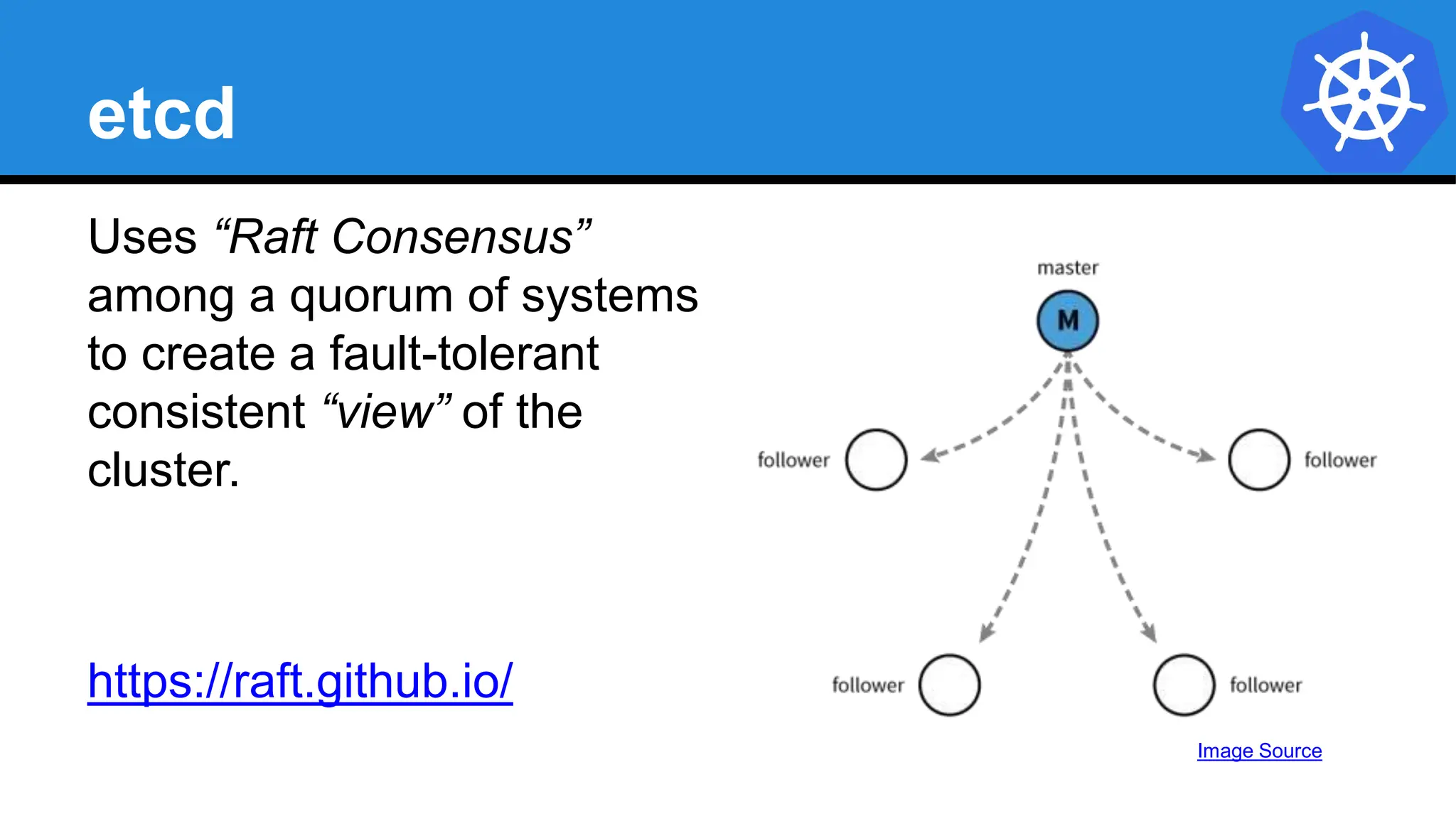
Uses “Raft Consensus”
among a quorum of systems
to create a fault-tolerant
consistent “view” of the
cluster.
https://raft.github.io/
Image Source
kube-controller-manager
● Serves as the primary daemon that manages
all core component control loops.
● Monitors the cluster state via the apiserver
and steers the cluster towards the
desired state.
List of core controllers: https://github.com/kubernetes/kubernetes/blob/master/cmd/kube-controller-
manager/app/controllermanager.go#L344
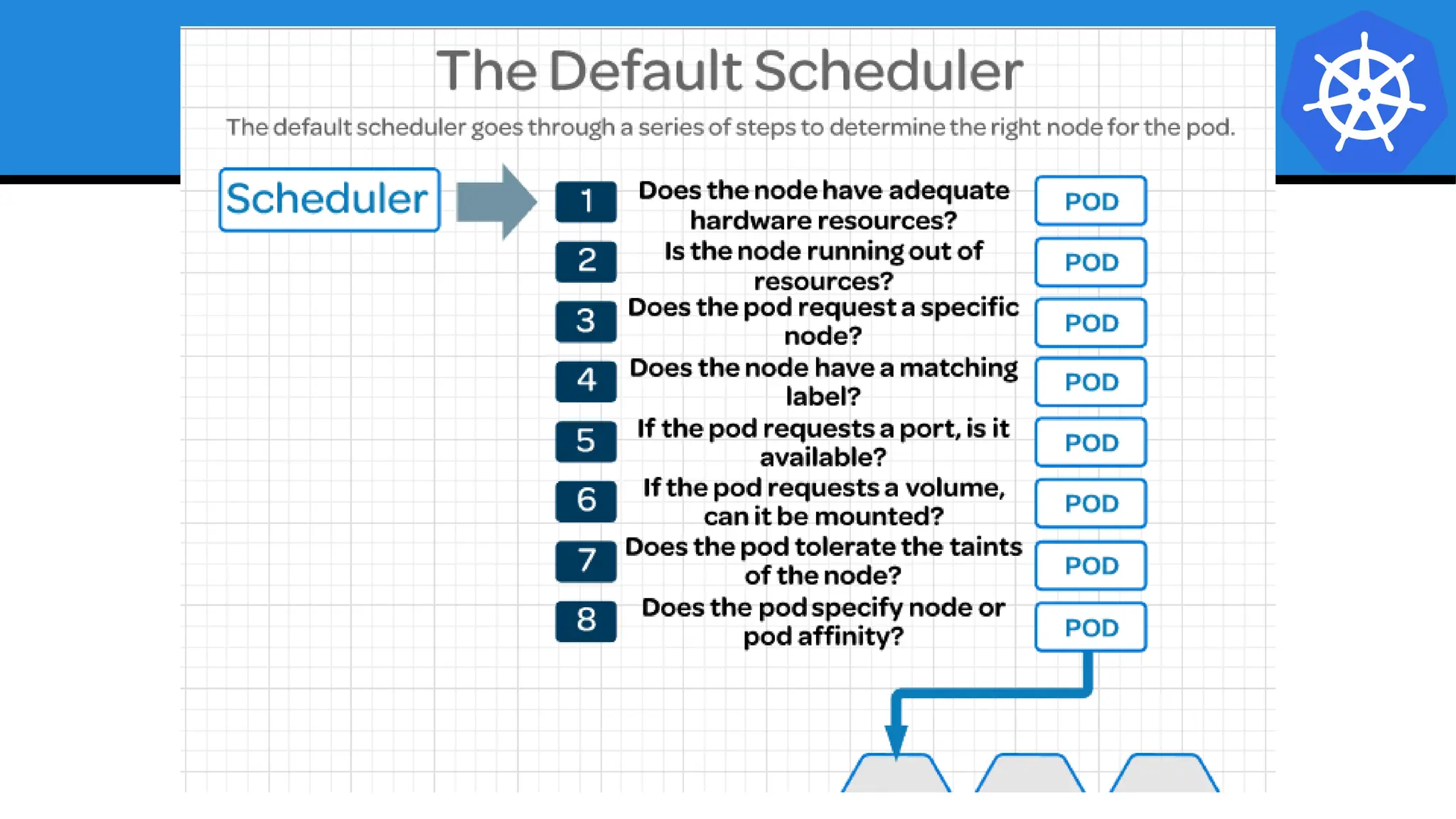
kube-scheduler
● Verbose policy-rich engine that evaluates workload
requirements and attempts to place it on a matching
resource.
● Default scheduler uses bin packing.
● Workload Requirements can include: general hardware
requirements, affinity/anti-affinity, labels, and other
various custom resource requirements.
Architecture Overview
Node
Components
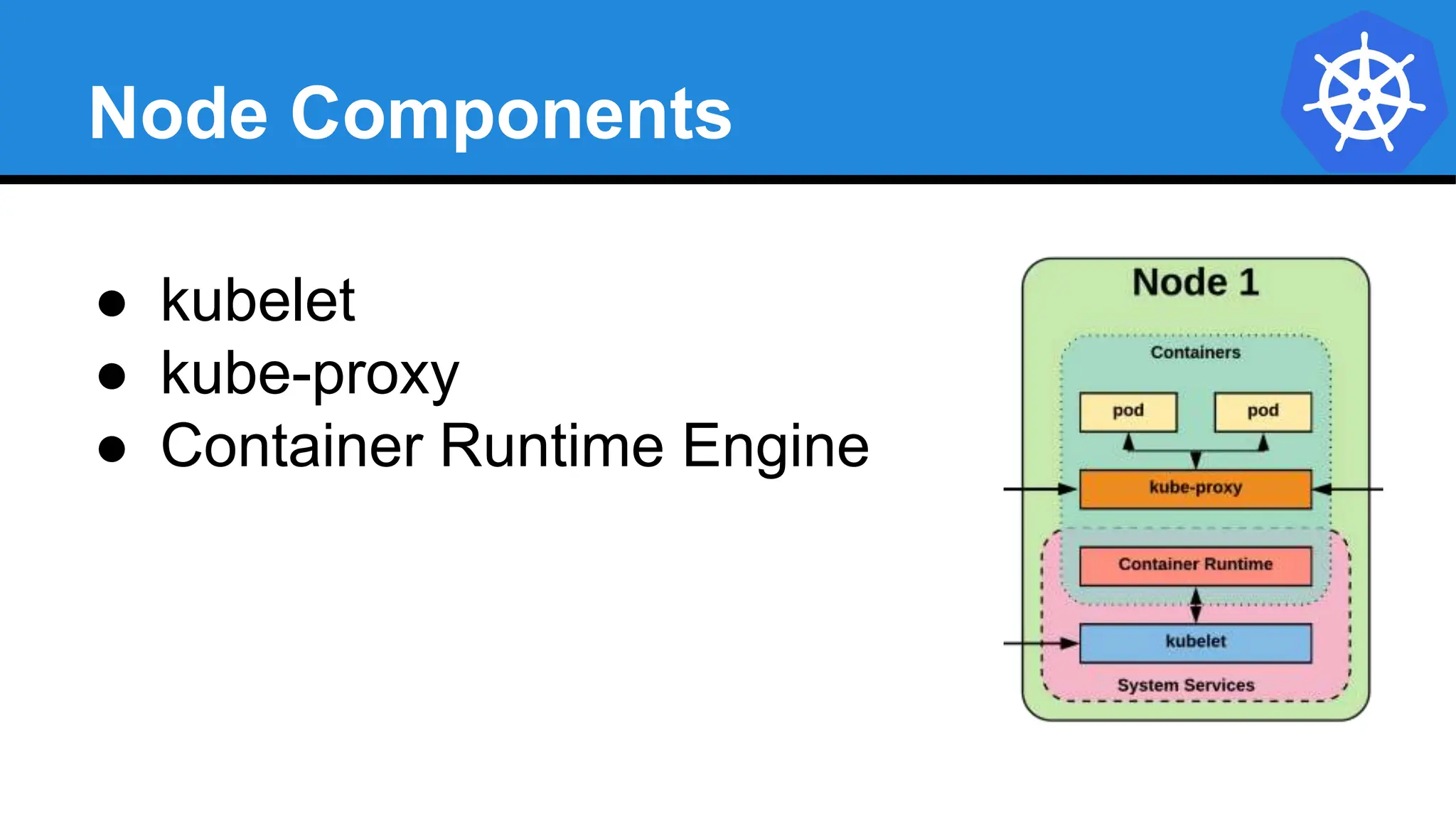
Node Components
● kubelet
● kube-proxy
● Container Runtime Engine
kubelet
● Acts as the node agent responsible for managing the
lifecycle of every pod on its host.
● Kubelet understands YAML container manifests that it
can read from several sources:
○ file path
○ HTTP Endpoint
○ etcd watch acting on any changes
○ HTTP Server mode accepting container manifests
over a simple API.
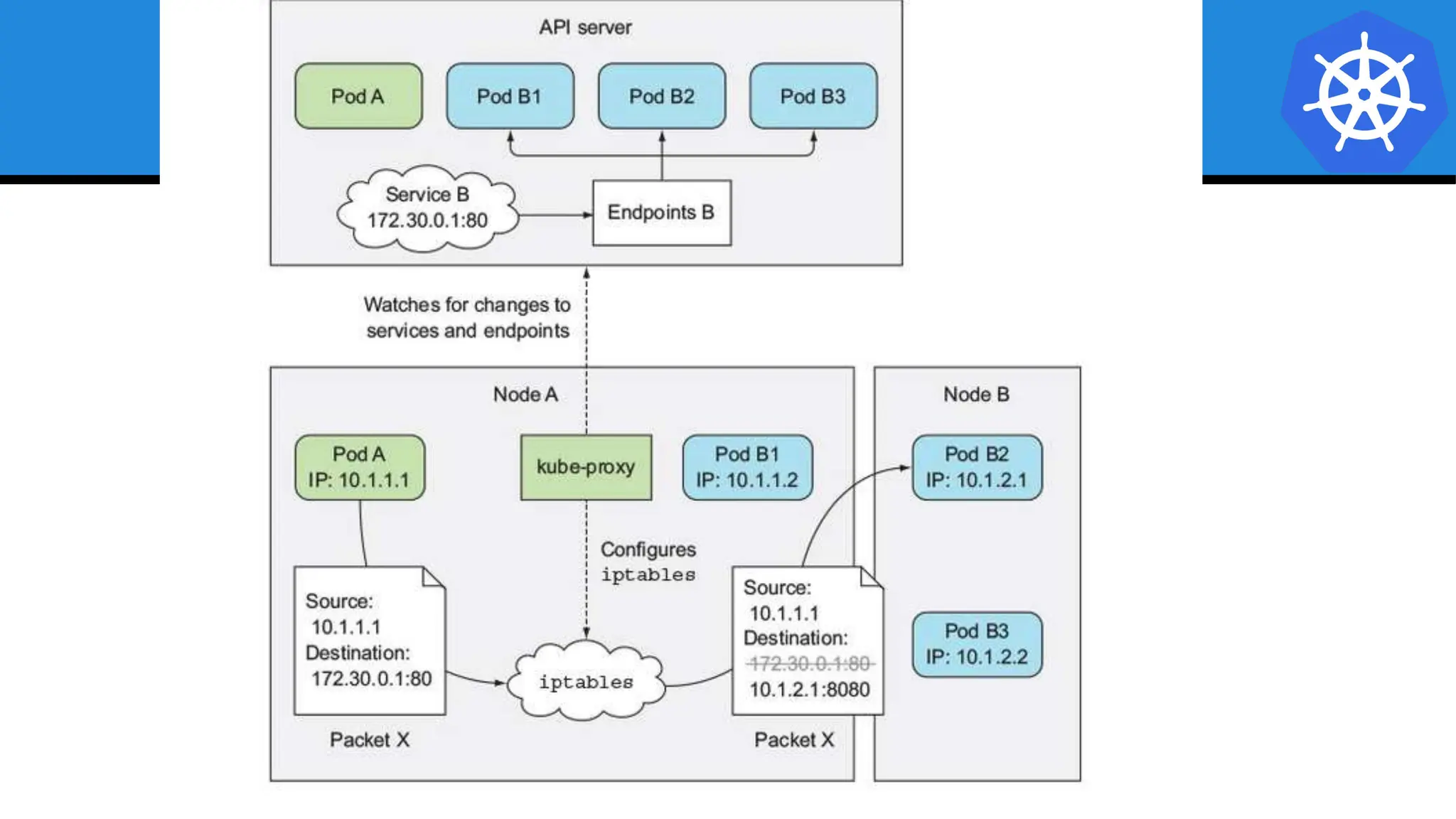
kube-proxy
● Manages the network rules on each node.
● Performs connection forwarding or load balancing for
Kubernetes cluster services.
● Available Proxy Modes:
○ Userspace
○ iptables
○ ipvs (default if supported)
Container Runtime Engine
● A container runtime is a CRI (Container Runtime
Interface) compatible application that executes and
manages containers.
○ Containerd (docker)
○ Cri-o
○ Rkt
○ Kata (formerly clear and hyper)
○ Virtlet (VM CRI compatible runtime)
Architecture Overview
Optional
Services
cloud-controller-manager
● Daemon that provides cloud-provider specific
knowledge and integration capability into the core
control loop of Kubernetes.
● The controllers include Node, Route, Service, and add
an additional controller to handle things such as
PersistentVolume Labels.
Cluster DNS
● Provides Cluster Wide DNS for Kubernetes
Services.
○ kube-dns (default pre 1.11)
○ CoreDNS (current default)
Kube Dashboard
A limited, general
purpose web front end
for the Kubernetes
Cluster.
Heapster / Metrics API Server
● Provides metrics for use with other
Kubernetes Components.
○ Heapster (deprecated, removed in Dec)
○ Metrics API (current)
Architecture Overview
Networking
Kubernetes Networking
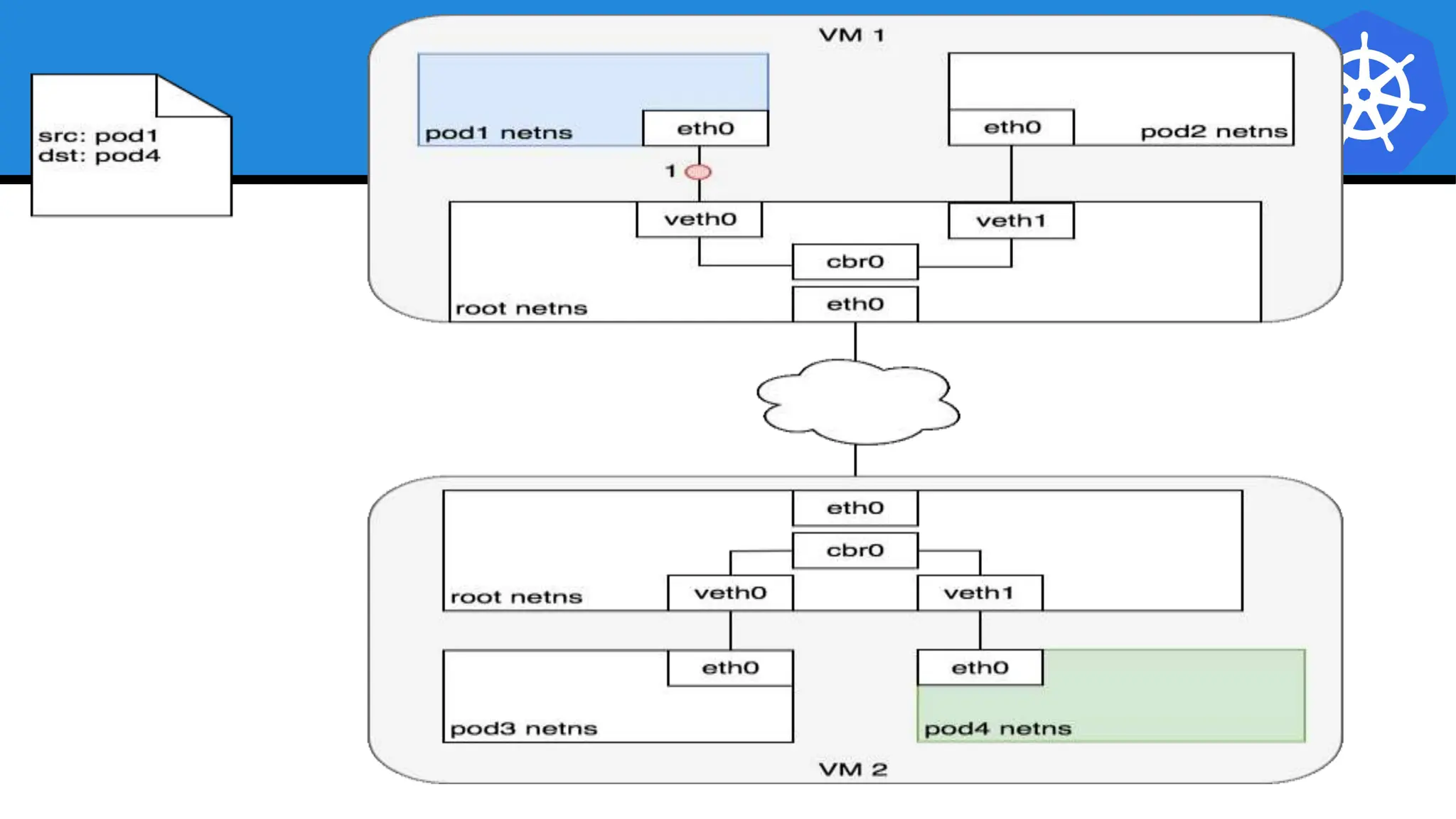
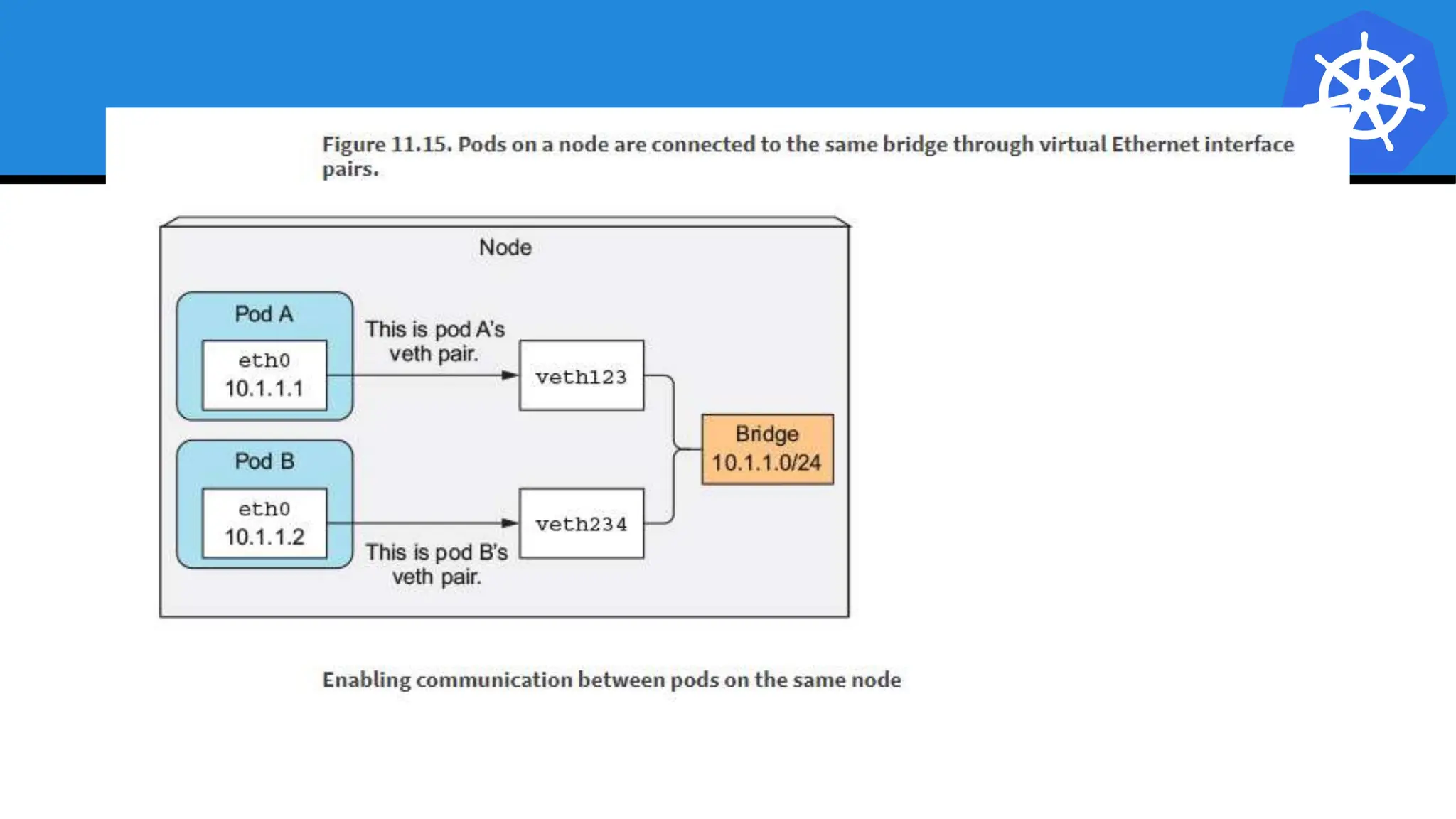
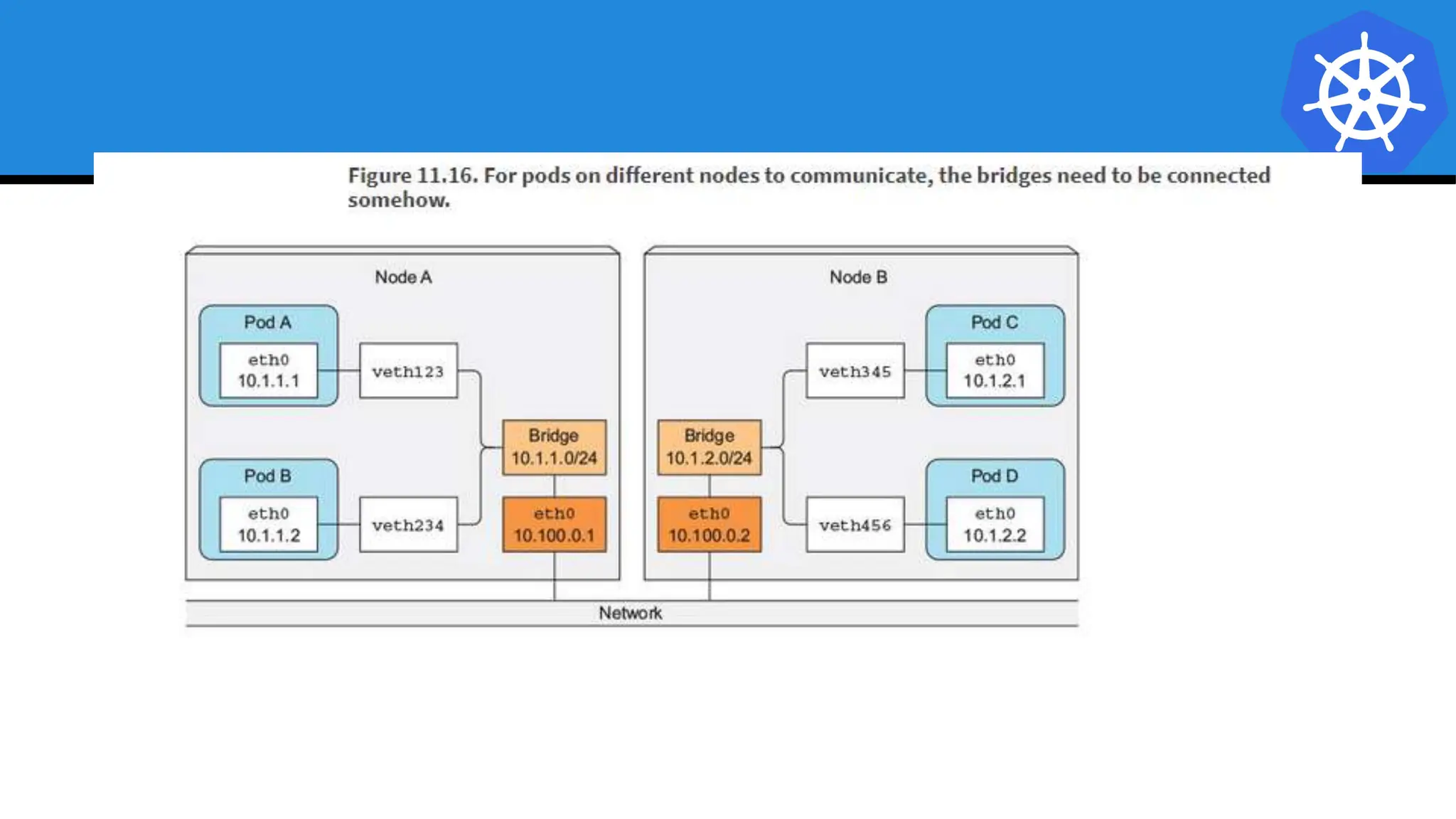
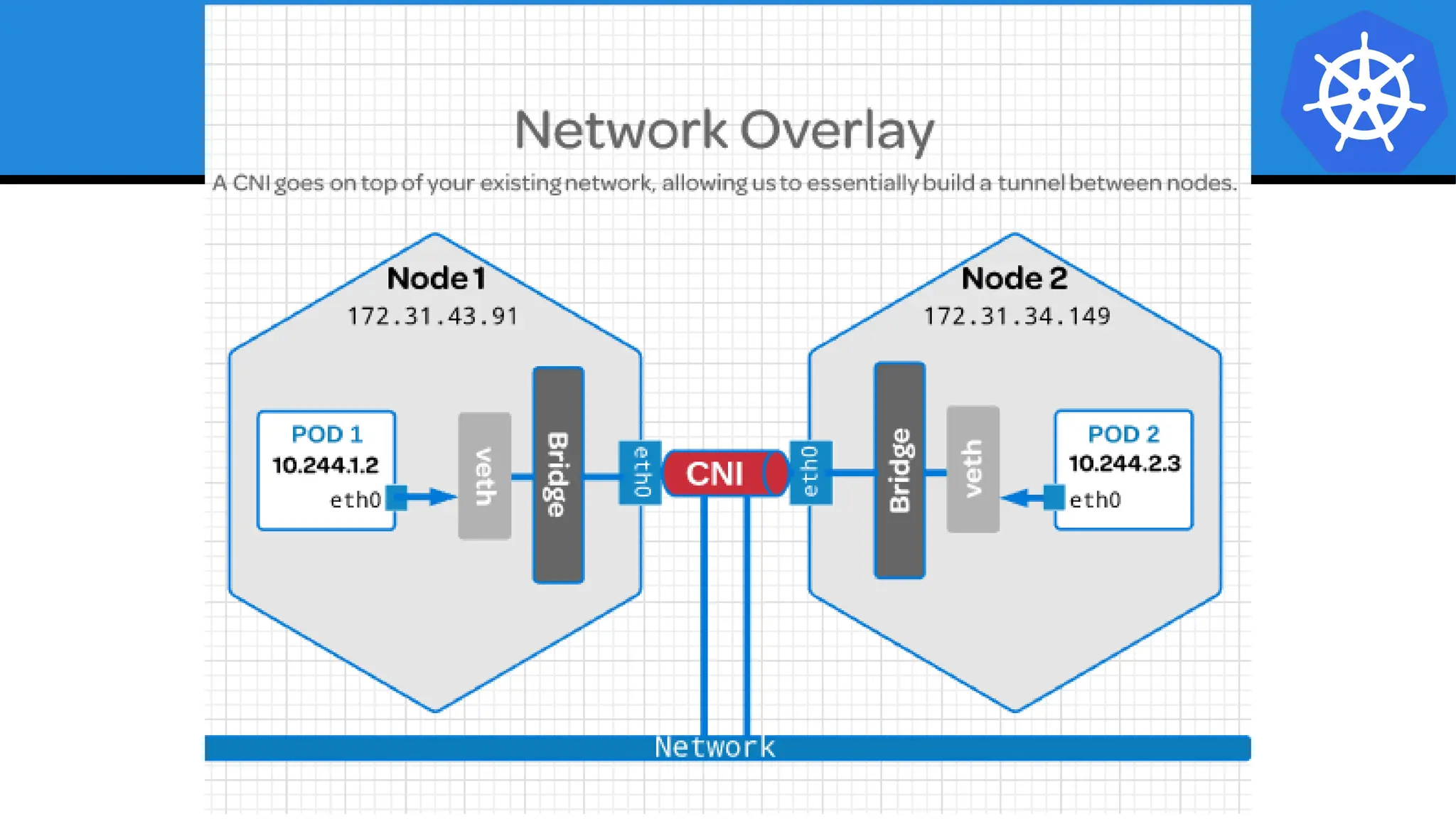
● Pod Network
○ Cluster-wide network used for pod-to-pod
communication managed by a CNI (Container
Network Interface) plugin.
● Service Network
○ Cluster-wide range of Virtual IPs managed by kube-
proxy for service discovery.
Container Network Interface (CNI)
● Pod networking within Kubernetes is plumbed via the
Container Network Interface (CNI).
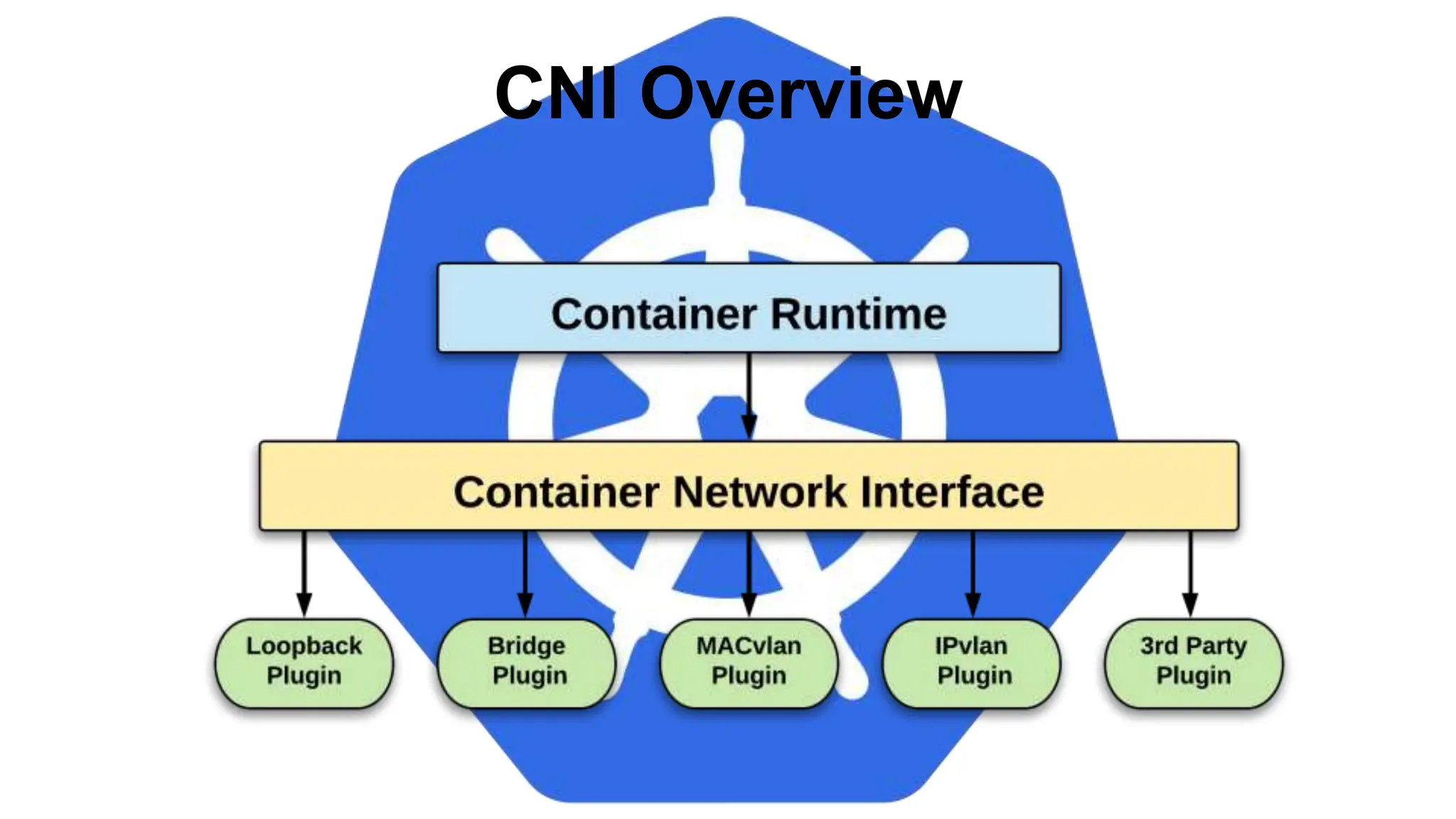
● Functions as an interface between the container runtime
and a network implementation plugin.
● CNCF Project
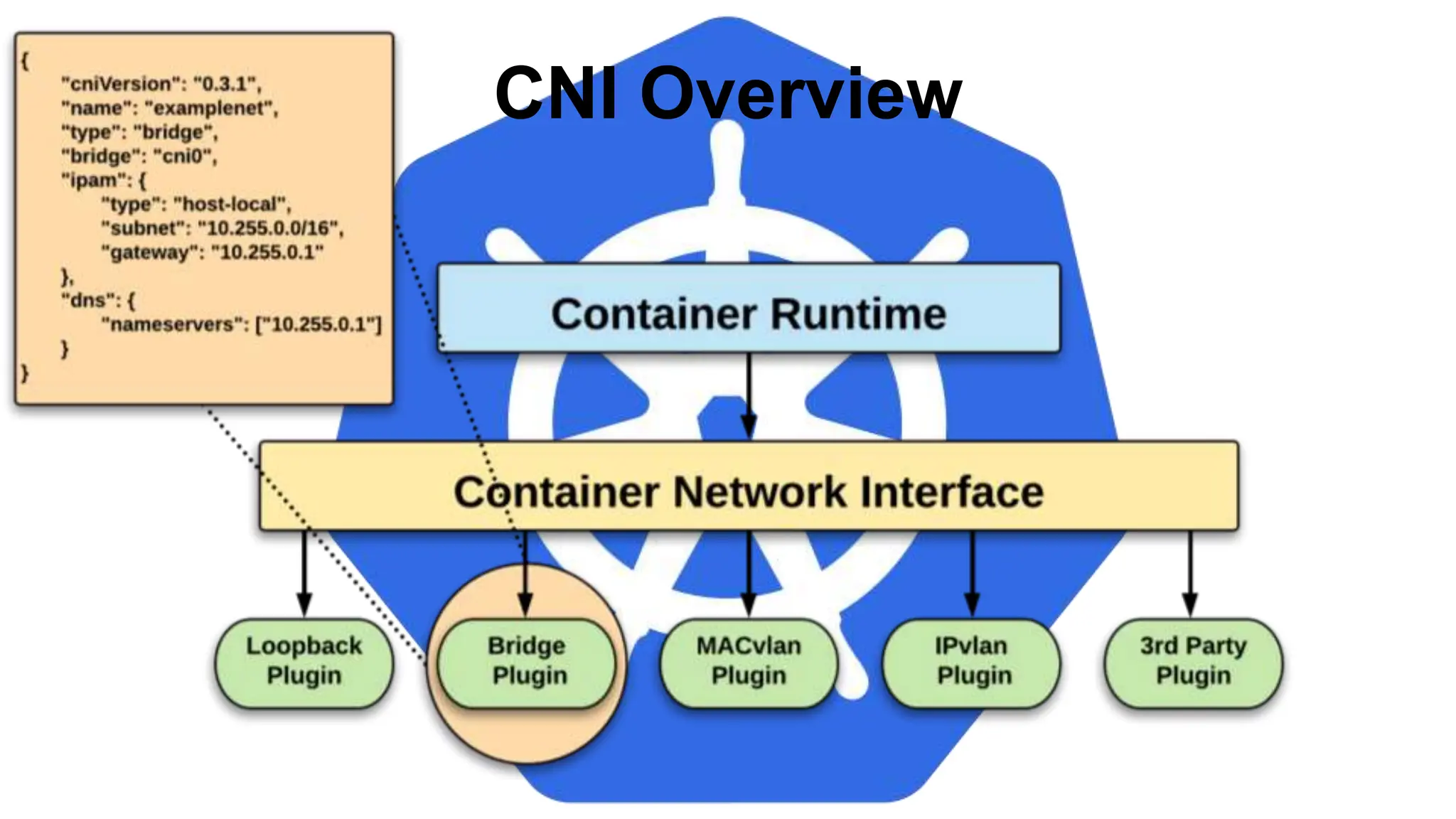
● Uses a simple JSON Schema.
CNI Overview
CNI Overview
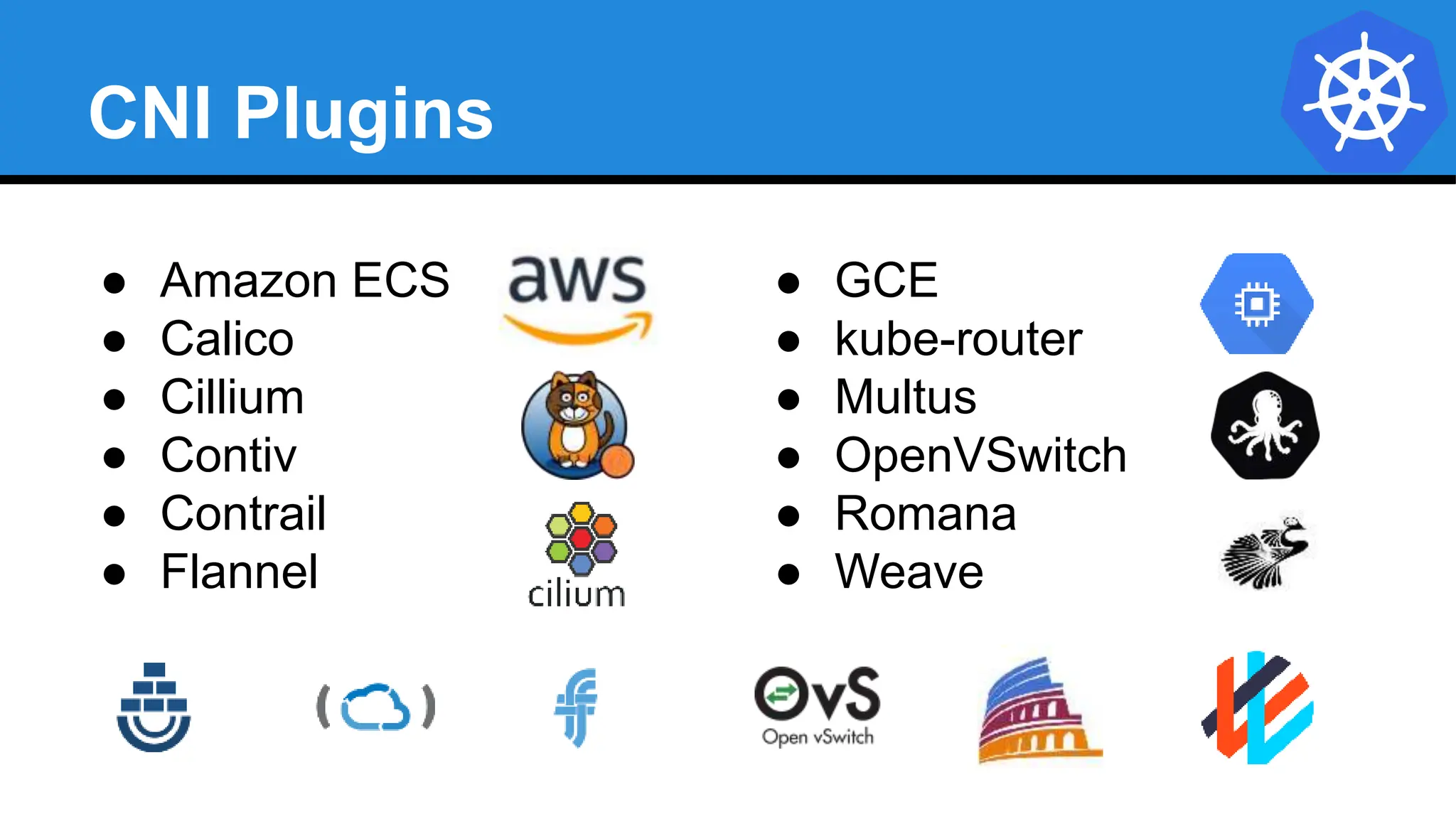
CNI Plugins
● Amazon ECS
● Calico
● Cillium
● Contiv
● Contrail
● Flannel
● GCE
● kube-router
● Multus
● OpenVSwitch
● Romana
● Weave
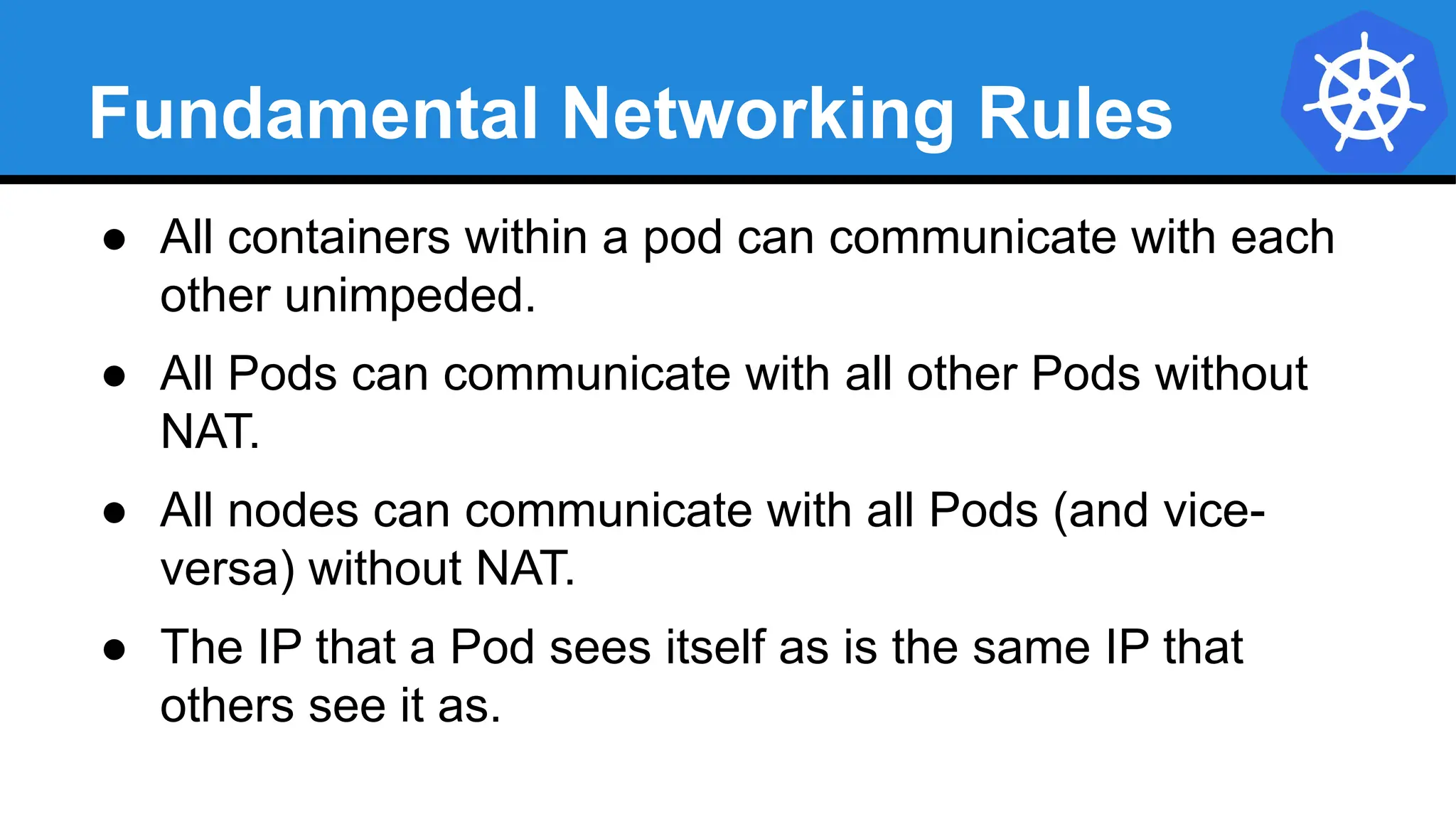
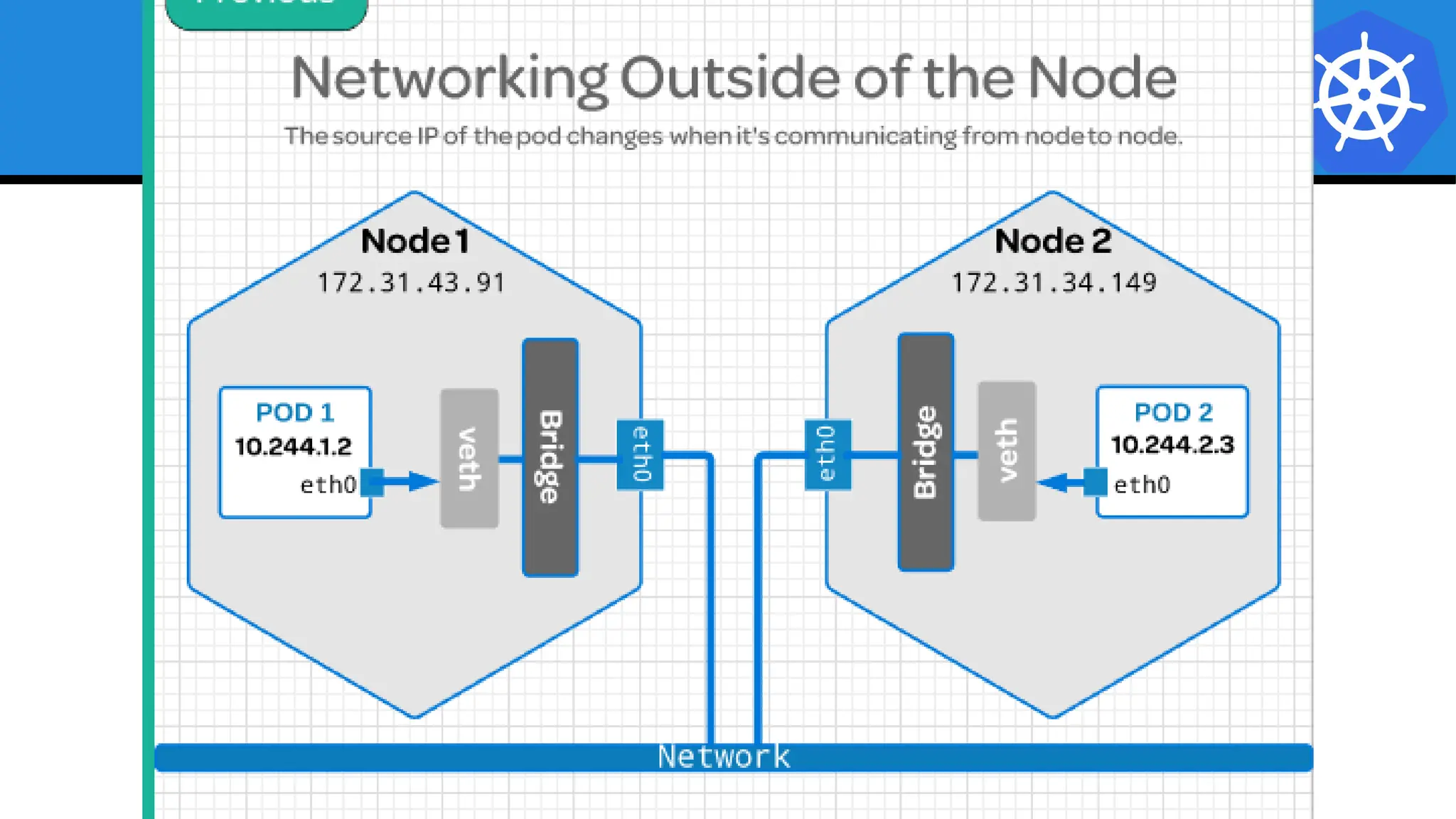
Fundamental Networking Rules
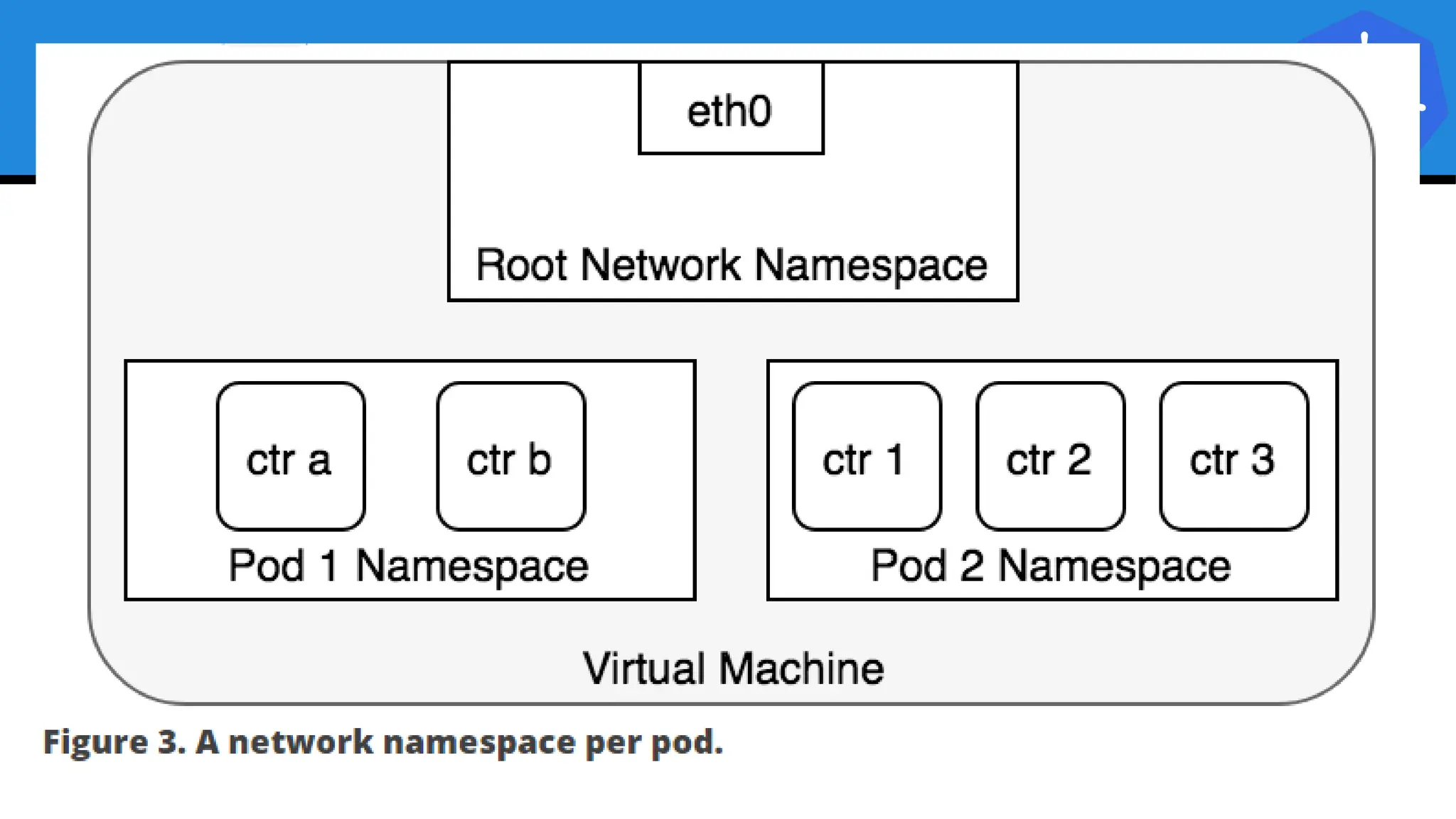
● All containers within a pod can communicate with each
other unimpeded.
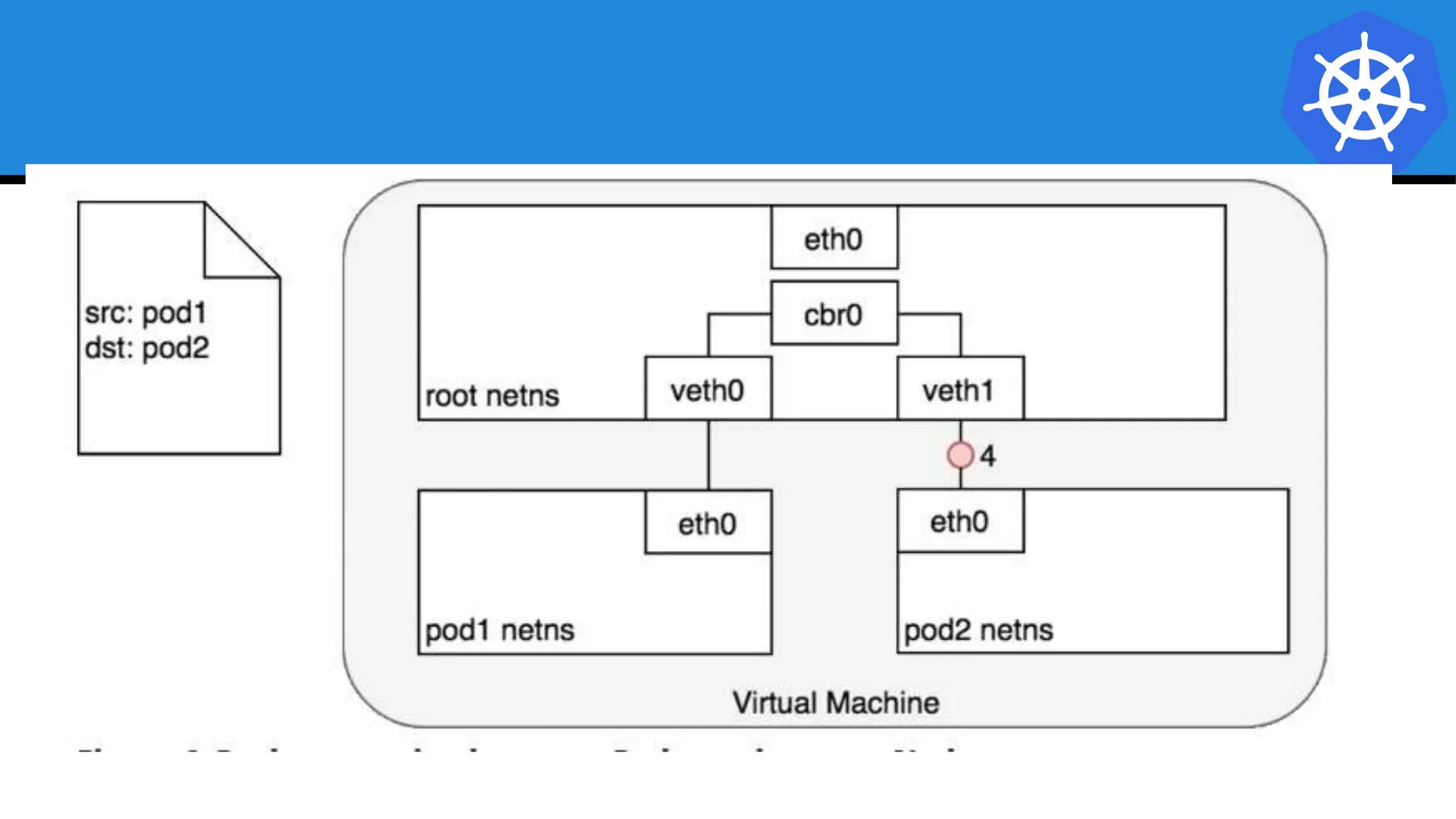
● All Pods can communicate with all other Pods without
NAT.
● All nodes can communicate with all Pods (and vice-
versa) without NAT.
● The IP that a Pod sees itself as is the same IP that
others see it as.
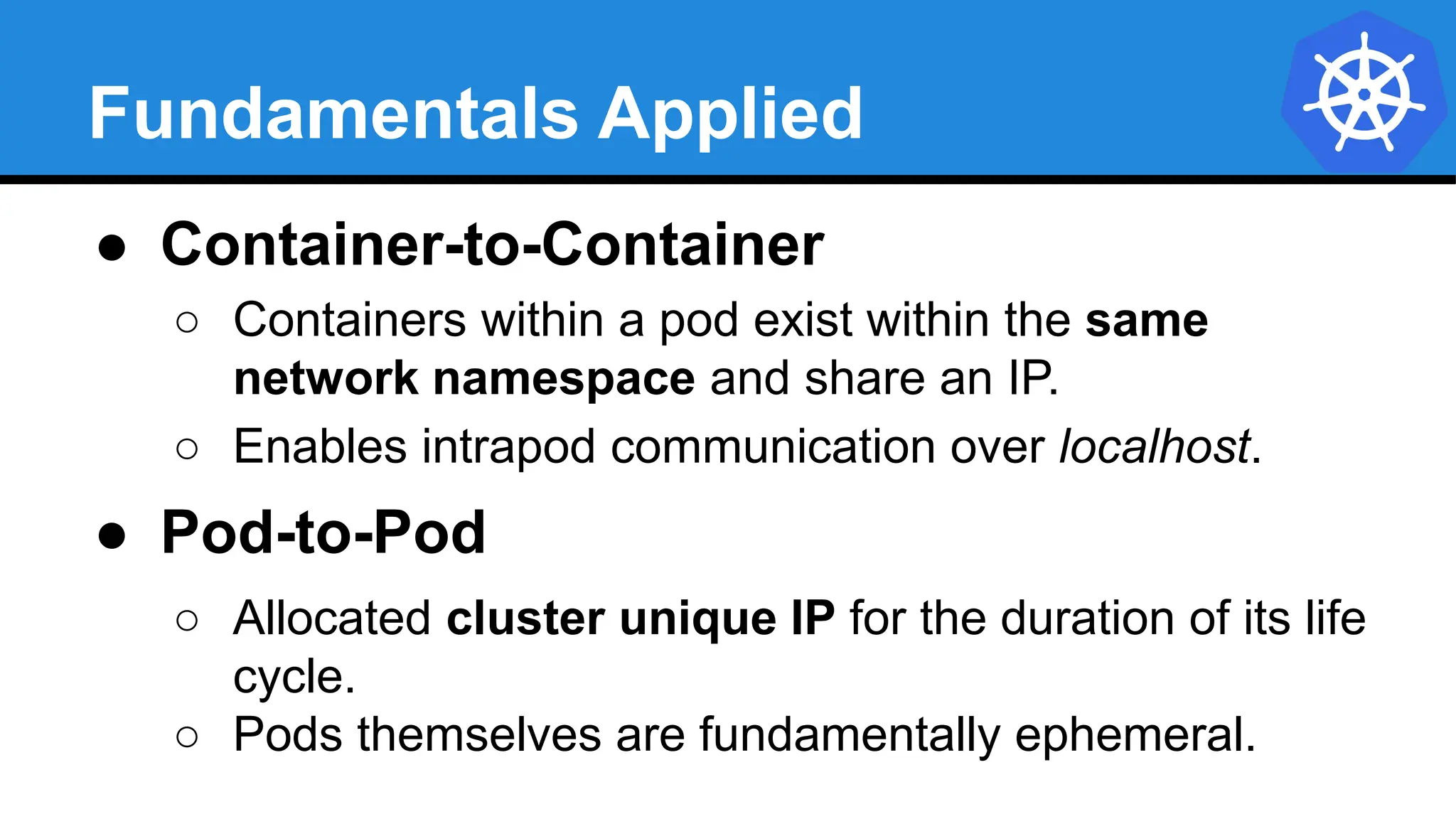
Fundamentals Applied
● Container-to-Container
○ Containers within a pod exist within the same
network namespace and share an IP.
○ Enables intrapod communication over localhost.
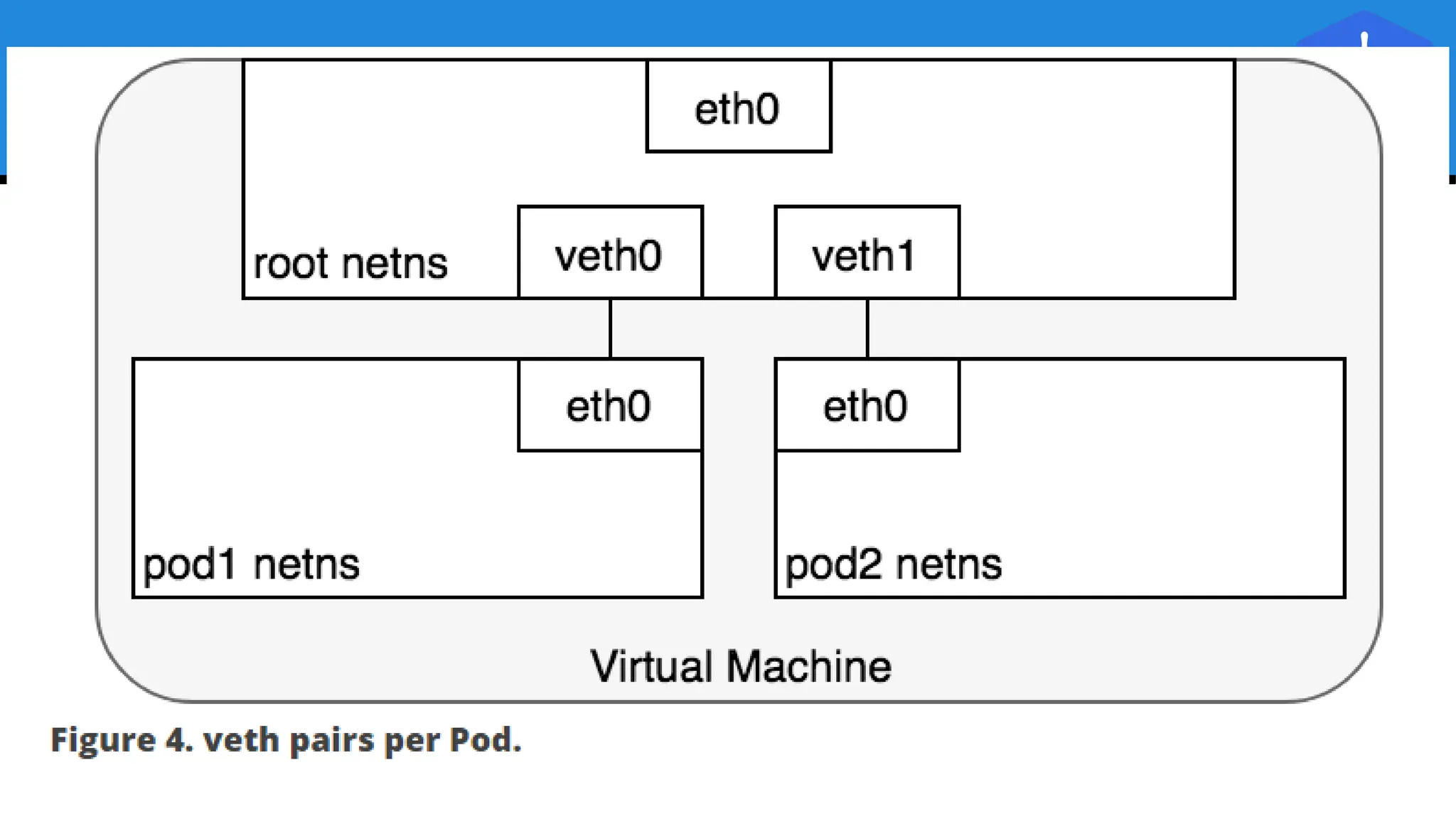
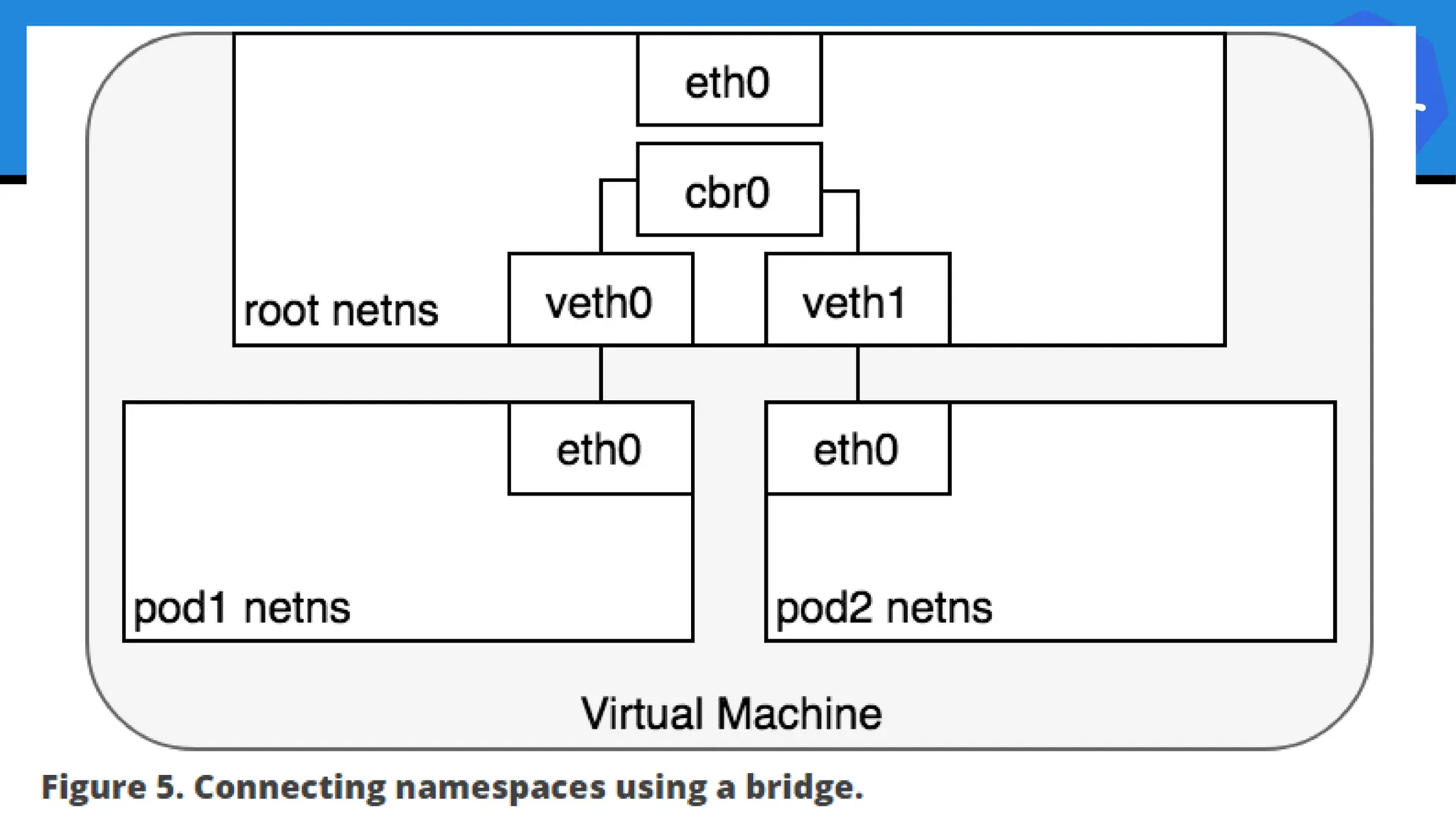
● Pod-to-Pod
○ Allocated cluster unique IP for the duration of its life
cycle.
○ Pods themselves are fundamentally ephemeral.
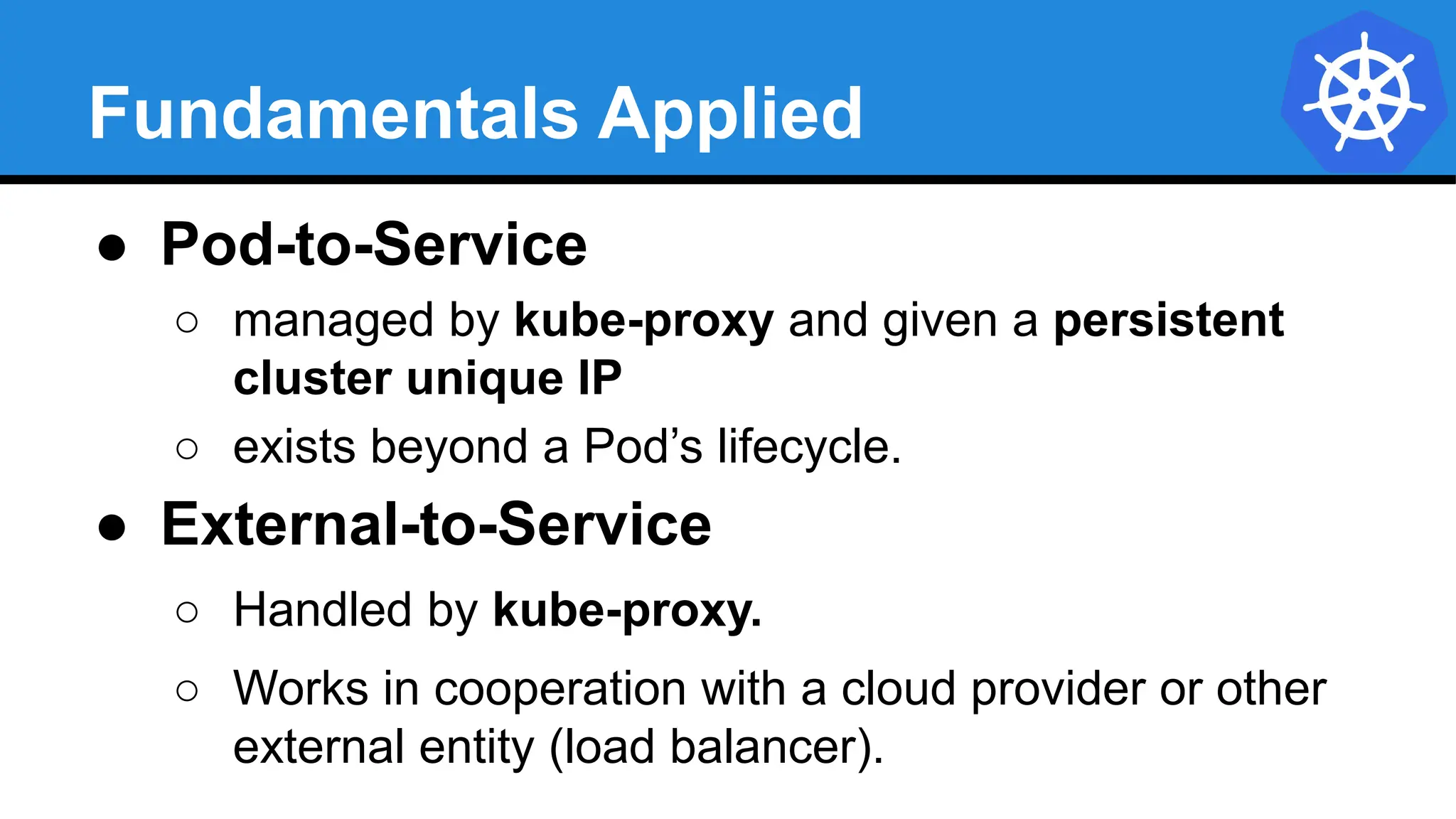
Fundamentals Applied
● Pod-to-Service
○ managed by kube-proxy and given a persistent
cluster unique IP
○ exists beyond a Pod’s lifecycle.
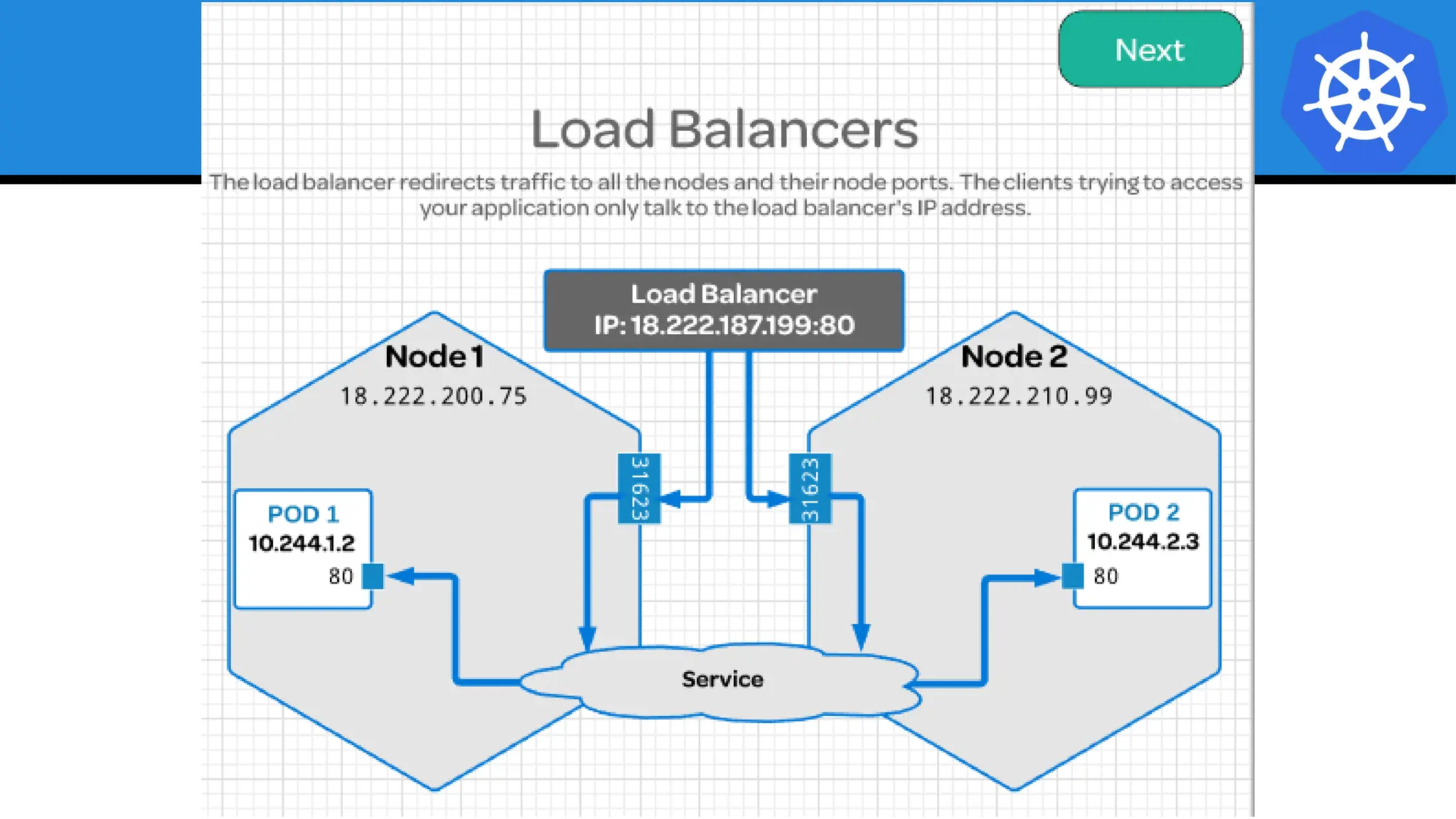
● External-to-Service
○ Handled by kube-proxy.
○ Works in cooperation with a cloud provider or other
external entity (load balancer).
Concepts
and
Resources
Concepts and Resources
The API
and
Object Model
API Overview
● The REST API is the
true keystone of
Kubernetes.
● Everything within the
Kubernetes is as an
API Object.
Image Source
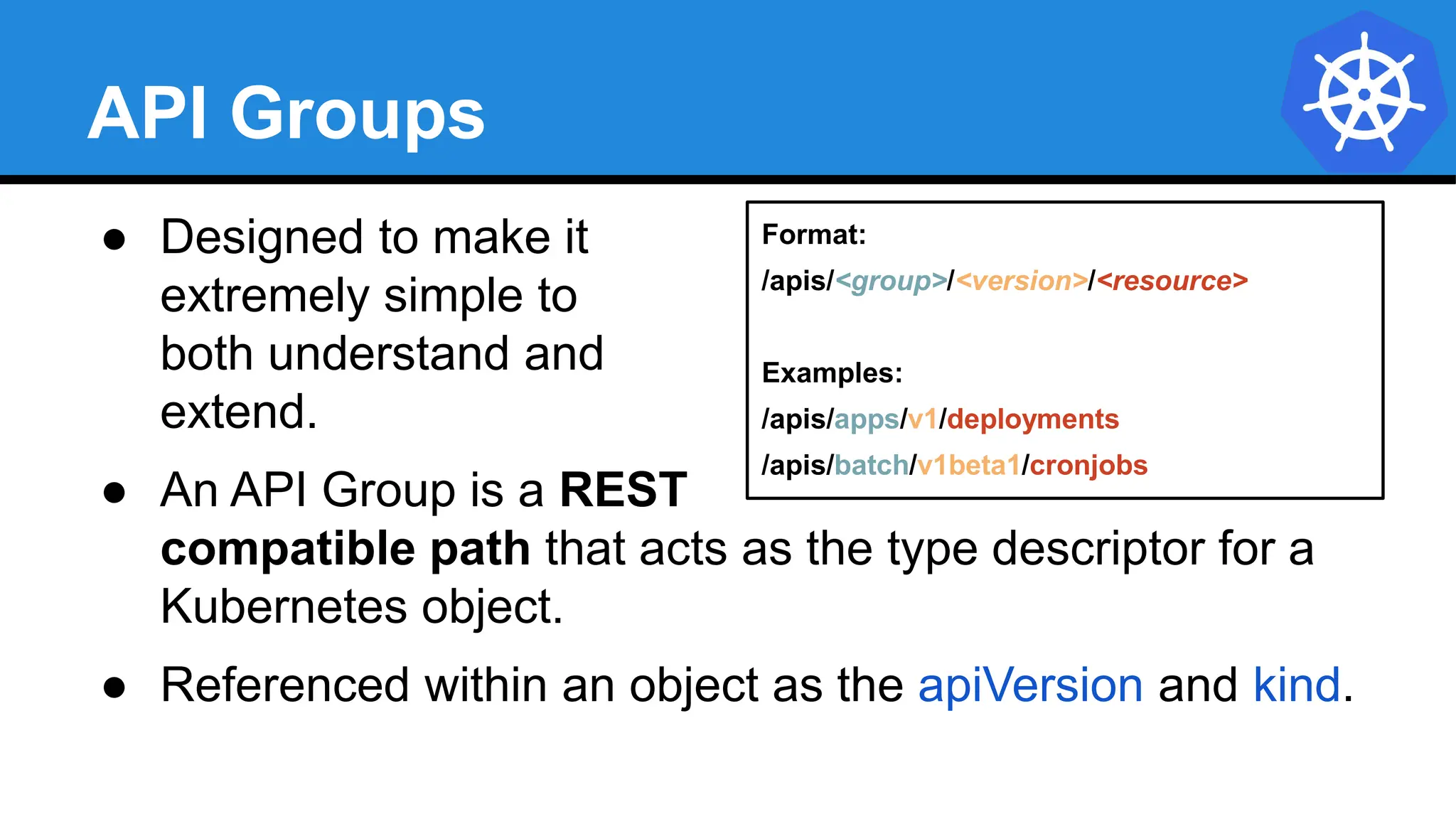
API Groups
● Designed to make it
extremely simple to
both understand and
extend.
● An API Group is a REST
compatible path that acts as the type descriptor for a
Kubernetes object.
● Referenced within an object as the apiVersion and kind.
Format:
/apis/<group>/<version>/<resource>
Examples:
/apis/apps/v1/deployments
/apis/batch/v1beta1/cronjobs
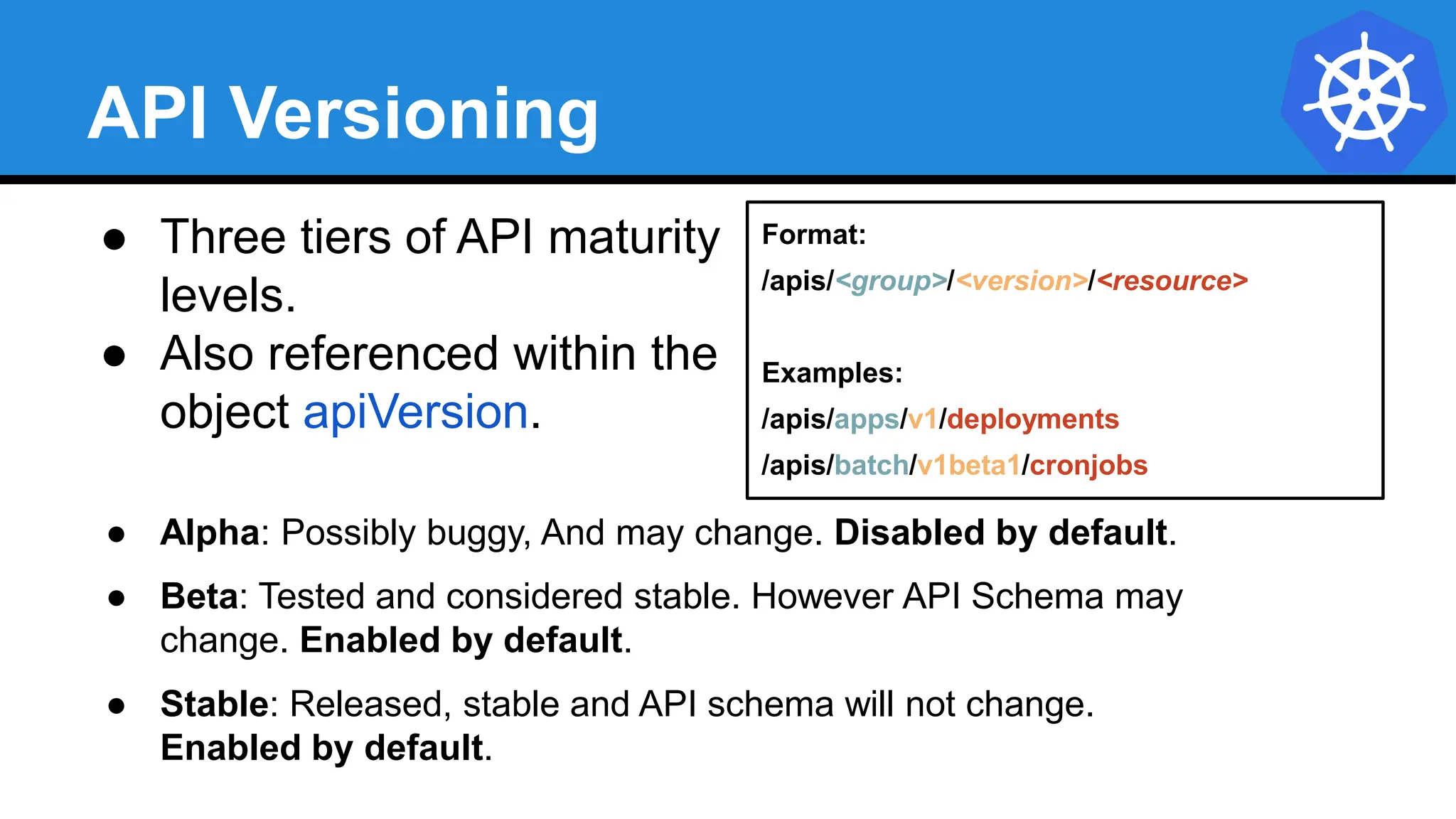
API Versioning
● Three tiers of API maturity
levels.
● Also referenced within the
object apiVersion.
● Alpha: Possibly buggy, And may change. Disabled by default.
● Beta: Tested and considered stable. However API Schema may
change. Enabled by default.
● Stable: Released, stable and API schema will not change.
Enabled by default.
Format:
/apis/<group>/<version>/<resource>
Examples:
/apis/apps/v1/deployments
/apis/batch/v1beta1/cronjobs
Object Model
● Objects are a “record of intent” or a persistent entity that
represent the desired state of the object within the
cluster.
● All objects MUST have apiVersion, kind, and poses the
nested fields metadata.name, metadata.namespace,
and metadata.uid.
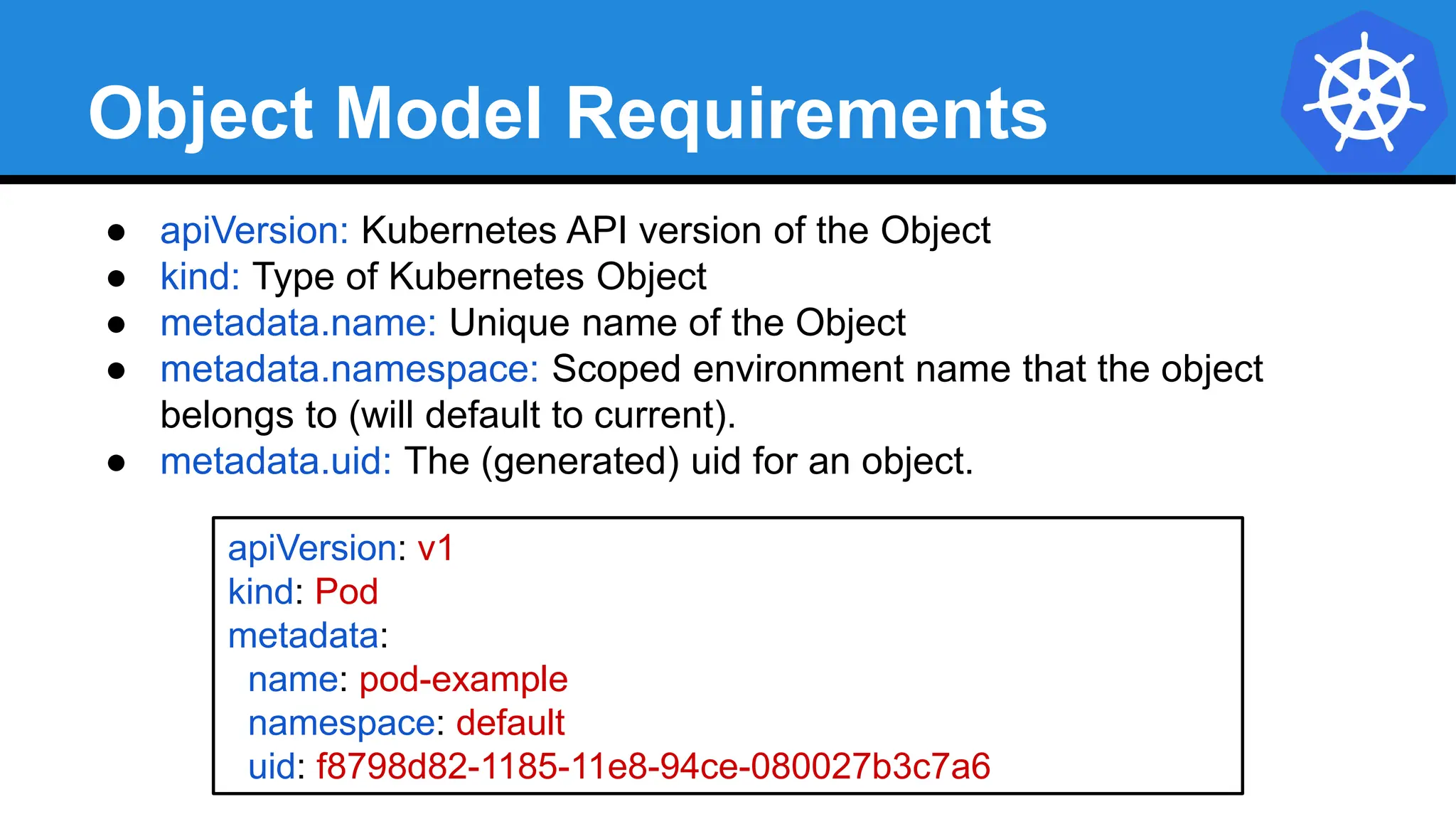
Object Model Requirements
● apiVersion: Kubernetes API version of the Object
● kind: Type of Kubernetes Object
● metadata.name: Unique name of the Object
● metadata.namespace: Scoped environment name that the object
belongs to (will default to current).
● metadata.uid: The (generated) uid for an object.
apiVersion: v1
kind: Pod
metadata:
name: pod-example
namespace: default
uid: f8798d82-1185-11e8-94ce-080027b3c7a6
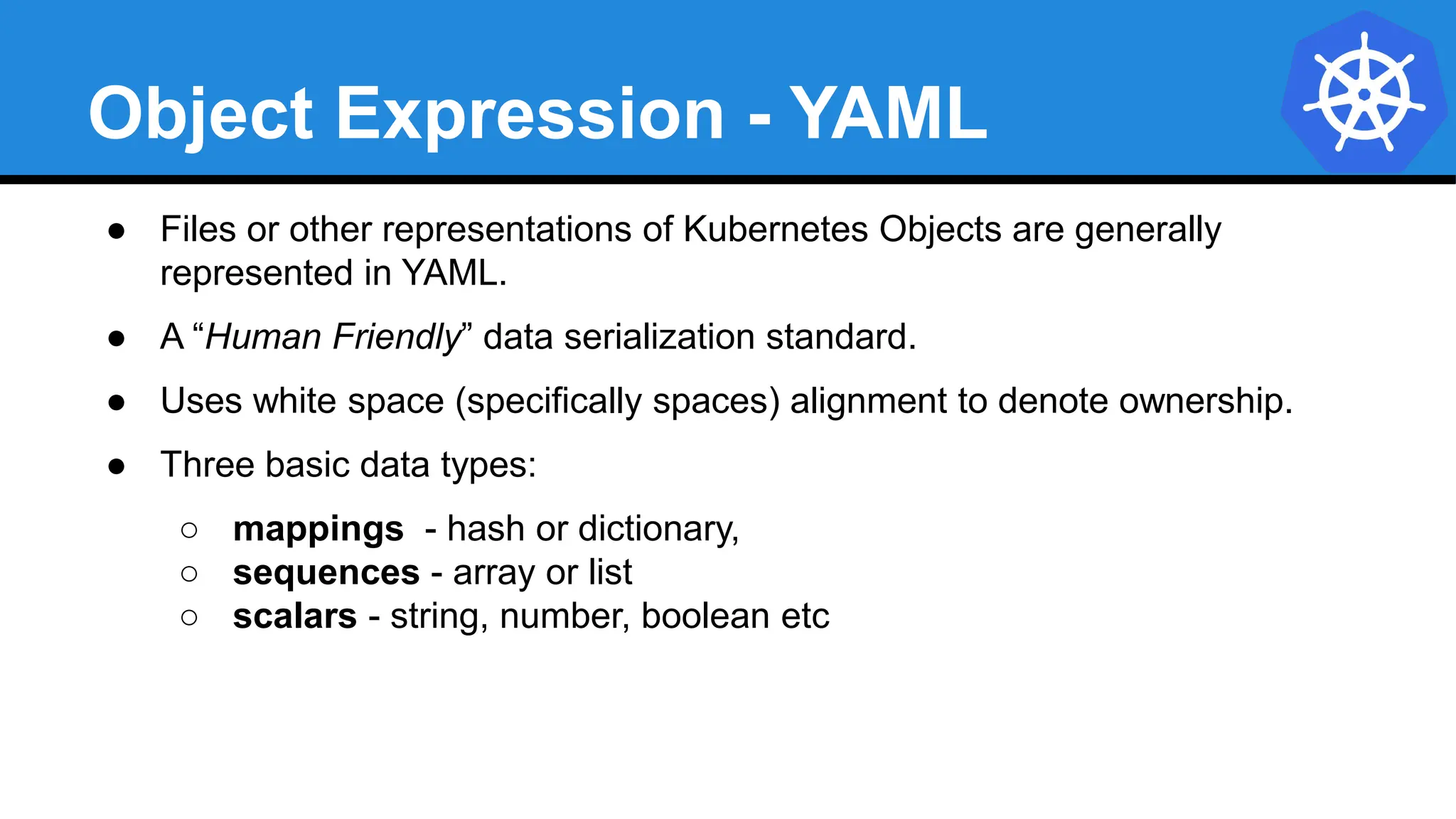
Object Expression - YAML
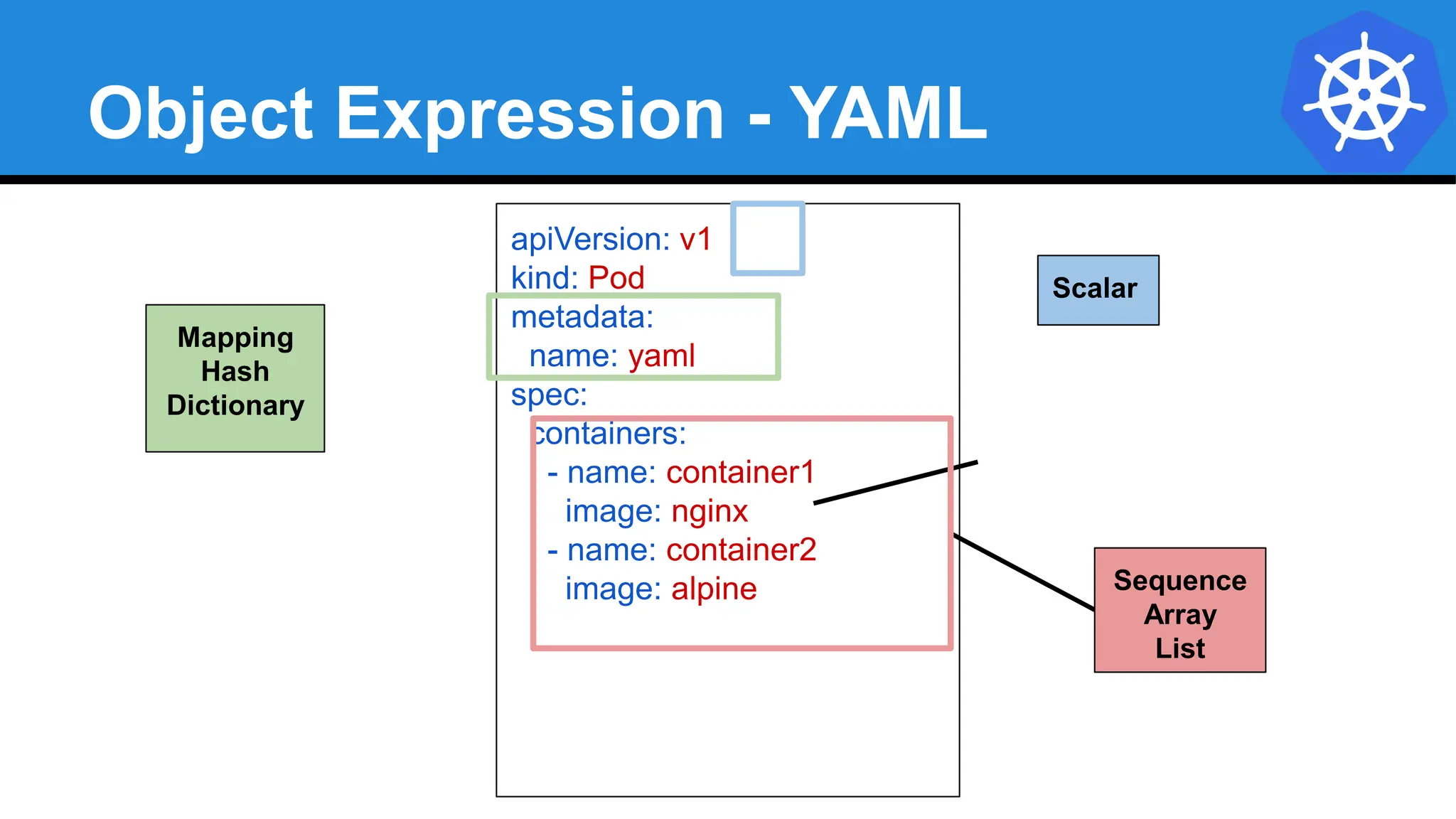
● Files or other representations of Kubernetes Objects are generally
represented in YAML.
● A “Human Friendly” data serialization standard.
● Uses white space (specifically spaces) alignment to denote ownership.
● Three basic data types:
○ mappings - hash or dictionary,
○ sequences - array or list
○ scalars - string, number, boolean etc
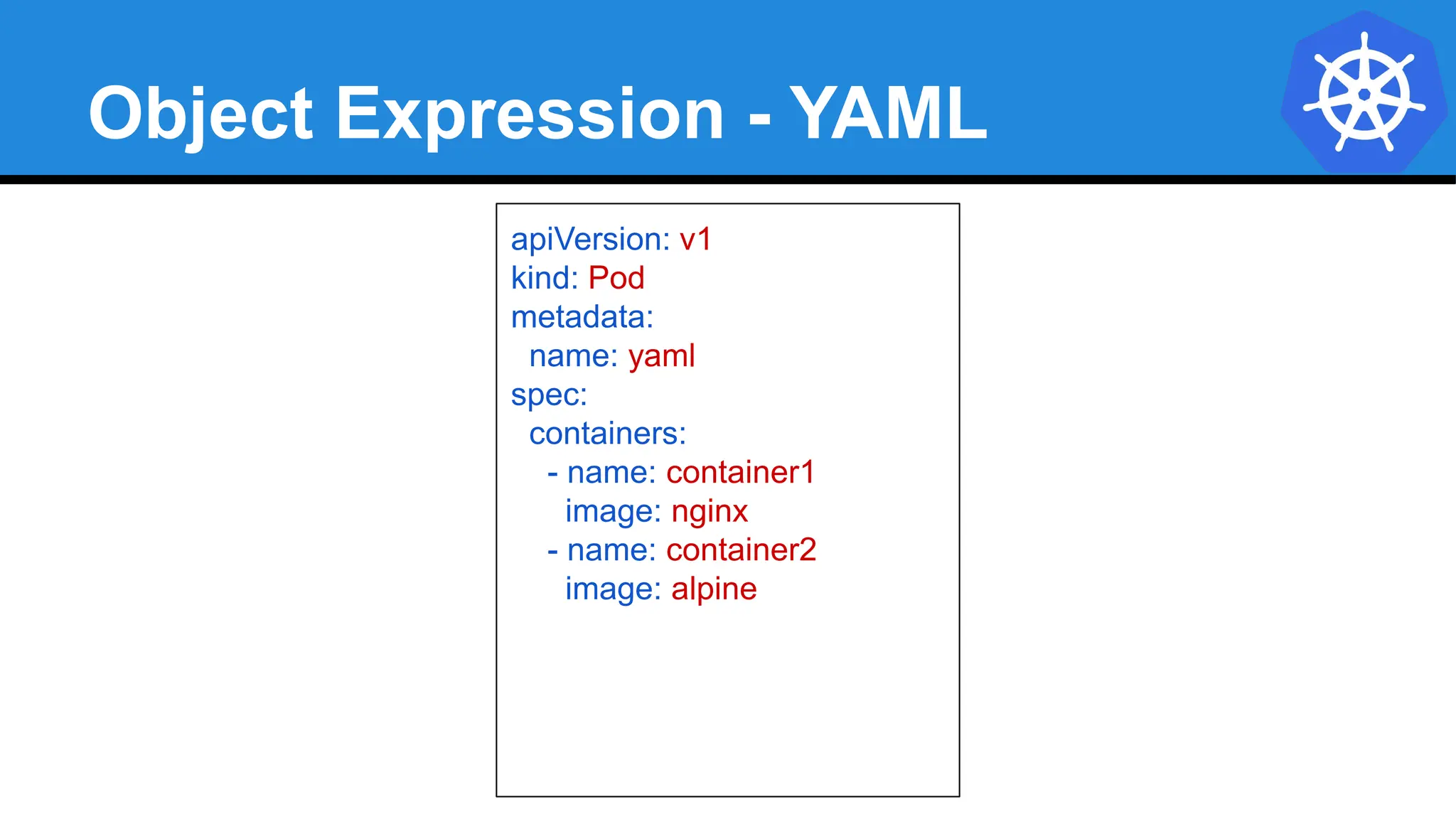
Object Expression - YAML
apiVersion: v1
kind: Pod
metadata:
name: yaml
spec:
containers:
- name: container1
image: nginx
- name: container2
image: alpine
Object Expression - YAML
apiVersion: v1
kind: Pod
metadata:
name: yaml
spec:
containers:
- name: container1
image: nginx
- name: container2
image: alpine Sequence
Array
List
Mapping
Hash
Dictionary
Scalar
YAML vs JSON
apiVersion: v1
kind: Pod
metadata:
name: pod-example
spec:
containers:
- name: nginx
image: nginx:stable-alpine
ports:
- containerPort: 80
{
"apiVersion": "v1",
"kind": "Pod",
"metadata": {
"name": "pod-example"
},
"spec": {
"containers": [
{
"name": "nginx",
"image": "nginx:stable-alpine",
"ports": [ { "containerPort": 80 } ]
}
]
}
}
Object Model - Workloads
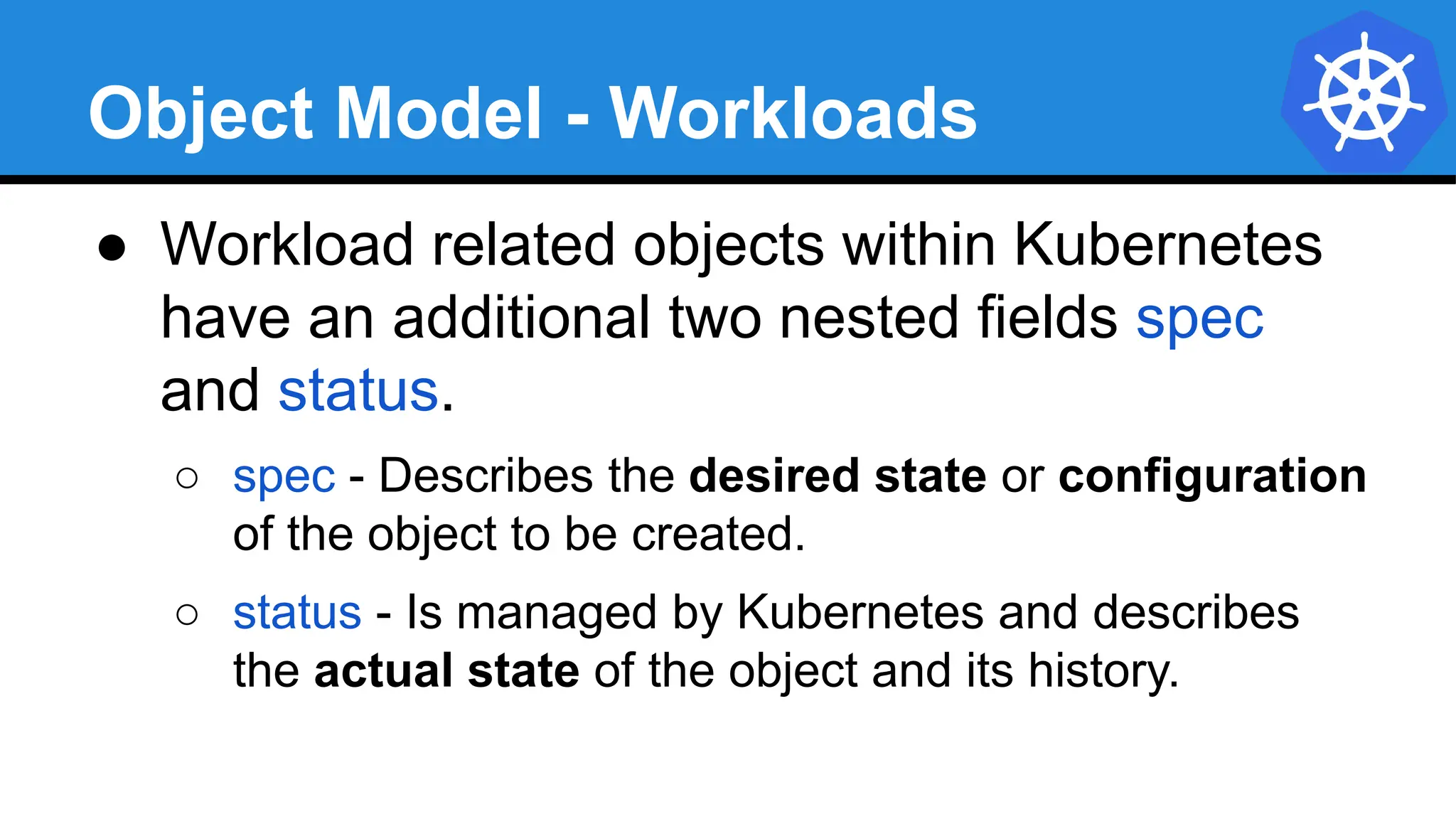
● Workload related objects within Kubernetes
have an additional two nested fields spec
and status.
○ spec - Describes the desired state or configuration
of the object to be created.
○ status - Is managed by Kubernetes and describes
the actual state of the object and its history.
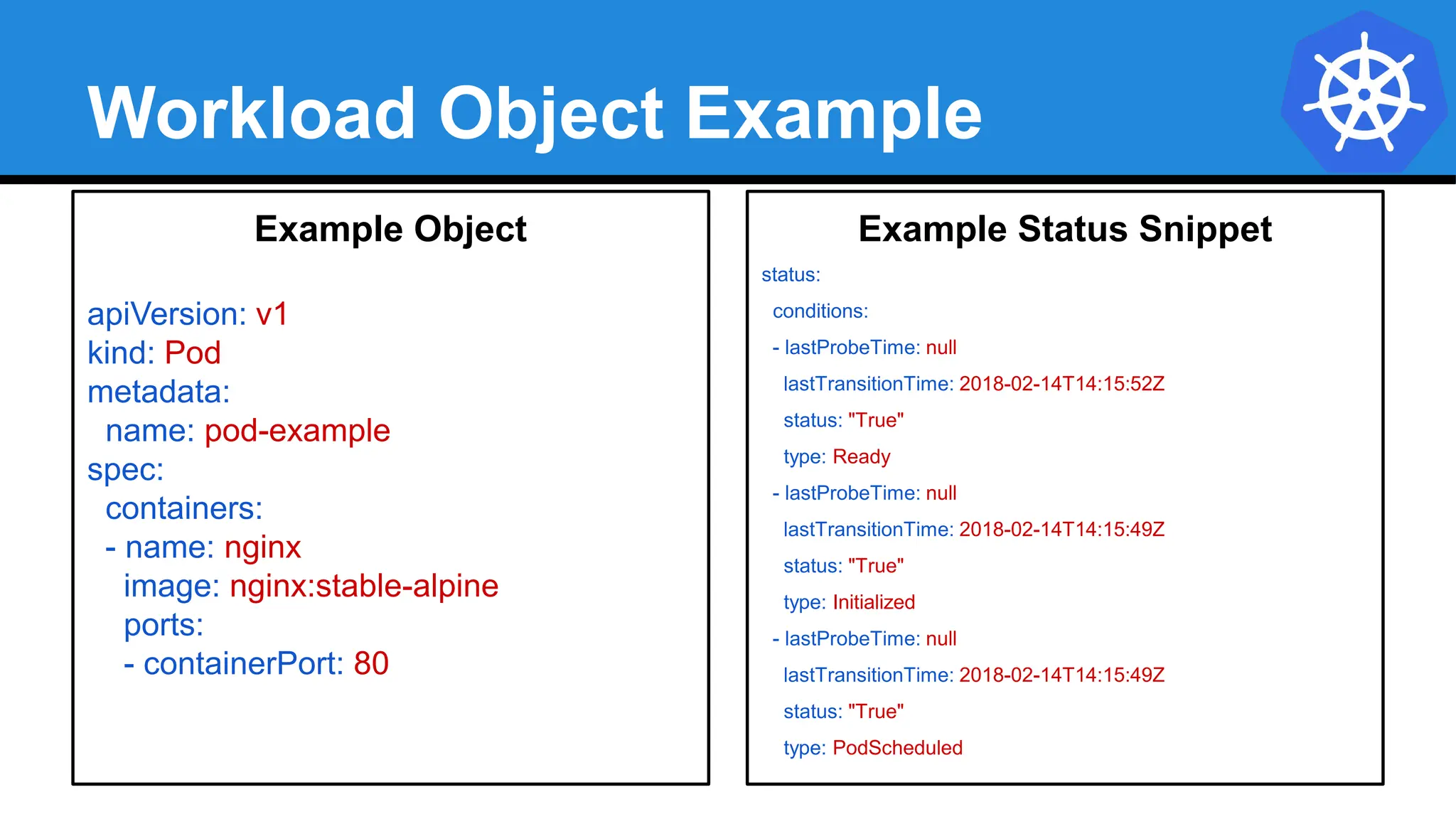
Workload Object Example
Example Object
apiVersion: v1
kind: Pod
metadata:
name: pod-example
spec:
containers:
- name: nginx
image: nginx:stable-alpine
ports:
- containerPort: 80
Example Status Snippet
status:
conditions:
- lastProbeTime: null
lastTransitionTime: 2018-02-14T14:15:52Z
status: "True"
type: Ready
- lastProbeTime: null
lastTransitionTime: 2018-02-14T14:15:49Z
status: "True"
type: Initialized
- lastProbeTime: null
lastTransitionTime: 2018-02-14T14:15:49Z
status: "True"
type: PodScheduled
Lab - github.com/mrbobbytables/k8s-intro-tutorials/blob/master/cli
Using the API
(aka, using the CLI)
Concepts and Resources
Core
Objects
● Namespaces
Pods
Labels
Selectors
Services
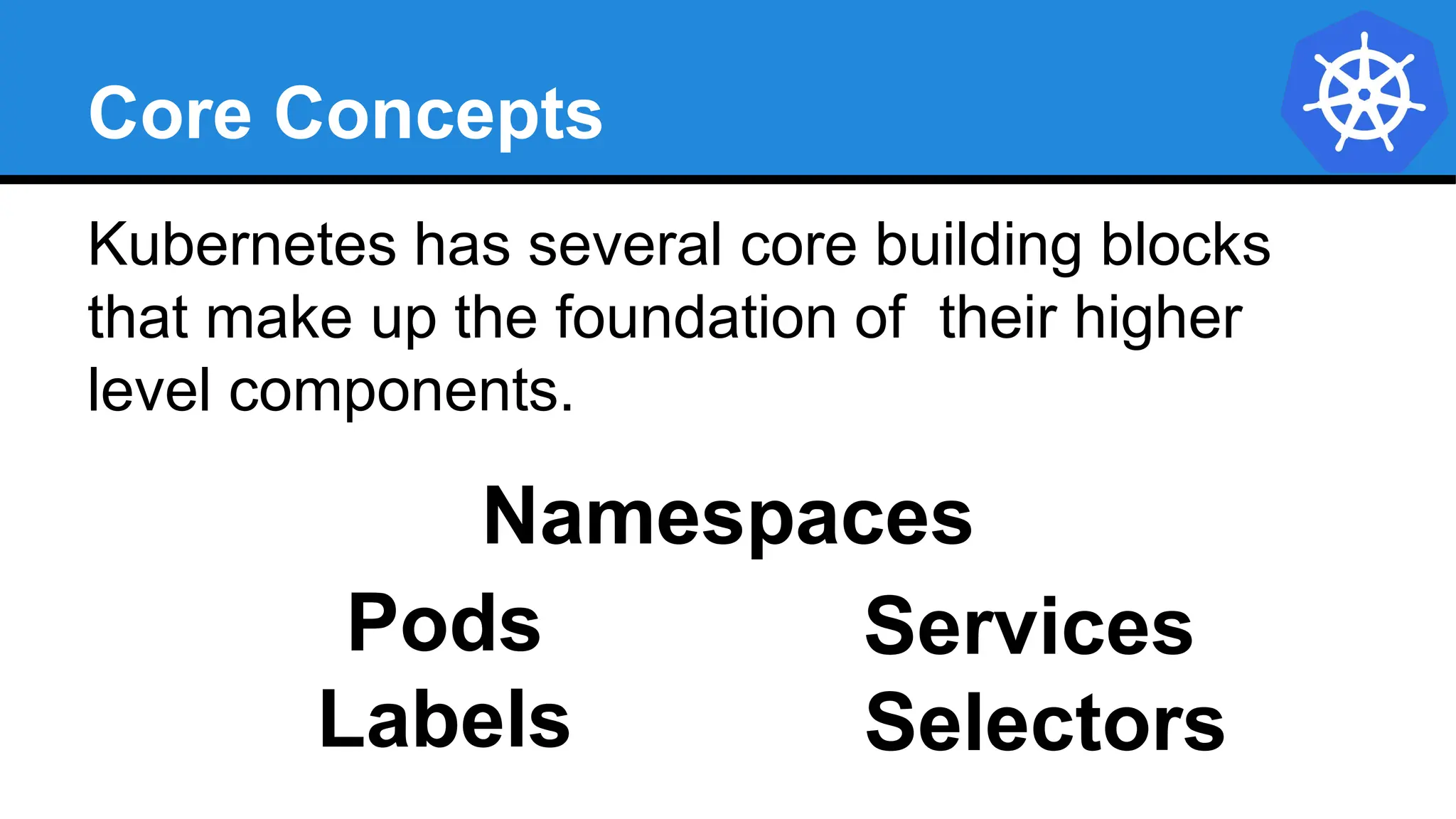
Core Concepts
Kubernetes has several core building blocks
that make up the foundation of their higher
level components.
Namespaces
Pods
Selectors
Services
Labels
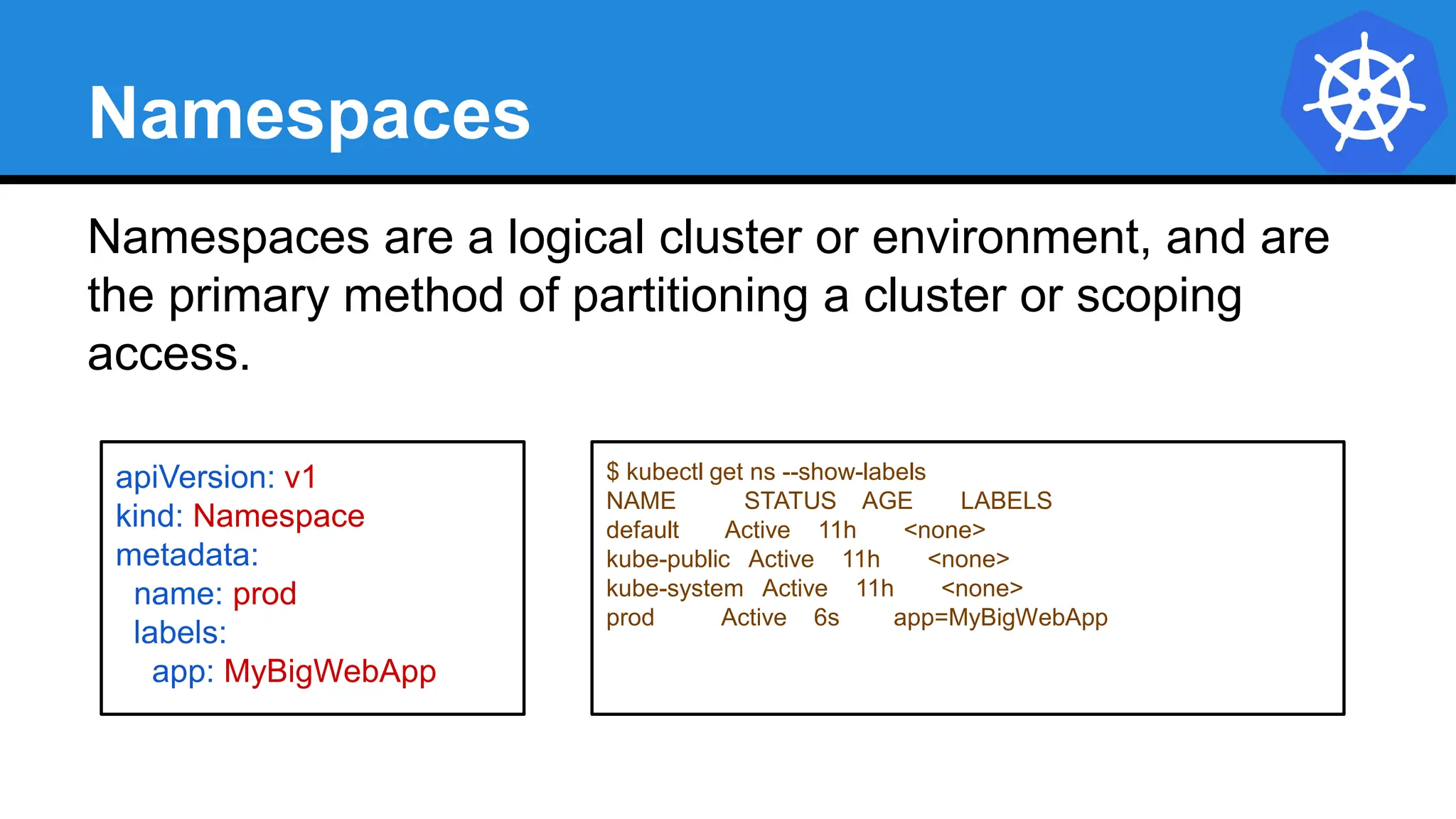
Namespaces
Namespaces are a logical cluster or environment, and are
the primary method of partitioning a cluster or scoping
access.
apiVersion: v1
kind: Namespace
metadata:
name: prod
labels:
app: MyBigWebApp
$ kubectl get ns --show-labels
NAME STATUS AGE LABELS
default Active 11h <none>
kube-public Active 11h <none>
kube-system Active 11h <none>
prod Active 6s app=MyBigWebApp
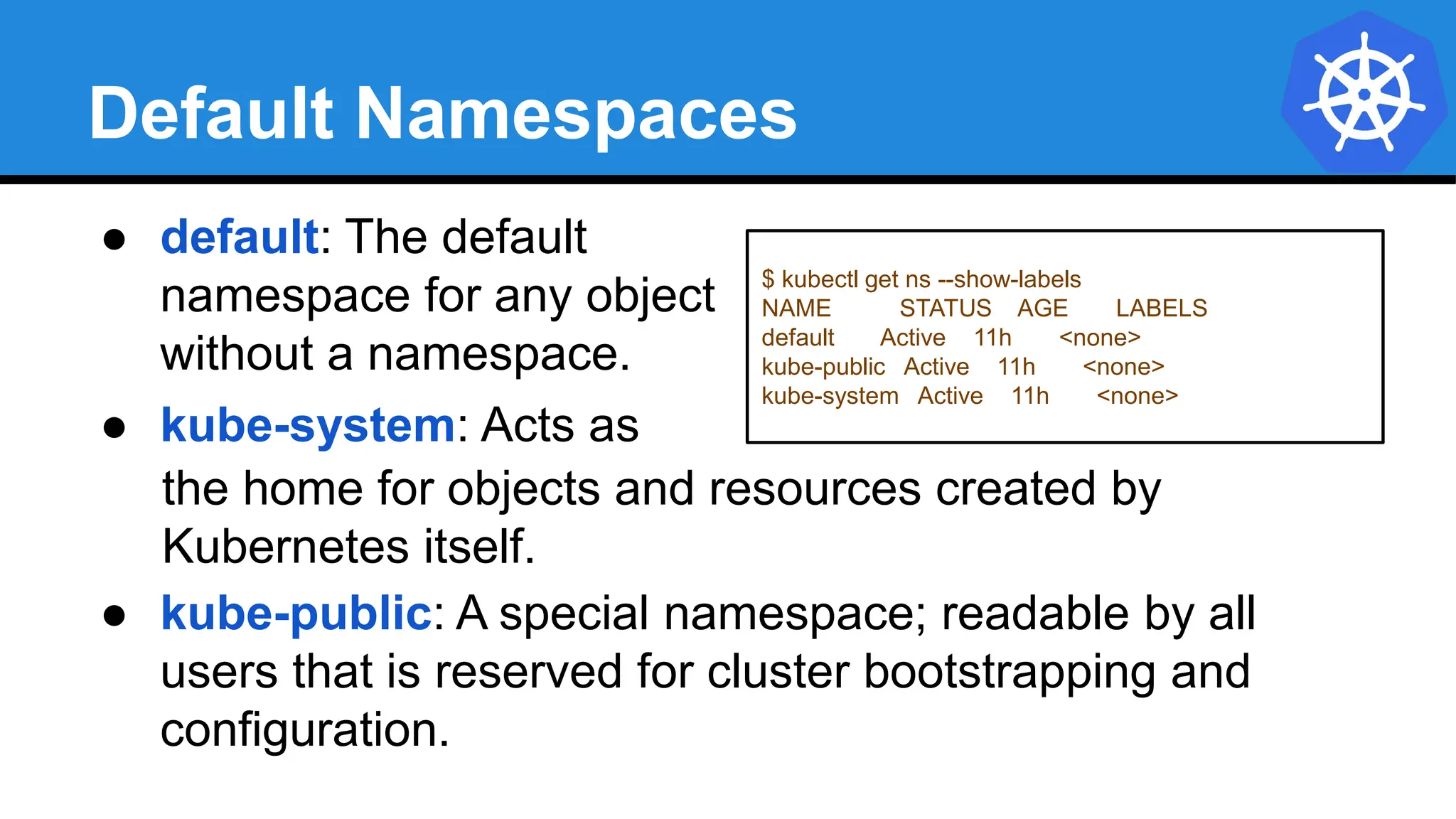
Default Namespaces
$ kubectl get ns --show-labels
NAME STATUS AGE LABELS
default Active 11h <none>
kube-public Active 11h <none>
kube-system Active 11h <none>
● default: The default
namespace for any object
without a namespace.
● kube-system: Acts as
the home for objects and resources created by
Kubernetes itself.
● kube-public: A special namespace; readable by all
users that is reserved for cluster bootstrapping and
configuration.
Pod
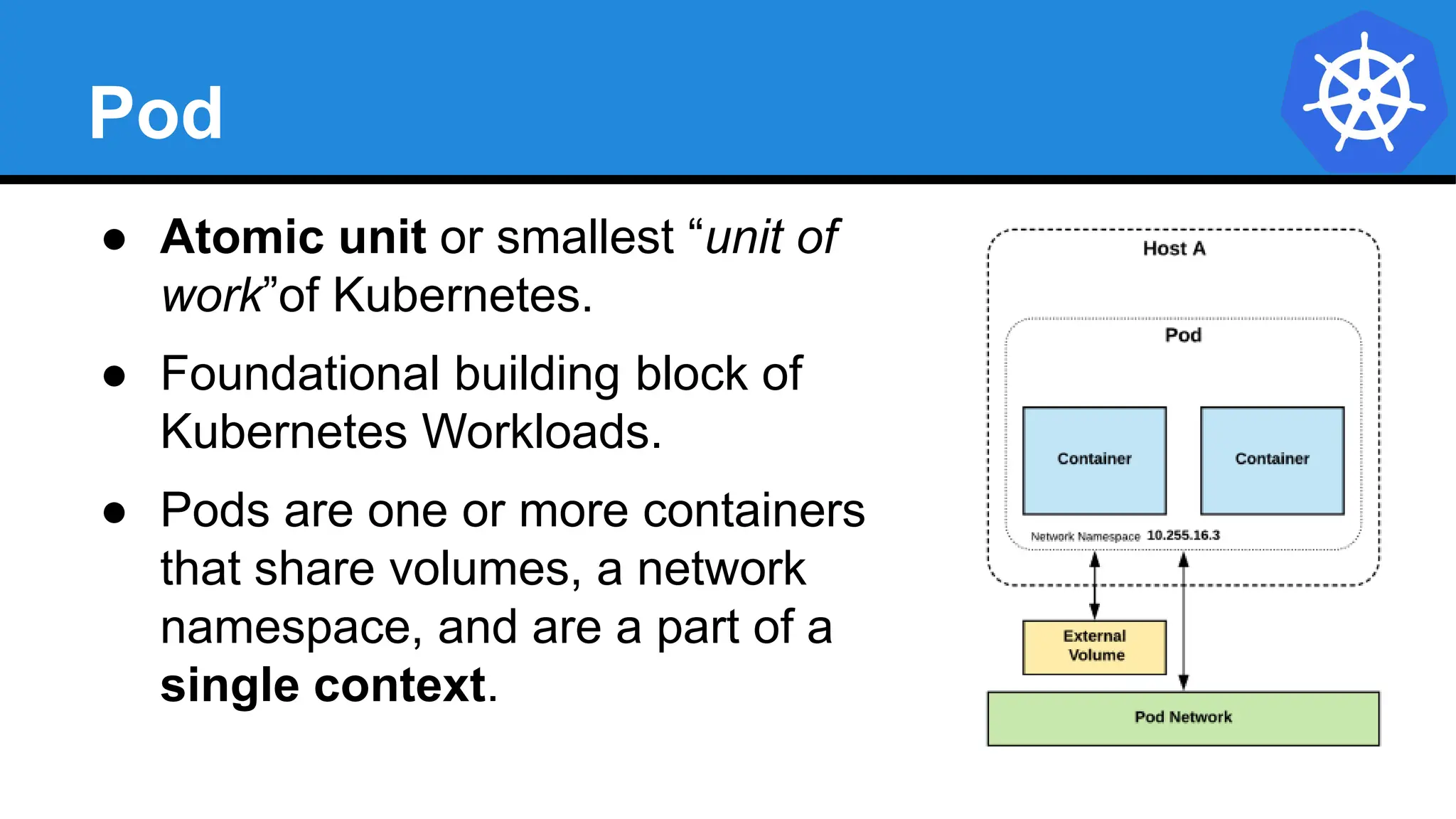
● Atomic unit or smallest “unit of
work”of Kubernetes.
● Foundational building block of
Kubernetes Workloads.
● Pods are one or more containers
that share volumes, a network
namespace, and are a part of a
single context.
Pod Examples
apiVersion: v1
kind: Pod
metadata:
name: multi-container-example
spec:
containers:
- name: nginx
image: nginx:stable-alpine
ports:
- containerPort: 80
volumeMounts:
- name: html
mountPath: /usr/share/nginx/html
- name: content
image: alpine:latest
command: ["/bin/sh", "-c"]
args:
- while true; do
date >> /html/index.html;
sleep 5;
done
volumeMounts:
- name: html
mountPath: /html
volumes:
- name: html
emptyDir: {}
apiVersion: v1
kind: Pod
metadata:
name: pod-example
spec:
containers:
- name: nginx
image: nginx:stable-alpine
ports:
- containerPort: 80
Key Pod Container Attributes
● name - The name of the container
● image - The container image
● ports - array of ports to expose. Can
be granted a friendly name and
protocol may be specified
● env - array of environment variables
● command - Entrypoint array (equiv to
Docker ENTRYPOINT)
● args - Arguments to pass to the
command (equiv to Docker CMD)
Container
name: nginx
image: nginx:stable-alpine
ports:
- containerPort: 80
name: http
protocol: TCP
env:
- name: MYVAR
value: isAwesome
command: [“/bin/sh”, “-c”]
args: [“echo ${MYVAR}”]
Labels
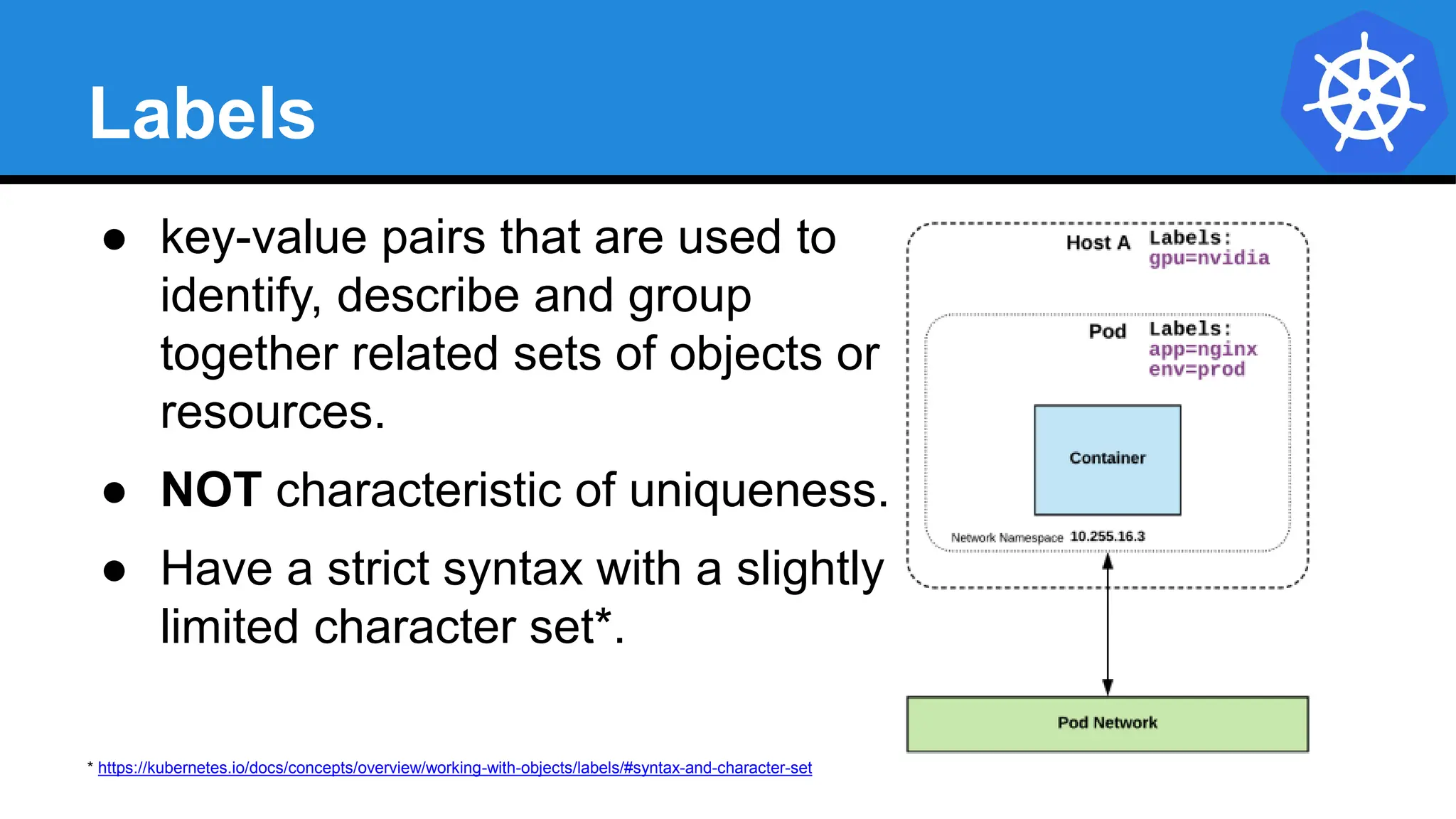
● key-value pairs that are used to
identify, describe and group
together related sets of objects or
resources.
● NOT characteristic of uniqueness.
● Have a strict syntax with a slightly
limited character set*.
* https://kubernetes.io/docs/concepts/overview/working-with-objects/labels/#syntax-and-character-set
Label Example
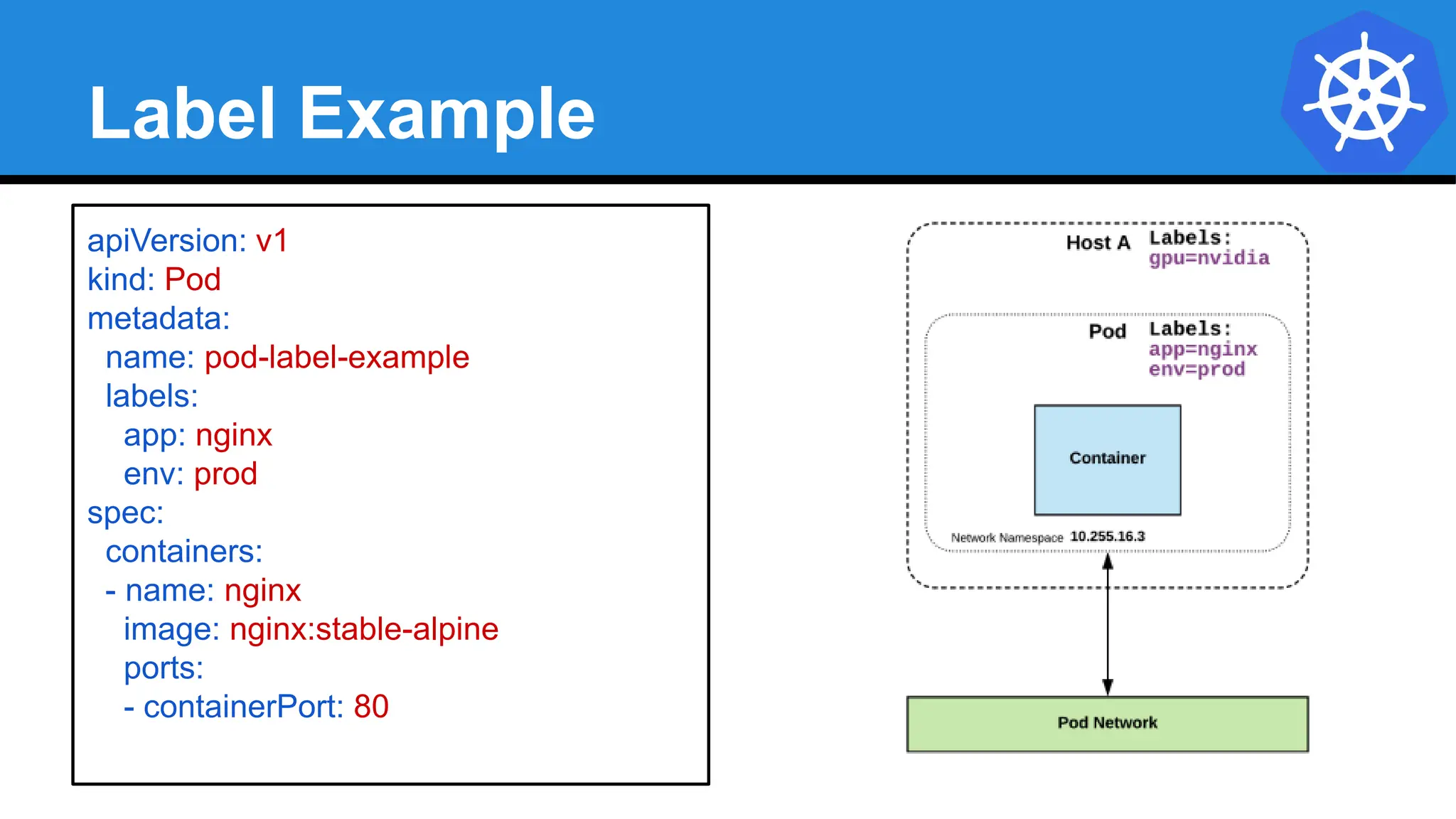
apiVersion: v1
kind: Pod
metadata:
name: pod-label-example
labels:
app: nginx
env: prod
spec:
containers:
- name: nginx
image: nginx:stable-alpine
ports:
- containerPort: 80
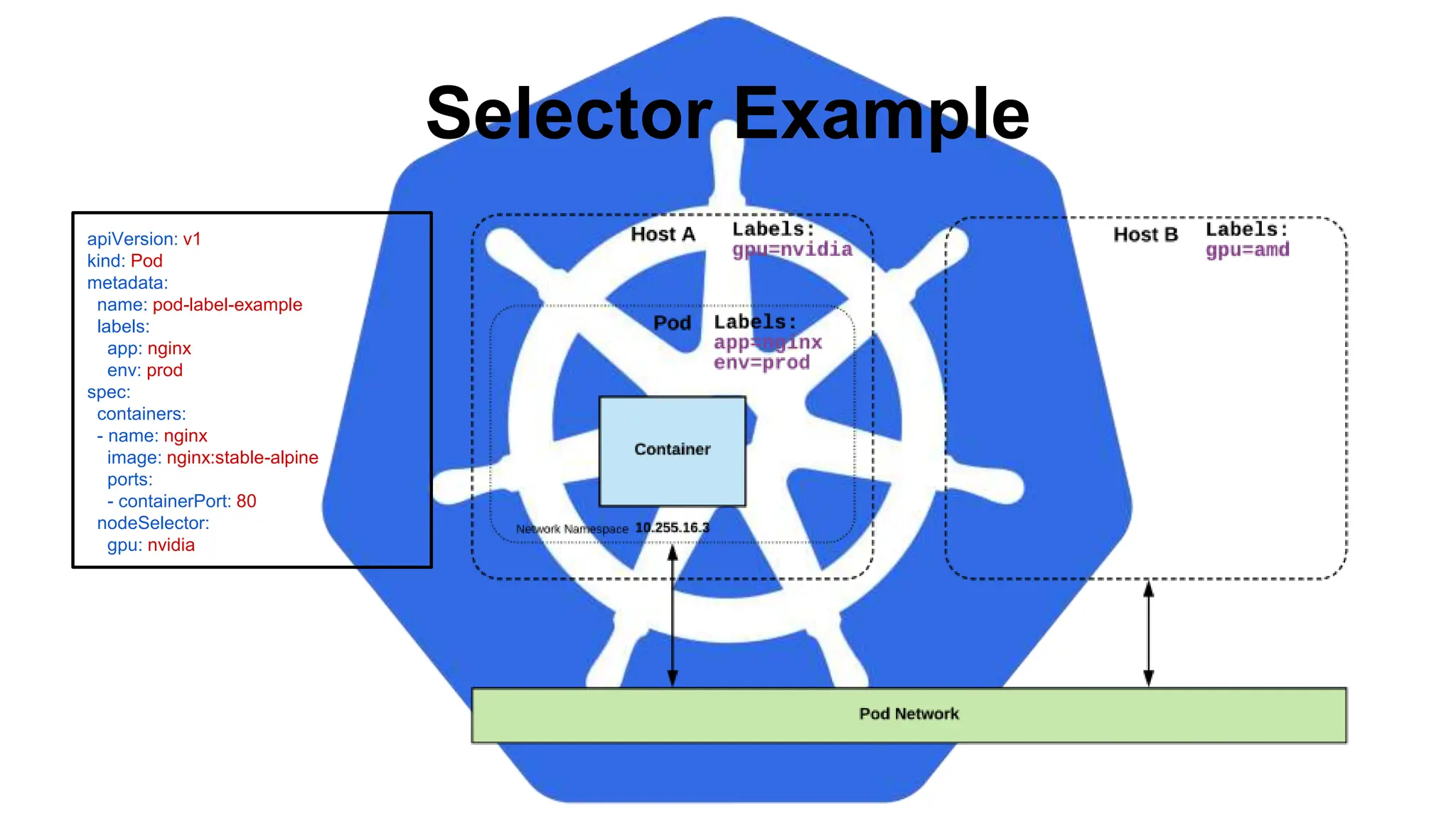
Selectors
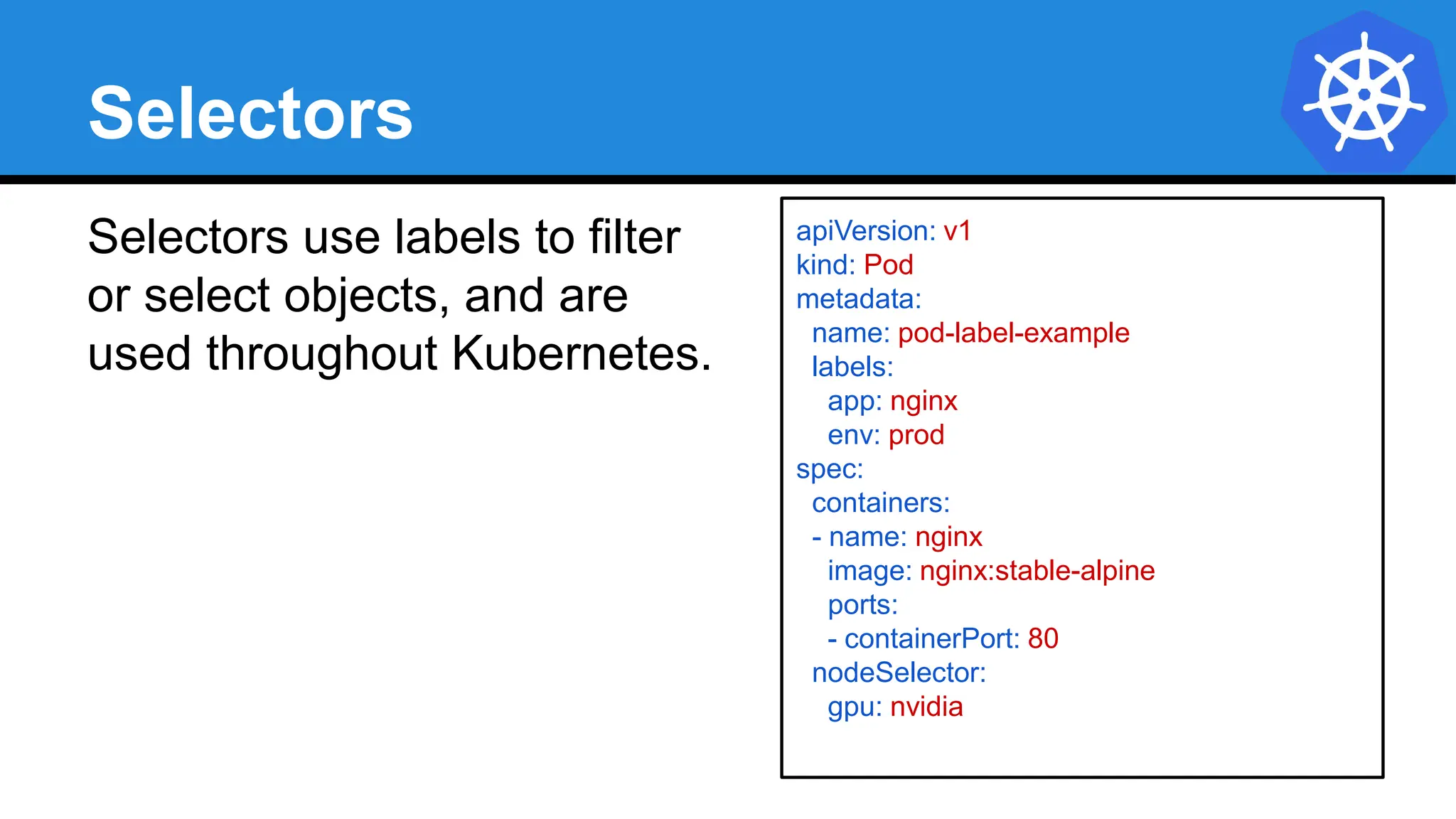
Selectors use labels to filter
or select objects, and are
used throughout Kubernetes.
apiVersion: v1
kind: Pod
metadata:
name: pod-label-example
labels:
app: nginx
env: prod
spec:
containers:
- name: nginx
image: nginx:stable-alpine
ports:
- containerPort: 80
nodeSelector:
gpu: nvidia
apiVersion: v1
kind: Pod
metadata:
name: pod-label-example
labels:
app: nginx
env: prod
spec:
containers:
- name: nginx
image: nginx:stable-alpine
ports:
- containerPort: 80
nodeSelector:
gpu: nvidia
Selector Example
Equality based selectors allow for
simple filtering (=,==, or !=).
Selector Types
Set-based selectors are supported
on a limited subset of objects.

However, they provide a method of
filtering on a set of values, and
supports multiple operators including:
in, notin, and exist.
selector:
matchExpressions:
- key: gpu
operator: in
values: [“nvidia”]
selector:
matchLabels:
gpu: nvidia
Services
● Unified method of accessing the exposed workloads
of Pods.
● Durable resource (unlike Pods)
○ static cluster-unique IP
○ static namespaced DNS name
<service name>.<namespace>.svc.cluster.local
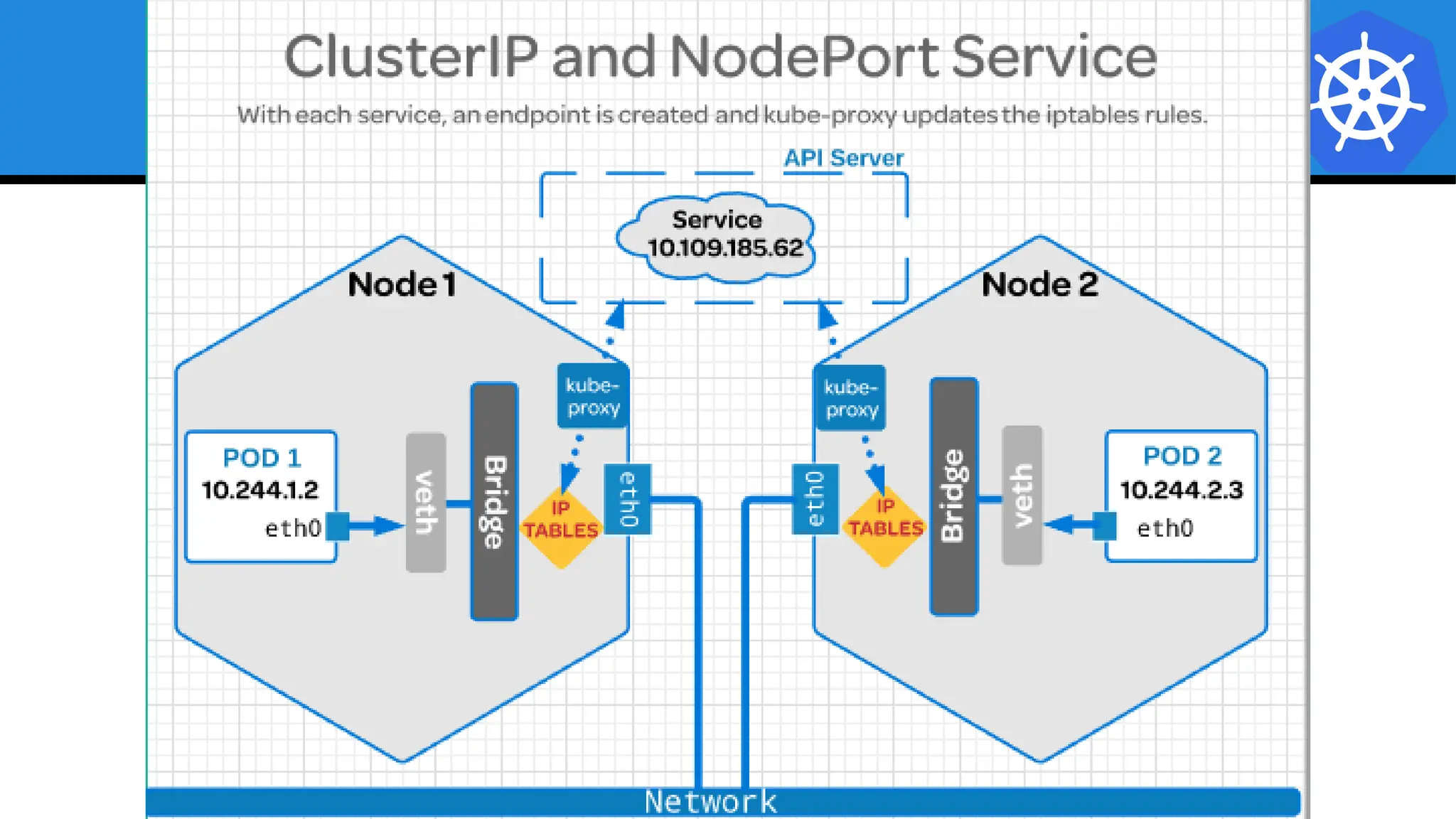
Services
● Target Pods using equality based selectors.
● Uses kube-proxy to provide simple load-balancing.
● kube-proxy acts as a daemon that creates local
entries in the host’s iptables for every service.
Service Types
There are 4 major service types:
● ClusterIP (default)
● NodePort
● LoadBalancer
● ExternalName
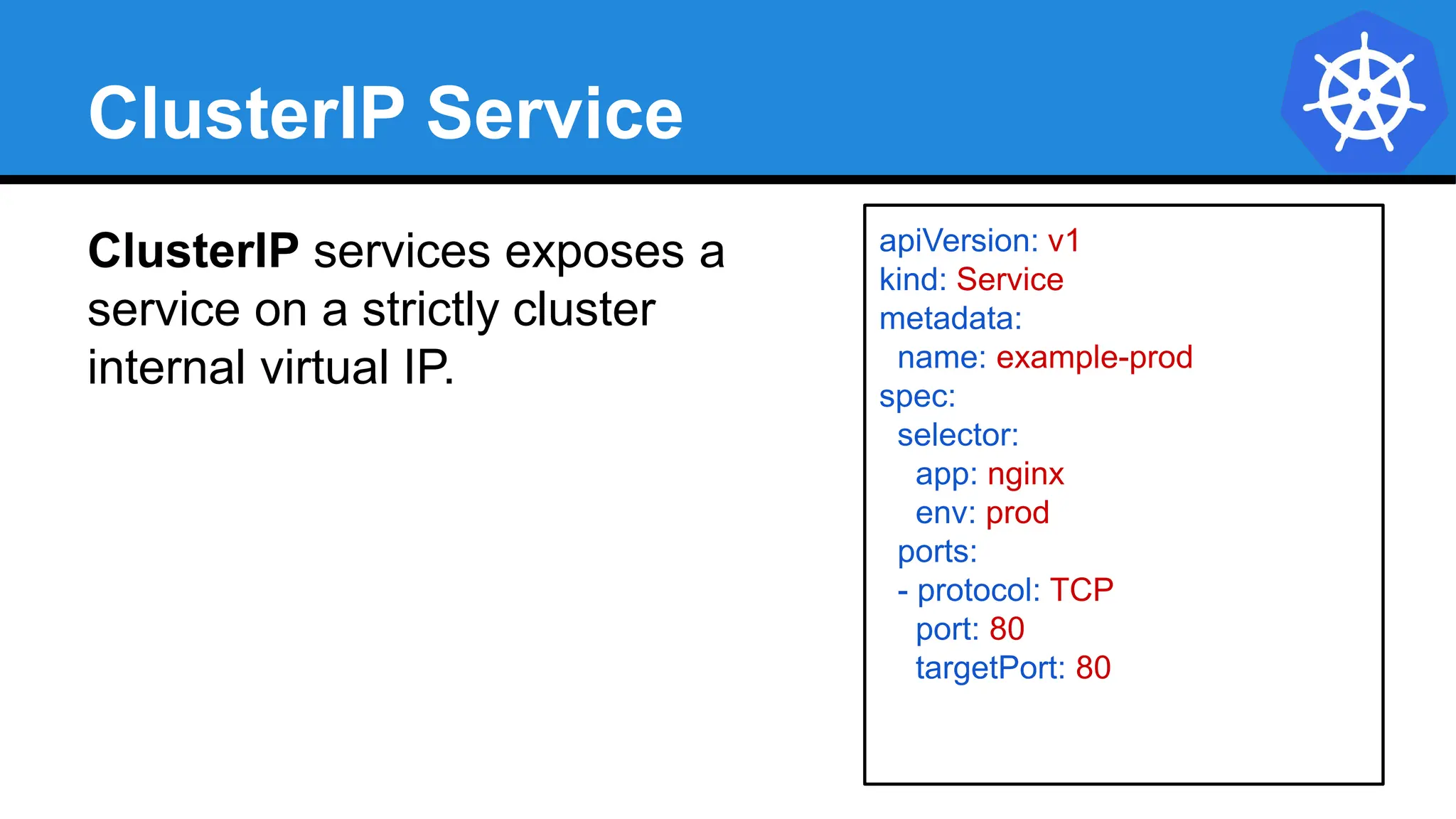
ClusterIP Service
ClusterIP services exposes a
service on a strictly cluster
internal virtual IP.
apiVersion: v1
kind: Service
metadata:
name: example-prod
spec:
selector:
app: nginx
env: prod
ports:
- protocol: TCP
port: 80
targetPort: 80
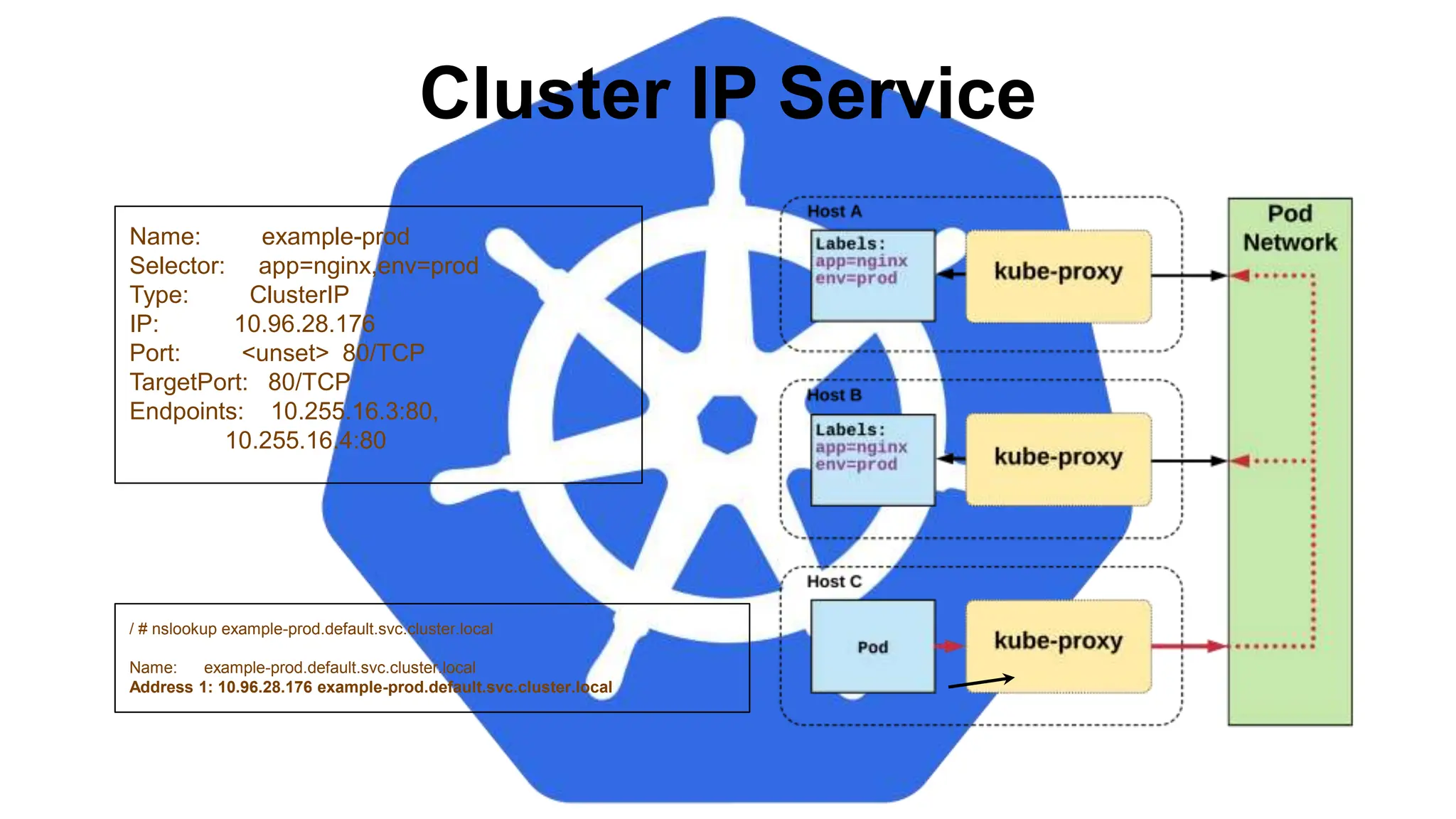
Cluster IP Service
Name: example-prod
Selector: app=nginx,env=prod
Type: ClusterIP
IP: 10.96.28.176
Port: <unset> 80/TCP
TargetPort: 80/TCP
Endpoints: 10.255.16.3:80,
10.255.16.4:80
/ # nslookup example-prod.default.svc.cluster.local
Name: example-prod.default.svc.cluster.local
Address 1: 10.96.28.176 example-prod.default.svc.cluster.local
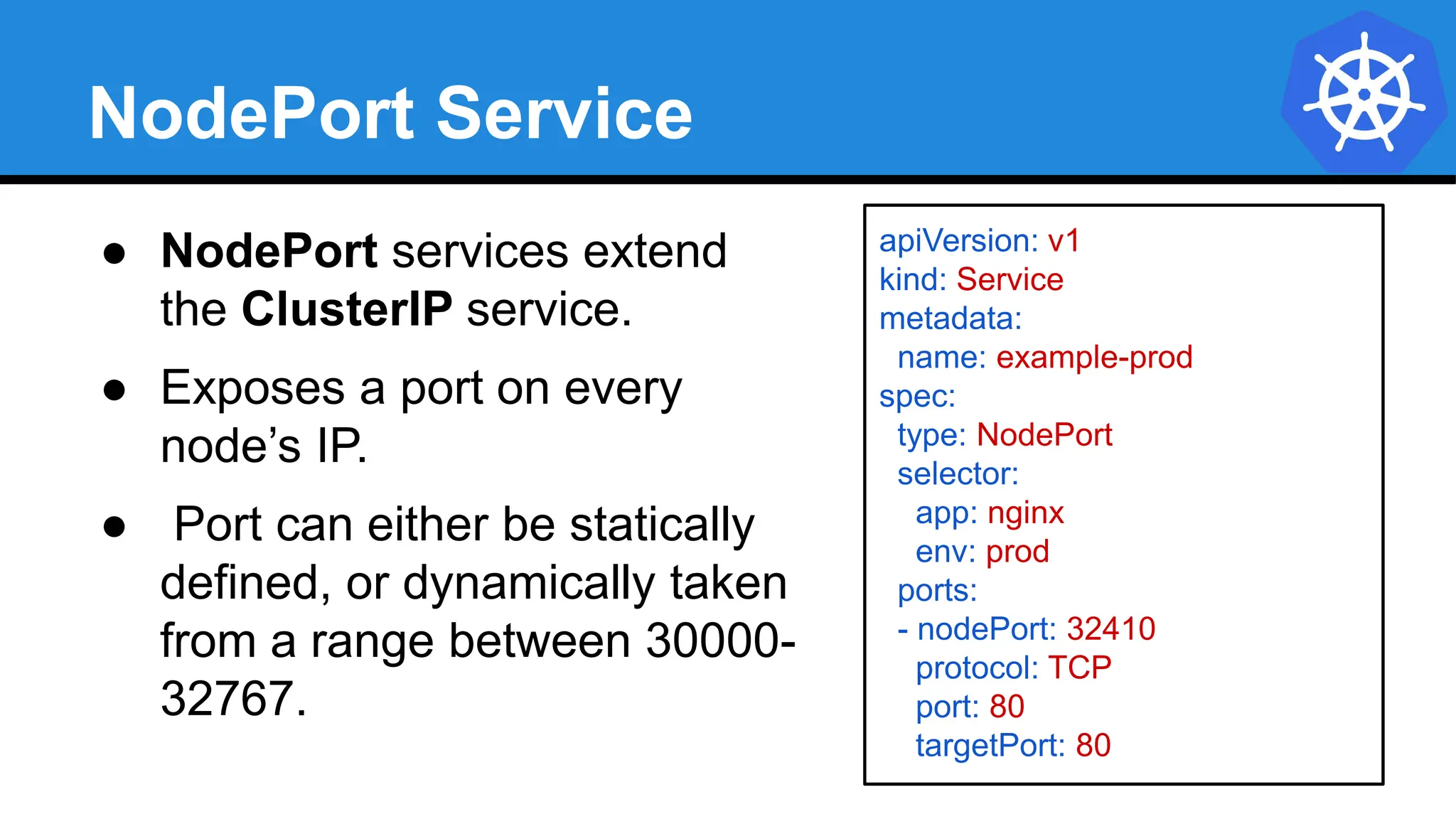
NodePort Service
● NodePort services extend
the ClusterIP service.
● Exposes a port on every
node’s IP.
● Port can either be statically
defined, or dynamically taken
from a range between 30000-
32767.
apiVersion: v1
kind: Service
metadata:
name: example-prod
spec:
type: NodePort
selector:
app: nginx
env: prod
ports:
- nodePort: 32410
protocol: TCP
port: 80
targetPort: 80
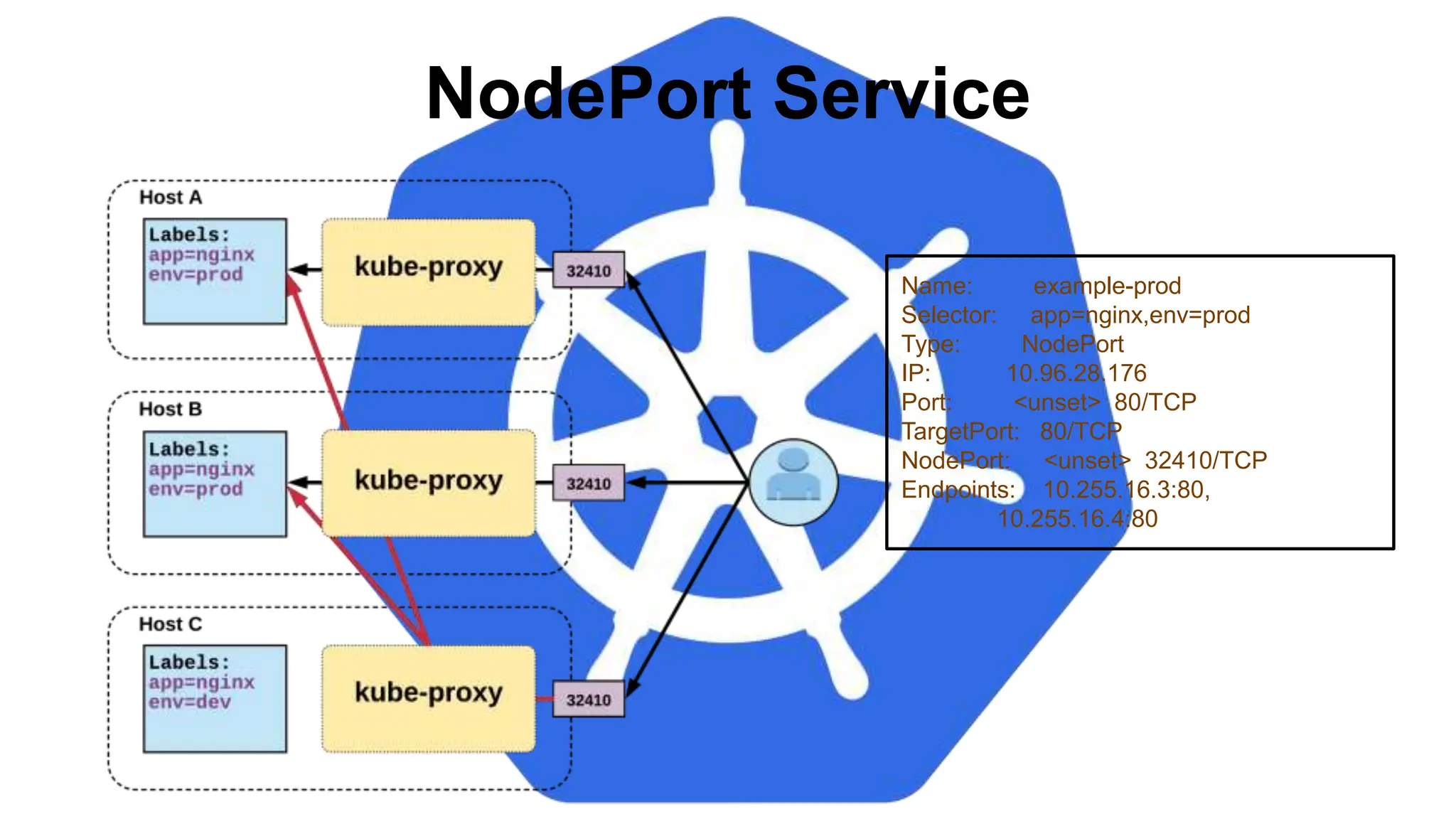
NodePort Service
Name: example-prod
Selector: app=nginx,env=prod
Type: NodePort
IP: 10.96.28.176
Port: <unset> 80/TCP
TargetPort: 80/TCP
NodePort: <unset> 32410/TCP
Endpoints: 10.255.16.3:80,
10.255.16.4:80
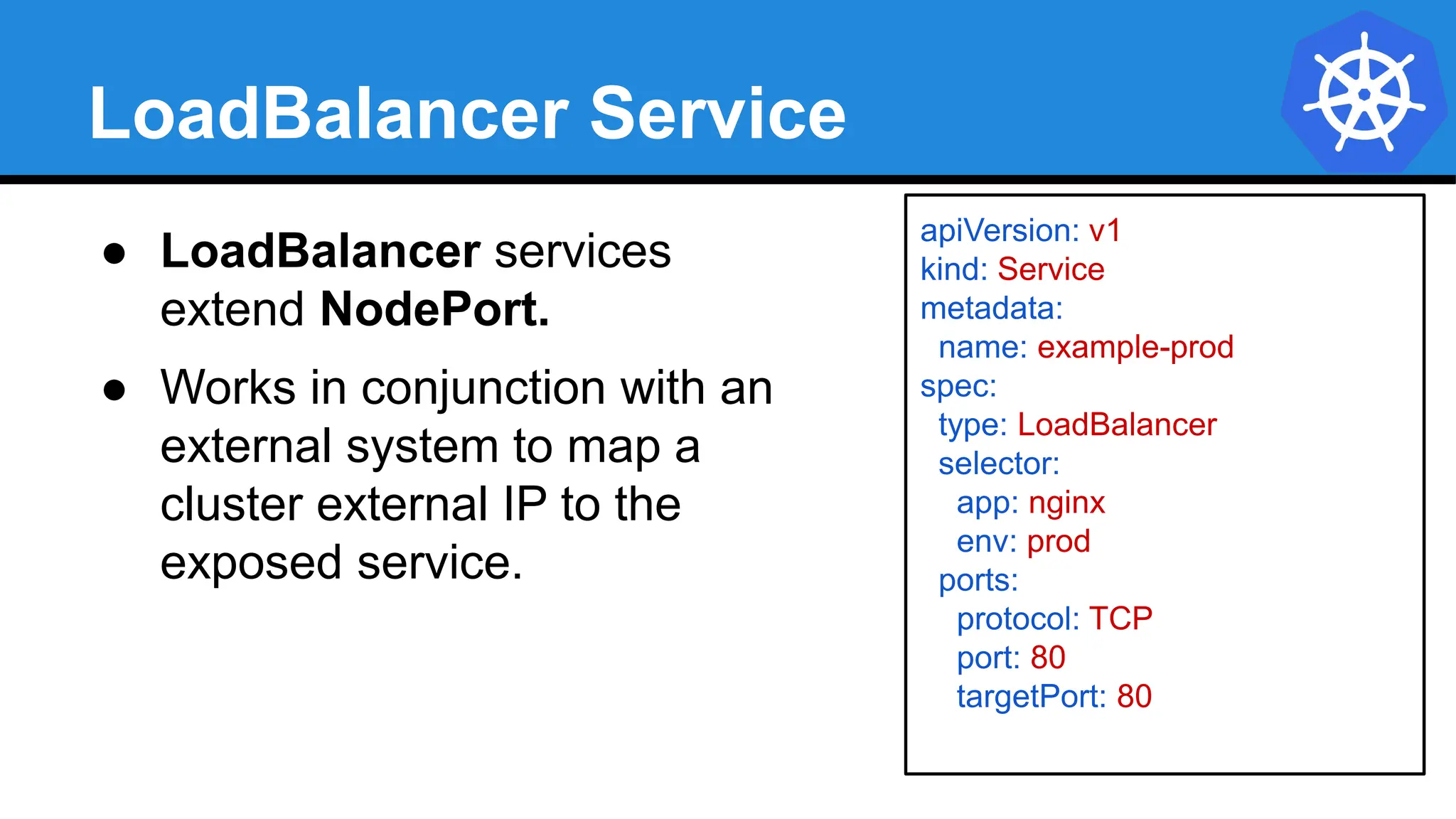
LoadBalancer Service
apiVersion: v1
kind: Service
metadata:
name: example-prod
spec:
type: LoadBalancer
selector:
app: nginx
env: prod
ports:
protocol: TCP
port: 80
targetPort: 80
● LoadBalancer services
extend NodePort.
● Works in conjunction with an
external system to map a
cluster external IP to the
exposed service.
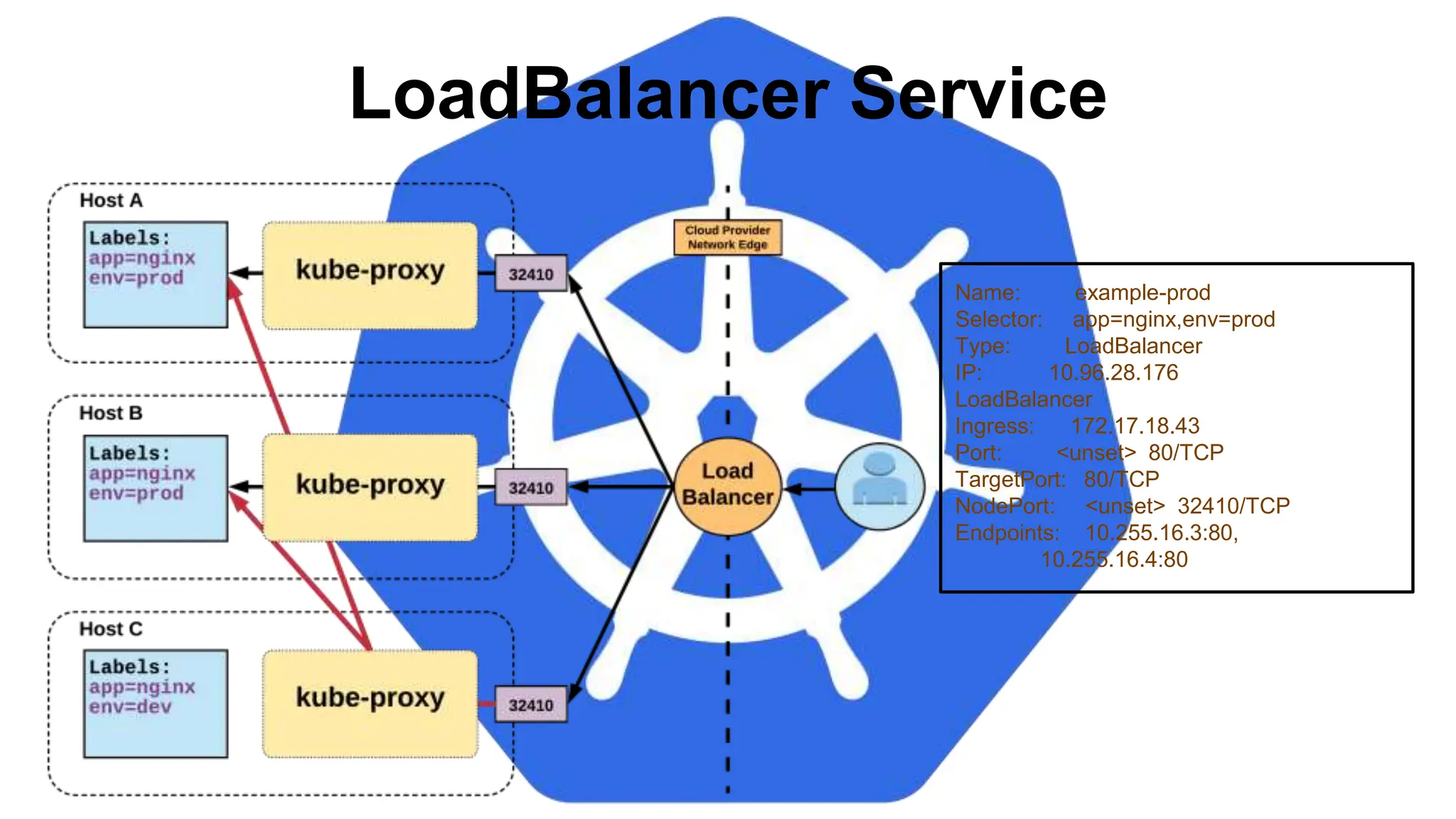
LoadBalancer Service
Name: example-prod
Selector: app=nginx,env=prod
Type: LoadBalancer
IP: 10.96.28.176
LoadBalancer
Ingress: 172.17.18.43
Port: <unset> 80/TCP
TargetPort: 80/TCP
NodePort: <unset> 32410/TCP
Endpoints: 10.255.16.3:80,
10.255.16.4:80
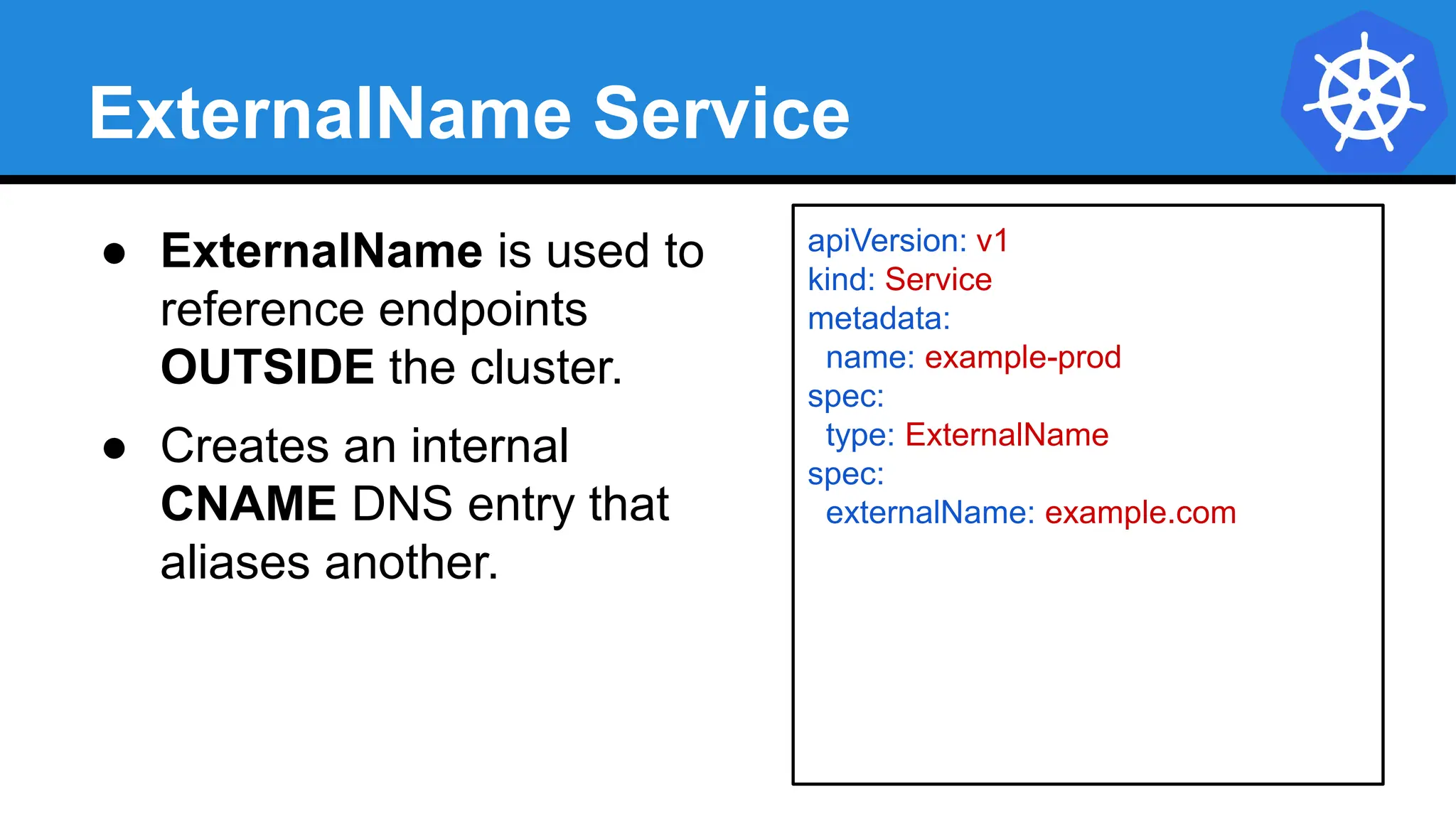
ExternalName Service
apiVersion: v1
kind: Service
metadata:
name: example-prod
spec:
type: ExternalName
spec:
externalName: example.com
● ExternalName is used to
reference endpoints
OUTSIDE the cluster.
● Creates an internal
CNAME DNS entry that
aliases another.
Lab - github.com/mrbobbytables/k8s-intro-tutorials/blob/master/core
Exploring
the Core
Lab - github.com/mrbobbytables/k8s-intro-tutorials/blob/master/core
Exploring
the Core
Concepts and Resources
Workloads
● ReplicaSet
Deployment
DaemonSet
StatefulSet
Job
CronJob
Lab - github.com/mrbobbytables/k8s-intro-tutorials/blob/master/workloads
Using Workloads
Workloads
Workloads within Kubernetes are higher level
objects that manage Pods or other higher level
objects.
In ALL CASES a Pod Template is included,
and acts the base tier of management.
Pod Template
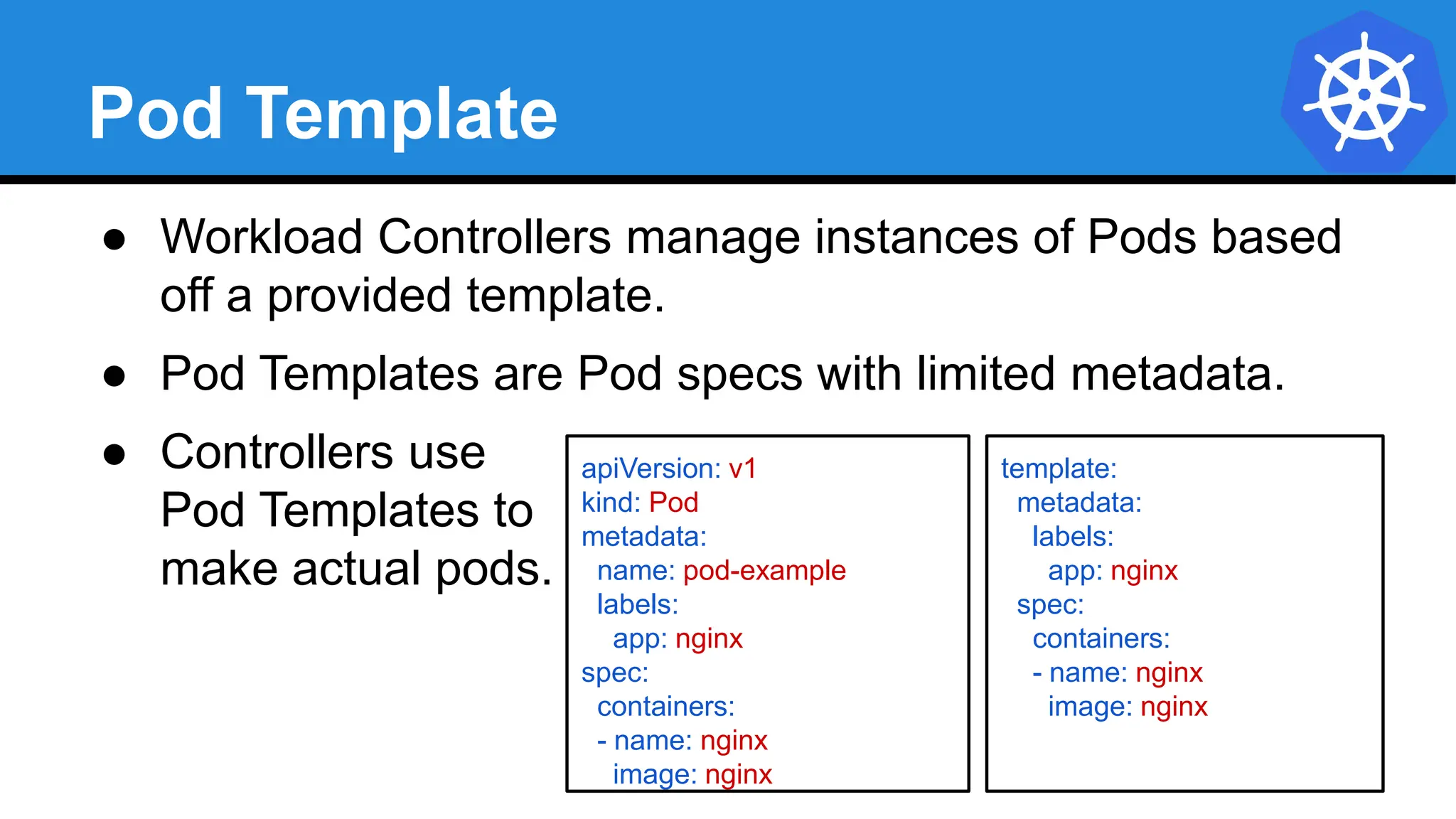
● Workload Controllers manage instances of Pods based
off a provided template.
● Pod Templates are Pod specs with limited metadata.
● Controllers use
Pod Templates to
make actual pods.
apiVersion: v1
kind: Pod
metadata:
name: pod-example
labels:
app: nginx
spec:
containers:
- name: nginx
image: nginx
template:
metadata:
labels:
app: nginx
spec:
containers:
- name: nginx
image: nginx
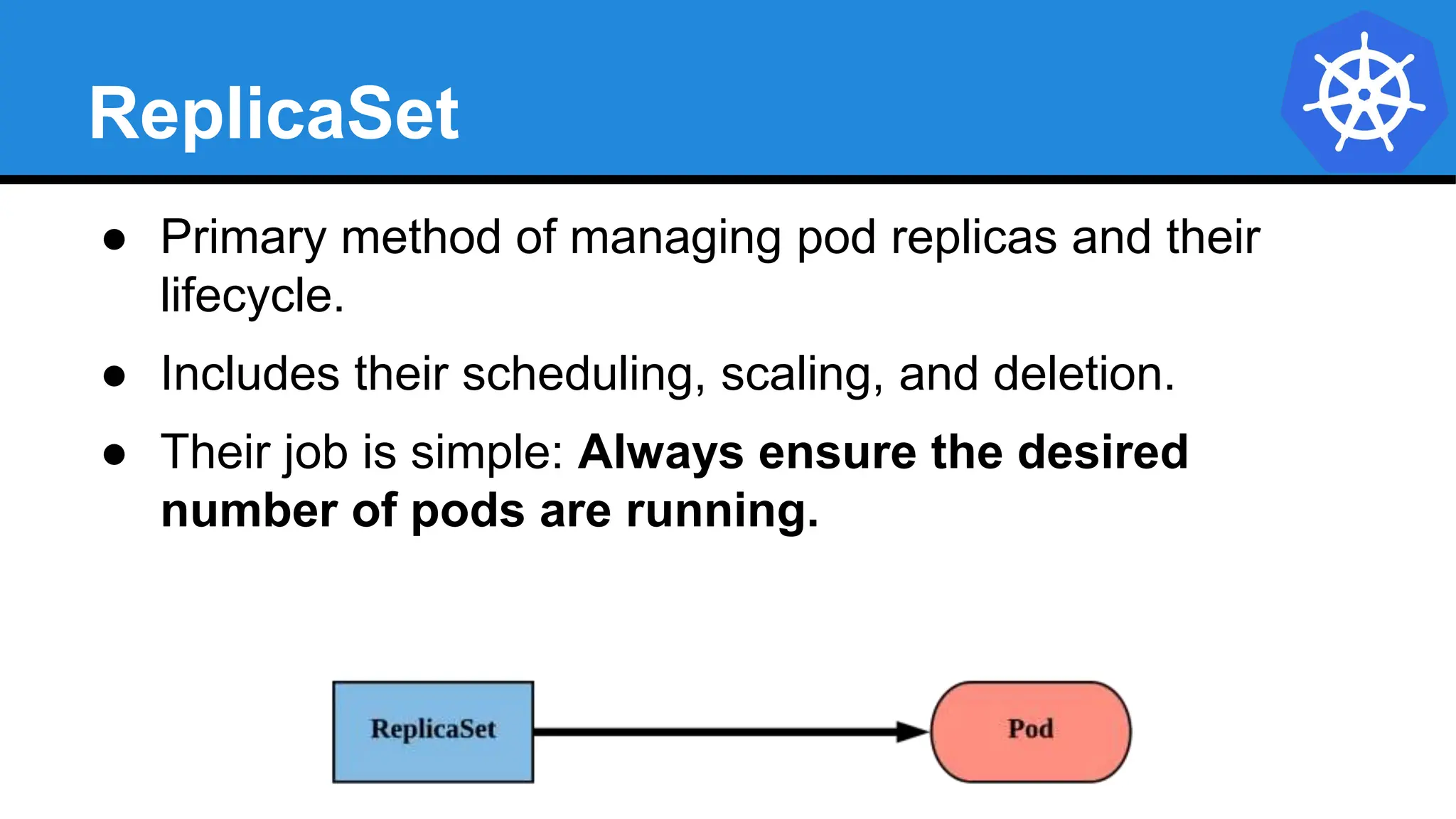
ReplicaSet
● Primary method of managing pod replicas and their
lifecycle.
● Includes their scheduling, scaling, and deletion.
● Their job is simple: Always ensure the desired
number of pods are running.
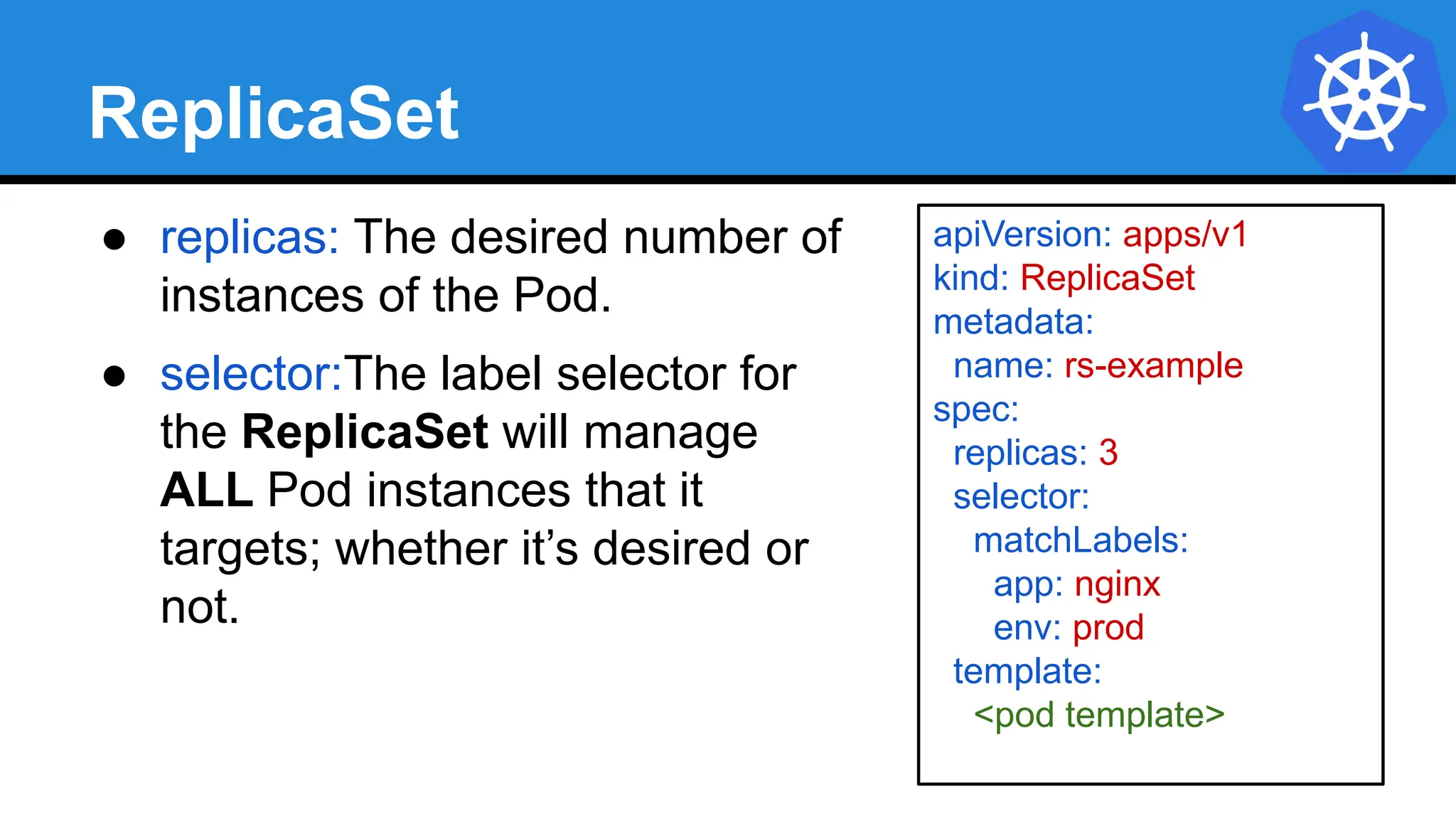
ReplicaSet
● replicas: The desired number of
instances of the Pod.
● selector:The label selector for
the ReplicaSet will manage
ALL Pod instances that it
targets; whether it’s desired or
not.
apiVersion: apps/v1
kind: ReplicaSet
metadata:
name: rs-example
spec:
replicas: 3
selector:
matchLabels:
app: nginx
env: prod
template:
<pod template>
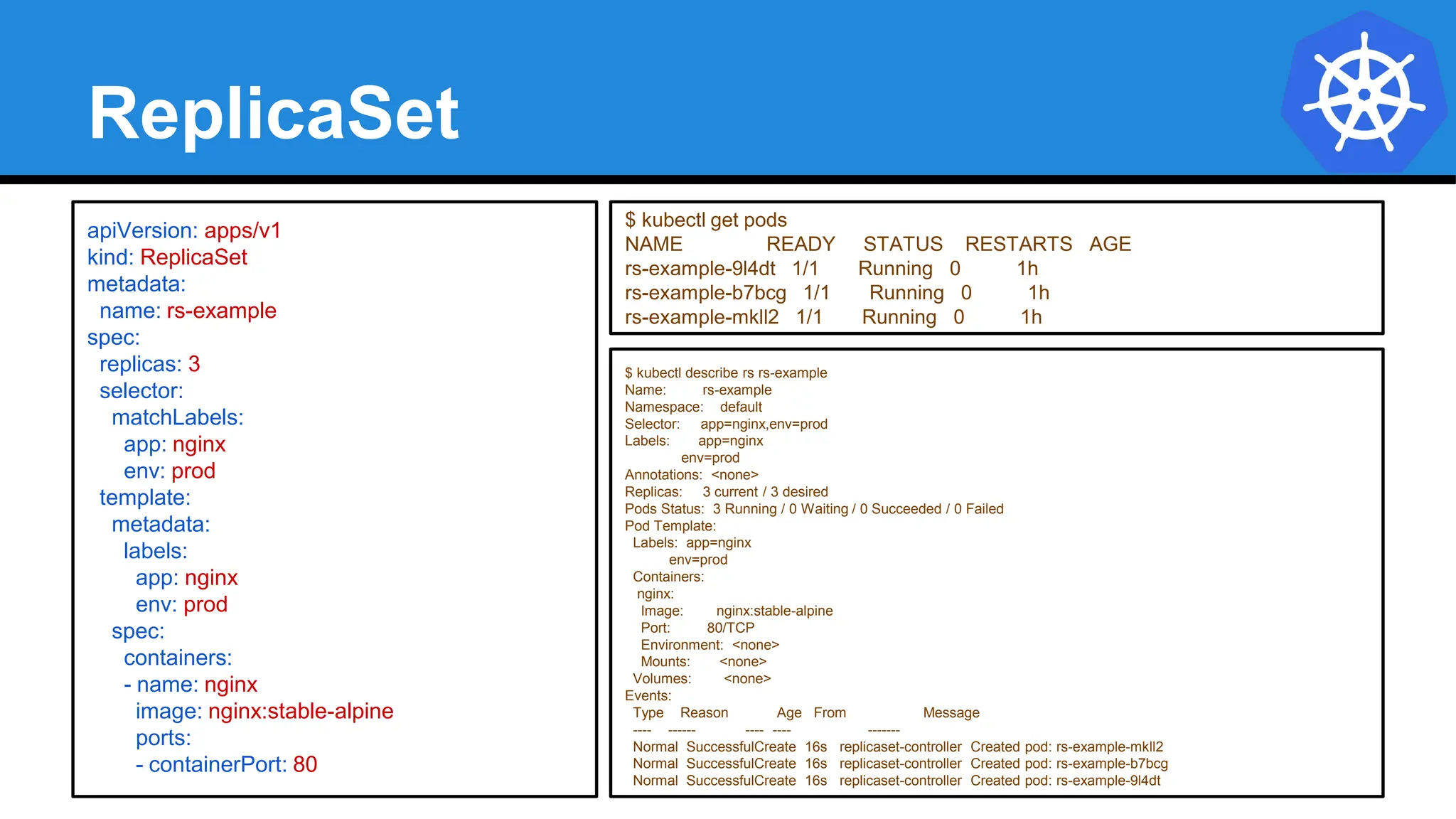
ReplicaSet
$ kubectl describe rs rs-example
Name: rs-example
Namespace: default
Selector: app=nginx,env=prod
Labels: app=nginx
env=prod
Annotations: <none>
Replicas: 3 current / 3 desired
Pods Status: 3 Running / 0 Waiting / 0 Succeeded / 0 Failed
Pod Template:
Labels: app=nginx
env=prod
Containers:
nginx:
Image: nginx:stable-alpine
Port: 80/TCP
Environment: <none>
Mounts: <none>
Volumes: <none>
Events:
Type Reason Age From Message
---- ------ ---- ---- -------
Normal SuccessfulCreate 16s replicaset-controller Created pod: rs-example-mkll2
Normal SuccessfulCreate 16s replicaset-controller Created pod: rs-example-b7bcg
Normal SuccessfulCreate 16s replicaset-controller Created pod: rs-example-9l4dt
apiVersion: apps/v1
kind: ReplicaSet
metadata:
name: rs-example
spec:
replicas: 3
selector:
matchLabels:
app: nginx
env: prod
template:
metadata:
labels:
app: nginx
env: prod
spec:
containers:
- name: nginx
image: nginx:stable-alpine
ports:
- containerPort: 80
$ kubectl get pods
NAME READY STATUS RESTARTS AGE
rs-example-9l4dt 1/1 Running 0 1h
rs-example-b7bcg 1/1 Running 0 1h
rs-example-mkll2 1/1 Running 0 1h
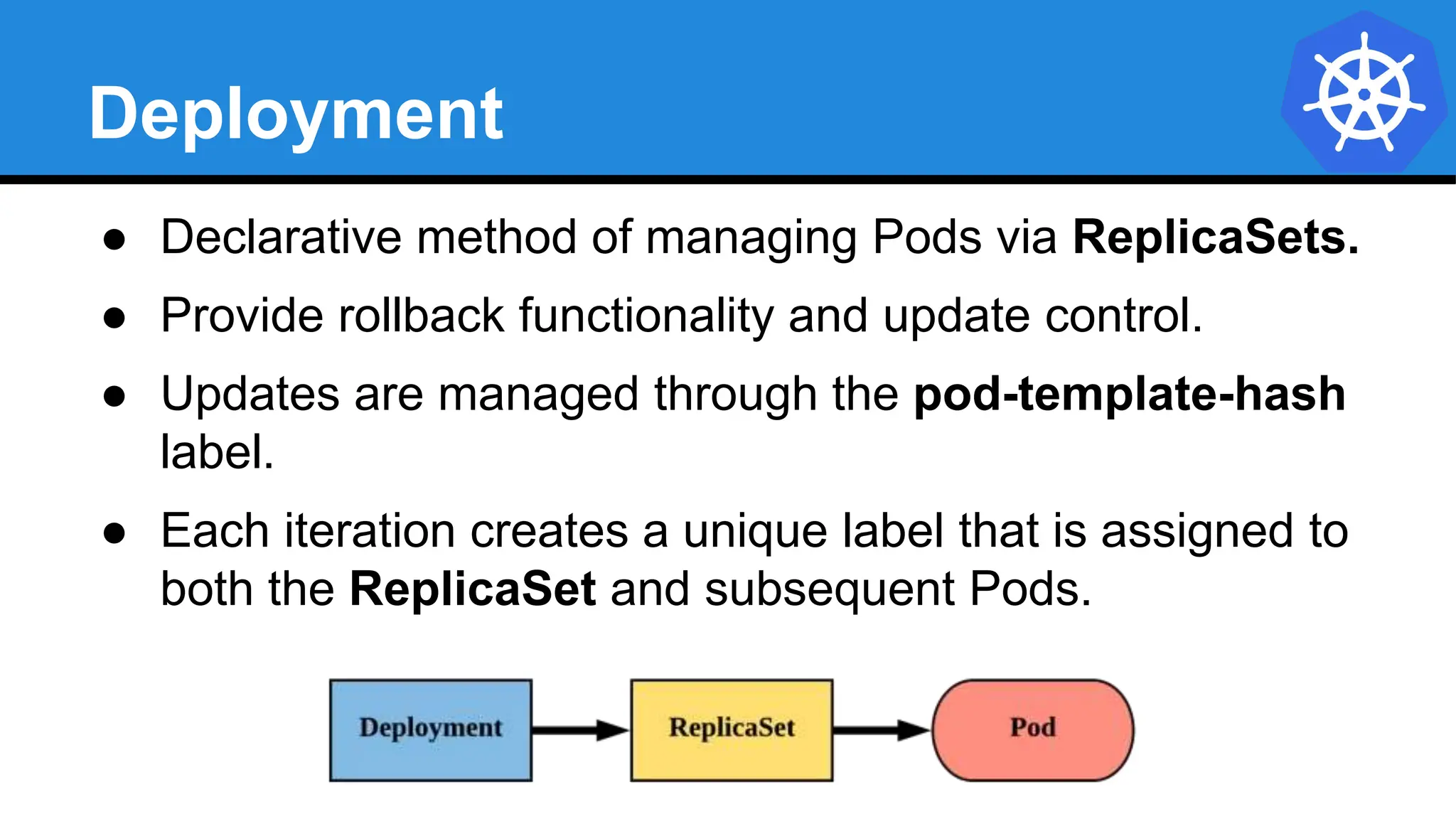
Deployment
● Declarative method of managing Pods via ReplicaSets.
● Provide rollback functionality and update control.
● Updates are managed through the pod-template-hash
label.
● Each iteration creates a unique label that is assigned to
both the ReplicaSet and subsequent Pods.
Deployment
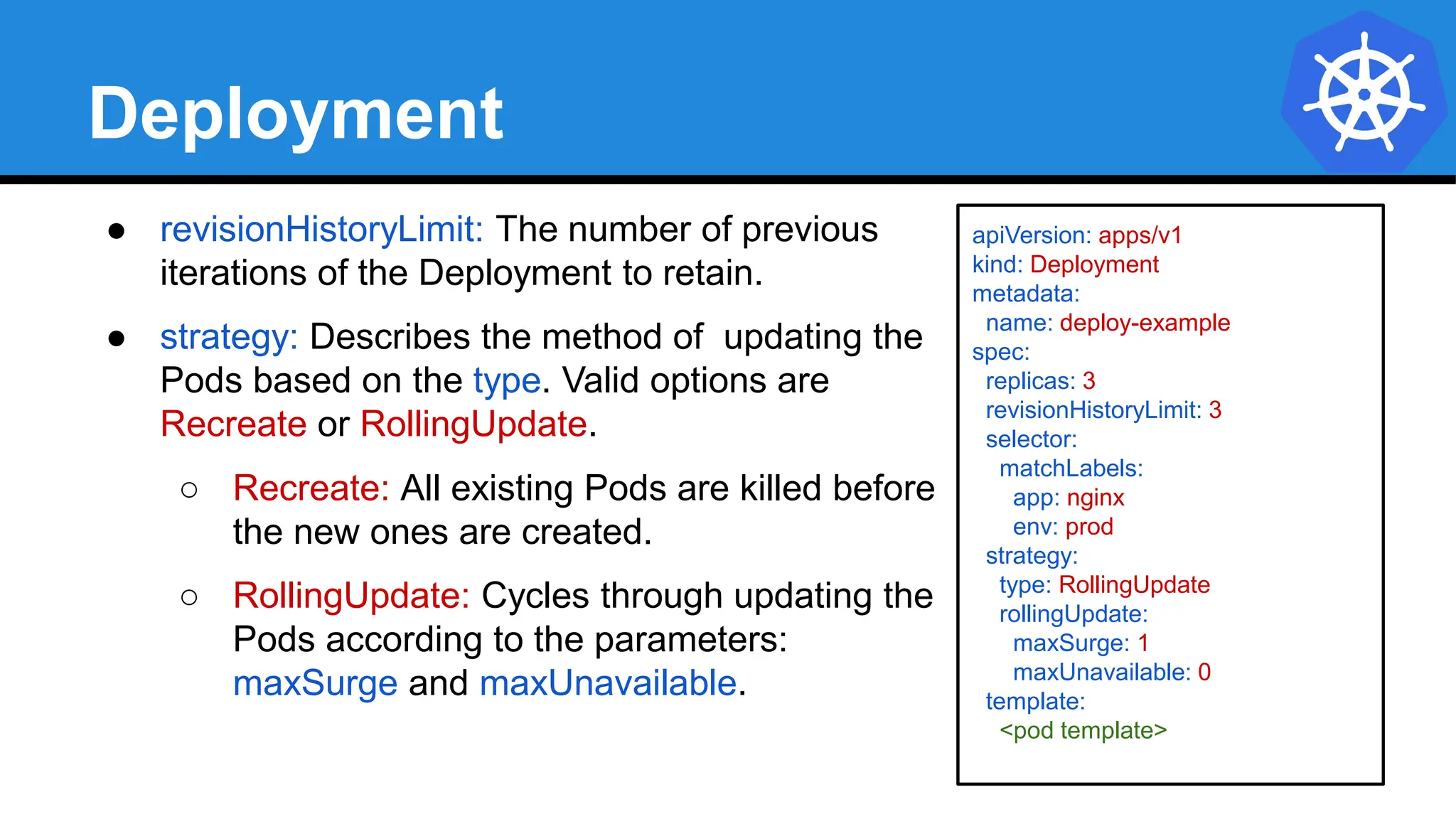
● revisionHistoryLimit: The number of previous
iterations of the Deployment to retain.
● strategy: Describes the method of updating the
Pods based on the type. Valid options are
Recreate or RollingUpdate.
○ Recreate: All existing Pods are killed before
the new ones are created.
○ RollingUpdate: Cycles through updating the
Pods according to the parameters:
maxSurge and maxUnavailable.
apiVersion: apps/v1
kind: Deployment
metadata:
name: deploy-example
spec:
replicas: 3
revisionHistoryLimit: 3
selector:
matchLabels:
app: nginx
env: prod
strategy:
type: RollingUpdate
rollingUpdate:
maxSurge: 1
maxUnavailable: 0
template:
<pod template>
RollingUpdate Deployment
$ kubectl get pods
NAME READY STATUS RESTARTS AGE
mydep-6766777fff-9r2zn 1/1 Running 0 5h
mydep-6766777fff-hsfz9 1/1 Running 0 5h
mydep-6766777fff-sjxhf 1/1 Running 0 5h
$ kubectl get replicaset
NAME DESIRED CURRENT READY AGE
mydep-6766777fff 3 3 3 5h
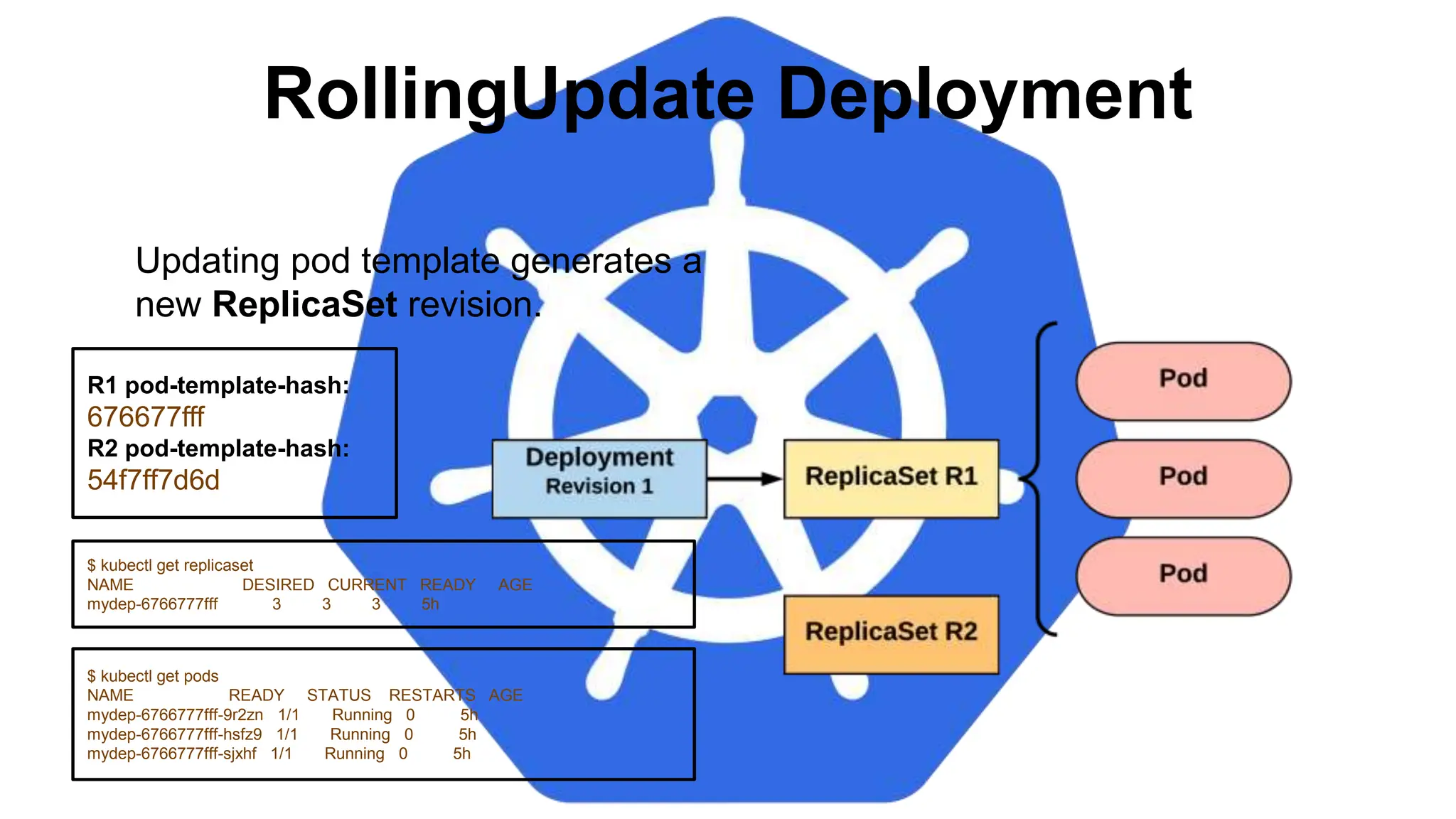
Updating pod template generates a
new ReplicaSet revision.
R1 pod-template-hash:
676677fff
R2 pod-template-hash:
54f7ff7d6d
RollingUpdate Deployment
$ kubectl get replicaset
NAME DESIRED CURRENT READY AGE
mydep-54f7ff7d6d 1 1 1 5s
mydep-6766777fff 2 3 3 5h
$ kubectl get pods
NAME READY STATUS RESTARTS AGE
mydep-54f7ff7d6d-9gvll 1/1 Running 0 2s
mydep-6766777fff-9r2zn 1/1 Running 0 5h
mydep-6766777fff-hsfz9 1/1 Running 0 5h
mydep-6766777fff-sjxhf 1/1 Running 0 5h
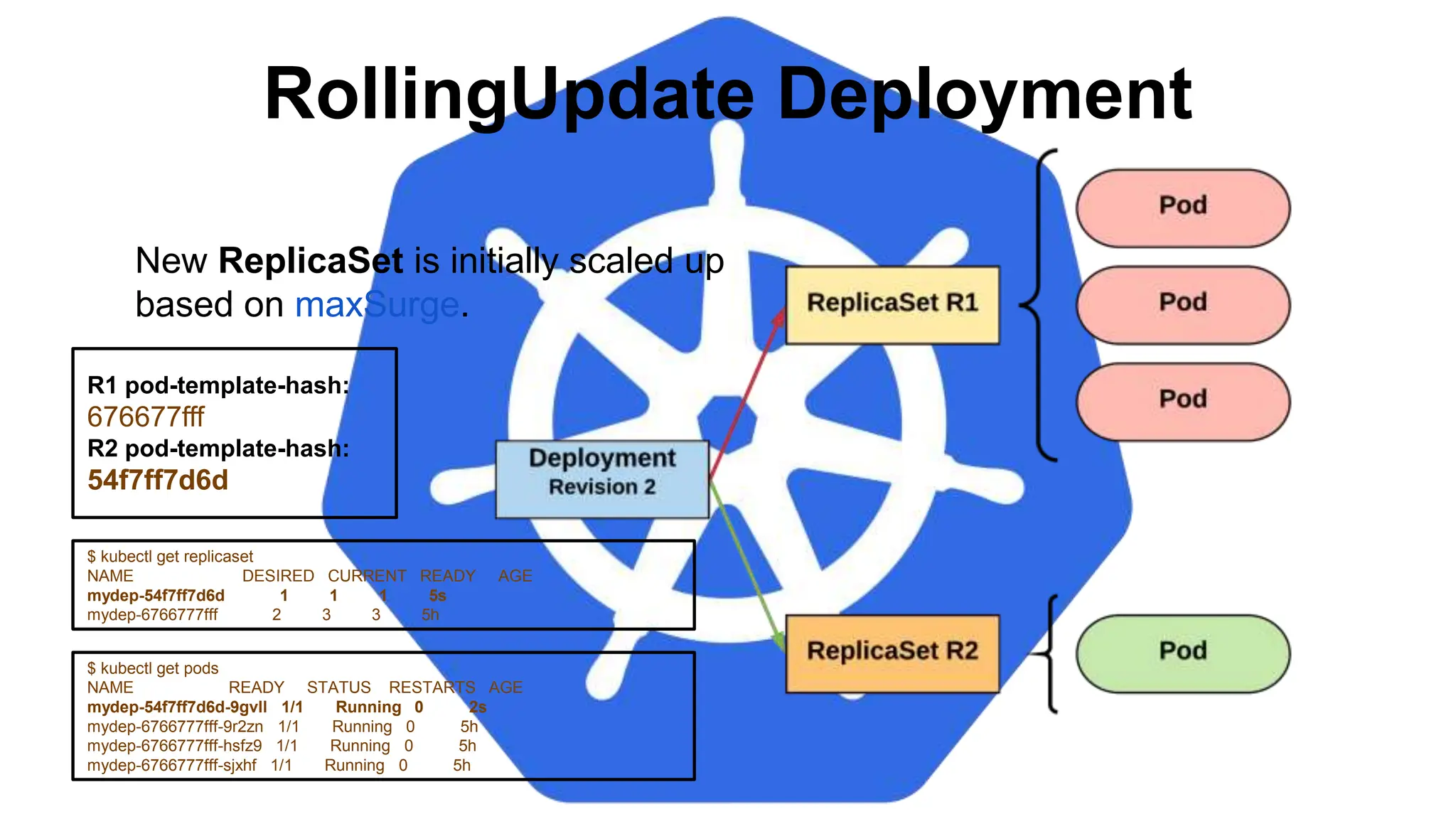
New ReplicaSet is initially scaled up
based on maxSurge.
R1 pod-template-hash:
676677fff
R2 pod-template-hash:
54f7ff7d6d
RollingUpdate Deployment
$ kubectl get pods
NAME READY STATUS RESTARTS AGE
mydep-54f7ff7d6d-9gvll 1/1 Running 0 5s
mydep-54f7ff7d6d-cqvlq 1/1 Running 0 2s
mydep-6766777fff-9r2zn 1/1 Running 0 5h
mydep-6766777fff-hsfz9 1/1 Running 0 5h
$ kubectl get replicaset
NAME DESIRED CURRENT READY AGE
mydep-54f7ff7d6d 2 2 2 8s
mydep-6766777fff 2 2 2 5h
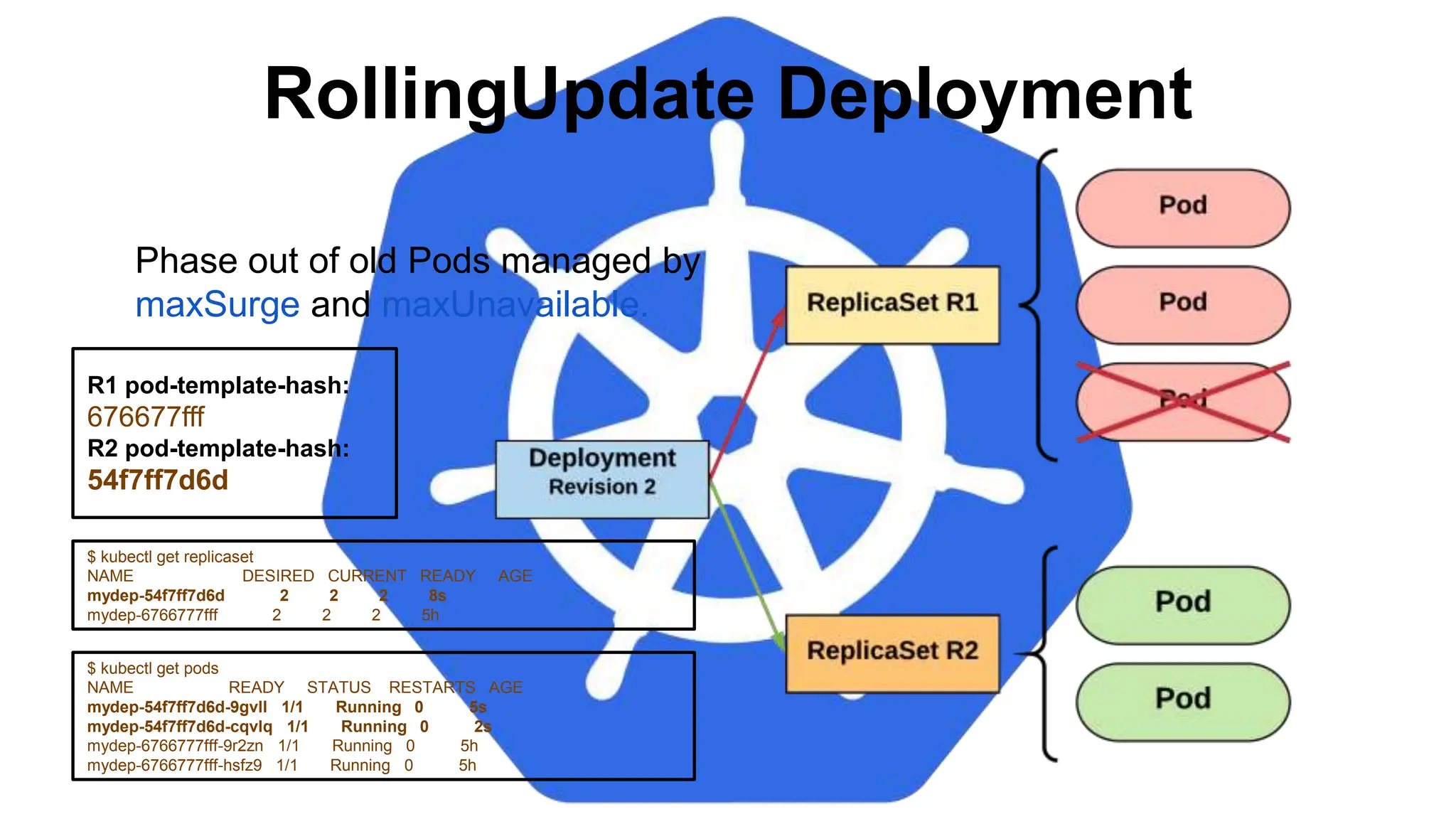
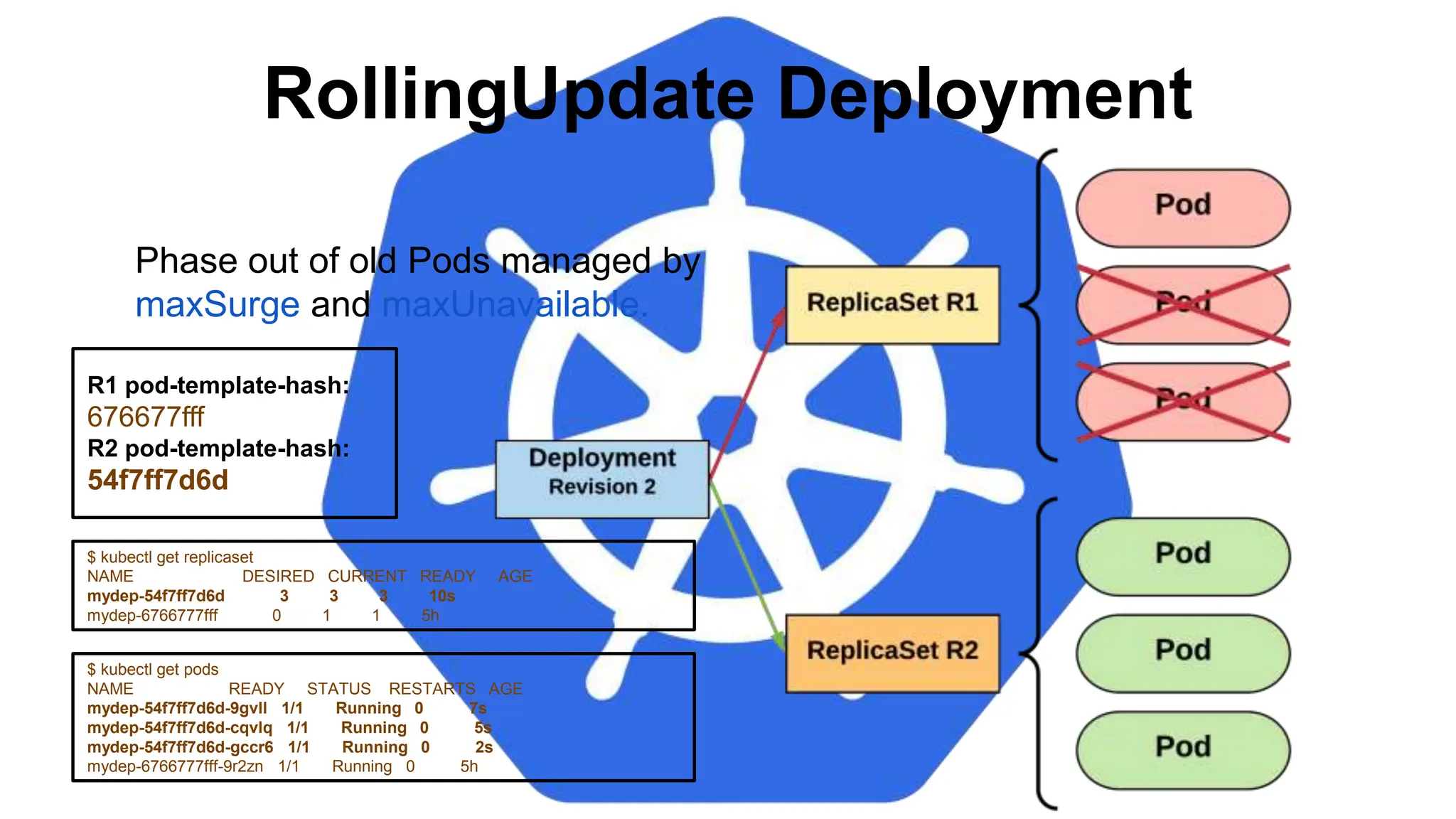
Phase out of old Pods managed by
maxSurge and maxUnavailable.
R1 pod-template-hash:
676677fff
R2 pod-template-hash:
54f7ff7d6d
RollingUpdate Deployment
$ kubectl get replicaset
NAME DESIRED CURRENT READY AGE
mydep-54f7ff7d6d 3 3 3 10s
mydep-6766777fff 0 1 1 5h
$ kubectl get pods
NAME READY STATUS RESTARTS AGE
mydep-54f7ff7d6d-9gvll 1/1 Running 0 7s
mydep-54f7ff7d6d-cqvlq 1/1 Running 0 5s
mydep-54f7ff7d6d-gccr6 1/1 Running 0 2s
mydep-6766777fff-9r2zn 1/1 Running 0 5h
Phase out of old Pods managed by
maxSurge and maxUnavailable.
R1 pod-template-hash:
676677fff
R2 pod-template-hash:
54f7ff7d6d
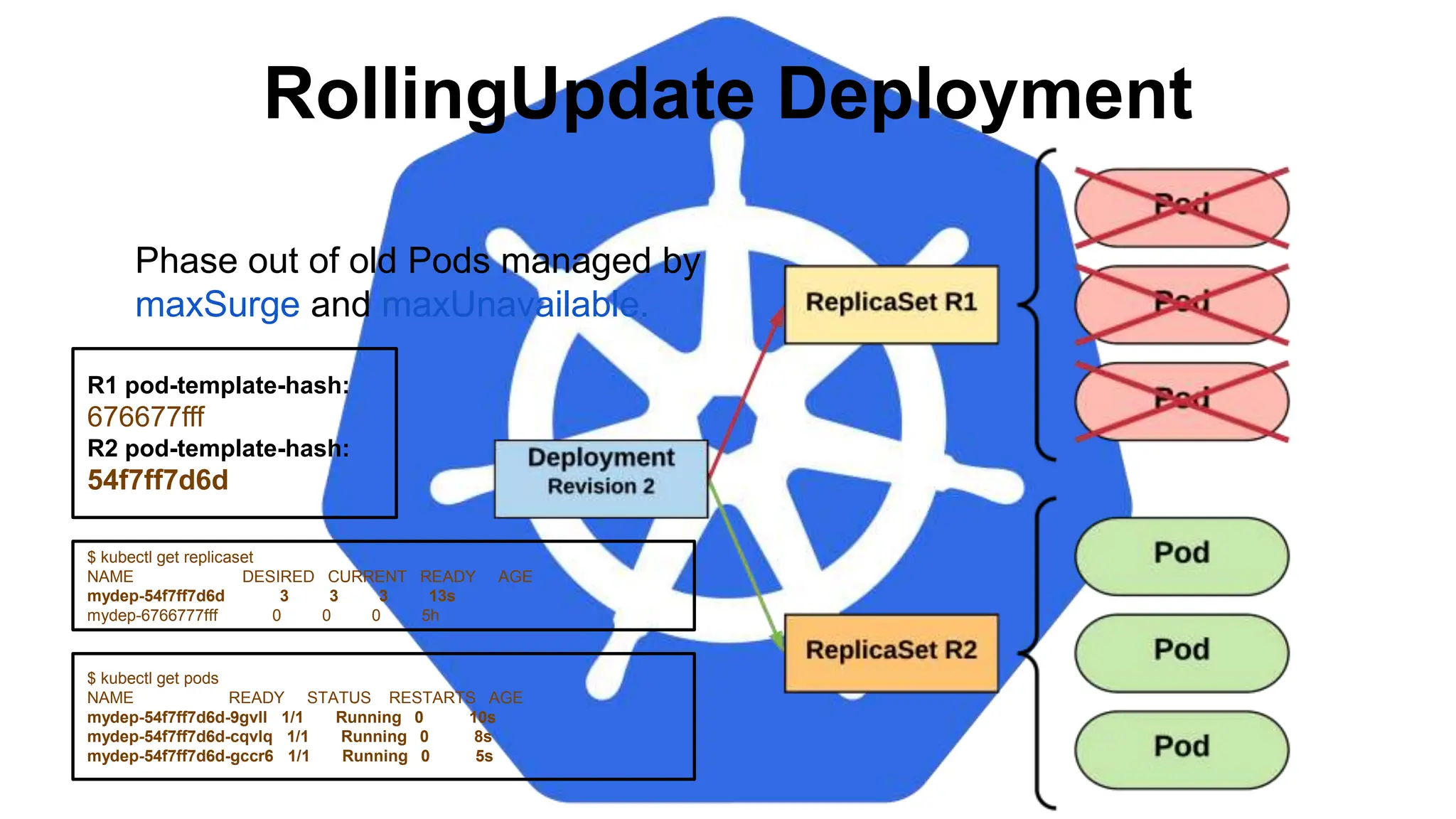
RollingUpdate Deployment
$ kubectl get replicaset
NAME DESIRED CURRENT READY AGE
mydep-54f7ff7d6d 3 3 3 13s
mydep-6766777fff 0 0 0 5h
$ kubectl get pods
NAME READY STATUS RESTARTS AGE
mydep-54f7ff7d6d-9gvll 1/1 Running 0 10s
mydep-54f7ff7d6d-cqvlq 1/1 Running 0 8s
mydep-54f7ff7d6d-gccr6 1/1 Running 0 5s
Phase out of old Pods managed by
maxSurge and maxUnavailable.
R1 pod-template-hash:
676677fff
R2 pod-template-hash:
54f7ff7d6d
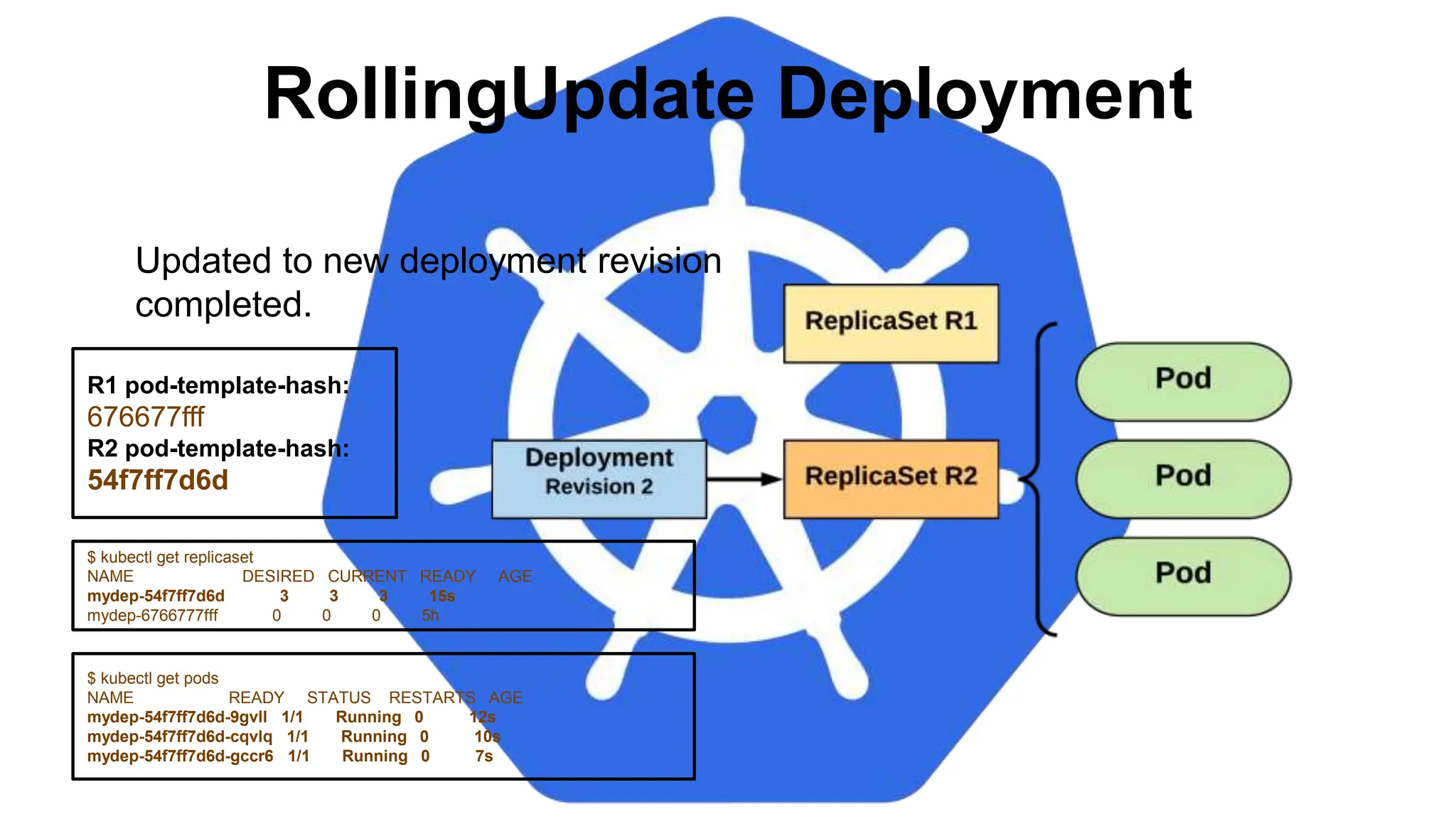
RollingUpdate Deployment
$ kubectl get replicaset
NAME DESIRED CURRENT READY AGE
mydep-54f7ff7d6d 3 3 3 15s
mydep-6766777fff 0 0 0 5h
$ kubectl get pods
NAME READY STATUS RESTARTS AGE
mydep-54f7ff7d6d-9gvll 1/1 Running 0 12s
mydep-54f7ff7d6d-cqvlq 1/1 Running 0 10s
mydep-54f7ff7d6d-gccr6 1/1 Running 0 7s
Updated to new deployment revision
completed.
R1 pod-template-hash:
676677fff
R2 pod-template-hash:
54f7ff7d6d
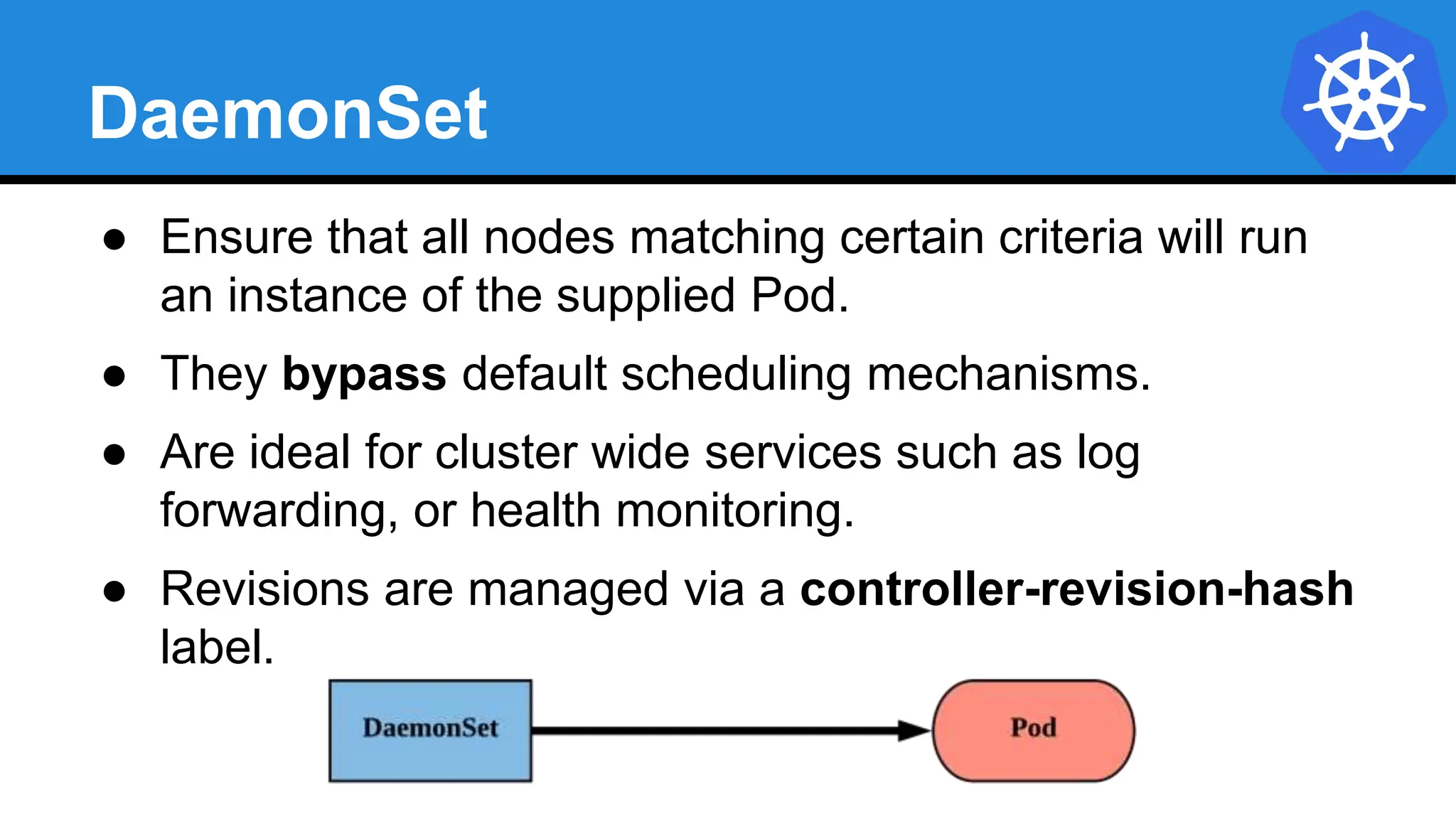
DaemonSet
● Ensure that all nodes matching certain criteria will run
an instance of the supplied Pod.
● They bypass default scheduling mechanisms.
● Are ideal for cluster wide services such as log
forwarding, or health monitoring.
● Revisions are managed via a controller-revision-hash
label.
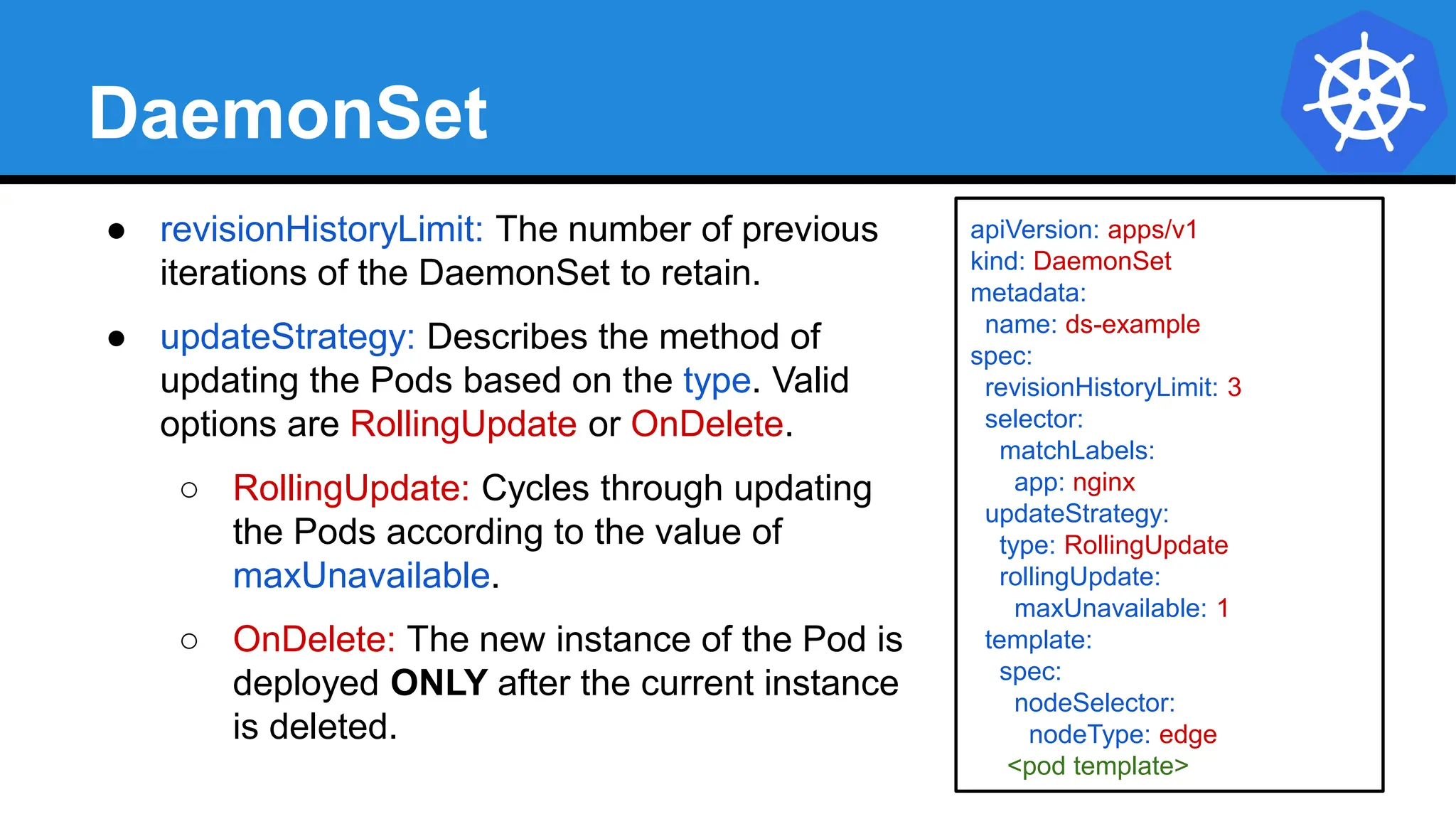
DaemonSet
● revisionHistoryLimit: The number of previous
iterations of the DaemonSet to retain.
● updateStrategy: Describes the method of
updating the Pods based on the type. Valid
options are RollingUpdate or OnDelete.
○ RollingUpdate: Cycles through updating
the Pods according to the value of
maxUnavailable.
○ OnDelete: The new instance of the Pod is
deployed ONLY after the current instance
is deleted.
apiVersion: apps/v1
kind: DaemonSet
metadata:
name: ds-example
spec:
revisionHistoryLimit: 3
selector:
matchLabels:
app: nginx
updateStrategy:
type: RollingUpdate
rollingUpdate:
maxUnavailable: 1
template:
spec:
nodeSelector:
nodeType: edge
<pod template>
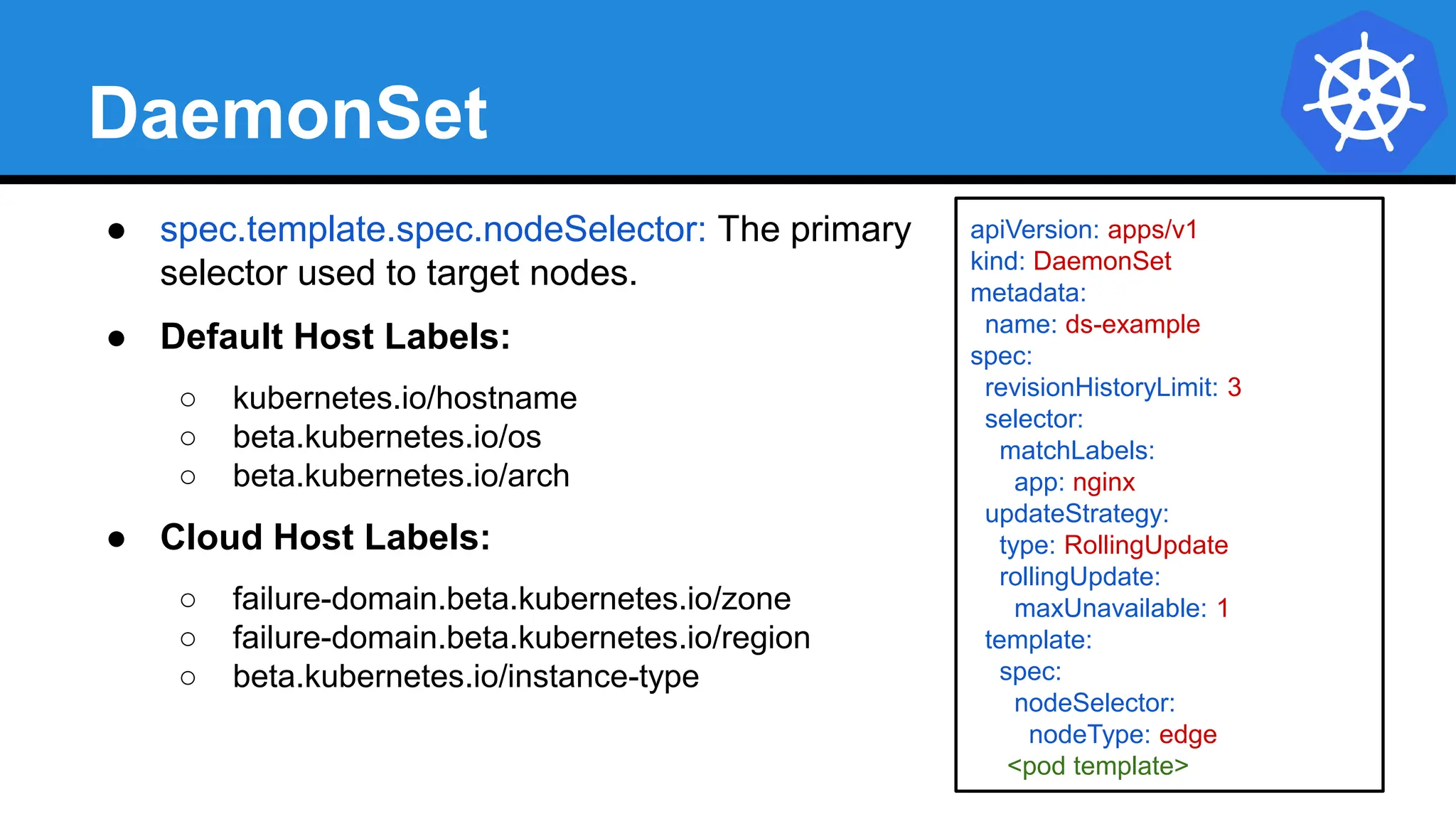
DaemonSet
● spec.template.spec.nodeSelector: The primary
selector used to target nodes.
● Default Host Labels:
○ kubernetes.io/hostname
○ beta.kubernetes.io/os
○ beta.kubernetes.io/arch
● Cloud Host Labels:
○ failure-domain.beta.kubernetes.io/zone
○ failure-domain.beta.kubernetes.io/region
○ beta.kubernetes.io/instance-type
apiVersion: apps/v1
kind: DaemonSet
metadata:
name: ds-example
spec:
revisionHistoryLimit: 3
selector:
matchLabels:
app: nginx
updateStrategy:
type: RollingUpdate
rollingUpdate:
maxUnavailable: 1
template:
spec:
nodeSelector:
nodeType: edge
<pod template>
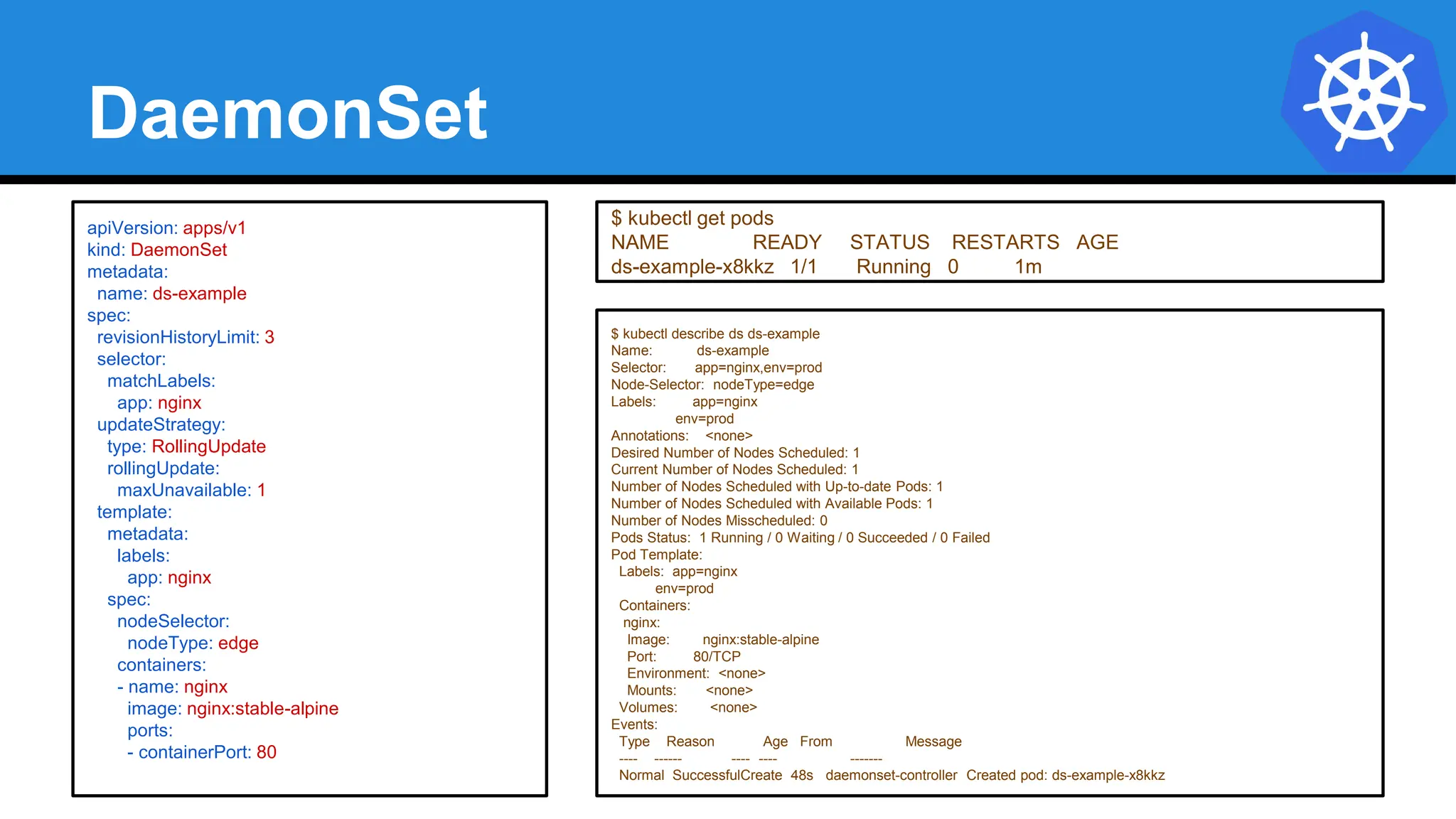
DaemonSet
$ kubectl describe ds ds-example
Name: ds-example
Selector: app=nginx,env=prod
Node-Selector: nodeType=edge
Labels: app=nginx
env=prod
Annotations: <none>
Desired Number of Nodes Scheduled: 1
Current Number of Nodes Scheduled: 1
Number of Nodes Scheduled with Up-to-date Pods: 1
Number of Nodes Scheduled with Available Pods: 1
Number of Nodes Misscheduled: 0
Pods Status: 1 Running / 0 Waiting / 0 Succeeded / 0 Failed
Pod Template:
Labels: app=nginx
env=prod
Containers:
nginx:
Image: nginx:stable-alpine
Port: 80/TCP
Environment: <none>
Mounts: <none>
Volumes: <none>
Events:
Type Reason Age From Message
---- ------ ---- ---- -------
Normal SuccessfulCreate 48s daemonset-controller Created pod: ds-example-x8kkz
apiVersion: apps/v1
kind: DaemonSet
metadata:
name: ds-example
spec:
revisionHistoryLimit: 3
selector:
matchLabels:
app: nginx
updateStrategy:
type: RollingUpdate
rollingUpdate:
maxUnavailable: 1
template:
metadata:
labels:
app: nginx
spec:
nodeSelector:
nodeType: edge
containers:
- name: nginx
image: nginx:stable-alpine
ports:
- containerPort: 80
$ kubectl get pods
NAME READY STATUS RESTARTS AGE
ds-example-x8kkz 1/1 Running 0 1m
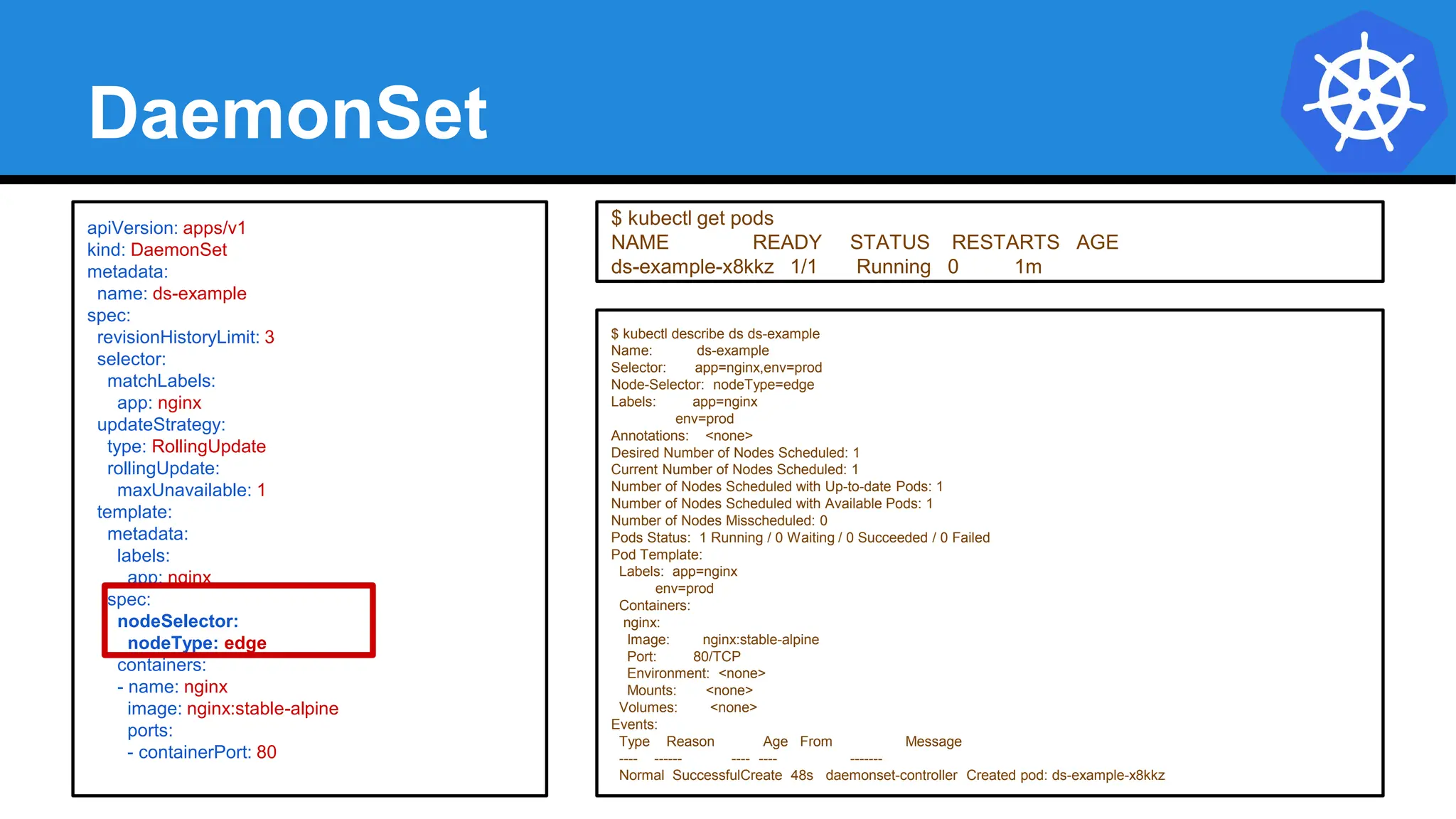
DaemonSet
$ kubectl describe ds ds-example
Name: ds-example
Selector: app=nginx,env=prod
Node-Selector: nodeType=edge
Labels: app=nginx
env=prod
Annotations: <none>
Desired Number of Nodes Scheduled: 1
Current Number of Nodes Scheduled: 1
Number of Nodes Scheduled with Up-to-date Pods: 1
Number of Nodes Scheduled with Available Pods: 1
Number of Nodes Misscheduled: 0
Pods Status: 1 Running / 0 Waiting / 0 Succeeded / 0 Failed
Pod Template:
Labels: app=nginx
env=prod
Containers:
nginx:
Image: nginx:stable-alpine
Port: 80/TCP
Environment: <none>
Mounts: <none>
Volumes: <none>
Events:
Type Reason Age From Message
---- ------ ---- ---- -------
Normal SuccessfulCreate 48s daemonset-controller Created pod: ds-example-x8kkz
apiVersion: apps/v1
kind: DaemonSet
metadata:
name: ds-example
spec:
revisionHistoryLimit: 3
selector:
matchLabels:
app: nginx
updateStrategy:
type: RollingUpdate
rollingUpdate:
maxUnavailable: 1
template:
metadata:
labels:
app: nginx
spec:
nodeSelector:
nodeType: edge
containers:
- name: nginx
image: nginx:stable-alpine
ports:
- containerPort: 80
$ kubectl get pods
NAME READY STATUS RESTARTS AGE
ds-example-x8kkz 1/1 Running 0 1m
STATEFULESET
 StatefulSets are valuable for applications that require one or more of the following.

 Stable, unique network identifiers.
 Stable, persistent storage.
 Ordered, graceful deployment and scaling.
 Ordered, automated rolling updates.
LIMITATION
 The storage for a given Pod must either be provisioned by a PersistentVolume Provisioner based
on the requested storage class, or pre-provisioned by an admin.
 Deleting and/or scaling a StatefulSet down will not delete the volumes associated with the
StatefulSet. This is done to ensure data safety, which is generally more valuable than an automatic
purge of all related StatefulSet resources.
 StatefulSets currently require a Headless Service to be responsible for the network identity of the
Pods. You are responsible for creating this Service.
 StatefulSets do not provide any guarantees on the termination of pods when a StatefulSet is
deleted. To achieve ordered and graceful termination of the pods in the StatefulSet, it is possible to
scale the StatefulSet down to 0 prior to deletion.
 When using Rolling Updates with the default Pod Management Policy (OrderedReady), it’s possible
to get into a broken state that requires manual intervention to re
StatefulSet
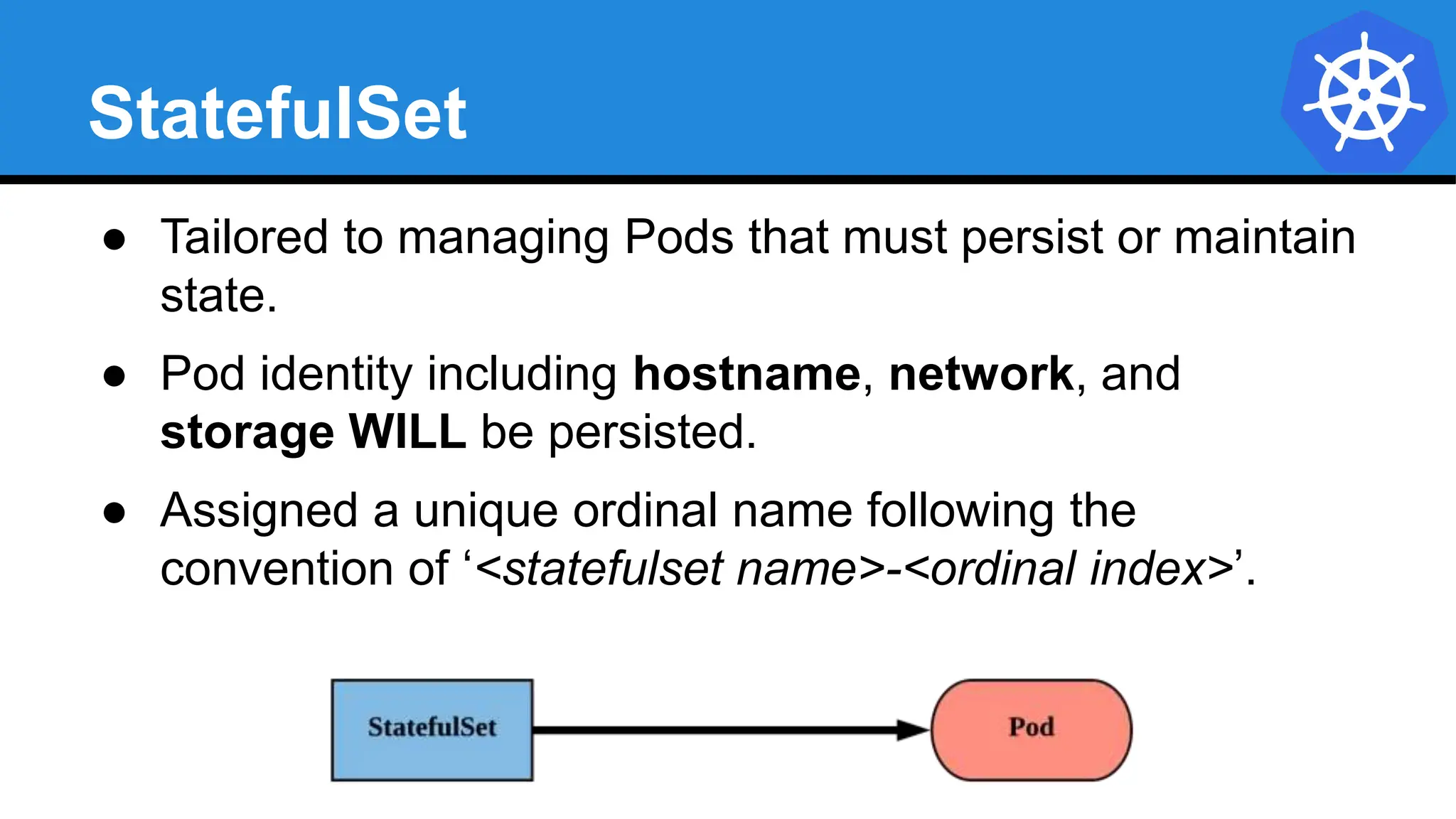
● Tailored to managing Pods that must persist or maintain
state.
● Pod identity including hostname, network, and
storage WILL be persisted.
● Assigned a unique ordinal name following the
convention of ‘<statefulset name>-<ordinal index>’.
StatefulSet
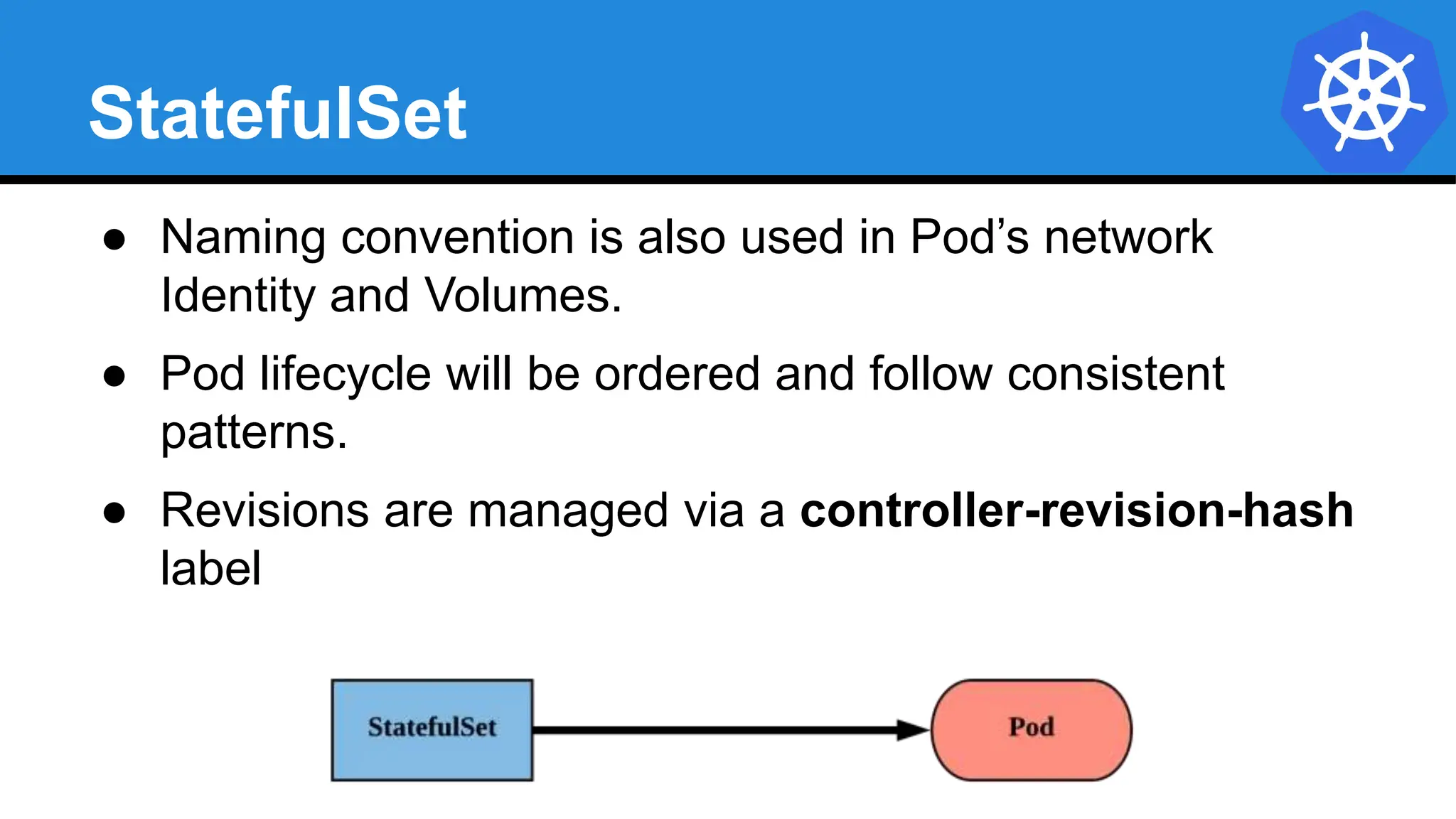
● Naming convention is also used in Pod’s network
Identity and Volumes.
● Pod lifecycle will be ordered and follow consistent
patterns.
● Revisions are managed via a controller-revision-hash
label
StatefulSet
apiVersion: apps/v1
kind: StatefulSet
metadata:
name: sts-example
spec:
replicas: 2
revisionHistoryLimit: 3
selector:
matchLabels:
app: stateful
serviceName: app
updateStrategy:
type: RollingUpdate
rollingUpdate:
partition: 0
template:
metadata:
labels:
app: stateful
<continued>
<continued>
spec:
containers:
- name: nginx
image: nginx:stable-alpine
ports:
- containerPort: 80
volumeMounts:
- name: www
mountPath: /usr/share/nginx/html
volumeClaimTemplates:
- metadata:
name: www
spec:
accessModes: [ "ReadWriteOnce" ]
storageClassName: standard
resources:
requests:
storage: 1Gi
StatefulSet
apiVersion: apps/v1
kind: StatefulSet
metadata:
name: sts-example
spec:
replicas: 2
revisionHistoryLimit: 3
selector:
matchLabels:
app: stateful
serviceName: app
updateStrategy:
type: RollingUpdate
rollingUpdate:
partition: 0
template:
<pod template>
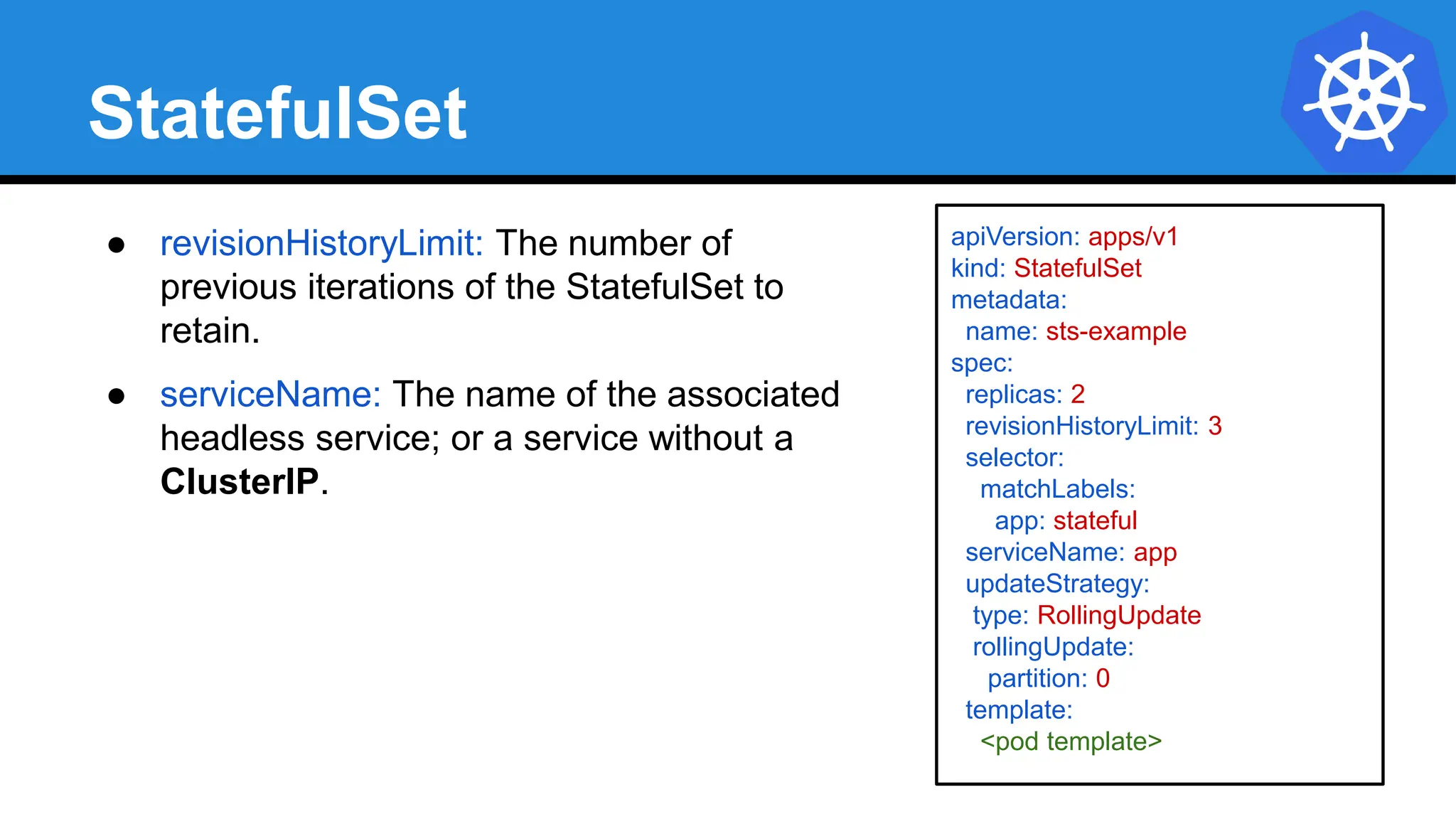
● revisionHistoryLimit: The number of
previous iterations of the StatefulSet to
retain.
● serviceName: The name of the associated
headless service; or a service without a
ClusterIP.
Headless Service
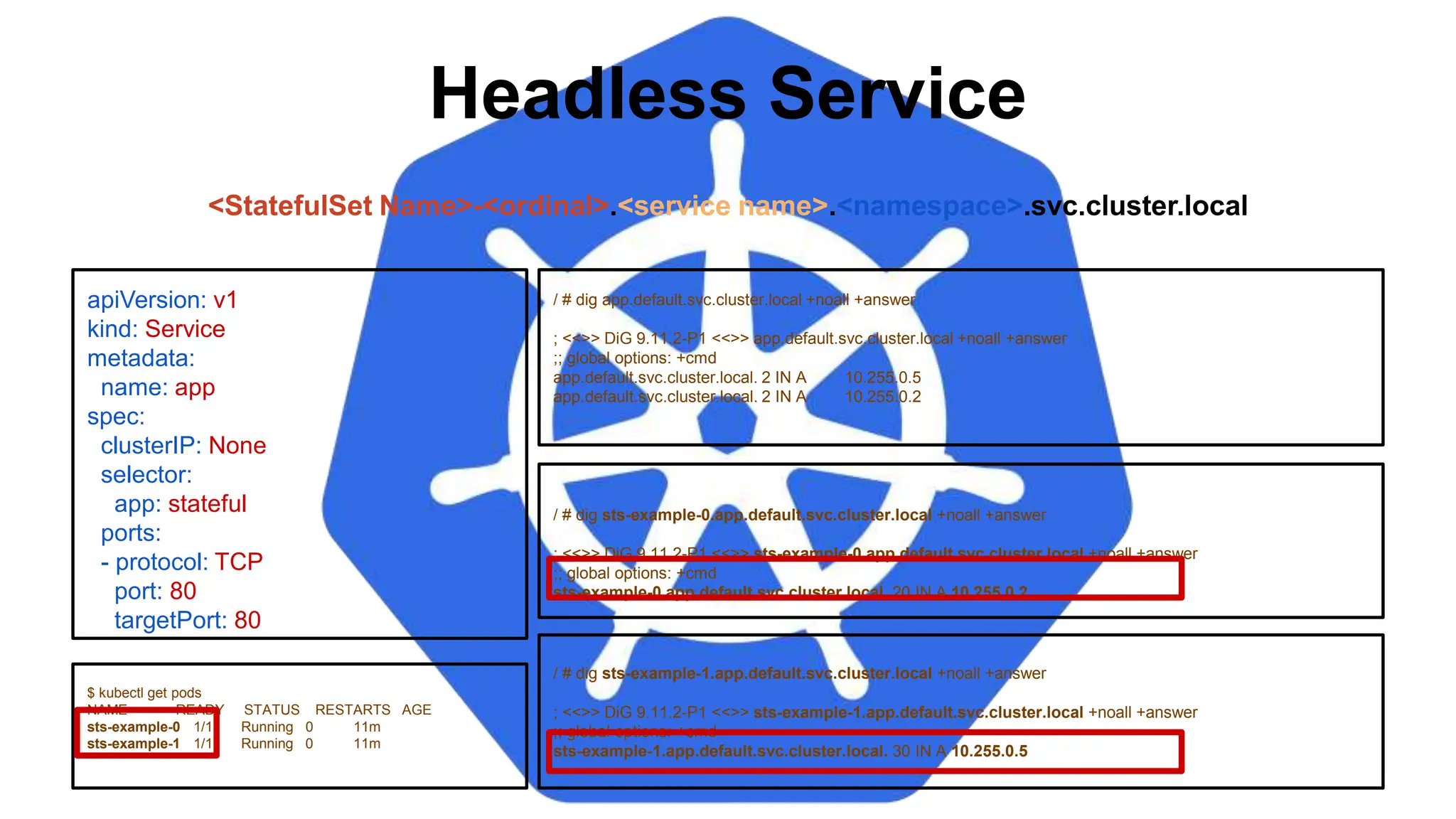
/ # dig sts-example-0.app.default.svc.cluster.local +noall +answer
; <<>> DiG 9.11.2-P1 <<>> sts-example-0.app.default.svc.cluster.local +noall +answer
;; global options: +cmd
sts-example-0.app.default.svc.cluster.local. 20 IN A 10.255.0.2
apiVersion: v1
kind: Service
metadata:
name: app
spec:
clusterIP: None
selector:
app: stateful
ports:
- protocol: TCP
port: 80
targetPort: 80
$ kubectl get pods
NAME READY STATUS RESTARTS AGE
sts-example-0 1/1 Running 0 11m
sts-example-1 1/1 Running 0 11m
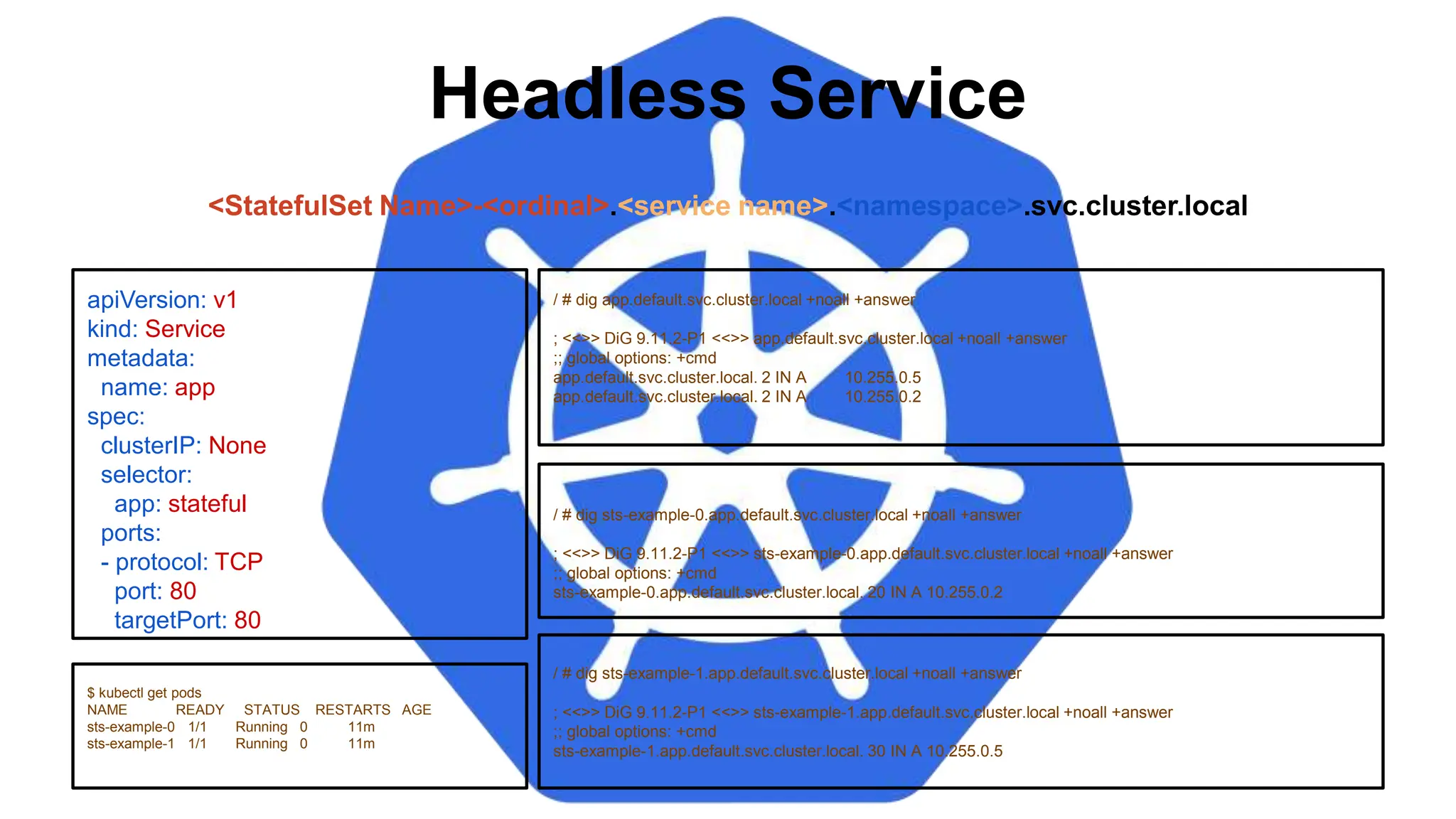
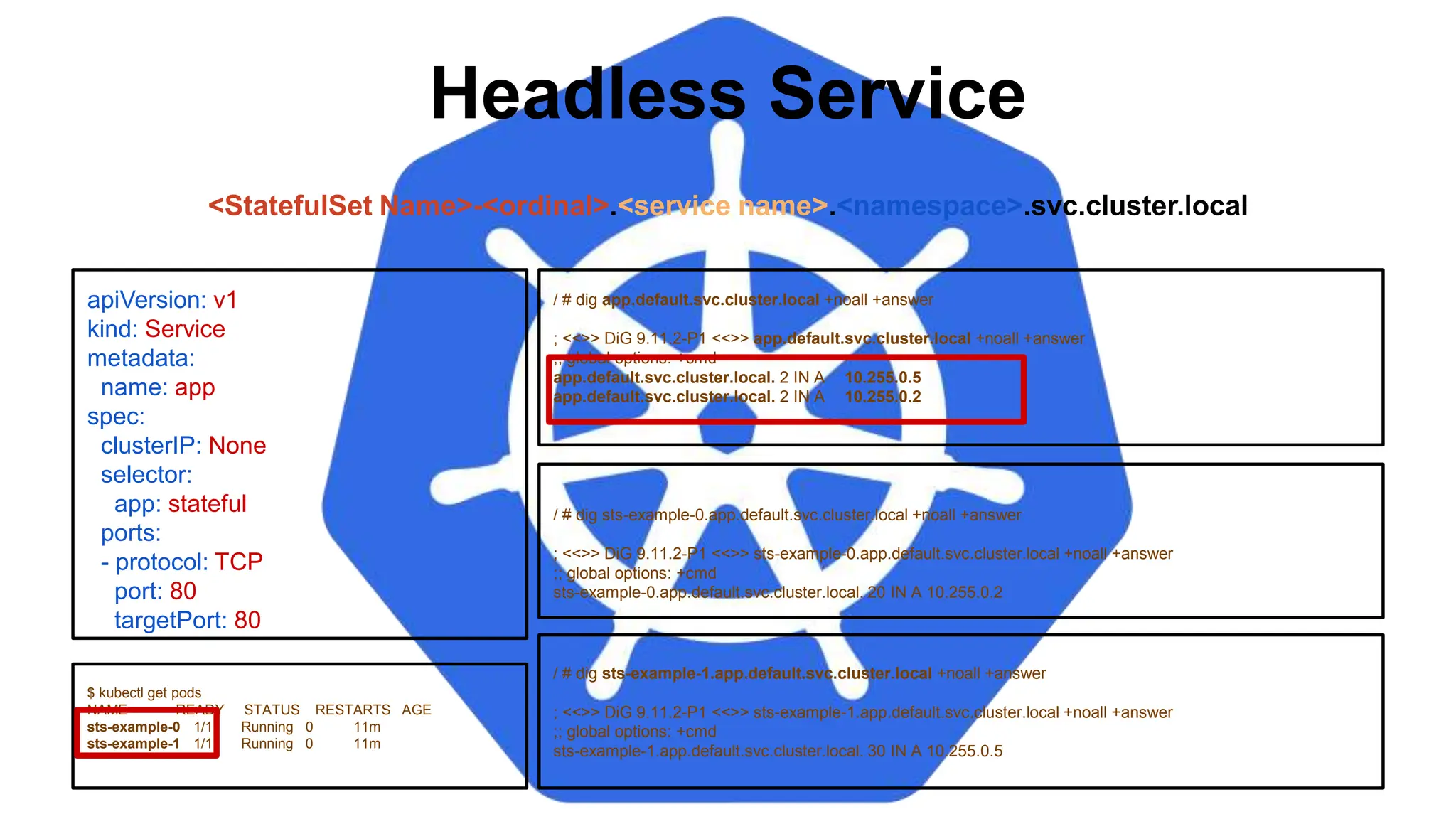
<StatefulSet Name>-<ordinal>.<service name>.<namespace>.svc.cluster.local
/ # dig app.default.svc.cluster.local +noall +answer
; <<>> DiG 9.11.2-P1 <<>> app.default.svc.cluster.local +noall +answer
;; global options: +cmd
app.default.svc.cluster.local. 2 IN A 10.255.0.5
app.default.svc.cluster.local. 2 IN A 10.255.0.2
/ # dig sts-example-1.app.default.svc.cluster.local +noall +answer
; <<>> DiG 9.11.2-P1 <<>> sts-example-1.app.default.svc.cluster.local +noall +answer
;; global options: +cmd
sts-example-1.app.default.svc.cluster.local. 30 IN A 10.255.0.5
Headless Service
/ # dig sts-example-0.app.default.svc.cluster.local +noall +answer
; <<>> DiG 9.11.2-P1 <<>> sts-example-0.app.default.svc.cluster.local +noall +answer
;; global options: +cmd
sts-example-0.app.default.svc.cluster.local. 20 IN A 10.255.0.2
apiVersion: v1
kind: Service
metadata:
name: app
spec:
clusterIP: None
selector:
app: stateful
ports:
- protocol: TCP
port: 80
targetPort: 80
$ kubectl get pods
NAME READY STATUS RESTARTS AGE
sts-example-0 1/1 Running 0 11m
sts-example-1 1/1 Running 0 11m
<StatefulSet Name>-<ordinal>.<service name>.<namespace>.svc.cluster.local
/ # dig app.default.svc.cluster.local +noall +answer
; <<>> DiG 9.11.2-P1 <<>> app.default.svc.cluster.local +noall +answer
;; global options: +cmd
app.default.svc.cluster.local. 2 IN A 10.255.0.5
app.default.svc.cluster.local. 2 IN A 10.255.0.2
/ # dig sts-example-1.app.default.svc.cluster.local +noall +answer
; <<>> DiG 9.11.2-P1 <<>> sts-example-1.app.default.svc.cluster.local +noall +answer
;; global options: +cmd
sts-example-1.app.default.svc.cluster.local. 30 IN A 10.255.0.5
Headless Service
/ # dig sts-example-0.app.default.svc.cluster.local +noall +answer
; <<>> DiG 9.11.2-P1 <<>> sts-example-0.app.default.svc.cluster.local +noall +answer
;; global options: +cmd
sts-example-0.app.default.svc.cluster.local. 20 IN A 10.255.0.2
apiVersion: v1
kind: Service
metadata:
name: app
spec:
clusterIP: None
selector:
app: stateful
ports:
- protocol: TCP
port: 80
targetPort: 80
$ kubectl get pods
NAME READY STATUS RESTARTS AGE
sts-example-0 1/1 Running 0 11m
sts-example-1 1/1 Running 0 11m
<StatefulSet Name>-<ordinal>.<service name>.<namespace>.svc.cluster.local
/ # dig app.default.svc.cluster.local +noall +answer
; <<>> DiG 9.11.2-P1 <<>> app.default.svc.cluster.local +noall +answer
;; global options: +cmd
app.default.svc.cluster.local. 2 IN A 10.255.0.5
app.default.svc.cluster.local. 2 IN A 10.255.0.2
/ # dig sts-example-1.app.default.svc.cluster.local +noall +answer
; <<>> DiG 9.11.2-P1 <<>> sts-example-1.app.default.svc.cluster.local +noall +answer
;; global options: +cmd
sts-example-1.app.default.svc.cluster.local. 30 IN A 10.255.0.5
StatefulSet
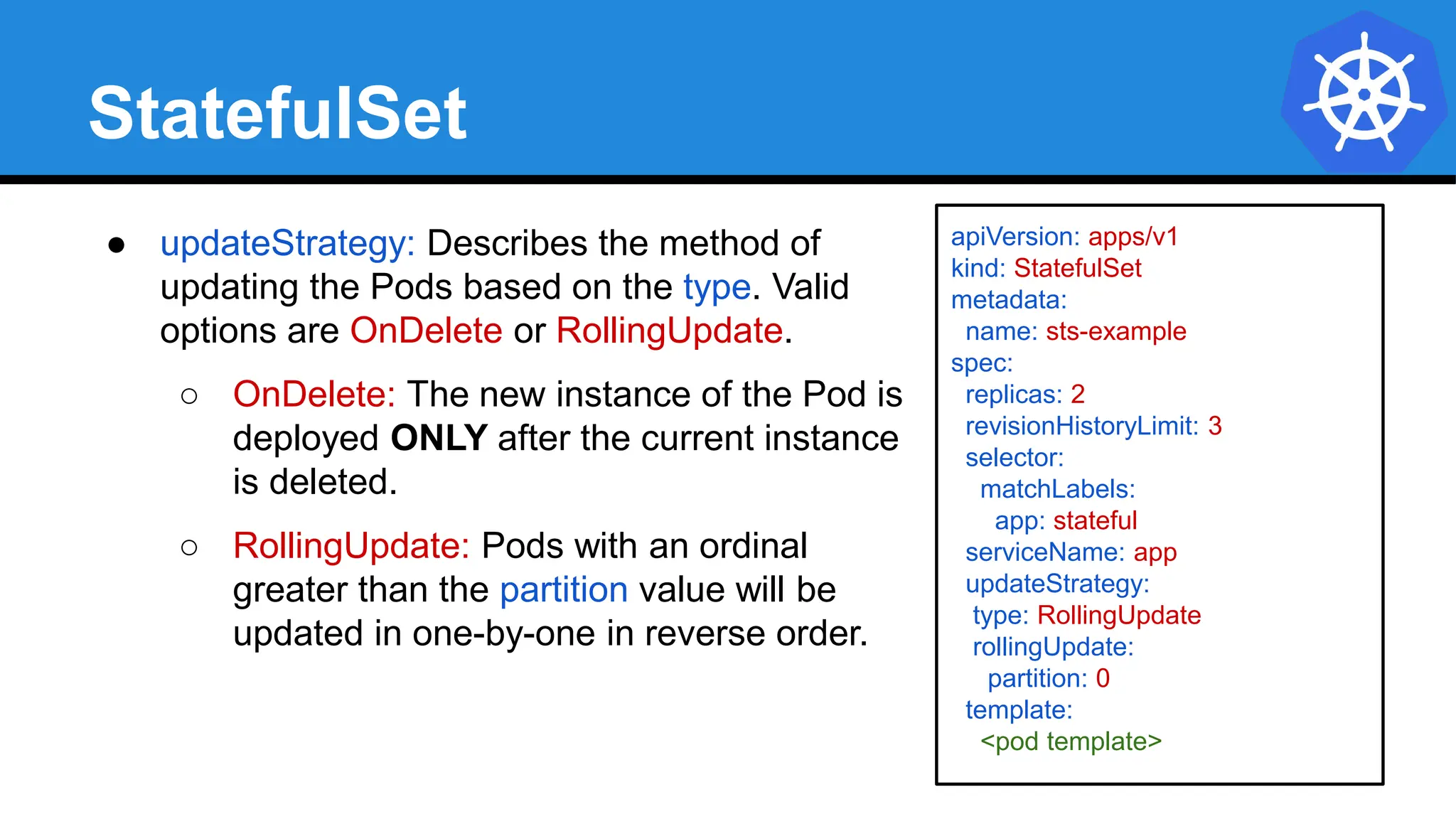
● updateStrategy: Describes the method of
updating the Pods based on the type. Valid
options are OnDelete or RollingUpdate.
○ OnDelete: The new instance of the Pod is
deployed ONLY after the current instance
is deleted.
○ RollingUpdate: Pods with an ordinal
greater than the partition value will be
updated in one-by-one in reverse order.
apiVersion: apps/v1
kind: StatefulSet
metadata:
name: sts-example
spec:
replicas: 2
revisionHistoryLimit: 3
selector:
matchLabels:
app: stateful
serviceName: app
updateStrategy:
type: RollingUpdate
rollingUpdate:
partition: 0
template:
<pod template>
StatefulSet
spec:
containers:
- name: nginx
image: nginx:stable-alpine
ports:
- containerPort: 80
volumeMounts:
- name: www
mountPath: /usr/share/nginx/html
volumeClaimTemplates:
- metadata:
name: www
spec:
accessModes: [ "ReadWriteOnce" ]
storageClassName: standard
resources:
requests:
storage: 1Gi
● volumeClaimTemplates:
Template of the persistent
volume(s) request to use for
each instance of the StatefulSet.
VolumeClaimTemplate
volumeClaimTemplates:
- metadata:
name: www
spec:
accessModes: [ "ReadWriteOnce" ]
storageClassName: standard
resources:
requests:
storage: 1Gi
$ kubectl get pvc
NAME STATUS VOLUME CAPACITY ACCESS MODES STORAGECLASS AGE
www-sts-example-0 Bound pvc-d2f11e3b-18d0-11e8-ba4f-080027a3682b 1Gi RWO standard 4h
www-sts-example-1 Bound pvc-d3c923c0-18d0-11e8-ba4f-080027a3682b 1Gi RWO standard 4h
<Volume Name>-<StatefulSet Name>-<ordinal>
Persistent Volumes associated with a
StatefulSet will NOT be automatically
garbage collected when it’s associated
StatefulSet is deleted. They must manually
be removed.
Job
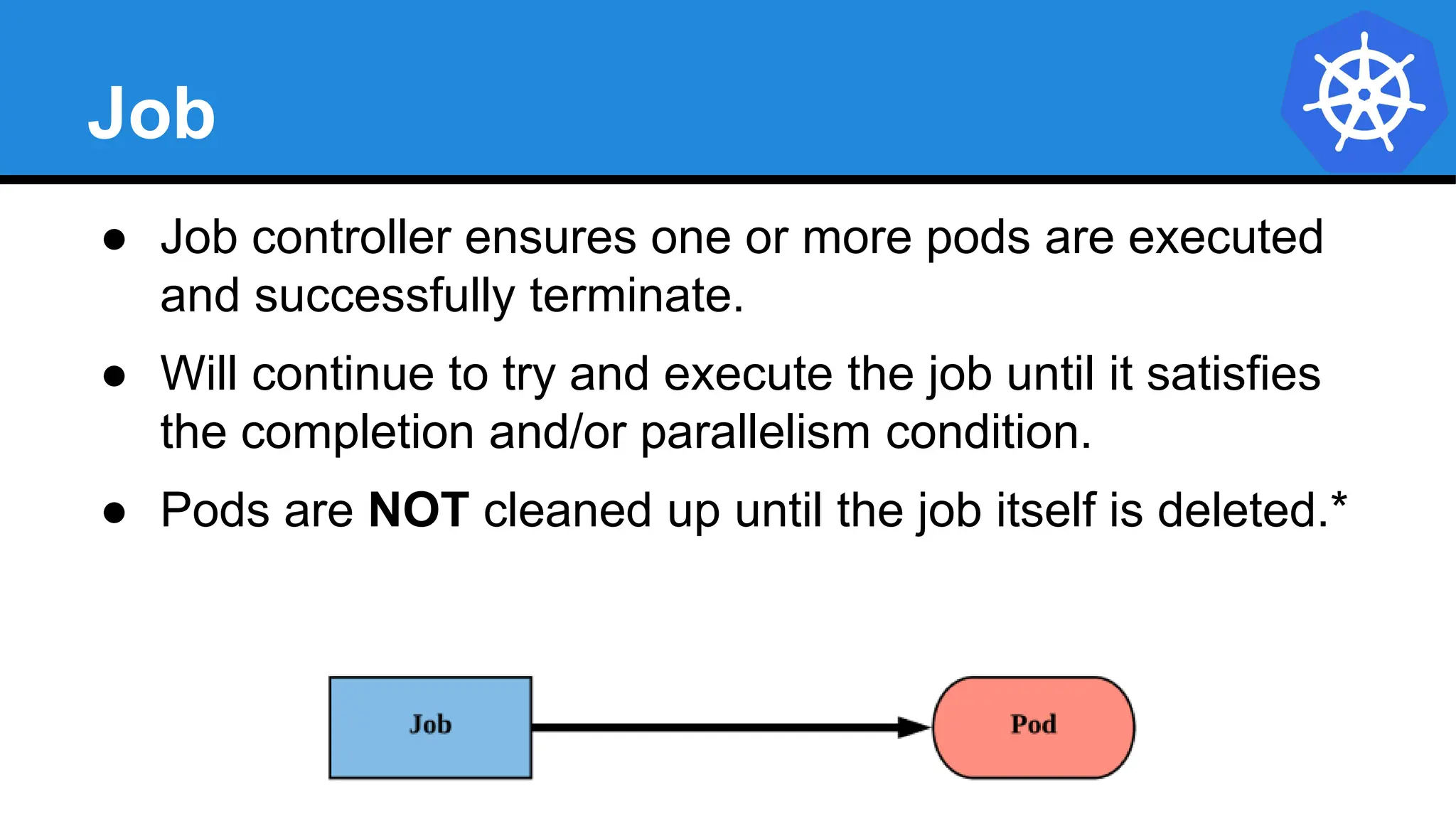
● Job controller ensures one or more pods are executed
and successfully terminate.
● Will continue to try and execute the job until it satisfies
the completion and/or parallelism condition.
● Pods are NOT cleaned up until the job itself is deleted.*
Job
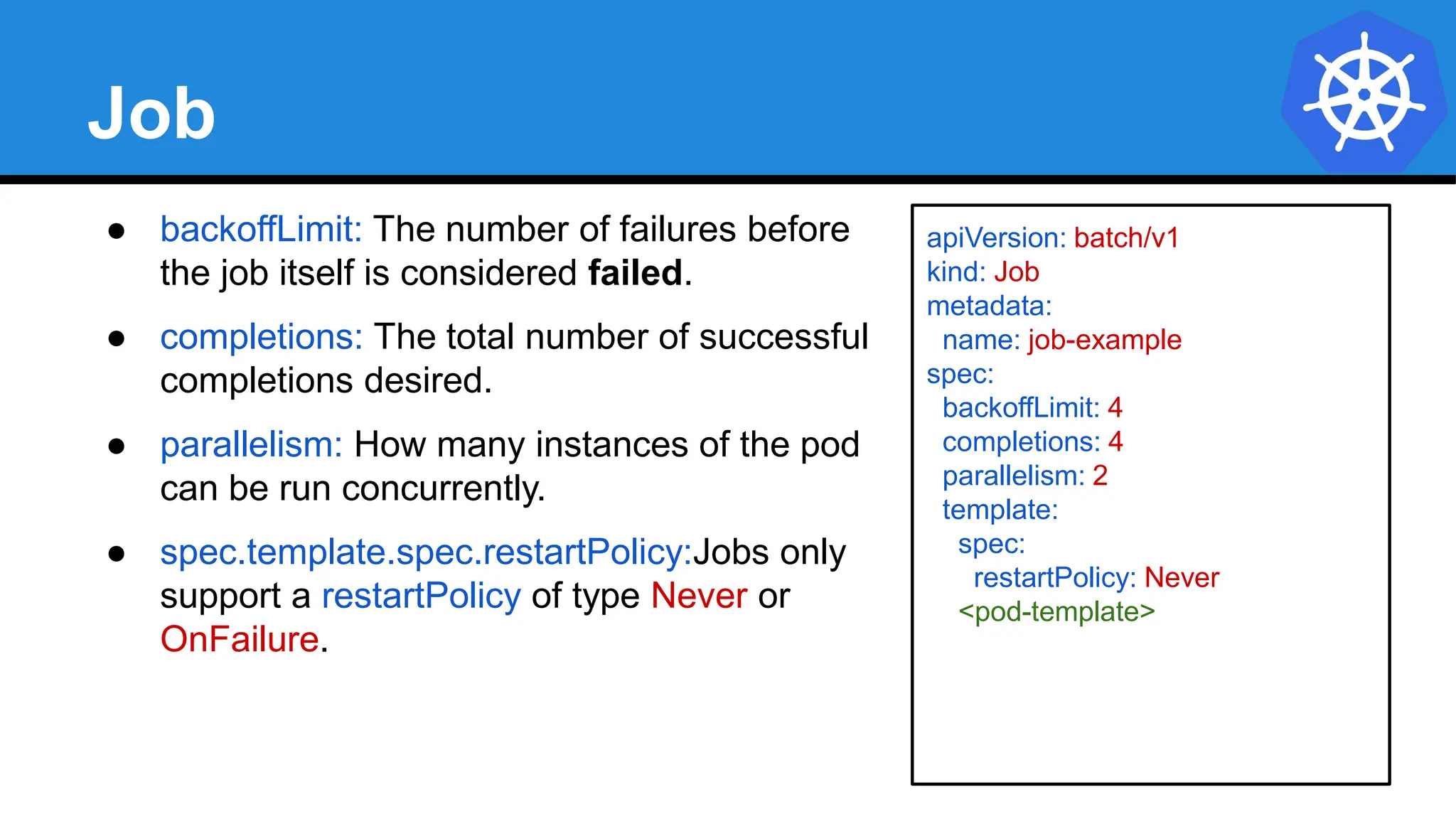
● backoffLimit: The number of failures before
the job itself is considered failed.
● completions: The total number of successful
completions desired.
● parallelism: How many instances of the pod
can be run concurrently.
● spec.template.spec.restartPolicy:Jobs only
support a restartPolicy of type Never or
OnFailure.
apiVersion: batch/v1
kind: Job
metadata:
name: job-example
spec:
backoffLimit: 4
completions: 4
parallelism: 2
template:
spec:
restartPolicy: Never
<pod-template>
Job
apiVersion: batch/v1
kind: Job
metadata:
name: job-example
spec:
backoffLimit: 4
completions: 4
parallelism: 2
template:
spec:
containers:
- name: hello
image: alpine:latest
command: ["/bin/sh", "-c"]
args: ["echo hello from $HOSTNAME!"]
restartPolicy: Never
$ kubectl describe job job-example
Name: job-example
Namespace: default
Selector: controller-uid=19d122f4-1576-11e8-a4e2-080027a3682b
Labels: controller-uid=19d122f4-1576-11e8-a4e2-080027a3682b
job-name=job-example
Annotations: <none>
Parallelism: 2
Completions: 4
Start Time: Mon, 19 Feb 2018 08:09:21 -0500
Pods Statuses: 0 Running / 4 Succeeded / 0 Failed
Pod Template:
Labels: controller-uid=19d122f4-1576-11e8-a4e2-080027a3682b
job-name=job-example
Containers:
hello:
Image: alpine:latest
Port: <none>
Command:
/bin/sh
-c
Args:
echo hello from $HOSTNAME!
Environment: <none>
Mounts: <none>
Volumes: <none>
Events:
Type Reason Age From Message
---- ------ ---- ---- -------
Normal SuccessfulCreate 52m job-controller Created pod: job-example-v5fvq
Normal SuccessfulCreate 52m job-controller Created pod: job-example-hknns
Normal SuccessfulCreate 51m job-controller Created pod: job-example-tphkm
Normal SuccessfulCreate 51m job-controller Created pod: job-example-dvxd2
$ kubectl get pods --show-all
NAME READY STATUS RESTARTS AGE
job-example-dvxd2 0/1 Completed 0 51m
job-example-hknns 0/1 Completed 0 52m
job-example-tphkm 0/1 Completed 0 51m
job-example-v5fvq 0/1 Completed 0 52m
CronJob
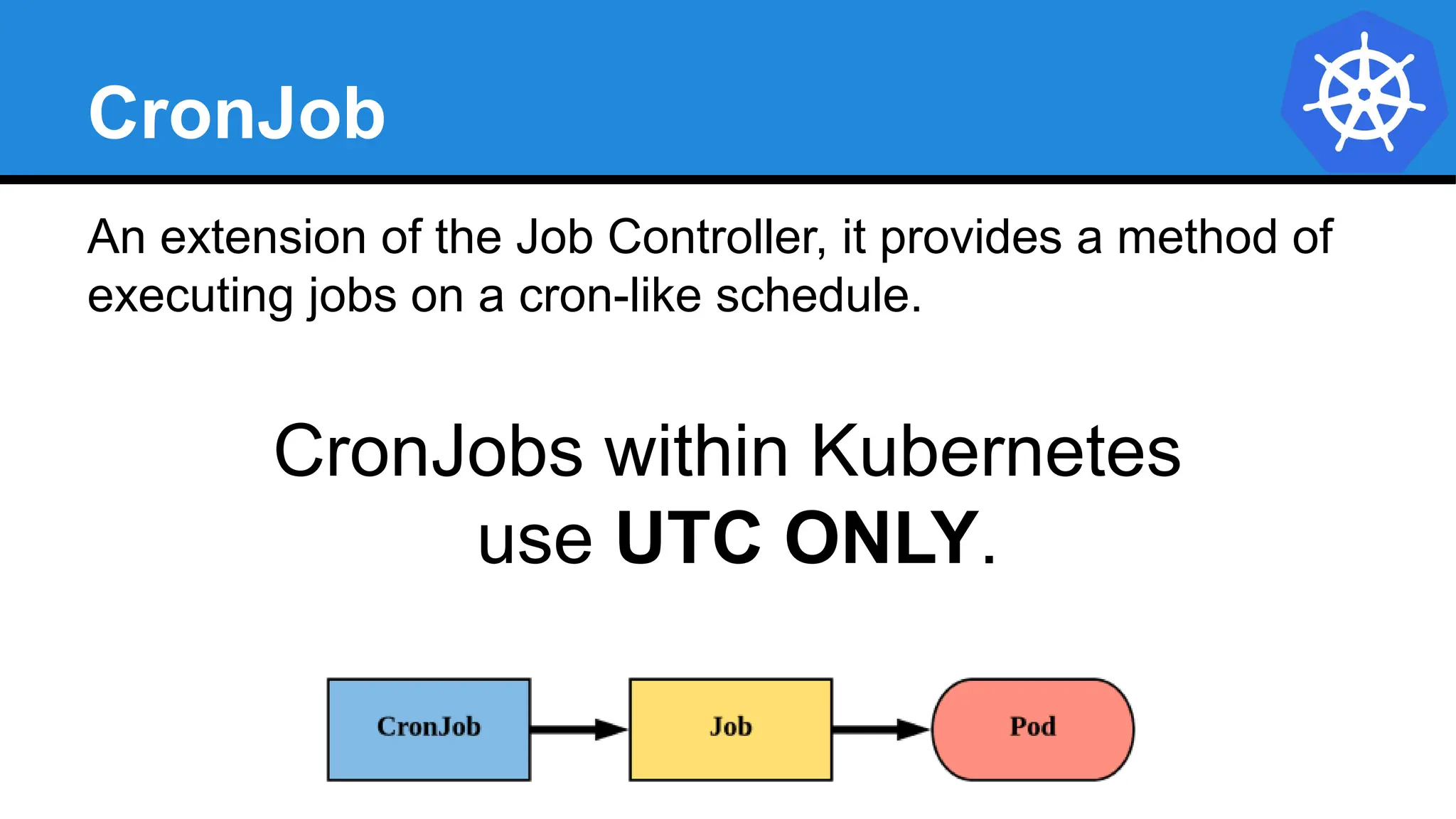
An extension of the Job Controller, it provides a method of
executing jobs on a cron-like schedule.
CronJobs within Kubernetes
use UTC ONLY.
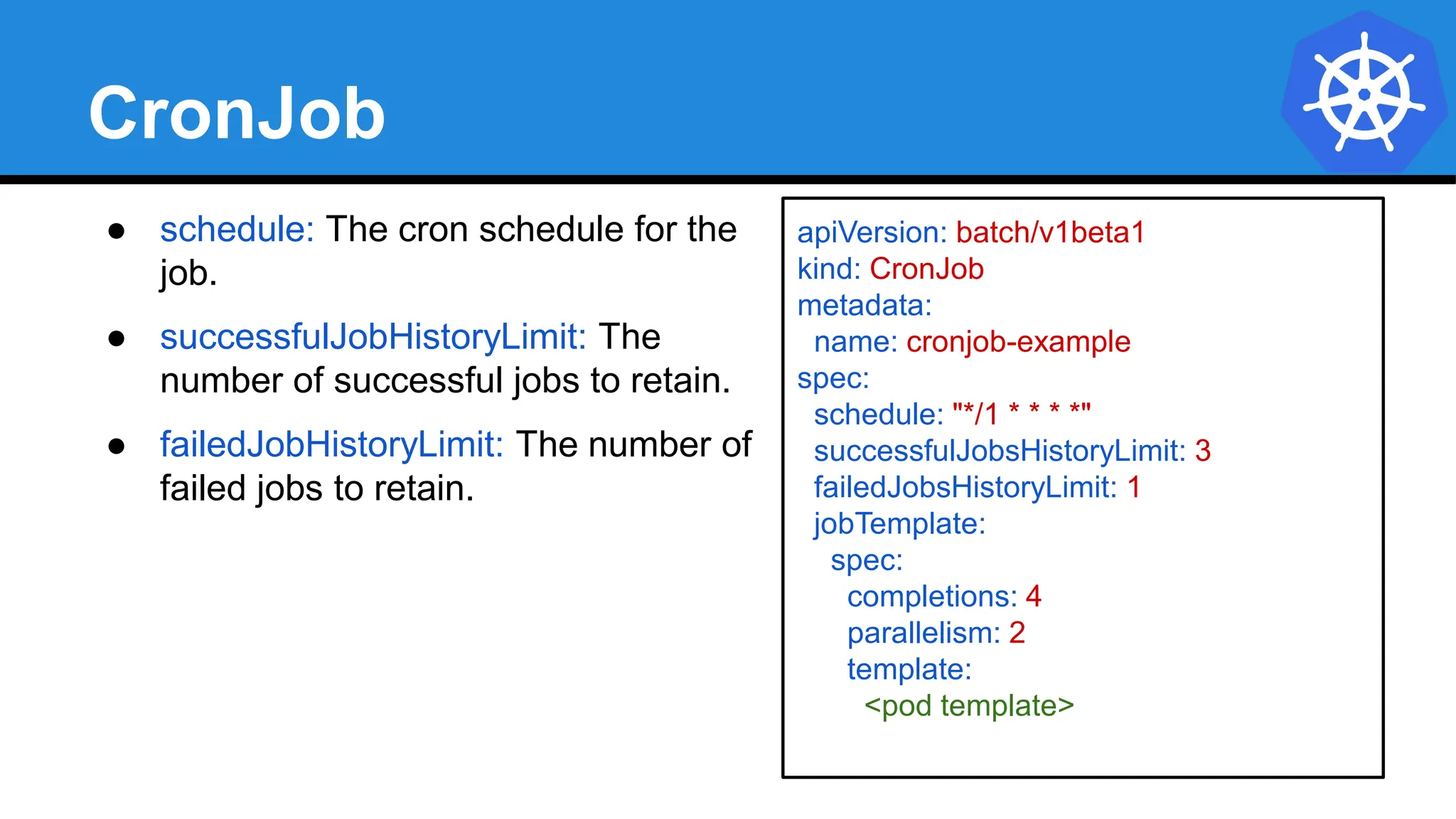
CronJob
● schedule: The cron schedule for the
job.
● successfulJobHistoryLimit: The
number of successful jobs to retain.
● failedJobHistoryLimit: The number of
failed jobs to retain.
apiVersion: batch/v1beta1
kind: CronJob
metadata:
name: cronjob-example
spec:
schedule: "*/1 * * * *"
successfulJobsHistoryLimit: 3
failedJobsHistoryLimit: 1
jobTemplate:
spec:
completions: 4
parallelism: 2
template:
<pod template>
CronJob
$ kubectl describe cronjob cronjob-example
Name: cronjob-example
Namespace: default
Labels: <none>
Annotations: <none>
Schedule: */1 * * * *
Concurrency Policy: Allow
Suspend: False
Starting Deadline Seconds: <unset>
Selector: <unset>
Parallelism: 2
Completions: 4
Pod Template:
Labels: <none>
Containers:
hello:
Image: alpine:latest
Port: <none>
Command:
/bin/sh
-c
Args:
echo hello from $HOSTNAME!
Environment: <none>
Mounts: <none>
Volumes: <none>
Last Schedule Time: Mon, 19 Feb 2018 09:54:00 -0500
Active Jobs: cronjob-example-1519052040
Events:
Type Reason Age From Message
---- ------ ---- ---- -------
Normal SuccessfulCreate 3m cronjob-controller Created job cronjob-example-1519051860
Normal SawCompletedJob 2m cronjob-controller Saw completed job: cronjob-example-1519051860
Normal SuccessfulCreate 2m cronjob-controller Created job cronjob-example-1519051920
Normal SawCompletedJob 1m cronjob-controller Saw completed job: cronjob-example-1519051920
Normal SuccessfulCreate 1m cronjob-controller Created job cronjob-example-1519051980
apiVersion: batch/v1beta1
kind: CronJob
metadata:
name: cronjob-example
spec:
schedule: "*/1 * * * *"
successfulJobsHistoryLimit: 3
failedJobsHistoryLimit: 1
jobTemplate:
spec:
completions: 4
parallelism: 2
template:
spec:
containers:
- name: hello
image: alpine:latest
command: ["/bin/sh", "-c"]
args: ["echo hello from $HOSTNAME!"]
restartPolicy: Never
$ kubectl get jobs
NAME DESIRED SUCCESSFUL AGE
cronjob-example-1519053240 4 4 2m
cronjob-example-1519053300 4 4 1m
cronjob-example-1519053360 4 4 26s
Lab - github.com/mrbobbytables/k8s-intro-tutorials/blob/master/workloads
Using Workloads
Concepts and Resources
Storage
● Volumes
Persistent
Volumes
Persistent
Volume Claims
StorageClass
Storage
Pods by themselves are useful, but many workloads
require exchanging data between containers, or persisting
some form of data.
For this we have Volumes, PersistentVolumes,
PersistentVolumeClaims, and StorageClasses.
Volumes
● Storage that is tied to the Pod’s Lifecycle.
● A pod can have one or more types of volumes attached
to it.
● Can be consumed by any of the containers within the
pod.
● Survive Pod restarts; however their durability beyond
that is dependent on the Volume Type.
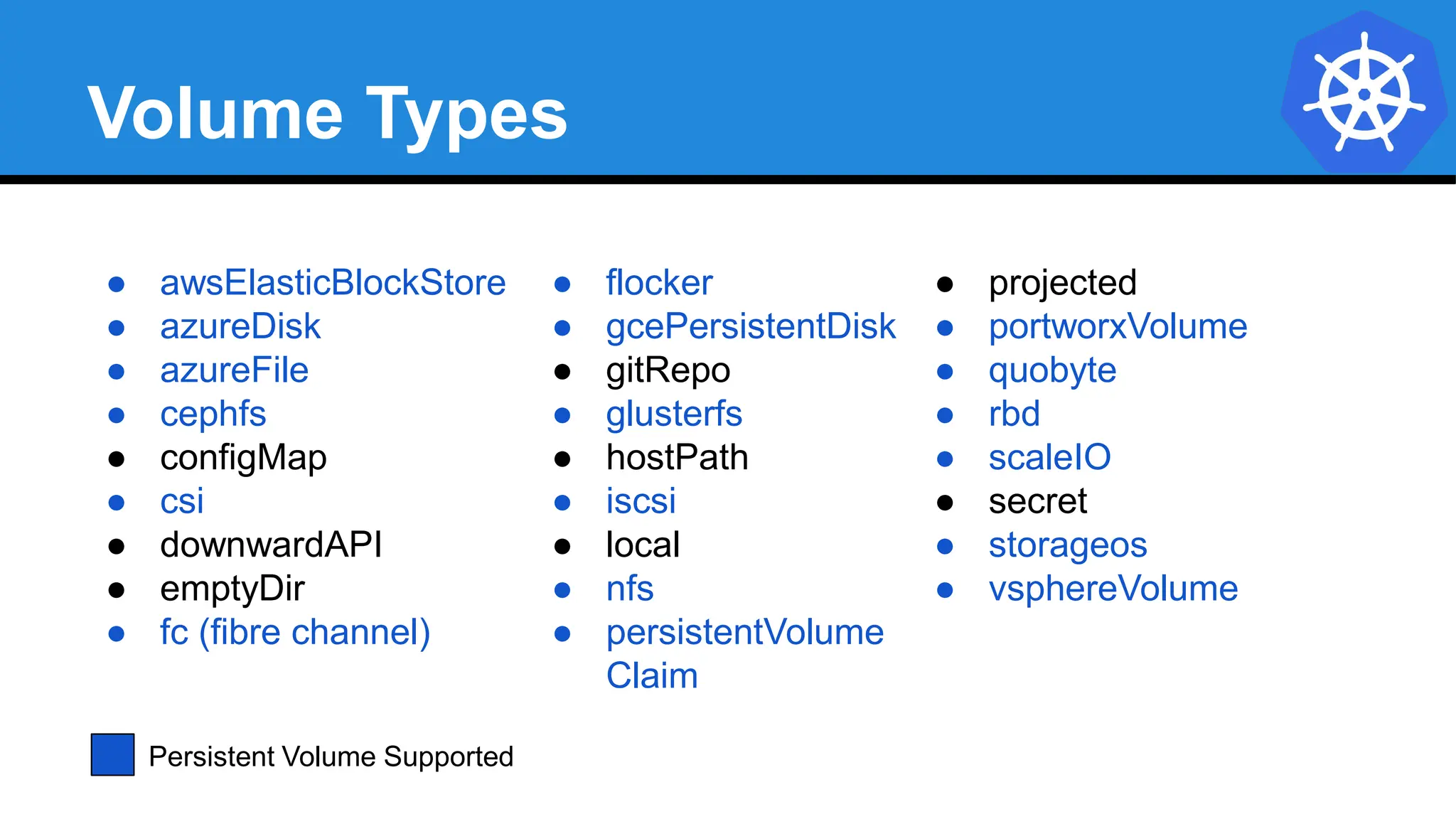
Volume Types
● awsElasticBlockStore
● azureDisk
● azureFile
● cephfs
● configMap
● csi
● downwardAPI
● emptyDir
● fc (fibre channel)
● flocker
● gcePersistentDisk
● gitRepo
● glusterfs
● hostPath
● iscsi
● local
● nfs
● persistentVolume
Claim
● projected
● portworxVolume
● quobyte
● rbd
● scaleIO
● secret
● storageos
● vsphereVolume
Persistent Volume Supported
Volumes
● volumes: A list of volume objects to be
attached to the Pod. Every object
within the list must have it’s own
unique name.
● volumeMounts: A container specific list
referencing the Pod volumes by name,
along with their desired mountPath.
apiVersion: v1
kind: Pod
metadata:
name: volume-example
spec:
containers:
- name: nginx
image: nginx:stable-alpine
volumeMounts:
- name: html
mountPath: /usr/share/nginx/html
ReadOnly: true
- name: content
image: alpine:latest
command: ["/bin/sh", "-c"]
args:
- while true; do
date >> /html/index.html;
sleep 5;
done
volumeMounts:
- name: html
mountPath: /html
volumes:
- name: html
emptyDir: {}
Volumes
● volumes: A list of volume objects to be
attached to the Pod. Every object
within the list must have it’s own
unique name.
● volumeMounts: A container specific list
referencing the Pod volumes by name,
along with their desired mountPath.
apiVersion: v1
kind: Pod
metadata:
name: volume-example
spec:
containers:
- name: nginx
image: nginx:stable-alpine
volumeMounts:
- name: html
mountPath: /usr/share/nginx/html
ReadOnly: true
- name: content
image: alpine:latest
command: ["/bin/sh", "-c"]
args:
- while true; do
date >> /html/index.html;
sleep 5;
done
volumeMounts:
- name: html
mountPath: /html
volumes:
- name: html
emptyDir: {}
Volumes
● volumes: A list of volume objects to be
attached to the Pod. Every object
within the list must have it’s own
unique name.
● volumeMounts: A container specific list
referencing the Pod volumes by name,
along with their desired mountPath.
apiVersion: v1
kind: Pod
metadata:
name: volume-example
spec:
containers:
- name: nginx
image: nginx:stable-alpine
volumeMounts:
- name: html
mountPath: /usr/share/nginx/html
ReadOnly: true
- name: content
image: alpine:latest
command: ["/bin/sh", "-c"]
args:
- while true; do
date >> /html/index.html;
sleep 5;
done
volumeMounts:
- name: html
mountPath: /html
volumes:
- name: html
emptyDir: {}
Persistent Volumes
● A PersistentVolume (PV) represents a storage
resource.
● PVs are a cluster wide resource linked to a backing
storage provider: NFS, GCEPersistentDisk, RBD etc.
● Generally provisioned by an administrator.
● Their lifecycle is handled independently from a pod
● CANNOT be attached to a Pod directly. Relies on a
PersistentVolumeClaim
PersistentVolumeClaims
● A PersistentVolumeClaim (PVC) is a namespaced
request for storage.
● Satisfies a set of requirements instead of mapping to a
storage resource directly.
● Ensures that an application’s ‘claim’ for storage is
portable across numerous backends or providers.
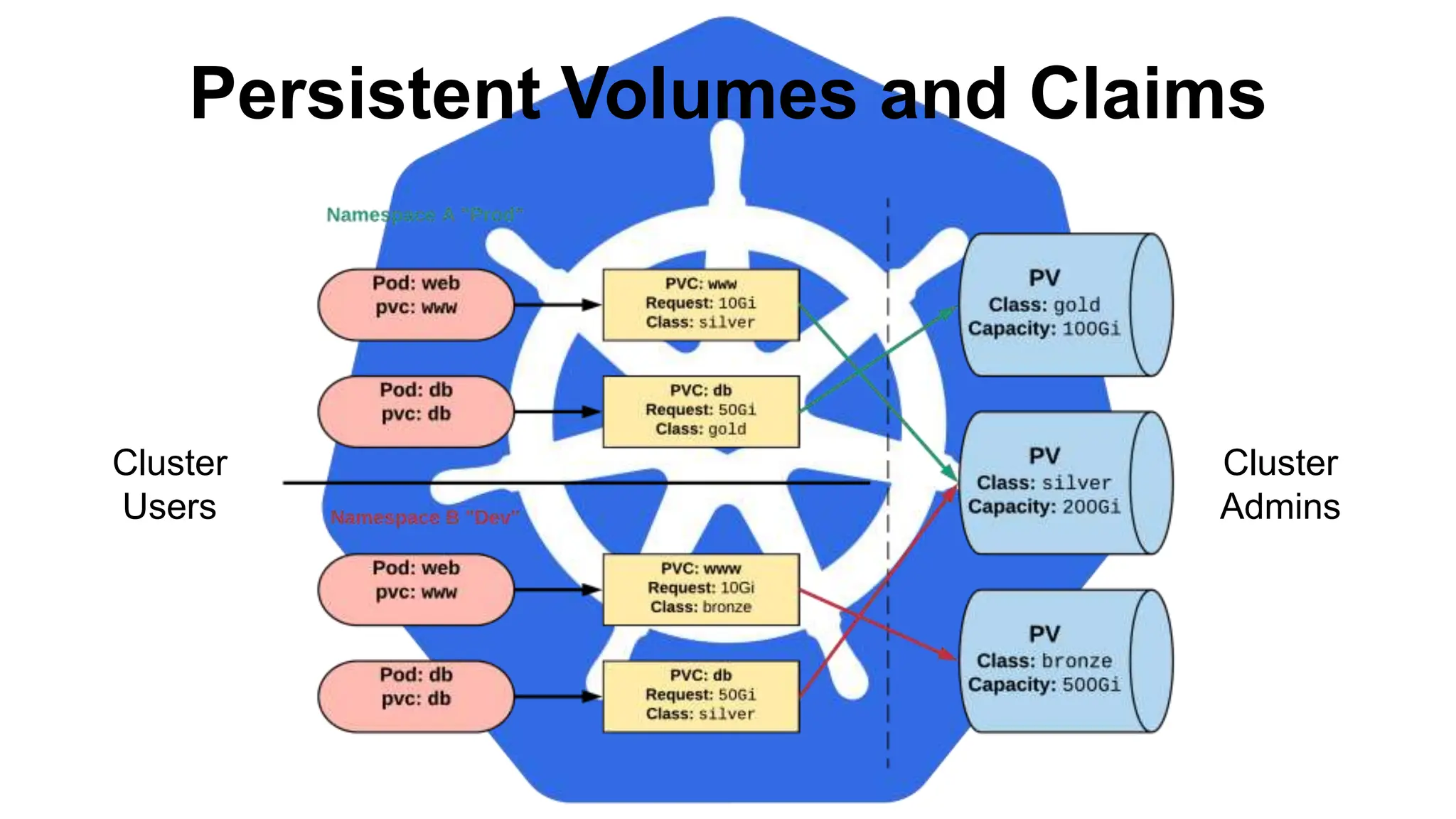
Persistent Volumes and Claims
Cluster
Users
Cluster
Admins
apiVersion: v1
kind: PersistentVolume
metadata:
name: nfsserver
spec:
capacity:
storage: 50Gi
volumeMode: Filesystem
accessModes:
- ReadWriteOnce
- ReadWriteMany
persistentVolumeReclaimPolicy: Delete
storageClassName: slow
mountOptions:
- hard
- nfsvers=4.1
nfs:
path: /exports
server: 172.22.0.42
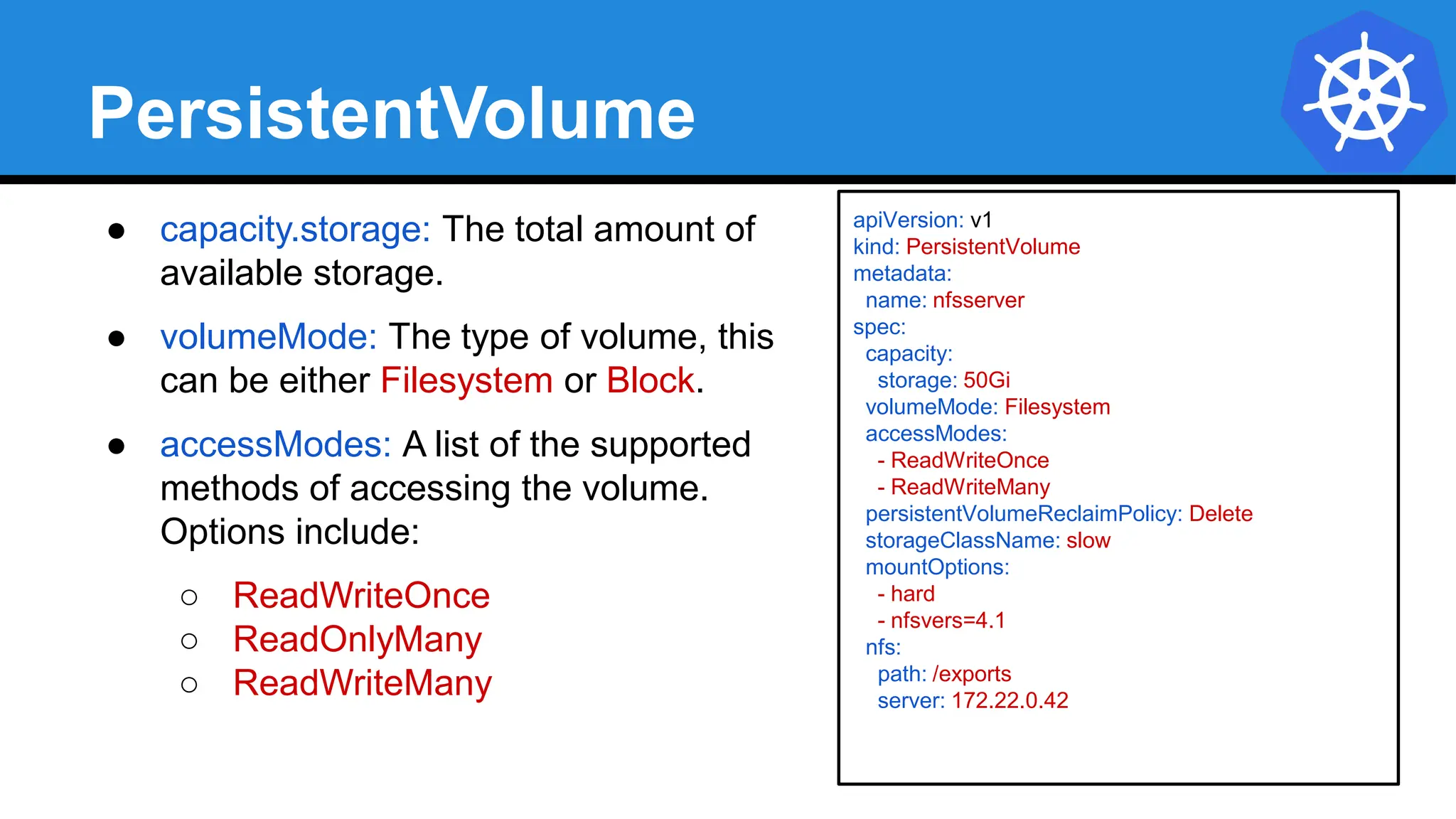
PersistentVolume
● capacity.storage: The total amount of
available storage.
● volumeMode: The type of volume, this
can be either Filesystem or Block.
● accessModes: A list of the supported
methods of accessing the volume.
Options include:
○ ReadWriteOnce
○ ReadOnlyMany
○ ReadWriteMany
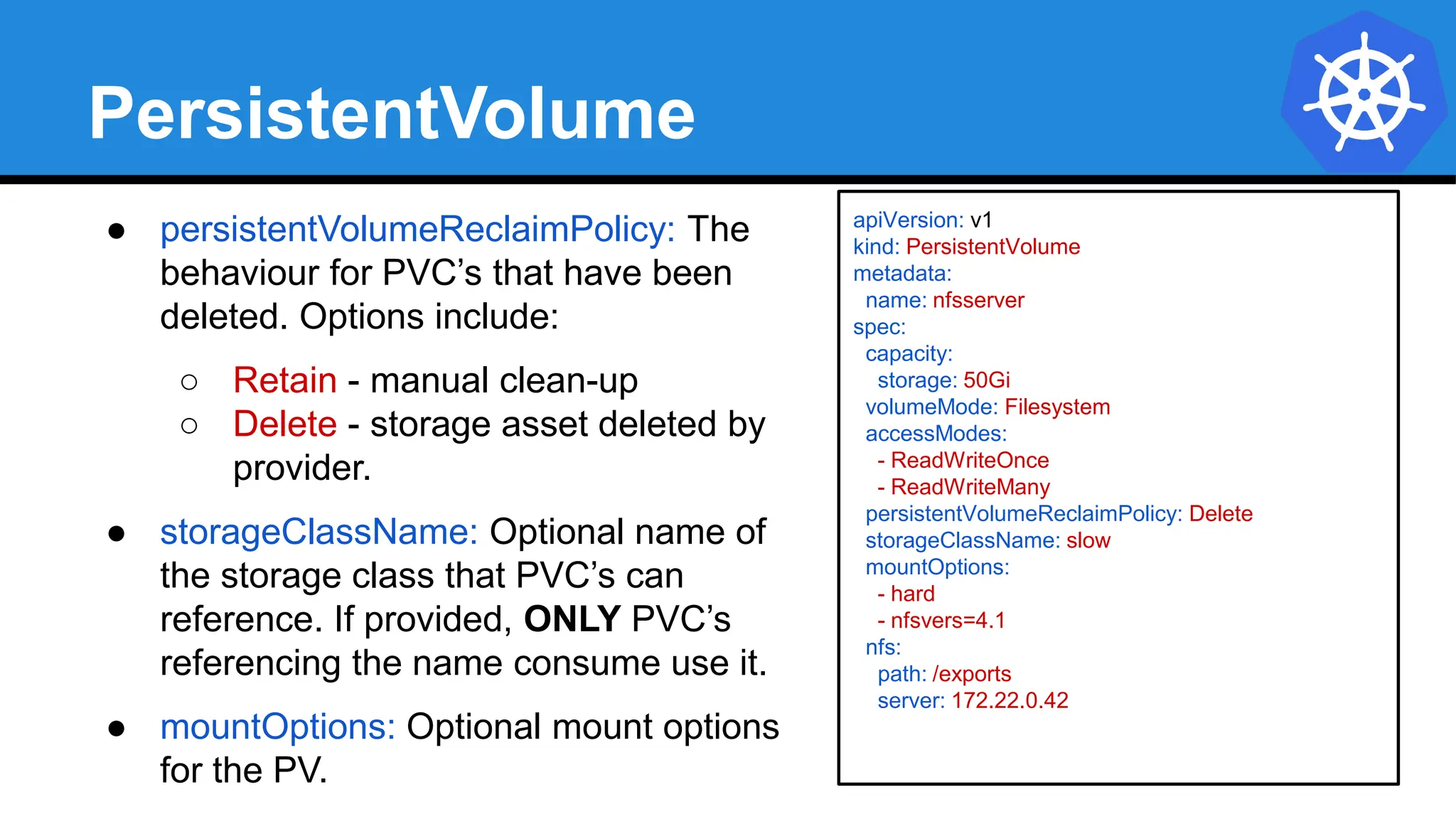
PersistentVolume
● persistentVolumeReclaimPolicy: The
behaviour for PVC’s that have been
deleted. Options include:
○ Retain - manual clean-up
○ Delete - storage asset deleted by
provider.
● storageClassName: Optional name of
the storage class that PVC’s can
reference. If provided, ONLY PVC’s
referencing the name consume use it.
● mountOptions: Optional mount options
for the PV.
apiVersion: v1
kind: PersistentVolume
metadata:
name: nfsserver
spec:
capacity:
storage: 50Gi
volumeMode: Filesystem
accessModes:
- ReadWriteOnce
- ReadWriteMany
persistentVolumeReclaimPolicy: Delete
storageClassName: slow
mountOptions:
- hard
- nfsvers=4.1
nfs:
path: /exports
server: 172.22.0.42
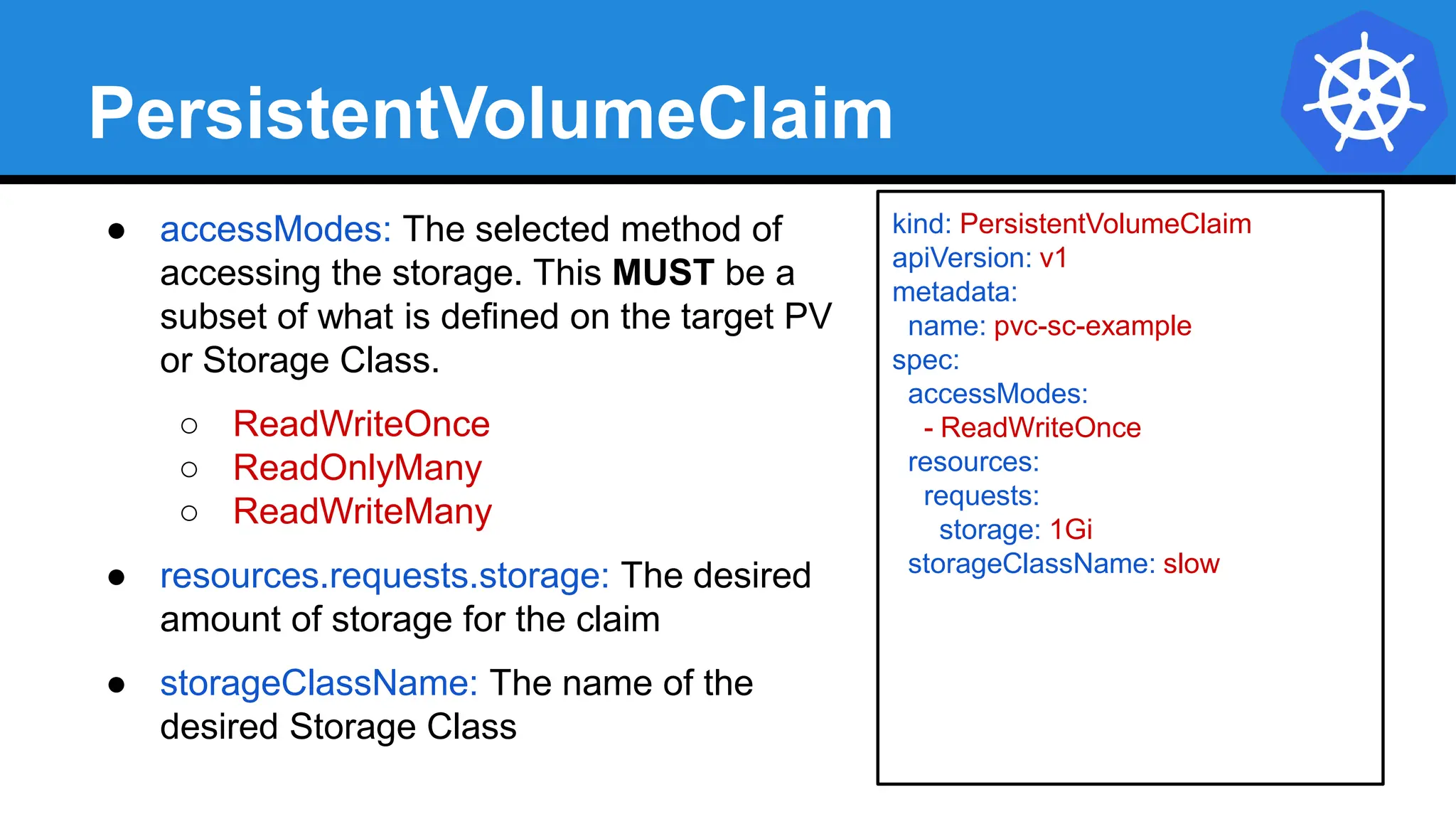
PersistentVolumeClaim
● accessModes: The selected method of
accessing the storage. This MUST be a
subset of what is defined on the target PV
or Storage Class.
○ ReadWriteOnce
○ ReadOnlyMany
○ ReadWriteMany
● resources.requests.storage: The desired
amount of storage for the claim
● storageClassName: The name of the
desired Storage Class
kind: PersistentVolumeClaim
apiVersion: v1
metadata:
name: pvc-sc-example
spec:
accessModes:
- ReadWriteOnce
resources:
requests:
storage: 1Gi
storageClassName: slow
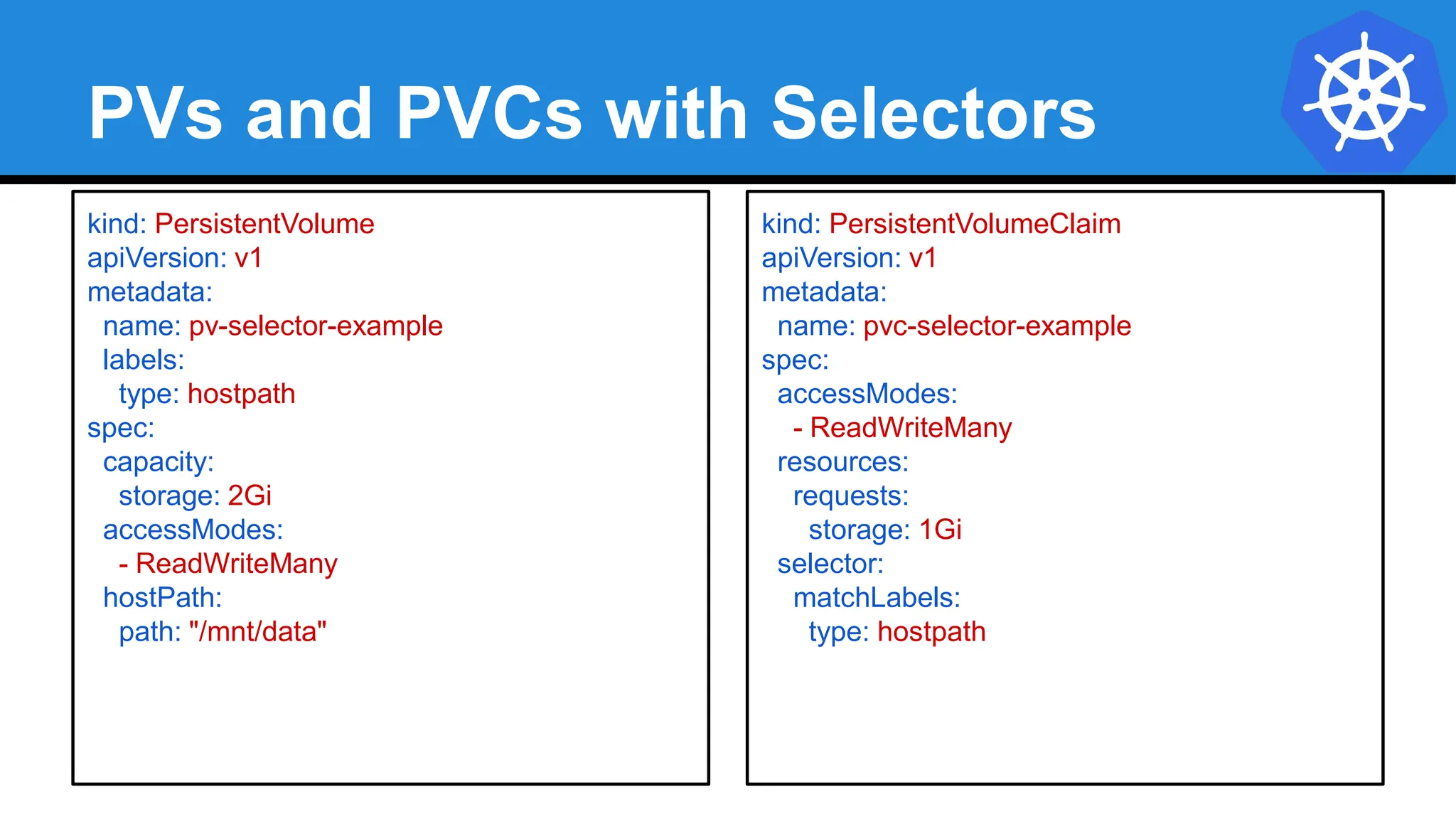
PVs and PVCs with Selectors
kind: PersistentVolume
apiVersion: v1
metadata:
name: pv-selector-example
labels:
type: hostpath
spec:
capacity:
storage: 2Gi
accessModes:
- ReadWriteMany
hostPath:
path: "/mnt/data"
kind: PersistentVolumeClaim
apiVersion: v1
metadata:
name: pvc-selector-example
spec:
accessModes:
- ReadWriteMany
resources:
requests:
storage: 1Gi
selector:
matchLabels:
type: hostpath
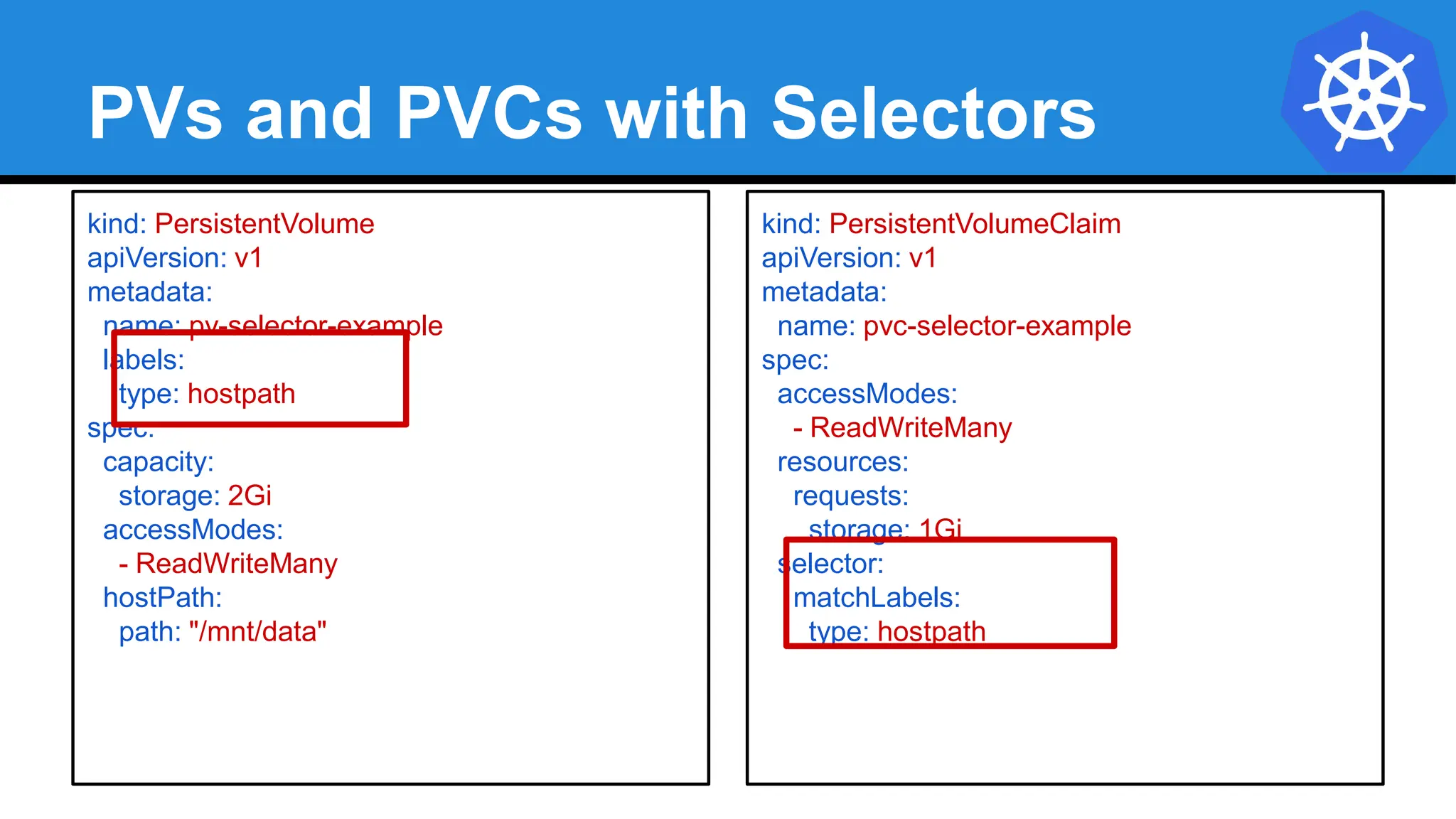
PVs and PVCs with Selectors
kind: PersistentVolume
apiVersion: v1
metadata:
name: pv-selector-example
labels:
type: hostpath
spec:
capacity:
storage: 2Gi
accessModes:
- ReadWriteMany
hostPath:
path: "/mnt/data"
kind: PersistentVolumeClaim
apiVersion: v1
metadata:
name: pvc-selector-example
spec:
accessModes:
- ReadWriteMany
resources:
requests:
storage: 1Gi
selector:
matchLabels:
type: hostpath
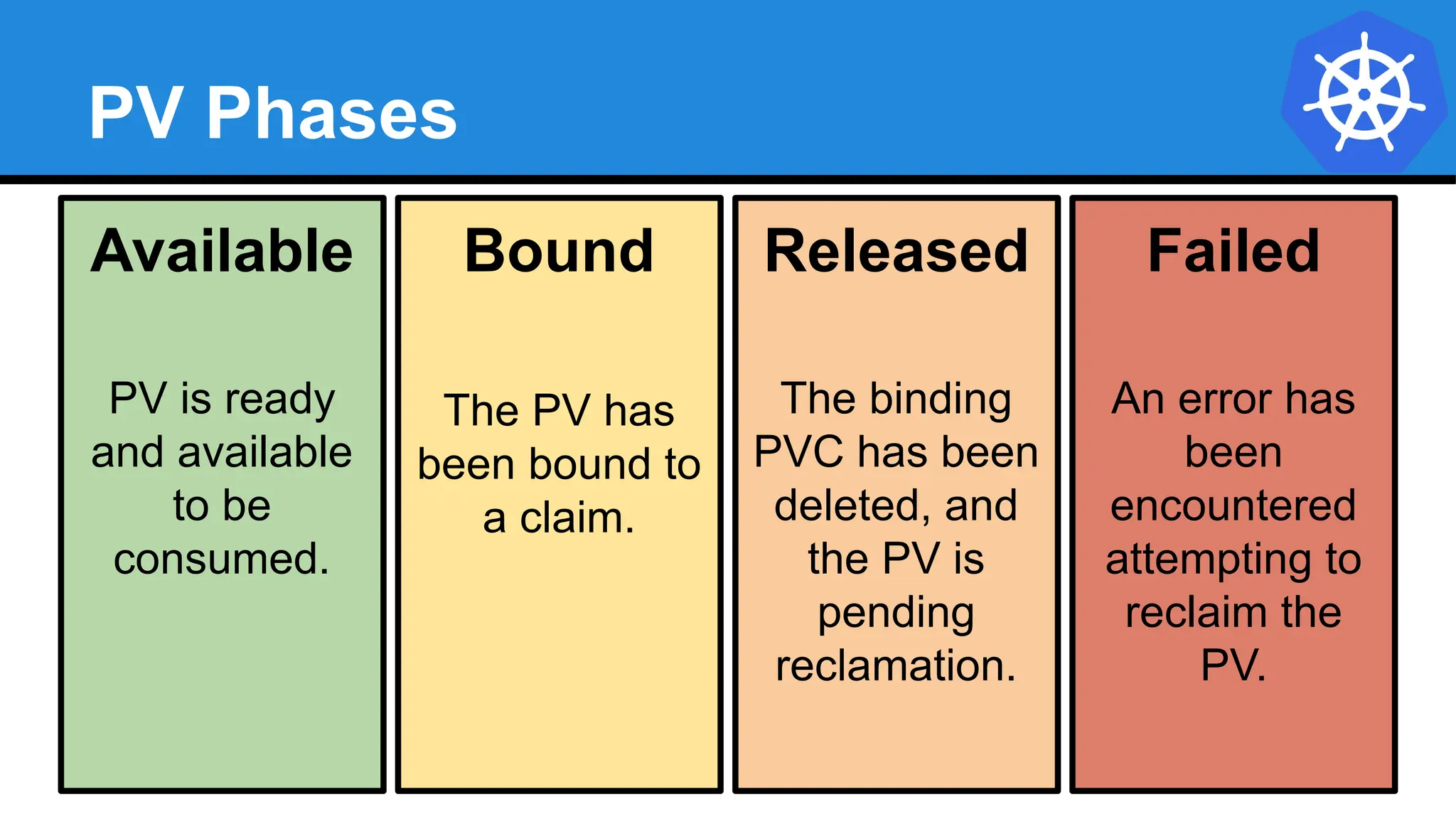
PV Phases
Available
PV is ready
and available
to be
consumed.
Bound
The PV has
been bound to
a claim.
Released
The binding
PVC has been
deleted, and
the PV is
pending
reclamation.
Failed
An error has
been
encountered
attempting to
reclaim the
PV.
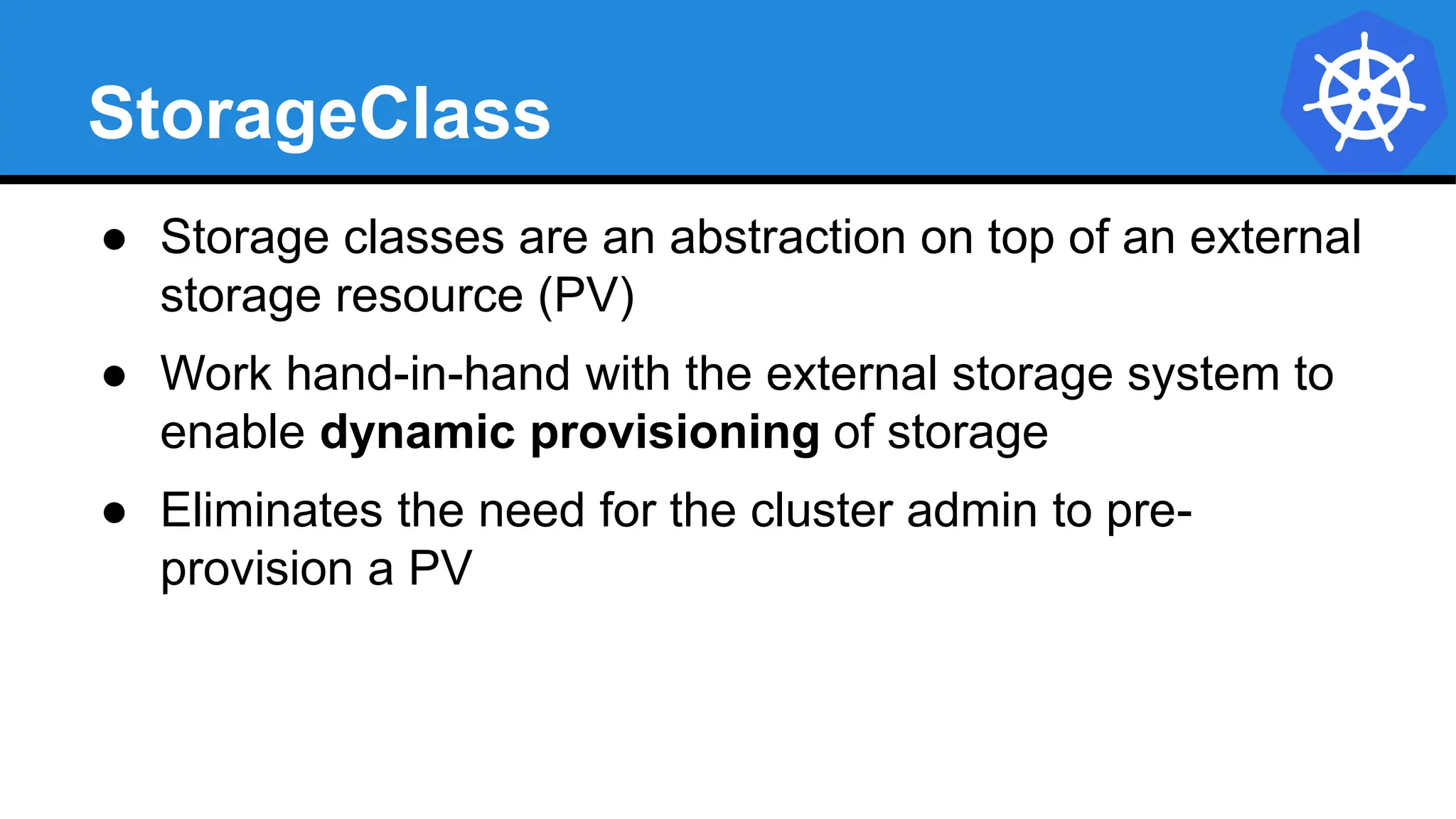
StorageClass
● Storage classes are an abstraction on top of an external
storage resource (PV)
● Work hand-in-hand with the external storage system to
enable dynamic provisioning of storage
● Eliminates the need for the cluster admin to pre-
provision a PV
StorageClass
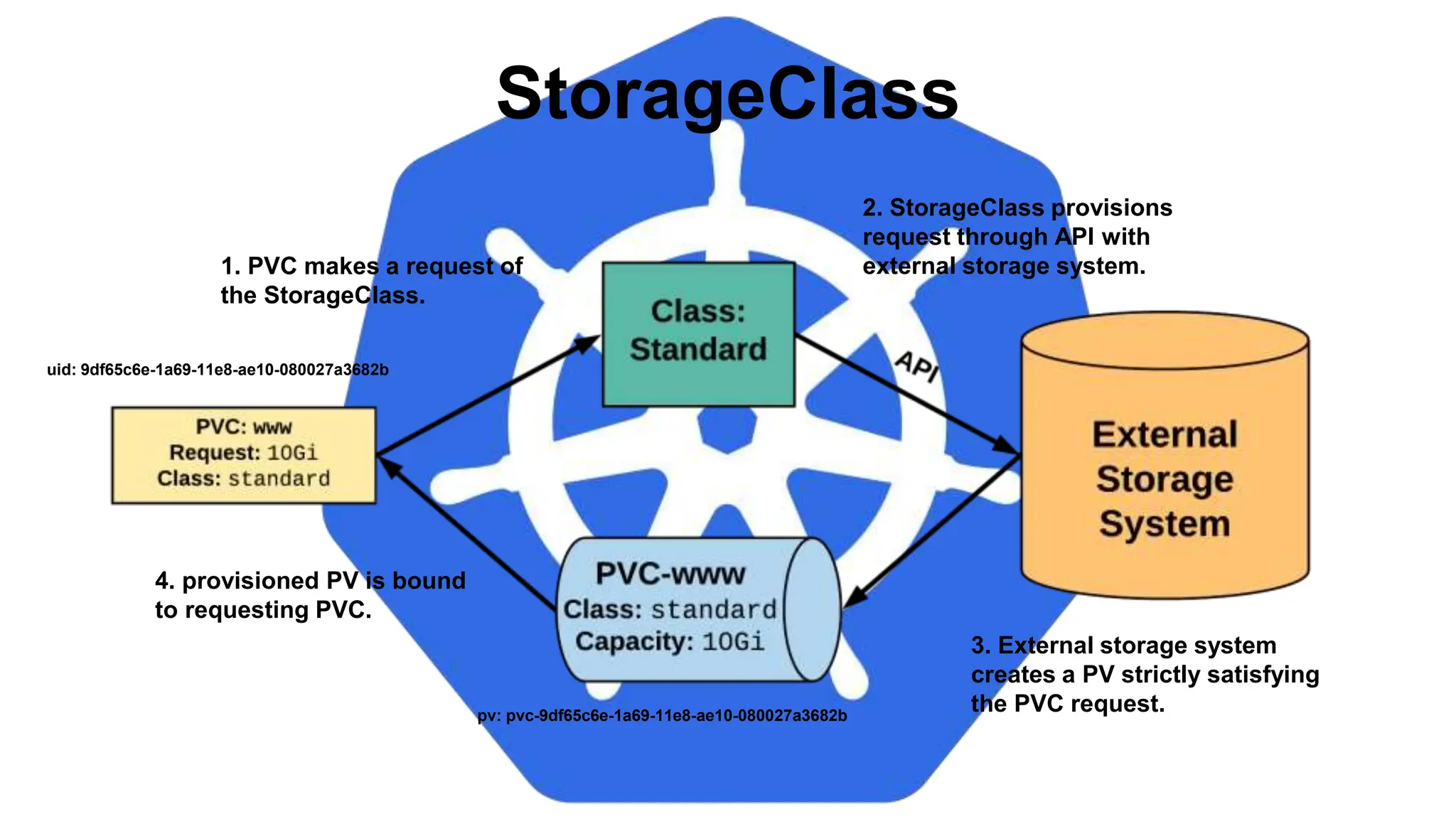
pv: pvc-9df65c6e-1a69-11e8-ae10-080027a3682b
uid: 9df65c6e-1a69-11e8-ae10-080027a3682b
1. PVC makes a request of
the StorageClass.
2. StorageClass provisions
request through API with
external storage system.
3. External storage system
creates a PV strictly satisfying
the PVC request.
4. provisioned PV is bound
to requesting PVC.
StorageClass
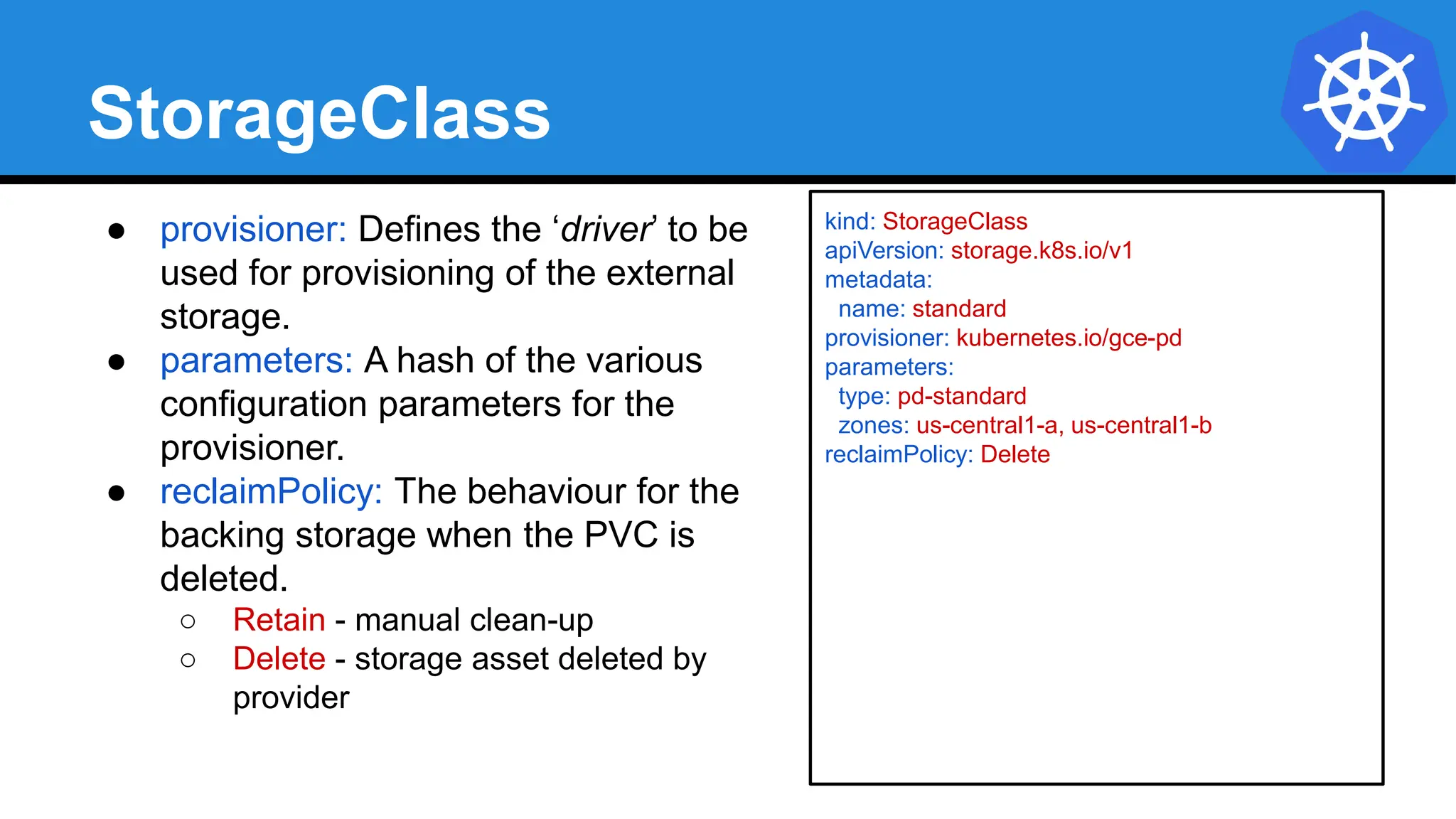
● provisioner: Defines the ‘driver’ to be
used for provisioning of the external
storage.
● parameters: A hash of the various
configuration parameters for the
provisioner.
● reclaimPolicy: The behaviour for the
backing storage when the PVC is
deleted.
○ Retain - manual clean-up
○ Delete - storage asset deleted by
provider
kind: StorageClass
apiVersion: storage.k8s.io/v1
metadata:
name: standard
provisioner: kubernetes.io/gce-pd
parameters:
type: pd-standard
zones: us-central1-a, us-central1-b
reclaimPolicy: Delete
Available StorageClasses
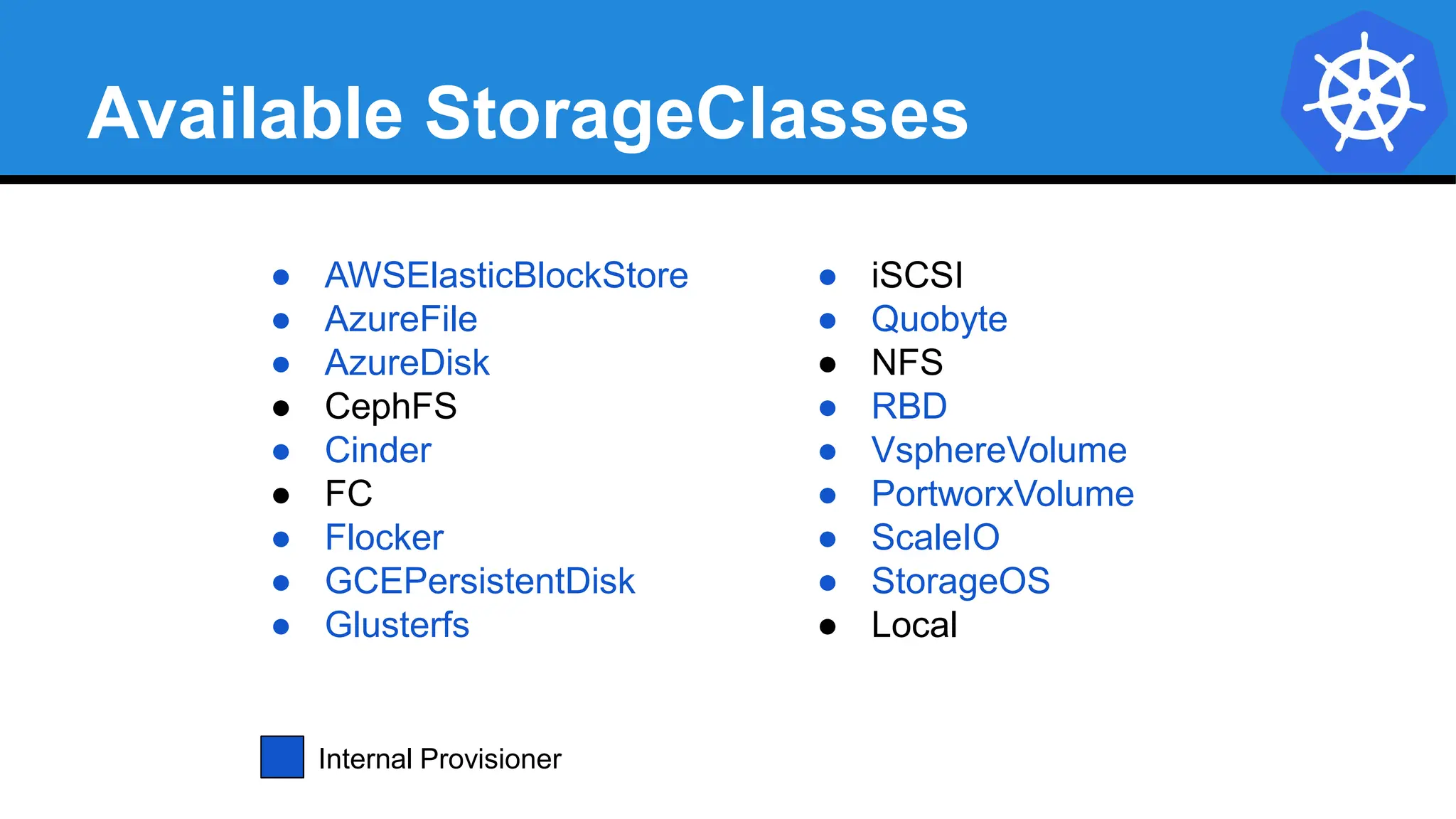
● AWSElasticBlockStore
● AzureFile
● AzureDisk
● CephFS
● Cinder
● FC
● Flocker
● GCEPersistentDisk
● Glusterfs
● iSCSI
● Quobyte
● NFS
● RBD
● VsphereVolume
● PortworxVolume
● ScaleIO
● StorageOS
● Local
Internal Provisioner
Lab - github.com/mrbobbytables/k8s-intro-tutorials/blob/master/storage
Working with
Volumes
Concepts and Resources
Configuration ● ConfigMap
Secret
Configuration
Kubernetes has an integrated pattern for
decoupling configuration from application or
container.
This pattern makes use of two Kubernetes
components: ConfigMaps and Secrets.
ConfigMap
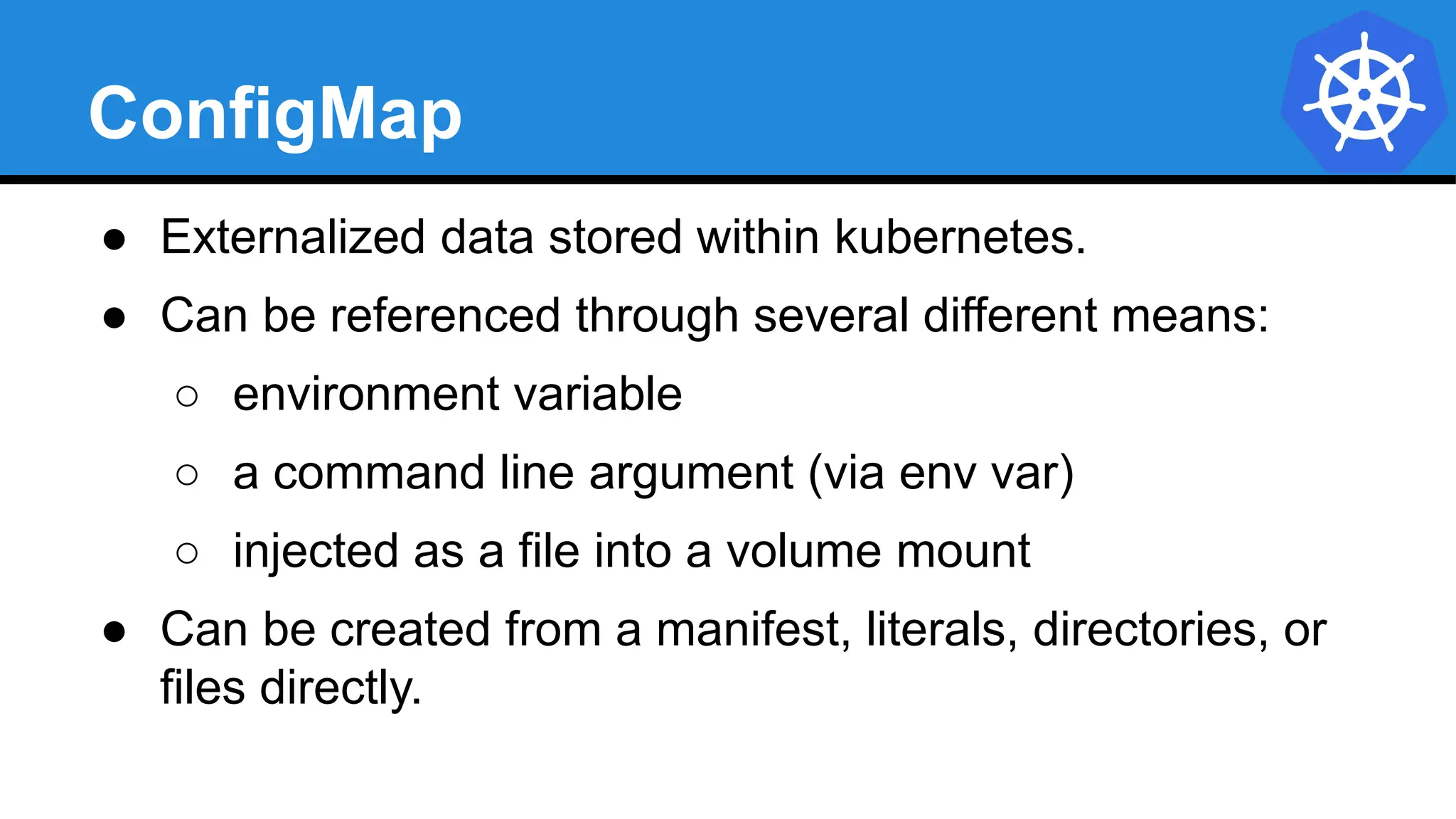
● Externalized data stored within kubernetes.
● Can be referenced through several different means:
○ environment variable
○ a command line argument (via env var)
○ injected as a file into a volume mount
● Can be created from a manifest, literals, directories, or
files directly.
ConfigMap
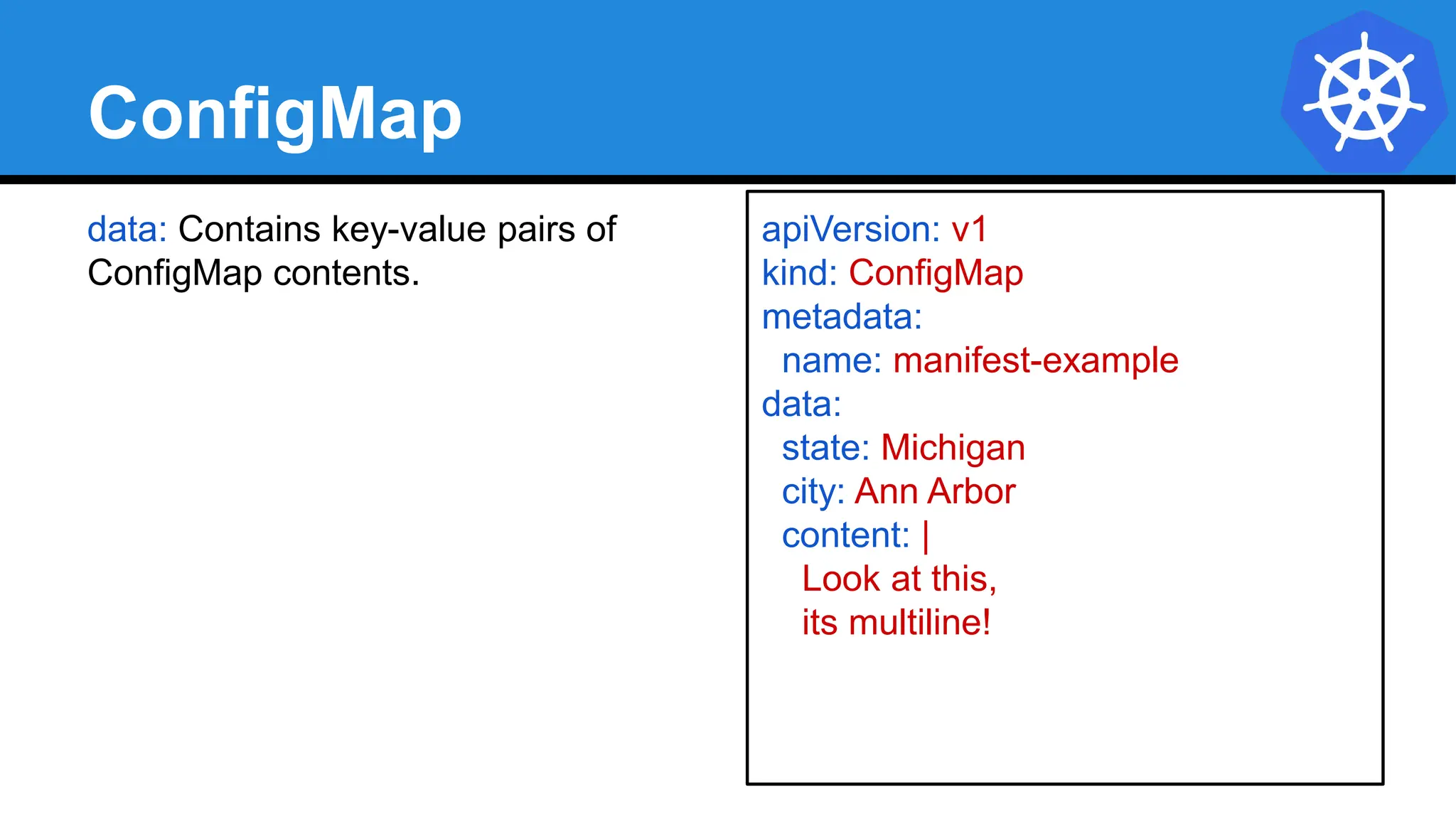
data: Contains key-value pairs of
ConfigMap contents.
apiVersion: v1
kind: ConfigMap
metadata:
name: manifest-example
data:
state: Michigan
city: Ann Arbor
content: |
Look at this,
its multiline!
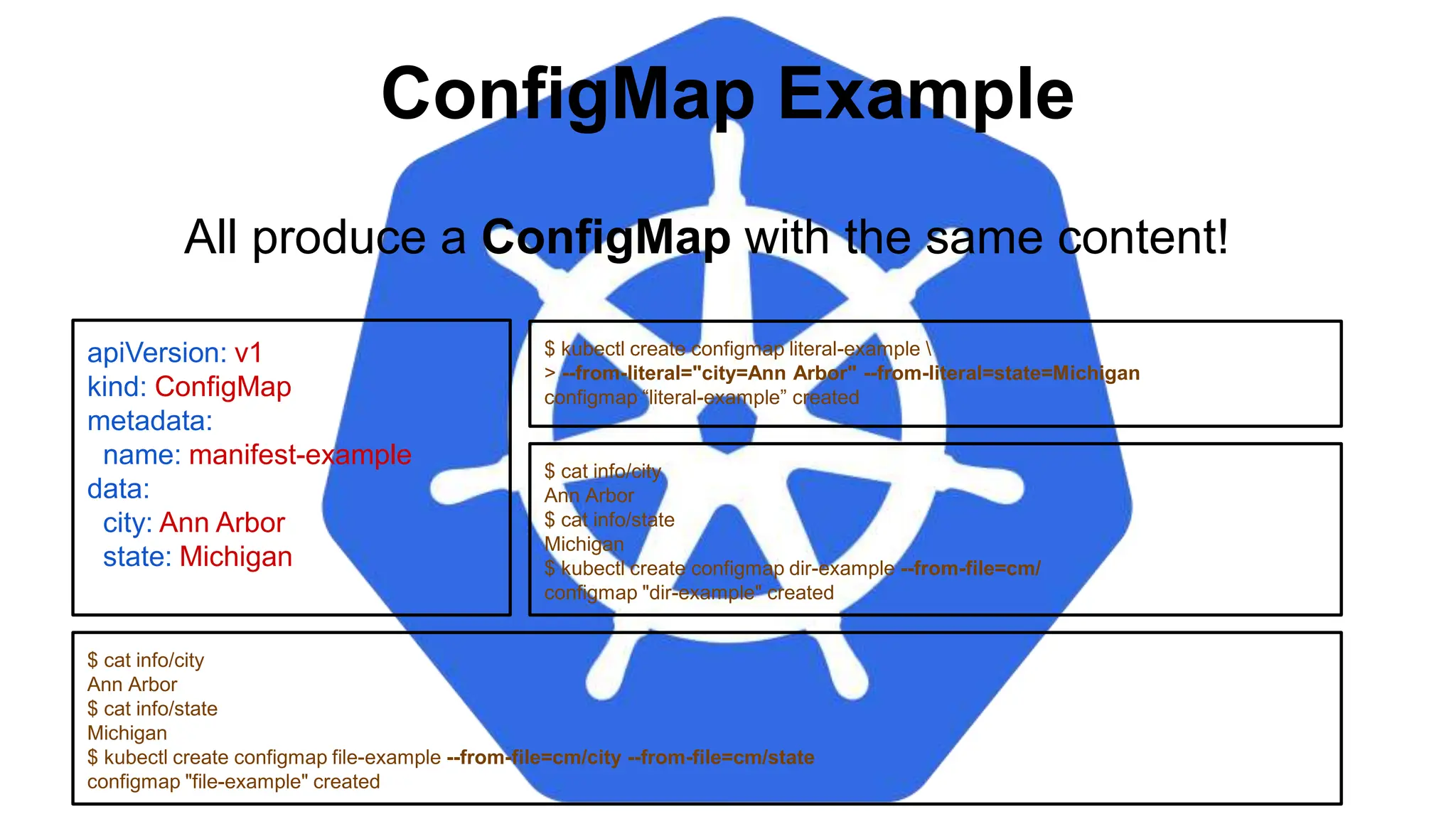
ConfigMap Example
apiVersion: v1
kind: ConfigMap
metadata:
name: manifest-example
data:
city: Ann Arbor
state: Michigan
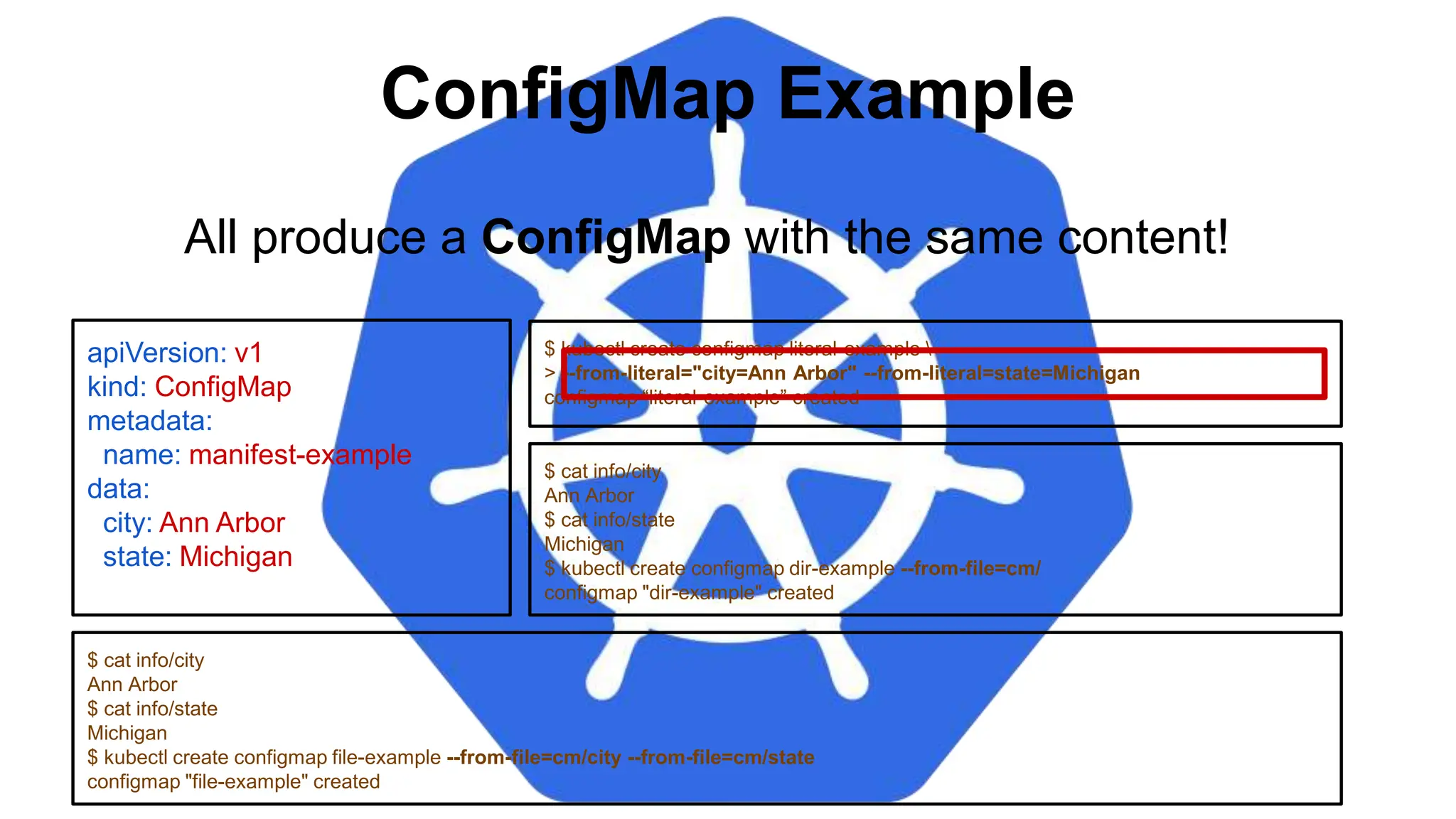
$ kubectl create configmap literal-example 
> --from-literal="city=Ann Arbor" --from-literal=state=Michigan
configmap “literal-example” created
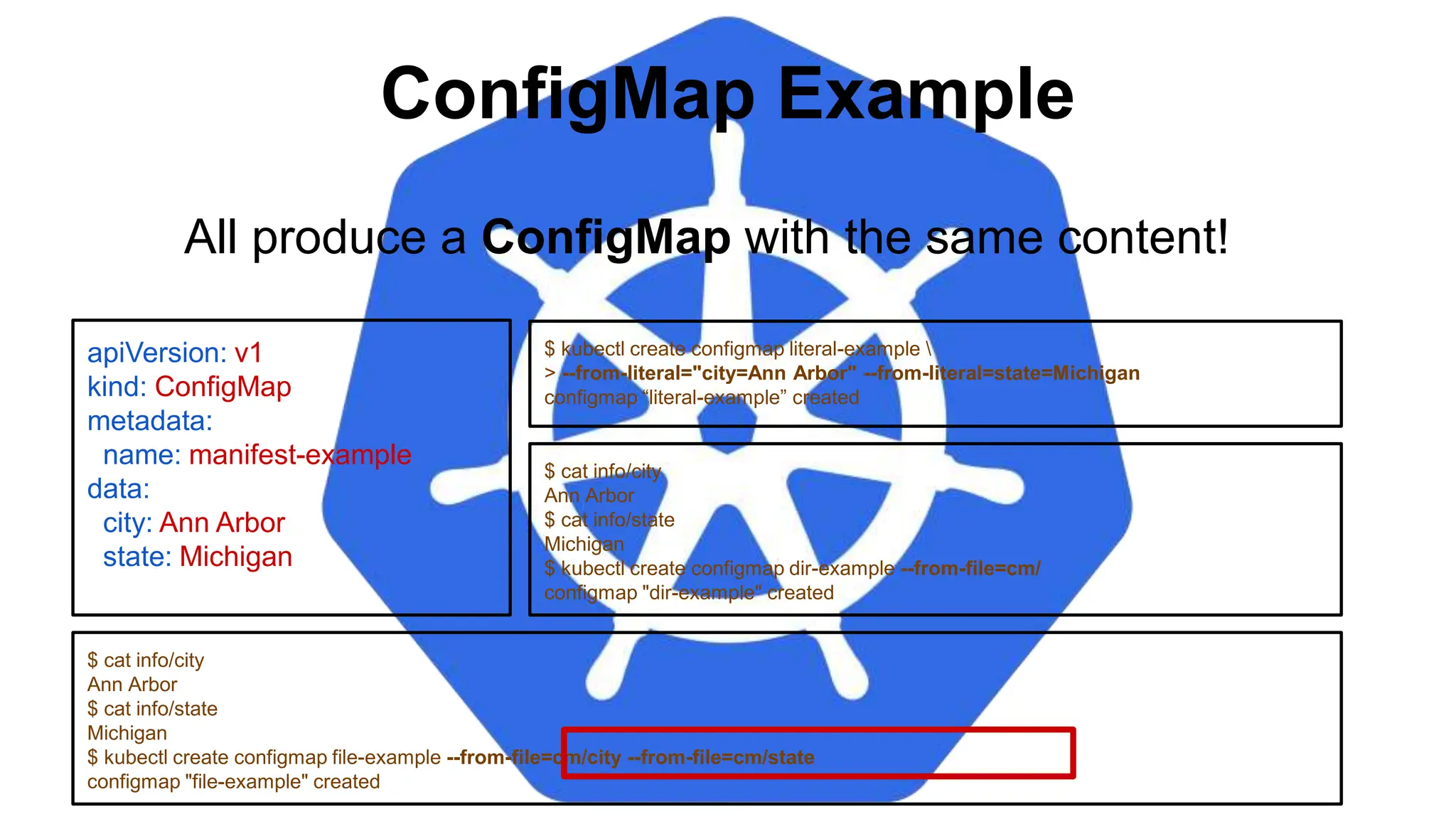
$ cat info/city
Ann Arbor
$ cat info/state
Michigan
$ kubectl create configmap file-example --from-file=cm/city --from-file=cm/state
configmap "file-example" created
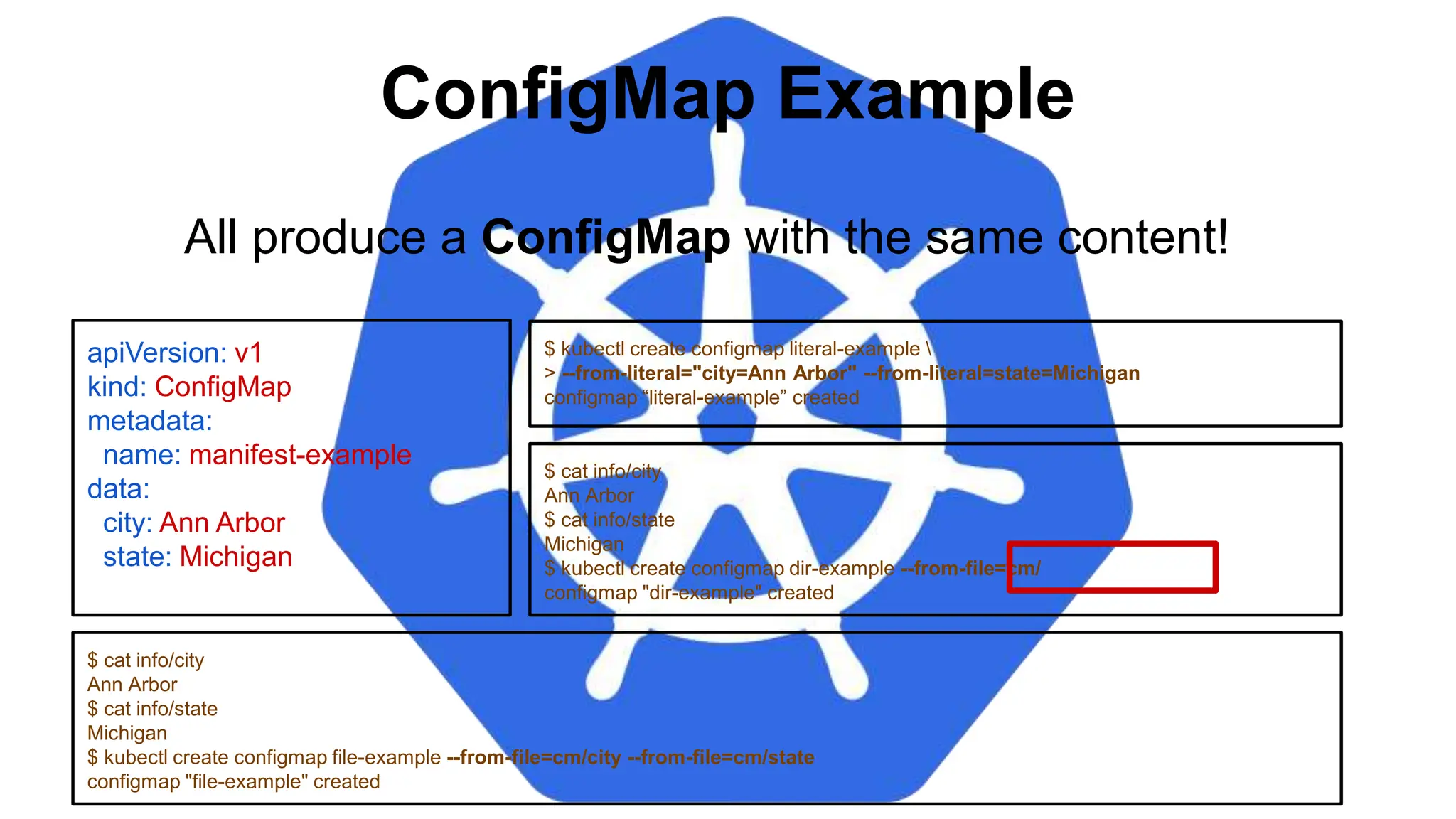
All produce a ConfigMap with the same content!
$ cat info/city
Ann Arbor
$ cat info/state
Michigan
$ kubectl create configmap dir-example --from-file=cm/
configmap "dir-example" created
ConfigMap Example
apiVersion: v1
kind: ConfigMap
metadata:
name: manifest-example
data:
city: Ann Arbor
state: Michigan
$ kubectl create configmap literal-example 
> --from-literal="city=Ann Arbor" --from-literal=state=Michigan
configmap “literal-example” created
$ cat info/city
Ann Arbor
$ cat info/state
Michigan
$ kubectl create configmap file-example --from-file=cm/city --from-file=cm/state
configmap "file-example" created
All produce a ConfigMap with the same content!
$ cat info/city
Ann Arbor
$ cat info/state
Michigan
$ kubectl create configmap dir-example --from-file=cm/
configmap "dir-example" created
ConfigMap Example
apiVersion: v1
kind: ConfigMap
metadata:
name: manifest-example
data:
city: Ann Arbor
state: Michigan
$ kubectl create configmap literal-example 
> --from-literal="city=Ann Arbor" --from-literal=state=Michigan
configmap “literal-example” created
$ cat info/city
Ann Arbor
$ cat info/state
Michigan
$ kubectl create configmap file-example --from-file=cm/city --from-file=cm/state
configmap "file-example" created
All produce a ConfigMap with the same content!
$ cat info/city
Ann Arbor
$ cat info/state
Michigan
$ kubectl create configmap dir-example --from-file=cm/
configmap "dir-example" created
ConfigMap Example
apiVersion: v1
kind: ConfigMap
metadata:
name: manifest-example
data:
city: Ann Arbor
state: Michigan
$ kubectl create configmap literal-example 
> --from-literal="city=Ann Arbor" --from-literal=state=Michigan
configmap “literal-example” created
$ cat info/city
Ann Arbor
$ cat info/state
Michigan
$ kubectl create configmap file-example --from-file=cm/city --from-file=cm/state
configmap "file-example" created
All produce a ConfigMap with the same content!
$ cat info/city
Ann Arbor
$ cat info/state
Michigan
$ kubectl create configmap dir-example --from-file=cm/
configmap "dir-example" created
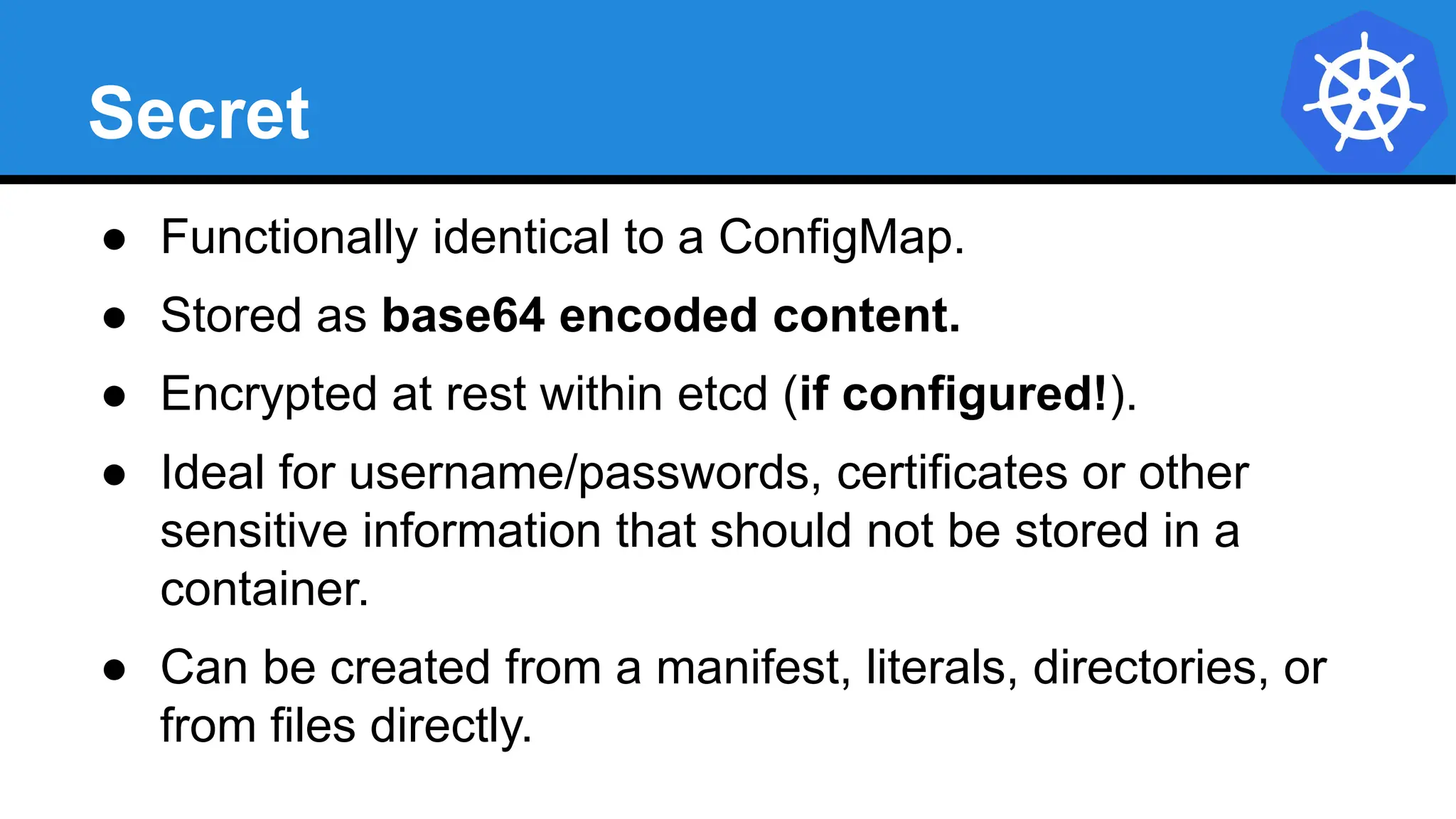
Secret
● Functionally identical to a ConfigMap.
● Stored as base64 encoded content.
● Encrypted at rest within etcd (if configured!).
● Ideal for username/passwords, certificates or other
sensitive information that should not be stored in a
container.
● Can be created from a manifest, literals, directories, or
from files directly.
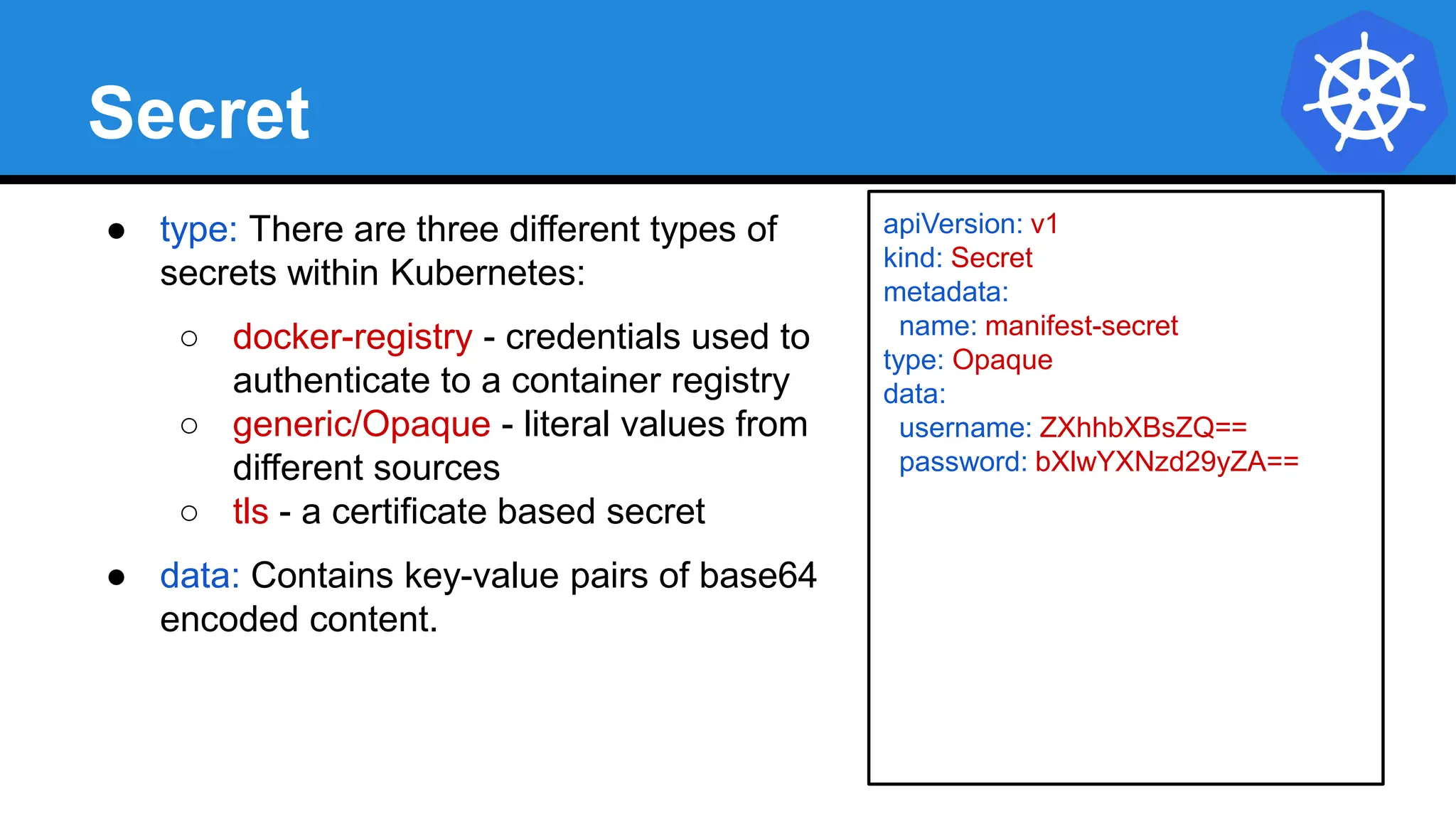
Secret
● type: There are three different types of
secrets within Kubernetes:
○ docker-registry - credentials used to
authenticate to a container registry
○ generic/Opaque - literal values from
different sources
○ tls - a certificate based secret
● data: Contains key-value pairs of base64
encoded content.
apiVersion: v1
kind: Secret
metadata:
name: manifest-secret
type: Opaque
data:
username: ZXhhbXBsZQ==
password: bXlwYXNzd29yZA==
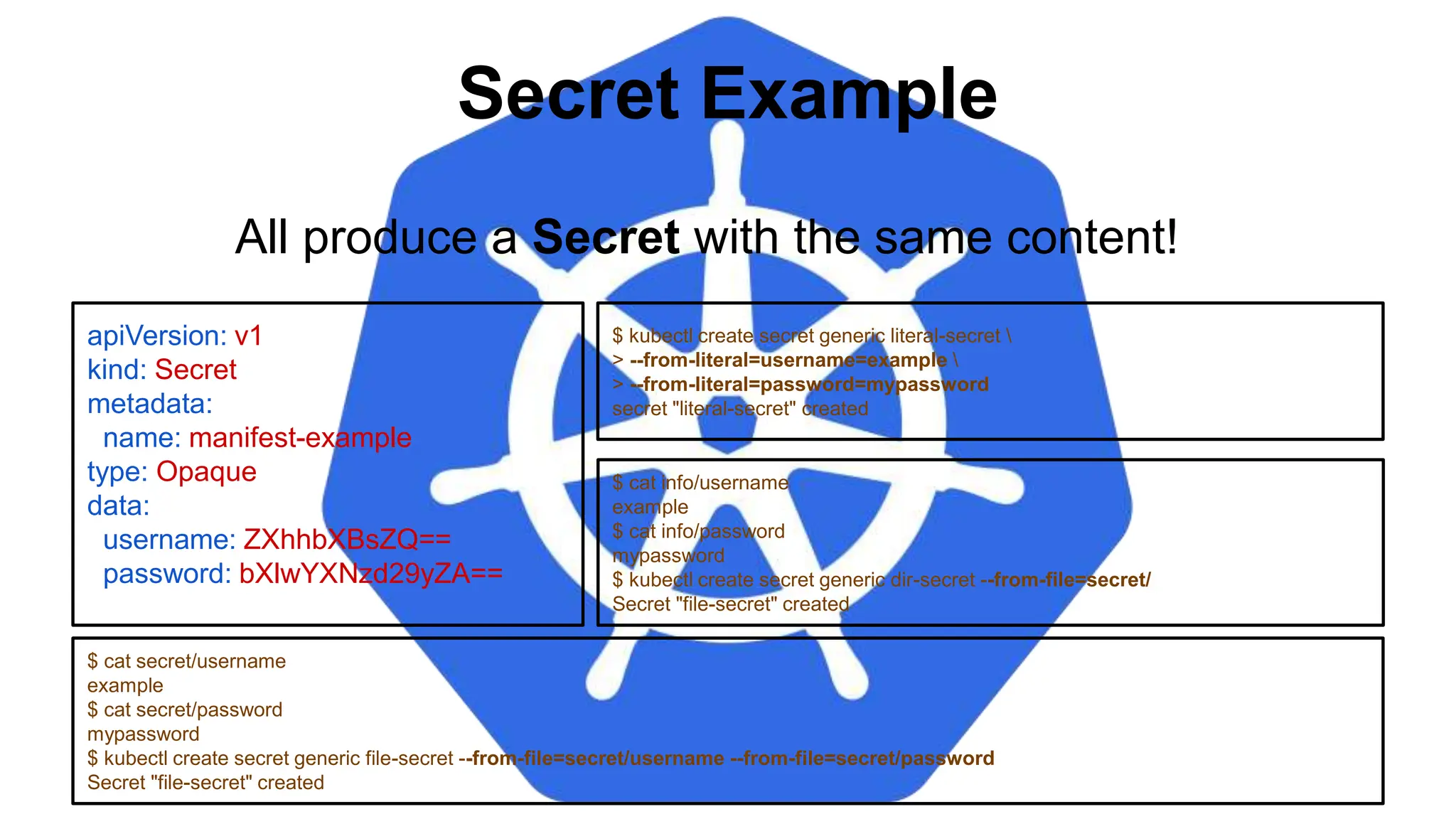
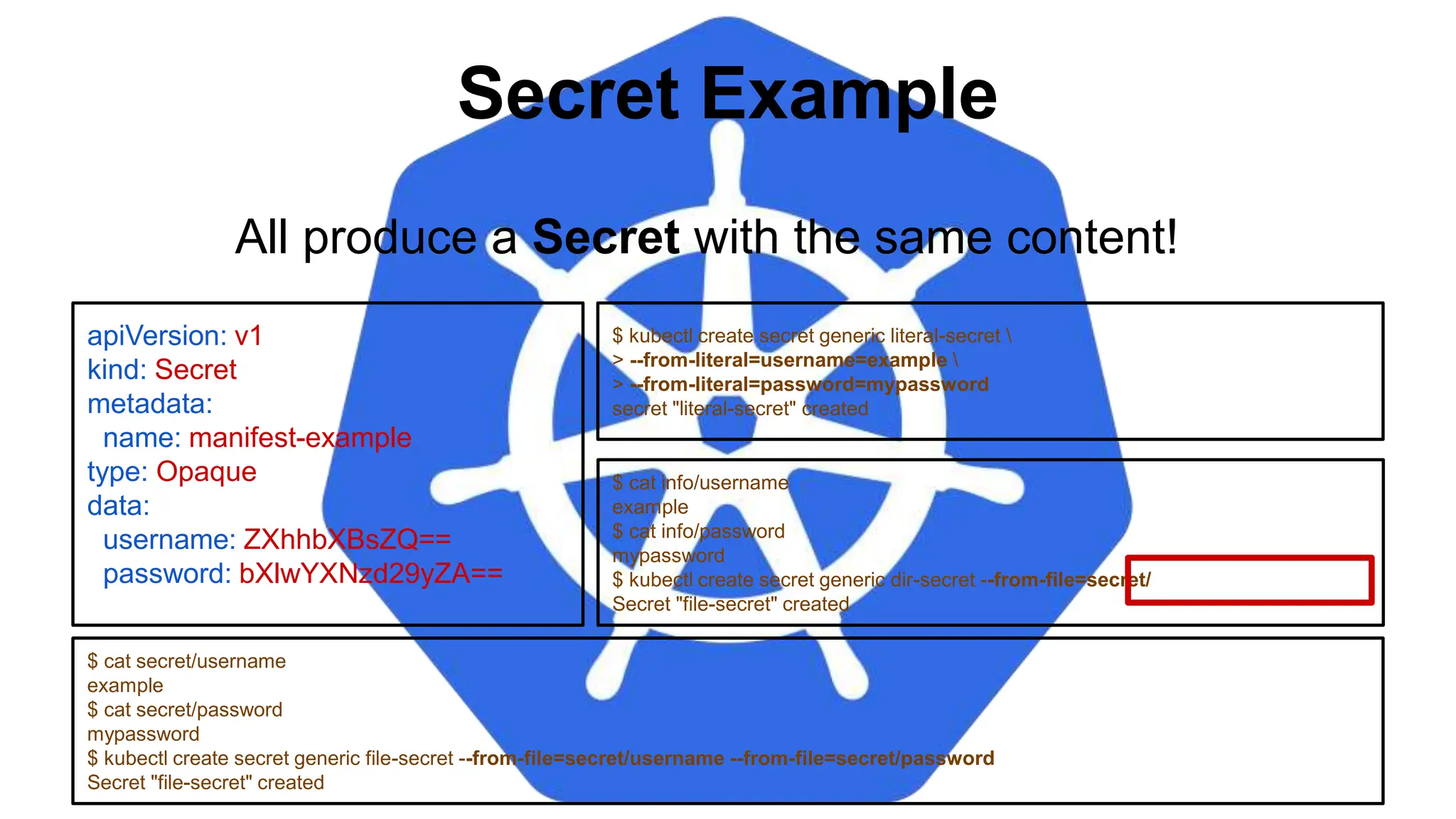
Secret Example
apiVersion: v1
kind: Secret
metadata:
name: manifest-example
type: Opaque
data:
username: ZXhhbXBsZQ==
password: bXlwYXNzd29yZA==
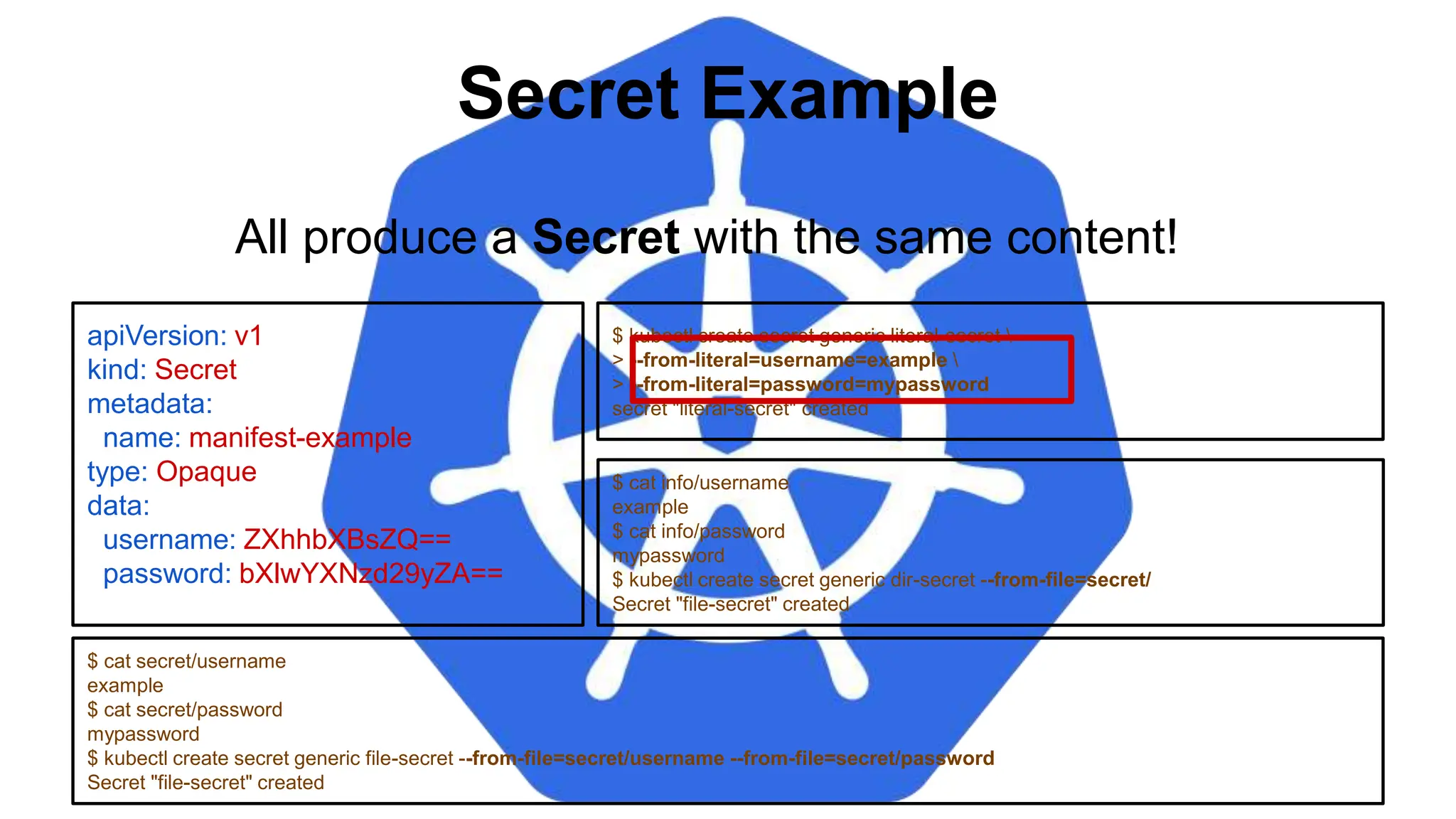
$ kubectl create secret generic literal-secret 
> --from-literal=username=example 
> --from-literal=password=mypassword
secret "literal-secret" created
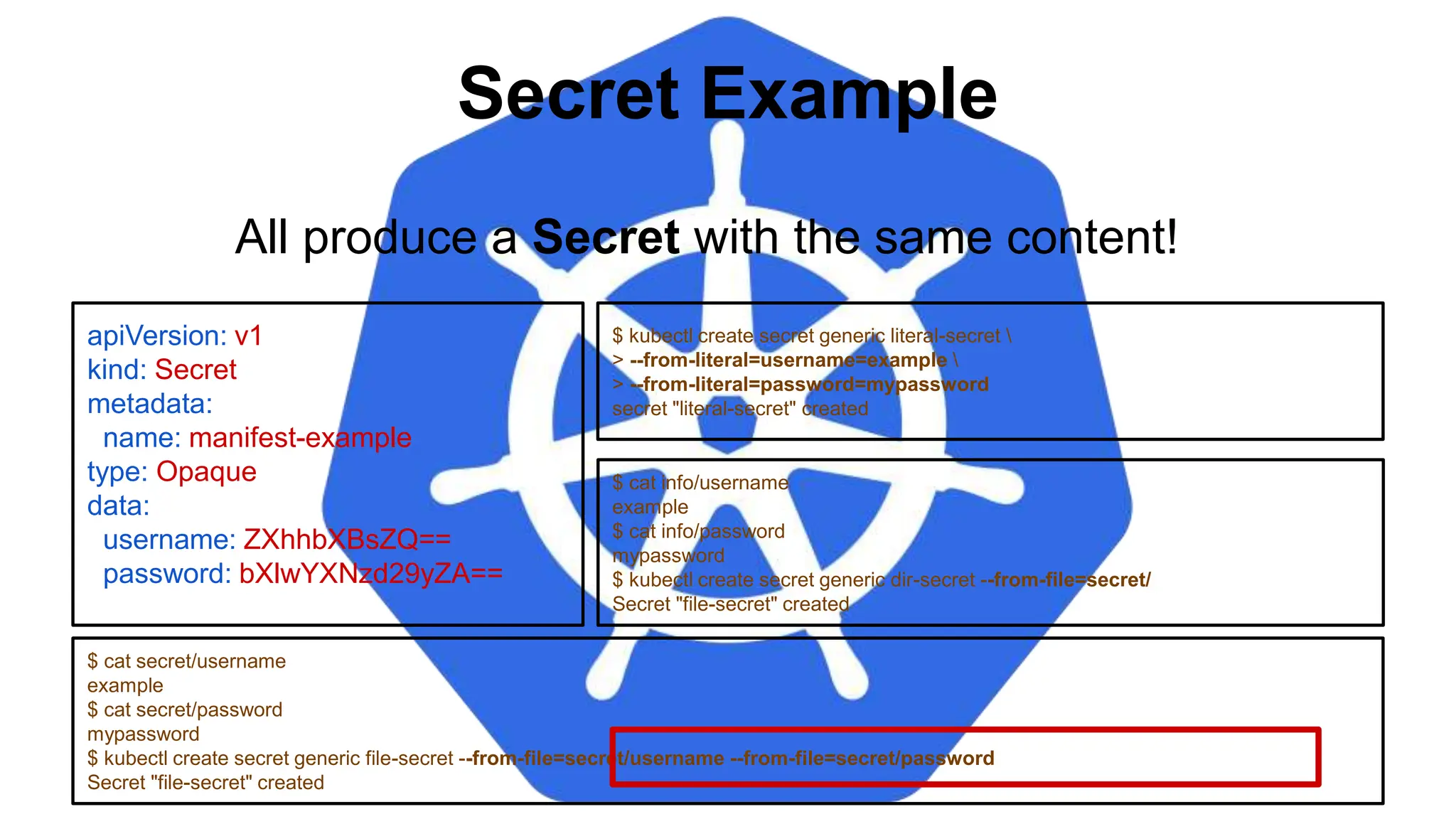
$ cat secret/username
example
$ cat secret/password
mypassword
$ kubectl create secret generic file-secret --from-file=secret/username --from-file=secret/password
Secret "file-secret" created
All produce a Secret with the same content!
$ cat info/username
example
$ cat info/password
mypassword
$ kubectl create secret generic dir-secret --from-file=secret/
Secret "file-secret" created
Secret Example
apiVersion: v1
kind: Secret
metadata:
name: manifest-example
type: Opaque
data:
username: ZXhhbXBsZQ==
password: bXlwYXNzd29yZA==
$ kubectl create secret generic literal-secret 
> --from-literal=username=example 
> --from-literal=password=mypassword
secret "literal-secret" created
$ cat secret/username
example
$ cat secret/password
mypassword
$ kubectl create secret generic file-secret --from-file=secret/username --from-file=secret/password
Secret "file-secret" created
All produce a Secret with the same content!
$ cat info/username
example
$ cat info/password
mypassword
$ kubectl create secret generic dir-secret --from-file=secret/
Secret "file-secret" created
Secret Example
apiVersion: v1
kind: Secret
metadata:
name: manifest-example
type: Opaque
data:
username: ZXhhbXBsZQ==
password: bXlwYXNzd29yZA==
$ kubectl create secret generic literal-secret 
> --from-literal=username=example 
> --from-literal=password=mypassword
secret "literal-secret" created
$ cat secret/username
example
$ cat secret/password
mypassword
$ kubectl create secret generic file-secret --from-file=secret/username --from-file=secret/password
Secret "file-secret" created
All produce a Secret with the same content!
$ cat info/username
example
$ cat info/password
mypassword
$ kubectl create secret generic dir-secret --from-file=secret/
Secret "file-secret" created
Secret Example
apiVersion: v1
kind: Secret
metadata:
name: manifest-example
type: Opaque
data:
username: ZXhhbXBsZQ==
password: bXlwYXNzd29yZA==
$ kubectl create secret generic literal-secret 
> --from-literal=username=example 
> --from-literal=password=mypassword
secret "literal-secret" created
$ cat secret/username
example
$ cat secret/password
mypassword
$ kubectl create secret generic file-secret --from-file=secret/username --from-file=secret/password
Secret "file-secret" created
All produce a Secret with the same content!
$ cat info/username
example
$ cat info/password
mypassword
$ kubectl create secret generic dir-secret --from-file=secret/
Secret "file-secret" created
Injecting as Environment Variable
apiVersion: batch/v1
kind: Job
metadata:
name: cm-env-example
spec:
template:
spec:
containers:
- name: mypod
image: alpine:latest
command: [“/bin/sh”, “-c”]
args: [“printenv CITY”]
env:
- name: CITY
valueFrom:
configMapKeyRef:
name: manifest-example
key: city
restartPolicy: Never
apiVersion: batch/v1
kind: Job
metadata:
name: secret-env-example
spec:
template:
spec:
containers:
- name: mypod
image: alpine:latest
command: [“/bin/sh”, “-c”]
args: [“printenv USERNAME”]
env:
- name: USERNAME
valueFrom:
secretKeyRef:
name: manifest-example
key: username
restartPolicy: Never
Injecting as Environment Variable
apiVersion: batch/v1
kind: Job
metadata:
name: cm-env-example
spec:
template:
spec:
containers:
- name: mypod
image: alpine:latest
command: [“/bin/sh”, “-c”]
args: [“printenv CITY”]
env:
- name: CITY
valueFrom:
configMapKeyRef:
name: manifest-example
key: city
restartPolicy: Never
apiVersion: batch/v1
kind: Job
metadata:
name: secret-env-example
spec:
template:
spec:
containers:
- name: mypod
image: alpine:latest
command: [“/bin/sh”, “-c”]
args: [“printenv USERNAME”]
env:
- name: USERNAME
valueFrom:
secretKeyRef:
name: manifest-example
key: username
restartPolicy: Never
Injecting in a Command
apiVersion: batch/v1
kind: Job
metadata:
name: cm-cmd-example
spec:
template:
spec:
containers:
- name: mypod
image: alpine:latest
command: [“/bin/sh”, “-c”]
args: [“echo Hello ${CITY}!”]
env:
- name: CITY
valueFrom:
configMapKeyRef:
name: manifest-example
key: city
restartPolicy: Never
apiVersion: batch/v1
kind: Job
metadata:
name: secret-cmd-example
spec:
template:
spec:
containers:
- name: mypod
image: alpine:latest
command: [“/bin/sh”, “-c”]
args: [“echo Hello ${USERNAME}!”]
env:
- name: USERNAME
valueFrom:
secretKeyRef:
name: manifest-example
key: username
restartPolicy: Never
Injecting in a Command
apiVersion: batch/v1
kind: Job
metadata:
name: cm-cmd-example
spec:
template:
spec:
containers:
- name: mypod
image: alpine:latest
command: [“/bin/sh”, “-c”]
args: [“echo Hello ${CITY}!”]
env:
- name: CITY
valueFrom:
configMapKeyRef:
name: manifest-example
key: city
restartPolicy: Never
apiVersion: batch/v1
kind: Job
metadata:
name: secret-cmd-example
spec:
template:
spec:
containers:
- name: mypod
image: alpine:latest
command: [“/bin/sh”, “-c”]
args: [“echo Hello ${USERNAME}!”]
env:
- name: USERNAME
valueFrom:
secretKeyRef:
name: manifest-example
key: username
restartPolicy: Never
Injecting as a Volume
apiVersion: batch/v1
kind: Job
metadata:
name: cm-vol-example
spec:
template:
spec:
containers:
- name: mypod
image: alpine:latest
command: [“/bin/sh”, “-c”]
args: [“cat /myconfig/city”]
volumeMounts:
- name: config-volume
mountPath: /myconfig
restartPolicy: Never
volumes:
- name: config-volume
configMap:
name: manifest-example
apiVersion: batch/v1
kind: Job
metadata:
name: secret-vol-example
spec:
template:
spec:
containers:
- name: mypod
image: alpine:latest
command: [“/bin/sh”, “-c”]
args: [“cat /mysecret/username”]
volumeMounts:
- name: secret-volume
mountPath: /mysecret
restartPolicy: Never
volumes:
- name: secret-volume
secret:
secretName: manifest-example
Injecting as a Volume
apiVersion: batch/v1
kind: Job
metadata:
name: cm-vol-example
spec:
template:
spec:
containers:
- name: mypod
image: alpine:latest
command: [“/bin/sh”, “-c”]
args: [“cat /myconfig/city”]
volumeMounts:
- name: config-volume
mountPath: /myconfig
restartPolicy: Never
volumes:
- name: config-volume
configMap:
name: manifest-example
apiVersion: batch/v1
kind: Job
metadata:
name: secret-vol-example
spec:
template:
spec:
containers:
- name: mypod
image: alpine:latest
command: [“/bin/sh”, “-c”]
args: [“cat /mysecret/username”]
volumeMounts:
- name: secret-volume
mountPath: /mysecret
restartPolicy: Never
volumes:
- name: secret-volume
secret:
secretName: manifest-example
Lab - github.com/mrbobbytables/k8s-intro-tutorials/blob/master/configuration
Using ConfigMaps
and Secrets
Lab
Putting it all
Together
Where to go
From Here
kubernetes.io
Documentation
Examples
API Reference
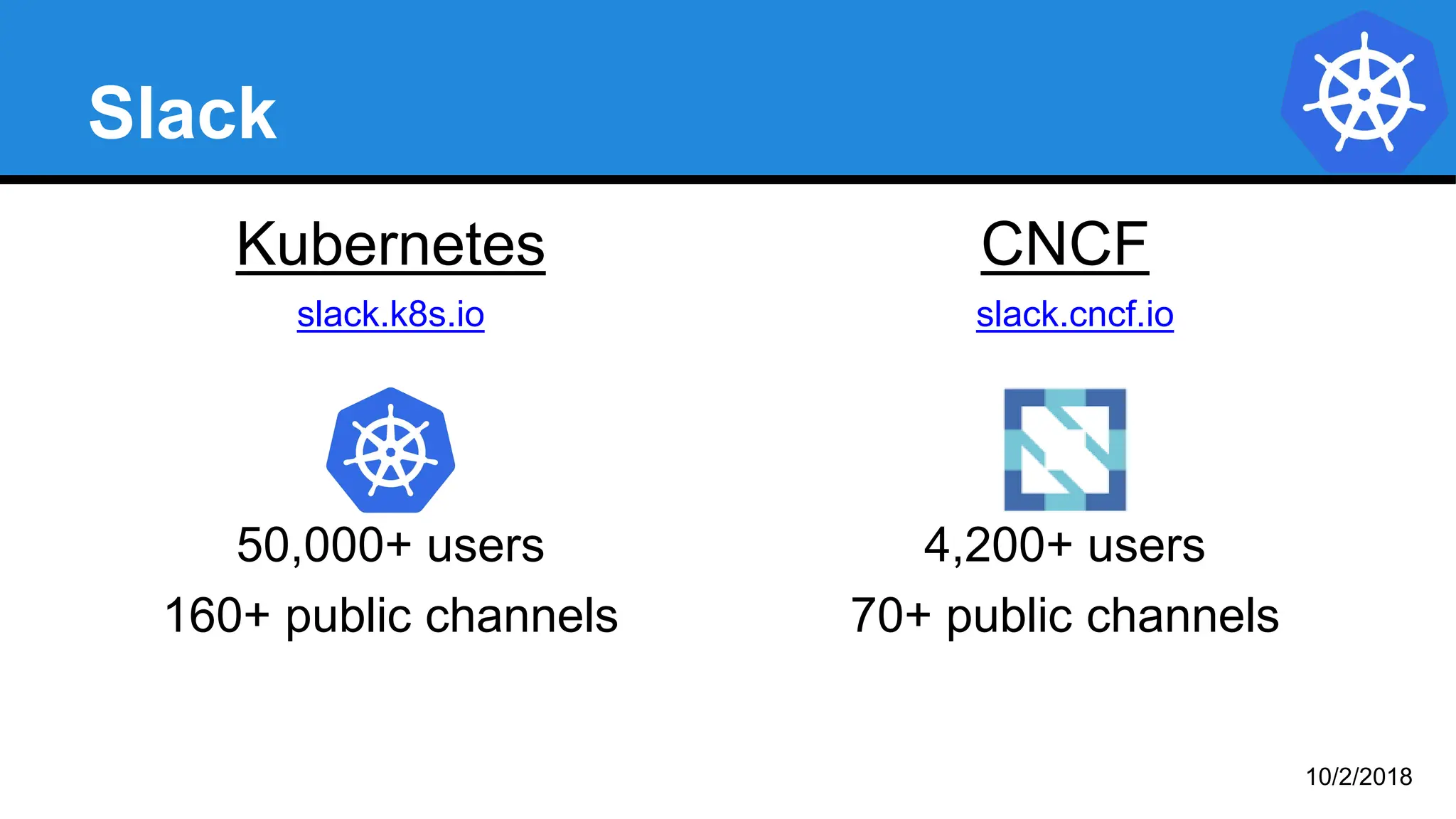
Slack
Kubernetes
slack.k8s.io
50,000+ users
160+ public channels
CNCF
slack.cncf.io
4,200+ users
70+ public channels
10/2/2018
Other Communities
● Official Forum
https://discuss.kubernetes.io
● Subreddit
https://reddit.com/r/kubernetes
● StackOverflow
https://stackoverflow.com/questions/tagged/kubernetes
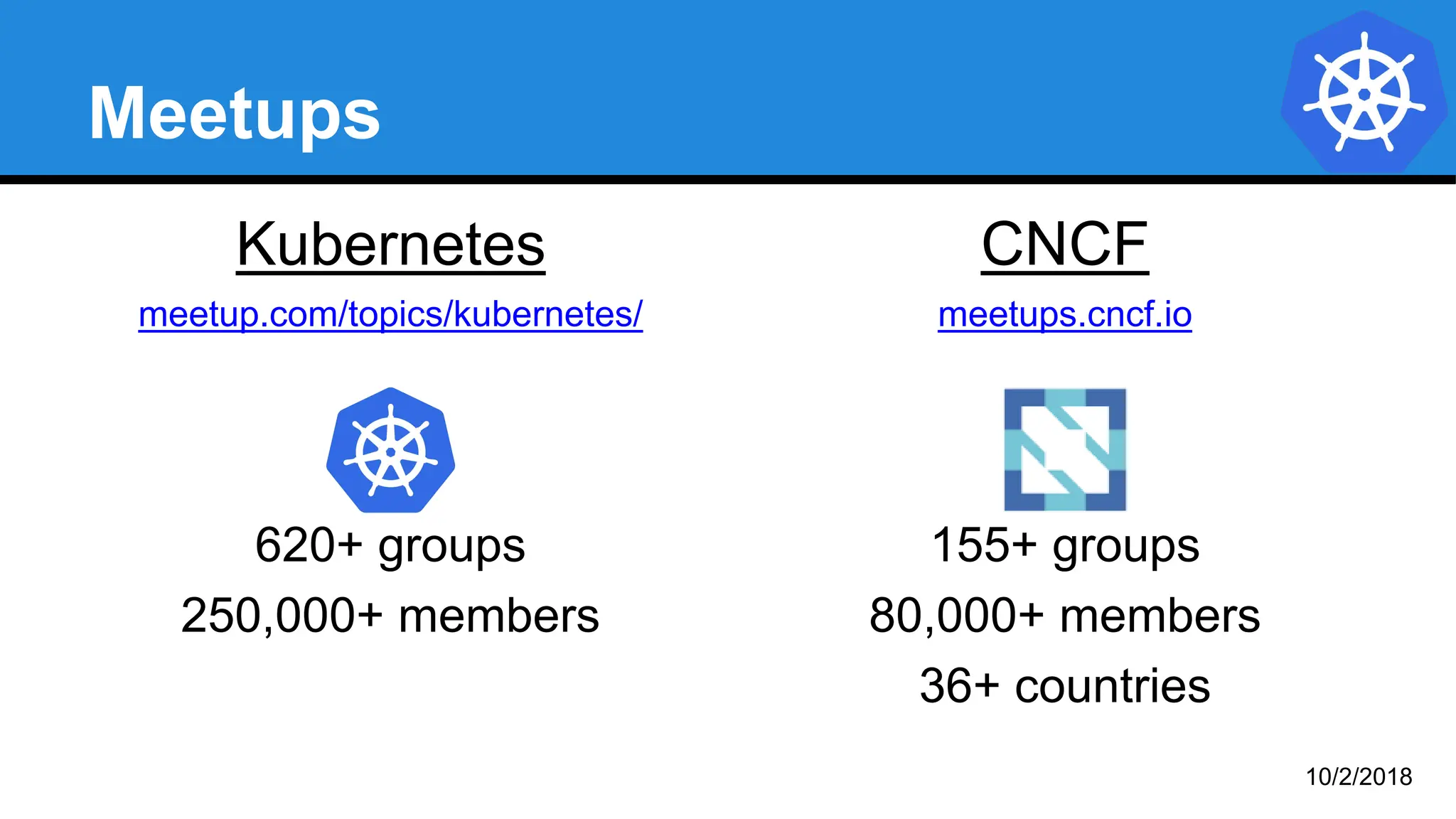
Meetups
Kubernetes
meetup.com/topics/kubernetes/
620+ groups
250,000+ members
CNCF
meetups.cncf.io
155+ groups
80,000+ members
36+ countries
10/2/2018
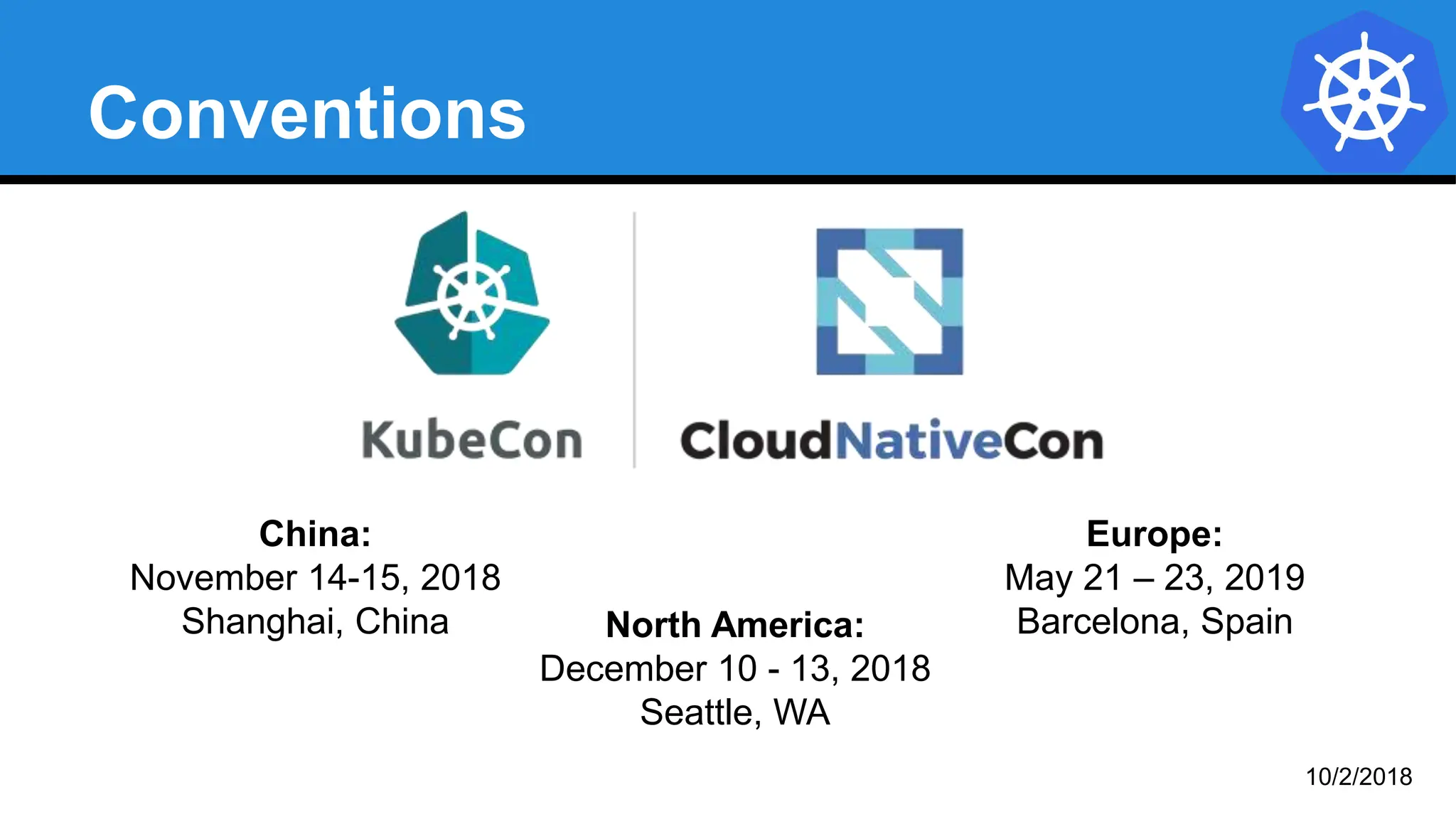
Conventions
Europe:
May 21 – 23, 2019
Barcelona, Spain
China:
November 14-15, 2018
Shanghai, China North America:
December 10 - 13, 2018
Seattle, WA
10/2/2018
GitHub
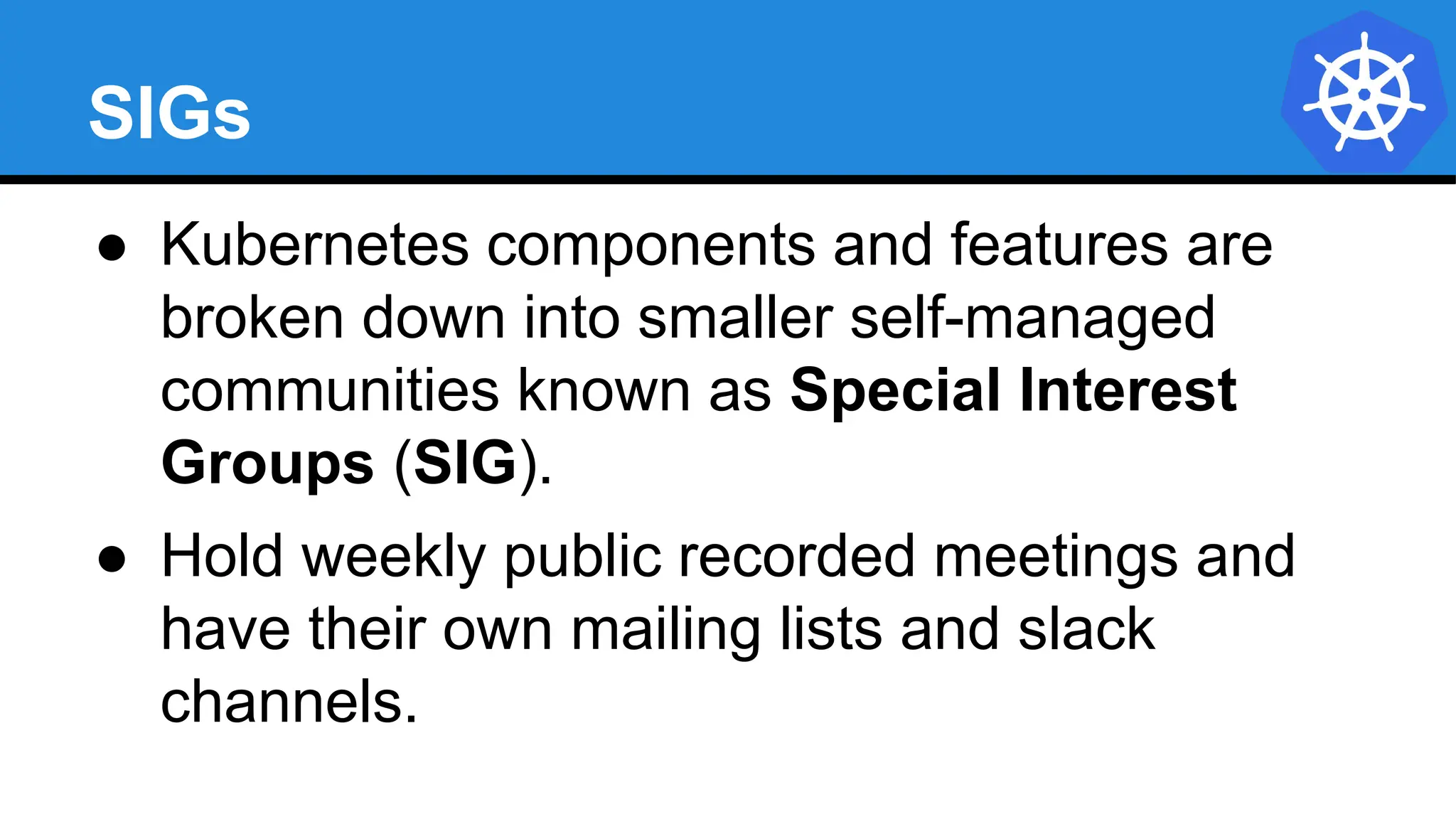
SIGs
● Kubernetes components and features are
broken down into smaller self-managed
communities known as Special Interest
Groups (SIG).
● Hold weekly public recorded meetings and
have their own mailing lists and slack
channels.
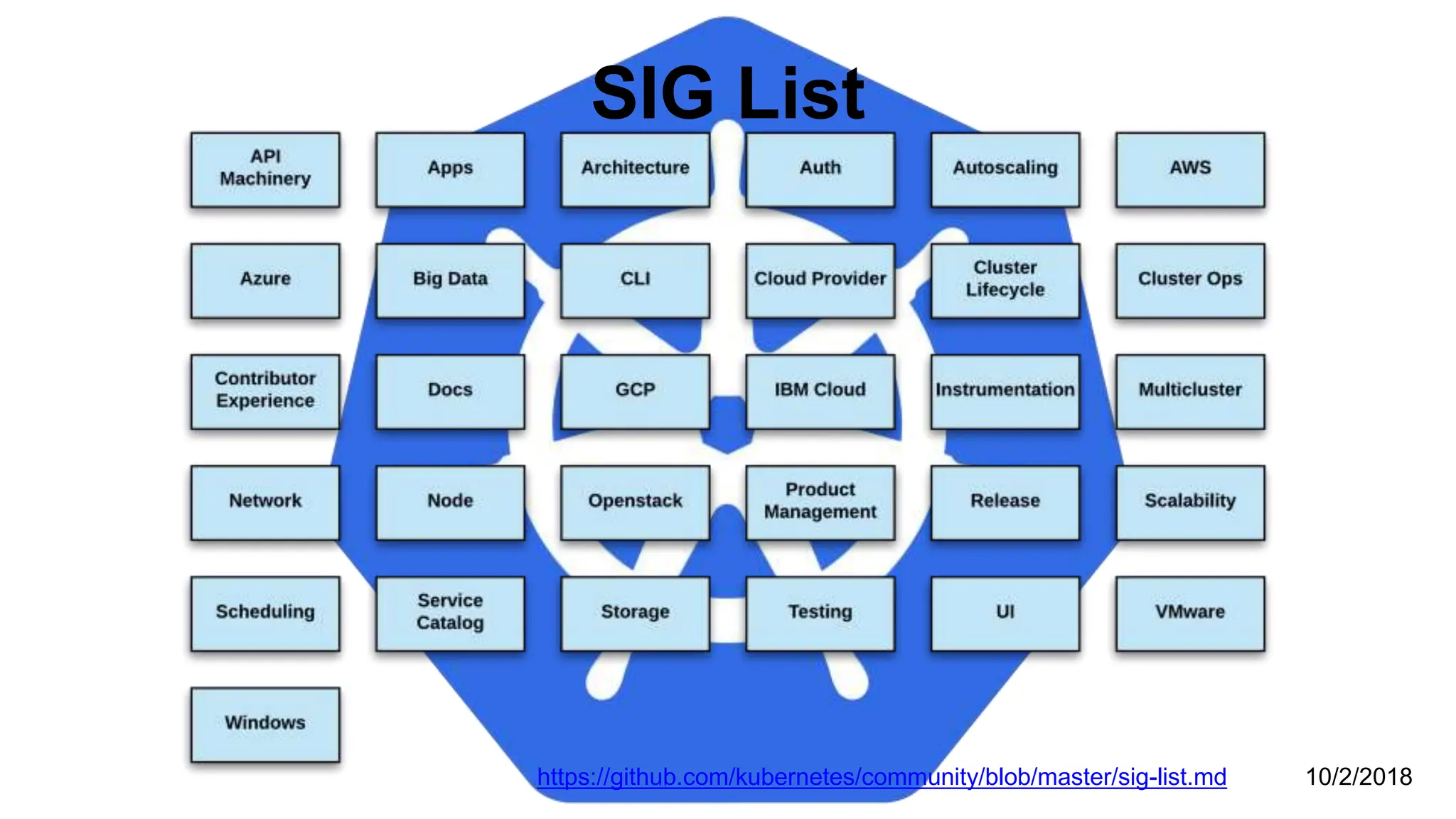
SIG List
https://github.com/kubernetes/community/blob/master/sig-list.md 10/2/2018
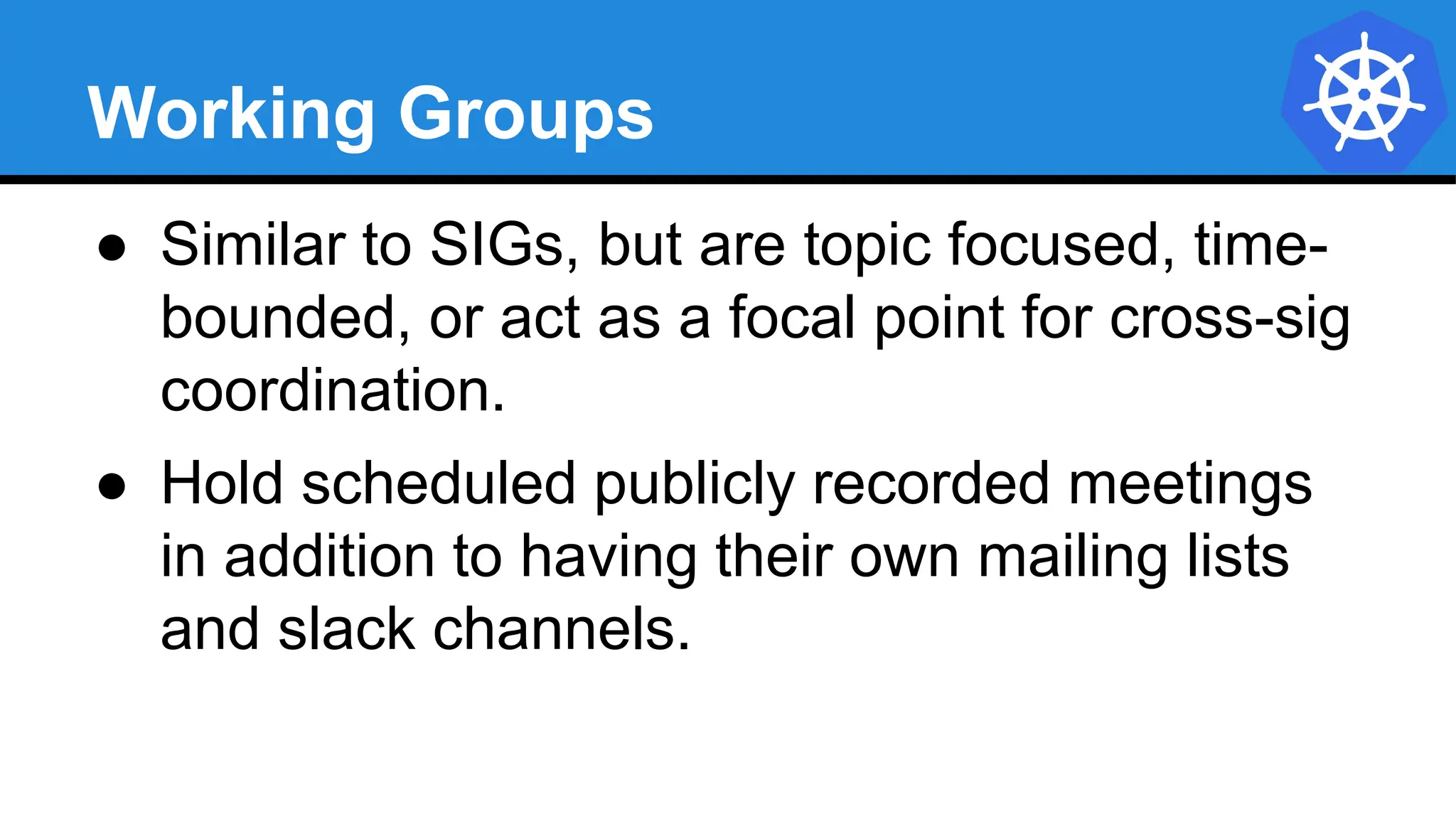
Working Groups
● Similar to SIGs, but are topic focused, time-
bounded, or act as a focal point for cross-sig
coordination.
● Hold scheduled publicly recorded meetings
in addition to having their own mailing lists
and slack channels.
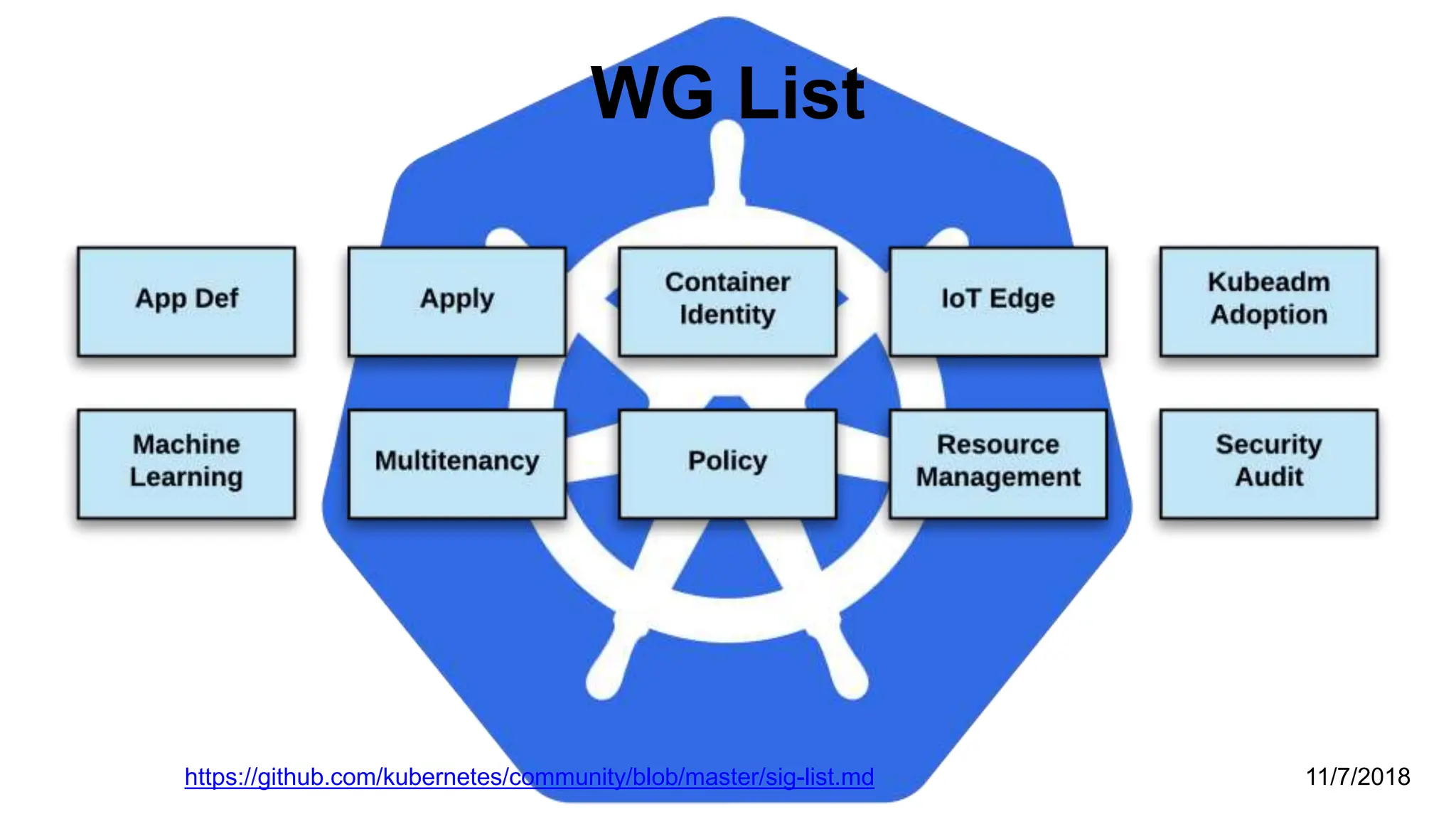
WG List
https://github.com/kubernetes/community/blob/master/sig-list.md 11/7/2018
Links
● Free Kubernetes Courses
https://www.edx.org/
● Interactive Kubernetes Tutorials
https://www.katacoda.com/courses/kubernetes
● Learn Kubernetes the Hard Way
https://github.com/kelseyhightower/kubernetes-the-hard-way
● Official Kubernetes Youtube Channel
https://www.youtube.com/c/KubernetesCommunity
● Official CNCF Youtube Channel
https://www.youtube.com/c/cloudnativefdn
● Track to becoming a CKA/CKAD (Certified Kubernetes Administrator/Application Developer)
https://www.cncf.io/certification/expert/
● Awesome Kubernetes
https://www.gitbook.com/book/ramitsurana/awesome-kubernetes/details
Questions?

Introduction+to+Kubernetes-Details-D.pptx

  • 1.
  • 2.
  • 3.
    What Does “Kubernetes”Mean? Greek for “pilot” or “Helmsman of a ship” Image Source
  • 4.
    What is Kubernetes? ●Project that was spun out of Google as an open source container orchestration platform. ● Built from the lessons learned in the experiences of developing and running Google’s Borg and Omega. ● Designed from the ground-up as a loosely coupled collection of components centered around deploying, maintaining and scaling workloads.
  • 5.
    What Does Kubernetesdo? ● Known as the linux kernel of distributed systems. ● Abstracts away the underlying hardware of the nodes and provides a uniform interface for workloads to be both deployed and consume the shared pool of resources. ● Works as an engine for resolving state by converging actual and the desired state of the system.
  • 6.
    Decouples Infrastructure andScaling ● All services within Kubernetes are natively Load Balanced. ● Can scale up and down dynamically. ● Used both to enable self-healing and seamless upgrading or rollback of applications.
  • 7.
    Self Healing Kubernetes willALWAYS try and steer the cluster to its desired state. ● Me: “I want 3 healthy instances of redis to always be running.” ● Kubernetes: “Okay, I’ll ensure there are always 3 instances up and running.” ● Kubernetes: “Oh look, one has died. I’m going to attempt to spin up a new one.”
  • 8.
    What can KubernetesREALLY do? ● Autoscale Workloads ● Blue/Green Deployments ● Fire off jobs and scheduled cronjobs ● Manage Stateless and Stateful Applications ● Provide native methods of service discovery ● Easily integrate and support 3rd party apps
  • 9.
    Most Importantly... Use theSAME API across bare metal and EVERY cloud provider!!!
  • 10.
    Who “Manages” Kubernetes? TheCNCF is a child entity of the Linux Foundation and operates as a vendor neutral governance group.
  • 11.
    Project Stats ● Over42,000 stars on Github ● 1800+ Contributors to K8s Core ● Most discussed Repository by a large margin ● 50,000+ users in Slack Team 10/2018
  • 12.
  • 13.
  • 14.
    Pods ● Atomic unitor smallest “unit of work”of Kubernetes. ● Pods are one or MORE containers that share volumes, a network namespace, and are a part of a single context.
  • 16.
  • 19.
    Pending: The Podhas been created through the API, and is in the process of being scheduled, loaded, and run on one of the Nodes Running: The Pod is fully operational and the software is running within the cluster Succeeded (or) Failed: The Pod has finished operation (normally or crashed) There is a fourth state: Unknown, which is a fairly rare occurrence and is typically only seen when there’s a problem internal to Kubernetes where it doesn’t know the current state of containers, or is unable to communicate with its underlying systems to determine that state If you are working with long-running code in Containers, then...
  • 20.
    Services ● Unified methodof accessing the exposed workloads of Pods. ● Durable resource ○ static cluster IP ○ static namespaced DNS name
  • 21.
    Services ● Unified methodof accessing the exposed workloads of Pods. ● Durable resource ○ static cluster IP ○ static namespaced DNS name NOT Ephemeral!
  • 22.
  • 24.
  • 25.
    Control Plane Components ●kube-apiserver ● etcd ● kube-controller-manager ● kube-scheduler
  • 26.
    kube-apiserver ● Provides aforward facing REST interface into the kubernetes control plane and datastore. ● All clients and other applications interact with kubernetes strictly through the API Server. ● Acts as the gatekeeper to the cluster by handling authentication and authorization, request validation, mutation, and admission control in addition to being the front-end to the backing datastore.
  • 27.
    etcd ● etcd actsas the cluster datastore. ● Purpose in relation to Kubernetes is to provide a strong, consistent and highly available key-value store for persisting cluster state. ● Stores objects and config information.
  • 28.
    etcd Uses “Raft Consensus” amonga quorum of systems to create a fault-tolerant consistent “view” of the cluster. https://raft.github.io/ Image Source
  • 29.
    kube-controller-manager ● Serves asthe primary daemon that manages all core component control loops. ● Monitors the cluster state via the apiserver and steers the cluster towards the desired state. List of core controllers: https://github.com/kubernetes/kubernetes/blob/master/cmd/kube-controller- manager/app/controllermanager.go#L344
  • 30.
    kube-scheduler ● Verbose policy-richengine that evaluates workload requirements and attempts to place it on a matching resource. ● Default scheduler uses bin packing. ● Workload Requirements can include: general hardware requirements, affinity/anti-affinity, labels, and other various custom resource requirements.
  • 31.
  • 32.
    Node Components ● kubelet ●kube-proxy ● Container Runtime Engine
  • 33.
    kubelet ● Acts asthe node agent responsible for managing the lifecycle of every pod on its host. ● Kubelet understands YAML container manifests that it can read from several sources: ○ file path ○ HTTP Endpoint ○ etcd watch acting on any changes ○ HTTP Server mode accepting container manifests over a simple API.
  • 34.
    kube-proxy ● Manages thenetwork rules on each node. ● Performs connection forwarding or load balancing for Kubernetes cluster services. ● Available Proxy Modes: ○ Userspace ○ iptables ○ ipvs (default if supported)
  • 35.
    Container Runtime Engine ●A container runtime is a CRI (Container Runtime Interface) compatible application that executes and manages containers. ○ Containerd (docker) ○ Cri-o ○ Rkt ○ Kata (formerly clear and hyper) ○ Virtlet (VM CRI compatible runtime)
  • 37.
  • 38.
    cloud-controller-manager ● Daemon thatprovides cloud-provider specific knowledge and integration capability into the core control loop of Kubernetes. ● The controllers include Node, Route, Service, and add an additional controller to handle things such as PersistentVolume Labels.
  • 39.
    Cluster DNS ● ProvidesCluster Wide DNS for Kubernetes Services. ○ kube-dns (default pre 1.11) ○ CoreDNS (current default)
  • 40.
    Kube Dashboard A limited,general purpose web front end for the Kubernetes Cluster.
  • 41.
    Heapster / MetricsAPI Server ● Provides metrics for use with other Kubernetes Components. ○ Heapster (deprecated, removed in Dec) ○ Metrics API (current)
  • 42.
  • 43.
    Kubernetes Networking ● PodNetwork ○ Cluster-wide network used for pod-to-pod communication managed by a CNI (Container Network Interface) plugin. ● Service Network ○ Cluster-wide range of Virtual IPs managed by kube- proxy for service discovery.
  • 44.
    Container Network Interface(CNI) ● Pod networking within Kubernetes is plumbed via the Container Network Interface (CNI). ● Functions as an interface between the container runtime and a network implementation plugin. ● CNCF Project ● Uses a simple JSON Schema.
  • 45.
  • 46.
  • 47.
    CNI Plugins ● AmazonECS ● Calico ● Cillium ● Contiv ● Contrail ● Flannel ● GCE ● kube-router ● Multus ● OpenVSwitch ● Romana ● Weave
  • 48.
    Fundamental Networking Rules ●All containers within a pod can communicate with each other unimpeded. ● All Pods can communicate with all other Pods without NAT. ● All nodes can communicate with all Pods (and vice- versa) without NAT. ● The IP that a Pod sees itself as is the same IP that others see it as.
  • 49.
    Fundamentals Applied ● Container-to-Container ○Containers within a pod exist within the same network namespace and share an IP. ○ Enables intrapod communication over localhost. ● Pod-to-Pod ○ Allocated cluster unique IP for the duration of its life cycle. ○ Pods themselves are fundamentally ephemeral.
  • 50.
    Fundamentals Applied ● Pod-to-Service ○managed by kube-proxy and given a persistent cluster unique IP ○ exists beyond a Pod’s lifecycle. ● External-to-Service ○ Handled by kube-proxy. ○ Works in cooperation with a cloud provider or other external entity (load balancer).
  • 51.
  • 52.
    Concepts and Resources TheAPI and Object Model
  • 53.
    API Overview ● TheREST API is the true keystone of Kubernetes. ● Everything within the Kubernetes is as an API Object. Image Source
  • 54.
    API Groups ● Designedto make it extremely simple to both understand and extend. ● An API Group is a REST compatible path that acts as the type descriptor for a Kubernetes object. ● Referenced within an object as the apiVersion and kind. Format: /apis/<group>/<version>/<resource> Examples: /apis/apps/v1/deployments /apis/batch/v1beta1/cronjobs
  • 55.
    API Versioning ● Threetiers of API maturity levels. ● Also referenced within the object apiVersion. ● Alpha: Possibly buggy, And may change. Disabled by default. ● Beta: Tested and considered stable. However API Schema may change. Enabled by default. ● Stable: Released, stable and API schema will not change. Enabled by default. Format: /apis/<group>/<version>/<resource> Examples: /apis/apps/v1/deployments /apis/batch/v1beta1/cronjobs
  • 56.
    Object Model ● Objectsare a “record of intent” or a persistent entity that represent the desired state of the object within the cluster. ● All objects MUST have apiVersion, kind, and poses the nested fields metadata.name, metadata.namespace, and metadata.uid.
  • 57.
    Object Model Requirements ●apiVersion: Kubernetes API version of the Object ● kind: Type of Kubernetes Object ● metadata.name: Unique name of the Object ● metadata.namespace: Scoped environment name that the object belongs to (will default to current). ● metadata.uid: The (generated) uid for an object. apiVersion: v1 kind: Pod metadata: name: pod-example namespace: default uid: f8798d82-1185-11e8-94ce-080027b3c7a6
  • 58.
    Object Expression -YAML ● Files or other representations of Kubernetes Objects are generally represented in YAML. ● A “Human Friendly” data serialization standard. ● Uses white space (specifically spaces) alignment to denote ownership. ● Three basic data types: ○ mappings - hash or dictionary, ○ sequences - array or list ○ scalars - string, number, boolean etc
  • 59.
    Object Expression -YAML apiVersion: v1 kind: Pod metadata: name: yaml spec: containers: - name: container1 image: nginx - name: container2 image: alpine
  • 60.
    Object Expression -YAML apiVersion: v1 kind: Pod metadata: name: yaml spec: containers: - name: container1 image: nginx - name: container2 image: alpine Sequence Array List Mapping Hash Dictionary Scalar
  • 61.
    YAML vs JSON apiVersion:v1 kind: Pod metadata: name: pod-example spec: containers: - name: nginx image: nginx:stable-alpine ports: - containerPort: 80 { "apiVersion": "v1", "kind": "Pod", "metadata": { "name": "pod-example" }, "spec": { "containers": [ { "name": "nginx", "image": "nginx:stable-alpine", "ports": [ { "containerPort": 80 } ] } ] } }
  • 62.
    Object Model -Workloads ● Workload related objects within Kubernetes have an additional two nested fields spec and status. ○ spec - Describes the desired state or configuration of the object to be created. ○ status - Is managed by Kubernetes and describes the actual state of the object and its history.
  • 63.
    Workload Object Example ExampleObject apiVersion: v1 kind: Pod metadata: name: pod-example spec: containers: - name: nginx image: nginx:stable-alpine ports: - containerPort: 80 Example Status Snippet status: conditions: - lastProbeTime: null lastTransitionTime: 2018-02-14T14:15:52Z status: "True" type: Ready - lastProbeTime: null lastTransitionTime: 2018-02-14T14:15:49Z status: "True" type: Initialized - lastProbeTime: null lastTransitionTime: 2018-02-14T14:15:49Z status: "True" type: PodScheduled
  • 64.
  • 65.
    Concepts and Resources Core Objects ●Namespaces Pods Labels Selectors Services
  • 66.
    Core Concepts Kubernetes hasseveral core building blocks that make up the foundation of their higher level components. Namespaces Pods Selectors Services Labels
  • 67.
    Namespaces Namespaces are alogical cluster or environment, and are the primary method of partitioning a cluster or scoping access. apiVersion: v1 kind: Namespace metadata: name: prod labels: app: MyBigWebApp $ kubectl get ns --show-labels NAME STATUS AGE LABELS default Active 11h <none> kube-public Active 11h <none> kube-system Active 11h <none> prod Active 6s app=MyBigWebApp
  • 68.
    Default Namespaces $ kubectlget ns --show-labels NAME STATUS AGE LABELS default Active 11h <none> kube-public Active 11h <none> kube-system Active 11h <none> ● default: The default namespace for any object without a namespace. ● kube-system: Acts as the home for objects and resources created by Kubernetes itself. ● kube-public: A special namespace; readable by all users that is reserved for cluster bootstrapping and configuration.
  • 69.
    Pod ● Atomic unitor smallest “unit of work”of Kubernetes. ● Foundational building block of Kubernetes Workloads. ● Pods are one or more containers that share volumes, a network namespace, and are a part of a single context.
  • 70.
    Pod Examples apiVersion: v1 kind:Pod metadata: name: multi-container-example spec: containers: - name: nginx image: nginx:stable-alpine ports: - containerPort: 80 volumeMounts: - name: html mountPath: /usr/share/nginx/html - name: content image: alpine:latest command: ["/bin/sh", "-c"] args: - while true; do date >> /html/index.html; sleep 5; done volumeMounts: - name: html mountPath: /html volumes: - name: html emptyDir: {} apiVersion: v1 kind: Pod metadata: name: pod-example spec: containers: - name: nginx image: nginx:stable-alpine ports: - containerPort: 80
  • 71.
    Key Pod ContainerAttributes ● name - The name of the container ● image - The container image ● ports - array of ports to expose. Can be granted a friendly name and protocol may be specified ● env - array of environment variables ● command - Entrypoint array (equiv to Docker ENTRYPOINT) ● args - Arguments to pass to the command (equiv to Docker CMD) Container name: nginx image: nginx:stable-alpine ports: - containerPort: 80 name: http protocol: TCP env: - name: MYVAR value: isAwesome command: [“/bin/sh”, “-c”] args: [“echo ${MYVAR}”]
  • 72.
    Labels ● key-value pairsthat are used to identify, describe and group together related sets of objects or resources. ● NOT characteristic of uniqueness. ● Have a strict syntax with a slightly limited character set*. * https://kubernetes.io/docs/concepts/overview/working-with-objects/labels/#syntax-and-character-set
  • 73.
    Label Example apiVersion: v1 kind:Pod metadata: name: pod-label-example labels: app: nginx env: prod spec: containers: - name: nginx image: nginx:stable-alpine ports: - containerPort: 80
  • 74.
    Selectors Selectors use labelsto filter or select objects, and are used throughout Kubernetes. apiVersion: v1 kind: Pod metadata: name: pod-label-example labels: app: nginx env: prod spec: containers: - name: nginx image: nginx:stable-alpine ports: - containerPort: 80 nodeSelector: gpu: nvidia
  • 75.
    apiVersion: v1 kind: Pod metadata: name:pod-label-example labels: app: nginx env: prod spec: containers: - name: nginx image: nginx:stable-alpine ports: - containerPort: 80 nodeSelector: gpu: nvidia Selector Example
  • 76.
    Equality based selectorsallow for simple filtering (=,==, or !=). Selector Types Set-based selectors are supported on a limited subset of objects. However, they provide a method of filtering on a set of values, and supports multiple operators including: in, notin, and exist. selector: matchExpressions: - key: gpu operator: in values: [“nvidia”] selector: matchLabels: gpu: nvidia
  • 77.
    Services ● Unified methodof accessing the exposed workloads of Pods. ● Durable resource (unlike Pods) ○ static cluster-unique IP ○ static namespaced DNS name <service name>.<namespace>.svc.cluster.local
  • 78.
    Services ● Target Podsusing equality based selectors. ● Uses kube-proxy to provide simple load-balancing. ● kube-proxy acts as a daemon that creates local entries in the host’s iptables for every service.
  • 79.
    Service Types There are4 major service types: ● ClusterIP (default) ● NodePort ● LoadBalancer ● ExternalName
  • 80.
    ClusterIP Service ClusterIP servicesexposes a service on a strictly cluster internal virtual IP. apiVersion: v1 kind: Service metadata: name: example-prod spec: selector: app: nginx env: prod ports: - protocol: TCP port: 80 targetPort: 80
  • 81.
    Cluster IP Service Name:example-prod Selector: app=nginx,env=prod Type: ClusterIP IP: 10.96.28.176 Port: <unset> 80/TCP TargetPort: 80/TCP Endpoints: 10.255.16.3:80, 10.255.16.4:80 / # nslookup example-prod.default.svc.cluster.local Name: example-prod.default.svc.cluster.local Address 1: 10.96.28.176 example-prod.default.svc.cluster.local
  • 82.
    NodePort Service ● NodePortservices extend the ClusterIP service. ● Exposes a port on every node’s IP. ● Port can either be statically defined, or dynamically taken from a range between 30000- 32767. apiVersion: v1 kind: Service metadata: name: example-prod spec: type: NodePort selector: app: nginx env: prod ports: - nodePort: 32410 protocol: TCP port: 80 targetPort: 80
  • 83.
    NodePort Service Name: example-prod Selector:app=nginx,env=prod Type: NodePort IP: 10.96.28.176 Port: <unset> 80/TCP TargetPort: 80/TCP NodePort: <unset> 32410/TCP Endpoints: 10.255.16.3:80, 10.255.16.4:80
  • 84.
    LoadBalancer Service apiVersion: v1 kind:Service metadata: name: example-prod spec: type: LoadBalancer selector: app: nginx env: prod ports: protocol: TCP port: 80 targetPort: 80 ● LoadBalancer services extend NodePort. ● Works in conjunction with an external system to map a cluster external IP to the exposed service.
  • 85.
    LoadBalancer Service Name: example-prod Selector:app=nginx,env=prod Type: LoadBalancer IP: 10.96.28.176 LoadBalancer Ingress: 172.17.18.43 Port: <unset> 80/TCP TargetPort: 80/TCP NodePort: <unset> 32410/TCP Endpoints: 10.255.16.3:80, 10.255.16.4:80
  • 86.
    ExternalName Service apiVersion: v1 kind:Service metadata: name: example-prod spec: type: ExternalName spec: externalName: example.com ● ExternalName is used to reference endpoints OUTSIDE the cluster. ● Creates an internal CNAME DNS entry that aliases another.
  • 87.
  • 88.
  • 89.
    Concepts and Resources Workloads ●ReplicaSet Deployment DaemonSet StatefulSet Job CronJob
  • 90.
  • 91.
    Workloads Workloads within Kubernetesare higher level objects that manage Pods or other higher level objects. In ALL CASES a Pod Template is included, and acts the base tier of management.
  • 92.
    Pod Template ● WorkloadControllers manage instances of Pods based off a provided template. ● Pod Templates are Pod specs with limited metadata. ● Controllers use Pod Templates to make actual pods. apiVersion: v1 kind: Pod metadata: name: pod-example labels: app: nginx spec: containers: - name: nginx image: nginx template: metadata: labels: app: nginx spec: containers: - name: nginx image: nginx
  • 93.
    ReplicaSet ● Primary methodof managing pod replicas and their lifecycle. ● Includes their scheduling, scaling, and deletion. ● Their job is simple: Always ensure the desired number of pods are running.
  • 94.
    ReplicaSet ● replicas: Thedesired number of instances of the Pod. ● selector:The label selector for the ReplicaSet will manage ALL Pod instances that it targets; whether it’s desired or not. apiVersion: apps/v1 kind: ReplicaSet metadata: name: rs-example spec: replicas: 3 selector: matchLabels: app: nginx env: prod template: <pod template>
  • 95.
    ReplicaSet $ kubectl describers rs-example Name: rs-example Namespace: default Selector: app=nginx,env=prod Labels: app=nginx env=prod Annotations: <none> Replicas: 3 current / 3 desired Pods Status: 3 Running / 0 Waiting / 0 Succeeded / 0 Failed Pod Template: Labels: app=nginx env=prod Containers: nginx: Image: nginx:stable-alpine Port: 80/TCP Environment: <none> Mounts: <none> Volumes: <none> Events: Type Reason Age From Message ---- ------ ---- ---- ------- Normal SuccessfulCreate 16s replicaset-controller Created pod: rs-example-mkll2 Normal SuccessfulCreate 16s replicaset-controller Created pod: rs-example-b7bcg Normal SuccessfulCreate 16s replicaset-controller Created pod: rs-example-9l4dt apiVersion: apps/v1 kind: ReplicaSet metadata: name: rs-example spec: replicas: 3 selector: matchLabels: app: nginx env: prod template: metadata: labels: app: nginx env: prod spec: containers: - name: nginx image: nginx:stable-alpine ports: - containerPort: 80 $ kubectl get pods NAME READY STATUS RESTARTS AGE rs-example-9l4dt 1/1 Running 0 1h rs-example-b7bcg 1/1 Running 0 1h rs-example-mkll2 1/1 Running 0 1h
  • 96.
    Deployment ● Declarative methodof managing Pods via ReplicaSets. ● Provide rollback functionality and update control. ● Updates are managed through the pod-template-hash label. ● Each iteration creates a unique label that is assigned to both the ReplicaSet and subsequent Pods.
  • 97.
    Deployment ● revisionHistoryLimit: Thenumber of previous iterations of the Deployment to retain. ● strategy: Describes the method of updating the Pods based on the type. Valid options are Recreate or RollingUpdate. ○ Recreate: All existing Pods are killed before the new ones are created. ○ RollingUpdate: Cycles through updating the Pods according to the parameters: maxSurge and maxUnavailable. apiVersion: apps/v1 kind: Deployment metadata: name: deploy-example spec: replicas: 3 revisionHistoryLimit: 3 selector: matchLabels: app: nginx env: prod strategy: type: RollingUpdate rollingUpdate: maxSurge: 1 maxUnavailable: 0 template: <pod template>
  • 98.
    RollingUpdate Deployment $ kubectlget pods NAME READY STATUS RESTARTS AGE mydep-6766777fff-9r2zn 1/1 Running 0 5h mydep-6766777fff-hsfz9 1/1 Running 0 5h mydep-6766777fff-sjxhf 1/1 Running 0 5h $ kubectl get replicaset NAME DESIRED CURRENT READY AGE mydep-6766777fff 3 3 3 5h Updating pod template generates a new ReplicaSet revision. R1 pod-template-hash: 676677fff R2 pod-template-hash: 54f7ff7d6d
  • 99.
    RollingUpdate Deployment $ kubectlget replicaset NAME DESIRED CURRENT READY AGE mydep-54f7ff7d6d 1 1 1 5s mydep-6766777fff 2 3 3 5h $ kubectl get pods NAME READY STATUS RESTARTS AGE mydep-54f7ff7d6d-9gvll 1/1 Running 0 2s mydep-6766777fff-9r2zn 1/1 Running 0 5h mydep-6766777fff-hsfz9 1/1 Running 0 5h mydep-6766777fff-sjxhf 1/1 Running 0 5h New ReplicaSet is initially scaled up based on maxSurge. R1 pod-template-hash: 676677fff R2 pod-template-hash: 54f7ff7d6d
  • 100.
    RollingUpdate Deployment $ kubectlget pods NAME READY STATUS RESTARTS AGE mydep-54f7ff7d6d-9gvll 1/1 Running 0 5s mydep-54f7ff7d6d-cqvlq 1/1 Running 0 2s mydep-6766777fff-9r2zn 1/1 Running 0 5h mydep-6766777fff-hsfz9 1/1 Running 0 5h $ kubectl get replicaset NAME DESIRED CURRENT READY AGE mydep-54f7ff7d6d 2 2 2 8s mydep-6766777fff 2 2 2 5h Phase out of old Pods managed by maxSurge and maxUnavailable. R1 pod-template-hash: 676677fff R2 pod-template-hash: 54f7ff7d6d
  • 101.
    RollingUpdate Deployment $ kubectlget replicaset NAME DESIRED CURRENT READY AGE mydep-54f7ff7d6d 3 3 3 10s mydep-6766777fff 0 1 1 5h $ kubectl get pods NAME READY STATUS RESTARTS AGE mydep-54f7ff7d6d-9gvll 1/1 Running 0 7s mydep-54f7ff7d6d-cqvlq 1/1 Running 0 5s mydep-54f7ff7d6d-gccr6 1/1 Running 0 2s mydep-6766777fff-9r2zn 1/1 Running 0 5h Phase out of old Pods managed by maxSurge and maxUnavailable. R1 pod-template-hash: 676677fff R2 pod-template-hash: 54f7ff7d6d
  • 102.
    RollingUpdate Deployment $ kubectlget replicaset NAME DESIRED CURRENT READY AGE mydep-54f7ff7d6d 3 3 3 13s mydep-6766777fff 0 0 0 5h $ kubectl get pods NAME READY STATUS RESTARTS AGE mydep-54f7ff7d6d-9gvll 1/1 Running 0 10s mydep-54f7ff7d6d-cqvlq 1/1 Running 0 8s mydep-54f7ff7d6d-gccr6 1/1 Running 0 5s Phase out of old Pods managed by maxSurge and maxUnavailable. R1 pod-template-hash: 676677fff R2 pod-template-hash: 54f7ff7d6d
  • 103.
    RollingUpdate Deployment $ kubectlget replicaset NAME DESIRED CURRENT READY AGE mydep-54f7ff7d6d 3 3 3 15s mydep-6766777fff 0 0 0 5h $ kubectl get pods NAME READY STATUS RESTARTS AGE mydep-54f7ff7d6d-9gvll 1/1 Running 0 12s mydep-54f7ff7d6d-cqvlq 1/1 Running 0 10s mydep-54f7ff7d6d-gccr6 1/1 Running 0 7s Updated to new deployment revision completed. R1 pod-template-hash: 676677fff R2 pod-template-hash: 54f7ff7d6d
  • 104.
    DaemonSet ● Ensure thatall nodes matching certain criteria will run an instance of the supplied Pod. ● They bypass default scheduling mechanisms. ● Are ideal for cluster wide services such as log forwarding, or health monitoring. ● Revisions are managed via a controller-revision-hash label.
  • 105.
    DaemonSet ● revisionHistoryLimit: Thenumber of previous iterations of the DaemonSet to retain. ● updateStrategy: Describes the method of updating the Pods based on the type. Valid options are RollingUpdate or OnDelete. ○ RollingUpdate: Cycles through updating the Pods according to the value of maxUnavailable. ○ OnDelete: The new instance of the Pod is deployed ONLY after the current instance is deleted. apiVersion: apps/v1 kind: DaemonSet metadata: name: ds-example spec: revisionHistoryLimit: 3 selector: matchLabels: app: nginx updateStrategy: type: RollingUpdate rollingUpdate: maxUnavailable: 1 template: spec: nodeSelector: nodeType: edge <pod template>
  • 106.
    DaemonSet ● spec.template.spec.nodeSelector: Theprimary selector used to target nodes. ● Default Host Labels: ○ kubernetes.io/hostname ○ beta.kubernetes.io/os ○ beta.kubernetes.io/arch ● Cloud Host Labels: ○ failure-domain.beta.kubernetes.io/zone ○ failure-domain.beta.kubernetes.io/region ○ beta.kubernetes.io/instance-type apiVersion: apps/v1 kind: DaemonSet metadata: name: ds-example spec: revisionHistoryLimit: 3 selector: matchLabels: app: nginx updateStrategy: type: RollingUpdate rollingUpdate: maxUnavailable: 1 template: spec: nodeSelector: nodeType: edge <pod template>
  • 107.
    DaemonSet $ kubectl describeds ds-example Name: ds-example Selector: app=nginx,env=prod Node-Selector: nodeType=edge Labels: app=nginx env=prod Annotations: <none> Desired Number of Nodes Scheduled: 1 Current Number of Nodes Scheduled: 1 Number of Nodes Scheduled with Up-to-date Pods: 1 Number of Nodes Scheduled with Available Pods: 1 Number of Nodes Misscheduled: 0 Pods Status: 1 Running / 0 Waiting / 0 Succeeded / 0 Failed Pod Template: Labels: app=nginx env=prod Containers: nginx: Image: nginx:stable-alpine Port: 80/TCP Environment: <none> Mounts: <none> Volumes: <none> Events: Type Reason Age From Message ---- ------ ---- ---- ------- Normal SuccessfulCreate 48s daemonset-controller Created pod: ds-example-x8kkz apiVersion: apps/v1 kind: DaemonSet metadata: name: ds-example spec: revisionHistoryLimit: 3 selector: matchLabels: app: nginx updateStrategy: type: RollingUpdate rollingUpdate: maxUnavailable: 1 template: metadata: labels: app: nginx spec: nodeSelector: nodeType: edge containers: - name: nginx image: nginx:stable-alpine ports: - containerPort: 80 $ kubectl get pods NAME READY STATUS RESTARTS AGE ds-example-x8kkz 1/1 Running 0 1m
  • 108.
    DaemonSet $ kubectl describeds ds-example Name: ds-example Selector: app=nginx,env=prod Node-Selector: nodeType=edge Labels: app=nginx env=prod Annotations: <none> Desired Number of Nodes Scheduled: 1 Current Number of Nodes Scheduled: 1 Number of Nodes Scheduled with Up-to-date Pods: 1 Number of Nodes Scheduled with Available Pods: 1 Number of Nodes Misscheduled: 0 Pods Status: 1 Running / 0 Waiting / 0 Succeeded / 0 Failed Pod Template: Labels: app=nginx env=prod Containers: nginx: Image: nginx:stable-alpine Port: 80/TCP Environment: <none> Mounts: <none> Volumes: <none> Events: Type Reason Age From Message ---- ------ ---- ---- ------- Normal SuccessfulCreate 48s daemonset-controller Created pod: ds-example-x8kkz apiVersion: apps/v1 kind: DaemonSet metadata: name: ds-example spec: revisionHistoryLimit: 3 selector: matchLabels: app: nginx updateStrategy: type: RollingUpdate rollingUpdate: maxUnavailable: 1 template: metadata: labels: app: nginx spec: nodeSelector: nodeType: edge containers: - name: nginx image: nginx:stable-alpine ports: - containerPort: 80 $ kubectl get pods NAME READY STATUS RESTARTS AGE ds-example-x8kkz 1/1 Running 0 1m
  • 109.
    STATEFULESET  StatefulSets arevaluable for applications that require one or more of the following.   Stable, unique network identifiers.  Stable, persistent storage.  Ordered, graceful deployment and scaling.  Ordered, automated rolling updates.
  • 110.
    LIMITATION  The storagefor a given Pod must either be provisioned by a PersistentVolume Provisioner based on the requested storage class, or pre-provisioned by an admin.  Deleting and/or scaling a StatefulSet down will not delete the volumes associated with the StatefulSet. This is done to ensure data safety, which is generally more valuable than an automatic purge of all related StatefulSet resources.  StatefulSets currently require a Headless Service to be responsible for the network identity of the Pods. You are responsible for creating this Service.  StatefulSets do not provide any guarantees on the termination of pods when a StatefulSet is deleted. To achieve ordered and graceful termination of the pods in the StatefulSet, it is possible to scale the StatefulSet down to 0 prior to deletion.  When using Rolling Updates with the default Pod Management Policy (OrderedReady), it’s possible to get into a broken state that requires manual intervention to re
  • 111.
    StatefulSet ● Tailored tomanaging Pods that must persist or maintain state. ● Pod identity including hostname, network, and storage WILL be persisted. ● Assigned a unique ordinal name following the convention of ‘<statefulset name>-<ordinal index>’.
  • 112.
    StatefulSet ● Naming conventionis also used in Pod’s network Identity and Volumes. ● Pod lifecycle will be ordered and follow consistent patterns. ● Revisions are managed via a controller-revision-hash label
  • 113.
    StatefulSet apiVersion: apps/v1 kind: StatefulSet metadata: name:sts-example spec: replicas: 2 revisionHistoryLimit: 3 selector: matchLabels: app: stateful serviceName: app updateStrategy: type: RollingUpdate rollingUpdate: partition: 0 template: metadata: labels: app: stateful <continued> <continued> spec: containers: - name: nginx image: nginx:stable-alpine ports: - containerPort: 80 volumeMounts: - name: www mountPath: /usr/share/nginx/html volumeClaimTemplates: - metadata: name: www spec: accessModes: [ "ReadWriteOnce" ] storageClassName: standard resources: requests: storage: 1Gi
  • 114.
    StatefulSet apiVersion: apps/v1 kind: StatefulSet metadata: name:sts-example spec: replicas: 2 revisionHistoryLimit: 3 selector: matchLabels: app: stateful serviceName: app updateStrategy: type: RollingUpdate rollingUpdate: partition: 0 template: <pod template> ● revisionHistoryLimit: The number of previous iterations of the StatefulSet to retain. ● serviceName: The name of the associated headless service; or a service without a ClusterIP.
  • 115.
    Headless Service / #dig sts-example-0.app.default.svc.cluster.local +noall +answer ; <<>> DiG 9.11.2-P1 <<>> sts-example-0.app.default.svc.cluster.local +noall +answer ;; global options: +cmd sts-example-0.app.default.svc.cluster.local. 20 IN A 10.255.0.2 apiVersion: v1 kind: Service metadata: name: app spec: clusterIP: None selector: app: stateful ports: - protocol: TCP port: 80 targetPort: 80 $ kubectl get pods NAME READY STATUS RESTARTS AGE sts-example-0 1/1 Running 0 11m sts-example-1 1/1 Running 0 11m <StatefulSet Name>-<ordinal>.<service name>.<namespace>.svc.cluster.local / # dig app.default.svc.cluster.local +noall +answer ; <<>> DiG 9.11.2-P1 <<>> app.default.svc.cluster.local +noall +answer ;; global options: +cmd app.default.svc.cluster.local. 2 IN A 10.255.0.5 app.default.svc.cluster.local. 2 IN A 10.255.0.2 / # dig sts-example-1.app.default.svc.cluster.local +noall +answer ; <<>> DiG 9.11.2-P1 <<>> sts-example-1.app.default.svc.cluster.local +noall +answer ;; global options: +cmd sts-example-1.app.default.svc.cluster.local. 30 IN A 10.255.0.5
  • 116.
    Headless Service / #dig sts-example-0.app.default.svc.cluster.local +noall +answer ; <<>> DiG 9.11.2-P1 <<>> sts-example-0.app.default.svc.cluster.local +noall +answer ;; global options: +cmd sts-example-0.app.default.svc.cluster.local. 20 IN A 10.255.0.2 apiVersion: v1 kind: Service metadata: name: app spec: clusterIP: None selector: app: stateful ports: - protocol: TCP port: 80 targetPort: 80 $ kubectl get pods NAME READY STATUS RESTARTS AGE sts-example-0 1/1 Running 0 11m sts-example-1 1/1 Running 0 11m <StatefulSet Name>-<ordinal>.<service name>.<namespace>.svc.cluster.local / # dig app.default.svc.cluster.local +noall +answer ; <<>> DiG 9.11.2-P1 <<>> app.default.svc.cluster.local +noall +answer ;; global options: +cmd app.default.svc.cluster.local. 2 IN A 10.255.0.5 app.default.svc.cluster.local. 2 IN A 10.255.0.2 / # dig sts-example-1.app.default.svc.cluster.local +noall +answer ; <<>> DiG 9.11.2-P1 <<>> sts-example-1.app.default.svc.cluster.local +noall +answer ;; global options: +cmd sts-example-1.app.default.svc.cluster.local. 30 IN A 10.255.0.5
  • 117.
    Headless Service / #dig sts-example-0.app.default.svc.cluster.local +noall +answer ; <<>> DiG 9.11.2-P1 <<>> sts-example-0.app.default.svc.cluster.local +noall +answer ;; global options: +cmd sts-example-0.app.default.svc.cluster.local. 20 IN A 10.255.0.2 apiVersion: v1 kind: Service metadata: name: app spec: clusterIP: None selector: app: stateful ports: - protocol: TCP port: 80 targetPort: 80 $ kubectl get pods NAME READY STATUS RESTARTS AGE sts-example-0 1/1 Running 0 11m sts-example-1 1/1 Running 0 11m <StatefulSet Name>-<ordinal>.<service name>.<namespace>.svc.cluster.local / # dig app.default.svc.cluster.local +noall +answer ; <<>> DiG 9.11.2-P1 <<>> app.default.svc.cluster.local +noall +answer ;; global options: +cmd app.default.svc.cluster.local. 2 IN A 10.255.0.5 app.default.svc.cluster.local. 2 IN A 10.255.0.2 / # dig sts-example-1.app.default.svc.cluster.local +noall +answer ; <<>> DiG 9.11.2-P1 <<>> sts-example-1.app.default.svc.cluster.local +noall +answer ;; global options: +cmd sts-example-1.app.default.svc.cluster.local. 30 IN A 10.255.0.5
  • 118.
    StatefulSet ● updateStrategy: Describesthe method of updating the Pods based on the type. Valid options are OnDelete or RollingUpdate. ○ OnDelete: The new instance of the Pod is deployed ONLY after the current instance is deleted. ○ RollingUpdate: Pods with an ordinal greater than the partition value will be updated in one-by-one in reverse order. apiVersion: apps/v1 kind: StatefulSet metadata: name: sts-example spec: replicas: 2 revisionHistoryLimit: 3 selector: matchLabels: app: stateful serviceName: app updateStrategy: type: RollingUpdate rollingUpdate: partition: 0 template: <pod template>
  • 119.
    StatefulSet spec: containers: - name: nginx image:nginx:stable-alpine ports: - containerPort: 80 volumeMounts: - name: www mountPath: /usr/share/nginx/html volumeClaimTemplates: - metadata: name: www spec: accessModes: [ "ReadWriteOnce" ] storageClassName: standard resources: requests: storage: 1Gi ● volumeClaimTemplates: Template of the persistent volume(s) request to use for each instance of the StatefulSet.
  • 120.
    VolumeClaimTemplate volumeClaimTemplates: - metadata: name: www spec: accessModes:[ "ReadWriteOnce" ] storageClassName: standard resources: requests: storage: 1Gi $ kubectl get pvc NAME STATUS VOLUME CAPACITY ACCESS MODES STORAGECLASS AGE www-sts-example-0 Bound pvc-d2f11e3b-18d0-11e8-ba4f-080027a3682b 1Gi RWO standard 4h www-sts-example-1 Bound pvc-d3c923c0-18d0-11e8-ba4f-080027a3682b 1Gi RWO standard 4h <Volume Name>-<StatefulSet Name>-<ordinal> Persistent Volumes associated with a StatefulSet will NOT be automatically garbage collected when it’s associated StatefulSet is deleted. They must manually be removed.
  • 121.
    Job ● Job controllerensures one or more pods are executed and successfully terminate. ● Will continue to try and execute the job until it satisfies the completion and/or parallelism condition. ● Pods are NOT cleaned up until the job itself is deleted.*
  • 122.
    Job ● backoffLimit: Thenumber of failures before the job itself is considered failed. ● completions: The total number of successful completions desired. ● parallelism: How many instances of the pod can be run concurrently. ● spec.template.spec.restartPolicy:Jobs only support a restartPolicy of type Never or OnFailure. apiVersion: batch/v1 kind: Job metadata: name: job-example spec: backoffLimit: 4 completions: 4 parallelism: 2 template: spec: restartPolicy: Never <pod-template>
  • 123.
    Job apiVersion: batch/v1 kind: Job metadata: name:job-example spec: backoffLimit: 4 completions: 4 parallelism: 2 template: spec: containers: - name: hello image: alpine:latest command: ["/bin/sh", "-c"] args: ["echo hello from $HOSTNAME!"] restartPolicy: Never $ kubectl describe job job-example Name: job-example Namespace: default Selector: controller-uid=19d122f4-1576-11e8-a4e2-080027a3682b Labels: controller-uid=19d122f4-1576-11e8-a4e2-080027a3682b job-name=job-example Annotations: <none> Parallelism: 2 Completions: 4 Start Time: Mon, 19 Feb 2018 08:09:21 -0500 Pods Statuses: 0 Running / 4 Succeeded / 0 Failed Pod Template: Labels: controller-uid=19d122f4-1576-11e8-a4e2-080027a3682b job-name=job-example Containers: hello: Image: alpine:latest Port: <none> Command: /bin/sh -c Args: echo hello from $HOSTNAME! Environment: <none> Mounts: <none> Volumes: <none> Events: Type Reason Age From Message ---- ------ ---- ---- ------- Normal SuccessfulCreate 52m job-controller Created pod: job-example-v5fvq Normal SuccessfulCreate 52m job-controller Created pod: job-example-hknns Normal SuccessfulCreate 51m job-controller Created pod: job-example-tphkm Normal SuccessfulCreate 51m job-controller Created pod: job-example-dvxd2 $ kubectl get pods --show-all NAME READY STATUS RESTARTS AGE job-example-dvxd2 0/1 Completed 0 51m job-example-hknns 0/1 Completed 0 52m job-example-tphkm 0/1 Completed 0 51m job-example-v5fvq 0/1 Completed 0 52m
  • 124.
    CronJob An extension ofthe Job Controller, it provides a method of executing jobs on a cron-like schedule. CronJobs within Kubernetes use UTC ONLY.
  • 125.
    CronJob ● schedule: Thecron schedule for the job. ● successfulJobHistoryLimit: The number of successful jobs to retain. ● failedJobHistoryLimit: The number of failed jobs to retain. apiVersion: batch/v1beta1 kind: CronJob metadata: name: cronjob-example spec: schedule: "*/1 * * * *" successfulJobsHistoryLimit: 3 failedJobsHistoryLimit: 1 jobTemplate: spec: completions: 4 parallelism: 2 template: <pod template>
  • 126.
    CronJob $ kubectl describecronjob cronjob-example Name: cronjob-example Namespace: default Labels: <none> Annotations: <none> Schedule: */1 * * * * Concurrency Policy: Allow Suspend: False Starting Deadline Seconds: <unset> Selector: <unset> Parallelism: 2 Completions: 4 Pod Template: Labels: <none> Containers: hello: Image: alpine:latest Port: <none> Command: /bin/sh -c Args: echo hello from $HOSTNAME! Environment: <none> Mounts: <none> Volumes: <none> Last Schedule Time: Mon, 19 Feb 2018 09:54:00 -0500 Active Jobs: cronjob-example-1519052040 Events: Type Reason Age From Message ---- ------ ---- ---- ------- Normal SuccessfulCreate 3m cronjob-controller Created job cronjob-example-1519051860 Normal SawCompletedJob 2m cronjob-controller Saw completed job: cronjob-example-1519051860 Normal SuccessfulCreate 2m cronjob-controller Created job cronjob-example-1519051920 Normal SawCompletedJob 1m cronjob-controller Saw completed job: cronjob-example-1519051920 Normal SuccessfulCreate 1m cronjob-controller Created job cronjob-example-1519051980 apiVersion: batch/v1beta1 kind: CronJob metadata: name: cronjob-example spec: schedule: "*/1 * * * *" successfulJobsHistoryLimit: 3 failedJobsHistoryLimit: 1 jobTemplate: spec: completions: 4 parallelism: 2 template: spec: containers: - name: hello image: alpine:latest command: ["/bin/sh", "-c"] args: ["echo hello from $HOSTNAME!"] restartPolicy: Never $ kubectl get jobs NAME DESIRED SUCCESSFUL AGE cronjob-example-1519053240 4 4 2m cronjob-example-1519053300 4 4 1m cronjob-example-1519053360 4 4 26s
  • 127.
  • 128.
    Concepts and Resources Storage ●Volumes Persistent Volumes Persistent Volume Claims StorageClass
  • 129.
    Storage Pods by themselvesare useful, but many workloads require exchanging data between containers, or persisting some form of data. For this we have Volumes, PersistentVolumes, PersistentVolumeClaims, and StorageClasses.
  • 130.
    Volumes ● Storage thatis tied to the Pod’s Lifecycle. ● A pod can have one or more types of volumes attached to it. ● Can be consumed by any of the containers within the pod. ● Survive Pod restarts; however their durability beyond that is dependent on the Volume Type.
  • 131.
    Volume Types ● awsElasticBlockStore ●azureDisk ● azureFile ● cephfs ● configMap ● csi ● downwardAPI ● emptyDir ● fc (fibre channel) ● flocker ● gcePersistentDisk ● gitRepo ● glusterfs ● hostPath ● iscsi ● local ● nfs ● persistentVolume Claim ● projected ● portworxVolume ● quobyte ● rbd ● scaleIO ● secret ● storageos ● vsphereVolume Persistent Volume Supported
  • 132.
    Volumes ● volumes: Alist of volume objects to be attached to the Pod. Every object within the list must have it’s own unique name. ● volumeMounts: A container specific list referencing the Pod volumes by name, along with their desired mountPath. apiVersion: v1 kind: Pod metadata: name: volume-example spec: containers: - name: nginx image: nginx:stable-alpine volumeMounts: - name: html mountPath: /usr/share/nginx/html ReadOnly: true - name: content image: alpine:latest command: ["/bin/sh", "-c"] args: - while true; do date >> /html/index.html; sleep 5; done volumeMounts: - name: html mountPath: /html volumes: - name: html emptyDir: {}
  • 133.
    Volumes ● volumes: Alist of volume objects to be attached to the Pod. Every object within the list must have it’s own unique name. ● volumeMounts: A container specific list referencing the Pod volumes by name, along with their desired mountPath. apiVersion: v1 kind: Pod metadata: name: volume-example spec: containers: - name: nginx image: nginx:stable-alpine volumeMounts: - name: html mountPath: /usr/share/nginx/html ReadOnly: true - name: content image: alpine:latest command: ["/bin/sh", "-c"] args: - while true; do date >> /html/index.html; sleep 5; done volumeMounts: - name: html mountPath: /html volumes: - name: html emptyDir: {}
  • 134.
    Volumes ● volumes: Alist of volume objects to be attached to the Pod. Every object within the list must have it’s own unique name. ● volumeMounts: A container specific list referencing the Pod volumes by name, along with their desired mountPath. apiVersion: v1 kind: Pod metadata: name: volume-example spec: containers: - name: nginx image: nginx:stable-alpine volumeMounts: - name: html mountPath: /usr/share/nginx/html ReadOnly: true - name: content image: alpine:latest command: ["/bin/sh", "-c"] args: - while true; do date >> /html/index.html; sleep 5; done volumeMounts: - name: html mountPath: /html volumes: - name: html emptyDir: {}
  • 135.
    Persistent Volumes ● APersistentVolume (PV) represents a storage resource. ● PVs are a cluster wide resource linked to a backing storage provider: NFS, GCEPersistentDisk, RBD etc. ● Generally provisioned by an administrator. ● Their lifecycle is handled independently from a pod ● CANNOT be attached to a Pod directly. Relies on a PersistentVolumeClaim
  • 136.
    PersistentVolumeClaims ● A PersistentVolumeClaim(PVC) is a namespaced request for storage. ● Satisfies a set of requirements instead of mapping to a storage resource directly. ● Ensures that an application’s ‘claim’ for storage is portable across numerous backends or providers.
  • 137.
    Persistent Volumes andClaims Cluster Users Cluster Admins
  • 138.
    apiVersion: v1 kind: PersistentVolume metadata: name:nfsserver spec: capacity: storage: 50Gi volumeMode: Filesystem accessModes: - ReadWriteOnce - ReadWriteMany persistentVolumeReclaimPolicy: Delete storageClassName: slow mountOptions: - hard - nfsvers=4.1 nfs: path: /exports server: 172.22.0.42 PersistentVolume ● capacity.storage: The total amount of available storage. ● volumeMode: The type of volume, this can be either Filesystem or Block. ● accessModes: A list of the supported methods of accessing the volume. Options include: ○ ReadWriteOnce ○ ReadOnlyMany ○ ReadWriteMany
  • 139.
    PersistentVolume ● persistentVolumeReclaimPolicy: The behaviourfor PVC’s that have been deleted. Options include: ○ Retain - manual clean-up ○ Delete - storage asset deleted by provider. ● storageClassName: Optional name of the storage class that PVC’s can reference. If provided, ONLY PVC’s referencing the name consume use it. ● mountOptions: Optional mount options for the PV. apiVersion: v1 kind: PersistentVolume metadata: name: nfsserver spec: capacity: storage: 50Gi volumeMode: Filesystem accessModes: - ReadWriteOnce - ReadWriteMany persistentVolumeReclaimPolicy: Delete storageClassName: slow mountOptions: - hard - nfsvers=4.1 nfs: path: /exports server: 172.22.0.42
  • 140.
    PersistentVolumeClaim ● accessModes: Theselected method of accessing the storage. This MUST be a subset of what is defined on the target PV or Storage Class. ○ ReadWriteOnce ○ ReadOnlyMany ○ ReadWriteMany ● resources.requests.storage: The desired amount of storage for the claim ● storageClassName: The name of the desired Storage Class kind: PersistentVolumeClaim apiVersion: v1 metadata: name: pvc-sc-example spec: accessModes: - ReadWriteOnce resources: requests: storage: 1Gi storageClassName: slow
  • 141.
    PVs and PVCswith Selectors kind: PersistentVolume apiVersion: v1 metadata: name: pv-selector-example labels: type: hostpath spec: capacity: storage: 2Gi accessModes: - ReadWriteMany hostPath: path: "/mnt/data" kind: PersistentVolumeClaim apiVersion: v1 metadata: name: pvc-selector-example spec: accessModes: - ReadWriteMany resources: requests: storage: 1Gi selector: matchLabels: type: hostpath
  • 142.
    PVs and PVCswith Selectors kind: PersistentVolume apiVersion: v1 metadata: name: pv-selector-example labels: type: hostpath spec: capacity: storage: 2Gi accessModes: - ReadWriteMany hostPath: path: "/mnt/data" kind: PersistentVolumeClaim apiVersion: v1 metadata: name: pvc-selector-example spec: accessModes: - ReadWriteMany resources: requests: storage: 1Gi selector: matchLabels: type: hostpath
  • 143.
    PV Phases Available PV isready and available to be consumed. Bound The PV has been bound to a claim. Released The binding PVC has been deleted, and the PV is pending reclamation. Failed An error has been encountered attempting to reclaim the PV.
  • 144.
    StorageClass ● Storage classesare an abstraction on top of an external storage resource (PV) ● Work hand-in-hand with the external storage system to enable dynamic provisioning of storage ● Eliminates the need for the cluster admin to pre- provision a PV
  • 145.
    StorageClass pv: pvc-9df65c6e-1a69-11e8-ae10-080027a3682b uid: 9df65c6e-1a69-11e8-ae10-080027a3682b 1.PVC makes a request of the StorageClass. 2. StorageClass provisions request through API with external storage system. 3. External storage system creates a PV strictly satisfying the PVC request. 4. provisioned PV is bound to requesting PVC.
  • 146.
    StorageClass ● provisioner: Definesthe ‘driver’ to be used for provisioning of the external storage. ● parameters: A hash of the various configuration parameters for the provisioner. ● reclaimPolicy: The behaviour for the backing storage when the PVC is deleted. ○ Retain - manual clean-up ○ Delete - storage asset deleted by provider kind: StorageClass apiVersion: storage.k8s.io/v1 metadata: name: standard provisioner: kubernetes.io/gce-pd parameters: type: pd-standard zones: us-central1-a, us-central1-b reclaimPolicy: Delete
  • 147.
    Available StorageClasses ● AWSElasticBlockStore ●AzureFile ● AzureDisk ● CephFS ● Cinder ● FC ● Flocker ● GCEPersistentDisk ● Glusterfs ● iSCSI ● Quobyte ● NFS ● RBD ● VsphereVolume ● PortworxVolume ● ScaleIO ● StorageOS ● Local Internal Provisioner
  • 148.
  • 150.
  • 151.
    Configuration Kubernetes has anintegrated pattern for decoupling configuration from application or container. This pattern makes use of two Kubernetes components: ConfigMaps and Secrets.
  • 152.
    ConfigMap ● Externalized datastored within kubernetes. ● Can be referenced through several different means: ○ environment variable ○ a command line argument (via env var) ○ injected as a file into a volume mount ● Can be created from a manifest, literals, directories, or files directly.
  • 153.
    ConfigMap data: Contains key-valuepairs of ConfigMap contents. apiVersion: v1 kind: ConfigMap metadata: name: manifest-example data: state: Michigan city: Ann Arbor content: | Look at this, its multiline!
  • 154.
    ConfigMap Example apiVersion: v1 kind:ConfigMap metadata: name: manifest-example data: city: Ann Arbor state: Michigan $ kubectl create configmap literal-example > --from-literal="city=Ann Arbor" --from-literal=state=Michigan configmap “literal-example” created $ cat info/city Ann Arbor $ cat info/state Michigan $ kubectl create configmap file-example --from-file=cm/city --from-file=cm/state configmap "file-example" created All produce a ConfigMap with the same content! $ cat info/city Ann Arbor $ cat info/state Michigan $ kubectl create configmap dir-example --from-file=cm/ configmap "dir-example" created
  • 155.
    ConfigMap Example apiVersion: v1 kind:ConfigMap metadata: name: manifest-example data: city: Ann Arbor state: Michigan $ kubectl create configmap literal-example > --from-literal="city=Ann Arbor" --from-literal=state=Michigan configmap “literal-example” created $ cat info/city Ann Arbor $ cat info/state Michigan $ kubectl create configmap file-example --from-file=cm/city --from-file=cm/state configmap "file-example" created All produce a ConfigMap with the same content! $ cat info/city Ann Arbor $ cat info/state Michigan $ kubectl create configmap dir-example --from-file=cm/ configmap "dir-example" created
  • 156.
    ConfigMap Example apiVersion: v1 kind:ConfigMap metadata: name: manifest-example data: city: Ann Arbor state: Michigan $ kubectl create configmap literal-example > --from-literal="city=Ann Arbor" --from-literal=state=Michigan configmap “literal-example” created $ cat info/city Ann Arbor $ cat info/state Michigan $ kubectl create configmap file-example --from-file=cm/city --from-file=cm/state configmap "file-example" created All produce a ConfigMap with the same content! $ cat info/city Ann Arbor $ cat info/state Michigan $ kubectl create configmap dir-example --from-file=cm/ configmap "dir-example" created
  • 157.
    ConfigMap Example apiVersion: v1 kind:ConfigMap metadata: name: manifest-example data: city: Ann Arbor state: Michigan $ kubectl create configmap literal-example > --from-literal="city=Ann Arbor" --from-literal=state=Michigan configmap “literal-example” created $ cat info/city Ann Arbor $ cat info/state Michigan $ kubectl create configmap file-example --from-file=cm/city --from-file=cm/state configmap "file-example" created All produce a ConfigMap with the same content! $ cat info/city Ann Arbor $ cat info/state Michigan $ kubectl create configmap dir-example --from-file=cm/ configmap "dir-example" created
  • 158.
    Secret ● Functionally identicalto a ConfigMap. ● Stored as base64 encoded content. ● Encrypted at rest within etcd (if configured!). ● Ideal for username/passwords, certificates or other sensitive information that should not be stored in a container. ● Can be created from a manifest, literals, directories, or from files directly.
  • 159.
    Secret ● type: Thereare three different types of secrets within Kubernetes: ○ docker-registry - credentials used to authenticate to a container registry ○ generic/Opaque - literal values from different sources ○ tls - a certificate based secret ● data: Contains key-value pairs of base64 encoded content. apiVersion: v1 kind: Secret metadata: name: manifest-secret type: Opaque data: username: ZXhhbXBsZQ== password: bXlwYXNzd29yZA==
  • 160.
    Secret Example apiVersion: v1 kind:Secret metadata: name: manifest-example type: Opaque data: username: ZXhhbXBsZQ== password: bXlwYXNzd29yZA== $ kubectl create secret generic literal-secret > --from-literal=username=example > --from-literal=password=mypassword secret "literal-secret" created $ cat secret/username example $ cat secret/password mypassword $ kubectl create secret generic file-secret --from-file=secret/username --from-file=secret/password Secret "file-secret" created All produce a Secret with the same content! $ cat info/username example $ cat info/password mypassword $ kubectl create secret generic dir-secret --from-file=secret/ Secret "file-secret" created
  • 161.
    Secret Example apiVersion: v1 kind:Secret metadata: name: manifest-example type: Opaque data: username: ZXhhbXBsZQ== password: bXlwYXNzd29yZA== $ kubectl create secret generic literal-secret > --from-literal=username=example > --from-literal=password=mypassword secret "literal-secret" created $ cat secret/username example $ cat secret/password mypassword $ kubectl create secret generic file-secret --from-file=secret/username --from-file=secret/password Secret "file-secret" created All produce a Secret with the same content! $ cat info/username example $ cat info/password mypassword $ kubectl create secret generic dir-secret --from-file=secret/ Secret "file-secret" created
  • 162.
    Secret Example apiVersion: v1 kind:Secret metadata: name: manifest-example type: Opaque data: username: ZXhhbXBsZQ== password: bXlwYXNzd29yZA== $ kubectl create secret generic literal-secret > --from-literal=username=example > --from-literal=password=mypassword secret "literal-secret" created $ cat secret/username example $ cat secret/password mypassword $ kubectl create secret generic file-secret --from-file=secret/username --from-file=secret/password Secret "file-secret" created All produce a Secret with the same content! $ cat info/username example $ cat info/password mypassword $ kubectl create secret generic dir-secret --from-file=secret/ Secret "file-secret" created
  • 163.
    Secret Example apiVersion: v1 kind:Secret metadata: name: manifest-example type: Opaque data: username: ZXhhbXBsZQ== password: bXlwYXNzd29yZA== $ kubectl create secret generic literal-secret > --from-literal=username=example > --from-literal=password=mypassword secret "literal-secret" created $ cat secret/username example $ cat secret/password mypassword $ kubectl create secret generic file-secret --from-file=secret/username --from-file=secret/password Secret "file-secret" created All produce a Secret with the same content! $ cat info/username example $ cat info/password mypassword $ kubectl create secret generic dir-secret --from-file=secret/ Secret "file-secret" created
  • 164.
    Injecting as EnvironmentVariable apiVersion: batch/v1 kind: Job metadata: name: cm-env-example spec: template: spec: containers: - name: mypod image: alpine:latest command: [“/bin/sh”, “-c”] args: [“printenv CITY”] env: - name: CITY valueFrom: configMapKeyRef: name: manifest-example key: city restartPolicy: Never apiVersion: batch/v1 kind: Job metadata: name: secret-env-example spec: template: spec: containers: - name: mypod image: alpine:latest command: [“/bin/sh”, “-c”] args: [“printenv USERNAME”] env: - name: USERNAME valueFrom: secretKeyRef: name: manifest-example key: username restartPolicy: Never
  • 165.
    Injecting as EnvironmentVariable apiVersion: batch/v1 kind: Job metadata: name: cm-env-example spec: template: spec: containers: - name: mypod image: alpine:latest command: [“/bin/sh”, “-c”] args: [“printenv CITY”] env: - name: CITY valueFrom: configMapKeyRef: name: manifest-example key: city restartPolicy: Never apiVersion: batch/v1 kind: Job metadata: name: secret-env-example spec: template: spec: containers: - name: mypod image: alpine:latest command: [“/bin/sh”, “-c”] args: [“printenv USERNAME”] env: - name: USERNAME valueFrom: secretKeyRef: name: manifest-example key: username restartPolicy: Never
  • 166.
    Injecting in aCommand apiVersion: batch/v1 kind: Job metadata: name: cm-cmd-example spec: template: spec: containers: - name: mypod image: alpine:latest command: [“/bin/sh”, “-c”] args: [“echo Hello ${CITY}!”] env: - name: CITY valueFrom: configMapKeyRef: name: manifest-example key: city restartPolicy: Never apiVersion: batch/v1 kind: Job metadata: name: secret-cmd-example spec: template: spec: containers: - name: mypod image: alpine:latest command: [“/bin/sh”, “-c”] args: [“echo Hello ${USERNAME}!”] env: - name: USERNAME valueFrom: secretKeyRef: name: manifest-example key: username restartPolicy: Never
  • 167.
    Injecting in aCommand apiVersion: batch/v1 kind: Job metadata: name: cm-cmd-example spec: template: spec: containers: - name: mypod image: alpine:latest command: [“/bin/sh”, “-c”] args: [“echo Hello ${CITY}!”] env: - name: CITY valueFrom: configMapKeyRef: name: manifest-example key: city restartPolicy: Never apiVersion: batch/v1 kind: Job metadata: name: secret-cmd-example spec: template: spec: containers: - name: mypod image: alpine:latest command: [“/bin/sh”, “-c”] args: [“echo Hello ${USERNAME}!”] env: - name: USERNAME valueFrom: secretKeyRef: name: manifest-example key: username restartPolicy: Never
  • 168.
    Injecting as aVolume apiVersion: batch/v1 kind: Job metadata: name: cm-vol-example spec: template: spec: containers: - name: mypod image: alpine:latest command: [“/bin/sh”, “-c”] args: [“cat /myconfig/city”] volumeMounts: - name: config-volume mountPath: /myconfig restartPolicy: Never volumes: - name: config-volume configMap: name: manifest-example apiVersion: batch/v1 kind: Job metadata: name: secret-vol-example spec: template: spec: containers: - name: mypod image: alpine:latest command: [“/bin/sh”, “-c”] args: [“cat /mysecret/username”] volumeMounts: - name: secret-volume mountPath: /mysecret restartPolicy: Never volumes: - name: secret-volume secret: secretName: manifest-example
  • 169.
    Injecting as aVolume apiVersion: batch/v1 kind: Job metadata: name: cm-vol-example spec: template: spec: containers: - name: mypod image: alpine:latest command: [“/bin/sh”, “-c”] args: [“cat /myconfig/city”] volumeMounts: - name: config-volume mountPath: /myconfig restartPolicy: Never volumes: - name: config-volume configMap: name: manifest-example apiVersion: batch/v1 kind: Job metadata: name: secret-vol-example spec: template: spec: containers: - name: mypod image: alpine:latest command: [“/bin/sh”, “-c”] args: [“cat /mysecret/username”] volumeMounts: - name: secret-volume mountPath: /mysecret restartPolicy: Never volumes: - name: secret-volume secret: secretName: manifest-example
  • 180.
  • 181.
  • 182.
  • 183.
  • 184.
    Slack Kubernetes slack.k8s.io 50,000+ users 160+ publicchannels CNCF slack.cncf.io 4,200+ users 70+ public channels 10/2/2018
  • 185.
    Other Communities ● OfficialForum https://discuss.kubernetes.io ● Subreddit https://reddit.com/r/kubernetes ● StackOverflow https://stackoverflow.com/questions/tagged/kubernetes
  • 186.
  • 187.
    Conventions Europe: May 21 –23, 2019 Barcelona, Spain China: November 14-15, 2018 Shanghai, China North America: December 10 - 13, 2018 Seattle, WA 10/2/2018
  • 188.
  • 189.
    SIGs ● Kubernetes componentsand features are broken down into smaller self-managed communities known as Special Interest Groups (SIG). ● Hold weekly public recorded meetings and have their own mailing lists and slack channels.
  • 190.
  • 191.
    Working Groups ● Similarto SIGs, but are topic focused, time- bounded, or act as a focal point for cross-sig coordination. ● Hold scheduled publicly recorded meetings in addition to having their own mailing lists and slack channels.
  • 192.
  • 193.
    Links ● Free KubernetesCourses https://www.edx.org/ ● Interactive Kubernetes Tutorials https://www.katacoda.com/courses/kubernetes ● Learn Kubernetes the Hard Way https://github.com/kelseyhightower/kubernetes-the-hard-way ● Official Kubernetes Youtube Channel https://www.youtube.com/c/KubernetesCommunity ● Official CNCF Youtube Channel https://www.youtube.com/c/cloudnativefdn ● Track to becoming a CKA/CKAD (Certified Kubernetes Administrator/Application Developer) https://www.cncf.io/certification/expert/ ● Awesome Kubernetes https://www.gitbook.com/book/ramitsurana/awesome-kubernetes/details
  • 267.

Editor's Notes

  • #3 Quick overview of the project and what Kubernetes it Note: This is currently for v1.12
  • #4 The first question always asked There is also the abbreviation of K8s -- K, eight letters, s
  • #5 There’s a phrase called Google-scale. This was developed out of a need to scale large container applications across Google-scale infrastructure borg is the man behind the curtain managing everything in google Kubernetes is loosely coupled, meaning that all the components have little knowledge of each other and function independently. This makes them easy to replace and integrate with a wide variety of systems
  • #6 linux kernel of distributed systems Sort of like a hypervisors, in that it abstracts away the underlying host resources and shares them in a normalized way. the underlying substrate or platform to build your applications and tools on top of Think of Kubernetes like a higher-level language for your application architecture. you describe what you need and it tries to resolve it with that in mind, it acts as an engine to resolve state using the abstracted resources to deploy and manage your application. It is declarative, and not imperative. You tell it or “declare” what you want, and it figures out the rest. imperative you tell something every step you want it to do declarative you tell it what you want it to be, and it figures it out e.g. ‘I want 5 instances of x’ and it just does it, if something dies, it brings it back to get to 5
  • #7 A lot of key components are batteries-included
  • #8 The instance will have a new IP and likely be on a different host, but Kubernetes gives the primitives for us to ‘not care’ about that.
  • #9 Everything here requires some level of configuration
  • #10 Single biggest value-add Kubernetes can offer
  • #11 CNCF is a sub-foundation of the Linux Foundation A vendor neutral entity to manage “cloud native” projects Projects that are “cloud native” generally focus on: containers dynamic orchestration enable “microservice” deployment methodologies can be logging, monitoring, containerizers etc Kubernetes was the first project under the CNCF, and the first to be “graduated”
  • #12 Very active project 42k starts on github 1800+ contributors to main core repo most discussed repo on github massive slack team with 50k+ users
  • #13 Also one of the largest open source projects based on commits and PRs.
  • #14 There are a few small things we should mention It’s kind of a chicken and egg problem. But we need to talk about these before the stuff that supports and extends it
  • #17 Higher level objects manage replicas, fault tolerance etc.
  • #21 While this may seem like a technical definition, in practice it can be viewed more simply: A service is an internal load balancer to your pod(s). You have 3 HTTP pods scheduled? Create a service, reference the pods, and (internally) it will load balance across the three.
  • #22 Services are persistent objects used to reference ephemeral resources
  • #23 Get right into the meat of the internals.
  • #24 General High Level Architecture Overview There is 1-n number of masters or control plane servers, usually deployed in 1,3,5,7 configurations Up to 5000 “worker nodes” This is what it’s certified to and E2E tests are built for
  • #26 Kube-apiserver Gate keeper for everything in kubernetes EVERYTHING interacts with kubernetes through the apiserver Etcd Distributed storage back end for kubernetes The apiserver is the only thing that talks to it Kube-controller-manager The home of the core controllers kube-scheduler handes placement
  • #27 provides forward facing REST interface into k8s itself everything, ALL components interact with each other through the api-server handles authn, authz, request validation, mutation and admission control and serves as a generic front end to the backing datastore
  • #28 is the backing datastore extremely durable and highly available key-value store was developed originally by coreos now redhat however it is in the process of being donated to the CNCF
  • #29 provides HA via raft requires quorum of systems Typically aim for 1,3,5,7 control plane servers
  • #30 Its the director behind the scenes The thing that says “hey I need a few more pods spun up” Does NOT handle scheduling, just decides what the desired state of the cluster should look like e.g. receives request for a deployment, produces replicaset, then produces pods
  • #31 scheduler decides which nodes should run which pods updates pod with a node assignment, nodes poll checking which pods have their matching assignment takes into account variety of reqs, affinity, anti-affinity, hw resources etc possible to actually run more than one scheduler example: kube-batch is a gang scheduler based off LSF/Symphony from IBM
  • #33 Kubelet Agent running on every node, including the control plane Kube-proxy The network ‘plumber’ for Kubernetes services Enables in-cluster load-balancing and service discovery Container Runtime Engine The containerizer itself - typically docker
  • #34 the single host daemon required for a being a part of a kubernetes cluster can read pod manifests from several different locations workers: poll kube-apiserver looking for what they should run masters: run the master services as static manifests found locally on the host
  • #35 kube-proxy is the plumber creates the rules on the host to map and expose services uses a combination of ipvs and iptables to manage networking/loadbalancing ipvs is more performant and opens the door to a wider feature set (port ranges, better lb rules etc)
  • #36 Kubernetes functions with multiple different containerizers Interacts with them through the CRI - container runtime interface CRI creates a ‘shim’ to talk between kubelet and the container runtime cri-o is a cool one that allows you to run any oci compatible image/runtime in Kubernetes kata is a super lightweight KVM wrapper
  • #37 The complete picture
  • #38 “Optional” Services
  • #39 runs in the control plane Google, amazon etc all have their own defaults for providing volumes and services to a cluster, this acts as the middle man
  • #40 kube-dns is a wrapper around dnsmasq with another container in the pod that manages its config CoreDNS is a single golang binary with a slew of plugins and much better native kubernetes support
  • #41 Useful for quickly getting a picture of the cluster, but no substitute for cli or other tools
  • #42 Heapster is being deprecated but can be found in minikube addons metrics api is taking over, also in minikube as an addon used with horizontal pod autoscaler, kube-dashboard, kubectl etc
  • #43 Networking is where people tend to get confused, they think of it like Docker The backing cluster network is a plugin, does not work just out of the box
  • #44 Unlike Docker, every pod gets its own cluster wide unique IP, and makes use of the CNI plugin Services are a separate range of static non-routable virtual IPs that are used like an internal LB or static IP Service IPs are special and can’t be treated like a normal IP, they are a ‘mapping’ stored and managed by kube-proxy Pod IPs are pingable Service IPs are not
  • #45 Covering this as its a requirement if bootstrapping your own cluster Container runtime in this context is a linux network namespace CNI runtime focuses solely on container lifecycle connectivity add and delete network
  • #48 Just a subset, circa Feb 2018
  • #49 Reminder to myself: Don’t expand on things on THIS SLIDE, use the next ones Kubernetes adheres to these fundamental rules for networking
  • #50 Pods are groups of containers into a single manageable unit Example: app container + a container within a pod that sends logs to another service As such the containers share a network namespace Pods are given a cluster unique IP for the duration of its lifecycle. Think dhcp, a Pod will be given a static lease for as long as it’s around
  • #51 Both pod-to-service and external-to-service connectivity relies on kube-proxy For pod-to-service - kubernetes creates a cluster-wide IP that can map to n-number of pods think like a dns name, or an LB to point to containers backing your service External Connectivity relies on an external entity, a cloud provider or some other system in conjunction with kube-proxy to map out-of-cluster access to cluster services
  • #52 Laying some groundwork
  • #54 API-Server is the keystone to Kubernetes Every component communicates with it Everything created within Kubernetes is an API object or resource This is object-oriented application architecture
  • #55 Every object in kubernetes belongs to an API Group The API Group is a REST compatible path that acts as the type descriptor for a Kubernetes object. apiVersion is the version of the object we’re creating kind is the specific type of object or resource being created
  • #56 Note on how to enable disabled (alpha) features
  • #57 Record of intent may sound odd, but here’s another way of looking at it. If you order pizza for delivery, you have specified clearly what you want delivered. This establishes the type of object, the version of the object and a unique identity for the object itself HOWEVER when defining an object, many fields are optional (namespace can be inherited. UID can be generated)
  • #59 YAML Ain't Markup Language “Human friendly”....till things get complicated
  • #60 Super simple example
  • #66 Ns,pod: Jeff Labels,Selectors: Bob Service intro: Jeff
  • #68 Think like a scope or even a subdomain This is a very similar concept to namespaces in programming. In fact it is the same, just for application architecture.
  • #69 Kube-system is not exclusive and can have other things placed in it kube-public is pretty much only seen with kubeadm provisioned clusters
  • #70 Repetition is your friend here.
  • #71 Discuss sidecar pattern This is a good example of a pod having multiple containers
  • #75 Selectors allow you to create rules based on your labels NO ‘hard links’ to things, everything is done through labels and selectors
  • #78 Not ephemeral. Repeat repeat repeat.
  • #79 This in-turn acts as a simple round-robin load balancer among the Pods targeted by the selector. More options coming
  • #80 clusterIP,LB - Bob Nodeport,External - Jeff
  • #81  ClusterIP is an internal LB for your application
  • #82 The Pod on host C requests the service Hits host iptables and it load-balances the connection between the endpoints residing on Hosts A, B
  • #83 NodePort behaves just like ClusterIP, except it also exposes the service on a (random or specified) port on every Node in your cluster.
  • #84 User can hit any host in cluster on nodeport IP and get to service Does introduce extra hop if hitting a host without instance of the pod
  • #85 Continue to get abstracted and built on top of one another. The LoadBalancer service extends NodePort turns it into a highly-available externally consumable resource. -Must- Work with some external system to provide cluster ingress
  • #86 Gets external IP from provider There are settings to remove nodes that are not running an instance of the pod. To remove extra hop.
  • #87 Allows you to point your configs and such to a static entry internally that you can update out of band later
  • #90 rs,ds,j/cronjob - jeff dep,sts - bob
  • #92 Workloads take the fundamentals we’ve talked about and transform them into something meaningful. But everything revolves around (at a minimum) a Pod Template. And some even template other higher level objects.
  • #93 Essentially a Pod without a name No need to supply apiVersion or Kind
  • #94 ReplicaSets are “dumb” They strive to ensure the number of pods you want running will stay running
  • #95 You define the number of pods you want running with the replicas field. You then define the selector the ReplicaSet will use to look for Pods and ensure they’re running.
  • #96 Selector and labels within the pod template match This may seem redundant, but there are edge-case instances where you might not always want them to match. A little redundancy here also grants us a very flexible and powerful tool. Pods have generated name based off replicaset name + random 5 character string
  • #97 The real way we manage pods Deployments manage replicasets which then manage pods Rare that you manage replicasets directly because they are ‘dumb’ Offer update control and rollback functionality, gives blue/green deployment Does this through hashing the pod template and storing that value in a label, the pod template hash Used in replicaset name Added to the selector and pod labels automatically gives us a unique selector that strictly targets a revision of a pod
  • #98 Since we now have rollback functionality, we now have to know how many previous versions we want to keep strategy describes the method used to update the deployment recreate is pretty self explanatory, nuke it and recreate, not graceful rolling update is what we normally want max Sure == how many ADDITIONAL replicas we want to spin up while updating max Unavailable == how many may be unavailable during the update process Lets say you’re resource constrained and can only support 3 replicas of the pod at any one time We could set maxSurge to 0 and maxUnavailable to 1. This would cycle through updating 1 at a time without spinning up additional pods.
  • #99 We add a new label, change the image, do something to change the pod template in some way The deployment controller creates a new replicaset with 0 instances to start
  • #100 It then scales up the new ReplicaSet based on our maxSurge value
  • #101 It will then begin to kill off the prevision revision by scaling down the old replicaset and scaling up the new one
  • #102 Continues this pattern based on maxSurge and maxUnavailable
  • #103 Update is complete
  • #104 Until the previous revision is at 0 ReplicaSet will remain around, but it will have 0 replicas. How many stay around are based off our revision history limit
  • #105 Daemonsets schedule pods across all nodes matching certain criteria. They work best for services like log shipping and health monitoring. The criteria can be anything from the specific OS or Arch, or your own cluster-specific labels.
  • #106 Revisions are based around the controller-revision hash. RollingUpdate in this case doesn’t surge. You can’t scale up nodes in the eyes of a DS. It uses max-unavailable instead. There is also OnDelete, which requires human intervention to manually delete the instance.
  • #107 Here are a couple examples of commonly-used labels for DSs.
  • #112 Tailored to apps that must persist or maintain state: namely databases Generally these systems care a bit more about their identity, their hostname their IP etc instead of that random string on the end of a pod name, they’ll get a predictable value Follows the convention of statefulset name - ordinal index ordinal index correlates to replica Ordinal starts at 0, just like a normal array e.g. mysql-0 naming convention carries over to network identity and storage
  • #113 Each pod is given a unique network identity and if desired matching storage fundamentally different from how we’ve thought of pods and services so far Lifecycle of these statefulsets follow a predictable pattern as well mysql-0 is always started first before mysql-1 deleting and updating is also done in reverse order, mysql-1 is deleted before mysql-0 pattern is useful when a ‘master’ or ‘leader’ is elected (usually 0) will be the first up and the last one updated
  • #114 Had to span 2 ‘pages’ as its rather big Don’t worry, will go over this stuff in more detail If you want to look at this more closely, goto: workloads/manifests/sts-example.yaml
  • #115 Just like Deployments and Daemonsets, it can keep track of revisions be careful rolling back as some applications will change file/structure schema and it may cause more problems serviceName is first unique aspect of statefulsets maps to the name of a service you create along with the StatefulSet that helps provide pod network identity Headless service, or a service without a ClusterIP. No NAT’ing, No load balancing. It will contain a list of the pod endpoints and provides a mechanism for unique DNS names
  • #116 Follows pattern of <StatefulSet Name>-<ordinal>.<service name>.<namespace>.svc.cluster.local Note: clusterIP is set to None
  • #117 Can query the service name directly it will return multiple records containing all our pods
  • #118 or can query for pod directly
  • #119 OnDelete behaves just as it did with DaemonSets. The instance won’t update till it is deleted. RollingUpdate functions a little bit differently with statefulsets updates are done in reverse order based on ordinal, and are done one-by-one 5 replicas, mysql-4, then mysql-3, then 2,1,0 can be controlled by partition attribute which lets you manually gate how many instances update instances with an ordinal greater than or equal to will be updated
  • #120 Dynamically provisions storage and assigns it a corresponding ID matching the pod identity
  • #121 Uses format <Volume Name>-<StatefulSet Name>-<ordinal> These volumes will NOT automatically be deleted if you remove the statefulset, this is to ensure you don’t accidentally delete your own data
  • #122 A job workload is run through a job controller. The job controller, put simply, makes sure that things complete successfully. The controller is dumb, and attempts to achieve its defined requirements via parallelism and completion fields. Another key thing is that pods aren’t removed once a job completes. They do get cleaned up after a certain defined threshold.
  • #124 controller-uid is added as a label to the generated pods Describe the behavior of backoffLimit, completions, and parallelism. Note restartPolicy
  • #127 Note successfulJobsHistoryLImit and failedJobsHistoryLimit Oh hey a jobTemplate.
  • #129 Bob - v,sc Jeff - pv,pvc
  • #130 Storage is one of those things that does tend to confuse people with all the various levels of abstractions 4 ‘types’ of storage Volumes Persistent Volumes Persistent Volume Claims Storage Classes
  • #131 A Volume is defined in the pod Spec and tied to its lifecycle This means it survives a Pod restart, but what happens to it when the pod is deleted is up to the volume type volumes themselves can be actually be attached to more than one container within the Pod very common to share storage between containers within the pod web server pre-process data socket files logs
  • #132 Current list of in-tree volume types supported, with more being added through the “Container Storage Interface” essentially storage plugin system supported by multiple container orchestration engines (k8s and mesos) The ones in blue support persisting beyond a pod’s lifecycle, but generally are not mounted directly except through a persistent volume claim emptyDir is common for scratch space between pods configMap, secret, downward API, and projected are all used for injecting information stored within Kubernetes directly into the Pod
  • #133 2 Major components with volumes in a Pod Spec: volumes is on the same ‘level’ as containers within the Pod Spec volumeMounts are part of each container’s definition
  • #134 Volumes is a list of every volume type you want to attach to the Pod Each volume will have its own volume type specific parameters and a name Using the name is how we reference mounting that storage within a container
  • #135 volumeMounts is an attribute within each container in your Pod they reference the volume name and supply the mountPath It may have other available options depending on the volume type e.g. mount read only
  • #136 PVs are k8s objects that represent underlying storage. They don’t belong to any namespace, they are a global resource. As such users aren’t usually the ones creating PVs, that’s left up to admins. The way a user consumes a PV is by creating a PVC.
  • #137 Unlike a PV, a PVC is based within a namespace (with the pod) It is a one-to-one mapping of a user claim to a global storage offer. A user can define specific requirements for their PVC so it gets matched with a specific PV.
  • #138 PVCs can be named the same to make things consistent but point to different storage classes In this example we have a dev and prod namespace. These PVCs are named the same, but reside within different namespaces and request different classes of storage.
  • #139 For a PV, you define the capacity, whether you want a filesystem or a block device, and the access mode. A word on accessModes: RWO means only a single pod will be able to (through a PVC) mount this. ROM means many pods can mount this, but none can write. RWM means, well, many pods can mount and write.
  • #140 Additionally, you need to specify your reclaim policy. If a PVC goes away, should the PV clean itself up or do you want manual intervention? Manual intervention is certainly safer, but everyone's use case may vary. You can define your storageClass here. For example, if this PV attaches to super fast storage, you might call the storageClass “superfast” and then ONLY PVCs that target it can attach to it. Finally, you define mount options. These vary depending on your volumeType, but think of it like the same options you’d put in FSTAB or a mount command. Just recognize this is an array.
  • #141 As with the PV, you define your accessModes for your PVC. A PV and a PVC match through their accessModes. Likewise, you request how much storage your PVC will require. Finally, you can specify what className you require. A lot of this can be arbitrary and highly dependent on your environment.
  • #142 This example defines a PV with 2Gi of space and a label. The PV is using the hostPath volume type, and thus they have a label of “type: hostpath” The PVC is looking for 1Gi of storage and is looking for a PV with a label of “type: hostpath” Next slide: match on labels
  • #143 They will match and bind because the labels match, the access modes match, and the PVC storage capacity is <= PV storage capacity
  • #144 If you get or describe a PV, you will see that they have several different states. The diagram has a pretty good explanation but it warrants going over. Available - The PV is ready and available Bound - The PV has been bound to a PVC and is not available. Released - The PVC no longer exists. The PV is in a state that (depending on reclaimPolicy) requires manual intervention Failed - For some reason, Kubernetes could not reclaim the PV from the stale or deleted PVC
  • #145 PV’s and PVCs work great together, but still require some manual provisioning under the hood. What if we could do all that dynamically? Well, you can with StorageClasses Act as an abstraction on top of a external storage resource that has dynamic provisioning capability usually the cloud providers, but others work like ceph
  • #146 A PVC is created with a storage request and supplies the StorageClass ‘standard’ The storageClass ‘standard’ is configured with some information to connect and interact with the API of an external storage provider The external storage provider creates a PV that strictly satisfies the PVC request. Really, it means it’s the same size as the request The PV will be named pvc-<uid of the pvc> The PV is then bound to the requesting PVC
  • #147 A storage class is really defined by its provisioner. Each provisioner will have a slew of different parameters that are tied to the specific storage system it’s talking to. Lastly is the reclaimPolicy which tells the external storage system what to do when the associate PVC is deleted.
  • #148 A list of current StorageClasses More are supported through CSI plugin
  • #152 There are instances in your application where you want to be able to store runtime-specific information. Things like connection info, SSL certs, certain flags that you will inevitably change over time. The Kubernetes takes that into account and has a solution with ConfigMaps and Secrets. ConfigMaps and Secrets are kind of like Volumes, as you’ll see.
  • #153 Configmap data is stored “outside” of the cluster (in etcd) They are insanely versatile. You can inject them as environment variables at runtime, as a command arg, or as a file or folder via a volume mount. They can also be created in a multitude of ways.
  • #154 This is a pretty basic example of a configmap. It has three different keys and values.
  • #155 Like I said there are a lot of different ways to create a configmap and all yield the same result.
  • #156 You can use kubectl and simply pass it strings for everything
  • #157 You can pass it a folder and it will be smart and map the files to keys within the configmap
  • #158 Or you can pass the files individually.
  • #159 Secrets for the most part are functionally identical to ConfigMaps with a few small key differences stored as base64 encoded content encrypted if configured great for user/pass or certs and can be created the same way as configmaps
  • #160 Looks very similar to ConfigMap Now has a type: docker-registry - used by container runtime to pull images from private registries generic - just unstructured data tls - pub/priv keys that can be used both inside a container and out by k8s itself
  • #161 Same as ConfigMaps except you now have to tell it what kind of secret (we use generic here)
  • #162 From literals
  • #163 From a directory
  • #164 From individual files
  • #165 On the left is ConfigMaps, right is Secret K8s lets you pass all sorts of information into a container, with environment variables being one of them uses ‘valueFrom’ specify that it comes from a ConfigMap or Secret, give it the cm/secret name and key you want to query
  • #166 Can then access it just as you would any other env var
  • #167 Also means it can be used in the command when launching a container This is the same thing from the last example
  • #168 Now instead of printing them off, we just use normal shell expansion to use them
  • #169 Last method is actually mounting them as a volume we specify volume type as a configmap or secret and give it the name
  • #170 Within the container itself, we reference it as we would any other volume we specify the name, and give it a path
  • #184 Community driven, constantly updated. The documentation and API references are updated with each release. There’s an entire group dedicated to this effort.
  • #185 Two main slacks to be aware of. The Kubernetes slack has a lot of activity and can be a good place to ask questions or connect with other users. The CNCF slack isn’t for support, but more for policy and connecting with other places looking to use cloud native technology. There is also an #academia channel within the CNCF slack that we frequent.
  • #186 Discuss has taken the place of our old mail group. It is active and many community members watch and answer questions. There is a Kubernetes subreddit, albeit unofficial, that has some activity. Finally Kubernetes-tagged Stack Overflow questions are monitored and that activity is even tracked and charted for community engagement.
  • #187 Engaging in the community is a great way to stay on top of changes and foster new ideas. These are a couple good resources to find a meetup near you. We run our own out of Ann Arbor, and hopefully there’s one near you.
  • #188 In lieu of a meetup, there are several large conventions that focus on showcasing end users of this technology. At KubeCon US we’re looking to host an academic lunch and once things are finalized we’ll get details out.
  • #189 The last main resource is the Kubernetes GitHub Org and Repos. This can cause shell shock, but it’s worth noting how things are structured. There are a lot of different repos within the org because the code base is structured into many sub-projects. Responsibility for maintaining and organizing code changes falls to various groups
  • #190 These groups are called Special Interest Groups, or SIGs. The goal for everything within the project is transparency. All SIGs strive to record and post their meetings and all SIG slacks can be freely joined.
  • #191 There are a lot of them. If anyone has questions on what code might fall under which SIG, please ask. If you ever have to file an Issue on GitHub, knowing this helps immensely as every Issue requires a SIG tag. Think routing a helpdesk ticket to the correct group.
  • #192 In addition to SIGs, there are Working Groups whose main focus is a specific short-term task or an area that spans multiple sigs. If you were migrating from one data center to another, that might require a large effort across multiple groups within your organization. A WG is just like that across multiple SIGs.
  • #193 And here are the current WGs as of this date.