
Introduction to jQueryJames JohnsonFounder and President, Inland Empire .NET User’s GroupTechnical Evangelist, ComponentOne
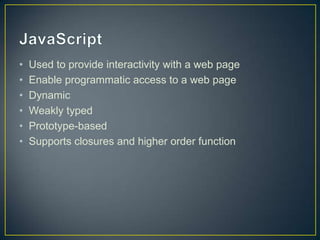
JavaScriptUsed to provide interactivity with a web pageEnable programmatic access to a web pageDynamicWeakly typedPrototype-basedSupports closures and higher order function
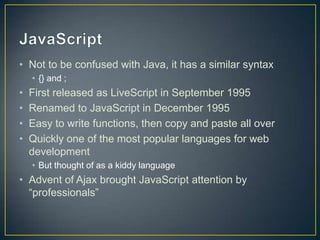
JavaScriptNot to be confused with Java, it has a similar syntax{} and ;First released as LiveScript in September 1995Renamed to JavaScript in December 1995Easy to write functions, then copy and paste all overQuickly one of the most popular languages for web development But thought of as a kiddy languageAdvent of Ajax brought JavaScript attention by “professionals”
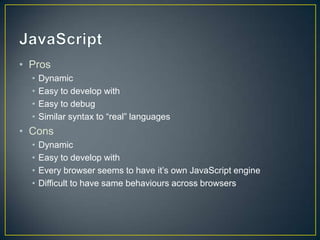
JavaScript	ProsDynamicEasy to develop withEasy to debugSimilar syntax to “real” languagesConsDynamicEasy to develop withEvery browser seems to have it’s own JavaScript engineDifficult to have same behaviours across browsers
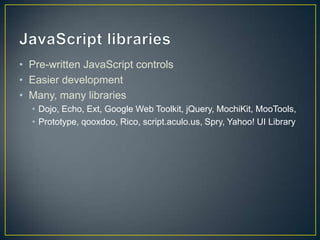
JavaScript librariesPre-written JavaScript controlsEasier developmentMany, many librariesDojo, Echo, Ext, Google Web Toolkit, jQuery, MochiKit, MooTools, Prototype, qooxdoo, Rico, script.aculo.us, Spry, Yahoo! UI Library
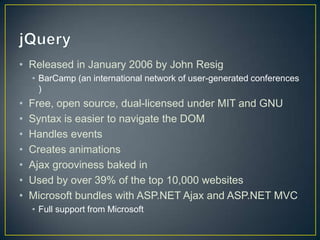
jQueryReleased in January 2006 by John ResigBarCamp (an international network of user-generated conferences )Free, open source, dual-licensed under MIT and GNUSyntax is easier to navigate the DOMHandles eventsCreates animationsAjax grooviness baked inUsed by over 39% of the top 10,000 websitesMicrosoft bundles with ASP.NET Ajax and ASP.NET MVCFull support from Microsoft
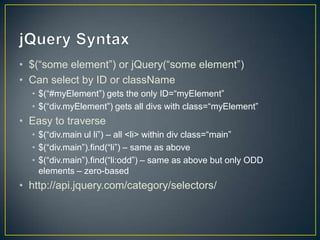
jQuery Syntax	$(“some element”) or jQuery(“some element”)Can select by ID or className$(“#myElement”) gets the only ID=“myElement” $(“div.myElement”) gets all divs with class=“myElement”Easy to traverse$(“div.mainul li”) – all <li> within div class=“main”$(“div.main”).find(“li”) – same as above$(“div.main”).find(“li:odd”) – same as above but only ODD elements – zero-basedhttp://api.jquery.com/category/selectors/
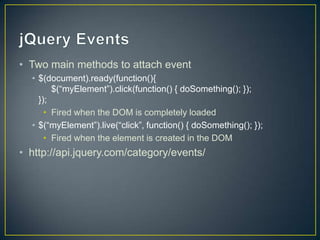
jQuery EventsTwo main methods to attach event$(document).ready(function(){	$(“myElement”).click(function() { doSomething(); });});Fired when the DOM is completely loaded$(“myElement”).live(“click”, function() { doSomething(); });Fired when the element is created in the DOMhttp://api.jquery.com/category/events/
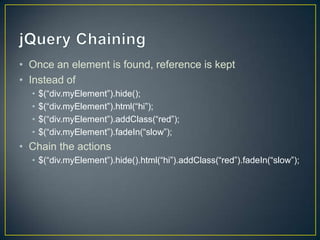
jQuery ChainingOnce an element is found, reference is keptInstead of$(“div.myElement”).hide();$(“div.myElement”).html(“hi”);$(“div.myElement”).addClass(“red”);$(“div.myElement”).fadeIn(“slow”);Chain the actions$(“div.myElement”).hide().html(“hi”).addClass(“red”).fadeIn(“slow”);
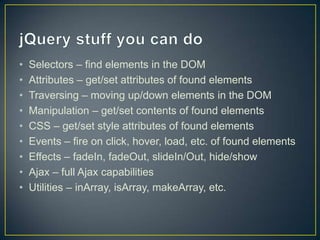
jQuery stuff you can doSelectors – find elements in the DOMAttributes – get/set attributes of found elementsTraversing – moving up/down elements in the DOMManipulation – get/set contents of found elementsCSS – get/set style attributes of found elementsEvents – fire on click, hover, load, etc. of found elementsEffects – fadeIn, fadeOut, slideIn/Out, hide/showAjax – full Ajax capabilitiesUtilities – inArray, isArray, makeArray, etc.
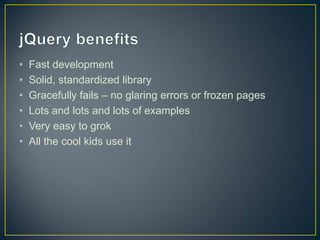
jQuery benefitsFast developmentSolid, standardized libraryGracefully fails – no glaring errors or frozen pagesLots and lots and lots of examplesVery easy to grokAll the cool kids use it
Demo

Introduction to jQuery

  • 1.
    Introduction to jQueryJamesJohnsonFounder and President, Inland Empire .NET User’s GroupTechnical Evangelist, ComponentOne
  • 2.
    JavaScriptUsed to provideinteractivity with a web pageEnable programmatic access to a web pageDynamicWeakly typedPrototype-basedSupports closures and higher order function
  • 3.
    JavaScriptNot to beconfused with Java, it has a similar syntax{} and ;First released as LiveScript in September 1995Renamed to JavaScript in December 1995Easy to write functions, then copy and paste all overQuickly one of the most popular languages for web development But thought of as a kiddy languageAdvent of Ajax brought JavaScript attention by “professionals”
  • 4.
    JavaScript ProsDynamicEasy to developwithEasy to debugSimilar syntax to “real” languagesConsDynamicEasy to develop withEvery browser seems to have it’s own JavaScript engineDifficult to have same behaviours across browsers
  • 5.
    JavaScript librariesPre-written JavaScriptcontrolsEasier developmentMany, many librariesDojo, Echo, Ext, Google Web Toolkit, jQuery, MochiKit, MooTools, Prototype, qooxdoo, Rico, script.aculo.us, Spry, Yahoo! UI Library
  • 6.
    jQueryReleased in January2006 by John ResigBarCamp (an international network of user-generated conferences )Free, open source, dual-licensed under MIT and GNUSyntax is easier to navigate the DOMHandles eventsCreates animationsAjax grooviness baked inUsed by over 39% of the top 10,000 websitesMicrosoft bundles with ASP.NET Ajax and ASP.NET MVCFull support from Microsoft
  • 7.
    jQuery Syntax $(“some element”)or jQuery(“some element”)Can select by ID or className$(“#myElement”) gets the only ID=“myElement” $(“div.myElement”) gets all divs with class=“myElement”Easy to traverse$(“div.mainul li”) – all <li> within div class=“main”$(“div.main”).find(“li”) – same as above$(“div.main”).find(“li:odd”) – same as above but only ODD elements – zero-basedhttp://api.jquery.com/category/selectors/
  • 8.
    jQuery EventsTwo mainmethods to attach event$(document).ready(function(){ $(“myElement”).click(function() { doSomething(); });});Fired when the DOM is completely loaded$(“myElement”).live(“click”, function() { doSomething(); });Fired when the element is created in the DOMhttp://api.jquery.com/category/events/
  • 9.
    jQuery ChainingOnce anelement is found, reference is keptInstead of$(“div.myElement”).hide();$(“div.myElement”).html(“hi”);$(“div.myElement”).addClass(“red”);$(“div.myElement”).fadeIn(“slow”);Chain the actions$(“div.myElement”).hide().html(“hi”).addClass(“red”).fadeIn(“slow”);
  • 10.
    jQuery stuff youcan doSelectors – find elements in the DOMAttributes – get/set attributes of found elementsTraversing – moving up/down elements in the DOMManipulation – get/set contents of found elementsCSS – get/set style attributes of found elementsEvents – fire on click, hover, load, etc. of found elementsEffects – fadeIn, fadeOut, slideIn/Out, hide/showAjax – full Ajax capabilitiesUtilities – inArray, isArray, makeArray, etc.
  • 11.
    jQuery benefitsFast developmentSolid,standardized libraryGracefully fails – no glaring errors or frozen pagesLots and lots and lots of examplesVery easy to grokAll the cool kids use it
  • 12.