Introduction to  FatWire 6.3 Ken Quandt, MSLIS Web Managing Editor Marketing and Communications
Your Web Site’s Goals Question: What are your Web site’s goals?
Your Web Site’s Goals Question: What are your Web site’s goals? Make the sale.
Your Web Site’s Goals Question: What are your Web site’s goals? Make the sale. Deliver the service.
Your Web Site’s Goals Question: What are your Web site’s goals? Make the sale. Deliver the service. Build the brand.
Your Web Site Your site should be customer-centric.
Your Web Site Your site should be customer-centric. Your site  must  be useful.
Your Web Site Your site should be customer-centric. Your site  must  be useful. Focus on most important audience first.
Your Web Site Your site should be customer-centric. Your site  must  be useful. Focus on most important audience first. Two types of Web sites: Task-dominant site Audience-dominant site
Your Web Site Your site should be customer-centric. Your site  must  be useful. Focus on most important audience first. Two types of Web sites: Task-dominant site Audience-dominant site Your site should either  make a task easier  or help  achieve a goal .
Your Web Site Content should support those tasks or it should  not  go up. Web content guru, Gerry McGovern Chicago, Illinois, 2007
Your Web Site What it is NOT: The next great American novel. A dissertation. A research report. A university catalog (that’s already been created by the Registrar’s Office). A place to share photos from the department picnic five years ago.
Writing for the Web In 2009: Average visit to Rush U Web site lasted under eight (8) minutes Average number of pages viewed per visit was about four (4) Among Top 20 Platforms: iPhone (#7) Google Android (#13) Blackberry (#17) Windows Mobile (#20)
Writing for the Web Competition for Your Web Site Content: Music Text messages Twitter Facebook YouTube Kindle Phone calls Television
Writing for the Web Trains Tickets Toilets
Writing for the Web Trains Tickets Toilets Be  concise . Get to the  point .
Writing for the Web at Rush Style Guide: The Associated Press Stylebook Rush In-House Style Manual
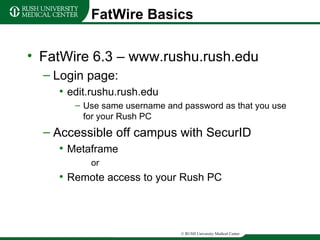
FatWire Basics FatWire 6.3 – www.rushu.rush.edu Login page: edit.rushu.rush.edu Use same username and password as that you use for your Rush PC Accessible off campus with SecurID Metaframe or Remote access to your Rush PC
Learning Objectives At the end of this session you should be able to: Log into FatWire. Explain what an “asset” is in FatWire. Locate the “Rush Assets” and “Rush Pages” tabs. Understand the difference between the “Rush Assets” tab and the “Rush Pages” tab. Expand and collapse “nodes” on a “tree.” Distinguish between “Level” pages and content blocks. Edit an existing content block and save changes. Add or remove a content block from a “Level” page. Add or remove a document from a “Level” page. Add or remove a link from a “Level” page. Remember the specifications for images. Understand what a workflow group is and what roles are included in workflow. Locate FatWire resources on the Rush U Web site.
Questions? Ken Quandt E-mail:  [email_address] Phone: 2-6846

Introduction to FatWire 6.3

  • 1.
    Introduction to FatWire 6.3 Ken Quandt, MSLIS Web Managing Editor Marketing and Communications
  • 2.
    Your Web Site’sGoals Question: What are your Web site’s goals?
  • 3.
    Your Web Site’sGoals Question: What are your Web site’s goals? Make the sale.
  • 4.
    Your Web Site’sGoals Question: What are your Web site’s goals? Make the sale. Deliver the service.
  • 5.
    Your Web Site’sGoals Question: What are your Web site’s goals? Make the sale. Deliver the service. Build the brand.
  • 6.
    Your Web SiteYour site should be customer-centric.
  • 7.
    Your Web SiteYour site should be customer-centric. Your site must be useful.
  • 8.
    Your Web SiteYour site should be customer-centric. Your site must be useful. Focus on most important audience first.
  • 9.
    Your Web SiteYour site should be customer-centric. Your site must be useful. Focus on most important audience first. Two types of Web sites: Task-dominant site Audience-dominant site
  • 10.
    Your Web SiteYour site should be customer-centric. Your site must be useful. Focus on most important audience first. Two types of Web sites: Task-dominant site Audience-dominant site Your site should either make a task easier or help achieve a goal .
  • 11.
    Your Web SiteContent should support those tasks or it should not go up. Web content guru, Gerry McGovern Chicago, Illinois, 2007
  • 12.
    Your Web SiteWhat it is NOT: The next great American novel. A dissertation. A research report. A university catalog (that’s already been created by the Registrar’s Office). A place to share photos from the department picnic five years ago.
  • 13.
    Writing for theWeb In 2009: Average visit to Rush U Web site lasted under eight (8) minutes Average number of pages viewed per visit was about four (4) Among Top 20 Platforms: iPhone (#7) Google Android (#13) Blackberry (#17) Windows Mobile (#20)
  • 14.
    Writing for theWeb Competition for Your Web Site Content: Music Text messages Twitter Facebook YouTube Kindle Phone calls Television
  • 15.
    Writing for theWeb Trains Tickets Toilets
  • 16.
    Writing for theWeb Trains Tickets Toilets Be concise . Get to the point .
  • 17.
    Writing for theWeb at Rush Style Guide: The Associated Press Stylebook Rush In-House Style Manual
  • 18.
    FatWire Basics FatWire6.3 – www.rushu.rush.edu Login page: edit.rushu.rush.edu Use same username and password as that you use for your Rush PC Accessible off campus with SecurID Metaframe or Remote access to your Rush PC
  • 19.
    Learning Objectives Atthe end of this session you should be able to: Log into FatWire. Explain what an “asset” is in FatWire. Locate the “Rush Assets” and “Rush Pages” tabs. Understand the difference between the “Rush Assets” tab and the “Rush Pages” tab. Expand and collapse “nodes” on a “tree.” Distinguish between “Level” pages and content blocks. Edit an existing content block and save changes. Add or remove a content block from a “Level” page. Add or remove a document from a “Level” page. Add or remove a link from a “Level” page. Remember the specifications for images. Understand what a workflow group is and what roles are included in workflow. Locate FatWire resources on the Rush U Web site.
  • 20.
    Questions? Ken QuandtE-mail: [email_address] Phone: 2-6846