Introduction to Ember.JS
Getting Started to Develop ambitious web
applications.
Agenda
• Why JavaScript
• About Ember.JS
• Application Architecture
• Responsive Web Design
• Development Workflow
• Unit Testing
• Build Tools
• Debugging
Why JavaScript
• Supported by all modern browsers
• Mobile Browsing
• JavaScript is great at event driven apps
• Instant Feedback – Users hate staring at the
blank loading page
• Minimal data transfer
• Reduced load on the server
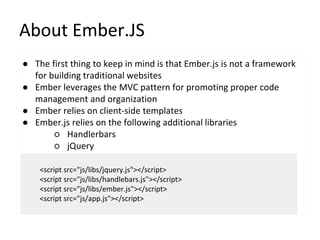
About Ember.JS
● The first thing to keep in mind is that Ember.js is not a framework
for building traditional websites
● Ember leverages the MVC pattern for promoting proper code
management and organization
● Ember relies on client-side templates
● Ember.js relies on the following additional libraries
○ Handlerbars
○ jQuery
<script src="js/libs/jquery.js"></script>
<script src="js/libs/handlebars.js"></script>
<script src="js/libs/ember.js"></script>
<script src="js/app.js"></script>
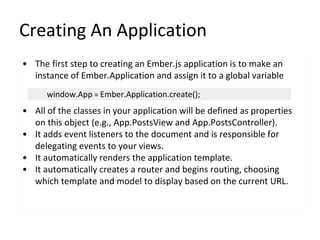
Creating An Application
• The first step to creating an Ember.js application is to make an
instance of Ember.Application and assign it to a global variable
• All of the classes in your application will be defined as properties
on this object (e.g., App.PostsView and App.PostsController).
• It adds event listeners to the document and is responsible for
delegating events to your views.
• It automatically renders the application template.
• It automatically creates a router and begins routing, choosing
which template and model to display based on the current URL.
window.App = Ember.Application.create();
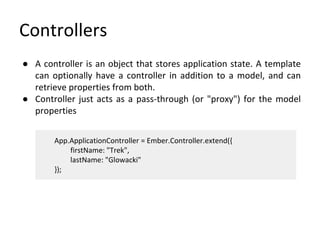
Controllers
● A controller is an object that stores application state. A template
can optionally have a controller in addition to a model, and can
retrieve properties from both.
● Controller just acts as a pass-through (or "proxy") for the model
properties
App.ApplicationController = Ember.Controller.extend({
firstName: "Trek",
lastName: "Glowacki"
});
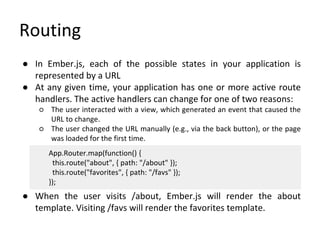
Routing
● In Ember.js, each of the possible states in your application is
represented by a URL
● At any given time, your application has one or more active route
handlers. The active handlers can change for one of two reasons:
○ The user interacted with a view, which generated an event that caused the
URL to change.
○ The user changed the URL manually (e.g., via the back button), or the page
was loaded for the first time.
● When the user visits /about, Ember.js will render the about
template. Visiting /favs will render the favorites template.
App.Router.map(function() {
this.route("about", { path: "/about" });
this.route("favorites", { path: "/favs" });
});
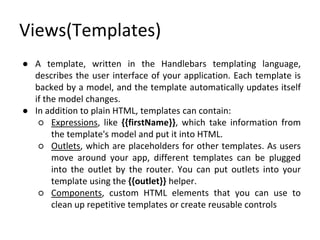
Views(Templates)
● A template, written in the Handlebars templating language,
describes the user interface of your application. Each template is
backed by a model, and the template automatically updates itself
if the model changes.
● In addition to plain HTML, templates can contain:
○ Expressions, like {{firstName}}, which take information from
the template's model and put it into HTML.
○ Outlets, which are placeholders for other templates. As users
move around your app, different templates can be plugged
into the outlet by the router. You can put outlets into your
template using the {{outlet}} helper.
○ Components, custom HTML elements that you can use to
clean up repetitive templates or create reusable controls
Expressions
● Each template has an associated controller: this is where the
template finds the properties that it displays.
● You can display a property from your controller by wrapping the
property name in curly braces, like this
● This would look up the firstName and lastName properties from
the controller, insert them into the HTML described in the
template, then put them into the DOM.
Hello, <strong>{{firstName}} {{lastName}}</strong>!
App.ApplicationController = Ember.Controller.extend({
firstName: "Trek",
lastName: "Glowacki"
});
Model
● A model is an object that stores persistent state. Templates are
responsible for displaying the model to the user by turning it into
HTML.
● In many applications, models are loaded via an HTTP JSON API,
although Ember is agnostic to the backend that you choose
● Many Ember apps use Ember Data to manages finding models,
making changes, and saving them back to the server
● Ember Data is a library that integrates tightly with Ember.js to
make it easy to retrieve records from a server, cache them for
performance, save updates back to the server, and create new
records on the client.
Model Contd.
• In Ember, every route has an associated model
App.IndexRoute = Ember.Route.extend({
model: function() {
return ['red', 'yellow', 'blue'];
}
});
<script type="text/x-handlebars" id="index">
<ul>
{{#each item in model}}
<li>{{item}}</li>
{{/each}}
</ul>
</script>
Naming Convention
● If we create a route, called "employees":
● Then name components, like this:
○ Route object: App.EmployeesRoute
○ Controller: App.EmployeesController
○ Model: App.Employee
○ View: App.EmployeesView
○ Template: employees
App.Router.map( function() {
this.resource( 'employees' );
});
Responsive Web Design
● With Web users increasingly using mobile devices to browse Web
sites and apps, Web designers and developers need to be sure
that their creations look as good and work as well on mobile
devices as on traditional desktop computers
● Some of its strategies include:
○ Liquid or fluid layout: Defining all container widths in terms of
percentages of the browser viewport, so that they expand and
contract as the browser window changes size.
○ Media queries: Invoking different style sheets based on the
capabilities of the display being used, such as size, resolution,
aspect ratio, and color depth.
○ Fluid images: Setting images to occupy at most the maximum
display width.
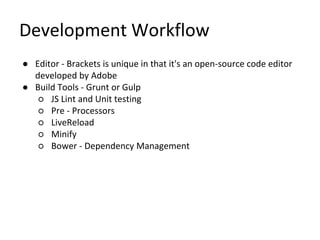
Development Workflow
● Editor - Brackets is unique in that it's an open-source code editor
developed by Adobe
● Build Tools - Grunt or Gulp
○ JS Lint and Unit testing
○ Pre - Processors
○ LiveReload
○ Minify
○ Bower - Dependency Management
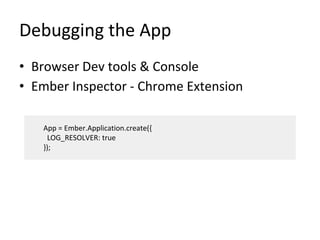
Debugging the App
• Browser Dev tools & Console
• Ember Inspector - Chrome Extension
App = Ember.Application.create({
LOG_RESOLVER: true
});
Thank You!

Introduction to Ember.js

  • 1.
    Introduction to Ember.JS GettingStarted to Develop ambitious web applications.
  • 2.
    Agenda • Why JavaScript •About Ember.JS • Application Architecture • Responsive Web Design • Development Workflow • Unit Testing • Build Tools • Debugging
  • 3.
    Why JavaScript • Supportedby all modern browsers • Mobile Browsing • JavaScript is great at event driven apps • Instant Feedback – Users hate staring at the blank loading page • Minimal data transfer • Reduced load on the server
  • 4.
    About Ember.JS ● Thefirst thing to keep in mind is that Ember.js is not a framework for building traditional websites ● Ember leverages the MVC pattern for promoting proper code management and organization ● Ember relies on client-side templates ● Ember.js relies on the following additional libraries ○ Handlerbars ○ jQuery <script src="js/libs/jquery.js"></script> <script src="js/libs/handlebars.js"></script> <script src="js/libs/ember.js"></script> <script src="js/app.js"></script>
  • 5.
    Creating An Application •The first step to creating an Ember.js application is to make an instance of Ember.Application and assign it to a global variable • All of the classes in your application will be defined as properties on this object (e.g., App.PostsView and App.PostsController). • It adds event listeners to the document and is responsible for delegating events to your views. • It automatically renders the application template. • It automatically creates a router and begins routing, choosing which template and model to display based on the current URL. window.App = Ember.Application.create();
  • 6.
    Controllers ● A controlleris an object that stores application state. A template can optionally have a controller in addition to a model, and can retrieve properties from both. ● Controller just acts as a pass-through (or "proxy") for the model properties App.ApplicationController = Ember.Controller.extend({ firstName: "Trek", lastName: "Glowacki" });
  • 7.
    Routing ● In Ember.js,each of the possible states in your application is represented by a URL ● At any given time, your application has one or more active route handlers. The active handlers can change for one of two reasons: ○ The user interacted with a view, which generated an event that caused the URL to change. ○ The user changed the URL manually (e.g., via the back button), or the page was loaded for the first time. ● When the user visits /about, Ember.js will render the about template. Visiting /favs will render the favorites template. App.Router.map(function() { this.route("about", { path: "/about" }); this.route("favorites", { path: "/favs" }); });
  • 8.
    Views(Templates) ● A template,written in the Handlebars templating language, describes the user interface of your application. Each template is backed by a model, and the template automatically updates itself if the model changes. ● In addition to plain HTML, templates can contain: ○ Expressions, like {{firstName}}, which take information from the template's model and put it into HTML. ○ Outlets, which are placeholders for other templates. As users move around your app, different templates can be plugged into the outlet by the router. You can put outlets into your template using the {{outlet}} helper. ○ Components, custom HTML elements that you can use to clean up repetitive templates or create reusable controls
  • 9.
    Expressions ● Each templatehas an associated controller: this is where the template finds the properties that it displays. ● You can display a property from your controller by wrapping the property name in curly braces, like this ● This would look up the firstName and lastName properties from the controller, insert them into the HTML described in the template, then put them into the DOM. Hello, <strong>{{firstName}} {{lastName}}</strong>! App.ApplicationController = Ember.Controller.extend({ firstName: "Trek", lastName: "Glowacki" });
  • 10.
    Model ● A modelis an object that stores persistent state. Templates are responsible for displaying the model to the user by turning it into HTML. ● In many applications, models are loaded via an HTTP JSON API, although Ember is agnostic to the backend that you choose ● Many Ember apps use Ember Data to manages finding models, making changes, and saving them back to the server ● Ember Data is a library that integrates tightly with Ember.js to make it easy to retrieve records from a server, cache them for performance, save updates back to the server, and create new records on the client.
  • 11.
    Model Contd. • InEmber, every route has an associated model App.IndexRoute = Ember.Route.extend({ model: function() { return ['red', 'yellow', 'blue']; } }); <script type="text/x-handlebars" id="index"> <ul> {{#each item in model}} <li>{{item}}</li> {{/each}} </ul> </script>
  • 12.
    Naming Convention ● Ifwe create a route, called "employees": ● Then name components, like this: ○ Route object: App.EmployeesRoute ○ Controller: App.EmployeesController ○ Model: App.Employee ○ View: App.EmployeesView ○ Template: employees App.Router.map( function() { this.resource( 'employees' ); });
  • 13.
    Responsive Web Design ●With Web users increasingly using mobile devices to browse Web sites and apps, Web designers and developers need to be sure that their creations look as good and work as well on mobile devices as on traditional desktop computers ● Some of its strategies include: ○ Liquid or fluid layout: Defining all container widths in terms of percentages of the browser viewport, so that they expand and contract as the browser window changes size. ○ Media queries: Invoking different style sheets based on the capabilities of the display being used, such as size, resolution, aspect ratio, and color depth. ○ Fluid images: Setting images to occupy at most the maximum display width.
  • 14.
    Development Workflow ● Editor- Brackets is unique in that it's an open-source code editor developed by Adobe ● Build Tools - Grunt or Gulp ○ JS Lint and Unit testing ○ Pre - Processors ○ LiveReload ○ Minify ○ Bower - Dependency Management
  • 15.
    Debugging the App •Browser Dev tools & Console • Ember Inspector - Chrome Extension App = Ember.Application.create({ LOG_RESOLVER: true });
  • 16.