Introduction to Django
        pyArkansas


        Wade Austin
        @k_wade_a
What is Django?
“Django is a high-level Python Web framework that
encourages rapid development and clean, pragmatic
design.”
                                     www.djangoproject.com


• Created out of the newspaper industry
• Help developers build sites fast
• Encourage Reuse and Lose Coupling
• DRY (don’t repeat yourself)
• Minimal Code
• Opinionated
Batteries Included
             django.contrib


• Admin Interface for editing data.
• Auth module for user accounts
• Syndication module for generation of RSS
• Static Pages
Active Community

• Many Community Contributed Apps
• Pinax
  http://pinaxproject.com/


• Django Packages
  http://djangopackages.com/
Django Projects
•   A project is your website.

•   Projects contain the configuration information for
    your site.

•   Create a project:
    django-admin.py startproject [PROJECT_NAME]

•   Projects contain 3 files:
    •   settings.py - configuration information for your project

    •   urls.py - URL routes defined by your project

    •   manage.py - alias of django-admin.py tuned to your project
Django Applications
• Projects are built from Applications
• Apps encapsulate some piece of
  functionality
  •   blog, photo gallery, shopping cart, etc.

• Apps can be reused
• Apps are Python Packages
• manage.py startapp [MY_APP_NAME]
Django Application
     Components
• Models - Your Data
• Views - Rules for Accessing Data
• Templates - Displays Data
• URL Patterns - Maps URLs to Views
Models

• Describes the data in your apps
• Defined in an app’s models.py file
• Map Python Classes to Database Tables
• Provides an API for creating, retrieving,
  changing and deleting data
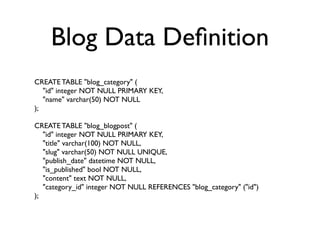
Blog Data Definition
CREATE TABLE "blog_category" (
   "id" integer NOT NULL PRIMARY KEY,
   "name" varchar(50) NOT NULL
);

CREATE TABLE "blog_blogpost" (
   "id" integer NOT NULL PRIMARY KEY,
   "title" varchar(100) NOT NULL,
   "slug" varchar(50) NOT NULL UNIQUE,
   "publish_date" datetime NOT NULL,
   "is_published" bool NOT NULL,
   "content" text NOT NULL,
   "category_id" integer NOT NULL REFERENCES "blog_category" ("id")
);
Django Hides the SQL


• SQL is not consistent across databases
• Difficult to store in version control
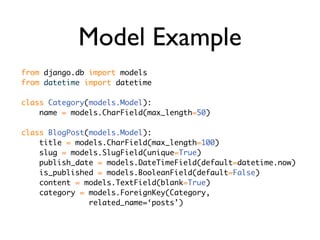
Model Example
from django.db import models
from datetime import datetime

class Category(models.Model):
    name = models.CharField(max_length=50)

class BlogPost(models.Model):
    title = models.CharField(max_length=100)
    slug = models.SlugField(unique=True)
    publish_date = models.DateTimeField(default=datetime.now)
    is_published = models.BooleanField(default=False)
    content = models.TextField(blank=True)
    category = models.ForeignKey(Category,
               related_name=‘posts’)
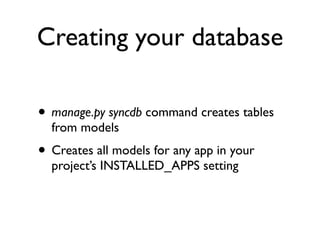
Creating your database

• manage.py syncdb command creates tables
  from models
• Creates all models for any app in your
  project’s INSTALLED_APPS setting
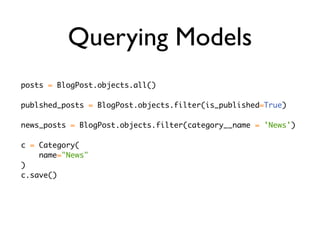
Querying Models
posts = BlogPost.objects.all()

publshed_posts = BlogPost.objects.filter(is_published=True)

news_posts = BlogPost.objects.filter(category__name = 'News')

c = Category(
    name="News"
)
c.save()
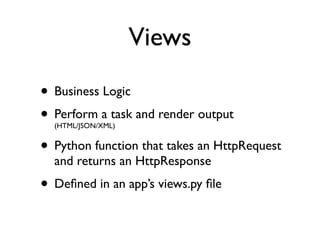
Views

• Business Logic
• Perform a task and render output
  (HTML/JSON/XML)


• Python function that takes an HttpRequest
  and returns an HttpResponse
• Defined in an app’s views.py file
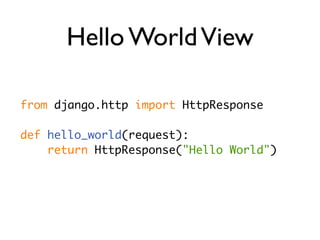
Hello World View

from django.http import HttpResponse

def hello_world(request):
    return HttpResponse("Hello World")
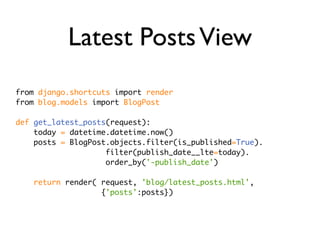
Latest Posts View
from django.shortcuts import render
from blog.models import BlogPost

def get_latest_posts(request):
    today = datetime.datetime.now()
    posts = BlogPost.objects.filter(is_published=True).
                    filter(publish_date__lte=today).
                    order_by('-publish_date')

    return render( request, 'blog/latest_posts.html',
                   {'posts':posts})
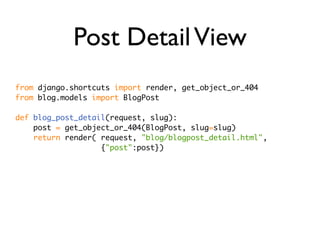
Post Detail View
from django.shortcuts import render, get_object_or_404
from blog.models import BlogPost

def blog_post_detail(request, slug):
    post = get_object_or_404(BlogPost, slug=slug)
    return render( request, "blog/blogpost_detail.html",
                   {"post":post})
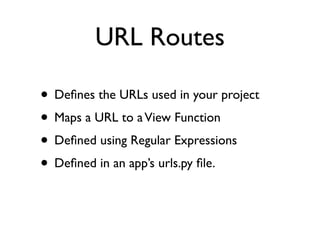
URL Routes

• Defines the URLs used in your project
• Maps a URL to a View Function
• Defined using Regular Expressions
• Defined in an app’s urls.py file.
URL Example

urlpatterns = patterns('',
    url(r'^latest_posts/$',
        'blog.views.get_latest_posts',
        name='blog_blogpost_latest'),

    url(r'^post/(?P<slug>[-w]+)/$',
        'blog.views.blog_post_detail',
        name='blog_blogpost_detail'),
)
Templates
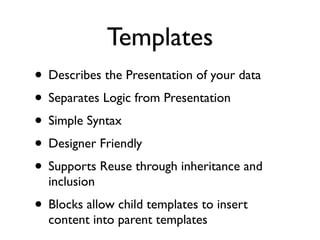
• Describes the Presentation of your data
• Separates Logic from Presentation
• Simple Syntax
• Designer Friendly
• Supports Reuse through inheritance and
  inclusion
• Blocks allow child templates to insert
  content into parent templates
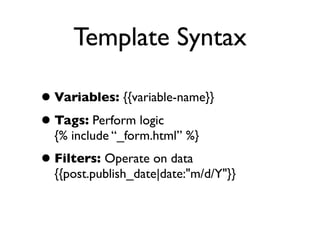
Template Syntax

• Variables: {{variable-name}}
• Tags: Perform logic
  {% include “_form.html” %}
• Filters: Operate on data
  {{post.publish_date|date:"m/d/Y"}}
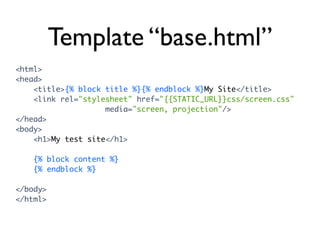
Template “base.html”
<html>
<head>
    <title>{% block title %}{% endblock %}My Site</title>
    <link rel="stylesheet" href="{{STATIC_URL}}css/screen.css"
                    media="screen, projection"/>
</head>
<body>
    <h1>My test site</h1>

   {% block content %}
   {% endblock %}

</body>
</html>
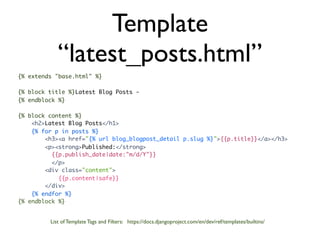
Template
            “latest_posts.html”
{% extends "base.html" %}

{% block title %}Latest Blog Posts -
{% endblock %}

{% block content %}
    <h2>Latest Blog Posts</h1>
    {% for p in posts %}
        <h3><a href="{% url blog_blogpost_detail p.slug %}">{{p.title}}</a></h3>
        <p><strong>Published:</strong>
          {{p.publish_date|date:"m/d/Y"}}
          </p>
        <div class="content">
            {{p.content|safe}}
        </div>
    {% endfor %}
{% endblock %}


         List of Template Tags and Filters: https://docs.djangoproject.com/en/dev/ref/templates/builtins/
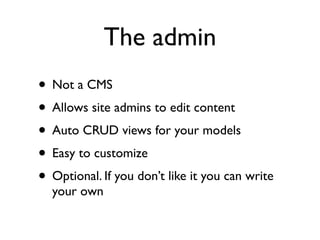
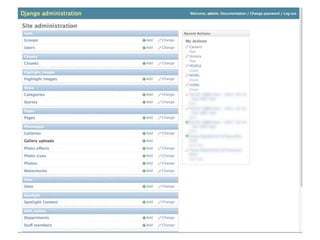
The admin
• Not a CMS
• Allows site admins to edit content
• Auto CRUD views for your models
• Easy to customize
• Optional. If you don’t like it you can write
  your own
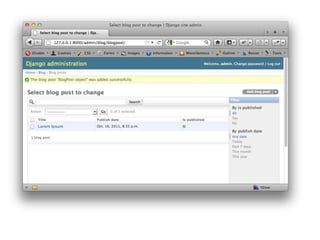
Admin List
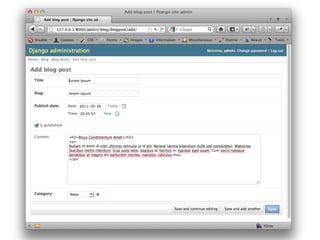
Admin Edit Screen
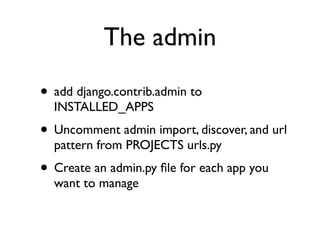
The admin

• add django.contrib.admin to
  INSTALLED_APPS
• Uncomment admin import, discover, and url
  pattern from PROJECTS urls.py
• Create an admin.py file for each app you
  want to manage
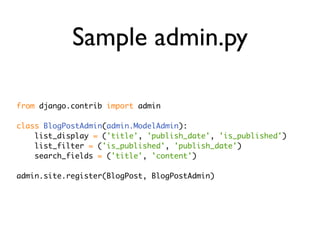
Sample admin.py

from django.contrib import admin

class BlogPostAdmin(admin.ModelAdmin):
    list_display = ('title', 'publish_date', 'is_published')
    list_filter = ('is_published', 'publish_date')
    search_fields = ('title', 'content')

admin.site.register(BlogPost, BlogPostAdmin)
Other Stuff

• Forms
• Caching
• Testing
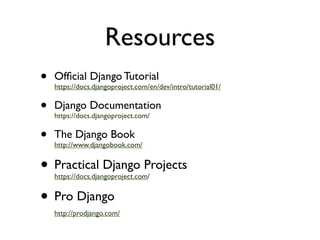
Resources
•   Official Django Tutorial
    https://docs.djangoproject.com/en/dev/intro/tutorial01/


•   Django Documentation
    https://docs.djangoproject.com/


•   The Django Book
    http://www.djangobook.com/


• Practical Django Projects
    https://docs.djangoproject.com/


• Pro Django
    http://prodjango.com/
Thank You

    Wade Austin
http://wadeaustin.com
    @k_wade_a

Introduction Django

  • 1.
    Introduction to Django pyArkansas Wade Austin @k_wade_a
  • 2.
    What is Django? “Djangois a high-level Python Web framework that encourages rapid development and clean, pragmatic design.” www.djangoproject.com • Created out of the newspaper industry • Help developers build sites fast • Encourage Reuse and Lose Coupling • DRY (don’t repeat yourself) • Minimal Code • Opinionated
  • 3.
    Batteries Included django.contrib • Admin Interface for editing data. • Auth module for user accounts • Syndication module for generation of RSS • Static Pages
  • 4.
    Active Community • ManyCommunity Contributed Apps • Pinax http://pinaxproject.com/ • Django Packages http://djangopackages.com/
  • 5.
    Django Projects • A project is your website. • Projects contain the configuration information for your site. • Create a project: django-admin.py startproject [PROJECT_NAME] • Projects contain 3 files: • settings.py - configuration information for your project • urls.py - URL routes defined by your project • manage.py - alias of django-admin.py tuned to your project
  • 6.
    Django Applications • Projectsare built from Applications • Apps encapsulate some piece of functionality • blog, photo gallery, shopping cart, etc. • Apps can be reused • Apps are Python Packages • manage.py startapp [MY_APP_NAME]
  • 7.
    Django Application Components • Models - Your Data • Views - Rules for Accessing Data • Templates - Displays Data • URL Patterns - Maps URLs to Views
  • 8.
    Models • Describes thedata in your apps • Defined in an app’s models.py file • Map Python Classes to Database Tables • Provides an API for creating, retrieving, changing and deleting data
  • 9.
    Blog Data Definition CREATETABLE "blog_category" ( "id" integer NOT NULL PRIMARY KEY, "name" varchar(50) NOT NULL ); CREATE TABLE "blog_blogpost" ( "id" integer NOT NULL PRIMARY KEY, "title" varchar(100) NOT NULL, "slug" varchar(50) NOT NULL UNIQUE, "publish_date" datetime NOT NULL, "is_published" bool NOT NULL, "content" text NOT NULL, "category_id" integer NOT NULL REFERENCES "blog_category" ("id") );
  • 10.
    Django Hides theSQL • SQL is not consistent across databases • Difficult to store in version control
  • 11.
    Model Example from django.dbimport models from datetime import datetime class Category(models.Model): name = models.CharField(max_length=50) class BlogPost(models.Model): title = models.CharField(max_length=100) slug = models.SlugField(unique=True) publish_date = models.DateTimeField(default=datetime.now) is_published = models.BooleanField(default=False) content = models.TextField(blank=True) category = models.ForeignKey(Category, related_name=‘posts’)
  • 12.
    Creating your database •manage.py syncdb command creates tables from models • Creates all models for any app in your project’s INSTALLED_APPS setting
  • 13.
    Querying Models posts =BlogPost.objects.all() publshed_posts = BlogPost.objects.filter(is_published=True) news_posts = BlogPost.objects.filter(category__name = 'News') c = Category( name="News" ) c.save()
  • 14.
    Views • Business Logic •Perform a task and render output (HTML/JSON/XML) • Python function that takes an HttpRequest and returns an HttpResponse • Defined in an app’s views.py file
  • 15.
    Hello World View fromdjango.http import HttpResponse def hello_world(request): return HttpResponse("Hello World")
  • 16.
    Latest Posts View fromdjango.shortcuts import render from blog.models import BlogPost def get_latest_posts(request): today = datetime.datetime.now() posts = BlogPost.objects.filter(is_published=True). filter(publish_date__lte=today). order_by('-publish_date') return render( request, 'blog/latest_posts.html', {'posts':posts})
  • 17.
    Post Detail View fromdjango.shortcuts import render, get_object_or_404 from blog.models import BlogPost def blog_post_detail(request, slug): post = get_object_or_404(BlogPost, slug=slug) return render( request, "blog/blogpost_detail.html", {"post":post})
  • 18.
    URL Routes • Definesthe URLs used in your project • Maps a URL to a View Function • Defined using Regular Expressions • Defined in an app’s urls.py file.
  • 19.
    URL Example urlpatterns =patterns('', url(r'^latest_posts/$', 'blog.views.get_latest_posts', name='blog_blogpost_latest'), url(r'^post/(?P<slug>[-w]+)/$', 'blog.views.blog_post_detail', name='blog_blogpost_detail'), )
  • 20.
    Templates • Describes thePresentation of your data • Separates Logic from Presentation • Simple Syntax • Designer Friendly • Supports Reuse through inheritance and inclusion • Blocks allow child templates to insert content into parent templates
  • 21.
    Template Syntax • Variables:{{variable-name}} • Tags: Perform logic {% include “_form.html” %} • Filters: Operate on data {{post.publish_date|date:"m/d/Y"}}
  • 22.
    Template “base.html” <html> <head> <title>{% block title %}{% endblock %}My Site</title> <link rel="stylesheet" href="{{STATIC_URL}}css/screen.css" media="screen, projection"/> </head> <body> <h1>My test site</h1> {% block content %} {% endblock %} </body> </html>
  • 23.
    Template “latest_posts.html” {% extends "base.html" %} {% block title %}Latest Blog Posts - {% endblock %} {% block content %} <h2>Latest Blog Posts</h1> {% for p in posts %} <h3><a href="{% url blog_blogpost_detail p.slug %}">{{p.title}}</a></h3> <p><strong>Published:</strong> {{p.publish_date|date:"m/d/Y"}} </p> <div class="content"> {{p.content|safe}} </div> {% endfor %} {% endblock %} List of Template Tags and Filters: https://docs.djangoproject.com/en/dev/ref/templates/builtins/
  • 24.
    The admin • Nota CMS • Allows site admins to edit content • Auto CRUD views for your models • Easy to customize • Optional. If you don’t like it you can write your own
  • 26.
  • 27.
  • 28.
    The admin • adddjango.contrib.admin to INSTALLED_APPS • Uncomment admin import, discover, and url pattern from PROJECTS urls.py • Create an admin.py file for each app you want to manage
  • 29.
    Sample admin.py from django.contribimport admin class BlogPostAdmin(admin.ModelAdmin): list_display = ('title', 'publish_date', 'is_published') list_filter = ('is_published', 'publish_date') search_fields = ('title', 'content') admin.site.register(BlogPost, BlogPostAdmin)
  • 30.
    Other Stuff • Forms •Caching • Testing
  • 31.
    Resources • Official Django Tutorial https://docs.djangoproject.com/en/dev/intro/tutorial01/ • Django Documentation https://docs.djangoproject.com/ • The Django Book http://www.djangobook.com/ • Practical Django Projects https://docs.djangoproject.com/ • Pro Django http://prodjango.com/
  • 32.
    Thank You Wade Austin http://wadeaustin.com @k_wade_a

Editor's Notes

  • #2 Ask audience questions.\nWho knows Python?\nWho here has used Django?\nExperience building websites / web development?\nOther webdev frameworks?\n
  • #3 Framework created in 2005 at a newspaper Lawrence Kansas\nCreated out of a need to develop sites fast on a real-world news cycle\nTasked with creating sites at journalism deadline. Be able to launch sites is hours / days as opposed to weeks / months.\nDjango is Python, if you are learning Django you are learning Python.\n\nWhat is a web-framework? It makes routine development tasks easier by using shortcuts.\nExamples: Database CRUD, form processing, clean urls, etc.\nOpinionated about the right way to do things, makes doing things that way easier \nNot a CMS.\n
  • #4 \n
  • #5 \n
  • #6 Projects are your site\n
  • #7 Projects/Sites tend to have lots of applications\nApps are pieces of re-use.\nApps should be small, sites are made up of lots of apps\n
  • #8 \n
  • #9 Describes the types of data your apps have and what fields/attributes those types have\nModels map one-to-one to DB tables\nDB neutral. Hides SQL (unless you need it) SQLite for development, PostGres for production\nsyncdb installs all models listed in INSTALLED_APPS\n\n
  • #10 \n
  • #11 \n
  • #12 Fields for different data types\nCharField short string\nDateTime, Time, Date fields for date/time information\nTextField for larger text information\nBoolean, Integer, Float for example\nForeignKey, ManyToMany, OneToOne for relationships\n\nwell documented online\n
  • #13 \n
  • #14 Filters can be chained.\nQuery is not executed until the result is operated so calling filter multi times is not a penalty.\nFields to Query are escaped to prevent against SQL Injection\n
  • #15 A python function that accepts an HttpRequest and returns a HttpResponse\n
  • #16 \n
  • #17 View is a function (or any callable) accepts a HttpRequest object and returns a HttpResponse object\nQuerying BlogPost to get a list of posts that are marked as published and their publish date is not in the future.\nUses a Django shortcut function called render that takes a response, a template name, and dictionary of objects and returns\na response that renders the given template using the dictionary\n\n
  • #18 \n
  • #19 \n
  • #20 2 URL patters 1 for the latest posts, 1 for post detail\npost detail uses a regex to capture a keyword argument to the view function (slug)\nThe name argument is a unique string to identify a url pattern. Usually named (appname_model_view) to keep from clashes\nUseful so you can reference a URL by its name not hardcode the URL. Decouples the url. allows you to change url and not break stuff\n
  • #21 Templates can inherit from base template for reuse and include sub templates (i.e. a common form template)\n
  • #22 \n
  • #23 Simple HTML layout\nblocks are where inherited templates can generate output\n2 Blocks: title (for page title) &amp; content (for body content)\n
  • #24 extends the base template\nAdds its base title as just text output\nIterates over each blog posts that was passed in from our view\nPrints out the title, the date formated, and the content|safe\nDjango escapes all HTML output in a template, must mark a field as &amp;#x201C;safe&amp;#x201D; before it is rendered.\n
  • #25 Admin is not a CMS. Not intended for end uses.\nUseful by site editors/admins to edit data of your models.\nProvides a quick interface for basic site information editing.\nFor many sites it is enough.\nCan be customized.\n
  • #26 \n
  • #27 List edit screen. \nsearch at the top, filters on the right\n
  • #28 \n
  • #29 \n
  • #30 Imports Django admin module\nCreates a simple class for the model we want to administer\nSimple things you can do in an admin class. Fields displayed on the list page, fields you can filter by in the admin, fields you can search on.\nMany more customizations listed in docs.\nRegisters that models with the admin class it belongs to\n
  • #31 \n
  • #32 \n
  • #33 \n