Introduction to Data Transfer and
Sharing for Researchers
Brigitte Raumann
braumann@uchicago.edu
Case Western Reserve University
October 23, 2023
• Who is Globus?
• Organization, mission, funding
• What does Globus do?
• What are the core capabilities? How do they work?
• Globus in action
• Demos data transfer and sharing
• Create your own Globus collection
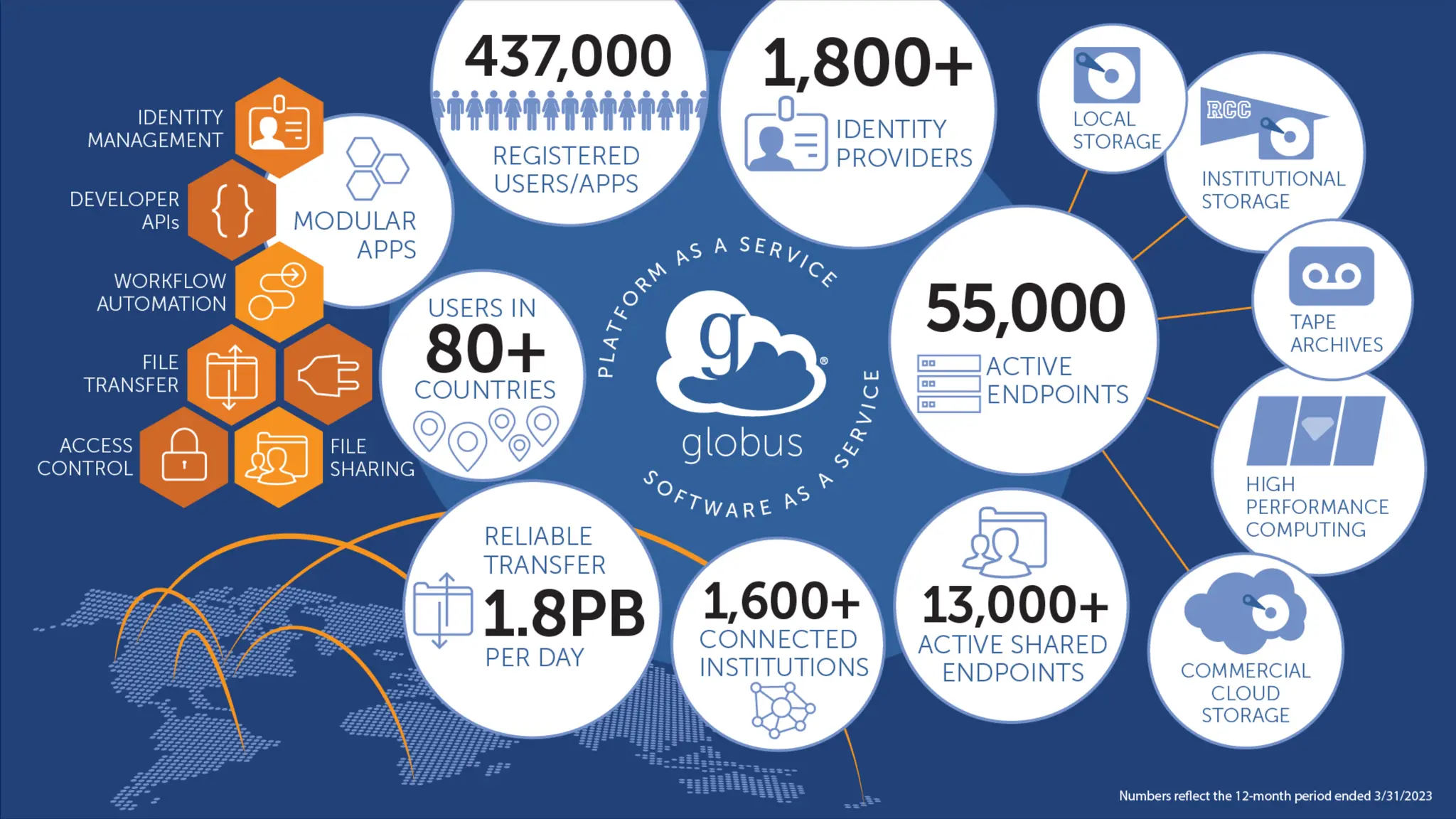
Globus is …
a non-profit service
developed and operated by
Our mission is to…
increase the efficiency and
effectiveness of researchers
engaged in data-driven
science and scholarship
through sustainable software.
Development is partly funded by...
U . S . D E P A R T M E N T O F
ENERGY
…Operations are funded by subscribers
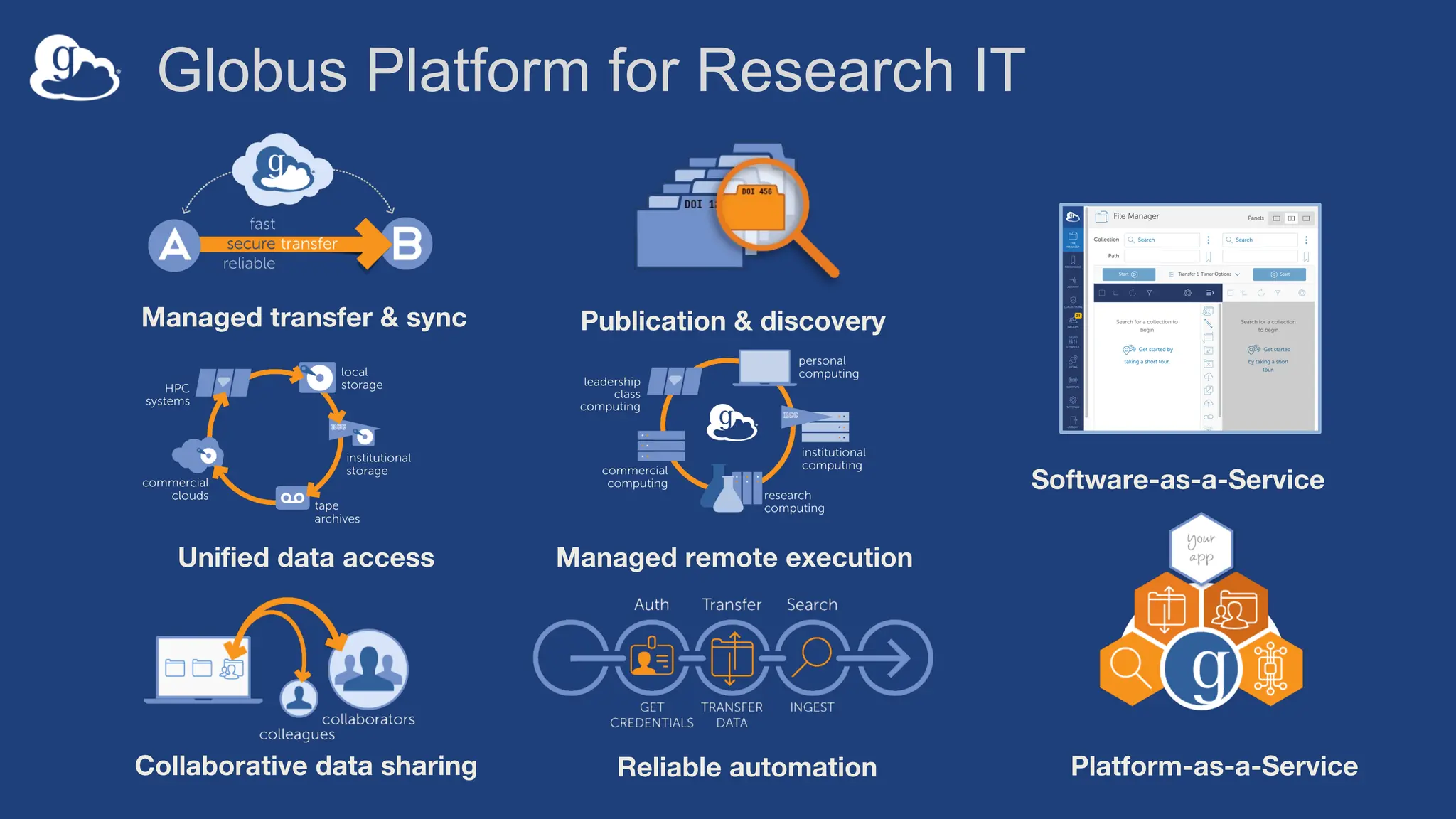
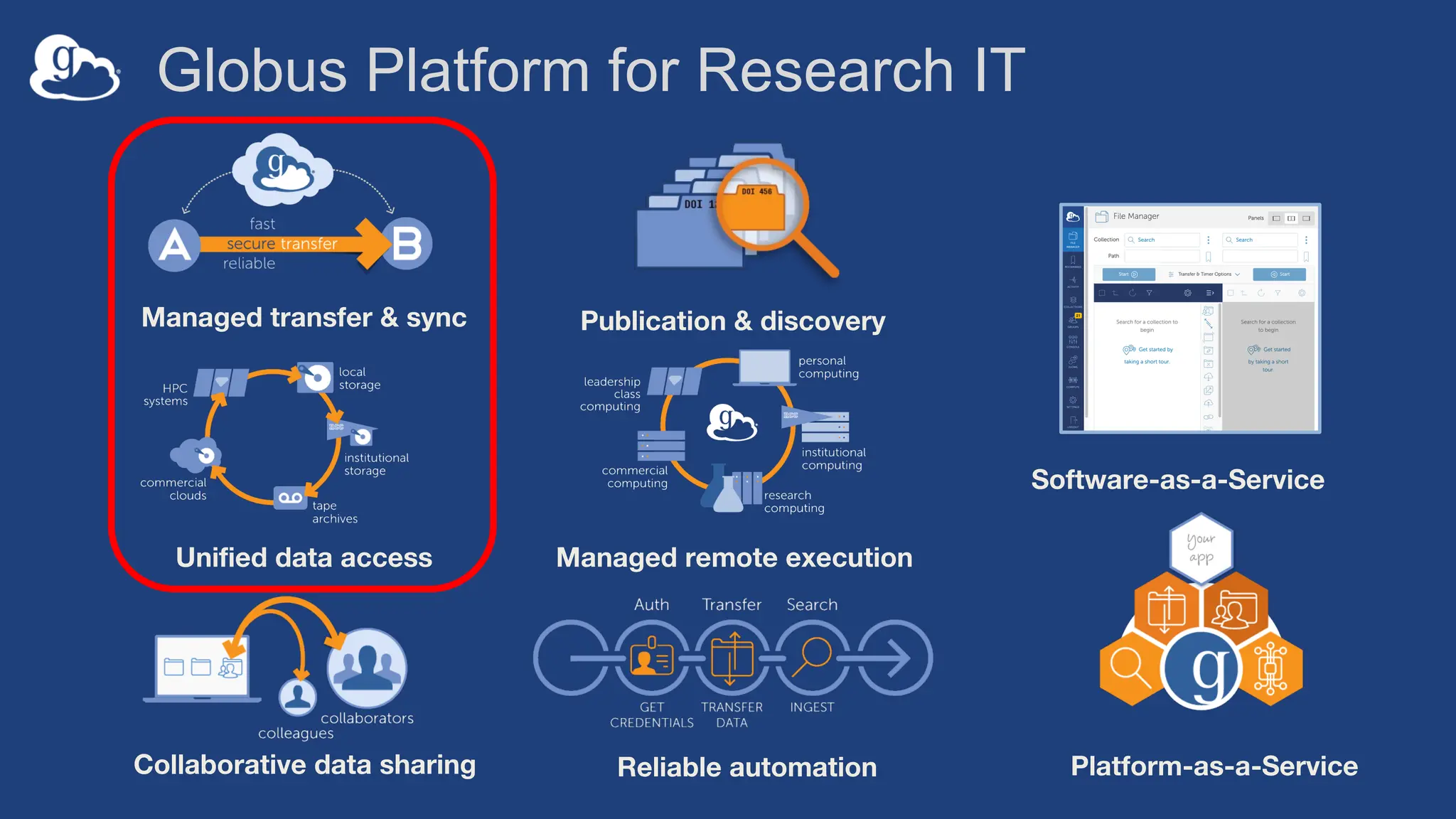
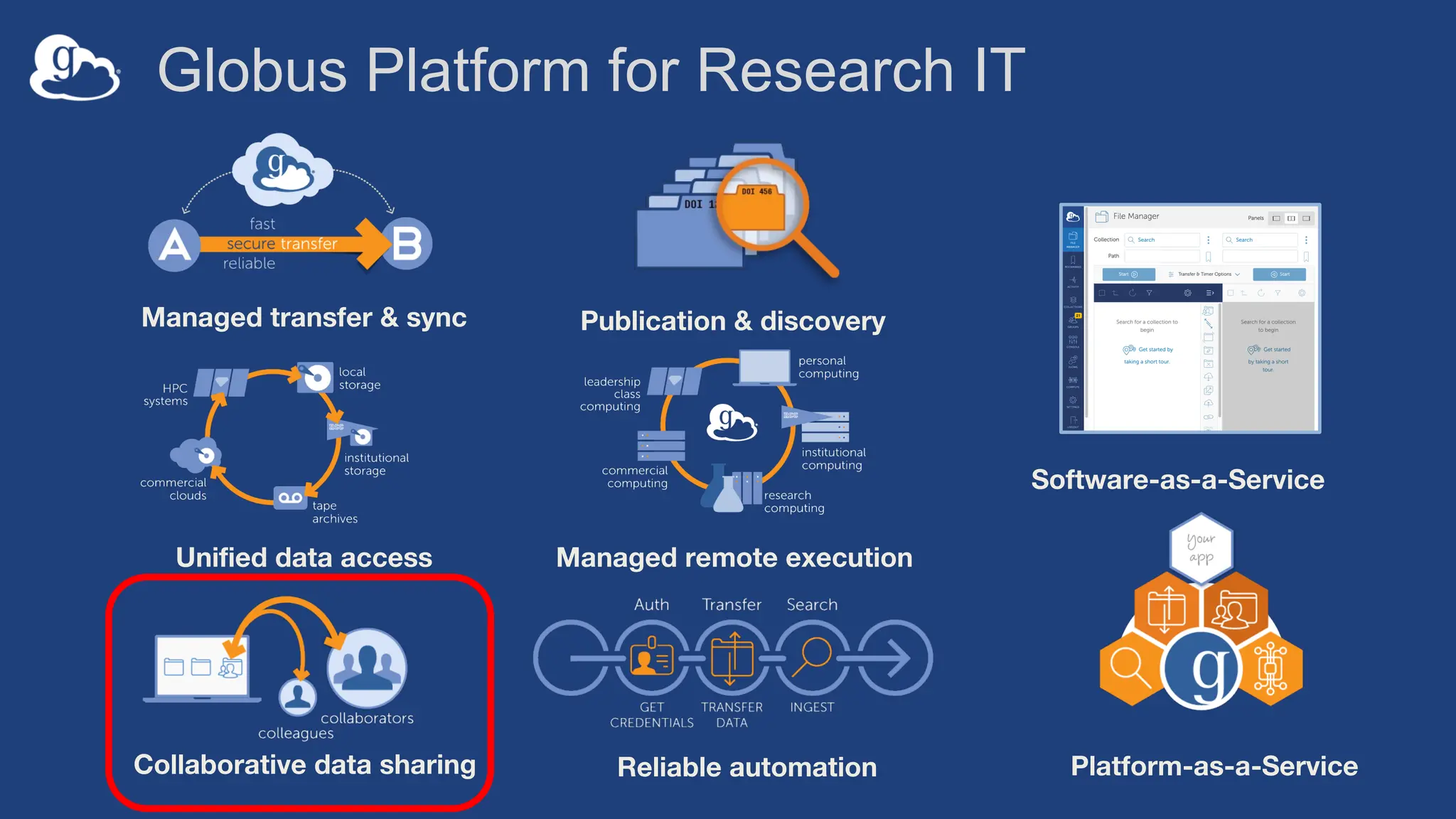
Globus Platform for Research IT
Managed transfer & sync
Collaborative data sharing
Unified data access
Publication & discovery
Reliable automation Platform-as-a-Service
Managed remote execution
Software-as-a-Service
Globus Platform for Research IT
Managed transfer & sync
Collaborative data sharing
Unified data access
Publication & discovery
Reliable automation Platform-as-a-Service
Managed remote execution
Software-as-a-Service
10
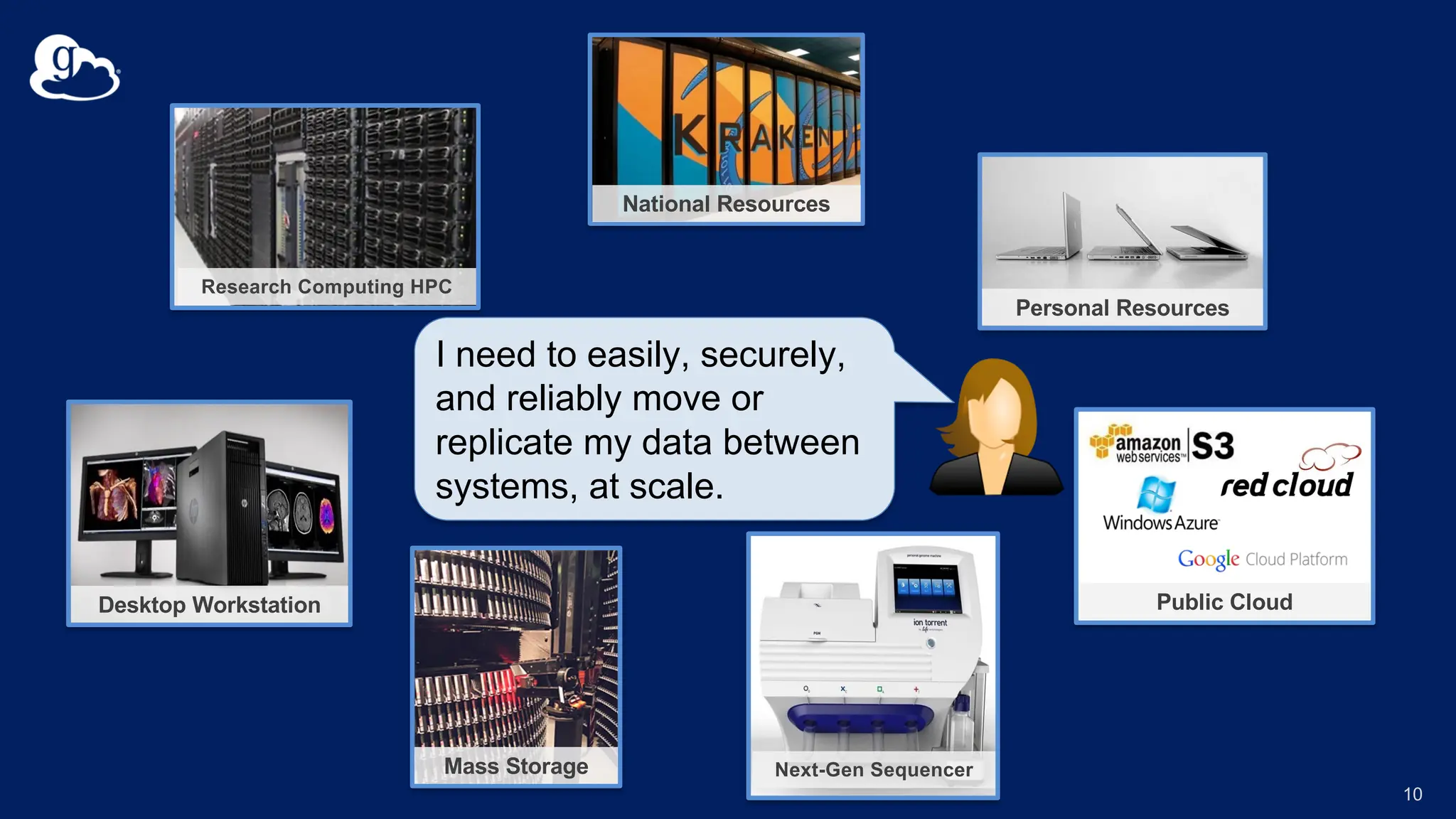
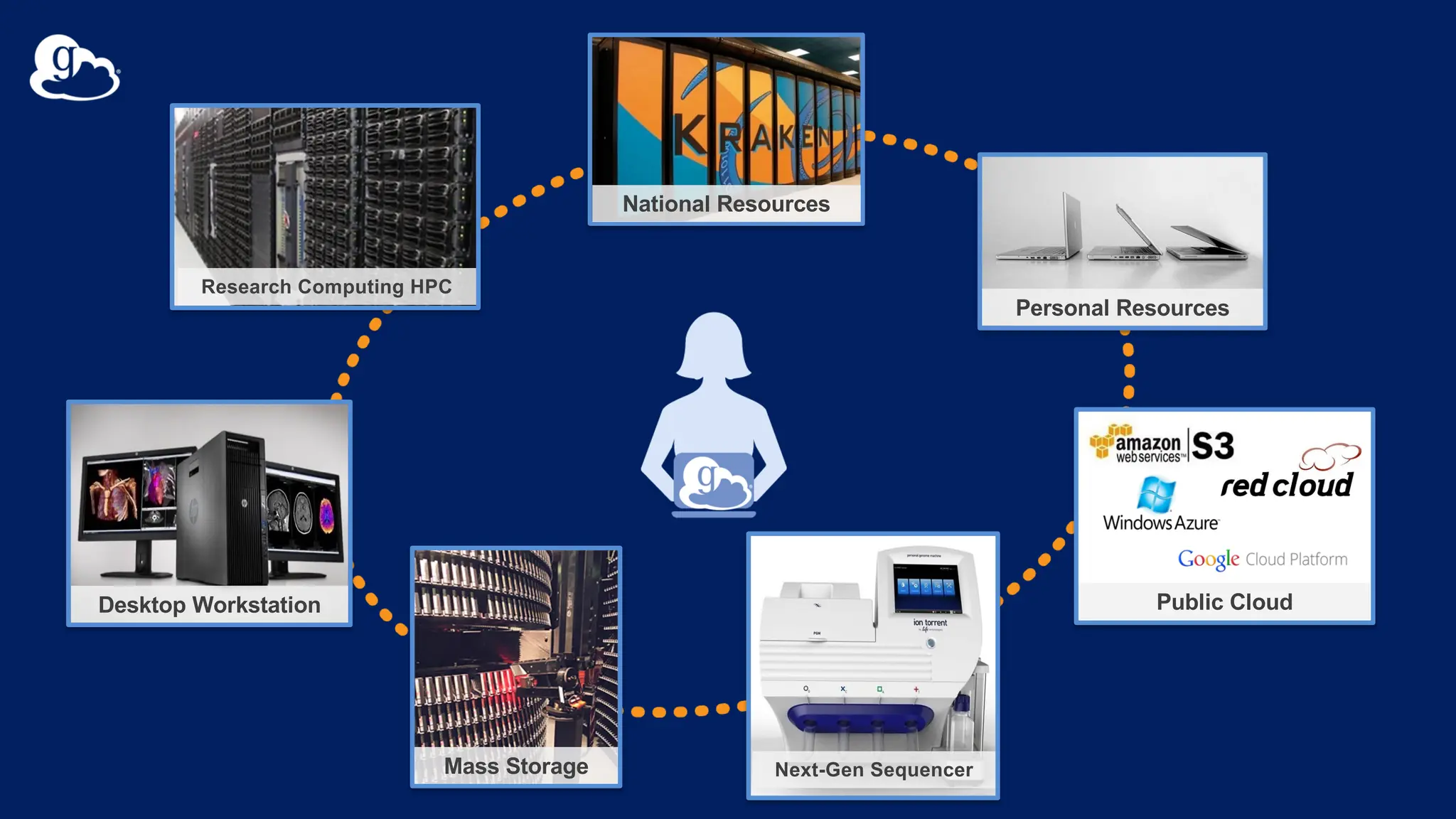
Research Computing HPC
Desktop Workstation
Mass Storage Next-Gen Sequencer
National Resources
Personal Resources
Public Cloud
I need to easily, securely,
and reliably move or
replicate my data between
systems, at scale.
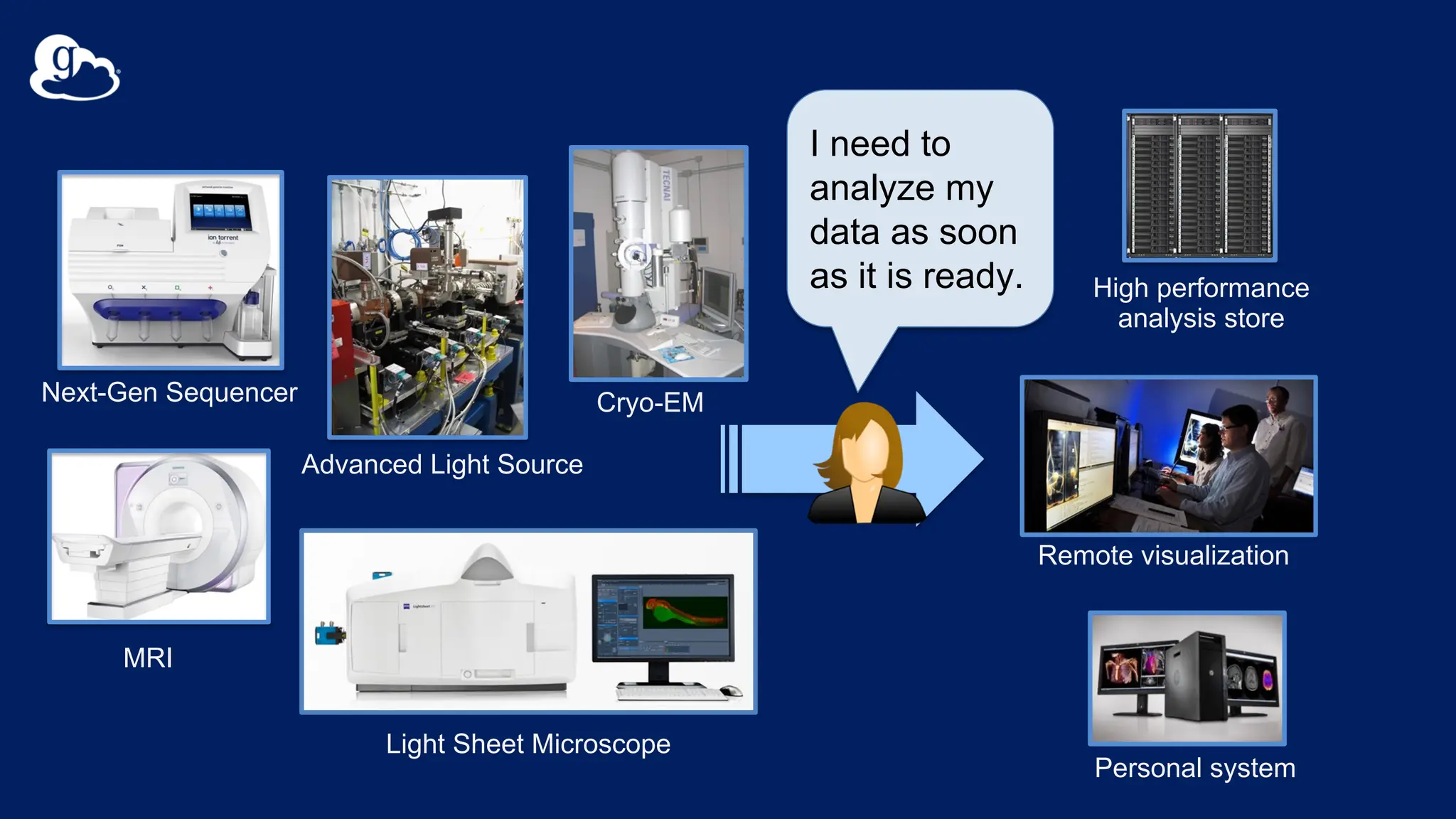
High performance
analysis store
Next-Gen Sequencer
MRI
Advanced Light Source
Personal system
Remote visualization
Light Sheet Microscope
Cryo-EM
I need to
analyze my
data as soon
as it is ready.
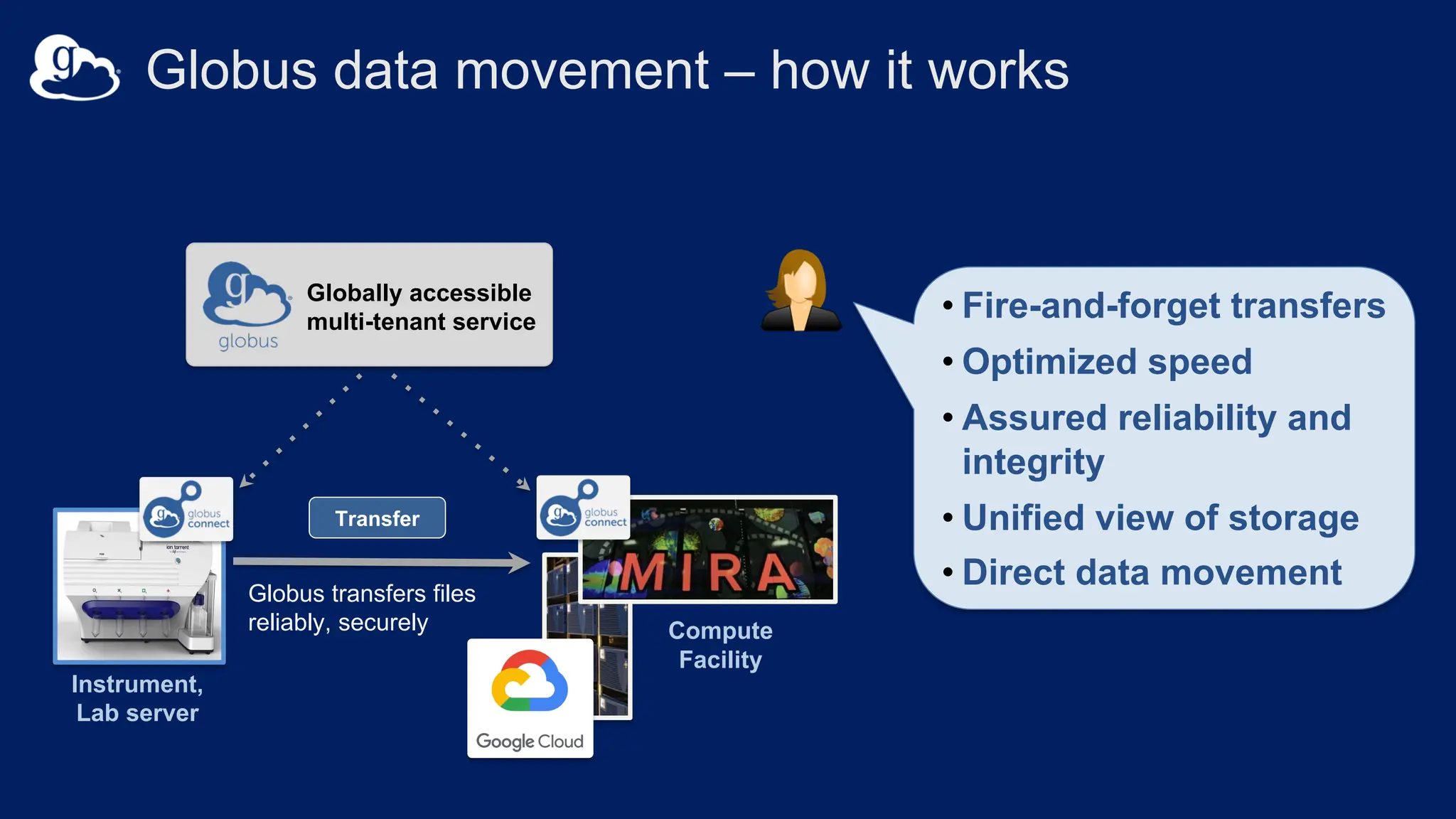
Instrument,
Lab server
Compute
Facility
Globus transfers files
reliably, securely
Globally accessible
multi-tenant service
v
• Fire-and-forget transfers
• Optimized speed
• Assured reliability and
integrity
• Unified view of storage
• Direct data movement
Globus data movement – how it works
Transfer
Research Computing HPC
Desktop Workstation
Mass Storage Next-Gen Sequencer
National Resources
Personal Resources
Public Cloud
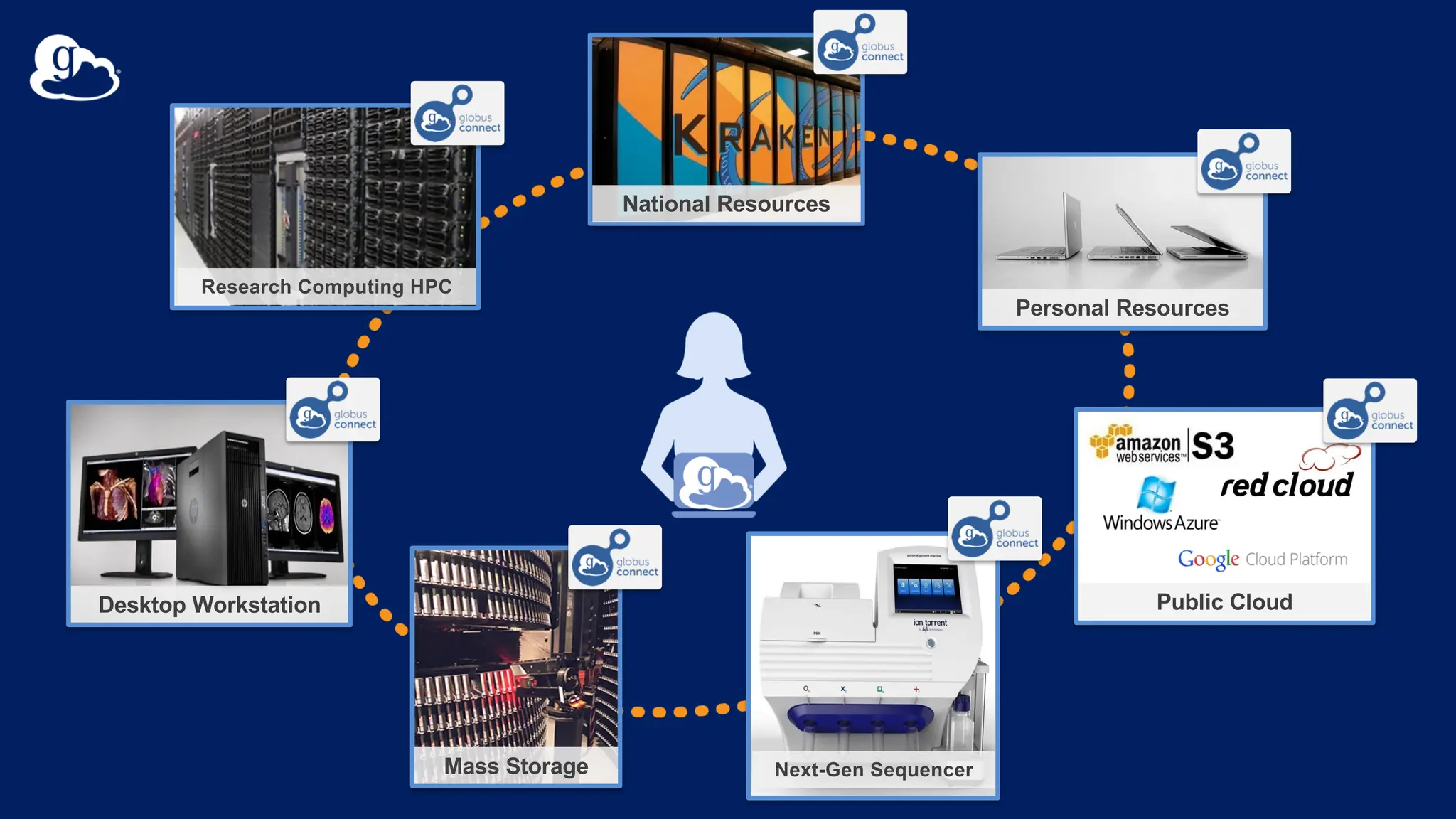
Research Computing HPC
Desktop Workstation
Mass Storage Next-Gen Sequencer
National Resources
Personal Resources
Public Cloud
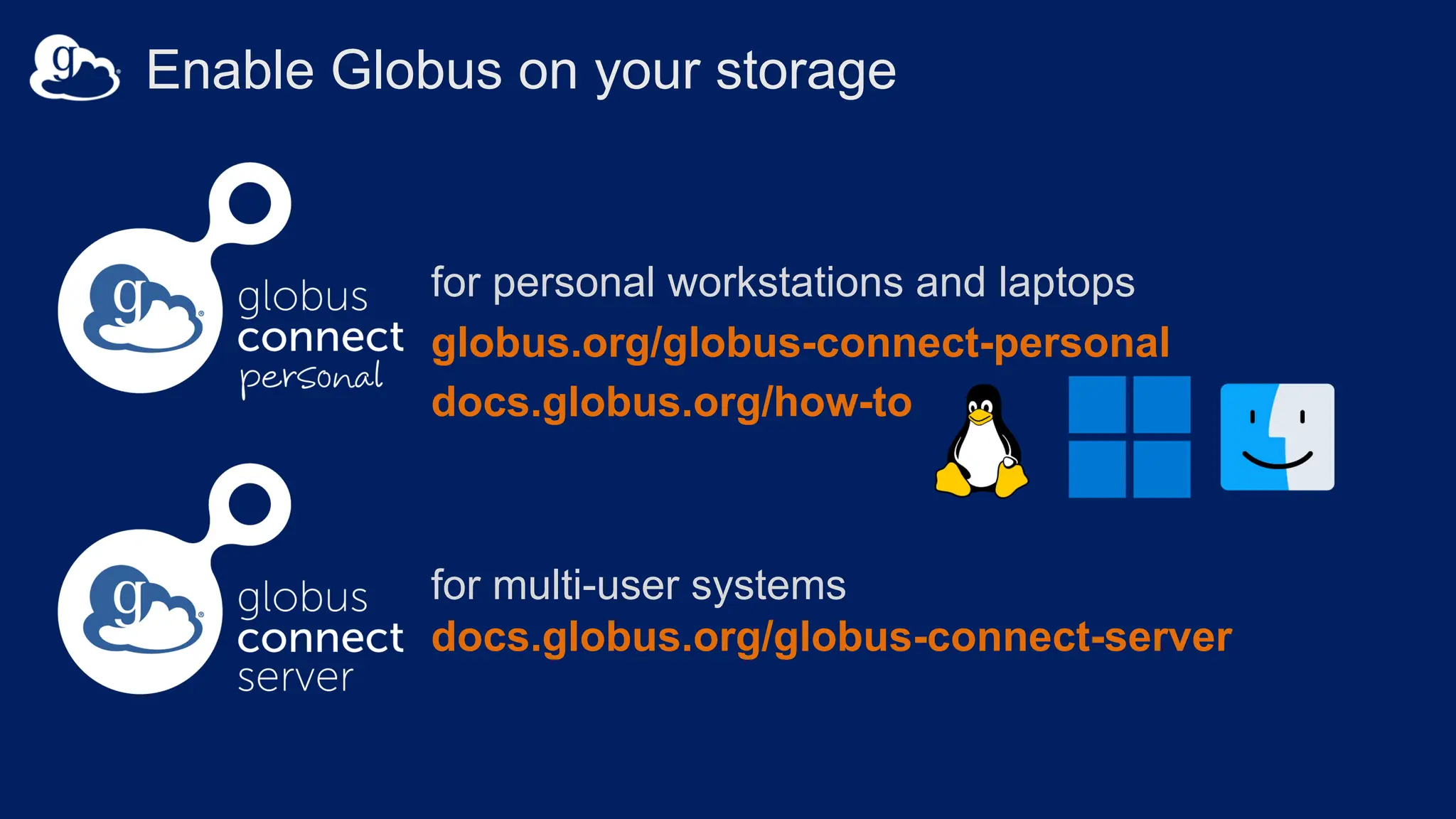
for multi-user systems
docs.globus.org/globus-connect-server
for personal workstations and laptops
globus.org/globus-connect-personal
docs.globus.org/how-to
Enable Globus on your storage
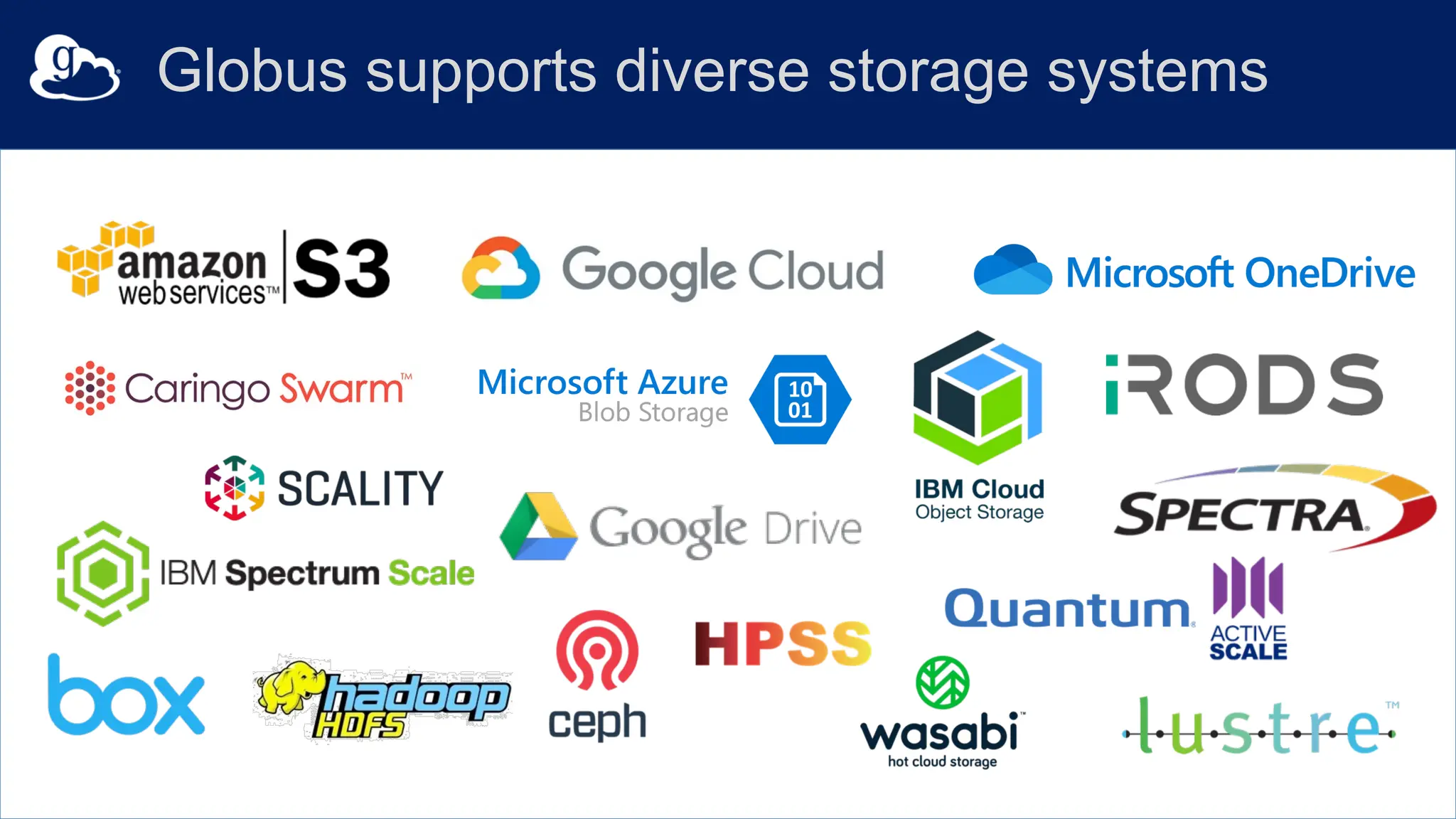
Globus supports diverse storage systems
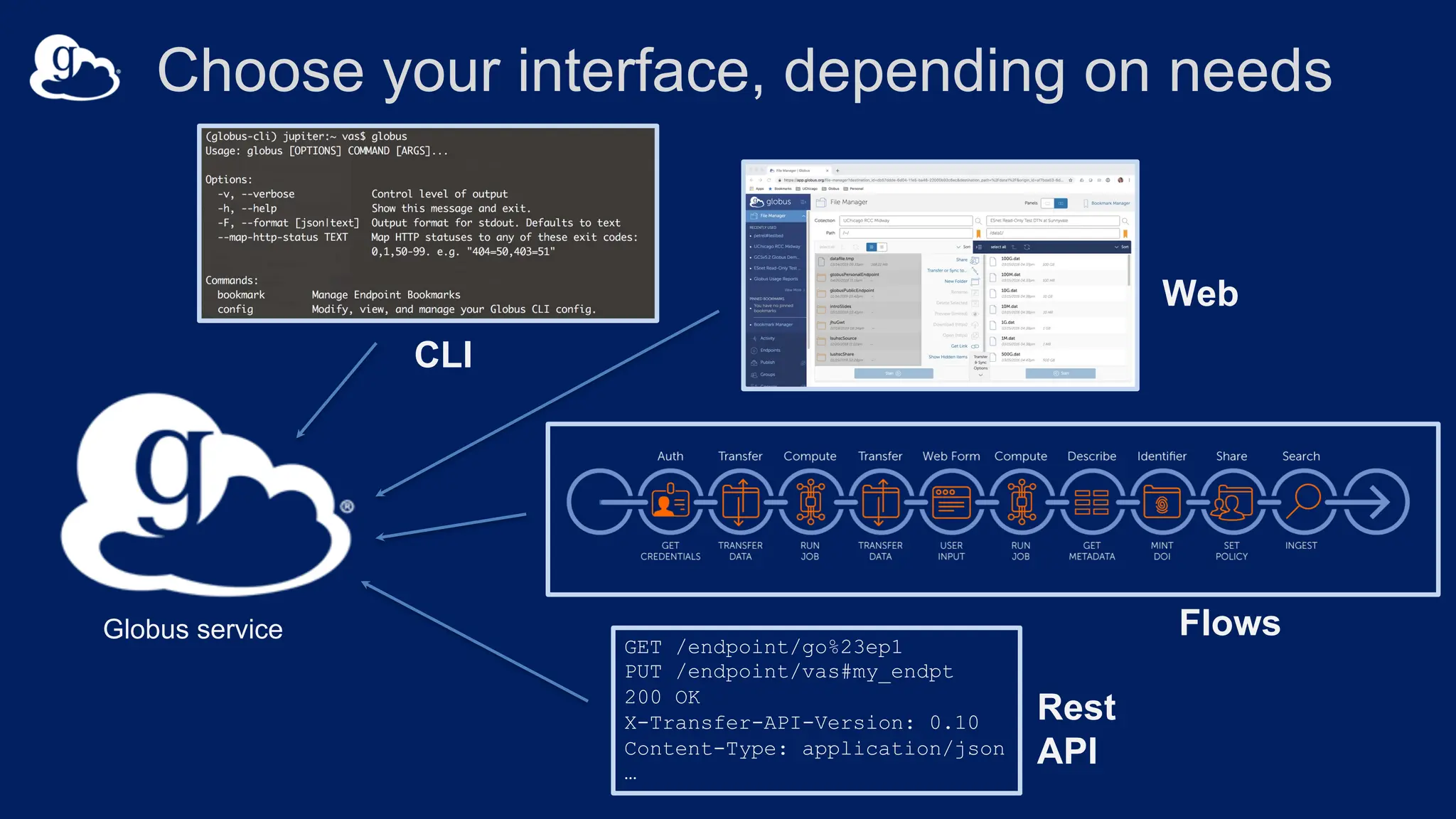
Choose your interface, depending on needs
GET /endpoint/go%23ep1
PUT /endpoint/vas#my_endpt
200 OK
X-Transfer-API-Version: 0.10
Content-Type: application/json
…
Globus service
Web
CLI
Rest
API
Flows
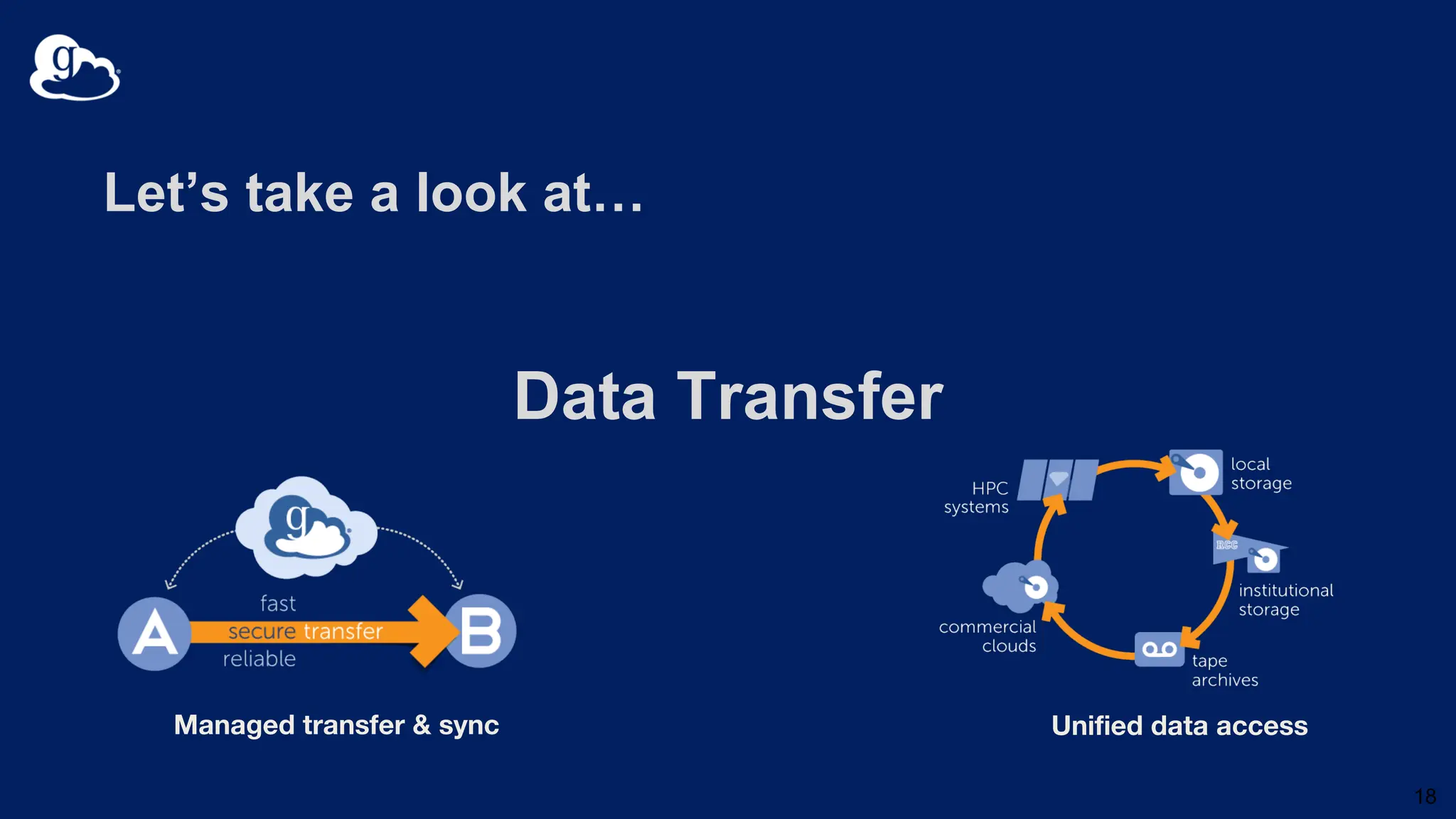
Let’s take a look at…
Data Transfer
18
Managed transfer & sync Unified data access
Globus Platform for Research IT
Managed transfer & sync
Collaborative data sharing
Unified data access
Publication & discovery
Reliable automation Platform-as-a-Service
Managed remote execution
Software-as-a-Service
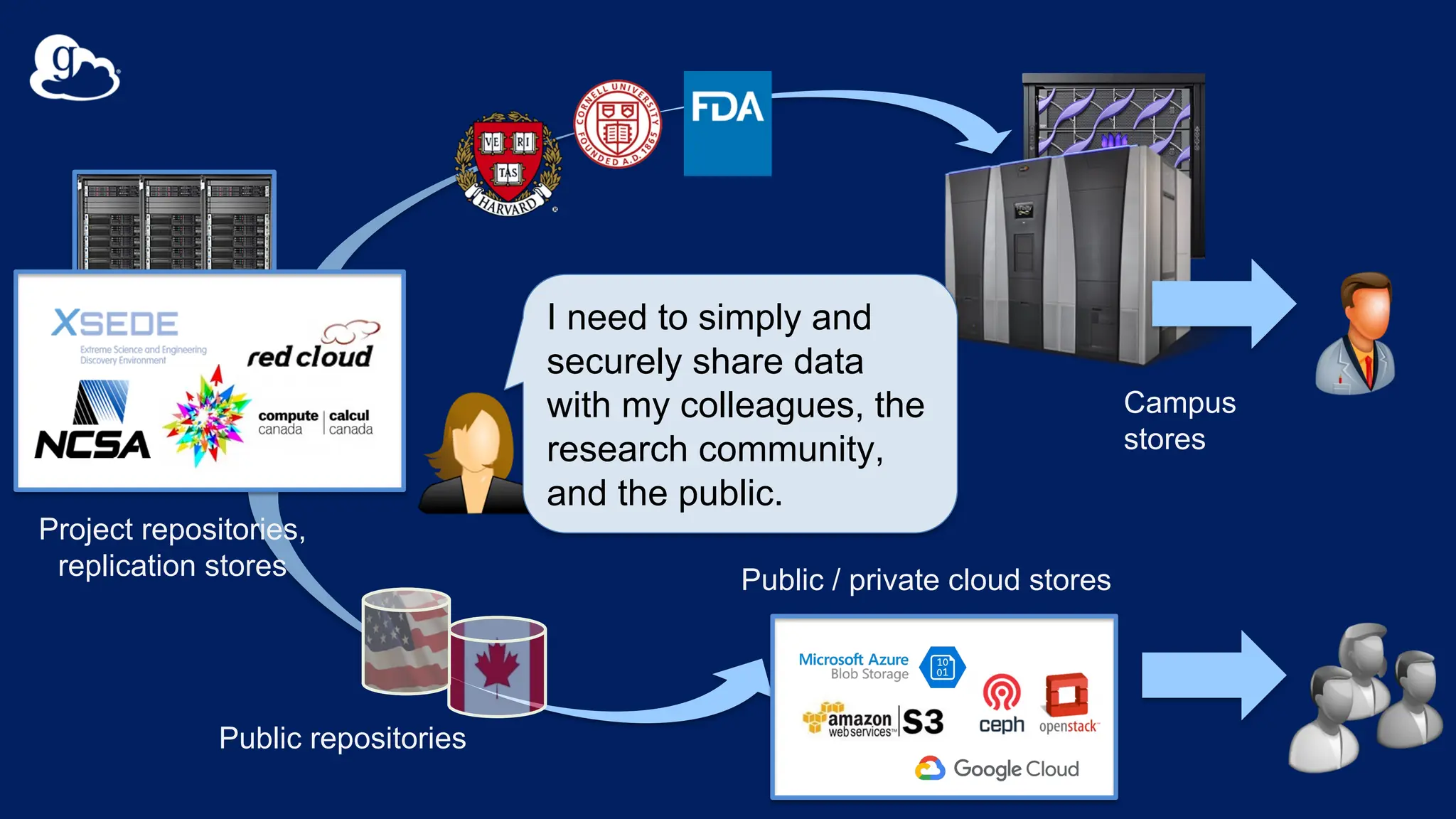
Public / private cloud stores
Campus
stores
Project repositories,
replication stores
Public repositories
I need to simply and
securely share data
with my colleagues, the
research community,
and the public.
Example Sharing Use Cases
• Ad hoc sharing with a collaborator.
• Data delivery to instrument facility users.
• Sharing data within a multi-institutional project.
• Sharing data sets through a data portal.
• Provisioning storage for users.
• Automation of data movement and sharing.
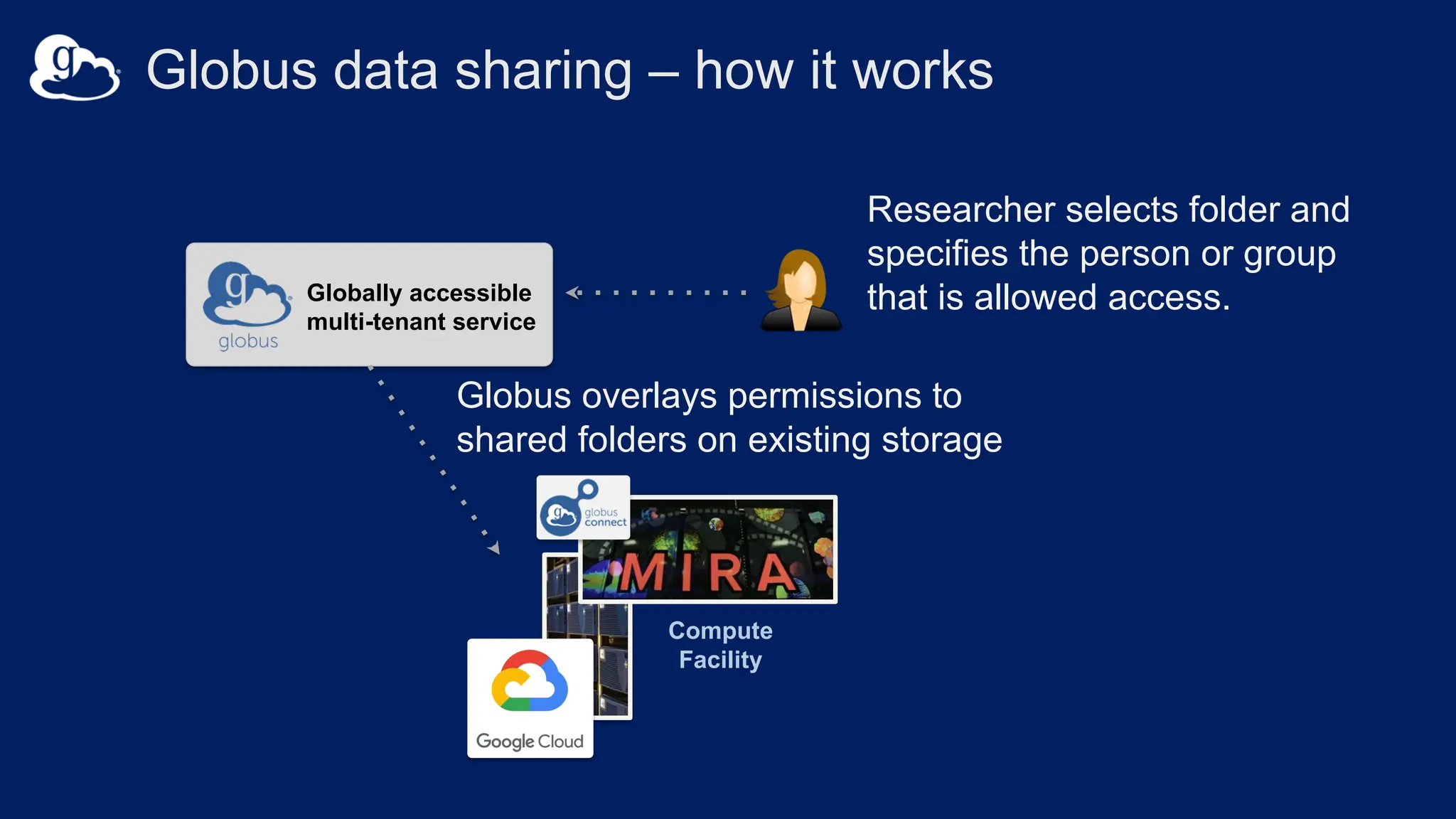
Researcher selects folder and
specifies the person or group
that is allowed access.
Compute
Facility
Globally accessible
multi-tenant service
v
Globus overlays permissions to
shared folders on existing storage
Globus data sharing – how it works
Compute
Facility
Globally accessible
multi-tenant service
v
Laptop, server,
compute facility
Globus data sharing – how it works
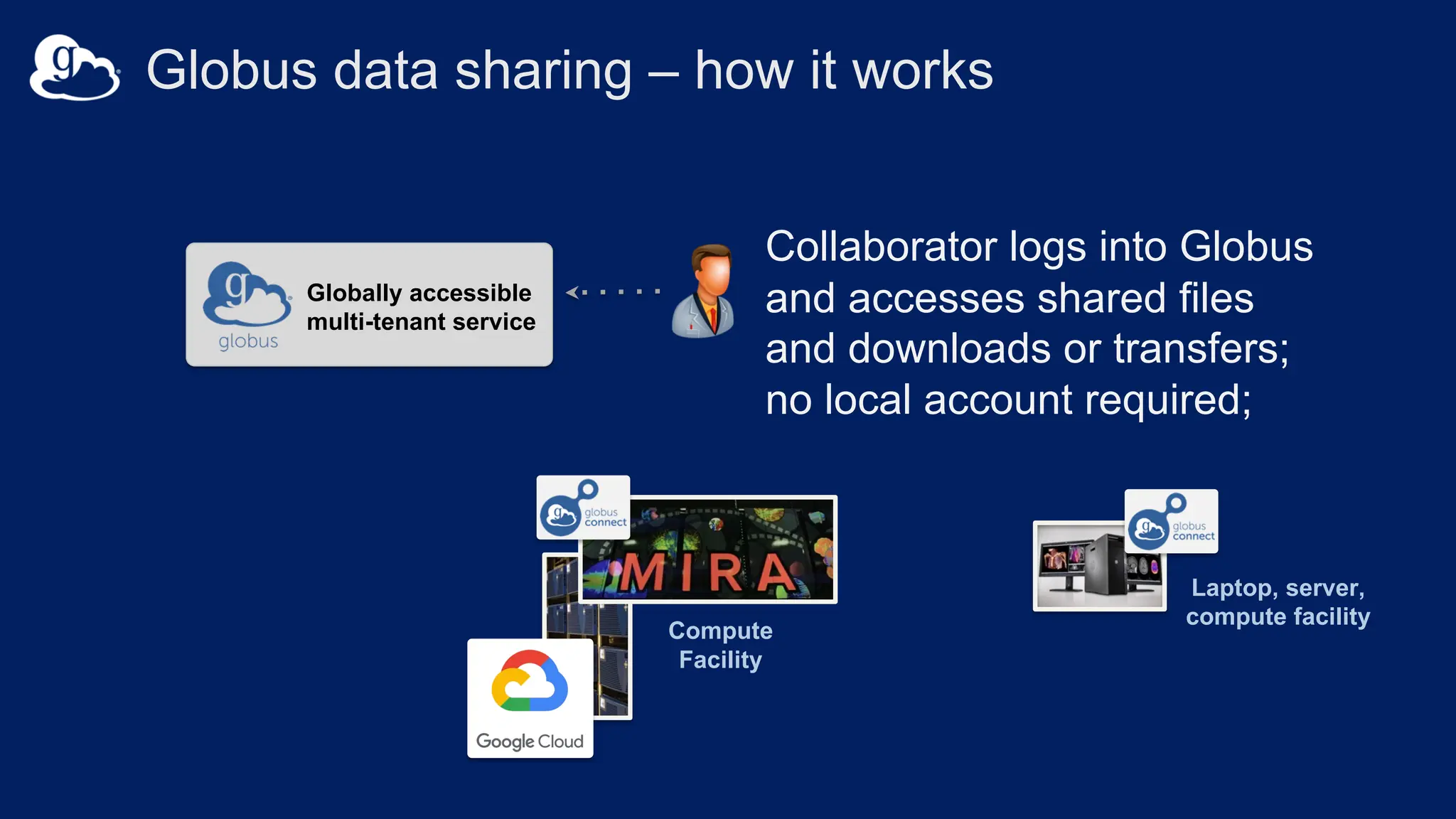
Collaborator logs into Globus
and accesses shared files
and downloads or transfers;
no local account required;
Compute
Facility
Globally accessible
multi-tenant service
v
Laptop, server,
compute facility
Globus data sharing – how it works
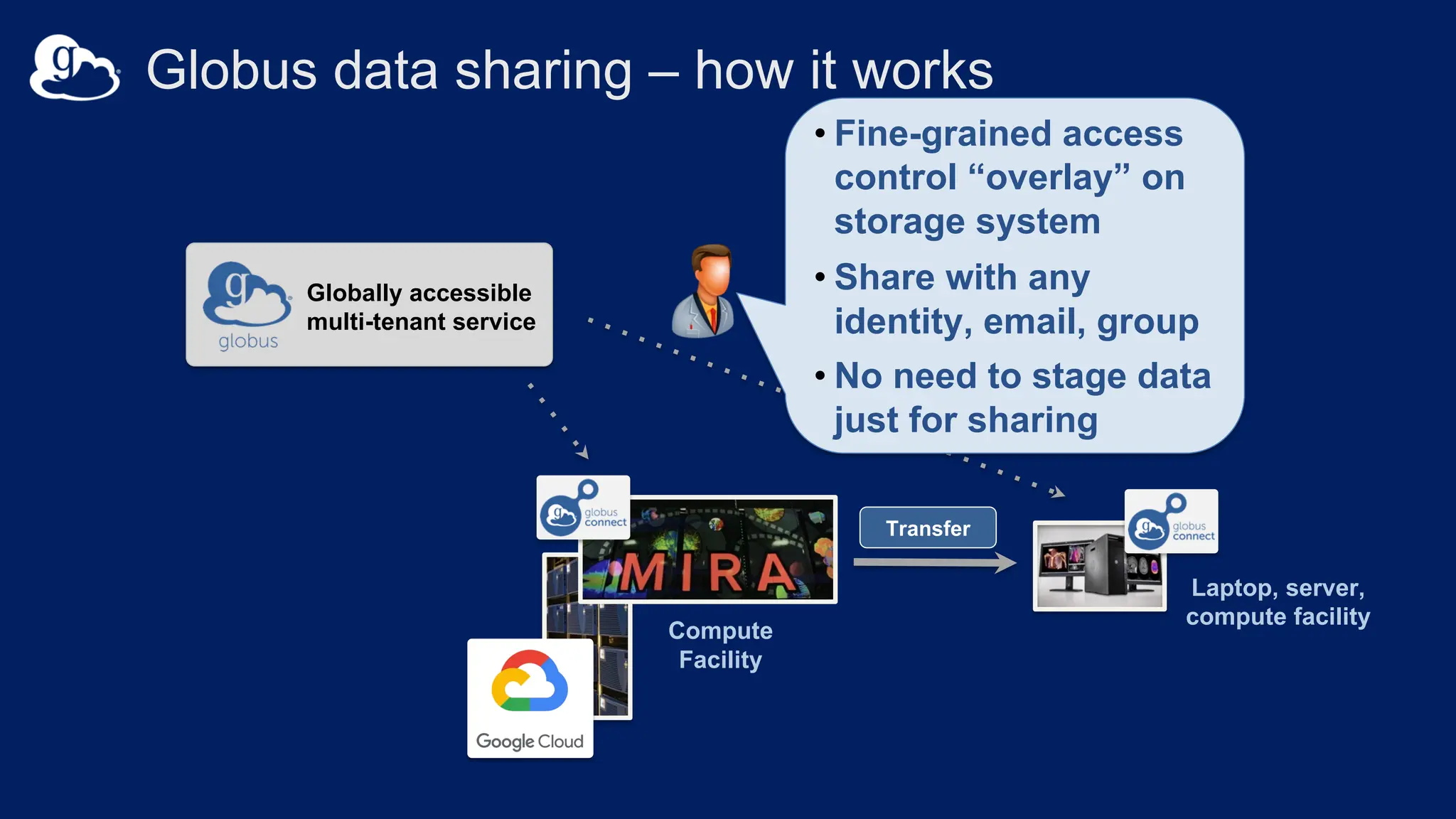
• Fine-grained access
control “overlay” on
storage system
• Share with any
identity, email, group
• No need to stage data
just for sharing
Transfer
Let’s take a look at…
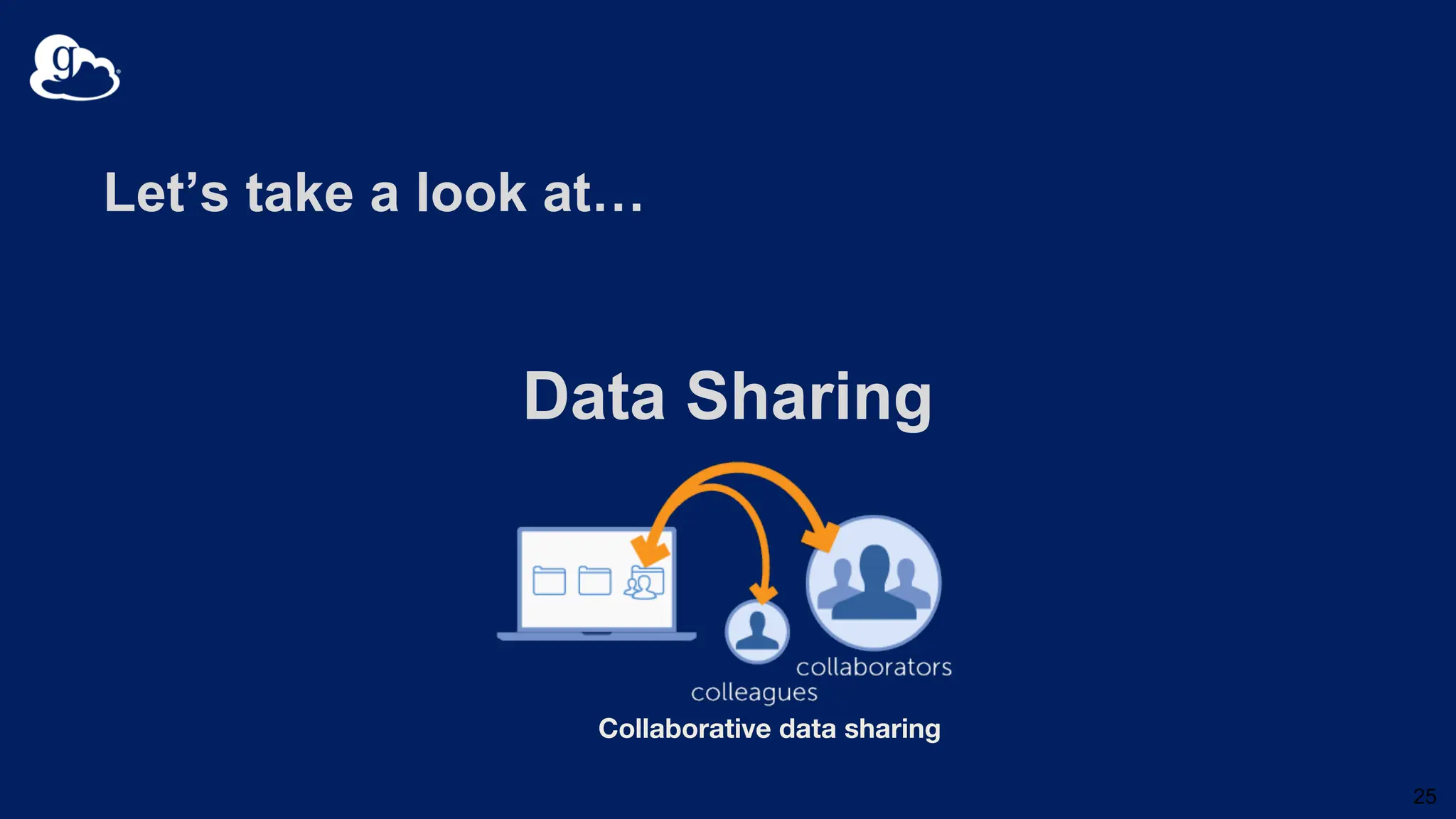
Data Sharing
25
Collaborative data sharing
Sharing Best Practices
Where possible…
• Create a guest collection one time, share many times.
• Use groups to manage the people you share with.
• Don’t share more data than necessary.
• Use read-only sharing.
• Share with institutional identities.
• Remove sharing permission when no longer needed.
Storage admins can monitor and set boundaries on sharing.
• View permissions
• Delete permission
• Delete guest collections
• Disable write sharing permissions
• Restrict what data can be shared
• Restrict who can share
• Restrict who can share what data
• Restrict the identity domains of collaborators
• Prevent anonymous or all authenticated sharing of sensitive data
Globus core security features
• Access Control
– Identities provided and managed by institution
– Globus is identity broker; no access to/storage of user credentials
– Institution controls all access policies
• Data remain at institution, no storage/routing via Globus
• Integrity checks of transferred data
• Enforced encryption of Globus control communications
• Options for encryption of data in transit
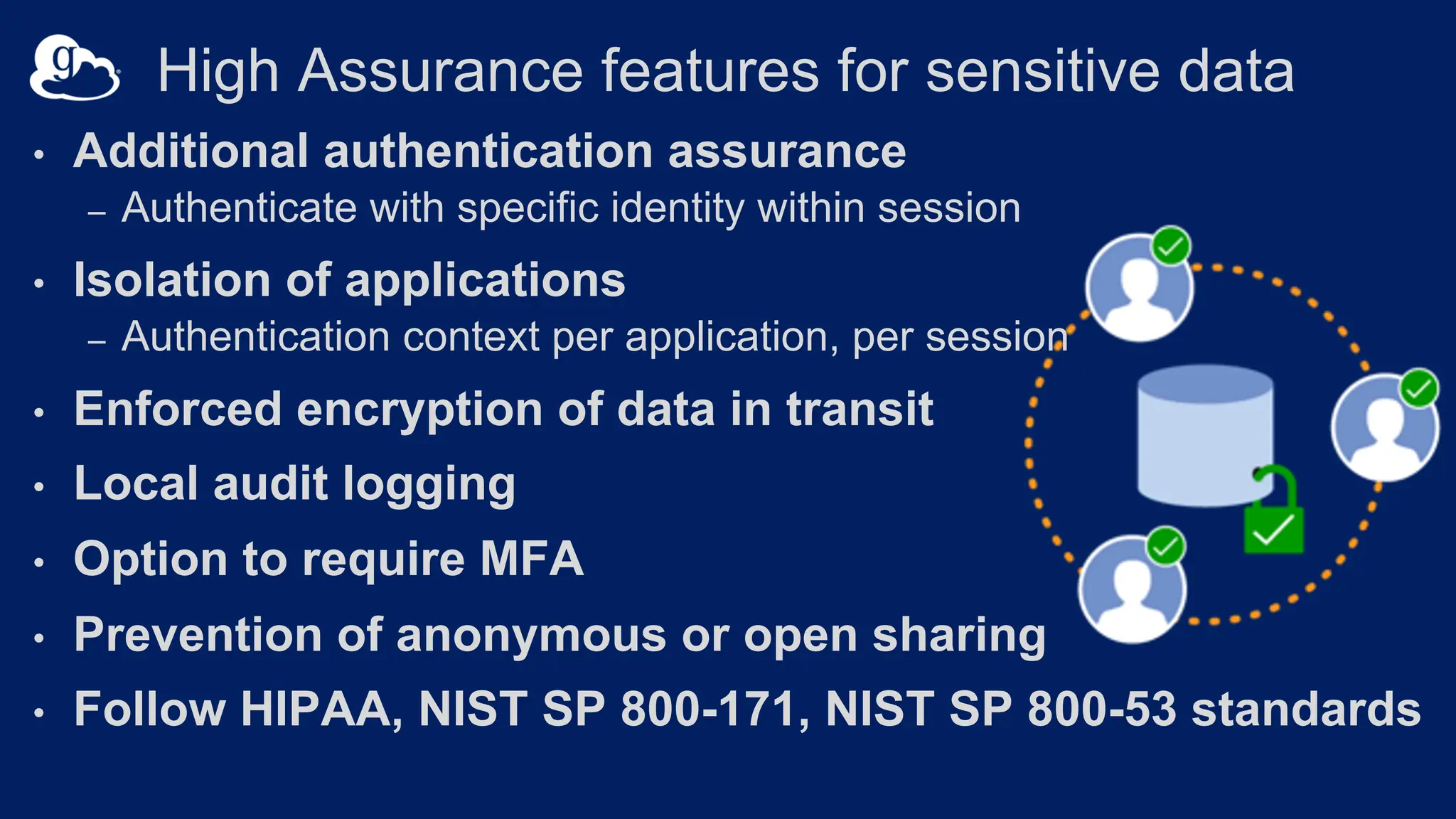
• Additional authentication assurance
– Authenticate with specific identity within session
• Isolation of applications
– Authentication context per application, per session
• Enforced encryption of data in transit
• Local audit logging
• Option to require MFA
• Prevention of anonymous or open sharing
• Follow HIPAA, NIST SP 800-171, NIST SP 800-53 standards
High Assurance features for sensitive data
Let’s connect to the Globus ecosystem…
Hands on
1. Install Globus Connect Personal.
2.Transfer a file.
30
Create a Globus Connect Personal Collection
1. Login at app.globus.org
2. Select “Search” in the collection box
3. Select “Get Globus Connect Personal” at bottom of page
4. Download for your operating system
5. Open download and follow on-screen instructions
How To Install, Configure, and Uninstall GCP
https://docs.globus.org/how-to/
Transfer slides to your Globus Connect Personal
(GCP) Collection
1. Login at app.globus.org (or select File Manager from left nav
menu if already logged in)
2. Select “Search” in the collection box
3. Double click your GCP collection under “Your Collections”
4. Select Transfer or Sync to… from right menu
5. Search for “Brigitte Shared Data RCC Robson”
6. Select slides and select Start button
Support resources
• Globus documentation: docs.globus.org
• YouTube channel: youtube.com/user/GlobusOnline
• Helpdesk and issue escalation: support@globus.org
• Mailing Lists: globus.org/mailing-lists

Introduction to Data Transfer and Sharing for Researchers

  • 1.
    Introduction to DataTransfer and Sharing for Researchers Brigitte Raumann braumann@uchicago.edu Case Western Reserve University October 23, 2023
  • 2.
    • Who isGlobus? • Organization, mission, funding • What does Globus do? • What are the core capabilities? How do they work? • Globus in action • Demos data transfer and sharing • Create your own Globus collection
  • 3.
    Globus is … anon-profit service developed and operated by
  • 4.
    Our mission isto… increase the efficiency and effectiveness of researchers engaged in data-driven science and scholarship through sustainable software.
  • 6.
    Development is partlyfunded by... U . S . D E P A R T M E N T O F ENERGY
  • 7.
  • 8.
    Globus Platform forResearch IT Managed transfer & sync Collaborative data sharing Unified data access Publication & discovery Reliable automation Platform-as-a-Service Managed remote execution Software-as-a-Service
  • 9.
    Globus Platform forResearch IT Managed transfer & sync Collaborative data sharing Unified data access Publication & discovery Reliable automation Platform-as-a-Service Managed remote execution Software-as-a-Service
  • 10.
    10 Research Computing HPC DesktopWorkstation Mass Storage Next-Gen Sequencer National Resources Personal Resources Public Cloud I need to easily, securely, and reliably move or replicate my data between systems, at scale.
  • 11.
    High performance analysis store Next-GenSequencer MRI Advanced Light Source Personal system Remote visualization Light Sheet Microscope Cryo-EM I need to analyze my data as soon as it is ready.
  • 12.
    Instrument, Lab server Compute Facility Globus transfersfiles reliably, securely Globally accessible multi-tenant service v • Fire-and-forget transfers • Optimized speed • Assured reliability and integrity • Unified view of storage • Direct data movement Globus data movement – how it works Transfer
  • 13.
    Research Computing HPC DesktopWorkstation Mass Storage Next-Gen Sequencer National Resources Personal Resources Public Cloud
  • 14.
    Research Computing HPC DesktopWorkstation Mass Storage Next-Gen Sequencer National Resources Personal Resources Public Cloud
  • 15.
    for multi-user systems docs.globus.org/globus-connect-server forpersonal workstations and laptops globus.org/globus-connect-personal docs.globus.org/how-to Enable Globus on your storage
  • 16.
    Globus supports diversestorage systems
  • 17.
    Choose your interface,depending on needs GET /endpoint/go%23ep1 PUT /endpoint/vas#my_endpt 200 OK X-Transfer-API-Version: 0.10 Content-Type: application/json … Globus service Web CLI Rest API Flows
  • 18.
    Let’s take alook at… Data Transfer 18 Managed transfer & sync Unified data access
  • 19.
    Globus Platform forResearch IT Managed transfer & sync Collaborative data sharing Unified data access Publication & discovery Reliable automation Platform-as-a-Service Managed remote execution Software-as-a-Service
  • 20.
    Public / privatecloud stores Campus stores Project repositories, replication stores Public repositories I need to simply and securely share data with my colleagues, the research community, and the public.
  • 21.
    Example Sharing UseCases • Ad hoc sharing with a collaborator. • Data delivery to instrument facility users. • Sharing data within a multi-institutional project. • Sharing data sets through a data portal. • Provisioning storage for users. • Automation of data movement and sharing.
  • 22.
    Researcher selects folderand specifies the person or group that is allowed access. Compute Facility Globally accessible multi-tenant service v Globus overlays permissions to shared folders on existing storage Globus data sharing – how it works
  • 23.
    Compute Facility Globally accessible multi-tenant service v Laptop,server, compute facility Globus data sharing – how it works Collaborator logs into Globus and accesses shared files and downloads or transfers; no local account required;
  • 24.
    Compute Facility Globally accessible multi-tenant service v Laptop,server, compute facility Globus data sharing – how it works • Fine-grained access control “overlay” on storage system • Share with any identity, email, group • No need to stage data just for sharing Transfer
  • 25.
    Let’s take alook at… Data Sharing 25 Collaborative data sharing
  • 26.
    Sharing Best Practices Wherepossible… • Create a guest collection one time, share many times. • Use groups to manage the people you share with. • Don’t share more data than necessary. • Use read-only sharing. • Share with institutional identities. • Remove sharing permission when no longer needed.
  • 27.
    Storage admins canmonitor and set boundaries on sharing. • View permissions • Delete permission • Delete guest collections • Disable write sharing permissions • Restrict what data can be shared • Restrict who can share • Restrict who can share what data • Restrict the identity domains of collaborators • Prevent anonymous or all authenticated sharing of sensitive data
  • 28.
    Globus core securityfeatures • Access Control – Identities provided and managed by institution – Globus is identity broker; no access to/storage of user credentials – Institution controls all access policies • Data remain at institution, no storage/routing via Globus • Integrity checks of transferred data • Enforced encryption of Globus control communications • Options for encryption of data in transit
  • 29.
    • Additional authenticationassurance – Authenticate with specific identity within session • Isolation of applications – Authentication context per application, per session • Enforced encryption of data in transit • Local audit logging • Option to require MFA • Prevention of anonymous or open sharing • Follow HIPAA, NIST SP 800-171, NIST SP 800-53 standards High Assurance features for sensitive data
  • 30.
    Let’s connect tothe Globus ecosystem… Hands on 1. Install Globus Connect Personal. 2.Transfer a file. 30
  • 31.
    Create a GlobusConnect Personal Collection 1. Login at app.globus.org 2. Select “Search” in the collection box 3. Select “Get Globus Connect Personal” at bottom of page 4. Download for your operating system 5. Open download and follow on-screen instructions How To Install, Configure, and Uninstall GCP https://docs.globus.org/how-to/
  • 32.
    Transfer slides toyour Globus Connect Personal (GCP) Collection 1. Login at app.globus.org (or select File Manager from left nav menu if already logged in) 2. Select “Search” in the collection box 3. Double click your GCP collection under “Your Collections” 4. Select Transfer or Sync to… from right menu 5. Search for “Brigitte Shared Data RCC Robson” 6. Select slides and select Start button
  • 33.
    Support resources • Globusdocumentation: docs.globus.org • YouTube channel: youtube.com/user/GlobusOnline • Helpdesk and issue escalation: support@globus.org • Mailing Lists: globus.org/mailing-lists