Somu rajesh
INTRODUCTION TO
C++
HISTORY OF
C++
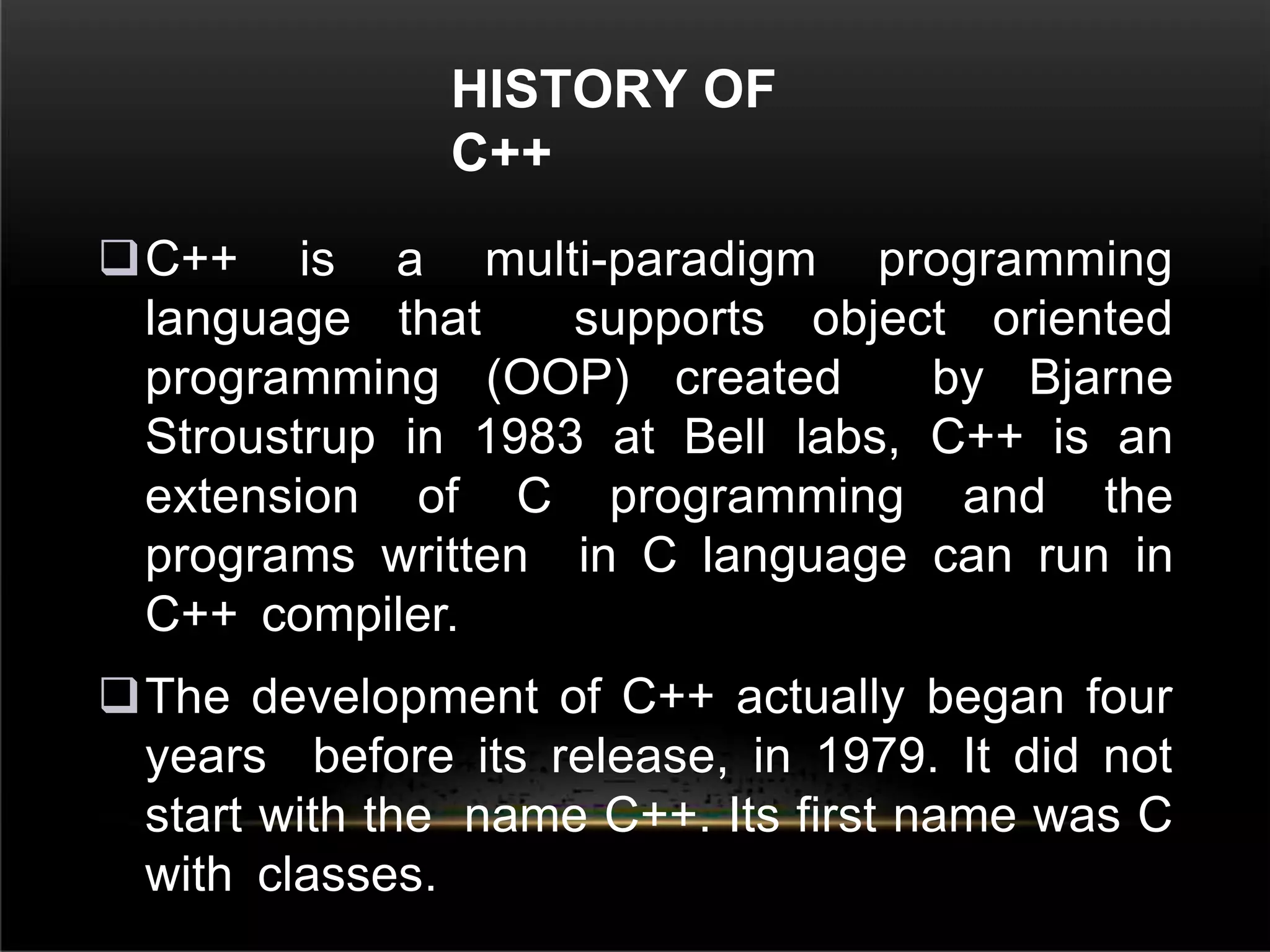
C++ is a multi-paradigm programming
language that supports object oriented
programming (OOP) created by Bjarne
Stroustrup in 1983 at Bell labs, C++ is an
extension of C programming and the
programs written in C language can run in
C++ compiler.
The development of C++ actually began four
years before its release, in 1979. It did not
start with the name C++. Its first name was C
with classes.
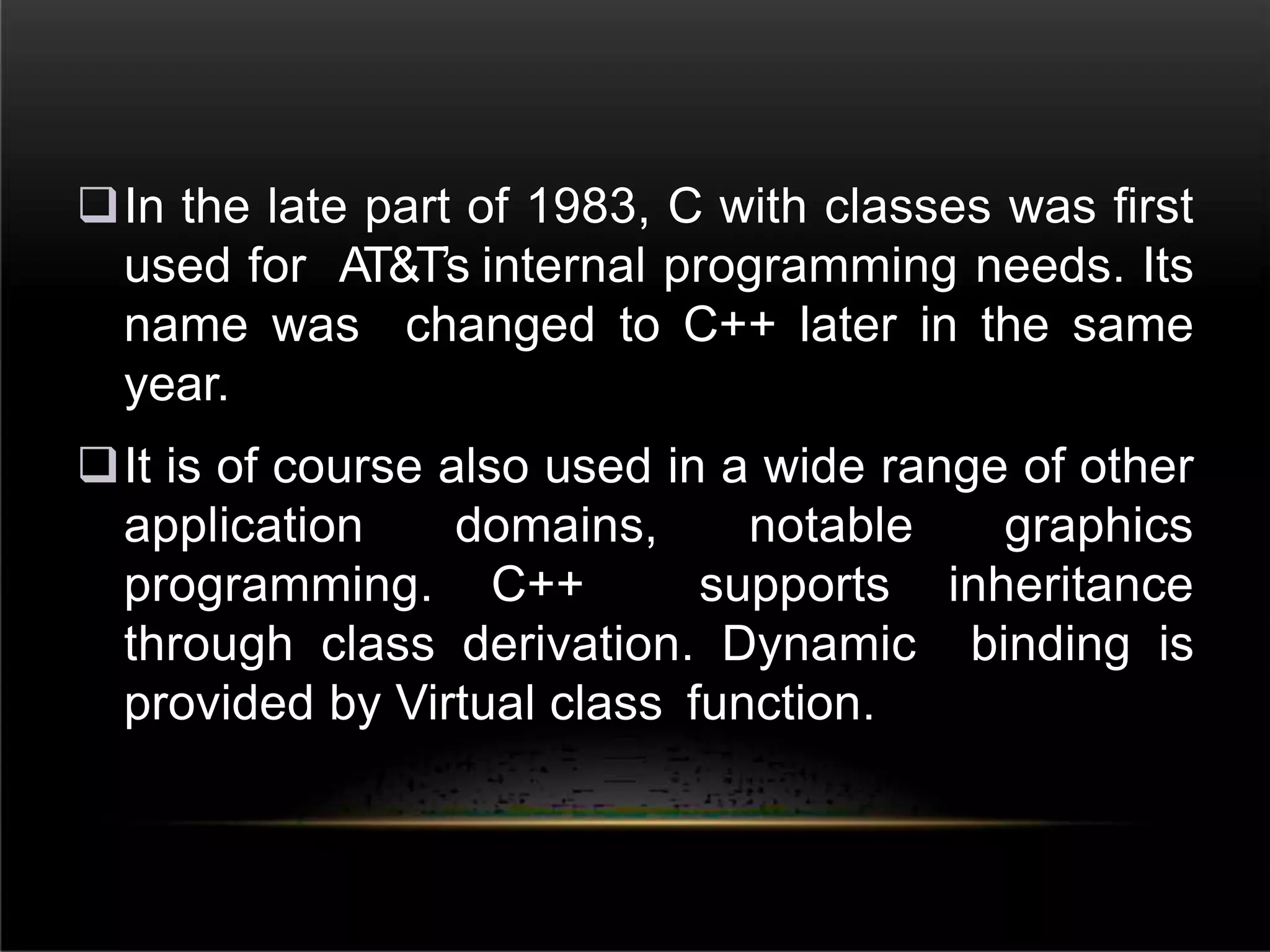
In the late part of 1983, C with classes was first
used for AT&T’s internal programming needs. Its
name was changed to C++ later in the same
year.
It is of course also used in a wide range of other
application domains, notable graphics
programming. C++ supports inheritance
through class derivation. Dynamic binding is
provided by Virtual class function.
DIFFERENCE BETWEEN C
AND C++
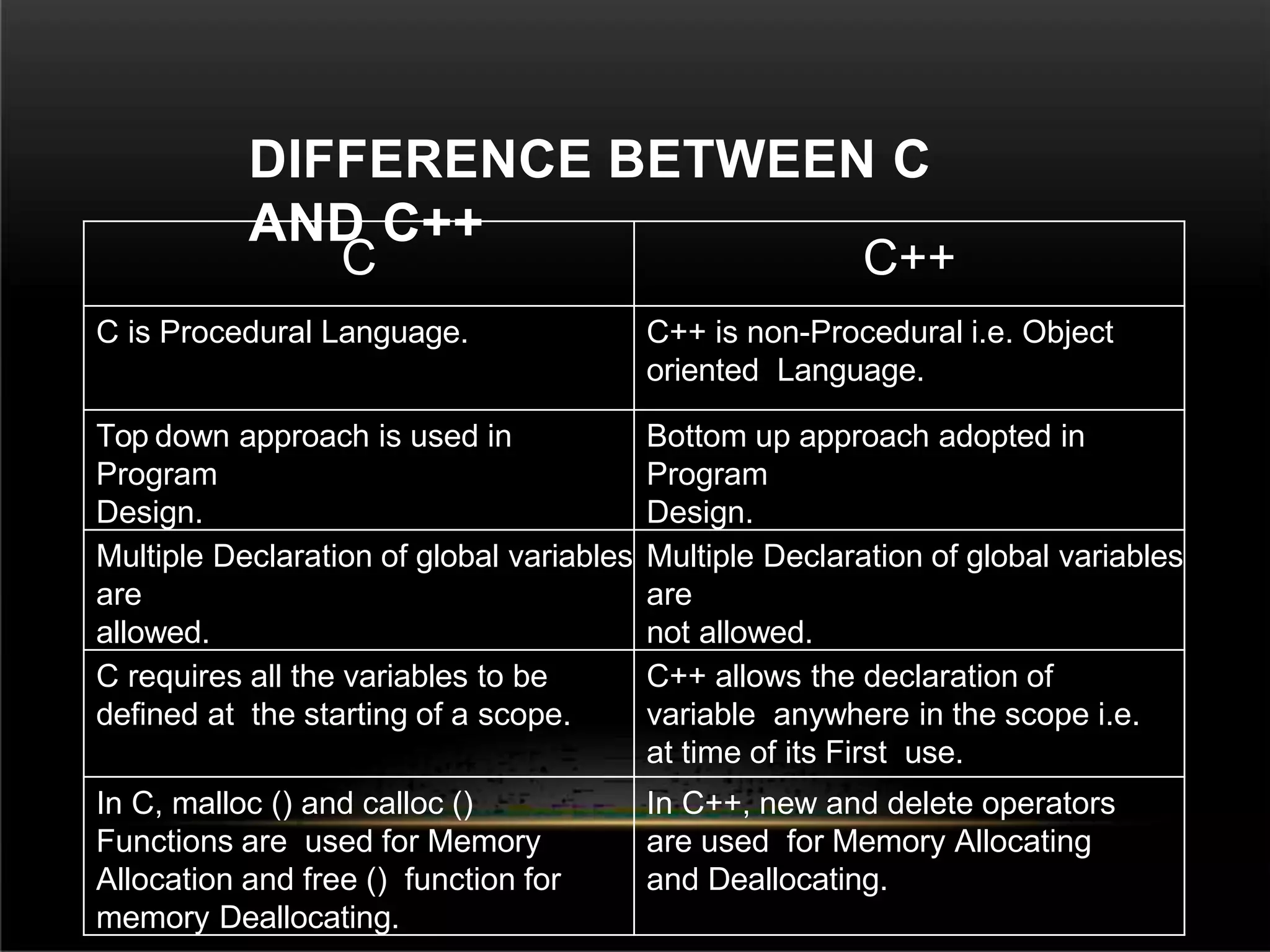
C C++
C is Procedural Language. C++ is non-Procedural i.e. Object
oriented Language.
Top down approach is used in
Program
Design.
Bottom up approach adopted in
Program
Design.
Multiple Declaration of global variables
are
allowed.
Multiple Declaration of global variables
are
not allowed.
C requires all the variables to be
defined at the starting of a scope.
C++ allows the declaration of
variable anywhere in the scope i.e.
at time of its First use.
In C, malloc () and calloc ()
Functions are used for Memory
Allocation and free () function for
memory Deallocating.
In C++, new and delete operators
are used for Memory Allocating
and Deallocating.
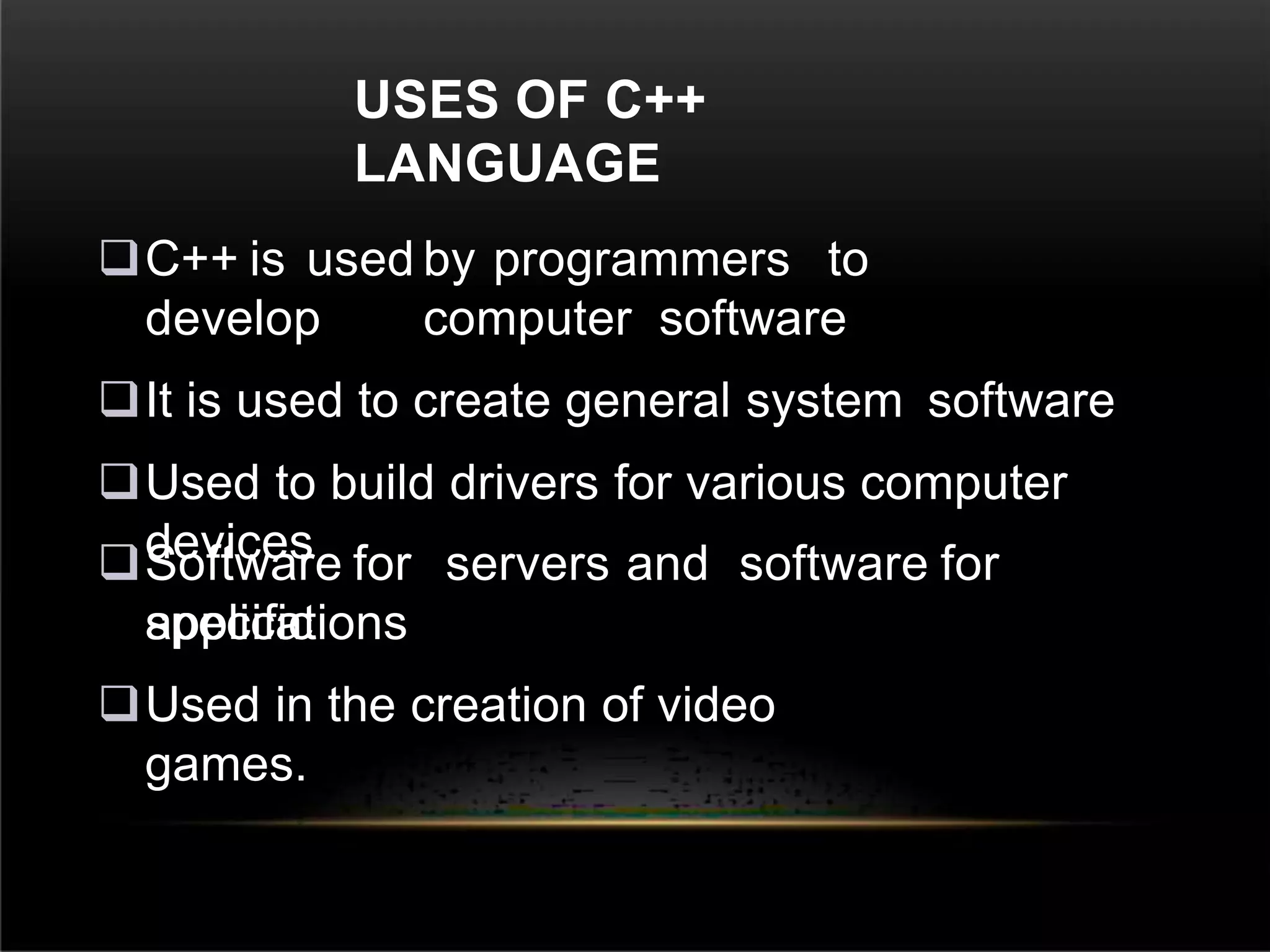
USES OF C++
LANGUAGE
C++ is used by programmers to
develop computer software
It is used to create general system software
Used to build drivers for various computer
devices
Software for servers and software for
specific
applications
Used in the creation of video
games.
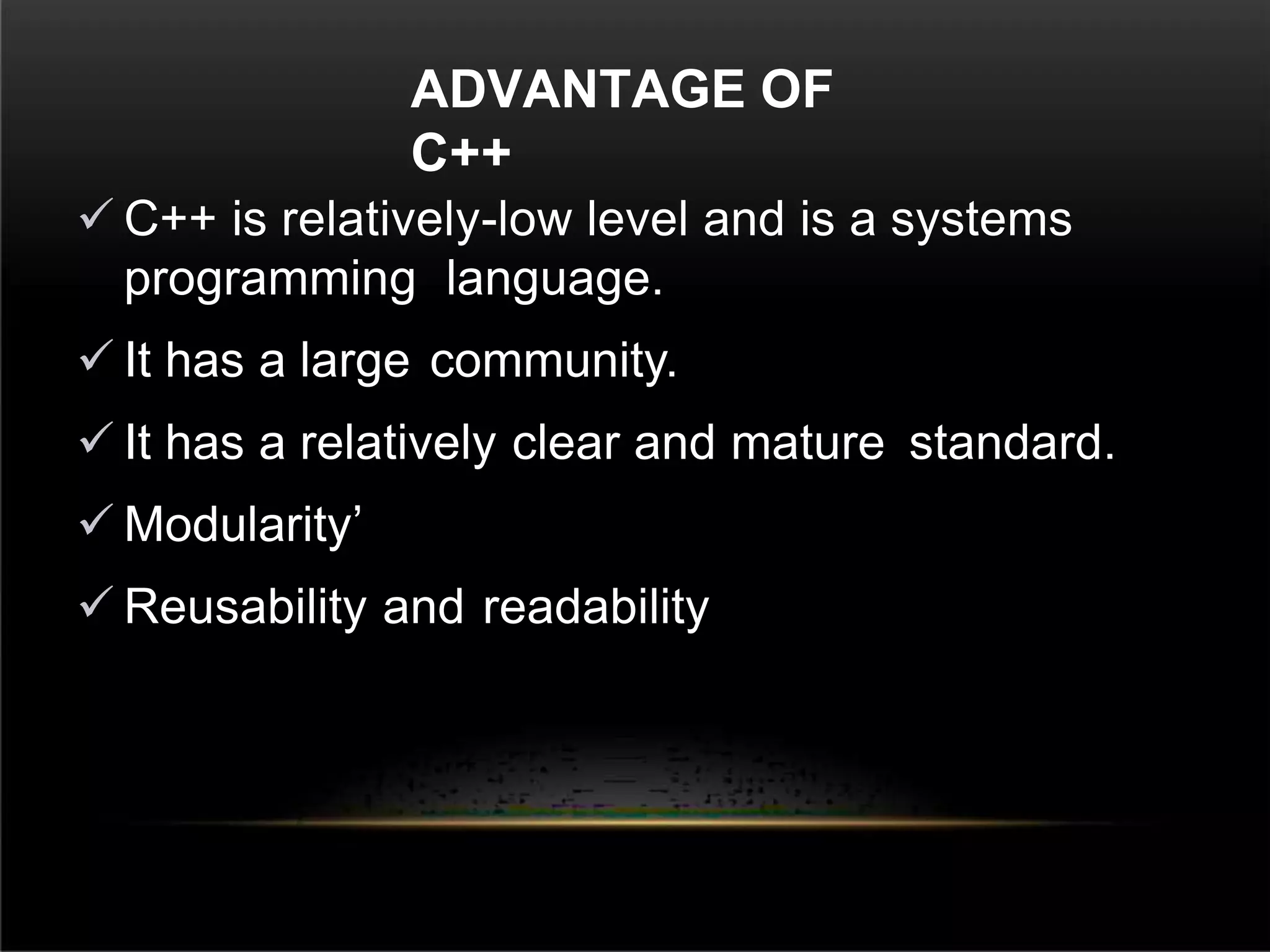
ADVANTAGE OF
C++
 C++ is relatively-low level and is a systems
programming language.
 It has a large community.
 It has a relatively clear and mature standard.
 Modularity’
 Reusability and readability
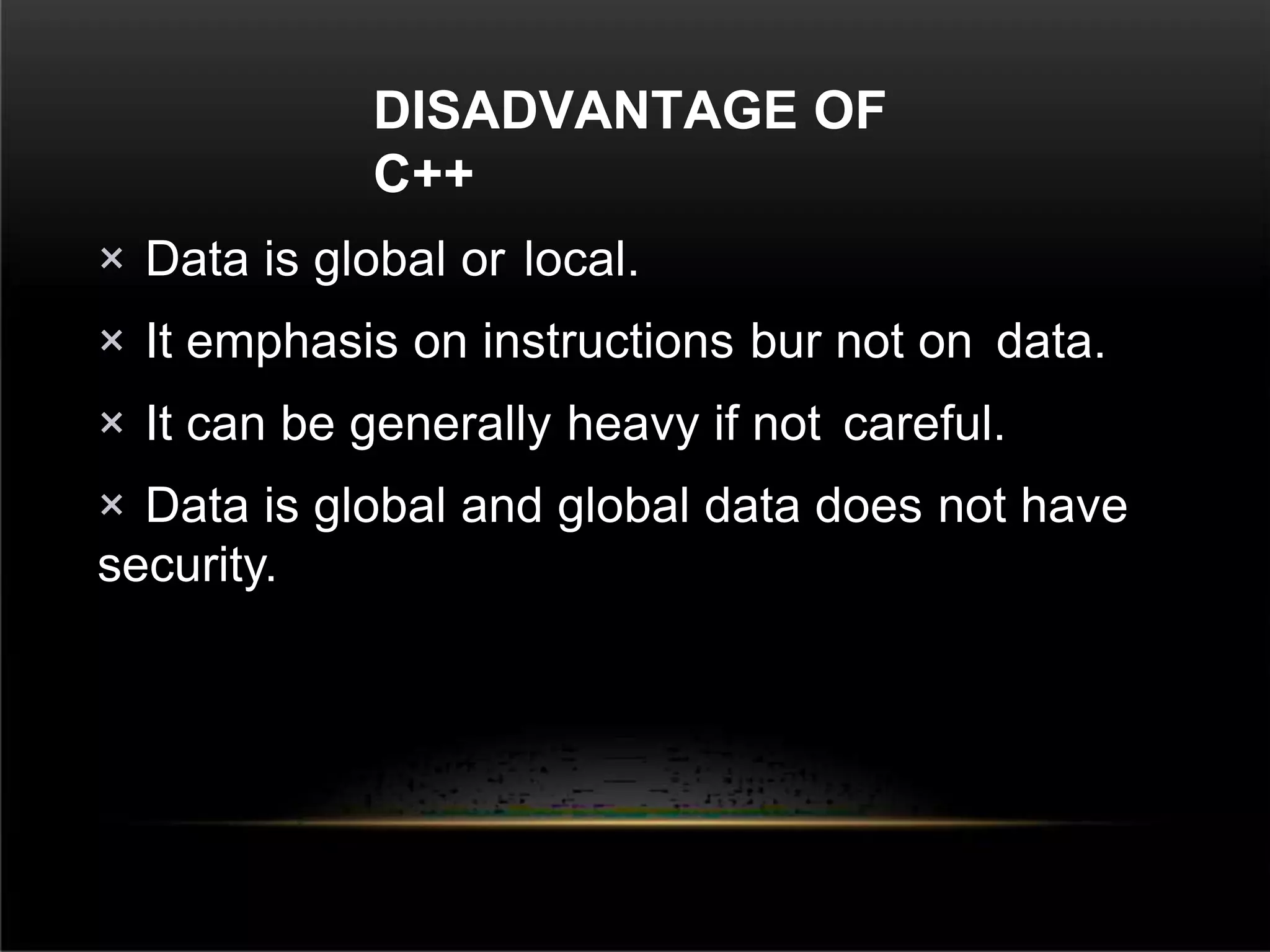
DISADVANTAGE OF
C++
× Data is global or local.
× It emphasis on instructions bur not on data.
× It can be generally heavy if not careful.
× Data is global and global data does not have
security.
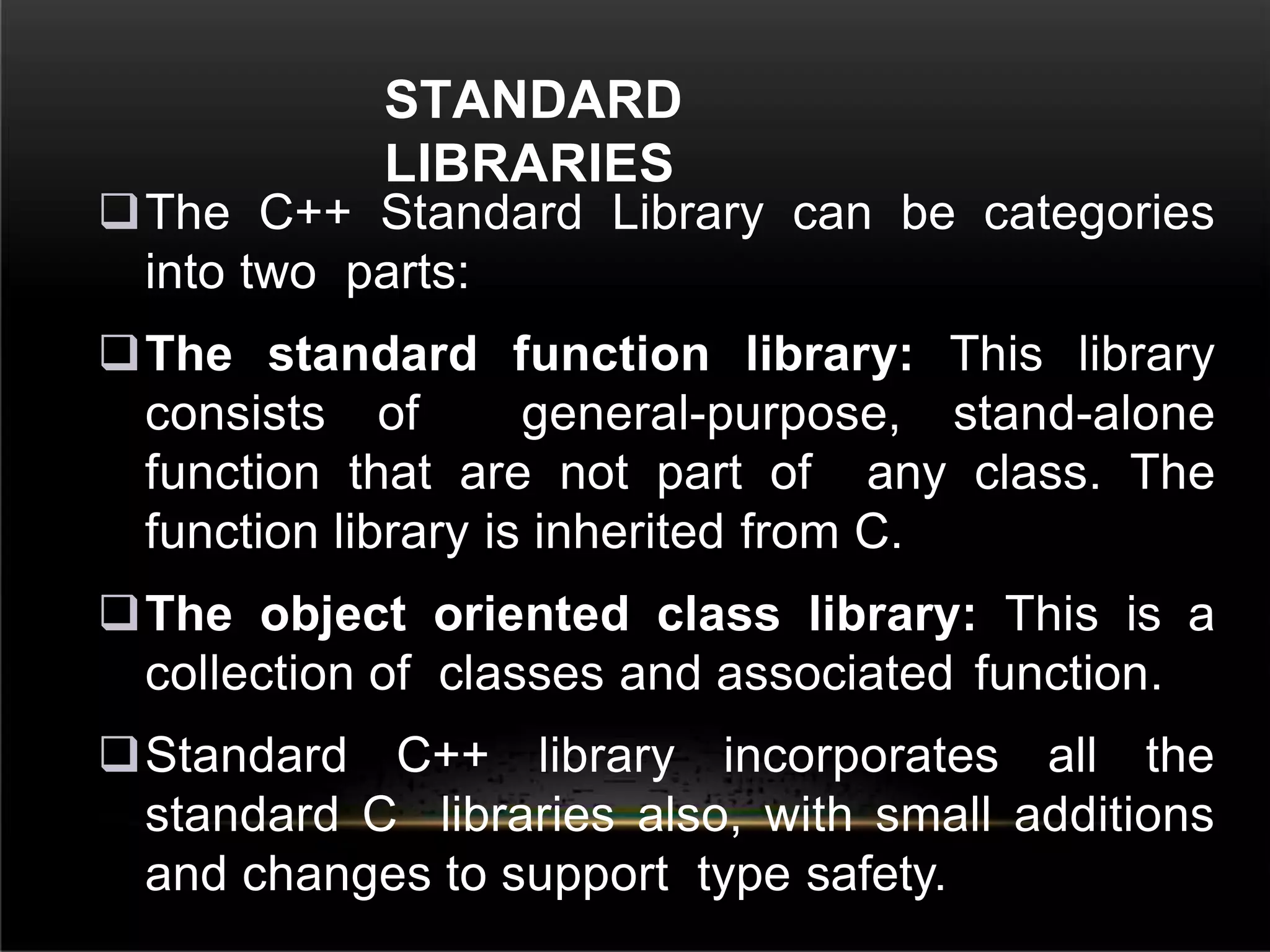
STANDARD
LIBRARIES
The C++ Standard Library can be categories
into two parts:
The standard function library: This library
consists of general-purpose, stand-alone
function that are not part of any class. The
function library is inherited from C.
The object oriented class library: This is a
collection of classes and associated function.
Standard C++ library incorporates all the
standard C libraries also, with small additions
and changes to support type safety.
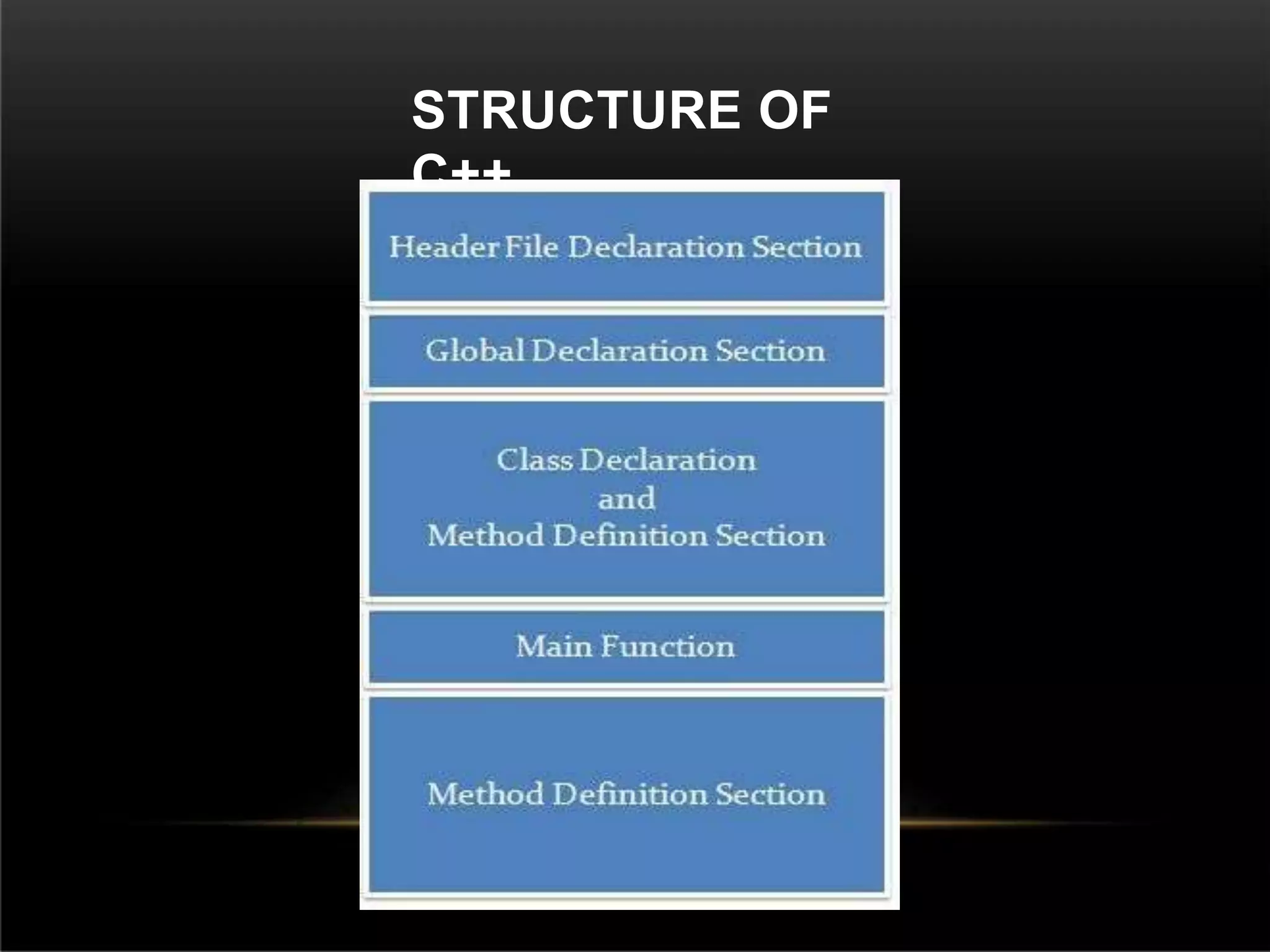
STRUCTURE OF
C++
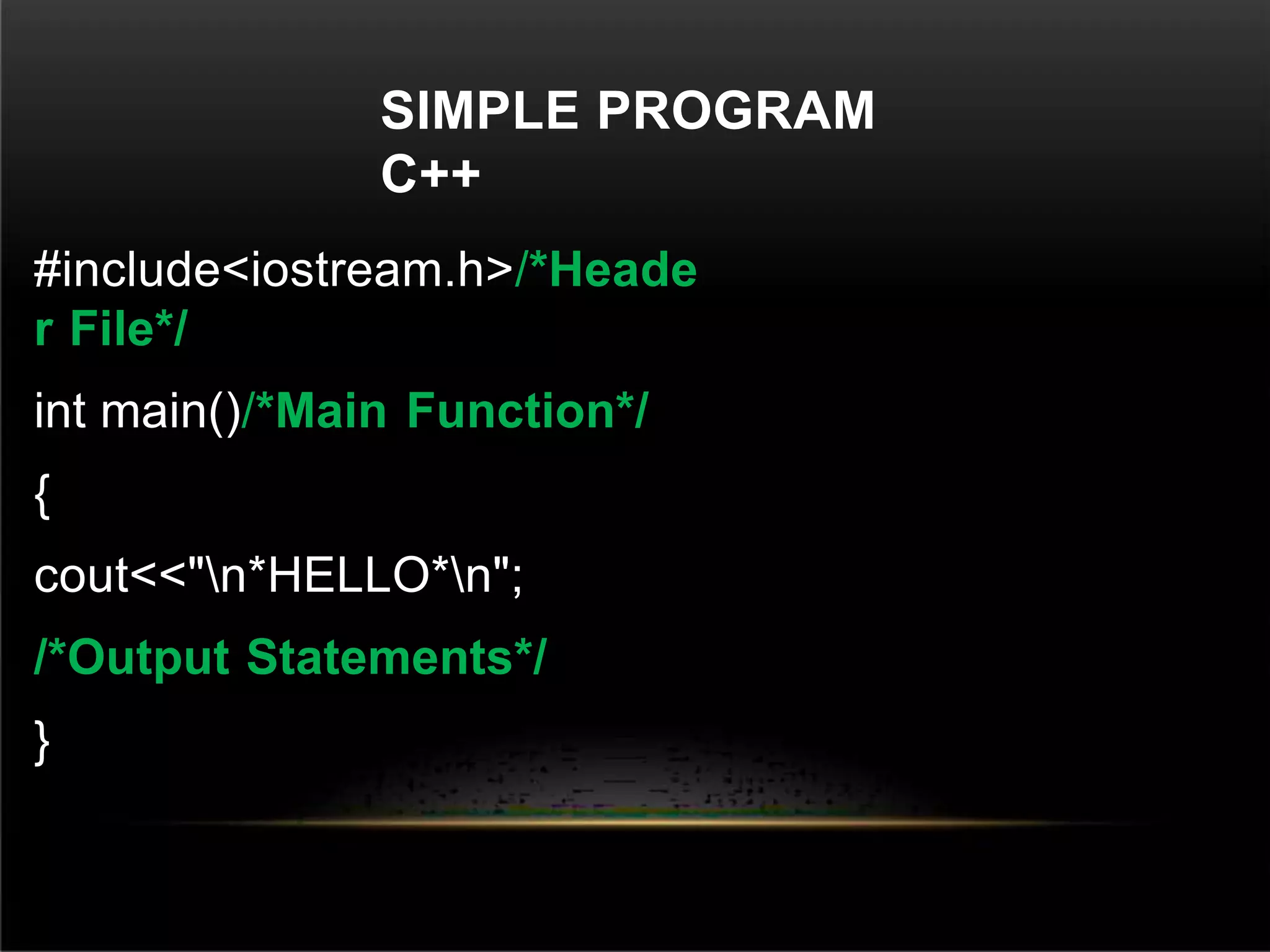
SIMPLE PROGRAM
C++
#include<iostream.h>/*Heade
r File*/
int main()/*Main Function*/
{
cout<<"n*HELLO*n";
/*Output Statements*/
}
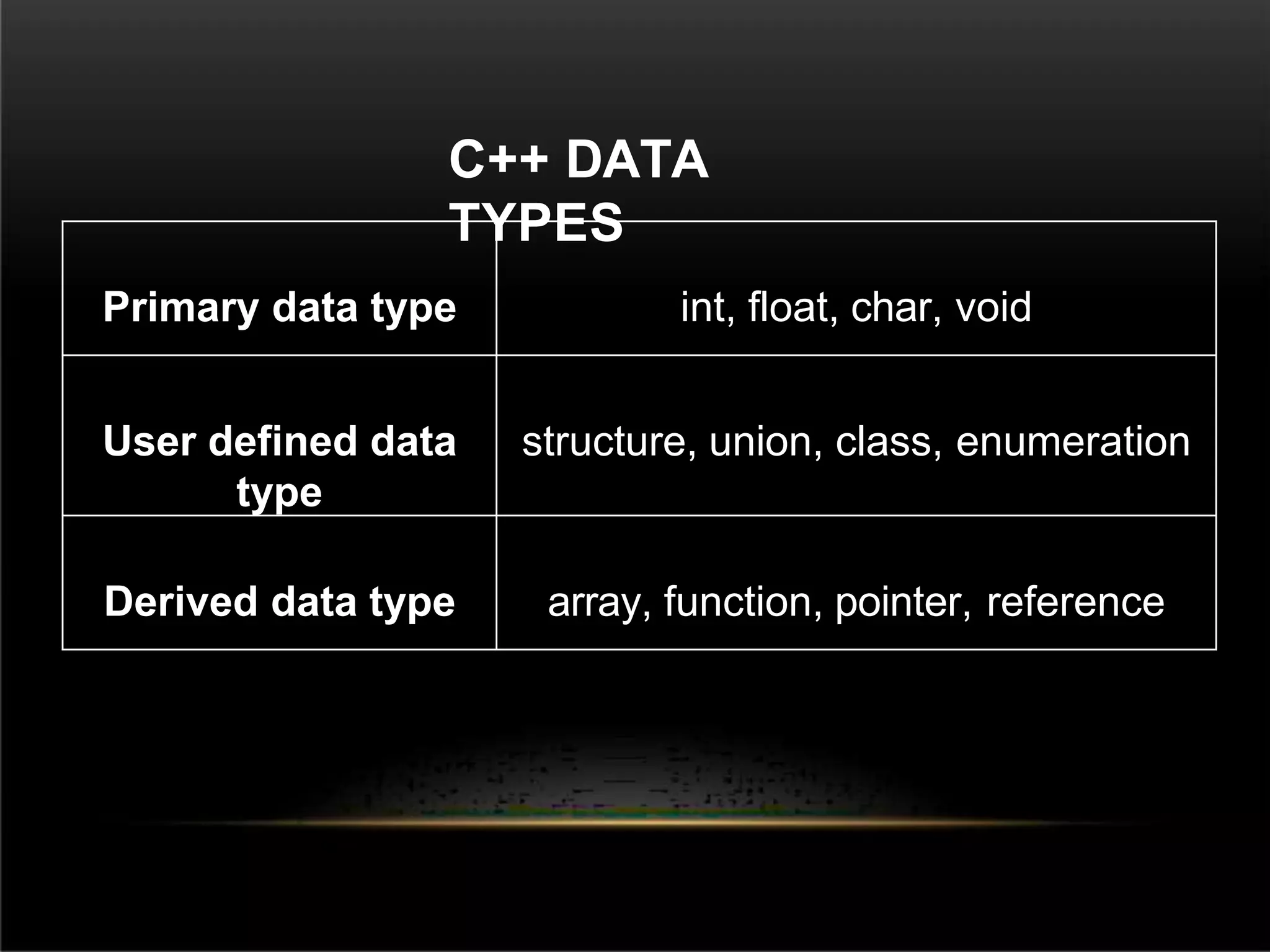
C++ DATA
TYPES
Primary data type int, float, char, void
User defined data
type
structure, union, class, enumeration
Derived data type array, function, pointer, reference
C++ VARIABLES
SCOPE
A scope is a region of the program and
broadly speaking there are three places,
where variables can be declared −
Inside a function or a block which is called
local variables,
In the definition of function parameters
which is called
formal parameters.
Outside of all functions which is called global
variables.
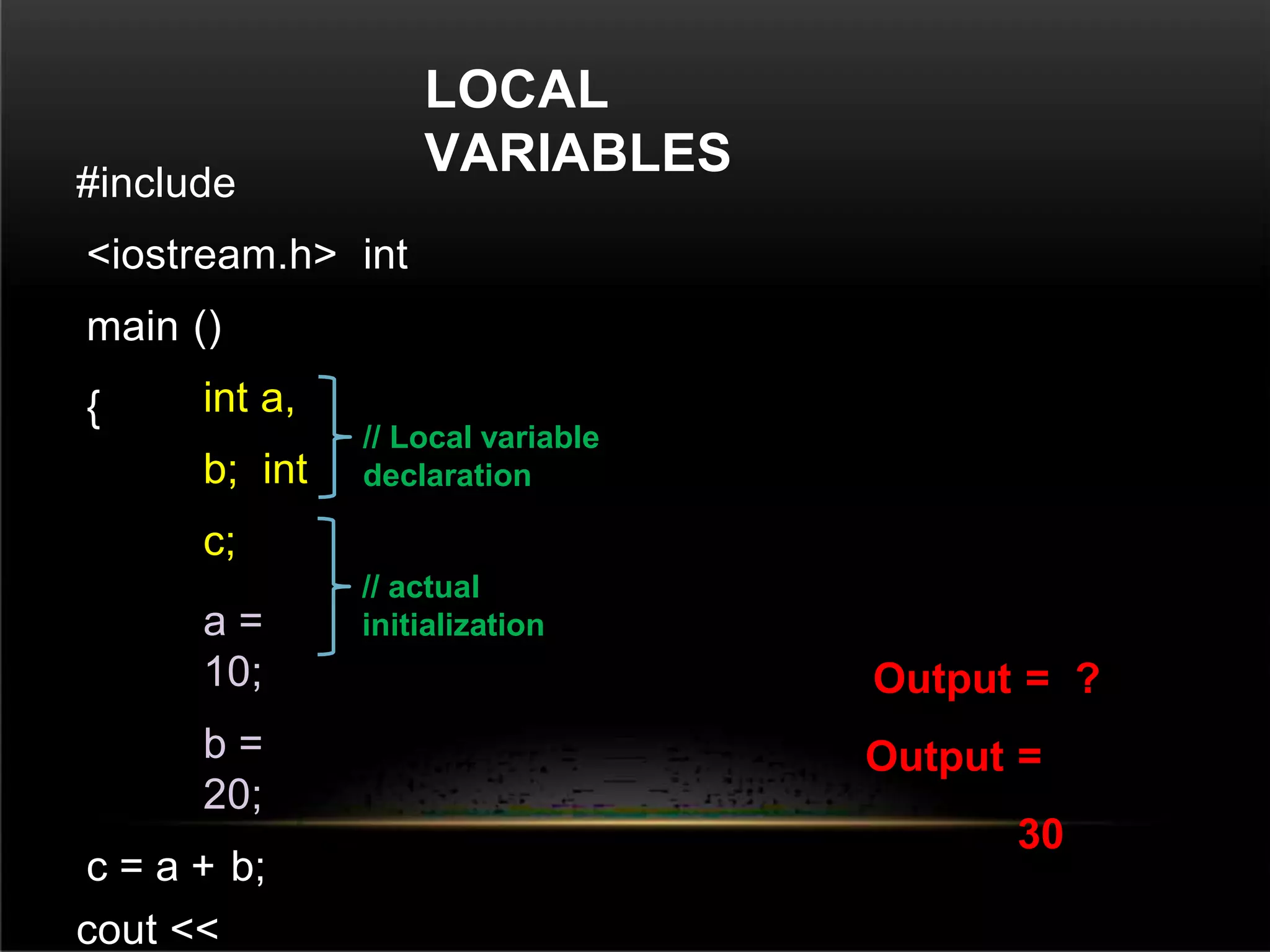
LOCAL
VARIABLES
#include
<iostream.h> int
main ()
{ int a,
b; int
c;
a =
10;
b =
20;
c = a + b;
cout <<
Output = ?
Output =
30
// Local variable
declaration
// actual
initialization
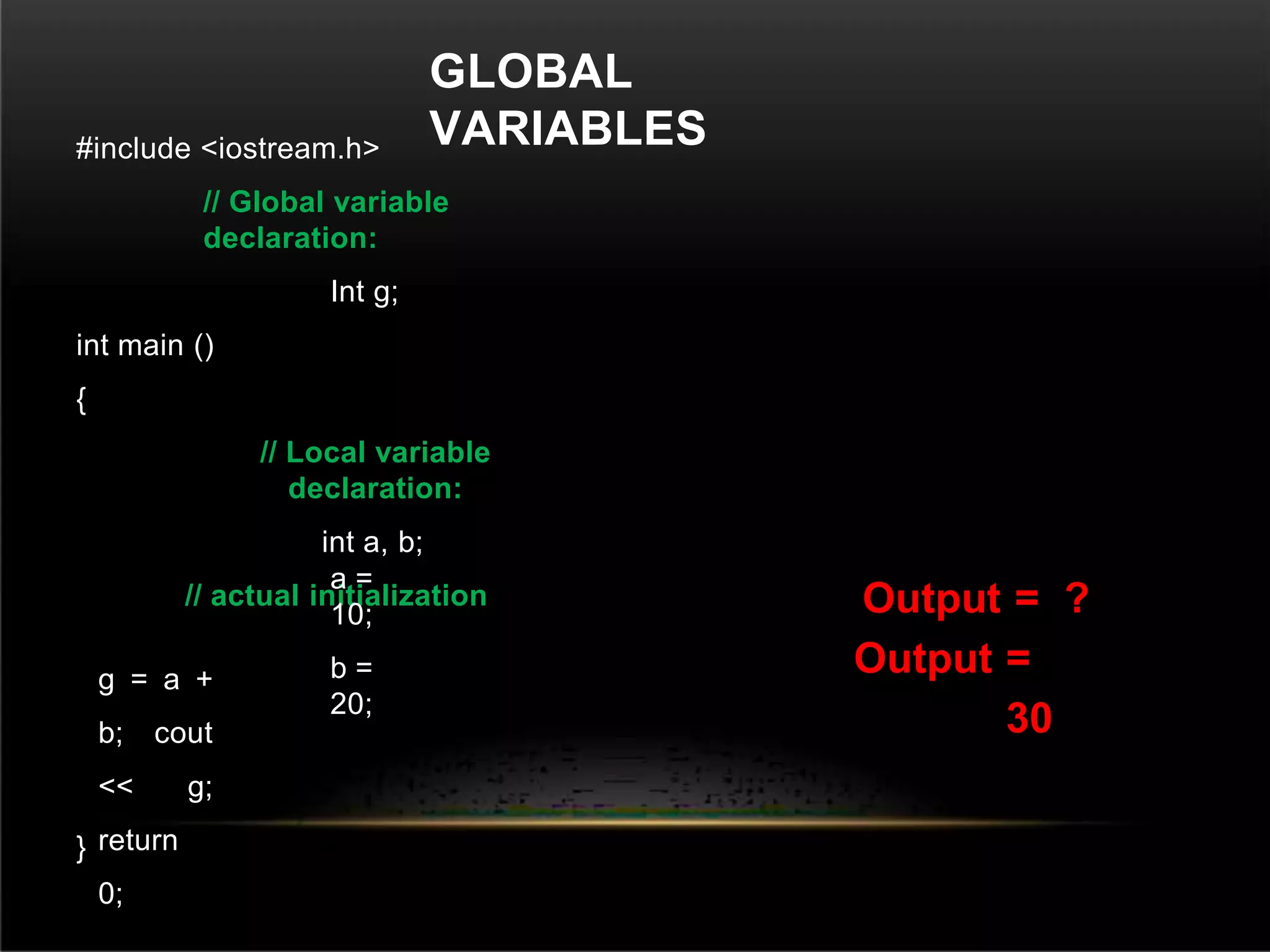
GLOBAL
VARIABLES
#include <iostream.h>
// Global variable
declaration:
Int g;
int main ()
{
// Local variable
declaration:
int a, b;
// actual initialization
a =
10;
b =
20;
g = a +
b; cout
<< g;
return
0;
}
Output = ?
Output =
30
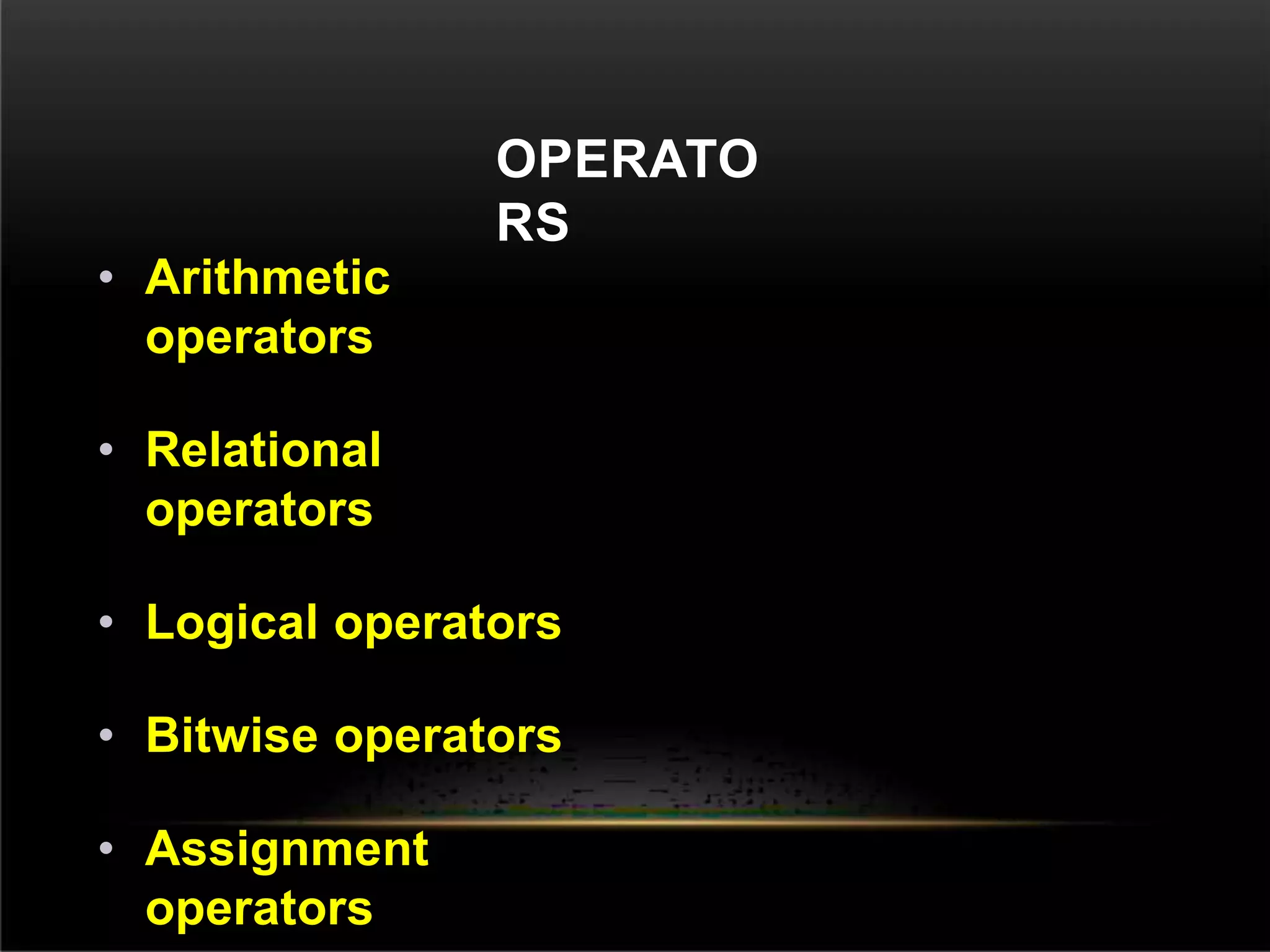
OPERATO
RS
• Arithmetic
operators
• Relational
operators
• Logical operators
• Bitwise operators
• Assignment
operators
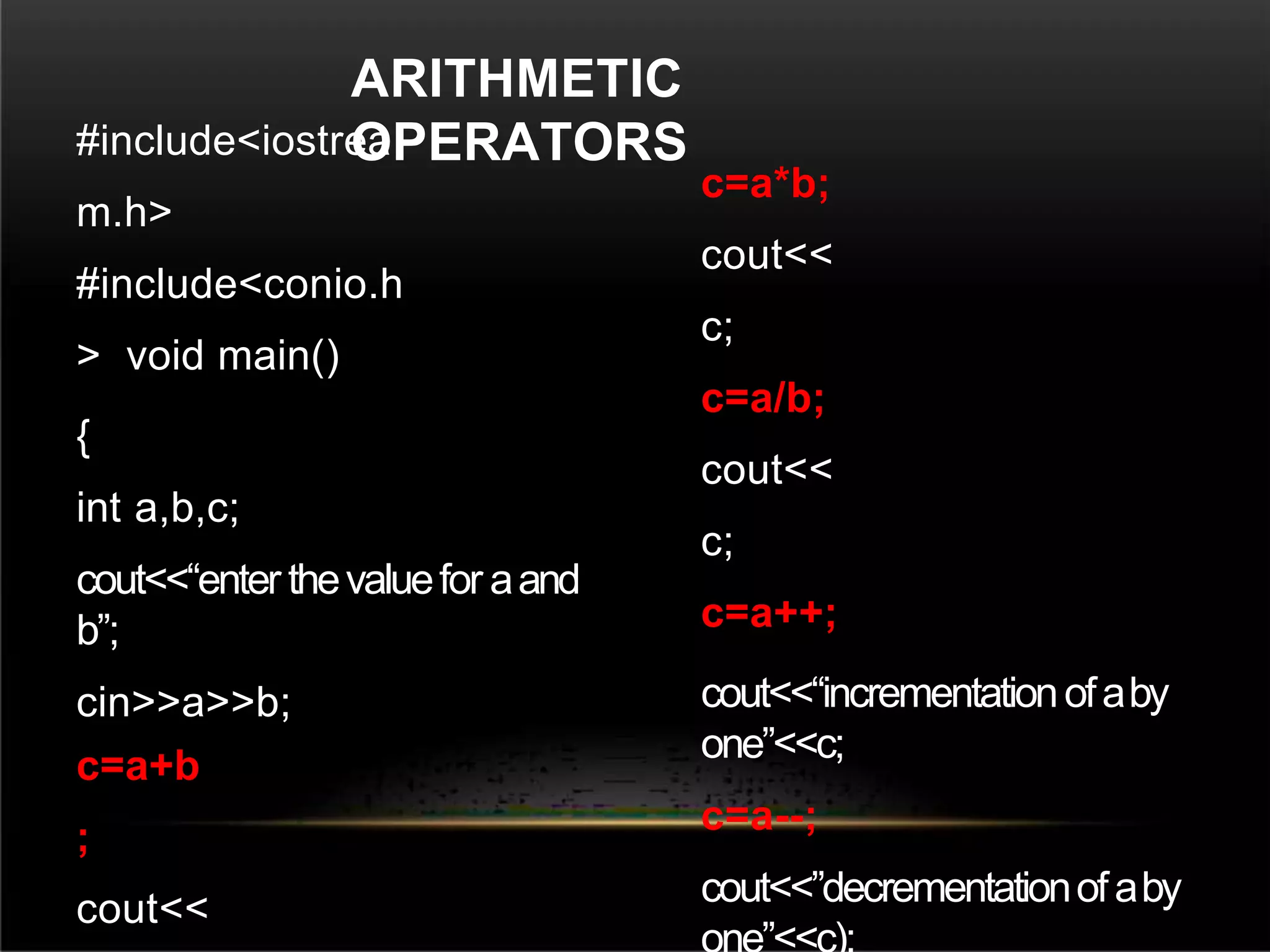
#include<iostrea
m.h>
#include<conio.h
> void main()
{
int a,b,c;
cout<<“enter thevaluefor aand
b”;
cin>>a>>b;
c=a+b
;
cout<<
c=a*b;
cout<<
c;
c=a/b;
cout<<
c;
c=a++;
cout<<“incrementationofaby
one”<<c;
c=a--;
cout<<”decrementationofaby
ARITHMETIC
OPERATORS
#include<iostrea
m.h>
#include<conio.h
> void main()
{
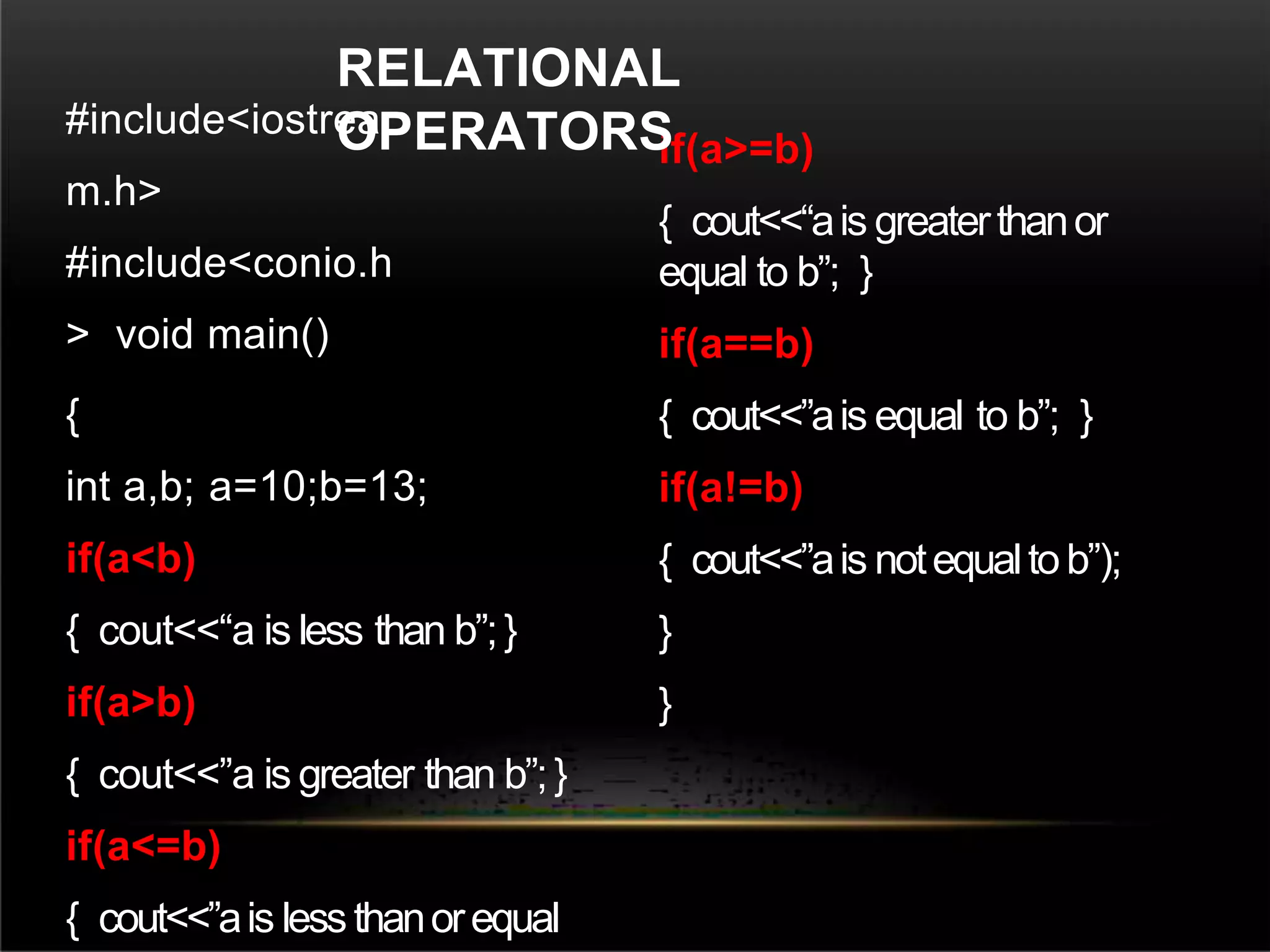
int a,b; a=10;b=13;
if(a<b)
{ cout<<“a is less than b”;}
if(a>b)
{ cout<<”a is greater than b”;}
if(a<=b)
{ cout<<”ais lessthanorequal
if(a>=b)
{ cout<<“ais greaterthanor
equal to b”; }
if(a==b)
{ cout<<”ais equal to b”; }
if(a!=b)
{ cout<<”ais notequaltob”);
}
}
RELATIONAL
OPERATORS
#include<iostrea
m.h>
#include<conio.h
> void main()
{
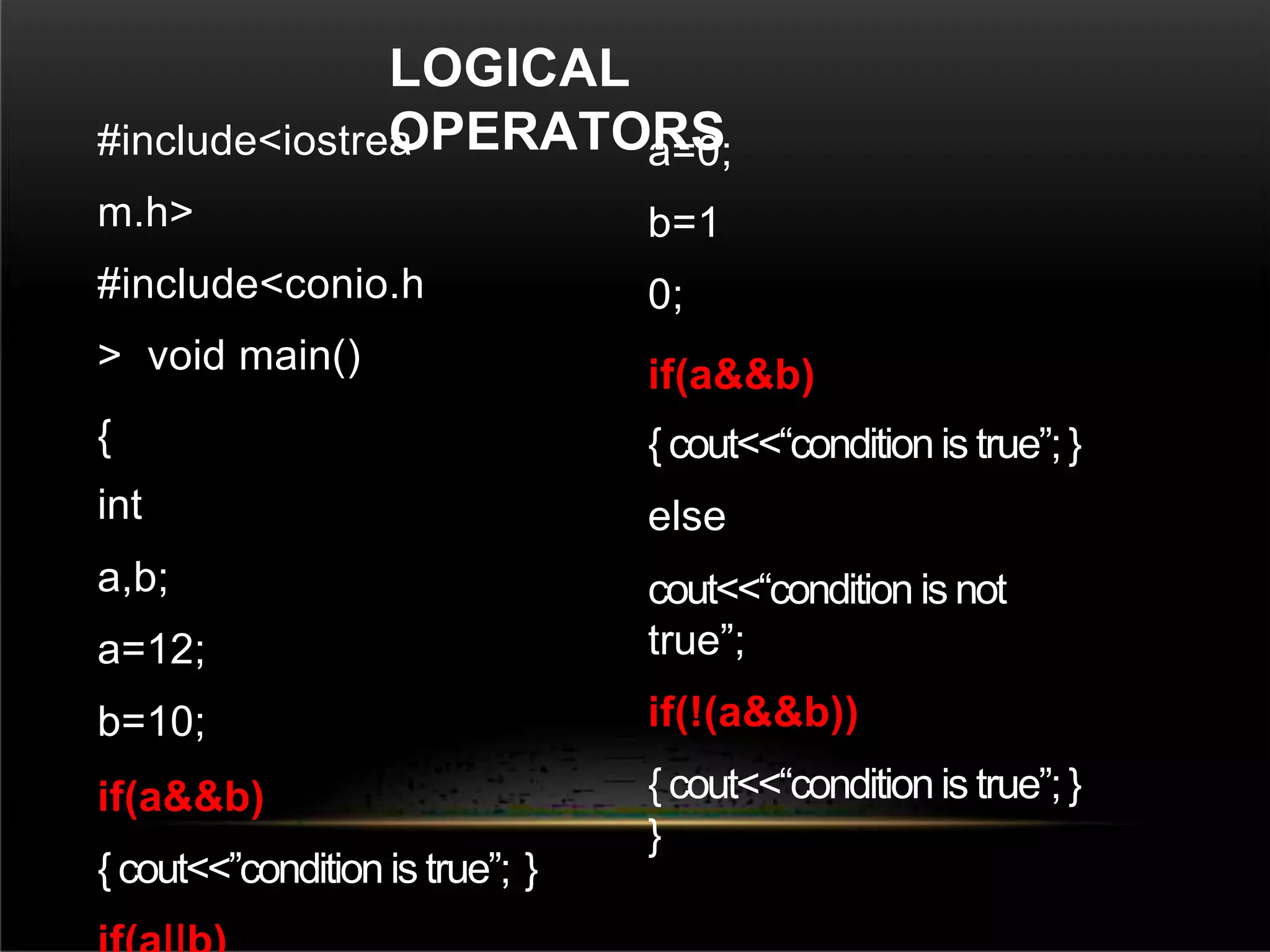
int
a,b;
a=12;
b=10;
if(a&&b)
{ cout<<”condition is true”; }
a=0;
b=1
0;
if(a&&b)
{ cout<<“condition is true”;}
else
cout<<“condition is not
true”;
if(!(a&&b))
{ cout<<“condition is true”;}
}
LOGICAL
OPERATORS
BITWISE
OPERATOR
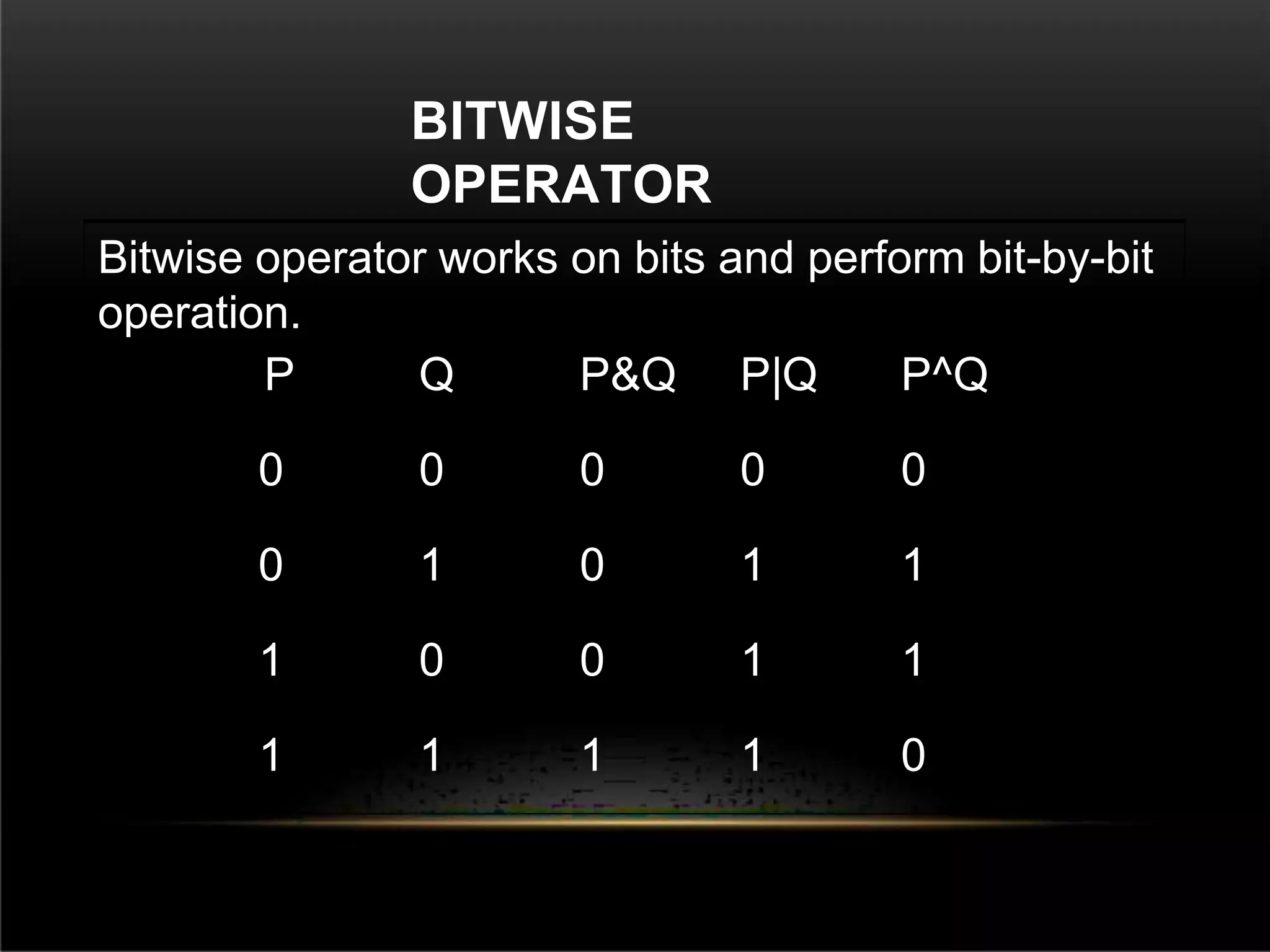
Bitwise operator works on bits and perform bit-by-bit
operation.
P Q P&Q P|Q P^Q
0 0 0 0 0
0 1 0 1 1
1 0 0 1 1
1 1 1 1 0
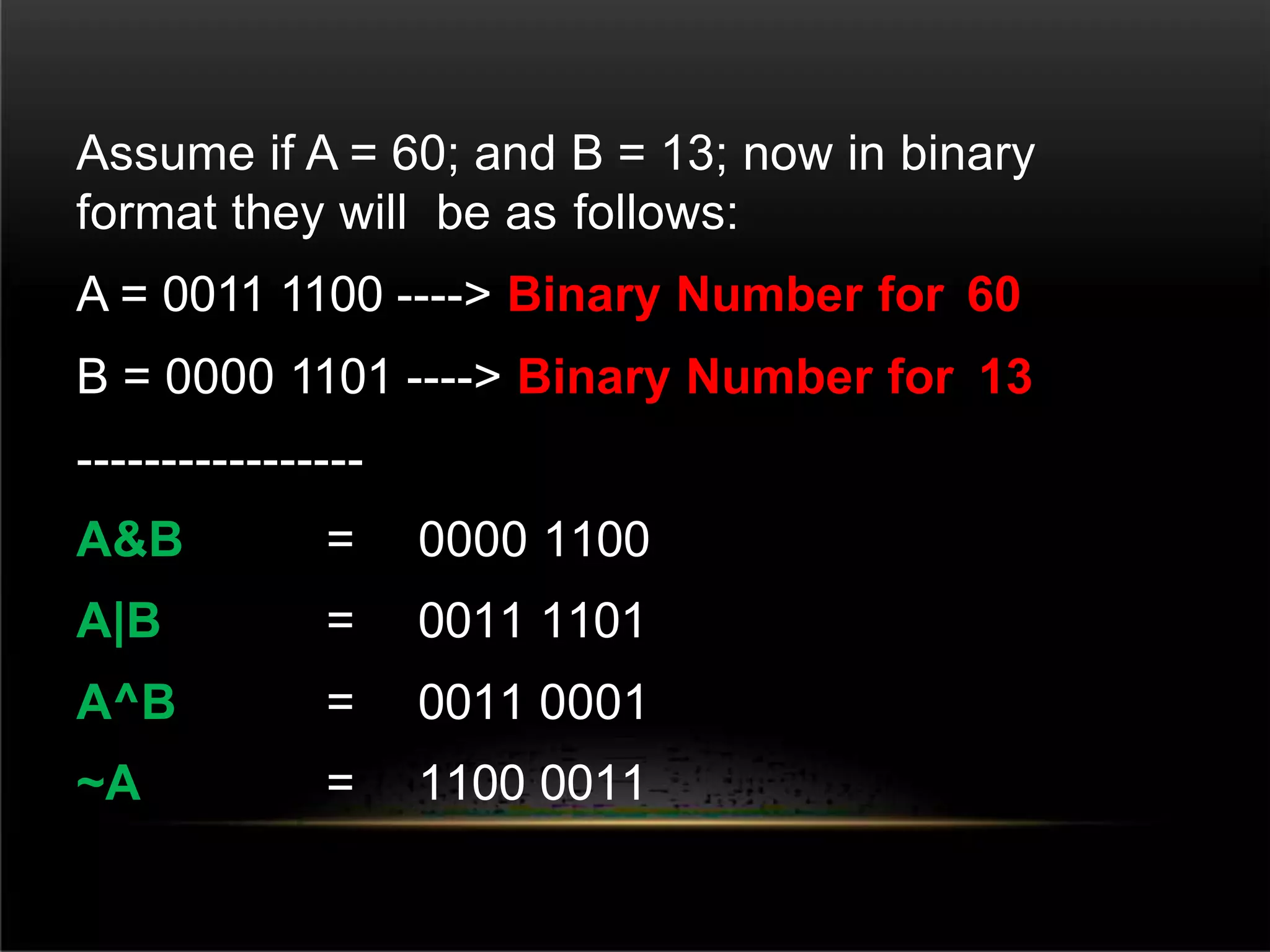
Assume if A = 60; and B = 13; now in binary
format they will be as follows:
A = 0011 1100 ----> Binary Number for 60
B = 0000 1101 ----> Binary Number for 13
-----------------
A&B = 0000 1100
A|B = 0011 1101
A^B = 0011 0001
~A = 1100 0011
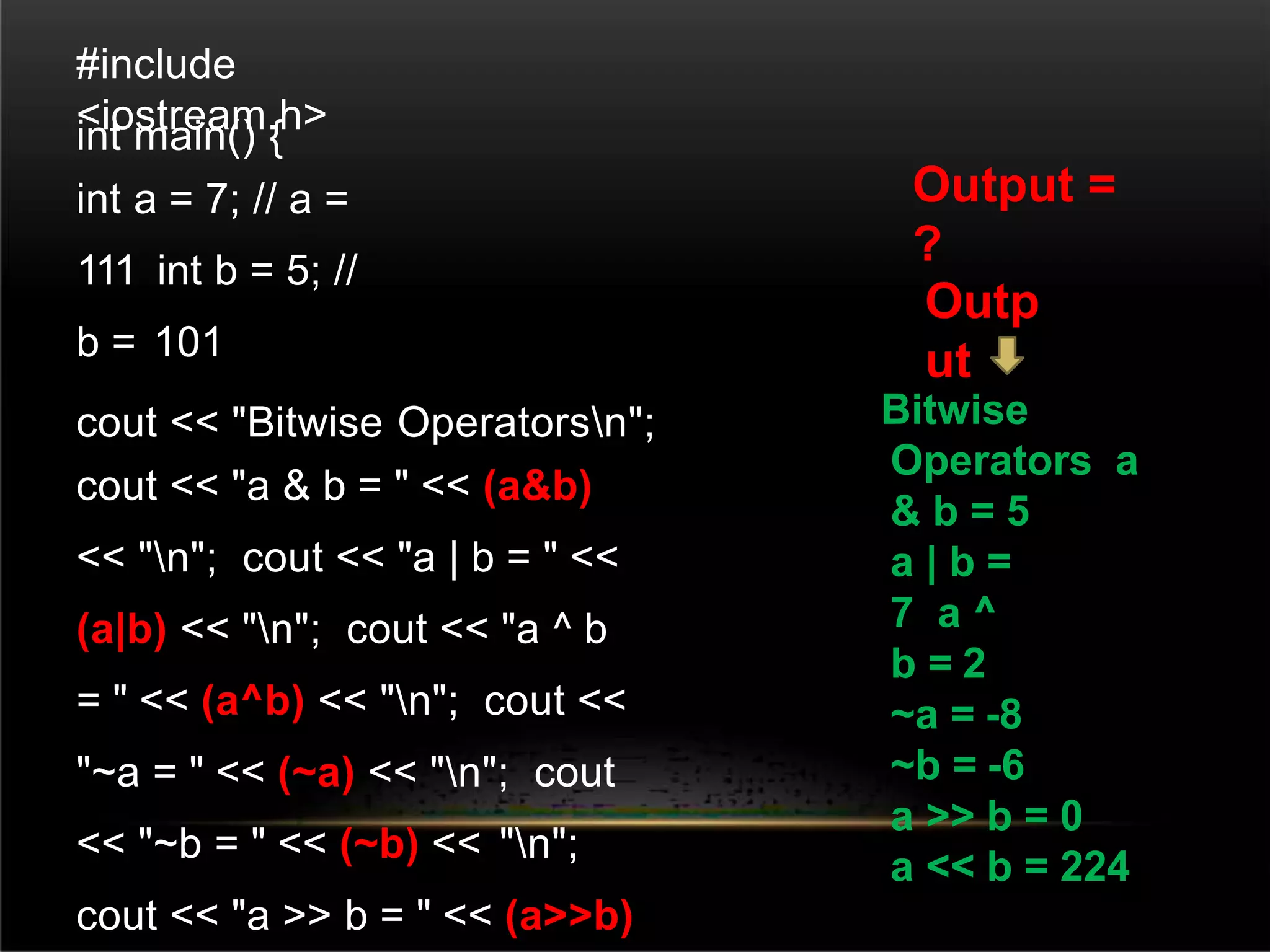
#include
<iostream.h>
int main() {
int a = 7; // a =
111 int b = 5; //
b = 101
cout << "Bitwise Operatorsn";
cout << "a & b = " << (a&b)
<< "n"; cout << "a | b = " <<
(a|b) << "n"; cout << "a ^ b
= " << (a^b) << "n"; cout <<
"~a = " << (~a) << "n"; cout
<< "~b = " << (~b) << "n";
cout << "a >> b = " << (a>>b)
Bitwise
Operators a
& b = 5
a | b =
7 a ^
b = 2
~a = -8
~b = -6
a >> b = 0
a << b = 224
Output =
?
Outp
ut
ASSIGNMENT
OPERATOR
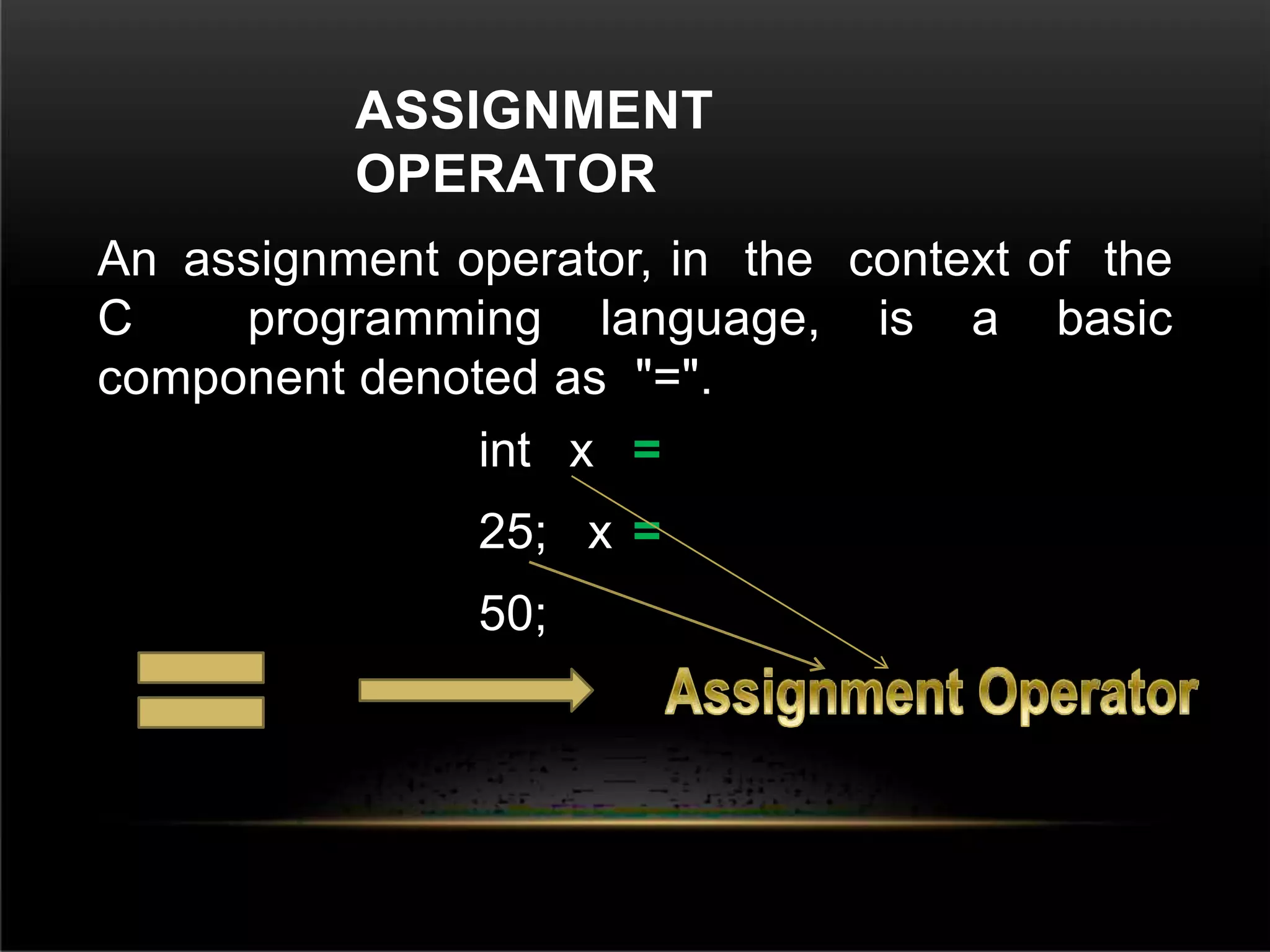
An assignment operator, in the context of the
C programming language, is a basic
component denoted as "=".
int x =
25; x =
50;
FUNCTIO
NS
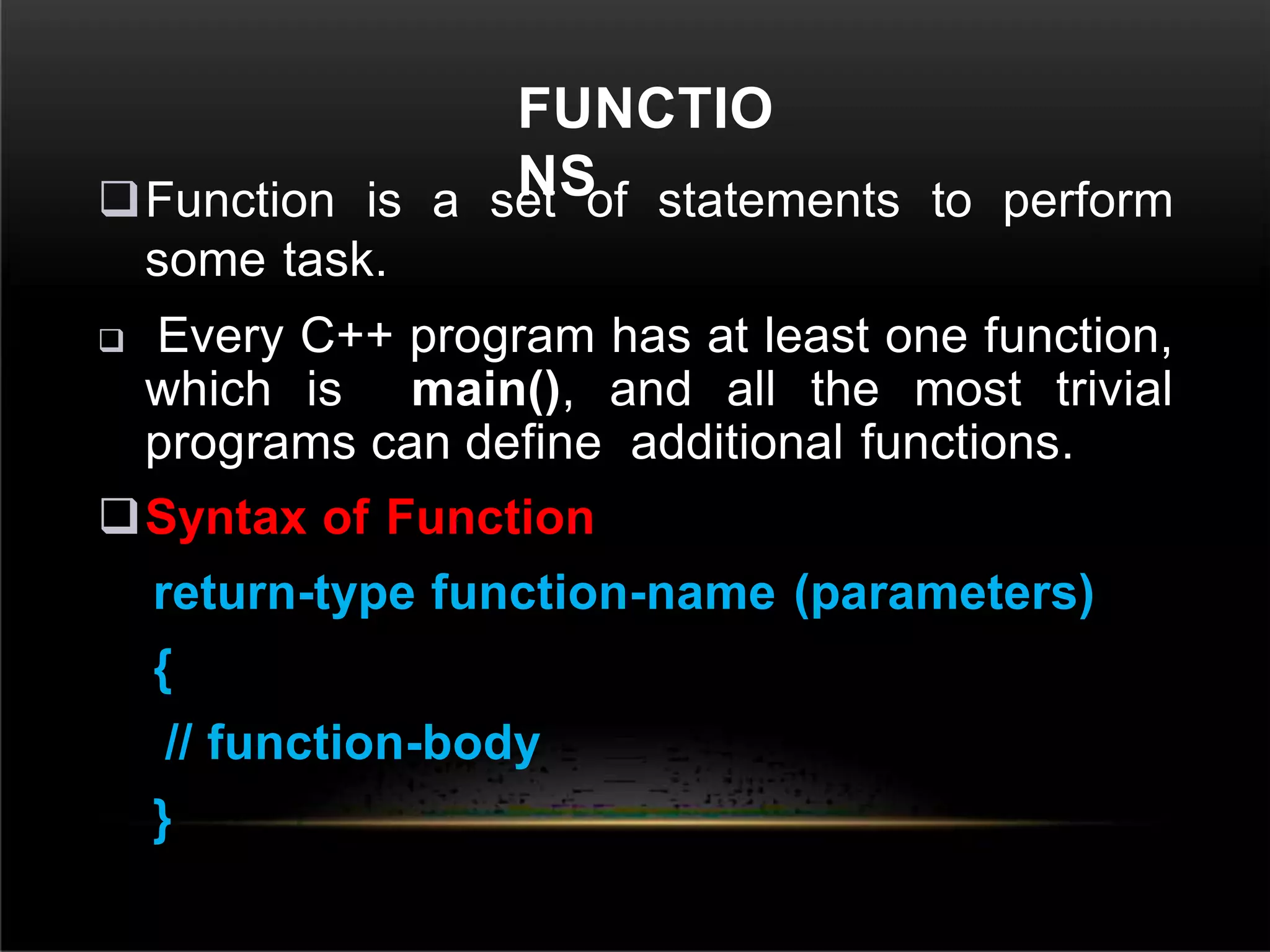
Function is a set of statements to perform
some task.
 Every C++ program has at least one function,
which is main(), and all the most trivial
programs can define additional functions.
Syntax of Function
return-type function-name (parameters)
{
// function-body
}
DECLARING, DEFINING AND CALLING
FUNCTION
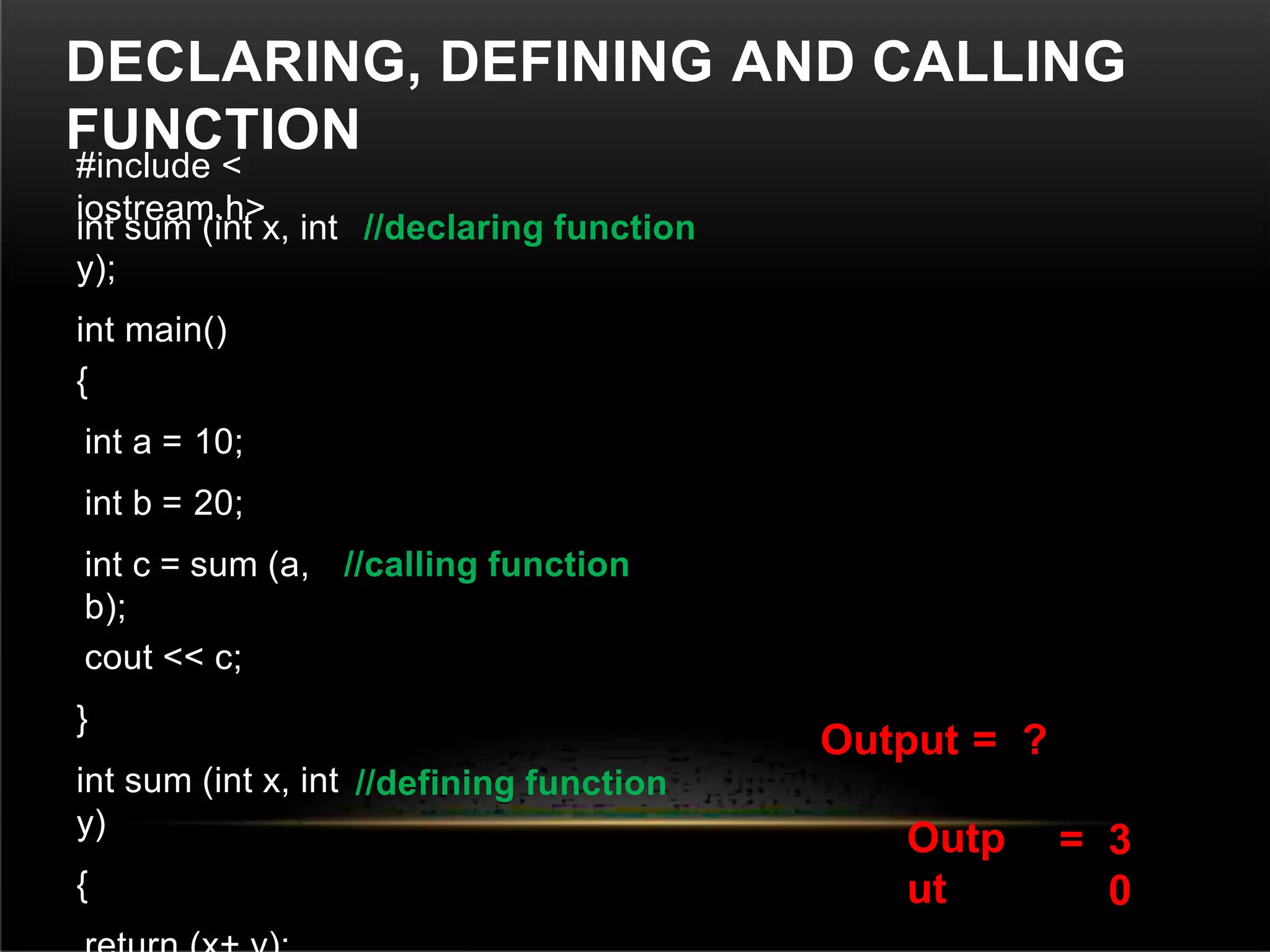
#include <
iostream.h>
int sum (int x, int
y);
int main()
//declaring function
{
int a = 10;
int b = 20;
int c = sum (a,
b);
//calling function
cout << c;
}
int sum (int x, int
y)
{
//defining function
Output =
Outp
ut
?
= 3
0
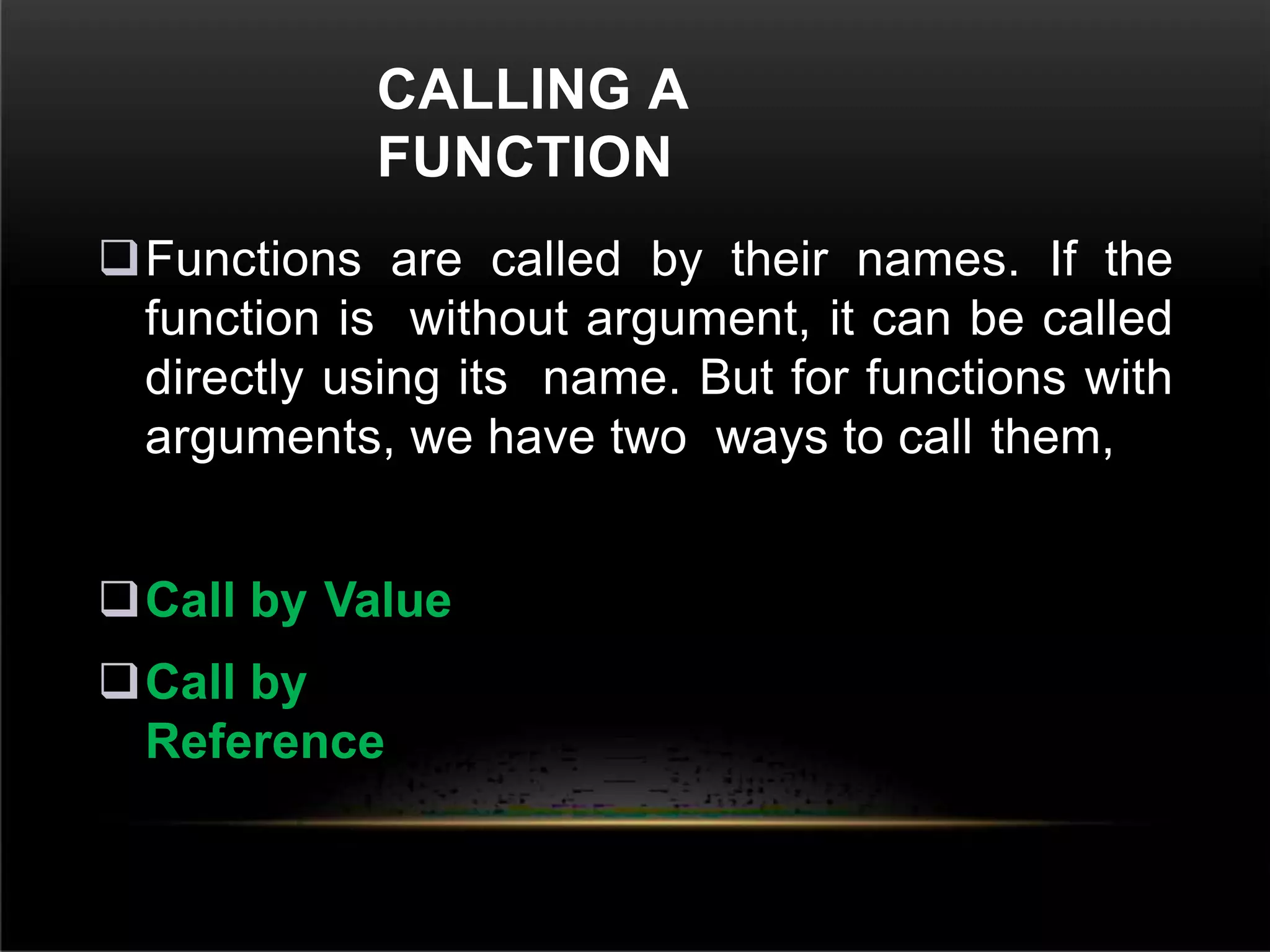
CALLING A
FUNCTION
Functions are called by their names. If the
function is without argument, it can be called
directly using its name. But for functions with
arguments, we have two ways to call them,
Call by Value
Call by
Reference
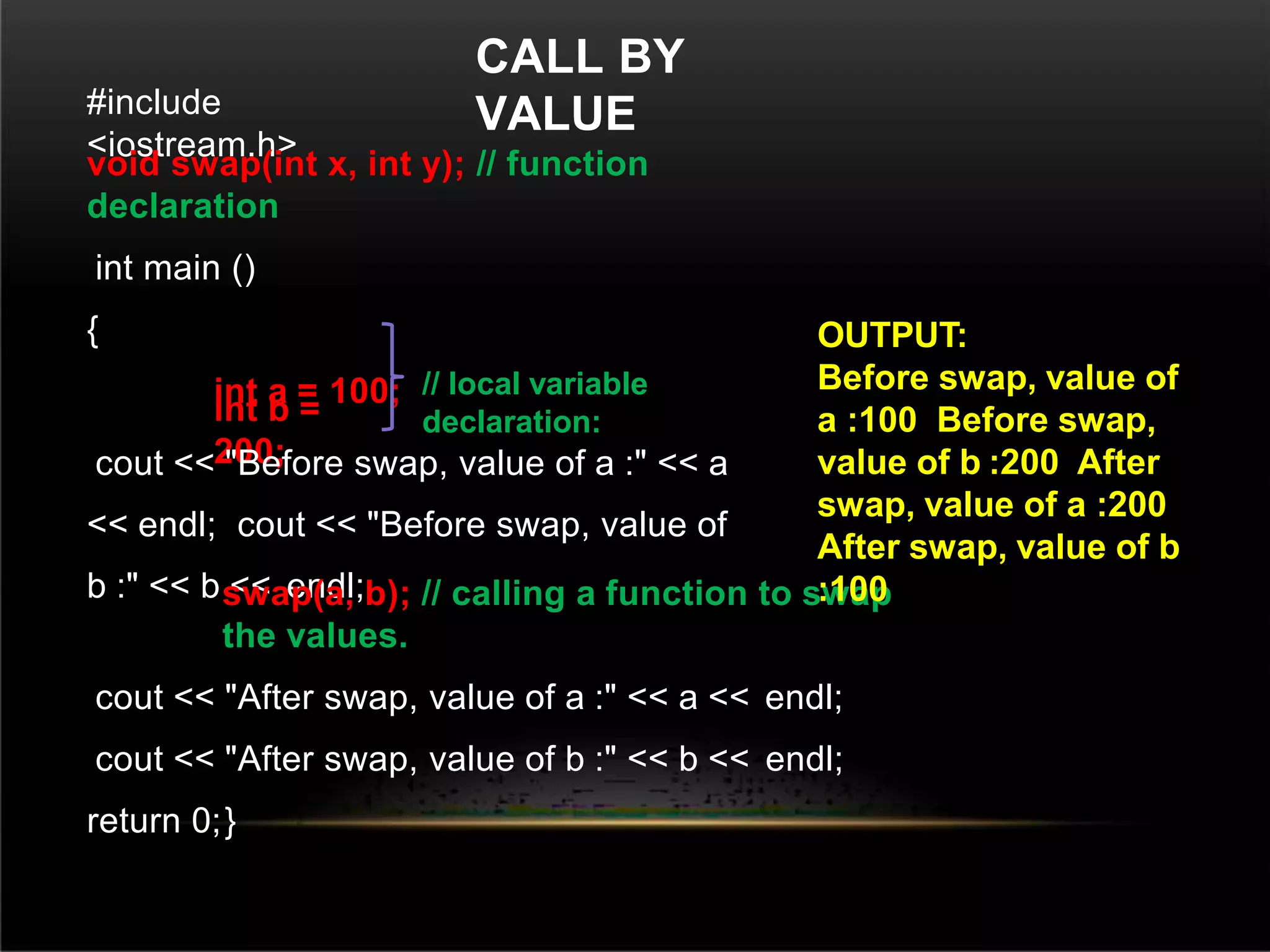
CALL BY
VALUE
#include
<iostream.h>
void swap(int x, int y); // function
declaration
int main ()
{
int a = 100;
int b =
200;
cout << "Before swap, value of a :" << a
<< endl; cout << "Before swap, value of
b :" << b << endl;
swap(a, b); // calling a function to swap
the values.
cout << "After swap, value of a :" << a << endl;
cout << "After swap, value of b :" << b << endl;
return 0;}
// local variable
declaration:
OUTPUT:
Before swap, value of
a :100 Before swap,
value of b :200 After
swap, value of a :200
After swap, value of b
:100
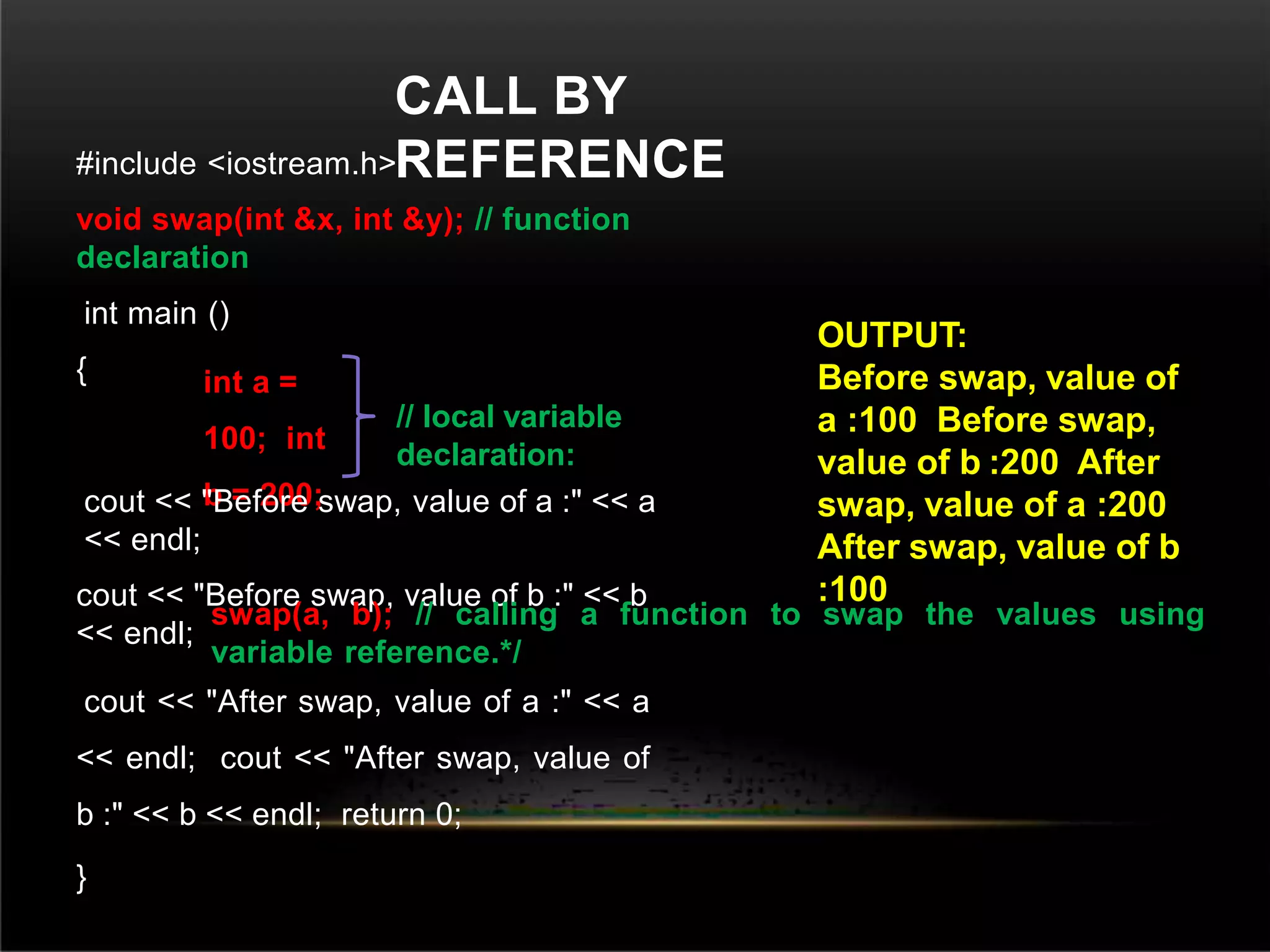
CALL BY
REFERENCE
#include <iostream.h>
void swap(int &x, int &y); // function
declaration
int main ()
{ int a =
100; int
b = 200;
cout << "Before swap, value of a :" << a
<< endl;
cout << "Before swap, value of b :" << b
<< endl;
swap(a, b); // calling a function to swap the values using
variable reference.*/
cout << "After swap, value of a :" << a
<< endl; cout << "After swap, value of
b :" << b << endl; return 0;
}
// local variable
declaration:
OUTPUT:
Before swap, value of
a :100 Before swap,
value of b :200 After
swap, value of a :200
After swap, value of b
:100
ARRA
YS
 Array is defined as a set of homogeneous data items.
An Array is a group of elements that share a common
name that are differentiated from one another by
their positions within the array.
 It is a data structure which allows a collective name
to be given to a group of elements which all have the
same type.
Syntax
datatype arrayname[array size];
 The Array which is declared as above is called single-
dimension array
Example: float
salary[10];
float 
salary

[10] 
data type
array
name
array
size(integer)
The size of an array must be an integer
constant and the data type can be
any valid C++ data type.
ARRAY
INITIALIZATION
 In C++ elements of an array can be initialized one
by one or using a single statement
float balance[5]={1000.0, 2.0, 3.4,7.0,
50};
 The number of values between braces { } cannot be
larger than the number of elements that we declare
for the array between square brackets [ ].
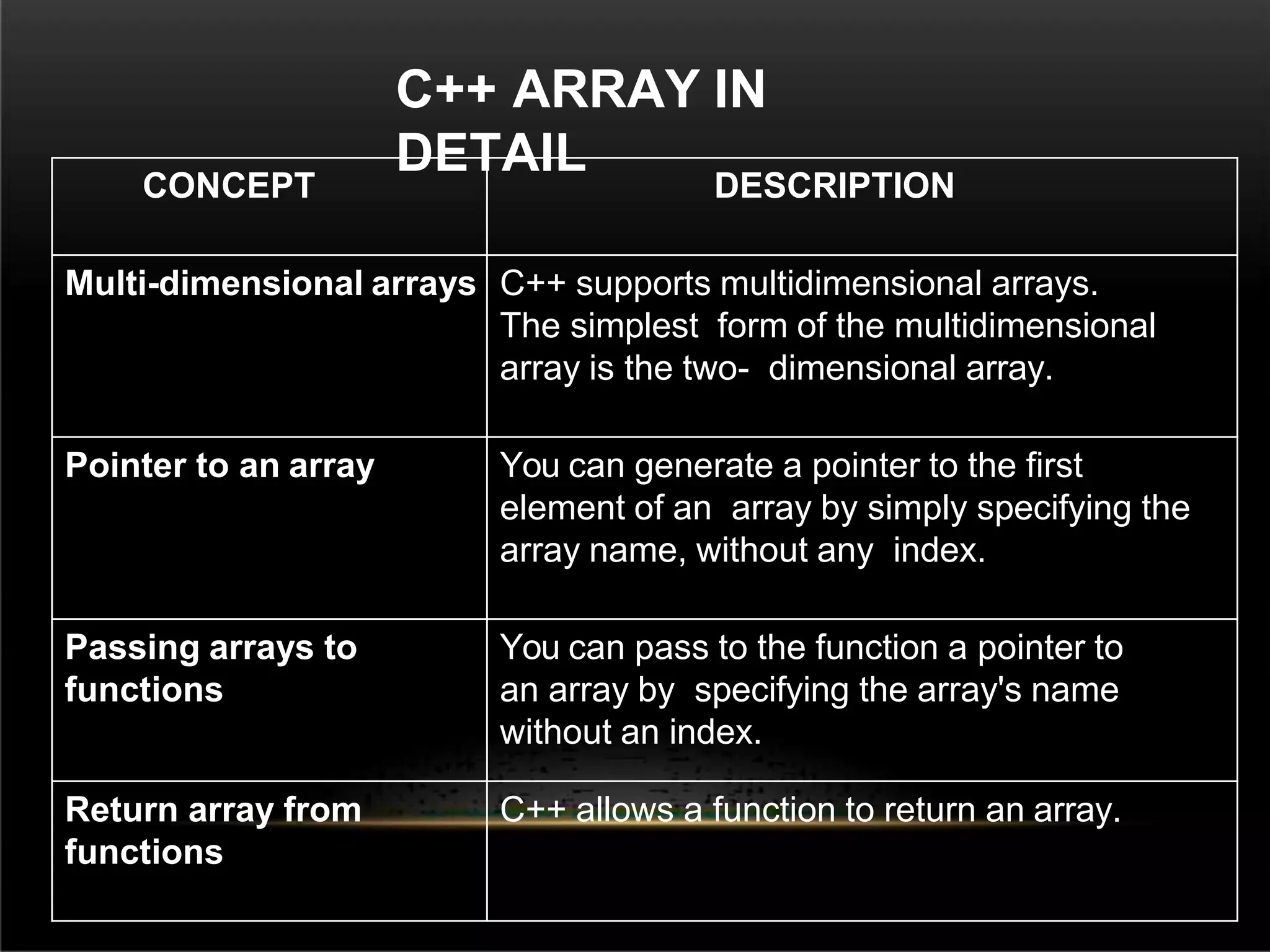
C++ ARRAY IN
DETAIL
CONCEPT DESCRIPTION
Multi-dimensional arrays C++ supports multidimensional arrays.
The simplest form of the multidimensional
array is the two- dimensional array.
Pointer to an array You can generate a pointer to the first
element of an array by simply specifying the
array name, without any index.
Passing arrays to
functions
You can pass to the function a pointer to
an array by specifying the array's name
without an index.
Return array from
functions
C++ allows a function to return an array.
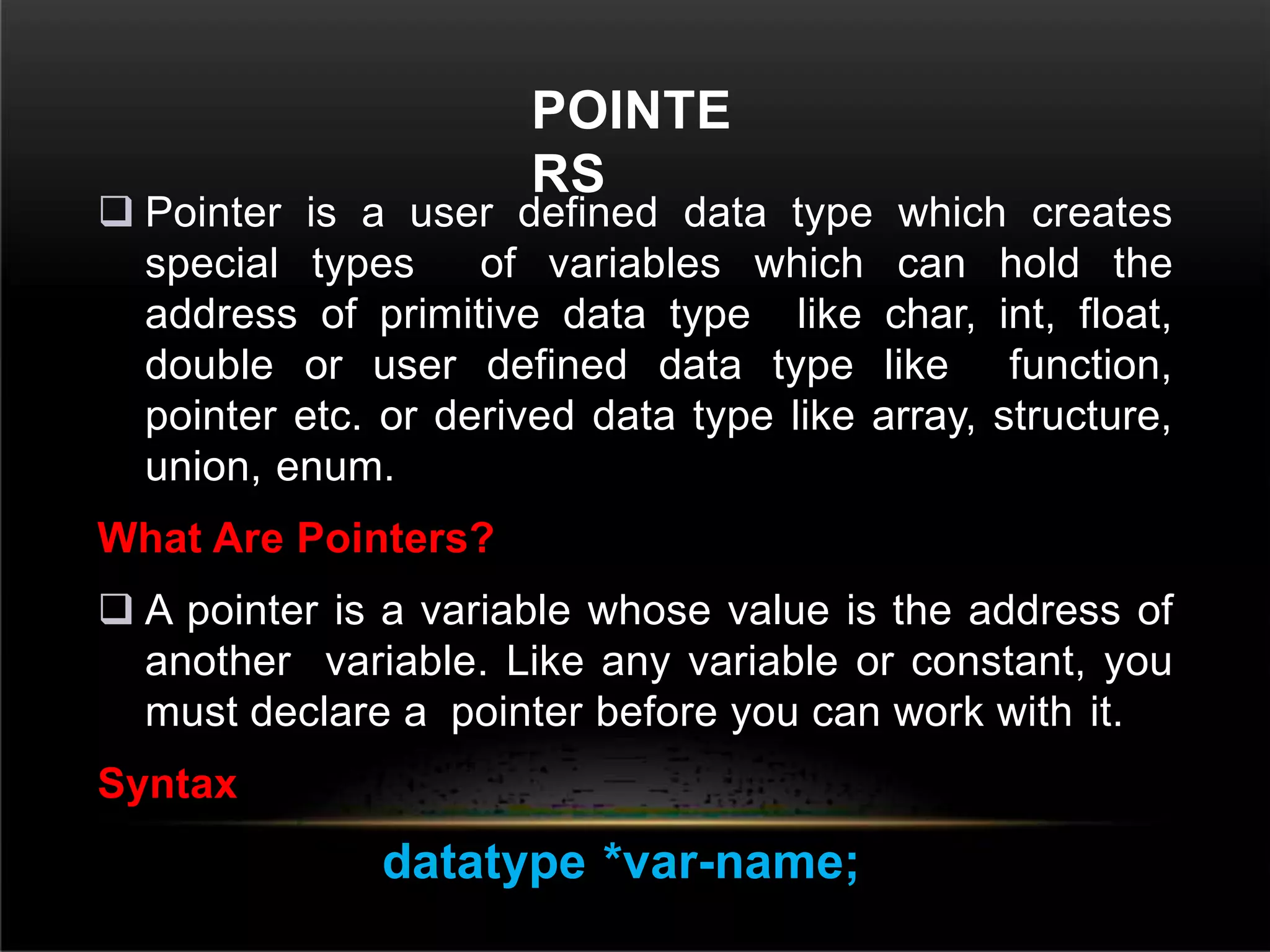
POINTE
RS
 Pointer is a user defined data type which creates
special types of variables which can hold the
address of primitive data type like char, int, float,
double or user defined data type like function,
pointer etc. or derived data type like array, structure,
union, enum.
What Are Pointers?
 A pointer is a variable whose value is the address of
another variable. Like any variable or constant, you
must declare a pointer before you can work with it.
Syntax
datatype *var-name;
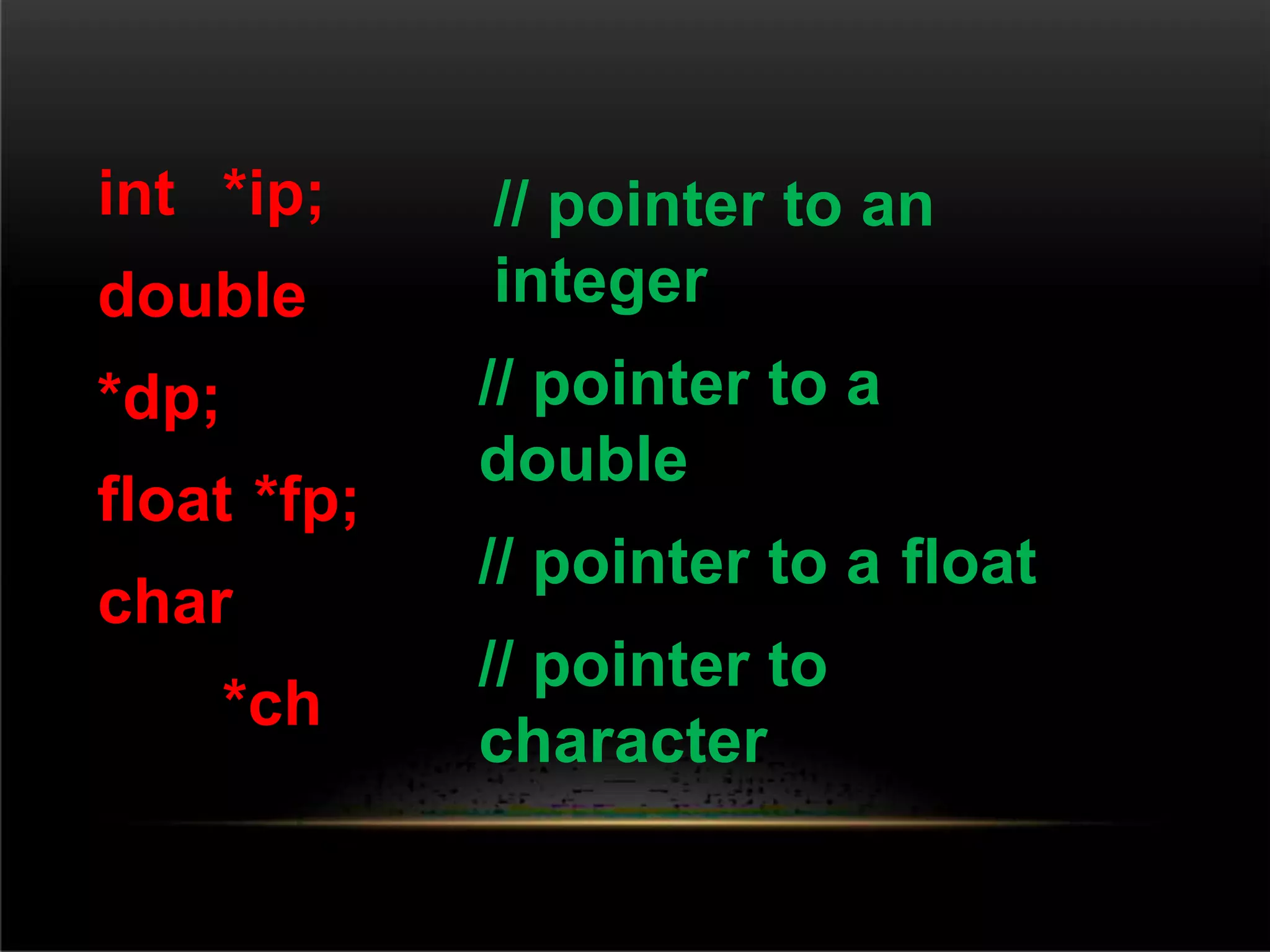
int *ip;
double
*dp;
float *fp;
char
*ch
// pointer to an
integer
// pointer to a
double
// pointer to a float
// pointer to
character
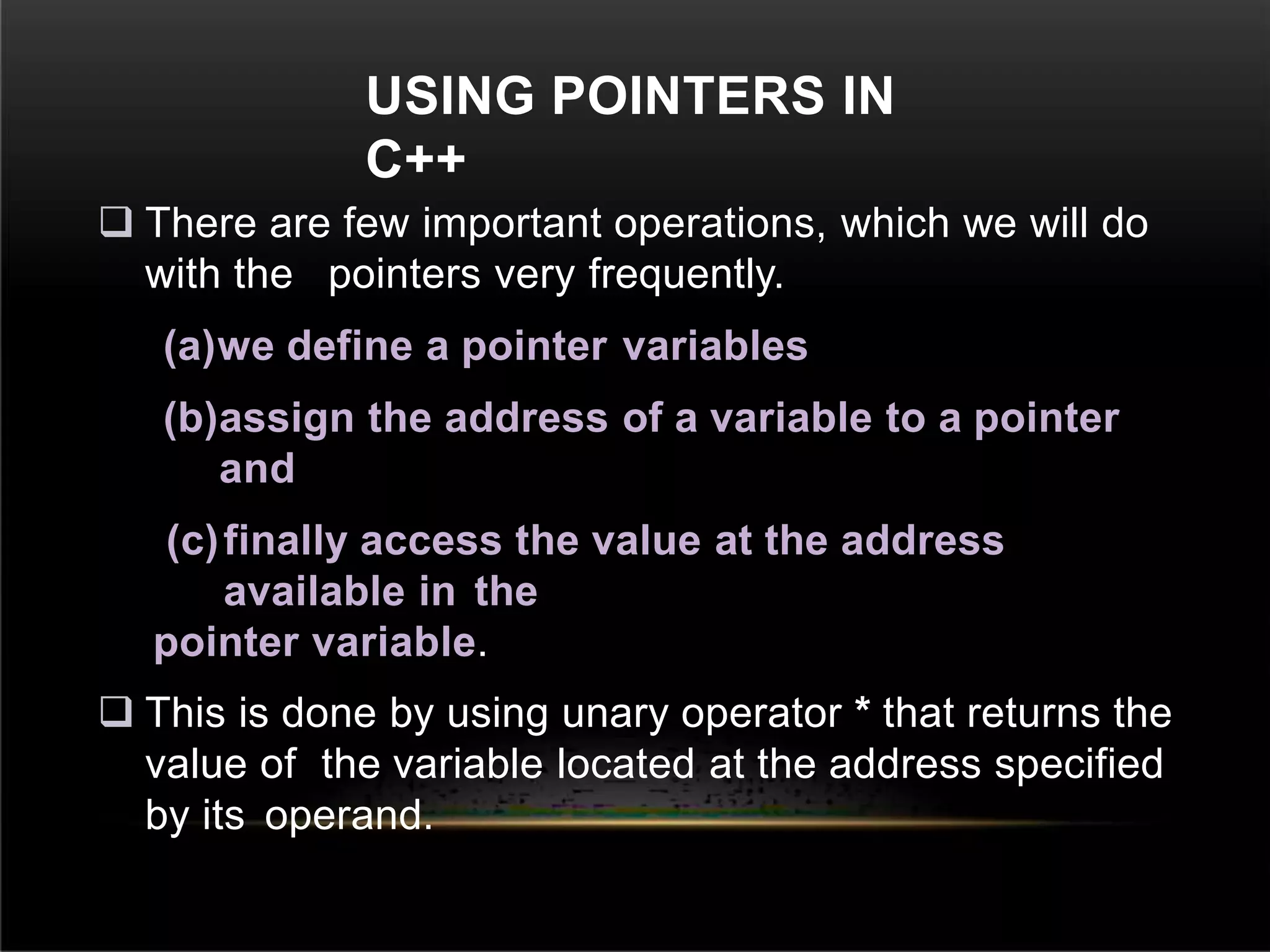
USING POINTERS IN
C++
 There are few important operations, which we will do
with the pointers very frequently.
(a)we define a pointer variables
(b)assign the address of a variable to a pointer
and
(c)finally access the value at the address
available in the
pointer variable.
 This is done by using unary operator * that returns the
value of the variable located at the address specified
by its operand.
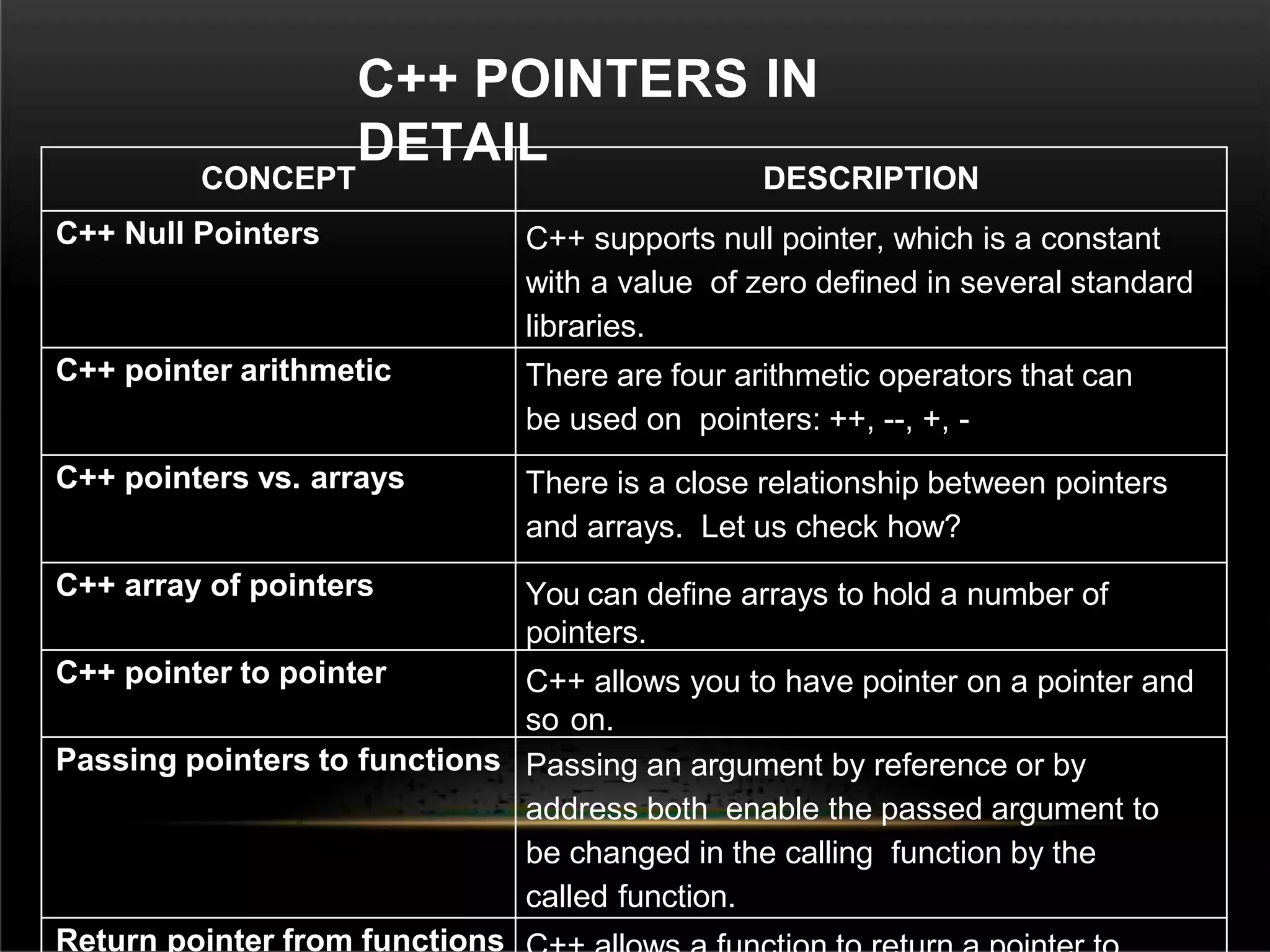
C++ POINTERS IN
DETAIL
CONCEPT DESCRIPTION
C++ Null Pointers C++ supports null pointer, which is a constant
with a value of zero defined in several standard
libraries.
C++ pointer arithmetic There are four arithmetic operators that can
be used on pointers: ++, --, +, -
C++ pointers vs. arrays There is a close relationship between pointers
and arrays. Let us check how?
C++ array of pointers You can define arrays to hold a number of
pointers.
C++ pointer to pointer C++ allows you to have pointer on a pointer and
so on.
Passing pointers to functions Passing an argument by reference or by
address both enable the passed argument to
be changed in the calling function by the
called function.
Return pointer from functions
C++
STRINGS
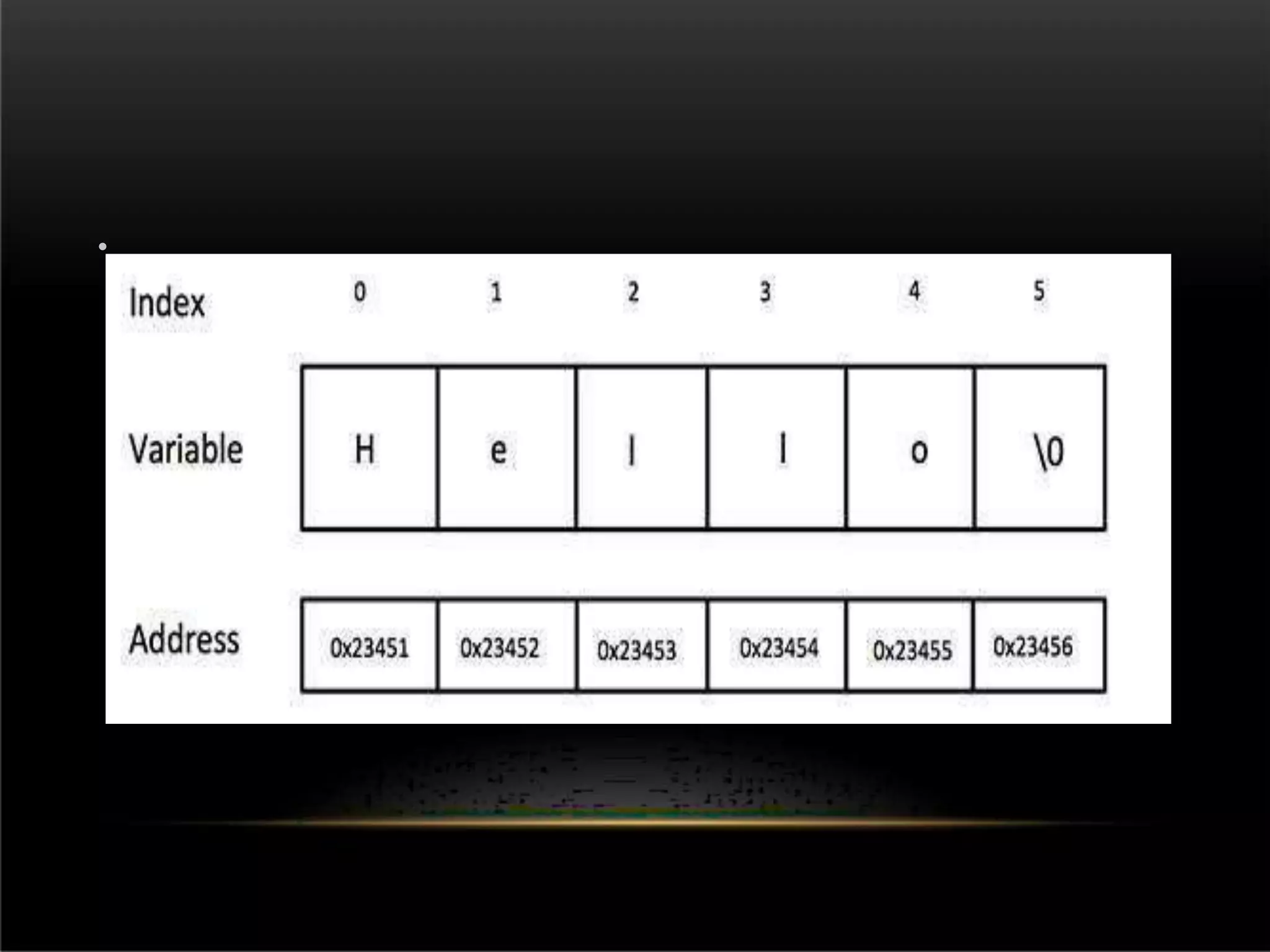
 The following declaration and initialization create a
string consisting of the word "Hello". To hold the null
character at the end of the array, the size of the
character array containing the string is one more
than the number of characters in the word "Hello.“
 Method 1: char greeting[6] = {'H', 'e', 'l', 'l', 'o',
'0'};
 Method 2: char greeting[] = "Hello";
•
#include
<iostream.h> int
main ()
{
char greeting[6] = {'H', 'e', 'l', 'l',
'o', '0'};
cout << "Greeting message: ";
cout << greeting <<
endl; return 0;
}
OUTP
UT
OUTPU
T
Greeting message:
Hello
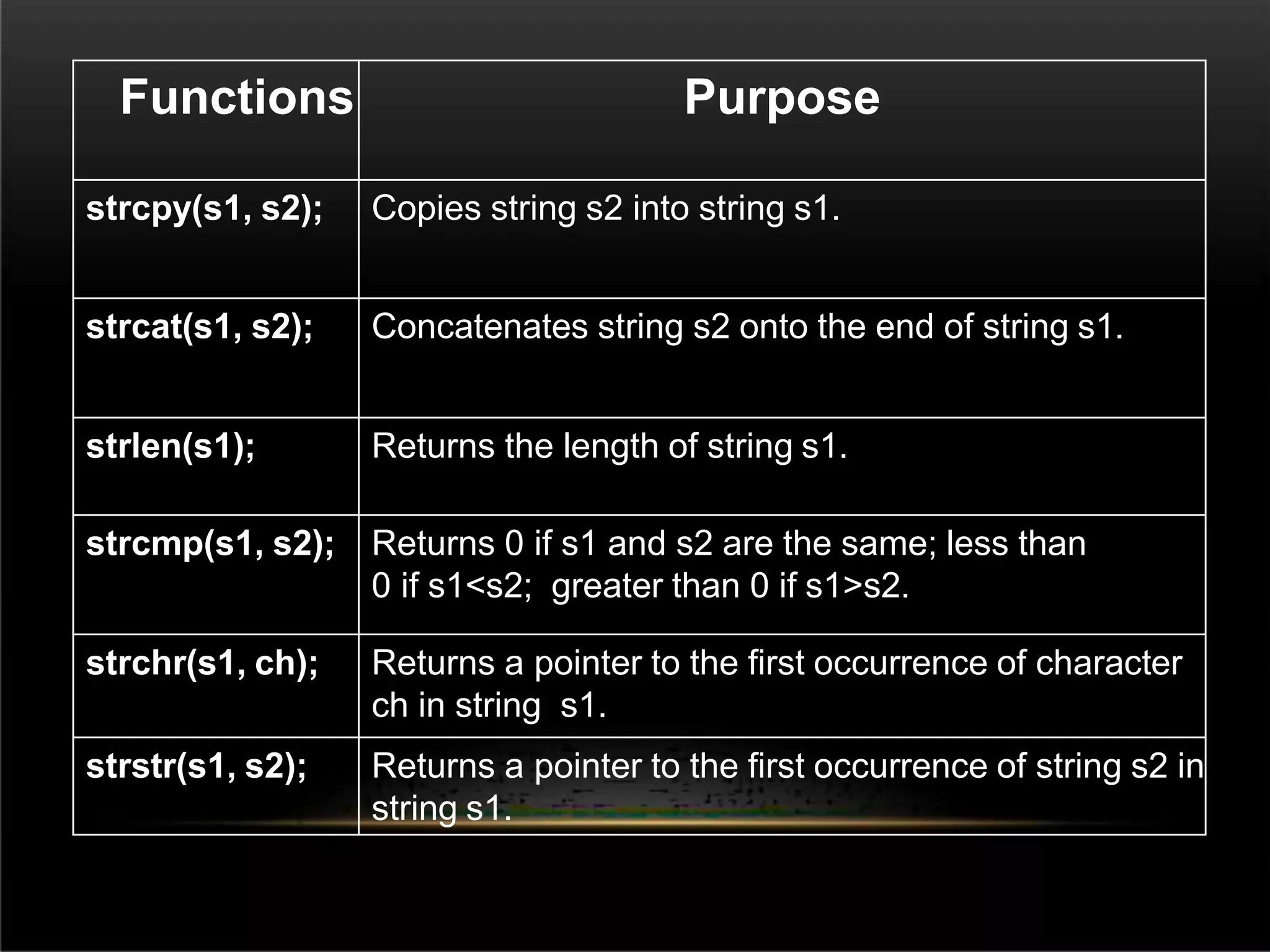
Functions Purpose
strcpy(s1, s2); Copies string s2 into string s1.
strcat(s1, s2); Concatenates string s2 onto the end of string s1.
strlen(s1); Returns the length of string s1.
strcmp(s1, s2); Returns 0 if s1 and s2 are the same; less than
0 if s1<s2; greater than 0 if s1>s2.
strchr(s1, ch); Returns a pointer to the first occurrence of character
ch in string s1.
strstr(s1, s2); Returns a pointer to the first occurrence of string s2 in
string s1.
#include
<iostream>
#include
<cstring> int
main () {
char str1[10] = "Hello";
char str2[10] = "World";
char str3[10];
int len;
strcpy( str3, str1); // copy str1 into str3
cout << "strcpy( str3, str1) : " << str3 << endl;
strcat( str1, str2); // concatenates str1 and str2
cout << "strcat( str1, str2): " << str1 << endl;
len = strlen(str1); // total length of str1 after
concatenation
FILE HANDLING IN
C++
 File Handling concept in C++ language is used for
store a data permanently in computer. Using file
handling we can store our data in Secondary
memory (Hard disk).
Why use File Handling
For permanent storage.
The transfer of input - data or output - data from
one
computer to another can be easily done by using
files.
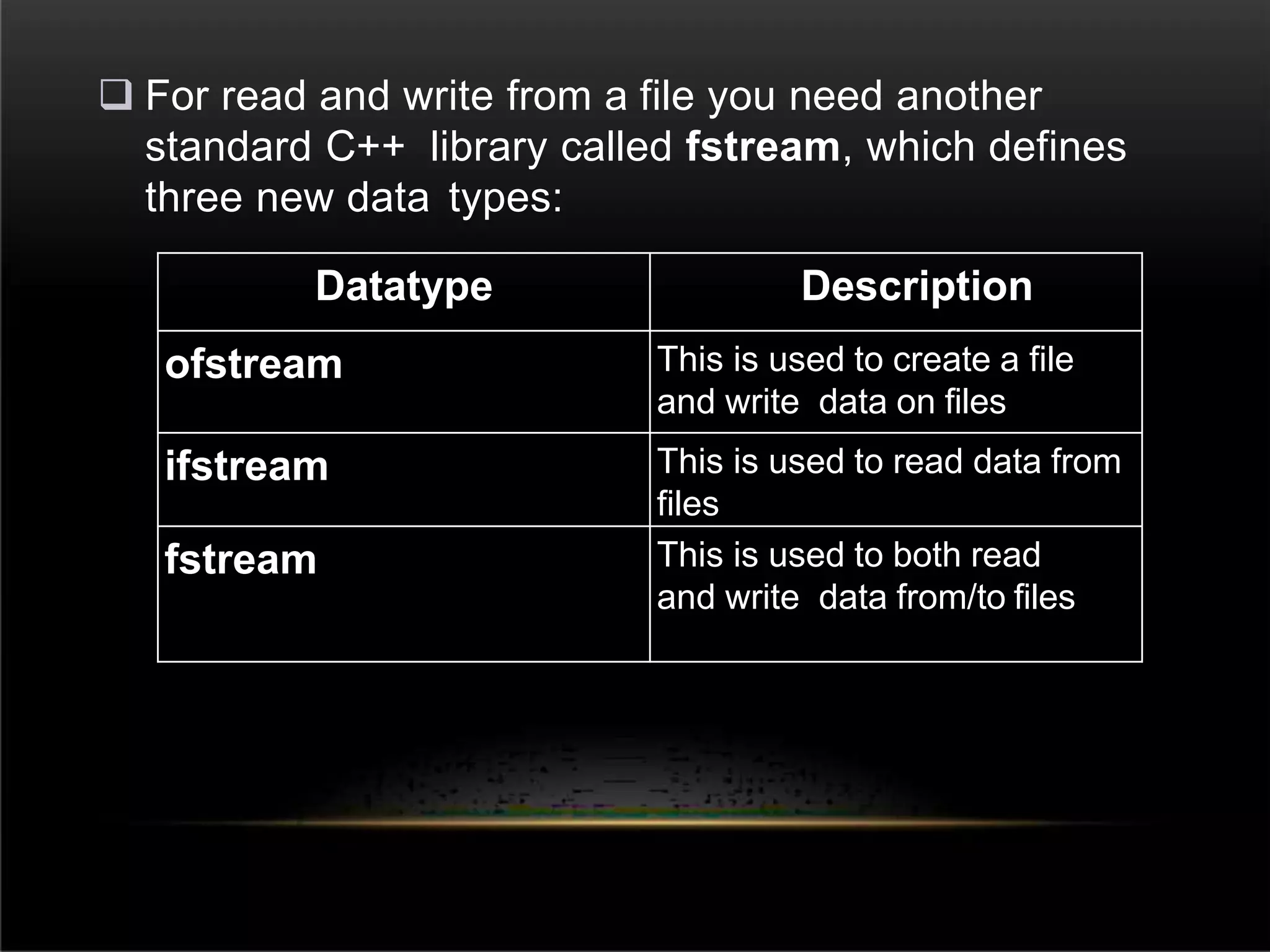
 For read and write from a file you need another
standard C++ library called fstream, which defines
three new data types:
Datatype Description
ofstream This is used to create a file
and write data on files
ifstream This is used to read data from
files
fstream This is used to both read
and write data from/to files
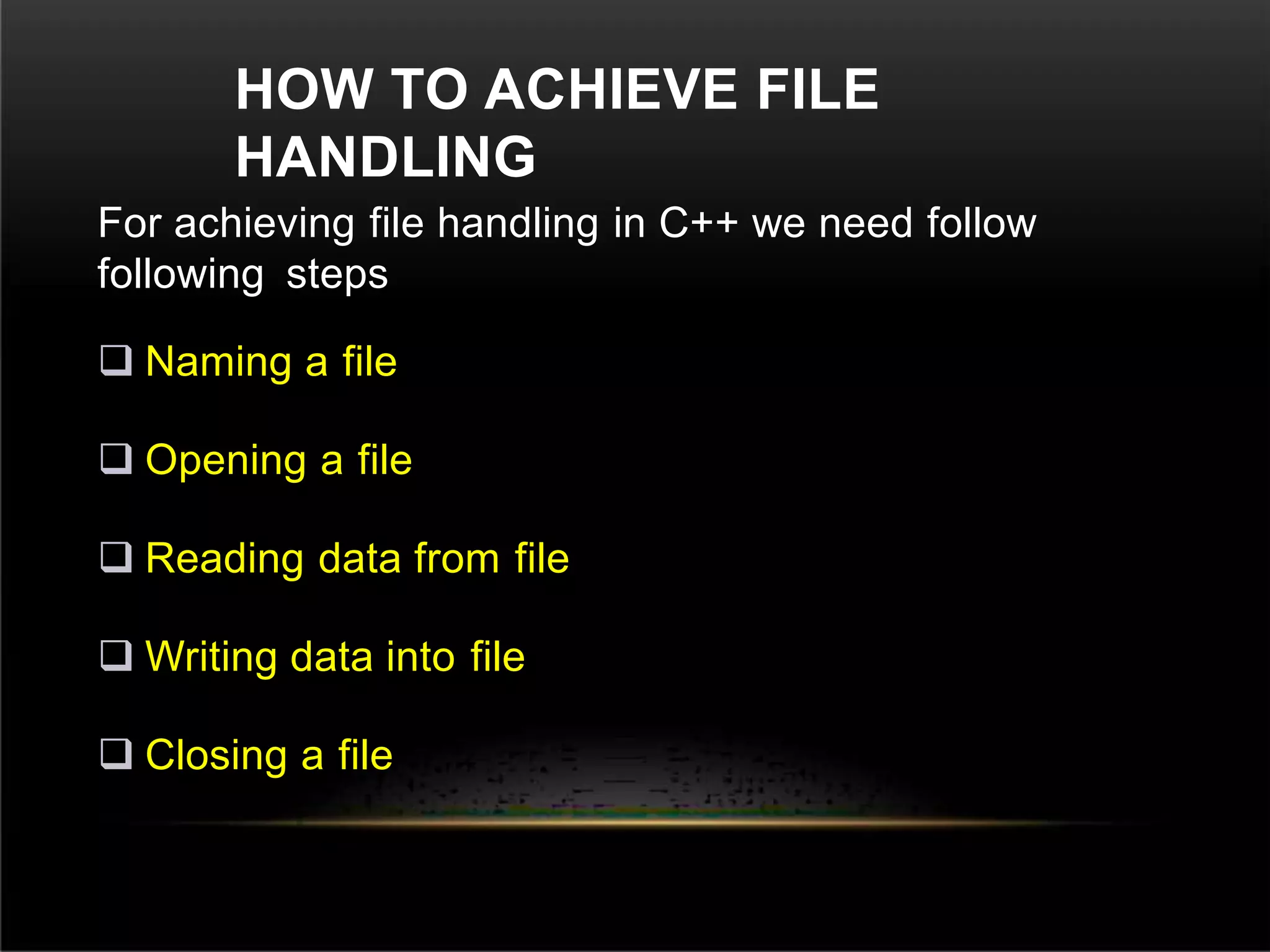
HOW TO ACHIEVE FILE
HANDLING
For achieving file handling in C++ we need follow
following steps
 Naming a file
 Opening a file
 Reading data from file
 Writing data into file
 Closing a file
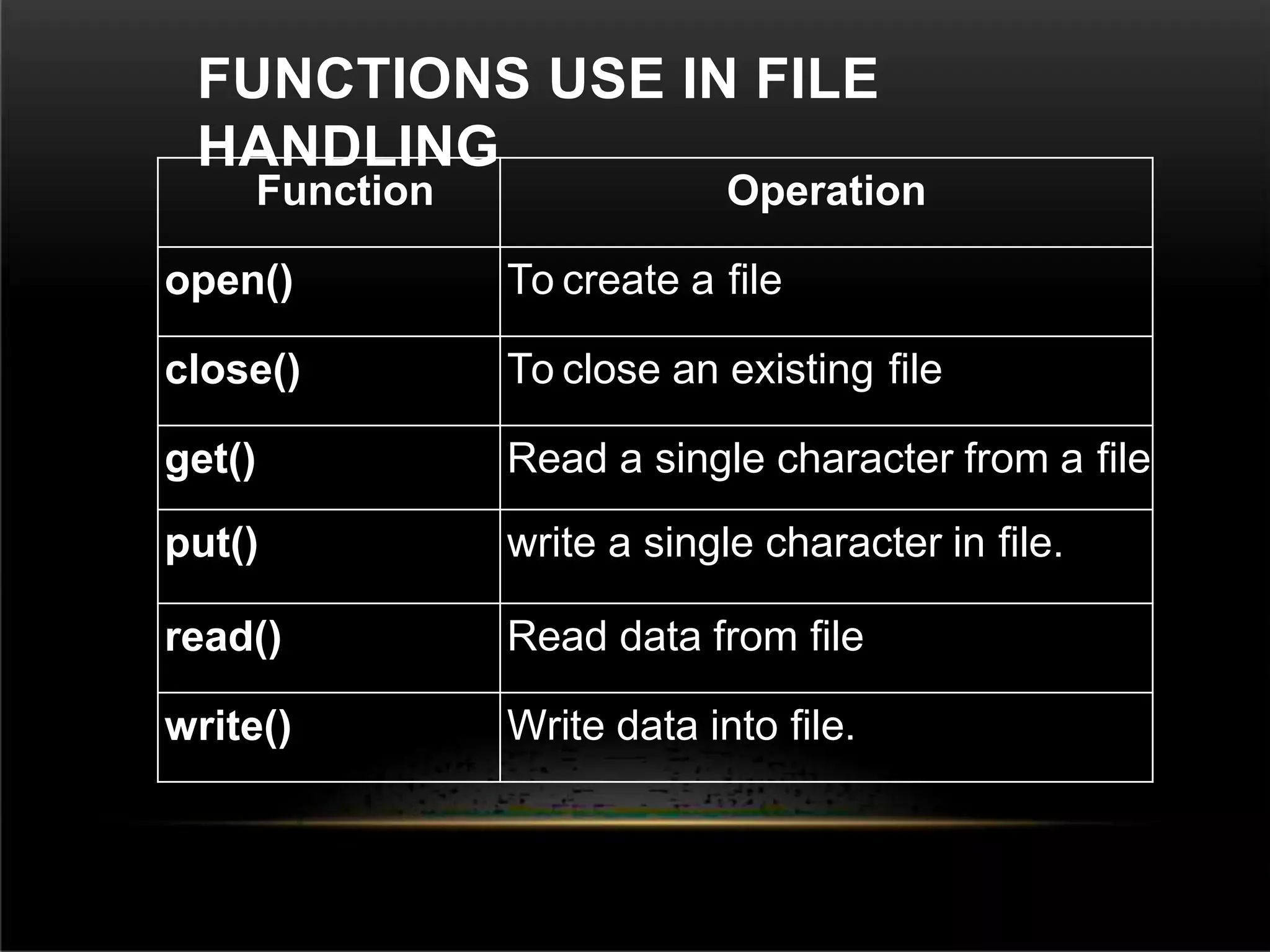
FUNCTIONS USE IN FILE
HANDLING
Function Operation
open() To create a file
close() To close an existing file
get() Read a single character from a file
put() write a single character in file.
read() Read data from file
write() Write data into file.
FILE READ
OPERATION
#include<conio
.h>
#include<fstream.h>
int main()
{
char c,fname[10];
cout<<"Enter file
name:";
cin>>fname;
ifstream in(fname);
if(!in)
{
cout<<"File Does not
Exist"; getch();
return 0;
}
cout<<"nn";
while(in.eof()=
=0)
{
in.get(c
);
cout<<c
;
}
getch();
}
Introduction to c++

Introduction to c++

  • 1.
  • 2.
    HISTORY OF C++ C++ isa multi-paradigm programming language that supports object oriented programming (OOP) created by Bjarne Stroustrup in 1983 at Bell labs, C++ is an extension of C programming and the programs written in C language can run in C++ compiler. The development of C++ actually began four years before its release, in 1979. It did not start with the name C++. Its first name was C with classes.
  • 3.
    In the latepart of 1983, C with classes was first used for AT&T’s internal programming needs. Its name was changed to C++ later in the same year. It is of course also used in a wide range of other application domains, notable graphics programming. C++ supports inheritance through class derivation. Dynamic binding is provided by Virtual class function.
  • 4.
    DIFFERENCE BETWEEN C ANDC++ C C++ C is Procedural Language. C++ is non-Procedural i.e. Object oriented Language. Top down approach is used in Program Design. Bottom up approach adopted in Program Design. Multiple Declaration of global variables are allowed. Multiple Declaration of global variables are not allowed. C requires all the variables to be defined at the starting of a scope. C++ allows the declaration of variable anywhere in the scope i.e. at time of its First use. In C, malloc () and calloc () Functions are used for Memory Allocation and free () function for memory Deallocating. In C++, new and delete operators are used for Memory Allocating and Deallocating.
  • 5.
    USES OF C++ LANGUAGE C++is used by programmers to develop computer software It is used to create general system software Used to build drivers for various computer devices Software for servers and software for specific applications Used in the creation of video games.
  • 6.
    ADVANTAGE OF C++  C++is relatively-low level and is a systems programming language.  It has a large community.  It has a relatively clear and mature standard.  Modularity’  Reusability and readability
  • 7.
    DISADVANTAGE OF C++ × Datais global or local. × It emphasis on instructions bur not on data. × It can be generally heavy if not careful. × Data is global and global data does not have security.
  • 8.
    STANDARD LIBRARIES The C++ StandardLibrary can be categories into two parts: The standard function library: This library consists of general-purpose, stand-alone function that are not part of any class. The function library is inherited from C. The object oriented class library: This is a collection of classes and associated function. Standard C++ library incorporates all the standard C libraries also, with small additions and changes to support type safety.
  • 9.
  • 10.
    SIMPLE PROGRAM C++ #include<iostream.h>/*Heade r File*/ intmain()/*Main Function*/ { cout<<"n*HELLO*n"; /*Output Statements*/ }
  • 11.
    C++ DATA TYPES Primary datatype int, float, char, void User defined data type structure, union, class, enumeration Derived data type array, function, pointer, reference
  • 12.
    C++ VARIABLES SCOPE A scopeis a region of the program and broadly speaking there are three places, where variables can be declared − Inside a function or a block which is called local variables, In the definition of function parameters which is called formal parameters. Outside of all functions which is called global variables.
  • 13.
    LOCAL VARIABLES #include <iostream.h> int main () {int a, b; int c; a = 10; b = 20; c = a + b; cout << Output = ? Output = 30 // Local variable declaration // actual initialization
  • 14.
    GLOBAL VARIABLES #include <iostream.h> // Globalvariable declaration: Int g; int main () { // Local variable declaration: int a, b; // actual initialization a = 10; b = 20; g = a + b; cout << g; return 0; } Output = ? Output = 30
  • 15.
    OPERATO RS • Arithmetic operators • Relational operators •Logical operators • Bitwise operators • Assignment operators
  • 16.
    #include<iostrea m.h> #include<conio.h > void main() { inta,b,c; cout<<“enter thevaluefor aand b”; cin>>a>>b; c=a+b ; cout<< c=a*b; cout<< c; c=a/b; cout<< c; c=a++; cout<<“incrementationofaby one”<<c; c=a--; cout<<”decrementationofaby ARITHMETIC OPERATORS
  • 17.
    #include<iostrea m.h> #include<conio.h > void main() { inta,b; a=10;b=13; if(a<b) { cout<<“a is less than b”;} if(a>b) { cout<<”a is greater than b”;} if(a<=b) { cout<<”ais lessthanorequal if(a>=b) { cout<<“ais greaterthanor equal to b”; } if(a==b) { cout<<”ais equal to b”; } if(a!=b) { cout<<”ais notequaltob”); } } RELATIONAL OPERATORS
  • 18.
    #include<iostrea m.h> #include<conio.h > void main() { int a,b; a=12; b=10; if(a&&b) {cout<<”condition is true”; } a=0; b=1 0; if(a&&b) { cout<<“condition is true”;} else cout<<“condition is not true”; if(!(a&&b)) { cout<<“condition is true”;} } LOGICAL OPERATORS
  • 19.
    BITWISE OPERATOR Bitwise operator workson bits and perform bit-by-bit operation. P Q P&Q P|Q P^Q 0 0 0 0 0 0 1 0 1 1 1 0 0 1 1 1 1 1 1 0
  • 20.
    Assume if A= 60; and B = 13; now in binary format they will be as follows: A = 0011 1100 ----> Binary Number for 60 B = 0000 1101 ----> Binary Number for 13 ----------------- A&B = 0000 1100 A|B = 0011 1101 A^B = 0011 0001 ~A = 1100 0011
  • 21.
    #include <iostream.h> int main() { inta = 7; // a = 111 int b = 5; // b = 101 cout << "Bitwise Operatorsn"; cout << "a & b = " << (a&b) << "n"; cout << "a | b = " << (a|b) << "n"; cout << "a ^ b = " << (a^b) << "n"; cout << "~a = " << (~a) << "n"; cout << "~b = " << (~b) << "n"; cout << "a >> b = " << (a>>b) Bitwise Operators a & b = 5 a | b = 7 a ^ b = 2 ~a = -8 ~b = -6 a >> b = 0 a << b = 224 Output = ? Outp ut
  • 22.
    ASSIGNMENT OPERATOR An assignment operator,in the context of the C programming language, is a basic component denoted as "=". int x = 25; x = 50;
  • 23.
    FUNCTIO NS Function is aset of statements to perform some task.  Every C++ program has at least one function, which is main(), and all the most trivial programs can define additional functions. Syntax of Function return-type function-name (parameters) { // function-body }
  • 24.
    DECLARING, DEFINING ANDCALLING FUNCTION #include < iostream.h> int sum (int x, int y); int main() //declaring function { int a = 10; int b = 20; int c = sum (a, b); //calling function cout << c; } int sum (int x, int y) { //defining function Output = Outp ut ? = 3 0
  • 25.
    CALLING A FUNCTION Functions arecalled by their names. If the function is without argument, it can be called directly using its name. But for functions with arguments, we have two ways to call them, Call by Value Call by Reference
  • 26.
    CALL BY VALUE #include <iostream.h> void swap(intx, int y); // function declaration int main () { int a = 100; int b = 200; cout << "Before swap, value of a :" << a << endl; cout << "Before swap, value of b :" << b << endl; swap(a, b); // calling a function to swap the values. cout << "After swap, value of a :" << a << endl; cout << "After swap, value of b :" << b << endl; return 0;} // local variable declaration: OUTPUT: Before swap, value of a :100 Before swap, value of b :200 After swap, value of a :200 After swap, value of b :100
  • 27.
    CALL BY REFERENCE #include <iostream.h> voidswap(int &x, int &y); // function declaration int main () { int a = 100; int b = 200; cout << "Before swap, value of a :" << a << endl; cout << "Before swap, value of b :" << b << endl; swap(a, b); // calling a function to swap the values using variable reference.*/ cout << "After swap, value of a :" << a << endl; cout << "After swap, value of b :" << b << endl; return 0; } // local variable declaration: OUTPUT: Before swap, value of a :100 Before swap, value of b :200 After swap, value of a :200 After swap, value of b :100
  • 28.
    ARRA YS  Array isdefined as a set of homogeneous data items. An Array is a group of elements that share a common name that are differentiated from one another by their positions within the array.  It is a data structure which allows a collective name to be given to a group of elements which all have the same type. Syntax datatype arrayname[array size];  The Array which is declared as above is called single- dimension array
  • 29.
    Example: float salary[10]; float  salary  [10] data type array name array size(integer) The size of an array must be an integer constant and the data type can be any valid C++ data type.
  • 30.
    ARRAY INITIALIZATION  In C++elements of an array can be initialized one by one or using a single statement float balance[5]={1000.0, 2.0, 3.4,7.0, 50};  The number of values between braces { } cannot be larger than the number of elements that we declare for the array between square brackets [ ].
  • 31.
    C++ ARRAY IN DETAIL CONCEPTDESCRIPTION Multi-dimensional arrays C++ supports multidimensional arrays. The simplest form of the multidimensional array is the two- dimensional array. Pointer to an array You can generate a pointer to the first element of an array by simply specifying the array name, without any index. Passing arrays to functions You can pass to the function a pointer to an array by specifying the array's name without an index. Return array from functions C++ allows a function to return an array.
  • 32.
    POINTE RS  Pointer isa user defined data type which creates special types of variables which can hold the address of primitive data type like char, int, float, double or user defined data type like function, pointer etc. or derived data type like array, structure, union, enum. What Are Pointers?  A pointer is a variable whose value is the address of another variable. Like any variable or constant, you must declare a pointer before you can work with it. Syntax datatype *var-name;
  • 33.
    int *ip; double *dp; float *fp; char *ch //pointer to an integer // pointer to a double // pointer to a float // pointer to character
  • 34.
    USING POINTERS IN C++ There are few important operations, which we will do with the pointers very frequently. (a)we define a pointer variables (b)assign the address of a variable to a pointer and (c)finally access the value at the address available in the pointer variable.  This is done by using unary operator * that returns the value of the variable located at the address specified by its operand.
  • 35.
    C++ POINTERS IN DETAIL CONCEPTDESCRIPTION C++ Null Pointers C++ supports null pointer, which is a constant with a value of zero defined in several standard libraries. C++ pointer arithmetic There are four arithmetic operators that can be used on pointers: ++, --, +, - C++ pointers vs. arrays There is a close relationship between pointers and arrays. Let us check how? C++ array of pointers You can define arrays to hold a number of pointers. C++ pointer to pointer C++ allows you to have pointer on a pointer and so on. Passing pointers to functions Passing an argument by reference or by address both enable the passed argument to be changed in the calling function by the called function. Return pointer from functions
  • 36.
    C++ STRINGS  The followingdeclaration and initialization create a string consisting of the word "Hello". To hold the null character at the end of the array, the size of the character array containing the string is one more than the number of characters in the word "Hello.“  Method 1: char greeting[6] = {'H', 'e', 'l', 'l', 'o', '0'};  Method 2: char greeting[] = "Hello";
  • 37.
  • 38.
    #include <iostream.h> int main () { chargreeting[6] = {'H', 'e', 'l', 'l', 'o', '0'}; cout << "Greeting message: "; cout << greeting << endl; return 0; } OUTP UT OUTPU T Greeting message: Hello
  • 39.
    Functions Purpose strcpy(s1, s2);Copies string s2 into string s1. strcat(s1, s2); Concatenates string s2 onto the end of string s1. strlen(s1); Returns the length of string s1. strcmp(s1, s2); Returns 0 if s1 and s2 are the same; less than 0 if s1<s2; greater than 0 if s1>s2. strchr(s1, ch); Returns a pointer to the first occurrence of character ch in string s1. strstr(s1, s2); Returns a pointer to the first occurrence of string s2 in string s1.
  • 40.
    #include <iostream> #include <cstring> int main (){ char str1[10] = "Hello"; char str2[10] = "World"; char str3[10]; int len; strcpy( str3, str1); // copy str1 into str3 cout << "strcpy( str3, str1) : " << str3 << endl; strcat( str1, str2); // concatenates str1 and str2 cout << "strcat( str1, str2): " << str1 << endl; len = strlen(str1); // total length of str1 after concatenation
  • 41.
    FILE HANDLING IN C++ File Handling concept in C++ language is used for store a data permanently in computer. Using file handling we can store our data in Secondary memory (Hard disk). Why use File Handling For permanent storage. The transfer of input - data or output - data from one computer to another can be easily done by using files.
  • 42.
     For readand write from a file you need another standard C++ library called fstream, which defines three new data types: Datatype Description ofstream This is used to create a file and write data on files ifstream This is used to read data from files fstream This is used to both read and write data from/to files
  • 43.
    HOW TO ACHIEVEFILE HANDLING For achieving file handling in C++ we need follow following steps  Naming a file  Opening a file  Reading data from file  Writing data into file  Closing a file
  • 44.
    FUNCTIONS USE INFILE HANDLING Function Operation open() To create a file close() To close an existing file get() Read a single character from a file put() write a single character in file. read() Read data from file write() Write data into file.
  • 45.
    FILE READ OPERATION #include<conio .h> #include<fstream.h> int main() { charc,fname[10]; cout<<"Enter file name:"; cin>>fname; ifstream in(fname); if(!in) { cout<<"File Does not Exist"; getch(); return 0; } cout<<"nn"; while(in.eof()= =0) { in.get(c ); cout<<c ; } getch(); }