Intro to Scratch Mrs. Forsyth April 16, 2010
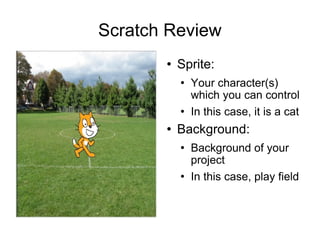
Scratch Review Sprite: Your character(s) which you can control In this case, it is a cat Background: Background of your project In this case, play field
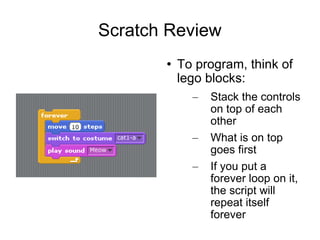
Scratch Review To program, think of lego blocks: Stack the controls on top of each other What is on top goes first If you put a forever loop on it, the script will repeat itself forever
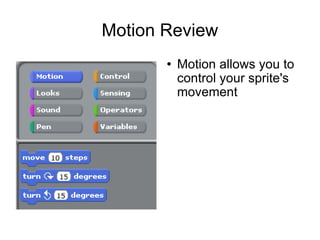
Motion Review Motion allows you to control your sprite's movement
Final Project – Due 4/30 Have your script have at least 7 of the 8 controls Have at least 2 sprites We will share these online
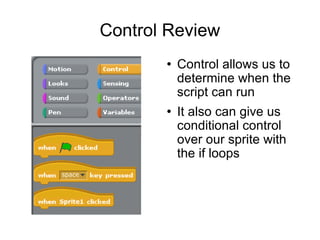
Control Review Control allows us to determine when the script can run It also can give us conditional control over our sprite with the if loops
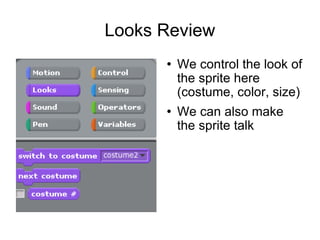
Looks Review We control the look of the sprite here (costume, color, size) We can also make the sprite talk
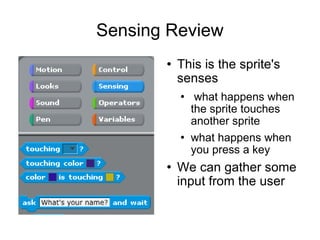
Sensing Review This is the sprite's senses what happens when the sprite touches another sprite what happens when you press a key We can gather some input from the user
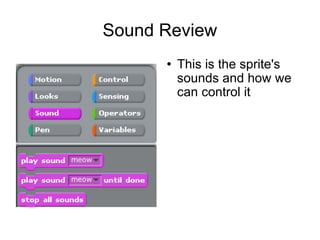
Sound Review This is the sprite's sounds and how we can control it
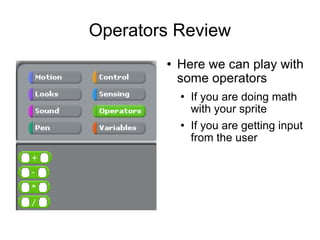
Operators Review Here we can play with some operators If you are doing math with your sprite If you are getting input from the user
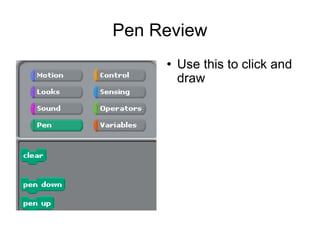
Pen Review Use this to click and draw
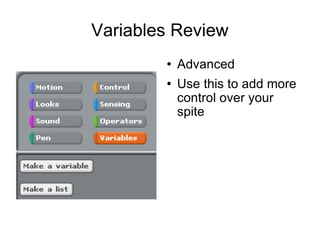
Variables Review Advanced Use this to add more control over your spite

Intro to Scratch

  • 1.
    Intro to ScratchMrs. Forsyth April 16, 2010
  • 2.
    Scratch Review Sprite:Your character(s) which you can control In this case, it is a cat Background: Background of your project In this case, play field
  • 3.
    Scratch Review Toprogram, think of lego blocks: Stack the controls on top of each other What is on top goes first If you put a forever loop on it, the script will repeat itself forever
  • 4.
    Motion Review Motionallows you to control your sprite's movement
  • 5.
    Final Project –Due 4/30 Have your script have at least 7 of the 8 controls Have at least 2 sprites We will share these online
  • 6.
    Control Review Controlallows us to determine when the script can run It also can give us conditional control over our sprite with the if loops
  • 7.
    Looks Review Wecontrol the look of the sprite here (costume, color, size) We can also make the sprite talk
  • 8.
    Sensing Review Thisis the sprite's senses what happens when the sprite touches another sprite what happens when you press a key We can gather some input from the user
  • 9.
    Sound Review Thisis the sprite's sounds and how we can control it
  • 10.
    Operators Review Herewe can play with some operators If you are doing math with your sprite If you are getting input from the user
  • 11.
    Pen Review Usethis to click and draw
  • 12.
    Variables Review AdvancedUse this to add more control over your spite