Developing with @twitterapi
        #twitterapi #twcoding


Developing for Twitter @ Leeds Metropolitan University   TM


May 12, 2010
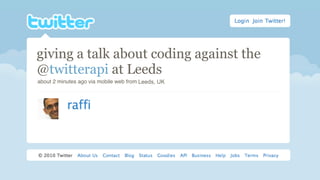
giving antalk about coding against the
giving a @ignite talk at @chirp entitled
@twitterapi at Leeds
"energy / tweet".
about 2 minutes ago via mobile web from Leeds, UK San Francisco
                                        Fort Mason,
24%
Calls to
What does our traffic look like?

                                        76%
100,000 applications
An application for everybody
Clients
Tweet like you mean it
Consumption
Focusing on reading stuff
Creative
And the just wacky...
What is                     ?
How to use the Twitter Platform
What is                    ?
‣   REST API
    ‣   provides the “basic”       functionality - tweet, follow, etc.
    ‣   all functions available on your timeline on twitter.com
‣   Search API
    ‣   real-time search index
    ‣   get “top tweets” / relevant search results
‣   Streaming API
    ‣   HTTP long-poll connection
    ‣   tweets come out of the system in real-time
The goals of
‣   To be ridiculously simple
‣   To be obvious
‣   To be self-describing
Tools of the trade
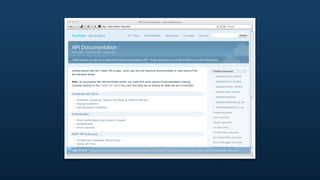
‣   dev.twitter.com
    ‣   documentation center
    ‣   API console for quick testing and exploration
‣   curl and a web browser
    ‣   testing unauthenticated endpoints
    ‣   CLI to get a raw dump of the interaction
‣   twurl
    ‣   OAuth-enabled version of curl
Authenticating to
‣   OAuth 1.0a
    ‣   signing “write” requests
    ‣   give     visibility into the stack
‣   Applications don’t have a user’s username / password
    ‣   user can change password at any time
    ‣   user is secure in knowing his/her password not being stored outside
        of
    ‣   user can revoke permissions to app at any time
Libraries
‣   PHP - http://github.com/abraham/twitteroauth
‣   Java - http://github.com/fernandezpablo85/scribe
‣   Ruby - http://oauth.rubyforge.org/
‣   C / C++ - http://liboauth.sourceforge.net/
‣   Actionscript / Flash - http://code.google.com/p/oauth-as3/
twurl
‣   http://github.com/marcel/twurl
‣   Command line tool to interact          with using OAuth
‣   Transparently handles OAuth signing against
    ‣   authorize against to get access tokens
    ‣   from there on out, all requests are signed
Limits
‣   350 API calls/hour using OAuth against api.twitter.com
    ‣   unauthenticated it goes against the source IP address
    ‣   authenticated it goes against the calling user
‣   “Natural” limits on
    ‣   number of tweets sent
    ‣   number of DMs sent
    ‣   number of followings / unfollowings
‣   Status limits
    ‣   can’t have duplicate tweets
    ‣   can’t have malware links in tweets
dev.twitter.com
The developer console
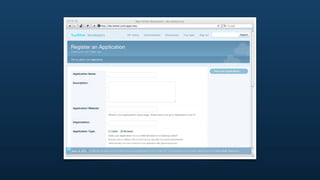
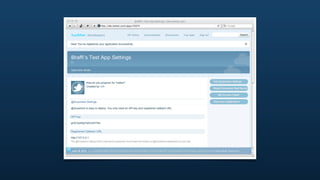
Creating an app
Your own small playground
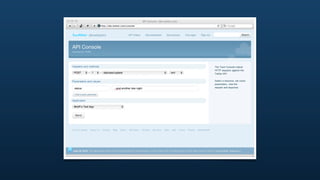
Using the console
Interacting with @   for fun and profit
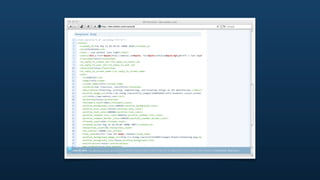
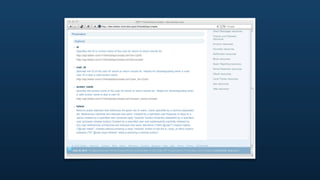
Browsing docs
Remembering how to read
Anatomy of the
REST API
What if I want to write code?
GETing from the API
Reading, reading, reading
GETing from the API
‣   For most cases, completely wide open
‣   Can do a HTTP connect and a simple GET request
‣   “Protected” information may require authentication (covered later)
    ‣   getting the tweet of a protected user
    ‣   getting the timeline of a user
Status objects
The basis of everything
Getting a status object
‣   Figure out the ID of the status objects
‣   Construct the URL for statuses/show
‣   Grab it!
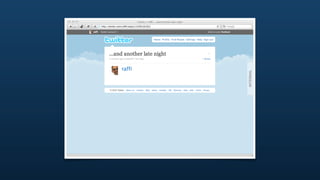
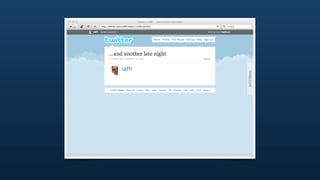
Taking a look at status 13762161921
‣   Build the API URL
    ‣   http://api.twitter.com/1/statuses/show/
        13762161921.xml
    ‣   http://api.twitter.com/1/statuses/show/
        13762161921.json
‣   If it’s a public status, then just fetch it
    ‣   use a browser!
    ‣   use curl!
Taking a look at status 13762161921
[raffi@tw-mbp13-raffi Desktop]$ curl http://api.twitter.com/1/statuses/show/
13762161921.xml
<?xml version="1.0" encoding="UTF-8"?>
<status>
  <created_at>Tue May 11 01:58:56 +0000 2010</created_at>
  <id>13762161921</id>
  <text>...and another late night</text>
  <source>&lt;a href=&quot;http://mehack.com&quot; rel=&quot;nofollow&quot;&gt;@raffi's
Test App&lt;/a&gt;</source>
  <truncated>false</truncated>
  <in_reply_to_status_id></in_reply_to_status_id>
  <in_reply_to_user_id></in_reply_to_user_id>
  <favorited>false</favorited>
  <in_reply_to_screen_name></in_reply_to_screen_name>
  <user>
    <id>8285392</id>
    <name>raffi</name>
    <screen_name>raffi</screen_name>
    <location>San Francisco, California</location>
    <description>Tinkering, writing, engineering, and breaking things on the
@twitterapi.</description>
    <profile_image_url>http://a1.twimg.com/profile_images/364041028/raffi-headshot-
casual_normal.png</profile_image_url>
    <url>http://www.mehack.com/</url>
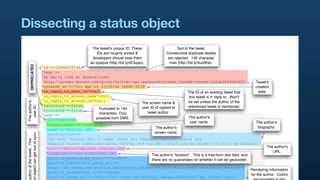
Dissecting a status object
                                                             The tweet's unique ID. These                   Text of the tweet.
                                                                IDs are roughly sorted &             Consecutive duplicate tweets
                                                             developers should treat them             are rejected. 140 character
                                                            as opaque (http://bit.ly/dCkppc).          max (http://bit.ly/4ud3he).
        DEPRECATED


                                 {"id"=>12296272736,
                                  "text"=>
                                  "An early look at Annotations:
                                   http://groups.google.com/group/twitter-api-announce/browse_thread/thread/fa5da2608865453",                      Tweet's
                                  "created_at"=>"Fri Apr 16 17:55:46 +0000 2010",                                                                  creation
                                  "in_reply_to_user_id"=>nil,                                             The ID of an existing tweet that           date.

                                  "in_reply_to_screen_name"=>nil,                                          this tweet is in reply to. Won't
                                  "in_reply_to_status_id"=>nil                                            be set unless the author of the
 The author's


                                                                              The screen name &
                                  "favorited"=>false,
   user ID.


                                                                              user ID of replied to       referenced tweet is mentioned.
                                  "truncated"=>false,      Truncated to 140
                                                           characters. Only      tweet author.
                                  "user"=>
                                                          possible from SMS.                               The author's
                                   {"id"=>6253282,
                                                                                                            user name.                             The author's
                                    "screen_name"=>"twitterapi",
                                                                                       The author's                                                  biography.
                                    "name"=>"Twitter API",
                                                                                      screen name.
 d object can get out of sync.


                                    "description"=>
                                    "The Real Twitter API. I tweet about API changes, service issues and
 uthor of the tweet. This


                                     happily answer questions about Twitter and our API. Don't get an answer? It's on my website.",
                                    "url"=>"http://apiwiki.twitter.com",                                                                                   The author's
                                    "location"=>"San Francisco, CA",                                                                                          URL.
                                                                                    The author's "location". This is a free-form text field, and
                                    "profile_background_color"=>"c1dfee",           there are no guarantees on whether it can be geocoded.
                                    "profile_background_image_url"=>
                                    "http://a3.twimg.com/profile_background_images/59931895/twitterapi-background-new.png",
                                                                                                                                                Rendering information
                                    "profile_background_tile"=>false,
                                                                                                                                                for the author. Colors
                                    "profile_image_url"=>"http://a3.twimg.com/profile_images/689684365/api_normal.png",
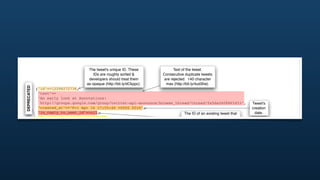
The tweet's unique ID. These                  Text of the tweet.
                                                  IDs are roughly sorted &            Consecutive duplicate tweets
                                               developers should treat them            are rejected. 140 character
                                              as opaque (http://bit.ly/dCkppc).         max (http://bit.ly/4ud3he).
    DEPRECATED


                   {"id"=>12296272736,
                    "text"=>
                    "An early look at Annotations:
                     http://groups.google.com/group/twitter-api-announce/browse_thread/thread/fa5da2608865453",                   Tweet's
                    "created_at"=>"Fri Apr 16 17:55:46 +0000 2010",                                                               creation
                    "in_reply_to_user_id"=>nil,                                             The ID of an existing tweet that        date.
                    "in_reply_to_screen_name"=>nil,                                          this tweet is in reply to. Won't
                    "in_reply_to_status_id"=>nil                                            be set unless the author of the
The author's


                                                                The screen name &
                    "favorited"=>false,
  user ID.


                                                                user ID of replied to       referenced tweet is mentioned.
                    "truncated"=>false,      Truncated to 140
                                             characters. Only      tweet author.
                    "user"=>
                                            possible from SMS.                               The author's
                     {"id"=>6253282,
                                                                                              user name.                          The author's
                      "screen_name"=>"twitterapi",
                                                                         The author's                                              biography.
                      "name"=>"Twitter API",
                                                                        screen name.
get out of sync.


                      "description"=>
                      "The Real Twitter API. I tweet about API changes, service issues and
tweet. This


                       happily answer questions about Twitter and our API. Don't get an answer? It's on my website.",
                      "url"=>"http://apiwiki.twitter.com",                                                                                The author's
                      "location"=>"San Francisco, CA",                                                                                       URL.
                                                                      The author's "location". This is a free-form text field, and
"favorited"=>false,                                                         referenced tweet is mentioned.


  user ID
                                                                                     user ID of replied to


The auth
                                       "truncated"=>false,      Truncated to 140
                                                                 characters. Only       tweet author.
                                       "user"=>
                                                               possible from SMS.                                   The author's
                                        {"id"=>6253282,
                                                                                                                    user name.                                   The author's
                                         "screen_name"=>"twitterapi",
                                                                                              The author's                                                        biography.
                                         "name"=>"Twitter API",
                                                                                             screen name.
embedded object can get out of sync.     "description"=>
                                         "The Real Twitter API. I tweet about API changes, service issues and
   The author of the tweet. This


                                          happily answer questions about Twitter and our API. Don't get an answer? It's on my website.",
                                         "url"=>"http://apiwiki.twitter.com",                                                                                           The author's
                                         "location"=>"San Francisco, CA",                                                                                                  URL.
                                                                                           The author's "location". This is a free-form text field, and
                                         "profile_background_color"=>"c1dfee",             there are no guarantees on whether it can be geocoded.
                                         "profile_background_image_url"=>
                                         "http://a3.twimg.com/profile_background_images/59931895/twitterapi-background-new.png",
                                                                                                                                                             Rendering information
                                         "profile_background_tile"=>false,
                                                                                                                                                             for the author. Colors
                                         "profile_image_url"=>"http://a3.twimg.com/profile_images/689684365/api_normal.png",
                                                                                                                                                              are encoded in hex
                                         "profile_link_color"=>"0000ff",
                                                                                                                                                                  values (RGB).
                                         "profile_sidebar_border_color"=>"87bc44",                 The creation date
                                         "profile_sidebar_fill_color"=>"e0ff92",                    for this account.
                                         "profile_text_color"=>"000000",                                                      Whether this account has
                                         "created_at"=>"Wed May 23 06:01:13 +0000 2007",                                         contributors enabled
                                         "contributors_enabled"=>true,                                                          (http://bit.ly/50npuu).                   Number of
Number of tweets


                                         "favourites_count"=>1,                                                                                                          favorites this
 this user has.


                                         "statuses_count"=>1628,                                                                                    Number of              user has.
                                         "friends_count"=>13,                                                                                     users this user
                                         "time_zone"=>"Pacific Time (US & Canada)",                           The timezone and offset              is following.
                                         "utc_offset"=>-28800,                                               (in seconds) for this user.
                                         "lang"=>"en",                                                                                                            The user's selected
                                         "protected"=>false,                                                                                                           language.
                                         "followers_count"=>100581,
                                         "geo_enabled"=>true,                                                                                        Whether this user is protected
http://bit.ly/4pFY77).


                                         "notifications"=>false,     DEPRECATED
r this user has geo


                                                                                                                                                     or not. If the user is protected,
                                         "following"=>true,          in this context                                        Number of
                                                                                                                                                       then this tweet is not visible
                                         "verified"=>true},                               Whether this user                followers for
                                                                                                                                                            except to "friends".
                                       "contributors"=>[3191321],                       has a verified badge.                 this user.
                                       "geo"=>nil,
                                       "coordinates"=>nil,           DEPRECATED
                                       "place"=>                                                                            The contributors' (if any) user
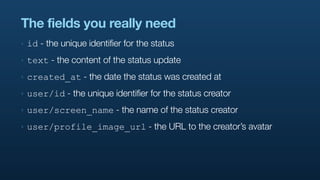
The fields you really need
‣   id - the unique identifier for the status
‣   text - the content of the status update
‣   created_at - the date the status was created at
‣   user/id - the unique identifier for the status creator
‣   user/screen_name - the name of the status creator
‣   user/profile_image_url - the URL to the creator’s avatar
User objects
The “who”
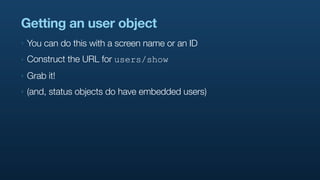
Getting an user object
‣   You can do this with a screen name or an ID
‣   Construct the URL for users/show
‣   Grab it!
‣   (and, status objects do have embedded users)
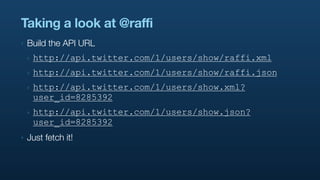
Taking a look at @raffi
‣   Build the API URL
    ‣   http://api.twitter.com/1/users/show/raffi.xml
    ‣   http://api.twitter.com/1/users/show/raffi.json
    ‣   http://api.twitter.com/1/users/show.xml?
        user_id=8285392
    ‣   http://api.twitter.com/1/users/show.json?
        user_id=8285392
‣   Just fetch it!
Taking a look at user @raffi
[raffi@tw-mbp13-raffi Desktop]$ curl http://api.twitter.com/1/users/show/raffi.xml
<?xml version="1.0" encoding="UTF-8"?>
<user>
  <id>8285392</id>
  <name>raffi</name>
  <screen_name>raffi</screen_name>
  <location>San Francisco, California</location>
  <description>Tinkering, writing, engineering, and breaking things on the
@twitterapi.</description>
  <profile_image_url>http://a1.twimg.com/profile_images/364041028/raffi-headshot-
casual_normal.png</profile_image_url>
  <url>http://www.mehack.com/</url>
  <protected>false</protected>
  <followers_count>2862</followers_count>
  <profile_background_color>C0DEED</profile_background_color>
  <profile_text_color>333333</profile_text_color>
  <profile_link_color>0084B4</profile_link_color>
  <profile_sidebar_fill_color>DDEEF6</profile_sidebar_fill_color>
  <profile_sidebar_border_color>C0DEED</profile_sidebar_border_color>
  <friends_count>424</friends_count>
  <created_at>Sun Aug 19 14:24:06 +0000 2007</created_at>
  <favourites_count>45</favourites_count>
  <utc_offset>-28800</utc_offset>
  <time_zone>Pacific Time (US &amp; Canada)</time_zone>
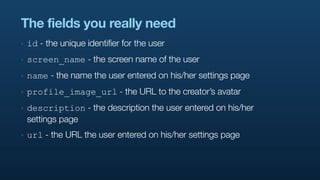
The fields you really need
‣   id - the unique identifier for the user
‣   screen_name - the screen name of the user
‣   name - the name the user entered on his/her settings page
‣   profile_image_url - the URL to the creator’s avatar
‣   description - the description the user entered on his/her
    settings page
‣   url - the URL the user entered on his/her settings page
Timelines
Getting lots of tweets
Timelines
‣   “Arrays” or “lists” of Tweets
    ‣   in XML, wrapped with <statuses>...</statuses>
    ‣   in JSON, regular array [...]
‣   Sorted (mostly) chronologically (hence “timeline”)
‣   When statuses are created in the system, they are fanned-out to
    timelines
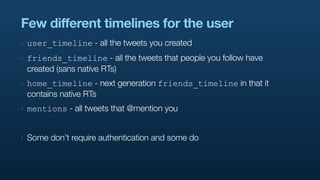
Few different timelines for the user
‣   user_timeline - all the tweets you created
‣   friends_timeline - all the tweets that people you follow have
    created (sans native RTs)
‣   home_timeline - next generation friends_timeline in that it
    contains native RTs
‣   mentions - all tweets that @mention you


‣   Some don’t require authentication and some do
Taking a look at @raffi’s user_timeline
[raffi@tw-mbp13-raffi twurl (master)]$ curl http://api.twitter.com/1/statuses/
user_timeline/raffi.xml
<?xml version="1.0" encoding="UTF-8"?>
<statuses type="array">
<status>
  <created_at>Tue May 11 02:24:33 +0000 2010</created_at>
  <id>13763485927</id>
  <text>@precipice woot!</text>
  <source>web</source>
  <truncated>false</truncated>
  <in_reply_to_status_id>13763157270</in_reply_to_status_id>
  <in_reply_to_user_id>236</in_reply_to_user_id>
  <favorited>false</favorited>
  <in_reply_to_screen_name>precipice</in_reply_to_screen_name>
  <user>
    <id>8285392</id>
    <name>raffi</name>
    <screen_name>raffi</screen_name>
    <location>San Francisco, California</location>
    <description>Tinkering, writing, engineering, and breaking things on the
@twitterapi.</description>
    <profile_image_url>http://a1.twimg.com/profile_images/364041028/raffi-headshot-
casual_normal.png</profile_image_url>
    <url>http://www.mehack.com/</url>
Using skip_user to save bandwidth
‣   Only user/id - have to lookup user data through other means
[raffi@tw-mbp13-raffi twurl (master)]$ curl http://api.twitter.com/1/statuses/
user_timeline/raffi.xml?skip_user=true
<?xml version="1.0" encoding="UTF-8"?>
<statuses type="array">
<status>
  <created_at>Tue May 11 02:24:33 +0000 2010</created_at>
  <id>13763485927</id>
  <text>@precipice woot!</text>
  <source>web</source>
  <truncated>false</truncated>
  <in_reply_to_status_id>13763157270</in_reply_to_status_id>
  <in_reply_to_user_id>236</in_reply_to_user_id>
  <favorited>false</favorited>
  <in_reply_to_screen_name>precipice</in_reply_to_screen_name>
  <user>
    <id>8285392</id>
  </user>
  <geo/>
  <coordinates/>
  <place xmlns:georss="http://www.georss.org/georss">
    <id>ece7b97d252718cc</id>
POSTing to the API
Causing change
Tweeting
Letting the world know your thoughts
status/update
‣   Just POST with a status parameter - that’s it!
[raffi@tw-mbp13-raffi twurl (master)]$ ./bin/twurl -d "status=hey ho" /statuses/
update.xml
<?xml version="1.0" encoding="UTF-8"?>
<status>
  <created_at>Tue May 11 03:39:42 +0000 2010</created_at>
  <id>13767250371</id>
  <text>hey ho</text>
  <source>&lt;a href=&quot;http://www.mehack.com&quot;
rel=&quot;nofollow&quot;&gt;Background image uploading example&lt;/a&gt;</source>
  <truncated>false</truncated>
  <in_reply_to_status_id></in_reply_to_status_id>
  <in_reply_to_user_id></in_reply_to_user_id>
  <favorited>false</favorited>
  <in_reply_to_screen_name></in_reply_to_screen_name>
  <user>
    <id>8307492</id>
    <name>raffibot</name>
    <screen_name>raffibot</screen_name>
    <location>Doing the robot!</location>
    <description></description>
    <profile_image_url>http://a3.twimg.com/profile_images/637865751/
Following people
Subscribing to people to get content
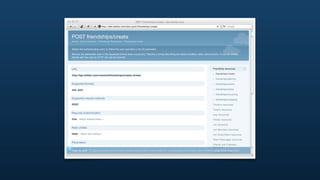
friendships/create
‣   Just POST with a id parameter - that’s it!
[raffi@tw-mbp13-raffi twurl (master)]$ ./bin/twurl -d "id=3191321" /friendships/
create.xml
<?xml version="1.0" encoding="UTF-8"?>
<user>
  <id>3191321</id>
  <name>Marcel Molina</name>
  <screen_name>noradio</screen_name>
  <location>San Francisco, CA</location>
  <description>Engineer at Twitter on the @twitterapi team obsessed with running. In a
past life I was a member of the Rails Core team &amp; 37signals.</description>
  <profile_image_url>http://a3.twimg.com/profile_images/53473799/marcel-euro-rails-
conf_normal.jpg</profile_image_url>
  <url>http://project.ioni.st</url>
  <protected>false</protected>
  <followers_count>288034</followers_count>
  <profile_background_color>9AE4E8</profile_background_color>
  <profile_text_color>333333</profile_text_color>
  <profile_link_color>0084B4</profile_link_color>
  <profile_sidebar_fill_color>DDFFCC</profile_sidebar_fill_color>
  <profile_sidebar_border_color>BDDCAD</profile_sidebar_border_color>
  <friends_count>494</friends_count>
DMing people
Tweeting to one, instead of tweeting to many
direct_messages/new
‣   Just POST with a text and user parameter - that’s it!
[raffi@tw-mbp13-raffi twurl (master)]$ ./bin/twurl -d "text=yo&user=raffi" /
direct_messages/new.xml
<?xml version="1.0" encoding="UTF-8"?>
<direct_message>
  <id>1118562319</id>
  <sender_id>8307492</sender_id>
  <text>yo</text>
  <recipient_id>8285392</recipient_id>
  <created_at>Tue May 11 03:53:25 +0000 2010</created_at>
  <sender_screen_name>raffibot</sender_screen_name>
  <recipient_screen_name>raffi</recipient_screen_name>
  <sender>
    <id>8307492</id>
    <name>raffibot</name>
    <screen_name>raffibot</screen_name>
    <location>Doing the robot!</location>
    <description></description>
    <profile_image_url>http://a3.twimg.com/profile_images/637865751/
raffibot_normal.jpg</profile_image_url>
    <url></url>
    <protected>false</protected>
Search API
Sifting through large amounts of Tweets
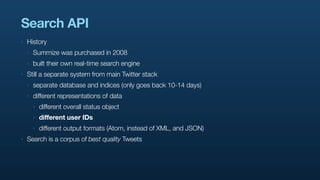
Search API
‣   History
    ‣   Summize was purchased in 2008
    ‣   built their own real-time search engine
‣   Still a separate system from main Twitter stack
    ‣   separate database and indices (only goes back 10-14 days)
    ‣   different representations of data
        ‣   different overall status object
        ‣   different user IDs
        ‣   different output formats (Atom, instead of XML, and JSON)
‣   Search is a corpus of best quality Tweets
Running a simple query
‣   Just GET with a q parameter - that’s it!
[raffi@tw-mbp13-raffi twurl (master)]$ curl http://search.twitter.com/search.atom?
q=leeds
<?xml version="1.0" encoding="UTF-8"?>
<feed xmlns:google="http://base.google.com/ns/1.0" xml:lang="en-US"
xmlns:openSearch="http://a9.com/-/spec/opensearch/1.1/" xmlns="http://www.w3.org/2005/
Atom" xmlns:twitter="http://api.twitter.com/">
  ...
  <entry>
    <id>tag:search.twitter.com,2005:13779639419</id>
    <published>2010-05-11T09:42:53Z</published>
    <link type="text/html" href="http://twitter.com/Naomi631/statuses/13779639419"
rel="alternate"/>
    <title>Uniqua brand provides full package to design a website: Web Design Leeds
helps in designing a website to stay in t... http://bit.ly/a6Ux3f</title>
    <content type="html">Uniqua brand provides full package to design a website: Web
Design &lt;b&gt;Leeds&lt;/b&gt; helps in designing a website to stay in t... &lt;a
href=&quot;http://bit.ly/a6Ux3f&quot;&gt;http://bit.ly/a6Ux3f&lt;/a&gt;</content>
    <updated>2010-05-11T09:42:53Z</updated>
    <link type="image/png" href="http://s.twimg.com/a/1273278095/images/
default_profile_6_normal.png" rel="image"/>
    <twitter:geo>
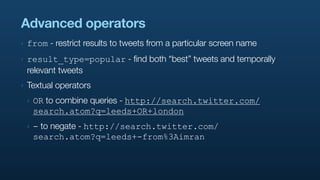
Advanced operators
‣   from - restrict results to tweets from a particular screen name
‣   result_type=popular - find both “best” tweets and temporally
    relevant tweets
‣   Textual operators
    ‣   OR to combine queries - http://search.twitter.com/
        search.atom?q=leeds+OR+london
    ‣   - to negate - http://search.twitter.com/
        search.atom?q=leeds+-from%3Aimran
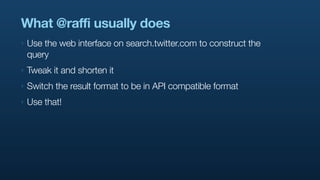
What @raffi usually does
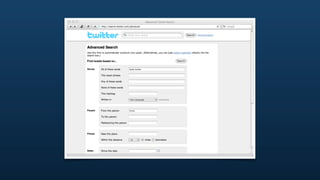
‣   Use the web interface on search.twitter.com to construct the
    query
‣   Tweak it and shorten it
‣   Switch the result format to be in API compatible format
‣   Use that!
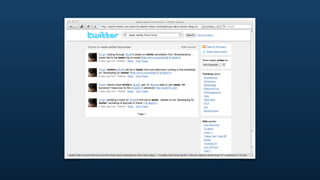
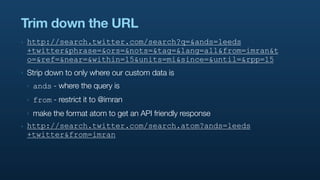
Trim down the URL
‣   http://search.twitter.com/search?q=&ands=leeds
    +twitter&phrase=&ors=&nots=&tag=&lang=all&from=imran&t
    o=&ref=&near=&within=15&units=mi&since=&until=&rpp=15
‣   Strip down to only where our custom data is
    ‣   ands - where the query is
    ‣   from - restrict it to @imran
    ‣   make the format atom to get an API friendly response
‣   http://search.twitter.com/search.atom?ands=leeds
    +twitter&from=imran
Running the custom query
[raffi@tw-mbp13-raffi twurl (master)]$ curl "http://search.twitter.com/search.atom?
ands=leeds+twitter&from=imran"
<?xml version="1.0" encoding="UTF-8"?>
<feed xmlns:google="http://base.google.com/ns/1.0" xml:lang="en-US"
xmlns:openSearch="http://a9.com/-/spec/opensearch/1.1/" xmlns="http://www.w3.org/2005/
Atom" xmlns:twitter="http://api.twitter.com/">
  ...
  <entry>
    <id>tag:search.twitter.com,2005:13635764900</id>
    <published>2010-05-09T00:00:05Z</published>
    <link type="text/html" href="http://twitter.com/Imran/statuses/13635764900"
rel="alternate"/>
    <title>nosing through @raffi's slides on twitter annotation from
@warblecamp&#8230;lookin fwd to his leeds trip on weds! {http://imrn.me/c536Ej}
#LSx2010</title>
    <content type="html">nosing through &lt;a href=&quot;http://twitter.com/
raffi&quot;&gt;@raffi&lt;/a&gt;&amp;apos;s slides on &lt;b&gt;twitter&lt;/b&gt;
annotation from @warblecamp&#8230;lookin fwd to his &lt;b&gt;leeds&lt;/b&gt; trip on
weds! {&lt;a href=&quot;http://imrn.me/c536Ej&quot;&gt;http://imrn.me/c536Ej&lt;/a&gt;}
&lt;a href=&quot;http://search.twitter.com/search?q=%23LSx2010&quot;
onclick=&quot;pageTracker._setCustomVar(2, 'result_type', 'recent',
3);pageTracker._trackPageview('/intra/hashtag/#LSx2010');&quot;&gt;#LSx2010&lt;/a&gt;</
content>
    <updated>2010-05-09T00:00:05Z</updated>
Trends API
What’s going on right now?
Trends API
‣   Trending topics are used for content discovery - powers the front
    page and logged out experience of twitter.com
‣   API provides both global trends and local trends
‣   Timescale
    ‣   global trends are provided for “now”, and summaries of the
        past day and week
    ‣   local trends are only provided for “now”
WOEIDs
‣   “Where on Earth Identifiers”
‣   http://developer.yahoo.com/geo/
‣   Provides “stable” and “language neutral” identifiers for places in
    the world
‣   Twitter has the World (WOEID of 1), and a series of countries and
    cities in its trends database
Fetching global trends
[raffi@tw-mbp13-raffi twurl (master)]$ curl http://api.twitter.com/1/trends/1/
current.xml
<?xml version="1.0" encoding="UTF-8"?>
<matching_trends type="array">
  <trends as_of="2010-05-11T10:35:25Z">
    <locations>
       <location>
         <woeid>1</woeid>
         <name>Earth</name>
       </location>
    </locations>
    <trend query="Bonamana" url="http://search.twitter.com/search?
q=Bonamana">Bonamana</trend>
    <trend query="%23ausbudget" url="http://search.twitter.com/search?q=
%23ausbudget">#ausbudget</trend>
    <trend query="%231thingaboutme" url="http://search.twitter.com/search?q=
%231thingaboutme">#1thingaboutme</trend>
    <trend query="%23damnitstrue" url="http://search.twitter.com/search?q=
%23damnitstrue">#damnitstrue</trend>
    <trend query="Binay" url="http://search.twitter.com/search?q=Binay">Binay</trend>
    <trend query="Boulton" url="http://search.twitter.com/search?q=Boulton">Boulton</
trend>
    <trend query="Kagan" url="http://search.twitter.com/search?q=Kagan">Kagan</trend>
    <trend query="Zola" url="http://search.twitter.com/search?q=Zola">Zola</trend>
Finding locations that have trends
[raffi@tw-mbp13-raffi twurl (master)]$ curl http://api.twitter.com/1/trends/
available.xml
<?xml version="1.0" encoding="UTF-8"?>
<locations type="array">
<location>
  <woeid>23424900</woeid>
  <name>Mexico</name>
  <placeTypeName code="12">Country</placeTypeName>
  <country type="Country" code="MX">Mexico</country>
  <url>http://where.yahooapis.com/v1/place/23424900</url>
</location>
<location>
  <woeid>23424803</woeid>
  <name>Ireland</name>
  <placeTypeName code="12">Country</placeTypeName>
  <country type="Country" code="IE">Ireland</country>
  <url>http://where.yahooapis.com/v1/place/23424803</url>
</location>
<location>
  <woeid>23424975</woeid>
  <name>United Kingdom</name>
  <placeTypeName code="12">Country</placeTypeName>
  <country type="Country" code="GB">United Kingdom</country>
  <url>http://where.yahooapis.com/v1/place/23424975</url>
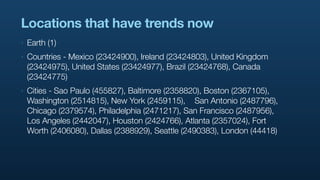
Locations that have trends now
‣   Earth (1)
‣   Countries - Mexico (23424900), Ireland (23424803), United Kingdom
    (23424975), United States (23424977), Brazil (23424768), Canada
    (23424775)
‣   Cities - Sao Paulo (455827), Baltimore (2358820), Boston (2367105),
    Washington (2514815), New York (2459115), 	 San Antonio (2487796),
    Chicago (2379574), Philadelphia (2471217), San Francisco (2487956),
    Los Angeles (2442047), Houston (2424766), Atlanta (2357024), Fort
    Worth (2406080), Dallas (2388929), Seattle (2490383), London (44418)
Fetching trends for London
[raffi@tw-mbp13-raffi twurl (master)]$ curl http://api.twitter.com/1/trends/44418/
current.xml
<?xml version="1.0" encoding="UTF-8"?>
<matching_trends type="array">
  <trends as_of="2010-05-11T10:43:26Z">
    <locations>
       <location>
         <woeid>44418</woeid>
         <name>London</name>
       </location>
    </locations>
    <trend query="Malcolm+Rifkind" url="http://search.twitter.com/search?q=Malcolm
+Rifkind">Malcolm Rifkind</trend>
    <trend query="%23ukelection" url="http://search.twitter.com/search?q=
%23ukelection">#ukelection</trend>
    <trend query="%231thingaboutme" url="http://search.twitter.com/search?q=
%231thingaboutme">#1thingaboutme</trend>
    <trend query="%23bottomlineis" url="http://search.twitter.com/search?q=
%23bottomlineis">#bottomlineis</trend>
    <trend query="Adam+Boulton" url="http://search.twitter.com/search?q=Adam
+Boulton">Adam Boulton</trend>
    <trend query="Lib-Lab" url="http://search.twitter.com/search?q=Lib-Lab">Lib-Lab</
trend>
    <trend query="Bilic" url="http://search.twitter.com/search?q=Bilic">Bilic</trend>
Streaming API
I need it now, now, now, now, now
Streaming API
‣   Maintain a persistent connection to         servers
‣   Get pushed a tweet that matches your predicate in “real-time”
‣   Most useful for server to server integrations
‣   Beginning to experiment with server to client integrations
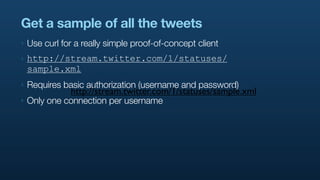
Get a sample of all the tweets
‣   Use curl for a really simple proof-of-concept client
‣   http://stream.twitter.com/1/statuses/
    sample.xml
‣   Requires basic authorization (username and password)
               http://stream.twitter.com/1/statuses/sample.xml
‣   Only one connection per username
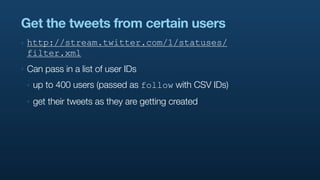
Get the tweets from certain users
‣   http://stream.twitter.com/1/statuses/
    filter.xml
‣   Can pass in a list of user IDs
    ‣   up to 400 users (passed as follow with CSV IDs)
    ‣   get their tweets as they are getting created
Get the tweets containing a certain word
‣   http://stream.twitter.com/1/statuses/
    filter.xml
‣   Can pass in a list of words
    ‣   up to 200 users (passed as track with CSV IDs)
    ‣   e.g. Twitter will match TWITTER, twitter, “Twitter”, twitter.,
        #twitter, and @twitter
    ‣   get tweets as they are getting created
The   team
Questions?   Follow me at
             twitter.com/raffi


                           TM

Intro to developing for @twitterapi

  • 1.
    Developing with @twitterapi #twitterapi #twcoding Developing for Twitter @ Leeds Metropolitan University TM May 12, 2010
  • 2.
    giving antalk aboutcoding against the giving a @ignite talk at @chirp entitled @twitterapi at Leeds "energy / tweet". about 2 minutes ago via mobile web from Leeds, UK San Francisco Fort Mason,
  • 3.
    24% Calls to What doesour traffic look like? 76%
  • 4.
  • 5.
  • 14.
  • 18.
  • 23.
    What is ? How to use the Twitter Platform
  • 24.
    What is ? ‣ REST API ‣ provides the “basic” functionality - tweet, follow, etc. ‣ all functions available on your timeline on twitter.com ‣ Search API ‣ real-time search index ‣ get “top tweets” / relevant search results ‣ Streaming API ‣ HTTP long-poll connection ‣ tweets come out of the system in real-time
  • 25.
    The goals of ‣ To be ridiculously simple ‣ To be obvious ‣ To be self-describing
  • 26.
    Tools of thetrade ‣ dev.twitter.com ‣ documentation center ‣ API console for quick testing and exploration ‣ curl and a web browser ‣ testing unauthenticated endpoints ‣ CLI to get a raw dump of the interaction ‣ twurl ‣ OAuth-enabled version of curl
  • 27.
    Authenticating to ‣ OAuth 1.0a ‣ signing “write” requests ‣ give visibility into the stack ‣ Applications don’t have a user’s username / password ‣ user can change password at any time ‣ user is secure in knowing his/her password not being stored outside of ‣ user can revoke permissions to app at any time
  • 28.
    Libraries ‣ PHP - http://github.com/abraham/twitteroauth ‣ Java - http://github.com/fernandezpablo85/scribe ‣ Ruby - http://oauth.rubyforge.org/ ‣ C / C++ - http://liboauth.sourceforge.net/ ‣ Actionscript / Flash - http://code.google.com/p/oauth-as3/
  • 29.
    twurl ‣ http://github.com/marcel/twurl ‣ Command line tool to interact with using OAuth ‣ Transparently handles OAuth signing against ‣ authorize against to get access tokens ‣ from there on out, all requests are signed
  • 30.
    Limits ‣ 350 API calls/hour using OAuth against api.twitter.com ‣ unauthenticated it goes against the source IP address ‣ authenticated it goes against the calling user ‣ “Natural” limits on ‣ number of tweets sent ‣ number of DMs sent ‣ number of followings / unfollowings ‣ Status limits ‣ can’t have duplicate tweets ‣ can’t have malware links in tweets
  • 31.
  • 32.
    Creating an app Yourown small playground
  • 36.
    Using the console Interactingwith @ for fun and profit
  • 42.
  • 46.
    Anatomy of the RESTAPI What if I want to write code?
  • 47.
    GETing from theAPI Reading, reading, reading
  • 48.
    GETing from theAPI ‣ For most cases, completely wide open ‣ Can do a HTTP connect and a simple GET request ‣ “Protected” information may require authentication (covered later) ‣ getting the tweet of a protected user ‣ getting the timeline of a user
  • 49.
  • 50.
    Getting a statusobject ‣ Figure out the ID of the status objects ‣ Construct the URL for statuses/show ‣ Grab it!
  • 52.
    Taking a lookat status 13762161921 ‣ Build the API URL ‣ http://api.twitter.com/1/statuses/show/ 13762161921.xml ‣ http://api.twitter.com/1/statuses/show/ 13762161921.json ‣ If it’s a public status, then just fetch it ‣ use a browser! ‣ use curl!
  • 53.
    Taking a lookat status 13762161921 [raffi@tw-mbp13-raffi Desktop]$ curl http://api.twitter.com/1/statuses/show/ 13762161921.xml <?xml version="1.0" encoding="UTF-8"?> <status> <created_at>Tue May 11 01:58:56 +0000 2010</created_at> <id>13762161921</id> <text>...and another late night</text> <source>&lt;a href=&quot;http://mehack.com&quot; rel=&quot;nofollow&quot;&gt;@raffi's Test App&lt;/a&gt;</source> <truncated>false</truncated> <in_reply_to_status_id></in_reply_to_status_id> <in_reply_to_user_id></in_reply_to_user_id> <favorited>false</favorited> <in_reply_to_screen_name></in_reply_to_screen_name> <user> <id>8285392</id> <name>raffi</name> <screen_name>raffi</screen_name> <location>San Francisco, California</location> <description>Tinkering, writing, engineering, and breaking things on the @twitterapi.</description> <profile_image_url>http://a1.twimg.com/profile_images/364041028/raffi-headshot- casual_normal.png</profile_image_url> <url>http://www.mehack.com/</url>
  • 54.
    Dissecting a statusobject The tweet's unique ID. These Text of the tweet. IDs are roughly sorted & Consecutive duplicate tweets developers should treat them are rejected. 140 character as opaque (http://bit.ly/dCkppc). max (http://bit.ly/4ud3he). DEPRECATED {"id"=>12296272736, "text"=> "An early look at Annotations: http://groups.google.com/group/twitter-api-announce/browse_thread/thread/fa5da2608865453", Tweet's "created_at"=>"Fri Apr 16 17:55:46 +0000 2010", creation "in_reply_to_user_id"=>nil, The ID of an existing tweet that date. "in_reply_to_screen_name"=>nil, this tweet is in reply to. Won't "in_reply_to_status_id"=>nil be set unless the author of the The author's The screen name & "favorited"=>false, user ID. user ID of replied to referenced tweet is mentioned. "truncated"=>false, Truncated to 140 characters. Only tweet author. "user"=> possible from SMS. The author's {"id"=>6253282, user name. The author's "screen_name"=>"twitterapi", The author's biography. "name"=>"Twitter API", screen name. d object can get out of sync. "description"=> "The Real Twitter API. I tweet about API changes, service issues and uthor of the tweet. This happily answer questions about Twitter and our API. Don't get an answer? It's on my website.", "url"=>"http://apiwiki.twitter.com", The author's "location"=>"San Francisco, CA", URL. The author's "location". This is a free-form text field, and "profile_background_color"=>"c1dfee", there are no guarantees on whether it can be geocoded. "profile_background_image_url"=> "http://a3.twimg.com/profile_background_images/59931895/twitterapi-background-new.png", Rendering information "profile_background_tile"=>false, for the author. Colors "profile_image_url"=>"http://a3.twimg.com/profile_images/689684365/api_normal.png",
  • 55.
    The tweet's uniqueID. These Text of the tweet. IDs are roughly sorted & Consecutive duplicate tweets developers should treat them are rejected. 140 character as opaque (http://bit.ly/dCkppc). max (http://bit.ly/4ud3he). DEPRECATED {"id"=>12296272736, "text"=> "An early look at Annotations: http://groups.google.com/group/twitter-api-announce/browse_thread/thread/fa5da2608865453", Tweet's "created_at"=>"Fri Apr 16 17:55:46 +0000 2010", creation "in_reply_to_user_id"=>nil, The ID of an existing tweet that date. "in_reply_to_screen_name"=>nil, this tweet is in reply to. Won't "in_reply_to_status_id"=>nil be set unless the author of the The author's The screen name & "favorited"=>false, user ID. user ID of replied to referenced tweet is mentioned. "truncated"=>false, Truncated to 140 characters. Only tweet author. "user"=> possible from SMS. The author's {"id"=>6253282, user name. The author's "screen_name"=>"twitterapi", The author's biography. "name"=>"Twitter API", screen name. get out of sync. "description"=> "The Real Twitter API. I tweet about API changes, service issues and tweet. This happily answer questions about Twitter and our API. Don't get an answer? It's on my website.", "url"=>"http://apiwiki.twitter.com", The author's "location"=>"San Francisco, CA", URL. The author's "location". This is a free-form text field, and
  • 56.
    "favorited"=>false, referenced tweet is mentioned. user ID user ID of replied to The auth "truncated"=>false, Truncated to 140 characters. Only tweet author. "user"=> possible from SMS. The author's {"id"=>6253282, user name. The author's "screen_name"=>"twitterapi", The author's biography. "name"=>"Twitter API", screen name. embedded object can get out of sync. "description"=> "The Real Twitter API. I tweet about API changes, service issues and The author of the tweet. This happily answer questions about Twitter and our API. Don't get an answer? It's on my website.", "url"=>"http://apiwiki.twitter.com", The author's "location"=>"San Francisco, CA", URL. The author's "location". This is a free-form text field, and "profile_background_color"=>"c1dfee", there are no guarantees on whether it can be geocoded. "profile_background_image_url"=> "http://a3.twimg.com/profile_background_images/59931895/twitterapi-background-new.png", Rendering information "profile_background_tile"=>false, for the author. Colors "profile_image_url"=>"http://a3.twimg.com/profile_images/689684365/api_normal.png", are encoded in hex "profile_link_color"=>"0000ff", values (RGB). "profile_sidebar_border_color"=>"87bc44", The creation date "profile_sidebar_fill_color"=>"e0ff92", for this account. "profile_text_color"=>"000000", Whether this account has "created_at"=>"Wed May 23 06:01:13 +0000 2007", contributors enabled "contributors_enabled"=>true, (http://bit.ly/50npuu). Number of Number of tweets "favourites_count"=>1, favorites this this user has. "statuses_count"=>1628, Number of user has. "friends_count"=>13, users this user "time_zone"=>"Pacific Time (US & Canada)", The timezone and offset is following. "utc_offset"=>-28800, (in seconds) for this user. "lang"=>"en", The user's selected "protected"=>false, language. "followers_count"=>100581, "geo_enabled"=>true, Whether this user is protected http://bit.ly/4pFY77). "notifications"=>false, DEPRECATED r this user has geo or not. If the user is protected, "following"=>true, in this context Number of then this tweet is not visible "verified"=>true}, Whether this user followers for except to "friends". "contributors"=>[3191321], has a verified badge. this user. "geo"=>nil, "coordinates"=>nil, DEPRECATED "place"=> The contributors' (if any) user
  • 57.
    The fields youreally need ‣ id - the unique identifier for the status ‣ text - the content of the status update ‣ created_at - the date the status was created at ‣ user/id - the unique identifier for the status creator ‣ user/screen_name - the name of the status creator ‣ user/profile_image_url - the URL to the creator’s avatar
  • 58.
  • 59.
    Getting an userobject ‣ You can do this with a screen name or an ID ‣ Construct the URL for users/show ‣ Grab it! ‣ (and, status objects do have embedded users)
  • 60.
    Taking a lookat @raffi ‣ Build the API URL ‣ http://api.twitter.com/1/users/show/raffi.xml ‣ http://api.twitter.com/1/users/show/raffi.json ‣ http://api.twitter.com/1/users/show.xml? user_id=8285392 ‣ http://api.twitter.com/1/users/show.json? user_id=8285392 ‣ Just fetch it!
  • 61.
    Taking a lookat user @raffi [raffi@tw-mbp13-raffi Desktop]$ curl http://api.twitter.com/1/users/show/raffi.xml <?xml version="1.0" encoding="UTF-8"?> <user> <id>8285392</id> <name>raffi</name> <screen_name>raffi</screen_name> <location>San Francisco, California</location> <description>Tinkering, writing, engineering, and breaking things on the @twitterapi.</description> <profile_image_url>http://a1.twimg.com/profile_images/364041028/raffi-headshot- casual_normal.png</profile_image_url> <url>http://www.mehack.com/</url> <protected>false</protected> <followers_count>2862</followers_count> <profile_background_color>C0DEED</profile_background_color> <profile_text_color>333333</profile_text_color> <profile_link_color>0084B4</profile_link_color> <profile_sidebar_fill_color>DDEEF6</profile_sidebar_fill_color> <profile_sidebar_border_color>C0DEED</profile_sidebar_border_color> <friends_count>424</friends_count> <created_at>Sun Aug 19 14:24:06 +0000 2007</created_at> <favourites_count>45</favourites_count> <utc_offset>-28800</utc_offset> <time_zone>Pacific Time (US &amp; Canada)</time_zone>
  • 62.
    The fields youreally need ‣ id - the unique identifier for the user ‣ screen_name - the screen name of the user ‣ name - the name the user entered on his/her settings page ‣ profile_image_url - the URL to the creator’s avatar ‣ description - the description the user entered on his/her settings page ‣ url - the URL the user entered on his/her settings page
  • 63.
  • 64.
    Timelines ‣ “Arrays” or “lists” of Tweets ‣ in XML, wrapped with <statuses>...</statuses> ‣ in JSON, regular array [...] ‣ Sorted (mostly) chronologically (hence “timeline”) ‣ When statuses are created in the system, they are fanned-out to timelines
  • 65.
    Few different timelinesfor the user ‣ user_timeline - all the tweets you created ‣ friends_timeline - all the tweets that people you follow have created (sans native RTs) ‣ home_timeline - next generation friends_timeline in that it contains native RTs ‣ mentions - all tweets that @mention you ‣ Some don’t require authentication and some do
  • 66.
    Taking a lookat @raffi’s user_timeline [raffi@tw-mbp13-raffi twurl (master)]$ curl http://api.twitter.com/1/statuses/ user_timeline/raffi.xml <?xml version="1.0" encoding="UTF-8"?> <statuses type="array"> <status> <created_at>Tue May 11 02:24:33 +0000 2010</created_at> <id>13763485927</id> <text>@precipice woot!</text> <source>web</source> <truncated>false</truncated> <in_reply_to_status_id>13763157270</in_reply_to_status_id> <in_reply_to_user_id>236</in_reply_to_user_id> <favorited>false</favorited> <in_reply_to_screen_name>precipice</in_reply_to_screen_name> <user> <id>8285392</id> <name>raffi</name> <screen_name>raffi</screen_name> <location>San Francisco, California</location> <description>Tinkering, writing, engineering, and breaking things on the @twitterapi.</description> <profile_image_url>http://a1.twimg.com/profile_images/364041028/raffi-headshot- casual_normal.png</profile_image_url> <url>http://www.mehack.com/</url>
  • 67.
    Using skip_user tosave bandwidth ‣ Only user/id - have to lookup user data through other means [raffi@tw-mbp13-raffi twurl (master)]$ curl http://api.twitter.com/1/statuses/ user_timeline/raffi.xml?skip_user=true <?xml version="1.0" encoding="UTF-8"?> <statuses type="array"> <status> <created_at>Tue May 11 02:24:33 +0000 2010</created_at> <id>13763485927</id> <text>@precipice woot!</text> <source>web</source> <truncated>false</truncated> <in_reply_to_status_id>13763157270</in_reply_to_status_id> <in_reply_to_user_id>236</in_reply_to_user_id> <favorited>false</favorited> <in_reply_to_screen_name>precipice</in_reply_to_screen_name> <user> <id>8285392</id> </user> <geo/> <coordinates/> <place xmlns:georss="http://www.georss.org/georss"> <id>ece7b97d252718cc</id>
  • 68.
    POSTing to theAPI Causing change
  • 69.
    Tweeting Letting the worldknow your thoughts
  • 70.
    status/update ‣ Just POST with a status parameter - that’s it! [raffi@tw-mbp13-raffi twurl (master)]$ ./bin/twurl -d "status=hey ho" /statuses/ update.xml <?xml version="1.0" encoding="UTF-8"?> <status> <created_at>Tue May 11 03:39:42 +0000 2010</created_at> <id>13767250371</id> <text>hey ho</text> <source>&lt;a href=&quot;http://www.mehack.com&quot; rel=&quot;nofollow&quot;&gt;Background image uploading example&lt;/a&gt;</source> <truncated>false</truncated> <in_reply_to_status_id></in_reply_to_status_id> <in_reply_to_user_id></in_reply_to_user_id> <favorited>false</favorited> <in_reply_to_screen_name></in_reply_to_screen_name> <user> <id>8307492</id> <name>raffibot</name> <screen_name>raffibot</screen_name> <location>Doing the robot!</location> <description></description> <profile_image_url>http://a3.twimg.com/profile_images/637865751/
  • 71.
    Following people Subscribing topeople to get content
  • 72.
    friendships/create ‣ Just POST with a id parameter - that’s it! [raffi@tw-mbp13-raffi twurl (master)]$ ./bin/twurl -d "id=3191321" /friendships/ create.xml <?xml version="1.0" encoding="UTF-8"?> <user> <id>3191321</id> <name>Marcel Molina</name> <screen_name>noradio</screen_name> <location>San Francisco, CA</location> <description>Engineer at Twitter on the @twitterapi team obsessed with running. In a past life I was a member of the Rails Core team &amp; 37signals.</description> <profile_image_url>http://a3.twimg.com/profile_images/53473799/marcel-euro-rails- conf_normal.jpg</profile_image_url> <url>http://project.ioni.st</url> <protected>false</protected> <followers_count>288034</followers_count> <profile_background_color>9AE4E8</profile_background_color> <profile_text_color>333333</profile_text_color> <profile_link_color>0084B4</profile_link_color> <profile_sidebar_fill_color>DDFFCC</profile_sidebar_fill_color> <profile_sidebar_border_color>BDDCAD</profile_sidebar_border_color> <friends_count>494</friends_count>
  • 73.
    DMing people Tweeting toone, instead of tweeting to many
  • 74.
    direct_messages/new ‣ Just POST with a text and user parameter - that’s it! [raffi@tw-mbp13-raffi twurl (master)]$ ./bin/twurl -d "text=yo&user=raffi" / direct_messages/new.xml <?xml version="1.0" encoding="UTF-8"?> <direct_message> <id>1118562319</id> <sender_id>8307492</sender_id> <text>yo</text> <recipient_id>8285392</recipient_id> <created_at>Tue May 11 03:53:25 +0000 2010</created_at> <sender_screen_name>raffibot</sender_screen_name> <recipient_screen_name>raffi</recipient_screen_name> <sender> <id>8307492</id> <name>raffibot</name> <screen_name>raffibot</screen_name> <location>Doing the robot!</location> <description></description> <profile_image_url>http://a3.twimg.com/profile_images/637865751/ raffibot_normal.jpg</profile_image_url> <url></url> <protected>false</protected>
  • 75.
    Search API Sifting throughlarge amounts of Tweets
  • 76.
    Search API ‣ History ‣ Summize was purchased in 2008 ‣ built their own real-time search engine ‣ Still a separate system from main Twitter stack ‣ separate database and indices (only goes back 10-14 days) ‣ different representations of data ‣ different overall status object ‣ different user IDs ‣ different output formats (Atom, instead of XML, and JSON) ‣ Search is a corpus of best quality Tweets
  • 77.
    Running a simplequery ‣ Just GET with a q parameter - that’s it! [raffi@tw-mbp13-raffi twurl (master)]$ curl http://search.twitter.com/search.atom? q=leeds <?xml version="1.0" encoding="UTF-8"?> <feed xmlns:google="http://base.google.com/ns/1.0" xml:lang="en-US" xmlns:openSearch="http://a9.com/-/spec/opensearch/1.1/" xmlns="http://www.w3.org/2005/ Atom" xmlns:twitter="http://api.twitter.com/"> ... <entry> <id>tag:search.twitter.com,2005:13779639419</id> <published>2010-05-11T09:42:53Z</published> <link type="text/html" href="http://twitter.com/Naomi631/statuses/13779639419" rel="alternate"/> <title>Uniqua brand provides full package to design a website: Web Design Leeds helps in designing a website to stay in t... http://bit.ly/a6Ux3f</title> <content type="html">Uniqua brand provides full package to design a website: Web Design &lt;b&gt;Leeds&lt;/b&gt; helps in designing a website to stay in t... &lt;a href=&quot;http://bit.ly/a6Ux3f&quot;&gt;http://bit.ly/a6Ux3f&lt;/a&gt;</content> <updated>2010-05-11T09:42:53Z</updated> <link type="image/png" href="http://s.twimg.com/a/1273278095/images/ default_profile_6_normal.png" rel="image"/> <twitter:geo>
  • 78.
    Advanced operators ‣ from - restrict results to tweets from a particular screen name ‣ result_type=popular - find both “best” tweets and temporally relevant tweets ‣ Textual operators ‣ OR to combine queries - http://search.twitter.com/ search.atom?q=leeds+OR+london ‣ - to negate - http://search.twitter.com/ search.atom?q=leeds+-from%3Aimran
  • 79.
    What @raffi usuallydoes ‣ Use the web interface on search.twitter.com to construct the query ‣ Tweak it and shorten it ‣ Switch the result format to be in API compatible format ‣ Use that!
  • 82.
    Trim down theURL ‣ http://search.twitter.com/search?q=&ands=leeds +twitter&phrase=&ors=&nots=&tag=&lang=all&from=imran&t o=&ref=&near=&within=15&units=mi&since=&until=&rpp=15 ‣ Strip down to only where our custom data is ‣ ands - where the query is ‣ from - restrict it to @imran ‣ make the format atom to get an API friendly response ‣ http://search.twitter.com/search.atom?ands=leeds +twitter&from=imran
  • 83.
    Running the customquery [raffi@tw-mbp13-raffi twurl (master)]$ curl "http://search.twitter.com/search.atom? ands=leeds+twitter&from=imran" <?xml version="1.0" encoding="UTF-8"?> <feed xmlns:google="http://base.google.com/ns/1.0" xml:lang="en-US" xmlns:openSearch="http://a9.com/-/spec/opensearch/1.1/" xmlns="http://www.w3.org/2005/ Atom" xmlns:twitter="http://api.twitter.com/"> ... <entry> <id>tag:search.twitter.com,2005:13635764900</id> <published>2010-05-09T00:00:05Z</published> <link type="text/html" href="http://twitter.com/Imran/statuses/13635764900" rel="alternate"/> <title>nosing through @raffi's slides on twitter annotation from @warblecamp&#8230;lookin fwd to his leeds trip on weds! {http://imrn.me/c536Ej} #LSx2010</title> <content type="html">nosing through &lt;a href=&quot;http://twitter.com/ raffi&quot;&gt;@raffi&lt;/a&gt;&amp;apos;s slides on &lt;b&gt;twitter&lt;/b&gt; annotation from @warblecamp&#8230;lookin fwd to his &lt;b&gt;leeds&lt;/b&gt; trip on weds! {&lt;a href=&quot;http://imrn.me/c536Ej&quot;&gt;http://imrn.me/c536Ej&lt;/a&gt;} &lt;a href=&quot;http://search.twitter.com/search?q=%23LSx2010&quot; onclick=&quot;pageTracker._setCustomVar(2, 'result_type', 'recent', 3);pageTracker._trackPageview('/intra/hashtag/#LSx2010');&quot;&gt;#LSx2010&lt;/a&gt;</ content> <updated>2010-05-09T00:00:05Z</updated>
  • 84.
  • 85.
    Trends API ‣ Trending topics are used for content discovery - powers the front page and logged out experience of twitter.com ‣ API provides both global trends and local trends ‣ Timescale ‣ global trends are provided for “now”, and summaries of the past day and week ‣ local trends are only provided for “now”
  • 88.
    WOEIDs ‣ “Where on Earth Identifiers” ‣ http://developer.yahoo.com/geo/ ‣ Provides “stable” and “language neutral” identifiers for places in the world ‣ Twitter has the World (WOEID of 1), and a series of countries and cities in its trends database
  • 89.
    Fetching global trends [raffi@tw-mbp13-raffitwurl (master)]$ curl http://api.twitter.com/1/trends/1/ current.xml <?xml version="1.0" encoding="UTF-8"?> <matching_trends type="array"> <trends as_of="2010-05-11T10:35:25Z"> <locations> <location> <woeid>1</woeid> <name>Earth</name> </location> </locations> <trend query="Bonamana" url="http://search.twitter.com/search? q=Bonamana">Bonamana</trend> <trend query="%23ausbudget" url="http://search.twitter.com/search?q= %23ausbudget">#ausbudget</trend> <trend query="%231thingaboutme" url="http://search.twitter.com/search?q= %231thingaboutme">#1thingaboutme</trend> <trend query="%23damnitstrue" url="http://search.twitter.com/search?q= %23damnitstrue">#damnitstrue</trend> <trend query="Binay" url="http://search.twitter.com/search?q=Binay">Binay</trend> <trend query="Boulton" url="http://search.twitter.com/search?q=Boulton">Boulton</ trend> <trend query="Kagan" url="http://search.twitter.com/search?q=Kagan">Kagan</trend> <trend query="Zola" url="http://search.twitter.com/search?q=Zola">Zola</trend>
  • 90.
    Finding locations thathave trends [raffi@tw-mbp13-raffi twurl (master)]$ curl http://api.twitter.com/1/trends/ available.xml <?xml version="1.0" encoding="UTF-8"?> <locations type="array"> <location> <woeid>23424900</woeid> <name>Mexico</name> <placeTypeName code="12">Country</placeTypeName> <country type="Country" code="MX">Mexico</country> <url>http://where.yahooapis.com/v1/place/23424900</url> </location> <location> <woeid>23424803</woeid> <name>Ireland</name> <placeTypeName code="12">Country</placeTypeName> <country type="Country" code="IE">Ireland</country> <url>http://where.yahooapis.com/v1/place/23424803</url> </location> <location> <woeid>23424975</woeid> <name>United Kingdom</name> <placeTypeName code="12">Country</placeTypeName> <country type="Country" code="GB">United Kingdom</country> <url>http://where.yahooapis.com/v1/place/23424975</url>
  • 91.
    Locations that havetrends now ‣ Earth (1) ‣ Countries - Mexico (23424900), Ireland (23424803), United Kingdom (23424975), United States (23424977), Brazil (23424768), Canada (23424775) ‣ Cities - Sao Paulo (455827), Baltimore (2358820), Boston (2367105), Washington (2514815), New York (2459115), San Antonio (2487796), Chicago (2379574), Philadelphia (2471217), San Francisco (2487956), Los Angeles (2442047), Houston (2424766), Atlanta (2357024), Fort Worth (2406080), Dallas (2388929), Seattle (2490383), London (44418)
  • 92.
    Fetching trends forLondon [raffi@tw-mbp13-raffi twurl (master)]$ curl http://api.twitter.com/1/trends/44418/ current.xml <?xml version="1.0" encoding="UTF-8"?> <matching_trends type="array"> <trends as_of="2010-05-11T10:43:26Z"> <locations> <location> <woeid>44418</woeid> <name>London</name> </location> </locations> <trend query="Malcolm+Rifkind" url="http://search.twitter.com/search?q=Malcolm +Rifkind">Malcolm Rifkind</trend> <trend query="%23ukelection" url="http://search.twitter.com/search?q= %23ukelection">#ukelection</trend> <trend query="%231thingaboutme" url="http://search.twitter.com/search?q= %231thingaboutme">#1thingaboutme</trend> <trend query="%23bottomlineis" url="http://search.twitter.com/search?q= %23bottomlineis">#bottomlineis</trend> <trend query="Adam+Boulton" url="http://search.twitter.com/search?q=Adam +Boulton">Adam Boulton</trend> <trend query="Lib-Lab" url="http://search.twitter.com/search?q=Lib-Lab">Lib-Lab</ trend> <trend query="Bilic" url="http://search.twitter.com/search?q=Bilic">Bilic</trend>
  • 93.
    Streaming API I needit now, now, now, now, now
  • 94.
    Streaming API ‣ Maintain a persistent connection to servers ‣ Get pushed a tweet that matches your predicate in “real-time” ‣ Most useful for server to server integrations ‣ Beginning to experiment with server to client integrations
  • 95.
    Get a sampleof all the tweets ‣ Use curl for a really simple proof-of-concept client ‣ http://stream.twitter.com/1/statuses/ sample.xml ‣ Requires basic authorization (username and password) http://stream.twitter.com/1/statuses/sample.xml ‣ Only one connection per username
  • 96.
    Get the tweetsfrom certain users ‣ http://stream.twitter.com/1/statuses/ filter.xml ‣ Can pass in a list of user IDs ‣ up to 400 users (passed as follow with CSV IDs) ‣ get their tweets as they are getting created
  • 97.
    Get the tweetscontaining a certain word ‣ http://stream.twitter.com/1/statuses/ filter.xml ‣ Can pass in a list of words ‣ up to 200 users (passed as track with CSV IDs) ‣ e.g. Twitter will match TWITTER, twitter, “Twitter”, twitter., #twitter, and @twitter ‣ get tweets as they are getting created
  • 98.
    The team
  • 99.
    Questions? Follow me at twitter.com/raffi TM