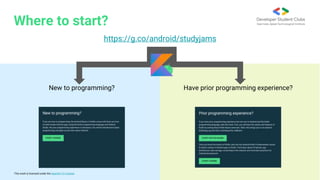
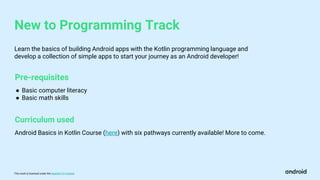
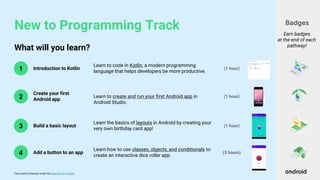
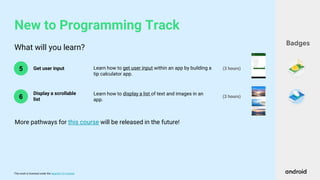
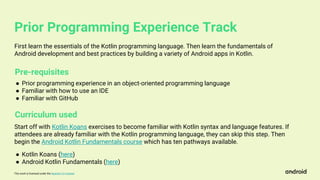
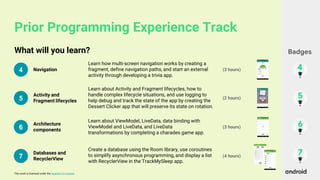
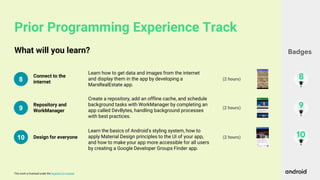
Android Study Jams are community-organized study groups where people can learn to build Android apps using an online training course. There are tracks for people who are new to programming, which teach the basics of Kotlin and building simple Android apps, and for people with prior programming experience, which cover more advanced topics like databases, networking, and architecture after introducing Kotlin fundamentals. Progress is tracked by badges earned at the end of each lesson, and standout apps may be showcased by Google. Resources and support are provided to help students through the self-paced online curriculum.









![Android study jams 2021 [collab] [master]](https://cdn.slidesharecdn.com/ss_thumbnails/androidstudyjams2021collabmaster-211204141001-thumbnail.jpg?width=640&height=640&fit=bounds)


![Android Study Jams - New to Programming [27th december]](https://cdn.slidesharecdn.com/ss_thumbnails/newtoprogramming-androidstudyjams27thdecember-201227155830-thumbnail.jpg?width=640&height=640&fit=bounds)
![[EXTERNAL] Android Basics Sessions 1 _ 2 - Android Study Jams.pptx](https://cdn.slidesharecdn.com/ss_thumbnails/externalandroidbasicssessions12-androidstudyjams-221110040929-be3a385a-thumbnail.jpg?width=640&height=640&fit=bounds)


