
InteroperationCHAPTER 13
InteroperationInteroperation is a generic name used to refer to the process of interacting with unmanaged code from within managed code.The large amount of legacy code that was expensive to develop and has already been tested.Not every Microsoft Windows API has been wrapped for the .NET Framework 2.0, so some tasks are possible only if you use Interoperation.
UsingcomobjectsLESSON 1
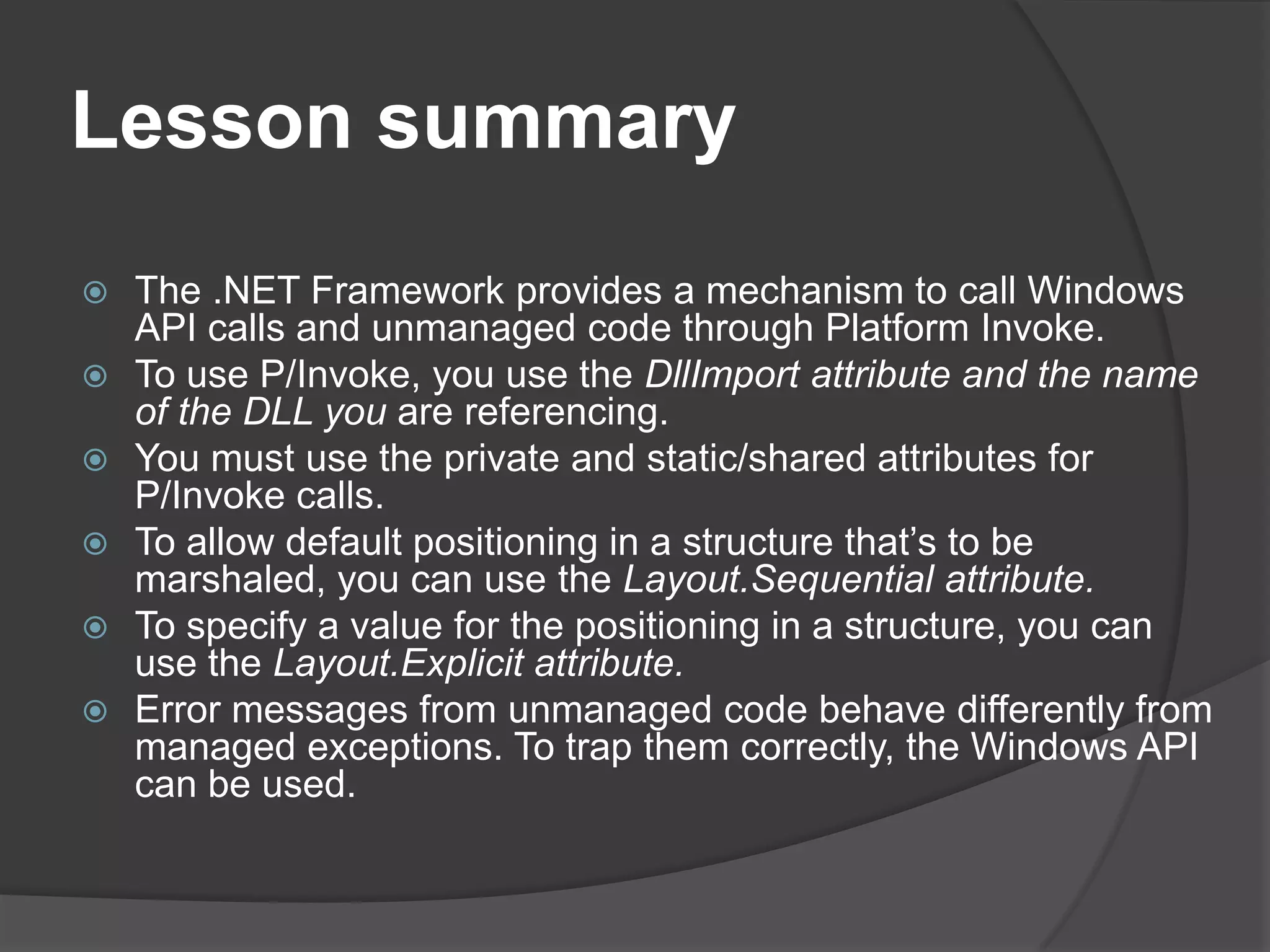
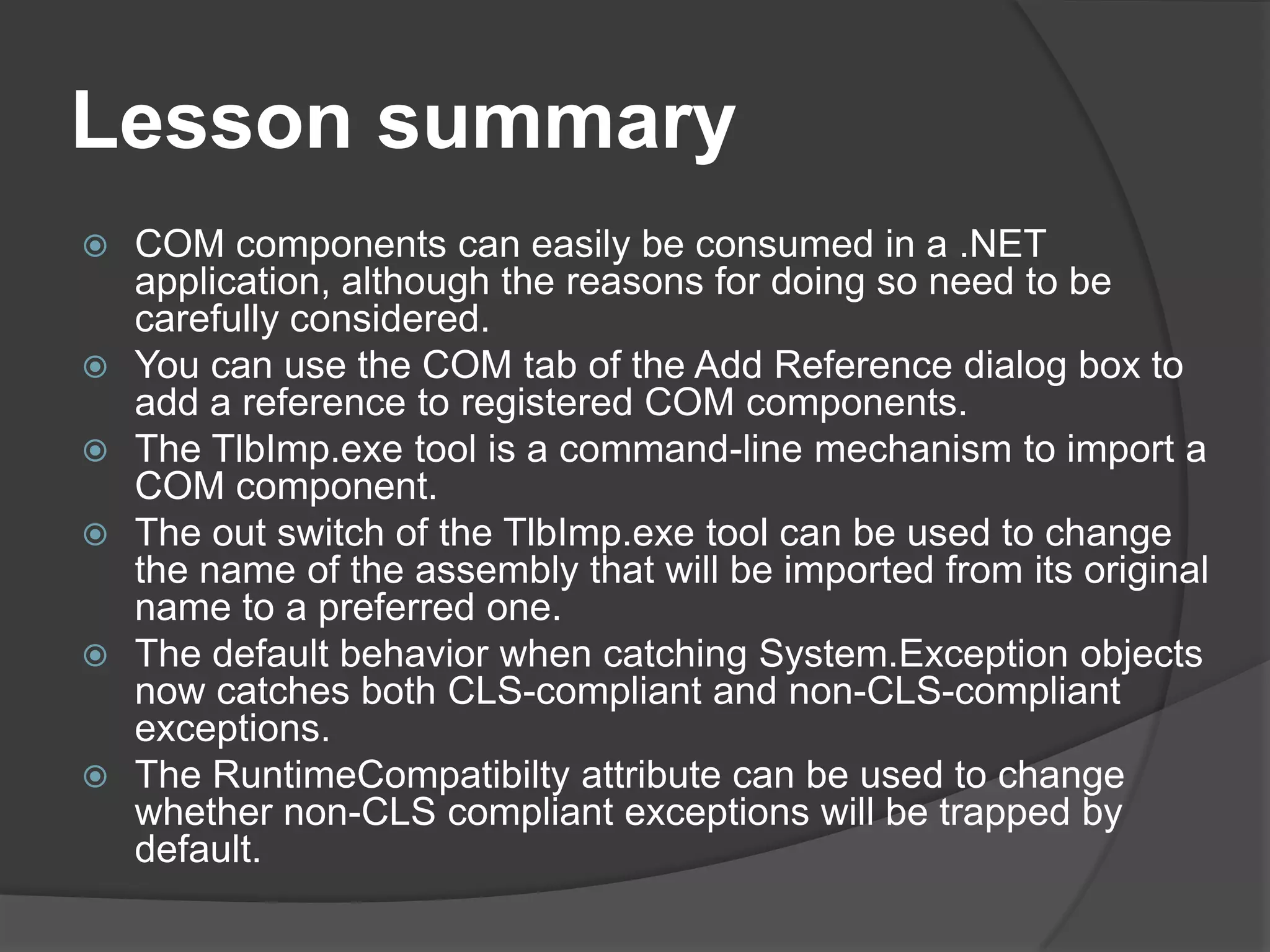
LessonsummaryCOM components can easily be consumed in a .NET application, although the reasons for doing so need to be carefully considered.You can use the COM tab of the Add Reference dialog box to add a reference to registered COM components.The TlbImp.exe tool is a command-line mechanism to import a COM component.The out switch of the TlbImp.exe tool can be used to change the name of the assembly that will be imported from its original name to a preferred one.The default behavior when catching System.Exception objects now catches both CLS-compliant and non-CLS-compliantexceptions.The RuntimeCompatibilty attribute can be used to change whether non-CLS compliant exceptions will be trapped by default.
ImportingTypeLibrariesRuntime Callable Wrapper (RCW):  mechanism that serves as a proxy so that the .NET runtime can communicate with a COM component.RCW handles the majority of the work between .NET and COM, including marshaling data types, handling events, and handling interfaces.
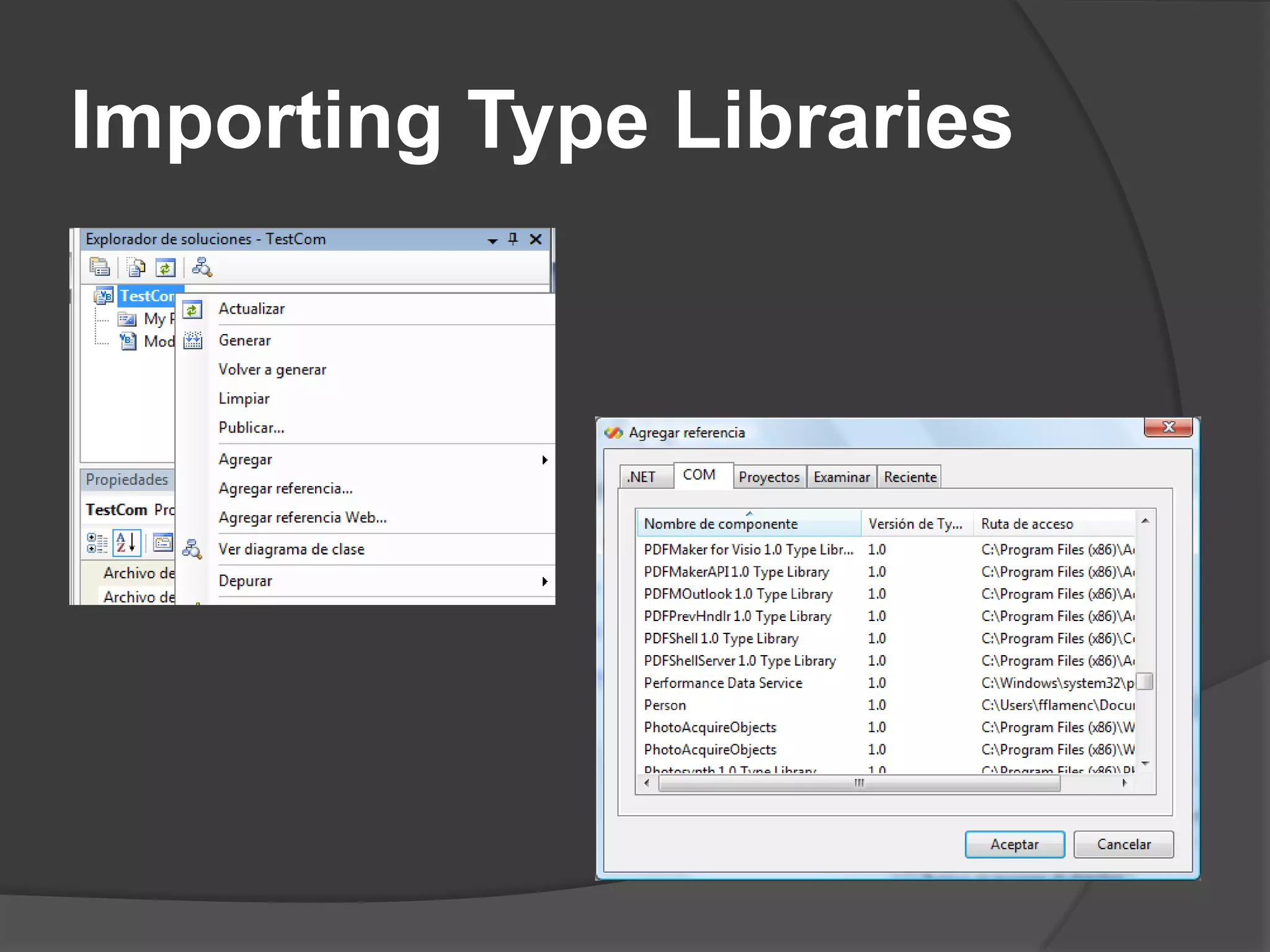
ImportingTypeLibrariesOnce a DLL has been registered, You have two ways to import registered COM DLLs:Visual Studio 2005TlbImp.exeYou can also use some of the services available in the System.Runtime. InteropServices namespace, but doing so is cumbersome and error prone
ImportingTypeLibraries
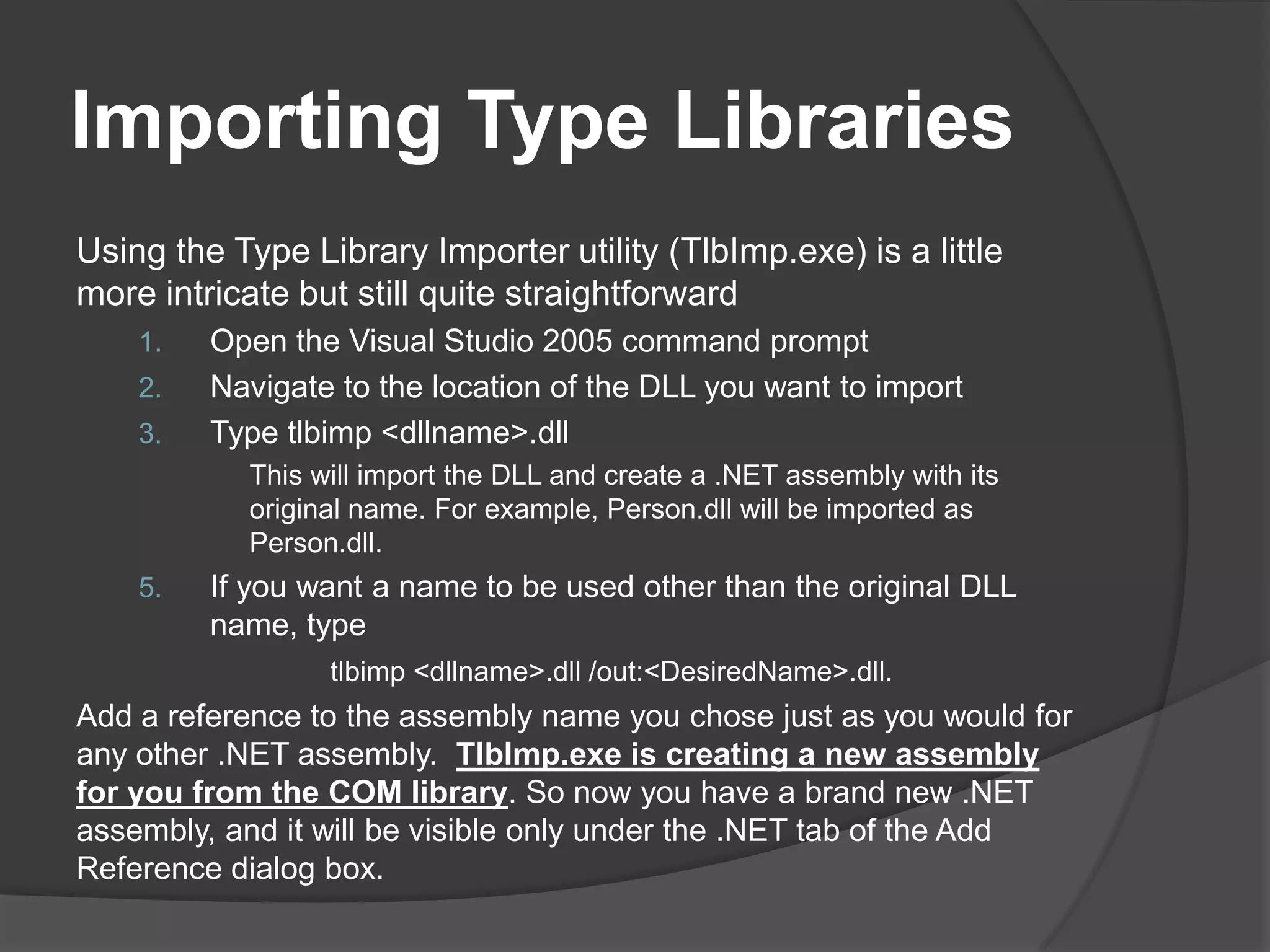
ImportingTypeLibrariesUsingtheType Library Importer utility (TlbImp.exe) is a little more intricate but still quite straightforwardOpen the Visual Studio 2005 command promptNavigate to the location of the DLL you want to importTypetlbimp <dllname>.dllThiswillimportthe DLL and create a .NET assemblywithits original name. Forexample, Person.dll willbeimported as Person.dll.If you want a name to be used other than the original DLL name, type tlbimp <dllname>.dll /out:<DesiredName>.dll.Add a reference to the assembly name you chose just as you would for any other .NET assembly.  TlbImp.exe is creating a new assembly for you from the COM library. So now you have a brand new .NET assembly, and it will be visible only under the .NET tab of the Add Reference dialog box.
ImportingTypeLibrariesC# doesn’tsupportoptionalparameterswhereas Visual Basic 2005 does. COM components don’t support parameter overloading, so for each value in a parameter list, you’ve got to pass in something, even if it does nothing. Moreover, COM parameters are always passed by reference, which means that you can’t pass in a null value.In Visual Basic 2005, this isn’t really an issue because many of these parameters are optional and you can just leave them out (or include them) as you see fit. C# doesn’t support this, though, so you have to create object variables (remember, they can’t be null) and then pass them in. This approach is problematic for the following reasons:It leads to unnecessary and confusing code.In many instances, it leads to code that’s virtually unreadable. (Imagine a 15 item parameter list, for instance.)
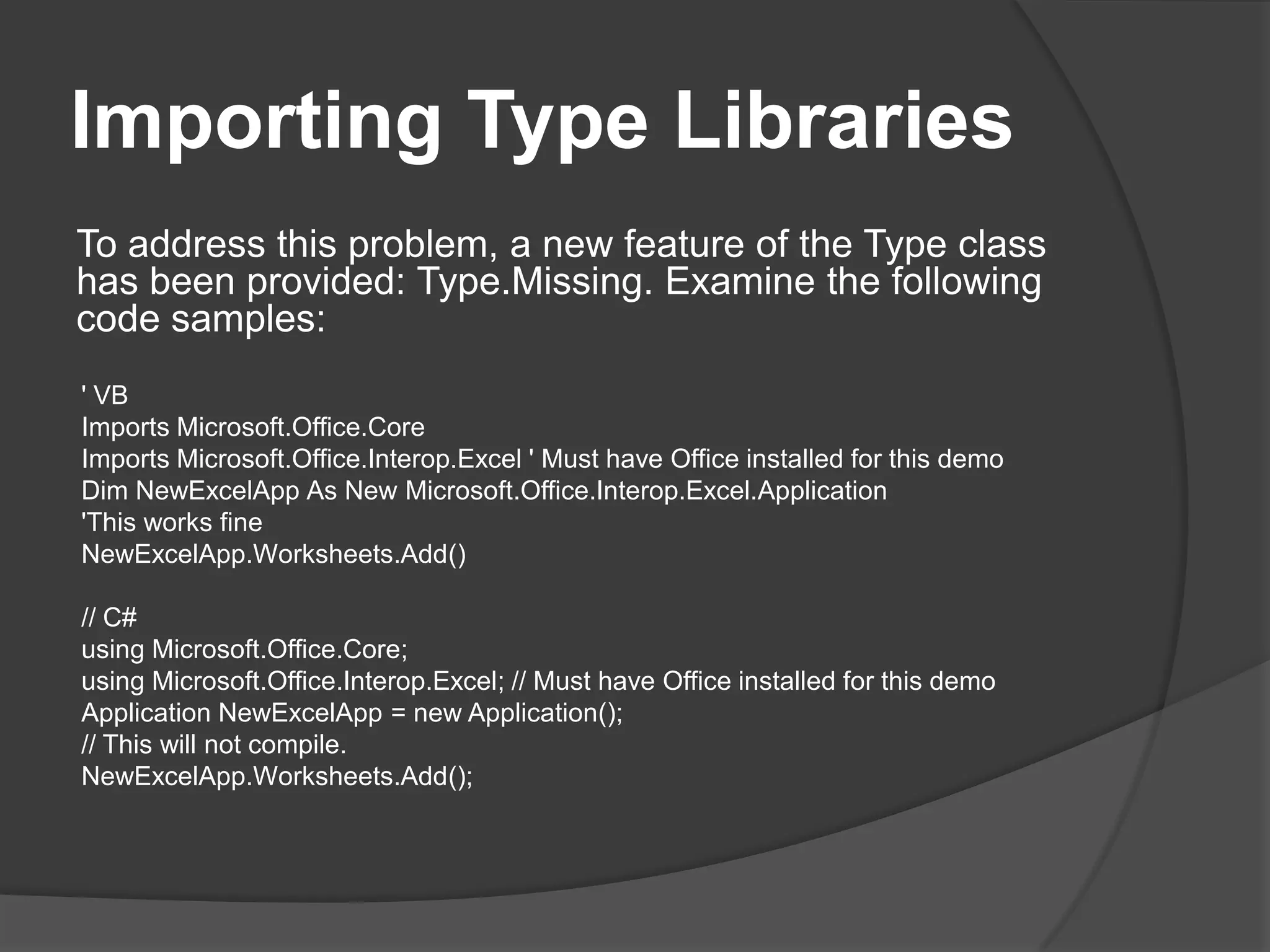
ImportingTypeLibrariesTo address this problem, a new feature of the Type class has been provided: Type.Missing. Examine the following code samples:' VBImportsMicrosoft.Office.CoreImports Microsoft.Office.Interop.Excel ' Must have Office installed for this demoDimNewExcelApp As New Microsoft.Office.Interop.Excel.Application'Thisworks fineNewExcelApp.Worksheets.Add()// C#usingMicrosoft.Office.Core;using Microsoft.Office.Interop.Excel; // Must have Office installed for this demoApplicationNewExcelApp = new Application();// Thiswillnot compile.NewExcelApp.Worksheets.Add();
ImportingTypeLibrariesInstead of creating “dummy” object variables, the Type.Missing field can be used. That field can be passed in with the C# code and the application will work as expected. ' VBModule Module1Private OptionalParamHandler As Object = Type.MissingSub Main()DimNewExcelApp As New Microsoft.Office.Interop.Excel.ApplicationNewExcelApp.Worksheets.Add(OptionalParamHandler, _OptionalParamHandler, OptionalParamHandler, _OptionalParamHandler)End SubEnd Module// C#classProgram{private static Object OptionalParamHandler = Type.Missing;staticvoidMain(string[] args){ApplicationNewExcelApp = new Application();NewExcelApp.Worksheets.Add(OptionalParamHandler,OptionalParamHandler, OptionalParamHandler,OptionalParamHandler);}}
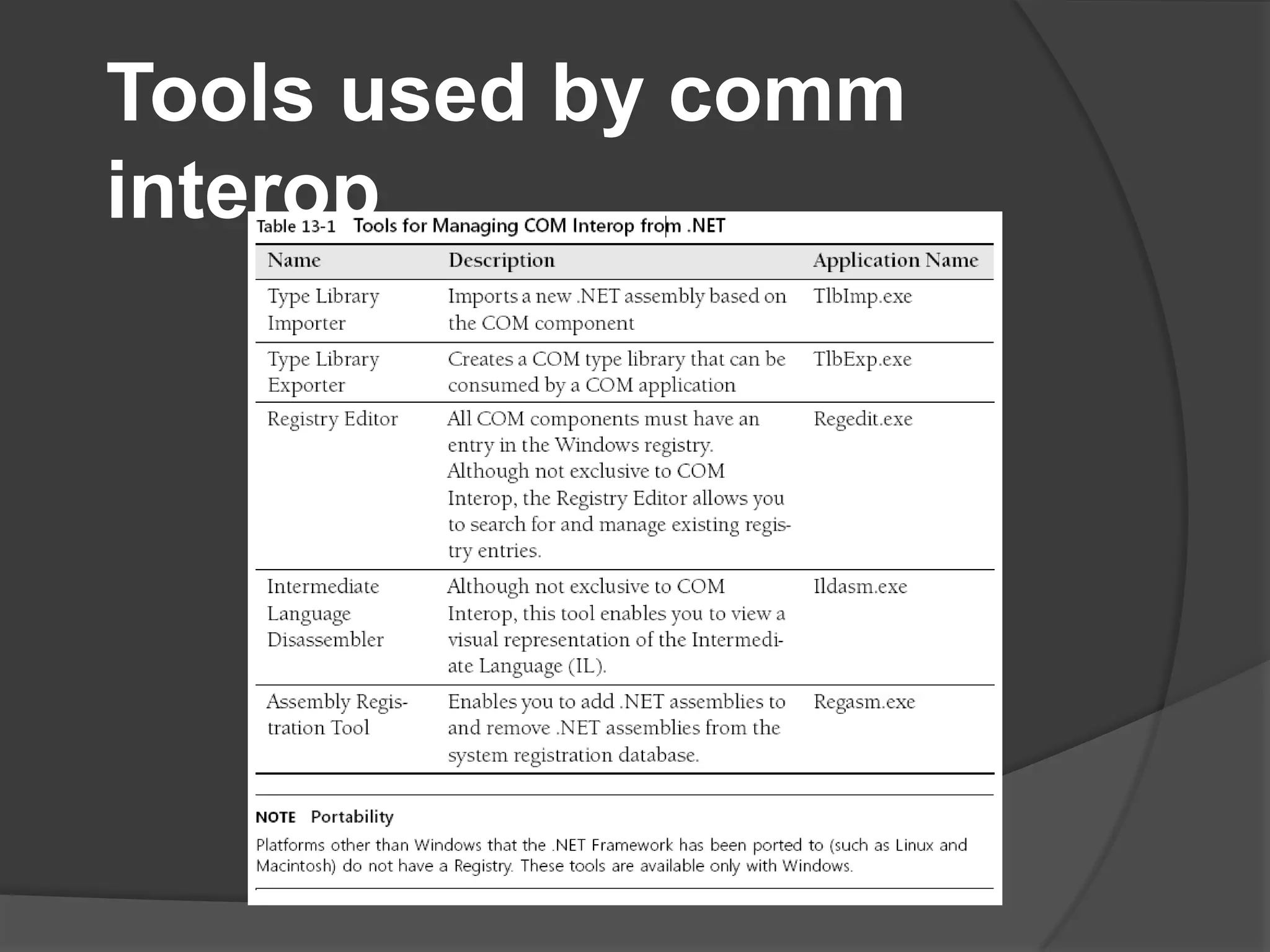
Tools usedbycomminterop
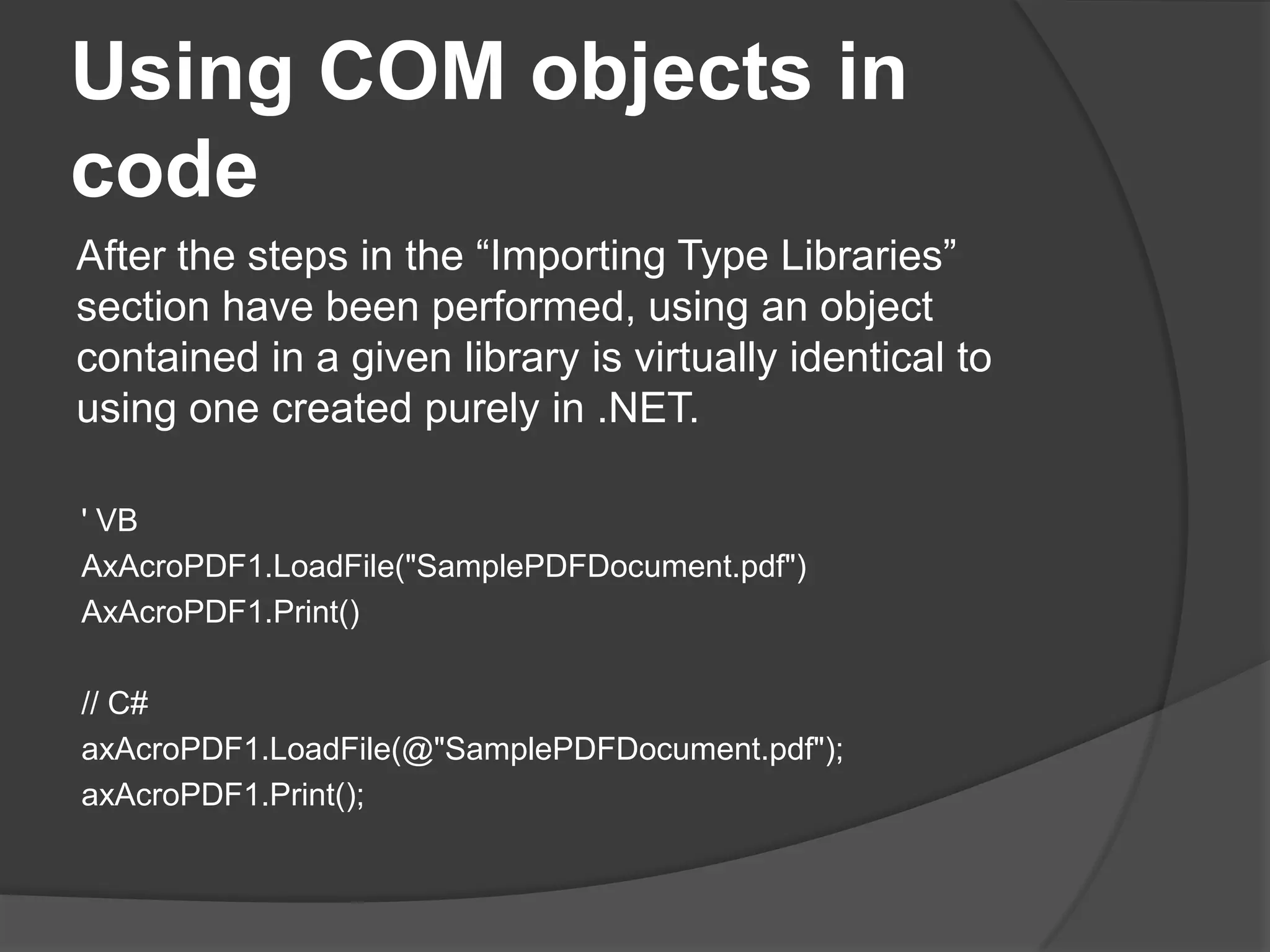
Using COM objects in codeAfter the steps in the “Importing Type Libraries” section have been performed, using an object contained in a given library is virtually identical to using one created purely in .NET.' VBAxAcroPDF1.LoadFile("SamplePDFDocument.pdf")AxAcroPDF1.Print()// C#axAcroPDF1.LoadFile(@"SamplePDFDocument.pdf");axAcroPDF1.Print();
Handlingexceptions in COM interopWhat System.Exception would handle is any Common Language Specification (CLS) compliant exception. COM errors won’t be CLS compliant, they won’t be caught by System.Exceptions. Because so many developers mistakenly understood the behavior of trapping System.Exception, quite a bit of unstable code and code with serious potential security implications was developed.
Handlingexceptions in COM interopIn version 2.0 of the .NET Framework, the RuntimeWrappedException class was introduced intotheSystem.Runtime.CompilerServicesnamespace.
Handlingexceptions in COM interopWith the exception of WrappedException, each of the properties is inherited from the System.Exception class. So the main distinction is the WrappedException property, which is of type Object.When a non-CLS-compliant exception is thrown, the common language runtime (CLR) creates an instance of this class and then sets the WrappedException property to the object that was thrown. This behavior is handled by default and is transparent to the developer, but it’s important to be aware of.
Handlingexceptions in COM interopTo turn off this behavior, you can use the RuntimeCompatibility attribute, as illustrated here:‘VBImportsSystem.Runtime.CompilerServices<Assembly: RuntimeCompatibility(WrapNonExceptionThrows:=False)>// C#usingSystem.Runtime.CompilerServices;[assembly: RuntimeCompatibility(WrapNonExceptionThrows=false)]
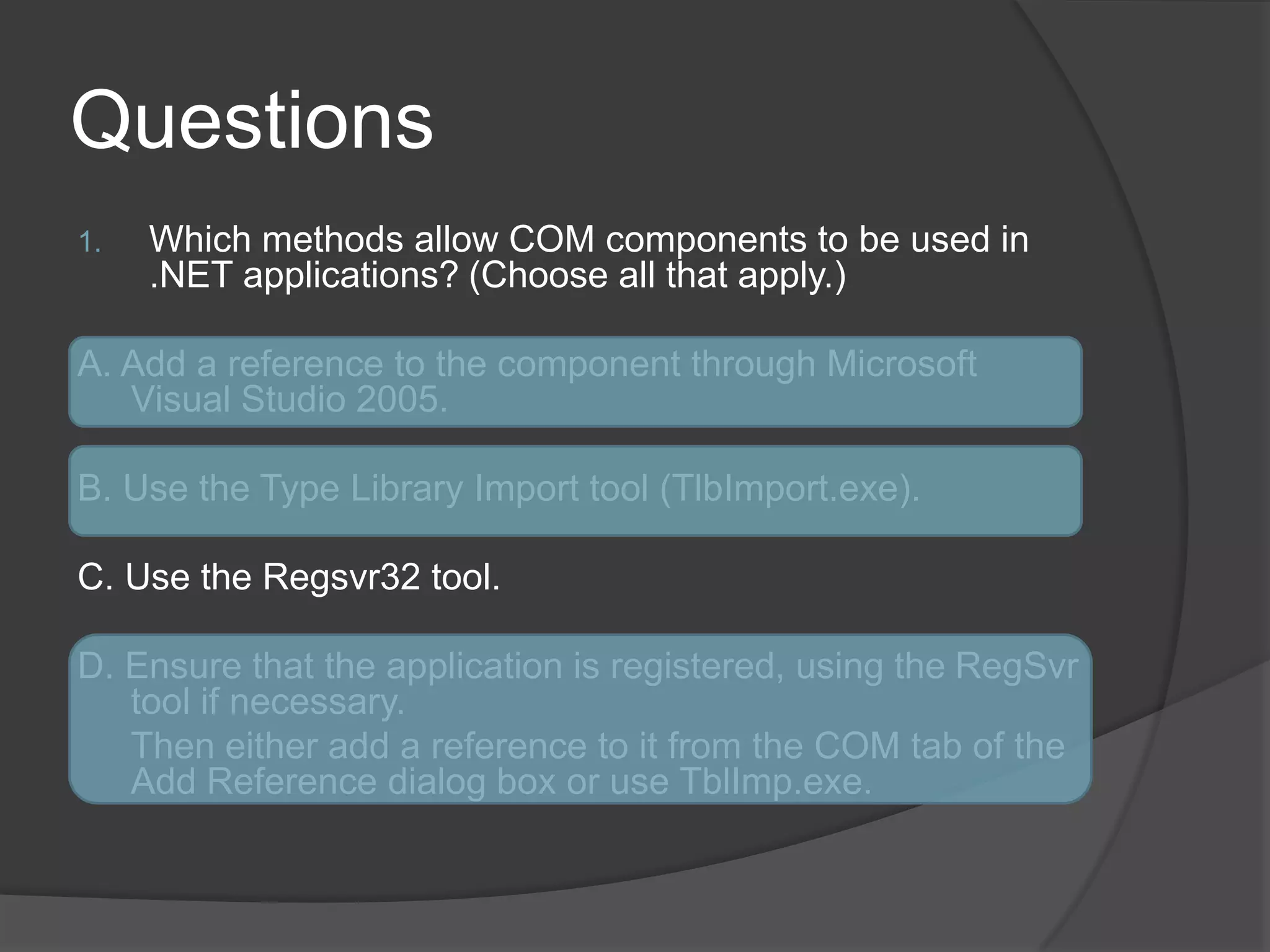
Limitations of COM interopThere have been some shortcomings with using COM Interop:Static/shared members COM objects are fundamentally different from .NET types. One of the differences is lack of support for static/shared members.Parameterized constructors COM types don’t allow parameters to be passed into a constructor. This limits the control you have over initialization and the use of overloadedconstructors.Inheritance One of the biggest issues is the limitations COM objects place on the inheritance chain. Members that shadow members in a base class aren’t recognizable, and therefore, aren’t callable or usable in any real sense.Portability Operating systems other than Windows don’t have a registry. Reliance on the Windows registry limits the number of environments a .NET application can beportedto.
QuestionsWhich methods allow COM components to be used in .NET applications? (Chooseallthatapply.)A. Add a reference to the component through Microsoft Visual Studio 2005.B. Use the Type Library Import tool (TlbImport.exe).C. Use the Regsvr32 tool.D. Ensure that the application is registered, using the RegSvr tool if necessary.	Then either add a reference to it from the COM tab of the Add Reference dialog box or use TblImp.exe.
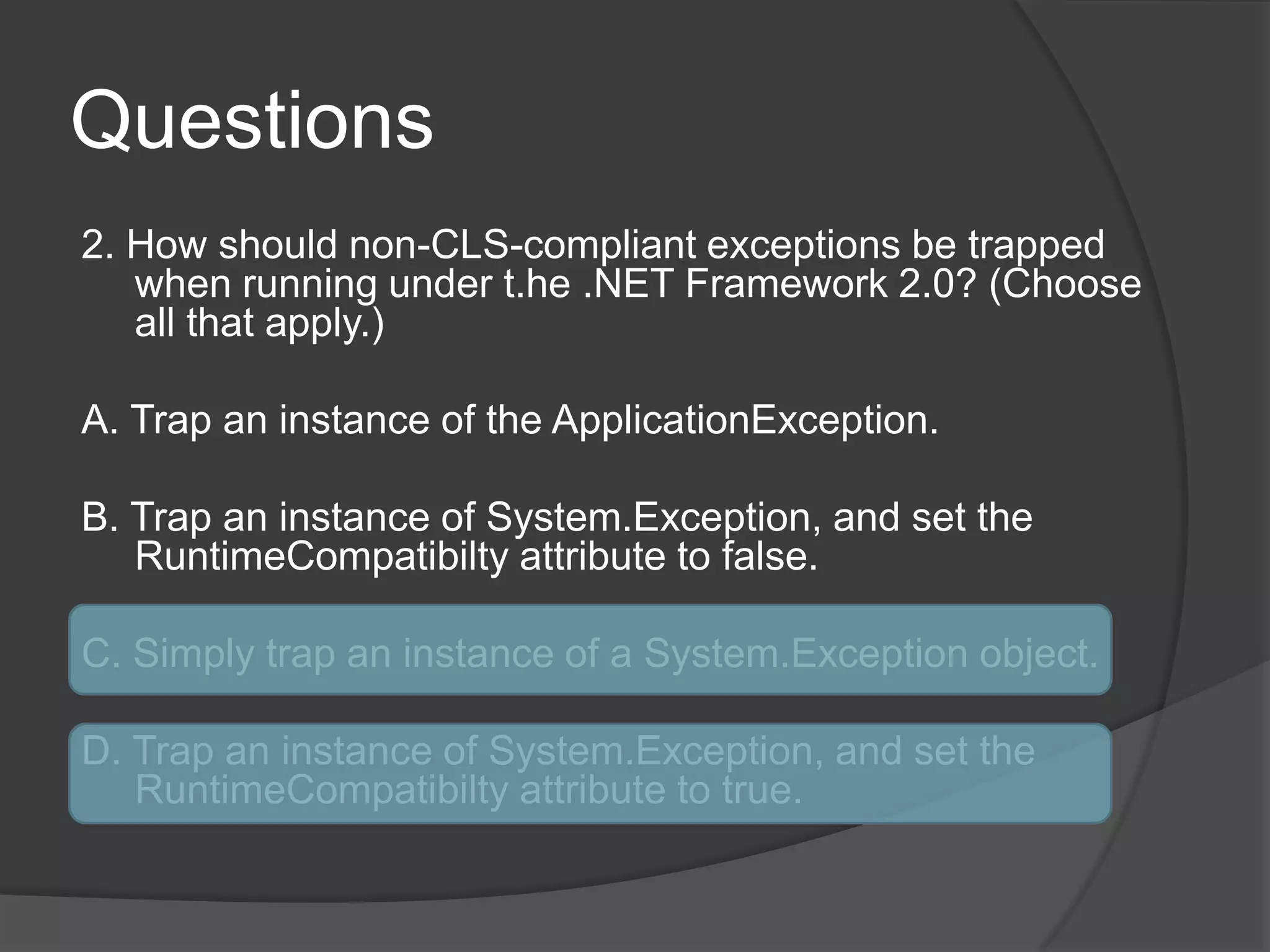
Questions2. How should non-CLS-compliant exceptions be trapped when running under t.he.NET Framework 2.0? (Choose all that apply.)A. Trap an instance of the ApplicationException.B. Trap an instance of System.Exception, and set the RuntimeCompatibiltyattributeto false.C. Simply trap an instance of a System.Exception object.D. Trap an instance of System.Exception, and set the RuntimeCompatibiltyattributeto true.
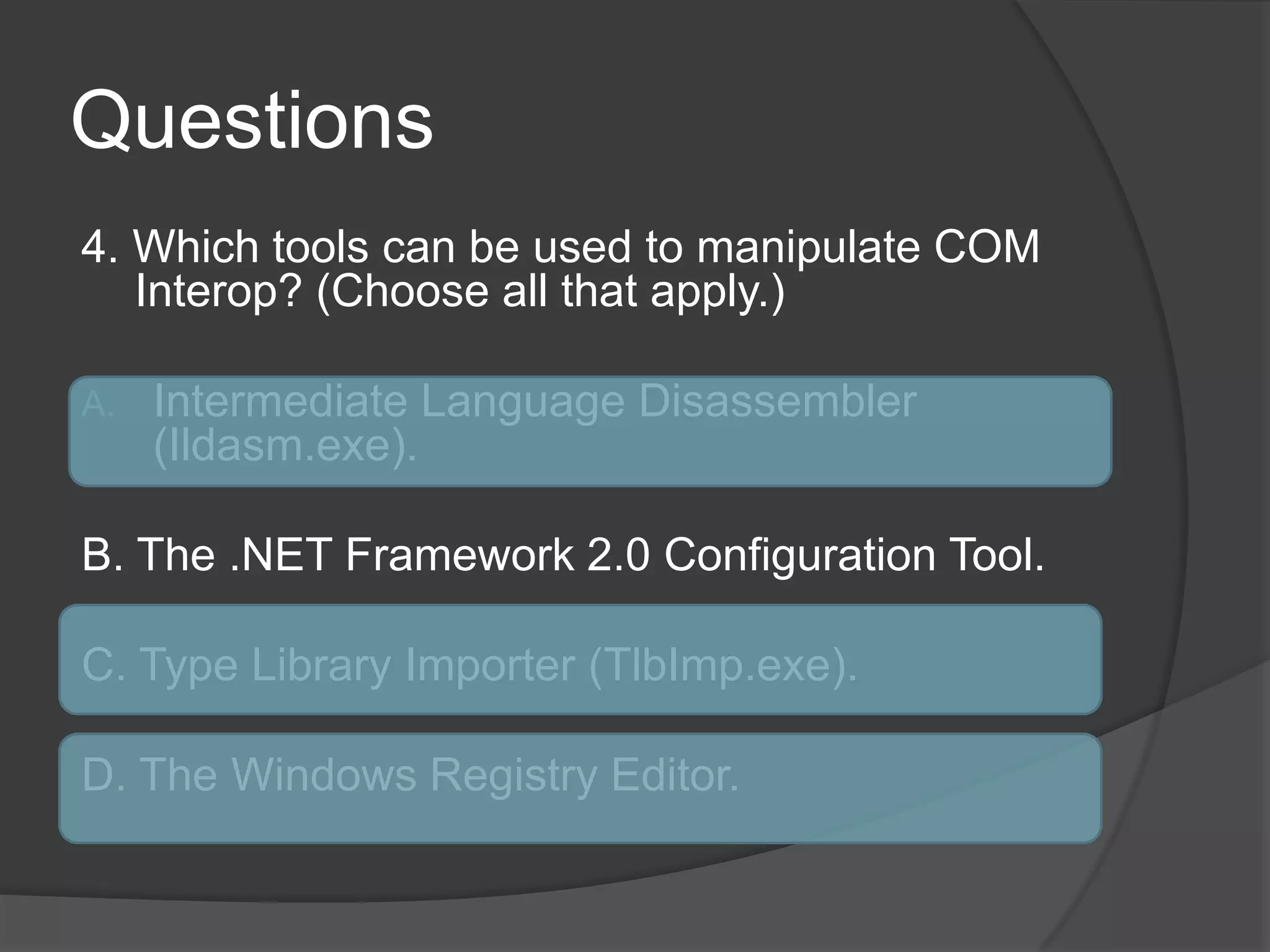
Questions4. Which tools can be used to manipulate COM Interop? (Choose all that apply.)IntermediateLanguageDisassembler (Ildasm.exe).B. The .NET Framework 2.0 Configuration Tool.C. Type Library Importer (TlbImp.exe).D. The Windows Registry Editor.
Exposing.netcomponentstocomLesson 2
LessonsummaryThe Register For COM Interop option under the build configuration automates the process of exposing .NET assemblies to COM components.The primary mechanism for exposing .NET assemblies to COM components is theComVisibleattribute.The ComVisible attribute can be set to apply to an entire assembly, an entire class, or individual members.The more granular the application of the ComVisible attribute, the more it takes precedence. A class, for example, can be marked with ComVisible set to false and with a given member set to true. The member that is set to true will be visible to COM components.
Building .NET Components for Use by COMJust as COM components can be consumed by .NET applications, the reverse is true. A proxy known as a COM Callable Wrapper (CCW) handles marshaling items between .NET and COM.The .NET runtime will create onlyone CCW.
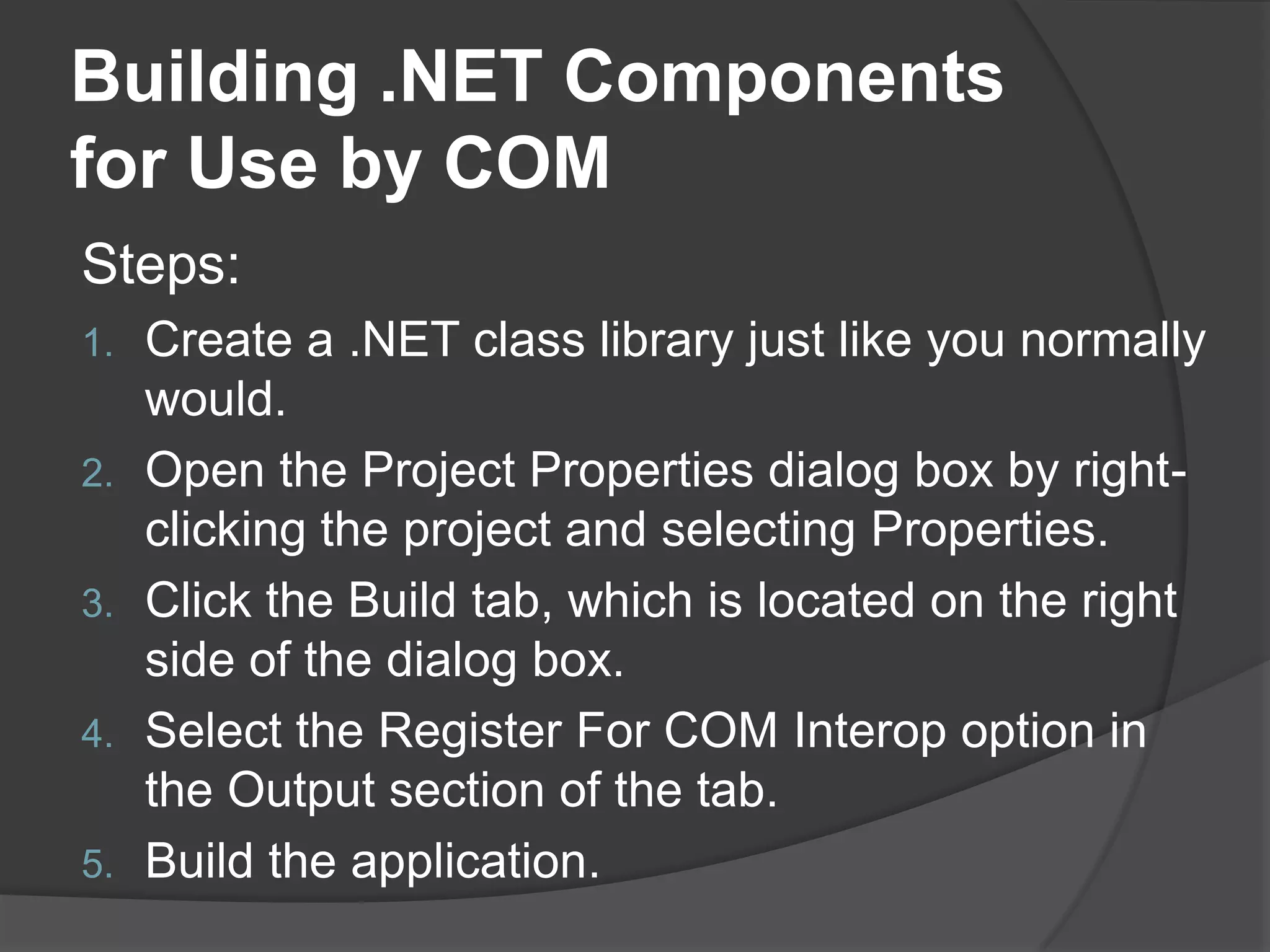
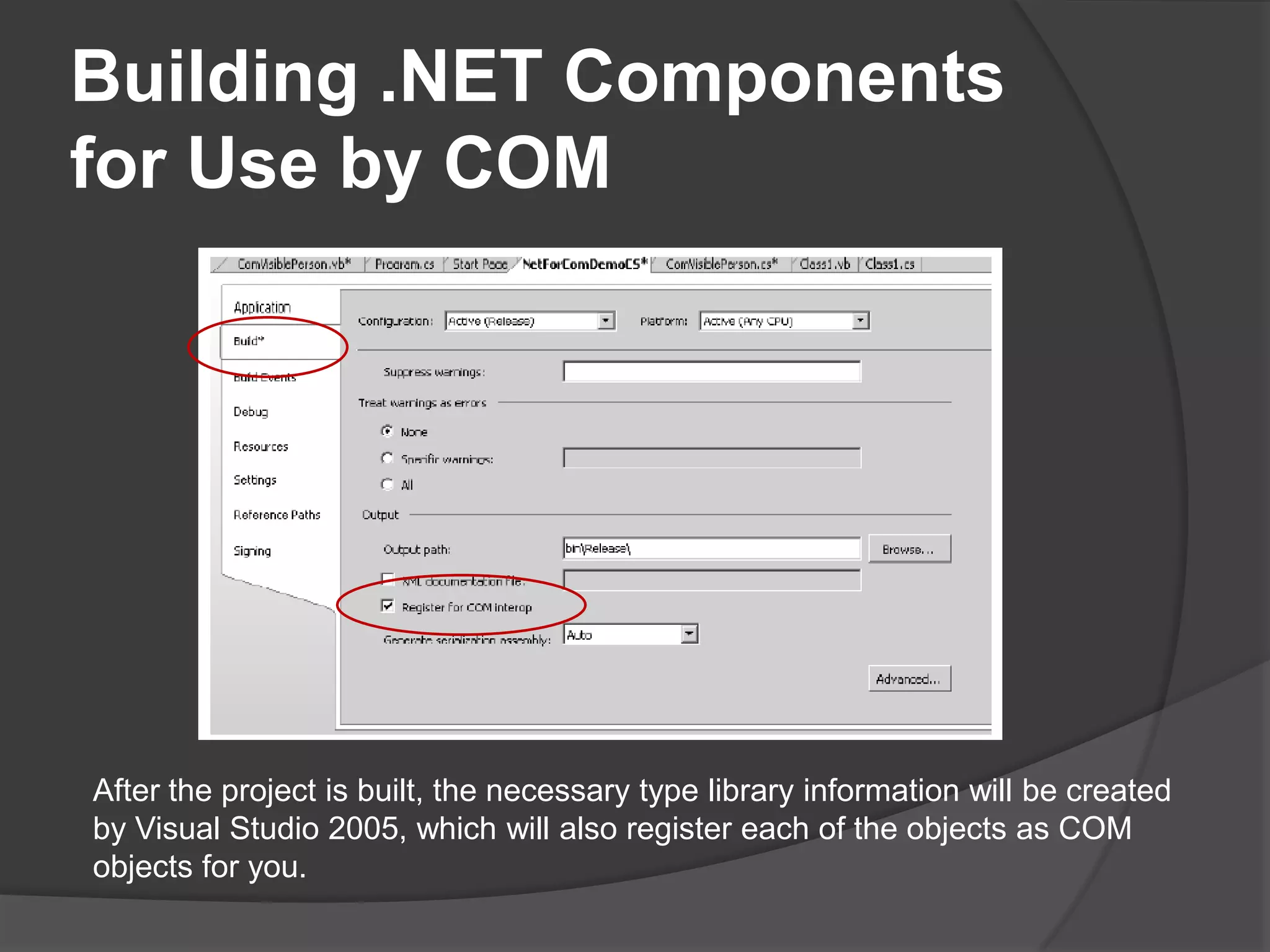
Building .NET Components for Use by COMSteps:Create a .NET class library just like you normally would.Open the Project Properties dialog box by right-clicking the project and selecting Properties.Click the Build tab, which is located on the right side of the dialog box.Select the Register For COM Interop option in the Output section of the tab.Buildtheapplication.
Building .NET Components for Use by COMAfter the project is built, the necessary type library information will be created by Visual Studio 2005, which will also register each of the objects as COM objects for you.
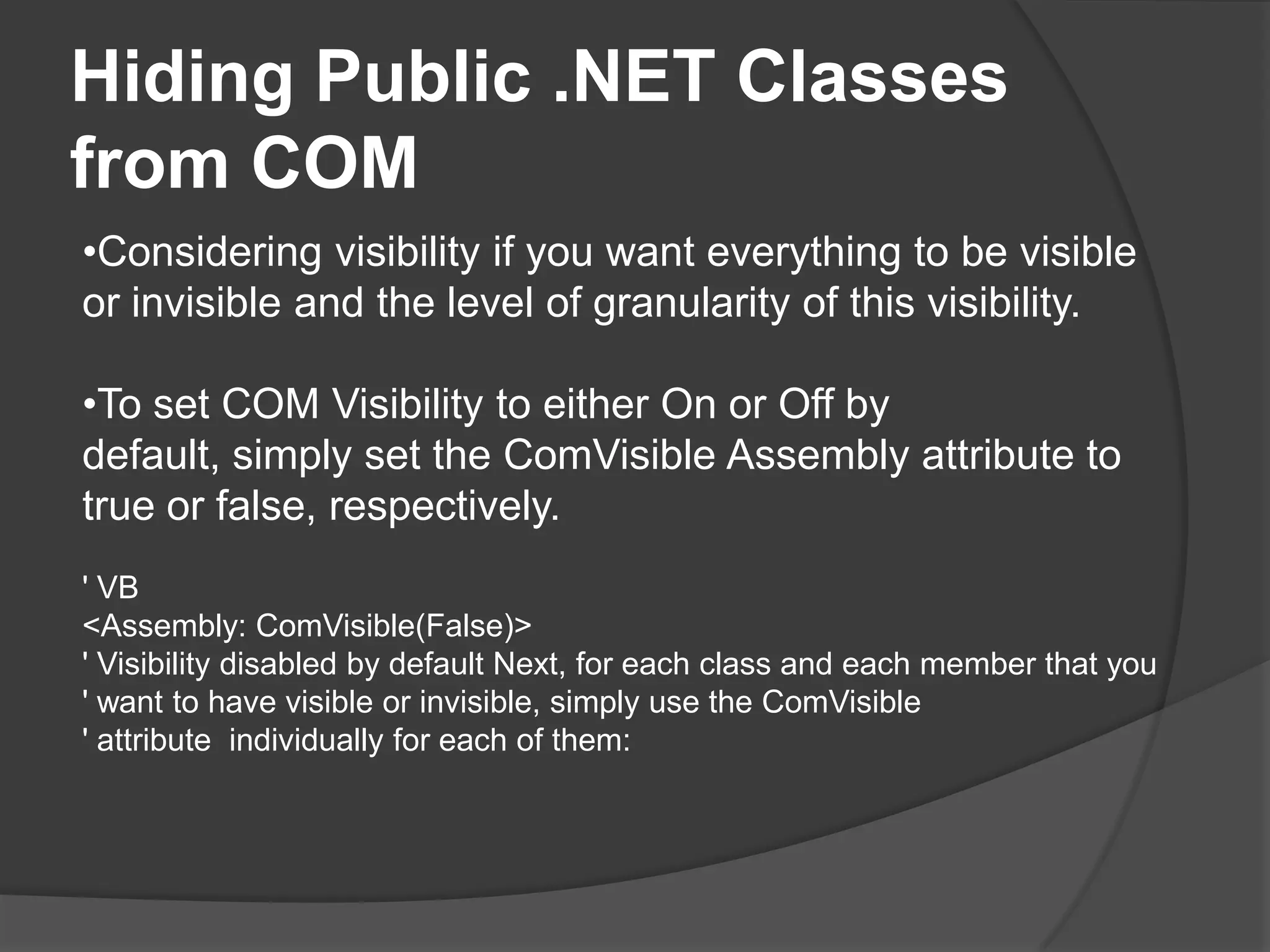
Hiding Public .NET Classes from COMConsidering visibility if you want everything to be visible or invisible and the level of granularity of this visibility.
To set COM Visibility to either On or Off by default, simply set the ComVisible Assembly attribute to true or false, respectively.' VB<Assembly: ComVisible(False)> ' Visibility disabled by default Next, for each class and each member that you ' want to have visible or invisible, simply use the ComVisible' attribute individually for each of them:
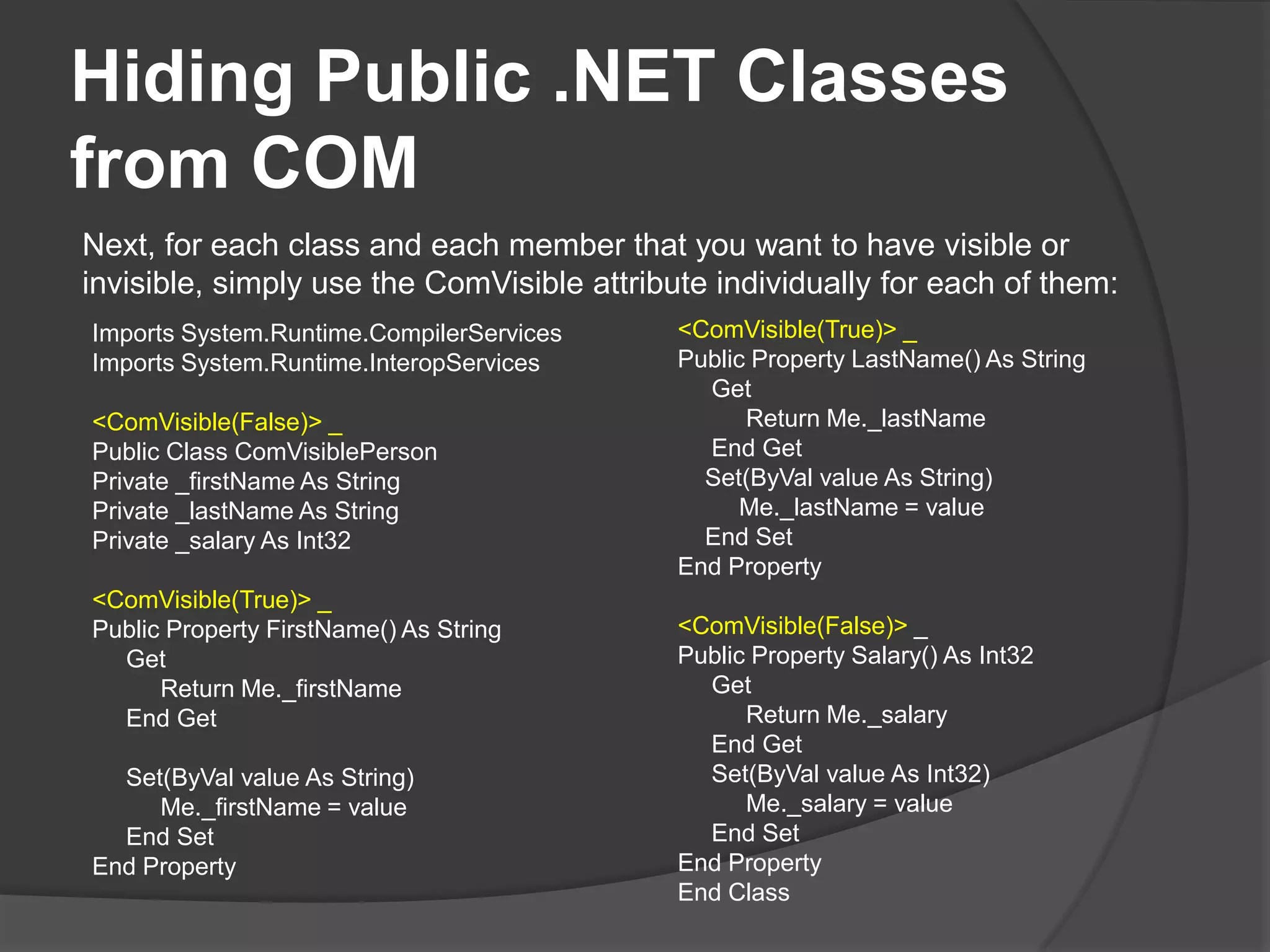
Hiding Public .NET Classes from COMNext, for each class and each member that you want to have visible or invisible, simply use the ComVisible attribute individually for each of them:<ComVisible(True)> _Public Property LastName() As StringGetReturnMe._lastNameEndGet    Set(ByValvalue As String)Me._lastName = valueEnd SetEndProperty<ComVisible(False)> _Public Property Salary() As Int32GetReturnMe._salaryEndGet     Set(ByValvalue As Int32)Me._salary = valueEnd SetEndPropertyEndClassImportsSystem.Runtime.CompilerServicesImportsSystem.Runtime.InteropServices<ComVisible(False)> _PublicClassComVisiblePersonPrivate _firstName As StringPrivate _lastName As StringPrivate _salary As Int32<ComVisible(True)> _Public Property FirstName() As StringGetReturnMe._firstNameEndGet     Set(ByValvalue As String)Me._firstName = valueEnd SetEndProperty
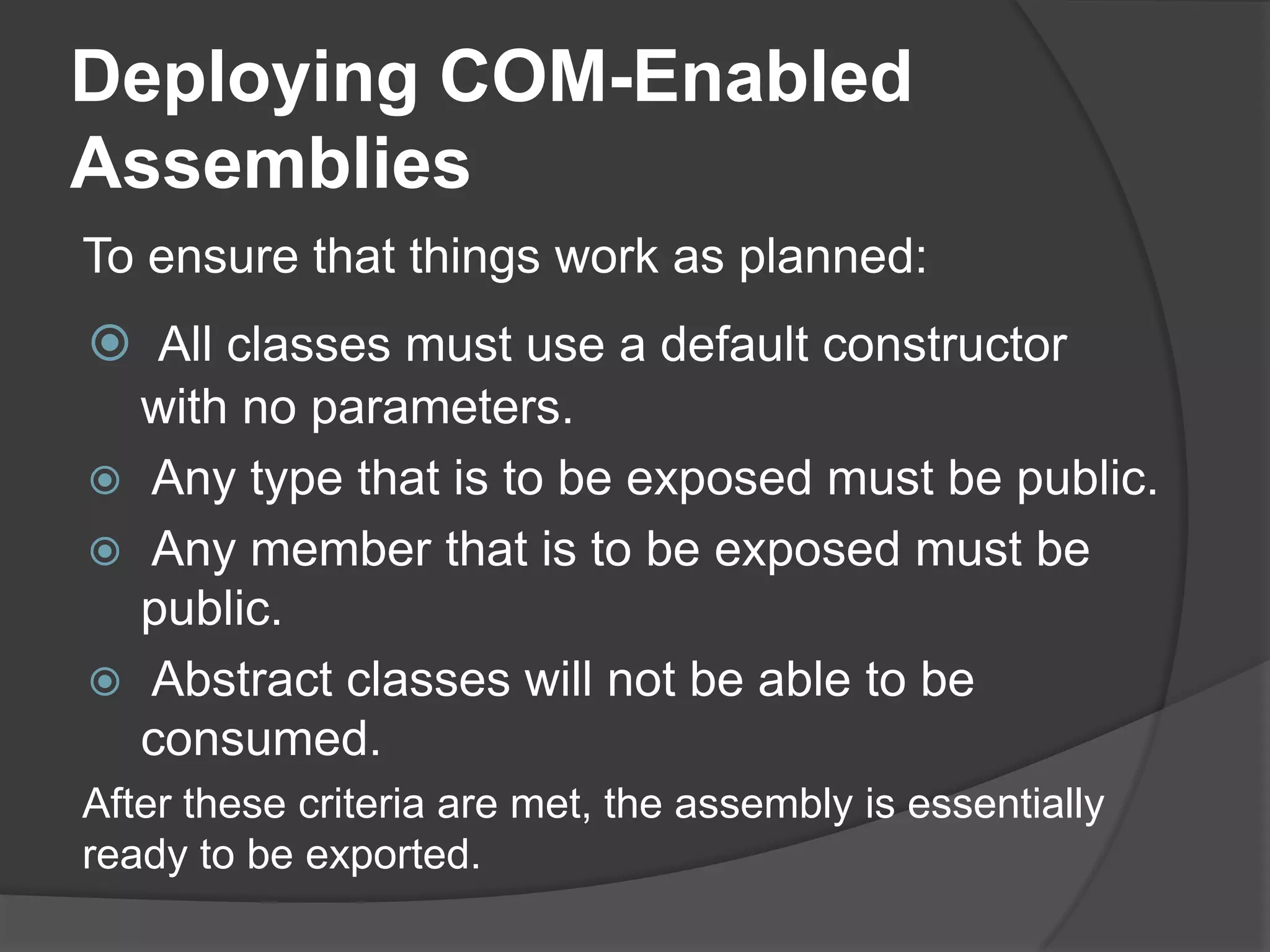
Deploying COM-EnabledAssembliesTo ensure that things work as planned:All classes must use a default constructor with no parameters.
 Any type that is to be exposed must be public.
 Any member that is to be exposed must be public.
 Abstract classes will not be able to be consumed.After these criteria are met, the assembly is essentially ready to be exported.
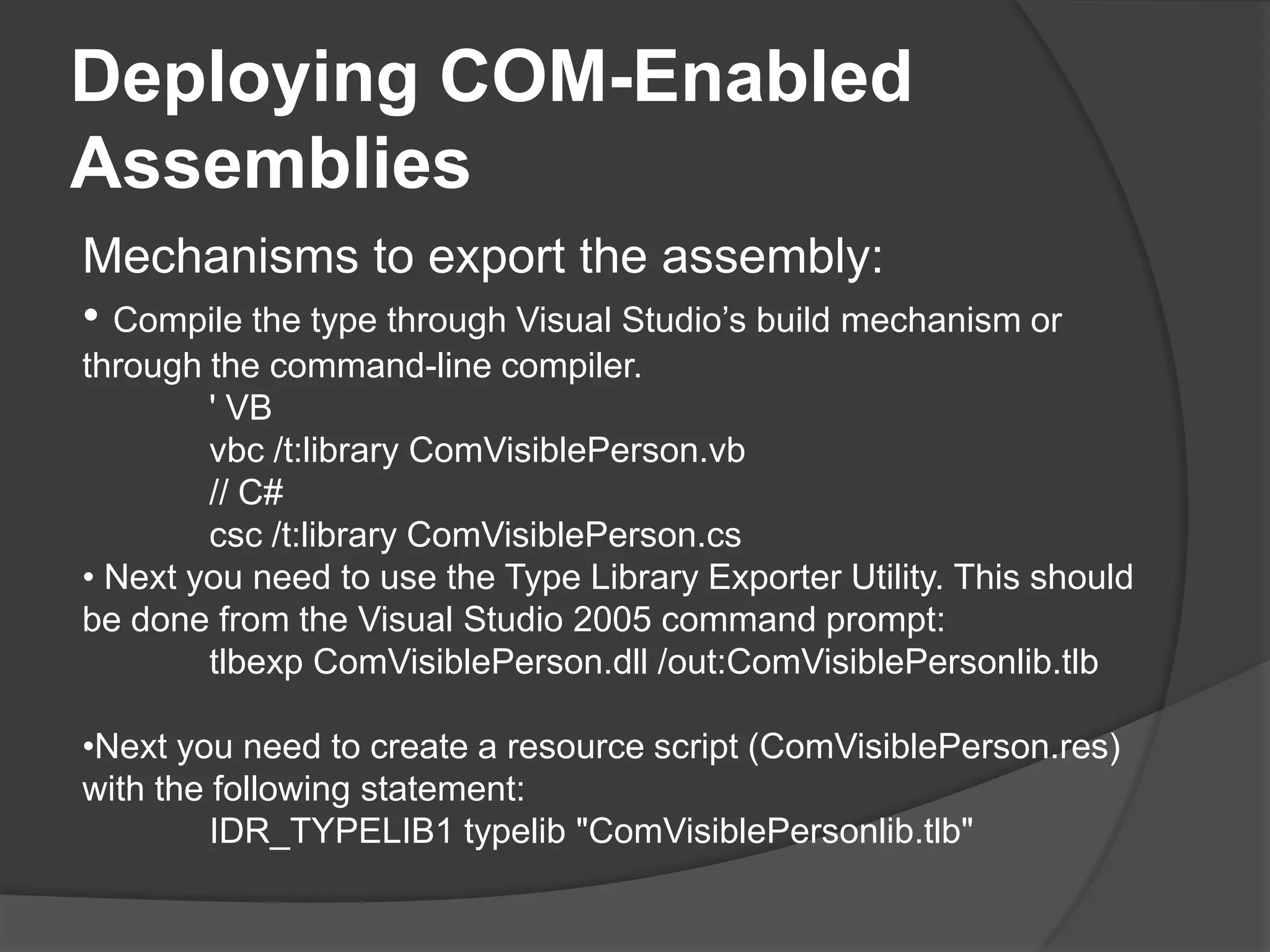
Deploying COM-EnabledAssembliesMechanisms to export the assembly:Compile the type through Visual Studio’s build mechanism or through the command-line compiler.' VBvbc /t:library ComVisiblePerson.vb// C#csc /t:library ComVisiblePerson.cs Next you need to use the Type Library Exporter Utility. This should be done from the Visual Studio 2005 commandprompt:tlbexp ComVisiblePerson.dll /out:ComVisiblePersonlib.tlbNext you need to create a resource script (ComVisiblePerson.res) with the following statement:	IDR_TYPELIB1 typelib "ComVisiblePersonlib.tlb"
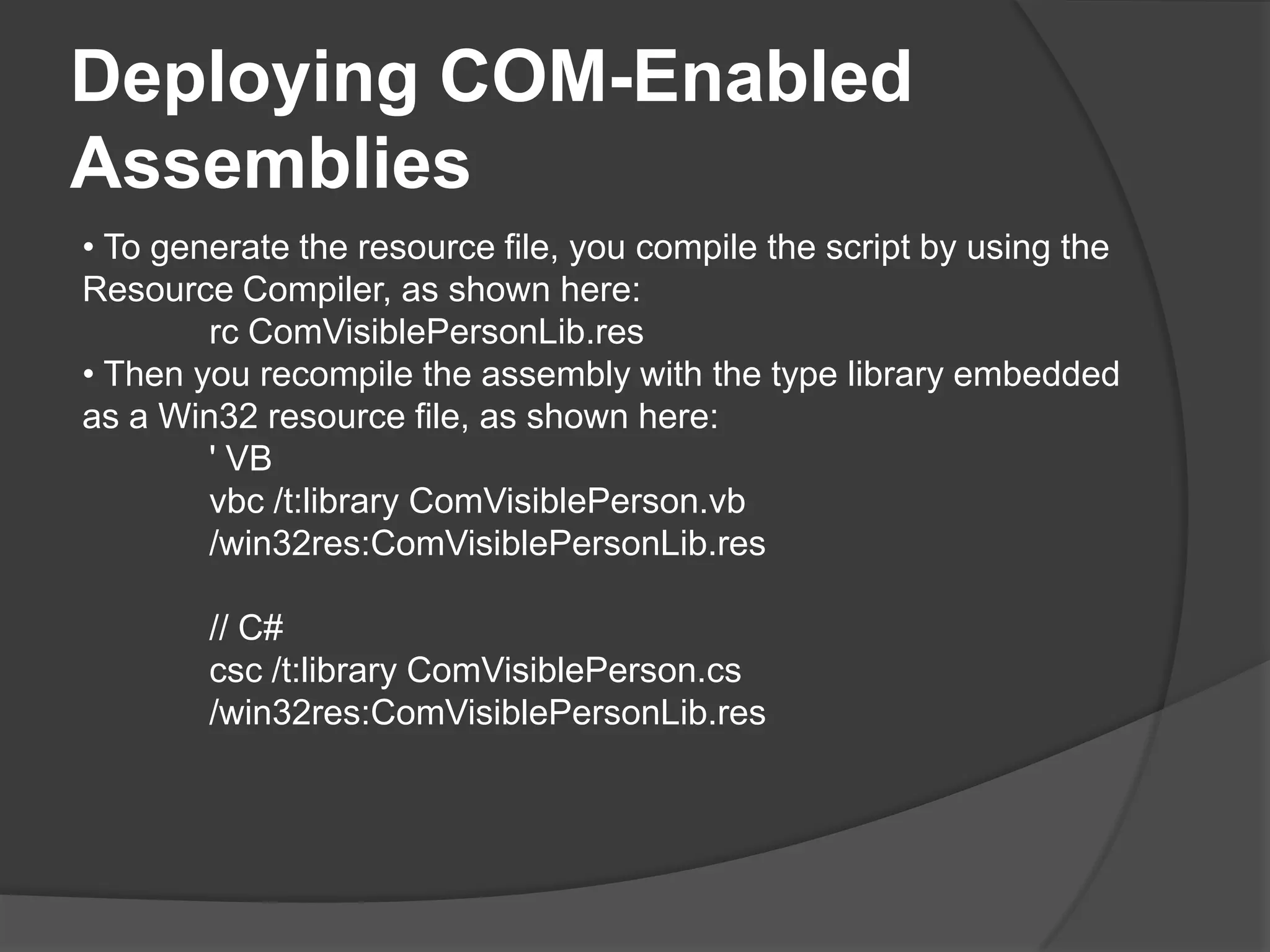
Deploying COM-EnabledAssemblies To generate the resource file, you compile the script by using the Resource Compiler, as shownhere:rc ComVisiblePersonLib.res Then you recompile the assembly with the type library embedded as a Win32 resource file, as shownhere:' VBvbc /t:library ComVisiblePerson.vb /win32res:ComVisiblePersonLib.res// C#csc /t:library ComVisiblePerson.cs /win32res:ComVisiblePersonLib.res
UsingunmanagedcodeLesson 3
Afterthislesson, youwillbeableto:Use Platform Invoke (P/Invoke) to access unmanaged code.Encapsulate DLL functions.Convert data types between managed and unmanaged code.
Callingplatforminvoke (P/Invoke)Typical use case scenarios:Functionality specific to the Windows operating system, context switching, and file I/O.Advanced manipulation of windows, menus, dialog boxes, and icons. For example, if you want to customize a MessageBox outside of what the .NET Framework provides, the only way to do it is through the Windows API.Advanceddrawingfunctionality.
Callingplatforminvoke (P/Invoke)You manage P/Invoke through the System.Runtime.InteropServices namespaceCreate a new static/shared external method with the name of the function you wanttocall.Decorate it with the DllImport attribute specifying the library that it should call.Call the method from your code.
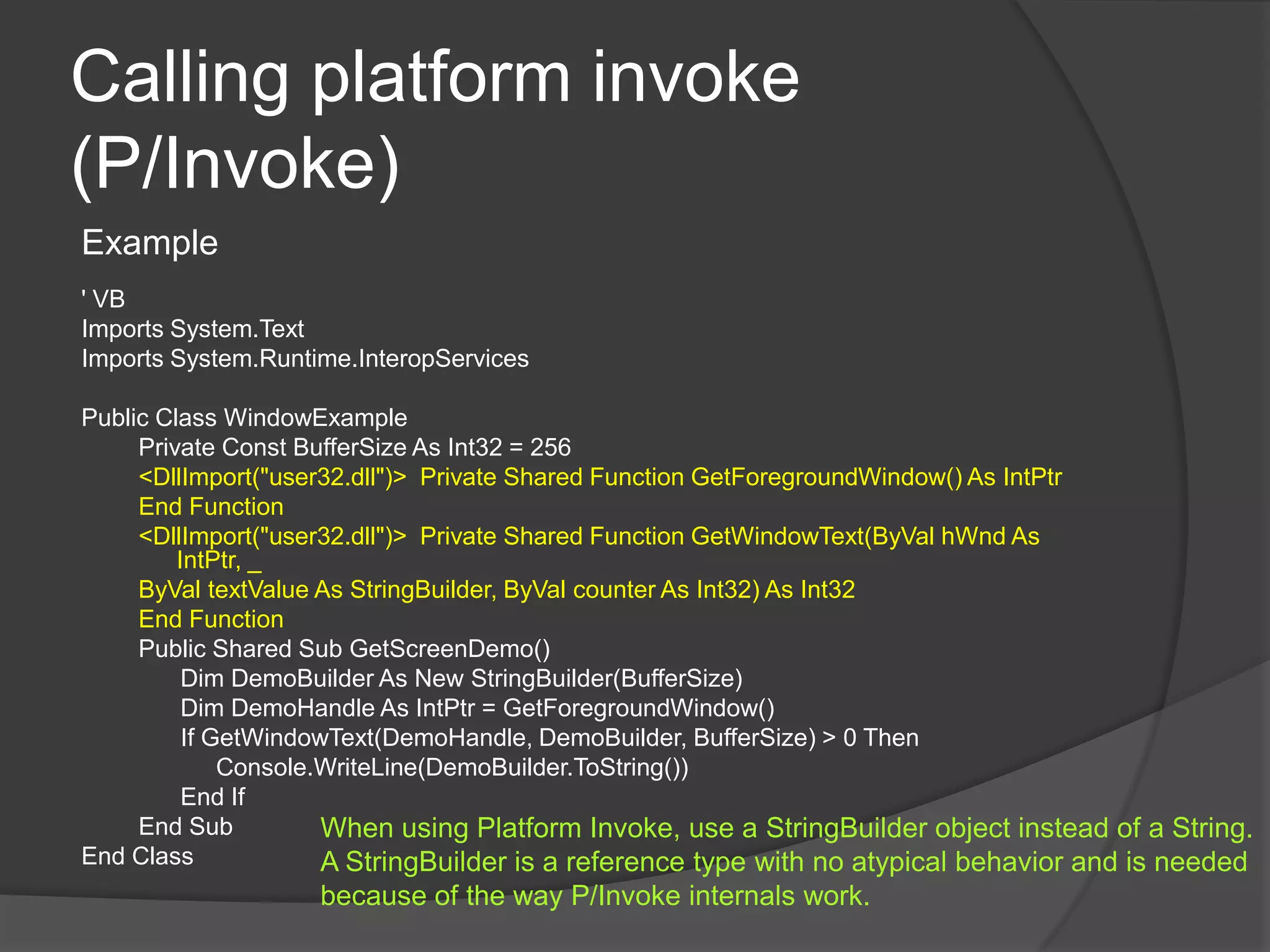
Callingplatforminvoke (P/Invoke)Example' VBImportsSystem.TextImportsSystem.Runtime.InteropServicesPublicClassWindowExamplePrivate Const BufferSize As Int32 = 256<DllImport("user32.dll")>  Private Shared Function GetForegroundWindow() As IntPtrEndFunction<DllImport("user32.dll")>  Private Shared Function GetWindowText(ByValhWnd As IntPtr, _ByValtextValue As StringBuilder, ByVal counter As Int32) As Int32EndFunctionPublicShared Sub GetScreenDemo()Dim DemoBuilder As New StringBuilder(BufferSize)Dim DemoHandle As IntPtr = GetForegroundWindow()If GetWindowText(DemoHandle, DemoBuilder, BufferSize) > 0 ThenConsole.WriteLine(DemoBuilder.ToString())EndIfEnd SubEndClassWhen using Platform Invoke, use a StringBuilder object instead of a String. A StringBuilder is a reference type with no atypical behavior and is needed because of the way P/Invoke internals work.
Encampsulating DLL functionsIt’s often beneficial to create a class that exposes P/Invoke.  This  approach has the following benefits:Consumers of your class will not know this code from any other “normal” code they are used to dealing with.It relieves developers of having to remember the API call names and their respective parameters. You can create it once and then use it like any other .NET method.It will be less error prone. Even slight typing differences can cause P/Invoke calls to break. Even if you are a perfect typist and never forget anything, it’s doubtful that everyone you work with will have the same capability. And if they don’t, they will invariable type something incorrectly, miss a parameter, or forget the name of something.Example:WindowExample.GetScreenDemo()
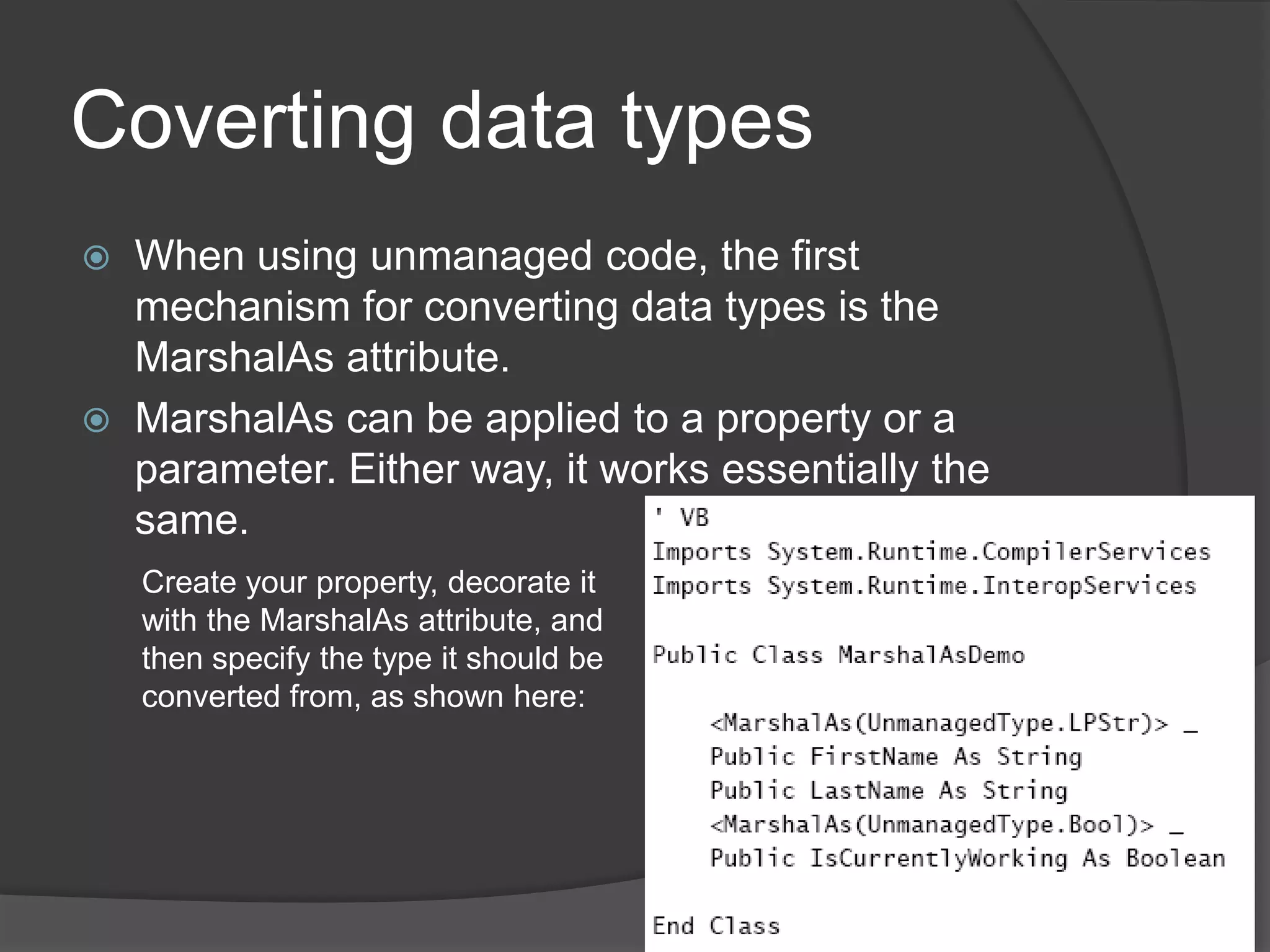
Coverting data typesWhenusingunmanagedcode, the first mechanism for converting data types is the MarshalAs attribute. MarshalAs can be applied to a property or a parameter. Either way, it works essentially the same.Create your property, decorate it with the MarshalAs attribute, and then specify the type it should be converted from, as shown here:
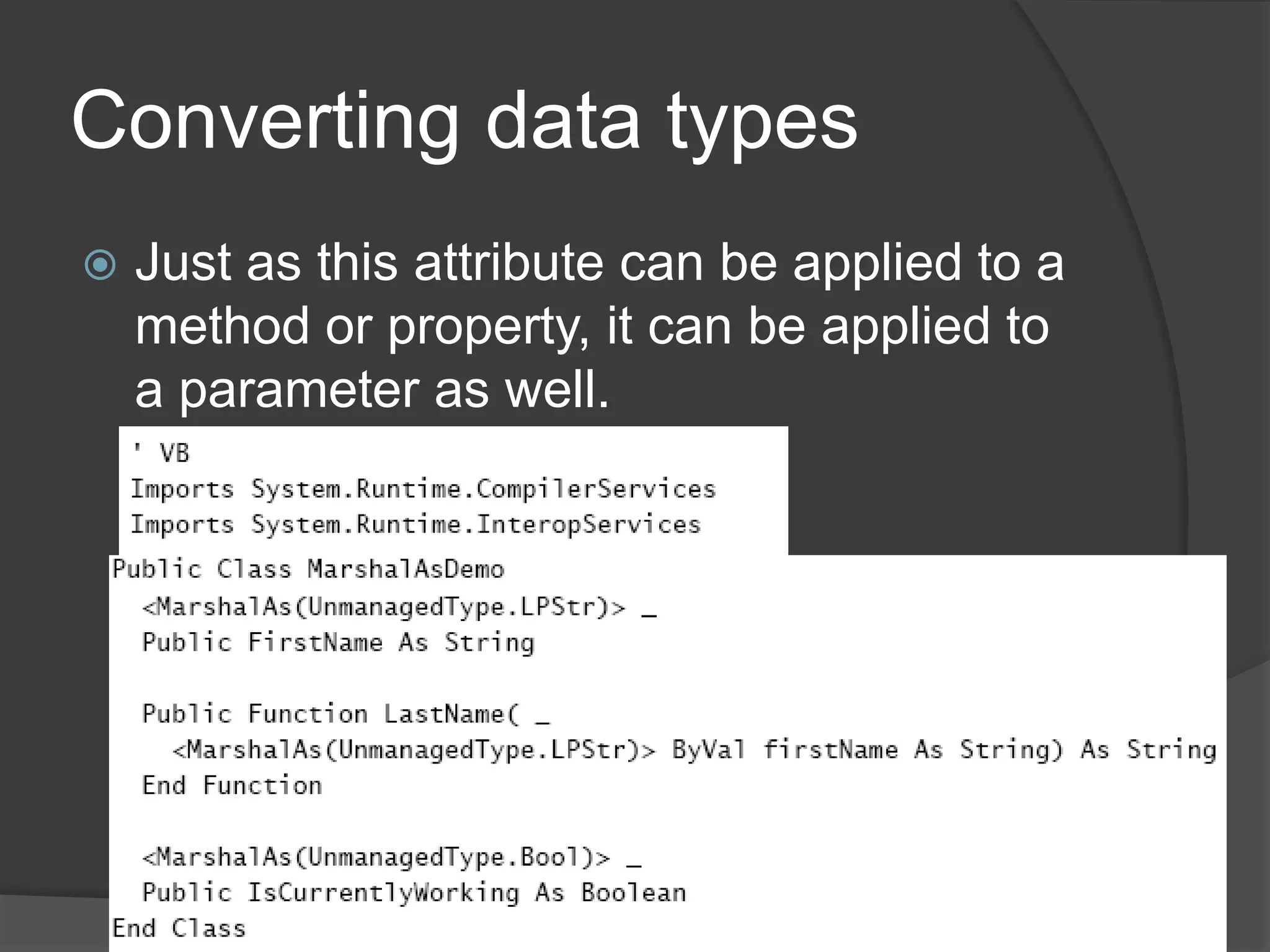
Converting data typesJust as this attribute can be applied to a method or property, it can be applied to a parameter as well.
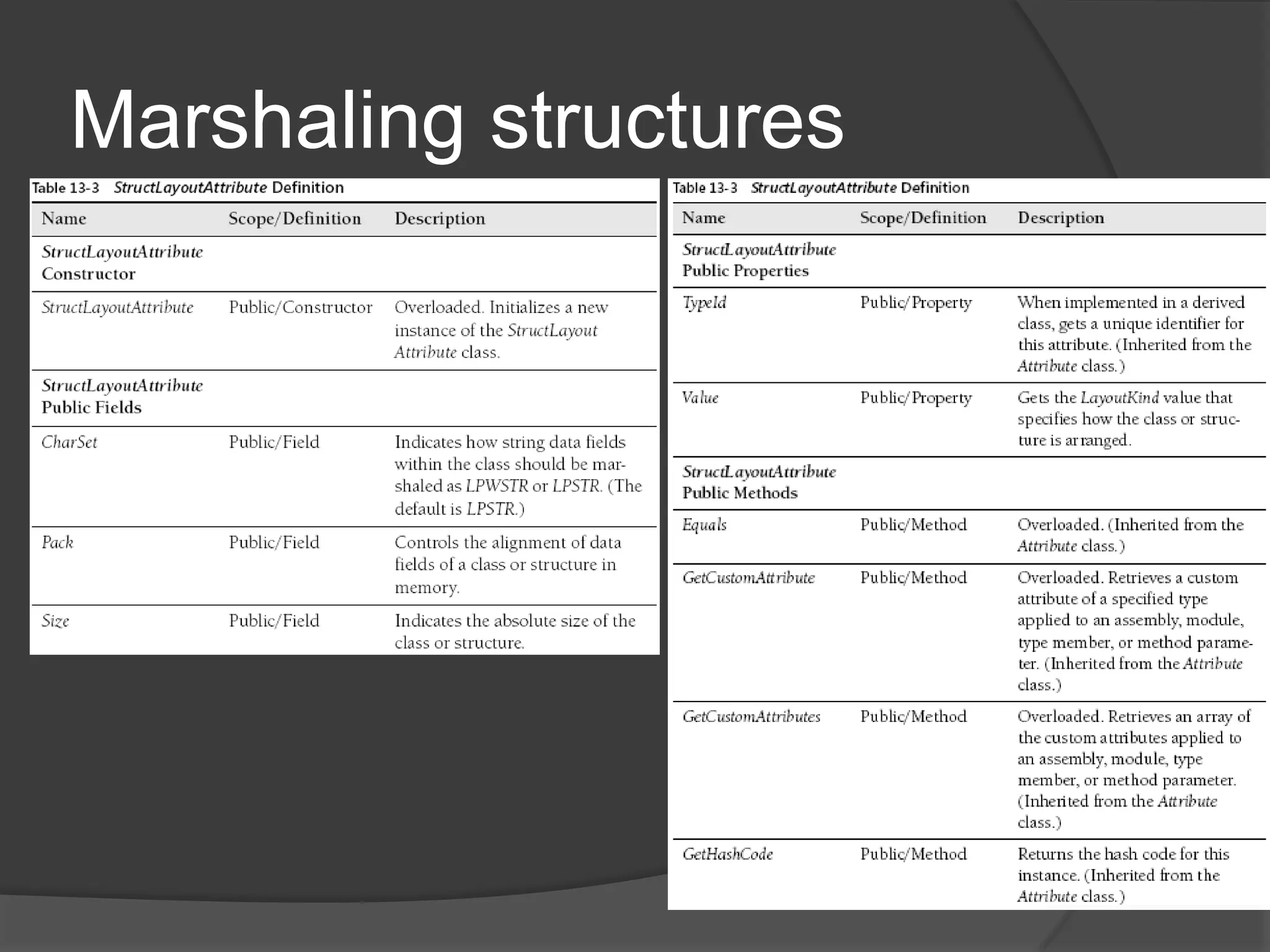
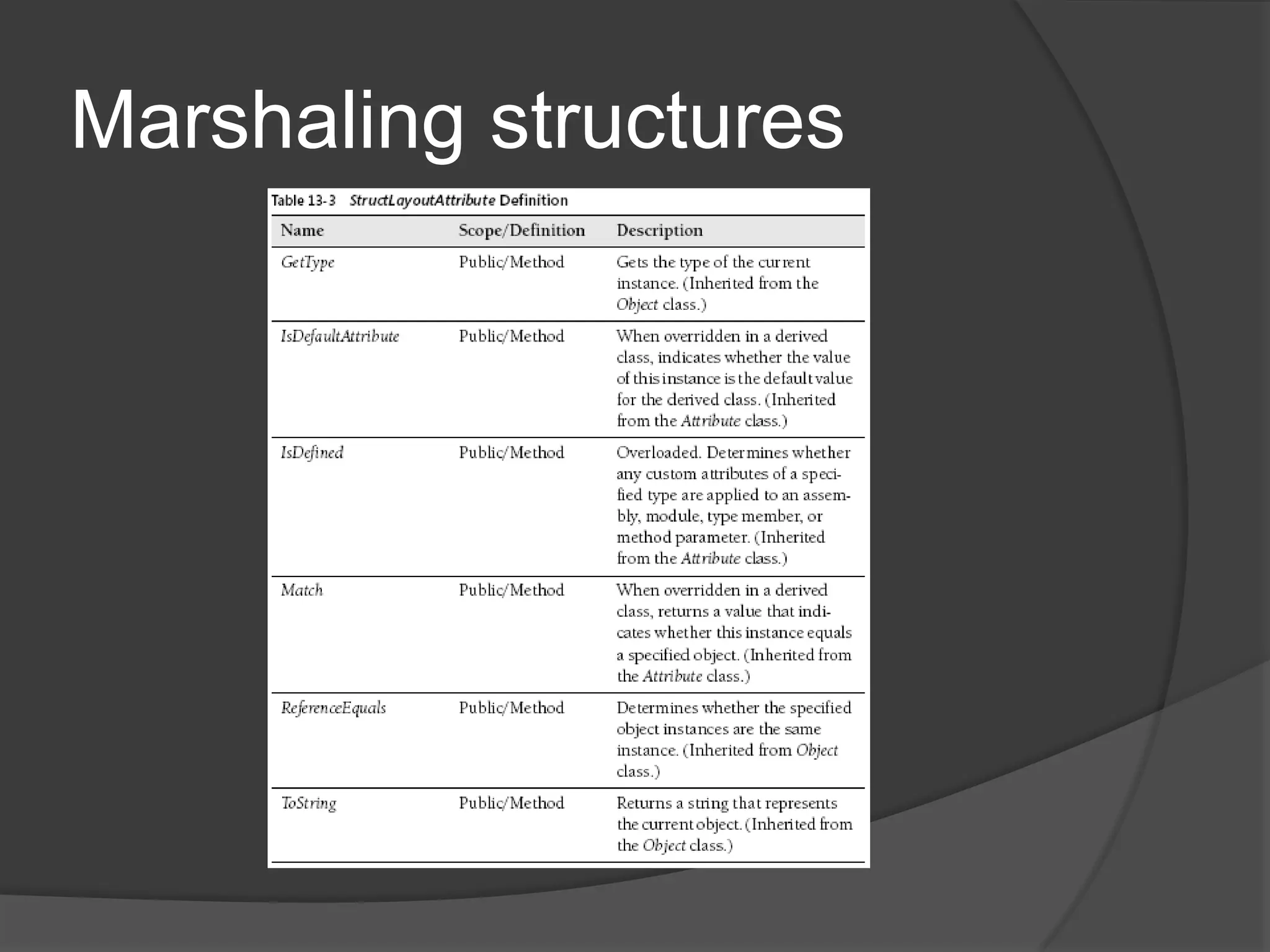
MarshalingstructuresStructures are commonly used in many Windows APIs and methods that you will use through P/Invoke.By default, when a type is created, the CLR will decide how best to arrange the class’s members. To manually direct the CLR about how to handle (or not handle) the layout of a type The System.Runtime.InteropServices.StructLayoutAttributeattribute is provided.
Marshalingstructures
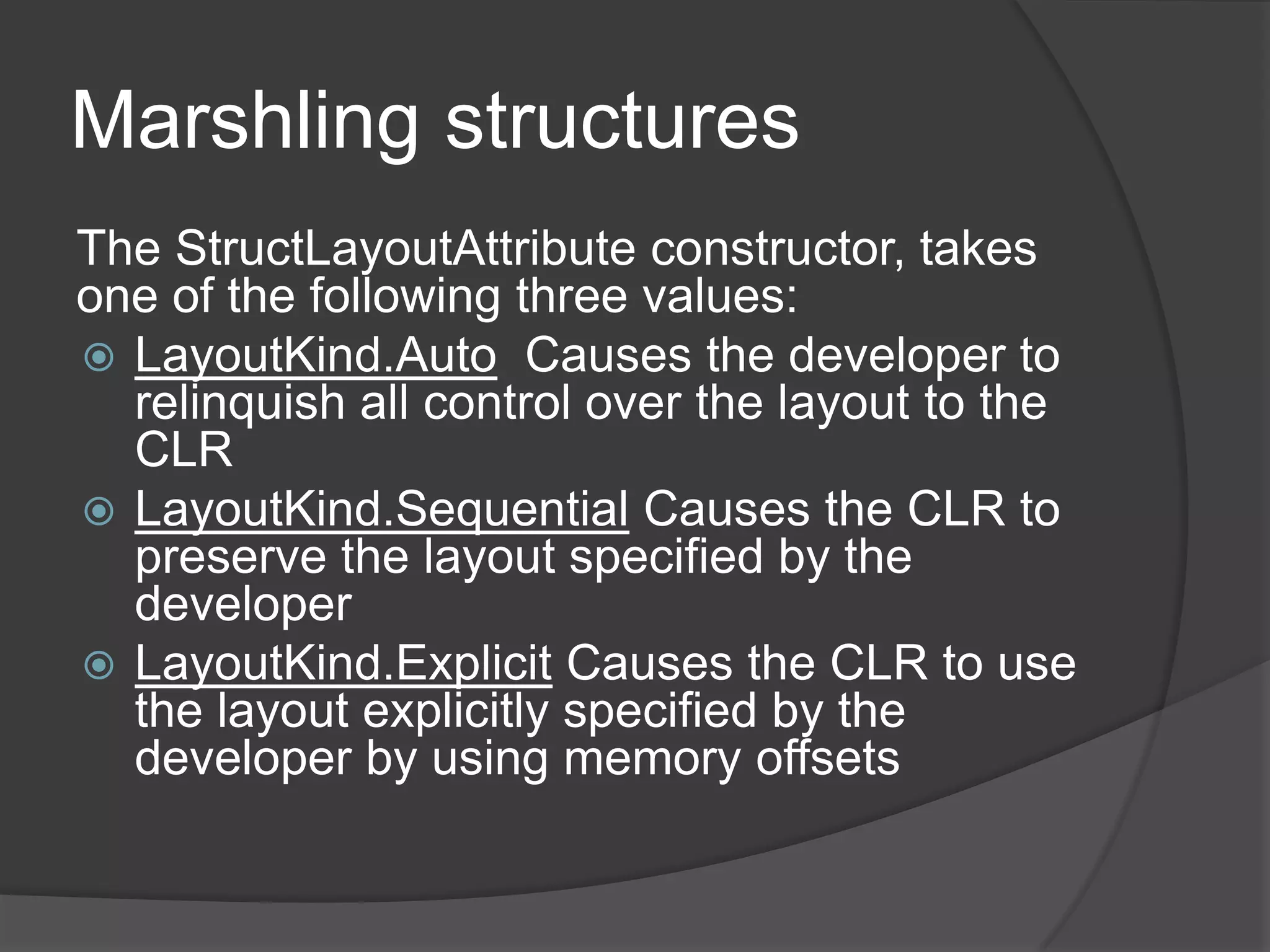
MarshlingstructuresThe StructLayoutAttribute constructor, takes one of the following three values:LayoutKind.Auto  Causes the developer to relinquish all control over the layout tothe CLRLayoutKind.SequentialCauses the CLR to preserve the layout specified by the developerLayoutKind.ExplicitCauses the CLR to use the layout explicitly specified by the developer by using memory offsets
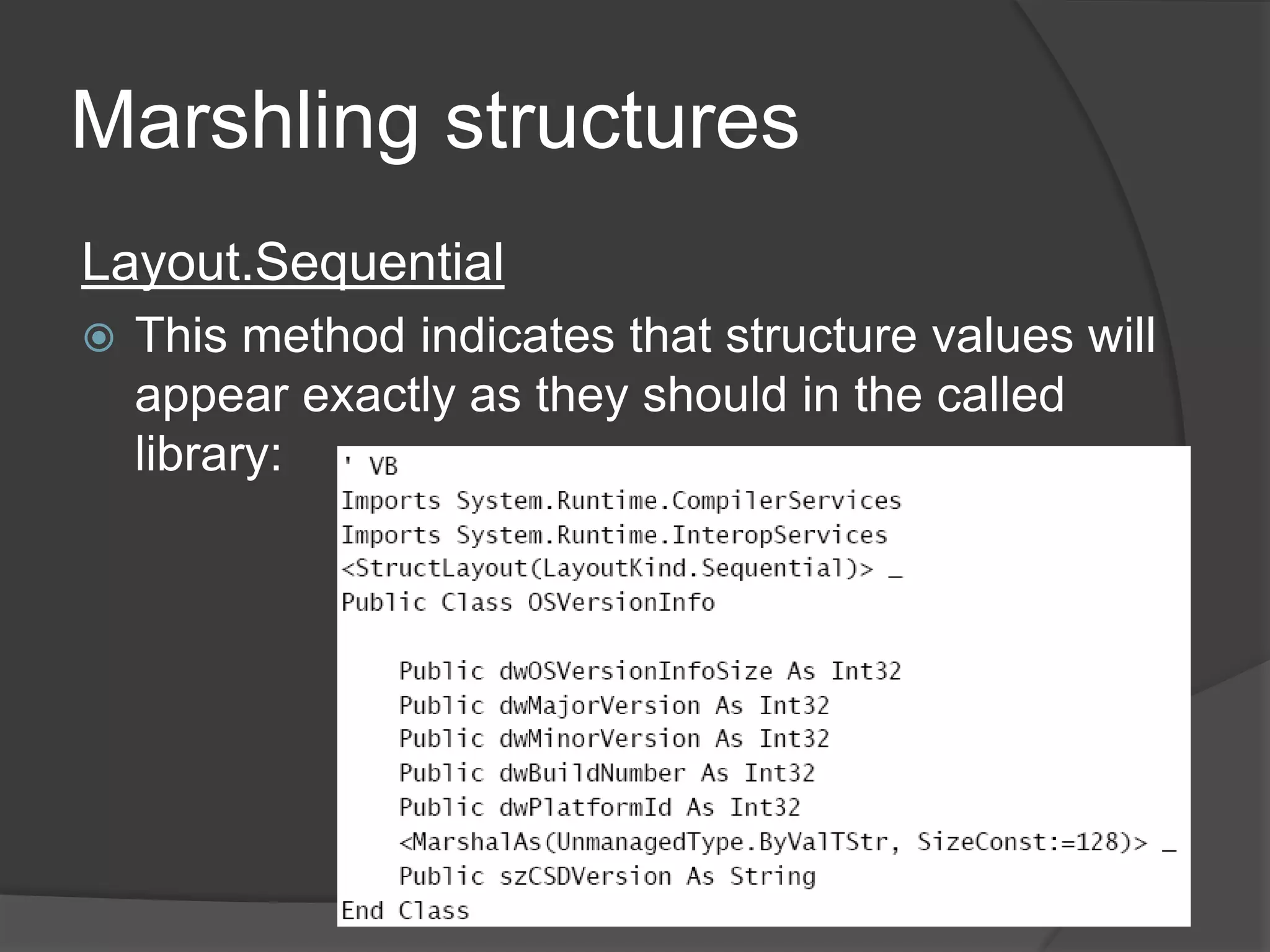
MarshlingstructuresLayout.SequentialThis method indicates that structure values will appear exactly as they should in the called library:
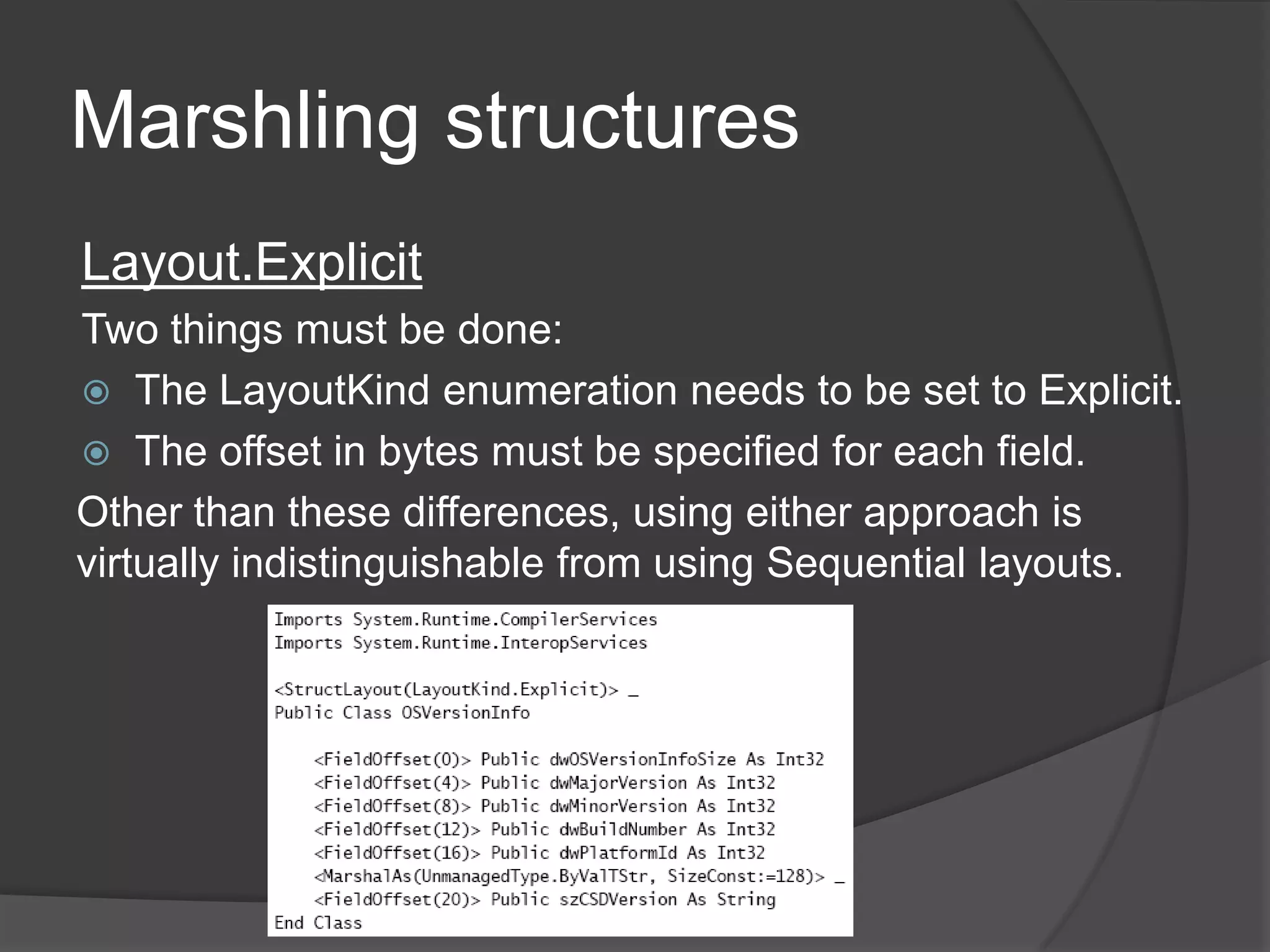
MarshlingstructuresLayout.ExplicitTwothingsmustbe done:The LayoutKind enumeration needs to be set to Explicit.The offset in bytes must be specified for each field.Other than these differences, using either approach is virtually indistinguishable from usingSequentiallayouts.
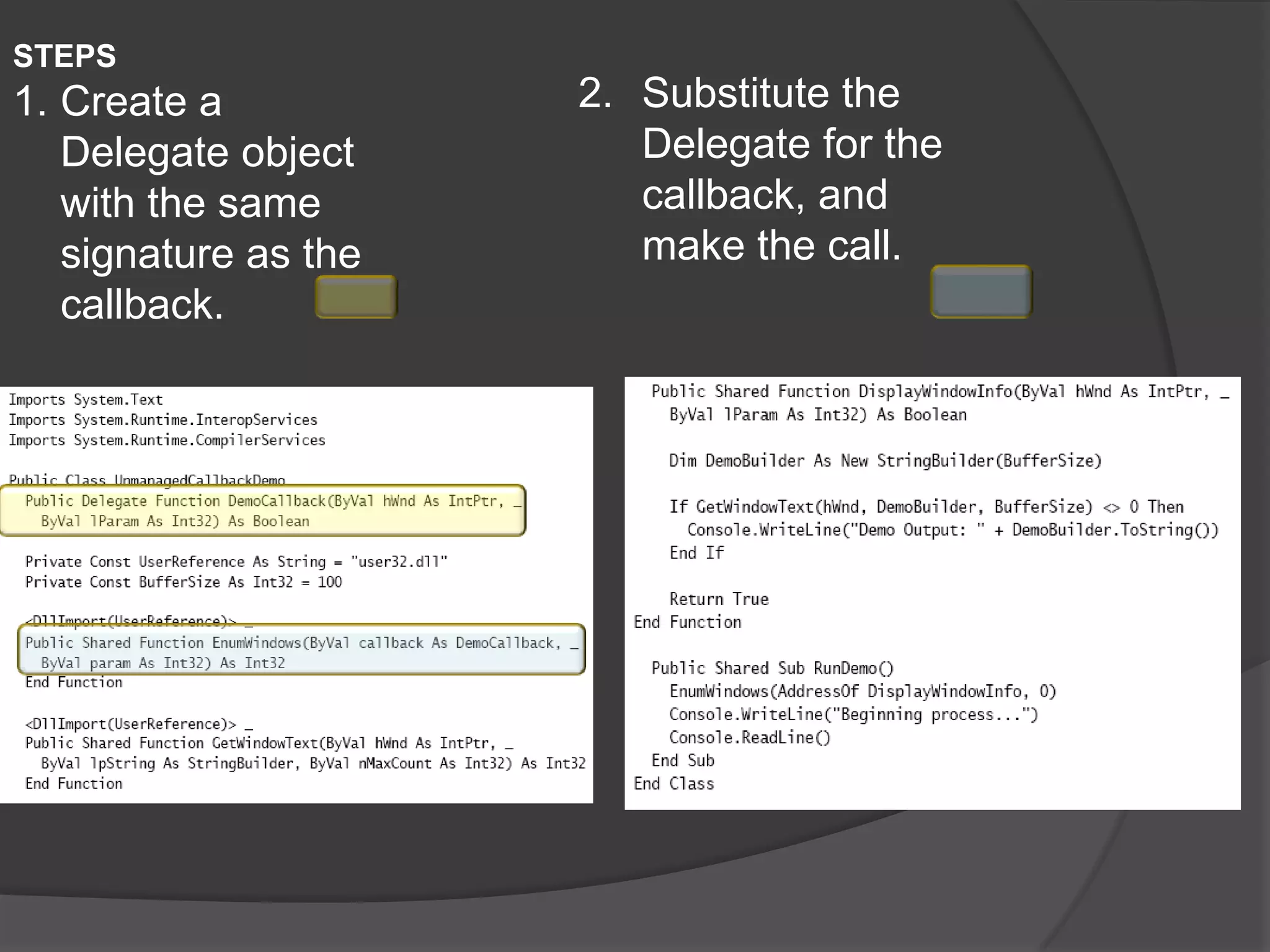
Using a callbackwithunmanagedcodeThe .NET Framework providesDelegate objects, which can be used to manage callbacks in a “type-safe” fashion.
STEPSCreate a Delegate object with the same signature as the callback.Substitute the Delegate for the callback, and make the call.

Interoperation

  • 1.
  • 2.
    InteroperationInteroperation is ageneric name used to refer to the process of interacting with unmanaged code from within managed code.The large amount of legacy code that was expensive to develop and has already been tested.Not every Microsoft Windows API has been wrapped for the .NET Framework 2.0, so some tasks are possible only if you use Interoperation.
  • 3.
  • 4.
    LessonsummaryCOM components caneasily be consumed in a .NET application, although the reasons for doing so need to be carefully considered.You can use the COM tab of the Add Reference dialog box to add a reference to registered COM components.The TlbImp.exe tool is a command-line mechanism to import a COM component.The out switch of the TlbImp.exe tool can be used to change the name of the assembly that will be imported from its original name to a preferred one.The default behavior when catching System.Exception objects now catches both CLS-compliant and non-CLS-compliantexceptions.The RuntimeCompatibilty attribute can be used to change whether non-CLS compliant exceptions will be trapped by default.
  • 5.
    ImportingTypeLibrariesRuntime Callable Wrapper(RCW): mechanism that serves as a proxy so that the .NET runtime can communicate with a COM component.RCW handles the majority of the work between .NET and COM, including marshaling data types, handling events, and handling interfaces.
  • 6.
    ImportingTypeLibrariesOnce a DLLhas been registered, You have two ways to import registered COM DLLs:Visual Studio 2005TlbImp.exeYou can also use some of the services available in the System.Runtime. InteropServices namespace, but doing so is cumbersome and error prone
  • 7.
  • 8.
    ImportingTypeLibrariesUsingtheType Library Importerutility (TlbImp.exe) is a little more intricate but still quite straightforwardOpen the Visual Studio 2005 command promptNavigate to the location of the DLL you want to importTypetlbimp <dllname>.dllThiswillimportthe DLL and create a .NET assemblywithits original name. Forexample, Person.dll willbeimported as Person.dll.If you want a name to be used other than the original DLL name, type tlbimp <dllname>.dll /out:<DesiredName>.dll.Add a reference to the assembly name you chose just as you would for any other .NET assembly. TlbImp.exe is creating a new assembly for you from the COM library. So now you have a brand new .NET assembly, and it will be visible only under the .NET tab of the Add Reference dialog box.
  • 9.
    ImportingTypeLibrariesC# doesn’tsupportoptionalparameterswhereas VisualBasic 2005 does. COM components don’t support parameter overloading, so for each value in a parameter list, you’ve got to pass in something, even if it does nothing. Moreover, COM parameters are always passed by reference, which means that you can’t pass in a null value.In Visual Basic 2005, this isn’t really an issue because many of these parameters are optional and you can just leave them out (or include them) as you see fit. C# doesn’t support this, though, so you have to create object variables (remember, they can’t be null) and then pass them in. This approach is problematic for the following reasons:It leads to unnecessary and confusing code.In many instances, it leads to code that’s virtually unreadable. (Imagine a 15 item parameter list, for instance.)
  • 10.
    ImportingTypeLibrariesTo address thisproblem, a new feature of the Type class has been provided: Type.Missing. Examine the following code samples:' VBImportsMicrosoft.Office.CoreImports Microsoft.Office.Interop.Excel ' Must have Office installed for this demoDimNewExcelApp As New Microsoft.Office.Interop.Excel.Application'Thisworks fineNewExcelApp.Worksheets.Add()// C#usingMicrosoft.Office.Core;using Microsoft.Office.Interop.Excel; // Must have Office installed for this demoApplicationNewExcelApp = new Application();// Thiswillnot compile.NewExcelApp.Worksheets.Add();
  • 11.
    ImportingTypeLibrariesInstead of creating“dummy” object variables, the Type.Missing field can be used. That field can be passed in with the C# code and the application will work as expected. ' VBModule Module1Private OptionalParamHandler As Object = Type.MissingSub Main()DimNewExcelApp As New Microsoft.Office.Interop.Excel.ApplicationNewExcelApp.Worksheets.Add(OptionalParamHandler, _OptionalParamHandler, OptionalParamHandler, _OptionalParamHandler)End SubEnd Module// C#classProgram{private static Object OptionalParamHandler = Type.Missing;staticvoidMain(string[] args){ApplicationNewExcelApp = new Application();NewExcelApp.Worksheets.Add(OptionalParamHandler,OptionalParamHandler, OptionalParamHandler,OptionalParamHandler);}}
  • 12.
  • 13.
    Using COM objectsin codeAfter the steps in the “Importing Type Libraries” section have been performed, using an object contained in a given library is virtually identical to using one created purely in .NET.' VBAxAcroPDF1.LoadFile("SamplePDFDocument.pdf")AxAcroPDF1.Print()// C#axAcroPDF1.LoadFile(@"SamplePDFDocument.pdf");axAcroPDF1.Print();
  • 14.
    Handlingexceptions in COMinteropWhat System.Exception would handle is any Common Language Specification (CLS) compliant exception. COM errors won’t be CLS compliant, they won’t be caught by System.Exceptions. Because so many developers mistakenly understood the behavior of trapping System.Exception, quite a bit of unstable code and code with serious potential security implications was developed.
  • 15.
    Handlingexceptions in COMinteropIn version 2.0 of the .NET Framework, the RuntimeWrappedException class was introduced intotheSystem.Runtime.CompilerServicesnamespace.
  • 16.
    Handlingexceptions in COMinteropWith the exception of WrappedException, each of the properties is inherited from the System.Exception class. So the main distinction is the WrappedException property, which is of type Object.When a non-CLS-compliant exception is thrown, the common language runtime (CLR) creates an instance of this class and then sets the WrappedException property to the object that was thrown. This behavior is handled by default and is transparent to the developer, but it’s important to be aware of.
  • 17.
    Handlingexceptions in COMinteropTo turn off this behavior, you can use the RuntimeCompatibility attribute, as illustrated here:‘VBImportsSystem.Runtime.CompilerServices<Assembly: RuntimeCompatibility(WrapNonExceptionThrows:=False)>// C#usingSystem.Runtime.CompilerServices;[assembly: RuntimeCompatibility(WrapNonExceptionThrows=false)]
  • 18.
    Limitations of COMinteropThere have been some shortcomings with using COM Interop:Static/shared members COM objects are fundamentally different from .NET types. One of the differences is lack of support for static/shared members.Parameterized constructors COM types don’t allow parameters to be passed into a constructor. This limits the control you have over initialization and the use of overloadedconstructors.Inheritance One of the biggest issues is the limitations COM objects place on the inheritance chain. Members that shadow members in a base class aren’t recognizable, and therefore, aren’t callable or usable in any real sense.Portability Operating systems other than Windows don’t have a registry. Reliance on the Windows registry limits the number of environments a .NET application can beportedto.
  • 19.
    QuestionsWhich methods allowCOM components to be used in .NET applications? (Chooseallthatapply.)A. Add a reference to the component through Microsoft Visual Studio 2005.B. Use the Type Library Import tool (TlbImport.exe).C. Use the Regsvr32 tool.D. Ensure that the application is registered, using the RegSvr tool if necessary. Then either add a reference to it from the COM tab of the Add Reference dialog box or use TblImp.exe.
  • 20.
    Questions2. How shouldnon-CLS-compliant exceptions be trapped when running under t.he.NET Framework 2.0? (Choose all that apply.)A. Trap an instance of the ApplicationException.B. Trap an instance of System.Exception, and set the RuntimeCompatibiltyattributeto false.C. Simply trap an instance of a System.Exception object.D. Trap an instance of System.Exception, and set the RuntimeCompatibiltyattributeto true.
  • 21.
    Questions4. Which toolscan be used to manipulate COM Interop? (Choose all that apply.)IntermediateLanguageDisassembler (Ildasm.exe).B. The .NET Framework 2.0 Configuration Tool.C. Type Library Importer (TlbImp.exe).D. The Windows Registry Editor.
  • 22.
  • 23.
    LessonsummaryThe Register ForCOM Interop option under the build configuration automates the process of exposing .NET assemblies to COM components.The primary mechanism for exposing .NET assemblies to COM components is theComVisibleattribute.The ComVisible attribute can be set to apply to an entire assembly, an entire class, or individual members.The more granular the application of the ComVisible attribute, the more it takes precedence. A class, for example, can be marked with ComVisible set to false and with a given member set to true. The member that is set to true will be visible to COM components.
  • 24.
    Building .NET Componentsfor Use by COMJust as COM components can be consumed by .NET applications, the reverse is true. A proxy known as a COM Callable Wrapper (CCW) handles marshaling items between .NET and COM.The .NET runtime will create onlyone CCW.
  • 25.
    Building .NET Componentsfor Use by COMSteps:Create a .NET class library just like you normally would.Open the Project Properties dialog box by right-clicking the project and selecting Properties.Click the Build tab, which is located on the right side of the dialog box.Select the Register For COM Interop option in the Output section of the tab.Buildtheapplication.
  • 26.
    Building .NET Componentsfor Use by COMAfter the project is built, the necessary type library information will be created by Visual Studio 2005, which will also register each of the objects as COM objects for you.
  • 27.
    Hiding Public .NETClasses from COMConsidering visibility if you want everything to be visible or invisible and the level of granularity of this visibility.
  • 28.
    To set COMVisibility to either On or Off by default, simply set the ComVisible Assembly attribute to true or false, respectively.' VB<Assembly: ComVisible(False)> ' Visibility disabled by default Next, for each class and each member that you ' want to have visible or invisible, simply use the ComVisible' attribute individually for each of them:
  • 29.
    Hiding Public .NETClasses from COMNext, for each class and each member that you want to have visible or invisible, simply use the ComVisible attribute individually for each of them:<ComVisible(True)> _Public Property LastName() As StringGetReturnMe._lastNameEndGet Set(ByValvalue As String)Me._lastName = valueEnd SetEndProperty<ComVisible(False)> _Public Property Salary() As Int32GetReturnMe._salaryEndGet Set(ByValvalue As Int32)Me._salary = valueEnd SetEndPropertyEndClassImportsSystem.Runtime.CompilerServicesImportsSystem.Runtime.InteropServices<ComVisible(False)> _PublicClassComVisiblePersonPrivate _firstName As StringPrivate _lastName As StringPrivate _salary As Int32<ComVisible(True)> _Public Property FirstName() As StringGetReturnMe._firstNameEndGet Set(ByValvalue As String)Me._firstName = valueEnd SetEndProperty
  • 30.
    Deploying COM-EnabledAssembliesTo ensurethat things work as planned:All classes must use a default constructor with no parameters.
  • 31.
    Any typethat is to be exposed must be public.
  • 32.
    Any memberthat is to be exposed must be public.
  • 33.
    Abstract classeswill not be able to be consumed.After these criteria are met, the assembly is essentially ready to be exported.
  • 34.
    Deploying COM-EnabledAssembliesMechanisms toexport the assembly:Compile the type through Visual Studio’s build mechanism or through the command-line compiler.' VBvbc /t:library ComVisiblePerson.vb// C#csc /t:library ComVisiblePerson.cs Next you need to use the Type Library Exporter Utility. This should be done from the Visual Studio 2005 commandprompt:tlbexp ComVisiblePerson.dll /out:ComVisiblePersonlib.tlbNext you need to create a resource script (ComVisiblePerson.res) with the following statement: IDR_TYPELIB1 typelib "ComVisiblePersonlib.tlb"
  • 35.
    Deploying COM-EnabledAssemblies Togenerate the resource file, you compile the script by using the Resource Compiler, as shownhere:rc ComVisiblePersonLib.res Then you recompile the assembly with the type library embedded as a Win32 resource file, as shownhere:' VBvbc /t:library ComVisiblePerson.vb /win32res:ComVisiblePersonLib.res// C#csc /t:library ComVisiblePerson.cs /win32res:ComVisiblePersonLib.res
  • 36.
  • 37.
    Afterthislesson, youwillbeableto:Use PlatformInvoke (P/Invoke) to access unmanaged code.Encapsulate DLL functions.Convert data types between managed and unmanaged code.
  • 38.
    Afterthislesson, youwillbeableto:Use PlatformInvoke (P/Invoke) to access unmanaged code.Encapsulate DLL functions.Convert data types between managed and unmanaged code.
  • 39.
    Callingplatforminvoke (P/Invoke)Typical usecase scenarios:Functionality specific to the Windows operating system, context switching, and file I/O.Advanced manipulation of windows, menus, dialog boxes, and icons. For example, if you want to customize a MessageBox outside of what the .NET Framework provides, the only way to do it is through the Windows API.Advanceddrawingfunctionality.
  • 40.
    Callingplatforminvoke (P/Invoke)You manageP/Invoke through the System.Runtime.InteropServices namespaceCreate a new static/shared external method with the name of the function you wanttocall.Decorate it with the DllImport attribute specifying the library that it should call.Call the method from your code.
  • 41.
    Callingplatforminvoke (P/Invoke)Example' VBImportsSystem.TextImportsSystem.Runtime.InteropServicesPublicClassWindowExamplePrivateConst BufferSize As Int32 = 256<DllImport("user32.dll")> Private Shared Function GetForegroundWindow() As IntPtrEndFunction<DllImport("user32.dll")> Private Shared Function GetWindowText(ByValhWnd As IntPtr, _ByValtextValue As StringBuilder, ByVal counter As Int32) As Int32EndFunctionPublicShared Sub GetScreenDemo()Dim DemoBuilder As New StringBuilder(BufferSize)Dim DemoHandle As IntPtr = GetForegroundWindow()If GetWindowText(DemoHandle, DemoBuilder, BufferSize) > 0 ThenConsole.WriteLine(DemoBuilder.ToString())EndIfEnd SubEndClassWhen using Platform Invoke, use a StringBuilder object instead of a String. A StringBuilder is a reference type with no atypical behavior and is needed because of the way P/Invoke internals work.
  • 42.
    Encampsulating DLL functionsIt’soften beneficial to create a class that exposes P/Invoke. This approach has the following benefits:Consumers of your class will not know this code from any other “normal” code they are used to dealing with.It relieves developers of having to remember the API call names and their respective parameters. You can create it once and then use it like any other .NET method.It will be less error prone. Even slight typing differences can cause P/Invoke calls to break. Even if you are a perfect typist and never forget anything, it’s doubtful that everyone you work with will have the same capability. And if they don’t, they will invariable type something incorrectly, miss a parameter, or forget the name of something.Example:WindowExample.GetScreenDemo()
  • 43.
    Coverting data typesWhenusingunmanagedcode,the first mechanism for converting data types is the MarshalAs attribute. MarshalAs can be applied to a property or a parameter. Either way, it works essentially the same.Create your property, decorate it with the MarshalAs attribute, and then specify the type it should be converted from, as shown here:
  • 44.
    Converting data typesJustas this attribute can be applied to a method or property, it can be applied to a parameter as well.
  • 45.
    MarshalingstructuresStructures are commonlyused in many Windows APIs and methods that you will use through P/Invoke.By default, when a type is created, the CLR will decide how best to arrange the class’s members. To manually direct the CLR about how to handle (or not handle) the layout of a type The System.Runtime.InteropServices.StructLayoutAttributeattribute is provided.
  • 46.
  • 47.
  • 48.
    MarshlingstructuresThe StructLayoutAttribute constructor,takes one of the following three values:LayoutKind.Auto Causes the developer to relinquish all control over the layout tothe CLRLayoutKind.SequentialCauses the CLR to preserve the layout specified by the developerLayoutKind.ExplicitCauses the CLR to use the layout explicitly specified by the developer by using memory offsets
  • 49.
    MarshlingstructuresLayout.SequentialThis method indicatesthat structure values will appear exactly as they should in the called library:
  • 50.
    MarshlingstructuresLayout.ExplicitTwothingsmustbe done:The LayoutKindenumeration needs to be set to Explicit.The offset in bytes must be specified for each field.Other than these differences, using either approach is virtually indistinguishable from usingSequentiallayouts.
  • 51.
    Using a callbackwithunmanagedcodeThe.NET Framework providesDelegate objects, which can be used to manage callbacks in a “type-safe” fashion.
  • 52.
    STEPSCreate a Delegateobject with the same signature as the callback.Substitute the Delegate for the callback, and make the call.
  • 53.
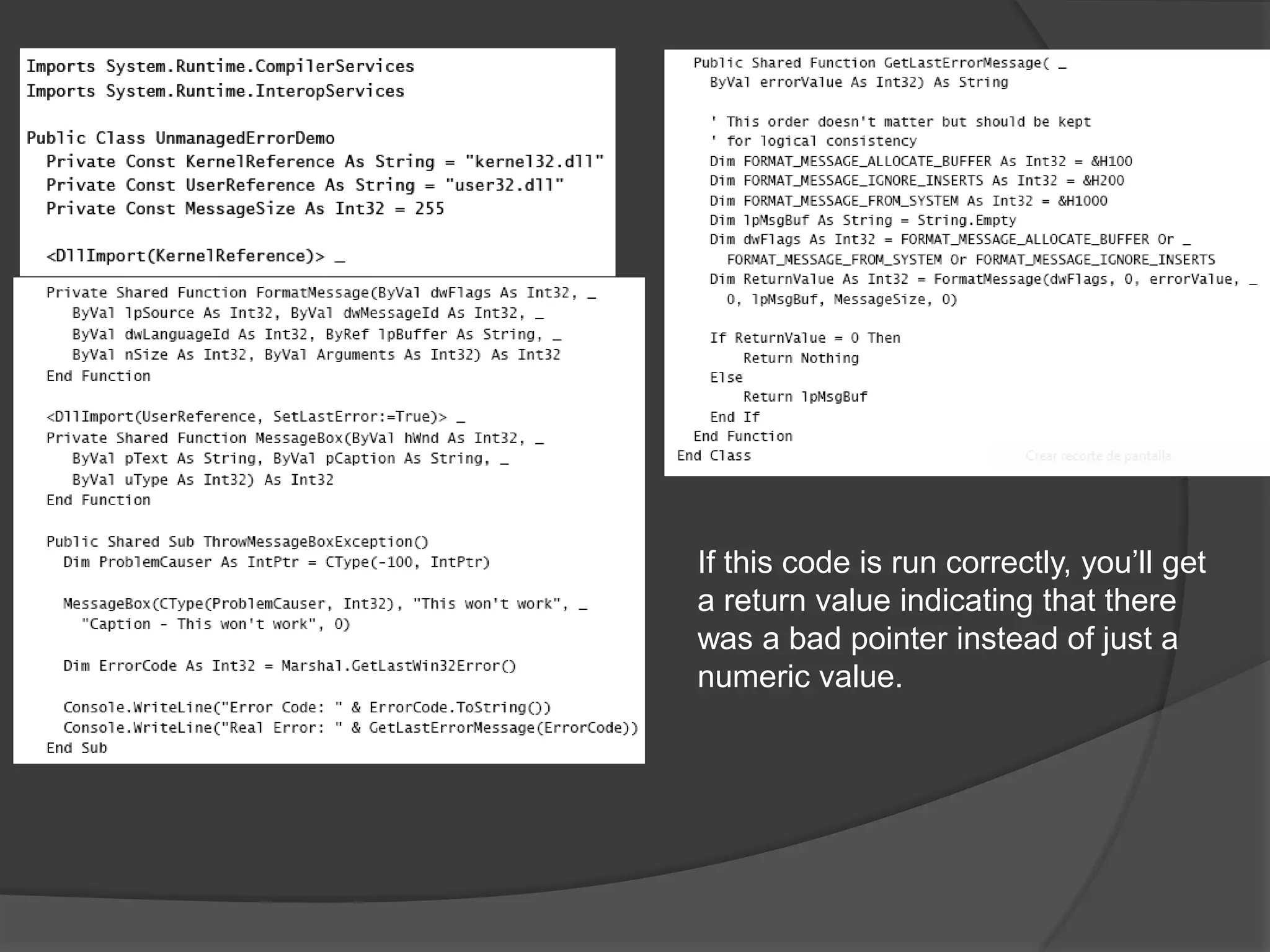
    Exception Handling inManaged CodeUsing COM, you could use the GetLastError function to get the last error thatwasraised. This approach won’t work in a managed application.The only thing more problematic than no exception handling is bad exception handling.
  • 54.
    If this codeis run correctly, you’ll get a return value indicating that there was a bad pointer instead of just a numeric value.
  • 55.
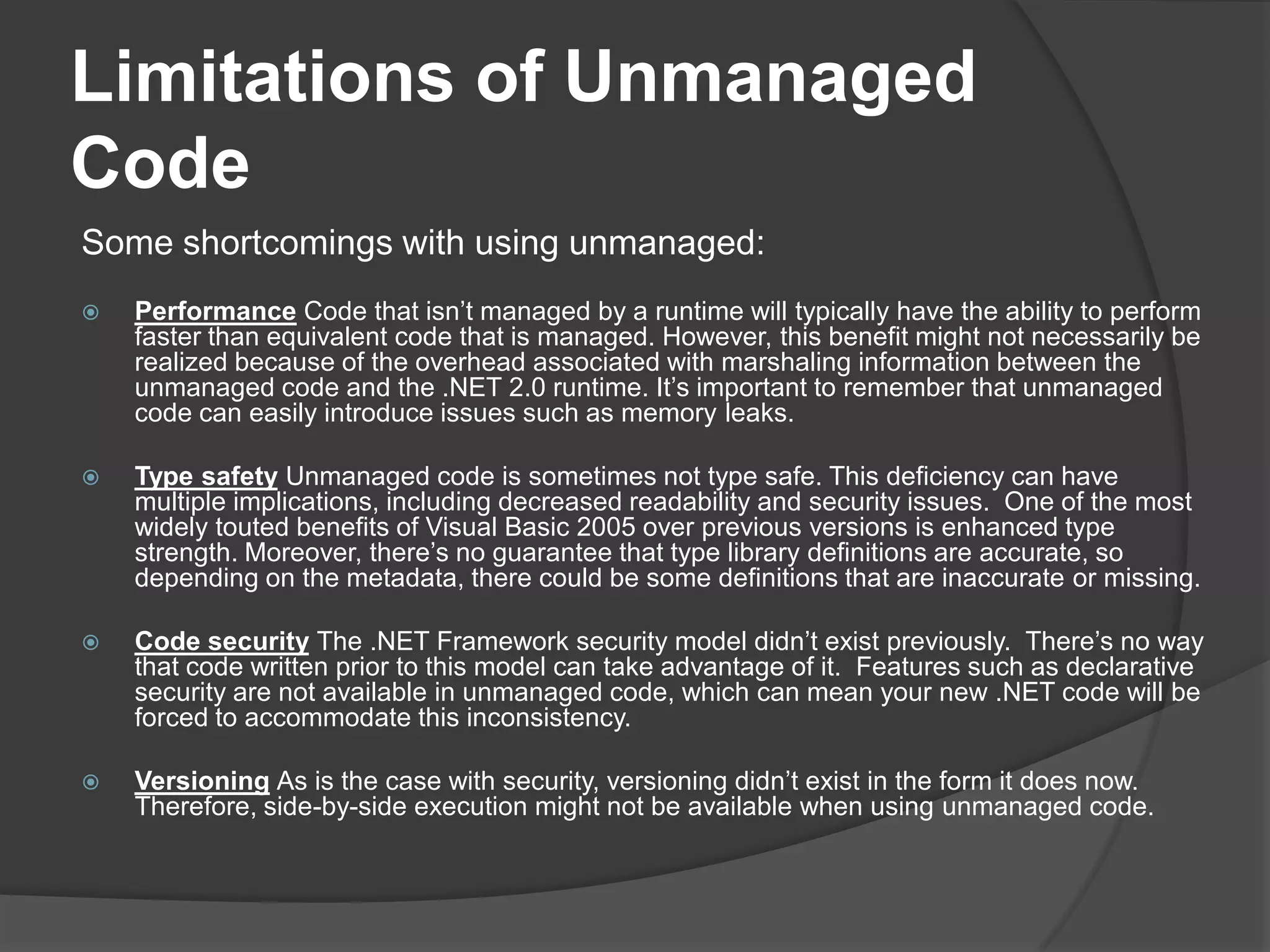
    Limitations of UnmanagedCodeSomeshortcomings with using unmanaged:PerformanceCode that isn’t managed by a runtime will typically have the ability to perform faster than equivalent code that is managed. However, this benefit might not necessarily be realized because of the overhead associated with marshaling information between the unmanaged code and the .NET 2.0 runtime. It’s important to remember that unmanaged code can easily introduce issues such as memory leaks.Type safetyUnmanaged code is sometimes not type safe. This deficiency can have multiple implications, including decreased readability and security issues. One of the most widely touted benefits of Visual Basic 2005 over previous versions is enhanced type strength. Moreover, there’s no guarantee that type library definitions are accurate, so depending on the metadata, there could be some definitions that are inaccurate ormissing.Code securityThe .NET Framework security model didn’t exist previously. There’s no way that code written prior to this model can take advantage of it. Features such as declarative security are not available in unmanaged code, which can mean your new .NET code will be forced to accommodate this inconsistency.VersioningAs is the case with security, versioning didn’t exist in the form it does now. Therefore, side-by-side execution might not be available when using unmanagedcode.
  • 56.
    LessonsummaryThe .NET Frameworkprovides a mechanism to call Windows API calls and unmanaged code through Platform Invoke.To use P/Invoke, you use the DllImport attribute and the name of the DLL you are referencing.You must use the private and static/shared attributes for P/Invoke calls.To allow default positioning in a structure that’s to be marshaled, you can use theLayout.Sequentialattribute.To specify a value for the positioning in a structure, you can use the Layout.Explicitattribute.Error messages from unmanaged code behave differently from managed exceptions. To trap them correctly, the Windows API can be used.

Editor's Notes

  • #2 INTEROPERATION = Process of interacting with unmanaged code from within managed code
  • #3 Interoperation es un nombre genérico que se refiera al proceso de interacutar con código no administrado desde código administrado.Es importante esta característica por:La gran cantidad de código legado en la que ya se invirtió y ya está probado.No se cuenta con API para todas las funciones que requiere el .NET Framework.