Protecting our students on the  World Wide Web By:  Elissa Malespina CHS Librarian
Agenda Potential Dangers Predators Cyberbullying MySpace What to do
 
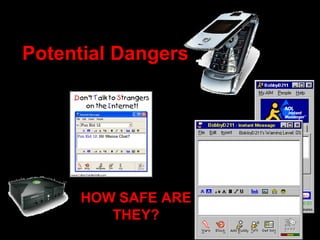
Potential Dangers HOW SAFE ARE THEY?
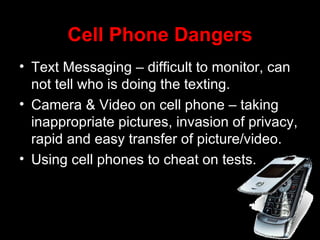
Cell Phone Dangers Text Messaging – difficult to monitor, can not tell who is doing the texting. Camera & Video on cell phone – taking inappropriate pictures, invasion of privacy, rapid and easy transfer of picture/video. Using cell phones to cheat on tests.
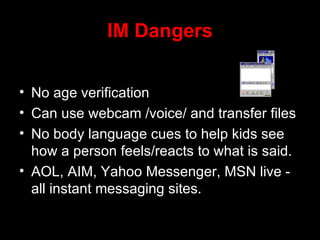
IM Dangers No age verification Can use webcam /voice/ and transfer files No body language cues to help kids see how a person feels/reacts to what is said.  AOL, AIM, Yahoo Messenger, MSN live - all instant messaging sites.
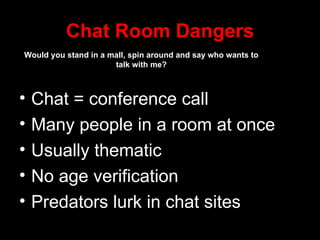
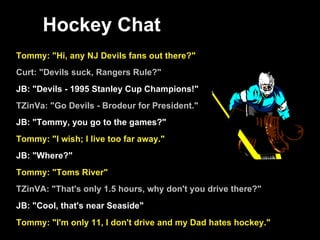
Chat Room Dangers Chat = conference call Many people in a room at once Usually thematic No age verification Predators lurk in chat sites Would you stand in a mall, spin around and say who wants to talk with me?
 
X Box Live Live chat among Xbox users Voice synthesizer feature makes it hard to know who you are talking to Predators use it to make contact Difficult for law enforcement to trace.
PREDATORS  (In their own words)
Behavioral Traits of Predators Generally more intelligent than other criminals: Doctor, Engineers, Lawyers, College Professors. Often meek & mild Need driven behavior (can’t help themselves) Master manipulators Passive-Aggressive Personality Almost always male
Victims have self-esteem issues
 
Cyberbullying Definition: Sending or posting threatening or harassing text or images using the Internet or other digital communication devices. Modes of cyberbullying:   email, websites, blogs, IM, chat rooms, cell phone.
Cyberbullying – three parts Bullies : Those who harass & demean others, especially those they think are different inferior. Victims: Those who get bullied. Bystanders : Those who encourage & support the bully, or watch the bullying from  the sidelines and do nothing to help.
Forms of Cyberbullying Flaming – Online fights using electronic messaging Harassment – repeatedly sending messages Dissing – sending/posting gossip Impersonation – being someone else Outing – sharing secrets or embarrassing info/ images Exclusion – intentionally & cruelly excluding others
Problems with the laws Right now the laws are set up in such a way that cyberbullying is considered harassment .  Police can not get a can’t really get involved.
13 year old from Vermont committed suicide  After being bullied at school he turned to the Internet where he met other suicidal teens Parents helped to create new laws on bullying in Vermont www.ryanpatrickhalligan.com
PRIVATE
 
What  should a  parent / teacher do?
Classroom Protocol If something happens on one of the computers in the classroom/lab  DO NOT TOUCH IT! DO NOT TURN IT OFF, DO NOT LET ANYONE TOUCH IT. Call the deans / who may contact police.
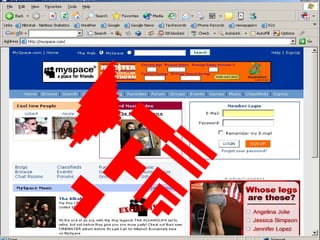
Get Informed Google yourself Create a Myspace Page (do not put anything on it) Talk with your students about internet safety
Helpful Websites FBI – Cyber crimes – submit a crime tip http://www.fbi.gov/cyberinvest/cyberhome.htm     New Jersey State Police – Cyber Crimes Unit http://www.state.nj.us/njsp/divorg/invest/cyber-crimes-unit.html     National Center for Missing & Exploited Children – CyberTipline  (the 911 of the Internet) http://www.missingkids.com/missingkids/servlet/PageServlet?LanguageCountry=en_US&PageId=2936     NetSmartz411 – Internet Safety Help Desk http://www.netsmartz411.org/
QUESTIONS

Internet Safety Presentation

  • 1.
    Protecting our studentson the World Wide Web By: Elissa Malespina CHS Librarian
  • 2.
    Agenda Potential DangersPredators Cyberbullying MySpace What to do
  • 3.
  • 4.
    Potential Dangers HOWSAFE ARE THEY?
  • 5.
    Cell Phone DangersText Messaging – difficult to monitor, can not tell who is doing the texting. Camera & Video on cell phone – taking inappropriate pictures, invasion of privacy, rapid and easy transfer of picture/video. Using cell phones to cheat on tests.
  • 6.
    IM Dangers Noage verification Can use webcam /voice/ and transfer files No body language cues to help kids see how a person feels/reacts to what is said. AOL, AIM, Yahoo Messenger, MSN live - all instant messaging sites.
  • 7.
    Chat Room DangersChat = conference call Many people in a room at once Usually thematic No age verification Predators lurk in chat sites Would you stand in a mall, spin around and say who wants to talk with me?
  • 8.
  • 9.
    X Box LiveLive chat among Xbox users Voice synthesizer feature makes it hard to know who you are talking to Predators use it to make contact Difficult for law enforcement to trace.
  • 10.
    PREDATORS (Intheir own words)
  • 11.
    Behavioral Traits ofPredators Generally more intelligent than other criminals: Doctor, Engineers, Lawyers, College Professors. Often meek & mild Need driven behavior (can’t help themselves) Master manipulators Passive-Aggressive Personality Almost always male
  • 12.
  • 13.
  • 14.
    Cyberbullying Definition: Sendingor posting threatening or harassing text or images using the Internet or other digital communication devices. Modes of cyberbullying: email, websites, blogs, IM, chat rooms, cell phone.
  • 15.
    Cyberbullying – threeparts Bullies : Those who harass & demean others, especially those they think are different inferior. Victims: Those who get bullied. Bystanders : Those who encourage & support the bully, or watch the bullying from the sidelines and do nothing to help.
  • 16.
    Forms of CyberbullyingFlaming – Online fights using electronic messaging Harassment – repeatedly sending messages Dissing – sending/posting gossip Impersonation – being someone else Outing – sharing secrets or embarrassing info/ images Exclusion – intentionally & cruelly excluding others
  • 17.
    Problems with thelaws Right now the laws are set up in such a way that cyberbullying is considered harassment . Police can not get a can’t really get involved.
  • 18.
    13 year oldfrom Vermont committed suicide After being bullied at school he turned to the Internet where he met other suicidal teens Parents helped to create new laws on bullying in Vermont www.ryanpatrickhalligan.com
  • 19.
  • 20.
  • 21.
    What shoulda parent / teacher do?
  • 22.
    Classroom Protocol Ifsomething happens on one of the computers in the classroom/lab DO NOT TOUCH IT! DO NOT TURN IT OFF, DO NOT LET ANYONE TOUCH IT. Call the deans / who may contact police.
  • 23.
    Get Informed Googleyourself Create a Myspace Page (do not put anything on it) Talk with your students about internet safety
  • 24.
    Helpful Websites FBI– Cyber crimes – submit a crime tip http://www.fbi.gov/cyberinvest/cyberhome.htm   New Jersey State Police – Cyber Crimes Unit http://www.state.nj.us/njsp/divorg/invest/cyber-crimes-unit.html   National Center for Missing & Exploited Children – CyberTipline  (the 911 of the Internet) http://www.missingkids.com/missingkids/servlet/PageServlet?LanguageCountry=en_US&PageId=2936   NetSmartz411 – Internet Safety Help Desk http://www.netsmartz411.org/
  • 25.