Create Smart & Safe Digital CitizensCyberbullyingBy Adrienne DeWolfe
Digital Citizenship FrameworkEmphasizes the POSSIBILITIES of technology and online communities
It’s about empowerment as much as protection
Emphasizes the word “think” more than “don’t”With great powerComes greatResponsibility!
AgendaThe Millennials (M2) - MultiMedia & KidsBullying - Definitions & RisksDiscipline and the LawResources & StrategiesWhat Educators Can DoAssess the problem locallyProvide staff training
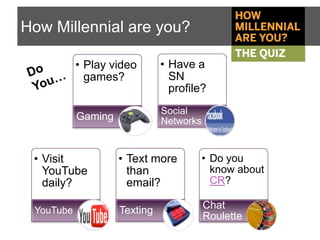
How Millennial are you?Do You…
How Millennial are you?Poll Everywhere with texting
Pew Internet & American Life 2010
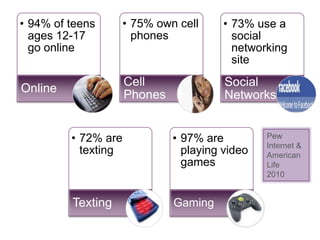
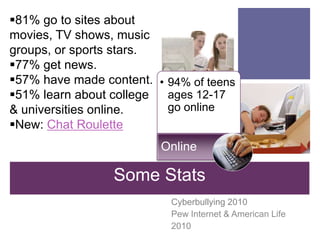
94% of teens ages 12-17 go online
81% go to sites about movies, TV shows, music groups, or sports stars.
77% get news.
57% have made content.
51% learn about college & universities online.
New: Chat RouletteOnlineSome StatsCyberbullying 2010 Pew Internet & American Life2010
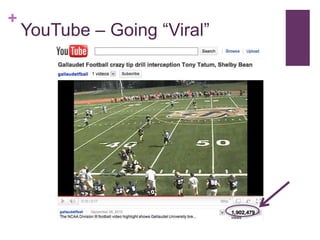
YouTube – Going “Viral”
YouTube – ResourcesSafety Center
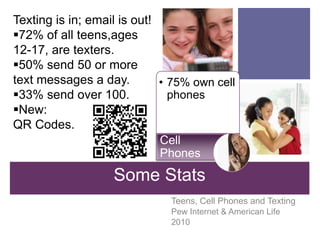
75% own cell phonesTexting is in; email is out!72% of all teens,ages 12-17, are texters.
50% send 50 or more text messages a day.
33% send over 100.
New: QR Codes.Cell PhonesSome StatsTeens, Cell Phones and TextingPew Internet & American Life2010
When you take a picture of it, the QR Code sends text message, urlor phone number to your smart phoneQR Codes
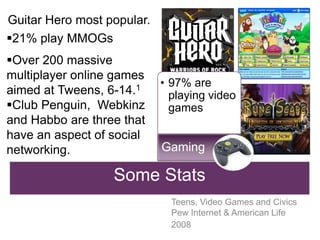
97% are playing video gamesGuitar Hero most popular.21% play MMOGs
Over 200 massive multiplayer online games aimed at Tweens, 6-14.1
Club Penguin,  Webkinz and Habbo are three that have an aspect of social networking. GamingSome StatsTeens, Video Games and Civics Pew Internet & American Life2008
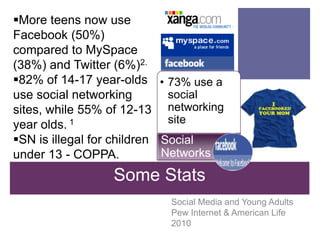
More teens now use Facebook (50%) compared to MySpace (38%) and Twitter (6%)2.
82% of 14-17 year-olds use social networking sites, while 55% of 12-13 year olds. 1
SN is illegal for children under 13 - COPPA.
73% use a social networking siteSome StatsSocial NetworksSocial Media and Young Adults Pew Internet & American Life 2010
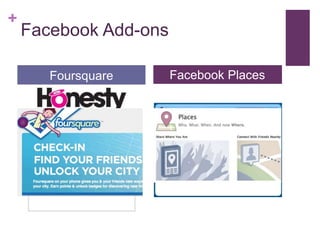
Facebook Add-onsare they doing?FoursquareHonesty BoxFormspringFacebook Places
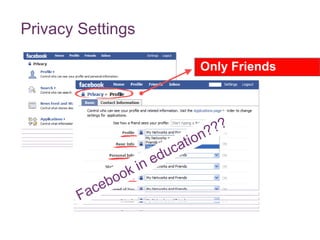
Privacy SettingsOnly FriendsFacebook in education???
Share an “Ah Ha” or “Oh No!”How do we make sense of it all? CommonSense MediaNetFamilyNews
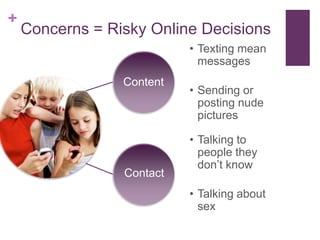
Texting mean messages
Sending or posting nude picturesConcerns = Risky Online Decisions ContentTalking to people they don’t know
Talking about sexContact
Your Phone, Your Choices?
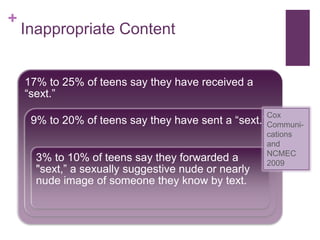
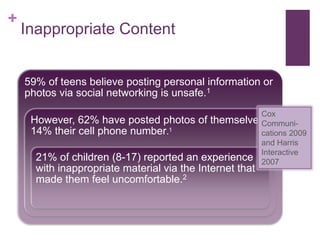
Inappropriate ContentCox Communi-cations and NCMEC2009
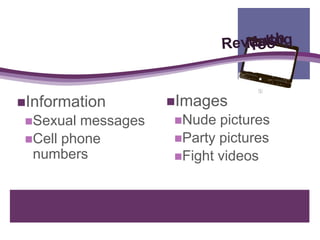
MuchRevealingTooImages
Nude pictures
Party pictures
Fight videosInformation Sexual messagesCell phone numbers
Inappropriate ContentCox Communi-cations 2009 and Harris Interactive 2007
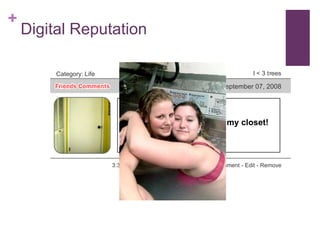
Digital ReputationDigital Footprint or Digital Tattoo
Digital ReputationI<3treesCategory: LifeFriday, September 07, 2008lol.....my maryjane growing in my closet!3:36 PM - 8 Comments - 2 Kudos - Add Comment - Edit - Remove
Digital Reputation
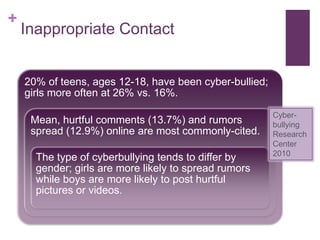
Inappropriate ContactCyber-bullying Research Center 2010
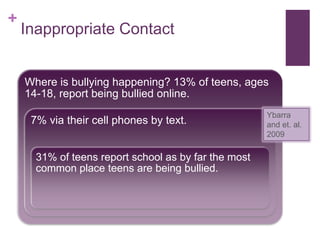
Inappropriate Contact Ybarra and et. al. 2009
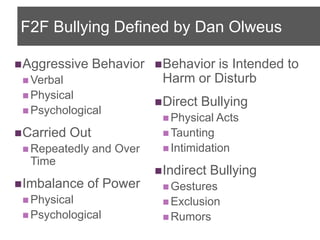
F2F Bullying Defined by Dan OlweusAggressive Behavior
Verbal
Physical
Psychological
Carried Out
Repeatedly and Over Time
Imbalance of Power
Physical
Psychological
Behavior is Intended to Harm or Disturb
Direct Bullying
Physical Acts
Taunting
Intimidation

Shasta COE cyberbullying2010

Editor's Notes

  • #2 How many of you have heard of the term, “Digital Citizen?” (show of hands)This is a new way of looking at online safety for children, which emphasizes the possibilities of technologies.Important Presenter NotesPresentation Length: 1.5-2.5 hours depending on which activities you include.Preparation: Make sure that you have an LCD projector, projection screen, speakers and Internet connection. Familiarize yourself with the latest technologies and trends. Explore popular social networking sites and other current technologies. Familiarize yourself with the resources featured on the “Resources” handout. If possible, localize your presentation by including local cases with which your audience may be familiar.
  • #3 So the framework I bring to you is about empowerment as much as protection. It’s a shift away from rules and threats and toward developing a moral online compass. Kids know how to use technology but don’t understand how it accelerates, amplifies and expands what we do. Online actions have offline consequences. Challenge the young people you know to see themselves as citizens of online communities, to use social media for something greater than themselves, and couple online activism with offline action.
  • #4 (Review the agenda with your participants and query their areas of greatest interest.)
  • #5 How many of you graduated high school in 2000 or after? (Audience Response) If so, you would be part of the generation referred to as the Millennials or Net Generation, marked by an increased use and familiarity with communications, media, and digital technologies. Let’s find out how Millennial the rest of us are.Do you…(query your audience with the prompts on the slide as they tally up a point for each yes response).(Note: Pew Research Center offers a quiz to find out how millennial you are. Click on “The Quiz” box above to try this amusing, 14 item quiz.http://pewresearch.org/millennials/quiz/intro.php)(Note: Chat Roulette may be new to many of your participants. It’s like speed dating online with your webcam and with few inhibitions. At the www.chatroulette.com site, teens and unsavory adults use their webcams to randomly meet others. Many creepy, exhibitionist adults can lurk at this site. The link above in CR takes you to a review of the Chat Roulette site from a great resource, CommonSense Media.)
  • #7 Now let’s compare our results to that of teens ages 12-17.This presentation contains an in-depth investigation of the most current research on teens, tweens and technology. It draws heavily on the work from The Pew Internet &amp; American Life Project, The MacArthur Digital Media and Learning Initiative and The Cyberbullying Research Center. Citation: Social Media and Young Adults from the Pew Internet and American Life Project, 2010, April 20, 2010, http://pewinternet.org/Reports/2010/Social-Media-and-Young-Adults/Part-3/1-Teens-and-online-social-networks.aspx?r=1, Accessed on June 1, 2010.
  • #8 Let’s go a little bit deeper to discuss some things kids are doing online. Click on Chat Roulette and CamFrog if the audience is interested.Citation:Cyberbullying 2010: What the Research Tells Us from the Pew Internet and American Life Project by Amanda Lenhart. May 6, 2010. http://www.pewinternet.org/Presentations/2010/May/Cyberbullying-2010.aspx. Accessed on June 1, 2010.
  • #9 (Click on the image to go to the YouTube video). Gallaudet University Football, Sept. 25, 2010, goes viral:The ball looks to be heading out of bounds but sophomore defensive back Tony Tatum leaps in the air, going out of bounds, and throws the ball back in bounds where fellow sophomore defensive back Shelby Bean grabs the ball and returns it six yards to the Castleton 38-yard line. AMAZING!(show video) This video went from 0 viewers to nearly 2 million in 6 days. Here’s how it went viral: the assistant head coach, pulled a 17-second clipand sent it to sports information director Sam Atkinson, who forwarded it on to D3Football.com&apos;s &quot;Play of the Week&quot; contest. By Tuesday afternoon, it made it to SI.com&apos;s &quot;Hot Clicks.&quot; By Tuesday night, it made it onto Versus&apos;s &quot;The Daily Line.&quot; By Wednesday afternoon, the video had more than 20,000 views, and was featured on Yahoo&apos;s Dr. Saturday blog. ByWednesday night, the clip was one of the rotating lead stories on the front of Yahoo.com. And so, by Thursday morning, it had been viewed more than 280,000 times. By Thursday afternoon, ESPN and NBC had called, and the clip had better than 625,000 views, making it without a doubt the most-watched play in Gallaudet football history.You can read more about how the video went viral:http://voices.washingtonpost.com/dcsportsbog/2010/09/how_the_gallaudet_tipped_inter.html
  • #10 Demonstrate how to go the YouTube Safety Center and request that a video be taken down. Demonstrate using the safety link at the bottom of all YouTube pages and how to turn on the “safety” mode: Just click on the link at the bottom of any video page. You can even lock your choice on that browser with your YouTube password. Share the YouTube Safety Center videos (unfortunately they are not captioned). Go to YouTube EDU to share the many university channels and the thousands of hours of content universities are posting.
  • #11 QR Codes stands for quick response. They are super barcodes that can contain A LOT of information in a tiny package. In Japan they are on everything from chopsticks to billboards.In Japan kids use them to send messages to each other, in Germany the young people post them everywhere to play games, in the United States they are mostly used as an advertising and marketing tool.Citation: Teens, Cell Phones and Texting by Amanda Lenhart, Senior Research Specialist, Pew Internet &amp; American Life Project. April 20, 2010, http://pewresearch.org/pubs/1572/teens-cell-phones-text-messages, Accessed June 1, 2010.
  • #13 MMOG stands for Massive, Multiplayer Online Games, like World of WarCraft and RuneScape. These MMOGs aimed at tweens are in a sense grooming young users for social networking. Club Penguin, Webkinz, and Habbo provide chat that either limits what users can say to a menu of greetings or is filtered to allow only pre-approved words and phrases, blocking the sharing of a phone number or other personal information. SuperSecret lets kids play at the fantasy of growing up; avatars start at age 10 with 18 as the eventual goal earning privileges on the way. Citation: Teens, Video Games and Civics by Amanda Lenhart, Joseph Kahne, Ellen Middaugh, Alexandra Macgill, Chris Evans, Jessica Vitak, Sept. 16, 2008, http://www.pewinternet.org/Reports/2008/Teens-Video-Games-and-Civics.aspx, Accessed on June 1, 2010.1 Do &apos;tweens really need their own online game? by Kristin Kalning. April 20, 2009, http://www.msnbc.msn.com/id/30257312/. Accessed on June 1, 2010.Virtual-World News Update by Anne Collier. December 7, 2009, http://www.netfamilynews.org/?p=28676, Accessed on June 1, 2010. CommonSense Media, Habbo Review by Dana Villamagna. www.commonsensemedia.org/website-reviews/Habbo.html, Accessed on June 1, 2010.
  • #14 Did you know that it is illegal for children under 13 to use FaceBook or MySpace? Sure they can lie about their age, but as a parent, I like having the law behind me when my 12 year old asks for a FaceBook account.What is COPPA? – Children’s Online Privacy Protection Act applies to the online collection of personal information from children under 13. It details what a website must include in a privacy policy, when and how to seek verifiable consent from a parent or guardian, and what responsibilities a website has to protect children&apos;s privacy and safety online including restrictions on marketing.Citations: 1 Social Media and Young Adults from the Pew Internet and American Life Project by Amanda Lenhart, Kristen Purcell, Aaron Smith, Kathryn Zickhur. February 3, 2010, http://pewinternet.org/Reports/2010/Social-Media-and-Young-Adults/Part-3/1-Teens-and-online-social-networks.aspx?r=1, Accessed June 1, 2010.2 Cyberbullying Research by Hinduja, S. and Patchin, J. W. Cyberbullying Research Center. February, 2010, www.cyberbullying.us, Accessed June 1, 2010.
  • #15 Facebook Add—ons:Honesty Box – is an app you can add to your Facebook page that allows people who visit your facbook page to leave anonymous messages. Formspring is another anonymous question forum. First, you set up an account. During the set up process, you can find friends already on Formspring through your favorite social networks. After that, you can begin asking questions, either anonymously or openly.Foursquare and Facebook Places are also add-ons that utilize the GPS locator in most smart phones to allow your friends to see where you are. This can be a problem if their FaceBook account is not set to private because it allows any user to see where they physically are.
  • #17 So that’s a lot to keep up with and at this point, depending on how media literate you are, your head may be spinning. However, there are some great resources to keep parents and educators in the know. (Click on the logos for CommonSense Media and NetFamily News if you wish to visit the sites with participants. When visiting each, put a term in the search field that your participants may want to learn about. For example, we’ve mentioned Chat Roulette and Habbo, you may want to see what these resources have to tell educators about these inappropriate sites.)Say: These two resources are phenomenal. Common Sense Media is a site that provides balanced reviews and ratings for parents and educators in a world of media and technology. http://www.commonsensemedia.org/NetFamilyNews and Anne Collier, lead editor, provides well-researched and timely articles for parents, educators, and everyone interested in young people&apos;s use of technology. http://www.netfamilynews.org/
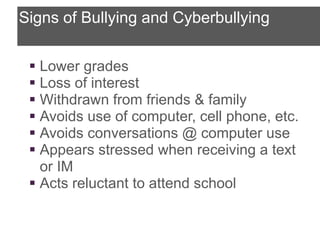
  • #18 While the digital world is creating new opportunities for youth to grapple with social norms, explore interests, develop technical skills, and experiment with new forms of self-expression, there are times that they put themselves at risk. It basically boils down to two things – inappropriate content or contact. Some kids are texting mean messages, sending nude or sexual pictures, talking to people they don’t know online, and talking to them about sex. Kids should know that if they or any of their friends are doing these things, they’re putting themselves at risk online. They might come into contact with cyberbullies and predators, or permanently damage theirreputation.
  • #20 Inappropriate content can include the posting of too much information or revealing photos online, but lately, the focus has been on sexting. Cox Communications NCMEC collected the most recent data on sexting. If you are having a problem with sexting at your site(s), you should see the online resource under the wiki links for Sexting &amp; Youth: Achieving a Rational Approach from Nancy Willard. This document provides recommendations for effective investigation and intervention. Citation: Cox Communications with the National Center for Missing &amp; Exploited Children® (NCMEC) and John Walsh, Cox Communications Teen Online &amp; Wireless Safety Survey. May, 2009, http://www.cox.com/takecharge/safe_teens_2009/media/2009_teen_survey_internet_and_wireless_safety.pdf, accessed on June 1, 2010.
  • #22 Although most teens responded to this survey that they knew posting personal info online is unsafe, most of them did it anyway. Citation: 1 Cox Communications with the National Center for Missing &amp; Exploited Children® (NCMEC) and John Walsh, Cox Communications Teen Online &amp; Wireless Safety Survey. May, 2009, http://www.cox.com/takecharge/safe_teens_2009/media/2009_teen_survey_internet_and_wireless_safety.pdf, accessed on June 1, 2010. 2 Harris Interactive, &quot;Kids Outsmart Parents When it Comes to the Internet,&quot; August 2007, http://www.symantec.com/about/news/release/article.jsp?prid=20070809_01, accessed on June 1, 2010.
  • #24 Show Video
  • #27 So now let’s talk about inappropriate contact. This study surveyed a random sample of approximately 4000 youth between the ages of 12 and 18. Please note that other research shows the prevalence of cyberbullying between 19% (Cox Communications) and 32% (Lenhart) of youth ages 12-18. Much of the difference is definitional and depends on how the question was asked. The research quoted here, is the most current (February, 2010), from well-respected PhDs. in the field.Citations:Cyberbullying Research by Hinduja, S. and Patchin, J. W. Cyberbullying Research Center. February, 2010, www.cyberbullying.us, Accessed June 1, 2010.Cox Communications, May, 2009, http://www.cox.com/takecharge/safe_teens_2009/media/2009_teen_survey_internet_and_wireless_safety.pdfLenhart, 2007, http://www.pewtrusts.org/our_work_report_detail.aspx?id=30797
  • #28 This data brings us back to face-to-face bullying, so let’s start there as we build a definition of cyberbullying. Citation: Michele Ybarra and Colleagues work on the 2005 Youth Internet Safety Survey fielded by UNH CCRC &amp; 2007-2008 Growing Up with Media Research funded by the CDC (2009).
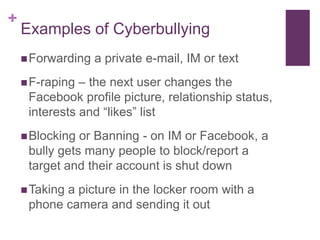
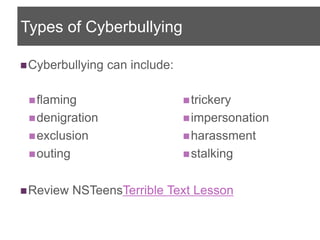
  • #31 Here are some examples of cyberbullying.
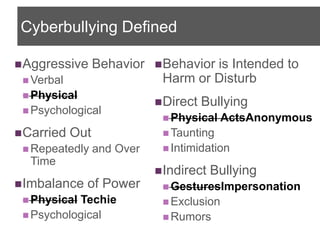
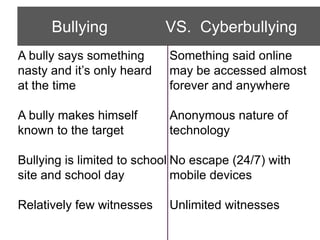
  • #32 On the left are common bullying characteristics. On the right, give the equivalent but different characteristic of cyberbullying.
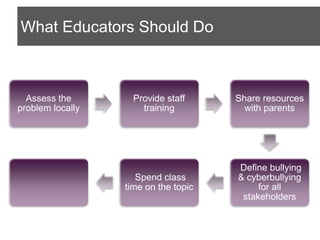
  • #34 Review the suggestions from their handout, “What Can We Do?”Say, Spending class time on the topic can really help. Even if it’s just when something newsworthy comes up and spurs a discussion. But where can you find classroom resources?
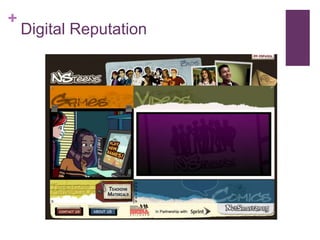
  • #36 Again, Netsmartz Education is a non-profit, free resource that has excellent instructional materials in both English and Spanish, coded for grade-level appropriateness. Train-the-trainer materials are also available.http://www.netsmartz.org/education/
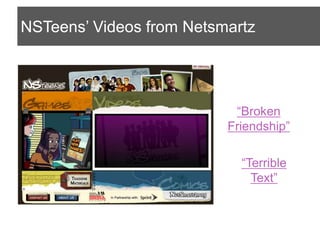
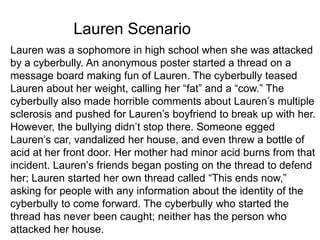
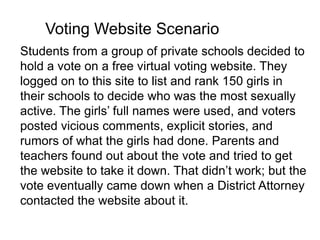
  • #38 (Trainer’s Notes:Use the handout “NSTeens Terrible Text Lesson” (.pdf) and have each group select a scenario.In their table groups, have them assign each member a question to answer.Have groups select one person to share out and summarize to the rest of the class.)
  • #39 (Trainer’s Notes:Use the handout “NSTeens Terrible Text Lesson” (.pdf) and have each group select a scenario.In their table groups, have them assign each member a question to answer.Have groups select one person to share out and summarize to the rest of the class.)
  • #40 (Trainer’s Notes:Use the handout “NSTeens Terrible Text Lesson” (.pdf) and have each group select a scenario.In their table groups, have them assign each member a question to answer.Have groups select one person to share out and summarize to the rest of the class.)
  • #41 (Trainer’s Notes:Use the handout “NSTeens Terrible Text Lesson” (.pdf) and have each group select a scenario.In their table groups, have them assign each member a question to answer.Have groups select one person to share out and summarize to the rest of the class.)
  • #42 (Trainer’s Notes:Use the handout “NSTeens Terrible Text Lesson” (.pdf) and have each group select a scenario.In their table groups, have them assign each member a question to answer.Have groups select one person to share out and summarize to the rest of the class.)
  • #44 Since we’ve just discussed what actions, if any, were taken by the trusted adults in each case, this leads us to questions of discipline and the law. (Read the slide.)
  • #45 Do you know if your site(s) are educating students on cyberbullying and online safety? Did you know that it is mandated if your district receives Title 2 Part D, funding for technology planning?
  • #46 Does your site(s) receive E-Rate funding discounts for Internet services? If so, the new Broadband Data Improvement Act of 2008, requires you to educate students on these issues.
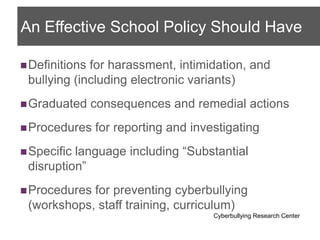
  • #47 Did you know that grounds for suspension have been amended? In January of 2009, CA Education Codes 48900.4 and 48900 (r) were amended by Assembly Bill 86 and strictly prohibit harassment or bullying of any kind, including bullying committed by means of an electronic act toward a pupil or school personnel. Such behavior is subject to:Minimum: 1 day suspensionMaximum penalty: ExpulsionHave you updated your suspension forms? Do you have a policy specific to cyberbullying?(Point participants to the sample updated form and policy from San Ramon Valley Unified School District on the wiki.)
  • #48 The challenge is when the offense is done off-campus without campus equipment. Nancy Willard is the executive director of the Center for Safe and Responsible Internet Use, is a former special educator and lawyer in Washington and is a recognized authority on issues related to the safe and responsible use of the Internet.
  • #49 Some discipline court cases make news headlines because they imposed excessive discipline and/or substantial disruption was not demonstrated. Substantial disruption is the precedence that has been sited in these cases via the Tinker vs. Des Moines case. You can read more about Tinker vs. Des Moines and other cases in the handout, “Cyberbullying Fact Sheet: A brief review of relevant legal and policy issues.”What is substantial disruption? - Significant interference with instructional activities, school activities, or school operations A hostile environment for any student that impairs that student’s ability to participate in educational programs or school activities Physical or verbal violent altercations between students
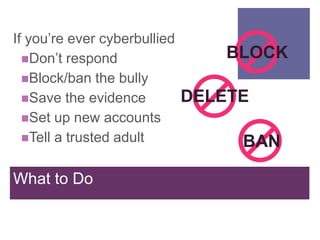
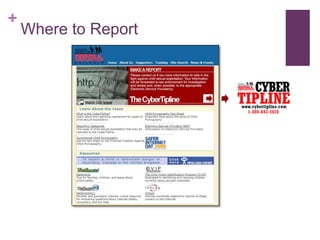
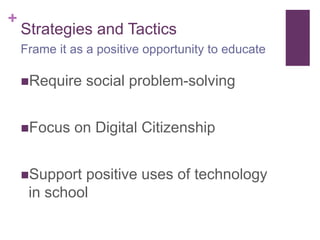
  • #54 Here are recommended strategies for your site.
  • #55 Social norms are the behavioral norms we create to teach values for our children – showing up in statements like “we don’t say ‘hate’ in this family” or “we respect the other team.” Professor and cyberbullying researcher SameerHinduja puts this in the school context: “How does this relate to reducing online harassment among elementary, middle, and high school students? Social norming has to do with modifying the environment, or culture within a school, so that appropriate behaviors are not only encouraged, but perceived widely to be the norm” (from Anne Collier, NetFamily News). In a paper presented at the 2008 National Conference on the Social Norms Approach, H. Wesley Perkins and David Craig reported on a survey of more than 52,000 students from 78 secondary schools and concluded that &quot;while bullying is substantial, it is not the norm.&quot; They went on to say that &quot;the most common (and erroneous) perception, however, is that the majority engage in and support such behavior.” The researchers found, the &quot;perceptions of bullying behaviors are highly predictive of personal bullying behavior.”
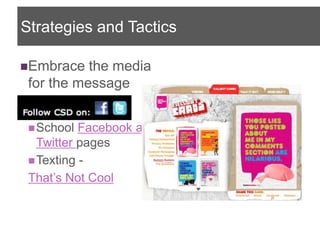
  • #56 Your site has both a facebook and twitter feed to update students and parents. There are groups out there turning to the technology to communicate their message. One innovative online resource to investigate is That’s Not Cool.com http://www.thatsnotcool.com/ They use short messages in the form of callout cards, created by students and sent by text, email or FaceBook, to address new and complicated problems between teens who are dating or hooking up—problems like constant and controlling texting, pressuring for nude pictures, and breaking into someone&apos;s e-mail or social networking page.
  • #57 Take them to the website and review the linked action steps ad resources.
  • #62 (Go over each point and ask for any final questions if time.)