EDA

Epsilon Mobile
Outline
   What is EDA ?
   3 Tiers model
   Tier 1
   Tier 2
   Tier 3
   Practice
What is EDA
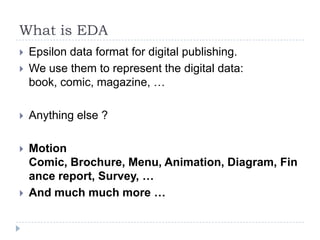
   Epsilon data format for digital publishing.
   We use them to represent the digital data:
    book, comic, magazine, …

   Anything else ?

   Motion
    Comic, Brochure, Menu, Animation, Diagram, Fin
    ance report, Survey, …
   And much much more …
Principle
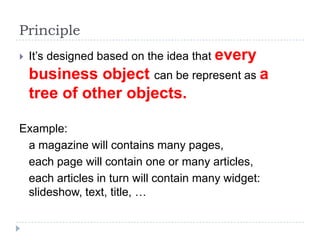
   It’s designed based on the idea that every
    business object can be represent as a
    tree of other objects.

Example:
 a magazine will contains many pages,
 each page will contain one or many articles,
 each articles in turn will contain many widget:
 slideshow, text, title, …
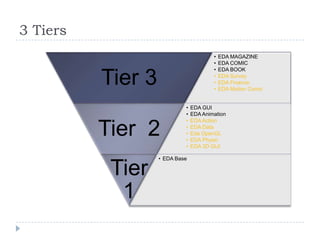
3 Tiers
                                        •   EDA MAGAZINE
                                        •   EDA COMIC
                                        •   EDA BOOK

          Tier 3                        •
                                        •
                                        •
                                            EDA Survey
                                            EDA Finance
                                            EDA Motion Comic


                            •   EDA GUI
                            •   EDA Animation
                            •   EDA Action

          Tier 2            •
                            •
                            •
                                EDA Data
                                Eda OpenGL
                                EDA Physic
                            •   EDA 3D GUI

                   • EDA Base

           Tier
            1
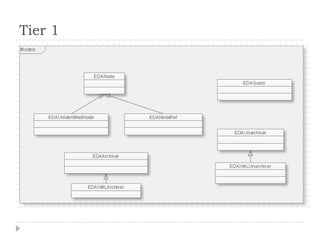
Tier 1
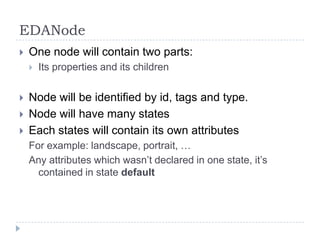
EDANode
   One node will contain two parts:
       Its properties and its children


   Node will be identified by id, tags and type.
   Node will have many states
   Each states will contain its own attributes
    For example: landscape, portrait, …
    Any attributes which wasn’t declared in one state, it’s
      contained in state default
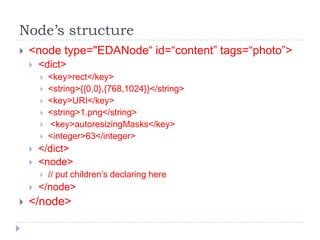
Node’s structure
   <node type="EDANode“ id=“content” tags=“photo”>
       <dict>
           <key>rect</key>
           <string>{{0,0},{768,1024}}</string>
           <key>URI</key>
           <string>1.png</string>
           <key>autoresizingMasks</key>
           <integer>63</integer>
       </dict>
       <node>
           // put children’s declaring here
       </node>
   </node>
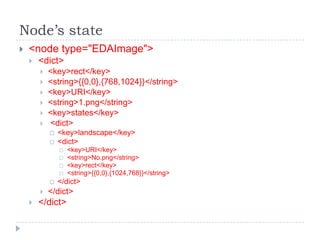
Node’s state
   <node type="EDAImage">
       <dict>
           <key>rect</key>
           <string>{{0,0},{768,1024}}</string>
           <key>URI</key>
           <string>1.png</string>
           <key>states</key>
           <dict>
               <key>landscape</key>
               <dict>
                   <key>URI</key>
                   <string>No.png</string>
                   <key>rect</key>
                   <string>{{0,0},{1024,768}}</string>
               </dict>
           </dict>
       </dict>
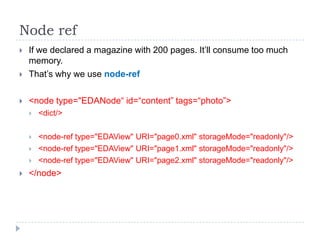
Node ref
   If we declared a magazine with 200 pages. It’ll consume too much
    memory.
   That’s why we use node-ref

   <node type="EDANode“ id=“content” tags=“photo”>
       <dict/>

       <node-ref type="EDAView" URI="page0.xml" storageMode="readonly"/>
       <node-ref type="EDAView" URI="page1.xml" storageMode="readonly"/>
       <node-ref type="EDAView" URI="page2.xml" storageMode="readonly"/>
   </node>
Tier 2
   EDAGUI
   EDAAnimation
   EDAAction
   EDA3DObject
   EDAOpenGL
   EDACanvas
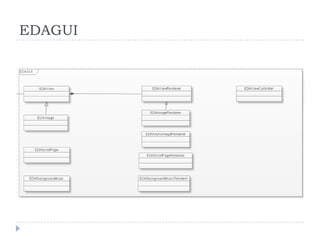
EDAGUI
EDAView
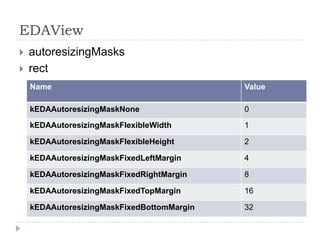
   autoresizingMasks
   rect
    Name                                    Value

    kEDAAutoresizingMaskNone                0
    kEDAAutoresizingMaskFlexibleWidth       1

    kEDAAutoresizingMaskFlexibleHeight      2

    kEDAAutoresizingMaskFixedLeftMargin     4

    kEDAAutoresizingMaskFixedRightMargin    8

    kEDAAutoresizingMaskFixedTopMargin      16

    kEDAAutoresizingMaskFixedBottomMargin   32
EDAView (cont)
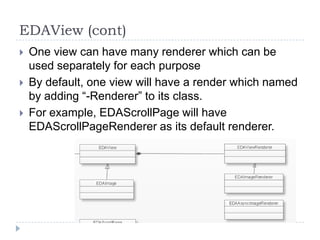
   One view can have many renderer which can be
    used separately for each purpose
   By default, one view will have a render which named
    by adding “-Renderer” to its class.
   For example, EDAScrollPage will have
    EDAScrollPageRenderer as its default renderer.
EDAView
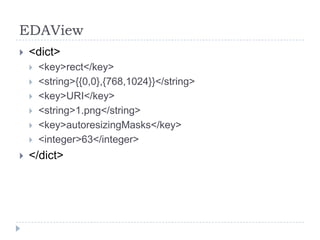
   <dict>
       <key>rect</key>
       <string>{{0,0},{768,1024}}</string>
       <key>URI</key>
       <string>1.png</string>
       <key>autoresizingMasks</key>
       <integer>63</integer>
   </dict>
EDAView’s children
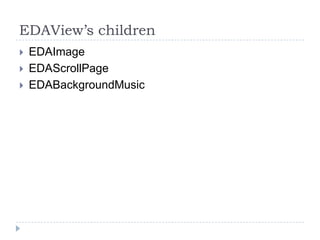
   EDAImage
   EDAScrollPage
   EDABackgroundMusic
EDAScrollPage
   Can scroll vertically or horizontally.
   Will cached one or many pages based on the
    configuration.
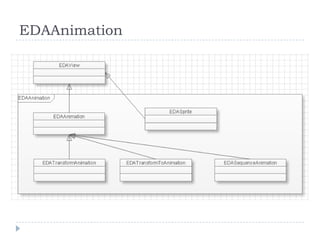
EDAAnimation
EDASprite
   Run images frame by frame.
   Properties:
       rect
       frames: array of images name
       duration: time-intervale between frames
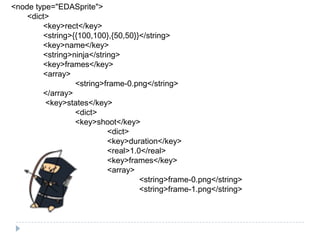
<node type="EDASprite">
    <dict>
         <key>rect</key>
         <string>{{100,100},{50,50}}</string>
         <key>name</key>
         <string>ninja</string>
         <key>frames</key>
         <array>
                  <string>frame-0.png</string>
         </array>
         <key>states</key>
                  <dict>
                  <key>shoot</key>
                            <dict>
                            <key>duration</key>
                            <real>1.0</real>
                            <key>frames</key>
                            <array>
                                     <string>frame-0.png</string>
                                     <string>frame-1.png</string>
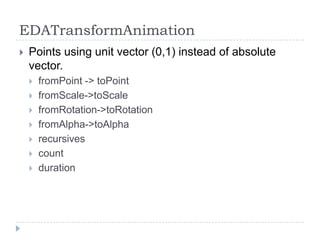
EDATransformAnimation
   Points using unit vector (0,1) instead of absolute
    vector.
       fromPoint -> toPoint
       fromScale->toScale
       fromRotation->toRotation
       fromAlpha->toAlpha
       recursives
       count
       duration
EDAAnimation
   Think of it as a view which animation applied up-on.
   Can contains any EDAView inside.
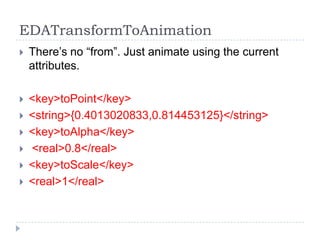
EDATransformToAnimation
   There’s no “from”. Just animate using the current
    attributes.

   <key>toPoint</key>
   <string>{0.4013020833,0.814453125}</string>
   <key>toAlpha</key>
   <real>0.8</real>
   <key>toScale</key>
   <real>1</real>
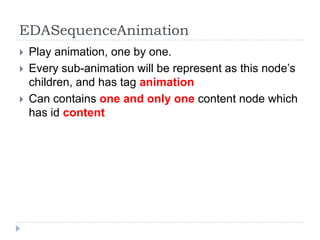
EDASequenceAnimation
   Play animation, one by one.
   Every sub-animation will be represent as this node’s
    children, and has tag animation
   Can contains one and only one content node which
    has id content
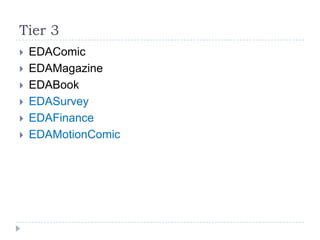
Tier 3
   EDAComic
   EDAMagazine
   EDABook
   EDASurvey
   EDAFinance
   EDAMotionComic
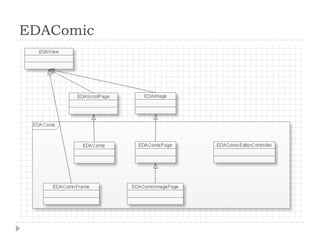
EDAComic
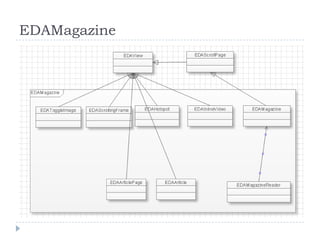
EDAMagazine
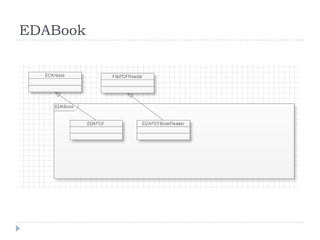
EDABook
EDA package
   Is an archive which contains many files
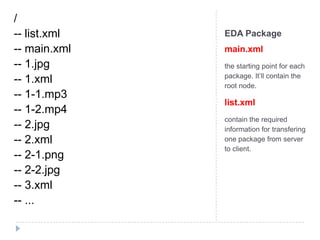
/
-- list.xml   EDA Package
-- main.xml   main.xml
-- 1.jpg      the starting point for each
              package. It’ll contain the
-- 1.xml      root node.
-- 1-1.mp3
              list.xml
-- 1-2.mp4
              contain the required
-- 2.jpg      information for transfering
-- 2.xml      one package from server
              to client.
-- 2-1.png
-- 2-2.jpg
-- 3.xml
-- ...
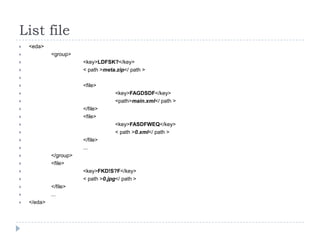
List file
   <eda>
            <group>
                       <key>LDFSK?</key>
                       < path >meta.zip</ path >

                       <file>
                                    <key>FAGDSDF</key>
                                    <path>main.xml</ path >
                       </file>
                       <file>
                                    <key>FASDFWEQ</key>
                                    < path >0.xml</ path >
                       </file>
                       ...
            </group>
            <file>
                       <key>FKD!S?F</key>
                       < path >0.jpg</ path >
            </file>
            ...
   </eda>
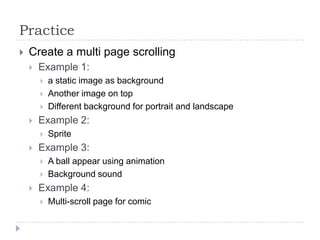
Practice
   Create a multi page scrolling
       Example 1:
           a static image as background
           Another image on top
           Different background for portrait and landscape
       Example 2:
           Sprite
       Example 3:
           A ball appear using animation
           Background sound
       Example 4:
           Multi-scroll page for comic
QA
Thank you

Internal training - Eda

  • 1.
  • 2.
    Outline  What is EDA ?  3 Tiers model  Tier 1  Tier 2  Tier 3  Practice
  • 3.
    What is EDA  Epsilon data format for digital publishing.  We use them to represent the digital data: book, comic, magazine, …  Anything else ?  Motion Comic, Brochure, Menu, Animation, Diagram, Fin ance report, Survey, …  And much much more …
  • 4.
    Principle  It’s designed based on the idea that every business object can be represent as a tree of other objects. Example: a magazine will contains many pages, each page will contain one or many articles, each articles in turn will contain many widget: slideshow, text, title, …
  • 5.
    3 Tiers • EDA MAGAZINE • EDA COMIC • EDA BOOK Tier 3 • • • EDA Survey EDA Finance EDA Motion Comic • EDA GUI • EDA Animation • EDA Action Tier 2 • • • EDA Data Eda OpenGL EDA Physic • EDA 3D GUI • EDA Base Tier 1
  • 6.
  • 7.
    EDANode  One node will contain two parts:  Its properties and its children  Node will be identified by id, tags and type.  Node will have many states  Each states will contain its own attributes For example: landscape, portrait, … Any attributes which wasn’t declared in one state, it’s contained in state default
  • 8.
    Node’s structure  <node type="EDANode“ id=“content” tags=“photo”>  <dict>  <key>rect</key>  <string>{{0,0},{768,1024}}</string>  <key>URI</key>  <string>1.png</string>  <key>autoresizingMasks</key>  <integer>63</integer>  </dict>  <node>  // put children’s declaring here  </node>  </node>
  • 9.
    Node’s state  <node type="EDAImage">  <dict>  <key>rect</key>  <string>{{0,0},{768,1024}}</string>  <key>URI</key>  <string>1.png</string>  <key>states</key>  <dict>  <key>landscape</key>  <dict>  <key>URI</key>  <string>No.png</string>  <key>rect</key>  <string>{{0,0},{1024,768}}</string>  </dict>  </dict>  </dict>
  • 10.
    Node ref  If we declared a magazine with 200 pages. It’ll consume too much memory.  That’s why we use node-ref  <node type="EDANode“ id=“content” tags=“photo”>  <dict/>  <node-ref type="EDAView" URI="page0.xml" storageMode="readonly"/>  <node-ref type="EDAView" URI="page1.xml" storageMode="readonly"/>  <node-ref type="EDAView" URI="page2.xml" storageMode="readonly"/>  </node>
  • 11.
    Tier 2  EDAGUI  EDAAnimation  EDAAction  EDA3DObject  EDAOpenGL  EDACanvas
  • 12.
  • 13.
    EDAView  autoresizingMasks  rect Name Value kEDAAutoresizingMaskNone 0 kEDAAutoresizingMaskFlexibleWidth 1 kEDAAutoresizingMaskFlexibleHeight 2 kEDAAutoresizingMaskFixedLeftMargin 4 kEDAAutoresizingMaskFixedRightMargin 8 kEDAAutoresizingMaskFixedTopMargin 16 kEDAAutoresizingMaskFixedBottomMargin 32
  • 14.
    EDAView (cont)  One view can have many renderer which can be used separately for each purpose  By default, one view will have a render which named by adding “-Renderer” to its class.  For example, EDAScrollPage will have EDAScrollPageRenderer as its default renderer.
  • 15.
    EDAView  <dict>  <key>rect</key>  <string>{{0,0},{768,1024}}</string>  <key>URI</key>  <string>1.png</string>  <key>autoresizingMasks</key>  <integer>63</integer>  </dict>
  • 16.
    EDAView’s children  EDAImage  EDAScrollPage  EDABackgroundMusic
  • 17.
    EDAScrollPage  Can scroll vertically or horizontally.  Will cached one or many pages based on the configuration.
  • 18.
  • 19.
    EDASprite  Run images frame by frame.  Properties:  rect  frames: array of images name  duration: time-intervale between frames
  • 20.
    <node type="EDASprite"> <dict> <key>rect</key> <string>{{100,100},{50,50}}</string> <key>name</key> <string>ninja</string> <key>frames</key> <array> <string>frame-0.png</string> </array> <key>states</key> <dict> <key>shoot</key> <dict> <key>duration</key> <real>1.0</real> <key>frames</key> <array> <string>frame-0.png</string> <string>frame-1.png</string>
  • 21.
    EDATransformAnimation  Points using unit vector (0,1) instead of absolute vector.  fromPoint -> toPoint  fromScale->toScale  fromRotation->toRotation  fromAlpha->toAlpha  recursives  count  duration
  • 22.
    EDAAnimation  Think of it as a view which animation applied up-on.  Can contains any EDAView inside.
  • 23.
    EDATransformToAnimation  There’s no “from”. Just animate using the current attributes.  <key>toPoint</key>  <string>{0.4013020833,0.814453125}</string>  <key>toAlpha</key>  <real>0.8</real>  <key>toScale</key>  <real>1</real>
  • 24.
    EDASequenceAnimation  Play animation, one by one.  Every sub-animation will be represent as this node’s children, and has tag animation  Can contains one and only one content node which has id content
  • 25.
    Tier 3  EDAComic  EDAMagazine  EDABook  EDASurvey  EDAFinance  EDAMotionComic
  • 26.
  • 27.
  • 28.
  • 29.
    EDA package  Is an archive which contains many files
  • 30.
    / -- list.xml EDA Package -- main.xml main.xml -- 1.jpg the starting point for each package. It’ll contain the -- 1.xml root node. -- 1-1.mp3 list.xml -- 1-2.mp4 contain the required -- 2.jpg information for transfering -- 2.xml one package from server to client. -- 2-1.png -- 2-2.jpg -- 3.xml -- ...
  • 31.
    List file  <eda>  <group>  <key>LDFSK?</key>  < path >meta.zip</ path >   <file>  <key>FAGDSDF</key>  <path>main.xml</ path >  </file>  <file>  <key>FASDFWEQ</key>  < path >0.xml</ path >  </file>  ...  </group>  <file>  <key>FKD!S?F</key>  < path >0.jpg</ path >  </file>  ...  </eda>
  • 32.
    Practice  Create a multi page scrolling  Example 1:  a static image as background  Another image on top  Different background for portrait and landscape  Example 2:  Sprite  Example 3:  A ball appear using animation  Background sound  Example 4:  Multi-scroll page for comic
  • 33.
  • 34.