INSTRUCTION SETS OF
8086
Prepared By,
M.Zarina Begum,
Assistant Professor,
Department of ECE,
MVIT
DEFINITION
An instruction is a binary pattern designed inside a microprocessor to
perform a specific function.
The entire group of instructions that a microprocessor supports is called
Instruction Set.
The entire group of instructions that a microprocessor supports is called
Instruction Set.
INSTRUCTION FORMAT
The instruction format of 8086 has one or more number of fields
associated with it.
The first field is called operation code field or opcode field, which
indicates the type of operation.
The instruction format also contains other fields known as operand
fields.
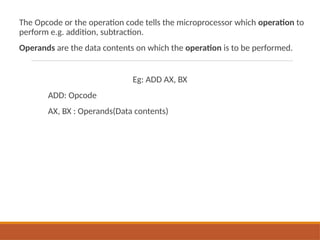
The Opcode or the operation code tells the microprocessor which operation to
perform e.g. addition, subtraction.
Operands are the data contents on which the operation is to be performed.
Eg: ADD AX, BX
ADD: Opcode
AX, BX : Operands(Data contents)
TYPES OF INSTRUCTION SETS
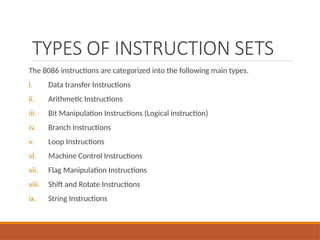
The 8086 instructions are categorized into the following main types.
i. Data transfer Instructions
ii. Arithmetic Instructions
iii. Bit Manipulation Instructions (Logical instruction)
iv. Branch Instructions
v. Loop Instructions
vi. Machine Control Instructions
vii. Flag Manipulation Instructions
viii. Shift and Rotate Instructions
ix. String Instructions
Data transfer Instructions
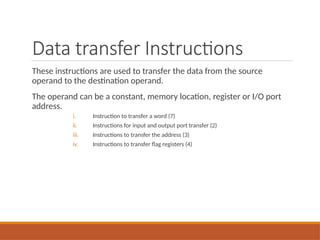
These instructions are used to transfer the data from the source
operand to the destination operand.
The operand can be a constant, memory location, register or I/O port
address.
i. Instruction to transfer a word (7)
ii. Instructions for input and output port transfer (2)
iii. Instructions to transfer the address (3)
iv. Instructions to transfer flag registers (4)
Data transfer Instructions
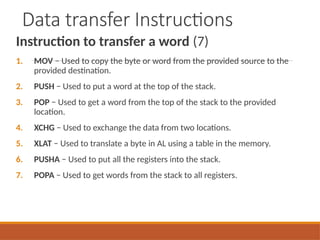
Instruction to transfer a word (7)
1. MOV − Used to copy the byte or word from the provided source to the
provided destination.
2. PUSH − Used to put a word at the top of the stack.
3. POP − Used to get a word from the top of the stack to the provided
location.
4. XCHG − Used to exchange the data from two locations.
5. XLAT − Used to translate a byte in AL using a table in the memory.
6. PUSHA − Used to put all the registers into the stack.
7. POPA − Used to get words from the stack to all registers.
Data transfer Instructions
1. Syntax: MOV Destination, Source:
Source operand can be register, memory location or immediate operand.
Destination can be register or memory operand.
Both Source and Destination cannot be memory location at the same time.
Example:
MOV CX, 037A H; The data 037A H is moved to CX Register
MOV AL, BL; The data in BL register is moved to AL Register
MOV BX, [0301 H]; The data in the memory location [0301 H] is moved to BX
Register
Data transfer Instructions
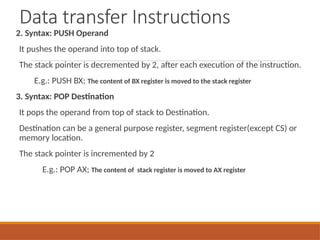
2. Syntax: PUSH Operand
It pushes the operand into top of stack.
The stack pointer is decremented by 2, after each execution of the instruction.
E.g.: PUSH BX; The content of BX register is moved to the stack register
3. Syntax: POP Destination
It pops the operand from top of stack to Destination.
Destination can be a general purpose register, segment register(except CS) or
memory location.
The stack pointer is incremented by 2
E.g.: POP AX; The content of stack register is moved to AX register
Data transfer Instructions
4. Syntax: XCHG Destination, Source:
This instruction exchange the contents of the specified source and destination
operands
It cannot exchange two memory locations directly.
E.g.
XCHG DX, AX; The content in AX and DX register is exchanged.
If AX contains 0234 H and DX contains 45AD H after execution AX contains 45AD H and
DX contains 0234 H
XCHG [5000H], AX;
Data transfer Instructions
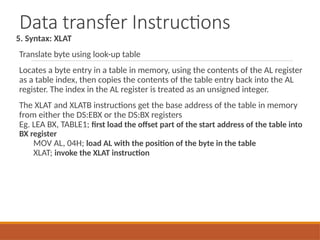
5. Syntax: XLAT
Translate byte using look-up table
Locates a byte entry in a table in memory, using the contents of the AL register
as a table index, then copies the contents of the table entry back into the AL
register. The index in the AL register is treated as an unsigned integer.
The XLAT and XLATB instructions get the base address of the table in memory
from either the DS:EBX or the DS:BX registers
Eg. LEA BX, TABLE1; first load the offset part of the start address of the table into
BX register
MOV AL, 04H; load AL with the position of the byte in the table
XLAT; invoke the XLAT instruction
Data transfer Instructions
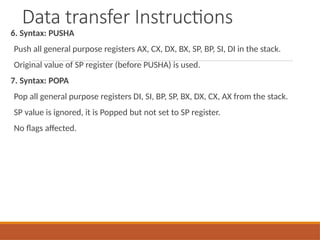
6. Syntax: PUSHA
Push all general purpose registers AX, CX, DX, BX, SP, BP, SI, DI in the stack.
Original value of SP register (before PUSHA) is used.
7. Syntax: POPA
Pop all general purpose registers DI, SI, BP, SP, BX, DX, CX, AX from the stack.
SP value is ignored, it is Popped but not set to SP register.
No flags affected.
Data transfer Instructions
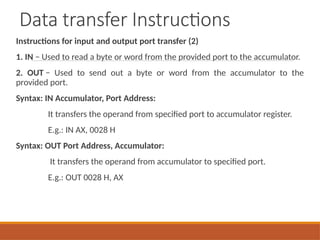
Instructions for input and output port transfer (2)
1. IN − Used to read a byte or word from the provided port to the accumulator.
2. OUT − Used to send out a byte or word from the accumulator to the
provided port.
Syntax: IN Accumulator, Port Address:
It transfers the operand from specified port to accumulator register.
E.g.: IN AX, 0028 H
Syntax: OUT Port Address, Accumulator:
It transfers the operand from accumulator to specified port.
E.g.: OUT 0028 H, AX
Data transfer Instructions
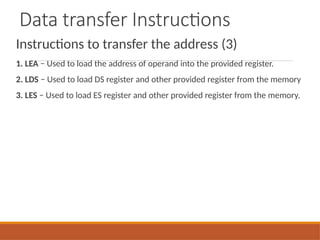
Instructions to transfer the address (3)
1. LEA − Used to load the address of operand into the provided register.
2. LDS − Used to load DS register and other provided register from the memory
3. LES − Used to load ES register and other provided register from the memory.
Data transfer Instructions
1. Syntax: LEA Register, Source
Load effective address
It loads a 16-bit register with the offset address of the data specified by the
Source.
E.g.: MOV BX, 35h
MOV DI, 12h
LEA SI, [BX+DI] ; SI = 35h + 12h = 47h
Data transfer Instructions
2. Syntax: LDS Destination, Source:
It loads 32-bit pointer from memory source to destination register and DS.
The offset is placed in the destination register and the segment is placed in DS.
To use this instruction the word at the lower memory address must contain
the offset and the word at the higher address must contain the segment.
E.g.: LDS BX, [0301 H]
Data transfer Instructions
3. Syntax: LES Destination, Source:
It loads 32-bit pointer from memory source to destination register and ES.
The offset is placed in the destination register and the segment is placed in ES.
This instruction is very similar to LDS except that it initializes ES instead of DS.
E.g.: LES BX, [0301 H]
Data transfer Instructions
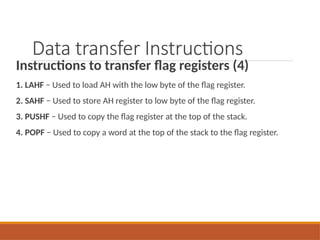
Instructions to transfer flag registers (4)
1. LAHF − Used to load AH with the low byte of the flag register.
2. SAHF − Used to store AH register to low byte of the flag register.
3. PUSHF − Used to copy the flag register at the top of the stack.
4. POPF − Used to copy a word at the top of the stack to the flag register.
Arithmetic Instructions
These instructions are used to perform arithmetic operations like addition,
subtraction, multiplication, division, etc.
1. Syntax: ADD Destination, Source
It adds a byte to byte or a word to word.
It affects AF, CF, OF, PF, SF, ZF flags.
E.g.:
ADD AL, 74H
ADD DX, AX
ADD AX, [BX]
Arithmetic Instructions
2. Syntax: ADC Destination, Source
It adds the two operands with CF.
It affects AF, CF, OF, PF, SF, ZF flags.
E.g.:
ADC AL, 74H;
ADC DX, AX;
ADC AX, [BX];
Arithmetic Instructions
3. Syntax: SUB Destination, Source:
It subtracts a byte from byte or a word from word.
It affects AF, CF, OF, PF, SF, ZF flags.
For subtraction, CF acts as borrow flag.
E.g.:
SUB AL, 74H;
SUB DX, AX;
SUB AX, [BX];
Arithmetic Instructions
4. Syntax: SBB Destination, Source:
It subtracts the two operands and also the borrow from the result.
It affects AF, CF, OF, PF, SF, ZF flags.
E.g.:
SBB AL, 74H;
SBB DX, AX;
SBB AX, [BX];
Arithmetic Instructions
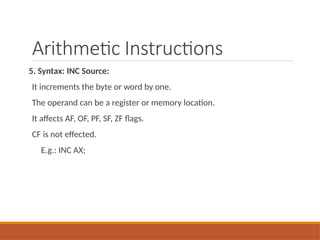
5. Syntax: INC Source:
It increments the byte or word by one.
The operand can be a register or memory location.
It affects AF, OF, PF, SF, ZF flags.
CF is not effected.
E.g.: INC AX;
Arithmetic Instructions
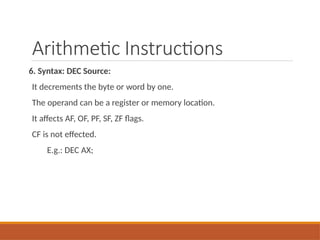
6. Syntax: DEC Source:
It decrements the byte or word by one.
The operand can be a register or memory location.
It affects AF, OF, PF, SF, ZF flags.
CF is not effected.
E.g.: DEC AX;
Arithmetic Instructions
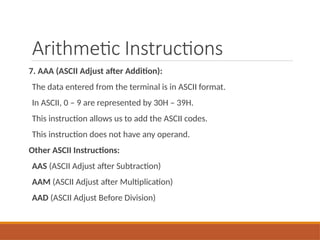
7. AAA (ASCII Adjust after Addition):
The data entered from the terminal is in ASCII format.
In ASCII, 0 – 9 are represented by 30H – 39H.
This instruction allows us to add the ASCII codes.
This instruction does not have any operand.
Other ASCII Instructions:
AAS (ASCII Adjust after Subtraction)
AAM (ASCII Adjust after Multiplication)
AAD (ASCII Adjust Before Division)
Arithmetic Instructions
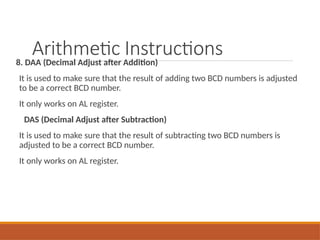
8. DAA (Decimal Adjust after Addition)
It is used to make sure that the result of adding two BCD numbers is adjusted
to be a correct BCD number.
It only works on AL register.
DAS (Decimal Adjust after Subtraction)
It is used to make sure that the result of subtracting two BCD numbers is
adjusted to be a correct BCD number.
It only works on AL register.
Arithmetic Instructions
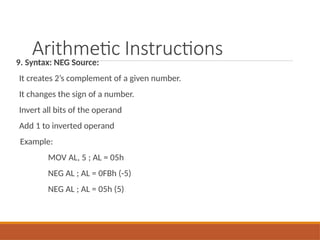
9. Syntax: NEG Source:
It creates 2’s complement of a given number.
It changes the sign of a number.
Invert all bits of the operand
Add 1 to inverted operand
Example:
MOV AL, 5 ; AL = 05h
NEG AL ; AL = 0FBh (-5)
NEG AL ; AL = 05h (5)
Arithmetic Instructions
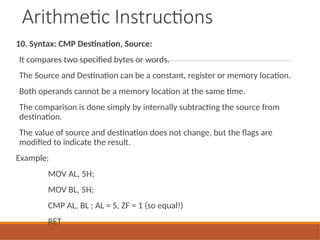
10. Syntax: CMP Destination, Source:
It compares two specified bytes or words.
The Source and Destination can be a constant, register or memory location.
Both operands cannot be a memory location at the same time.
The comparison is done simply by internally subtracting the source from
destination.
The value of source and destination does not change, but the flags are
modified to indicate the result.
Example:
MOV AL, 5H;
MOV BL, 5H;
CMP AL, BL ; AL = 5, ZF = 1 (so equal!)
RET
Arithmetic Instructions
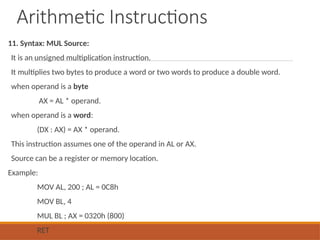
11. Syntax: MUL Source:
It is an unsigned multiplication instruction.
It multiplies two bytes to produce a word or two words to produce a double word.
when operand is a byte
AX = AL * operand.
when operand is a word:
(DX : AX) = AX * operand.
This instruction assumes one of the operand in AL or AX.
Source can be a register or memory location.
Example:
MOV AL, 200 ; AL = 0C8h
MOV BL, 4
MUL BL ; AX = 0320h (800)
RET
Arithmetic Instructions
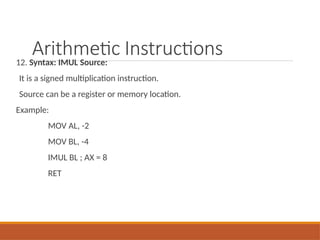
12. Syntax: IMUL Source:
It is a signed multiplication instruction.
Source can be a register or memory location.
Example:
MOV AL, -2
MOV BL, -4
IMUL BL ; AX = 8
RET
Arithmetic Instructions
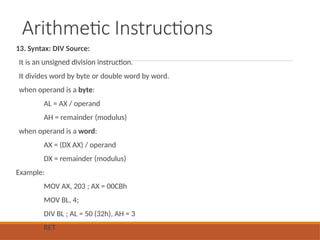
13. Syntax: DIV Source:
It is an unsigned division instruction.
It divides word by byte or double word by word.
when operand is a byte:
AL = AX / operand
AH = remainder (modulus)
when operand is a word:
AX = (DX AX) / operand
DX = remainder (modulus)
Example:
MOV AX, 203 ; AX = 00CBh
MOV BL, 4;
DIV BL ; AL = 50 (32h), AH = 3
RET
Arithmetic Instructions
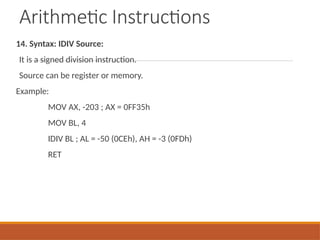
14. Syntax: IDIV Source:
It is a signed division instruction.
Source can be register or memory.
Example:
MOV AX, -203 ; AX = 0FF35h
MOV BL, 4
IDIV BL ; AL = -50 (0CEh), AH = -3 (0FDh)
RET
Arithmetic Instructions
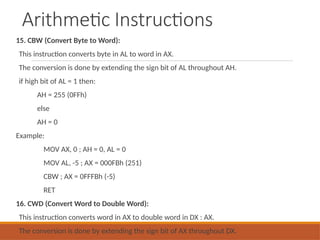
15. CBW (Convert Byte to Word):
This instruction converts byte in AL to word in AX.
The conversion is done by extending the sign bit of AL throughout AH.
if high bit of AL = 1 then:
AH = 255 (0FFh)
else
AH = 0
Example:
MOV AX, 0 ; AH = 0, AL = 0
MOV AL, -5 ; AX = 000FBh (251)
CBW ; AX = 0FFFBh (-5)
RET
16. CWD (Convert Word to Double Word):
This instruction converts word in AX to double word in DX : AX.
The conversion is done by extending the sign bit of AX throughout DX.
Bit Manipulation Instructions
Bit Manipulation (Logical) Instructions
These instructions are used to perform operations where data bits are
involved, i.e. operations like logical, shift, etc.
Instructions to perform logical operation (5)
Instructions to perform shift operations (4)
Instructions to perform rotate operations (4)
Bit Manipulation Instructions
Instructions to perform logical operation (5)
1. NOT − Used to invert each bit of a byte or word.
2. AND − Used for adding each bit in a byte/word with the corresponding bit in
another byte/word.
3. OR − Used to multiply each bit in a byte/word with the corresponding bit in
another byte/word.
4. XOR − Used to perform Exclusive-OR operation over each bit in a byte/word
with the corresponding bit in another byte/word.
5. TEST − Used to add operands to update flags, without affecting operands.
Bit Manipulation Instructions
1. Syntax: NOT Source:
It complements each bit of Source to produce 1’s complement of the specified
operand.
The operand can be a register or memory location.
It does not affect the status flags.
Example:
MOV AL, 00011011b
NOT AL ; AL = 11100100b
RET
Bit Manipulation Instructions
2. Syntax: AND Destination, Source:
It performs AND operation of Destination and Source.
Source can be immediate number, register or memory location.
Destination can be register or memory location.
Both operands cannot be memory locations at the same time.
CF and OF become zero after the operation.
PF, SF and ZF are updated.
Example:
MOV AL, 'a' ; AL = 01100001b
AND AL, 11011111b ; AL = 01000001b ('A')
RET
Bit Manipulation Instructions
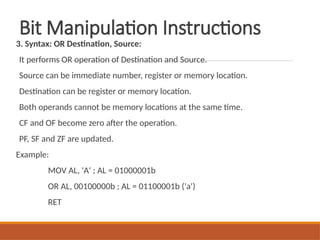
3. Syntax: OR Destination, Source:
It performs OR operation of Destination and Source.
Source can be immediate number, register or memory location.
Destination can be register or memory location.
Both operands cannot be memory locations at the same time.
CF and OF become zero after the operation.
PF, SF and ZF are updated.
Example:
MOV AL, 'A' ; AL = 01000001b
OR AL, 00100000b ; AL = 01100001b ('a')
RET
Bit Manipulation Instructions
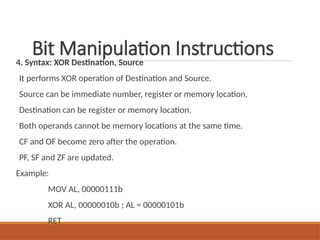
4. Syntax: XOR Destination, Source
It performs XOR operation of Destination and Source.
Source can be immediate number, register or memory location.
Destination can be register or memory location.
Both operands cannot be memory locations at the same time.
CF and OF become zero after the operation.
PF, SF and ZF are updated.
Example:
MOV AL, 00000111b
XOR AL, 00000010b ; AL = 00000101b
RET
Bit Manipulation Instructions
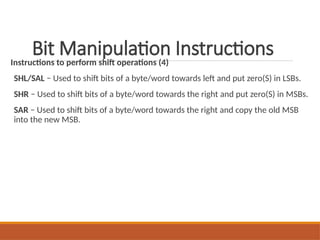
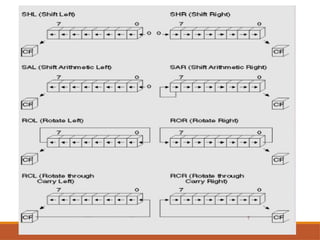
Instructions to perform shift operations (4)
SHL/SAL − Used to shift bits of a byte/word towards left and put zero(S) in LSBs.
SHR − Used to shift bits of a byte/word towards the right and put zero(S) in MSBs.
SAR − Used to shift bits of a byte/word towards the right and copy the old MSB
into the new MSB.
Bit Manipulation Instructions
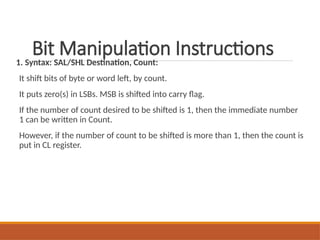
1. Syntax: SAL/SHL Destination, Count:
It shift bits of byte or word left, by count.
It puts zero(s) in LSBs. MSB is shifted into carry flag.
If the number of count desired to be shifted is 1, then the immediate number
1 can be written in Count.
However, if the number of count to be shifted is more than 1, then the count is
put in CL register.
Bit Manipulation Instructions
2. Syntax: SHR Destination, Count:
It shift bits of byte or word right, by count.
It puts zero(s) in MSBs.
LSB is shifted into carry flag.
If the number of bits desired to be shifted is 1, then the immediate
number 1 can be written in Count.
However, if the number of bits to be shifted is more than 1, then the
count is put in CL register.
Bit Manipulation Instructions
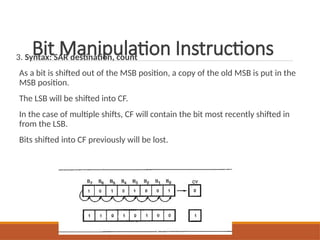
3. Syntax: SAR destination, count
As a bit is shifted out of the MSB position, a copy of the old MSB is put in the
MSB position.
The LSB will be shifted into CF.
In the case of multiple shifts, CF will contain the bit most recently shifted in
from the LSB.
Bits shifted into CF previously will be lost.
Bit Manipulation Instructions
Instructions to perform Rotate operations (4)
1. ROL − Used to rotate bits of byte/word towards the left, i.e. MSB to LSB and
to Carry Flag [CF].
2. ROR − Used to rotate bits of byte/word towards the right, i.e. LSB to MSB
and to Carry Flag [CF].
3. RCR − Used to rotate bits of byte/word towards the right, i.e. LSB to CF and
CF to MSB.
4. RCL − Used to rotate bits of byte/word towards the left, i.e. MSB to CF and CF
to LSB.
Bit Manipulation Instructions
Syntax: ROL/ RCL Destination, Count:
It rotates bits of byte or word left, by count.
MSB is transferred to LSB and also to CF.
If the number of bits desired to be shifted is 1, then the immediate
number 1 can be written in Count.
However, if the number of bits to be shifted
Bit Manipulation Instructions
Syntax: ROR/ RCR Destination, Count:
It rotates bits of byte or word right, by count.
LSB is transferred to MSB and also to CF.
If the number of bits desired to be shifted is 1, then the immediate
number 1 can be written in Count.
However, if the number of bits to be shifted is more than 1, then the
count is put in CL register.
Program Execution Transfer
Instructions
These instructions cause change in the sequence of the execution of
instruction.
This change can be through a condition or sometimes unconditional.
The conditions are represented by flags.
Program Execution Transfer
Instructions
CALL Des:
This instruction is used to call a subroutine or function or procedure.
The address of next instruction after CALL is saved onto stack.
RET:
It returns the control from procedure to calling program.
Every CALL instruction should have a RET.
JMP Des:
This instruction is used for unconditional jump from one place to another.
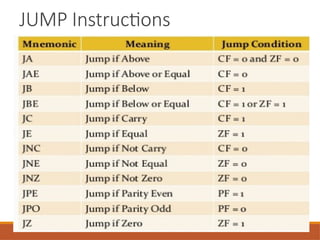
Jxx Des (Conditional Jump):
All the conditional jumps follow some conditional
Statements or any instruction that affects the flag.
JUMP Instructions
Program Execution Transfer Instructions
Syntax: Loop Destination:
This is a looping instruction.
The number of times looping is required is placed in the CX register.
With each iteration, the contents of CX are decremented.
ZF is checked whether to loop again or not.
String Instructions
String in assembly language is just a sequentially stored bytes or words.
There are very strong set of string instructions in 8086.
By using these string instructions, the size of the program is
considerably reduced.
CMPS Destination, Source:
It compares the string bytes or words.
SCAS String:
It scans a string.
It compares the String with byte in AL or with word in AX.
MOVS / MOVSB / MOVSW:
It causes moving of byte or word from one string to another.
In this instruction, the source string is in Data Segment and destination string
is in Extra Segment.
SI and DI store the offset values for source and destination index.
REP (Repeat):
This is an instruction prefix.
It causes the repetition of the instruction until CX becomes zero.
E.g.: REP MOVSB STR1, STR2
It copies byte by byte contents.
REP repeats the operation MOVSB until CX becomes zero.
Processor Control Instructions
These instructions control the processor itself.
8086 allows to control certain control flags that causes the processing in
a certain direction processor synchronization if more than one
microprocessor attached.
STC:
It sets the carry flag to 1.
CLC:
It clears the carry flag to 0.
CMC:
It complements the carry flag.
STD:
It sets the direction flag to 1.
If it is set, string bytes are accessed from higher memory address to lower
memory address.
CLD:
It clears the direction flag to 0.
If it is reset, the string bytes are accessed from lower memory address to higher
memory address.
Features of 80286 ,80486
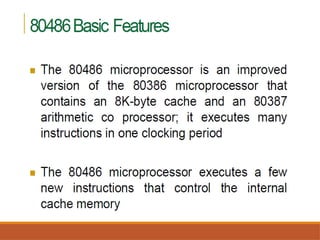
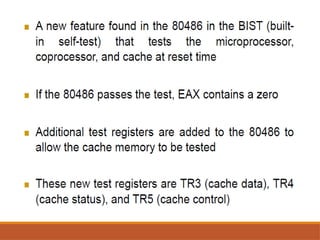
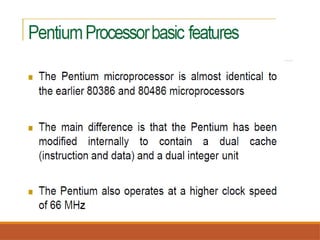
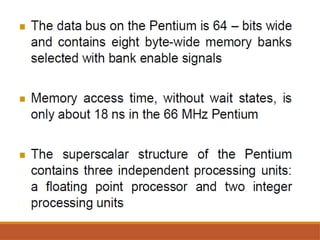
and Pentium processor
Thank you…

instructionsetsofjdtufgmictfgfjh8086.pptx

  • 1.
    INSTRUCTION SETS OF 8086 PreparedBy, M.Zarina Begum, Assistant Professor, Department of ECE, MVIT
  • 2.
    DEFINITION An instruction isa binary pattern designed inside a microprocessor to perform a specific function. The entire group of instructions that a microprocessor supports is called Instruction Set. The entire group of instructions that a microprocessor supports is called Instruction Set.
  • 3.
    INSTRUCTION FORMAT The instructionformat of 8086 has one or more number of fields associated with it. The first field is called operation code field or opcode field, which indicates the type of operation. The instruction format also contains other fields known as operand fields.
  • 4.
    The Opcode orthe operation code tells the microprocessor which operation to perform e.g. addition, subtraction. Operands are the data contents on which the operation is to be performed. Eg: ADD AX, BX ADD: Opcode AX, BX : Operands(Data contents)
  • 5.
    TYPES OF INSTRUCTIONSETS The 8086 instructions are categorized into the following main types. i. Data transfer Instructions ii. Arithmetic Instructions iii. Bit Manipulation Instructions (Logical instruction) iv. Branch Instructions v. Loop Instructions vi. Machine Control Instructions vii. Flag Manipulation Instructions viii. Shift and Rotate Instructions ix. String Instructions
  • 6.
    Data transfer Instructions Theseinstructions are used to transfer the data from the source operand to the destination operand. The operand can be a constant, memory location, register or I/O port address. i. Instruction to transfer a word (7) ii. Instructions for input and output port transfer (2) iii. Instructions to transfer the address (3) iv. Instructions to transfer flag registers (4)
  • 7.
    Data transfer Instructions Instructionto transfer a word (7) 1. MOV − Used to copy the byte or word from the provided source to the provided destination. 2. PUSH − Used to put a word at the top of the stack. 3. POP − Used to get a word from the top of the stack to the provided location. 4. XCHG − Used to exchange the data from two locations. 5. XLAT − Used to translate a byte in AL using a table in the memory. 6. PUSHA − Used to put all the registers into the stack. 7. POPA − Used to get words from the stack to all registers.
  • 8.
    Data transfer Instructions 1.Syntax: MOV Destination, Source: Source operand can be register, memory location or immediate operand. Destination can be register or memory operand. Both Source and Destination cannot be memory location at the same time. Example: MOV CX, 037A H; The data 037A H is moved to CX Register MOV AL, BL; The data in BL register is moved to AL Register MOV BX, [0301 H]; The data in the memory location [0301 H] is moved to BX Register
  • 9.
    Data transfer Instructions 2.Syntax: PUSH Operand It pushes the operand into top of stack. The stack pointer is decremented by 2, after each execution of the instruction. E.g.: PUSH BX; The content of BX register is moved to the stack register 3. Syntax: POP Destination It pops the operand from top of stack to Destination. Destination can be a general purpose register, segment register(except CS) or memory location. The stack pointer is incremented by 2 E.g.: POP AX; The content of stack register is moved to AX register
  • 10.
    Data transfer Instructions 4.Syntax: XCHG Destination, Source: This instruction exchange the contents of the specified source and destination operands It cannot exchange two memory locations directly. E.g. XCHG DX, AX; The content in AX and DX register is exchanged. If AX contains 0234 H and DX contains 45AD H after execution AX contains 45AD H and DX contains 0234 H XCHG [5000H], AX;
  • 11.
    Data transfer Instructions 5.Syntax: XLAT Translate byte using look-up table Locates a byte entry in a table in memory, using the contents of the AL register as a table index, then copies the contents of the table entry back into the AL register. The index in the AL register is treated as an unsigned integer. The XLAT and XLATB instructions get the base address of the table in memory from either the DS:EBX or the DS:BX registers Eg. LEA BX, TABLE1; first load the offset part of the start address of the table into BX register MOV AL, 04H; load AL with the position of the byte in the table XLAT; invoke the XLAT instruction
  • 12.
    Data transfer Instructions 6.Syntax: PUSHA Push all general purpose registers AX, CX, DX, BX, SP, BP, SI, DI in the stack. Original value of SP register (before PUSHA) is used. 7. Syntax: POPA Pop all general purpose registers DI, SI, BP, SP, BX, DX, CX, AX from the stack. SP value is ignored, it is Popped but not set to SP register. No flags affected.
  • 13.
    Data transfer Instructions Instructionsfor input and output port transfer (2) 1. IN − Used to read a byte or word from the provided port to the accumulator. 2. OUT − Used to send out a byte or word from the accumulator to the provided port. Syntax: IN Accumulator, Port Address: It transfers the operand from specified port to accumulator register. E.g.: IN AX, 0028 H Syntax: OUT Port Address, Accumulator: It transfers the operand from accumulator to specified port. E.g.: OUT 0028 H, AX
  • 14.
    Data transfer Instructions Instructionsto transfer the address (3) 1. LEA − Used to load the address of operand into the provided register. 2. LDS − Used to load DS register and other provided register from the memory 3. LES − Used to load ES register and other provided register from the memory.
  • 15.
    Data transfer Instructions 1.Syntax: LEA Register, Source Load effective address It loads a 16-bit register with the offset address of the data specified by the Source. E.g.: MOV BX, 35h MOV DI, 12h LEA SI, [BX+DI] ; SI = 35h + 12h = 47h
  • 16.
    Data transfer Instructions 2.Syntax: LDS Destination, Source: It loads 32-bit pointer from memory source to destination register and DS. The offset is placed in the destination register and the segment is placed in DS. To use this instruction the word at the lower memory address must contain the offset and the word at the higher address must contain the segment. E.g.: LDS BX, [0301 H]
  • 17.
    Data transfer Instructions 3.Syntax: LES Destination, Source: It loads 32-bit pointer from memory source to destination register and ES. The offset is placed in the destination register and the segment is placed in ES. This instruction is very similar to LDS except that it initializes ES instead of DS. E.g.: LES BX, [0301 H]
  • 18.
    Data transfer Instructions Instructionsto transfer flag registers (4) 1. LAHF − Used to load AH with the low byte of the flag register. 2. SAHF − Used to store AH register to low byte of the flag register. 3. PUSHF − Used to copy the flag register at the top of the stack. 4. POPF − Used to copy a word at the top of the stack to the flag register.
  • 19.
    Arithmetic Instructions These instructionsare used to perform arithmetic operations like addition, subtraction, multiplication, division, etc. 1. Syntax: ADD Destination, Source It adds a byte to byte or a word to word. It affects AF, CF, OF, PF, SF, ZF flags. E.g.: ADD AL, 74H ADD DX, AX ADD AX, [BX]
  • 20.
    Arithmetic Instructions 2. Syntax:ADC Destination, Source It adds the two operands with CF. It affects AF, CF, OF, PF, SF, ZF flags. E.g.: ADC AL, 74H; ADC DX, AX; ADC AX, [BX];
  • 21.
    Arithmetic Instructions 3. Syntax:SUB Destination, Source: It subtracts a byte from byte or a word from word. It affects AF, CF, OF, PF, SF, ZF flags. For subtraction, CF acts as borrow flag. E.g.: SUB AL, 74H; SUB DX, AX; SUB AX, [BX];
  • 22.
    Arithmetic Instructions 4. Syntax:SBB Destination, Source: It subtracts the two operands and also the borrow from the result. It affects AF, CF, OF, PF, SF, ZF flags. E.g.: SBB AL, 74H; SBB DX, AX; SBB AX, [BX];
  • 23.
    Arithmetic Instructions 5. Syntax:INC Source: It increments the byte or word by one. The operand can be a register or memory location. It affects AF, OF, PF, SF, ZF flags. CF is not effected. E.g.: INC AX;
  • 24.
    Arithmetic Instructions 6. Syntax:DEC Source: It decrements the byte or word by one. The operand can be a register or memory location. It affects AF, OF, PF, SF, ZF flags. CF is not effected. E.g.: DEC AX;
  • 25.
    Arithmetic Instructions 7. AAA(ASCII Adjust after Addition): The data entered from the terminal is in ASCII format. In ASCII, 0 – 9 are represented by 30H – 39H. This instruction allows us to add the ASCII codes. This instruction does not have any operand. Other ASCII Instructions: AAS (ASCII Adjust after Subtraction) AAM (ASCII Adjust after Multiplication) AAD (ASCII Adjust Before Division)
  • 26.
    Arithmetic Instructions 8. DAA(Decimal Adjust after Addition) It is used to make sure that the result of adding two BCD numbers is adjusted to be a correct BCD number. It only works on AL register. DAS (Decimal Adjust after Subtraction) It is used to make sure that the result of subtracting two BCD numbers is adjusted to be a correct BCD number. It only works on AL register.
  • 27.
    Arithmetic Instructions 9. Syntax:NEG Source: It creates 2’s complement of a given number. It changes the sign of a number. Invert all bits of the operand Add 1 to inverted operand Example: MOV AL, 5 ; AL = 05h NEG AL ; AL = 0FBh (-5) NEG AL ; AL = 05h (5)
  • 28.
    Arithmetic Instructions 10. Syntax:CMP Destination, Source: It compares two specified bytes or words. The Source and Destination can be a constant, register or memory location. Both operands cannot be a memory location at the same time. The comparison is done simply by internally subtracting the source from destination. The value of source and destination does not change, but the flags are modified to indicate the result. Example: MOV AL, 5H; MOV BL, 5H; CMP AL, BL ; AL = 5, ZF = 1 (so equal!) RET
  • 29.
    Arithmetic Instructions 11. Syntax:MUL Source: It is an unsigned multiplication instruction. It multiplies two bytes to produce a word or two words to produce a double word. when operand is a byte AX = AL * operand. when operand is a word: (DX : AX) = AX * operand. This instruction assumes one of the operand in AL or AX. Source can be a register or memory location. Example: MOV AL, 200 ; AL = 0C8h MOV BL, 4 MUL BL ; AX = 0320h (800) RET
  • 30.
    Arithmetic Instructions 12. Syntax:IMUL Source: It is a signed multiplication instruction. Source can be a register or memory location. Example: MOV AL, -2 MOV BL, -4 IMUL BL ; AX = 8 RET
  • 31.
    Arithmetic Instructions 13. Syntax:DIV Source: It is an unsigned division instruction. It divides word by byte or double word by word. when operand is a byte: AL = AX / operand AH = remainder (modulus) when operand is a word: AX = (DX AX) / operand DX = remainder (modulus) Example: MOV AX, 203 ; AX = 00CBh MOV BL, 4; DIV BL ; AL = 50 (32h), AH = 3 RET
  • 32.
    Arithmetic Instructions 14. Syntax:IDIV Source: It is a signed division instruction. Source can be register or memory. Example: MOV AX, -203 ; AX = 0FF35h MOV BL, 4 IDIV BL ; AL = -50 (0CEh), AH = -3 (0FDh) RET
  • 33.
    Arithmetic Instructions 15. CBW(Convert Byte to Word): This instruction converts byte in AL to word in AX. The conversion is done by extending the sign bit of AL throughout AH. if high bit of AL = 1 then: AH = 255 (0FFh) else AH = 0 Example: MOV AX, 0 ; AH = 0, AL = 0 MOV AL, -5 ; AX = 000FBh (251) CBW ; AX = 0FFFBh (-5) RET 16. CWD (Convert Word to Double Word): This instruction converts word in AX to double word in DX : AX. The conversion is done by extending the sign bit of AX throughout DX.
  • 34.
    Bit Manipulation Instructions BitManipulation (Logical) Instructions These instructions are used to perform operations where data bits are involved, i.e. operations like logical, shift, etc. Instructions to perform logical operation (5) Instructions to perform shift operations (4) Instructions to perform rotate operations (4)
  • 35.
    Bit Manipulation Instructions Instructionsto perform logical operation (5) 1. NOT − Used to invert each bit of a byte or word. 2. AND − Used for adding each bit in a byte/word with the corresponding bit in another byte/word. 3. OR − Used to multiply each bit in a byte/word with the corresponding bit in another byte/word. 4. XOR − Used to perform Exclusive-OR operation over each bit in a byte/word with the corresponding bit in another byte/word. 5. TEST − Used to add operands to update flags, without affecting operands.
  • 36.
    Bit Manipulation Instructions 1.Syntax: NOT Source: It complements each bit of Source to produce 1’s complement of the specified operand. The operand can be a register or memory location. It does not affect the status flags. Example: MOV AL, 00011011b NOT AL ; AL = 11100100b RET
  • 37.
    Bit Manipulation Instructions 2.Syntax: AND Destination, Source: It performs AND operation of Destination and Source. Source can be immediate number, register or memory location. Destination can be register or memory location. Both operands cannot be memory locations at the same time. CF and OF become zero after the operation. PF, SF and ZF are updated. Example: MOV AL, 'a' ; AL = 01100001b AND AL, 11011111b ; AL = 01000001b ('A') RET
  • 38.
    Bit Manipulation Instructions 3.Syntax: OR Destination, Source: It performs OR operation of Destination and Source. Source can be immediate number, register or memory location. Destination can be register or memory location. Both operands cannot be memory locations at the same time. CF and OF become zero after the operation. PF, SF and ZF are updated. Example: MOV AL, 'A' ; AL = 01000001b OR AL, 00100000b ; AL = 01100001b ('a') RET
  • 39.
    Bit Manipulation Instructions 4.Syntax: XOR Destination, Source It performs XOR operation of Destination and Source. Source can be immediate number, register or memory location. Destination can be register or memory location. Both operands cannot be memory locations at the same time. CF and OF become zero after the operation. PF, SF and ZF are updated. Example: MOV AL, 00000111b XOR AL, 00000010b ; AL = 00000101b RET
  • 40.
    Bit Manipulation Instructions Instructionsto perform shift operations (4) SHL/SAL − Used to shift bits of a byte/word towards left and put zero(S) in LSBs. SHR − Used to shift bits of a byte/word towards the right and put zero(S) in MSBs. SAR − Used to shift bits of a byte/word towards the right and copy the old MSB into the new MSB.
  • 41.
    Bit Manipulation Instructions 1.Syntax: SAL/SHL Destination, Count: It shift bits of byte or word left, by count. It puts zero(s) in LSBs. MSB is shifted into carry flag. If the number of count desired to be shifted is 1, then the immediate number 1 can be written in Count. However, if the number of count to be shifted is more than 1, then the count is put in CL register.
  • 42.
    Bit Manipulation Instructions 2.Syntax: SHR Destination, Count: It shift bits of byte or word right, by count. It puts zero(s) in MSBs. LSB is shifted into carry flag. If the number of bits desired to be shifted is 1, then the immediate number 1 can be written in Count. However, if the number of bits to be shifted is more than 1, then the count is put in CL register.
  • 43.
    Bit Manipulation Instructions 3.Syntax: SAR destination, count As a bit is shifted out of the MSB position, a copy of the old MSB is put in the MSB position. The LSB will be shifted into CF. In the case of multiple shifts, CF will contain the bit most recently shifted in from the LSB. Bits shifted into CF previously will be lost.
  • 44.
    Bit Manipulation Instructions Instructionsto perform Rotate operations (4) 1. ROL − Used to rotate bits of byte/word towards the left, i.e. MSB to LSB and to Carry Flag [CF]. 2. ROR − Used to rotate bits of byte/word towards the right, i.e. LSB to MSB and to Carry Flag [CF]. 3. RCR − Used to rotate bits of byte/word towards the right, i.e. LSB to CF and CF to MSB. 4. RCL − Used to rotate bits of byte/word towards the left, i.e. MSB to CF and CF to LSB.
  • 45.
    Bit Manipulation Instructions Syntax:ROL/ RCL Destination, Count: It rotates bits of byte or word left, by count. MSB is transferred to LSB and also to CF. If the number of bits desired to be shifted is 1, then the immediate number 1 can be written in Count. However, if the number of bits to be shifted
  • 46.
    Bit Manipulation Instructions Syntax:ROR/ RCR Destination, Count: It rotates bits of byte or word right, by count. LSB is transferred to MSB and also to CF. If the number of bits desired to be shifted is 1, then the immediate number 1 can be written in Count. However, if the number of bits to be shifted is more than 1, then the count is put in CL register.
  • 48.
    Program Execution Transfer Instructions Theseinstructions cause change in the sequence of the execution of instruction. This change can be through a condition or sometimes unconditional. The conditions are represented by flags.
  • 49.
    Program Execution Transfer Instructions CALLDes: This instruction is used to call a subroutine or function or procedure. The address of next instruction after CALL is saved onto stack. RET: It returns the control from procedure to calling program. Every CALL instruction should have a RET.
  • 50.
    JMP Des: This instructionis used for unconditional jump from one place to another. Jxx Des (Conditional Jump): All the conditional jumps follow some conditional Statements or any instruction that affects the flag.
  • 51.
  • 52.
    Program Execution TransferInstructions Syntax: Loop Destination: This is a looping instruction. The number of times looping is required is placed in the CX register. With each iteration, the contents of CX are decremented. ZF is checked whether to loop again or not.
  • 53.
    String Instructions String inassembly language is just a sequentially stored bytes or words. There are very strong set of string instructions in 8086. By using these string instructions, the size of the program is considerably reduced.
  • 54.
    CMPS Destination, Source: Itcompares the string bytes or words. SCAS String: It scans a string. It compares the String with byte in AL or with word in AX.
  • 55.
    MOVS / MOVSB/ MOVSW: It causes moving of byte or word from one string to another. In this instruction, the source string is in Data Segment and destination string is in Extra Segment. SI and DI store the offset values for source and destination index.
  • 56.
    REP (Repeat): This isan instruction prefix. It causes the repetition of the instruction until CX becomes zero. E.g.: REP MOVSB STR1, STR2 It copies byte by byte contents. REP repeats the operation MOVSB until CX becomes zero.
  • 57.
    Processor Control Instructions Theseinstructions control the processor itself. 8086 allows to control certain control flags that causes the processing in a certain direction processor synchronization if more than one microprocessor attached.
  • 58.
    STC: It sets thecarry flag to 1. CLC: It clears the carry flag to 0. CMC: It complements the carry flag. STD: It sets the direction flag to 1. If it is set, string bytes are accessed from higher memory address to lower memory address. CLD: It clears the direction flag to 0. If it is reset, the string bytes are accessed from lower memory address to higher memory address.
  • 59.
    Features of 80286,80486 and Pentium processor
  • 70.