INSTRUCTIONS FOR PREPARATION OF
POWER POINT PRESENTATION
1
RAMU BADIRENI
M.PHARMACY
SVU COLLEGE OF PHARMACEUTICAL SCIENCES
TIRUPATHI
OUTLINE
2
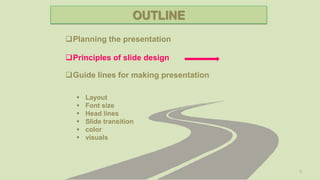
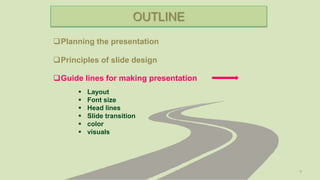
Planning the presentation
Guide lines for making presentation
 Layout
 Font size
 Head lines
 Slide transition
 color
 visuals
Principles of slide design
3
Planning the presentation
Guide lines for making presentation
Principles of slide design
 Layout
 Font size
 Head lines
 Slide transition
 color
 visuals
OUTLINE
Planning The Presentation
4
 Think what you want to present
 Procure all the required information and data
You want to present
 Analyze the possibility to make it in all the matter
into a presentation slide
5
Planning the presentation
Guide lines for making presentation
Principles of slide design
 Layout
 Font size
 Head lines
 Slide transition
 color
 visuals
OUTLINE
Principles Of Slide Design
6
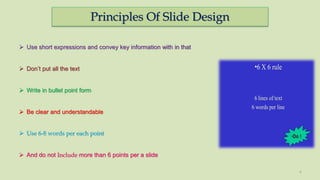
 Use short expressions and convey key information with in that
 Don’t put all the text
 Write in bullet point form
 Be clear and understandable
 Use 6-8 words per each point
 And do not Include more than 6 points per a slide
Principles Of Slide Design
7
Important slides in a power point presentation
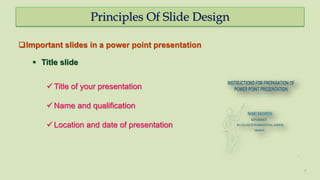
 Title slide
 Title of your presentation
 Name and qualification
 Location and date of presentation
Principles Of Slide Design
8
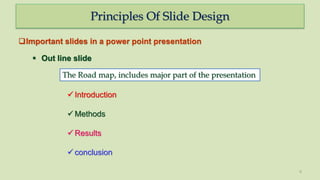
 Out line slide
 Introduction
 Methods
 Results
 conclusion
The Road map, includes major part of the presentation
Important slides in a power point presentation
9
Planning the presentation
Guide lines for making presentation
Principles of slide design
 Layout
 Font size
 Head lines
 Slide transition
 color
 visuals
OUTLINE
Guidelines For Making Presentation
10
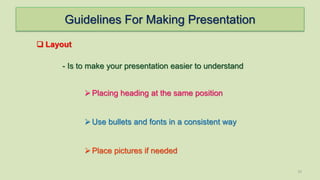
 Layout
- Is to make your presentation easier to understand
Placing heading at the same position
Use bullets and fonts in a consistent way
Place pictures if needed
Guidelines For Making Presentation
11
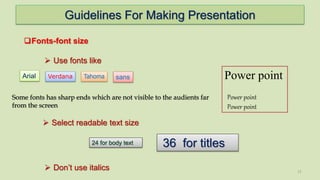
Fonts-font size
 Use fonts like
Arial
 Select readable text size
36 for titles24 for body text
Verdana sans Power point
Power point
Power point
Tahoma
 Don’t use italics
Some fonts has sharp ends which are not visible to the audients far
from the screen
Guidelines For Making Presentation
12
Slide transitions:
Headlines:
 Each slide has a short heading
 shows to which part of the presentation it belongs
 Use smooth slide transitions
Guidelines For Making Presentation
13
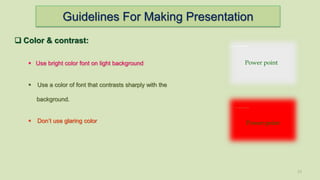
 Color & contrast:
 Use bright color font on light background
 Use a color of font that contrasts sharply with the
background.
 Don’t use glaring color Power point
Power point
Guidelines For Making Presentation
14
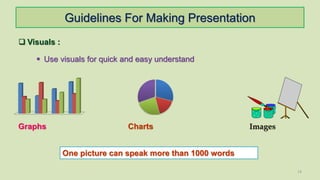
 Visuals :
 Use visuals for quick and easy understand
Graphs Charts Images
One picture can speak more than 1000 words
References
1. http://www.swarthmore.edu/NatSci/cpurrin1/powerpointadvice.htm, by Colin Purrington (2005)
2. Malmfors, B., Garnsworthy, P. and Grossman, M. 2004. Writing and Presenting Scientific Papers.
Nottingham University Press, Nottingham, UK
3. Edward R. Tufte “Envisioning Information,” “The Visual Display of Quantitative Information,” “The Cognitive
Style of PowerPoint”
15
16

Instructions for Power point presentation

  • 1.
    INSTRUCTIONS FOR PREPARATIONOF POWER POINT PRESENTATION 1 RAMU BADIRENI M.PHARMACY SVU COLLEGE OF PHARMACEUTICAL SCIENCES TIRUPATHI
  • 2.
    OUTLINE 2 Planning the presentation Guidelines for making presentation  Layout  Font size  Head lines  Slide transition  color  visuals Principles of slide design
  • 3.
    3 Planning the presentation Guidelines for making presentation Principles of slide design  Layout  Font size  Head lines  Slide transition  color  visuals OUTLINE
  • 4.
    Planning The Presentation 4 Think what you want to present  Procure all the required information and data You want to present  Analyze the possibility to make it in all the matter into a presentation slide
  • 5.
    5 Planning the presentation Guidelines for making presentation Principles of slide design  Layout  Font size  Head lines  Slide transition  color  visuals OUTLINE
  • 6.
    Principles Of SlideDesign 6  Use short expressions and convey key information with in that  Don’t put all the text  Write in bullet point form  Be clear and understandable  Use 6-8 words per each point  And do not Include more than 6 points per a slide
  • 7.
    Principles Of SlideDesign 7 Important slides in a power point presentation  Title slide  Title of your presentation  Name and qualification  Location and date of presentation
  • 8.
    Principles Of SlideDesign 8  Out line slide  Introduction  Methods  Results  conclusion The Road map, includes major part of the presentation Important slides in a power point presentation
  • 9.
    9 Planning the presentation Guidelines for making presentation Principles of slide design  Layout  Font size  Head lines  Slide transition  color  visuals OUTLINE
  • 10.
    Guidelines For MakingPresentation 10  Layout - Is to make your presentation easier to understand Placing heading at the same position Use bullets and fonts in a consistent way Place pictures if needed
  • 11.
    Guidelines For MakingPresentation 11 Fonts-font size  Use fonts like Arial  Select readable text size 36 for titles24 for body text Verdana sans Power point Power point Power point Tahoma  Don’t use italics Some fonts has sharp ends which are not visible to the audients far from the screen
  • 12.
    Guidelines For MakingPresentation 12 Slide transitions: Headlines:  Each slide has a short heading  shows to which part of the presentation it belongs  Use smooth slide transitions
  • 13.
    Guidelines For MakingPresentation 13  Color & contrast:  Use bright color font on light background  Use a color of font that contrasts sharply with the background.  Don’t use glaring color Power point Power point
  • 14.
    Guidelines For MakingPresentation 14  Visuals :  Use visuals for quick and easy understand Graphs Charts Images One picture can speak more than 1000 words
  • 15.
    References 1. http://www.swarthmore.edu/NatSci/cpurrin1/powerpointadvice.htm, byColin Purrington (2005) 2. Malmfors, B., Garnsworthy, P. and Grossman, M. 2004. Writing and Presenting Scientific Papers. Nottingham University Press, Nottingham, UK 3. Edward R. Tufte “Envisioning Information,” “The Visual Display of Quantitative Information,” “The Cognitive Style of PowerPoint” 15
  • 16.