INSTANT SQL SANDBOX
USING DOCKER
Eddy Djaja
Technical Advisor, SQLGrease www.sqlgrease.com
Database
Architect/Manager/Administrator/Consultant
SQL Server since 6.5, Oracle, Azure
Blogger: http://dbaworld.blogspot.com
Twitter: @ewdjaja
Email: eddy@sqlgrease.com
AGENDA
Brief Introduction to Container
Purpose of Container
Running SQL Server on Docker
Using Azure Data Studio as Runbook
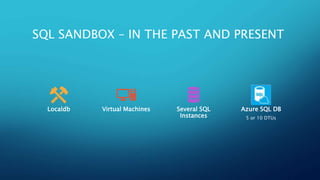
SQL SANDBOX – IN THE PAST AND PRESENT
Localdb Virtual Machines Several SQL
Instances
Azure SQL DB
5 or 10 DTUs
MULTIPLE INSTANCES WITH DIFFERENT
VERSIONS
Virtual Machines SQL Server
Instances
MULTIPLE INSTANCES WITH
DIFFERENT VERSIONS AND
OPERATING SYSTEMS
Virtual
Machines
MODERN PLATFORM
•All of the Above
•One Machine
•Lightning Fast
DOCKER
COMPONEN
TS
•Docker Engine
•Container Image
•Registry
• Docker Hub
• Microsoft Container
Registry
•Repository
VIRTUAL MACHINE VS. CONTAINER
CONTAINER LIFECYCLE
Build Push Pull Run
WHY
CONTAINE
R?
•Isolated
•Consistent
•Portable
•Lightweight
•Efficient
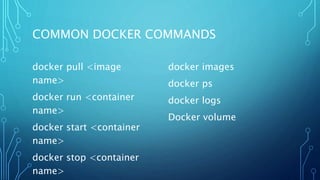
COMMON DOCKER COMMANDS
docker pull <image
name>
docker run <container
name>
docker start <container
name>
docker stop <container
name>
docker images
docker ps
docker logs
Docker volume
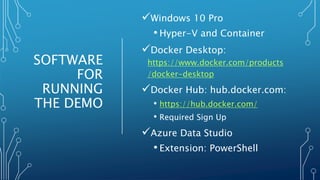
SOFTWARE
FOR
RUNNING
THE DEMO
Windows 10 Pro
• Hyper-V and Container
Docker Desktop:
https://www.docker.com/products
/docker-desktop
Docker Hub: hub.docker.com:
• https://hub.docker.com/
• Required Sign Up
Azure Data Studio
• Extension: PowerShell
DEMO
LINUX ON
WINDOWS
CONTAINER
(LCOW)
https://docs.microsoft.com/en
-
us/virtualization/windowsconta
iners/deploy-containers/linux-
containers
DOWNLOAD
https://www.docker.com/products/docker-desktop
https://docs.microsoft.com/en-us/sql/azure-data-
studio/download-azure-data-studio
https://github.com/eddydjaja/ADS

Instant sql sandbox using docker

Editor's Notes

  • #9 Docker lifecycle Build -> Push -> Pull -> Run Build -> image Push/Publish -> Registry (Docker Hub) hub.docker.com; Microsoft Container Registry (mcr.microsoft.com) Container image uses layers, i.e. SQL Server image is built on top of OS image
  • #12 Isolated – a process based on a program running Consistent image of SQL Server , scripts and tools; reliable behavior across environments Portable – run anywhere Docker is supported Lightweight – reduce disk, CPU, and memory footprint Efficient – faster deployment (no installation), less downtime when patching