<Insert Picture Here>


Siebel Server Cloning
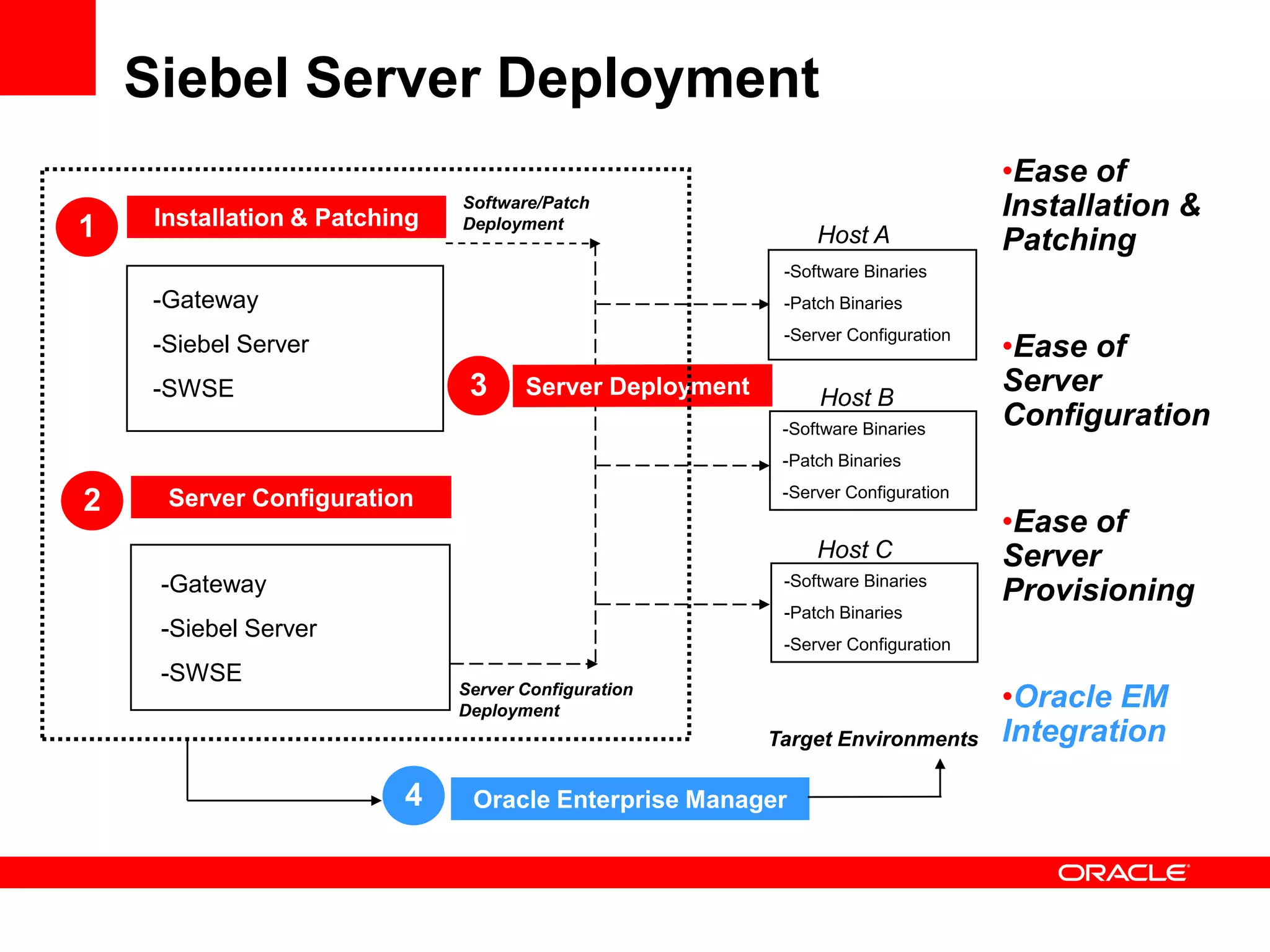
Siebel Server Deployment
                                                                                •Ease of
     Installation & Patching
                               Software/Patch                                   Installation &
1                              Deployment
                                                            Host A              Patching
                                                        -Software Binaries
     -Gateway                                           -Patch Binaries

                                                                                •Ease of
                                                        -Server Configuration
     -Siebel Server
     -SWSE                      3                           Host B
                                                                                Server
                                                        -Software Binaries
                                                                                Configuration
                                                        -Patch Binaries
                                                        -Server Configuration
2     Server Configuration
                                                                                •Ease of
                                                            Host C              Server
     -Gateway                                           -Software Binaries
                                                                                Provisioning
                                                        -Patch Binaries
     -Siebel Server
                                                        -Server Configuration
     -SWSE
                               Server Configuration
                               Deployment
                                                                                •Oracle EM
                                                       Target Environments      Integration

                          4     Oracle Enterprise Manager
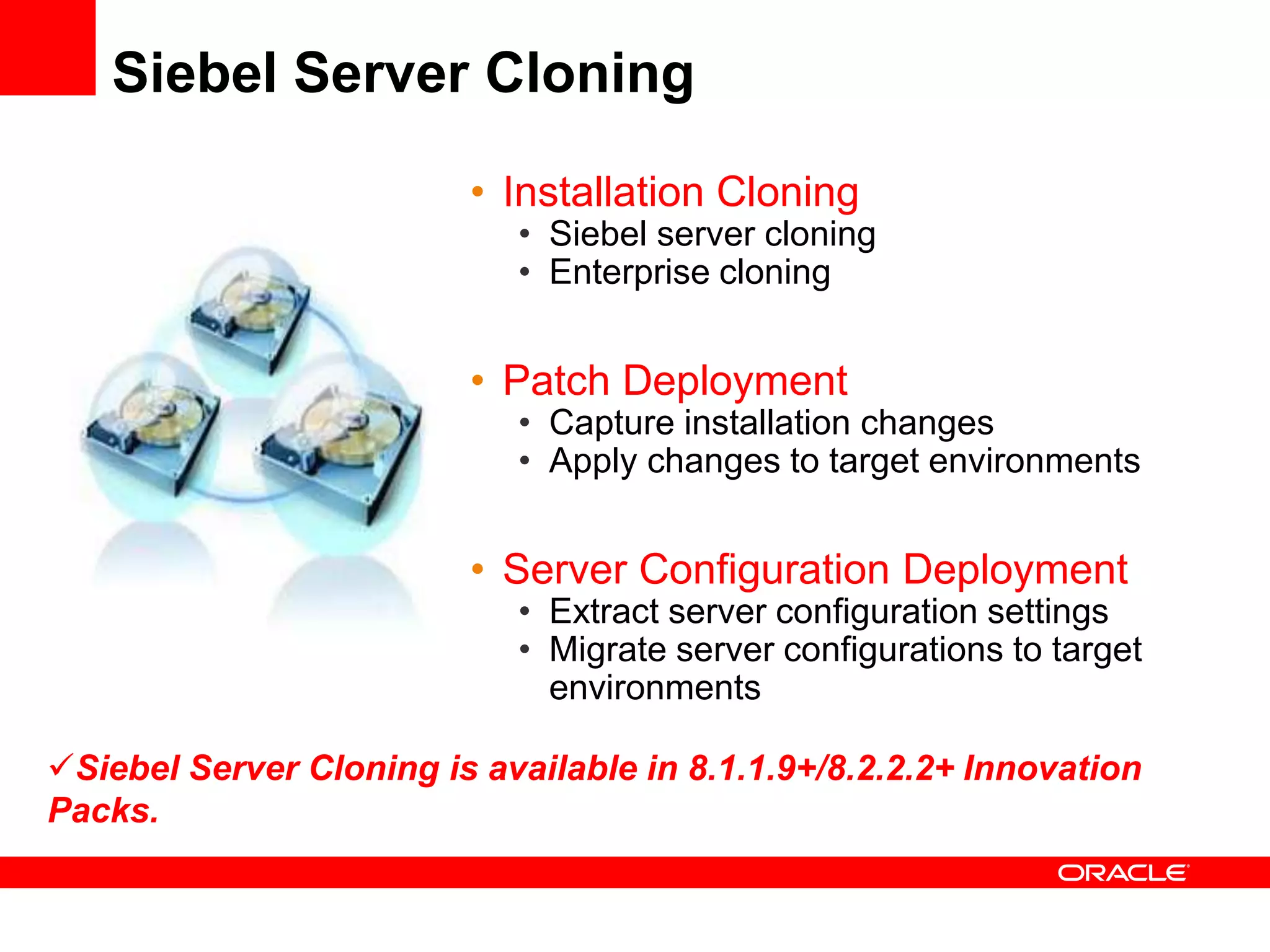
Siebel Server Cloning

                         • Installation Cloning
                            • Siebel server cloning
                            • Enterprise cloning


                         • Patch Deployment
                            • Capture installation changes
                            • Apply changes to target environments


                         • Server Configuration Deployment
                            • Extract server configuration settings
                            • Migrate server configurations to target
                              environments

Siebel Server Cloning is available in 8.1.1.9+/8.2.2.2+ Innovation
Packs.
Business Benefits

• Reduce total cost of operations of Siebel installation
  and patching

• Improve Siebel server manageability through faster
  and reliable server provisioning
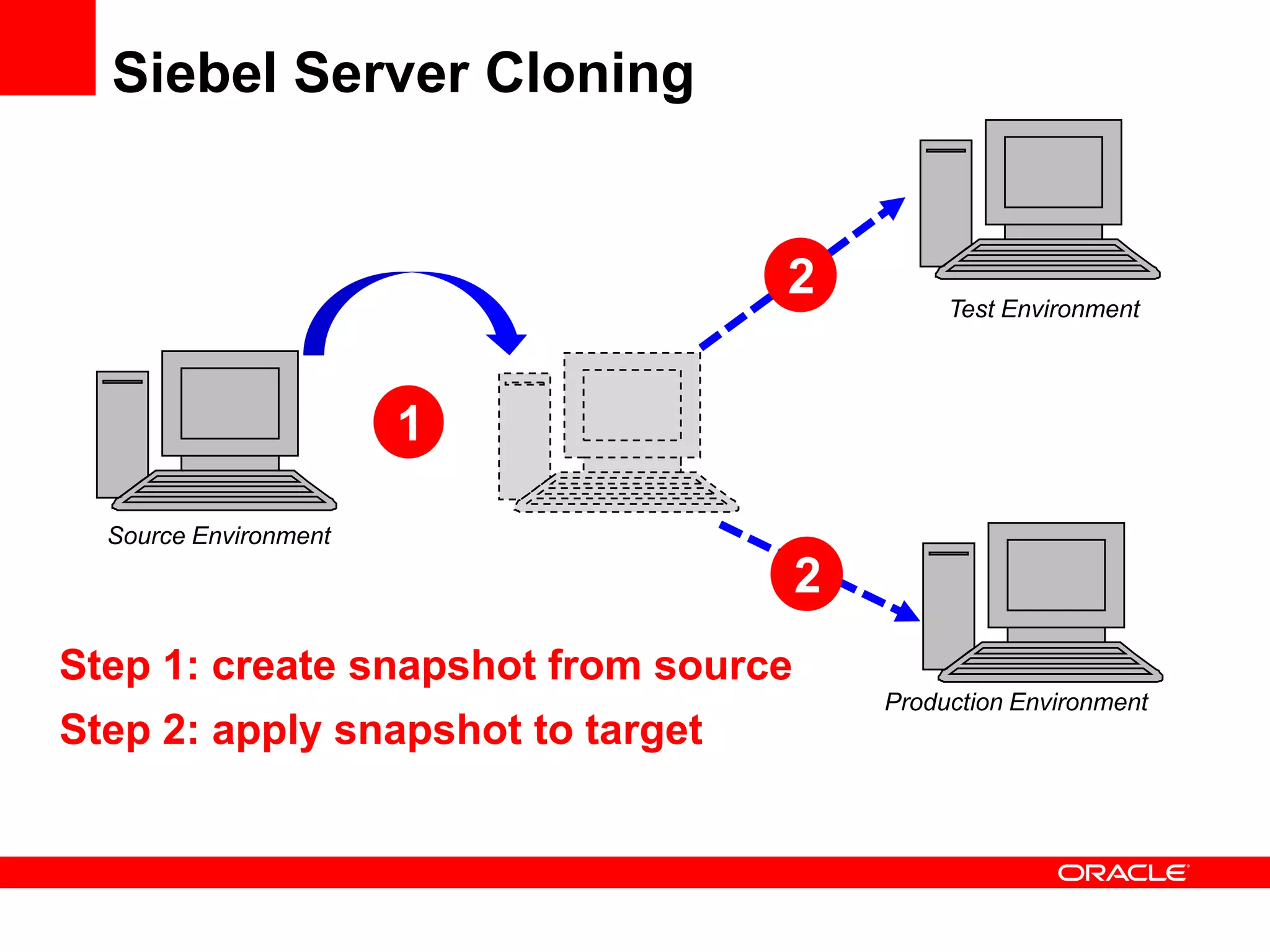
Siebel Server Cloning


                                   2           Test Environment


                       1

  Source Environment
                                      2
Step 1: create snapshot from source
                                          Production Environment
Step 2: apply snapshot to target
Prerequisites & Scope
• Prerequisites
  •   JRE 6 is required on both Source and Target machines.
  •   Source and Target directory structure must be same.
  •   Configure database client on the target machine prior to cloning
  •   Snapshot location must be accessible from Target machine.


• Scope
  • Includes Siebel Enterprise, Siebel Server and SWSE cloning
     • Siebel Database Configuration Utilities, Siebel EAI and Siebel
        Management Server are also included if your Siebel Server instance
        already has these modules installed. Re-configuration of MS is
        needed on the target instance.
  • Database & web server cloning is not included.
  • Manual Web Server cloning is needed on target machine before
    application URL can be brought up.
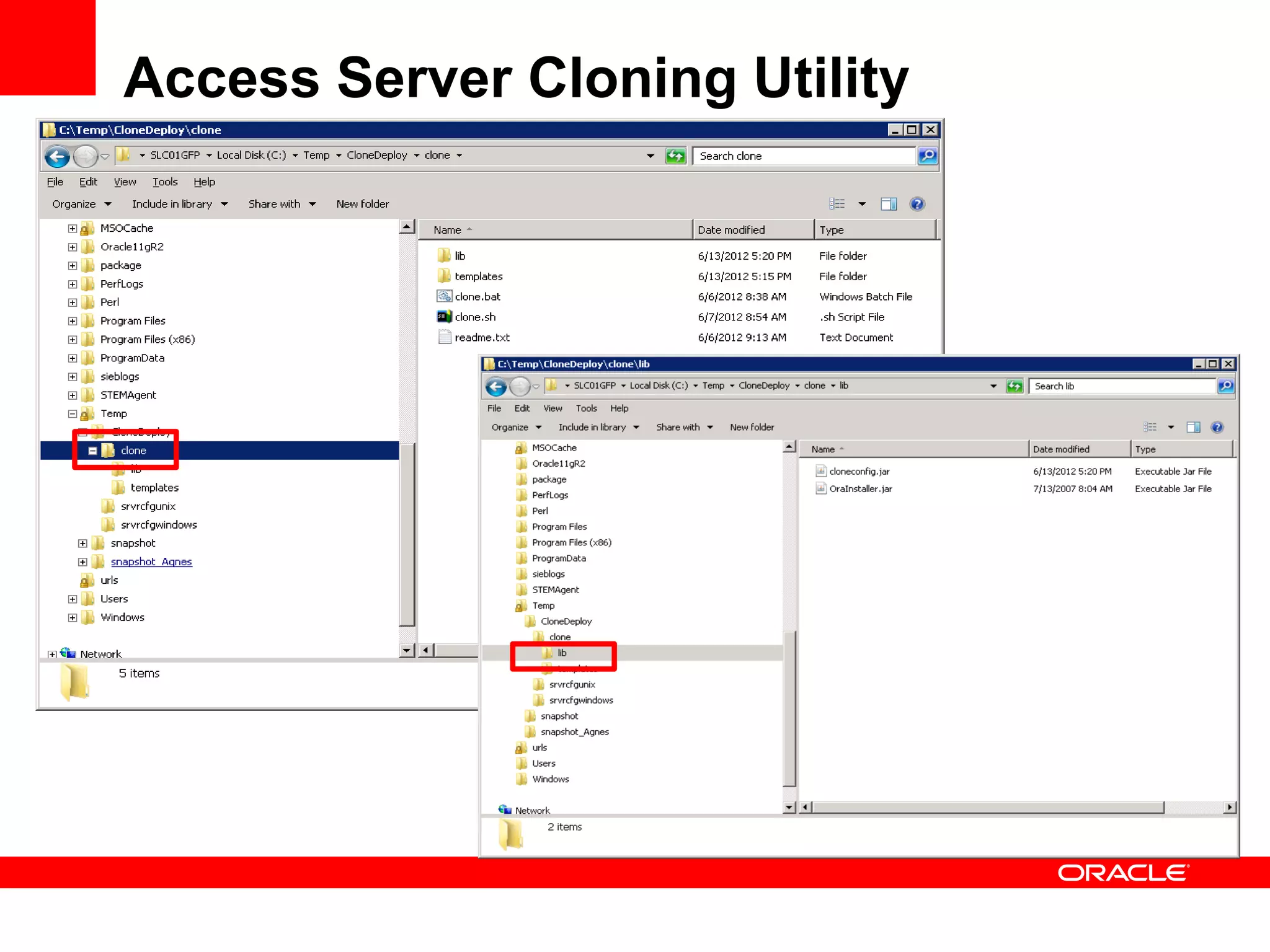
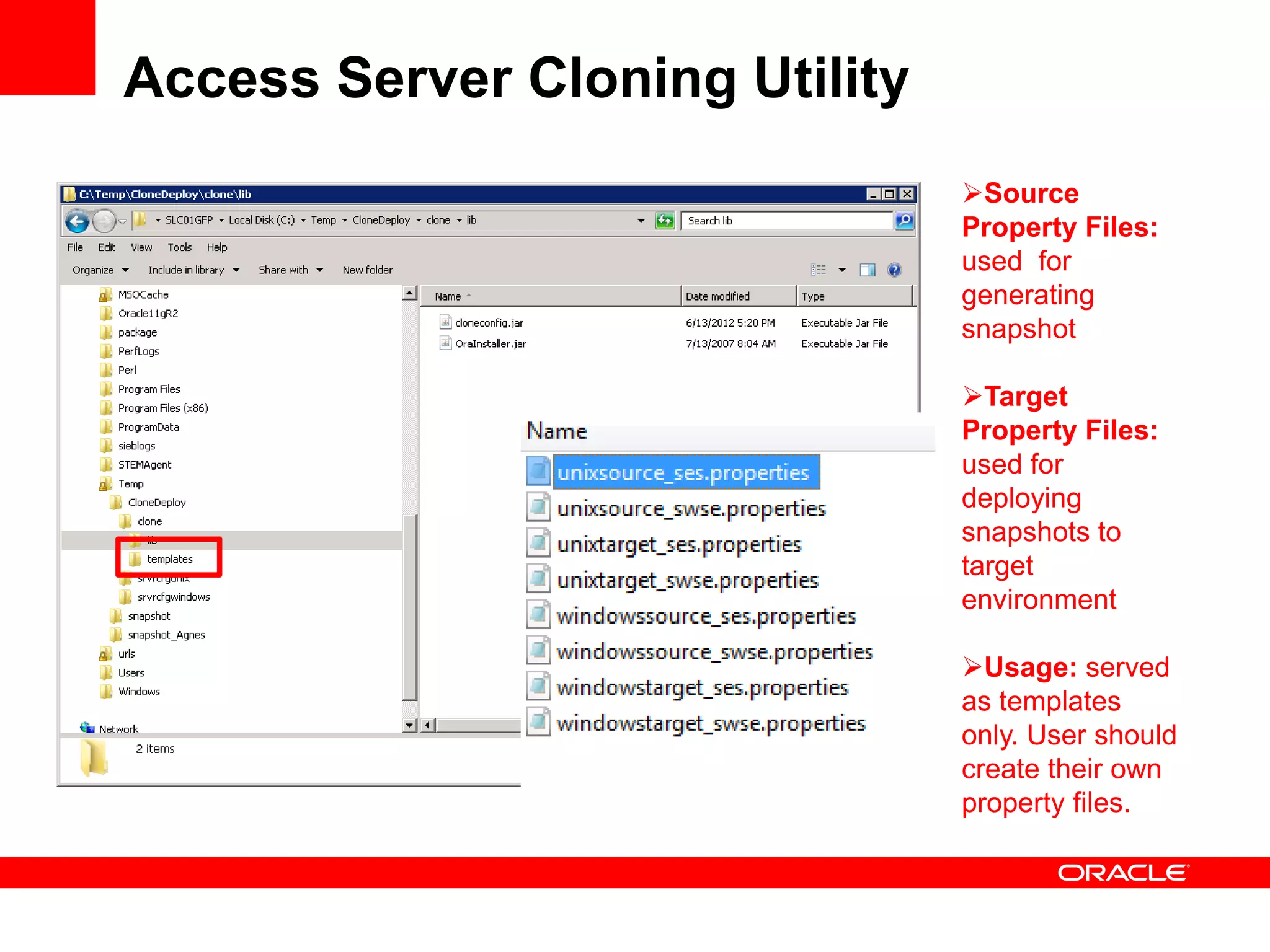
Access Server Cloning Utility
                                Source
                                Property Files:
                                used for
                                generating
                                snapshot

                                Target
                                Property Files:
                                used for
                                deploying
                                snapshots to
                                target
                                environment

                                Usage: served
                                as templates
                                only. User should
                                create their own
                                property files.
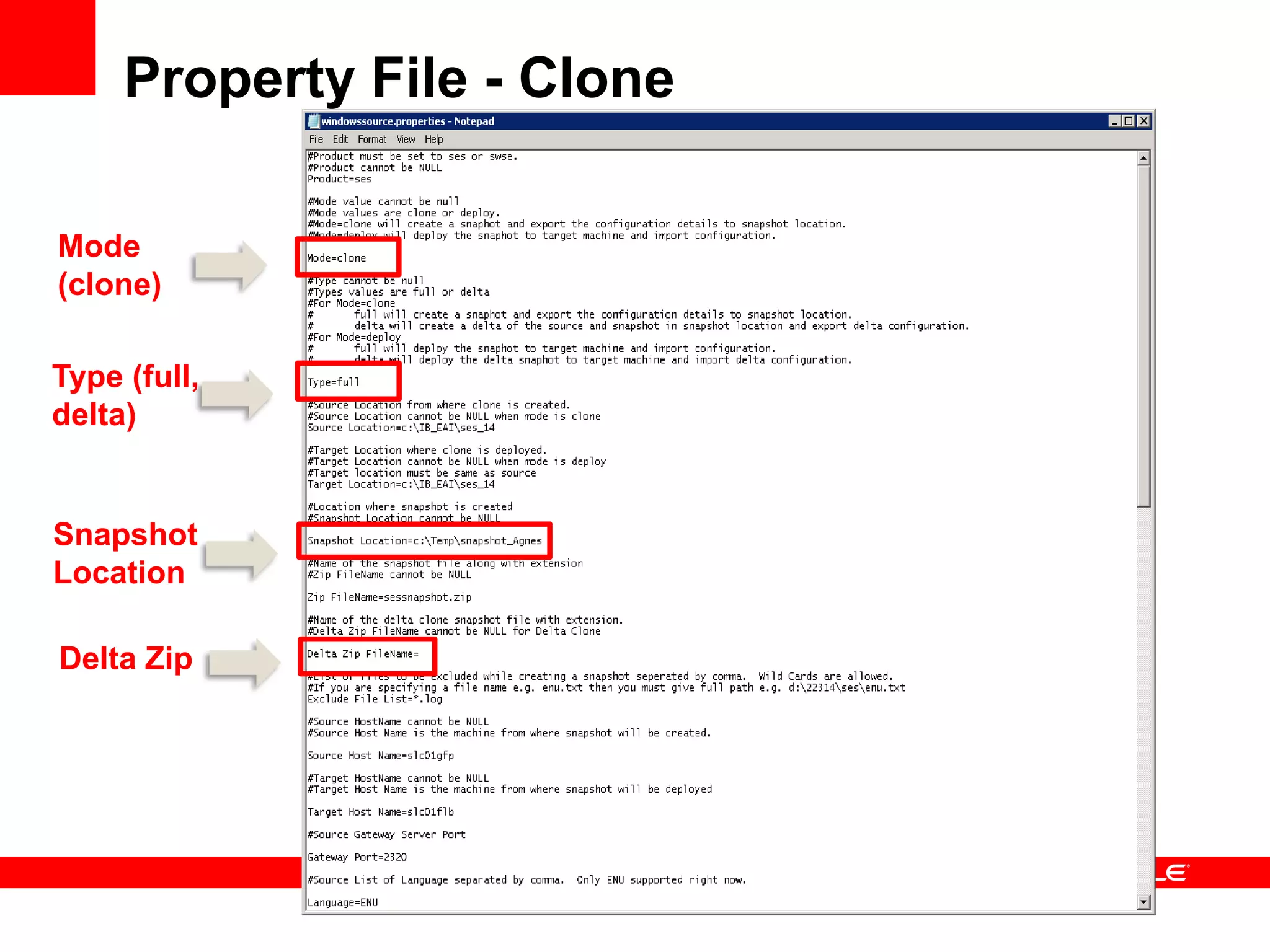
Property File - Clone

Mode
(clone)

Type (full,
delta)


Snapshot
Location

Delta Zip
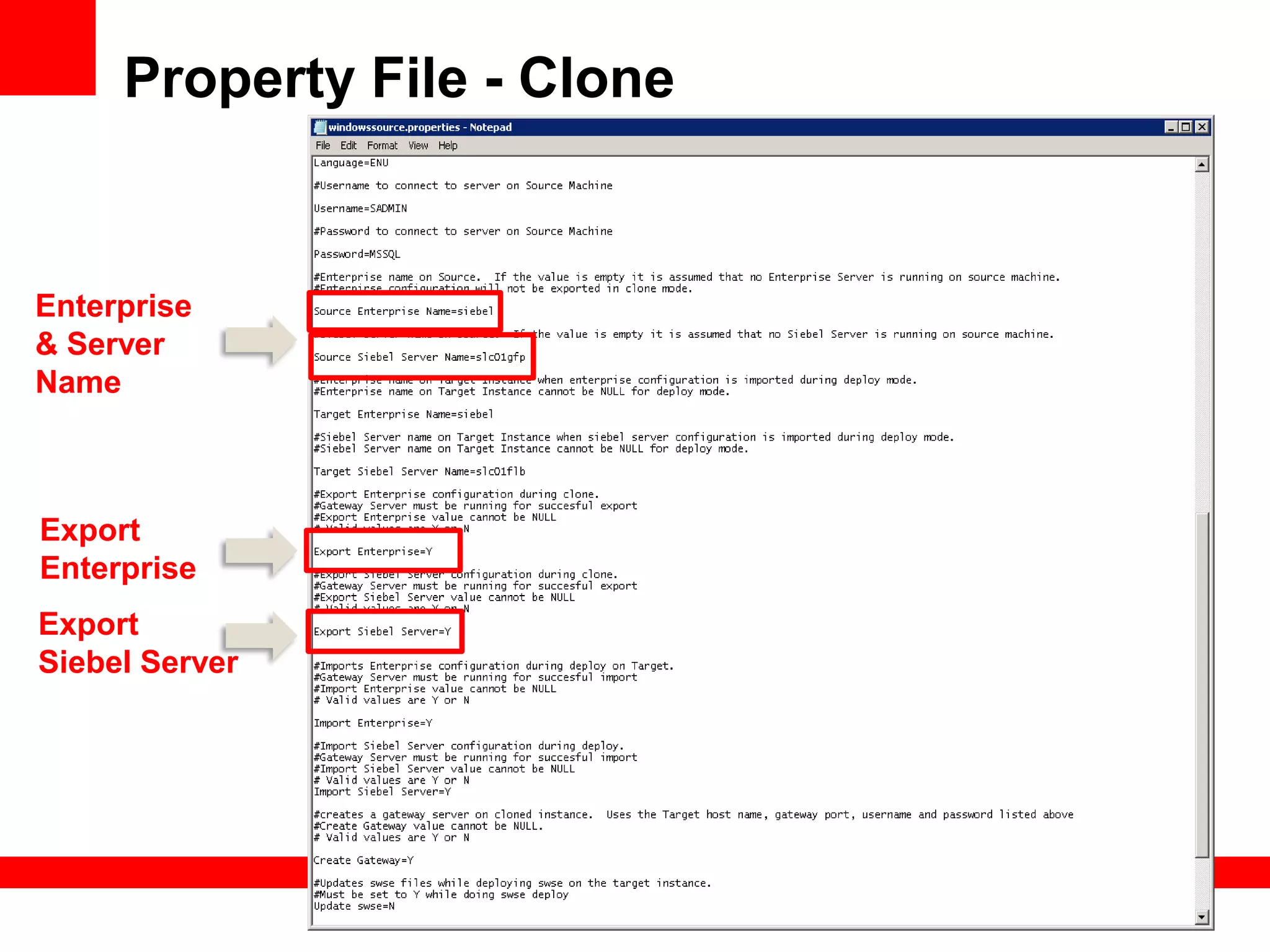
Property File - Clone


Enterprise
& Server
Name


Export
Enterprise
Export
Siebel Server
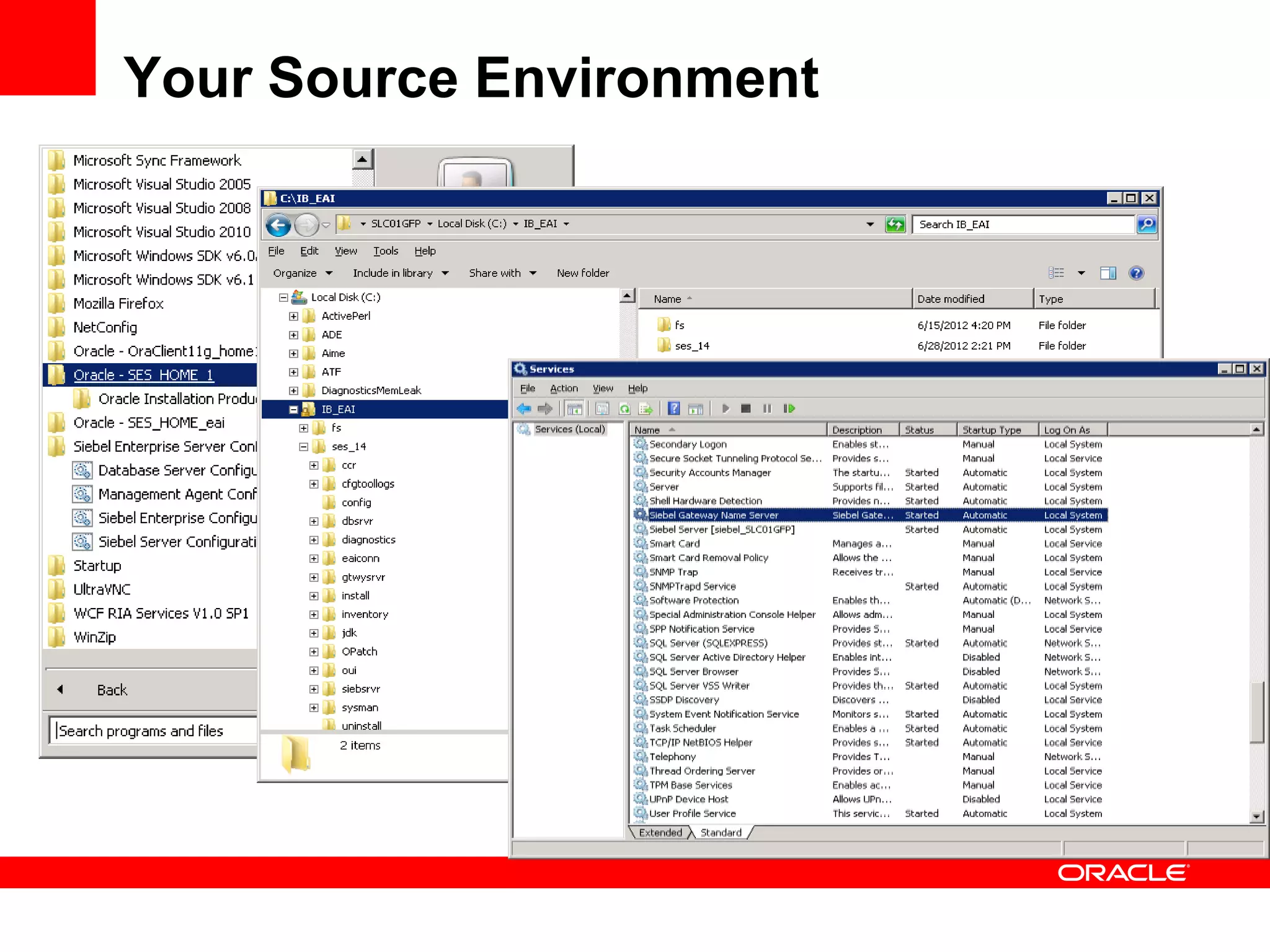
Your Source Environment
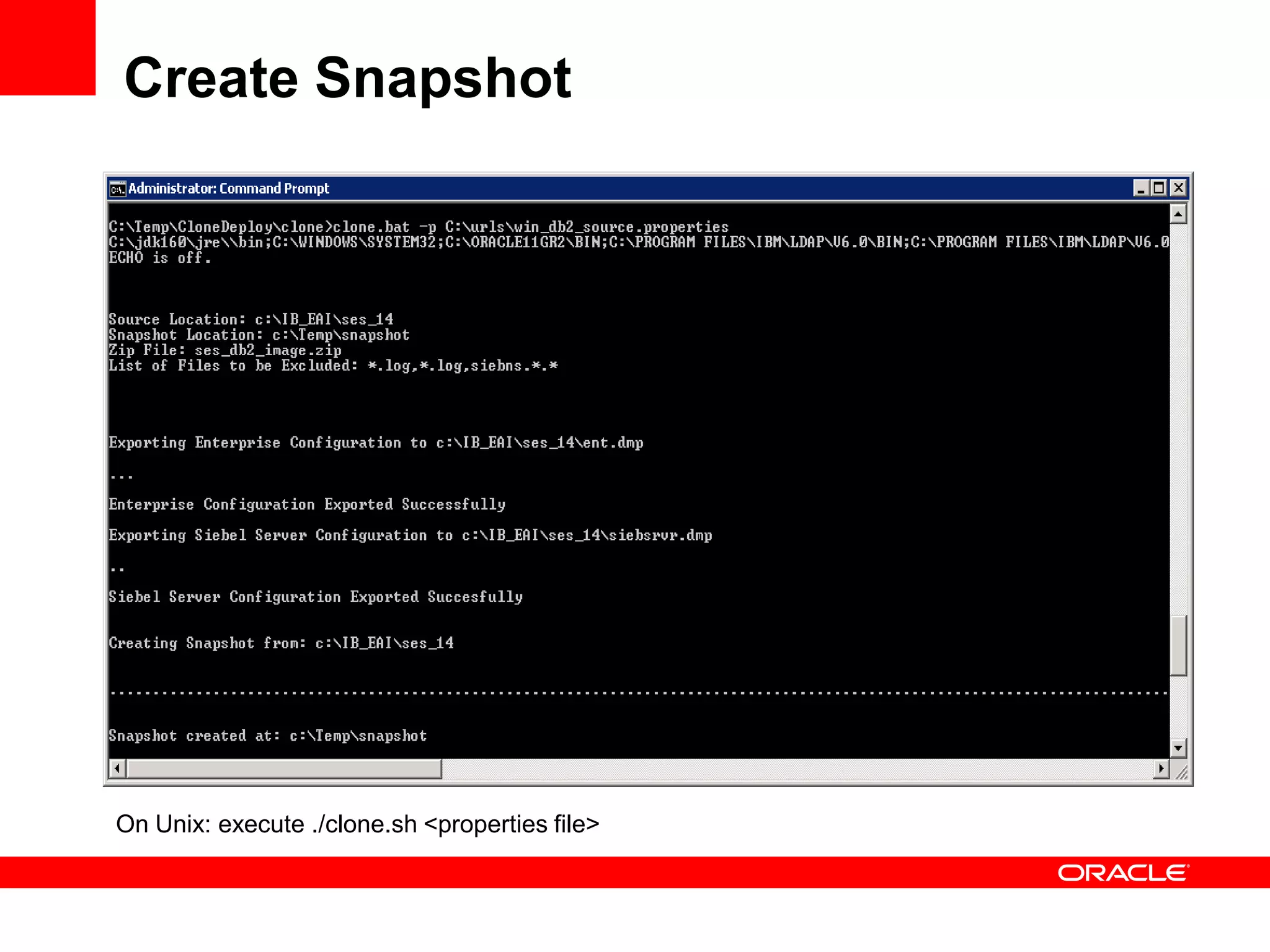
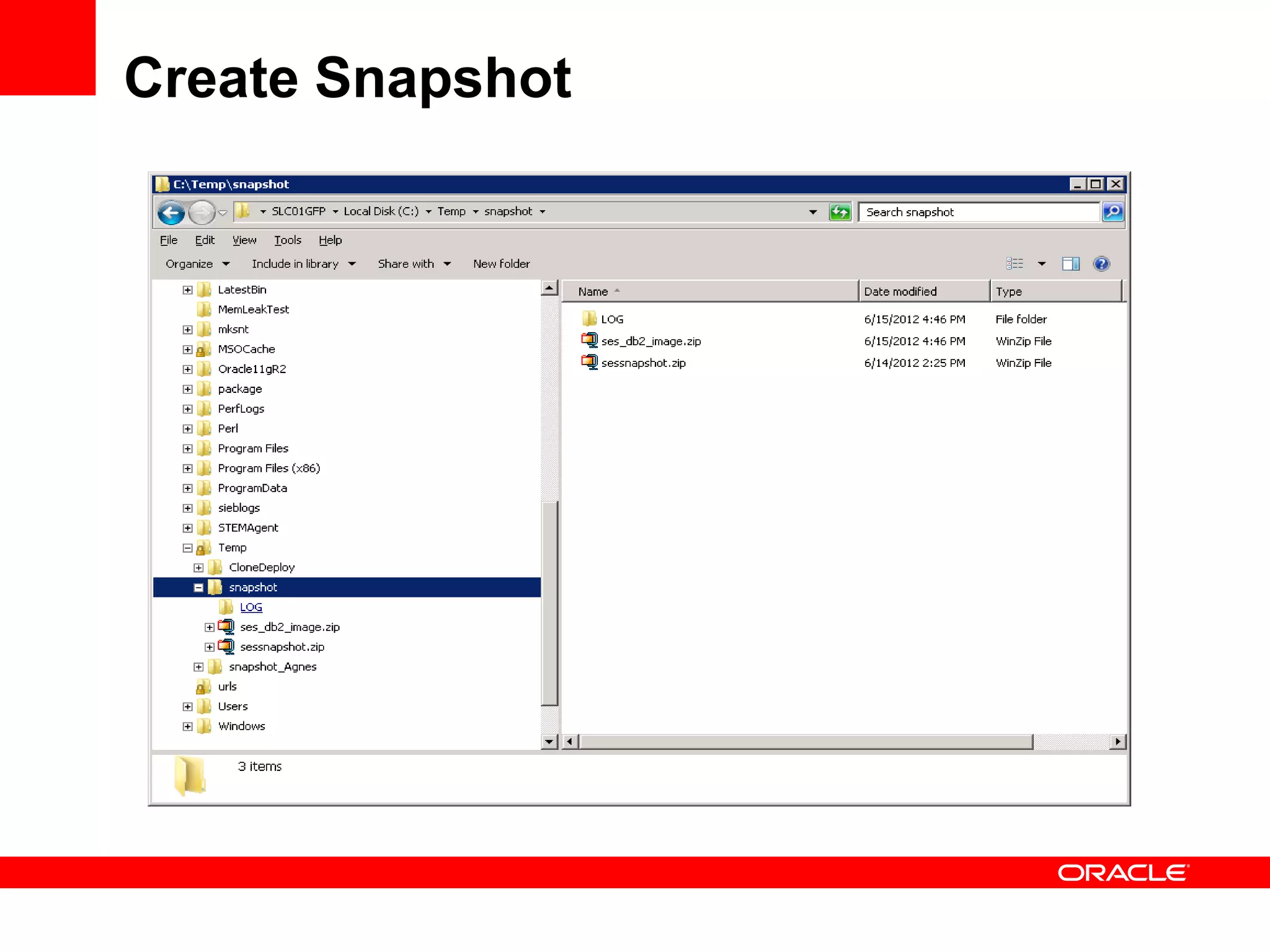
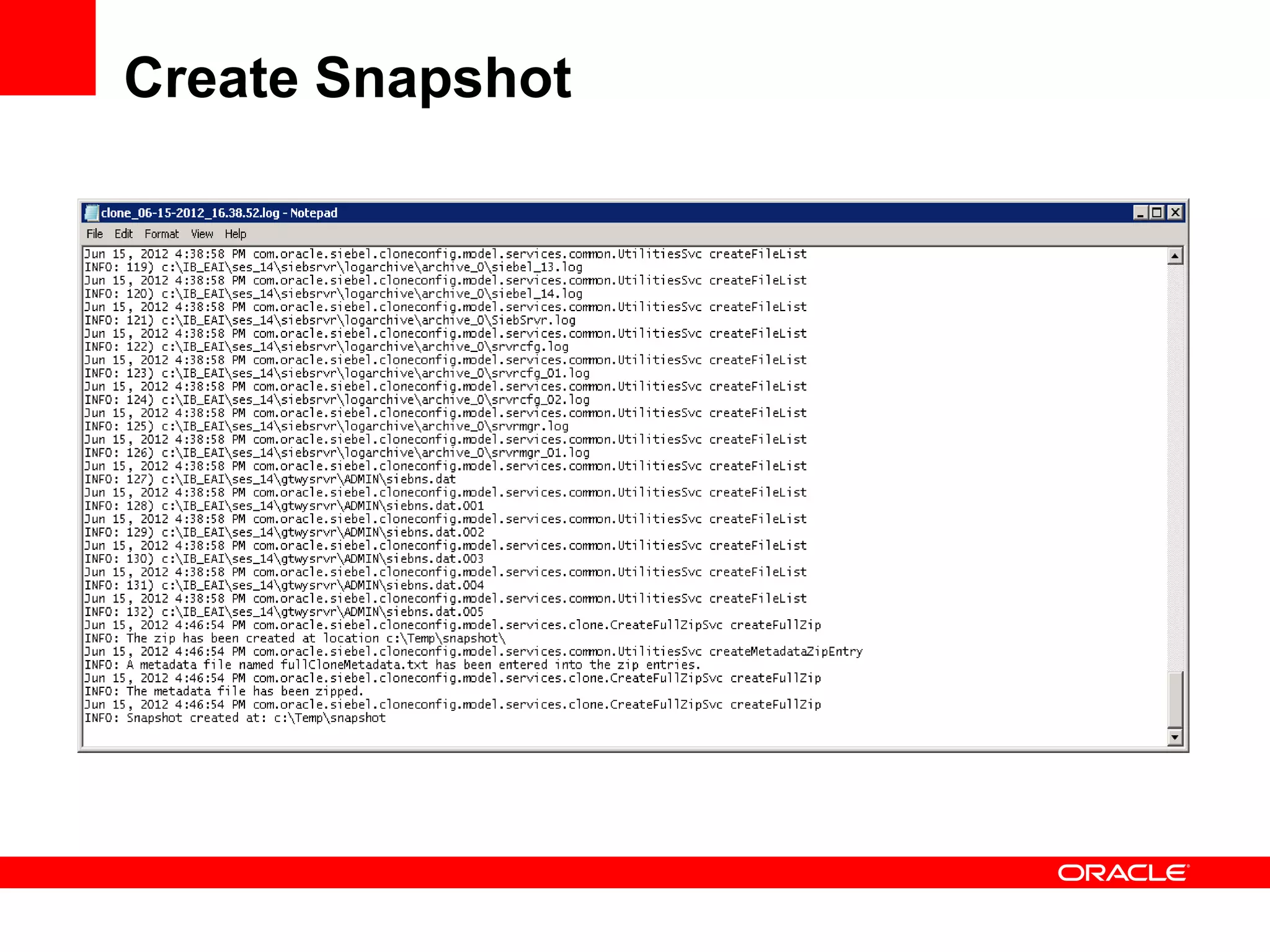
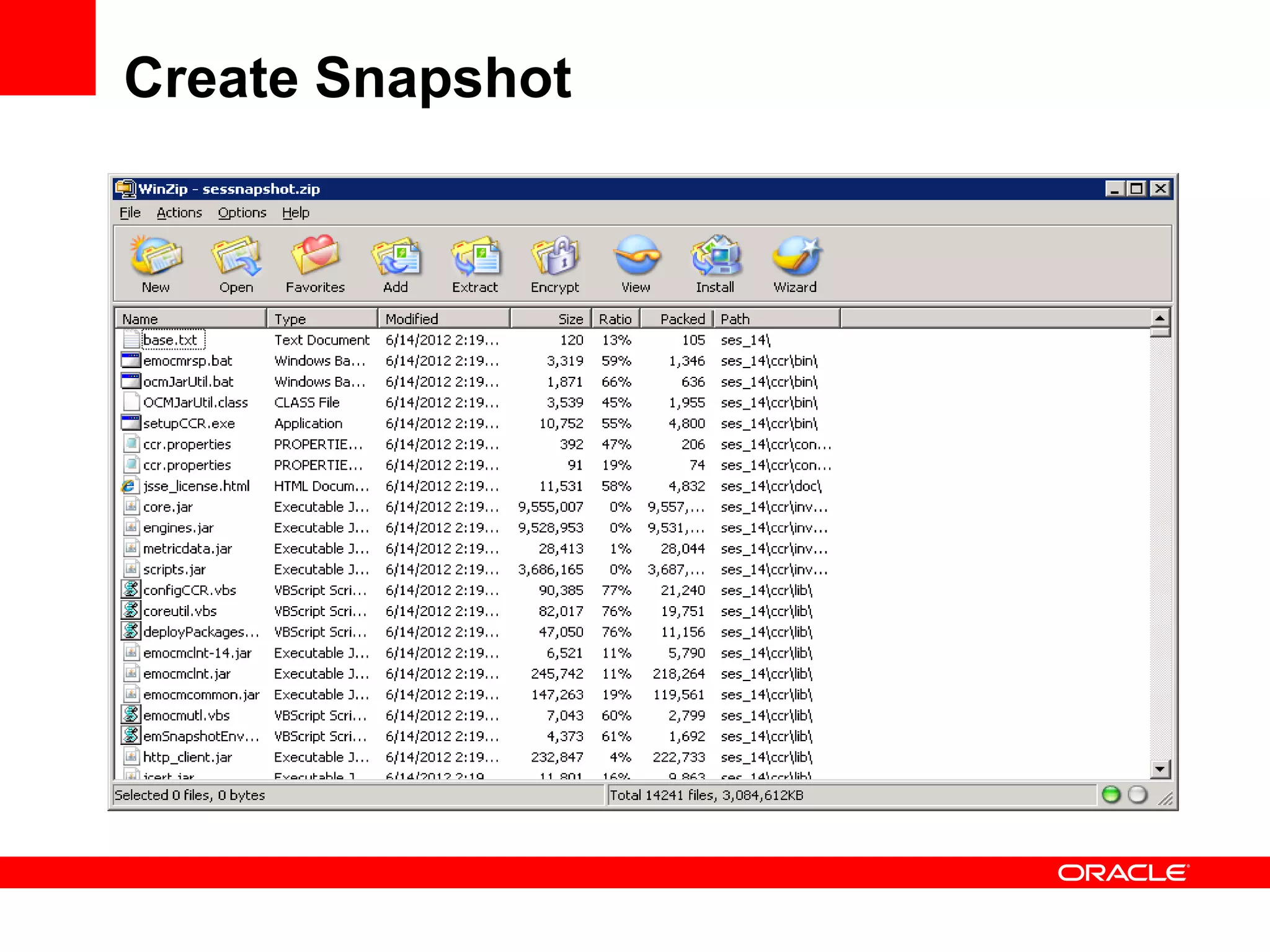
Create Snapshot


On Unix: execute ./clone.sh <properties file>
Create Snapshot
Create Snapshot
Create Snapshot
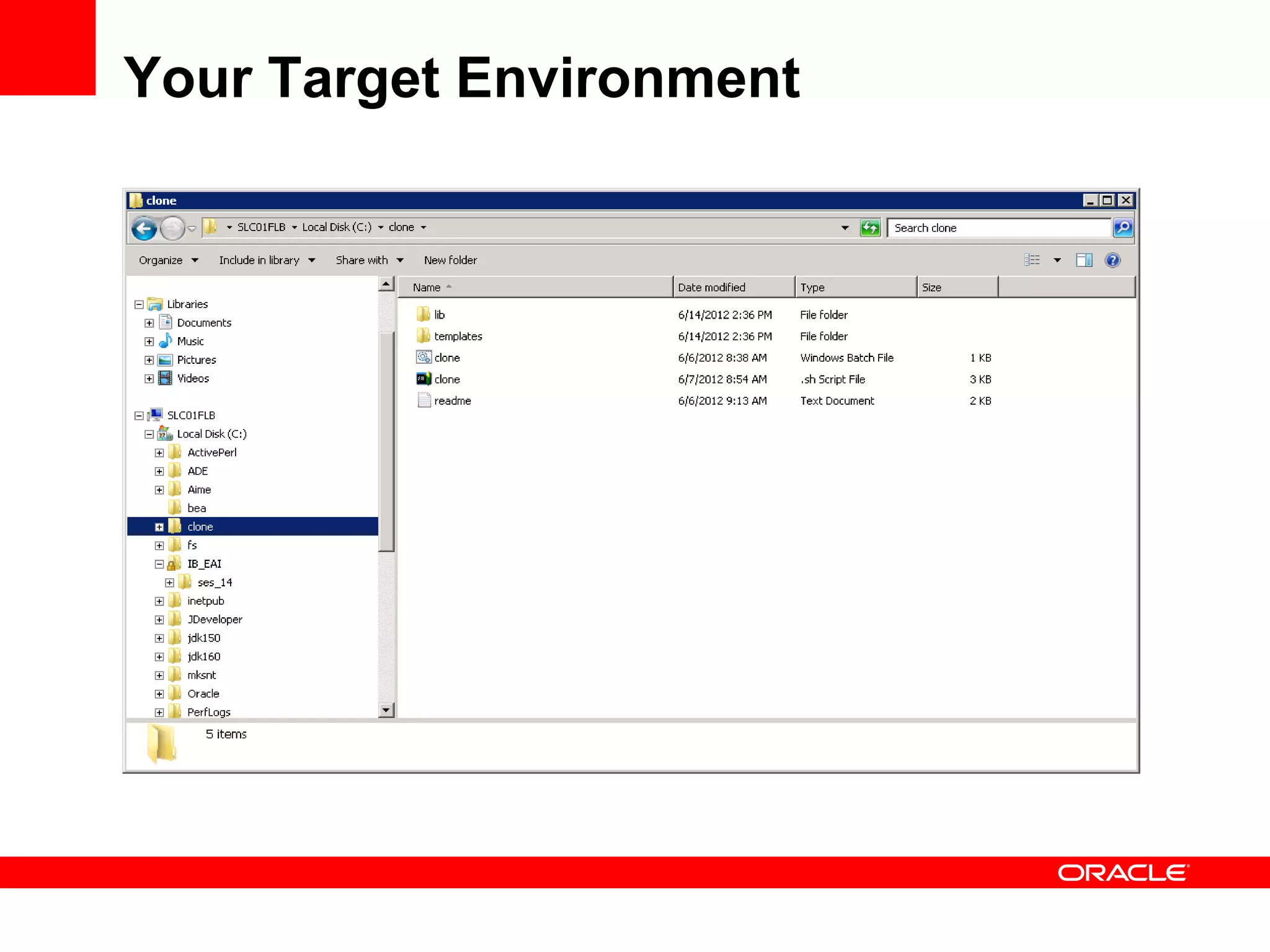
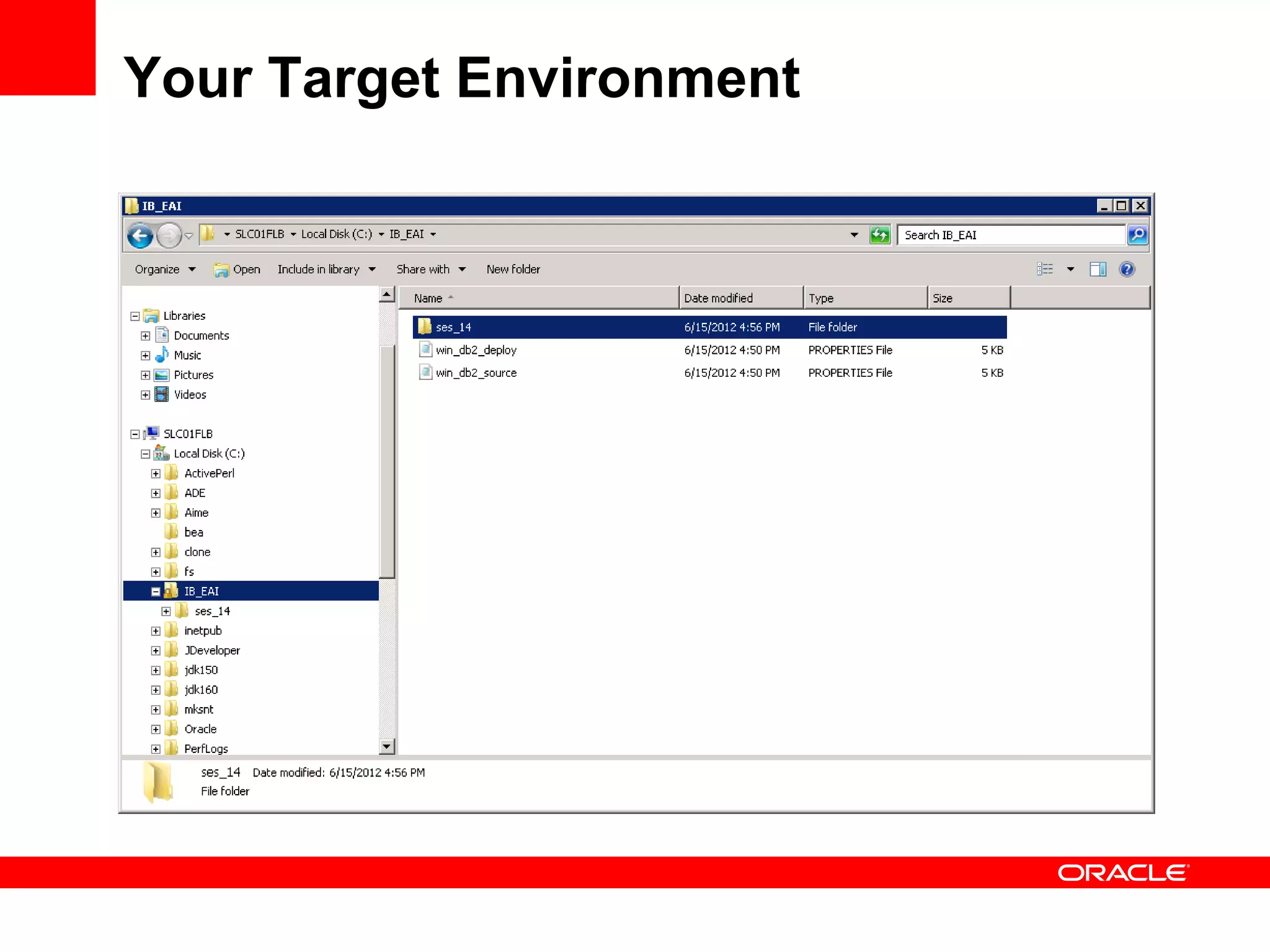
Your Target Environment
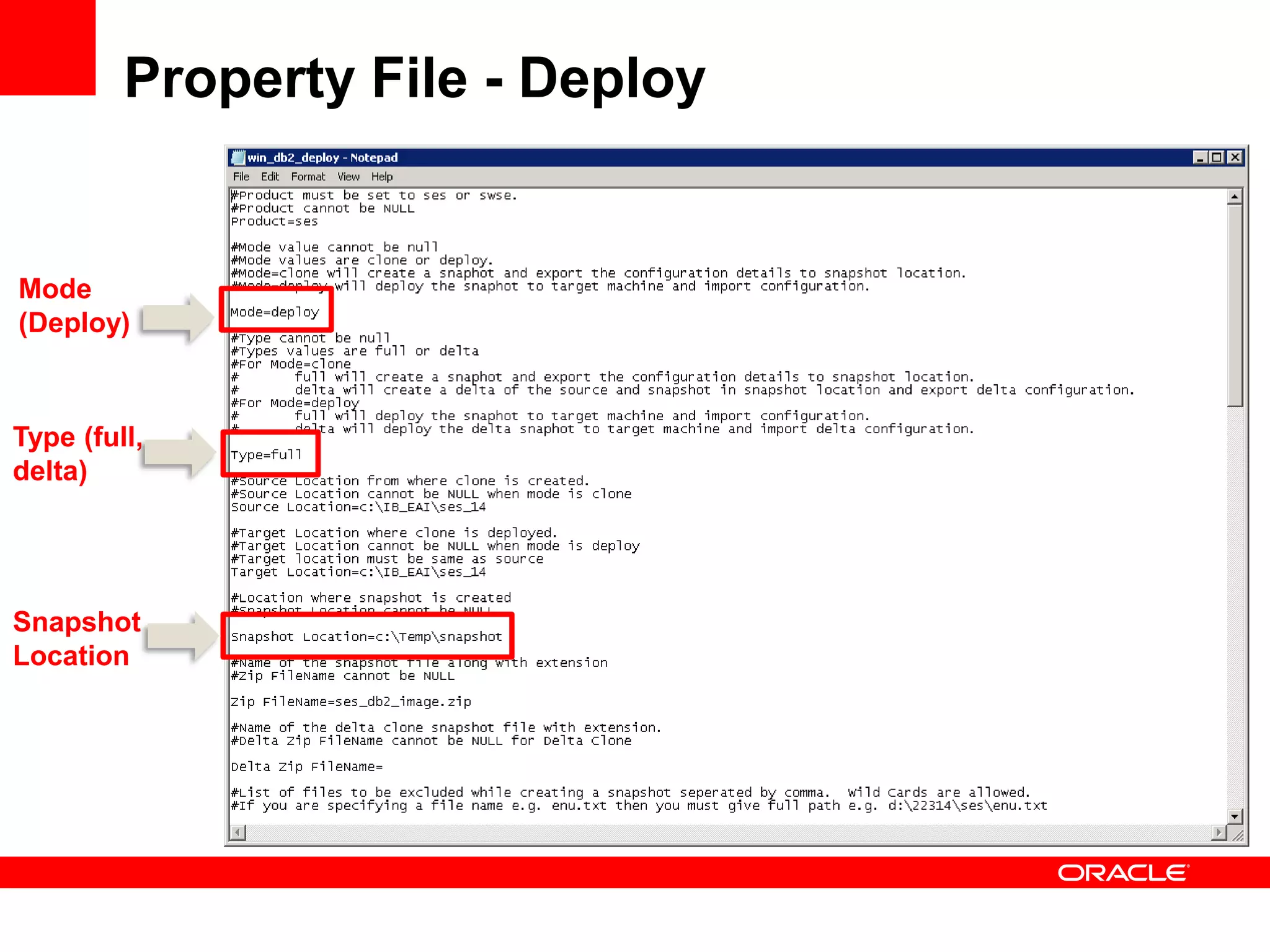
Property File - Deploy


Mode
(Deploy)


Type (full,
delta)


Snapshot
Location
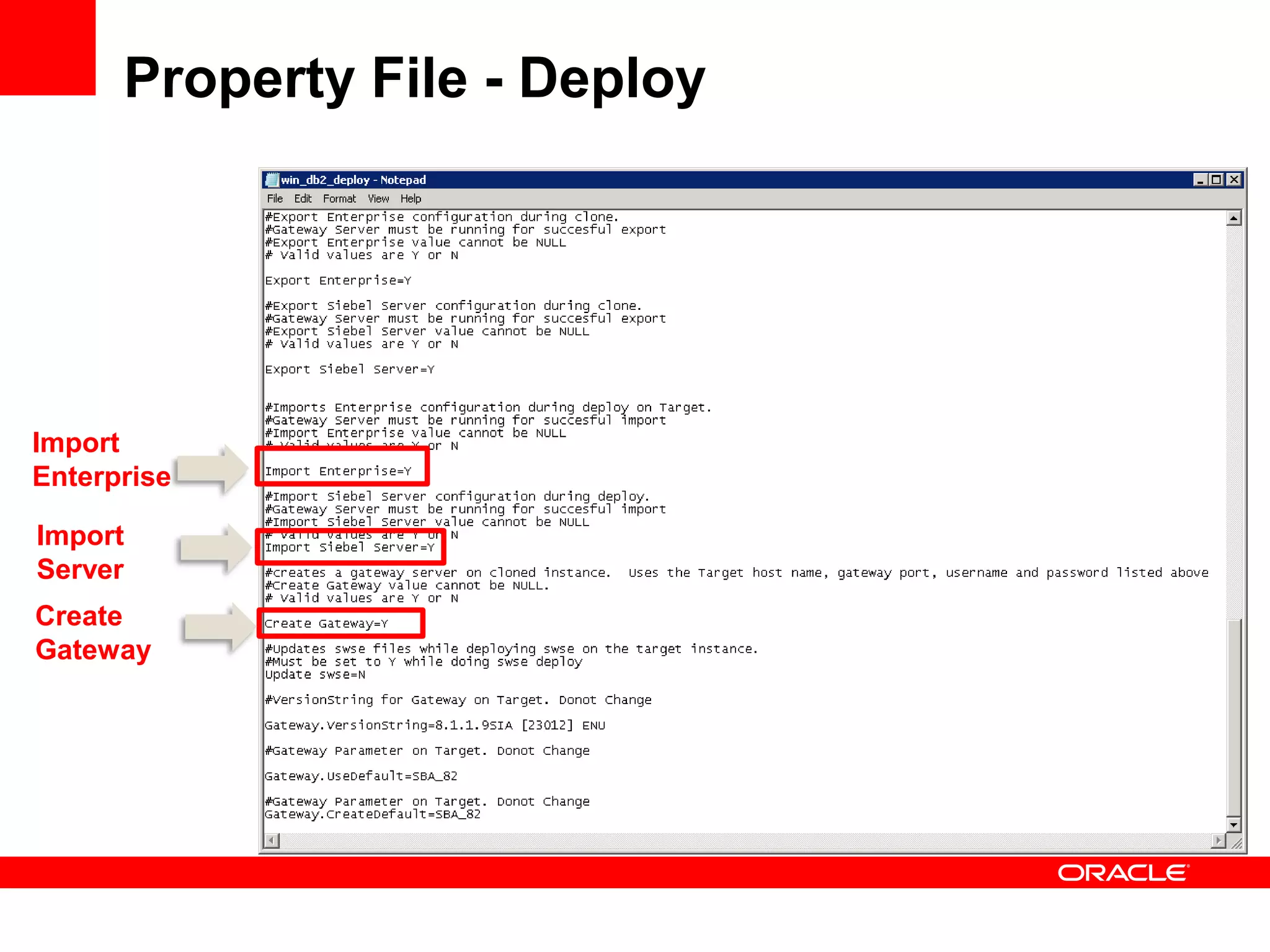
Property File - Deploy


Import
Enterprise

Import
Server
Create
Gateway
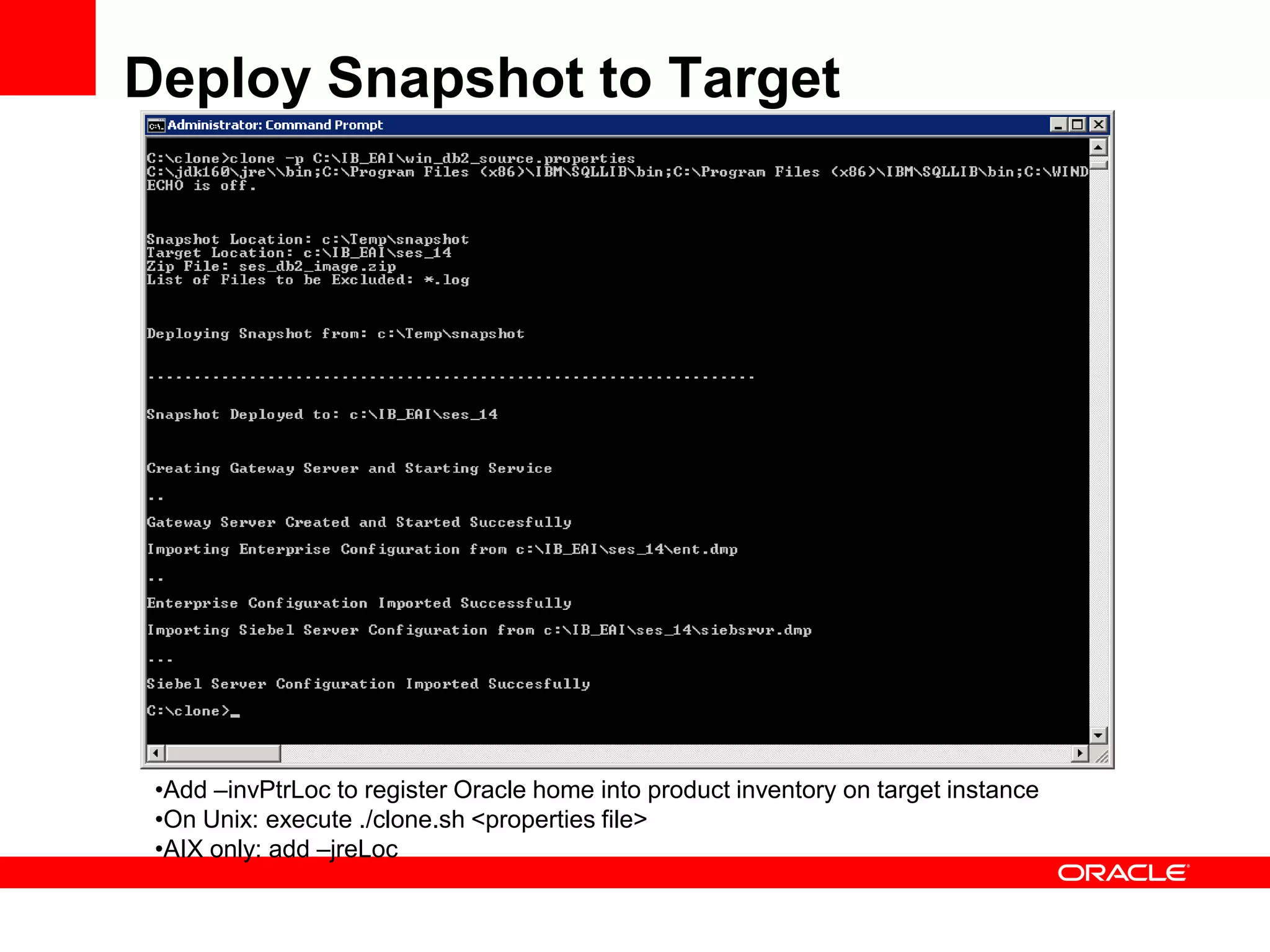
Deploy Snapshot to Target


 •Add –invPtrLoc to register Oracle home into product inventory on target instance
 •On Unix: execute ./clone.sh <properties file>
 •AIX only: add –jreLoc
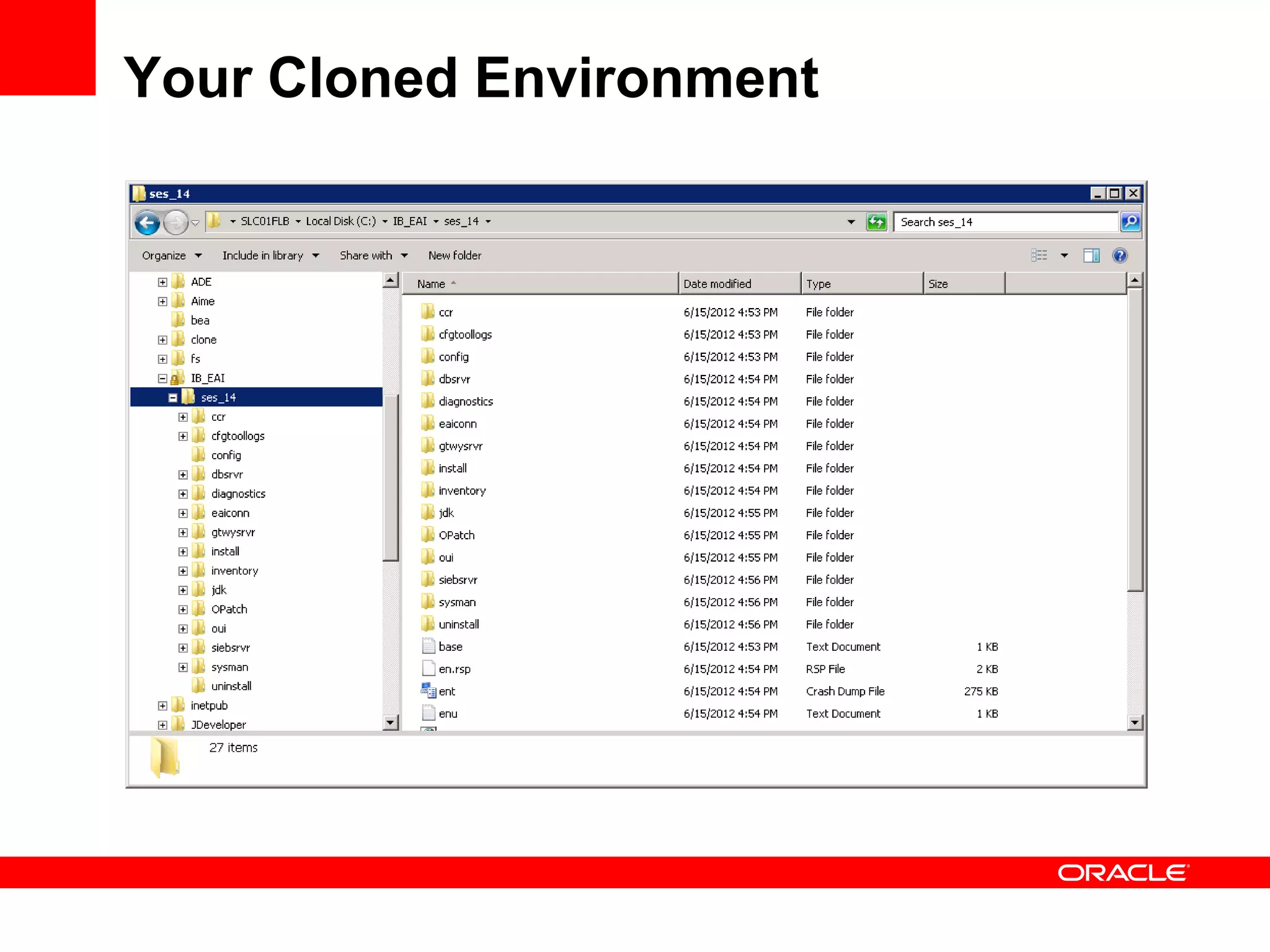
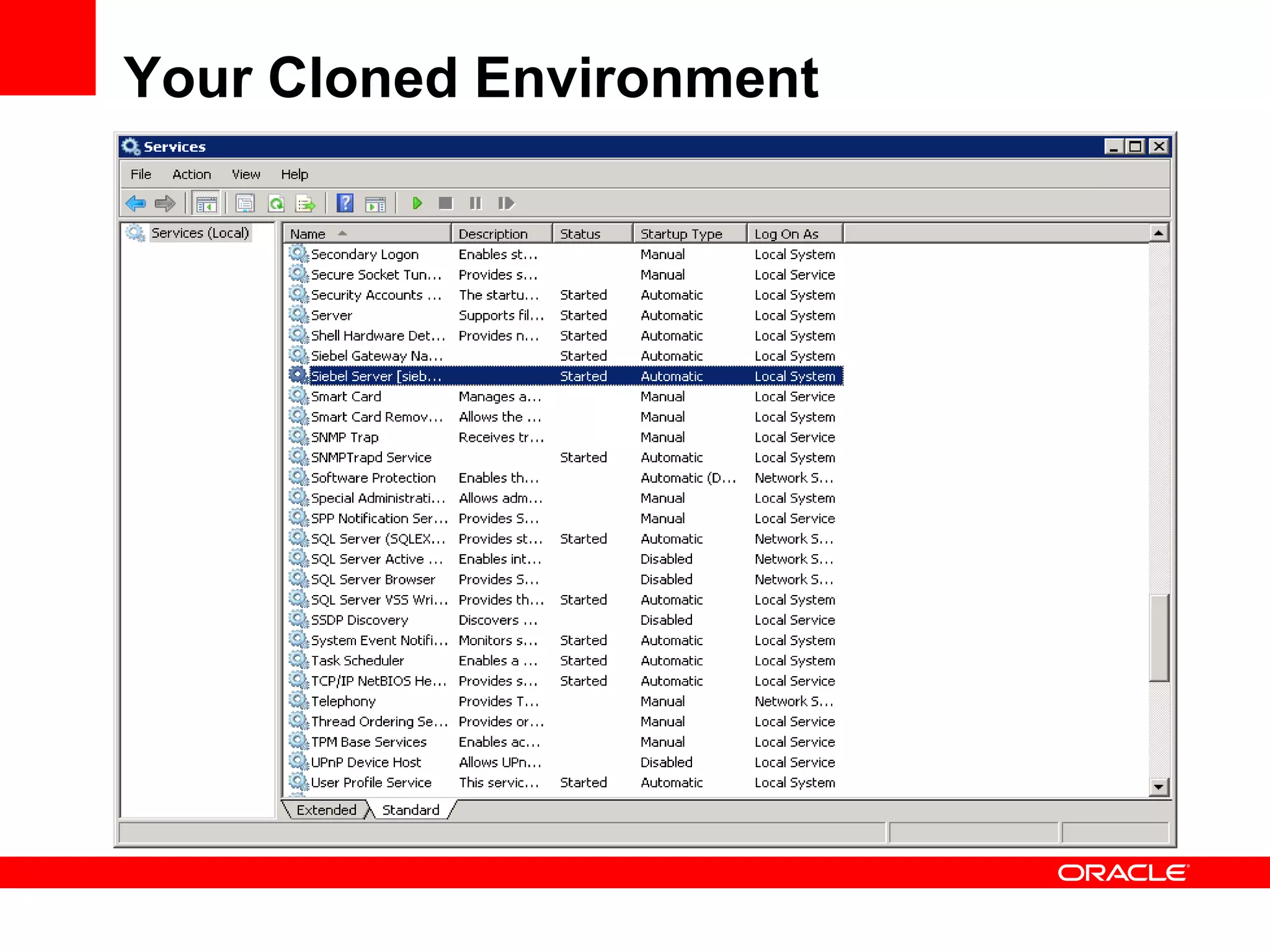
Your Cloned Environment
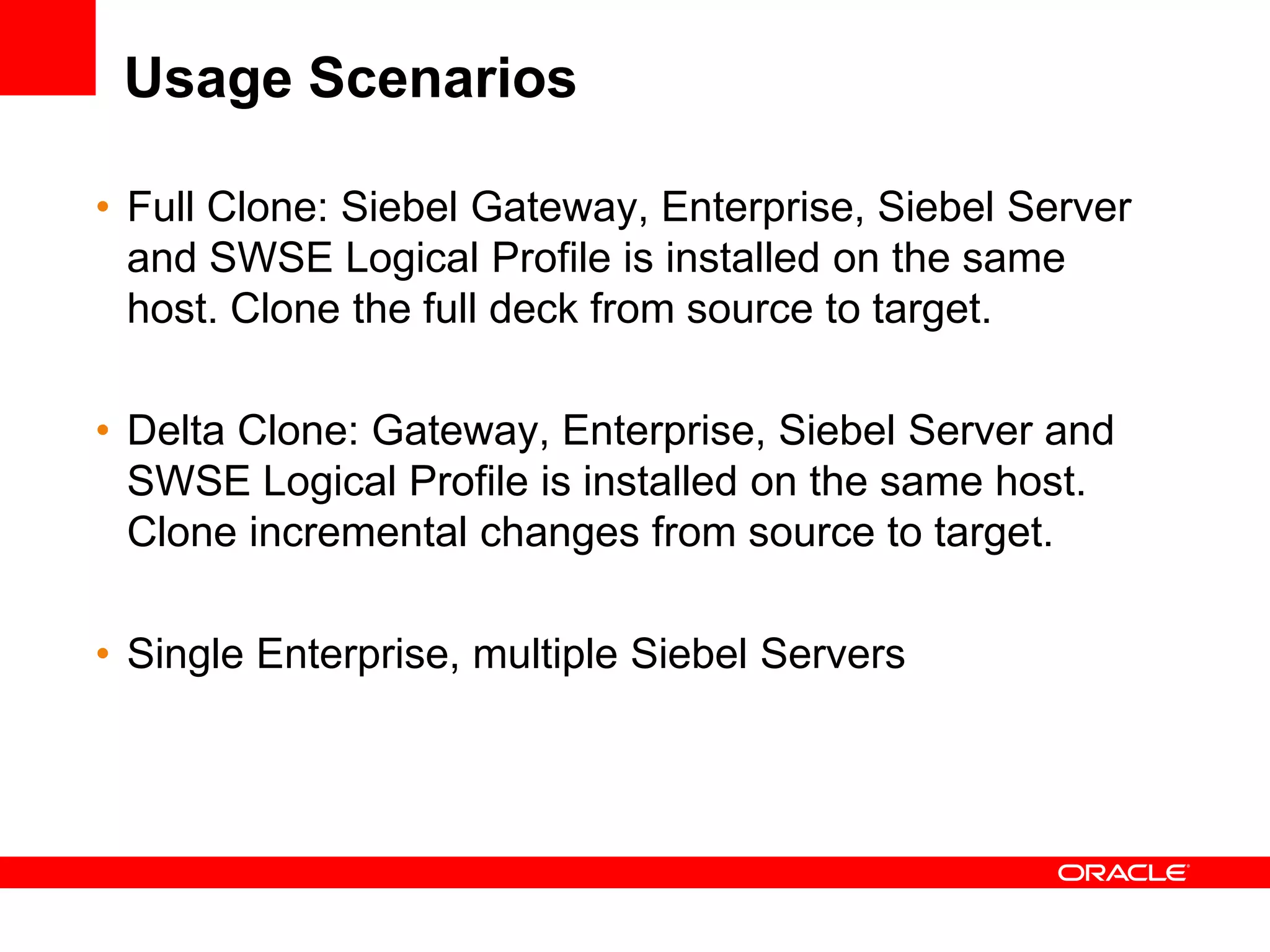
Usage Scenarios

• Full Clone: Siebel Gateway, Enterprise, Siebel Server
  and SWSE Logical Profile is installed on the same
  host. Clone the full deck from source to target.

• Delta Clone: Gateway, Enterprise, Siebel Server and
  SWSE Logical Profile is installed on the same host.
  Clone incremental changes from source to target.

• Single Enterprise, multiple Siebel Servers
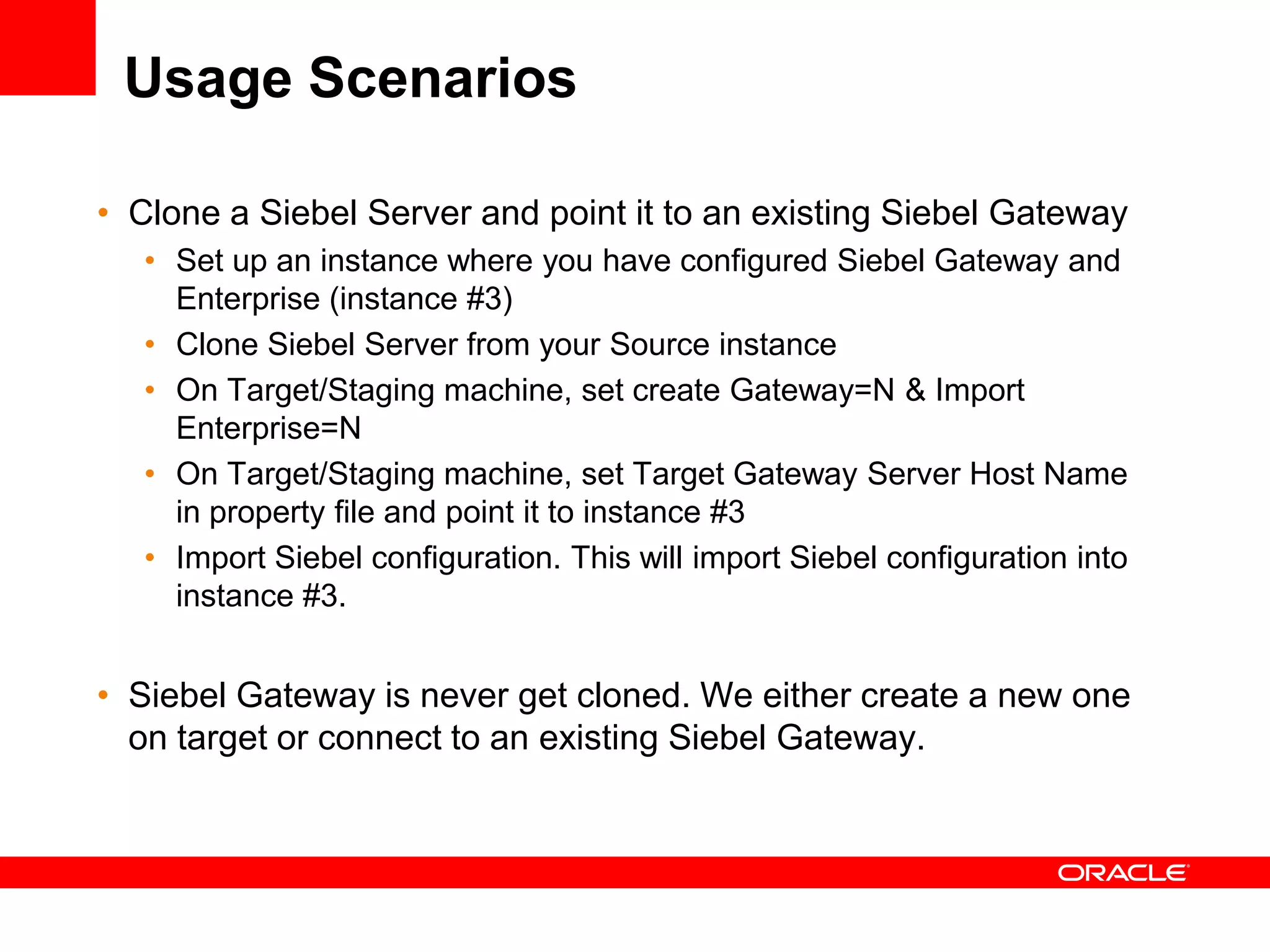
Usage Scenarios

• Clone a Siebel Server and point it to an existing Siebel Gateway
   • Set up an instance where you have configured Siebel Gateway and
     Enterprise (instance #3)
   • Clone Siebel Server from your Source instance
   • On Target/Staging machine, set create Gateway=N & Import
     Enterprise=N
   • On Target/Staging machine, set Target Gateway Server Host Name
     in property file and point it to instance #3
   • Import Siebel configuration. This will import Siebel configuration into
     instance #3.


• Siebel Gateway is never get cloned. We either create a new one
  on target or connect to an existing Siebel Gateway.
Known Limitations

• Cloning will only clone the software and server
  configuration. After cloning, users need to manually
  create application shortcuts on target instance.

• Database and Web Server clone is not included.

• Make sure the clone utility on Unix has full execute
  permissions

• Server configuration cloning cannot be executed
  separately
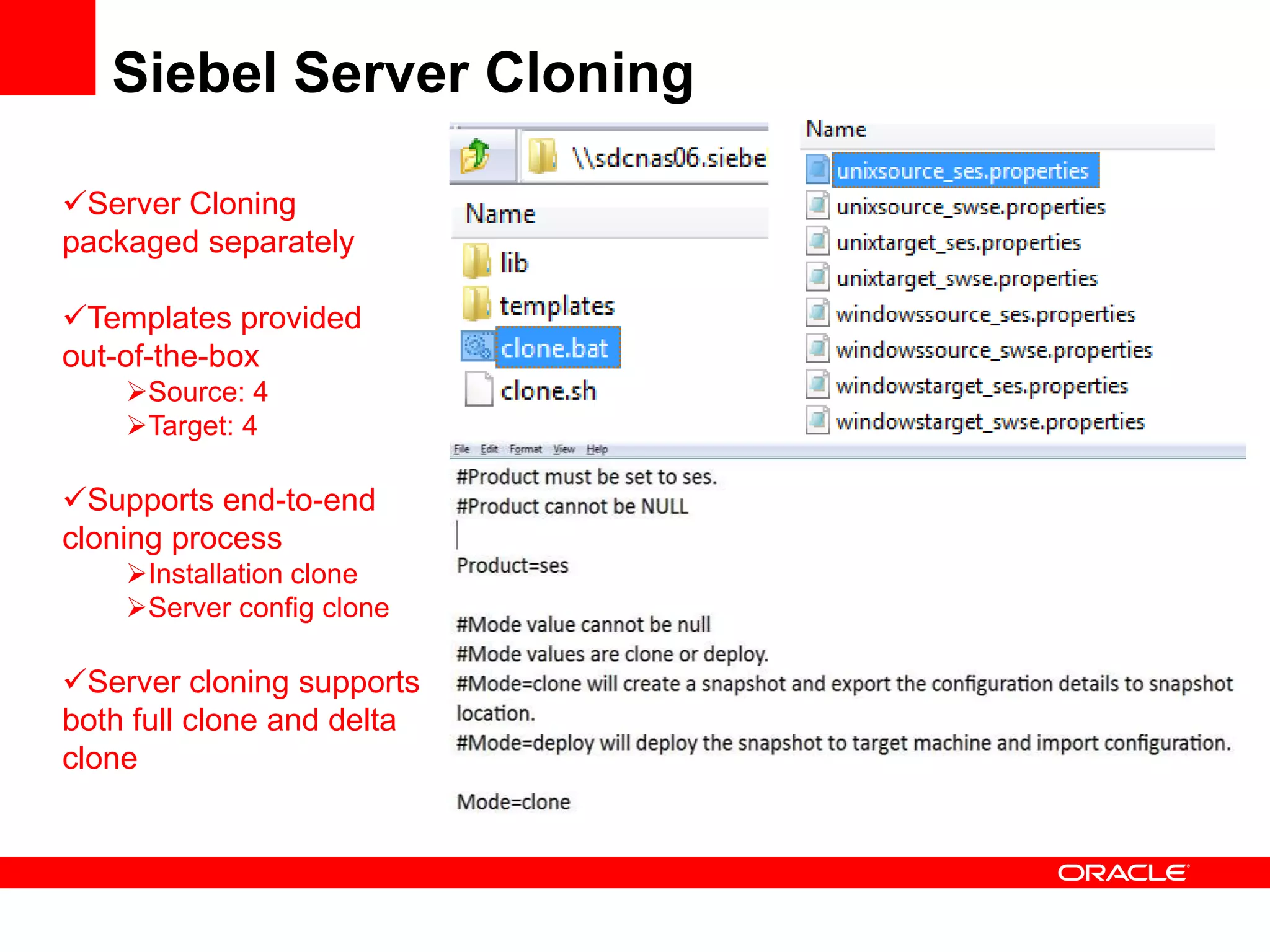
Siebel Server Cloning

Server Cloning
packaged separately

Templates provided
out-of-the-box
    Source: 4
    Target: 4

Supports end-to-end
cloning process
    Installation clone
    Server config clone

Server cloning supports
both full clone and delta
clone
Testing Coverage

            Platforms: all supported Windows &
             Unix platforms

            Languages: ENU & primary non-
             ENU languages

            Cloning Scenarios
              Enterprise Server only
              Enterprise Server + Siebel Server
              Siebel Server only
              Multiple Siebel Servers
              Siebel Web Server Extension only

Siebel Server Cloning available in 8.1.1.9 / 8.2.2.2

  • 1.
  • 2.
    Siebel Server Deployment •Ease of Installation & Patching Software/Patch Installation & 1 Deployment Host A Patching -Software Binaries -Gateway -Patch Binaries •Ease of -Server Configuration -Siebel Server -SWSE 3 Host B Server -Software Binaries Configuration -Patch Binaries -Server Configuration 2 Server Configuration •Ease of Host C Server -Gateway -Software Binaries Provisioning -Patch Binaries -Siebel Server -Server Configuration -SWSE Server Configuration Deployment •Oracle EM Target Environments Integration 4 Oracle Enterprise Manager
  • 3.
    Siebel Server Cloning • Installation Cloning • Siebel server cloning • Enterprise cloning • Patch Deployment • Capture installation changes • Apply changes to target environments • Server Configuration Deployment • Extract server configuration settings • Migrate server configurations to target environments Siebel Server Cloning is available in 8.1.1.9+/8.2.2.2+ Innovation Packs.
  • 4.
    Business Benefits • Reducetotal cost of operations of Siebel installation and patching • Improve Siebel server manageability through faster and reliable server provisioning
  • 5.
    Siebel Server Cloning 2 Test Environment 1 Source Environment 2 Step 1: create snapshot from source Production Environment Step 2: apply snapshot to target
  • 6.
    Prerequisites & Scope •Prerequisites • JRE 6 is required on both Source and Target machines. • Source and Target directory structure must be same. • Configure database client on the target machine prior to cloning • Snapshot location must be accessible from Target machine. • Scope • Includes Siebel Enterprise, Siebel Server and SWSE cloning • Siebel Database Configuration Utilities, Siebel EAI and Siebel Management Server are also included if your Siebel Server instance already has these modules installed. Re-configuration of MS is needed on the target instance. • Database & web server cloning is not included. • Manual Web Server cloning is needed on target machine before application URL can be brought up.
  • 7.
  • 8.
    Access Server CloningUtility Source Property Files: used for generating snapshot Target Property Files: used for deploying snapshots to target environment Usage: served as templates only. User should create their own property files.
  • 9.
    Property File -Clone Mode (clone) Type (full, delta) Snapshot Location Delta Zip
  • 10.
    Property File -Clone Enterprise & Server Name Export Enterprise Export Siebel Server
  • 11.
  • 12.
    Create Snapshot On Unix:execute ./clone.sh <properties file>
  • 13.
  • 14.
  • 15.
  • 16.
  • 17.
  • 18.
    Property File -Deploy Mode (Deploy) Type (full, delta) Snapshot Location
  • 19.
    Property File -Deploy Import Enterprise Import Server Create Gateway
  • 20.
    Deploy Snapshot toTarget •Add –invPtrLoc to register Oracle home into product inventory on target instance •On Unix: execute ./clone.sh <properties file> •AIX only: add –jreLoc
  • 21.
  • 22.
  • 23.
    Usage Scenarios • FullClone: Siebel Gateway, Enterprise, Siebel Server and SWSE Logical Profile is installed on the same host. Clone the full deck from source to target. • Delta Clone: Gateway, Enterprise, Siebel Server and SWSE Logical Profile is installed on the same host. Clone incremental changes from source to target. • Single Enterprise, multiple Siebel Servers
  • 24.
    Usage Scenarios • Clonea Siebel Server and point it to an existing Siebel Gateway • Set up an instance where you have configured Siebel Gateway and Enterprise (instance #3) • Clone Siebel Server from your Source instance • On Target/Staging machine, set create Gateway=N & Import Enterprise=N • On Target/Staging machine, set Target Gateway Server Host Name in property file and point it to instance #3 • Import Siebel configuration. This will import Siebel configuration into instance #3. • Siebel Gateway is never get cloned. We either create a new one on target or connect to an existing Siebel Gateway.
  • 25.
    Known Limitations • Cloningwill only clone the software and server configuration. After cloning, users need to manually create application shortcuts on target instance. • Database and Web Server clone is not included. • Make sure the clone utility on Unix has full execute permissions • Server configuration cloning cannot be executed separately
  • 26.
    Siebel Server Cloning ServerCloning packaged separately Templates provided out-of-the-box Source: 4 Target: 4 Supports end-to-end cloning process Installation clone Server config clone Server cloning supports both full clone and delta clone
  • 27.
    Testing Coverage Platforms: all supported Windows & Unix platforms Languages: ENU & primary non- ENU languages Cloning Scenarios Enterprise Server only Enterprise Server + Siebel Server Siebel Server only Multiple Siebel Servers Siebel Web Server Extension only