UNIT – I
Introduction to Computer and Programming
Definition of a Computer
Computer is an electronic device or machine it takes the data as input and process the
data and produces the output at high speed.
The terms used in the definition are defined as
 Data – a set of basic facts and entities which itself has no meaning
 Information – processed data which has some meaning
 Instruction- a statement given to computer to perform a task
 Input- data and instructions given to computer
 Process – Manipulation of data
 Output- Information obtained after processing of data
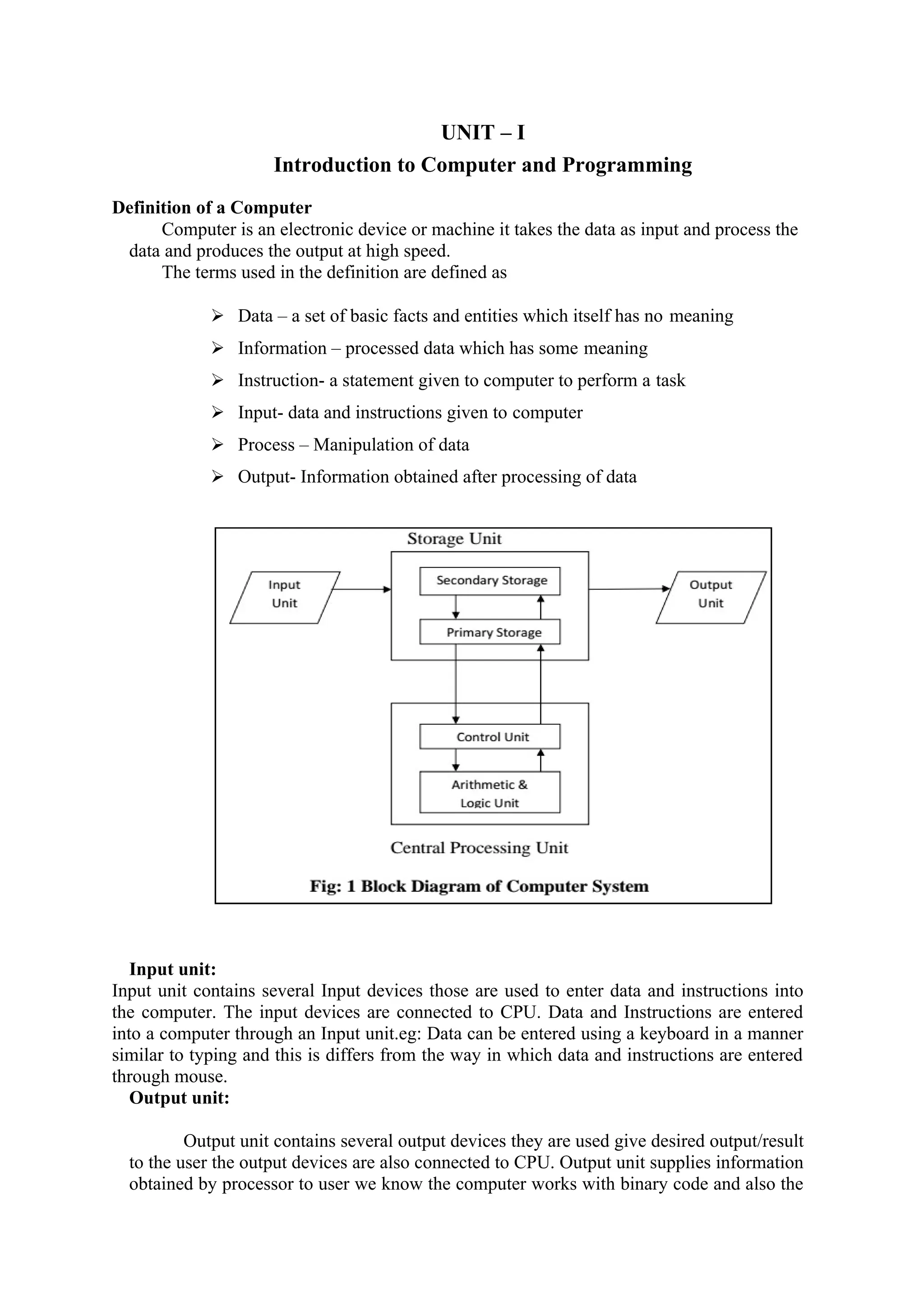
Input unit:
Input unit contains several Input devices those are used to enter data and instructions into
the computer. The input devices are connected to CPU. Data and Instructions are entered
into a computer through an Input unit.eg: Data can be entered using a keyboard in a manner
similar to typing and this is differs from the way in which data and instructions are entered
through mouse.
Output unit:
Output unit contains several output devices they are used give desired output/result
to the user the output devices are also connected to CPU. Output unit supplies information
obtained by processor to user we know the computer works with binary code and also the
results produced by CPU is also in binary code therefore before supplying to user output
devices need to transform binary form of result output to user understandable one.
Storage unit:
Before going to processing the data and instructions the computer system has to be
stored inside the computer. Similarly after results produced that have to be kept
somewhere inside the computer system.
Primary storage:
Primary storage is also called main memory or physical memory. It is used to hold
pieces of programs or data or instructions to be execute in the CPU and also kept
intermediate results and recently produced results until the power is off when the power
off the system that storage can be erased. It has very less memory storage capacity. It is
very costly and speed.
Ex: RAM, ROM
Secondary storage:
It is also called as Auxiliary storage. It is used to take care of the limitations of
primary storage. It holds the data or information after processing by CPU. It has very
large storage, slow access rate than primary memory, it is very cheaper. This is permanent
memory so it is non volatile memory. When we need data for future use, it needs to be
stored at secondary storage devices. Ex: HARD DISK, CD, FLOPPY DISK, etc.
Control unit:
The control unit can control all the parts of system. By using this unit the input
unit knows that it is time for to feed data to storage unit and also the ALU know that it is
time for to calculate or process information what it is received and also output devices
know that it is time to show or give the results to users although it does not perform any
actual processing on data the control unit acts as a central nervous system.
ALU:
The calculations and comparisons are performed according to the instructions on
the data
In Arithmetical and logic unit of the system. The data and instructions are taken from the
main memory to perform arithmetical & logical operations. Intermediate and final results
are again stored back into the main memory. Arithmetic operations are Addition,
Subtraction, Multiplication, division and logical operations i.e.. >,<,>=,<=,==,!=
CPU:
Control unit and arithmetical logical unit of computer system are together known
as the central processing unit (CPU). The CPU is brain of computer system. In a human
body the brain takes all major decisions and other parts of the body functions as directed
by brain. Similarly, in computer all major decisions take place inside CPU.
Advantages & Disadvantages of a Computer
Characteristics of a Computer (OR) Advantages of a Computer:
Advantages
1. Automatic
2. Speed
3. Accuracy
4. Diligence
5. Versatility
6. Power of remembering
Automatic:
It means a machine works by itself without human Interaction. Once we started a
job on computers they carry out the job until it is finished. Computer is a machine so they
cannot start themselves and cannot find and solve their own problems .So, we need to
instruct a computer using coded instructions by using input devices .According to that
instructions computer can work automatically without human interaction.
Speed:
A computer is very fast device. It can perform no. of tasks in few seconds, but a human
Being can do the same work in entire year. A modern computer executes instructions
within Milliseconds (10-3
), Microseconds (10-6
), and Nanoseconds (10-9
), Picoseconds (10-
12
). The cost of the computer depends on the speed at which it executes an instruction.
Accuracy:
Usually computers do not make any mistakes while computing. Due to human mistakes, like
wrong formulate, wrong methodology, some wrong results may occur. But computers
always process with high speed and gives exact and accurate values.
Diligence:
The computer is hard working device. It is free from dullness, tiredness and lack of
concentration. It can work continuously for several hours without rest and Interrupt.
Instead of 10000 men, a single computer can do the work for several hours continuously.
Versatility:
Computers can perform a variety of jobs like generating bills. They are capable of
performing any task with high speed & accuracy. There is no limitation to single type of
jobs. Computers are used in variety of applications.
Power of remembering:
Computer having the storage capacity to store information like a human being. So,
computer can store the data or information in memory. But human being might be forgot,
what they stored in their mind i.e. the power of remembering is very low. Whenever user
needed data he can retrieve the data from computer memory.
Disadvantages of a Computer (OR) Limitations of a Computer:
Following list demonstrates the disadvantages of computers
 No I.Q, No feelings
 A computer is a machine that has no intelligence to perform any task.
 Each instruction has to be given to computer.
 A computer cannot take any decision on its own.
Input Devices
Input device enables the user to send data, information, or control signals to a computer. The
Central Processing Unit (CPU) of a computer receives the input and processes it to produce
the output. Following are some of the important input devices which are used in a computer –
 Keyboard
 Mouse
 Joy Stick
 Light pen
 Track Ball
 Scanner
 Magnetic Ink Card Reader(MICR)
 Optical Character Reader(OCR)
 Bar Code Reader
 Optical Mark Reader(OMR)
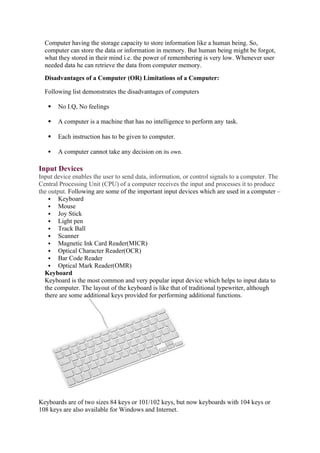
Keyboard
Keyboard is the most common and very popular input device which helps to input data to
the computer. The layout of the keyboard is like that of traditional typewriter, although
there are some additional keys provided for performing additional functions.
Keyboards are of two sizes 84 keys or 101/102 keys, but now keyboards with 104 keys or
108 keys are also available for Windows and Internet.
The keys on the keyboard are as follows −
S.No Keys & Description
1
Typing Keys
These keys include the letter keys (A-Z) and digit keys (09) which generally
give the same layout as that of typewriters.
2
Numeric Keypad
It is used to enter the numeric data or cursor movement. Generally, it consists
of a set of 17 keys that are laid out in the same configuration used by most
adding machines and calculators.
3
Function Keys
The twelve function keys are present on the keyboard which are arranged in a
row at the top of the keyboard. Each function key has a unique meaning and is
used for some specific purpose.
4
Control keys
These keys provide cursor and screen control. It includes four directional
arrow keys. Control keys also include Home, End, Insert, Delete, Page Up,
Page Down, Control(Ctrl), Alternate(Alt), Escape(Esc).
5
Special Purpose Keys
Keyboard also contains some special purpose keys such as Enter, Shift, Caps
Lock, Num Lock, Space bar, Tab, and Print Screen.
Mouse
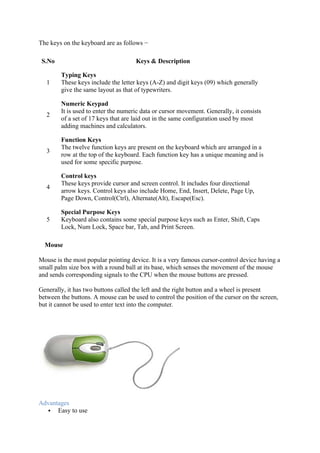
Mouse is the most popular pointing device. It is a very famous cursor-control device having a
small palm size box with a round ball at its base, which senses the movement of the mouse
and sends corresponding signals to the CPU when the mouse buttons are pressed.
Generally, it has two buttons called the left and the right button and a wheel is present
between the buttons. A mouse can be used to control the position of the cursor on the screen,
but it cannot be used to enter text into the computer.
Advantages
 Easy to use
 Not very expensive
 Moves the cursor faster than the arrow keys of the keyboard.
Joystick
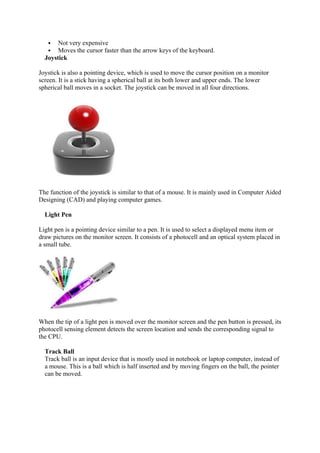
Joystick is also a pointing device, which is used to move the cursor position on a monitor
screen. It is a stick having a spherical ball at its both lower and upper ends. The lower
spherical ball moves in a socket. The joystick can be moved in all four directions.
The function of the joystick is similar to that of a mouse. It is mainly used in Computer Aided
Designing (CAD) and playing computer games.
Light Pen
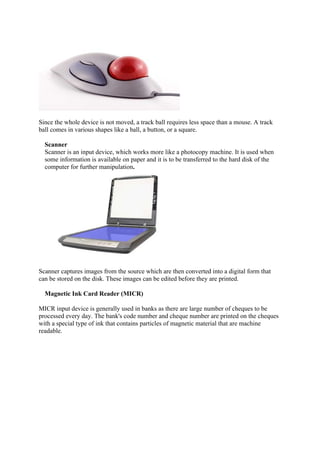
Light pen is a pointing device similar to a pen. It is used to select a displayed menu item or
draw pictures on the monitor screen. It consists of a photocell and an optical system placed in
a small tube.
When the tip of a light pen is moved over the monitor screen and the pen button is pressed, its
photocell sensing element detects the screen location and sends the corresponding signal to
the CPU.
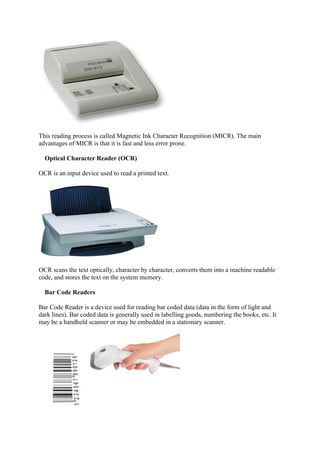
Track Ball
Track ball is an input device that is mostly used in notebook or laptop computer, instead of
a mouse. This is a ball which is half inserted and by moving fingers on the ball, the pointer
can be moved.
Since the whole device is not moved, a track ball requires less space than a mouse. A track
ball comes in various shapes like a ball, a button, or a square.
Scanner
Scanner is an input device, which works more like a photocopy machine. It is used when
some information is available on paper and it is to be transferred to the hard disk of the
computer for further manipulation.
Scanner captures images from the source which are then converted into a digital form that
can be stored on the disk. These images can be edited before they are printed.
Magnetic Ink Card Reader (MICR)
MICR input device is generally used in banks as there are large number of cheques to be
processed every day. The bank's code number and cheque number are printed on the cheques
with a special type of ink that contains particles of magnetic material that are machine
readable.
This reading process is called Magnetic Ink Character Recognition (MICR). The main
advantages of MICR is that it is fast and less error prone.
Optical Character Reader (OCR)
OCR is an input device used to read a printed text.
OCR scans the text optically, character by character, converts them into a machine readable
code, and stores the text on the system memory.
Bar Code Readers
Bar Code Reader is a device used for reading bar coded data (data in the form of light and
dark lines). Bar coded data is generally used in labelling goods, numbering the books, etc. It
may be a handheld scanner or may be embedded in a stationary scanner.
Bar Code Reader scans a bar code image, converts it into an alphanumeric value, which is
then fed to the computer that the bar code reader is connected to.
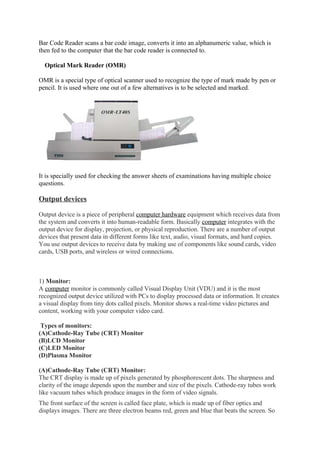
Optical Mark Reader (OMR)
OMR is a special type of optical scanner used to recognize the type of mark made by pen or
pencil. It is used where one out of a few alternatives is to be selected and marked.
It is specially used for checking the answer sheets of examinations having multiple choice
questions.
Output devices
Output device is a piece of peripheral computer hardware equipment which receives data from
the system and converts it into human-readable form. Basically computer integrates with the
output device for display, projection, or physical reproduction. There are a number of output
devices that present data in different forms like text, audio, visual formats, and hard copies.
You use output devices to receive data by making use of components like sound cards, video
cards, USB ports, and wireless or wired connections.
1) Monitor:
A computer monitor is commonly called Visual Display Unit (VDU) and it is the most
recognized output device utilized with PCs to display processed data or information. It creates
a visual display from tiny dots called pixels. Monitor shows a real-time video pictures and
content, working with your computer video card.
Types of monitors:
(A)Cathode-Ray Tube (CRT) Monitor
(B)LCD Monitor
(C)LED Monitor
(D)Plasma Monitor
(A)Cathode-Ray Tube (CRT) Monitor:
The CRT display is made up of pixels generated by phosphorescent dots. The sharpness and
clarity of the image depends upon the number and size of the pixels. Cathode-ray tubes work
like vacuum tubes which produce images in the form of video signals.
The front surface of the screen is called face plate, which is made up of fiber optics and
displays images. There are three electron beams red, green and blue that beats the screen. So
the colours which you see on the screen are the blends of these three beams. Early TVs are an
example of CRT display. The disadvantage of CRT displays is that they were large in size and
need high
power.
(B)LCD Monitor:
The LCD Monitor is a flat panel screen that is smart in size and light weight. It consists of
liquid crystal technology which is used in the display of laptops, tablets, smart phones, etc. the
LCD screen forms two layers of polarized glass. Old LCDs had passive-matrix screens, while
modern LCDs use active-matrix technology.
(C)LED Monitor:
The LED Monitor is an upgrade and improved version of LCD monitor. They are also flat-
panel display and uses liquid crystal technology having multiple LED panels. The main
difference between LCD and LED is the source of light to backlight the display. Modern LED
displays produce more brilliance and greater light intensity but also consume less power.
(D)Plasma Monitor:
The plasma monitor is also a flat panel display, which uses plasma display technology. It
contains small tiny cells between two glass panels. These cells are mixture of noble gasses and
a small amount of mercury. When electromotive force is applied, the gas turns into a plasma
and releases ultraviolet light that creates images on the screen. Plasma monitors offer a unique
and excellent viewing experience.
2)Speakers:
Speakers are most popular and portable output device used with computers to generate sounds.
They receive signals from the computer’s sound card and produce audio in the form of analog
sound waves that are audible to the human hear.
Laptops and monitors often have built-in speakers. Sound cards are necessary in the computers
for speakers to function. Modern speakers come in range from two speaker output devices to
multi-channel sound units. Some computer speakers are remote these days, associating with
the computers by means of Bluetooth.
3) Headphones:
Another common example of output device is a headphone, invented by Nathaniel Baldwin in
1910. Headphones come in many different types and styles. Earbuds headphones is the most
basic type, small in size and easily fit inside the ear. Headphones are perfect for gaming and
also ensure privacy when communicating via voice calls.
4) Projector:
A projector or image projector is an optical device that receives a video signal and projects the
corresponding image onto a surface, commonly a projection screen using a lenses system.
Some advanced projectors can project the image directly, by using lasers.
Projectors can be connected to computers, VCRs, DVD players, CD players and storage
device. In most cases the projection screen is large, flat and lightly coloured.
5) Printers:
Printers are the most commonly used and popular output devices. They provide information
in a permanent readable form. They produce printed output of results, programs and data.
Prints text or image on paper called hard copy. The printing speed of a printer is measured in
pages per minute (ppm).Printer resolution is often measured in dots per inch (dpi).
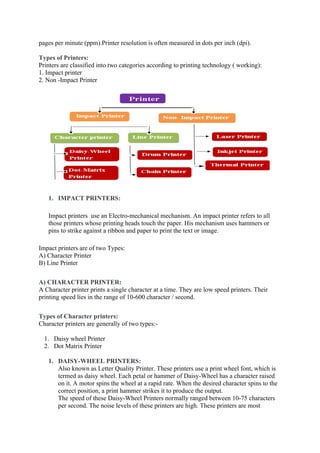
Types of Printers:
Printers are classified into two categories according to printing technology ( working):
1. Impact printer
2. Non -Impact Printer
1. IMPACT PRINTERS:
Impact printers use an Electro-mechanical mechanism. An impact printer refers to all
those printers whose printing heads touch the paper. His mechanism uses hammers or
pins to strike against a ribbon and paper to print the text or image.
Impact printers are of two Types:
A) Character Printer
B) Line Printer
A) CHARACTER PRINTER:
A Character printer prints a single character at a time. They are low speed printers. Their
printing speed lies in the range of 10-600 character / second.
Types of Character printers:
Character printers are generally of two types:-
1. Daisy wheel Printer
2. Dot Matrix Printer
1. DAISY-WHEEL PRINTERS:
Also known as Letter Quality Printer. These printers use a print wheel font, which is
termed as daisy wheel. Each petal or hammer of Daisy-Wheel has a character raised
on it. A motor spins the wheel at a rapid rate. When the desired character spins to the
correct position, a print hammer strikes it to produce the output.
The speed of these Daisy-Wheel Printers normally ranged between 10-75 characters
per second. The noise levels of these printers are high. These printers are most
commonly used in electronic typewriter.
Advantages of a Daisy-Wheel Printer
 Can print letter quality characters.
 Gives fine quality output.
Disadvantages of a Daisy-Wheel Printer
 Printing speed is very slow
 Noisy
 Cannot print Graphics
 They are very costly.
2. DOT MATRIX PRINTER:
Dot Matrix printer is one of the most popular printer in the market, because of its easy of
printing and economical price. This is an impact printer, which prints characters and images in
pattern of dots. Dot matrix printers utilise a print head which consists of Matrix of pins to form
a character, that’s why it is called Dot Matrix printer. These printers are inexpensive, poor in
quality and slow in speed. The printing quality of a dot matrix printer is inferior to a daisy
wheel printer. But the printing speed of a Dot Matrix Printer is range from 40 to 600
characters per second..
Advantages of a dot matrix printer
 Dot matrix printer uses continuous paper rather than requiring individual sheet.
 Dot matrix printer is fast and cheep.
 Dot matrix printer can print charts and graphics.
Disadvantages of a dot matrix printer
 Dot matrix printers are noisy.
 Dot matrix printers do not produce high quality.
B) LINE PRINTERS:
Line printers are impact printers used with mini and mainframe computers. For producing
large volume outputs. These printers print one line of the text at a time that is why known as
line printer. Its printing speed lies in the range of 300-3000 lines per minute (LPM). Actually
line printer prints only one character at a time but because of its printing speed, observer
observes that it prints a whole line a time.
Line Printers are of two types:
1. Drum Printer
2. Chain Printer
1.DRUM PRINTER:
The drum printer consists of a cylindrical drum. Asset of characters are embossed on its
surface t print. A set of print hammers is associated with each character. As the drum rotates,
the hammer wait for desired character and is activated when character appear in front of
hammer. The hammer is placed behind the paper. There hammers strike the paper along with
ribbon (ribbon is placed between hammer and drum) against the embossed character on the
surface one revolution of drum is needed to print a line. As the line is printed the paper
moves upward to print next line.
2.CHAIN PRINTER:
A chain containing characters is used for printing. The chain knows as print chain rotates
very rapidly. With each link of the chain is character font. Magnetically driven hammers are
there in each print position and all the characters which are to be printed are received by the
printer through processor. When the desired character comes in the print position the
hammers strike the ribbon and paper against the character thus it prints one line at a time. It is
very noisy and its speed ranges from 400-24000 line per minute (LPM).
2. NON -IMPACT PRINTER:
These printer uses ink and special electrical machines for producing outputs. Non – impact
printers are all those printers whose printing heads do not touch paper. A non impact printer
forms characters and image on a piece of paper without actually striking the paper.
Types of Non -Impact Printers:
1.Laser printer
2.Inkjet printer
3.Thermal printer
1) LASER PRINTERS:
This is non-impact printer that uses laser lights to produce the dots to form the characters for printing.
They utilize toner drums that roll through magnetized pigment and transfer the pigment onto a paper.
Laser printers use powdered toner instead of liquid ink and produce high quality objects in very high
speed. They are expensive and cannot be used for multiple copies of printing in single session.
Advantages of Laser Printers
 Very high speed .
 Low noise level
 Low maintenance requirement.
 Very high quality output on ordinary paper.
 Good graphics quality (300 dpi to 1200 dpi) and excellent graphics capabilities.
 Supports many fonts and different character size.
 Color printing possible
Disadvantages of Laser Printers
 Very Expensive.
 Require periodic maintenance.
2) INKJET PRINTERS
This kind of printer is non-impact character printer, which sprays fine ionized drops of ink
onto the paper to form an image by tiny nozzles. An inkjet printer has cartridges that contain
ink, and printer head moves and sprays drops of ink on the paper. Modern inkjet printers are
colour printers, produce high quality output with presentable features.
.
Advantages of Ink jet Printers
 High quality text and graphics.
 Produces no noise
Disadvantages of Ink jet Printers
 Its speed is slow than other impact printer and non- impact printers.
 Its image quality is also lower than other printer [low dpi (dot per inch) , bout 180 dpi].
 Ink cartridge is costly.
3) THERMAL PRINTER
The printer that produces images by pushing electrically heated pins against special heat –
sensitive paper, is known as thermal printer.
This type of printer uses a special heat sensitive paper. These papers have a special heat
sensitive coating. When a spot on the special paper is heated, it becomes dark. A character is
printed with a matrix of dots. The heating element is heated by electric current. We can also
say the heat sensitive paper ass chemically treated paper. In this type of printer neither the ink
nor the ribbon in involved.
To print a character the printing head is moved first to the correct character position. Then the
heating elements of desired character are turned on. After a short time they are turned off.
There after the print head is moved to the next character. Such printers have a speed of about
200 characters per second.
Advantages of Thermal Printers
 Low noise
 Can produce high quality color output.
Disadvantages of Thermal Printers
 Expensive
 Slow Speed
 Required special paper
Types of Memories:
Computer memory refers to storage area where data is stored. It is of two types −
 Primary Memory
 Secondary Memory
Primary Memory
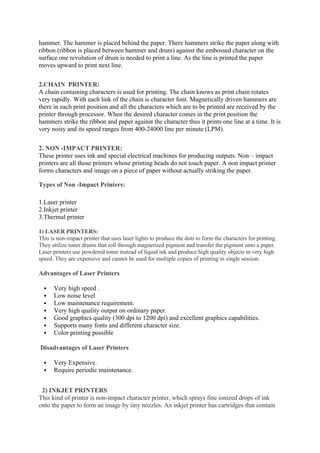
Primary memory is the main memory of computer present in motherboard. Primary memory
is of two types as shown in the image below.
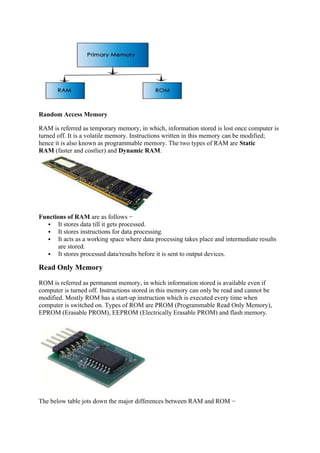
Random Access Memory
RAM is referred as temporary memory, in which, information stored is lost once computer is
turned off. It is a volatile memory. Instructions written in this memory can be modified;
hence it is also known as programmable memory. The two types of RAM are Static
RAM (faster and costlier) and Dynamic RAM.
Functions of RAM are as follows −
 It stores data till it gets processed.
 It stores instructions for data processing.
 It acts as a working space where data processing takes place and intermediate results
are stored.
 It stores processed data/results before it is sent to output devices.
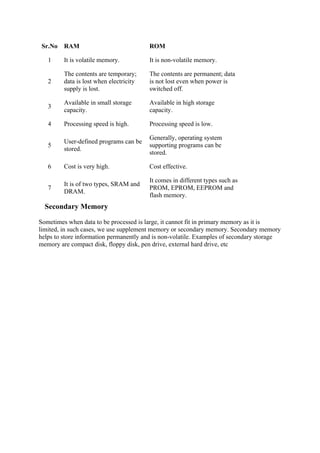
Read Only Memory
ROM is referred as permanent memory, in which information stored is available even if
computer is turned off. Instructions stored in this memory can only be read and cannot be
modified. Mostly ROM has a start-up instruction which is executed every time when
computer is switched on. Types of ROM are PROM (Programmable Read Only Memory),
EPROM (Erasable PROM), EEPROM (Electrically Erasable PROM) and flash memory.
The below table jots down the major differences between RAM and ROM −
Sr.No RAM ROM
1 It is volatile memory. It is non-volatile memory.
2
The contents are temporary;
data is lost when electricity
supply is lost.
The contents are permanent; data
is not lost even when power is
switched off.
3
Available in small storage
capacity.
Available in high storage
capacity.
4 Processing speed is high. Processing speed is low.
5
User-defined programs can be
stored.
Generally, operating system
supporting programs can be
stored.
6 Cost is very high. Cost effective.
7
It is of two types, SRAM and
DRAM.
It comes in different types such as
PROM, EPROM, EEPROM and
flash memory.
Secondary Memory
Sometimes when data to be processed is large, it cannot fit in primary memory as it is
limited, in such cases, we use supplement memory or secondary memory. Secondary memory
helps to store information permanently and is non-volatile. Examples of secondary storage
memory are compact disk, floppy disk, pen drive, external hard drive, etc

IBSC computer notes.docx number systems

  • 1.
    UNIT – I Introductionto Computer and Programming Definition of a Computer Computer is an electronic device or machine it takes the data as input and process the data and produces the output at high speed. The terms used in the definition are defined as  Data – a set of basic facts and entities which itself has no meaning  Information – processed data which has some meaning  Instruction- a statement given to computer to perform a task  Input- data and instructions given to computer  Process – Manipulation of data  Output- Information obtained after processing of data Input unit: Input unit contains several Input devices those are used to enter data and instructions into the computer. The input devices are connected to CPU. Data and Instructions are entered into a computer through an Input unit.eg: Data can be entered using a keyboard in a manner similar to typing and this is differs from the way in which data and instructions are entered through mouse. Output unit: Output unit contains several output devices they are used give desired output/result to the user the output devices are also connected to CPU. Output unit supplies information obtained by processor to user we know the computer works with binary code and also the
  • 2.
    results produced byCPU is also in binary code therefore before supplying to user output devices need to transform binary form of result output to user understandable one. Storage unit: Before going to processing the data and instructions the computer system has to be stored inside the computer. Similarly after results produced that have to be kept somewhere inside the computer system. Primary storage: Primary storage is also called main memory or physical memory. It is used to hold pieces of programs or data or instructions to be execute in the CPU and also kept intermediate results and recently produced results until the power is off when the power off the system that storage can be erased. It has very less memory storage capacity. It is very costly and speed. Ex: RAM, ROM Secondary storage: It is also called as Auxiliary storage. It is used to take care of the limitations of primary storage. It holds the data or information after processing by CPU. It has very large storage, slow access rate than primary memory, it is very cheaper. This is permanent memory so it is non volatile memory. When we need data for future use, it needs to be stored at secondary storage devices. Ex: HARD DISK, CD, FLOPPY DISK, etc. Control unit: The control unit can control all the parts of system. By using this unit the input unit knows that it is time for to feed data to storage unit and also the ALU know that it is time for to calculate or process information what it is received and also output devices know that it is time to show or give the results to users although it does not perform any actual processing on data the control unit acts as a central nervous system. ALU: The calculations and comparisons are performed according to the instructions on the data In Arithmetical and logic unit of the system. The data and instructions are taken from the main memory to perform arithmetical & logical operations. Intermediate and final results are again stored back into the main memory. Arithmetic operations are Addition, Subtraction, Multiplication, division and logical operations i.e.. >,<,>=,<=,==,!= CPU: Control unit and arithmetical logical unit of computer system are together known as the central processing unit (CPU). The CPU is brain of computer system. In a human body the brain takes all major decisions and other parts of the body functions as directed
  • 3.
    by brain. Similarly,in computer all major decisions take place inside CPU. Advantages & Disadvantages of a Computer Characteristics of a Computer (OR) Advantages of a Computer: Advantages 1. Automatic 2. Speed 3. Accuracy 4. Diligence 5. Versatility 6. Power of remembering Automatic: It means a machine works by itself without human Interaction. Once we started a job on computers they carry out the job until it is finished. Computer is a machine so they cannot start themselves and cannot find and solve their own problems .So, we need to instruct a computer using coded instructions by using input devices .According to that instructions computer can work automatically without human interaction. Speed: A computer is very fast device. It can perform no. of tasks in few seconds, but a human Being can do the same work in entire year. A modern computer executes instructions within Milliseconds (10-3 ), Microseconds (10-6 ), and Nanoseconds (10-9 ), Picoseconds (10- 12 ). The cost of the computer depends on the speed at which it executes an instruction. Accuracy: Usually computers do not make any mistakes while computing. Due to human mistakes, like wrong formulate, wrong methodology, some wrong results may occur. But computers always process with high speed and gives exact and accurate values. Diligence: The computer is hard working device. It is free from dullness, tiredness and lack of concentration. It can work continuously for several hours without rest and Interrupt. Instead of 10000 men, a single computer can do the work for several hours continuously. Versatility: Computers can perform a variety of jobs like generating bills. They are capable of performing any task with high speed & accuracy. There is no limitation to single type of jobs. Computers are used in variety of applications. Power of remembering:
  • 4.
    Computer having thestorage capacity to store information like a human being. So, computer can store the data or information in memory. But human being might be forgot, what they stored in their mind i.e. the power of remembering is very low. Whenever user needed data he can retrieve the data from computer memory. Disadvantages of a Computer (OR) Limitations of a Computer: Following list demonstrates the disadvantages of computers  No I.Q, No feelings  A computer is a machine that has no intelligence to perform any task.  Each instruction has to be given to computer.  A computer cannot take any decision on its own. Input Devices Input device enables the user to send data, information, or control signals to a computer. The Central Processing Unit (CPU) of a computer receives the input and processes it to produce the output. Following are some of the important input devices which are used in a computer –  Keyboard  Mouse  Joy Stick  Light pen  Track Ball  Scanner  Magnetic Ink Card Reader(MICR)  Optical Character Reader(OCR)  Bar Code Reader  Optical Mark Reader(OMR) Keyboard Keyboard is the most common and very popular input device which helps to input data to the computer. The layout of the keyboard is like that of traditional typewriter, although there are some additional keys provided for performing additional functions. Keyboards are of two sizes 84 keys or 101/102 keys, but now keyboards with 104 keys or 108 keys are also available for Windows and Internet.
  • 5.
    The keys onthe keyboard are as follows − S.No Keys & Description 1 Typing Keys These keys include the letter keys (A-Z) and digit keys (09) which generally give the same layout as that of typewriters. 2 Numeric Keypad It is used to enter the numeric data or cursor movement. Generally, it consists of a set of 17 keys that are laid out in the same configuration used by most adding machines and calculators. 3 Function Keys The twelve function keys are present on the keyboard which are arranged in a row at the top of the keyboard. Each function key has a unique meaning and is used for some specific purpose. 4 Control keys These keys provide cursor and screen control. It includes four directional arrow keys. Control keys also include Home, End, Insert, Delete, Page Up, Page Down, Control(Ctrl), Alternate(Alt), Escape(Esc). 5 Special Purpose Keys Keyboard also contains some special purpose keys such as Enter, Shift, Caps Lock, Num Lock, Space bar, Tab, and Print Screen. Mouse Mouse is the most popular pointing device. It is a very famous cursor-control device having a small palm size box with a round ball at its base, which senses the movement of the mouse and sends corresponding signals to the CPU when the mouse buttons are pressed. Generally, it has two buttons called the left and the right button and a wheel is present between the buttons. A mouse can be used to control the position of the cursor on the screen, but it cannot be used to enter text into the computer. Advantages  Easy to use
  • 6.
     Not veryexpensive  Moves the cursor faster than the arrow keys of the keyboard. Joystick Joystick is also a pointing device, which is used to move the cursor position on a monitor screen. It is a stick having a spherical ball at its both lower and upper ends. The lower spherical ball moves in a socket. The joystick can be moved in all four directions. The function of the joystick is similar to that of a mouse. It is mainly used in Computer Aided Designing (CAD) and playing computer games. Light Pen Light pen is a pointing device similar to a pen. It is used to select a displayed menu item or draw pictures on the monitor screen. It consists of a photocell and an optical system placed in a small tube. When the tip of a light pen is moved over the monitor screen and the pen button is pressed, its photocell sensing element detects the screen location and sends the corresponding signal to the CPU. Track Ball Track ball is an input device that is mostly used in notebook or laptop computer, instead of a mouse. This is a ball which is half inserted and by moving fingers on the ball, the pointer can be moved.
  • 7.
    Since the wholedevice is not moved, a track ball requires less space than a mouse. A track ball comes in various shapes like a ball, a button, or a square. Scanner Scanner is an input device, which works more like a photocopy machine. It is used when some information is available on paper and it is to be transferred to the hard disk of the computer for further manipulation. Scanner captures images from the source which are then converted into a digital form that can be stored on the disk. These images can be edited before they are printed. Magnetic Ink Card Reader (MICR) MICR input device is generally used in banks as there are large number of cheques to be processed every day. The bank's code number and cheque number are printed on the cheques with a special type of ink that contains particles of magnetic material that are machine readable.
  • 8.
    This reading processis called Magnetic Ink Character Recognition (MICR). The main advantages of MICR is that it is fast and less error prone. Optical Character Reader (OCR) OCR is an input device used to read a printed text. OCR scans the text optically, character by character, converts them into a machine readable code, and stores the text on the system memory. Bar Code Readers Bar Code Reader is a device used for reading bar coded data (data in the form of light and dark lines). Bar coded data is generally used in labelling goods, numbering the books, etc. It may be a handheld scanner or may be embedded in a stationary scanner.
  • 9.
    Bar Code Readerscans a bar code image, converts it into an alphanumeric value, which is then fed to the computer that the bar code reader is connected to. Optical Mark Reader (OMR) OMR is a special type of optical scanner used to recognize the type of mark made by pen or pencil. It is used where one out of a few alternatives is to be selected and marked. It is specially used for checking the answer sheets of examinations having multiple choice questions. Output devices Output device is a piece of peripheral computer hardware equipment which receives data from the system and converts it into human-readable form. Basically computer integrates with the output device for display, projection, or physical reproduction. There are a number of output devices that present data in different forms like text, audio, visual formats, and hard copies. You use output devices to receive data by making use of components like sound cards, video cards, USB ports, and wireless or wired connections. 1) Monitor: A computer monitor is commonly called Visual Display Unit (VDU) and it is the most recognized output device utilized with PCs to display processed data or information. It creates a visual display from tiny dots called pixels. Monitor shows a real-time video pictures and content, working with your computer video card. Types of monitors: (A)Cathode-Ray Tube (CRT) Monitor (B)LCD Monitor (C)LED Monitor (D)Plasma Monitor (A)Cathode-Ray Tube (CRT) Monitor: The CRT display is made up of pixels generated by phosphorescent dots. The sharpness and clarity of the image depends upon the number and size of the pixels. Cathode-ray tubes work like vacuum tubes which produce images in the form of video signals. The front surface of the screen is called face plate, which is made up of fiber optics and displays images. There are three electron beams red, green and blue that beats the screen. So
  • 10.
    the colours whichyou see on the screen are the blends of these three beams. Early TVs are an example of CRT display. The disadvantage of CRT displays is that they were large in size and need high power. (B)LCD Monitor: The LCD Monitor is a flat panel screen that is smart in size and light weight. It consists of liquid crystal technology which is used in the display of laptops, tablets, smart phones, etc. the LCD screen forms two layers of polarized glass. Old LCDs had passive-matrix screens, while modern LCDs use active-matrix technology. (C)LED Monitor: The LED Monitor is an upgrade and improved version of LCD monitor. They are also flat- panel display and uses liquid crystal technology having multiple LED panels. The main difference between LCD and LED is the source of light to backlight the display. Modern LED displays produce more brilliance and greater light intensity but also consume less power. (D)Plasma Monitor: The plasma monitor is also a flat panel display, which uses plasma display technology. It contains small tiny cells between two glass panels. These cells are mixture of noble gasses and a small amount of mercury. When electromotive force is applied, the gas turns into a plasma and releases ultraviolet light that creates images on the screen. Plasma monitors offer a unique and excellent viewing experience. 2)Speakers: Speakers are most popular and portable output device used with computers to generate sounds. They receive signals from the computer’s sound card and produce audio in the form of analog sound waves that are audible to the human hear. Laptops and monitors often have built-in speakers. Sound cards are necessary in the computers for speakers to function. Modern speakers come in range from two speaker output devices to multi-channel sound units. Some computer speakers are remote these days, associating with the computers by means of Bluetooth. 3) Headphones: Another common example of output device is a headphone, invented by Nathaniel Baldwin in 1910. Headphones come in many different types and styles. Earbuds headphones is the most basic type, small in size and easily fit inside the ear. Headphones are perfect for gaming and also ensure privacy when communicating via voice calls. 4) Projector: A projector or image projector is an optical device that receives a video signal and projects the corresponding image onto a surface, commonly a projection screen using a lenses system. Some advanced projectors can project the image directly, by using lasers. Projectors can be connected to computers, VCRs, DVD players, CD players and storage device. In most cases the projection screen is large, flat and lightly coloured. 5) Printers: Printers are the most commonly used and popular output devices. They provide information in a permanent readable form. They produce printed output of results, programs and data. Prints text or image on paper called hard copy. The printing speed of a printer is measured in
  • 11.
    pages per minute(ppm).Printer resolution is often measured in dots per inch (dpi). Types of Printers: Printers are classified into two categories according to printing technology ( working): 1. Impact printer 2. Non -Impact Printer 1. IMPACT PRINTERS: Impact printers use an Electro-mechanical mechanism. An impact printer refers to all those printers whose printing heads touch the paper. His mechanism uses hammers or pins to strike against a ribbon and paper to print the text or image. Impact printers are of two Types: A) Character Printer B) Line Printer A) CHARACTER PRINTER: A Character printer prints a single character at a time. They are low speed printers. Their printing speed lies in the range of 10-600 character / second. Types of Character printers: Character printers are generally of two types:- 1. Daisy wheel Printer 2. Dot Matrix Printer 1. DAISY-WHEEL PRINTERS: Also known as Letter Quality Printer. These printers use a print wheel font, which is termed as daisy wheel. Each petal or hammer of Daisy-Wheel has a character raised on it. A motor spins the wheel at a rapid rate. When the desired character spins to the correct position, a print hammer strikes it to produce the output. The speed of these Daisy-Wheel Printers normally ranged between 10-75 characters per second. The noise levels of these printers are high. These printers are most
  • 12.
    commonly used inelectronic typewriter. Advantages of a Daisy-Wheel Printer  Can print letter quality characters.  Gives fine quality output. Disadvantages of a Daisy-Wheel Printer  Printing speed is very slow  Noisy  Cannot print Graphics  They are very costly. 2. DOT MATRIX PRINTER: Dot Matrix printer is one of the most popular printer in the market, because of its easy of printing and economical price. This is an impact printer, which prints characters and images in pattern of dots. Dot matrix printers utilise a print head which consists of Matrix of pins to form a character, that’s why it is called Dot Matrix printer. These printers are inexpensive, poor in quality and slow in speed. The printing quality of a dot matrix printer is inferior to a daisy wheel printer. But the printing speed of a Dot Matrix Printer is range from 40 to 600 characters per second.. Advantages of a dot matrix printer  Dot matrix printer uses continuous paper rather than requiring individual sheet.  Dot matrix printer is fast and cheep.  Dot matrix printer can print charts and graphics. Disadvantages of a dot matrix printer  Dot matrix printers are noisy.  Dot matrix printers do not produce high quality. B) LINE PRINTERS: Line printers are impact printers used with mini and mainframe computers. For producing large volume outputs. These printers print one line of the text at a time that is why known as line printer. Its printing speed lies in the range of 300-3000 lines per minute (LPM). Actually line printer prints only one character at a time but because of its printing speed, observer observes that it prints a whole line a time. Line Printers are of two types: 1. Drum Printer 2. Chain Printer 1.DRUM PRINTER: The drum printer consists of a cylindrical drum. Asset of characters are embossed on its surface t print. A set of print hammers is associated with each character. As the drum rotates, the hammer wait for desired character and is activated when character appear in front of
  • 13.
    hammer. The hammeris placed behind the paper. There hammers strike the paper along with ribbon (ribbon is placed between hammer and drum) against the embossed character on the surface one revolution of drum is needed to print a line. As the line is printed the paper moves upward to print next line. 2.CHAIN PRINTER: A chain containing characters is used for printing. The chain knows as print chain rotates very rapidly. With each link of the chain is character font. Magnetically driven hammers are there in each print position and all the characters which are to be printed are received by the printer through processor. When the desired character comes in the print position the hammers strike the ribbon and paper against the character thus it prints one line at a time. It is very noisy and its speed ranges from 400-24000 line per minute (LPM). 2. NON -IMPACT PRINTER: These printer uses ink and special electrical machines for producing outputs. Non – impact printers are all those printers whose printing heads do not touch paper. A non impact printer forms characters and image on a piece of paper without actually striking the paper. Types of Non -Impact Printers: 1.Laser printer 2.Inkjet printer 3.Thermal printer 1) LASER PRINTERS: This is non-impact printer that uses laser lights to produce the dots to form the characters for printing. They utilize toner drums that roll through magnetized pigment and transfer the pigment onto a paper. Laser printers use powdered toner instead of liquid ink and produce high quality objects in very high speed. They are expensive and cannot be used for multiple copies of printing in single session. Advantages of Laser Printers  Very high speed .  Low noise level  Low maintenance requirement.  Very high quality output on ordinary paper.  Good graphics quality (300 dpi to 1200 dpi) and excellent graphics capabilities.  Supports many fonts and different character size.  Color printing possible Disadvantages of Laser Printers  Very Expensive.  Require periodic maintenance. 2) INKJET PRINTERS This kind of printer is non-impact character printer, which sprays fine ionized drops of ink onto the paper to form an image by tiny nozzles. An inkjet printer has cartridges that contain
  • 14.
    ink, and printerhead moves and sprays drops of ink on the paper. Modern inkjet printers are colour printers, produce high quality output with presentable features. . Advantages of Ink jet Printers  High quality text and graphics.  Produces no noise Disadvantages of Ink jet Printers  Its speed is slow than other impact printer and non- impact printers.  Its image quality is also lower than other printer [low dpi (dot per inch) , bout 180 dpi].  Ink cartridge is costly. 3) THERMAL PRINTER The printer that produces images by pushing electrically heated pins against special heat – sensitive paper, is known as thermal printer. This type of printer uses a special heat sensitive paper. These papers have a special heat sensitive coating. When a spot on the special paper is heated, it becomes dark. A character is printed with a matrix of dots. The heating element is heated by electric current. We can also say the heat sensitive paper ass chemically treated paper. In this type of printer neither the ink nor the ribbon in involved. To print a character the printing head is moved first to the correct character position. Then the heating elements of desired character are turned on. After a short time they are turned off. There after the print head is moved to the next character. Such printers have a speed of about 200 characters per second. Advantages of Thermal Printers  Low noise  Can produce high quality color output. Disadvantages of Thermal Printers  Expensive  Slow Speed  Required special paper Types of Memories: Computer memory refers to storage area where data is stored. It is of two types −  Primary Memory  Secondary Memory Primary Memory Primary memory is the main memory of computer present in motherboard. Primary memory is of two types as shown in the image below.
  • 15.
    Random Access Memory RAMis referred as temporary memory, in which, information stored is lost once computer is turned off. It is a volatile memory. Instructions written in this memory can be modified; hence it is also known as programmable memory. The two types of RAM are Static RAM (faster and costlier) and Dynamic RAM. Functions of RAM are as follows −  It stores data till it gets processed.  It stores instructions for data processing.  It acts as a working space where data processing takes place and intermediate results are stored.  It stores processed data/results before it is sent to output devices. Read Only Memory ROM is referred as permanent memory, in which information stored is available even if computer is turned off. Instructions stored in this memory can only be read and cannot be modified. Mostly ROM has a start-up instruction which is executed every time when computer is switched on. Types of ROM are PROM (Programmable Read Only Memory), EPROM (Erasable PROM), EEPROM (Electrically Erasable PROM) and flash memory. The below table jots down the major differences between RAM and ROM −
  • 16.
    Sr.No RAM ROM 1It is volatile memory. It is non-volatile memory. 2 The contents are temporary; data is lost when electricity supply is lost. The contents are permanent; data is not lost even when power is switched off. 3 Available in small storage capacity. Available in high storage capacity. 4 Processing speed is high. Processing speed is low. 5 User-defined programs can be stored. Generally, operating system supporting programs can be stored. 6 Cost is very high. Cost effective. 7 It is of two types, SRAM and DRAM. It comes in different types such as PROM, EPROM, EEPROM and flash memory. Secondary Memory Sometimes when data to be processed is large, it cannot fit in primary memory as it is limited, in such cases, we use supplement memory or secondary memory. Secondary memory helps to store information permanently and is non-volatile. Examples of secondary storage memory are compact disk, floppy disk, pen drive, external hard drive, etc