Infrastructure as Code -
Terraform
BreizhCamp - march 28, 2018
Mathieu Herbert
DevOps Engineer
@MathieuHerbert
Manage Cloud Infrastructure
“codifiesAPIs into declarative configuration
files that can be shared amongst team
members, treated as code, edited, reviewed,
and versioned.”
terraform.io
Hashicorp
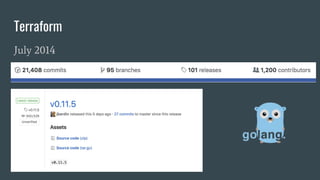
Terraform
July 2014
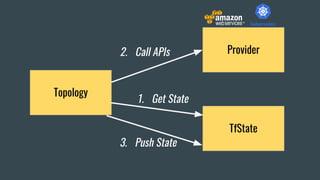
Topology
Provider
TfState
2. Call APIs
1. Get State
3. Push State
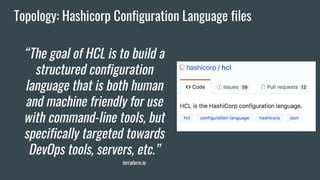
Topology: Hashicorp Configuration Language files
“The goal of HCL is to build a
structured configuration
language that is both human
and machine friendly for use
with command-line tools, but
specifically targeted towards
DevOps tools, servers, etc.”
terraform.io
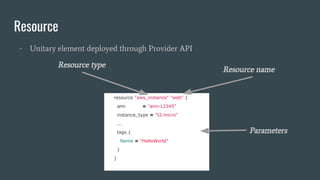
Resource
- Unitary element deployed through Provider API
resource "aws_instance" "web" {
ami = "ami-12345"
instance_type = "t2.micro"
...
tags {
Name = "HelloWorld"
}
}
Resource type
Resource name
Parameters
Terraform-cli: Demo Time
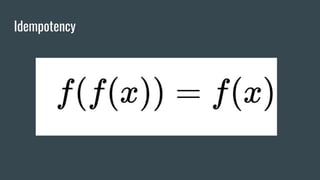
Idempotency
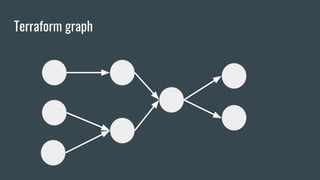
Terraform graph
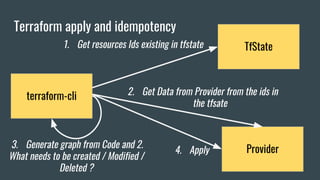
Terraform apply and idempotency
terraform-cli
Provider
TfState1. Get resources Ids existing in tfstate
2. Get Data from Provider from the ids in
the tfsate
3. Generate graph from Code and 2.
What needs to be created / Modified /
Deleted ?
4. Apply
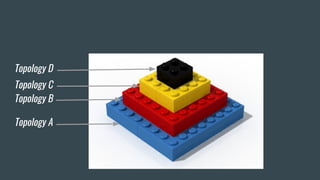
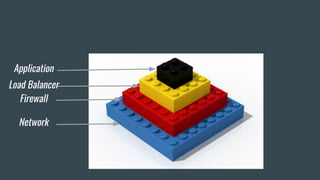
Lego Architecture
Lego Architecture
Layer
What everyone is trying to do
What it often looks like
Let’s speak about this
Topology A
Topology B
Topology C
Topology D
Network
Firewall
Load Balancer
Application
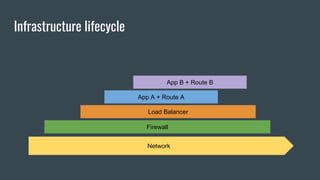
Infrastructure lifecycle
Firewall
App A + Route A
App B + Route B
Network
Load Balancer
How to manage dependencies between topologies?
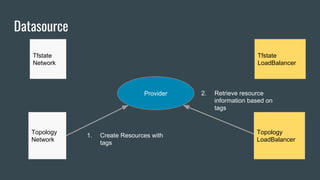
Datasource
Topology
Network
Tfstate
Network
Tfstate
LoadBalancer
Topology
LoadBalancer
Provider
1. Create Resources with
tags
2. Retrieve resource
information based on
tags
If the resource was created before Terraform you can
reference it !
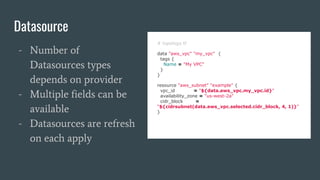
Datasource
# topology.tf
data "aws_vpc" "my_vpc" {
tags {
Name = "My VPC"
}
}
resource "aws_subnet" "example" {
vpc_id = "${data.aws_vpc.my_vpc.id}"
availability_zone = "us-west-2a"
cidr_block =
"${cidrsubnet(data.aws_vpc.selected.cidr_block, 4, 1)}"
}
- Number of
Datasources types
depends on provider
- Multiple fields can be
available
- Datasources are refresh
on each apply
demo with AWS and terraform
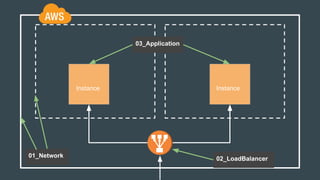
Instance Instance
01_Network 02_LoadBalancer
03_Application
I want to share my work with my colleagues, do I push
the tfstate on Github ?
NO
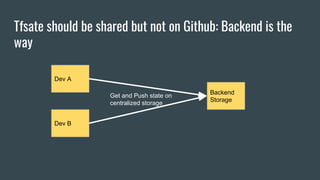
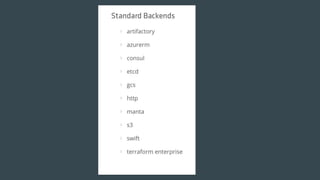
Tfsate should be shared but not on Github: Backend is the
way
Dev A
Dev B
Backend
Storage
Get and Push state on
centralized storage
Modules
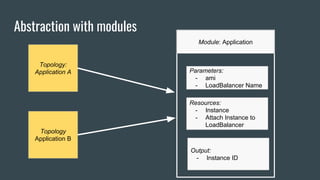
Abstraction with modules
Topology:
Application A
Topology
Application B
Module: Application
Parameters:
- ami
- LoadBalancer Name
Resources:
- Instance
- Attach Instance to
LoadBalancer
Output:
- Instance ID
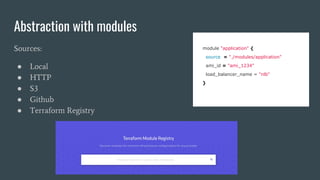
Abstraction with modules
Sources:
● Local
● HTTP
● S3
● Github
● Terraform Registry
module "application" {
source = "./modules/application"
ami_id = "ami_1234"
load_balancer_name = "nlb"
}
Conclusion
Thanks
Context
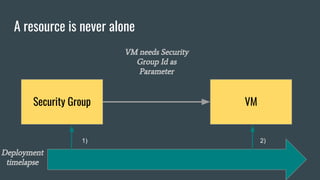
A resource is never alone
VMSecurity Group
VM needs Security
Group Id as
Parameter
Deployment
timelapse
1) 2)
Linked resources
resource "aws_security_group" "allow_all" {
name = "allow_all"
ingress {
from_port = 0
to_port = 65535
protocol = "tcp"
cidr_blocks = ["0.0.0.0/0"]
}
}
resource "aws_instance" "web" {
ami = "ami-12345"
instance_type = "t2.micro"
vpc_security_group_ids = [“${aws_security_group.allow_all.id}”]
tags {
Name = "HelloWorld"
}
}
Referenced resource
A resource has output
values like :
● Id
● DNS name
● Ip
● ...
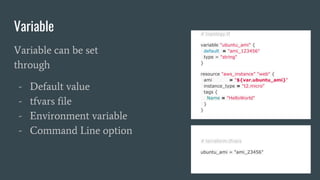
Variable # topology.tf
variable "ubuntu_ami" {
default = "ami_123456"
type = "string"
}
resource "aws_instance" "web" {
ami = "${var.ubuntu_ami}"
instance_type = "t2.micro"
tags {
Name = "HelloWorld"
}
}
Variable can be set
through
- Default value
- tfvars file
- Environment variable
- Command Line option
# terraform.tfvars
ubuntu_ami = "ami_23456"
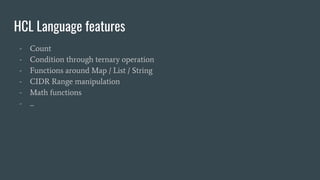
HCL Language features
- Count
- Condition through ternary operation
- Functions around Map / List / String
- CIDR Range manipulation
- Math functions
- ...
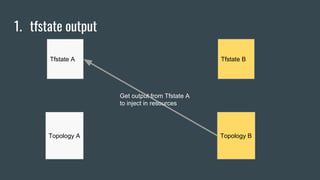
1. tfstate output
Topology A
Tfstate A Tfstate B
Topology B
Get output from Tfstate A
to inject in resources
We depend on Terraform Technology

Infrastructure as Code with Terraform