INFORMATION TECHNOLOGY
CONCEPTS UNIT-5
PRESENTED BY
S. MEENATCHI
ASSISTANT PROFESSOR ,
DEPARTMENT OF COMMERCE AND MANAGEMENT ,
SRI SARADA NIKETAN COLLEGE OF SCIENCE FOR WOMEN, KARUR – 5.
2.
Introduction
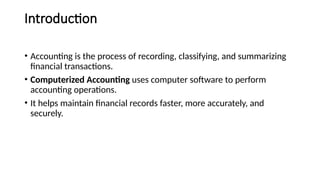
• Accounting isthe process of recording, classifying, and summarizing
financial transactions.
• Computerized Accounting uses computer software to perform
accounting operations.
• It helps maintain financial records faster, more accurately, and
securely.
3.
Meaning of ComputerizedAccounting
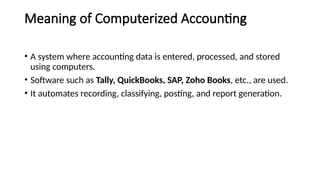
• A system where accounting data is entered, processed, and stored
using computers.
• Software such as Tally, QuickBooks, SAP, Zoho Books, etc., are used.
• It automates recording, classifying, posting, and report generation.
4.
Manual vs ComputerizedAccounting
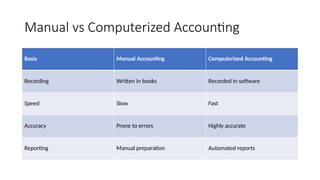
Basis Manual Accounting Computerized Accounting
Recording Written in books Recorded in software
Speed Slow Fast
Accuracy Prone to errors Highly accurate
Reporting Manual preparation Automated reports
5.
Advantages of ComputerizedAccounting
• Speed and accuracy
• Real-time information
• Easy report generation
• Secure data storage
• Integration with other systems
6.
Procedure for Creatinga New Company
• (Example: In Tally or similar software)
Steps:
• Open the accounting software
• Choose “Create Company”
• Enter company details (Name, Address, Financial Year, Currency)
• Save the company setup
7.
Group Creation
• Groupsclassify ledgers under logical heads
• Types: Primary Groups & Subgroups
• Example:
• Assets → Fixed Assets → Furniture
• Liabilities → Current Liabilities → Creditors
8.
Ledger Creation
• Ledgersrecord individual accounts of transactions
• Steps:
• Go to Accounts → Ledgers → Create
• Enter name and select group
• Enter opening balance if any
• Example: “Cash”, “Sales”, “Purchases”, “Rent Expense”
9.
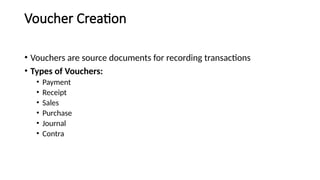
Voucher Creation
• Vouchersare source documents for recording transactions
• Types of Vouchers:
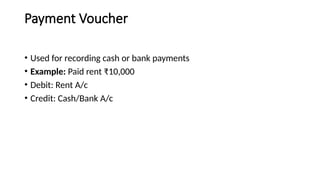
• Payment
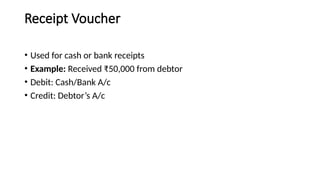
• Receipt
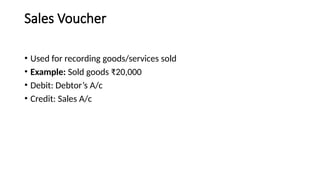
• Sales
• Purchase
• Journal
• Contra
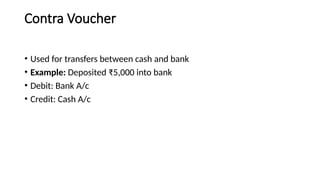
Contra Voucher
• Usedfor transfers between cash and bank
• Example: Deposited ₹5,000 into bank
• Debit: Bank A/c
• Credit: Cash A/c
16.
Summary & Conclusion
•Difference between manual and computerized accounting
• Key steps in company setup
• Understanding voucher types
• Benefits of computerized systems