












WHAT IS
INFORMATION?


 Information means facts, from
information we get to know more about
people, places, animals and things.
(events, concepts, objects, etc.)


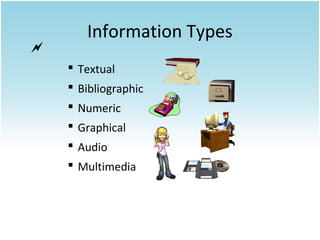
Information Types
 Textual
 Bibliographic
 Numeric
 Graphical
 Audio
 Multimedia
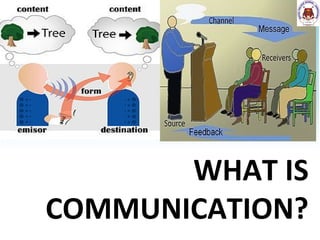
WHAT IS
COMMUNICATION?
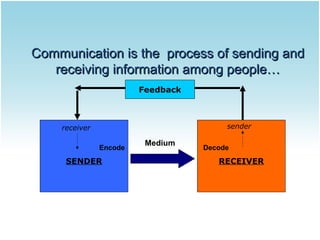
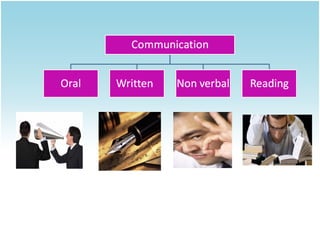
Communication is the process of sending and
receiving information among people…
Feedback

sender

receiver
Encode

SENDER

Medium

Decode

RECEIVER
CommuniCation proCess
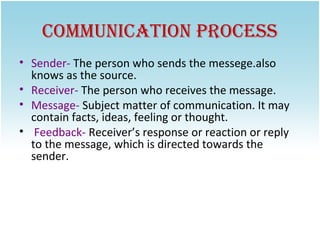
• Sender- The person who sends the messege.also
knows as the source.
• Receiver- The person who receives the message.
• Message- Subject matter of communication. It may
contain facts, ideas, feeling or thought.
• Feedback- Receiver’s response or reaction or reply
to the message, which is directed towards the
sender.
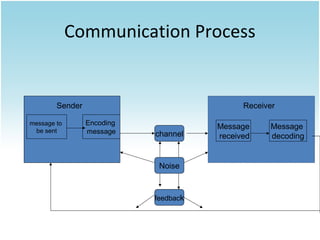
Communication Process

Sender
message to
be sent

Receiver
Encoding
message

channel

Noise

feedback

Message
received

Message
decoding
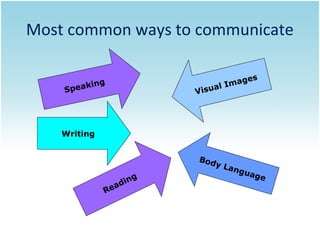
Most common ways to communicate
ing
peak
S

es
mag
lI
isua
V

Writing
Bod
y
g
din
a
Re

La n

gua
ge
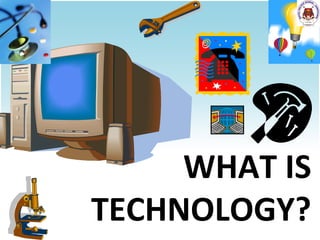
WHAT IS
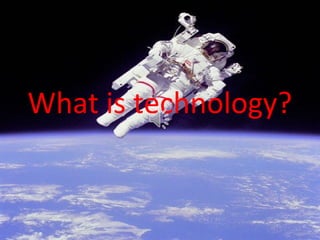
TECHNOLOGY?
What is technology?
Technology   is ・・
・
New machines, equipment, and
ways of doing things that are based
on modern knowledge about science
and computers.
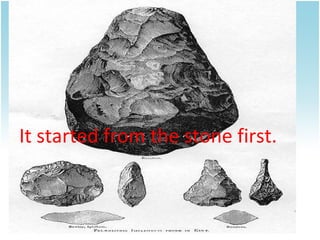
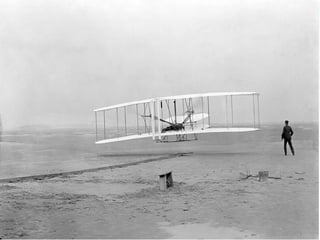
It started from the stone first.
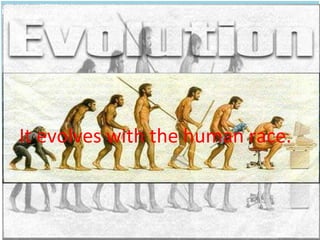
It evolves with the human race.
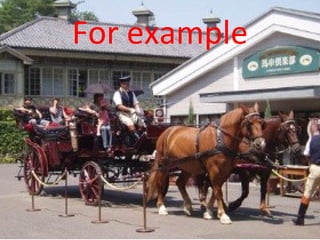
For example
future
What is
iCt
ICT is..
to consider all the uses of digital
technology that already exist to help
individuals, businesses and
organisations use information.
ICT in Education
Information and Communication Technology (ICT) can
contribute to universal access to education, equity in
education, the delivery of quality learning and teaching,
teachers’ professional development and more efficient
education management, governance and administration












Gain deeper knowledge of school subjects beyond the
prescribed syllabus.
Understand the fundamental concepts from visuals and by
experiencing thus enabling life-long learning.
Learn from interactive, multi-media based learning tools and
technologies.
Communicate and interact with peers, parents and teachers for
learning and other needs using technology.
Develop life-long learning rather than forced learning.
Develop skills required to be a competent citizen of the
emerging digital world –a digital native.
Library is in school or in our area are not only source for knowledge now.
Development in science and technology take out boundaries for knowledge.
Because of ICT it’s really easy to gather an information about anything
we want by using search engine like google and Bing.
ICTs can provide new and innovative means to bring educational
opportunities to greater numbers of people of all ages, especially those who have
historically been excluded, such as populations in rural areas, women facing social
barriers, and students with disabilities.
Now a days every industry are covered by the ICT. Government sectors,
government and private industries, schools all are connected by the ICT.
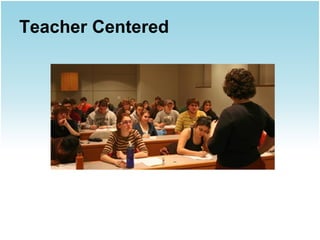
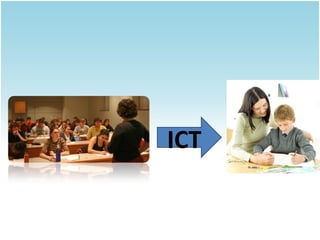
Teacher Centered
Student Centered
ICT
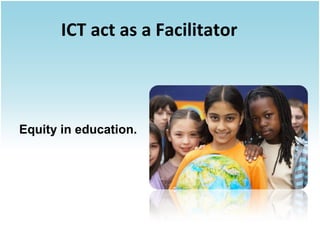
ICT act as a Facilitator

Equity in education.
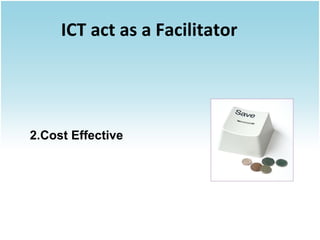
ICT act as a Facilitator

2.Cost Effective
ICT act as a Facilitator

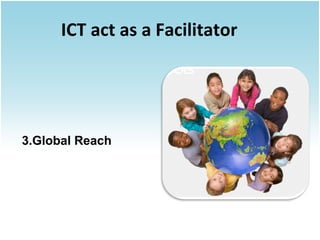
3.Global Reach
ICT act as a Facilitator

Delivery of quality learning
and Teaching
ICT act as a Facilitator

Teahcer’s Professional
Development
ICT act as a Facilitator

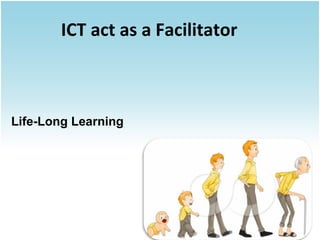
Life-Long Learning
How to use ICT effectively
at School
How to use ICT effectively
at School
1. Teaching and Learning.
2. School management and
administration.
3. Personal Development.
Teaching and Learning
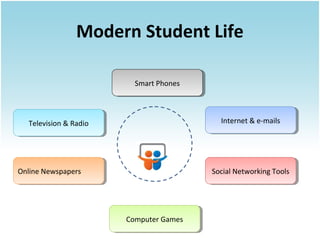
Modern Student Life
Smart Phones
Smart Phones

Internet & e-mails
Internet & e-mails

Television & Radio
Television & Radio

Online Newspapers
Online Newspapers

Social Networking Tools

Computer Games
Computer Games
Teaching and Learning
 Content Developing.
Computers as interactive teaching device.
Colloborative learning.
Computer simulations (electronic circuits)
Computer games related to education.
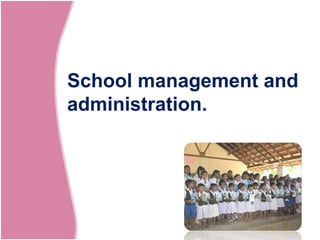
School management and
administration.
School management and administration.
Content Mangement Systems.
Finance and Assest Systems.
Staff and Student Management Systems.
Time management Systems.
E-mail / Video conferencing / IP phones.
Personal Development.
Personal Development
 Leadership and skills development
programs.
Character building Programs.
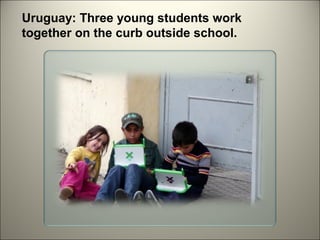
Uruguay: Three young students work
together on the curb outside school.
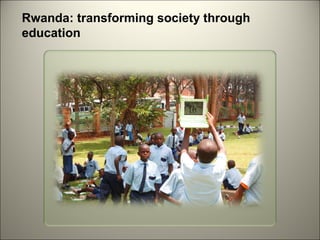
Rwanda: transforming society through
education
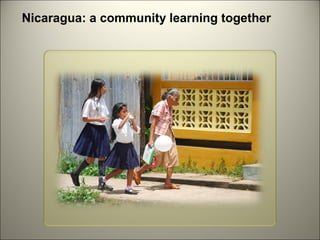
Nicaragua: a community learning together
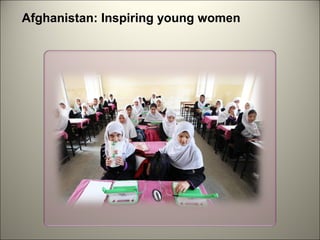
Afghanistan: Inspiring young women
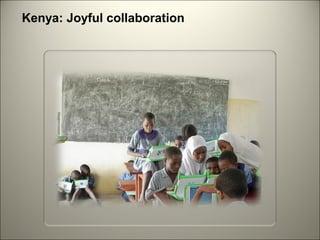
Kenya: Joyful collaboration
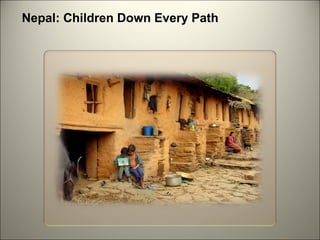
Nepal: Children Down Every Path
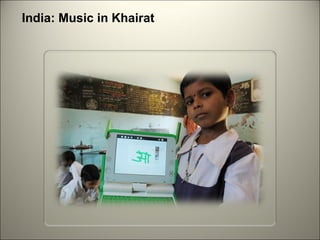
India: Music in Khairat
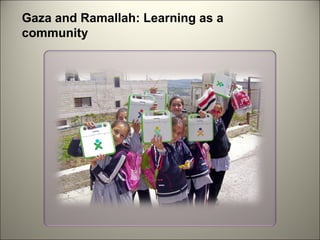
Gaza and Ramallah: Learning as a
community
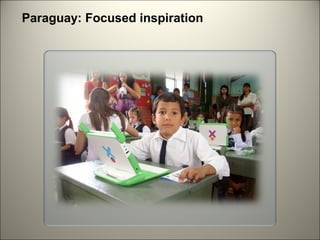
Paraguay: Focused inspiration
Succesful Stories from
Sri Lanka
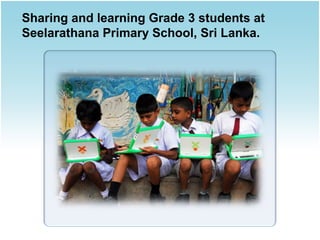
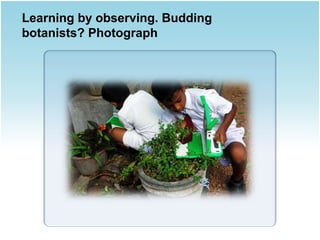
Sharing and learning Grade 3 students at
Seelarathana Primary School, Sri Lanka.
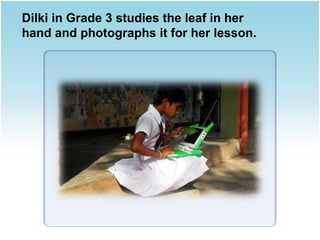
Dilki in Grade 3 studies the leaf in her
hand and photographs it for her lesson.
Learning by observing. Budding
botanists? Photograph
DISADVANTAGES OF THE INTERNET IN EDUCATION

Less need for schools.
Being taught the wrong things.
A lot of distractions.
 Use of packages.

Special facilities for pupils with disabilities.
 Teacher and pupil communications improve.
 ICT provides links with other schools or with
businesses.
 Computers in schools provides wider access to ICT
& encourage news ways of learning.
 Can repeat work again & again .
DISADVANTAGES OF ICT IN
EDUCATION

• ICT is very expensive.
• It can be boring sitting in front of a computer for a
long time.
• Computers cannot interact on a personal level.
• It becomes harder for the teachers to organize the
teaching of new concepts.
• Not all teachers are keen on ICT but, are forced to
use it.
• Students minds are more likely to wander from
their set task.
• Some students find it hard to use computers.
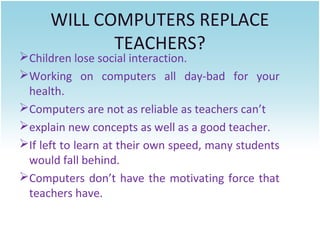
WILL COMPUTERS REPLACE
TEACHERS?

Children lose social interaction.
Working on computers all day-bad for your
health.
Computers are not as reliable as teachers can’t
explain new concepts as well as a good teacher.
If left to learn at their own speed, many students
would fall behind.
Computers don’t have the motivating force that
teachers have.
Information and communication technology, Royal palace school jamkhandi

Information and communication technology, Royal palace school jamkhandi

  • 6.
  • 7.
      Information meansfacts, from information we get to know more about people, places, animals and things. (events, concepts, objects, etc.)
  • 8.
     Information Types  Textual Bibliographic  Numeric  Graphical  Audio  Multimedia
  • 9.
  • 10.
    Communication is theprocess of sending and receiving information among people… Feedback sender receiver Encode SENDER Medium Decode RECEIVER
  • 11.
    CommuniCation proCess • Sender-The person who sends the messege.also knows as the source. • Receiver- The person who receives the message. • Message- Subject matter of communication. It may contain facts, ideas, feeling or thought. • Feedback- Receiver’s response or reaction or reply to the message, which is directed towards the sender.
  • 12.
    Communication Process Sender message to besent Receiver Encoding message channel Noise feedback Message received Message decoding
  • 13.
    Most common waysto communicate ing peak S es mag lI isua V Writing Bod y g din a Re La n gua ge
  • 15.
  • 16.
  • 17.
    Technology   is・・ ・ New machines, equipment, and ways of doing things that are based on modern knowledge about science and computers.
  • 18.
    It started fromthe stone first.
  • 19.
    It evolves withthe human race.
  • 20.
  • 24.
  • 29.
  • 30.
    ICT is.. to considerall the uses of digital technology that already exist to help individuals, businesses and organisations use information.
  • 32.
    ICT in Education Informationand Communication Technology (ICT) can contribute to universal access to education, equity in education, the delivery of quality learning and teaching, teachers’ professional development and more efficient education management, governance and administration
  • 36.
          Gain deeper knowledgeof school subjects beyond the prescribed syllabus. Understand the fundamental concepts from visuals and by experiencing thus enabling life-long learning. Learn from interactive, multi-media based learning tools and technologies. Communicate and interact with peers, parents and teachers for learning and other needs using technology. Develop life-long learning rather than forced learning. Develop skills required to be a competent citizen of the emerging digital world –a digital native.
  • 37.
    Library is inschool or in our area are not only source for knowledge now. Development in science and technology take out boundaries for knowledge. Because of ICT it’s really easy to gather an information about anything we want by using search engine like google and Bing. ICTs can provide new and innovative means to bring educational opportunities to greater numbers of people of all ages, especially those who have historically been excluded, such as populations in rural areas, women facing social barriers, and students with disabilities. Now a days every industry are covered by the ICT. Government sectors, government and private industries, schools all are connected by the ICT.
  • 40.
  • 41.
  • 42.
  • 43.
    ICT act asa Facilitator
  • 44.
    ICT act asa Facilitator Equity in education.
  • 45.
    ICT act asa Facilitator 2.Cost Effective
  • 46.
    ICT act asa Facilitator 3.Global Reach
  • 47.
    ICT act asa Facilitator Delivery of quality learning and Teaching
  • 48.
    ICT act asa Facilitator Teahcer’s Professional Development
  • 49.
    ICT act asa Facilitator Life-Long Learning
  • 50.
    How to useICT effectively at School
  • 51.
    How to useICT effectively at School 1. Teaching and Learning. 2. School management and administration. 3. Personal Development.
  • 52.
  • 54.
    Modern Student Life SmartPhones Smart Phones Internet & e-mails Internet & e-mails Television & Radio Television & Radio Online Newspapers Online Newspapers Social Networking Tools Social Networking Tools Computer Games Computer Games
  • 55.
    Teaching and Learning Content Developing. Computers as interactive teaching device. Colloborative learning. Computer simulations (electronic circuits) Computer games related to education.
  • 56.
  • 57.
    School management andadministration. Content Mangement Systems. Finance and Assest Systems. Staff and Student Management Systems. Time management Systems. E-mail / Video conferencing / IP phones.
  • 58.
  • 59.
    Personal Development  Leadershipand skills development programs. Character building Programs.
  • 60.
    Uruguay: Three youngstudents work together on the curb outside school.
  • 61.
  • 62.
    Nicaragua: a communitylearning together
  • 63.
  • 64.
  • 65.
  • 66.
  • 67.
    Gaza and Ramallah:Learning as a community
  • 68.
  • 69.
  • 70.
    Sharing and learningGrade 3 students at Seelarathana Primary School, Sri Lanka.
  • 71.
    Dilki in Grade3 studies the leaf in her hand and photographs it for her lesson.
  • 72.
    Learning by observing.Budding botanists? Photograph
  • 73.
    DISADVANTAGES OF THEINTERNET IN EDUCATION Less need for schools. Being taught the wrong things. A lot of distractions.
  • 74.
     Use ofpackages. Special facilities for pupils with disabilities.  Teacher and pupil communications improve.  ICT provides links with other schools or with businesses.  Computers in schools provides wider access to ICT & encourage news ways of learning.  Can repeat work again & again .
  • 75.
    DISADVANTAGES OF ICTIN EDUCATION • ICT is very expensive. • It can be boring sitting in front of a computer for a long time. • Computers cannot interact on a personal level. • It becomes harder for the teachers to organize the teaching of new concepts. • Not all teachers are keen on ICT but, are forced to use it. • Students minds are more likely to wander from their set task. • Some students find it hard to use computers.
  • 76.
    WILL COMPUTERS REPLACE TEACHERS? Childrenlose social interaction. Working on computers all day-bad for your health. Computers are not as reliable as teachers can’t explain new concepts as well as a good teacher. If left to learn at their own speed, many students would fall behind. Computers don’t have the motivating force that teachers have.

Editor's Notes

  • #63 Nicaragua: a community learning together Bluefields, Nicaragua was devastated by Hurricane Felix in 2007. The Miskito community is embracing the XO laptops as a meaningful tool for its children's future. Thanks to the Zamora Teran Foundation, every child and teacher in the community is learning together with their XOs.
  • #64 Afghanistan: Inspiring young women Half of the OLPC schools in Afghanistan are for girls. They and their teachers have been particularly eager to explore new ways to work with laptops in the classroom.
  • #65 This class of students in Takaungu, Kenya has been working with their XOs for a year. They have an XO study hall, with seats rearranged in groups, to explore what interests them. You can see students working on recording video, programming in Turtle Art, and playing favorite Sugar activities.
  • #66 Nepal: Children Down Every Path These young boys on the outskirts of Kathmandu, Nepal work together at home. They spend as much time with their XOs there as they do at school, and parents embrace the change.
  • #67 India: Music in Khairat Elementary students in Khairat, India, have kept their attendance near 100% since their school received XOs. Their teachers run weekly workshops inviting other teachers to come work with their students and share new ideas.
  • #68 Gaza and Ramallah: Learning as a community UNRWA and OLPC have been working together in Gaza and the West Bank to implement community laptop programs this year. In many schools in such as this one in Ramallah, students use their XOs in class and out. These girls are on their way home.
  • #69 Paraguay: Focused inspiration OLPC Paraguay has been led by a national NGO. Paraguayan software developers and educators have collaboratively developed localized software and class materials that they use today.
  • #71 Paraguay: Focused inspiration OLPC Paraguay has been led by a national NGO. Paraguayan software developers and educators have collaboratively developed localized software and class materials that they use today.
  • #72 Paraguay: Focused inspiration OLPC Paraguay has been led by a national NGO. Paraguayan software developers and educators have collaboratively developed localized software and class materials that they use today.
  • #73 Paraguay: Focused inspiration OLPC Paraguay has been led by a national NGO. Paraguayan software developers and educators have collaboratively developed localized software and class materials that they use today.