In Pursuit of Efficient SolutionsDavid Hair // Senior Infrastructure Engineer // Maroondah City Council
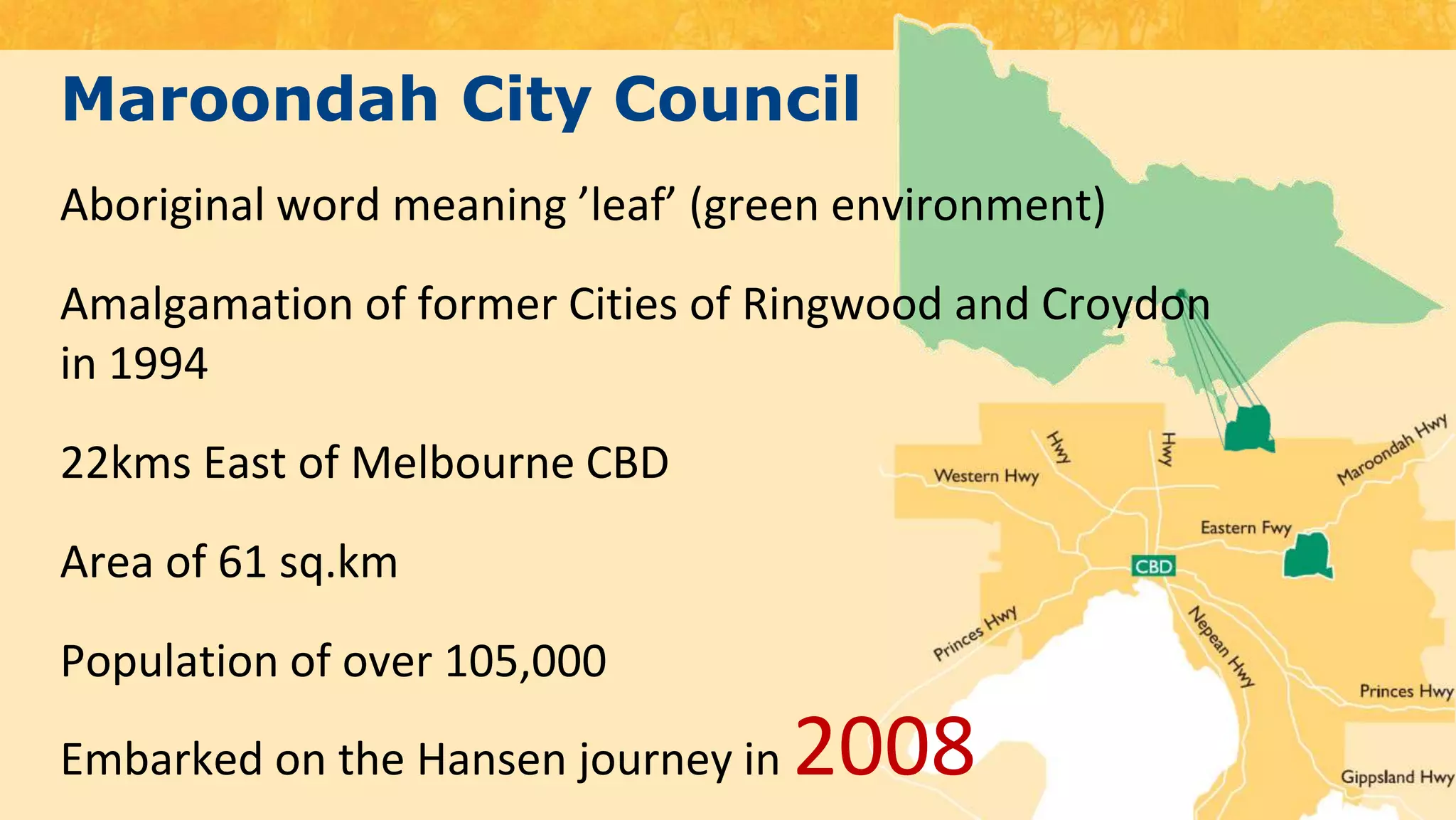
Maroondah City CouncilAboriginal word meaning ’leaf’ (green environment)Amalgamation of former Cities of Ringwood and Croydon in 199422kms East of Melbourne CBDArea of 61 sq.kmPopulation of over 105,000Embarked on the Hansen journey in 2008
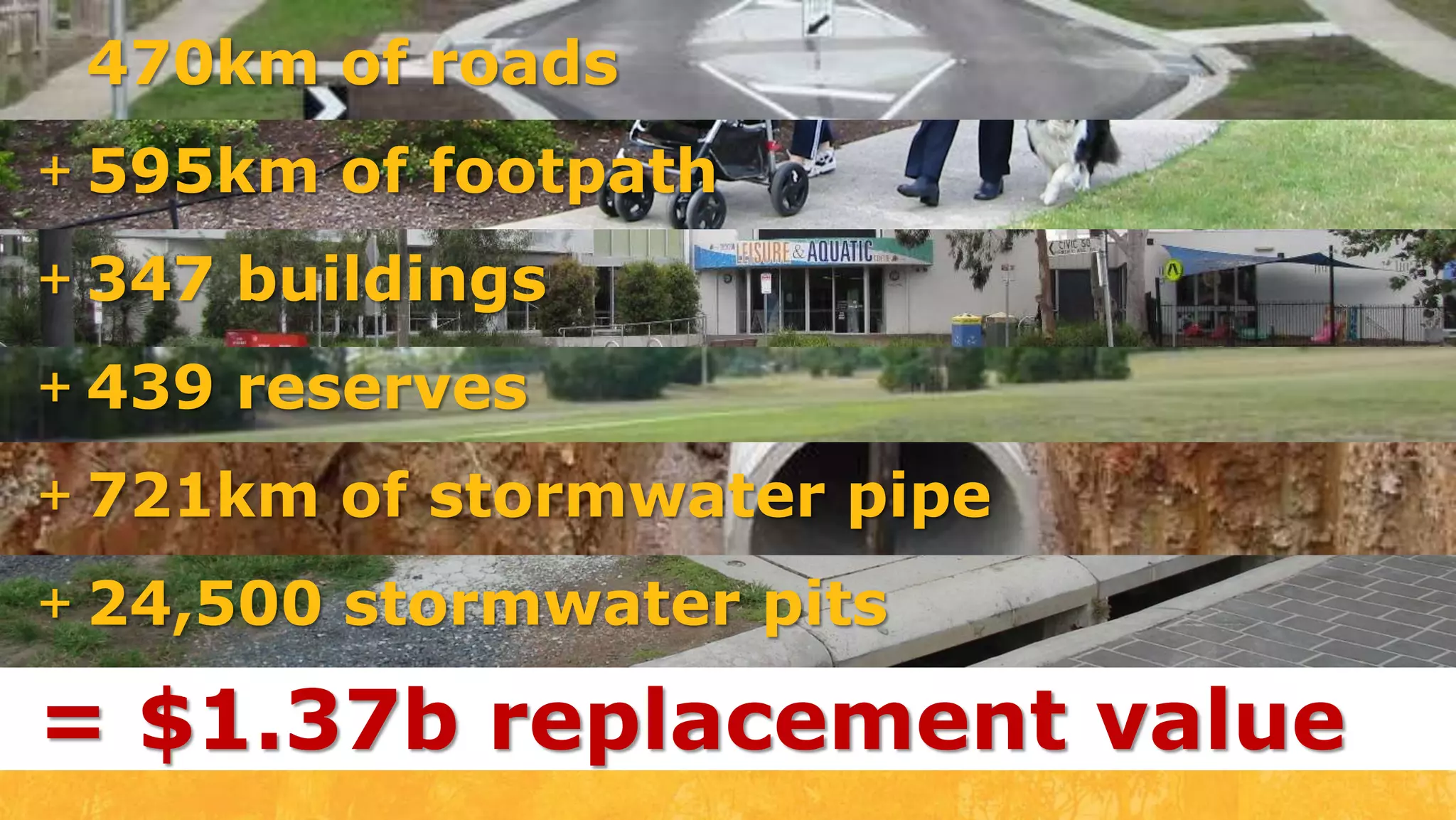
470km of roads595km of footpath
347 buildings
439 reserves
721km of stormwater pipe
24,500 stormwater pits= $1.37b replacement value
Connect&Innovate
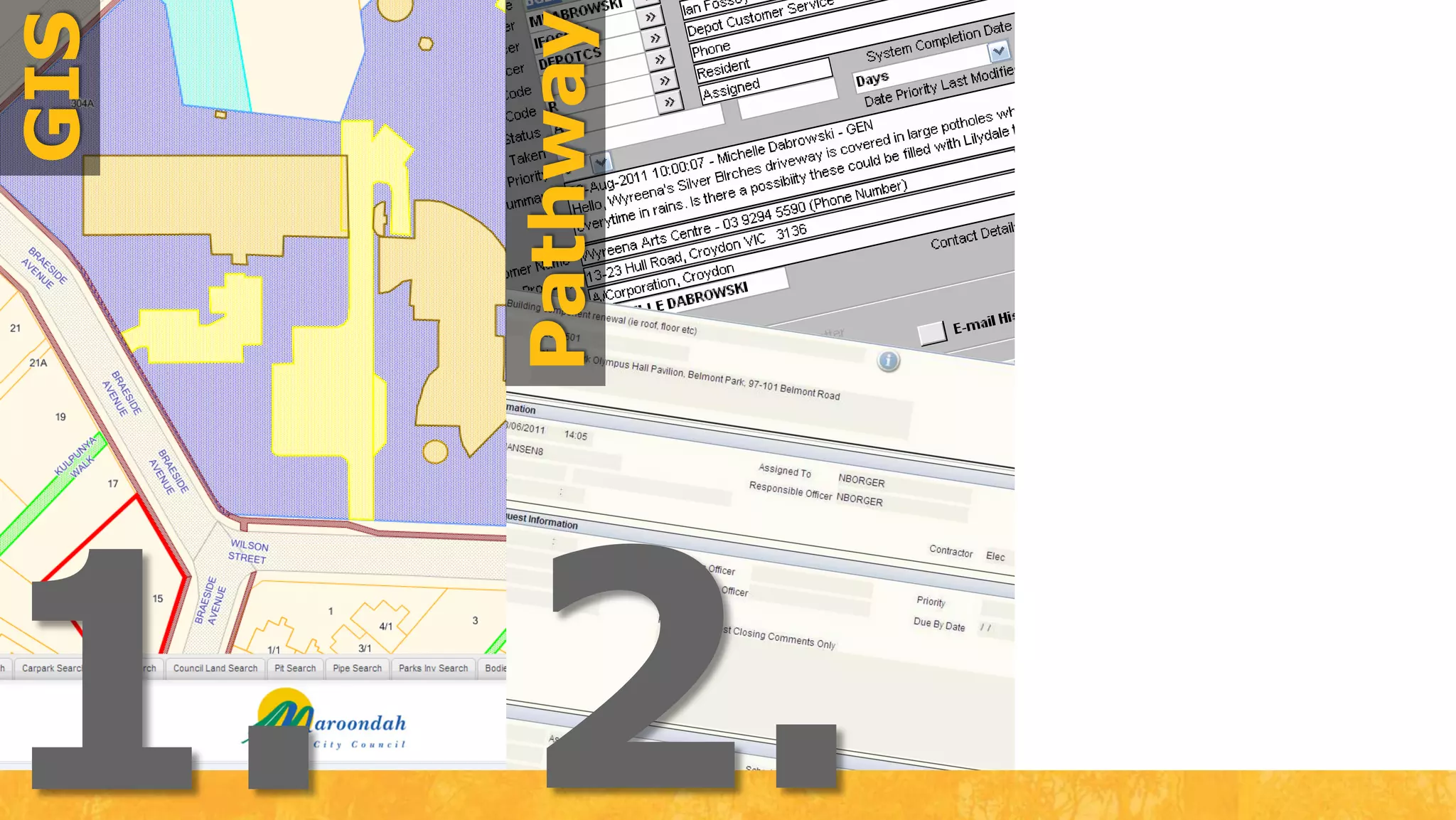
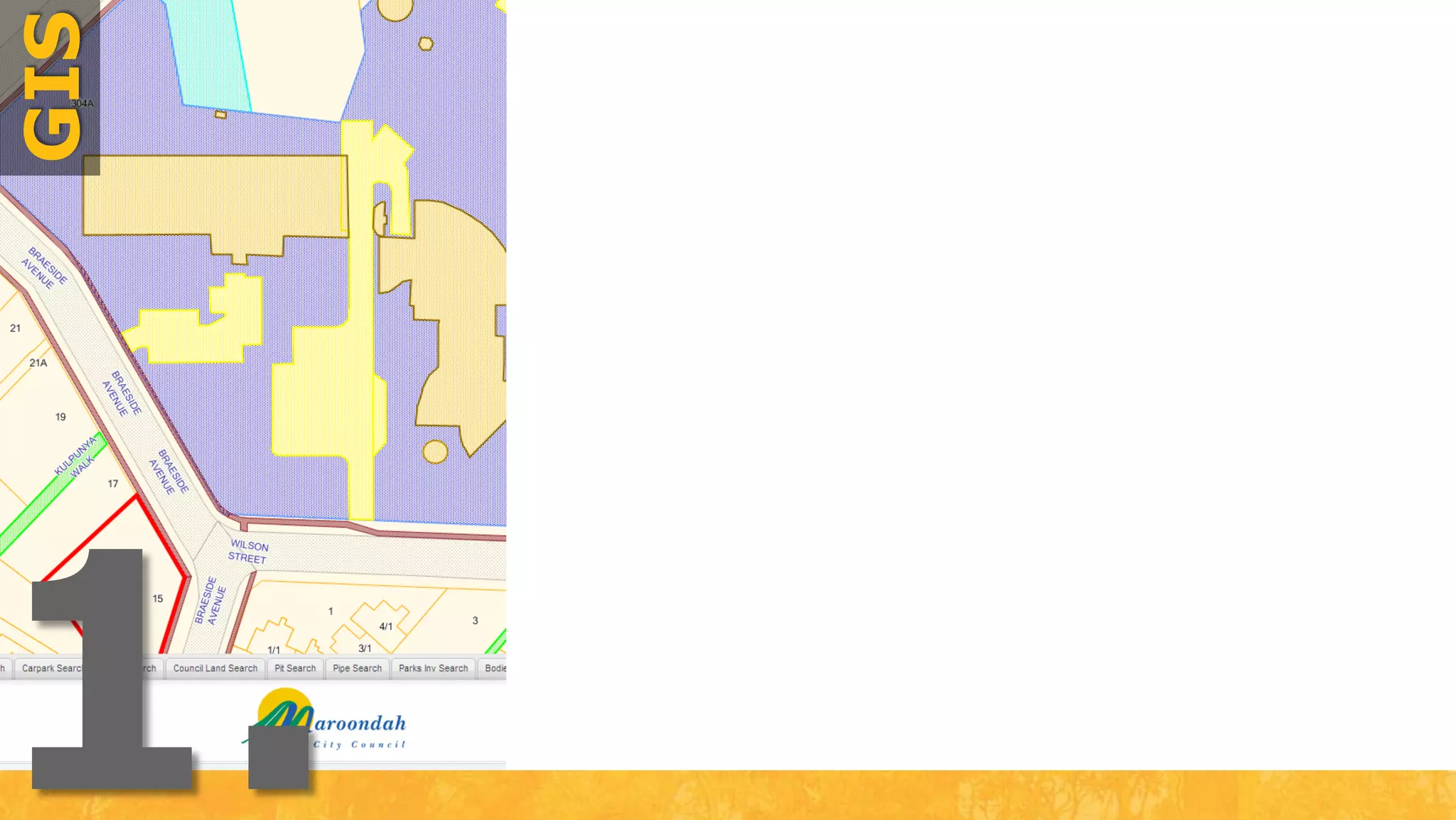
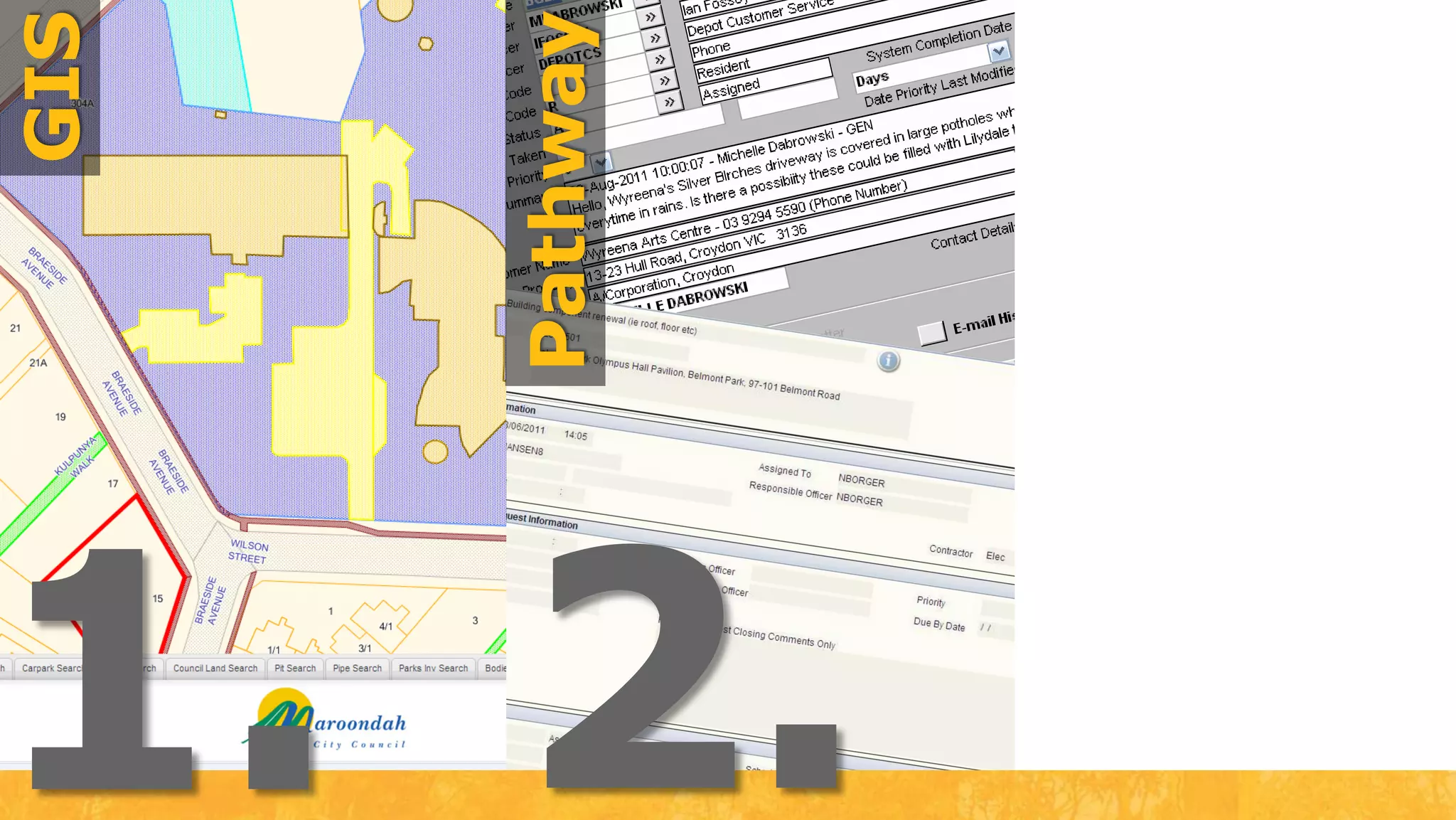
GIS1.
GISPathway2.1.
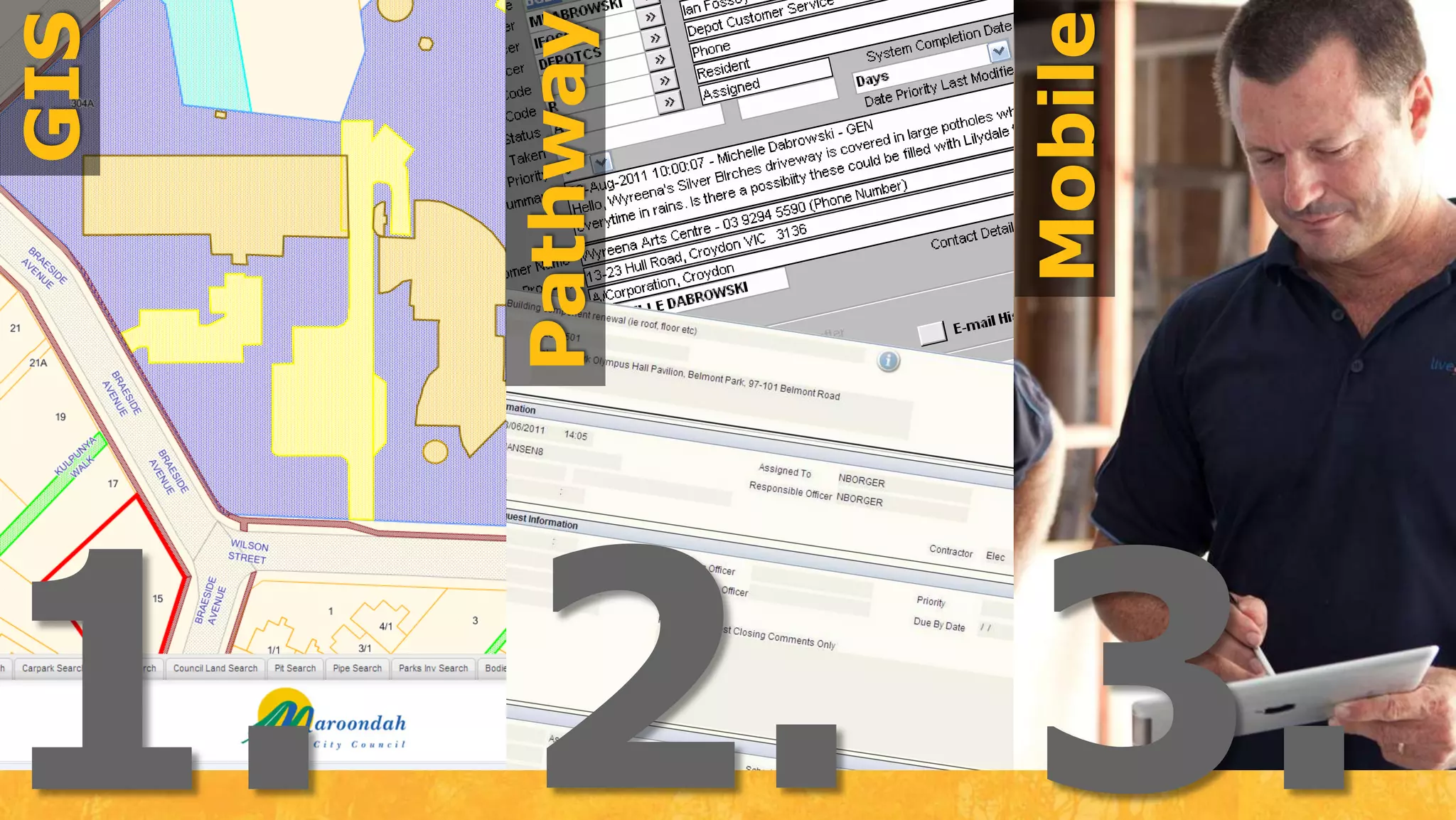
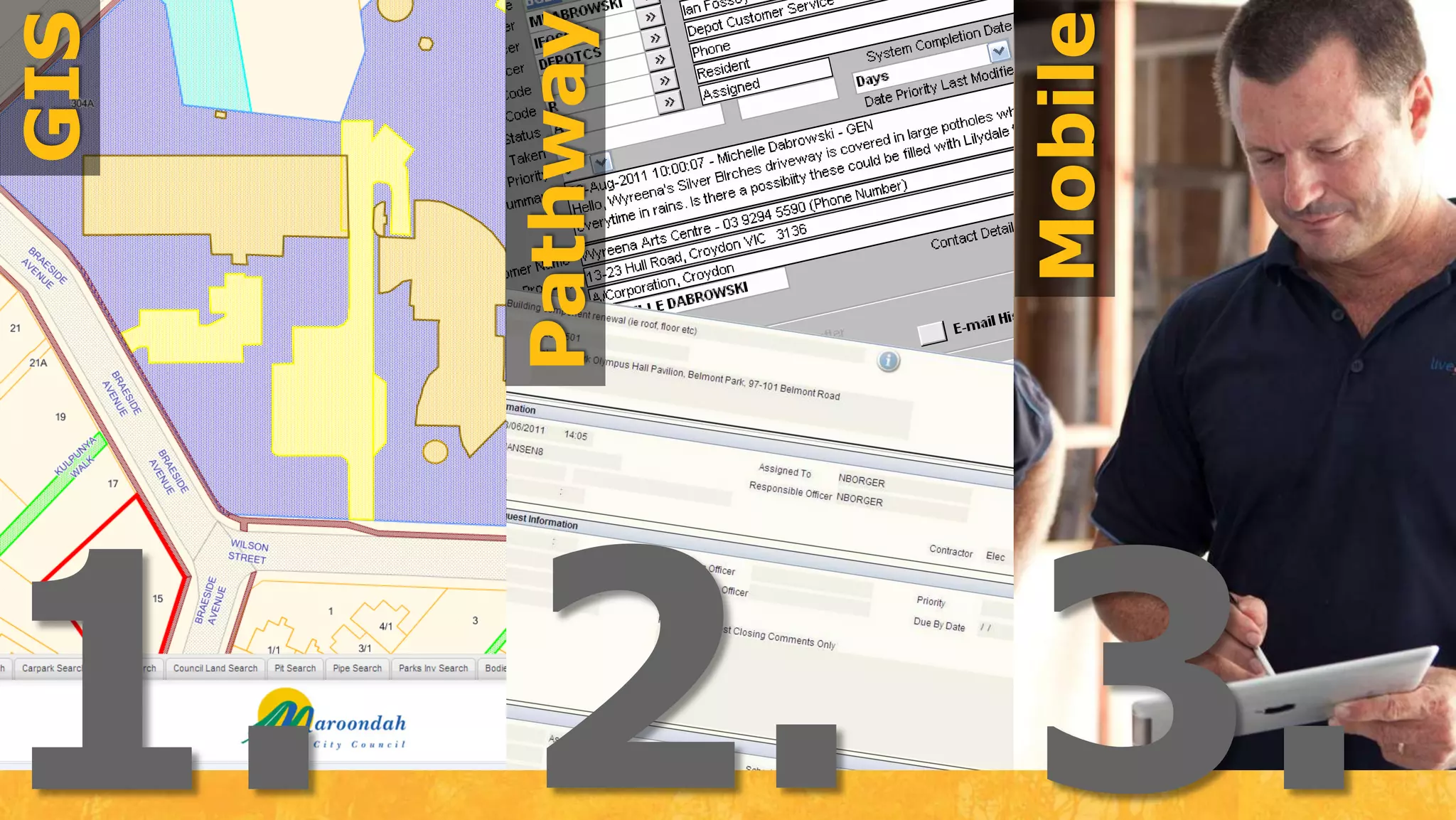
GISMobilePathway2.1.3.
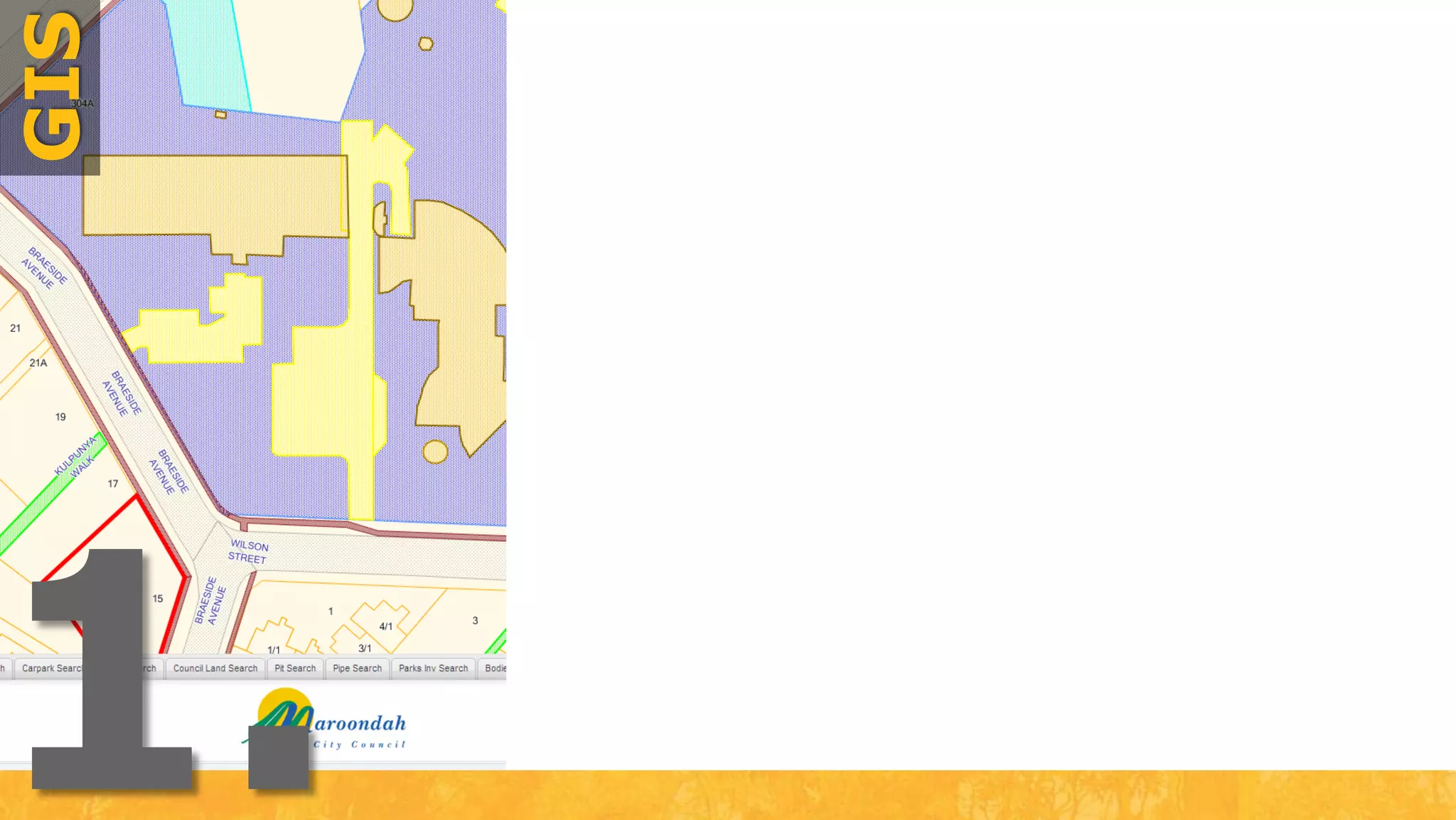
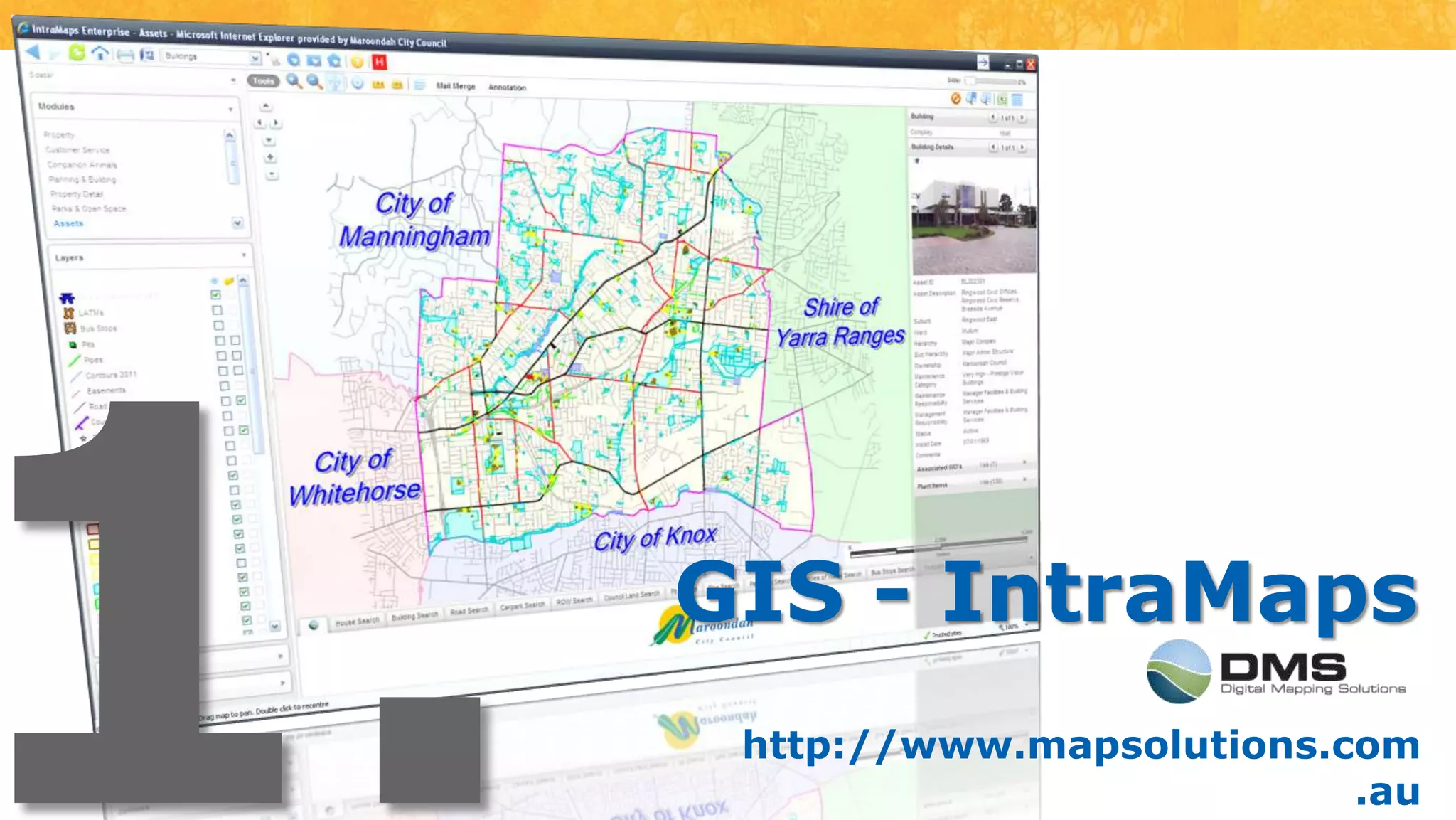
1.GIS - IntraMapshttp://www.mapsolutions.com.au
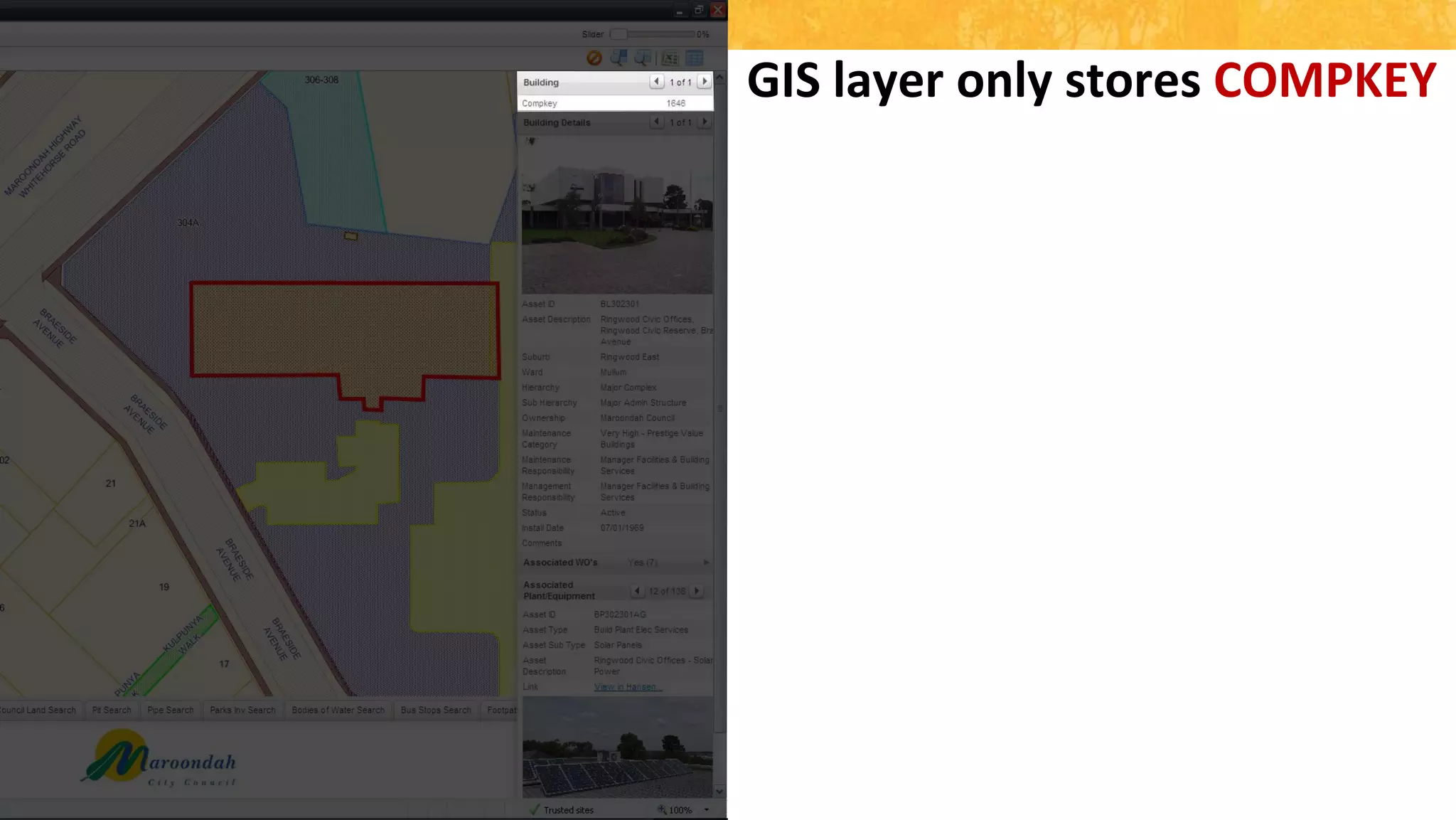
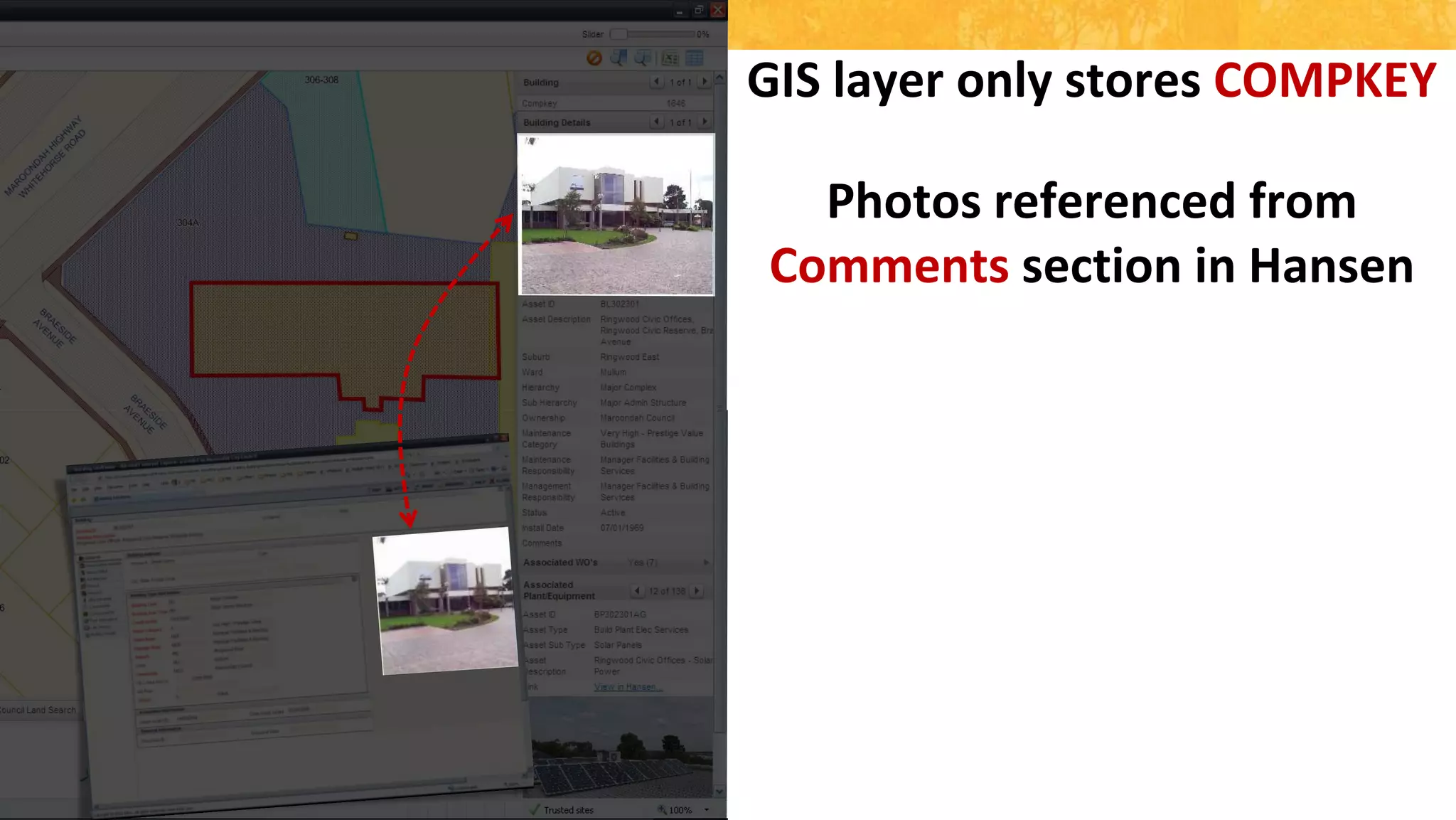
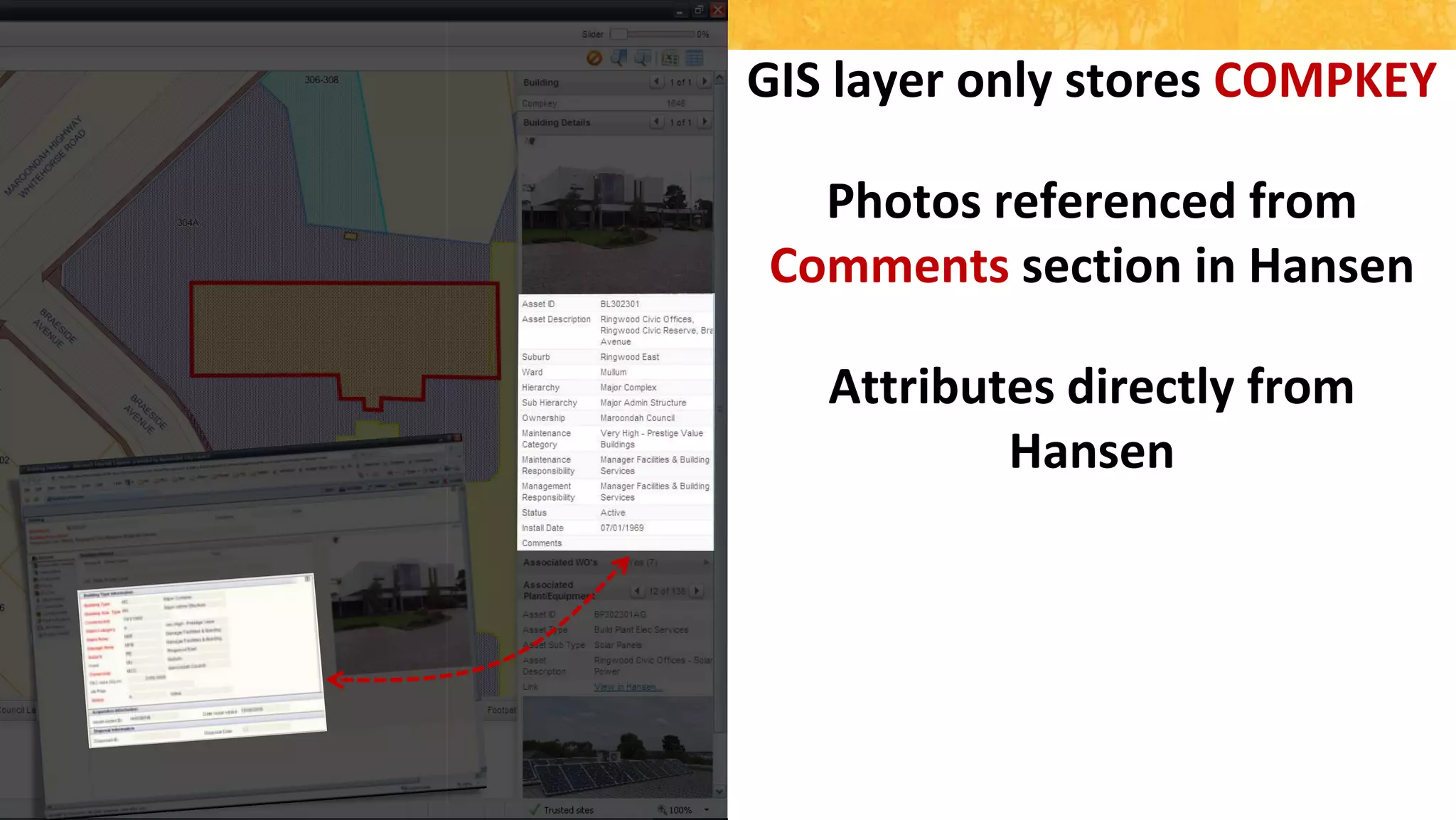
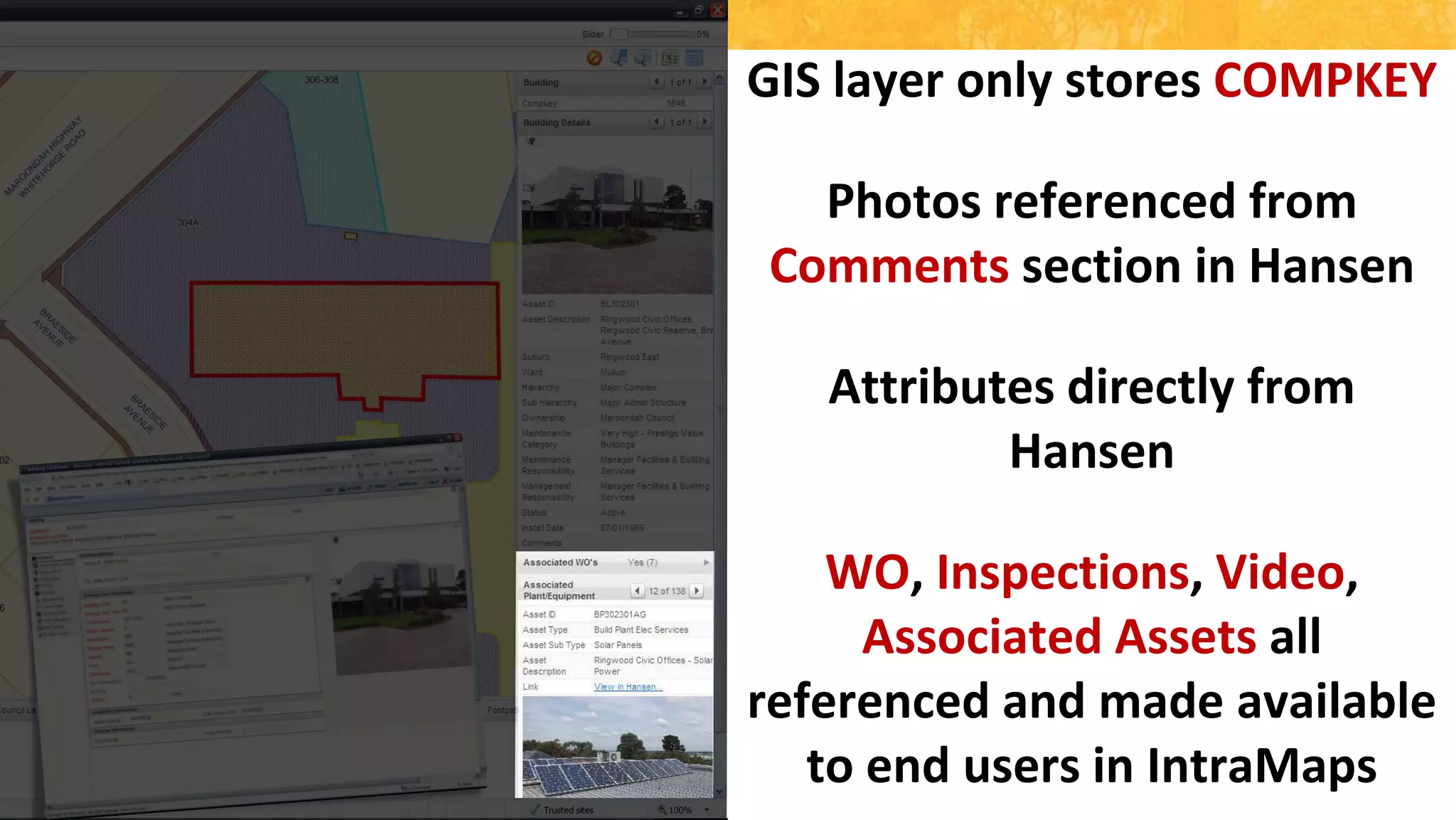
GIS layer only stores COMPKEYPhotos referenced from Comments section in HansenAttributes directly from HansenWO, Inspections, Video, Associated Assets all referenced and made available to end users in IntraMaps
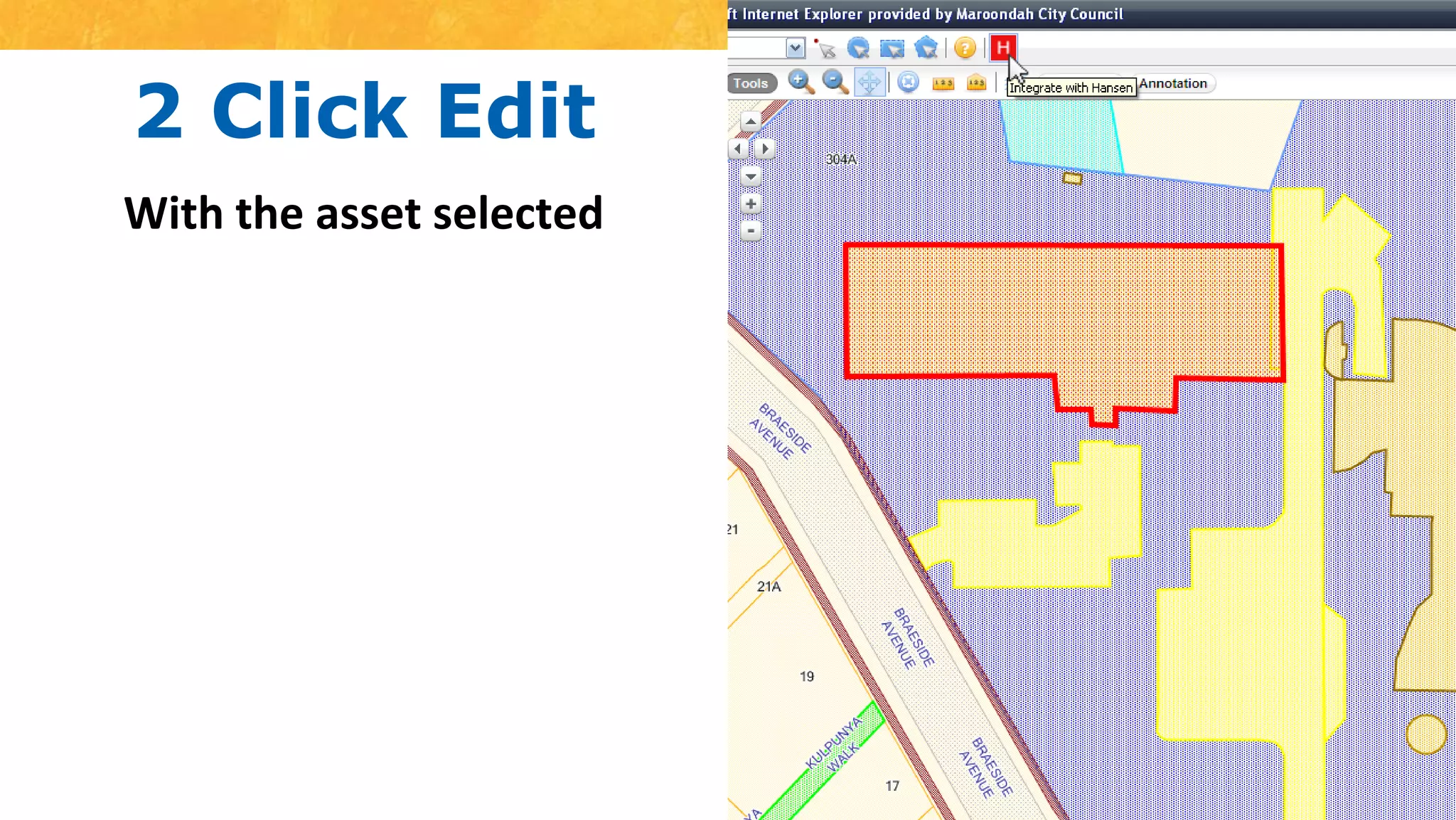
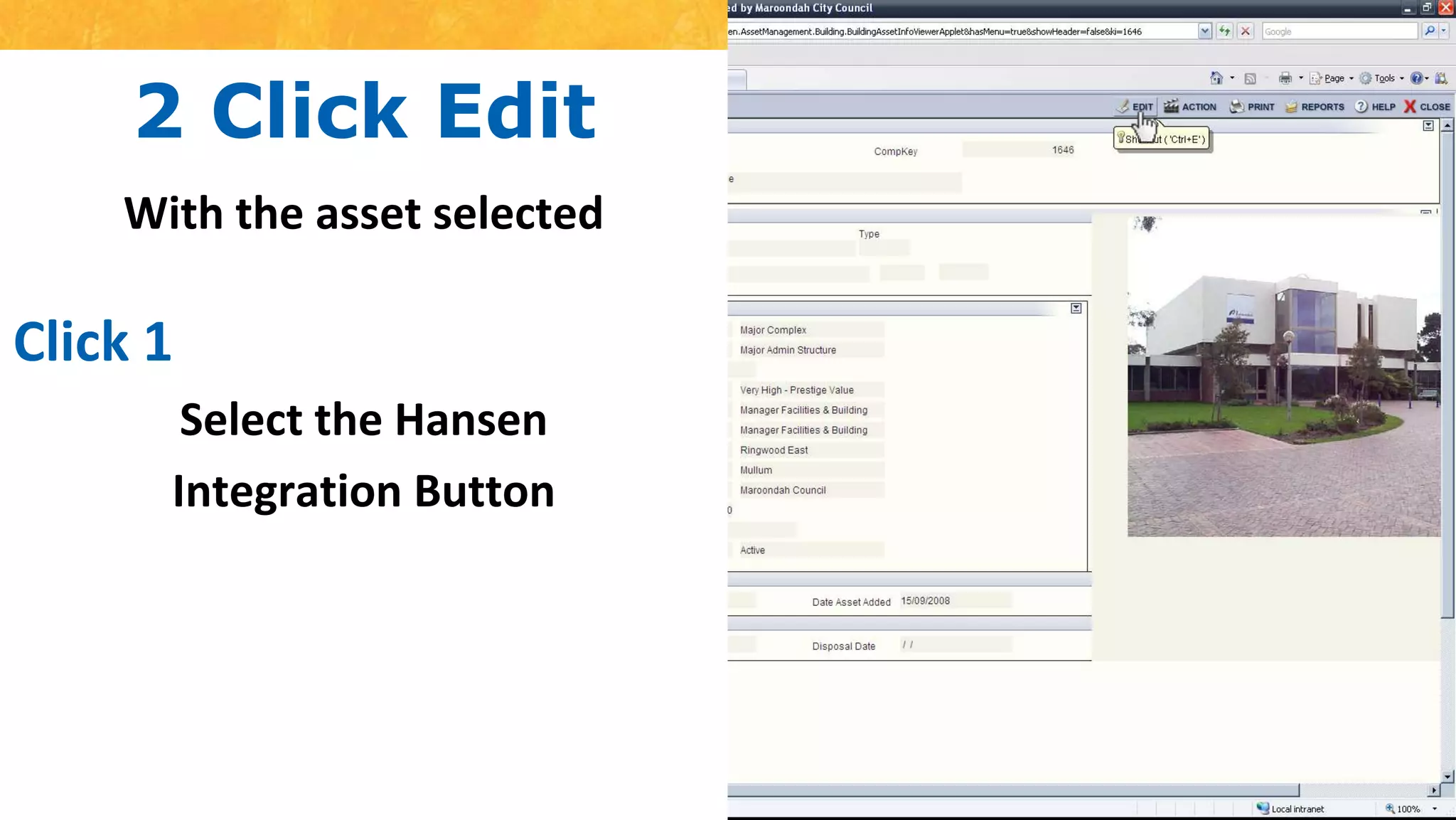
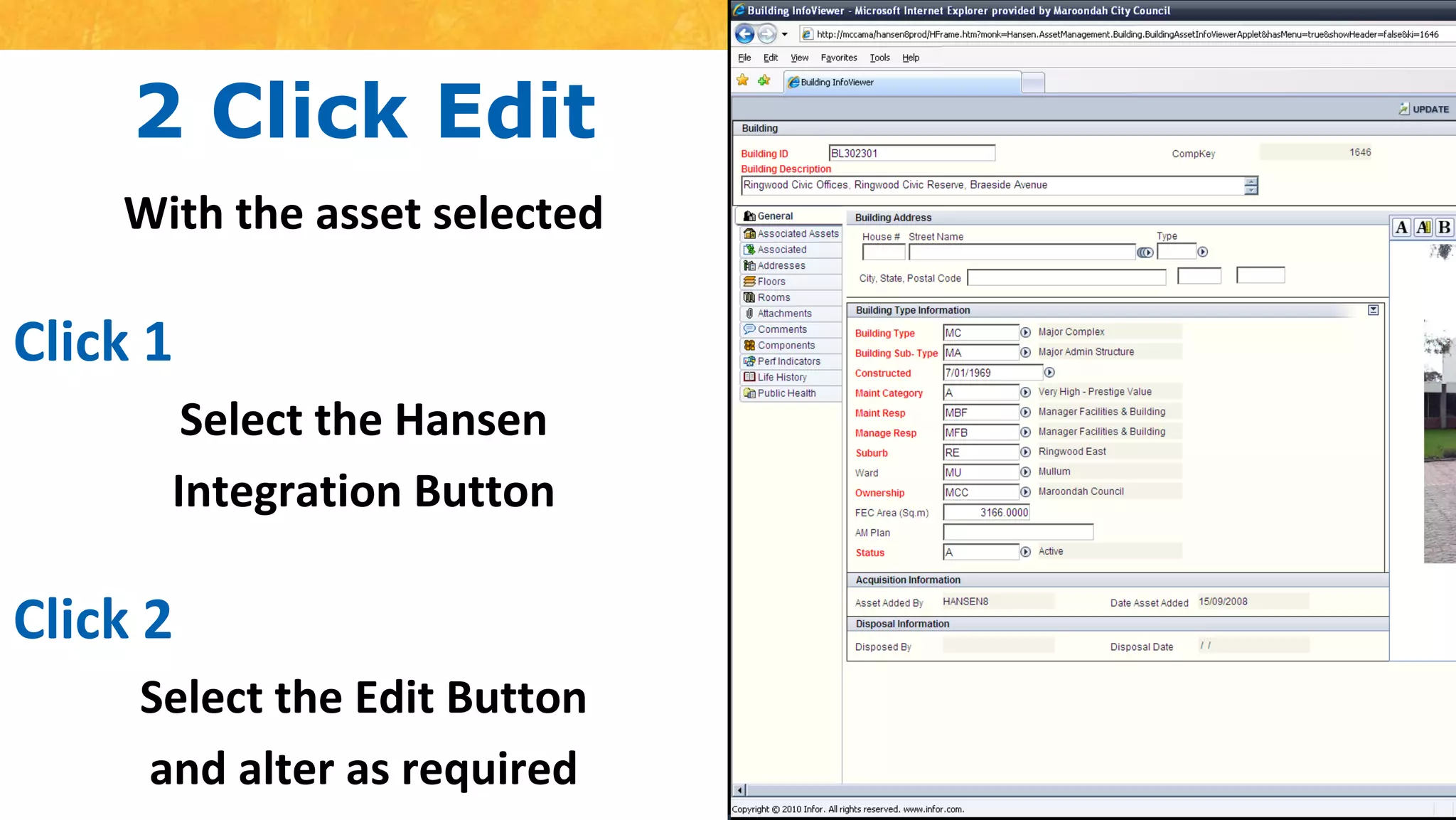
2 Click EditWith the asset selectedClick 1Select the HansenIntegration ButtonClick 2Select the Edit Buttonand alter as required
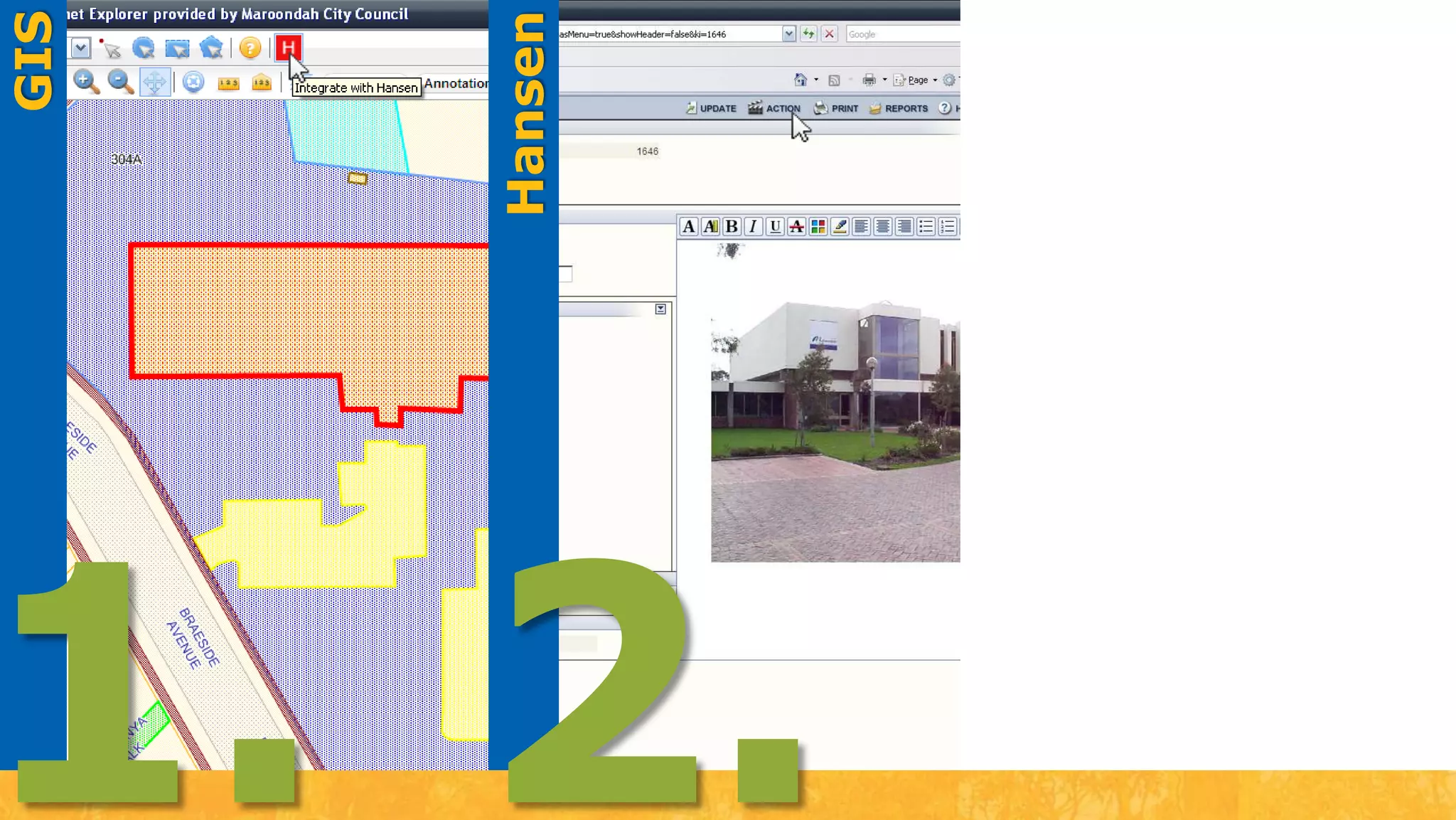
HansenGIS1.2.
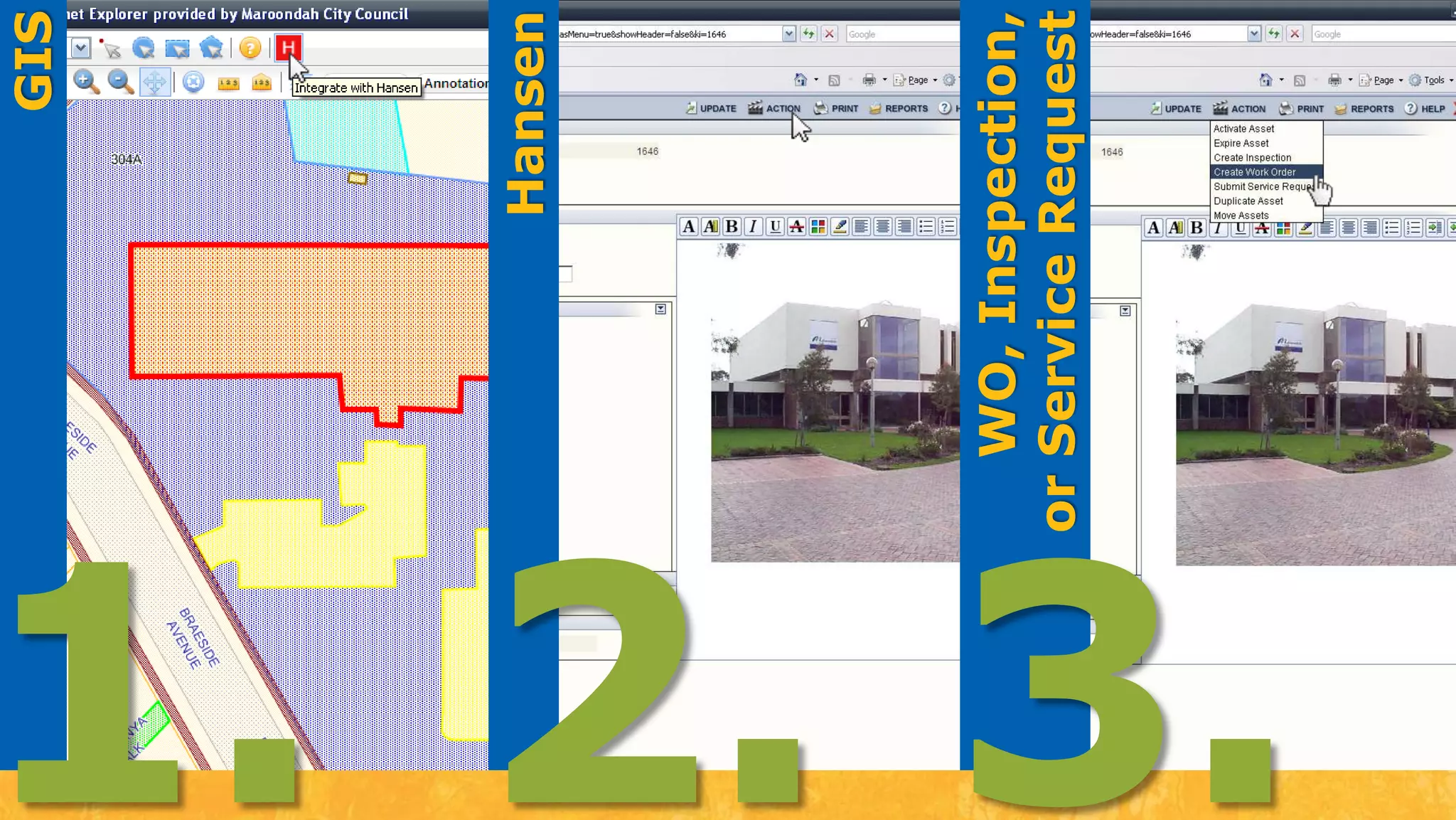
WO, Inspection, or Service RequestHansenGIS1.2.3.
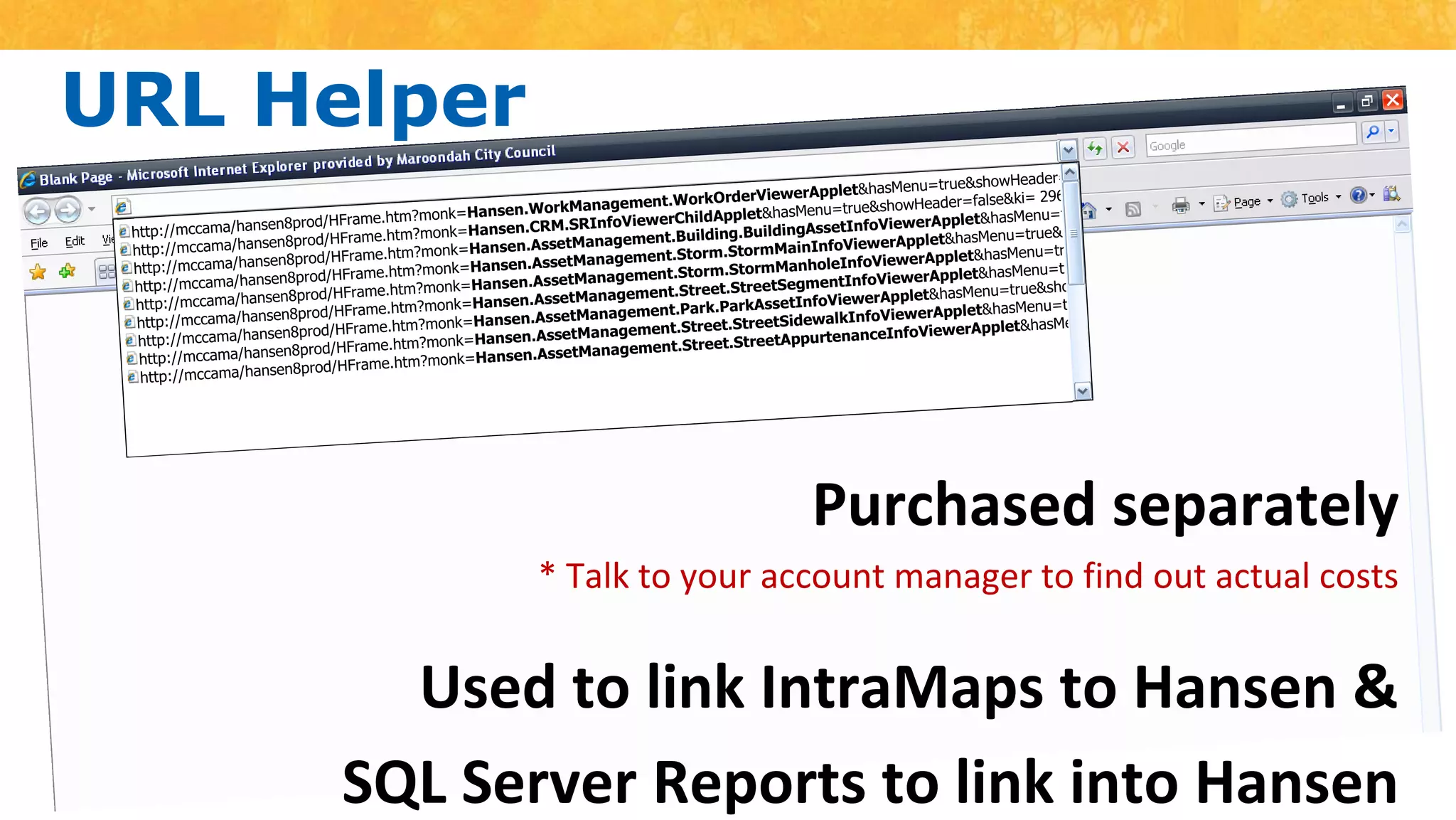
URL Helperhttp://mccama/hansen8prod/HFrame.htm?monk=Hansen.WorkManagement.WorkOrderViewerApplet&hasMenu=true&showHeader=false&ki= 29666http://mccama/hansen8prod/HFrame.htm?monk=Hansen.CRM.SRInfoViewerChildApplet&hasMenu=true&showHeader=false&ki= 29666http://mccama/hansen8prod/HFrame.htm?monk=Hansen.AssetManagement.Building.BuildingAssetInfoViewerApplet&hasMenu=true&showHeader=false&ki= 29666http://mccama/hansen8prod/HFrame.htm?monk=Hansen.AssetManagement.Storm.StormMainInfoViewerApplet&hasMenu=true&showHeader=false&ki= 29666http://mccama/hansen8prod/HFrame.htm?monk=Hansen.AssetManagement.Storm.StormManholeInfoViewerApplet&hasMenu=true&showHeader=false&ki= 29666http://mccama/hansen8prod/HFrame.htm?monk=Hansen.AssetManagement.Street.StreetSegmentInfoViewerApplet&hasMenu=true&showHeader=false&ki= 29666http://mccama/hansen8prod/HFrame.htm?monk=Hansen.AssetManagement.Park.ParkAssetInfoViewerApplet&hasMenu=true&showHeader=false&ki= 29666http://mccama/hansen8prod/HFrame.htm?monk=Hansen.AssetManagement.Street.StreetSidewalkInfoViewerApplet&hasMenu=true&showHeader=false&ki= 29666http://mccama/hansen8prod/HFrame.htm?monk=Hansen.AssetManagement.Street.StreetAppurtenanceInfoViewerApplet&hasMenu=true&showHeader=false&ki= 29666Purchased separately * Talk to your account manager to find out actual costsUsed to link IntraMaps to Hansen &SQL Server Reports to link into Hansen
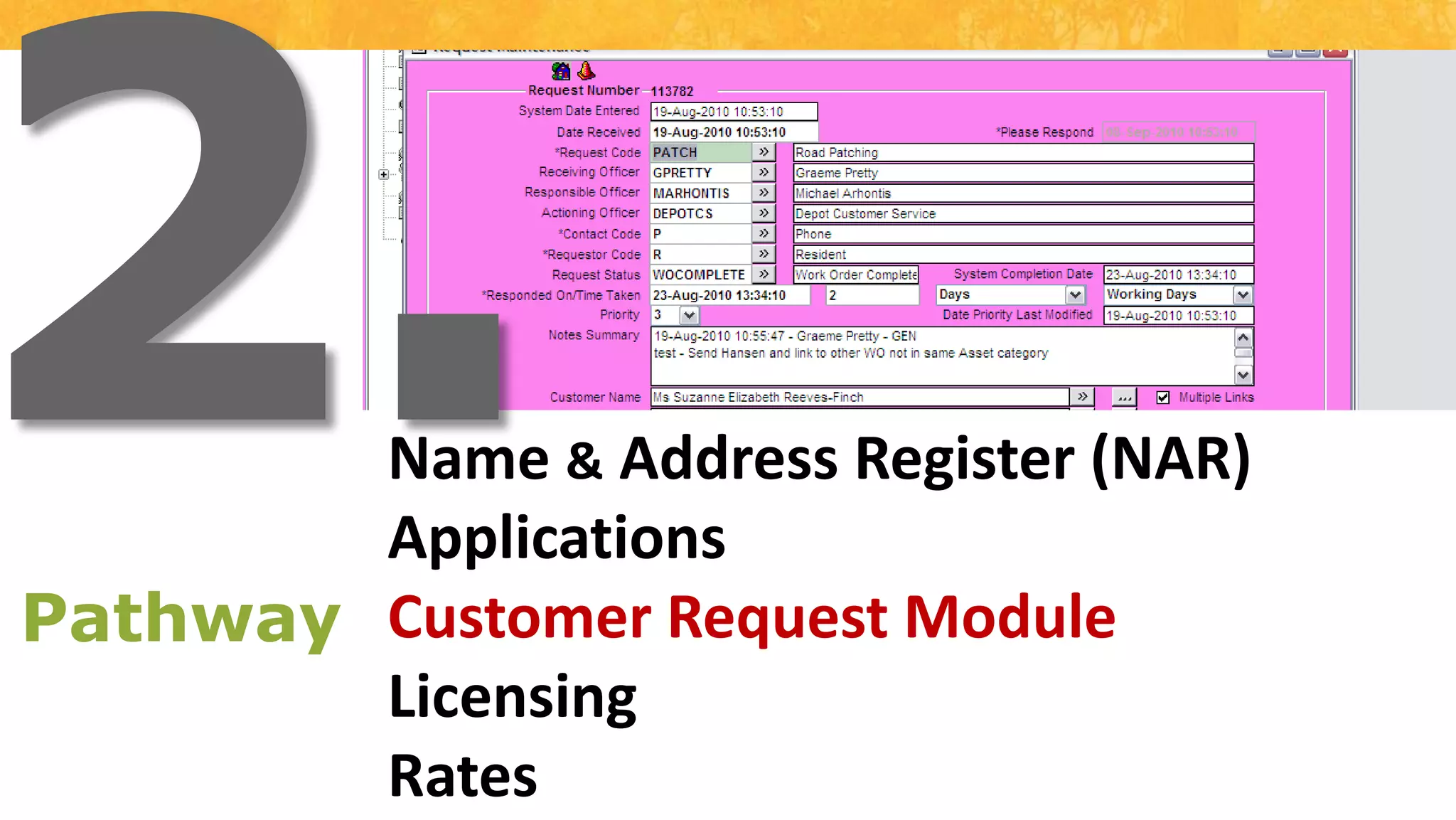
2.Name & Address Register (NAR)ApplicationsCustomer Request ModuleLicensingRatesPathway
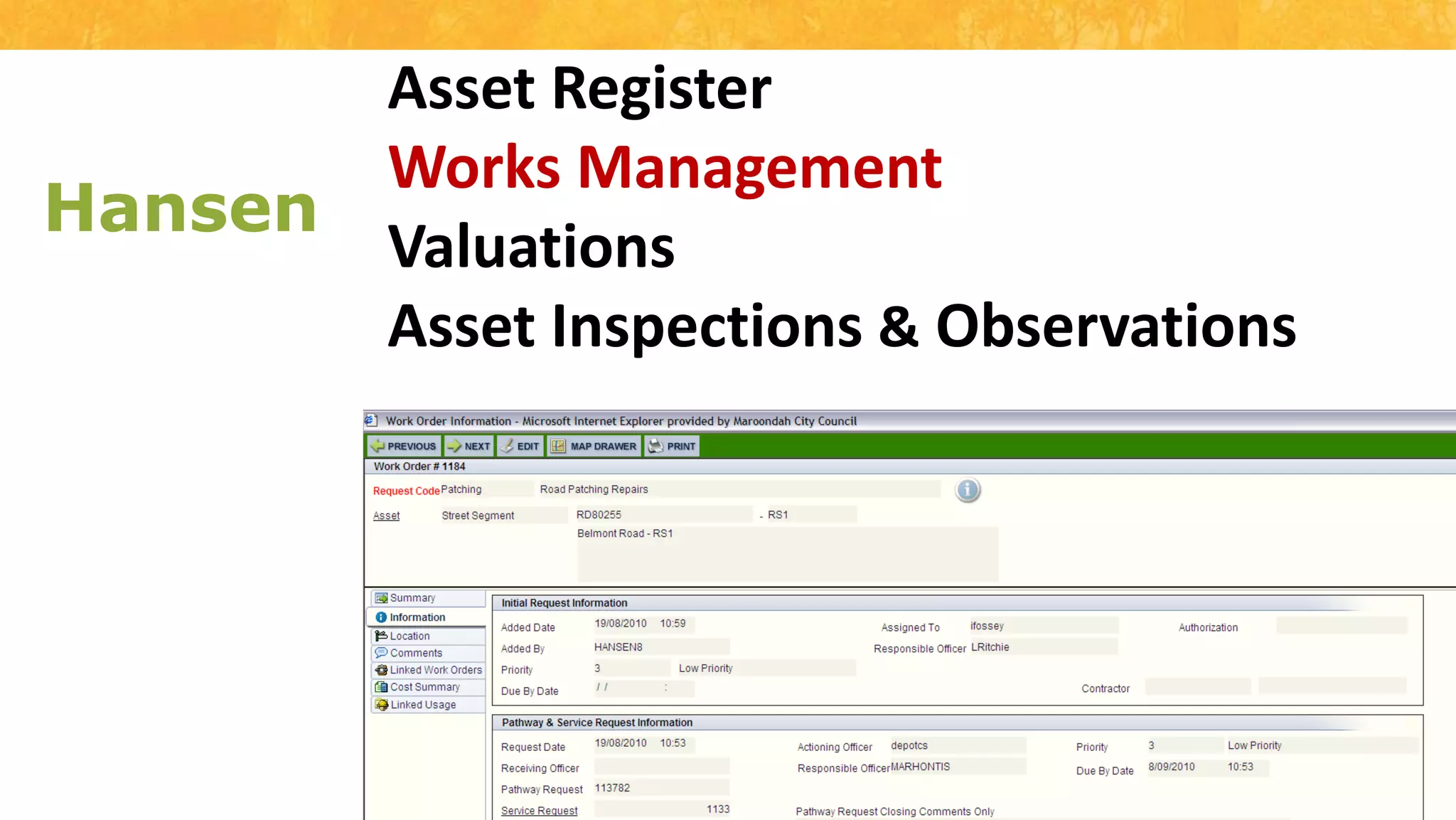
Asset RegisterWorks ManagementValuationsAsset Inspections & ObservationsHansen
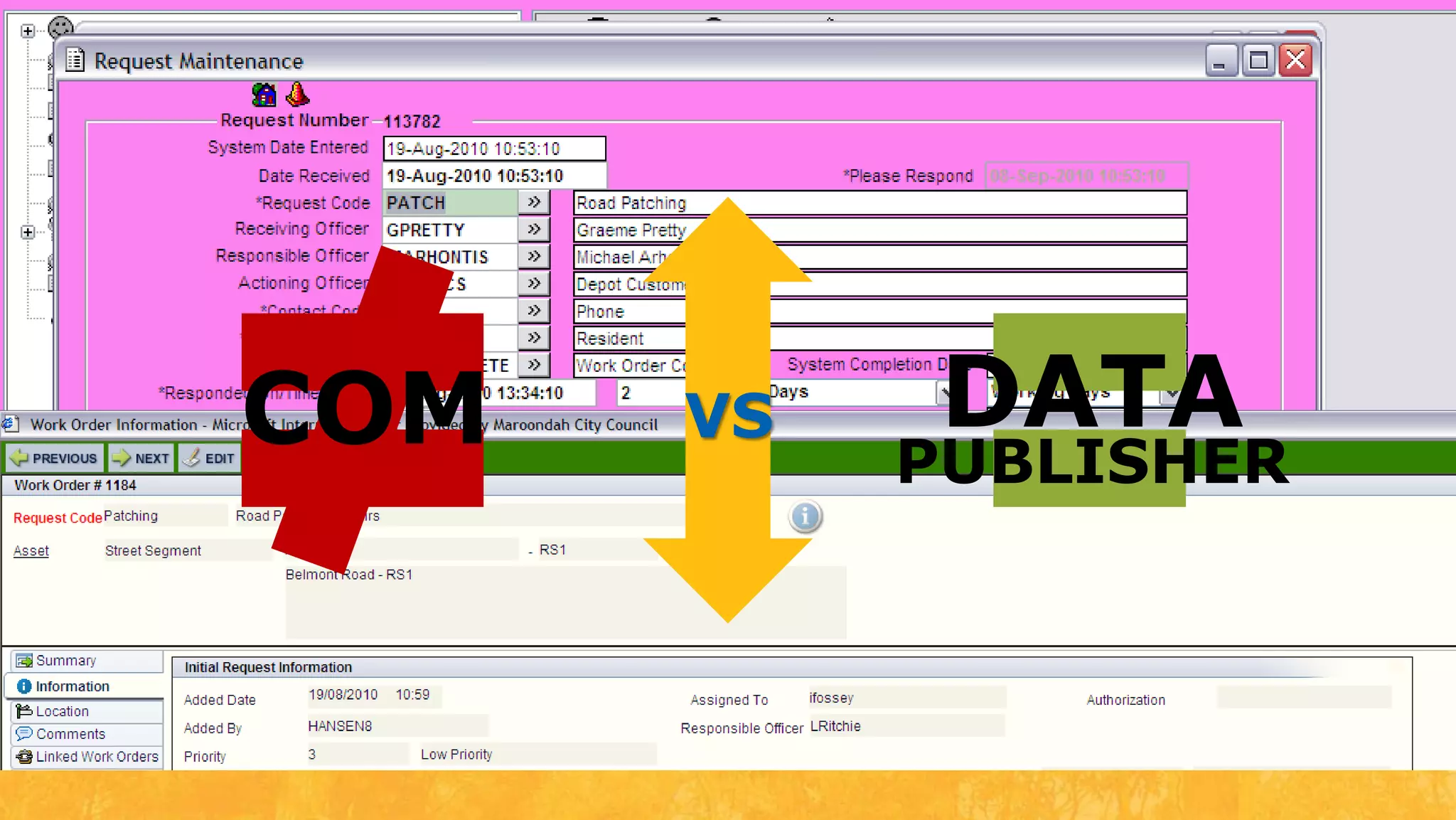
VSCOMDATAPUBLISHER
COMIssuesInflexibleUnstableUnusable error messagesNOend user notification
DATAPUBLISHER
“ This allows different messages to be sent from Pathway to Hansen, such as service requests, and name and addressesAlso allows new messages to be defined and processed without any code changes”
InterfaceIn our Test environmentUndertaking review of interfaceGIS » Pathway » Hansen
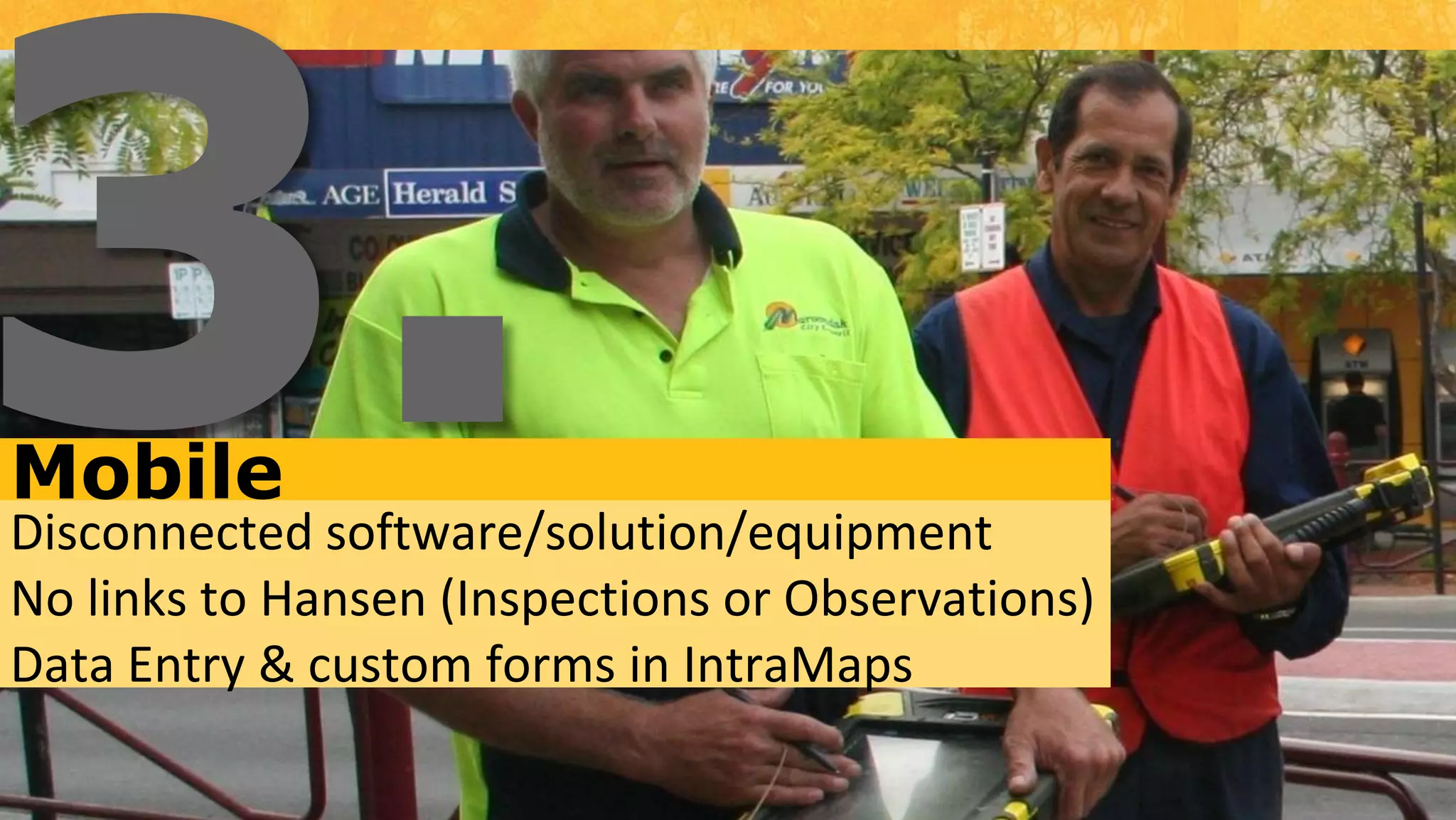
3.MobileDisconnected software/solution/equipmentNo links to Hansen (Inspections or Observations)Data Entry & custom forms in IntraMaps
ConnectedInfor and IntraMaps engaged“Street Inspection Interface” developedPro-Active & Reactive Inspection and Observations
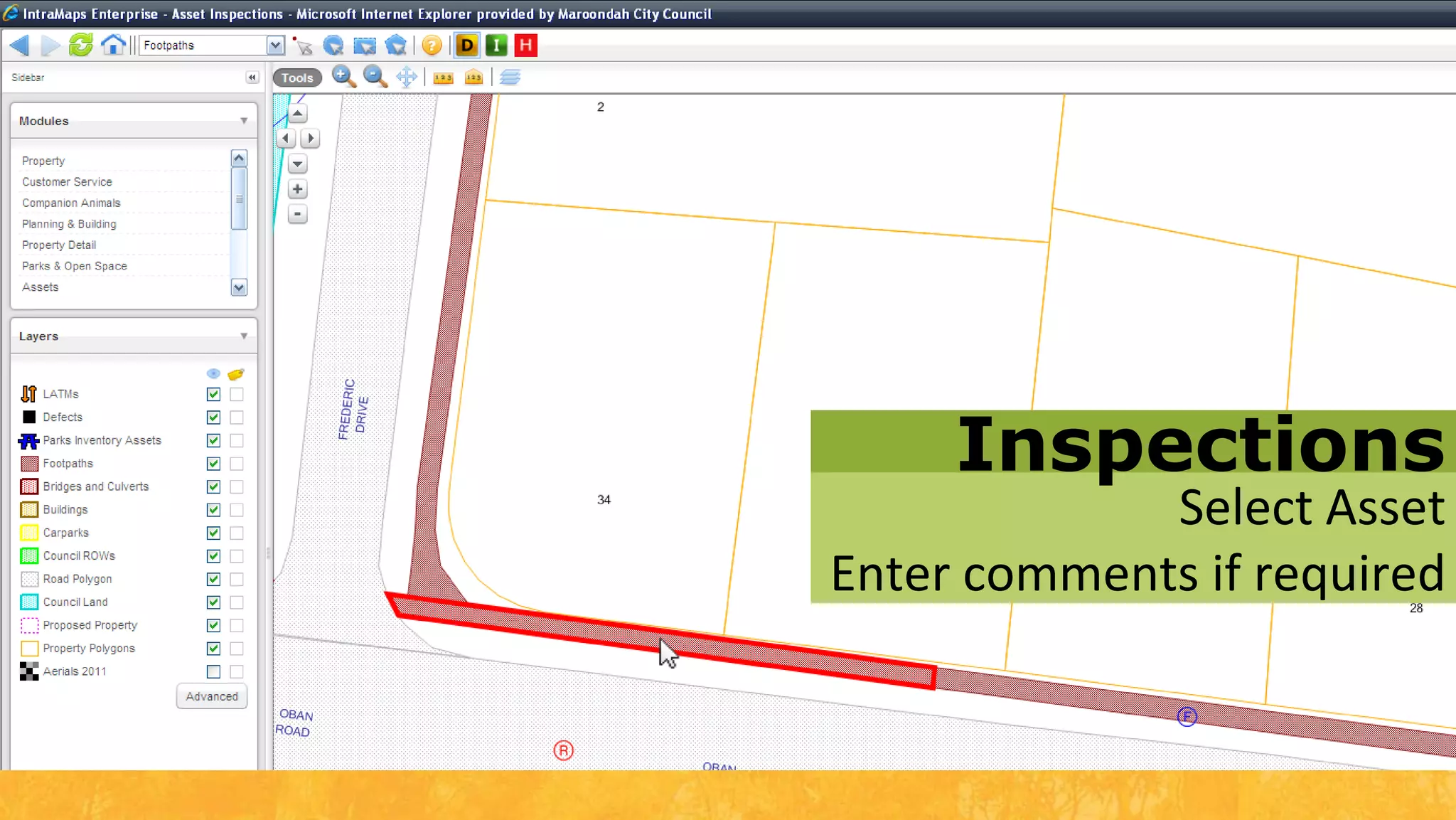
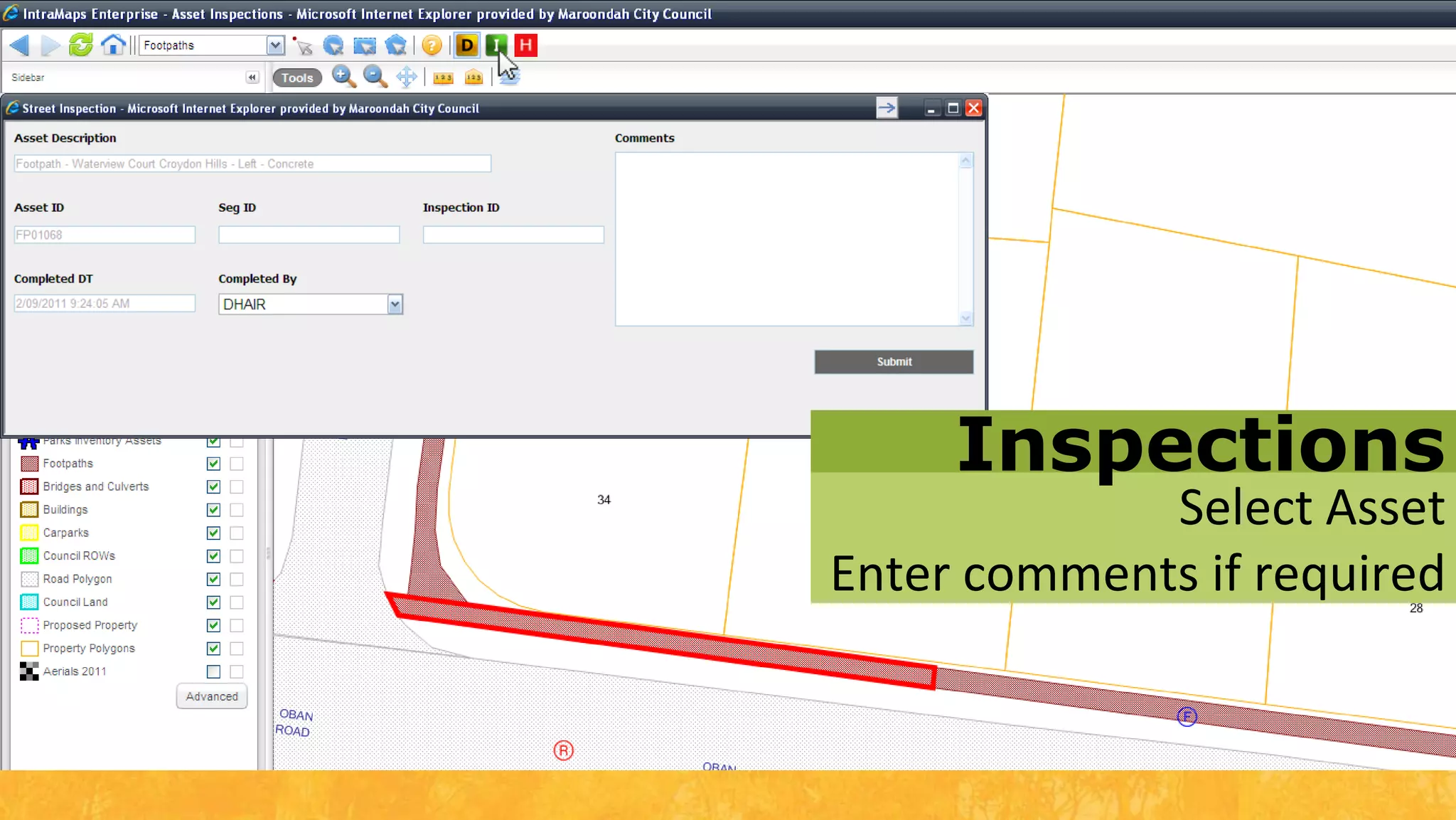
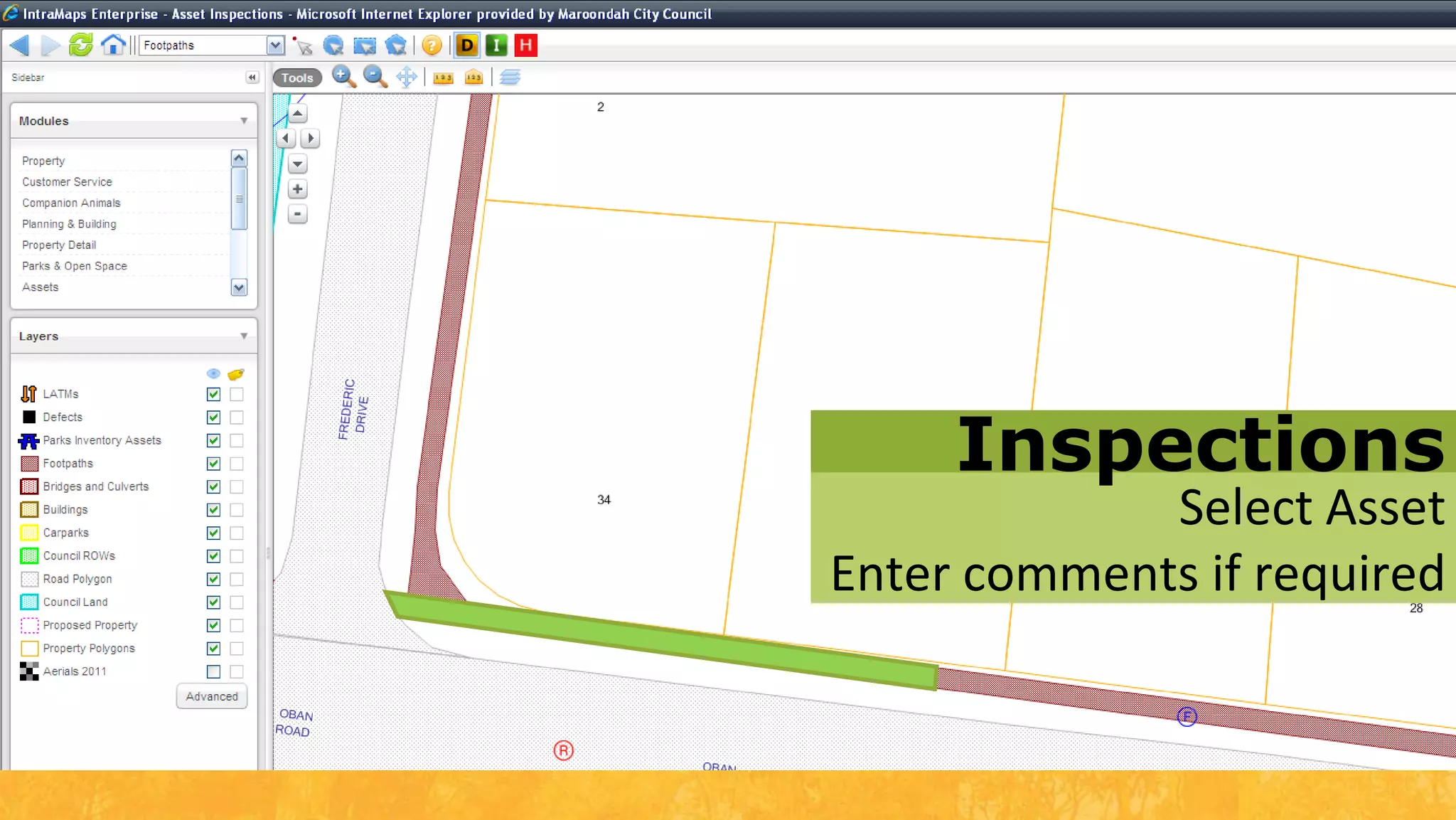
InspectionsSelect AssetEnter comments if required
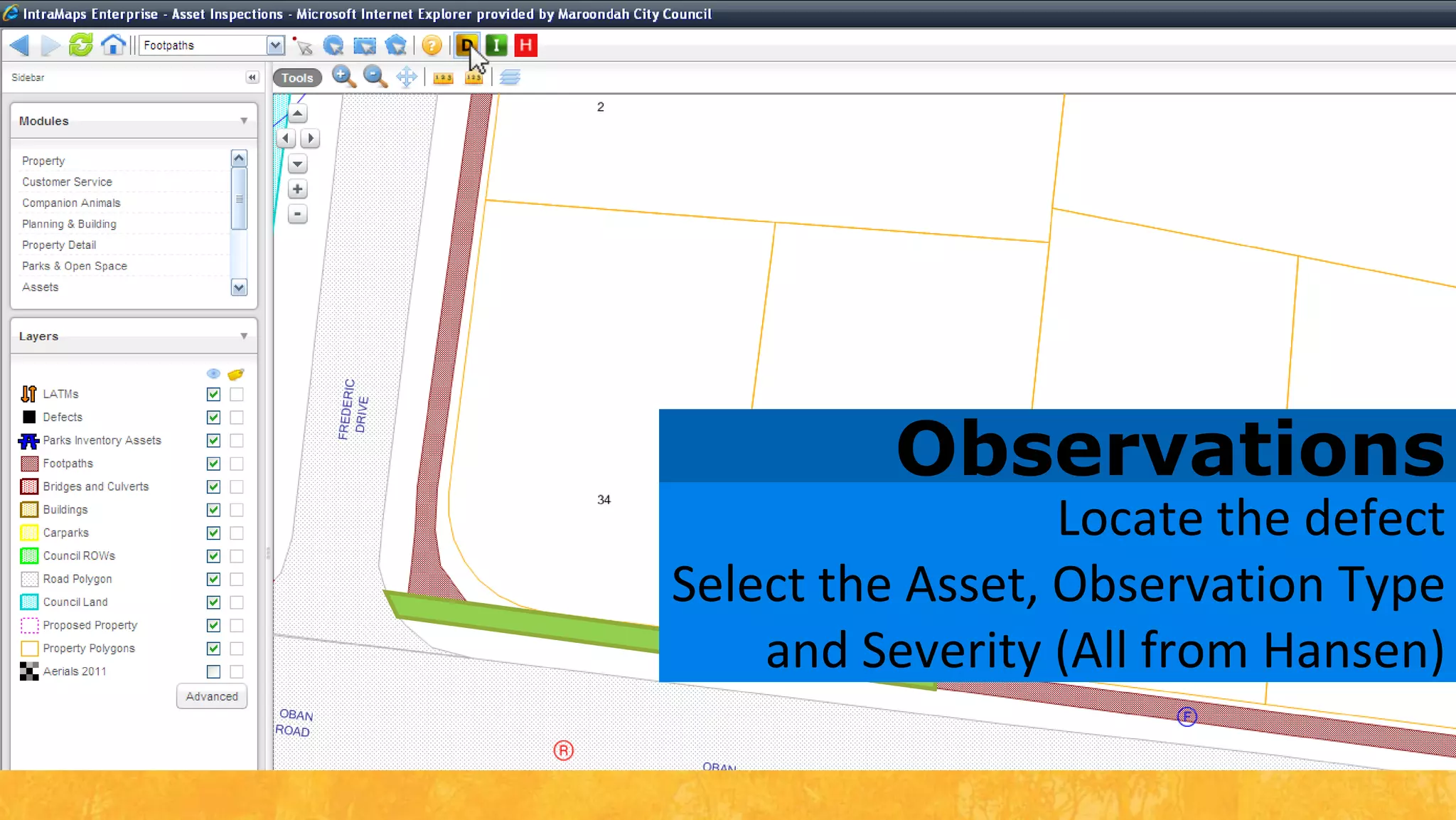
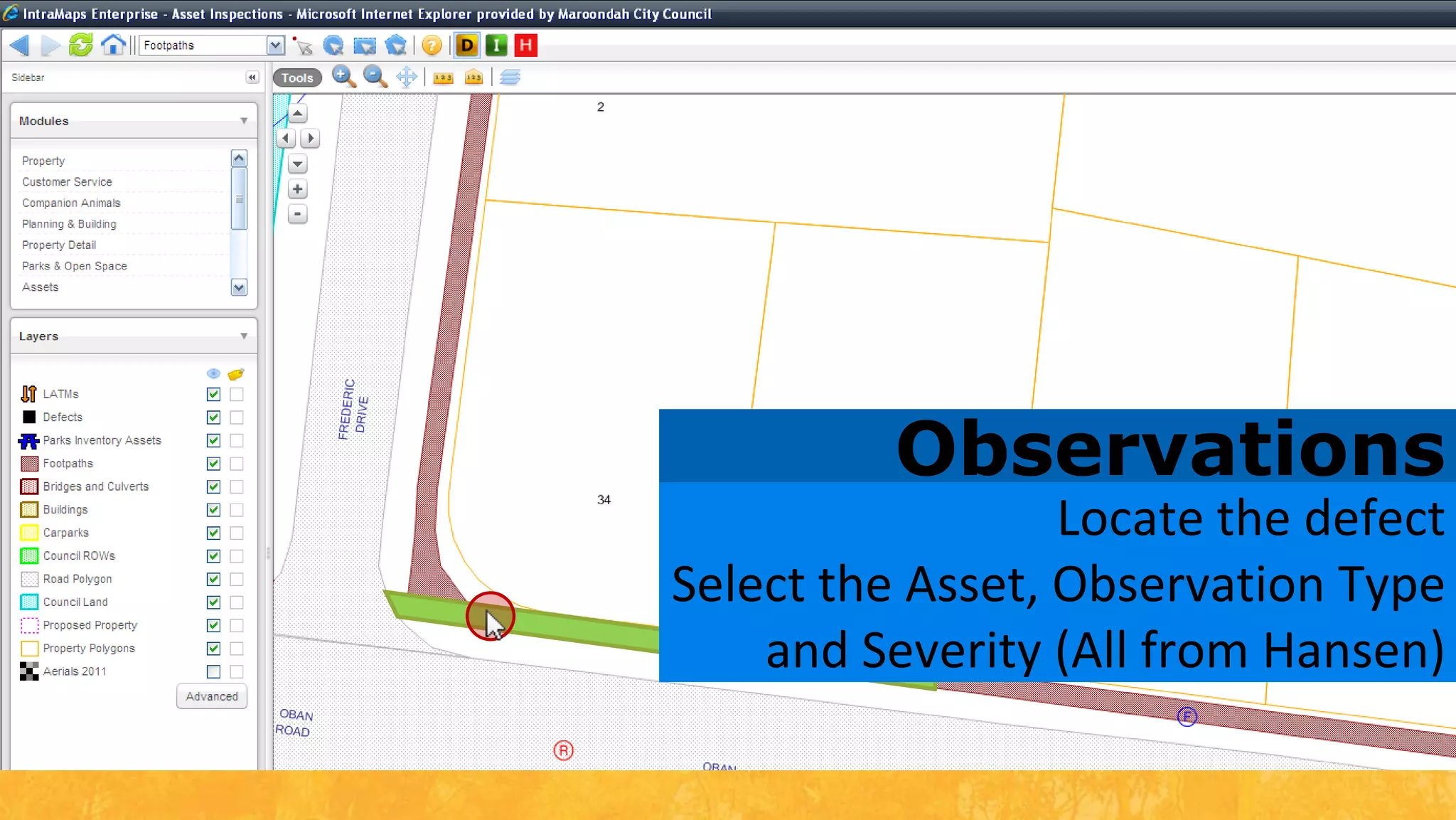
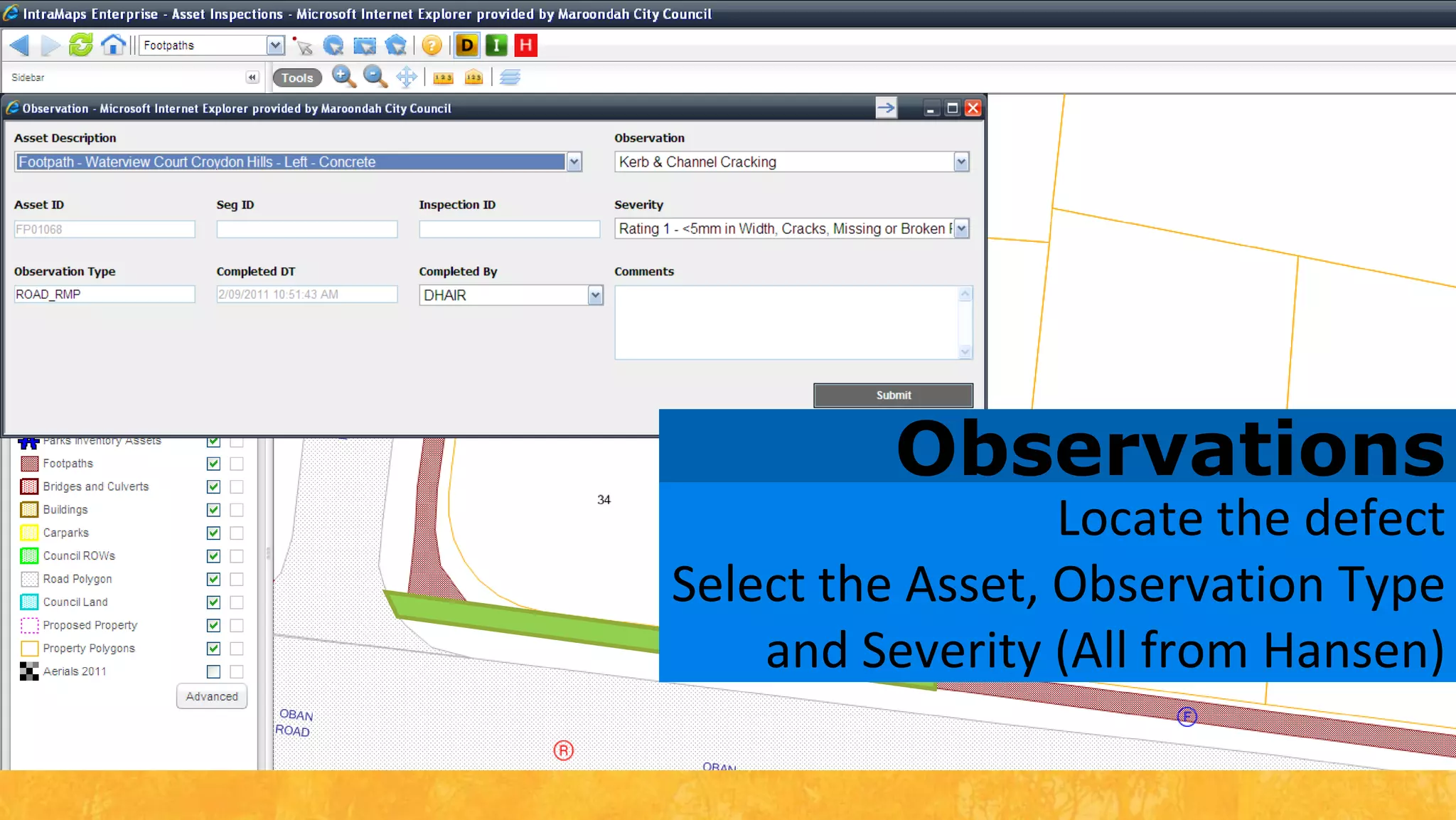
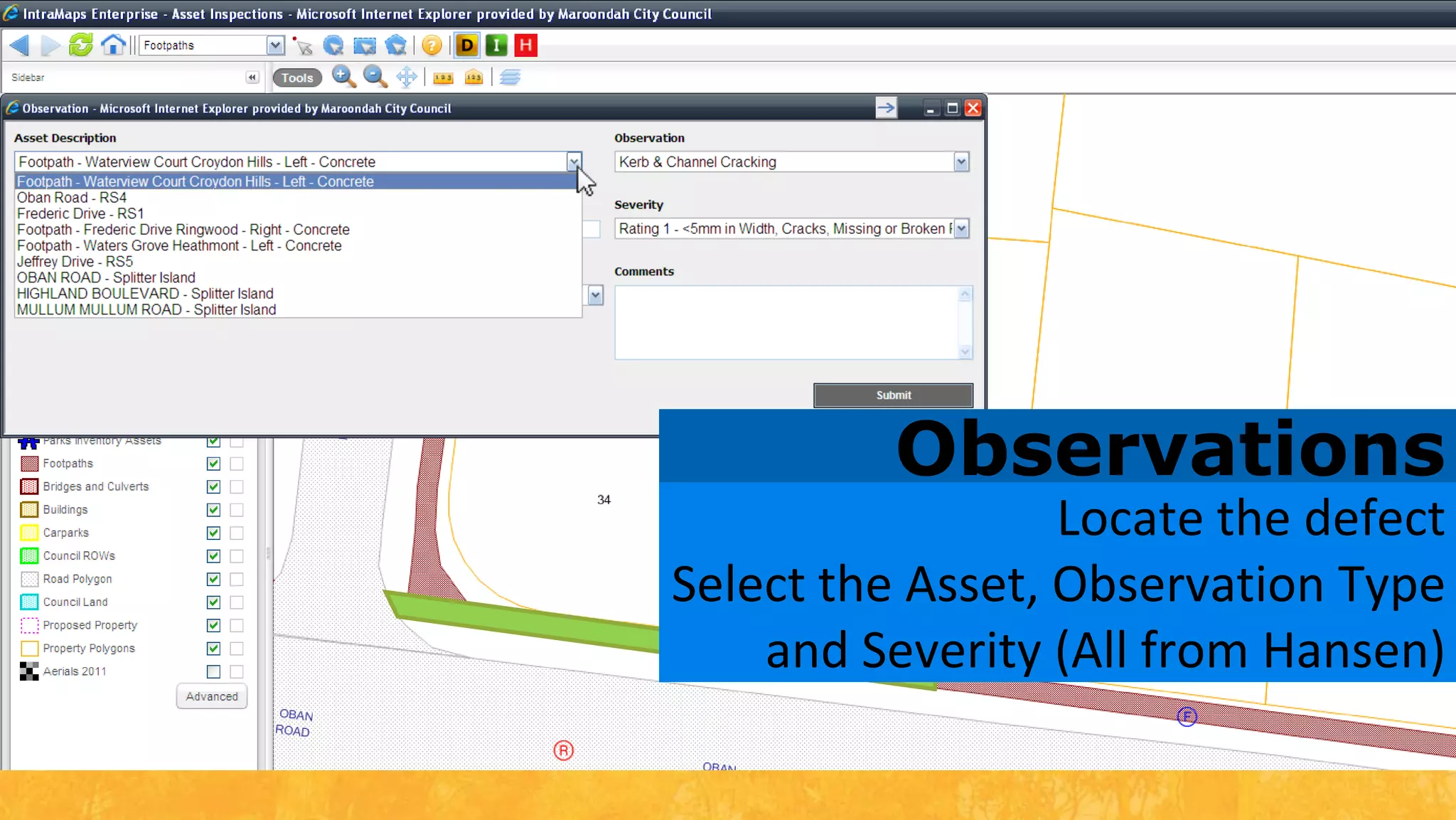
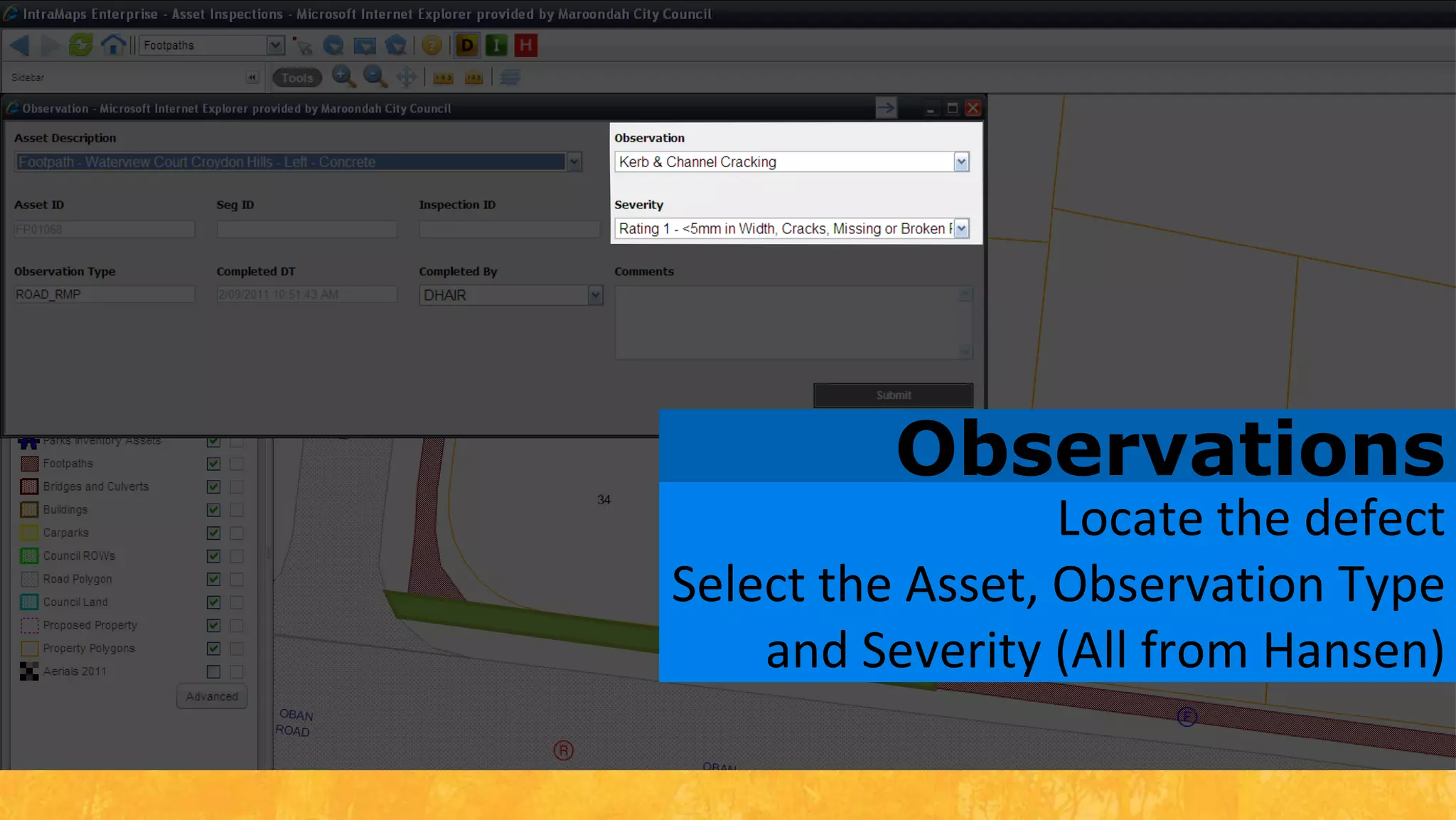
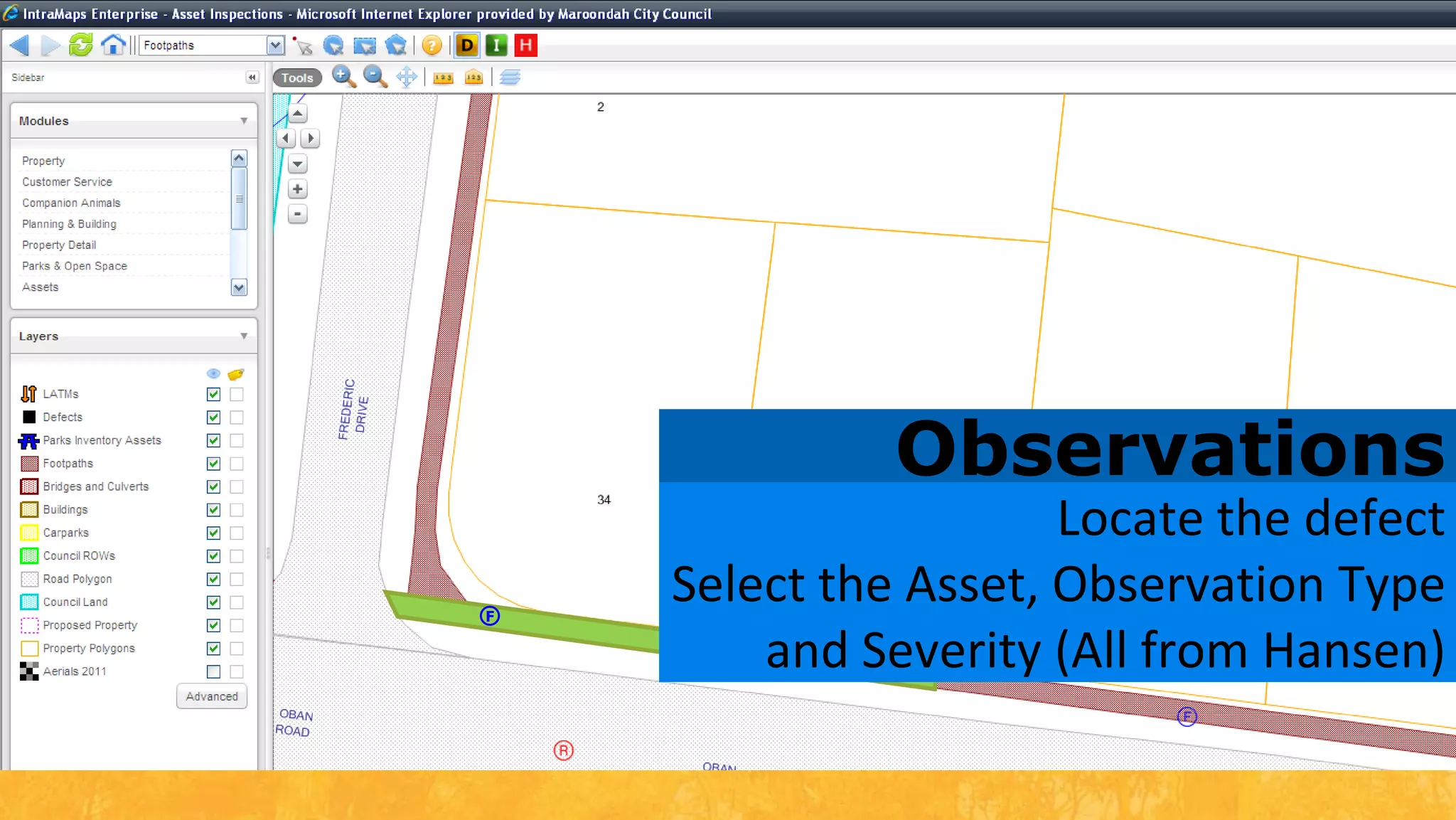
ObservationsLocate the defectSelect the Asset, Observation Type and Severity (All from Hansen)
ObservationsLocate the defectSelect the Asset, Observation Type and Severity (All from Hansen)F
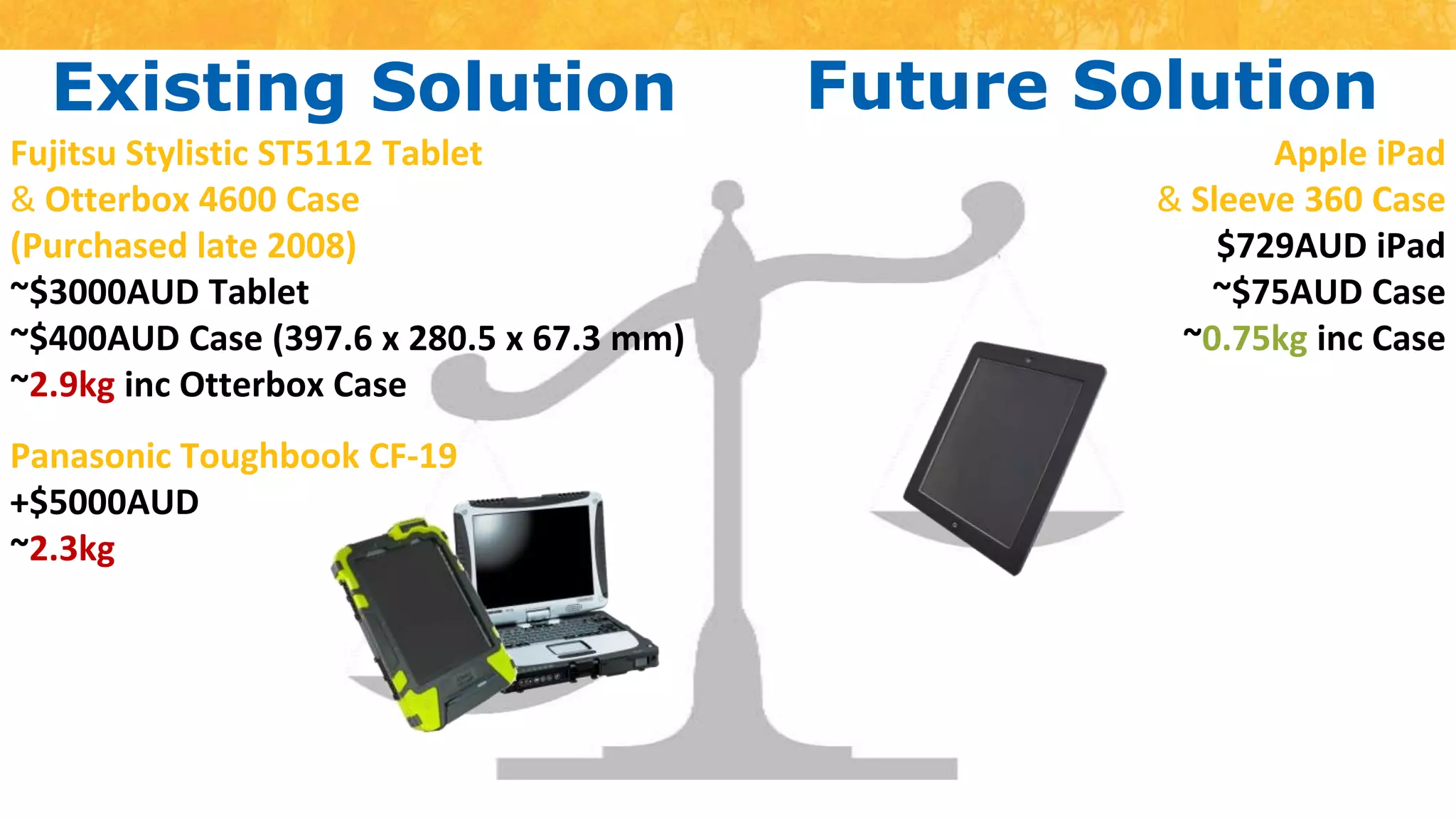
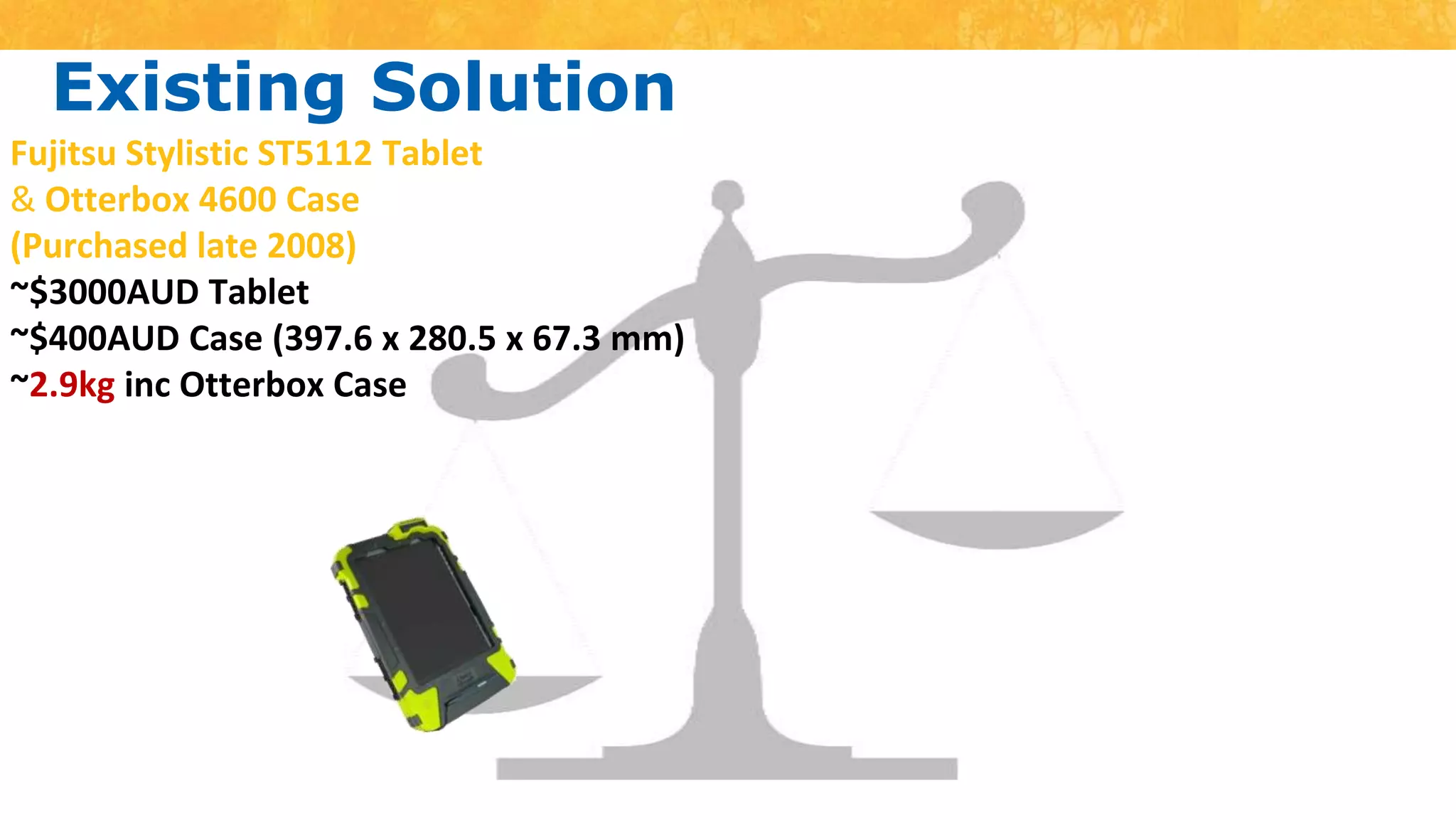
Existing SolutionFujitsu Stylistic ST5112 Tablet &Otterbox 4600 Case(Purchased late 2008)~$3000AUD Tablet ~$400AUD Case (397.6 x 280.5 x 67.3 mm)~2.9kg inc Otterbox Case
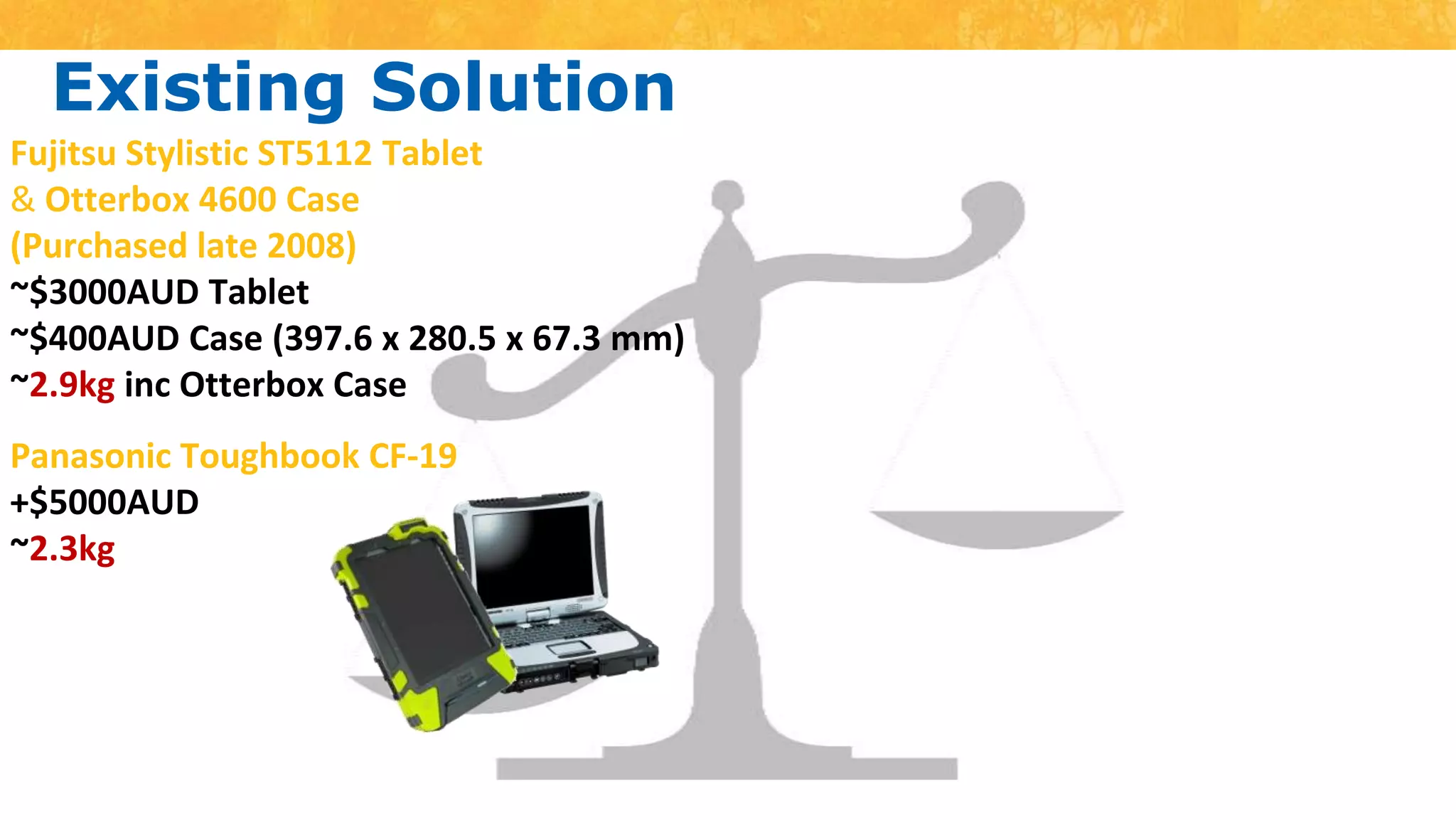
Existing SolutionFujitsu Stylistic ST5112 Tablet &Otterbox 4600 Case(Purchased late 2008)~$3000AUD Tablet ~$400AUD Case (397.6 x 280.5 x 67.3 mm)~2.9kg inc Otterbox CasePanasonic Toughbook CF-19+$5000AUD~2.3kg
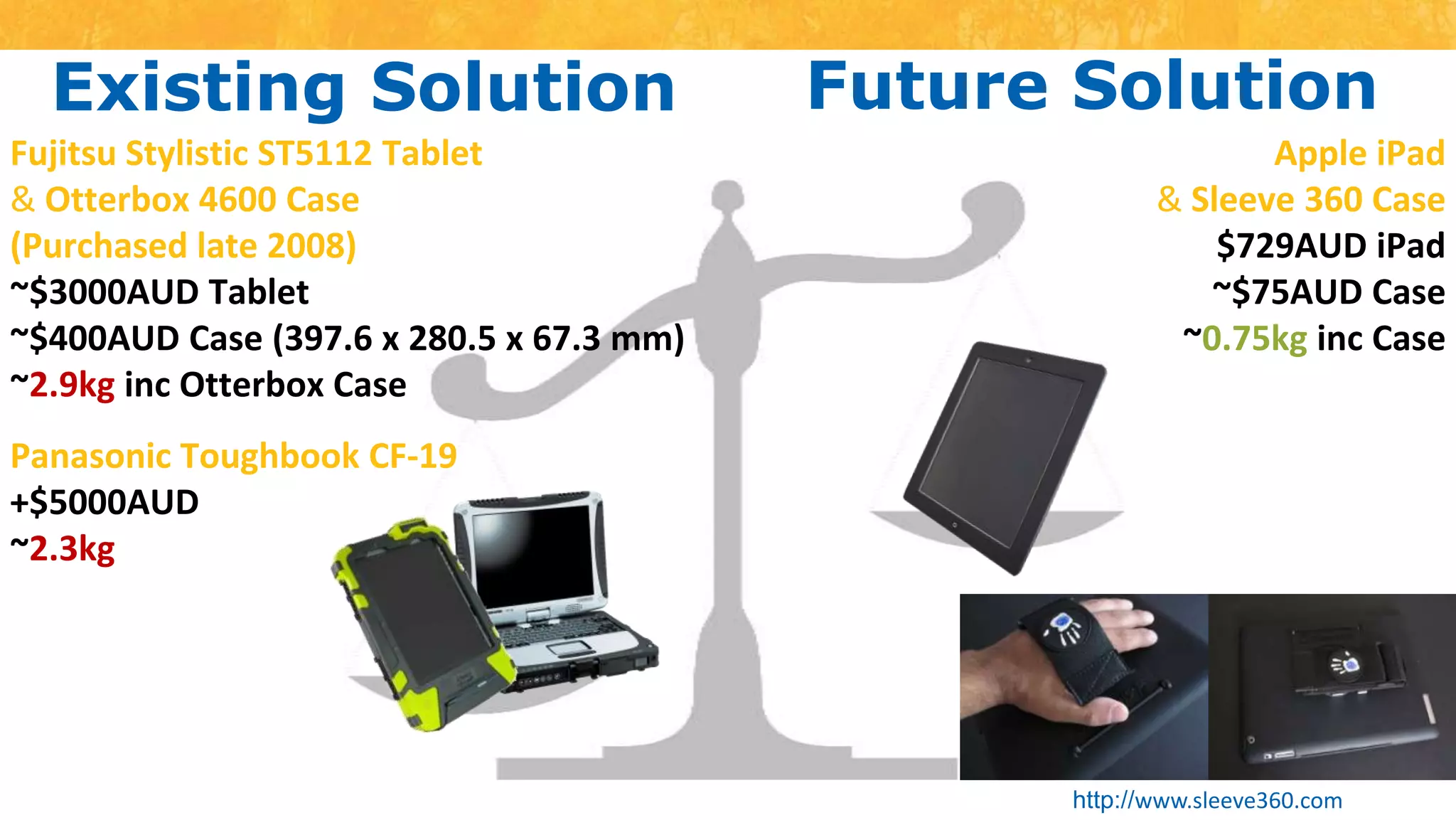
Existing SolutionFuture SolutionFujitsu Stylistic ST5112 Tablet &Otterbox 4600 Case(Purchased late 2008)~$3000AUD Tablet ~$400AUD Case (397.6 x 280.5 x 67.3 mm)~2.9kg inc Otterbox CaseApple iPad& Sleeve 360 Case$729AUD iPad~$75AUD Case~0.75kg inc CasePanasonic Toughbook CF-19+$5000AUD~2.3kg
Existing SolutionFuture SolutionFujitsu Stylistic ST5112 Tablet &Otterbox 4600 Case(Purchased late 2008)~$3000AUD Tablet ~$400AUD Case (397.6 x 280.5 x 67.3 mm)~2.9kg inc Otterbox CaseApple iPad& Sleeve 360 Case$729AUD iPad~$75AUD Case~0.75kg inc CasePanasonic Toughbook CF-19+$5000AUD~2.3kghttp://www.sleeve360.com
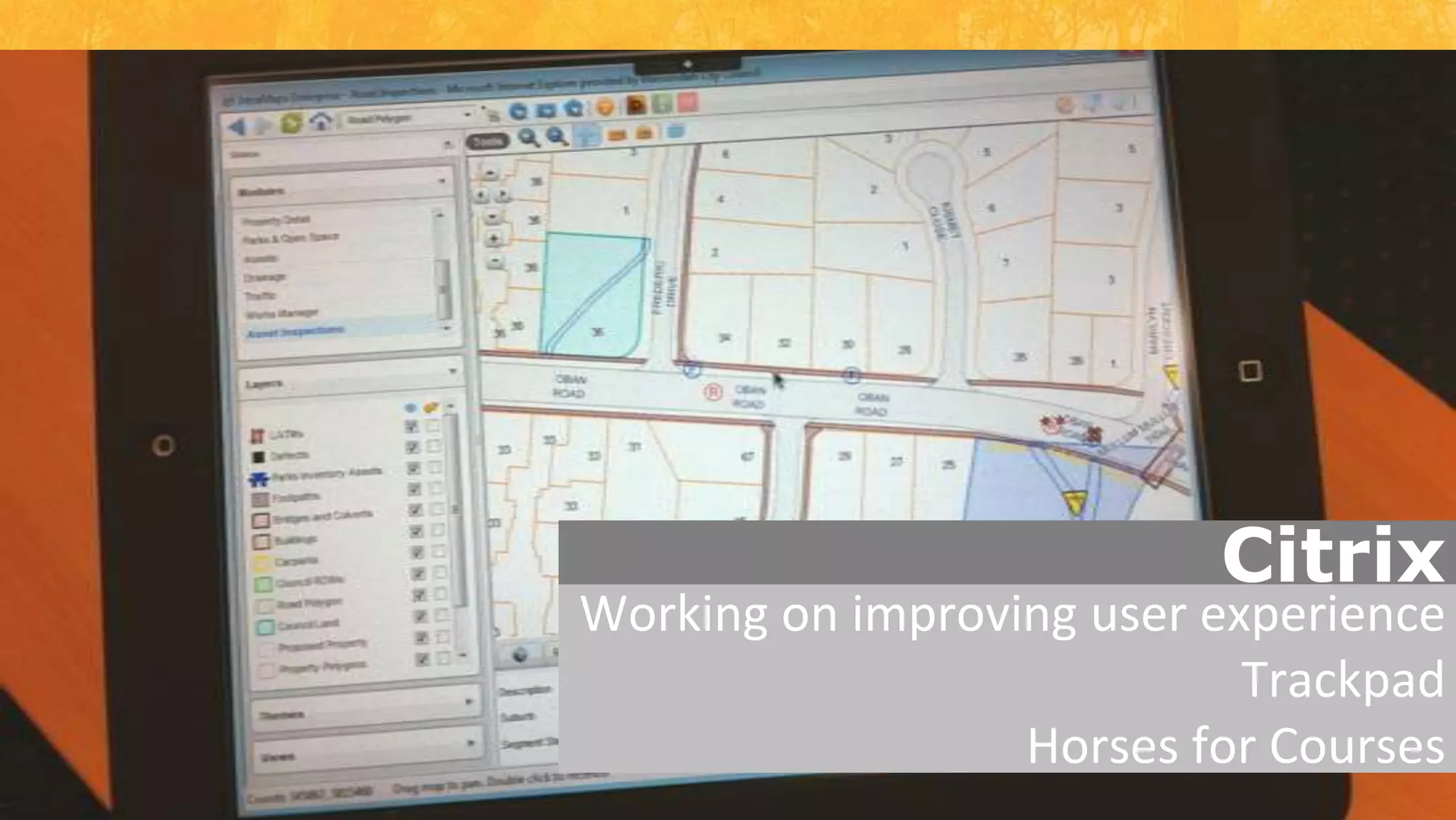
CitrixWorking on improving user experienceTrackpadHorses for Courses
GIS1.
GISPathway2.1.
GISMobilePathway2.1.3.
NO new software

Infor National Conference - In Pursuit of Efficient Solutions

Editor's Notes

  • #2 WelcomeThis afternoon I will be going through the innovative methods we have implemented at Maroondah in integrating existing systems across council to Hansen
  • #3 Outer Metro council approximately 30 minutes drive from here today.It is a significantly developed municipality with a lot of infill development underway and beginning to increasePopulation expected to grow to +130,000by 2030Purchased Hansen8 in January 2008
  • #4 We have a diverse range of assets recorded in HansenMajority of asset info was centralised by Asset ManagementWhere gaps in information existed specific data capture projects were undertaken i.e. Park Inventory assetsOngoing rolling 3 year condition assessment program (Buildings, Roads, KC, Footpaths, Car Parks and Drainage) all fed back into and used to maintain and update asset registers
  • #5 Hands up how many of you were present at last years conference in New Zealand and keep your hand up if you sat in on Adam’s presentationI only ask as some of the items presented last year are in this presentation however we have now been able to take them even further forwardNow Adam was supposed to be here presenting this with me today however he is currently in Athens on a 3 week holiday
  • #6 As the name of this presentation outlines (In Pursuit of Efficient Solutions) we have tried our best to utilise existing systems across council as there is a current stigma following a few ongoing years of the purchase and implementation of software across council including Hansen.So we have embarked on a process to Connect and Innovate and use what we have currently to the best of our and its abilityThe presentation today is in no reflection the right or the wrong way to further integrate and utilise Hansen in your organisation however I will attempt to take you through how we have achieved some really great results with the implementation of Hansen to suit Maroondah and the perception the system has across the organisation.
  • #7 The 1st system I will touch on is the GIS and heavy integrations both from and to Hansen
  • #8 2ndis the development and rollout of the updated Pathway to Hansen integration using the data publisher model and config from Pathway to pass Pathway Service Requests to Hansen Service requests and the automatic creation of WO in Hansen
  • #9 Finally, and probably the most exciting is the development of our corporate GIS for the use in field by our end users to add Inspections and Observations live in the fieldThe overarching concept of these 3 areas I am focusing on today enables our end users easily access and maintain our asset related information
  • #10 IntraMaps is our current GIS viewerIt was identified early in the Hansen integration that the GIS would be the front end to Hansen with end users searching and finding assets in the mapping environment and then utilising integrations to open the asset in HansenIntraMaps has the functionality to read information from external data sources and currently it has linkages not only to Hansen but Pathway and other corporate databases
  • #11 COMPKEYOnlyCurrently moving all MapInfo Tab files to SQL Server to enable tighter integration and utilisation of GIS layers and data from Hansen. This does require that both databases reside on the same serverSQL Server Views written to link the attributes from Hansen to IntraMapsNo duplication of attributes In AMS and GIS – All info is read live from HansenSymbology and Labels are dynamic in that if the user updates a pipe diameter the change is reflected immediately in IntraMapsPhotosStored in the “SPECINST” Comments field and the subsequent HTML is stripped to get path to image to display in IntraMapsRelated InformationAny information stored in Hansen can be displayedWOInspections (both completed and planned)Child assets (related)Video – Customer service utilising it for identification of assets and to visualise the surrounds that the customers are detailing to them over the phone
  • #12 COMPKEYOnlyCurrently moving all MapInfo Tab files to SQL Server to enable tighter integration and utilisation of GIS layers and data from Hansen. This does require that both databases reside on the same serverSQL Server Views written to link the attributes from Hansen to IntraMapsNo duplication of attributes In AMS and GIS – All info is read live from HansenSymbology and Labels are dynamic in that if the user updates a pipe diameter the change is reflected immediately in IntraMapsPhotosStored in the “SPECINST” Comments field and the subsequent HTML is stripped to get path to image to display in IntraMapsRelated InformationAny information stored in Hansen can be displayedWOInspections (both completed and planned)Child assets (related)Video – Customer service utilising it for identification of assets and to visualise the surrounds that the customers are detailing to them over the phone
  • #13 COMPKEYOnlyCurrently moving all MapInfo Tab files to SQL Server to enable tighter integration and utilisation of GIS layers and data from Hansen. This does require that both databases reside on the same serverSQL Server Views written to link the attributes from Hansen to IntraMapsNo duplication of attributes In AMS and GIS – All info is read live from HansenSymbology and Labels are dynamic in that if the user updates a pipe diameter the change is reflected immediately in IntraMapsPhotosStored in the “SPECINST” Comments field and the subsequent HTML is stripped to get path to image to display in IntraMapsRelated InformationAny information stored in Hansen can be displayedWOInspections (both completed and planned)Child assets (related)Video – Customer service utilising it for identification of assets and to visualise the surrounds that the customers are detailing to them over the phone
  • #14 COMPKEYOnlyCurrently moving all MapInfo Tab files to SQL Server to enable tighter integration and utilisation of GIS layers and data from Hansen. This does require that both databases reside on the same serverSQL Server Views written to link the attributes from Hansen to IntraMapsNo duplication of attributes In AMS and GIS – All info is read live from HansenSymbology and Labels are dynamic in that if the user updates a pipe diameter the change is reflected immediately in IntraMapsPhotosStored in the “SPECINST” Comments field and the subsequent HTML is stripped to get path to image to display in IntraMapsRelated InformationAny information stored in Hansen can be displayedWOInspections (both completed and planned)Child assets (related)Video – Customer service utilising it for identification of assets and to visualise the surrounds that the customers are detailing to them over the phone
  • #18 Much the same as the previous slide an extra click and users are creating WO, Inspection or even Service Requests on the selected asset from the GIS
  • #19 This has been a great win for our Operation Area as they are 100% sure that the WO is being created against the correct asset
  • #21 We use both Infor systems Hansen and PathwayPathway is used for a number of purposes, including customer serviceHansen is our asset register and works management solution
  • #22 We use both Infor systems Hansen and PathwayPathway is used for a number of purposes, including customer serviceHansen is our asset register and works management solution
  • #23 We initially attempted to utilise the OCM object to integrate Pathway and Hansen however this was giving us issues, particularly in relation to stability and level of technical support required.We are aware others have and use this functionality but in our environment and the methods we wanted it to undertake (i.e. in relation to full automation) only ever gave us problems and stopped the interface from functioning.
  • #24 Inflexible in the transfer of informationUnstable in that the interface was regularly failingWhen errors occurred the error messages were not helpful for the technically minded users let alone most end users in trying to decipher what and why the error had occurred.There was NO notification to the end user that the process had successfully created a WO in Hansen or not
  • #25 Infor listened to our concerns and was able to develop the Data Publisher interface and remapped the method that Pathway uses to communicate with HansenUltimately the data publisher is another method to transfer information between Pathway and the Import Processor in Hansen
  • #26 This allows us to pass information as we need in addition to being able to customise and alter the flow and location of the transfer of the information
  • #27 It required that a Service Request Site Licence to enable the interface to transfer information through and automatically create a WOStill in our test environmentCurrently reviewing Customer Service across Maroondah and looking at how we can improveThis includes undertaking a review of how we can not only create a WO from Pathway Service Requests but use the GIS to create a Pathway Service Request and then have it flow into a Hansen WOThis review has been driven by the service areas and their willingness to meet and listen to each others requirements to try to achieve the best and most efficient outcome for the organisation
  • #28 Undertaken a review of the current mobile solution in light of moving towards Hansen Works Management late last yearExisting system (RapidMap & Works Manager) has been in place since 2004Disconnected solution which requires a lot of data synchronisation (10-20 minutes in the morning and afternoon), post processing for Work Management, and resources for reporting & quality assurance purposesWins with the existing GIS interface led us to investigate IntraMaps further in that IntraMaps provides Data Entry capabilities and the ability to create custom data entry forms
  • #29 Meeting undertaken between ourselves, Infor and DMS to discuss the potential for IntraMaps to be used to create and update Inspections and Observations.Infor developed the Street Inspections Interface as an additional component in the GIS to Hansen interface which provides basic end user functionality to undertake Inspections and Observations.
  • #30 Select an asset for InspectionUser enters a comment if required and selects Submit
  • #31 Select an asset for InspectionUser enters a comment if required and selects Submit
  • #32 Select an asset for InspectionUser enters a comment if required and selects Submit
  • #33 User selects the D buttonThen selects the location on the map to represent the defect/observationSelect the corresponding asset Spatially it finds the nearest assets to populate the droplist for the end user to select fromBased on the selected asset the Observation and Severity is dynamically changedComments can be entered if required and select Submit
  • #34 User selects the D buttonThen selects the location on the map to represent the defect/observationSelect the corresponding asset Spatially it finds the nearest assets to populate the droplist for the end user to select fromBased on the selected asset the Observation and Severity is dynamically changedComments can be entered if required and select Submit
  • #35 User selects the D buttonThen selects the location on the map to represent the defect/observationSelect the corresponding asset Spatially it finds the nearest assets to populate the droplist for the end user to select fromBased on the selected asset the Observation and Severity is dynamically changedComments can be entered if required and select Submit
  • #36 User selects the D buttonThen selects the location on the map to represent the defect/observationSelect the corresponding asset Spatially it finds the nearest assets to populate the droplist for the end user to select fromBased on the selected asset the Observation and Severity is dynamically changedComments can be entered if required and select Submit
  • #37 User selects the D buttonThen selects the location on the map to represent the defect/observationSelect the corresponding asset Spatially it finds the nearest assets to populate the droplist for the end user to select fromBased on the selected asset the Observation and Severity is dynamically changedComments can be entered if required and select Submit
  • #38 User selects the D buttonThen selects the location on the map to represent the defect/observationSelect the corresponding asset Spatially it finds the nearest assets to populate the droplist for the end user to select fromBased on the selected asset the Observation and Severity is dynamically changedComments can be entered if required and select Submit
  • #39 Existing solution is now +5 years oldIt is heavy creating OH&S issues, and the performance of the devices is starting to deteriorate (i.e. battery and speed)Additionally the Panasonic Toughbook was looked at but it has the same issues that the existing devices had in that they are very heavy and pose an OHS issue for ongoing day to day use in the field.We are currently testing an iPad to ensure that the end user experience is sufficient and that they are easy for the users to operate and handleWe have managed to source a case for the iPad (Sleeve360), whilst not rugged, provides a strap based solution to enable the iPad to be easily carried as the inspectors walk along.Interesting to note is that the iPad 1 was only released in May 2010 (16 months ago) and that the pace that the mobile devices are moving at is another factor we are looking at when purchasing these sort of devices as they are relatively cheap compared to a rugged device
  • #40 Existing solution is now +5 years oldIt is heavy creating OH&S issues, and the performance of the devices is starting to deteriorate (i.e. battery and speed)Additionally the Panasonic Toughbook was looked at but it has the same issues that the existing devices had in that they are very heavy and pose an OHS issue for ongoing day to day use in the field.We are currently testing an iPad to ensure that the end user experience is sufficient and that they are easy for the users to operate and handleWe have managed to source a case for the iPad (Sleeve360), whilst not rugged, provides a strap based solution to enable the iPad to be easily carried as the inspectors walk along.Interesting to note is that the iPad 1 was only released in May 2010 (16 months ago) and that the pace that the mobile devices are moving at is another factor we are looking at when purchasing these sort of devices as they are relatively cheap compared to a rugged device
  • #41 Existing solution is now +5 years oldIt is heavy creating OH&S issues, and the performance of the devices is starting to deteriorate (i.e. battery and speed)Additionally the Panasonic Toughbook was looked at but it has the same issues that the existing devices had in that they are very heavy and pose an OHS issue for ongoing day to day use in the field.We are currently testing an iPad to ensure that the end user experience is sufficient and that they are easy for the users to operate and handleWe have managed to source a case for the iPad (Sleeve360), whilst not rugged, provides a strap based solution to enable the iPad to be easily carried as the inspectors walk along.Interesting to note is that the iPad 1 was only released in May 2010 (16 months ago) and that the pace that the mobile devices are moving at is another factor we are looking at when purchasing these sort of devices as they are relatively cheap compared to a rugged device
  • #42 Existing solution is now +5 years oldIt is heavy creating OH&S issues, and the performance of the devices is starting to deteriorate (i.e. battery and speed)Additionally the Panasonic Toughbook was looked at but it has the same issues that the existing devices had in that they are very heavy and pose an OHS issue for ongoing day to day use in the field.We are currently testing an iPad to ensure that the end user experience is sufficient and that they are easy for the users to operate and handleWe have managed to source a case for the iPad (Sleeve360), whilst not rugged, provides a strap based solution to enable the iPad to be easily carried as the inspectors walk along.Interesting to note is that the iPad 1 was only released in May 2010 (16 months ago) and that the pace that the mobile devices are moving at is another factor we are looking at when purchasing these sort of devices as they are relatively cheap compared to a rugged device
  • #43 We have endeavoured to access IntraMaps via Citrix which is used already in our corporate environment for external access.We are having some challenges with the response and operation of IntraMaps via touch however we are learning more and more about how Citrix interacts with the iPad and we have come a long way since we first started.Whilst I have primarily discussed the iPad it is intended that a “Horses for Courses” approach is undertaken and that the right device is given to the users for their situation.This might mean that they have an iPad, however some users may have a vehicle mounted laptop which from initial user feedback may be the way forward as they feel more comfortable with the laptop that they do with an iPad.
  • #44 In summary we have been able to implement2 & 3 click integration into HansenEliminated duplication of information in Hansen and the GISUpdates reflected immediately in GIS
  • #45 Integrate Pathway and Hansen to enable Service Requests to automatically create WO’s in Hansen
  • #46 Utilise mobile technology to create inspections and observations live in the field based on the setup inside of Hansen
  • #47 No new software has been purchased, and we’re hopeful of keeping it that way
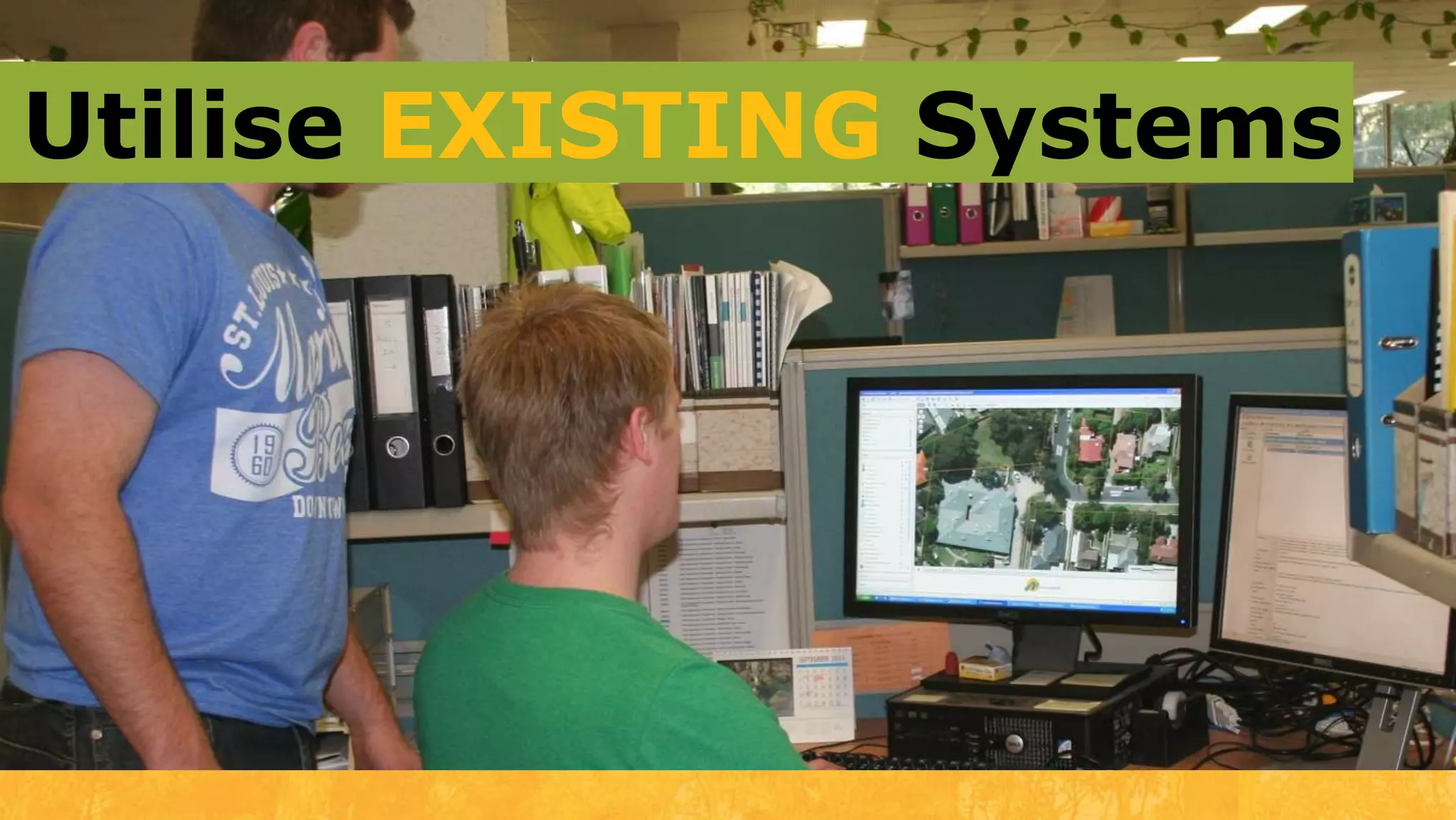
  • #48 We utilised existing corporate systems that our users were comfortable with and confident in using
  • #49 However development and integrations were required to enable us to undertake all the work we have completed to date.
  • #50 I would like to now invite you to ask any questions you might have and I will do my best to answer them