seosherpa.com
START
22 STRATEGIES FOR HIGHER
RANKING VISUALS
IMAGE SEO:
IMAGE SEO:
CLICK RIGHT
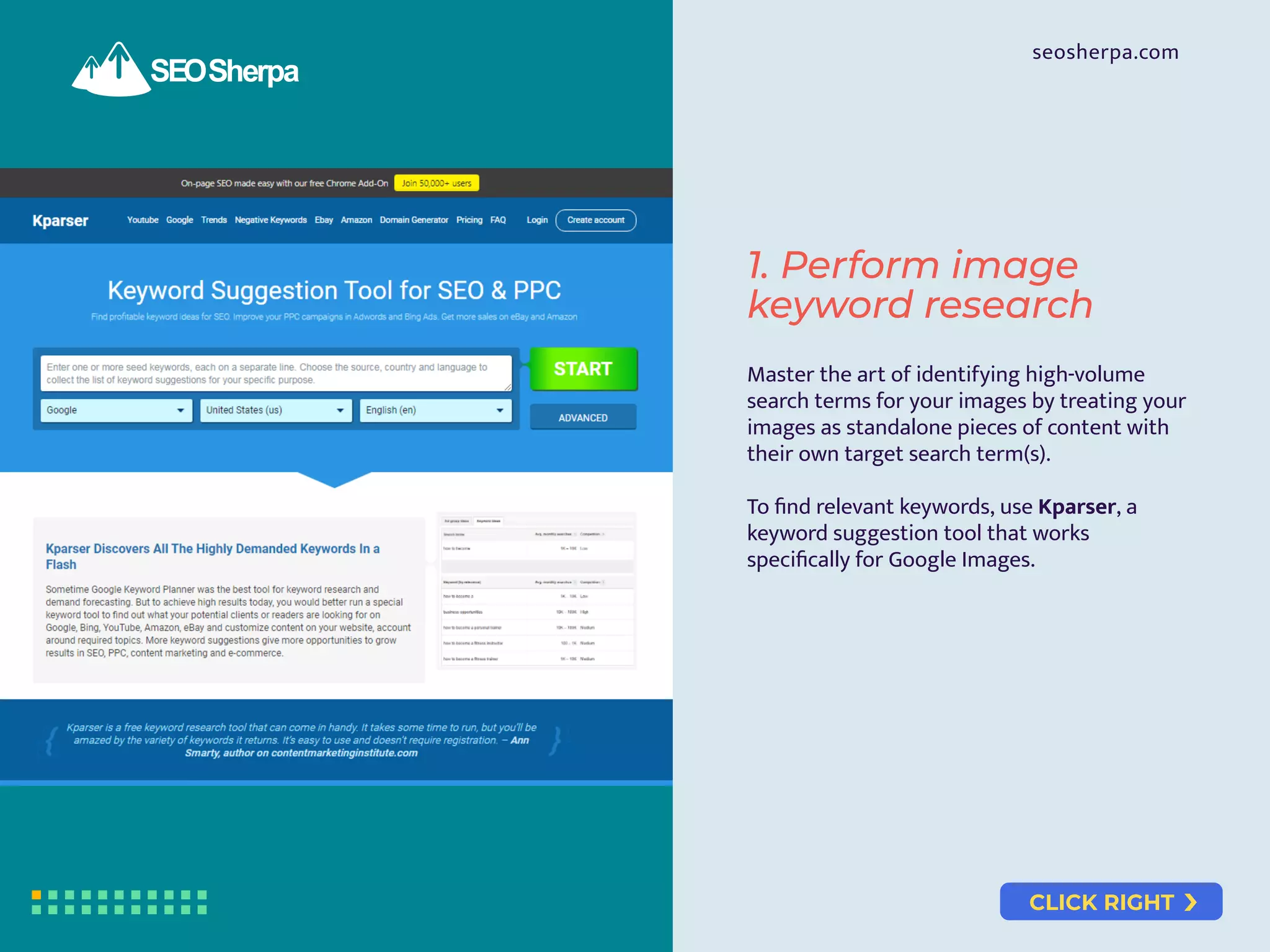
Master the art of identifying high-volume
search terms for your images by treating your
images as standalone pieces of content with
their own target search term(s).
To find relevant keywords, use Kparser, a
keyword suggestion tool that works
specifically for Google Images.
1. Perform image
keyword research
seosherpa.com
CLICK RIGHT
seosherpa.com
Avoid using generic stock images. They will
kill your site’s EAT (Expertise, Authority, and
Trust) rating.
Create “stand out” images that win more
attention and clicks by:
Identifying what already ranks.
Checking the search results for your
target keyword(s).
Noting down what’s there.
Doing the opposite.
2. Create stand out
images that win
more attention and
clicks
CLICK RIGHT
seosherpa.com
JPG PNG
GIF
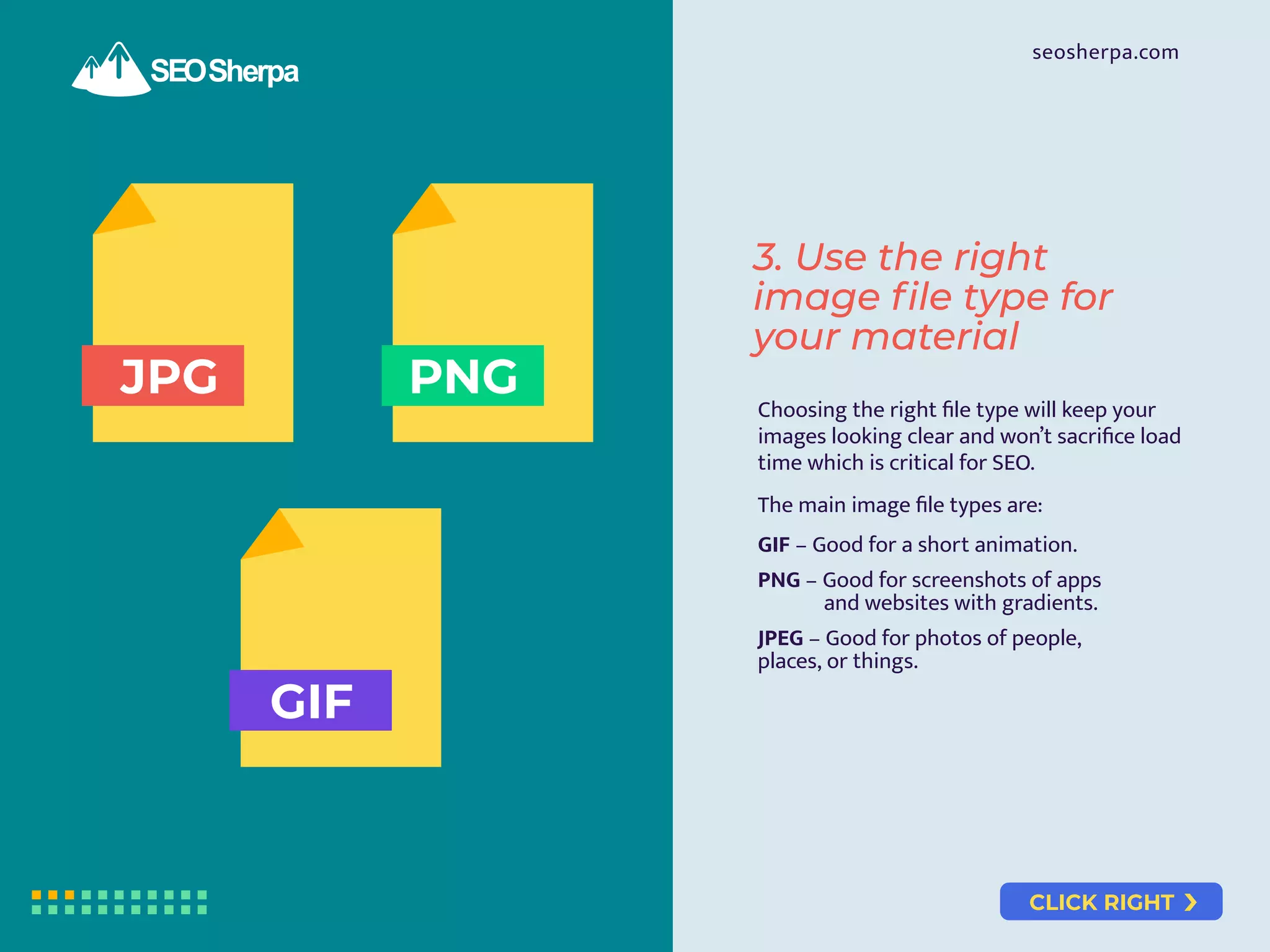
Choosing the right file type will keep your
images looking clear and won’t sacrifice load
time which is critical for SEO.
The main image file types are:
GIF – Good for a short animation.
PNG – Good for screenshots of apps
and websites with gradients.
JPEG – Good for photos of people,
places, or things.
3. Use the right
image file type for
your material
CLICK RIGHT
seosherpa.com
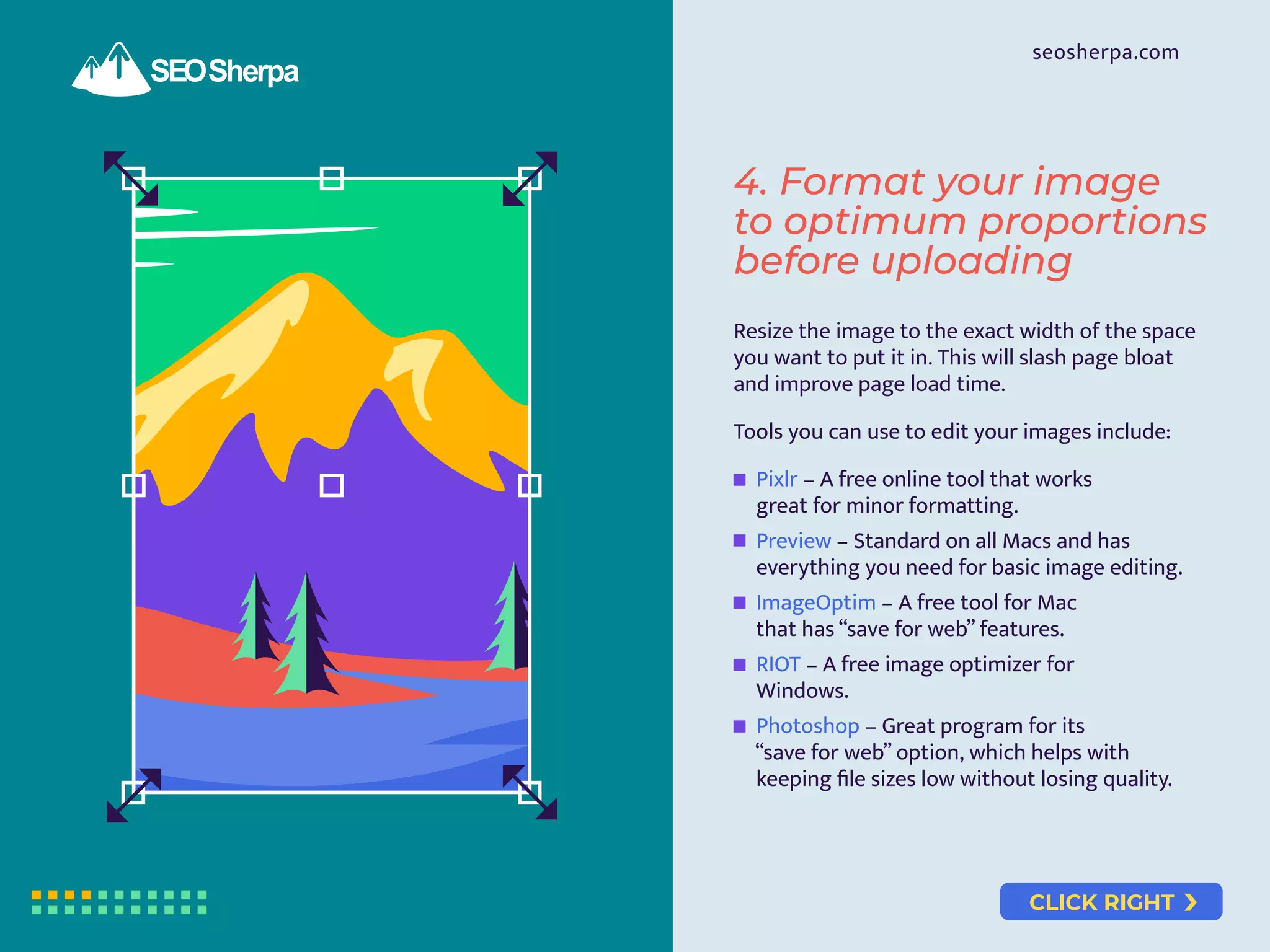
Resize the image to the exact width of the space
you want to put it in. This will slash page bloat
and improve page load time.
Tools you can use to edit your images include:
Pixlr – A free online tool that works
great for minor formatting.
Preview – Standard on all Macs and has
everything you need for basic image editing.
ImageOptim – A free tool for Mac
that has “save for web” features.
RIOT – A free image optimizer for
Windows.
Photoshop – Great program for its
“save for web” option, which helps with
keeping file sizes low without losing quality.
4. Format your image
to optimum proportions
before uploading
CLICK RIGHT
seosherpa.com
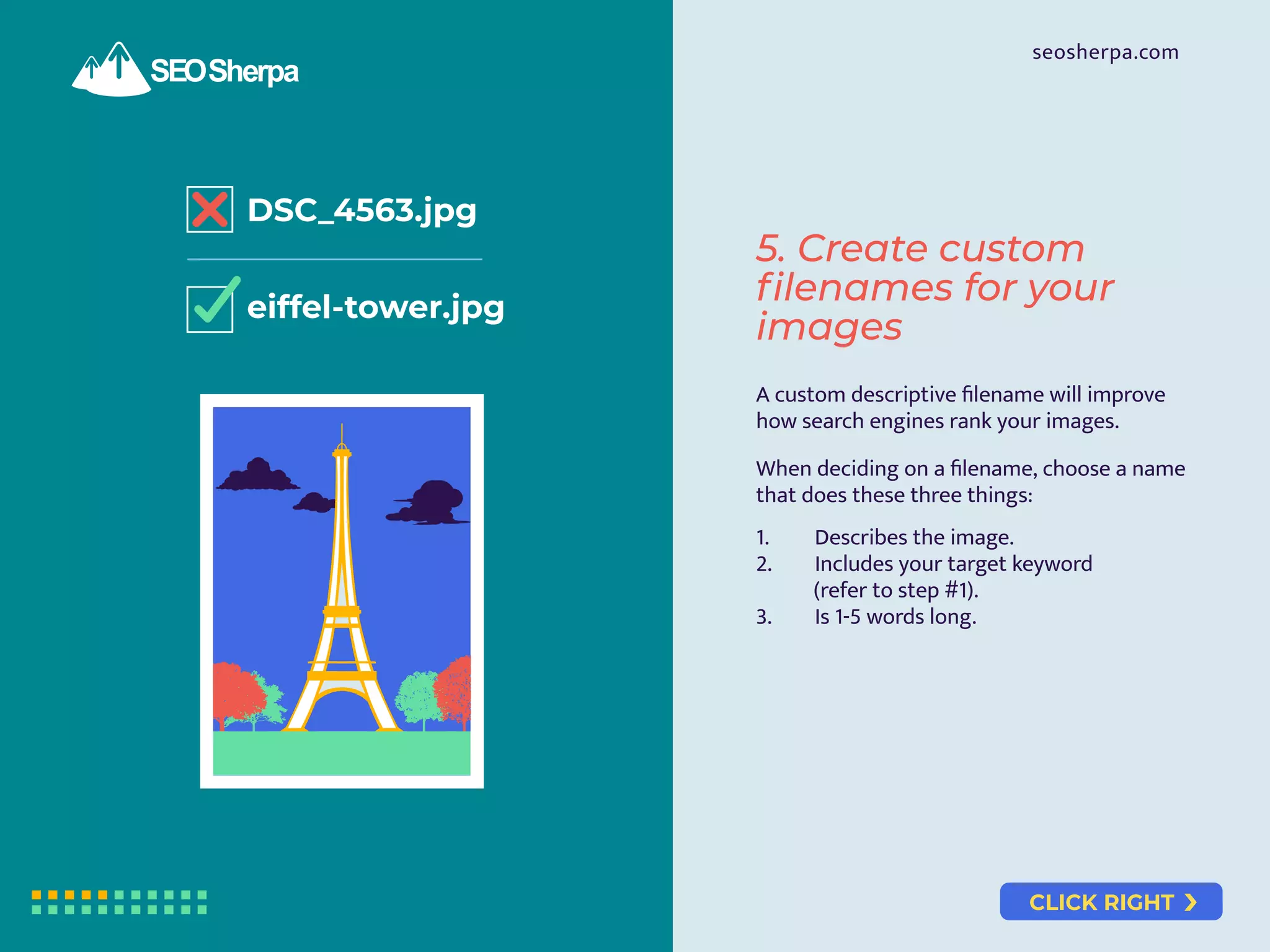
DSC_4563.jpg
eiffel-tower.jpg
A custom descriptive filename will improve
how search engines rank your images.
When deciding on a filename, choose a name
that does these three things:
1. Describes the image.
2. Includes your target keyword
(refer to step #1).
3. Is 1-5 words long.
5. Create custom
filenames for your
images
CLICK RIGHT
seosherpa.com
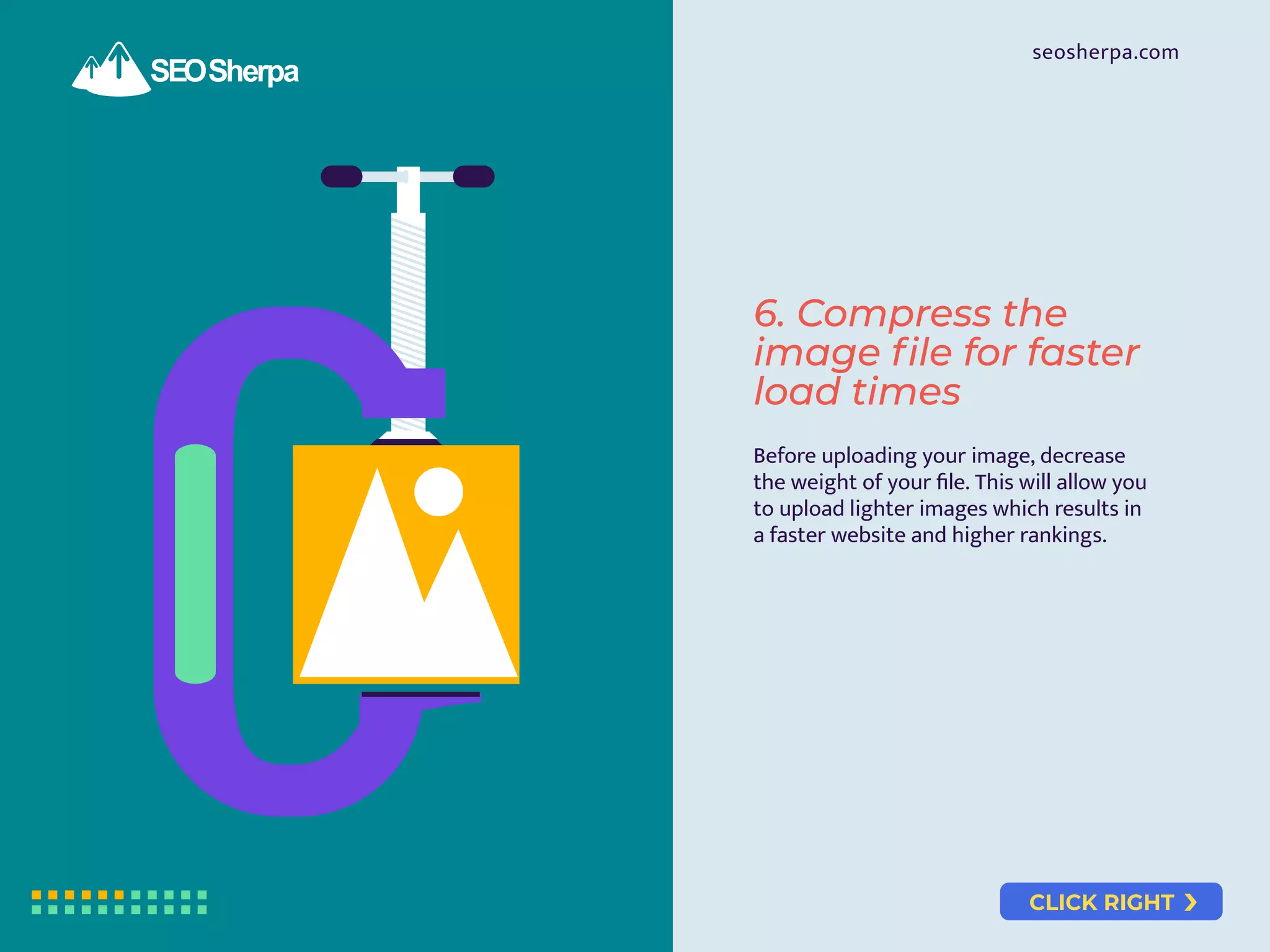
Before uploading your image, decrease
the weight of your file. This will allow you
to upload lighter images which results in
a faster website and higher rankings.
6. Compress the
image file for faster
load times
CLICK RIGHT
seosherpa.com
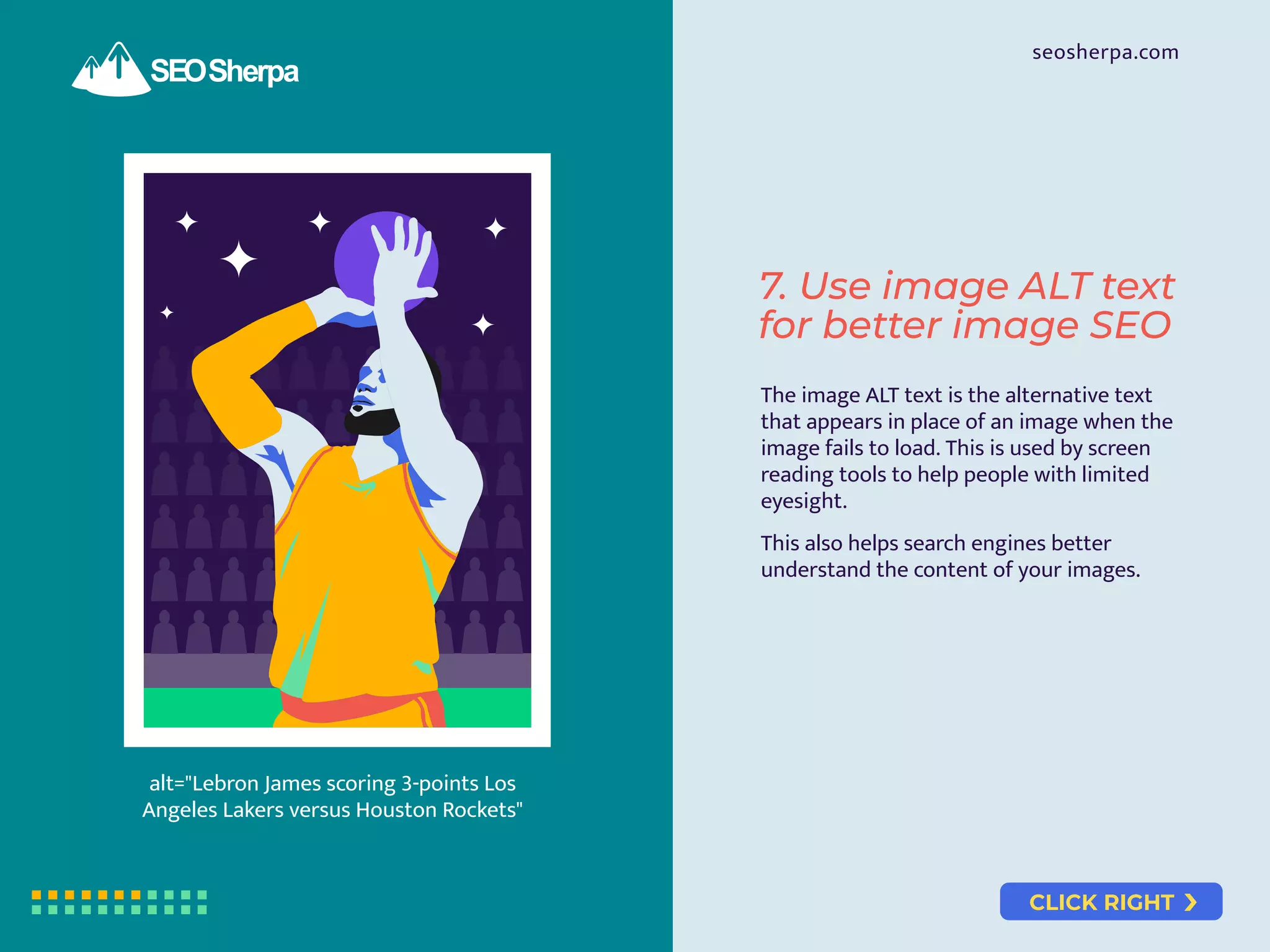
alt="Lebron James scoring 3-points Los
Angeles Lakers versus Houston Rockets"
7. Use image ALT text
for better image SEO
The image ALT text is the alternative text
that appears in place of an image when the
image fails to load. This is used by screen
reading tools to help people with limited
eyesight.
This also helps search engines better
understand the content of your images.
CLICK RIGHT
seosherpa.com
8. Optimise captions
for all images
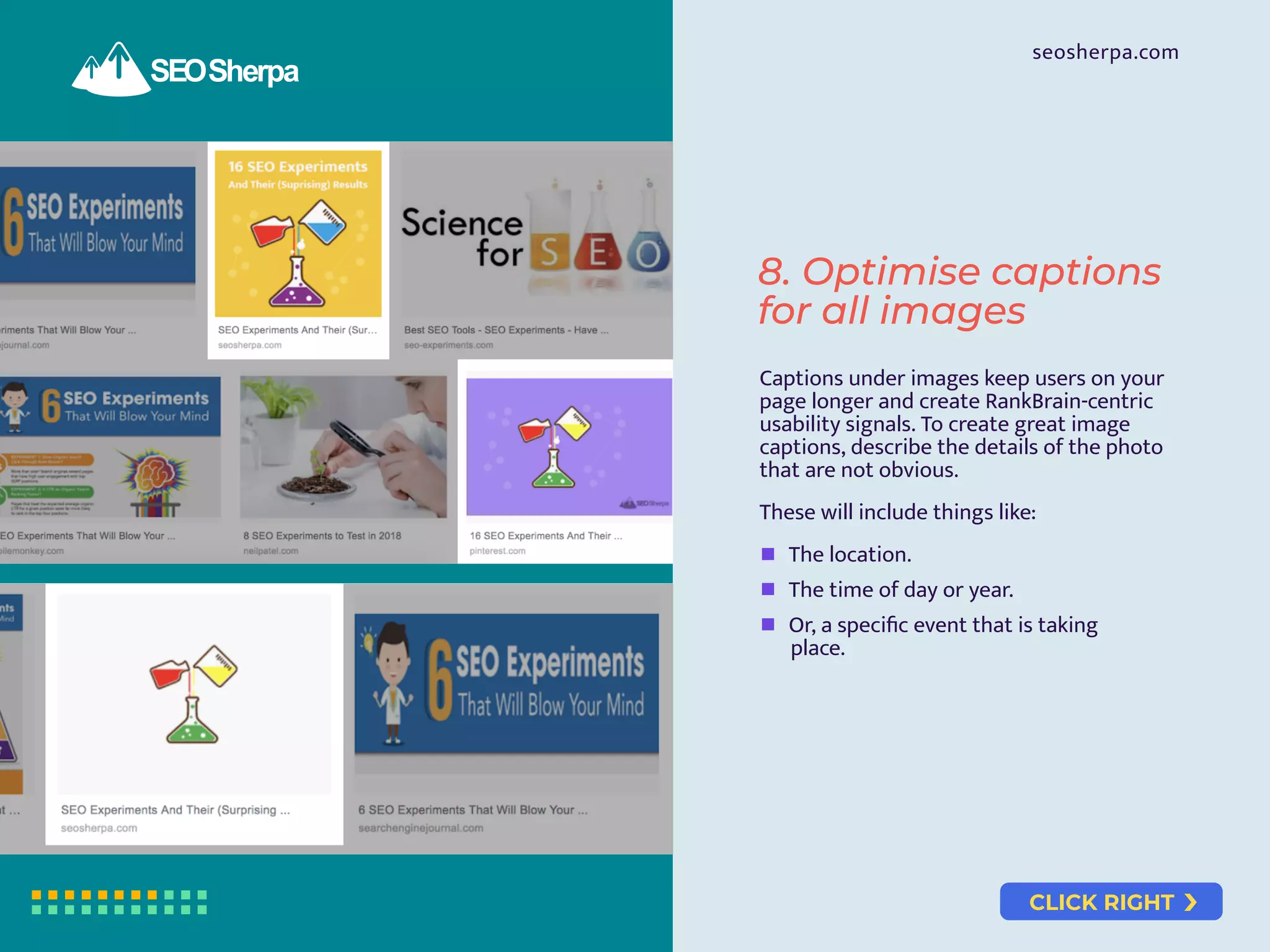
Captions under images keep users on your
page longer and create RankBrain-centric
usability signals. To create great image
captions, describe the details of the photo
that are not obvious.
These will include things like:
The location.
The time of day or year.
Or, a specific event that is taking
place.
CLICK RIGHT
seosherpa.com
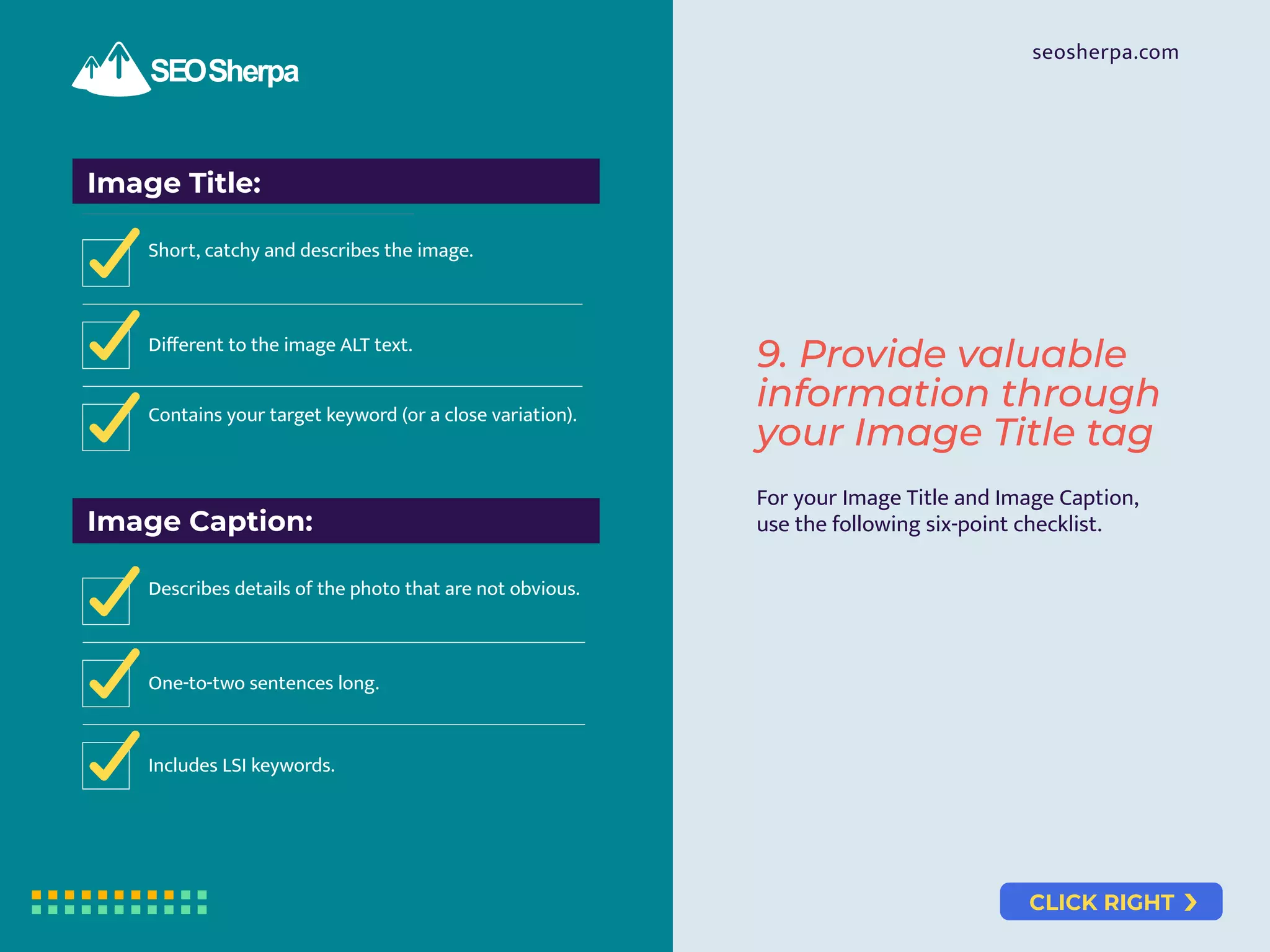
Image Title:
Short, catchy and describes the image.
Different to the image ALT text.
Contains your target keyword (or a close variation).
Image Caption:
Describes details of the photo that are not obvious.
One-to-two sentences long.
Includes LSI keywords.
For your Image Title and Image Caption,
use the following six-point checklist.
9. Provide valuable
information through
your Image Title tag
CLICK RIGHT
seosherpa.com
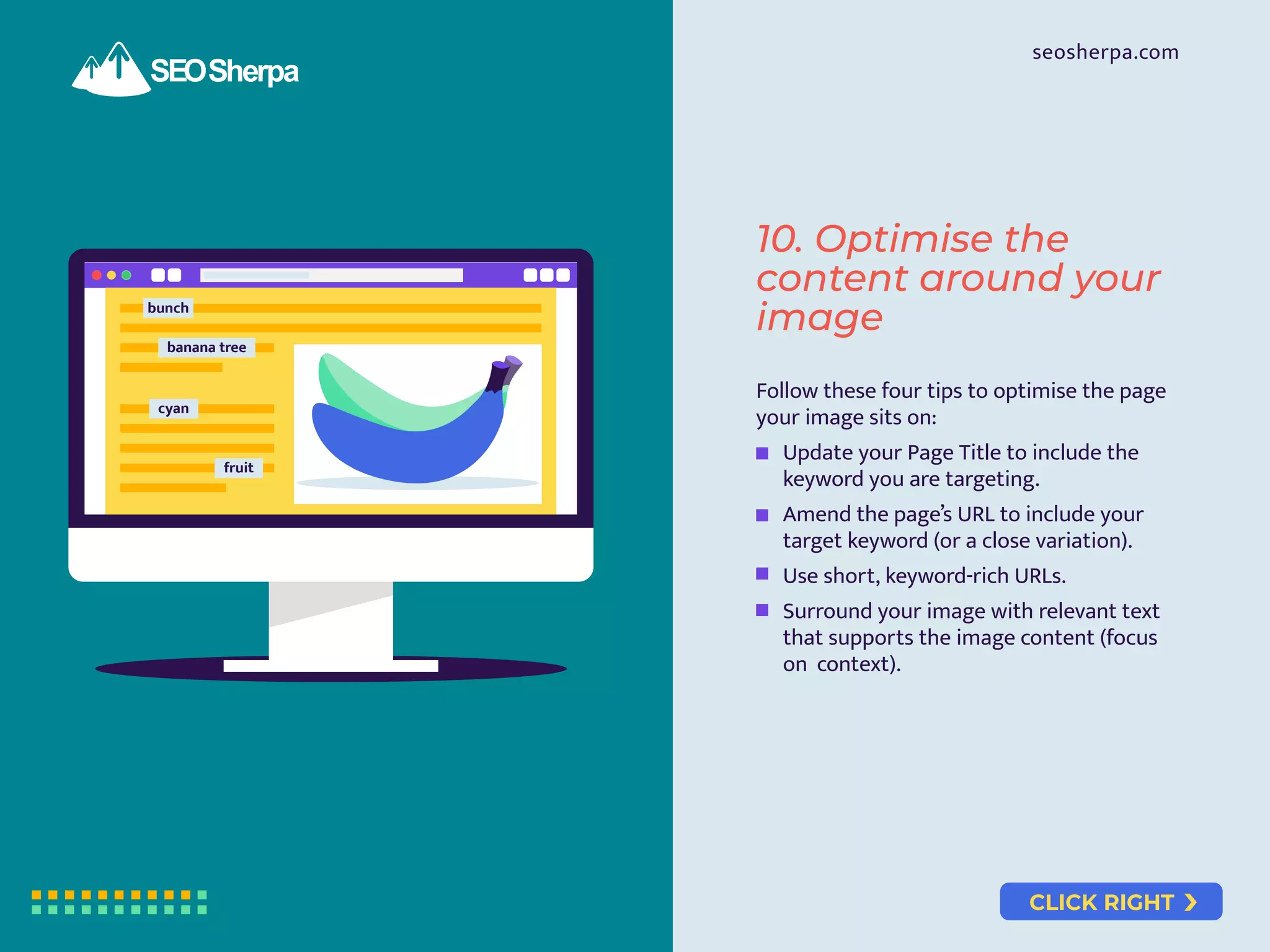
bunch
banana tree
cyan
fruit
Follow these four tips to optimise the page
your image sits on:
Update your Page Title to include the
keyword you are targeting.
Amend the page’s URL to include your
target keyword (or a close variation).
Use short, keyword-rich URLs.
Surround your image with relevant text
that supports the image content (focus
on context).
10. Optimise the
content around your
image
CLICK RIGHT
seosherpa.com
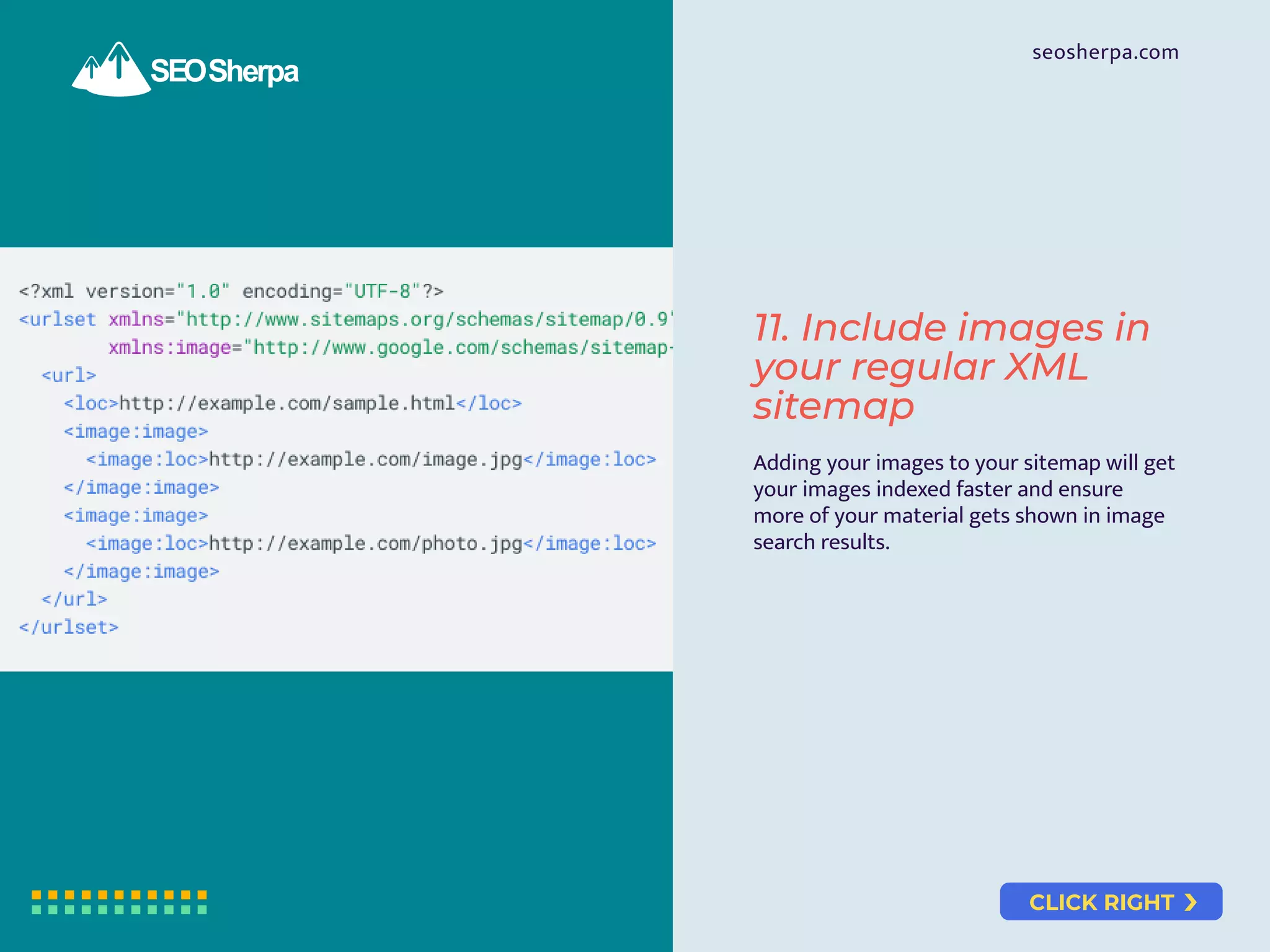
Adding your images to your sitemap will get
your images indexed faster and ensure
more of your material gets shown in image
search results.
11. Include images in
your regular XML
sitemap
CLICK RIGHT
seosherpa.com
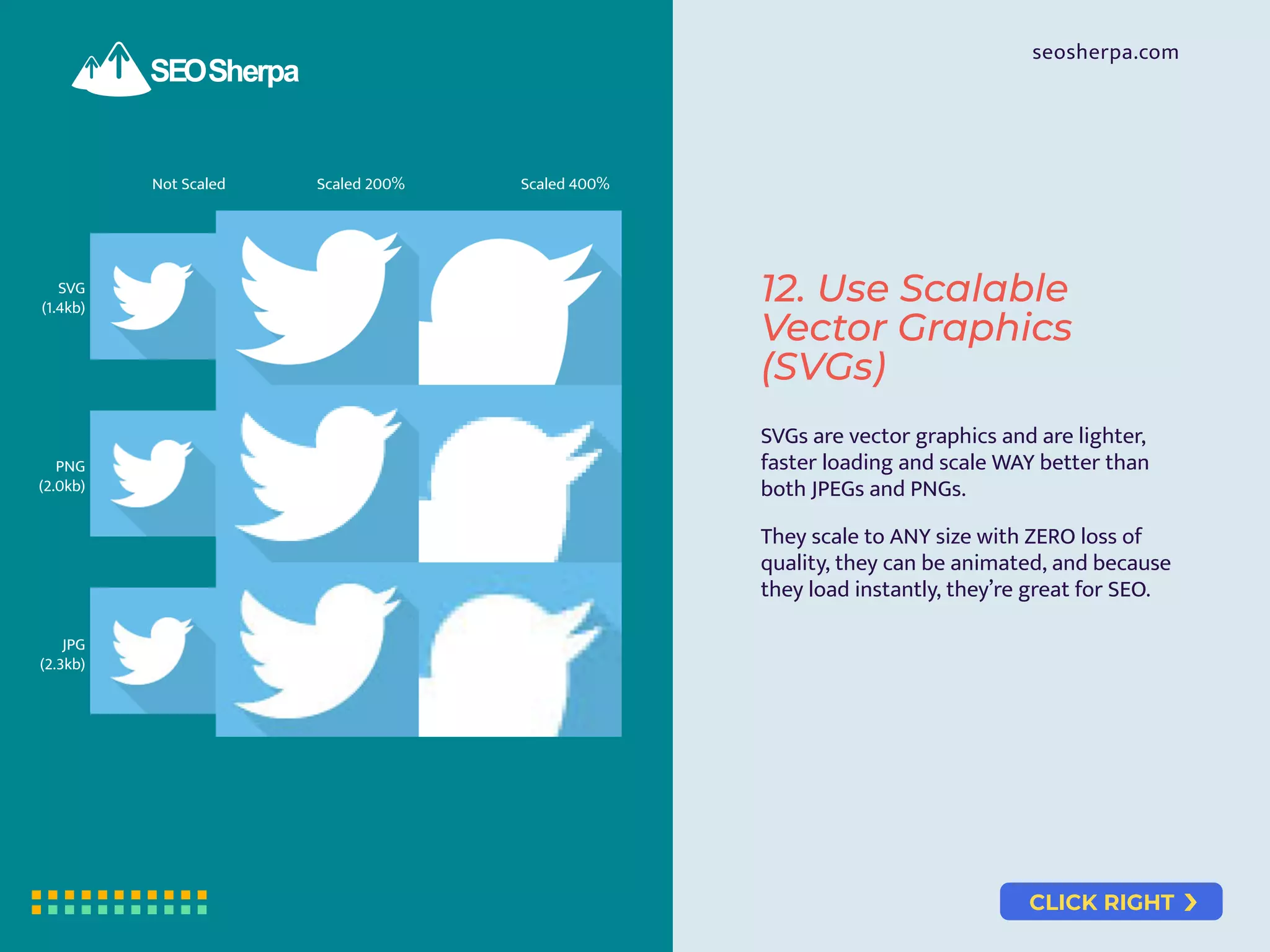
Not Scaled Scaled 200% Scaled 400%
SVG
(1.4kb)
PNG
(2.0kb)
JPG
(2.3kb)
SVGs are vector graphics and are lighter,
faster loading and scale WAY better than
both JPEGs and PNGs.
They scale to ANY size with ZERO loss of
quality, they can be animated, and because
they load instantly, they’re great for SEO.
12. Use Scalable
Vector Graphics
(SVGs)
CLICK RIGHT
seosherpa.com
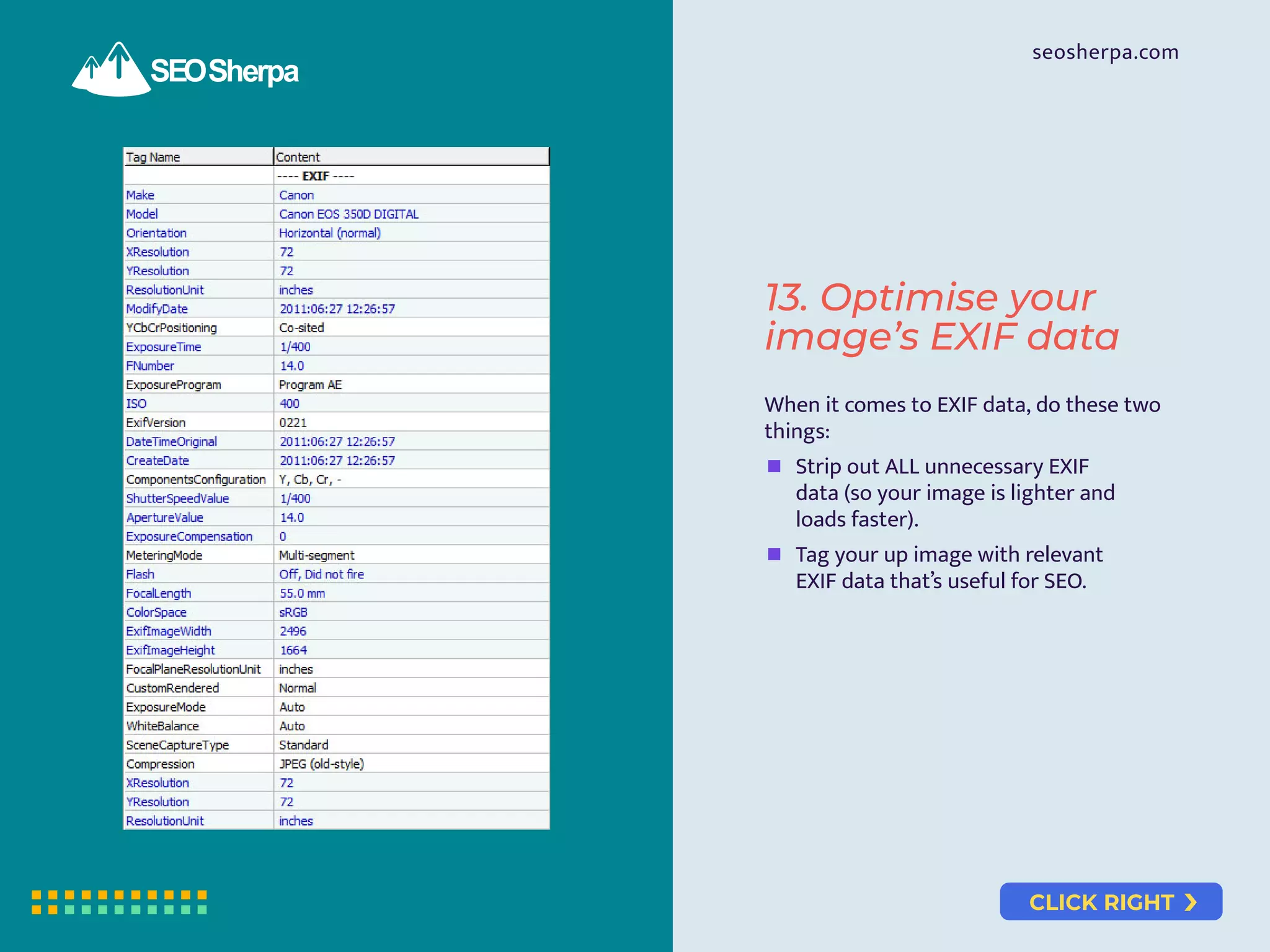
When it comes to EXIF data, do these two
things:
Strip out ALL unnecessary EXIF
data (so your image is lighter and
loads faster).
Tag your up image with relevant
EXIF data that’s useful for SEO.
13. Optimise your
image’s EXIF data
CLICK RIGHT
seosherpa.com
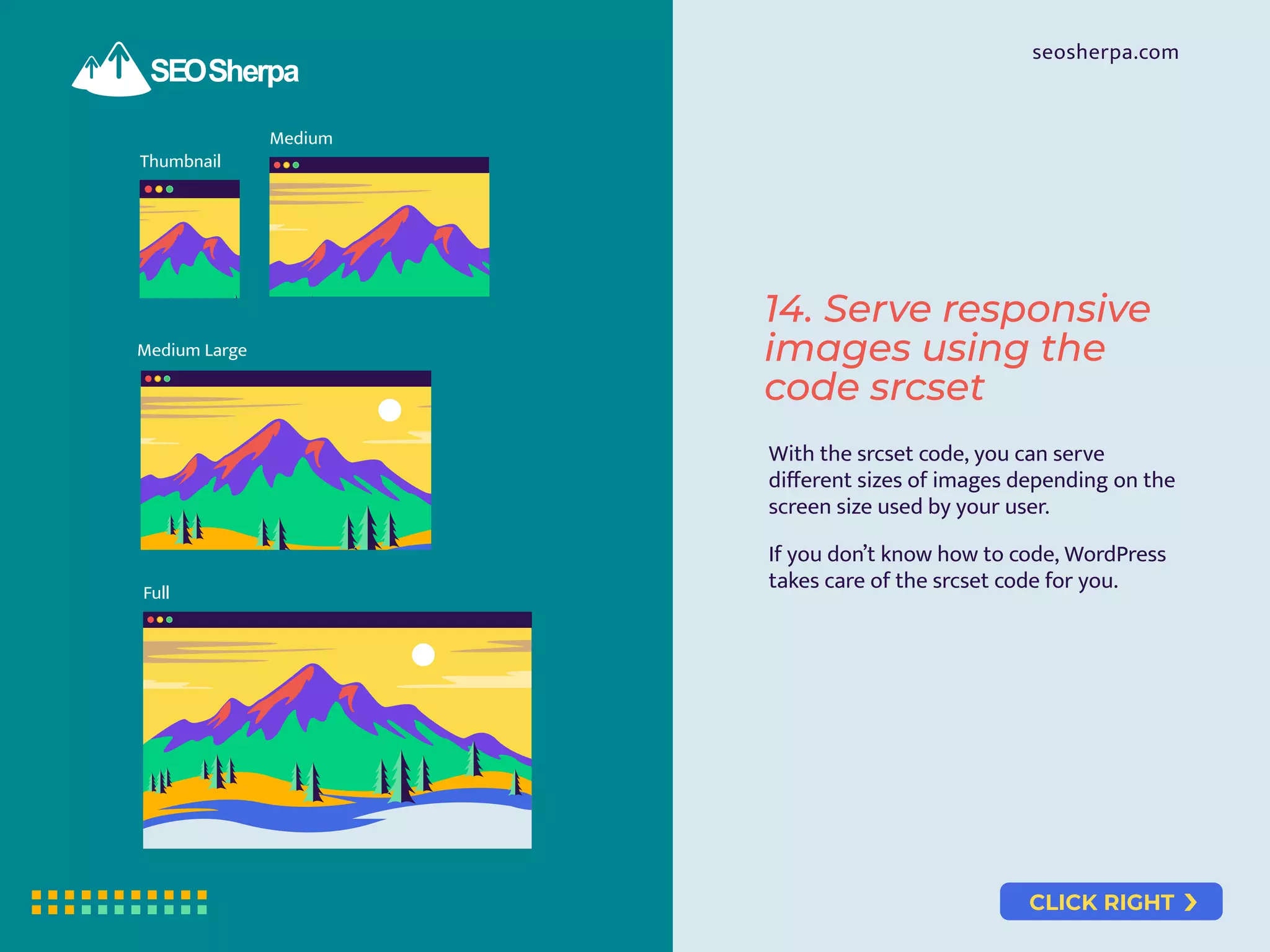
Thumbnail
Medium
Medium Large
Full
14. Serve responsive
images using the
code srcset
With the srcset code, you can serve
different sizes of images depending on the
screen size used by your user.
If you don’t know how to code, WordPress
takes care of the srcset code for you.
CLICK RIGHT
seosherpa.com
Lazy loading will improve your page load
time dramatically. Lazy loading requires
some web development skills. If you’re using
WordPress, you can use the lazy loading
plugin, LazyLoad.
15. Lazy load your
images to improve
page load speed
CLICK RIGHT
seosherpa.com
16. Display social
sharing buttons on
images
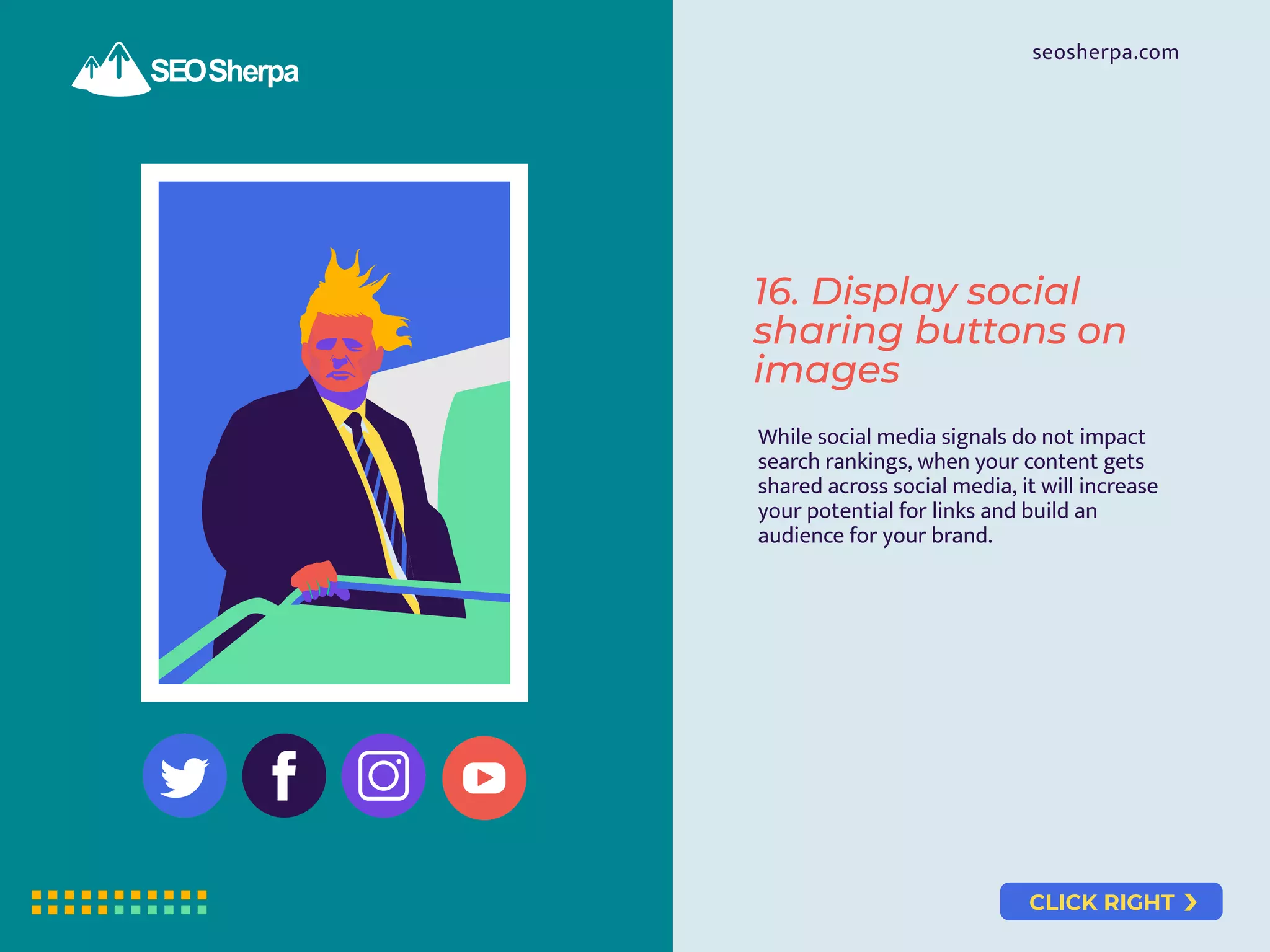
While social media signals do not impact
search rankings, when your content gets
shared across social media, it will increase
your potential for links and build an
audience for your brand.
CLICK RIGHT
seosherpa.com
17. Use browser
caching
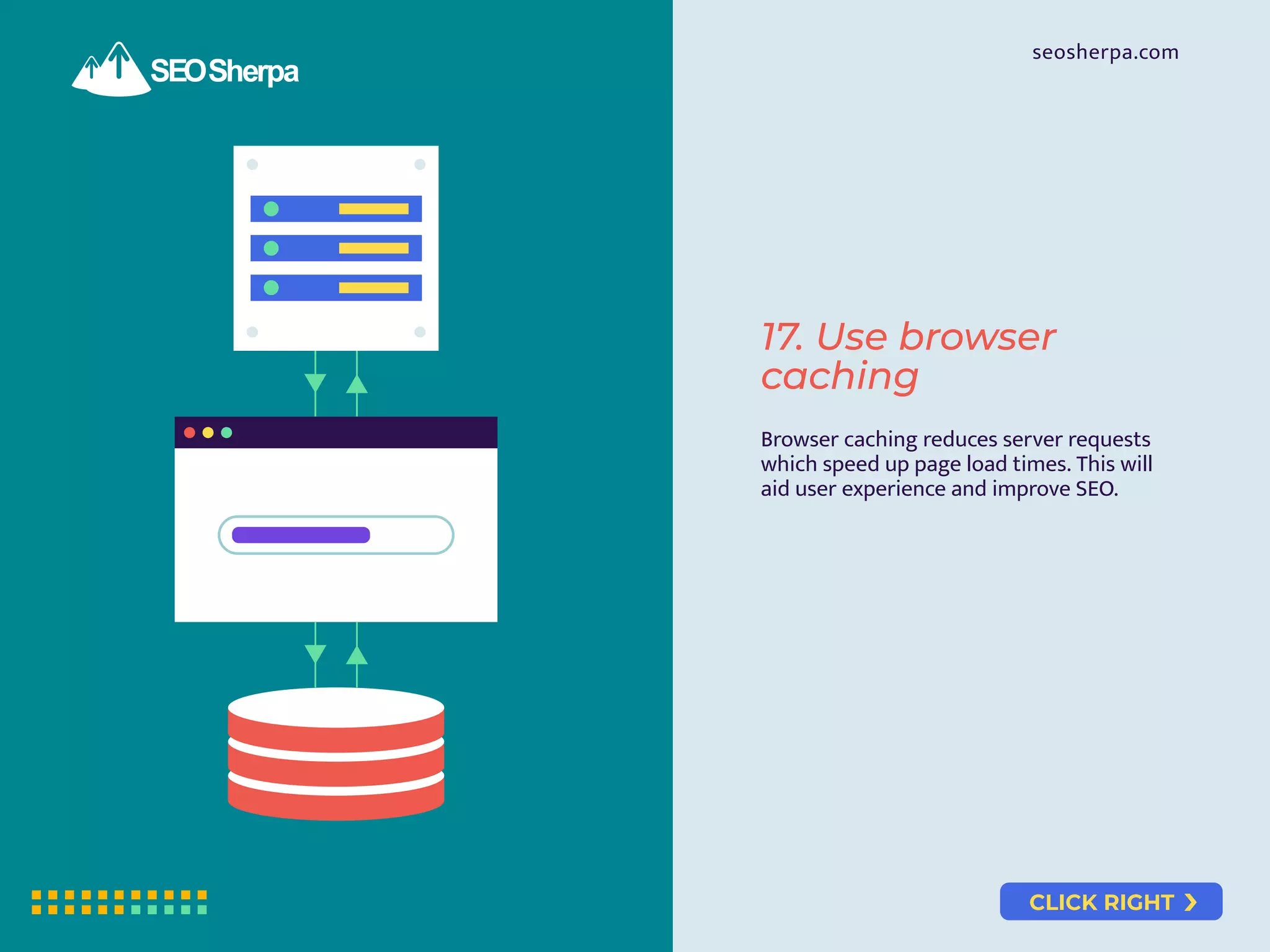
Browser caching reduces server requests
which speed up page load times. This will
aid user experience and improve SEO.
CLICK RIGHT
seosherpa.com
18. Use a Content
Delivery Network
A page using a CDN will load as much 2X
faster than a page without one.
But, when you use a CDN, set up a
CNAME record so the cached version of
your images continues to provide
valuable links and traffic.
CLICK RIGHT
seosherpa.com
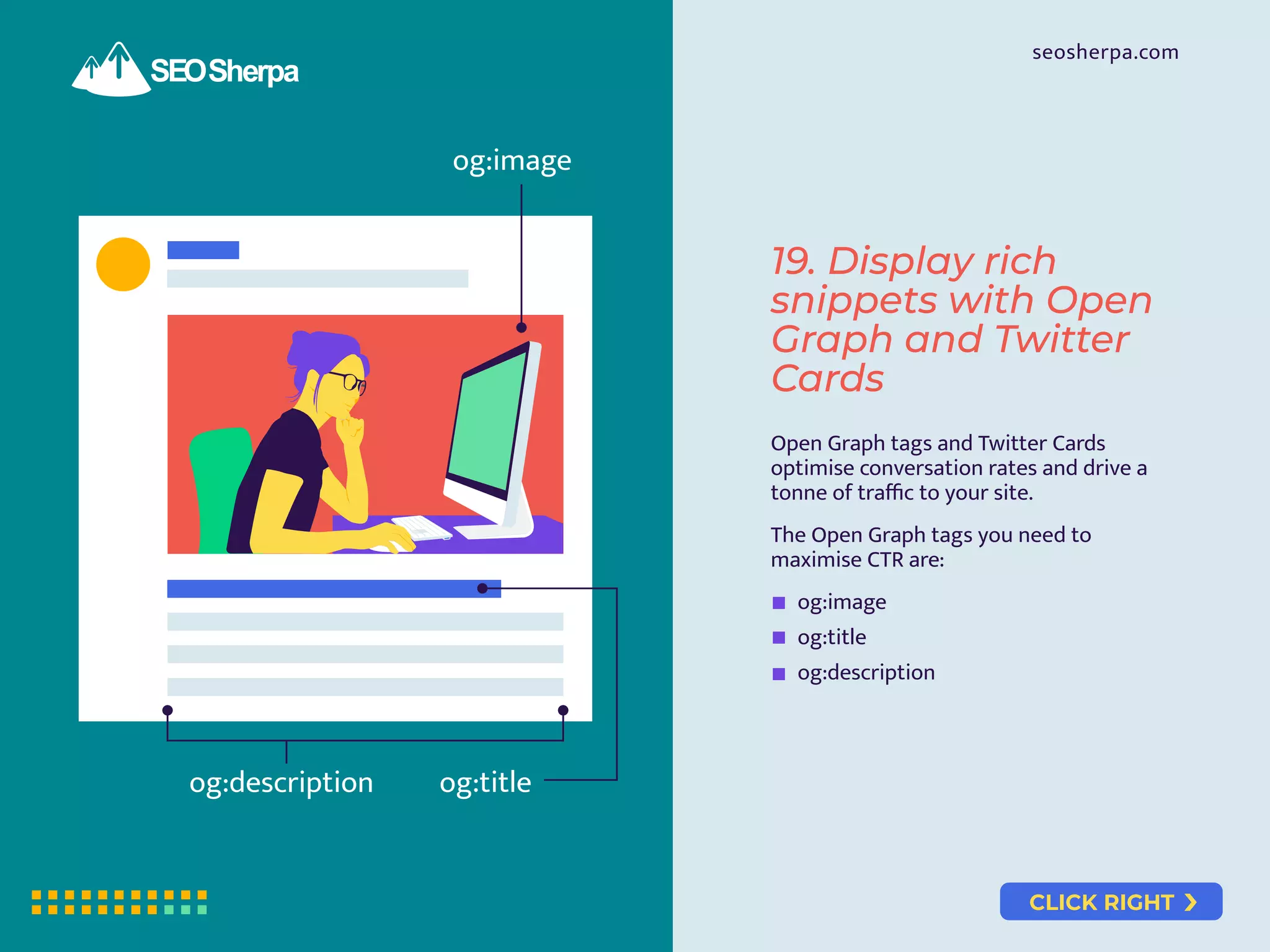
og:image
og:title
og:description
19. Display rich
snippets with Open
Graph and Twitter
Cards
Open Graph tags and Twitter Cards
optimise conversation rates and drive a
tonne of traffic to your site.
The Open Graph tags you need to
maximise CTR are:
og:image
og:title
og:description
CLICK RIGHT
seosherpa.com
20. Standout with
schema markup
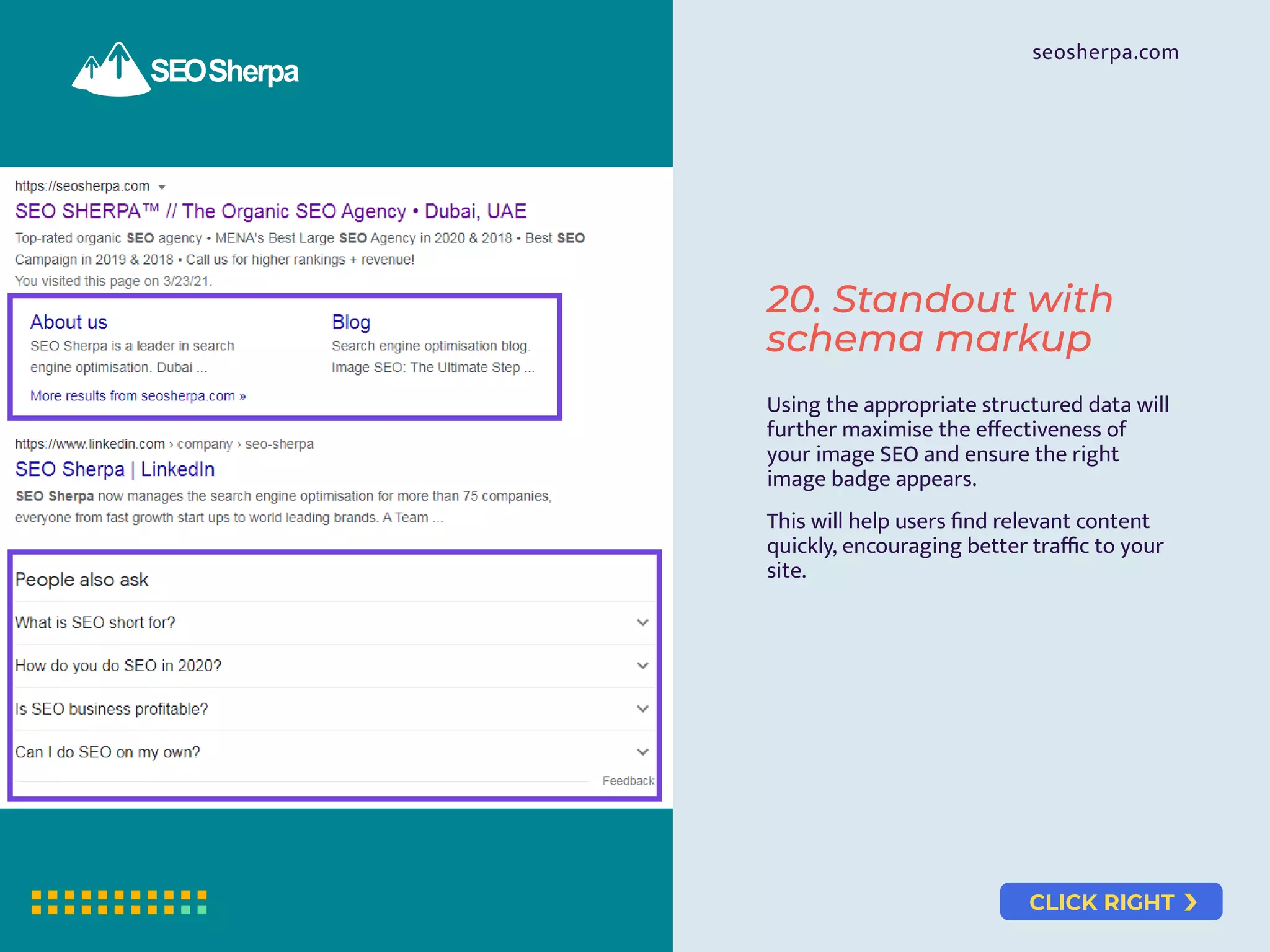
Using the appropriate structured data will
further maximise the effectiveness of
your image SEO and ensure the right
image badge appears.
This will help users find relevant content
quickly, encouraging better traffic to your
site.
CLICK RIGHT
seosherpa.com
21. Format your
images to display in
featured snippets
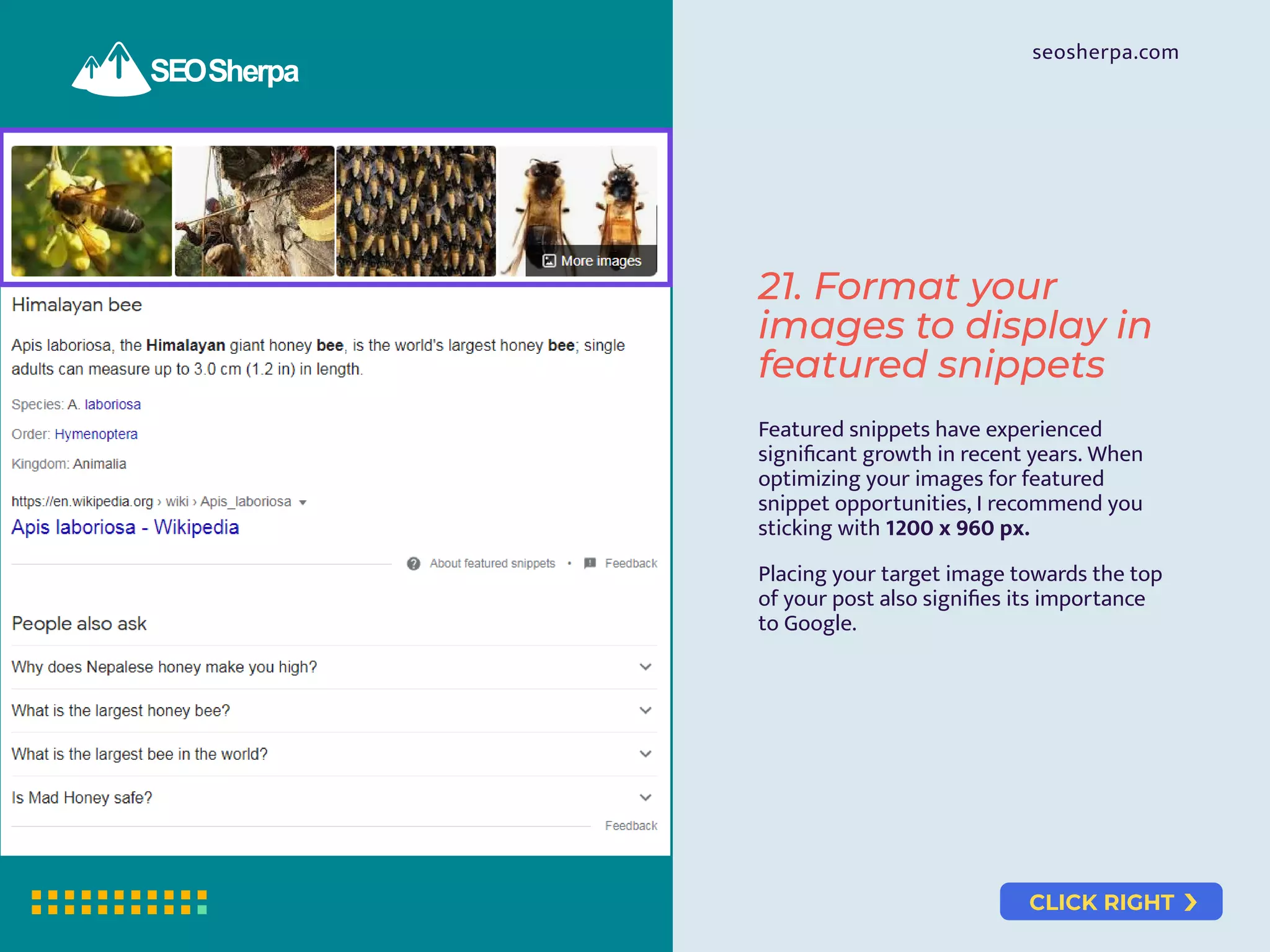
Featured snippets have experienced
significant growth in recent years. When
optimizing your images for featured
snippet opportunities, I recommend you
sticking with 1200 x 960 px.
Placing your target image towards the top
of your post also signifies its importance
to Google.
CLICK RIGHT
seosherpa.com
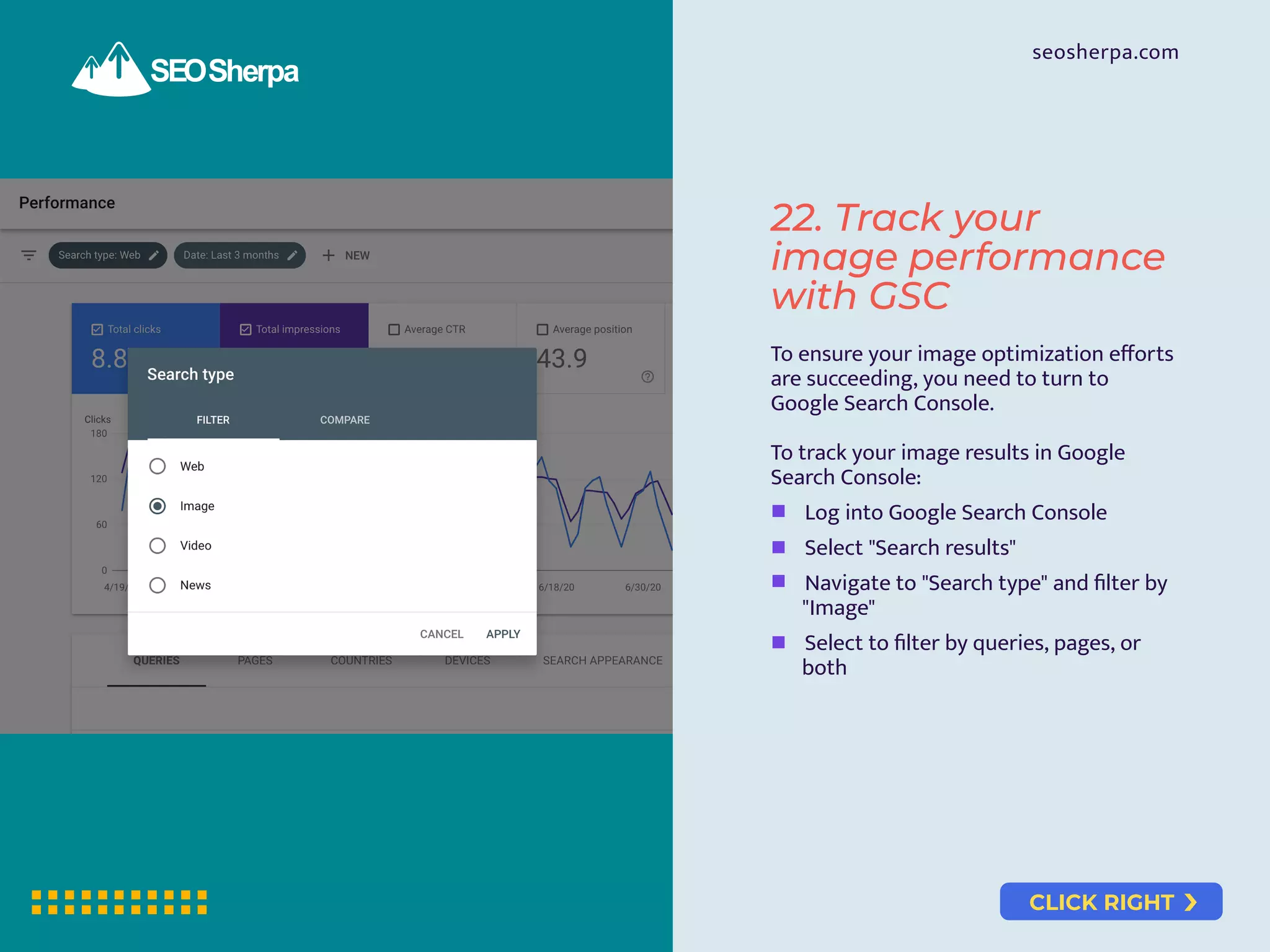
22. Track your
image performance
with GSC
To ensure your image optimization efforts
are succeeding, you need to turn to
Google Search Console.
To track your image results in Google
Search Console:
Log into Google Search Console
Select "Search results"
Navigate to "Search type" and filter by
"Image"
Select to filter by queries, pages, or
both
Visuals are just one part of the overall SEO experience. Let SEO Sherpa
develop a unique SEO strategy for your business that not only improves
your organic search rankings but also increases the online visibility of
your brand.
Moonrise and Sunset, February 2019, Houses of Parliament,
London, England.
Sunset
BOOK A CONSULTATION
Feeling Social?
RESOURCES:
Featured Snippets: 15 Proven Strategies to Rank in Position Zero
What Are Rich Snippets? The Comprehensive Newbie-Friendly Guide
URL Slugs: How to Create SEO-Friendly URLs (10 Easy Steps)
SEO Basics: A Simple Step-by-Step Guide for Beginners (2021)
Infographic: How To Write SEO Content That Ranks (11 Proven Frameworks)

Image SEO: 22 Strategies for Higher Ranking Visuals

  • 1.
    seosherpa.com START 22 STRATEGIES FORHIGHER RANKING VISUALS IMAGE SEO: IMAGE SEO:
  • 2.
    CLICK RIGHT Master theart of identifying high-volume search terms for your images by treating your images as standalone pieces of content with their own target search term(s). To find relevant keywords, use Kparser, a keyword suggestion tool that works specifically for Google Images. 1. Perform image keyword research seosherpa.com
  • 3.
    CLICK RIGHT seosherpa.com Avoid usinggeneric stock images. They will kill your site’s EAT (Expertise, Authority, and Trust) rating. Create “stand out” images that win more attention and clicks by: Identifying what already ranks. Checking the search results for your target keyword(s). Noting down what’s there. Doing the opposite. 2. Create stand out images that win more attention and clicks
  • 4.
    CLICK RIGHT seosherpa.com JPG PNG GIF Choosingthe right file type will keep your images looking clear and won’t sacrifice load time which is critical for SEO. The main image file types are: GIF – Good for a short animation. PNG – Good for screenshots of apps and websites with gradients. JPEG – Good for photos of people, places, or things. 3. Use the right image file type for your material
  • 5.
    CLICK RIGHT seosherpa.com Resize theimage to the exact width of the space you want to put it in. This will slash page bloat and improve page load time. Tools you can use to edit your images include: Pixlr – A free online tool that works great for minor formatting. Preview – Standard on all Macs and has everything you need for basic image editing. ImageOptim – A free tool for Mac that has “save for web” features. RIOT – A free image optimizer for Windows. Photoshop – Great program for its “save for web” option, which helps with keeping file sizes low without losing quality. 4. Format your image to optimum proportions before uploading
  • 6.
    CLICK RIGHT seosherpa.com DSC_4563.jpg eiffel-tower.jpg A customdescriptive filename will improve how search engines rank your images. When deciding on a filename, choose a name that does these three things: 1. Describes the image. 2. Includes your target keyword (refer to step #1). 3. Is 1-5 words long. 5. Create custom filenames for your images
  • 7.
    CLICK RIGHT seosherpa.com Before uploadingyour image, decrease the weight of your file. This will allow you to upload lighter images which results in a faster website and higher rankings. 6. Compress the image file for faster load times
  • 8.
    CLICK RIGHT seosherpa.com alt="Lebron Jamesscoring 3-points Los Angeles Lakers versus Houston Rockets" 7. Use image ALT text for better image SEO The image ALT text is the alternative text that appears in place of an image when the image fails to load. This is used by screen reading tools to help people with limited eyesight. This also helps search engines better understand the content of your images.
  • 9.
    CLICK RIGHT seosherpa.com 8. Optimisecaptions for all images Captions under images keep users on your page longer and create RankBrain-centric usability signals. To create great image captions, describe the details of the photo that are not obvious. These will include things like: The location. The time of day or year. Or, a specific event that is taking place.
  • 10.
    CLICK RIGHT seosherpa.com Image Title: Short,catchy and describes the image. Different to the image ALT text. Contains your target keyword (or a close variation). Image Caption: Describes details of the photo that are not obvious. One-to-two sentences long. Includes LSI keywords. For your Image Title and Image Caption, use the following six-point checklist. 9. Provide valuable information through your Image Title tag
  • 11.
    CLICK RIGHT seosherpa.com bunch banana tree cyan fruit Followthese four tips to optimise the page your image sits on: Update your Page Title to include the keyword you are targeting. Amend the page’s URL to include your target keyword (or a close variation). Use short, keyword-rich URLs. Surround your image with relevant text that supports the image content (focus on context). 10. Optimise the content around your image
  • 12.
    CLICK RIGHT seosherpa.com Adding yourimages to your sitemap will get your images indexed faster and ensure more of your material gets shown in image search results. 11. Include images in your regular XML sitemap
  • 13.
    CLICK RIGHT seosherpa.com Not ScaledScaled 200% Scaled 400% SVG (1.4kb) PNG (2.0kb) JPG (2.3kb) SVGs are vector graphics and are lighter, faster loading and scale WAY better than both JPEGs and PNGs. They scale to ANY size with ZERO loss of quality, they can be animated, and because they load instantly, they’re great for SEO. 12. Use Scalable Vector Graphics (SVGs)
  • 14.
    CLICK RIGHT seosherpa.com When itcomes to EXIF data, do these two things: Strip out ALL unnecessary EXIF data (so your image is lighter and loads faster). Tag your up image with relevant EXIF data that’s useful for SEO. 13. Optimise your image’s EXIF data
  • 15.
    CLICK RIGHT seosherpa.com Thumbnail Medium Medium Large Full 14.Serve responsive images using the code srcset With the srcset code, you can serve different sizes of images depending on the screen size used by your user. If you don’t know how to code, WordPress takes care of the srcset code for you.
  • 16.
    CLICK RIGHT seosherpa.com Lazy loadingwill improve your page load time dramatically. Lazy loading requires some web development skills. If you’re using WordPress, you can use the lazy loading plugin, LazyLoad. 15. Lazy load your images to improve page load speed
  • 17.
    CLICK RIGHT seosherpa.com 16. Displaysocial sharing buttons on images While social media signals do not impact search rankings, when your content gets shared across social media, it will increase your potential for links and build an audience for your brand.
  • 18.
    CLICK RIGHT seosherpa.com 17. Usebrowser caching Browser caching reduces server requests which speed up page load times. This will aid user experience and improve SEO.
  • 19.
    CLICK RIGHT seosherpa.com 18. Usea Content Delivery Network A page using a CDN will load as much 2X faster than a page without one. But, when you use a CDN, set up a CNAME record so the cached version of your images continues to provide valuable links and traffic.
  • 20.
    CLICK RIGHT seosherpa.com og:image og:title og:description 19. Displayrich snippets with Open Graph and Twitter Cards Open Graph tags and Twitter Cards optimise conversation rates and drive a tonne of traffic to your site. The Open Graph tags you need to maximise CTR are: og:image og:title og:description
  • 21.
    CLICK RIGHT seosherpa.com 20. Standoutwith schema markup Using the appropriate structured data will further maximise the effectiveness of your image SEO and ensure the right image badge appears. This will help users find relevant content quickly, encouraging better traffic to your site.
  • 22.
    CLICK RIGHT seosherpa.com 21. Formatyour images to display in featured snippets Featured snippets have experienced significant growth in recent years. When optimizing your images for featured snippet opportunities, I recommend you sticking with 1200 x 960 px. Placing your target image towards the top of your post also signifies its importance to Google.
  • 23.
    CLICK RIGHT seosherpa.com 22. Trackyour image performance with GSC To ensure your image optimization efforts are succeeding, you need to turn to Google Search Console. To track your image results in Google Search Console: Log into Google Search Console Select "Search results" Navigate to "Search type" and filter by "Image" Select to filter by queries, pages, or both
  • 24.
    Visuals are justone part of the overall SEO experience. Let SEO Sherpa develop a unique SEO strategy for your business that not only improves your organic search rankings but also increases the online visibility of your brand. Moonrise and Sunset, February 2019, Houses of Parliament, London, England. Sunset BOOK A CONSULTATION
  • 25.
  • 26.
    RESOURCES: Featured Snippets: 15Proven Strategies to Rank in Position Zero What Are Rich Snippets? The Comprehensive Newbie-Friendly Guide URL Slugs: How to Create SEO-Friendly URLs (10 Easy Steps) SEO Basics: A Simple Step-by-Step Guide for Beginners (2021) Infographic: How To Write SEO Content That Ranks (11 Proven Frameworks)