Compiled By M.Z 1
IDENTIFY AND RESOLVE
NETWORKING PROBLEMS
Compiled By M.Z 2
Objectives
 Describe the steps involved in an effective
troubleshooting methodology
 Follow a systematic troubleshooting process to
identify and resolve networking problems
 Document symptoms, solutions, and results
when troubleshooting network problems
 Use a variety of software and hardware tools to
diagnose problems
Compiled By M.Z 3
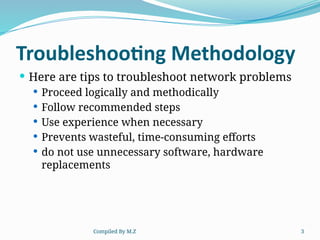
Troubleshooting Methodology
 Here are tips to troubleshoot network problems
 Proceed logically and methodically
 Follow recommended steps
 Use experience when necessary
 Prevents wasteful, time-consuming efforts
 do not use unnecessary software, hardware
replacements
Compiled By M.Z 4
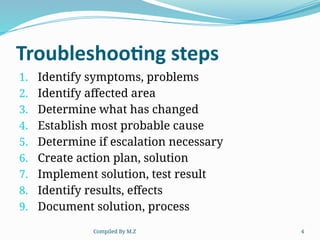
Troubleshooting steps
1. Identify symptoms, problems
2. Identify affected area
3. Determine what has changed
4. Establish most probable cause
5. Determine if escalation necessary
6. Create action plan, solution
7. Implement solution, test result
8. Identify results, effects
9. Document solution, process
Compiled By M.Z 5
Identify the Symptoms and Problems
 Ask questions: Answers help identify network
problem symptoms
 Avoid jumping to conclusions about symptoms
 Pay attention
 Users, system and network behaviors, and error
messages
 Treat each symptom uniquely
Compiled By M.Z 6
Identify the Affected Area
 Determine affected area and group
 One user or workstation?
 A workgroup?
 A department?
 One location within an organization?
 An entire organization?
 Narrow down time frame
 When did the problem begin?
 Have the symptoms appeared for a long time?
 Identify problem scope and Filter out unrelated user
information
 Identifying the affected problem area will Leads to next
troubleshooting steps
Compiled By M.Z 7
Determine What Has Changed
 Become aware of recent network changes will help
you to pinpoint problem resulting from network
change.
 Possible actions if change generated problem
 Correct problem
 Reverse change
 Less risky, less time consuming
 In order to prevent future network problems we
need to records network change
 Track what has changed
 Make records available to staff members
Compiled By M.Z 8
Establish the Most Probable Cause
 Verify user competency
 Ensure human error is not problem source
 Verify user is performing network tasks correctly
 Results
 Catch user-generated mistakes
 Gain clues for further troubleshooting
 Verify Physical layer connectivity.
 Half of all network problems occur at Physical layer : some of them are Noise, Improper
terminations, faulty connectors, loose connectors, poorly crimped connections, Damaged
cables, faulty NIC.
 Software errors may point to physical connectivity problem
 Diagnosing Physical layer Problems
 Replace all cable that appears to be damaged
 Reinstall the device NIC carefully
 Software-based causes
 Improperly configured NIC
 Improperly installed, configured client software
 Improperly installed, configured network protocols, services
Compiled By M.Z 9
Determine Whether Escalation is
Necessary
 Help desk analysts
 Proficient in basic workstation, network
troubleshooting
 First-level support
 Network specialist
 Second-level support
 Help desk coordinator
 Third-level support personnel
 Know when and how to escalate
 Follow given procedure
Compiled By M.Z 10
Create an Action Plan and Solution
Including Potential Effects
 Consider how solution affects users, network
functionality
 Scope: Assess solution’s scope before
implementing solution
 Cost : Consider poor network performance
identification Address those areas separately
 Security: Network access, resource privileges.
 Scalability: Position network for future
additions, enhancements
Compiled By M.Z 11
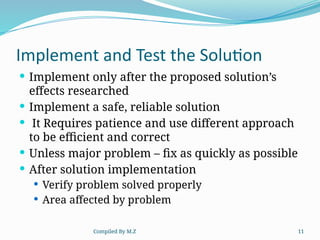
Implement and Test the Solution
 Implement only after the proposed solution’s
effects researched
 Implement a safe, reliable solution
 It Requires patience and use different approach
to be efficient and correct
 Unless major problem – fix as quickly as possible
 After solution implementation
 Verify problem solved properly
 Area affected by problem
Compiled By M.Z 12
 Identify the Results and Effects of the Solution
 After testing solution implementation
 Determine how and why solution was successful
 Determine solution’s effect on users and functionality
 Avoid creating unintended, negative consequences
 Communicate solution to colleagues
 Document the Solution and Process
 Always record:
 Problem symptoms and cause (or causes)
 Solution
 Supported services list document
 Lists all supported service, software and contacts
Compiled By M.Z 13
Cont….
 When documenting a problem, include the
following
 initial problem
 steps taken
 result of the steps
 determined cause of problem
 how the problem was resolved
 preventive measures taken
Compiled By M.Z 14
Help to Prevent Future Problems
 Avert network problems with
 Network maintenance
 Documentation
 Security
 Upgrades
Compiled By M.Z 15
Cont….
 One of the most common problem problem you
should checkk for
 Correctct cable type
 Improper cable termination
 too long of cable verif
 verify correct ports
 protect cables from damage
Compiled By M.Z 16
Cont….
 SSID
 make sure client is configured with the correct
SSID
 Check Authentication
 open (by default)
 might have be changed
 check to make sure the correct key is being used
 Encryption
 key needed by the client
Compiled By M.Z 17
Cont….
 Ping
 The most commonly used network tool is the
ping utility.
 This utility is used to provide a basic connectivity
test between the requesting host and a
destination host.
 Simply stated, if the requesting host receives a
response from the destination host, this host is
reachable
Compiled By M.Z 18
Cont….
 Ipconfig/ifconfig
 One of the most important things that must be
completed
 When troubleshooting a networking some issue is
IP configuration of the variously affected hosts.
 Sometimes this information is already known
when addressing is configured statically
 but when a dynamic addressing method is used,
the IP address of each host can potentially change
often.
Compiled By M.Z 19
Cont….
 Nslookup
 Some of the most common networking issues
revolve around issues with Dynamic Name System
(DNS) address resolution issues.
 DNS is used by everyone using the Internet to
resolve commonly known domain names (i.e.
google.com) to commonly unknown IP addresses
(i.e. 74.125.115.147).
 When this system does not work The nslookup
utility can be used to lookup the specific IP
address(es) associated with a domain name
Compiled By M.Z 20
Cont…
Multimeter: Tests cables for fault and Isolates
problems with network cables by measures electric
circuit characteristics like resistance and voltage
 Voltmeter:
 Measures electric circuit pressure, Voltage created
signals over network wire
 Resistance (ohmmeter)
 Fundamental wire property Which is Dependent on
wires molecular structure, size
 Measured in ohms
Compiled By M.Z 21
Cont….
 Cable Continuity Testers
 Cable checkers (continuity testers, cable testers)
 Tests whether cable carrying signal to destination
 Tests cable continuity
 Voltage Event Recorders
 Voltage event
 Any condition where voltage exceeds or drops below
predefined levels
 Voltage event recorder
 Collects data about power quality
 Downloaded to workstation And Analyzed by software
Compiled By M.Z 22
Various tools of network topology solve
network problems.
 Bus Topology: the computers are connected in a
straight line.
 A break in cable or amissing terminator can Bring
down the entire network.
 Star Topology: computer connect to each other
through a central device, called a hub or a
switch.
 Failure of the central device (hub or switch) Can
bring down the entire network.
Compiled By M.Z 23
Cont….
 Ring Topology: each computer is connected to
its neighboring computer to form a logical ring.
 A break-in cable or a faulty computer can Bring
down the entire network.
 Mesh Topology: all computers in the network
are connected to every other computer, forming
a mesh of connections.
 It is difficult to install and troubleshoot.

identify_and_resolve_networking_problems_hns_2nd_year_ext_and_regular.pptx

  • 1.
    Compiled By M.Z1 IDENTIFY AND RESOLVE NETWORKING PROBLEMS
  • 2.
    Compiled By M.Z2 Objectives  Describe the steps involved in an effective troubleshooting methodology  Follow a systematic troubleshooting process to identify and resolve networking problems  Document symptoms, solutions, and results when troubleshooting network problems  Use a variety of software and hardware tools to diagnose problems
  • 3.
    Compiled By M.Z3 Troubleshooting Methodology  Here are tips to troubleshoot network problems  Proceed logically and methodically  Follow recommended steps  Use experience when necessary  Prevents wasteful, time-consuming efforts  do not use unnecessary software, hardware replacements
  • 4.
    Compiled By M.Z4 Troubleshooting steps 1. Identify symptoms, problems 2. Identify affected area 3. Determine what has changed 4. Establish most probable cause 5. Determine if escalation necessary 6. Create action plan, solution 7. Implement solution, test result 8. Identify results, effects 9. Document solution, process
  • 5.
    Compiled By M.Z5 Identify the Symptoms and Problems  Ask questions: Answers help identify network problem symptoms  Avoid jumping to conclusions about symptoms  Pay attention  Users, system and network behaviors, and error messages  Treat each symptom uniquely
  • 6.
    Compiled By M.Z6 Identify the Affected Area  Determine affected area and group  One user or workstation?  A workgroup?  A department?  One location within an organization?  An entire organization?  Narrow down time frame  When did the problem begin?  Have the symptoms appeared for a long time?  Identify problem scope and Filter out unrelated user information  Identifying the affected problem area will Leads to next troubleshooting steps
  • 7.
    Compiled By M.Z7 Determine What Has Changed  Become aware of recent network changes will help you to pinpoint problem resulting from network change.  Possible actions if change generated problem  Correct problem  Reverse change  Less risky, less time consuming  In order to prevent future network problems we need to records network change  Track what has changed  Make records available to staff members
  • 8.
    Compiled By M.Z8 Establish the Most Probable Cause  Verify user competency  Ensure human error is not problem source  Verify user is performing network tasks correctly  Results  Catch user-generated mistakes  Gain clues for further troubleshooting  Verify Physical layer connectivity.  Half of all network problems occur at Physical layer : some of them are Noise, Improper terminations, faulty connectors, loose connectors, poorly crimped connections, Damaged cables, faulty NIC.  Software errors may point to physical connectivity problem  Diagnosing Physical layer Problems  Replace all cable that appears to be damaged  Reinstall the device NIC carefully  Software-based causes  Improperly configured NIC  Improperly installed, configured client software  Improperly installed, configured network protocols, services
  • 9.
    Compiled By M.Z9 Determine Whether Escalation is Necessary  Help desk analysts  Proficient in basic workstation, network troubleshooting  First-level support  Network specialist  Second-level support  Help desk coordinator  Third-level support personnel  Know when and how to escalate  Follow given procedure
  • 10.
    Compiled By M.Z10 Create an Action Plan and Solution Including Potential Effects  Consider how solution affects users, network functionality  Scope: Assess solution’s scope before implementing solution  Cost : Consider poor network performance identification Address those areas separately  Security: Network access, resource privileges.  Scalability: Position network for future additions, enhancements
  • 11.
    Compiled By M.Z11 Implement and Test the Solution  Implement only after the proposed solution’s effects researched  Implement a safe, reliable solution  It Requires patience and use different approach to be efficient and correct  Unless major problem – fix as quickly as possible  After solution implementation  Verify problem solved properly  Area affected by problem
  • 12.
    Compiled By M.Z12  Identify the Results and Effects of the Solution  After testing solution implementation  Determine how and why solution was successful  Determine solution’s effect on users and functionality  Avoid creating unintended, negative consequences  Communicate solution to colleagues  Document the Solution and Process  Always record:  Problem symptoms and cause (or causes)  Solution  Supported services list document  Lists all supported service, software and contacts
  • 13.
    Compiled By M.Z13 Cont….  When documenting a problem, include the following  initial problem  steps taken  result of the steps  determined cause of problem  how the problem was resolved  preventive measures taken
  • 14.
    Compiled By M.Z14 Help to Prevent Future Problems  Avert network problems with  Network maintenance  Documentation  Security  Upgrades
  • 15.
    Compiled By M.Z15 Cont….  One of the most common problem problem you should checkk for  Correctct cable type  Improper cable termination  too long of cable verif  verify correct ports  protect cables from damage
  • 16.
    Compiled By M.Z16 Cont….  SSID  make sure client is configured with the correct SSID  Check Authentication  open (by default)  might have be changed  check to make sure the correct key is being used  Encryption  key needed by the client
  • 17.
    Compiled By M.Z17 Cont….  Ping  The most commonly used network tool is the ping utility.  This utility is used to provide a basic connectivity test between the requesting host and a destination host.  Simply stated, if the requesting host receives a response from the destination host, this host is reachable
  • 18.
    Compiled By M.Z18 Cont….  Ipconfig/ifconfig  One of the most important things that must be completed  When troubleshooting a networking some issue is IP configuration of the variously affected hosts.  Sometimes this information is already known when addressing is configured statically  but when a dynamic addressing method is used, the IP address of each host can potentially change often.
  • 19.
    Compiled By M.Z19 Cont….  Nslookup  Some of the most common networking issues revolve around issues with Dynamic Name System (DNS) address resolution issues.  DNS is used by everyone using the Internet to resolve commonly known domain names (i.e. google.com) to commonly unknown IP addresses (i.e. 74.125.115.147).  When this system does not work The nslookup utility can be used to lookup the specific IP address(es) associated with a domain name
  • 20.
    Compiled By M.Z20 Cont… Multimeter: Tests cables for fault and Isolates problems with network cables by measures electric circuit characteristics like resistance and voltage  Voltmeter:  Measures electric circuit pressure, Voltage created signals over network wire  Resistance (ohmmeter)  Fundamental wire property Which is Dependent on wires molecular structure, size  Measured in ohms
  • 21.
    Compiled By M.Z21 Cont….  Cable Continuity Testers  Cable checkers (continuity testers, cable testers)  Tests whether cable carrying signal to destination  Tests cable continuity  Voltage Event Recorders  Voltage event  Any condition where voltage exceeds or drops below predefined levels  Voltage event recorder  Collects data about power quality  Downloaded to workstation And Analyzed by software
  • 22.
    Compiled By M.Z22 Various tools of network topology solve network problems.  Bus Topology: the computers are connected in a straight line.  A break in cable or amissing terminator can Bring down the entire network.  Star Topology: computer connect to each other through a central device, called a hub or a switch.  Failure of the central device (hub or switch) Can bring down the entire network.
  • 23.
    Compiled By M.Z23 Cont….  Ring Topology: each computer is connected to its neighboring computer to form a logical ring.  A break-in cable or a faulty computer can Bring down the entire network.  Mesh Topology: all computers in the network are connected to every other computer, forming a mesh of connections.  It is difficult to install and troubleshoot.