Ideal Analytics –
                                 What’s New?

Date : 27-02-2013
Presenter : Yamika Mehra


                     © 2012 Ideal Analytics Limited.
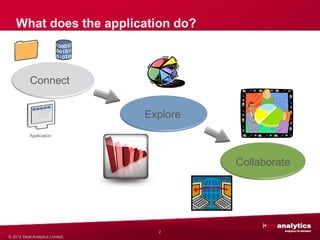
What does the application do?


            Connect


                                  Explore
           Application


                                            Collaborate


                                    2
© 2012 Ideal Analytics Limited.
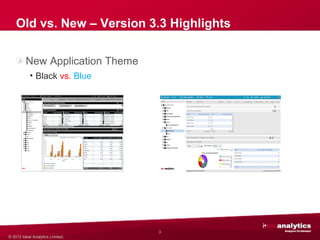
Old vs. New – Version 3.3 Highlights

         New Application Theme
           • Black vs. Blue


                                  3
© 2012 Ideal Analytics Limited.
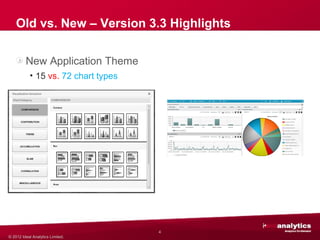
Old vs. New – Version 3.3 Highlights

         New Application Theme
           • 15 vs. 72 chart types


                                     4
© 2012 Ideal Analytics Limited.
Old vs. New – Version 3.3 Highlights

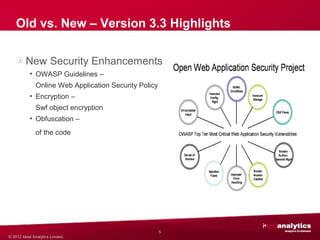
         New Security Enhancements
           • OWASP Guidelines –
               Online Web Application Security Policy
           • Encryption –
               Swf object encryption
           • Obfuscation –
               of the code


                                                        5
© 2012 Ideal Analytics Limited.
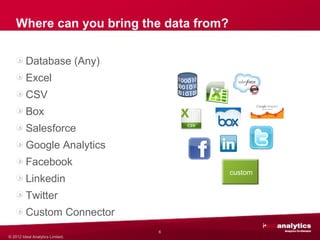
Where can you bring the data from?

         Database (Any)
         Excel
         CSV
         Box
         Salesforce
         Google Analytics
         Facebook
                                         custom
         Linkedin
         Twitter
         Custom Connector
                                  6
© 2012 Ideal Analytics Limited.
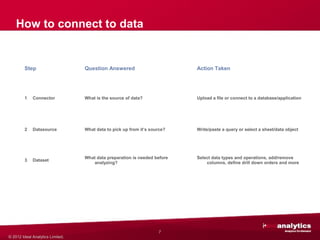
How to connect to data


         Step                     Question Answered                        Action Taken


         1   Connector            What is the source of data?              Upload a file or connect to a database/application


         2   Datasource           What data to pick up from it’s source?   Write/paste a query or select a sheet/data object


                                  What data preparation is needed before   Select data types and operations, add/remove
         3   Dataset
                                     analyzing?                                columns, define drill down orders and more


                                                                    7
© 2012 Ideal Analytics Limited.
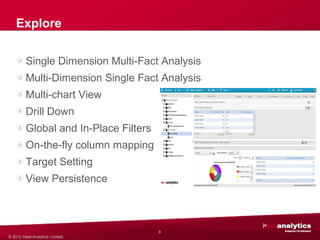
Explore

         Single Dimension Multi-Fact Analysis
         Multi-Dimension Single Fact Analysis
         Multi-chart View
         Drill Down
         Global and In-Place Filters
         On-the-fly column mapping
         Target Setting
                                                custom
         View Persistence


                                       8
© 2012 Ideal Analytics Limited.
Collaborate

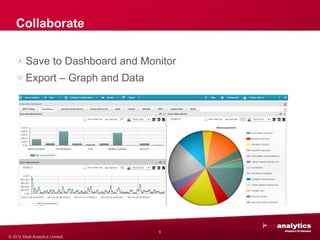
         Save to Dashboard and Monitor
         Export – Graph and Data


                                         custom


                                   9
© 2012 Ideal Analytics Limited.
Collaborate

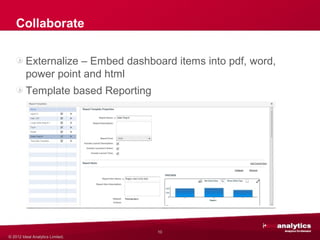
         Externalize – Embed dashboard items into pdf, word,
         power point and html
         Template based Reporting


                                                  custom


                                    10
© 2012 Ideal Analytics Limited.
What Else?

         System Connector
         Load from other data source
         Calculated Columns
         Access Privileges


                                        custom


                                   11
© 2012 Ideal Analytics Limited.
Questions Please!

Thank you for joining in!


                       © 2012 Ideal Analytics Limited.

Ideal-Analytics - Introduction to Version 3.3

  • 1.
    Ideal Analytics – What’s New? Date : 27-02-2013 Presenter : Yamika Mehra © 2012 Ideal Analytics Limited.
  • 2.
    What does theapplication do? Connect Explore Application Collaborate 2 © 2012 Ideal Analytics Limited.
  • 3.
    Old vs. New– Version 3.3 Highlights New Application Theme • Black vs. Blue 3 © 2012 Ideal Analytics Limited.
  • 4.
    Old vs. New– Version 3.3 Highlights New Application Theme • 15 vs. 72 chart types 4 © 2012 Ideal Analytics Limited.
  • 5.
    Old vs. New– Version 3.3 Highlights New Security Enhancements • OWASP Guidelines – Online Web Application Security Policy • Encryption – Swf object encryption • Obfuscation – of the code 5 © 2012 Ideal Analytics Limited.
  • 6.
    Where can youbring the data from? Database (Any) Excel CSV Box Salesforce Google Analytics Facebook custom Linkedin Twitter Custom Connector 6 © 2012 Ideal Analytics Limited.
  • 7.
    How to connectto data Step Question Answered Action Taken 1 Connector What is the source of data? Upload a file or connect to a database/application 2 Datasource What data to pick up from it’s source? Write/paste a query or select a sheet/data object What data preparation is needed before Select data types and operations, add/remove 3 Dataset analyzing? columns, define drill down orders and more 7 © 2012 Ideal Analytics Limited.
  • 8.
    Explore Single Dimension Multi-Fact Analysis Multi-Dimension Single Fact Analysis Multi-chart View Drill Down Global and In-Place Filters On-the-fly column mapping Target Setting custom View Persistence 8 © 2012 Ideal Analytics Limited.
  • 9.
    Collaborate Save to Dashboard and Monitor Export – Graph and Data custom 9 © 2012 Ideal Analytics Limited.
  • 10.
    Collaborate Externalize – Embed dashboard items into pdf, word, power point and html Template based Reporting custom 10 © 2012 Ideal Analytics Limited.
  • 11.
    What Else? System Connector Load from other data source Calculated Columns Access Privileges custom 11 © 2012 Ideal Analytics Limited.
  • 12.
    Questions Please! Thank youfor joining in! © 2012 Ideal Analytics Limited.