UPTEC Computer Consultancy Limited
TOPIC
• Post-Assembly Inspection Procedure
• XP installation (Booting)
• Boot Sequence ( MBR, VBR)
• CMOS and BIOS Configuration
• Assembling and Disassembling
• Printer Installation and sharing
• RAID systems
• Partitioning and Formatting hard disk
• Backup and Restore
• CD-writing software- Nero
• Workgroup, Domain
• User and Group, File Sharing
• Windows NT installation
POST (Power-On Self-Test)
Short for power-on self-test, the POST is a test
the computer must complete to verify all
hardware is working properly before starting the
remainder of the boot process. The POST process
checks computer hardware, like memory
(RAM), hard drive, CD-ROM drive, keyboard, and
other hardware, to make sure all are working
correctly.
BOOT SECTORS
A sector on the computer floppy disk drive, hard drive, or other bootable
disk drive that contains instructs the computer on how to boot from the
drive. IBM PC disk drives have different types of boot sectors; the master
boot record (MBR), which is the first sector of a portioned hard drive that
and the volume boot record (VBR), which contains partition information at
the beginning of each partition.
MBR :-
Short for Master Boot Record, MBR is also sometimes referred to as
the master boot block, master partition boot sector, and sector 0.
The MBR is the first sector of the computer hard drive that tells the computer
how the hard drive is partitioned, and how to load the operating system.
VBR:-
Alternatively referred to as the Volume Boot Sector, VBR is short
for Volume Boot Record. It is the first section of each partition on a hard
drive that contains information such as the type and size of the partition.
CMOS and BIOS Configuration
Short for Basic Input/Output System, the BIOS (pronounced bye-oss) is
a ROM chip found on motherboards that allows you to access and set up
your computer system at the most basic level. In the picture below, is an
example of what a BIOS chip may look like on your computer motherboard.
The four main functions of a PC BIOS
1) POST - Test the computer hardware and make sure no errors exist before
loading the operating system.
2) Bootstrap Loader - Locate the operating system. If a capable operating
system is located, the BIOS will pass control to it.
3) BIOS drivers - Low-level drivers that give the computer basic operational
control over your computer's hardware.
4) BIOS or CMOS Setup - Configuration program that allows you to
configure hardware settings including system settings such as computer
passwords, time, and date.
CMOS is short for Complementary Metal-Oxide Semiconductor.
CMOS is an on-board, battery powered semiconductor chip inside
computers that stores information. This information ranges from the
system time and date to system hardware settings for your computer
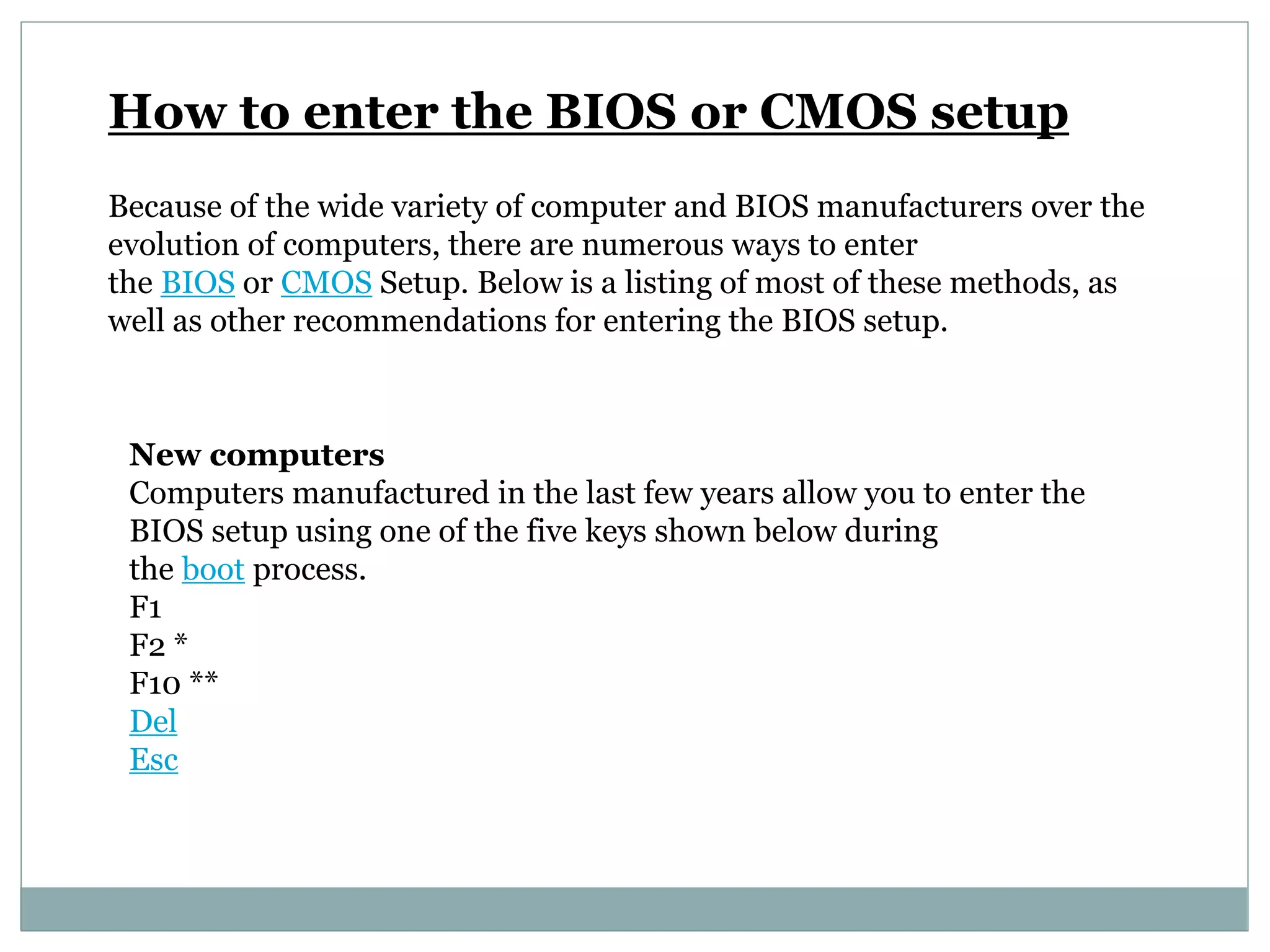
How to enter the BIOS or CMOS setup
Because of the wide variety of computer and BIOS manufacturers over the
evolution of computers, there are numerous ways to enter
the BIOS or CMOS Setup. Below is a listing of most of these methods, as
well as other recommendations for entering the BIOS setup.
New computers
Computers manufactured in the last few years allow you to enter the
BIOS setup using one of the five keys shown below during
the boot process.
F1
F2 *
F10 **
Del
Esc
Note: F1, F2, and F10 are all function keys on the top of the keyboard.
• If pressing F2 opens a diagnostics tool, your setup key is likely F10
** F10 is also used for the boot menu. If F10 opens a boot menu, your setup
key is likely F2.
Ict resources
Ict resources
Ict resources
Ict resources

Ict resources

  • 1.
  • 2.
    TOPIC • Post-Assembly InspectionProcedure • XP installation (Booting) • Boot Sequence ( MBR, VBR) • CMOS and BIOS Configuration • Assembling and Disassembling • Printer Installation and sharing • RAID systems • Partitioning and Formatting hard disk • Backup and Restore • CD-writing software- Nero • Workgroup, Domain • User and Group, File Sharing • Windows NT installation
  • 3.
    POST (Power-On Self-Test) Shortfor power-on self-test, the POST is a test the computer must complete to verify all hardware is working properly before starting the remainder of the boot process. The POST process checks computer hardware, like memory (RAM), hard drive, CD-ROM drive, keyboard, and other hardware, to make sure all are working correctly.
  • 4.
    BOOT SECTORS A sectoron the computer floppy disk drive, hard drive, or other bootable disk drive that contains instructs the computer on how to boot from the drive. IBM PC disk drives have different types of boot sectors; the master boot record (MBR), which is the first sector of a portioned hard drive that and the volume boot record (VBR), which contains partition information at the beginning of each partition.
  • 5.
    MBR :- Short forMaster Boot Record, MBR is also sometimes referred to as the master boot block, master partition boot sector, and sector 0. The MBR is the first sector of the computer hard drive that tells the computer how the hard drive is partitioned, and how to load the operating system. VBR:- Alternatively referred to as the Volume Boot Sector, VBR is short for Volume Boot Record. It is the first section of each partition on a hard drive that contains information such as the type and size of the partition.
  • 6.
    CMOS and BIOSConfiguration Short for Basic Input/Output System, the BIOS (pronounced bye-oss) is a ROM chip found on motherboards that allows you to access and set up your computer system at the most basic level. In the picture below, is an example of what a BIOS chip may look like on your computer motherboard.
  • 7.
    The four mainfunctions of a PC BIOS 1) POST - Test the computer hardware and make sure no errors exist before loading the operating system. 2) Bootstrap Loader - Locate the operating system. If a capable operating system is located, the BIOS will pass control to it. 3) BIOS drivers - Low-level drivers that give the computer basic operational control over your computer's hardware. 4) BIOS or CMOS Setup - Configuration program that allows you to configure hardware settings including system settings such as computer passwords, time, and date.
  • 8.
    CMOS is shortfor Complementary Metal-Oxide Semiconductor. CMOS is an on-board, battery powered semiconductor chip inside computers that stores information. This information ranges from the system time and date to system hardware settings for your computer
  • 9.
    How to enterthe BIOS or CMOS setup Because of the wide variety of computer and BIOS manufacturers over the evolution of computers, there are numerous ways to enter the BIOS or CMOS Setup. Below is a listing of most of these methods, as well as other recommendations for entering the BIOS setup. New computers Computers manufactured in the last few years allow you to enter the BIOS setup using one of the five keys shown below during the boot process. F1 F2 * F10 ** Del Esc
  • 10.
    Note: F1, F2,and F10 are all function keys on the top of the keyboard. • If pressing F2 opens a diagnostics tool, your setup key is likely F10 ** F10 is also used for the boot menu. If F10 opens a boot menu, your setup key is likely F2.