Information
   About
  HTML
 STYLES
HTML STYLES
• Formatting is included into a style sheet.
  When formatting the document, browser
  addresses the style sheet for the
  information about correct formatting
  that should be applied to the document.
3 TYPES OF STYLE SHEET
DEPENDING UPON THE WAY
      IT IS INSERTED:
• External type of a style sheet. It is
  recommended to use it when the style will be
  applied to multiple pages. One file is enough
  to change the appearance of all pages. Each
  separate page should link to a style sheet. The
  <link> tag is included into a head section of
  the web page.
• Internal type of a style sheet. Internal style
  sheet suits the case when each separate
  document requires its unique style. Internal
  styles are defined in the head sections with
  the help of the <style> tag.
• Inline type of a style sheet. This type is used
  when it is necessary to apply formatting to a
  part of page content. It requires to use style
  attribute in a corresponding tag.
Examples:
Style tags are as following:
• <style> is used to define the style.
• <link> is used to define the way to resource.
• <div> is used to define a separate section of
  the document.
• <span> is used to define a separate section of
  the document.
Styling HTML with CSS
CSS was introduced together with HTML 4, to
  provide a better way to style HTML elements.
CSS can be added to HTML in the following
  ways:
• in Cascading Style Sheet files (CSS files).
• in the <style> element in the HTML head
  section.
• in the style attribute in single HTML elements.
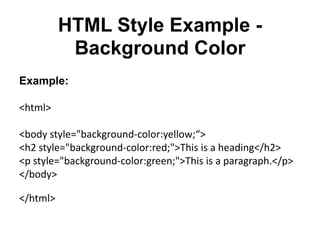
HTML Style Example -
           Background Color
Example:

<html>

<body style="background-color:yellow;“>
<h2 style="background-color:red;">This is a heading</h2>
<p style="background-color:green;">This is a paragraph.</p>
</body>

</html>
HTML Style Example –
           Font, Color and Size
Example:

<html>

<body>
<h1 style="font-family:verdana;">A heading</h1>
<p style="font-family:arial;color:red;font-size:20px;">A
  paragraph.</p>
</body>

</html>
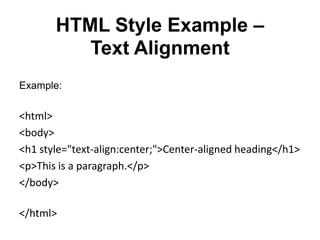
HTML Style Example –
          Text Alignment
Example:

<html>
<body>
<h1 style="text-align:center;">Center-aligned heading</h1>
<p>This is a paragraph.</p>
</body>

</html>

Html styles

  • 1.
    Information About HTML STYLES
  • 2.
    HTML STYLES • Formattingis included into a style sheet. When formatting the document, browser addresses the style sheet for the information about correct formatting that should be applied to the document.
  • 3.
    3 TYPES OFSTYLE SHEET DEPENDING UPON THE WAY IT IS INSERTED: • External type of a style sheet. It is recommended to use it when the style will be applied to multiple pages. One file is enough to change the appearance of all pages. Each separate page should link to a style sheet. The <link> tag is included into a head section of the web page.
  • 4.
    • Internal typeof a style sheet. Internal style sheet suits the case when each separate document requires its unique style. Internal styles are defined in the head sections with the help of the <style> tag. • Inline type of a style sheet. This type is used when it is necessary to apply formatting to a part of page content. It requires to use style attribute in a corresponding tag.
  • 5.
    Examples: Style tags areas following: • <style> is used to define the style. • <link> is used to define the way to resource. • <div> is used to define a separate section of the document. • <span> is used to define a separate section of the document.
  • 6.
    Styling HTML withCSS CSS was introduced together with HTML 4, to provide a better way to style HTML elements. CSS can be added to HTML in the following ways: • in Cascading Style Sheet files (CSS files). • in the <style> element in the HTML head section. • in the style attribute in single HTML elements.
  • 7.
    HTML Style Example- Background Color Example: <html> <body style="background-color:yellow;“> <h2 style="background-color:red;">This is a heading</h2> <p style="background-color:green;">This is a paragraph.</p> </body> </html>
  • 8.
    HTML Style Example– Font, Color and Size Example: <html> <body> <h1 style="font-family:verdana;">A heading</h1> <p style="font-family:arial;color:red;font-size:20px;">A paragraph.</p> </body> </html>
  • 9.
    HTML Style Example– Text Alignment Example: <html> <body> <h1 style="text-align:center;">Center-aligned heading</h1> <p>This is a paragraph.</p> </body> </html>