HTML Hands-on

    Cornelius Koo, ST
       JavaSchool
          2005
Jl. Cemara 2/20, Salatiga
What is HTML ?
•   Hyper Text Markup Language
•   .htm / .html
•   <tag></tag>
•   <tag attribute1=“value1”
         attribute2=“value2”></tag>
Simple HTML
<html>
  <head>
     <title>My Simple Page</title>
  </head>
  <body>
     This is My Simple Page
  </body>
</html>
Basic Tag
Header
<body>
  <h1>Header 1</h1>
  <h2>Header 2</h2>
  <h3>Header 3</h3>
  <h4>Header 4</h4>
  <h5>Header 5</h5>
  <h6>Header 6</h6>
</body>
Alignment Attribute
<body>
  <h1 align="center">Header 1</h1>
  <h2 align="left">Header 2</h2>
  <h3 align="right">Header 3</h3>
  <h4 align="justify">Header 4</h4>
  <h5>Header 5</h5>
  <h6>Header 6</h6>
</body>
Paragraf
<body>
  This is ordinary text
  <p>This is the paragraf</p>
</body>
Line Break
<body>
  This is ordinary text
  <br>
  Line break
  <br>
  Line break again
  This time without line break
</body>
Horizontal Rule
<body>
  Report
  <hr>
  Put your text here...
  <hr>
</body>
Comment
<body>
  <!-- This is the html comment -->
</body>
Text Formatting Tag
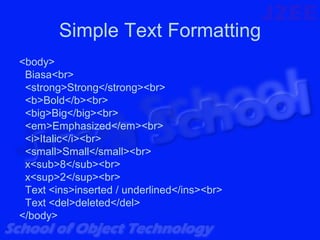
Simple Text Formatting
<body>
 Biasa<br>
 <strong>Strong</strong><br>
 <b>Bold</b><br>
 <big>Big</big><br>
 <em>Emphasized</em><br>
 <i>Italic</i><br>
 <small>Small</small><br>
 x<sub>8</sub><br>
 x<sup>2</sup><br>
 Text <ins>inserted / underlined</ins><br>
 Text <del>deleted</del>
</body>
Preformatted
<body>
  <pre>
     int[] array = {3,5,4,6};

      for (int i = 0; i < array.length; i++) {

             System.out.println(array[i]);
      }
  </pre>
</body>
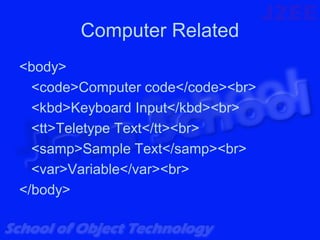
Computer Related
<body>
  <code>Computer code</code><br>
  <kbd>Keyboard Input</kbd><br>
  <tt>Teletype Text</tt><br>
  <samp>Sample Text</samp><br>
  <var>Variable</var><br>
</body>
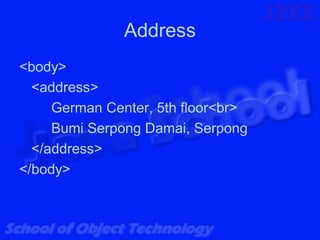
Address
<body>
  <address>
     German Center, 5th floor<br>
     Bumi Serpong Damai, Serpong
  </address>
</body>
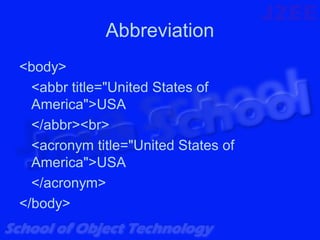
Abbreviation
<body>
  <abbr title="United States of
  America">USA
  </abbr><br>
  <acronym title="United States of
  America">USA
  </acronym>
</body>
Text Direction
<body>
  <bdo dir="ltr">From left to right</bdo><br>
  <bdo dir="rtl">From right to left</bdo>
</body>
Quotation
<body>
  <blockquote>
   "Jika
cinta memanggilmu pasrahlah
  kepadanya..."
  </blockquote>
  <q>"Walaupun bilah bilah pedang yang
  terselip diantara sayapnya
  menyakitimu..."</q>
</body>
Font
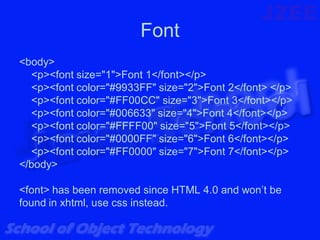
<body>
  <p><font size="1">Font 1</font></p>
  <p><font color="#9933FF" size="2">Font 2</font> </p>
  <p><font color="#FF00CC" size="3">Font 3</font></p>
  <p><font color="#006633" size="4">Font 4</font></p>
  <p><font color="#FFFF00" size="5">Font 5</font></p>
  <p><font color="#0000FF" size="6">Font 6</font></p>
  <p><font color="#FF0000" size="7">Font 7</font></p>
</body>

<font> has been removed since HTML 4.0 and won’t be
found in xhtml, use css instead.
Font Face
<font
  color="#FF0000"
  size="7"
  face="Courier New, Courier, mono">
  Font 7
</font>
Blink
<blink>Bagaikan bintang di langit</blink>

Only works on Netscape… ;(
Character Entities Tag
<body>
  Copyright&copy;<br>
  Registered&reg;<br>
  Microsoft&#8482;<br>
  Non Breaking Space&nbsp;<br>
  Ampersand&amp;<br>
  &laquo;Angle Quote&raquo;<br>
  &quot;Quote&quot;<br>
  1&lt;10<br>
  10&gt;1<br>
  1&times;2=2<br>
  4&divide;2=2<br>
</body>
Link Tag
Open New Window
<a href="paragraf.html"
 target="_blank">Paragraf</a>
On The Same Window
<a href="quotation.htm"
 target="_self">Quotation</a>
Other Target
• _top
• _parent
No Line
• <a href="simpletextformat.htm" style="text-
  decoration:none">Simple Text Format</a>
Email
• <a href="mailto:kooheilong@yahoo.com">
  Email me!</a>
Relative
<a href="charentity.html"> Character Entity
 </a>
Absolute
<a href="http://localhost/html/address.htm">
 Address</a>
Document
<br>
  <a href="#part1">Part 1</a><br>
  <a href="#part2">Part 2</a><br>
  <a href="#part3">Part 3</a><br>
  <a href="#part4">Part 4</a><br>
  <a href="#part5">Part 5</a><br>
  <a href="#part6">Part 6</a><br>
  <a href="#part7">Part 7</a><br>
<br>
• <a name="part1">When love beckons to
  you, follow him,</a>
• <a name="part2">And when his wings
  enfold you yield to him,</a>
• <a name="part3">And when he speaks to
  you believe in him.</a>
• <a name="part4">For even as love crowns
  you so shall he crucify you.</a>
• …
List Tag
Unordered List
Penerus Kungfu XingYi Quan &lt;Unordered List&gt;
<ul>
 <li type="circle">Yue Fei</li>
 <li type="disc">Ji LongFeng</li>
 <li type="square">Mai Jia Ren</li>
 <li>Ma Jia Ren</li>
 <li>Dai LongBang &amp; Dai LingBan</li>
 <li>Li LaoNeng</li>
 <li>Guo YunShen</li>
</ul>
Ordered List
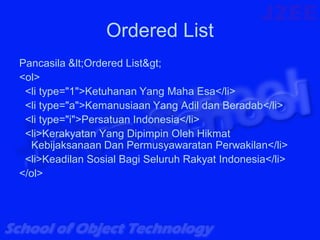
Pancasila &lt;Ordered List&gt;
<ol>
 <li type="1">Ketuhanan Yang Maha Esa</li>
 <li type="a">Kemanusiaan Yang Adil dan Beradab</li>
 <li type="i">Persatuan Indonesia</li>
 <li>Kerakyatan Yang Dipimpin Oleh Hikmat
  Kebijaksanaan Dan Permusyawaratan Perwakilan</li>
 <li>Keadilan Sosial Bagi Seluruh Rakyat Indonesia</li>
</ol>
Nested List
Nested List
<ul>
  <li>Apel</li>
  <li>Jeruk</li>
  <ul>
      <li>Jeruk Manis</li>
      <li>Jeruk Bali</li>
      <li>Jeruk Nipis</li>
  </ul>
</ul>
Definition List
Definition List
<dl>
  <dt>Tie Sha Zhang</dt>
  <dd>improved external energy on your palm, it
  is hard nei gong</dd>
  <dt>Ying Jiauw</dt>
  <dd>the ability of eagle grasp, it trains our hard
  nei gong too</dd>
</dl>
Image Tag
Image
<img
src="img/javangelist-logo.png"
width="207" height="209"
hspace="6" vspace="6"
border="0"
usemap="#Map">
Image Map
<map name="Map">
 <area shape="poly"
  coords="8,41,12,29,20,22,28,18,39,18,49,11,57,
  8,56,21,61,28,65,34,67,38,73,34,77,29,79,34,81
  ,43,81,51,67,49,63,57,57,62,56,69,49,69,46,64,
  41,65,31,65,21,62,14,56,18,54,21,50,25,54,30,4
  8,34,50,35,45,34,39,29,38,27,44,22,38,15,45,7,
  40" href="list.html">
</map>
Table Tag
Elements
• <table></table>
• Define a table in HTML document
• <caption></caption>
• Define table’s title
• <tr></tr>
• Specifiy a row on table
• <td></td>
• Specify a data cell on table
• <th></th>
• Specify a header on table
Attributes
•   align={left|center|right}
•   valign={top|middle|bottom}
•   colspan=n
•   Rowspan=n
•   nowrap
Frame Tag
Inline Frame
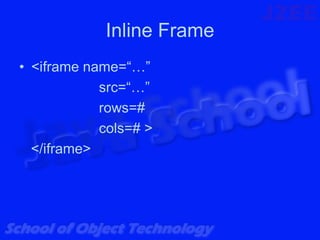
• <iframe name=“…”
            src=“…”
            rows=#
            cols=# >
  </iframe>
Frame Set
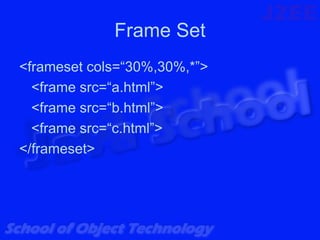
<frameset cols=“30%,30%,*”>
  <frame src=“a.html”>
  <frame src=“b.html”>
  <frame src=“c.html”>
</frameset>
<frameset rows=“30%,30%,*”>
  <frame src=“a.html”>
  <frame src=“b.html”>
  <frame src=“c.html”>
</frameset>
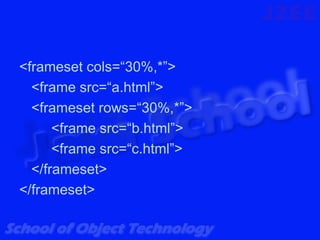
<frameset cols=“30%,*”>
  <frame src=“a.html”>
  <frameset rows=“30%,*”>
      <frame src=“b.html”>
      <frame src=“c.html”>
  </frameset>
</frameset>
Form Tag
<form action=“URL”
      method=“get | post”>
      enctype=“”
</form>
Form Component
See form.html for more detail on form
components
Head Tag
Title
• <title>Ini Judul Web Page Kita</title>
Base
• <base target=“_blank”>
• Building common target to all link on the
  page.
Style
• <style></style>
• Define the style we used in our page.
Script
• <script></script>
• Define the script we used in our page.
Meta Tag
Informational Purpose
• <meta name=“author” content=“Wrox”>
• <meta name=“generator”
  content=“Macromedia Dreamweaver MX”>
Page Refresh
• <meta http-equiv=“refresh”
  content=“3;url=http://java.sun.com”>
Reference
• Teach YourSelf Web Publishing with
  HTML and XHTML in 21 days, Laura
  Lemay, Sams, 2001.
• HTML Reference
• www.w3c.org

Html Hands On