HUMAN RESOURCE
MANAGEMENT SYSTEM
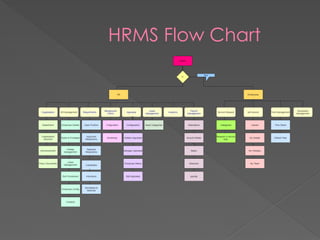
HRMS Flow Chart
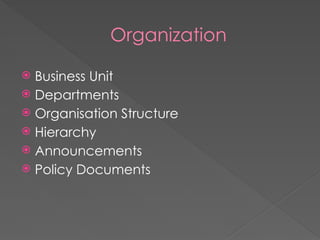
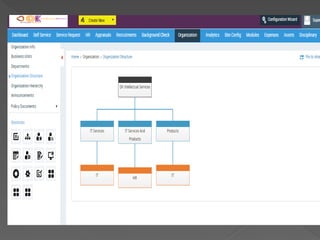
Organization
 Business Unit
 Departments
 Organisation Structure
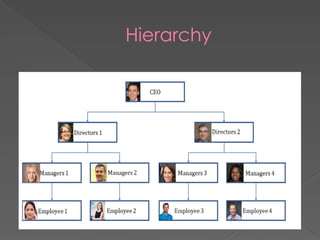
 Hierarchy
 Announcements
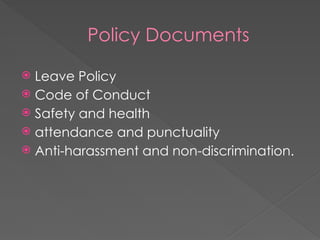
 Policy Documents
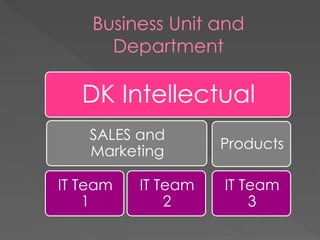
Business Unit and
Department
DK Intellectual
SALES and
Marketing
IT Team
1
IT Team
2
Products
IT Team
3
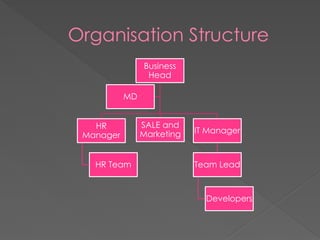
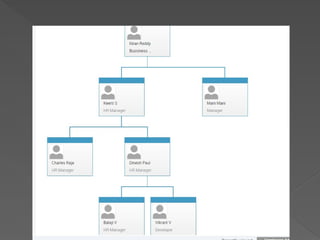
Organisation Structure
Business
Head
HR
Manager
HR Team
SALE and
Marketing IT Manager
Team Lead
Developers
MD
Hierarchy
Policy Documents
 Leave Policy
 Code of Conduct
 Safety and health
 attendance and punctuality
 Anti-harassment and non-discrimination.
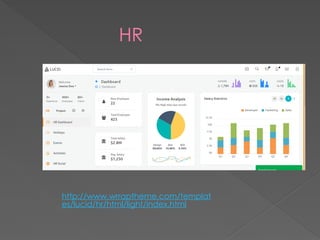
HR
http://www.wrraptheme.com/templat
es/lucid/hr/html/light/index.html
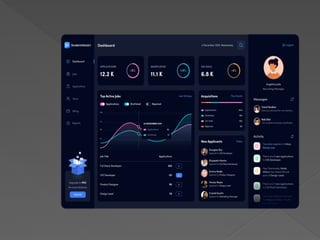
RECRUITMENT
 The module contains some of the features that can
be important for a recruitment to process the
system.
 It shows overall applications received from
candidates, shortlisted candidates and
candidates’ On-Hold.
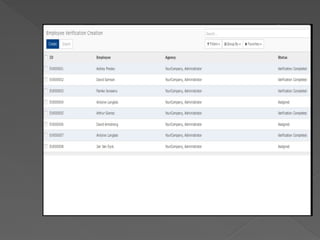
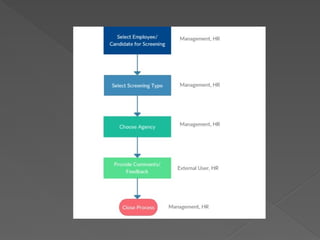
BACKGROUND CHECK
 Managing Employee Background Verification
 Agent can collect the details and submit to the
manager.
 Option approve and refuse the employee
based on the details collected
 Manager can send mails to the employee after
the completion of verification process
APPRAISAL
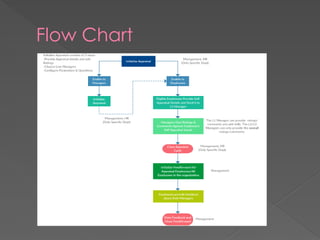
 Performance Appraisal is a systematic evaluation
of Employees’ performance and to understand
their abilities for further career transition. It is
generally done by the supervisors on the basis of
factors such as parameters, questions, ratings etc.
Flow Chart
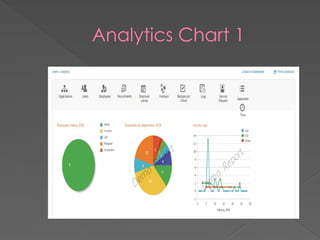
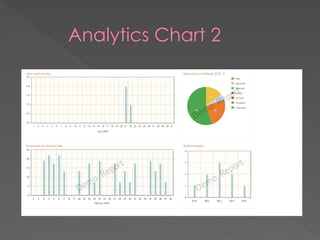
ANALYTICS
 Analytics is the systematic computational analysis
of data or statistics to quantify performance in
pictorial chart.
 It can be valuable in areas rich with recorded
information.
Analytics Chart 1
Analytics Chart 2
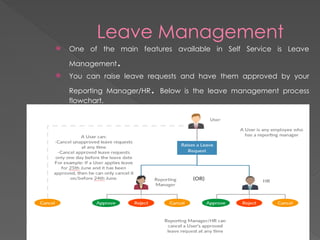
Leave Management
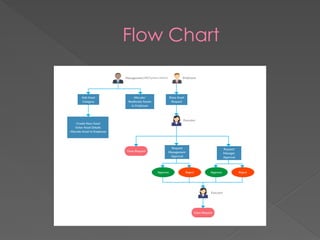
 One of the main features available in Self Service is Leave
Management.
 You can raise leave requests and have them approved by your
Reporting Manager/HR. Below is the leave management process
flowchart.
ASSETS
 Keep a track of your organization’s assets like computers,
laptops, phones etc. and assign them to employees. It enables
the Employers to have quick access to information related to all
the assets in the organization. A user can create asset categories
and subcategories. Asset details such as invoice number, vendor
details, warranty status, asset images etc. can be added and
then assigned to employees.
Flow Chart
DISCIPLINE MANAGEMENT
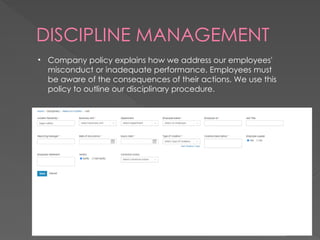
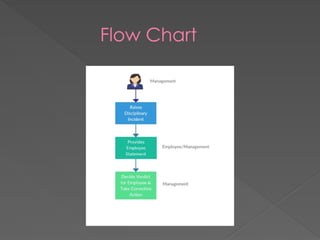
• Company policy explains how we address our employees'
misconduct or inadequate performance. Employees must
be aware of the consequences of their actions. We use this
policy to outline our disciplinary procedure.
Flow Chart
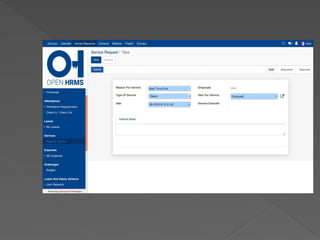
SERVICE REQUEST
 reason for employee to raise the request.
 Requires the type of service
 Date of requisition
 Mention the service item (ex: computer)
 Submit the request form
SELF SERVICE
 Employee self-service (ESS) provides
employees access to their personal records
and details.
 With the emergence of ESS, employees are
able to transact with their Human
Resources office remotely.
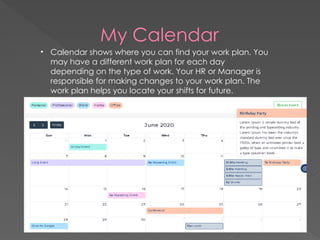
My Calendar
• Calendar shows where you can find your work plan. You
may have a different work plan for each day
depending on the type of work. Your HR or Manager is
responsible for making changes to your work plan. The
work plan helps you locate your shifts for future.
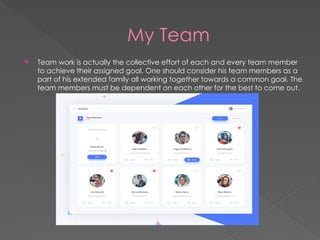
My Team
 Team work is actually the collective effort of each and every team member
to achieve their assigned goal. One should consider his team members as a
part of his extended family all working together towards a common goal. The
team members must be dependent on each other for the best to come out.
THANKING YOU!!!

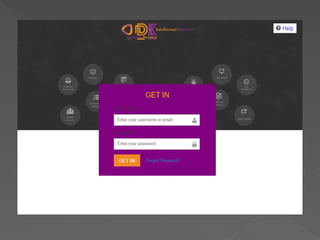
HRMS(Human Resource Management System) application

  • 1.
  • 2.
  • 3.
    Organization  Business Unit Departments  Organisation Structure  Hierarchy  Announcements  Policy Documents
  • 5.
    Business Unit and Department DKIntellectual SALES and Marketing IT Team 1 IT Team 2 Products IT Team 3
  • 7.
    Organisation Structure Business Head HR Manager HR Team SALEand Marketing IT Manager Team Lead Developers MD
  • 8.
  • 10.
    Policy Documents  LeavePolicy  Code of Conduct  Safety and health  attendance and punctuality  Anti-harassment and non-discrimination.
  • 11.
  • 12.
    RECRUITMENT  The modulecontains some of the features that can be important for a recruitment to process the system.  It shows overall applications received from candidates, shortlisted candidates and candidates’ On-Hold.
  • 14.
    BACKGROUND CHECK  ManagingEmployee Background Verification  Agent can collect the details and submit to the manager.  Option approve and refuse the employee based on the details collected  Manager can send mails to the employee after the completion of verification process
  • 17.
    APPRAISAL  Performance Appraisalis a systematic evaluation of Employees’ performance and to understand their abilities for further career transition. It is generally done by the supervisors on the basis of factors such as parameters, questions, ratings etc.
  • 18.
  • 19.
    ANALYTICS  Analytics isthe systematic computational analysis of data or statistics to quantify performance in pictorial chart.  It can be valuable in areas rich with recorded information.
  • 20.
  • 21.
  • 22.
    Leave Management  Oneof the main features available in Self Service is Leave Management.  You can raise leave requests and have them approved by your Reporting Manager/HR. Below is the leave management process flowchart.
  • 23.
    ASSETS  Keep atrack of your organization’s assets like computers, laptops, phones etc. and assign them to employees. It enables the Employers to have quick access to information related to all the assets in the organization. A user can create asset categories and subcategories. Asset details such as invoice number, vendor details, warranty status, asset images etc. can be added and then assigned to employees.
  • 24.
  • 25.
    DISCIPLINE MANAGEMENT • Companypolicy explains how we address our employees' misconduct or inadequate performance. Employees must be aware of the consequences of their actions. We use this policy to outline our disciplinary procedure.
  • 26.
  • 27.
    SERVICE REQUEST  reasonfor employee to raise the request.  Requires the type of service  Date of requisition  Mention the service item (ex: computer)  Submit the request form
  • 29.
    SELF SERVICE  Employeeself-service (ESS) provides employees access to their personal records and details.  With the emergence of ESS, employees are able to transact with their Human Resources office remotely.
  • 30.
    My Calendar • Calendarshows where you can find your work plan. You may have a different work plan for each day depending on the type of work. Your HR or Manager is responsible for making changes to your work plan. The work plan helps you locate your shifts for future.
  • 31.
    My Team  Teamwork is actually the collective effort of each and every team member to achieve their assigned goal. One should consider his team members as a part of his extended family all working together towards a common goal. The team members must be dependent on each other for the best to come out.
  • 32.