CONNECTIONS 2. Effective Connections with Web 2.0
Introduction This instruction is designed for college graduates with a basic understanding of web 2.0 and a strong desire to stay connected effectively with their network(s) of people.  As a web 2.0 user it understandable that the number of available options can become overwhelming.  This self guided instruction will enhance your goals around connecting to networks as you wish in an effective manner.  You will have a Content Management System (in Moodle) available to you with course documents, assessment forms, templates, examples, and an asynchronous discussion board.
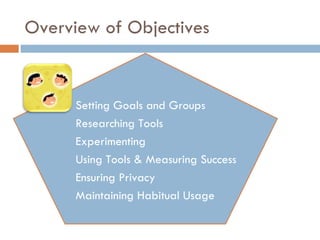
Overview of Objectives Setting Goals and Groups Researching Tools Experimenting Using Tools & Measuring Success Ensuring Privacy Maintaining Habitual Usage
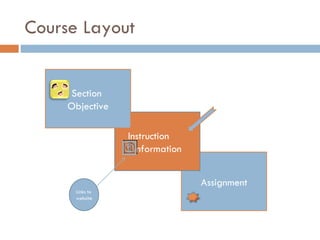
Course Layout Assignment Instruction  nformation  Section  Objective Links to  website
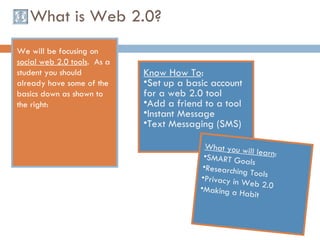
What is Web 2.0? We will be focusing on  social web 2.0 tools .  As a student you should already have some of the basics down as shown to the right:  Know How To : Set up a basic account for a web 2.0 tool Add a friend to a tool Instant Message Text Messaging (SMS) What you will learn : SMART Goals Researching Tools Privacy in Web 2.0 Making a Habit
Objective 1 For the first portion of this instruction you will be setting goals to determine the purpose of each of your networks.  You will also be organizing your entire network into subgroups.
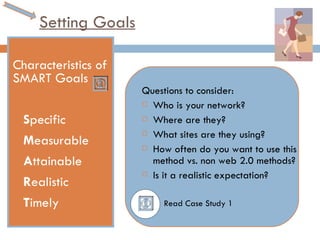
Setting Goals Characteristics of SMART Goals S pecific M easurable  A ttainable R ealistic T imely  Questions to consider: Who is your network? Where are they?  What sites are they using?  How often do you want to use this method vs. non web 2.0 methods?  Is it a realistic expectation? Read Case Study 1
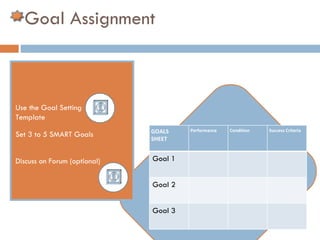
Goal Assignment Use the Goal Setting  Template Set 3 to 5 SMART Goals  Discuss on Forum (optional) GOALS  SHEET  Performance Condition Success Criteria Goal 1 Goal 2 Goal 3
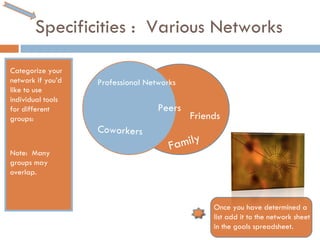
Specificities :  Various Networks Categorize your network if you’d like to use individual tools for different groups: Note:  Many groups may overlap. Professional Networks Friends Family Peers Coworkers Once you have determined a list add it to the network sheet in the goals spreadsheet.
Measuring Success Fill in each section for each goal.  Goal Analysis Tool In Case Study 1 look at the example goal spread sheet and the goal analysis tool.  Each goal will have a:   Performance Condition Success Criteria
Objective 2 Using the Internet and people in your current networks research web 2.0 tools and social networking websites to find what is available currently to organize your network(s).
Tools & Research Use a Search Engine such as Yahoo or Google to find social networking sites. Search Technology Blogs and Technology news websites to find what is available in the market. Web Research Guide
Talking to People 2.0 Look over the people in your own network that are tech savvy or who have large networks.  Ask them the following: What tools are you using to network? Why are they using these tools as opposed to others (advantages)? Use your goals to ask other relevant questions.  Utilize your current network to find tools.
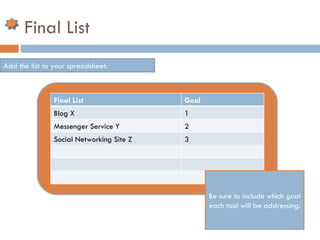
Final List Add the list to your spreadsheet: Be sure to include which goal each tool will be addressing. Final List Goal Blog X 1 Messenger Service Y 2 Social Networking Site Z 3
Objective 3   Experiment with each tool and evaluate based on measurable characteristics in the spreadsheet.
Accounts Create accounts for each of your tools. Here is an example if you need one.  Most websites will have a “help” section that will walk you through any steps you need.
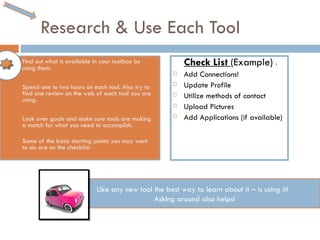
Research & Use Each Tool Find out what is available in your toolbox by using them.  Spend one to two hours on each tool. Also try to find one review on the web of each tool you are using.  Look over goals and make sure tools are making a match for what you need to accomplish.  Some of the basic starting points you may want to do are on the checklist:  Check List  (Example)  : Add Connections!  Update Profile Utilize methods of contact Upload Pictures Add Applications (if available) Like any new tool the best way to learn about it – is using it!  Asking around also helps!
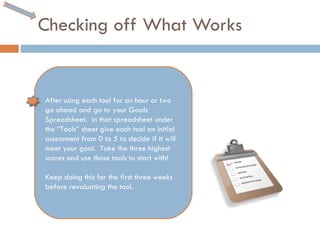
Checking off What Works After using each tool for an hour or two go ahead and go to your Goals Spreadsheet.  In that spreadsheet under the “Tools” sheet give each tool an initial assessment from 0 to 5 to decide if it will meet your goal.  Take the three highest scores and use those tools to start with!  Keep doing this for the first three weeks before revaluating the tool.
Objective 4 Use goals to evaluate time that will be put into social networking via web 2.0 tools and use network to evaluate effectiveness of goals.
Time Fill out your goal spreadsheet under the time sheet to keep track of how much time you put in to each goal on a weekly basis for the first three weeks.  Make a decision in advance as to how much time you will be putting into each tool weekly.  Remember!  - You only get back the effort you put in!
Time Example Example:  John will contact five people weekly on his social networking website.  John will probably want to put an hour into this a week to start with and possibly change the amount of time after he surveys his network.
21 days. Building  or sticking with a new habit is always difficult.  7 Habits of  Highly Effective People by Stephen R. Covey gives great advice on  Habits.  Use the link to get a brief overview! Use each of your tools for 21 days and then Re-assess if they are working for you or not using your goals spreadsheet.
21 days.  Example Look over the goal example.  Sample Results for John:  After 21 days John will assess that each of his friends thinks he is 20 to 30% more available to them than before.  John will continue using his social networking tool.  His network that instant message with him do not feel that is working as he is often busy with work, so John will try to find another  method to reach out to his network outside of a messenger service other than for brief conversations.
Evaluations and Surveys Look over the example survey.  Create your own survey based on the goals you wanted to address.  Have 25% of each of your networks (if required) fill out a survey.  If necessary based on goals create more than one survey Use these findings and personal reflection to analyze your goals, rescore each of them, and make changes as necessary.
Objective 5 Given what information the learner wants to be available to their network ensure privacy within social networks using security protocols of each tool.
Objective 6 Ensure a habit is created to keep your network goals intact by using tools bi-monthly at minimum and revamping goals bi-annually.
THANK YOU  & STAY CONNECTED! Hope this was informative and useful for you!

Web 2.0 Connections

  • 1.
    CONNECTIONS 2. EffectiveConnections with Web 2.0
  • 2.
    Introduction This instructionis designed for college graduates with a basic understanding of web 2.0 and a strong desire to stay connected effectively with their network(s) of people. As a web 2.0 user it understandable that the number of available options can become overwhelming. This self guided instruction will enhance your goals around connecting to networks as you wish in an effective manner. You will have a Content Management System (in Moodle) available to you with course documents, assessment forms, templates, examples, and an asynchronous discussion board.
  • 3.
    Overview of ObjectivesSetting Goals and Groups Researching Tools Experimenting Using Tools & Measuring Success Ensuring Privacy Maintaining Habitual Usage
  • 4.
    Course Layout AssignmentInstruction nformation Section Objective Links to website
  • 5.
    What is Web2.0? We will be focusing on social web 2.0 tools . As a student you should already have some of the basics down as shown to the right: Know How To : Set up a basic account for a web 2.0 tool Add a friend to a tool Instant Message Text Messaging (SMS) What you will learn : SMART Goals Researching Tools Privacy in Web 2.0 Making a Habit
  • 6.
    Objective 1 Forthe first portion of this instruction you will be setting goals to determine the purpose of each of your networks. You will also be organizing your entire network into subgroups.
  • 7.
    Setting Goals Characteristicsof SMART Goals S pecific M easurable A ttainable R ealistic T imely Questions to consider: Who is your network? Where are they? What sites are they using? How often do you want to use this method vs. non web 2.0 methods? Is it a realistic expectation? Read Case Study 1
  • 8.
    Goal Assignment Usethe Goal Setting Template Set 3 to 5 SMART Goals Discuss on Forum (optional) GOALS SHEET Performance Condition Success Criteria Goal 1 Goal 2 Goal 3
  • 9.
    Specificities : Various Networks Categorize your network if you’d like to use individual tools for different groups: Note: Many groups may overlap. Professional Networks Friends Family Peers Coworkers Once you have determined a list add it to the network sheet in the goals spreadsheet.
  • 10.
    Measuring Success Fillin each section for each goal. Goal Analysis Tool In Case Study 1 look at the example goal spread sheet and the goal analysis tool. Each goal will have a: Performance Condition Success Criteria
  • 11.
    Objective 2 Usingthe Internet and people in your current networks research web 2.0 tools and social networking websites to find what is available currently to organize your network(s).
  • 12.
    Tools & ResearchUse a Search Engine such as Yahoo or Google to find social networking sites. Search Technology Blogs and Technology news websites to find what is available in the market. Web Research Guide
  • 13.
    Talking to People2.0 Look over the people in your own network that are tech savvy or who have large networks. Ask them the following: What tools are you using to network? Why are they using these tools as opposed to others (advantages)? Use your goals to ask other relevant questions. Utilize your current network to find tools.
  • 14.
    Final List Addthe list to your spreadsheet: Be sure to include which goal each tool will be addressing. Final List Goal Blog X 1 Messenger Service Y 2 Social Networking Site Z 3
  • 15.
    Objective 3 Experiment with each tool and evaluate based on measurable characteristics in the spreadsheet.
  • 16.
    Accounts Create accountsfor each of your tools. Here is an example if you need one. Most websites will have a “help” section that will walk you through any steps you need.
  • 17.
    Research & UseEach Tool Find out what is available in your toolbox by using them. Spend one to two hours on each tool. Also try to find one review on the web of each tool you are using. Look over goals and make sure tools are making a match for what you need to accomplish. Some of the basic starting points you may want to do are on the checklist: Check List (Example) : Add Connections! Update Profile Utilize methods of contact Upload Pictures Add Applications (if available) Like any new tool the best way to learn about it – is using it! Asking around also helps!
  • 18.
    Checking off WhatWorks After using each tool for an hour or two go ahead and go to your Goals Spreadsheet. In that spreadsheet under the “Tools” sheet give each tool an initial assessment from 0 to 5 to decide if it will meet your goal. Take the three highest scores and use those tools to start with! Keep doing this for the first three weeks before revaluating the tool.
  • 19.
    Objective 4 Usegoals to evaluate time that will be put into social networking via web 2.0 tools and use network to evaluate effectiveness of goals.
  • 20.
    Time Fill outyour goal spreadsheet under the time sheet to keep track of how much time you put in to each goal on a weekly basis for the first three weeks. Make a decision in advance as to how much time you will be putting into each tool weekly. Remember! - You only get back the effort you put in!
  • 21.
    Time Example Example: John will contact five people weekly on his social networking website. John will probably want to put an hour into this a week to start with and possibly change the amount of time after he surveys his network.
  • 22.
    21 days. Building or sticking with a new habit is always difficult. 7 Habits of Highly Effective People by Stephen R. Covey gives great advice on Habits. Use the link to get a brief overview! Use each of your tools for 21 days and then Re-assess if they are working for you or not using your goals spreadsheet.
  • 23.
    21 days. Example Look over the goal example. Sample Results for John: After 21 days John will assess that each of his friends thinks he is 20 to 30% more available to them than before. John will continue using his social networking tool. His network that instant message with him do not feel that is working as he is often busy with work, so John will try to find another method to reach out to his network outside of a messenger service other than for brief conversations.
  • 24.
    Evaluations and SurveysLook over the example survey. Create your own survey based on the goals you wanted to address. Have 25% of each of your networks (if required) fill out a survey. If necessary based on goals create more than one survey Use these findings and personal reflection to analyze your goals, rescore each of them, and make changes as necessary.
  • 25.
    Objective 5 Givenwhat information the learner wants to be available to their network ensure privacy within social networks using security protocols of each tool.
  • 26.
    Objective 6 Ensurea habit is created to keep your network goals intact by using tools bi-monthly at minimum and revamping goals bi-annually.
  • 27.
    THANK YOU & STAY CONNECTED! Hope this was informative and useful for you!