How to Run a LinkedIn Search
Like a Pro
​Lauren Brown
​Customer Education Consultant
​lbrown@linkedin.com
Charlene Narcelles
Customer Education Consultant
cnarcelles@linkedin.com
What we’ll cover today
What is advanced search?
1
Social InMail techniques3
Live demonstration of advanced search2
4 Q&A
What is advanced search?
6
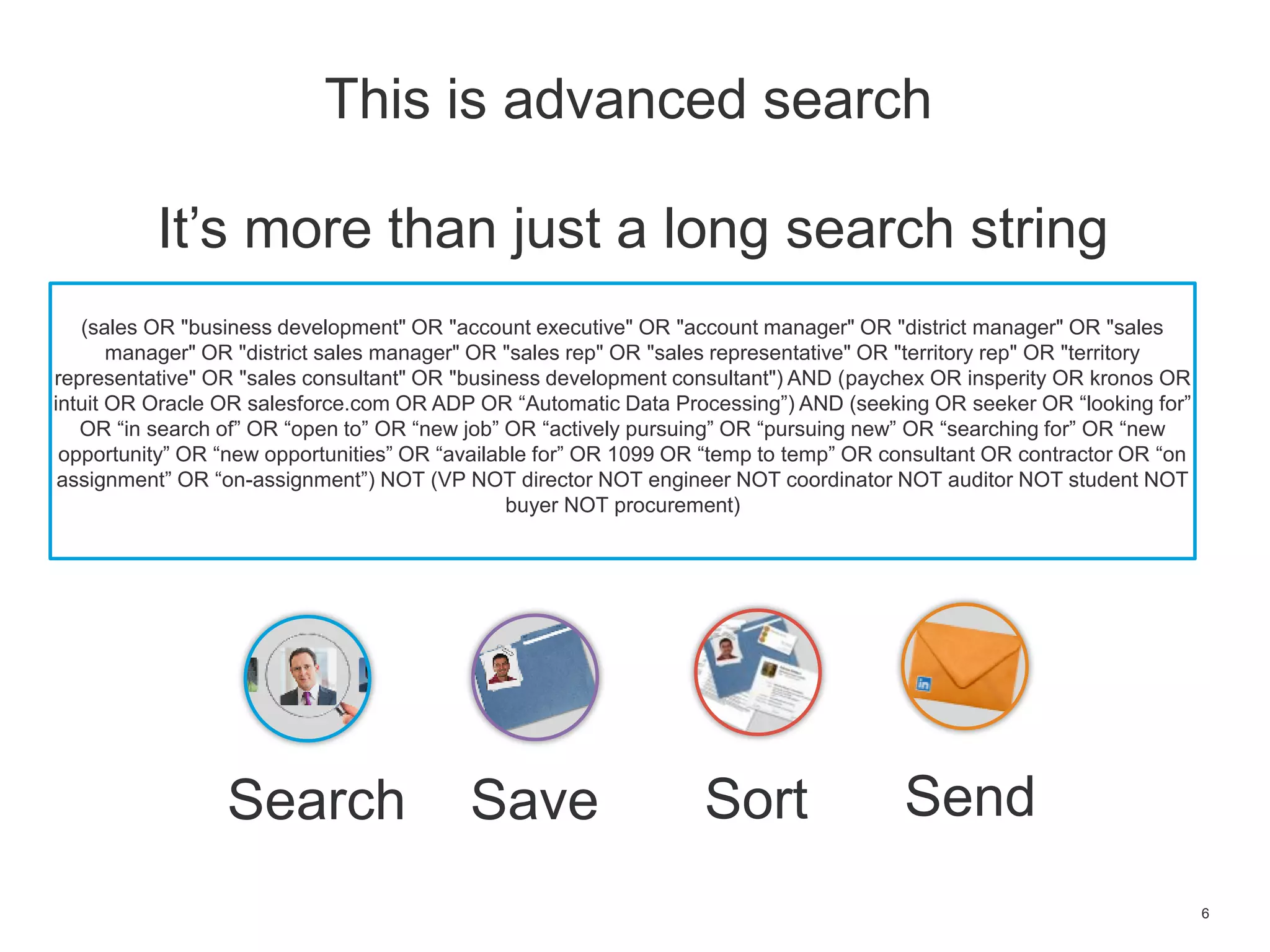
It’s more than just a long search string
(sales OR "business development" OR "account executive" OR "account manager" OR "district manager" OR "sales
manager" OR "district sales manager" OR "sales rep" OR "sales representative" OR "territory rep" OR "territory
representative" OR "sales consultant" OR "business development consultant") AND (paychex OR insperity OR kronos OR
intuit OR Oracle OR salesforce.com OR ADP OR “Automatic Data Processing”) AND (seeking OR seeker OR “looking for”
OR “in search of” OR “open to” OR “new job” OR “actively pursuing” OR “pursuing new” OR “searching for” OR “new
opportunity” OR “new opportunities” OR “available for” OR 1099 OR “temp to temp” OR consultant OR contractor OR “on
assignment” OR “on-assignment”) NOT (VP NOT director NOT engineer NOT coordinator NOT auditor NOT student NOT
buyer NOT procurement)
This is advanced search
Search SortSave Send
7
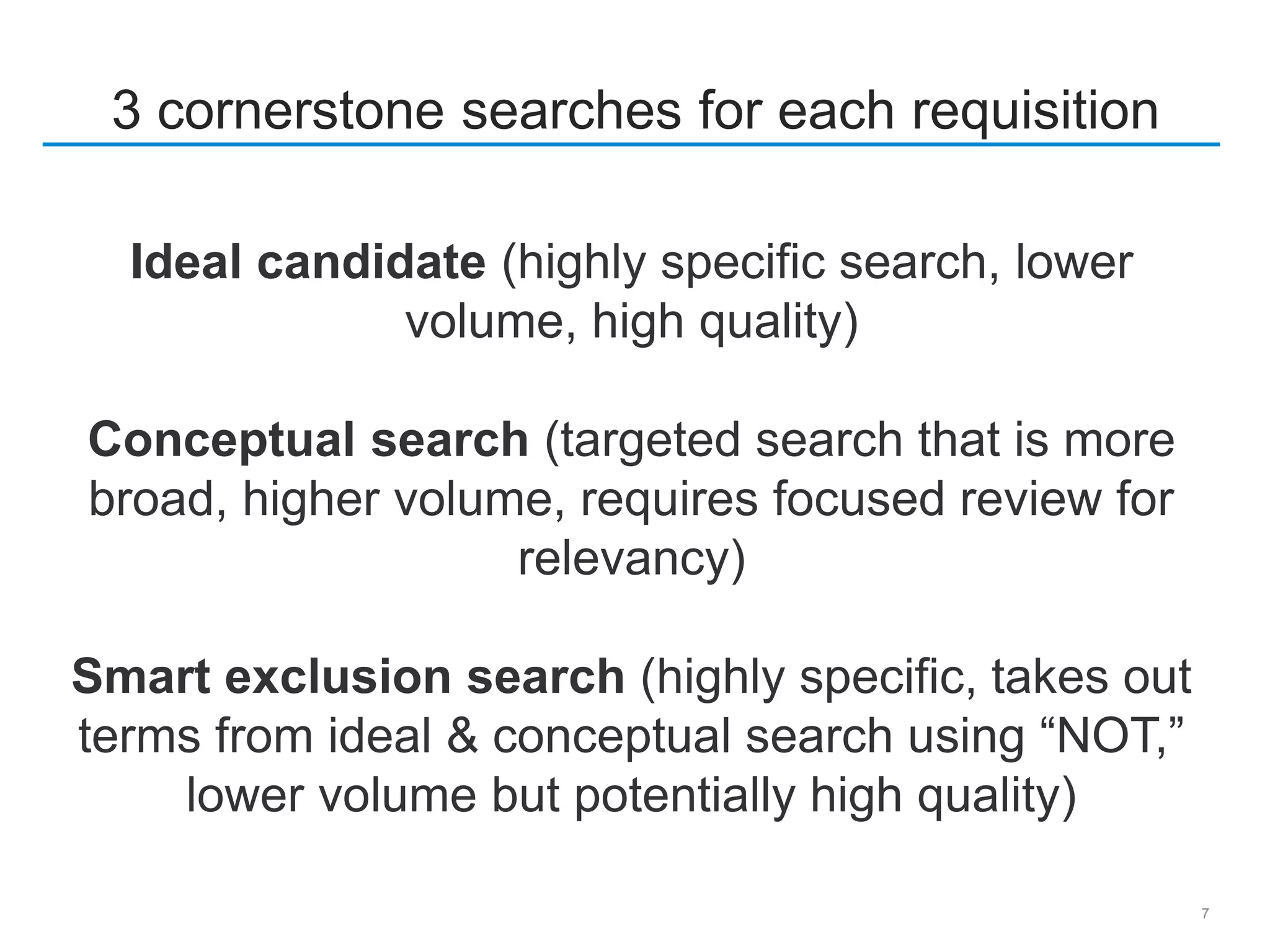
3 cornerstone searches for each requisition
Ideal candidate (highly specific search, lower
volume, high quality)
Conceptual search (targeted search that is more
broad, higher volume, requires focused review for
relevancy)
Smart exclusion search (highly specific, takes out
terms from ideal & conceptual search using “NOT,”
lower volume but potentially high quality)
8
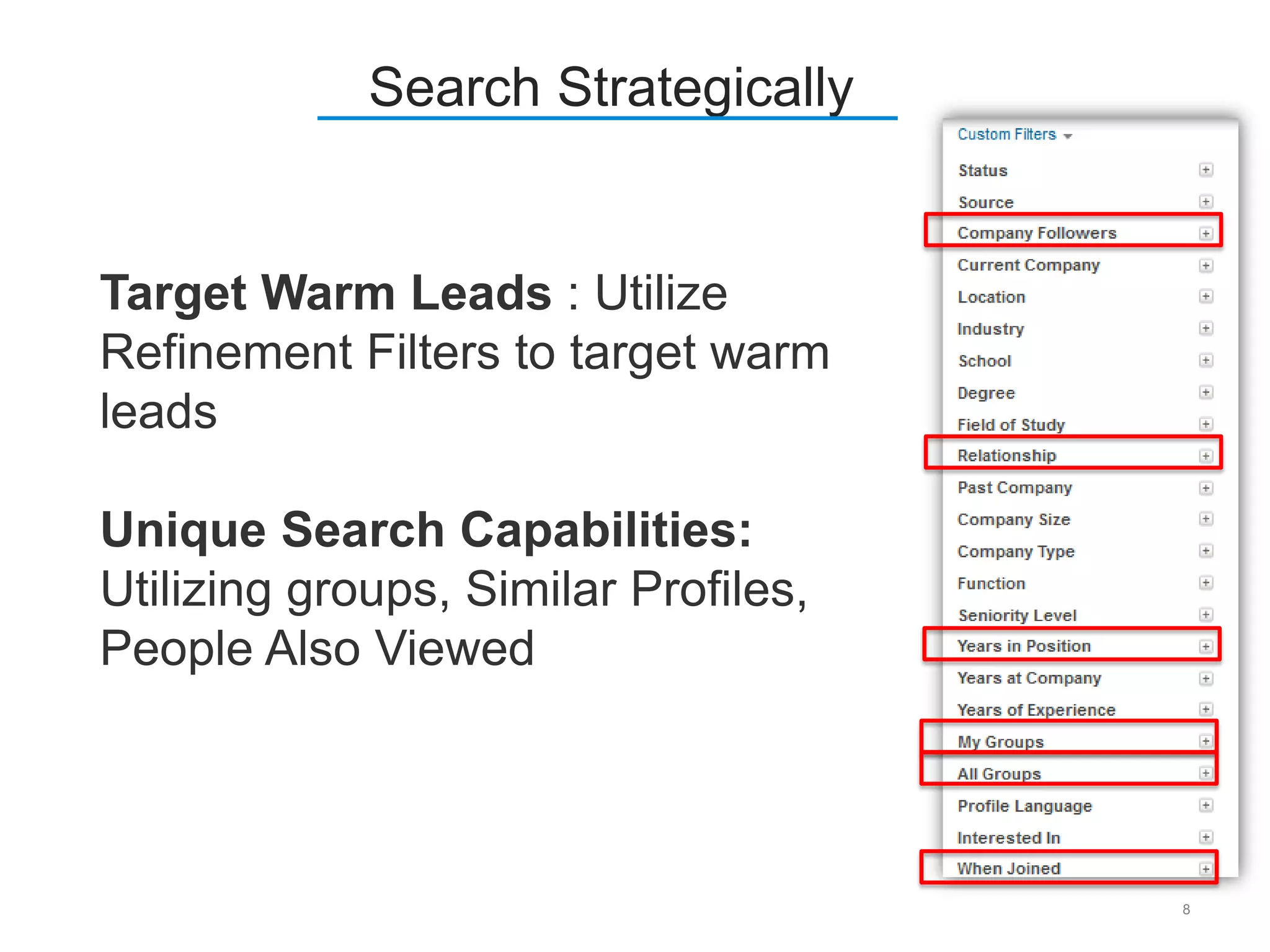
Search Strategically
Target Warm Leads : Utilize
Refinement Filters to target warm
leads
Unique Search Capabilities:
Utilizing groups, Similar Profiles,
People Also Viewed
9
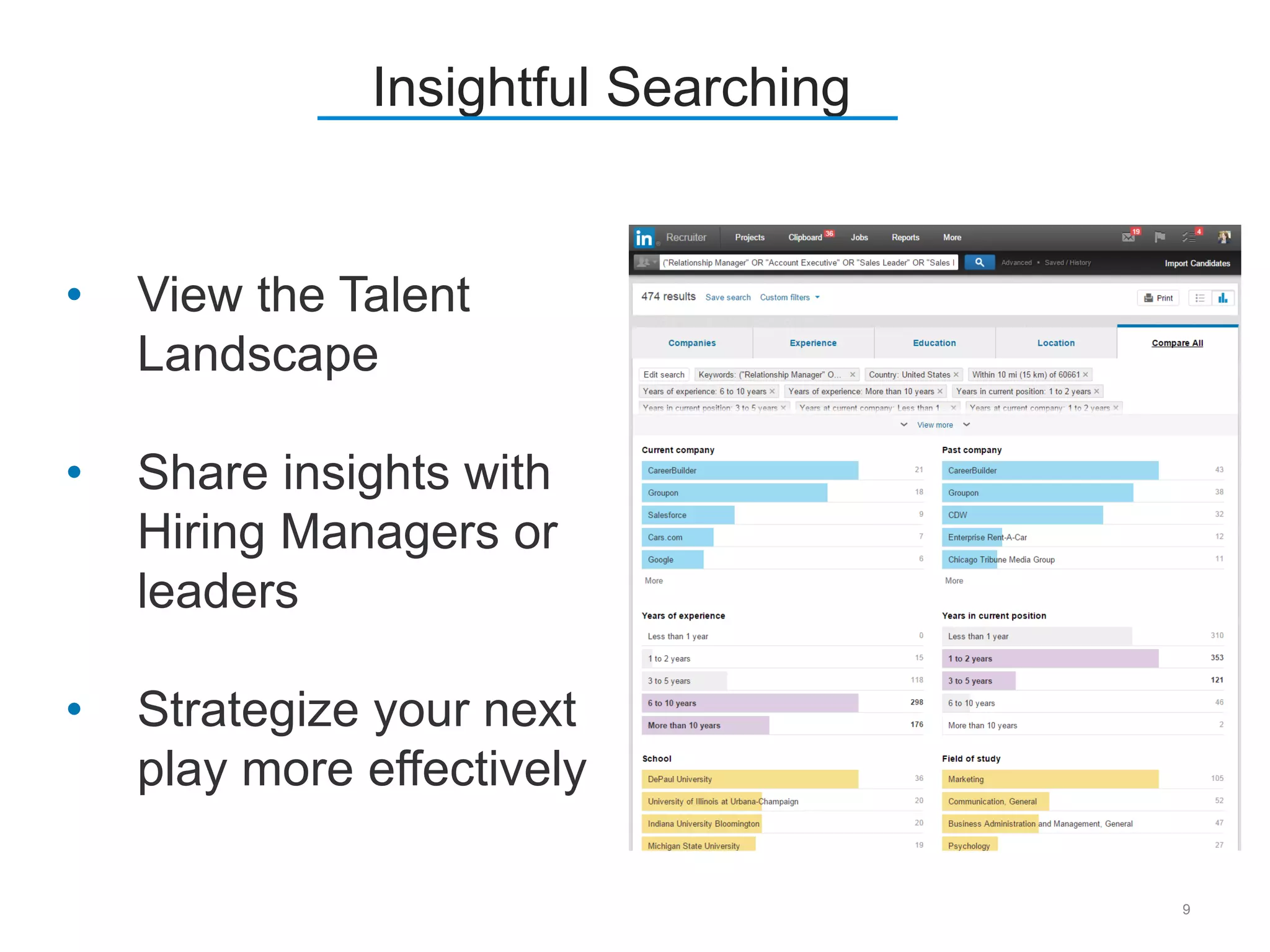
Insightful Searching
• View the Talent
Landscape
• Share insights with
Hiring Managers or
leaders
• Strategize your next
play more effectively
10
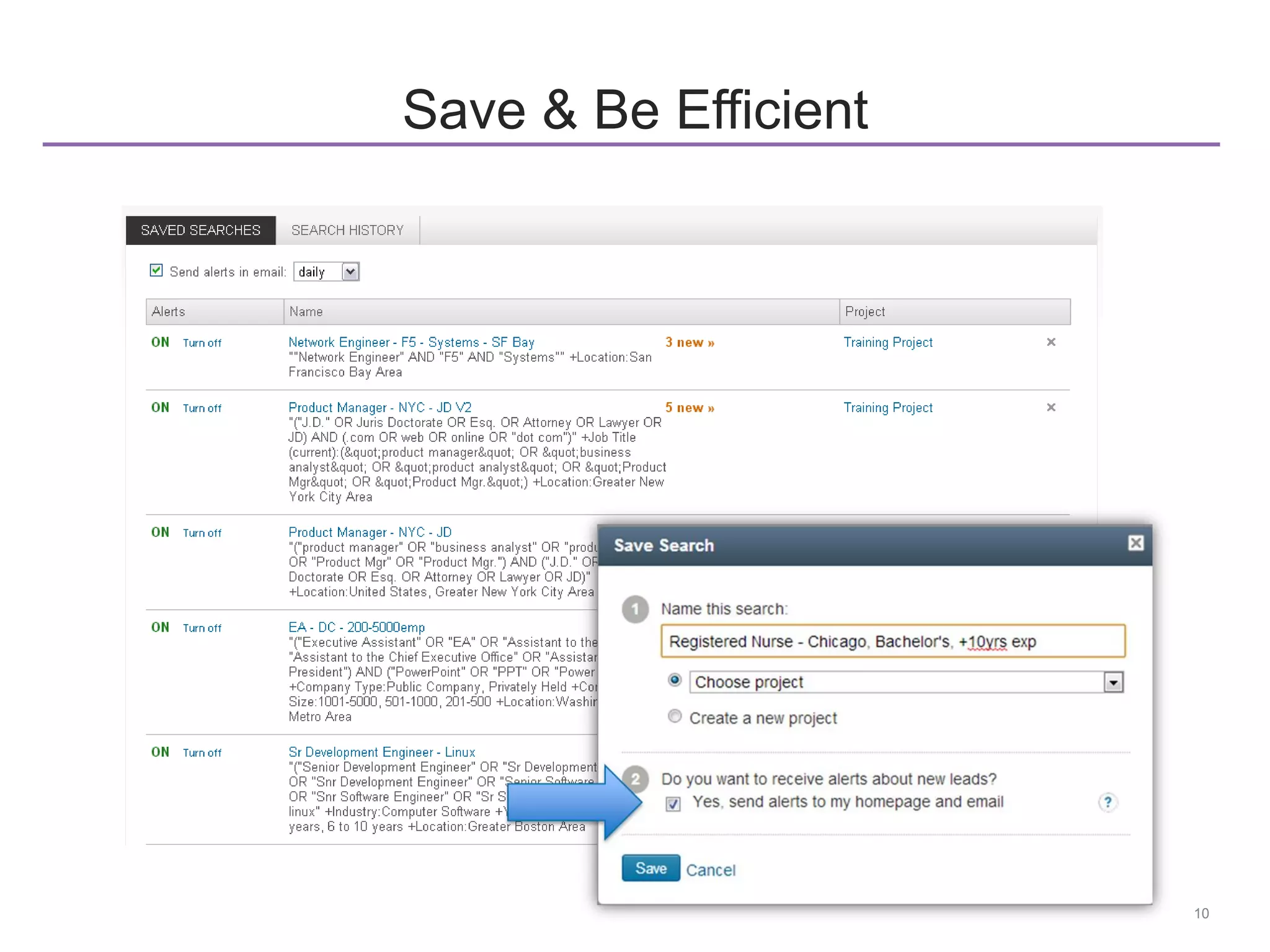
Save & Be Efficient
11
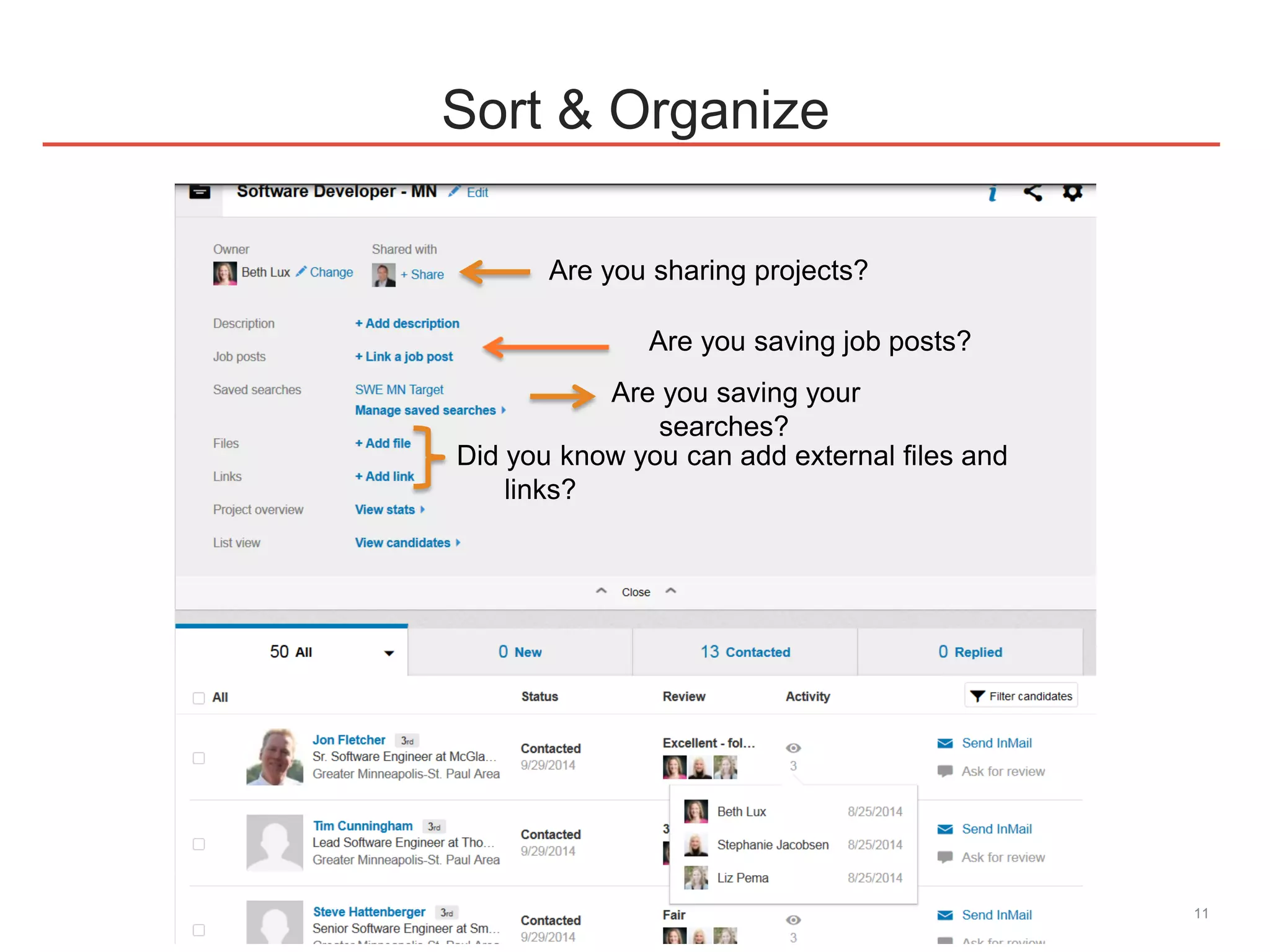
Sort & Organize
Are you sharing projects?
Are you saving job posts?
Are you saving your
searches?
Did you know you can add external files and
links?
Demo
Social InMail Strategy
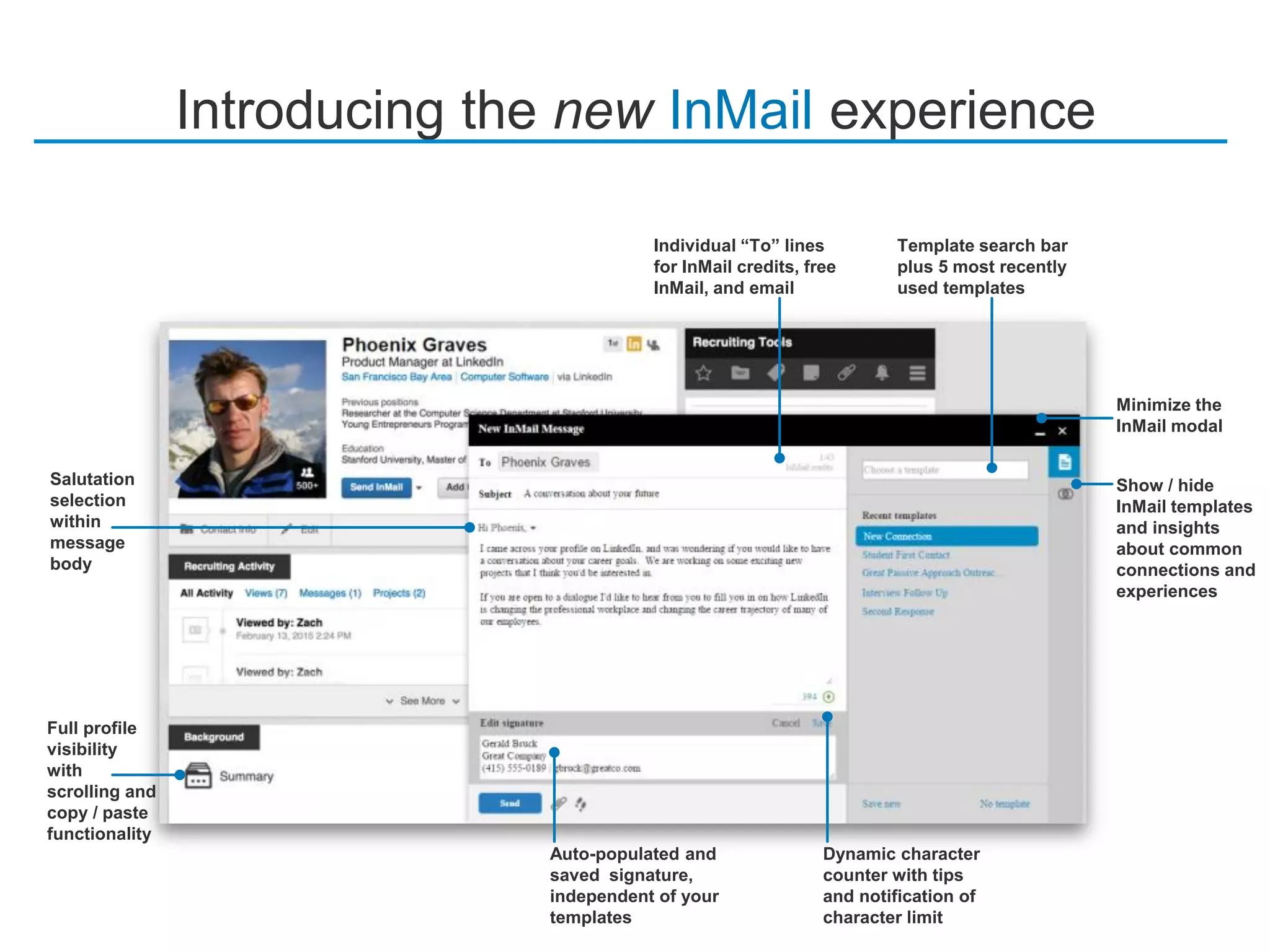
Introducing the new InMail experience
Full profile
visibility
with
scrolling and
copy / paste
functionality
Dynamic character
counter with tips
and notification of
character limit
Template search bar
plus 5 most recently
used templates
Auto-populated and
saved signature,
independent of your
templates
Salutation
selection
within
message
body
Individual “To” lines
for InMail credits, free
InMail, and email
Show / hide
InMail templates
and insights
about common
connections and
experiences
Minimize the
InMail modal
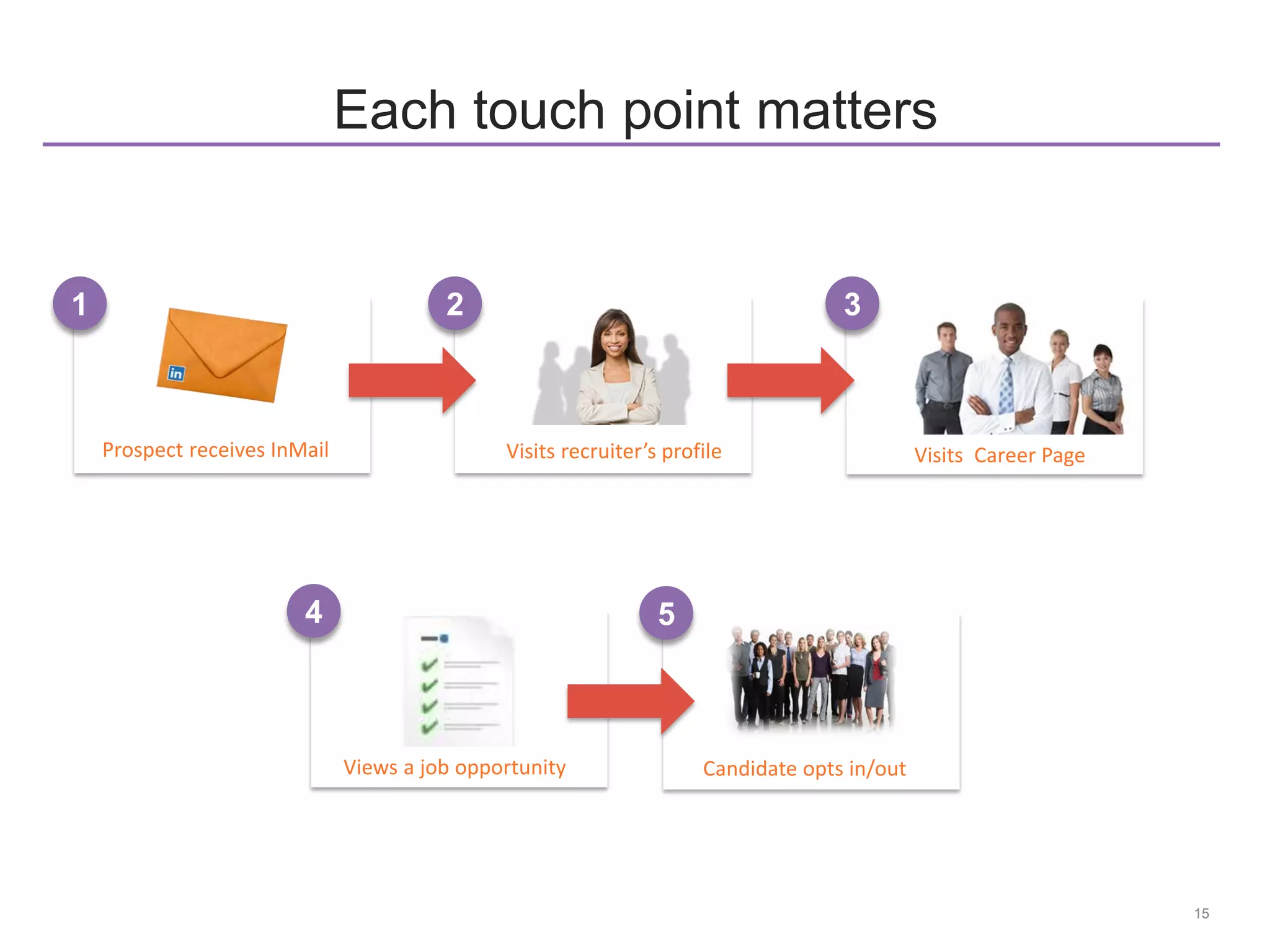
Views a job opportunity
4
15
Each touch point matters
Visits Career Page
Candidate opts in/out
Prospect receives InMail
1
Visits recruiter’s profile
2 3
5
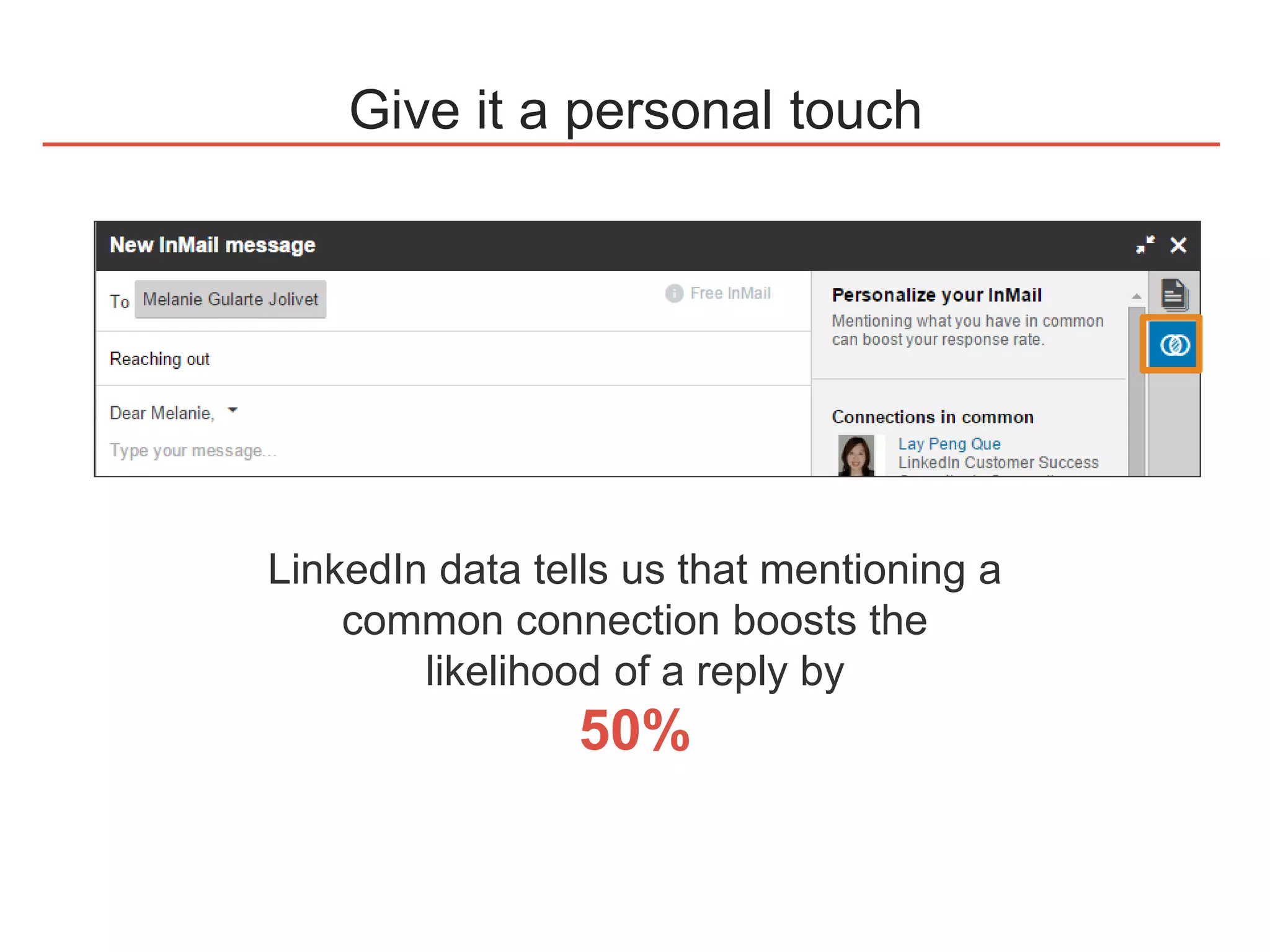
Give it a personal touch
LinkedIn data tells us that mentioning a
common connection boosts the
likelihood of a reply by
50%
17
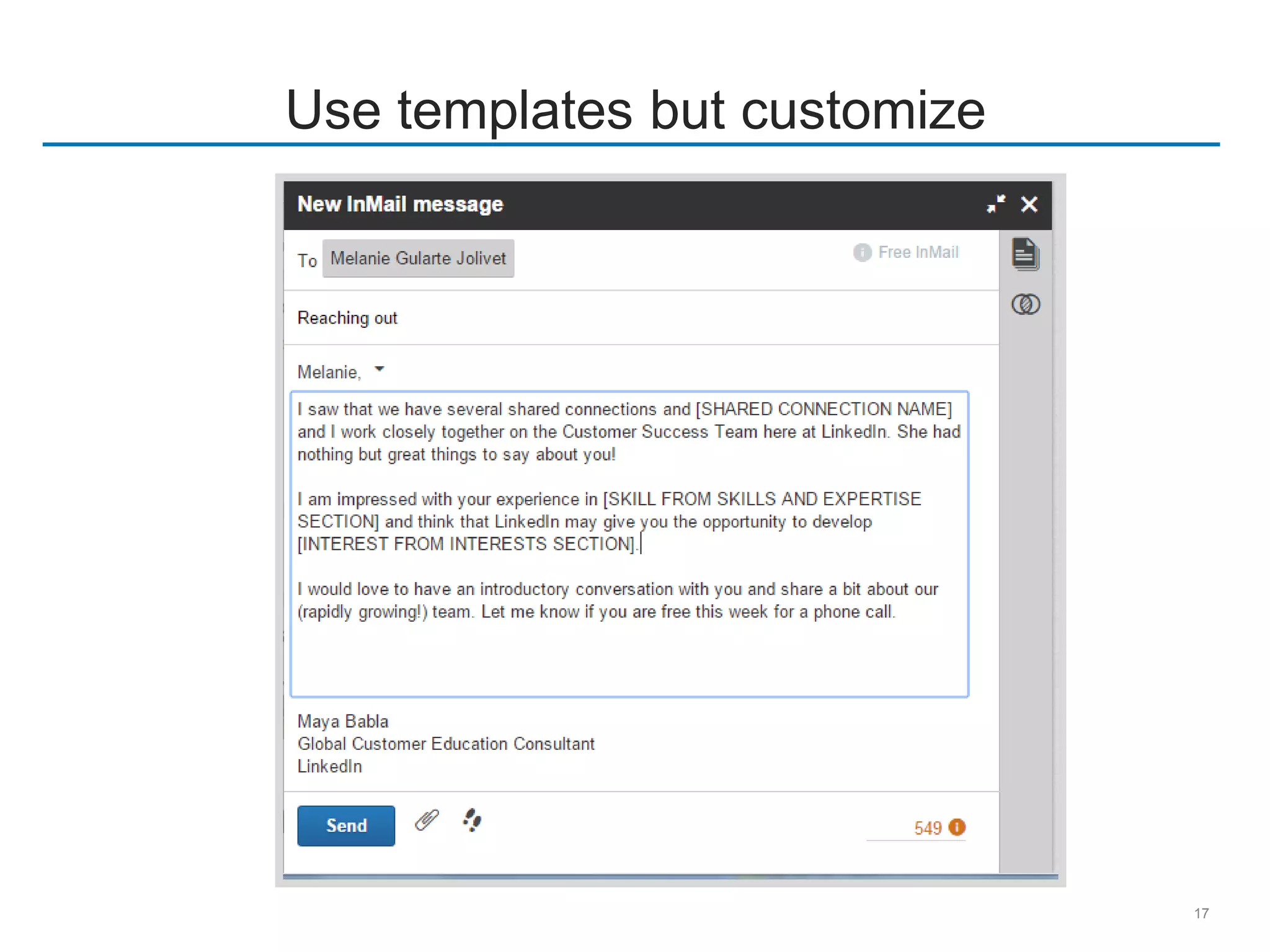
Use templates but customize
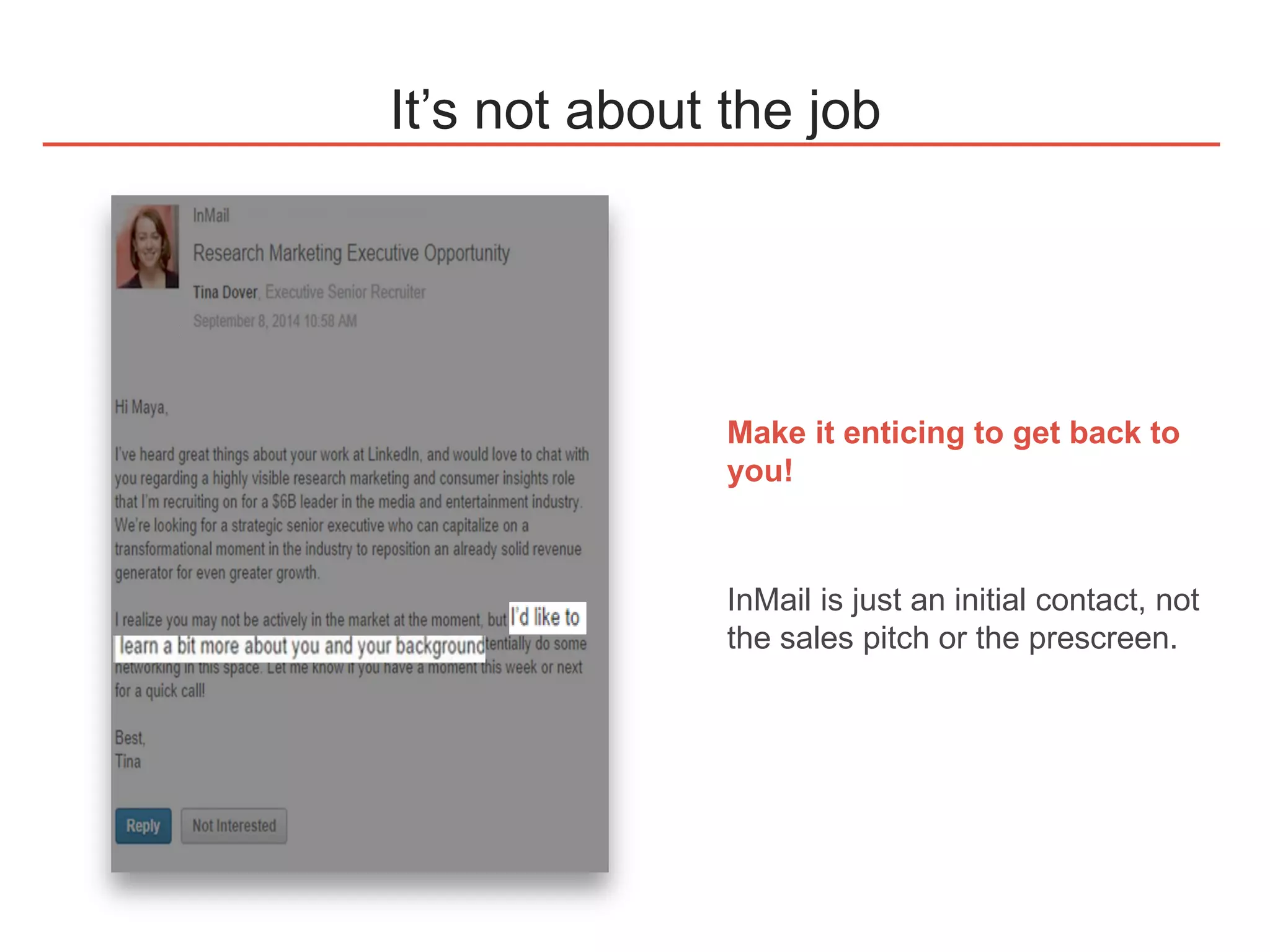
It’s not about the job
Make it enticing to get back to
you!
InMail is just an initial contact, not
the sales pitch or the prescreen.
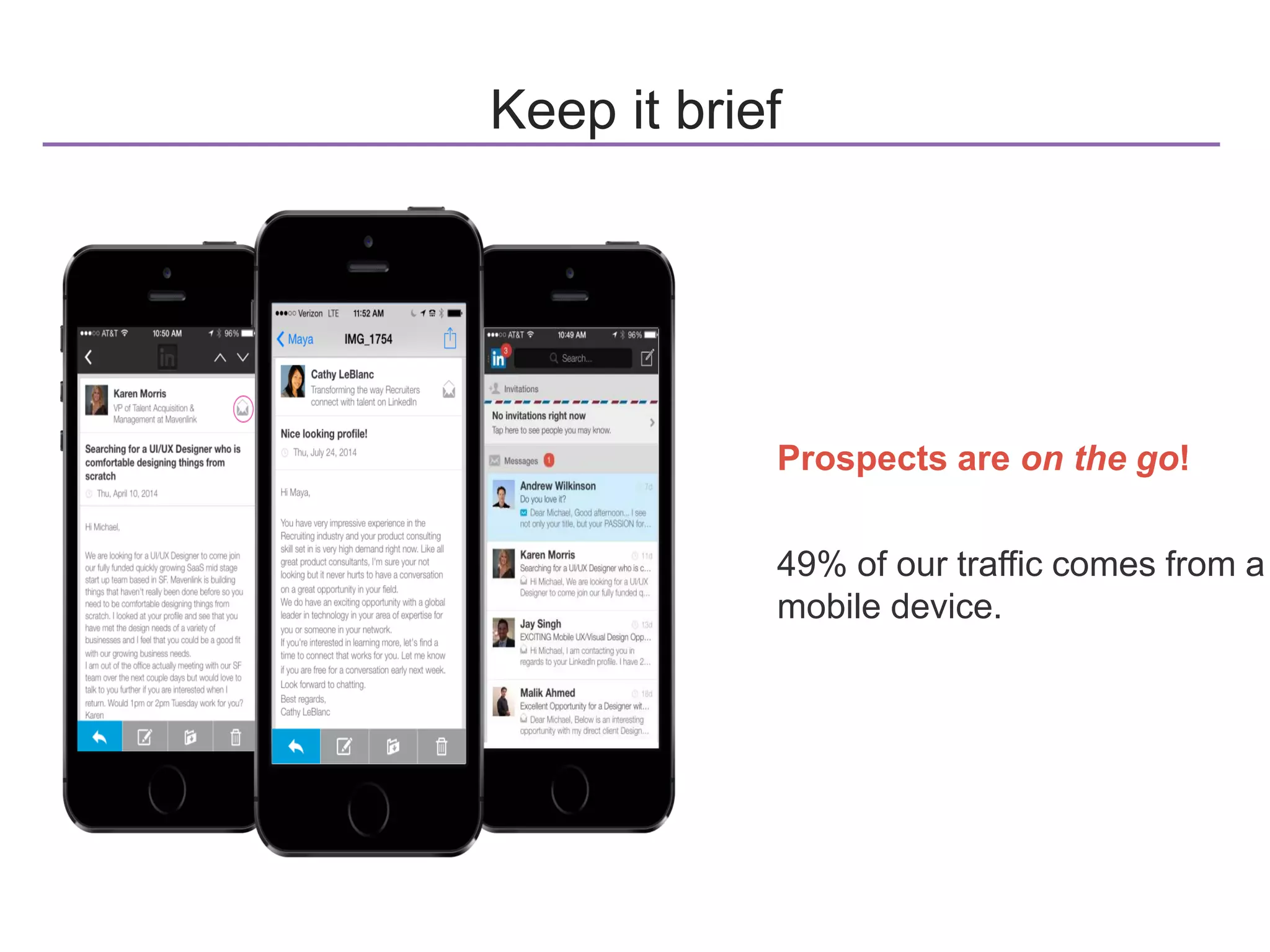
Keep it brief
Prospects are on the go!
49% of our traffic comes from a
mobile device.
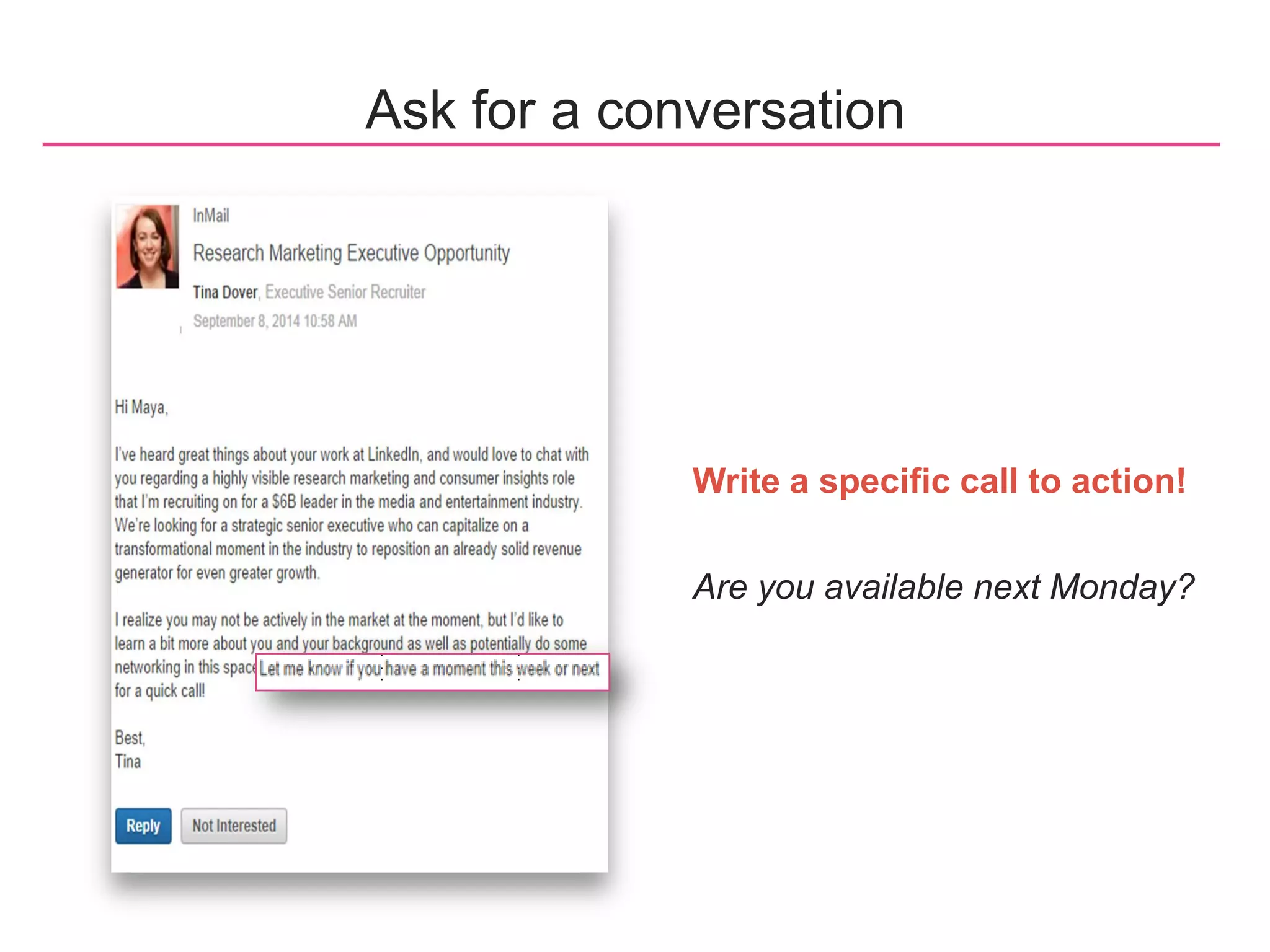
Write a specific call to action!
Are you available next Monday?
Ask for a conversation
©2014 LinkedIn Corporation. All Rights Reserved.

How to run a LinkedIn search like a pro

  • 1.
    How to Runa LinkedIn Search Like a Pro ​Lauren Brown ​Customer Education Consultant ​lbrown@linkedin.com Charlene Narcelles Customer Education Consultant cnarcelles@linkedin.com
  • 2.
    What we’ll covertoday What is advanced search? 1 Social InMail techniques3 Live demonstration of advanced search2 4 Q&A
  • 3.
  • 4.
    6 It’s more thanjust a long search string (sales OR "business development" OR "account executive" OR "account manager" OR "district manager" OR "sales manager" OR "district sales manager" OR "sales rep" OR "sales representative" OR "territory rep" OR "territory representative" OR "sales consultant" OR "business development consultant") AND (paychex OR insperity OR kronos OR intuit OR Oracle OR salesforce.com OR ADP OR “Automatic Data Processing”) AND (seeking OR seeker OR “looking for” OR “in search of” OR “open to” OR “new job” OR “actively pursuing” OR “pursuing new” OR “searching for” OR “new opportunity” OR “new opportunities” OR “available for” OR 1099 OR “temp to temp” OR consultant OR contractor OR “on assignment” OR “on-assignment”) NOT (VP NOT director NOT engineer NOT coordinator NOT auditor NOT student NOT buyer NOT procurement) This is advanced search Search SortSave Send
  • 5.
    7 3 cornerstone searchesfor each requisition Ideal candidate (highly specific search, lower volume, high quality) Conceptual search (targeted search that is more broad, higher volume, requires focused review for relevancy) Smart exclusion search (highly specific, takes out terms from ideal & conceptual search using “NOT,” lower volume but potentially high quality)
  • 6.
    8 Search Strategically Target WarmLeads : Utilize Refinement Filters to target warm leads Unique Search Capabilities: Utilizing groups, Similar Profiles, People Also Viewed
  • 7.
    9 Insightful Searching • Viewthe Talent Landscape • Share insights with Hiring Managers or leaders • Strategize your next play more effectively
  • 8.
    10 Save & BeEfficient
  • 9.
    11 Sort & Organize Areyou sharing projects? Are you saving job posts? Are you saving your searches? Did you know you can add external files and links?
  • 10.
  • 11.
  • 12.
    Introducing the newInMail experience Full profile visibility with scrolling and copy / paste functionality Dynamic character counter with tips and notification of character limit Template search bar plus 5 most recently used templates Auto-populated and saved signature, independent of your templates Salutation selection within message body Individual “To” lines for InMail credits, free InMail, and email Show / hide InMail templates and insights about common connections and experiences Minimize the InMail modal
  • 13.
    Views a jobopportunity 4 15 Each touch point matters Visits Career Page Candidate opts in/out Prospect receives InMail 1 Visits recruiter’s profile 2 3 5
  • 14.
    Give it apersonal touch LinkedIn data tells us that mentioning a common connection boosts the likelihood of a reply by 50%
  • 15.
  • 16.
    It’s not aboutthe job Make it enticing to get back to you! InMail is just an initial contact, not the sales pitch or the prescreen.
  • 17.
    Keep it brief Prospectsare on the go! 49% of our traffic comes from a mobile device.
  • 18.
    Write a specificcall to action! Are you available next Monday? Ask for a conversation
  • 19.
    ©2014 LinkedIn Corporation.All Rights Reserved.